ad blue Acura TLX 2019 Navigation Manual
[x] Cancel search | Manufacturer: ACURA, Model Year: 2019, Model line: TLX, Model: Acura TLX 2019Pages: 399, PDF Size: 41.86 MB
Page 94 of 399
92
uuCustomized Features u
System Setup
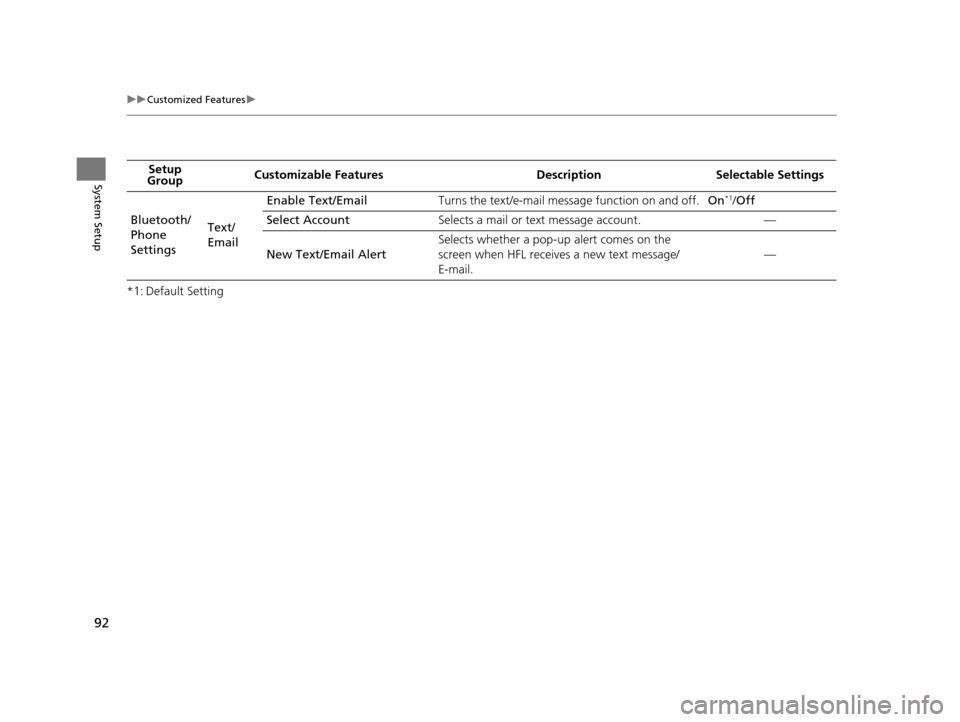
*1: Default SettingSetup
Group Customizable Features Desc
ription Selectable Settings
Bluetooth/
Phone
Settings Text/
EmailEnable Text/Email
Turns the text/e-mail message function on and off. On
*1/Off
Select Account Selects a mail or text message account. —
New Text/Email Alert Selects whether a pop-up alert comes on the
screen when HFL receives a new text message/
E-mail.
—
19 ACURA TLX NAVI-31TZ38400.book 92 ページ 2018年3月7日 水曜日 午後4時23分
Page 141 of 399
139Continued
Navigation
Calculating the Route
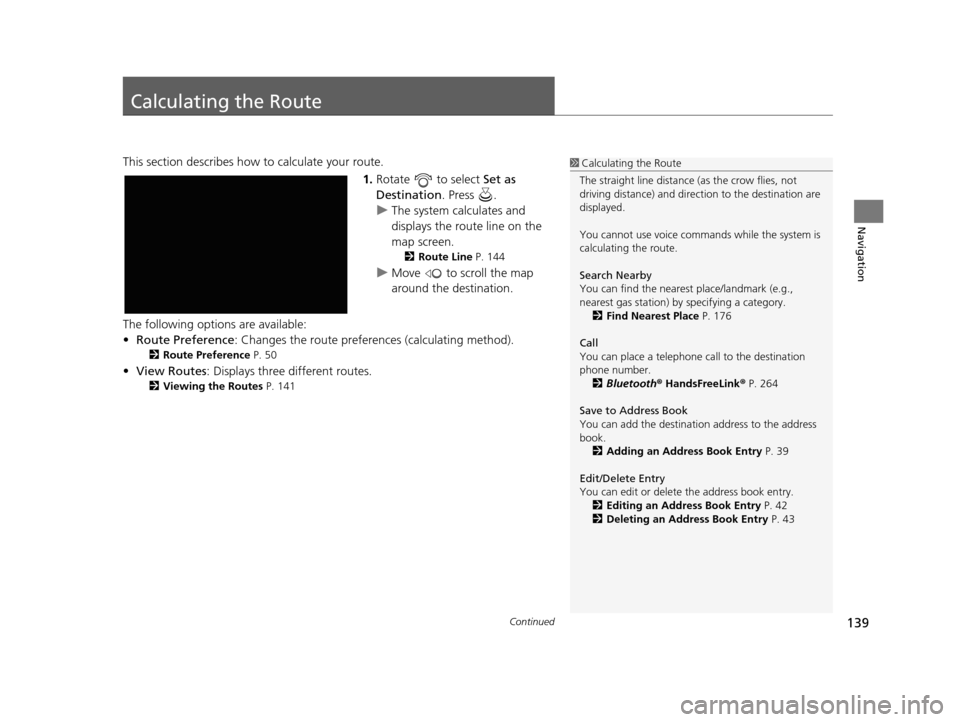
This section describes how to calculate your route.1.Rotate to select Set as
Destination . Press .
u The system calculates and
displays the route line on the
map screen.
2 Route Line P. 144
uMove to scroll the map
around the destination.
The following options are available:
• Route Preference : Changes the route preferen ces (calculating method).
2Route Preference P. 50
•View Routes : Displays three different routes.
2Viewing the Routes P. 141
1Calculating the Route
The straight line distance (as the crow flies, not
driving distance) and direct ion to the destination are
displayed.
You cannot use voice commands while the system is
calculating the route.
Search Nearby
You can find the nearest place/landmark (e.g.,
nearest gas station) by specifying a category.
2 Find Nearest Place P. 176
Call
You can place a telephone call to the destination
phone number. 2 Bluetooth ® HandsFreeLink ® P. 264
Save to Address Book
You can add the destinati on address to the address
book. 2 Adding an Address Book Entry P. 39
Edit/Delete Entry
You can edit or delete the address book entry.
2 Editing an Address Book Entry P. 42
2 Deleting an Address Book Entry P. 43
19 ACURA TLX NAVI-31TZ38400.book 139 ページ 2018年3月7日 水曜日 午後4時23分
Page 146 of 399
uuDriving to Your Destination uViewing the Route
144
Navigation
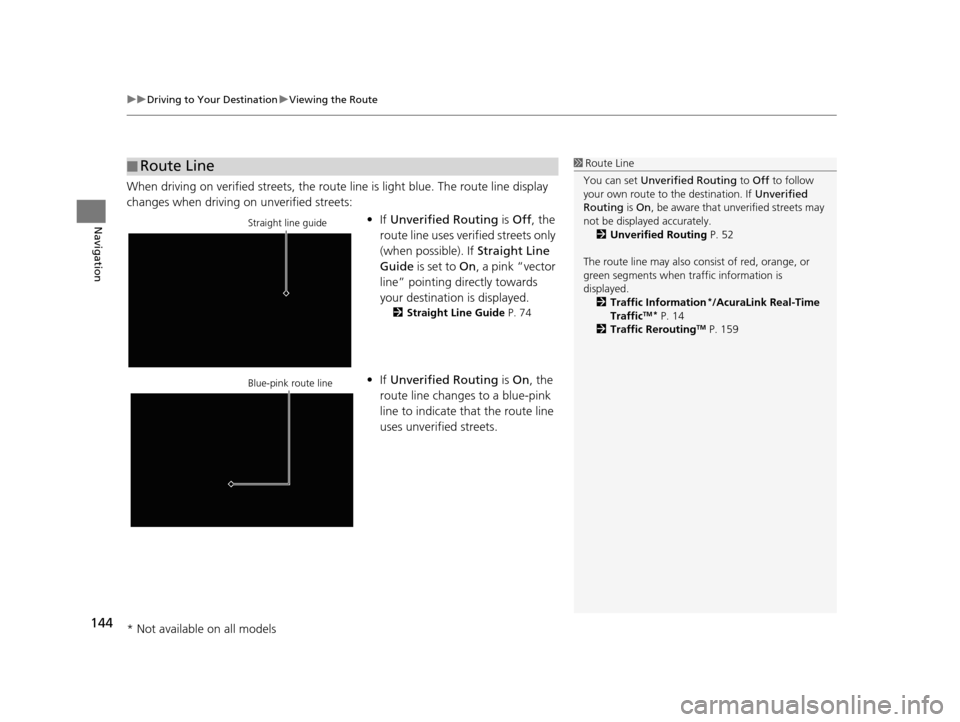
When driving on verified streets, the route line is light blue. The route line display
changes when driving on unverified streets:
•If Unverified Routing is Off, the
route line uses verified streets only
(when possible). If Straight Line
Guide is set to On, a pink “vector
line” pointing directly towards
your destination is displayed.
2 Straight Line Guide P. 74
•If Unverified Routing is On , the
route line changes to a blue-pink
line to indicate that the route line
uses unverified streets.
■ Route Line1
Route Line
You can set Unverified Routing to Off to follow
your own route to the destination. If Unverified
Routing is On, be aware that unverified streets may
not be displayed accurately. 2 Unverified Routing P. 52
The route line may also c onsist of red, orange, or
green segments when traffic information is
displayed.
2 Traffic Information
*/AcuraLink Real-Time
TrafficTM* P. 14
2 Traffic ReroutingTM P. 159
Straight line guide
Blue-pink route line
* Not available on all models
19 ACURA TLX NAVI-31TZ38400.book 144 ページ 2018年3月7日 水曜日 午後4時23分
Page 181 of 399
179
Navigation
Resuming Your Trip
Stop your vehicle en route (e.g., to rest, stop for gas, etc.), and then continue on
your route.
If you did not complete your route, the Continue Trip screen is displayed when you
restart your vehicle.
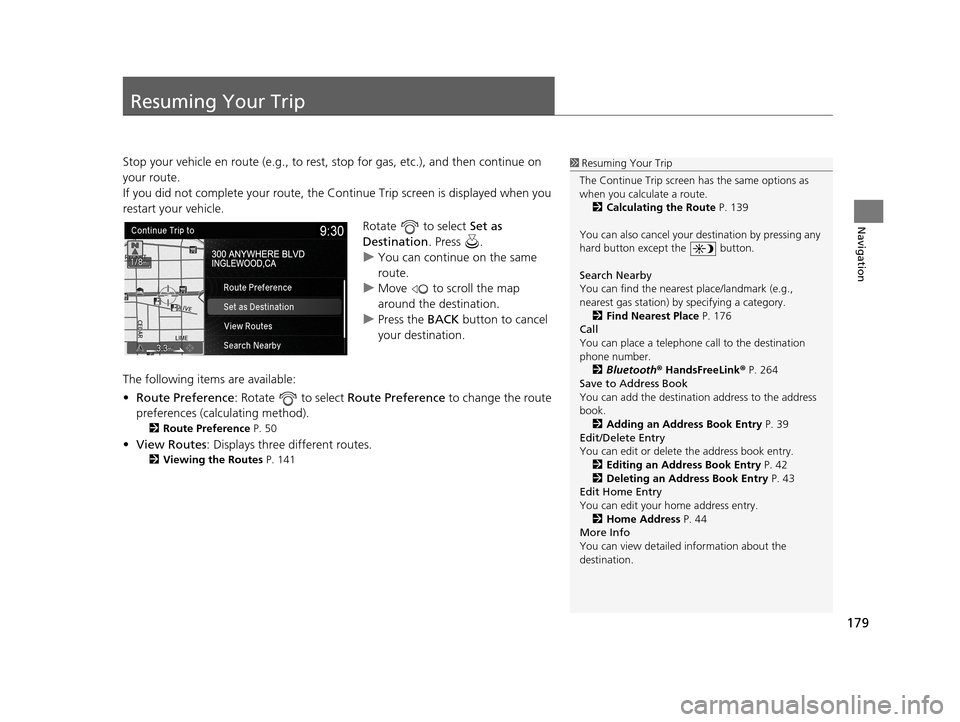
Rotate to select Set as
Destination . Press .
u You can continue on the same
route.
u Move to scroll the map
around the destination.
u Press the BACK button to cancel
your destination.
The following items are available:
• Route Preference : Rotate to select Route Preference to change the route
preferences (calculating method).
2 Route Preference P. 50
•View Routes : Displays three different routes.
2Viewing the Routes P. 141
1Resuming Your Trip
The Continue Trip screen has the same options as
when you calculate a route. 2 Calculating the Route P. 139
You can also cancel your de stination by pressing any
hard button except the button.
Search Nearby
You can find the nearest place/landmark (e.g.,
nearest gas station) by specifying a category.
2 Find Nearest Place P. 176
Call
You can place a telephone call to the destination
phone number.
2 Bluetooth ® HandsFreeLink ® P. 264
Save to Address Book
You can add the destinati on address to the address
book. 2 Adding an Address Book Entry P. 39
Edit/Delete Entry
You can edit or delete the address book entry.
2 Editing an Address Book Entry P. 42
2 Deleting an Address Book Entry P. 43
Edit Home Entry
You can edit your home address entry.
2 Home Address P. 44
More Info
You can view detailed information about the
destination.
19 ACURA TLX NAVI-31TZ38400.book 179 ページ 2018年3月7日 水曜日 午後4時23分
Page 183 of 399
181
Audio
This section describes how to operate the audio system. You can play music from a wide
array of media sources, and control the audio system using the audio buttons, the
Interface Dial, or voice control.
Audio System.................................................. 182
About Your Audio System .............................. 182
USB Port ........................................................ 183
Auxiliary Input Jack ......... .......................... ..... 184
Audio System Theft Protection ....................... 184
Customizing Audio Source ............................. 185
Audio Remote Controls .................................. 186
Steering Wheel Controls ................................ 186
Audio Settings ................................................. 188
Adjusting the Sound ...................................... 190
Playing FM/AM Radio ..................................... 191
Selecting FM/AM Mode.................................. 191
Audio Screen Control ..................................... 192
Audio Menu .................................................. 195
Playing SiriusXM ® Radio ................................. 196
Selecting SiriusXM ® Mode .............................. 196
Audio Screen Control ..................................... 197
Audio Menu .................................................. 207 SiriusXM
® Radio Service.................................. 208
Playing a Disc ................................................... 210
Selecting Disc Mode ....................................... 210
Audio Screen Control ..................................... 211
Audio Menu ................................................... 214
Recommended CDs ........................................ 215
Playing Hard Disk Drive (HDD) Audio ............ 217
Selecting HDD Mode ...................................... 217
Recording a Music CD to HDD........................ 218
Audio Screen Control ..................................... 219
Audio Menu ................................................... 222
Playing an iPod ................................................ 230
Selecting iPod Mode....................................... 231
Audio Screen Control ..................................... 232
Audio Menu ................................................... 235
Song By Voice
TM (SBV) .................................... 236 Playing Pandora
®
*........................................... 240
Selecting Pandora ® Mode .............................. 240
Audio Screen Control
*................................... 241
Playing a USB Flash Drive ............................... 243
Selecting USB Mode....................................... 244
Audio Screen Control..................................... 245
Audio Menu .................................................. 248
Playing Bluetooth ® Audio .............................. 249
Selecting Bluetooth ® Audio Mode.................. 249
Audio Screen Control..................................... 250
Playing Apple CarPlay® /Android Auto
TM....... 252
Apple CarPlay ®.............................................. 252
Android Auto
TM.............................................. 256
Legal Information on Apple CarPlay ®/Android
Auto
TM......................................................... 261
* Not available on all models
19 ACURA TLX NAVI-31TZ38400.book 181 ページ 2018年3月7日 水曜日 午後4時23分
Page 184 of 399
182
Audio
Audio System
About Your Audio System
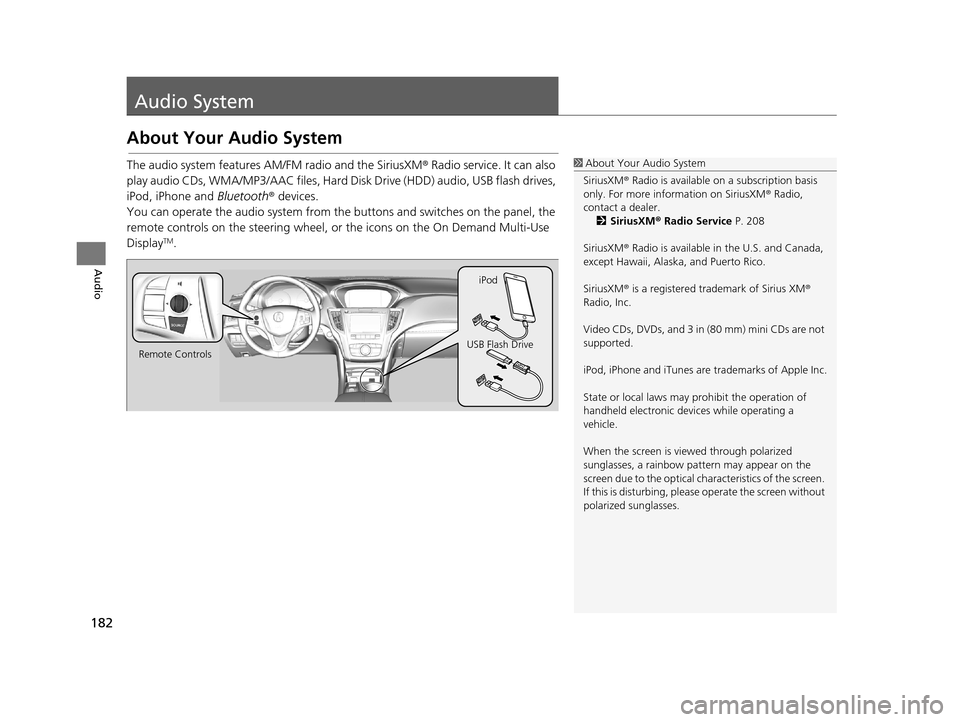
The audio system features AM/FM radio and the SiriusXM® Radio service. It can also
play audio CDs, WMA/MP3/AAC files, Hard Di sk Drive (HDD) audio, USB flash drives,
iPod, iPhone and Bluetooth® devices.
You can operate the audio system from the buttons and switches on the panel, the
remote controls on the steering wheel, or the icons on the On Demand Multi-Use
Display
TM.
1 About Your Audio System
SiriusXM ® Radio is available on a subscription basis
only. For more information on SiriusXM ® Radio,
contact a dealer. 2 SiriusXM ® Radio Service P. 208
SiriusXM ® Radio is available in the U.S. and Canada,
except Hawaii, Alaska, and Puerto Rico.
SiriusXM ® is a registered trademark of Sirius XM ®
Radio, Inc.
Video CDs, DVDs, and 3 in (80 mm) mini CDs are not
supported.
iPod, iPhone and iTunes are trademarks of Apple Inc.
State or local laws may pr ohibit the operation of
handheld electronic devices while operating a
vehicle.
When the screen is vi ewed through polarized
sunglasses, a rainbow pa ttern may appear on the
screen due to the optical characteristics of the screen.
If this is disturbing, please operate the screen without
polarized sunglasses.
Remote Controls iPod
USB Flash Drive
19 ACURA TLX NAVI-31TZ38400.book 182 ページ 2018年3月7日 水曜日 午後4時23分
Page 188 of 399
186
Audio
Audio Remote Controls
Steering Wheel Controls
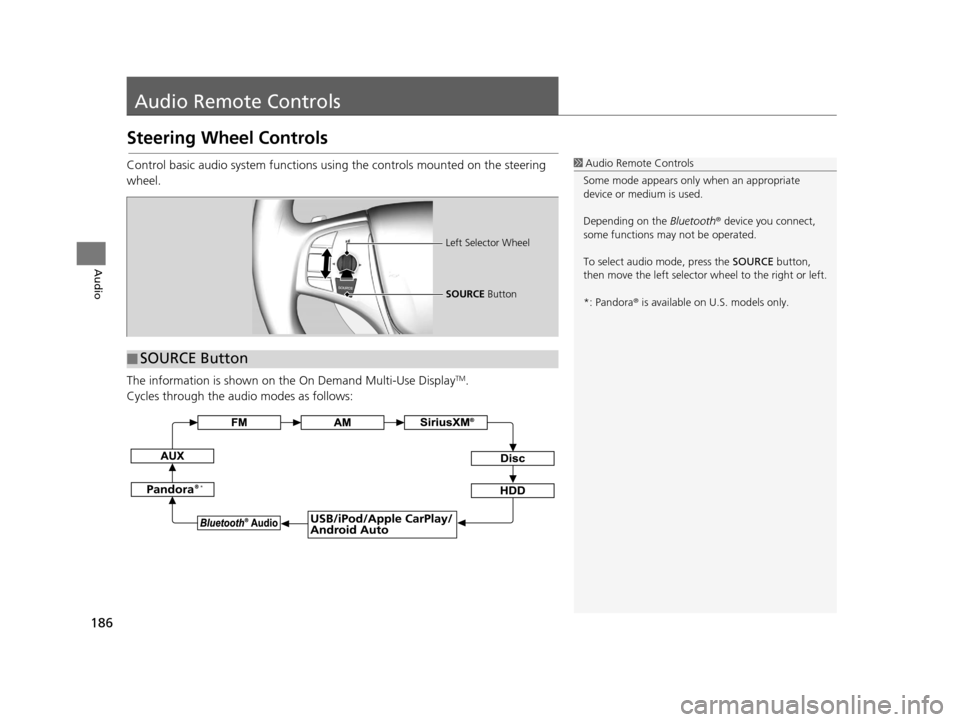
Control basic audio system functions using the controls mounted on the steering
wheel.
The information is shown on the On Demand Multi-Use Display
TM.
Cycles through the au dio modes as follows:
1Audio Remote Controls
Some mode appears only when an appropriate
device or medium is used.
Depending on the Bluetooth® device you connect,
some functions ma y not be operated.
To select audio mode, press the SOURCE button,
then move the left selector wheel to the right or left.
*: Pandora ® is available on U.S. models only.
■ SOURCE Button
Left Selector Wheel
SOURCE
Button
*
19 ACURA TLX NAVI-31TZ38400.book 186 ページ 2018年3月7日 水曜日 午後4時23分
Page 189 of 399
187
uuAudio Remote Controls uSteering Wheel Controls
Audio
Roll Up to increase the volume.
Roll Down to decrease the volume.
Push to mute. Push again to unmute.
FM/AM, SiriusXM ®
• Move to the right to select the next preset radio station.
• Move to the left to select the previous preset radio station.
• Move to the right and hold to scan to the next strong station or next channel.
(SiriusXM ® only)
• Move to the left and hold to scan to the previous strong station or previous
channel. (SiriusXM ® only)
CD, HDD, iPod, USB flash drive, or Bluetooth® Audio
• Move to the right to skip to the next song.
• Move to the left to go back to the beginning of the current or previous song.
• Move to the right and hold to go to the group up. (Bluetooth® Audio only)
• Move to the left and hold to go to the group down. ( Bluetooth® Audio only)
CD, HDD or USB flash drive
• Move to the right and hold to skip to the next folder.
• Move to the left and hold to go back to the previous folder.
Pandora ®
*
• Move to the right to skip to the next track.
• Move to the right and hold to select the next station.
• Move to the left and hold to select the previous station.
■ Left Selector Wheel1
Left Selector Wheel
*: Pandora ® is available on U.S. models only.
19 ACURA TLX NAVI-31TZ38400.book 187 ページ 2018年3月7日 水曜日 午後4時23分
Page 242 of 399
240
Audio
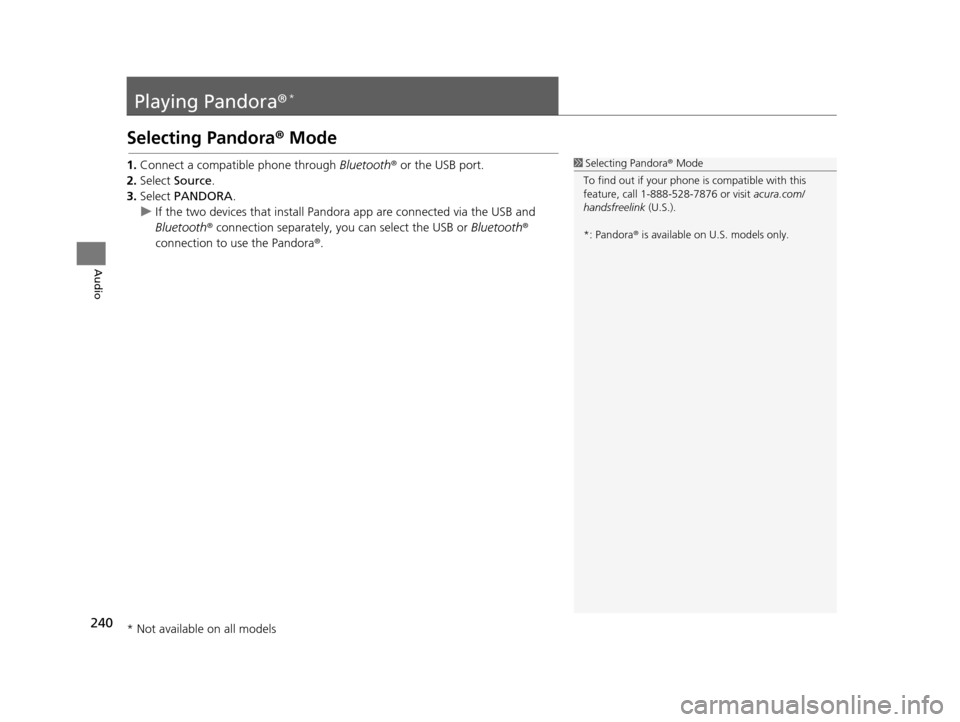
Playing Pandora®*
Selecting Pandora® Mode
1.Connect a compatible phone through Bluetooth® or the USB port.
2. Select Source .
3. Select PANDORA .
u If the two devices that install Pandora app are connected via the USB and
Bluetooth ® connection separately, you can select the USB or Bluetooth®
connection to use the Pandora ®.1Selecting Pandora ® Mode
To find out if your phone is compatible with this
feature, call 1-888-528-7876 or visit acura.com/
handsfreelink (U.S.).
*: Pandora ® is available on U.S. models only.
* Not available on all models
19 ACURA TLX NAVI-31TZ38400.book 240 ページ 2018年3月7日 水曜日 午後4時23分
Page 243 of 399

241
uuPlaying Pandora ®*uAudio Screen Control*
Continued
Audio
Audio Screen Control*
The following items are available:
• : Displays the current station details.
Select to display th e previous screen.
• / : Changes a station.
• (skip forward): Skip the current track.
• (play/pause): Pauses or plays a track.
• (like): Likes the current track. Pandora ® will play tracks similar to the one liked.
• (dislike): Dislikes the current track and skips to the next track. Pandora® will
avoid playing tracks simila r to the one disliked.
• (bookmark track): Bookmarks the current track.
• (bookmark artist): Bookmarks the current artist.
• Audio Menu : Displays the menu items.
• Stations : Displays the list of all your stored stations. Select a station from the list
to play.
2 How to Select a Track from the Stations List P. 242
1Audio Screen Control*
Pandora, the Pandora logo, and the Pandora trade
dress are trademarks or registered trademarks of
Pandora Media, Inc., used with permission. Pandora ®
is currently available exclusively in the United States.
Pandora ® is a personalized Intern et radio service that
selects music based on an arti st, track, or genre a user
enters, and streams what is likely to be of interest.
Available operating functi ons vary on software
versions. Some functions ma y not be available on the
vehicle’s audio system.
If there is a problem, you may see an error message
on the On Demand Multi-Use Display
TM.
2 Pandora ® P. 359
To use this service in your vehicle, the Pandora ® app
must first be installed on your phone. Visit
www.pandora.com for more information.
If you cannot operate Pandora ® through the audio
system, it may be streaming through Bluetooth®
Audio.
Make sure Pandora ® mode on your audio system is
selected.
*: This function is availa ble on U.S. models only.
19 ACURA TLX NAVI-31TZ38400.book 241 ページ 2018年3月7日 水曜日 午後4時23分