bluetooth Acura TLX 2019 Navigation Manual
[x] Cancel search | Manufacturer: ACURA, Model Year: 2019, Model line: TLX, Model: Acura TLX 2019Pages: 399, PDF Size: 41.86 MB
Page 284 of 399
282
uuBluetooth ® HandsFreeLink ®u Phone Settings
Bluetooth ® HandsFreeLink ®
Phone Settings
Set HFL options and features.
HSETTINGS buttonuBluetooth/Phone Settings uBluetooth uBluetooth
Device List
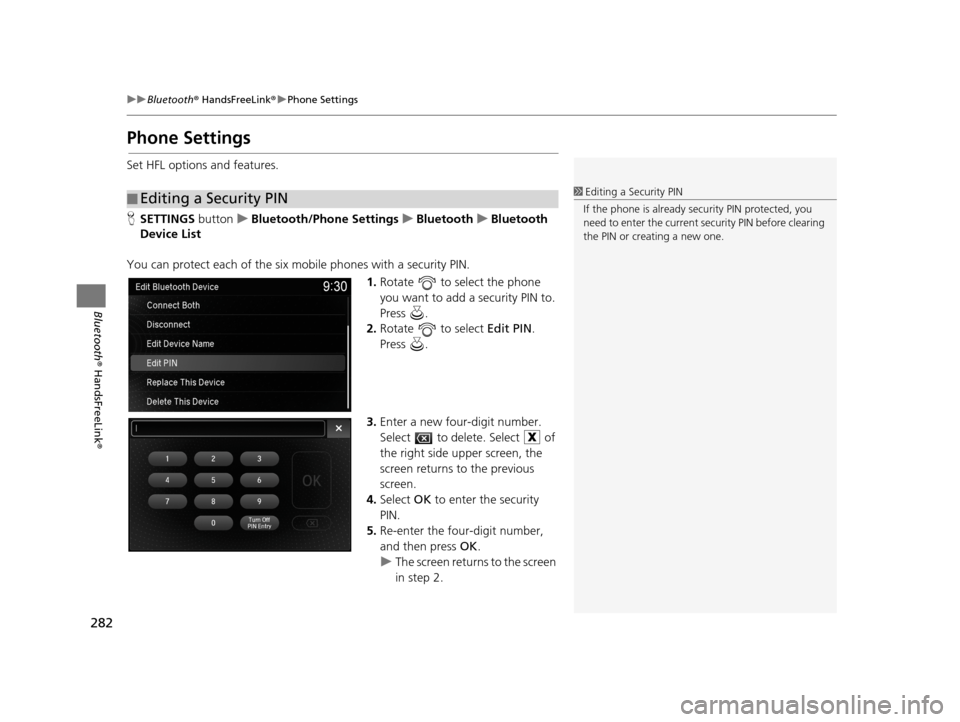
You can protect each of the six mobile phones with a security PIN. 1.Rotate to select the phone
you want to add a security PIN to.
Press .
2. Rotate to select Edit PIN.
Press .
3. Enter a new four-digit number.
Select to delete. Select of
the right side u pper screen, the
screen returns to the previous
screen.
4. Select OK to enter the security
PIN.
5. Re-enter the four-digit number,
and then press OK.
u The screen return s to the screen
in step 2.
■ Editing a Security PIN1
Editing a Security PIN
If the phone is already secu rity PIN protected, you
need to enter the current security PIN before clearing
the PIN or creating a new one.
19 ACURA TLX NAVI-31TZ38400.book 282 ページ 2018年3月7日 水曜日 午後4時23分
Page 285 of 399

283
uuBluetooth ® HandsFreeLink ®u Phone Settings
Continued
Bluetooth ® HandsFreeLink ®
HSETTINGS buttonuBluetooth/Phone Settings uBluetooth uBluetooth
Device List
Edit the user name of a paired phone as follows: 1.Rotate to select a phone you
want to edit. Press .
2. Rotate to select Edit Device
Name. Press .
3. Enter a new name of the phone.
u Use the keyboard on the On
Demand Multi-Use Display
TM to
enter the name, then select
OK .
u Select to delete.
■Editing User Name
19 ACURA TLX NAVI-31TZ38400.book 283 ページ 2018年3月7日 水曜日 午後4時23分
Page 286 of 399

284
uuBluetooth ® HandsFreeLink ®u Phone Settings
Bluetooth ® HandsFreeLink ®
HSETTINGS buttonuBluetooth/Phone Settings uPhone uAuto Transfer
If you get into the vehicle while you are on the phone, the call can be automatically
transferred to HFL.
Press to select On or Off .
H SETTINGS buttonuBluetooth/Phone Settings uPhone uAuto Answer
You can set HFL to automatically answer an incoming call in four seconds. Press to select On or Off .
■Automatic Transferring
■Auto Answer
19 ACURA TLX NAVI-31TZ38400.book 284 ページ 2018年3月7日 水曜日 午後4時23分
Page 287 of 399

285
uuBluetooth ® HandsFreeLink ®u Phone Settings
Continued
Bluetooth ® HandsFreeLink ®
HSETTINGS buttonuBluetooth/Phone Settings uPhone uRing Tone
You can change the ring tone setting. Rotate to select your desired
setting item. Press .
uCheck mark is displayed.
The following items are available:
• Fixed : The fixed ring tone sounds from the speaker.
• Mobile Phone (Default setting): The ring tone stored in the connected mobile
phone sounds from the speaker.
• Off : No ring tones sound from the speaker.
■Ring Tone
19 ACURA TLX NAVI-31TZ38400.book 285 ページ 2018年3月7日 水曜日 午後4時23分
Page 288 of 399

uuBluetooth ® HandsFreeLink ®u Phone Settings
286
Bluetooth ® HandsFreeLink ®
HSETTINGS buttonuBluetooth/Phone Settings uPhone uAutomatic
Phone Sync
Press to select On or Off .
H SETTINGS buttonuBluetooth/Phone Settings uPhone uUse Contact
Photo
You can display a caller’s pict ure on an incoming call screen.
Press to select On or Off .
■Automatic Phone Sync Setting1
Automatic Phone Sync Setting
Select On if you want your call history and
phonebook automatically imported to HFL. If
prompted by your phone, please accept the import
request.
Not all phones require this additional step.
■ Use Contact Photo
19 ACURA TLX NAVI-31TZ38400.book 286 ページ 2018年3月7日 水曜日 午後4時23分
Page 289 of 399

287
uuBluetooth ® HandsFreeLink ®u Making a Call
Continued
Bluetooth ® HandsFreeLink ®
Making a Call
You can make calls by inputting any phone number, or by using the imported
phonebook, call history, speed dial entries, or redial.1Making a Call
Any voice-tagged speed di al entry, phonebook name,
or number can be dialed by voice from most screens.
Press the button and say ” Call“ and the voice tag
name, ”Call by name “ and the phonebook name, or
”Call “ and the phone number.
The maximum range be tween your phone and
vehicles is 30 ft (10 m).
Once a call is connected, you can hear the voice of
the person you are call ing through the audio
speakers.
While there is an active connection with Apple
CarPlay ®, phone calls cannot be made with
HandsFreeLink ® and are only made from Apple
CarPlay ®.
19 ACURA TLX NAVI-31TZ38400.book 287 ページ 2018年3月7日 水曜日 午後4時23分
Page 290 of 399

uuBluetooth ® HandsFreeLink ®u Making a Call
288
Bluetooth ® HandsFreeLink ®
HPHONE button uPhonebook
1.The phonebook is stored
alphabetically.
u You can use the keyboard on
the touchscreen for an
alphabetical search.
2. Rotate to select a number.
Press .
u Dialing starts automatically.
■Using the Phonebook1
Using the Phonebook
This function is disabled while the vehicle is moving.
However, you can call a stored voice-tagged speed
dial number, phonebook name, or number using
voice commands. 2 Setting Up Speed Dialing P. 274
You can use the keyboard on the On Demand Multi-
Use Display
TM for an alphabetical search.
19 ACURA TLX NAVI-31TZ38400.book 288 ページ 2018年3月7日 水曜日 午後4時23分
Page 291 of 399

Continued289
uuBluetooth ® HandsFreeLink ®u Making a Call
Bluetooth ® HandsFreeLink ®
HPHONE button uDial
1.Use the keyboard on the On
Demand Multi-Use Display
TM to
input numbers.
2. Select .
■Entering a Phone Number1
Entering a Phone Number
This function is disabled while the vehicle is moving.
However, you can call a stored voice-tagged speed
dial number, phonebook name, or number using
voice commands. 2 Limitations for Manual Operation P. 266
2 Setting Up Speed Dialing P. 274
19 ACURA TLX NAVI-31TZ38400.book 289 ページ 2018年3月7日 水曜日 午後4時23分
Page 292 of 399
290
uuBluetooth ® HandsFreeLink ®u Making a Call
Bluetooth ® HandsFreeLink ®
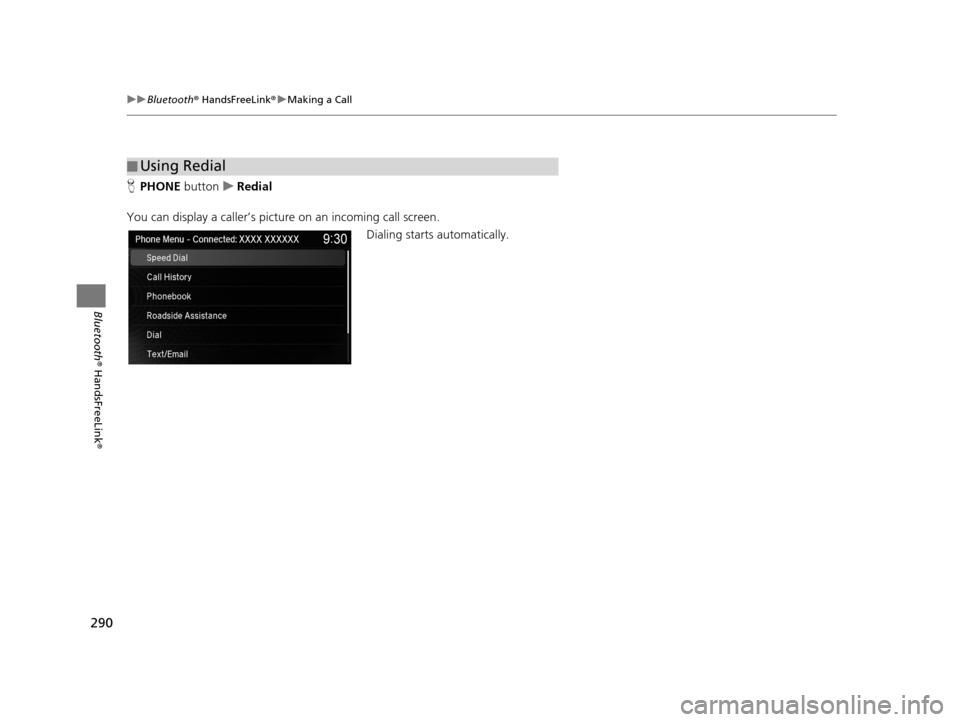
HPHONE button uRedial
You can display a caller’s pict ure on an incoming call screen.
Dialing starts automatically.
■Using Redial
19 ACURA TLX NAVI-31TZ38400.book 290 ページ 2018年3月7日 水曜日 午後4時23分
Page 293 of 399
Continued291
uuBluetooth ® HandsFreeLink ®u Making a Call
Bluetooth ® HandsFreeLink ®
HPHONE button uCall History
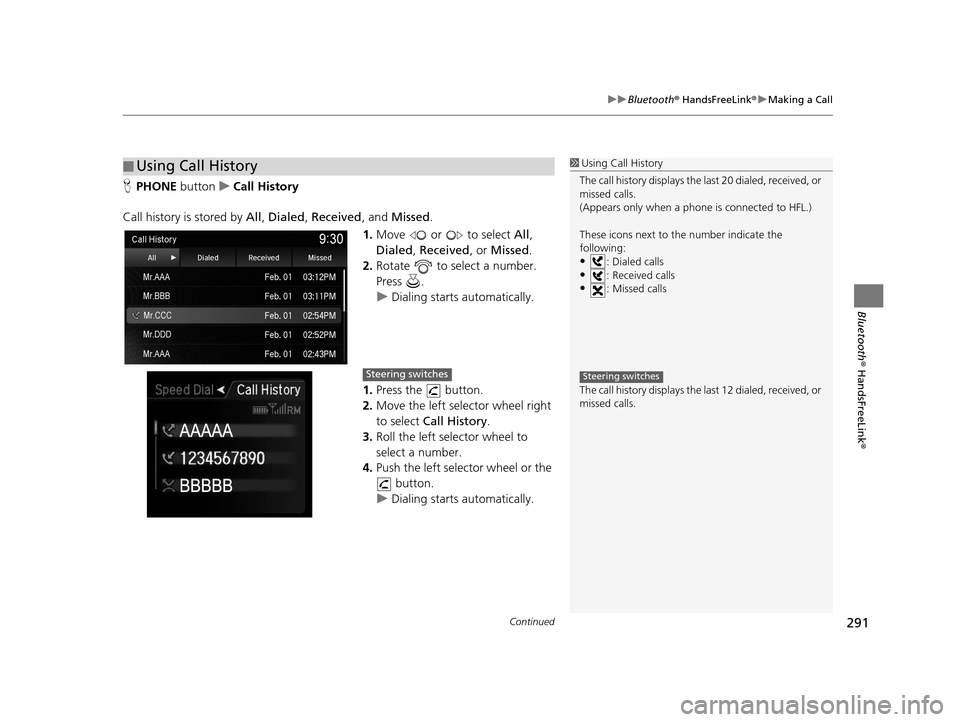
Call history is stored by All, Dialed , Received , and Missed .
1. Move or to select All,
Dialed , Received , or Missed .
2. Rotate to select a number.
Press .
u Dialing starts automatically.
1. Press the button.
2. Move the left selector wheel right
to select Call History.
3. Roll the left selector wheel to
select a number.
4. Push the left selector wheel or the
button.
u Dialing starts automatically.
■Using Call History1
Using Call History
The call history disp lays the last 20 dialed, received, or
missed calls.
(Appears only when a phone is connected to HFL.)
These icons next to th e number indicate the
following:
•: Dialed calls•: Received calls
•: Missed calls
The call history disp lays the last 12 dialed, received, or
missed calls.
Steering switchesSteering switches
19 ACURA TLX NAVI-31TZ38400.book 291 ページ 2018年3月7日 水曜日 午後4時23分