battery Acura TLX 2019 Owner's Manual
[x] Cancel search | Manufacturer: ACURA, Model Year: 2019, Model line: TLX, Model: Acura TLX 2019Pages: 591, PDF Size: 34.5 MB
Page 5 of 591
Contents
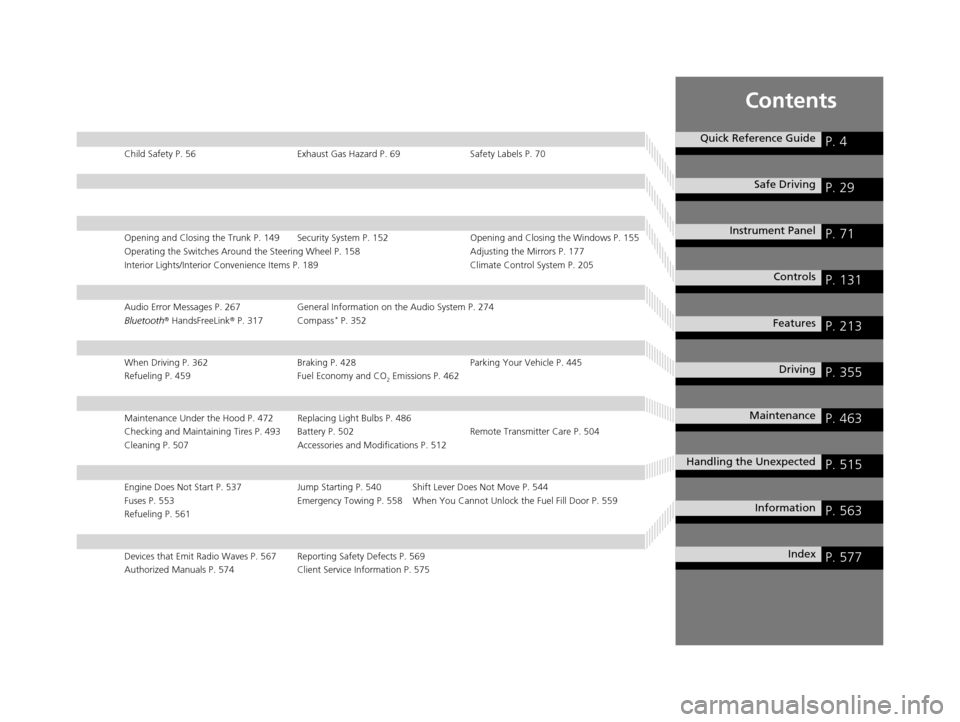
Child Safety P. 56Exhaust Gas Hazard P. 69Safety Labels P. 70
Opening and Closing the Trunk P. 149 Security System P. 152 Opening and Closing the Windows P. 155
Operating the Switches Around the Steering Wheel P. 158 Adjusting the Mirrors P. 177
Interior Lights/Interior Convenience Items P. 189 Climate Control System P. 205
Audio Error Messages P. 267General Information on the Audio System P. 274
Bluetooth ® HandsFreeLink ® P. 317 Compass* P. 352
When Driving P. 362 Braking P. 428Parking Your Vehicle P. 445
Refueling P. 459 Fuel Economy and CO
2 Emissions P. 462
Maintenance Under the Hood P. 472 Replacing Light Bulbs P. 486
Checking and Maintaining Tires P. 493 Battery P. 502 Remote Transmitter Care P. 504
Cleaning P. 507 Accessories and Modifications P. 512
Engine Does Not Start P. 537Jump Starting P. 540 Shift Lever Does Not Move P. 544
Fuses P. 553 Emergency Towing P. 558 When You Cannot Unlock the Fuel Fill Door P. 559
Refueling P. 561
Devices that Emit Radio Waves P. 567 Reporting Safety Defects P. 569
Authorized Manuals P. 574 Client Service Information P. 575
Quick Reference GuideP. 4
Safe DrivingP. 29
Instrument PanelP. 71
ControlsP. 131
FeaturesP. 213
DrivingP. 355
MaintenanceP. 463
Handling the UnexpectedP. 515
InformationP. 563
IndexP. 577
19 ACURA TLX-31TZ36400.book 3 ページ 2018年2月16日 金曜日 午後12時22分
Page 25 of 591
23
Quick Reference Guide
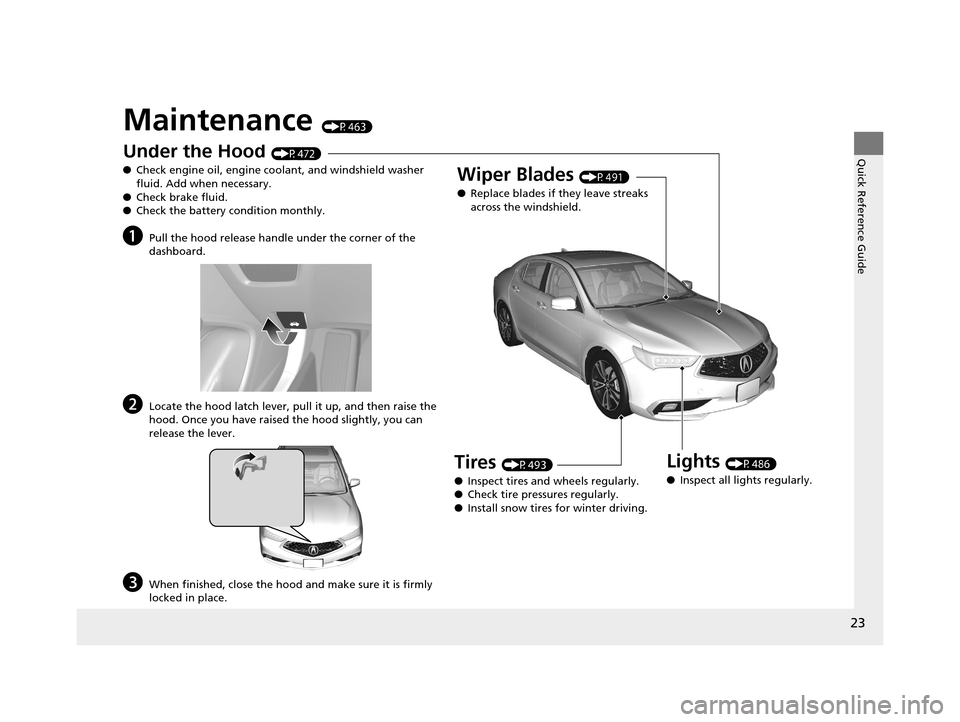
Maintenance (P463)
Under the Hood (P472)
● Check engine oil, engine coolant, and windshield washer
fluid. Add when necessary.
● Check brake fluid.
● Check the battery condition monthly.
aPull the hood release handle under the corner of the
dashboard.
bLocate the hood latch lever, pull it up, and then raise the
hood. Once you have raised the hood slightly, you can
release the lever.
cWhen finished, close the hood and make sure it is firmly
locked in place.
Lights (P486)
● Inspect all lights regularly.
Wiper Blades (P491)
● Replace blades if they leave streaks
across the windshield.
Tires (P493)
● Inspect tires and wheels regularly.
● Check tire pressures regularly.
● Install snow tires for winter driving.
19 ACURA TLX-31TZ36400.book 23 ページ 2018年2月16日 金曜日 午後12時22分
Page 26 of 591
24
Quick Reference Guide
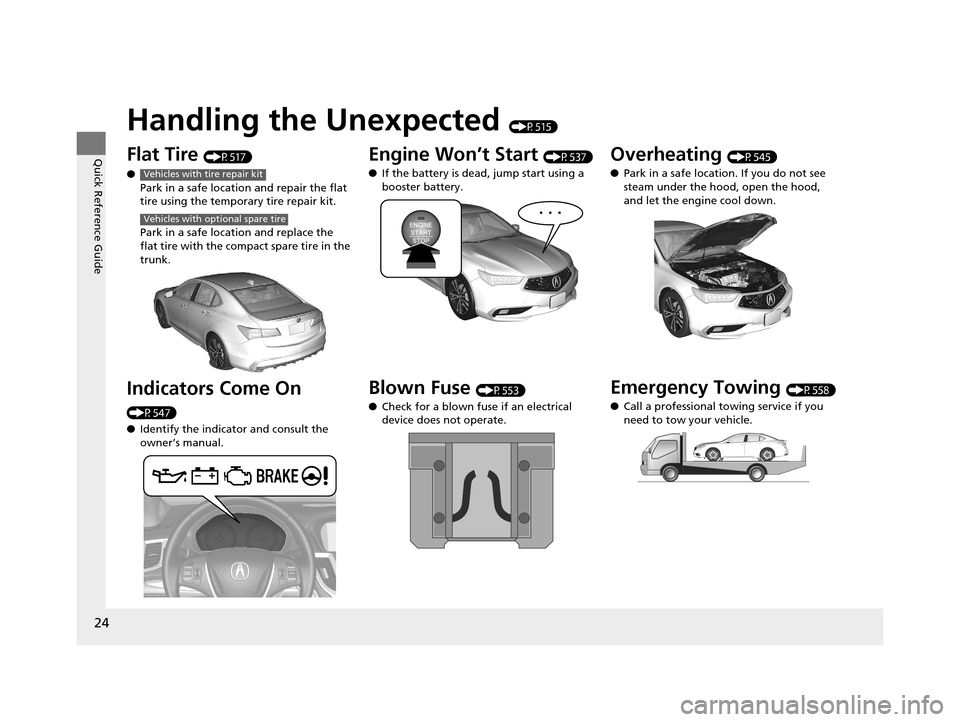
Handling the Unexpected (P515)
Flat Tire (P517)
● Park in a safe location and repair the flat
tire using the temporary tire repair kit.
Park in a safe location and replace the
flat tire with the compact spare tire in the
trunk.
Indicators Come On
(P547)
●Identify the indicator and consult the
owner’s manual.
Vehicles with tire repair kit
Vehicles with optional spare tire
Engine Won’t Start (P537)
● If the battery is dead, jump start using a
booster battery.
Blown Fuse (P553)
● Check for a blown fuse if an electrical
device does not operate.
Overheating (P545)
● Park in a safe location. If you do not see
steam under the hood, open the hood,
and let the engine cool down.
Emergency Towing (P558)
● Call a professional towing service if you
need to tow your vehicle.
19 ACURA TLX-31TZ36400.book 24 ページ 2018年2月16日 金曜日 午後12時22分
Page 77 of 591

75
uuIndicators u
Continued
Instrument Panel
IndicatorNameOn/BlinkingExplanationMessage
Malfunction
Indicator Lamp
●Comes on when you set the power
mode to ON, and goes off either
when the engine starts or after
several seconds if the engine did not
start. If “readiness codes” have not
been set, it blinks five times before it
goes off.
●Comes on if there is a problem with
the emissions control system.
●Blinks when a misfire in the engine’s
cylinders is detected.
●Readiness codes are part of the on board
diagnostics for the emissions control
systems.
2Testing of Readiness Codes P. 570●Comes on while driving - Have your
vehicle checked by a dealer.
●Blinks while driving - Stop in a safe place
where there are no flammable objects. Stop
the engine for 10 minutes or more, and
wait for it to cool down. Then, take the
vehicle to a dealer.
2 If the Malfunction Indicator Lamp
Comes On or Blinks P. 548
Charging System
Indicator
●Comes on when you set the power
mode to ON, and goes off when the
engine starts.
●Comes on when the battery is not
charging.
●Comes on while driving - Turn off the
climate control system and rear defogger in
order to reduce electricity consumption.
2 If the Charging System Indicator
Comes On P. 547
Gear Position
Indicator*/Shift
Lever Position
Indicator
*
●Indicates the current gear selection.
2 Shifting P. 371, 378—
* Not available on all models
19 ACURA TLX-31TZ36400.book 75 ページ 2018年2月16日 金曜日 午後12時22分
Page 95 of 591

93
uuIndicators uMulti-Information Display Warning and Information Messages
Continued
Instrument Panel
MessageConditionExplanation
●Appears when the engine coolant temperature gets
abnormally high.
2 Overheating P. 545
●Appears when there is a prob lem with the sensor on the
battery.●Have your vehicle checked by a dealer.
2 Checking the Battery P. 502
●Appears along with the battery charging system
indicator when the batte ry is not charging.●Turn off the climate control system and rear defogger to
reduce electricity consumption.
2If the Charging System Indicator Comes On P. 547
●Appears when the starter system has a problem.●Hold the ENGINE START/STOP button up to 15
seconds to start the engine.
Have your vehicle checked by a dealer.U.S.
Canada
19 ACURA TLX-31TZ36400.book 93 ページ 2018年2月16日 金曜日 午後12時22分
Page 96 of 591

94
uuIndicators uMulti-Information Display Warn ing and Information Messages
Instrument Panel
MessageConditionExplanation
●Appears after the driver’s door is opened when the
power mode is in ACCESSORY.●Press the ENGINE START/STOP button twice with your
foot off the brake pedal to change the power mode to
VEHICLE OFF (LOCK).
●Appears when the power mode is in ACCESSORY.
—
●Appears when you close the door with the power mode
in ON without the keyless access remote inside the
vehicle.●Disappears when you bring the keyless access remote
back inside the vehicle and close the door.
2 Keyless Access Remote Reminder P. 160
●Appears when the keyless access remote battery
becomes weak.●Replace the battery as soon as possible.
2Replacing the Button Battery P. 504
19 ACURA TLX-31TZ36400.book 94 ページ 2018年2月16日 金曜日 午後12時22分
Page 97 of 591
95
uuIndicators uMulti-Information Display Warning and Information Messages
Continued
Instrument Panel
MessageConditionExplanation
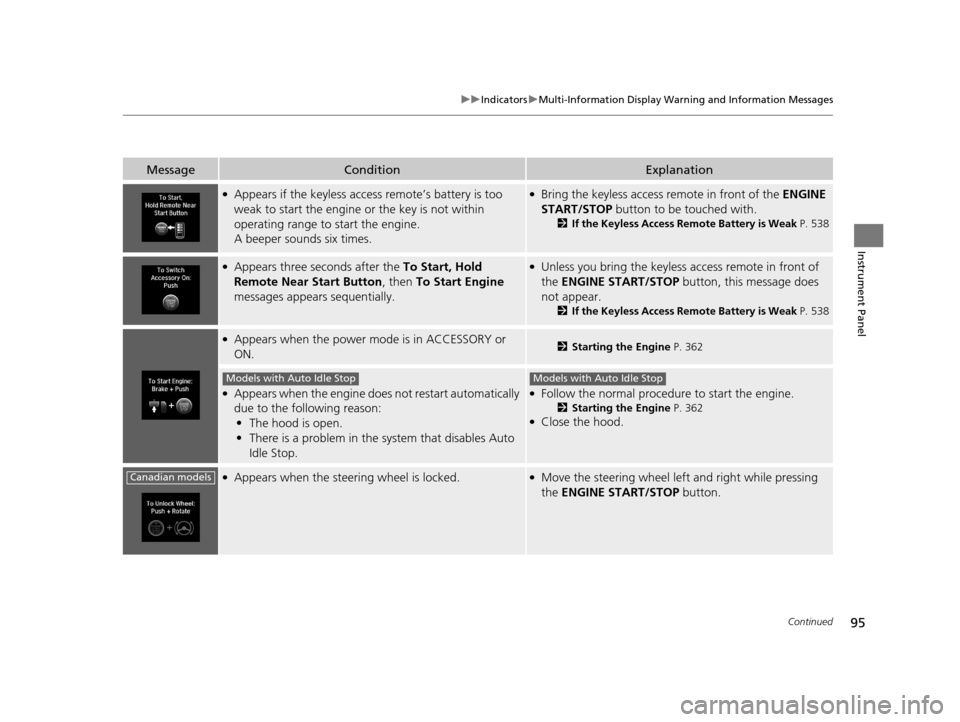
●Appears if the keyless access remote’s battery is too
weak to start the engine or the key is not within
operating range to start the engine.
A beeper sounds six times.●Bring the keyless access remote in front of the ENGINE
START/STOP button to be touched with.
2 If the Keyless Access Remote Battery is Weak P. 538
●Appears three seconds after the To Start, Hold
Remote Near Start Button , then To Start Engine
messages appears sequentially.●Unless you bring the keyless access remote in front of
the ENGINE START/STOP button, this message does
not appear.
2 If the Keyless Access Remote Battery is Weak P. 538
●Appears when the power mode is in ACCESSORY or
ON.2Starting the Engine P. 362
●Appears when the engine does not restart automatically
due to the following reason:
• The hood is open.
• There is a problem in the sy stem that disables Auto
Idle Stop.●Follow the normal procedure to start the engine.
2 Starting the Engine P. 362●Close the hood.
●Appears when the steering wheel is locked.●Move the steering wheel left and right while pressing
the ENGINE START/STOP button.
Models with Auto Idle StopModels with Auto Idle Stop
Canadian models
19 ACURA TLX-31TZ36400.book 95 ページ 2018年2月16日 金曜日 午後12時22分
Page 109 of 591
107
uuIndicators uMulti-Information Display Warning and Information Messages
Continued
Instrument Panel
MessageConditionExplanation
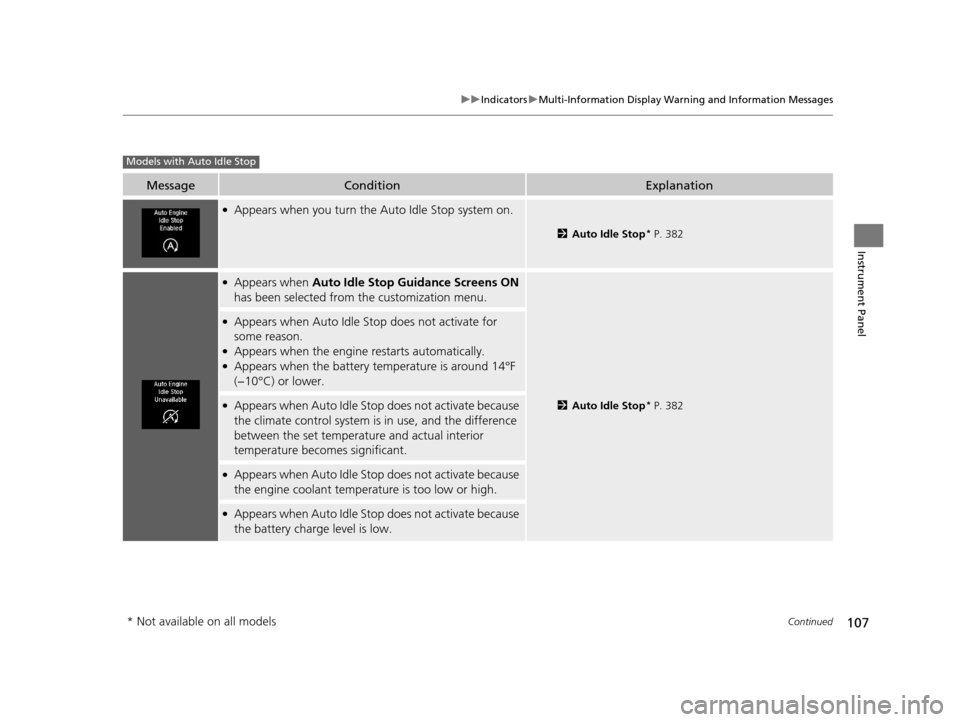
●Appears when you turn the Auto Idle Stop system on.
2 Auto Idle Stop* P. 382
●Appears when Auto Idle Stop Guidance Screens ON
has been selected from the customization menu.
2 Auto Idle Stop* P. 382
●Appears when Auto Idle Stop does not activate for
some reason.
●Appears when the engine restarts automatically.●Appears when the battery temperature is around 14°F
(−10°C) or lower.
●Appears when Auto Idle Stop does not activate because
the climate control system is in use, and the difference
between the set temperature and actual interior
temperature becomes significant.
●Appears when Auto Idle Stop does not activate because
the engine coolant temperature is too low or high.
●Appears when Auto Idle Stop does not activate because
the battery charge level is low.
Models with Auto Idle Stop
* Not available on all models
19 ACURA TLX-31TZ36400.book 107 ページ 2018年2月16日 金曜日 午後12時22分
Page 110 of 591
108
uuIndicators uMulti-Information Display Warn ing and Information Messages
Instrument Panel
MessageConditionExplanation
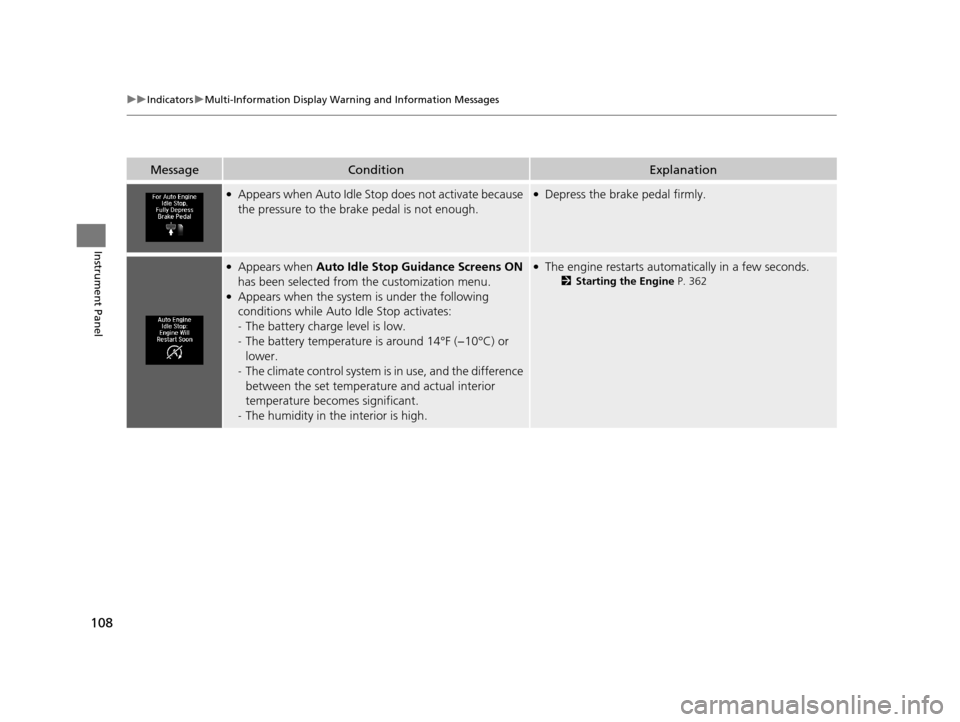
●Appears when Auto Idle Stop does not activate because
the pressure to the brake pedal is not enough.●Depress the brake pedal firmly.
●Appears when Auto Idle Stop Guidance Screens ON
has been selected from the customization menu.
●Appears when the system is under the following
conditions while Auto Idle Stop activates:
- The battery charge level is low.
- The battery temperature is around 14°F (−10°C) or
lower.
- The climate control system is in use, and the difference
between the set temperatur e and actual interior
temperature becomes significant.
- The humidity in the interior is high.
●The engine restarts automatically in a few seconds.
2 Starting the Engine P. 362
19 ACURA TLX-31TZ36400.book 108 ページ 2018年2月16日 金曜日 午後12時22分
Page 135 of 591
133Continued
Controls
Locking and Unlocking the Doors
Key Types and Functions
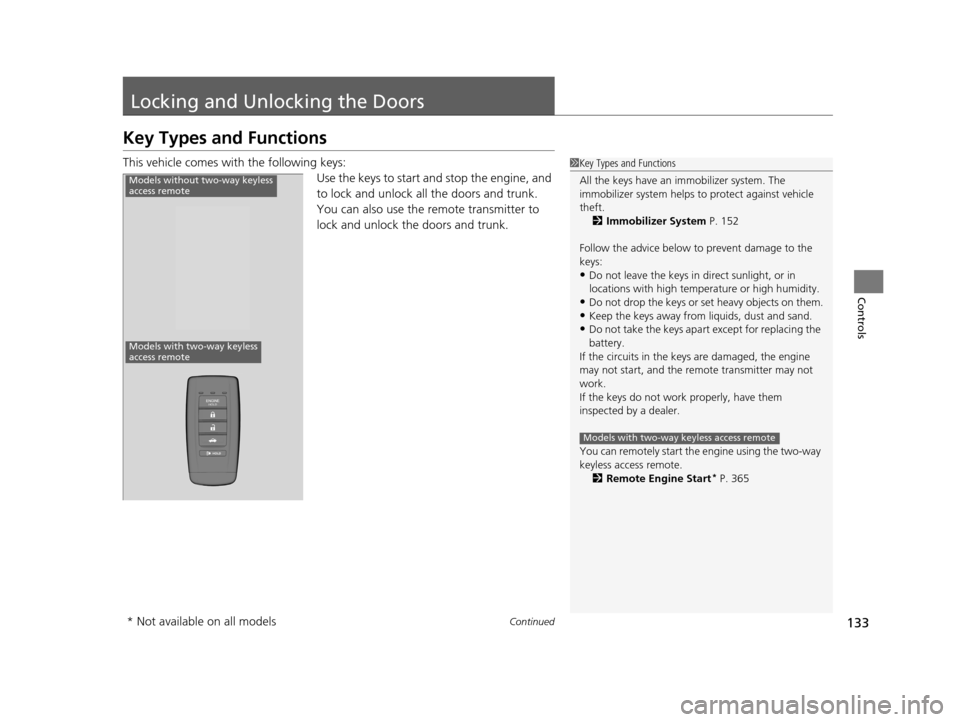
This vehicle comes with the following keys:
Use the keys to start and stop the engine, and
to lock and unlock all the doors and trunk.
You can also use the remote transmitter to
lock and unlock the doors and trunk.1Key Types and Functions
All the keys have an immobilizer system. The
immobilizer system helps to protect against vehicle
theft. 2 Immobilizer System P. 152
Follow the advice below to prevent damage to the
keys:
•Do not leave the keys in direct sunlight, or in
locations with high temperature or high humidity.
•Do not drop the keys or set heavy objects on them.•Keep the keys away from liquids, dust and sand.
•Do not take the keys apart except for replacing the
battery.
If the circuits in the keys are damaged, the engine
may not start, and the remote transmitter may not
work.
If the keys do not work properly, have them
inspected by a dealer.
You can remotely start the engine using the two-way
keyless access remote. 2 Remote Engine Start
* P. 365
Models with two-way keyless access remote
Models without two-way keyless
access remote
Models with two-way keyless
access remote
* Not available on all models
19 ACURA TLX-31TZ36400.book 133 ページ 2018年2月16日 金曜日 午後12時22分