overheating Acura TLX 2019 Owner's Manual
[x] Cancel search | Manufacturer: ACURA, Model Year: 2019, Model line: TLX, Model: Acura TLX 2019Pages: 591, PDF Size: 34.5 MB
Page 4 of 591
Contents
This owner’s manual should be considered a permanent part of the
vehicle and should remain with the vehicle when it is sold.
This owner’s manual covers all models of your vehicle. You may find
descriptions of equipment and features that are not on your
particular model.
Images throughout this owner’s manual (including the front cover)
represent features and equipment that are available on some, but
not all, models. Your particular mo del may not have some of these
features.
This owner’s manual is for vehicles sold in the United States and
Canada.
The information and specifications in cluded in this publication were
in effect at the time of approval for printing. Honda Motor Co., Ltd.
reserves the right, however, to discontinue or change specifications
or design at any time without notice and without incurring any
obligation.2 Safe Driving P. 29
For Safe Driving P. 30 Seat Belts P. 34 Airbags P. 41
2Instrument Panel P. 71
Indicators P. 72 Gauges and Multi-Information Display P. 113
2Controls P. 131
Clock P. 132 Locking and Unlocking the Doors P. 133
Moonroof P. 157
Adjusting the Seats P. 180
2 Features P. 213
Audio System P. 214 Audio System Basic Operation P. 219
Customized Features P. 292 HomeLink® Universal Transceiver P. 314
2 Driving P. 355
Before Driving P. 356 Towing a Trailer P. 361
Multi-View Rear Camera* P. 456 Surround View Camera System* P. 458
2 Maintenance P. 463
Before Performing Maintenance P. 464 Maintenance MinderTM P. 467
Checking and Maintaining Wiper Blades P. 491
Climate Control System Maintenance P. 506
2Handling the Unexpected P. 515
Tools P. 516 If a Tire Goes Flat P. 517
Overheating P. 545 Indicator, Coming On/Blinking P. 547
When You Cannot Open the Trunk P. 560
2 Information P. 563
Specifications P. 564 Identification Numbers P. 566
Emissions Testing P. 570 Warranty Coverages P. 572
19 ACURA TLX-31TZ36400.book 2 ページ 2018年2月16日 金曜日 午後12時22分
Page 26 of 591
24
Quick Reference Guide
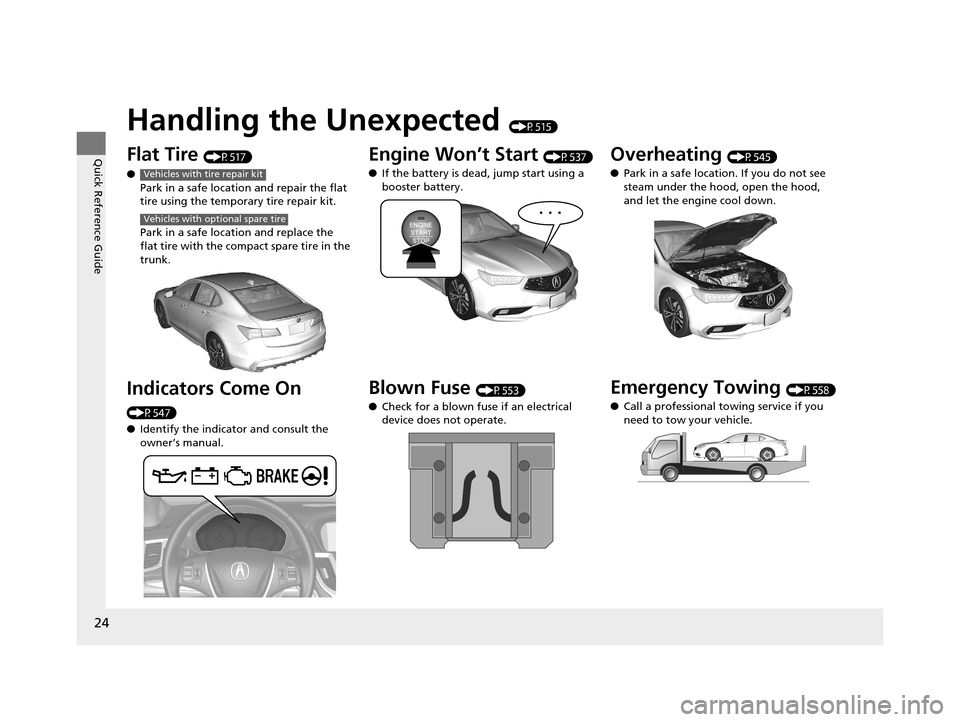
Handling the Unexpected (P515)
Flat Tire (P517)
● Park in a safe location and repair the flat
tire using the temporary tire repair kit.
Park in a safe location and replace the
flat tire with the compact spare tire in the
trunk.
Indicators Come On
(P547)
●Identify the indicator and consult the
owner’s manual.
Vehicles with tire repair kit
Vehicles with optional spare tire
Engine Won’t Start (P537)
● If the battery is dead, jump start using a
booster battery.
Blown Fuse (P553)
● Check for a blown fuse if an electrical
device does not operate.
Overheating (P545)
● Park in a safe location. If you do not see
steam under the hood, open the hood,
and let the engine cool down.
Emergency Towing (P558)
● Call a professional towing service if you
need to tow your vehicle.
19 ACURA TLX-31TZ36400.book 24 ページ 2018年2月16日 金曜日 午後12時22分
Page 95 of 591

93
uuIndicators uMulti-Information Display Warning and Information Messages
Continued
Instrument Panel
MessageConditionExplanation
●Appears when the engine coolant temperature gets
abnormally high.
2 Overheating P. 545
●Appears when there is a prob lem with the sensor on the
battery.●Have your vehicle checked by a dealer.
2 Checking the Battery P. 502
●Appears along with the battery charging system
indicator when the batte ry is not charging.●Turn off the climate control system and rear defogger to
reduce electricity consumption.
2If the Charging System Indicator Comes On P. 547
●Appears when the starter system has a problem.●Hold the ENGINE START/STOP button up to 15
seconds to start the engine.
Have your vehicle checked by a dealer.U.S.
Canada
19 ACURA TLX-31TZ36400.book 93 ページ 2018年2月16日 金曜日 午後12時22分
Page 100 of 591
98
uuIndicators uMulti-Information Display Warn ing and Information Messages
Instrument Panel
MessageConditionExplanation
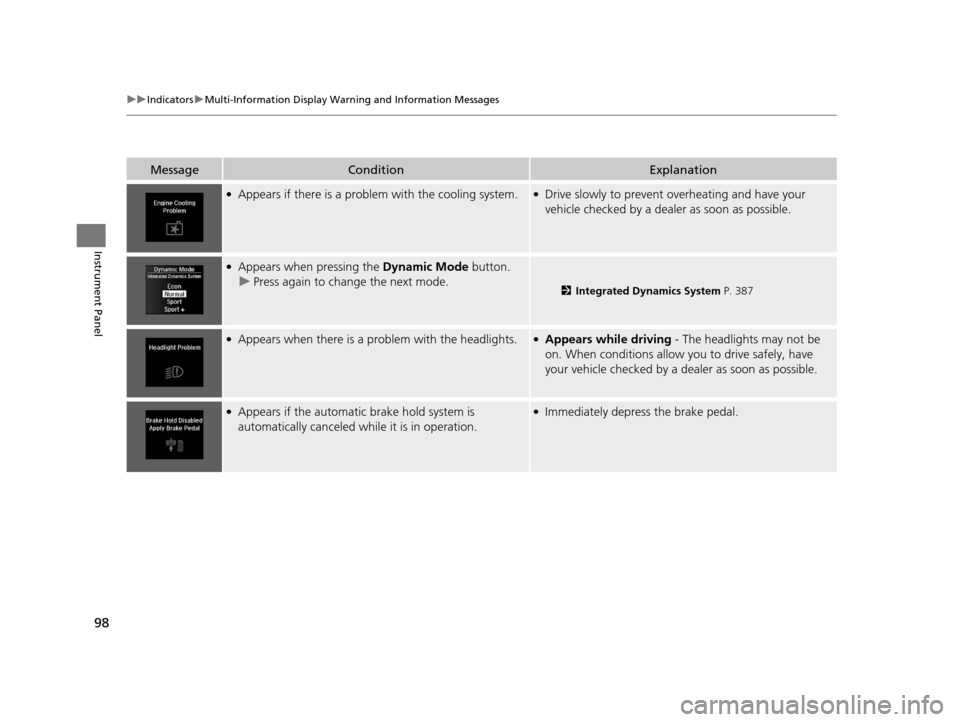
●Appears if there is a problem with the cooling system.●Drive slowly to prevent overheating and have your
vehicle checked by a dealer as soon as possible.
●Appears when pressing the Dynamic Mode button.
u Press again to change the next mode.
2 Integrated Dynamics System P. 387
●Appears when there is a problem with the headlights.●Appears while driving - The headlights may not be
on. When conditions allow you to drive safely, have
your vehicle checked by a dealer as soon as possible.
●Appears if the automatic brake hold system is
automatically canceled while it is in operation.●Immediately depress the brake pedal.
19 ACURA TLX-31TZ36400.book 98 ページ 2018年2月16日 金曜日 午後12時22分
Page 115 of 591
113
Instrument Panel
Gauges and Multi-Information Display
Gauges
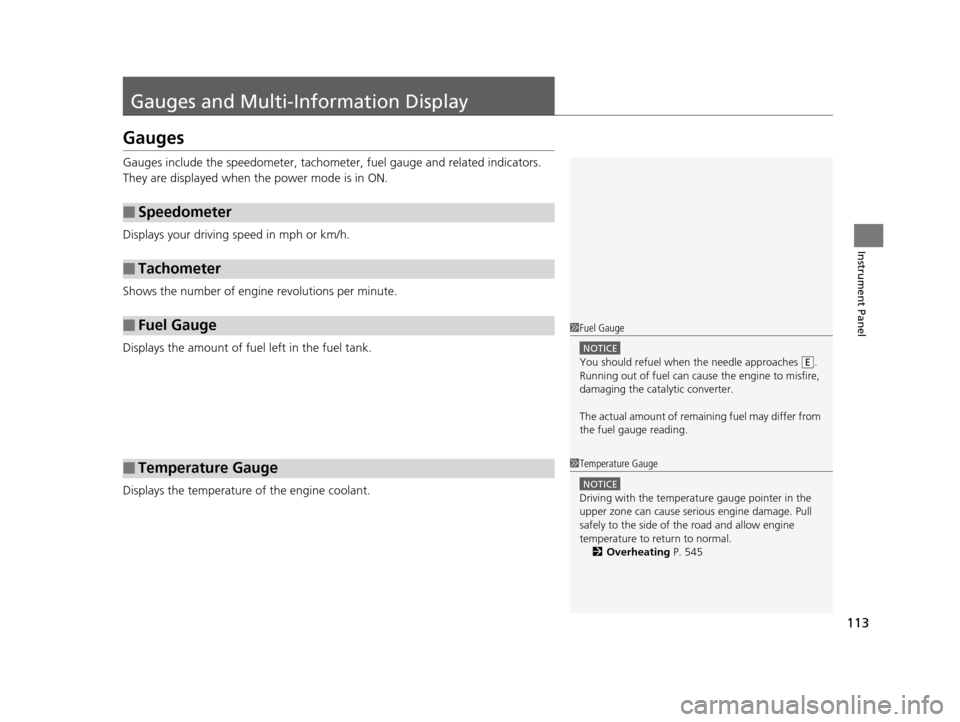
Gauges include the speedometer, tachometer, fuel gauge and related indicators.
They are displayed when the power mode is in ON.
Displays your driving speed in mph or km/h.
Shows the number of engine revolutions per minute.
Displays the amount of fuel left in the fuel tank.
Displays the temperature of the engine coolant.
■Speedometer
■Tachometer
■Fuel Gauge
■Temperature Gauge
1 Fuel Gauge
NOTICE
You should refuel when the needle approaches .
Running out of fuel can cause the engine to misfire,
damaging the cata lytic converter.
The actual amount of remain ing fuel may differ from
the fuel gauge reading.E
1 Temperature Gauge
NOTICE
Driving with the temperat ure gauge pointer in the
upper zone can cause serious engine damage. Pull
safely to the side of th e road and allow engine
temperature to return to normal. 2 Overheating P. 545
19 ACURA TLX-31TZ36400.book 113 ページ 2018年2月16日 金曜日 午後12時22分
Page 495 of 591
493
Maintenance
Checking and Maintaining Tires
Checking Tires
To safely operate your vehicle, your tires must be of the proper type and size, in
good condition with adequate tread, and properly inflated.
■Inflation guidelines
Properly inflated tires provid e the best combination of hand ling, tread life, and comfort.
Refer to the driver’s doorjamb label or spec ifications page for the specified pressure.
Underinflated tires wear unev enly, adversely affect handling and fuel economy, and
are more likely to fail from overheating.
Overinflated tires make your vehicle ride ha rshly, are more prone to road hazards,
and wear unevenly.
Every day before you drive, look at each of the tires. If one looks lower than the
others, check the pressure with a tire gauge.
At least once a month or before long trips , use a gauge to measure the pressure in
all tires, including the spare
*. Even tires in good condition can lose 1–2 psi (10–20
kPa, 0.1–0.2 kgf/cm2) per month.
■Inspection guidelines
Every time you check inflation, also examine the tires and valve stems.
Look for:
• Bumps or bulges on the side or in the tread. Replace the tire if you find any cuts,
splits, or cracks in the side of the tire . Replace it if you see fabric or cord.
• Remove any foreign objects and inspect for air leaks.
• Uneven tread wear. Have a deal er check the wheel alignment.
• Excessive tread wear.
2 Wear Indicators P. 498
•Cracks or other damage around valve stem.
1Checking Tires
Measure the air pressure when tires are cold. This
means the vehicle has been parked for at least three
hours, or driven less than 1 mile (1.6 km). If
necessary, add or releas e air until the specified
pressure is reached.
If checked when hot, tire pressure can be as much as
4–6 psi (30–40 kPa, 0.3–0.4 kgf/cm
2) higher than if
checked when cold. 2 Tire Fill Assist P. 424
Have a dealer check the tires if you feel a consistent
vibration while driving. Ne w tires and any that have
been removed and reinst alled should be properly
balanced.
Check the spare tire pressu re once a month or before
long trips.
3WARNING
Using tires that are excessively worn or
improperly inflated can cause a crash in
which you can be seriously hurt or killed.
Follow all instruction s in this owner’s
manual regarding ti re inflation and
maintenance.
Vehicles with optional spare tire
* Not available on all models
19 ACURA TLX-31TZ36400.book 493 ページ 2018年2月16日 金曜日 午後12時22分
Page 517 of 591
515
Handling the Unexpected
This chapter explains how to handle unexpected troubles.
ToolsTypes of Tools .................................. 516
If a Tire Goes Flat Temporarily Repairi ng a Flat Tire....... 517
Changing a Flat Tire ......................... 530
Engine Does Not Start Checking the Engine ........................ 537
If the Keyless Access Remote Battery is Weak ............................................. 538
Emergency Engine Stop ................... 539
Jump Starting .................................... 540
Shift Lever Does Not Move .............. 544Overheating
How to Handle Overheating............. 545
Indicator, Coming On/Blinking
If the Low Oil Pressure Indicator Comes On .. 547If the Charging System Indicator Comes On ................................................. 547
If the Malfunction Indicator Lamp Comes On or Blinks ..................................... 548
If the Brake System Indicator (Red) Comes On .. 548If the Electric Power Steering (EPS) System Indicator Comes On ........................... 549
If the Electric Parking Brake System Indicator Comes On ....................... 550 If the Low Tire Pressure/TPMS Indicator
Comes On or Blinks ....................... 551
If the Transmission System Indicator Blinks along with the Warning Message ...... 552
Fuses Fuse Locations ................................. 553
Inspecting and Changing Fuses ........ 557
Emergency Towing ........................... 558
When You Cannot Unlock the Fuel Fill Door ................................................. 559When You Cannot Open the Trunk ..... 560RefuelingRefueling From a Portable Fuel Container ... 561
19 ACURA TLX-31TZ36400.book 515 ページ 2018年2月16日 金曜日 午後12時22分
Page 547 of 591
545Continued
Handling the Unexpected
Overheating
How to Handle Overheating
Overheating symptoms are as follows:
•The temperature gauge needle is at the mark or the engine suddenly loses
power.
• The Stop Driving When Safe. En gine Temperature Too Hot message appears
on the multi-information display.
• Steam or spray comes out of the engine compartment.
■First thing to do
1. Immediately park the vehicle in a safe place.
2. Turn off all accessories and turn on the hazard warning lights.
u No steam or spray present : Keep the engine running and open the hood.
u Steam or spray is present : Turn off the engine and wait until it subsides.
Then, open the hood.
1 How to Handle Overheating
NOTICE
Continuing to drive with the temperature gauge
needle at the mark may damage the engine.
3WARNING
Steam and spray from an overheated
engine can seriously scald you.
Do not open the hood if steam is coming
out.
H
H
19 ACURA TLX-31TZ36400.book 545 ページ 2018年2月16日 金曜日 午後12時22分
Page 548 of 591
uuOverheating uHow to Handle Overheating
546
Handling the Unexpected
■Next thing to do
1.Check that the cooling fan is operating and
stop the engine once the temperature
gauge needle comes down.
u If the cooling fan is not operating,
immediately stop the engine.
2. Once the engine has cooled down, inspect
the coolant level an d check the cooling
system components for leaks.
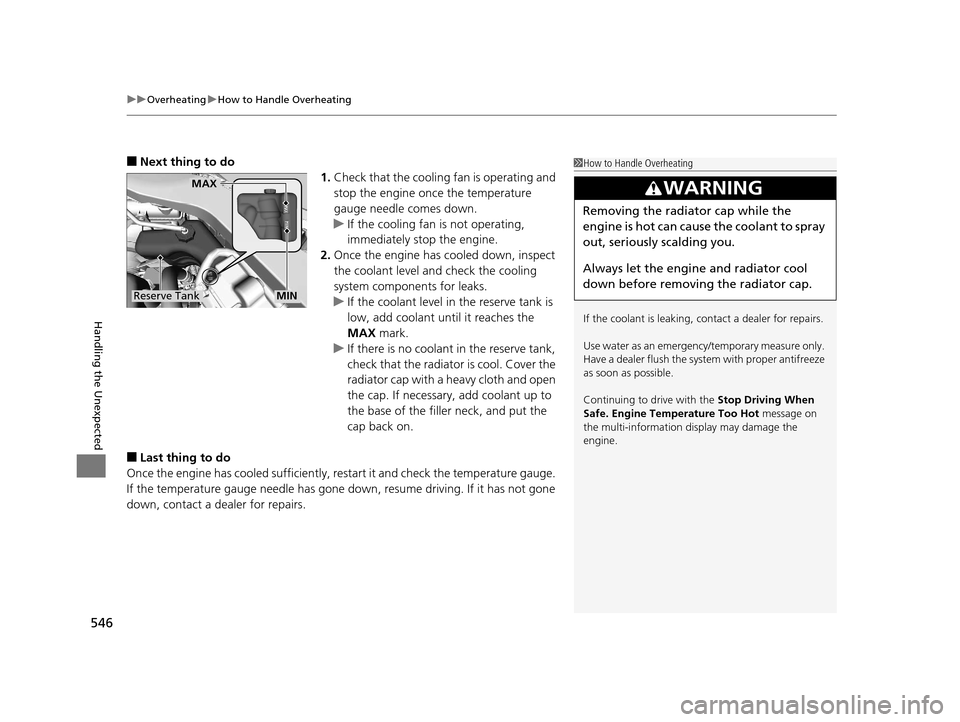
u If the coolant level in the reserve tank is
low, add coolant until it reaches the
MAX mark.
u If there is no coolan t in the reserve tank,
check that the radiator is cool. Cover the
radiator cap with a heavy cloth and open
the cap. If necessary, add coolant up to
the base of the filler neck, and put the
cap back on.
■Last thing to do
Once the engine has cooled sufficiently, re start it and check the temperature gauge.
If the temperature gauge needle has gone do wn, resume driving. If it has not gone
down, contact a dealer for repairs.
1 How to Handle Overheating
If the coolant is leaking, contact a dealer for repairs.
Use water as an emergency/temporary measure only.
Have a dealer flush the system with proper antifreeze
as soon as possible.
Continuing to drive with the Stop Driving When
Safe. Engine Temperature Too Hot message on
the multi-information display may damage the
engine.
3WARNING
Removing the radiator cap while the
engine is hot can cause the coolant to spray
out, seriously scalding you.
Always let the engine and radiator cool
down before removing the radiator cap.
Reserve Tank
MAX
MIN
19 ACURA TLX-31TZ36400.book 546 ページ 2018年2月16日 金曜日 午後12時22分
Page 580 of 591
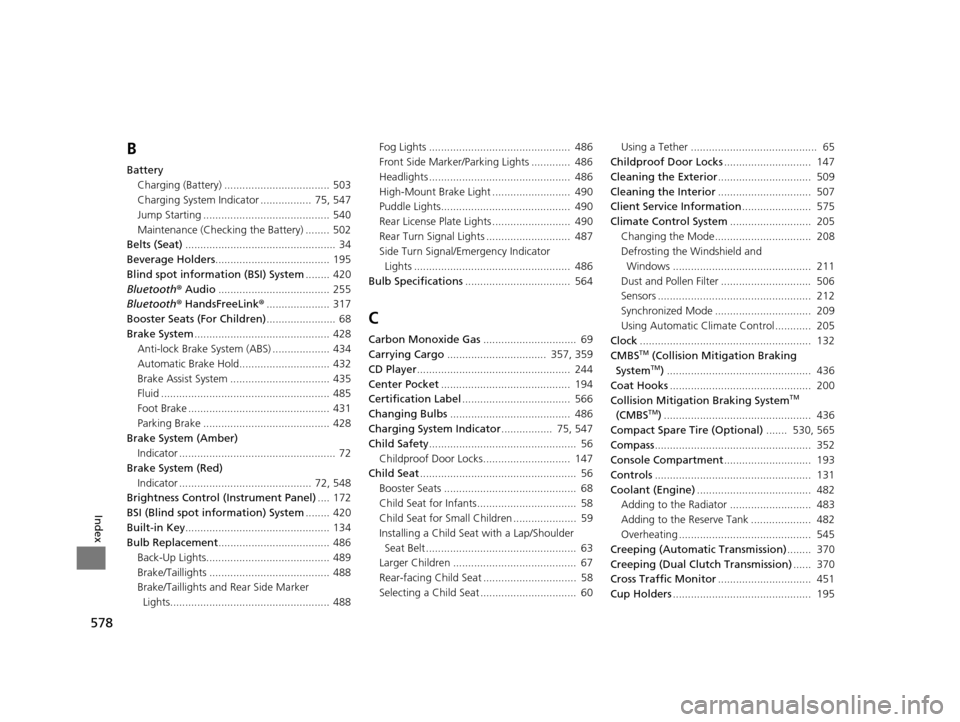
578
Index
B
BatteryCharging (Battery) ................................... 503
Charging System Indicator ................. 75, 547
Jump Starting .......................................... 540
Maintenance (Checking the Battery) ........ 502
Belts (Seat) .................................................. 34
Beverage Holders ...................................... 195
Blind spot information (BSI) System ........ 420
Bluetooth ® Audio ..................................... 255
Bluetooth ® HandsFreeLink ®..................... 317
Booster Seats (For Children) ....................... 68
Brake System ............................................. 428
Anti-lock Brake System (ABS) ................... 434
Automatic Brake Hold.............................. 432
Brake Assist System ................................. 435
Fluid ........................................................ 485
Foot Brake ............................................... 431
Parking Brake .......................................... 428
Brake System (Amber) Indicator .................................................... 72
Brake System (Red)
Indicator ............................................ 72, 548
Brightness Control (Instrument Panel) .... 172
BSI (Blind spot information) System ........ 420
Built-in Key ................................................ 134
Bulb Replacement ..................................... 486
Back-Up Lights......................................... 489
Brake/Taillights ........................................ 488
Brake/Taillights and Rear Side Marker
Lights..................................................... 488 Fog Lights ............................................... 486
Front Side Marker/Parking Lights ............. 486
Headlights ............................................... 486
High-Mount Brake Light .......................... 490
Puddle Lights........................................... 490
Rear License Plate Lights .......................... 490
Rear Turn Signal Lights ............................ 487
Side Turn Signal/Emergency Indicator
Lights .................................................... 486
Bulb Specifications ................................... 564
C
Carbon Monoxide Gas ............................... 69
Carrying Cargo ................................. 357, 359
CD Player ................................................... 244
Center Pocket ........................................... 194
Certification Label .................................... 566
Changing Bulbs ........................................ 486
Charging System Indicator ................. 75, 547
Child Safety ................................................. 56
Childproof Door Locks............................. 147
Child Seat .................................................... 56
Booster Seats ............................................ 68
Child Seat for Infants................................. 58
Child Seat for Small Children ..................... 59
Installing a Child Seat with a Lap/Shoulder
Seat Belt .................................................. 63
Larger Children ......................................... 67
Rear-facing Child Seat ............................... 58
Selecting a Child Seat ................................ 60 Using a Tether .......................................... 65
Childproof Door Locks ............................. 147
Cleaning the Exterior ............................... 509
Cleaning the Interior ............................... 507
Client Service Information ....................... 575
Climate Control System ........................... 205
Changing the Mode................................ 208
Defrosting the Windshield and
Windows .............................................. 211
Dust and Pollen Filter .............................. 506
Sensors ................................................... 212
Synchronized Mode ................................ 209
Using Automatic Climate Control............ 205
Clock ......................................................... 132
CMBSTM (Collision Mitigation Braking
SystemTM) ................................................ 436
Coat Hooks ............................................... 200
Collision Mitigation Braking System
TM
(CMBSTM) ................................................. 436
Compact Spare Tire (Optional) ....... 530, 565
Compass .................................................... 352
Console Compartment ............................. 193
Controls .................................................... 131
Coolant (Engine) ...................................... 482
Adding to the Radiator ........................... 483
Adding to the Reserve Tank .................... 482
Overheating ............................................ 545
Creeping (Automatic Transmission) ........ 370
Creeping (Dual Clutch Transmission) ...... 370
Cross Traffic Monitor ............................... 451
Cup Holders .............................................. 195
19 ACURA TLX-31TZ36400.book 578 ページ 2018年2月16日 金曜日 午後12時22分