ECO mode ACURA ZDX 2010 Owners Manual
[x] Cancel search | Manufacturer: ACURA, Model Year: 2010, Model line: ZDX, Model: ACURA ZDX 2010Pages: 645, PDF Size: 17.13 MB
Page 523 of 645
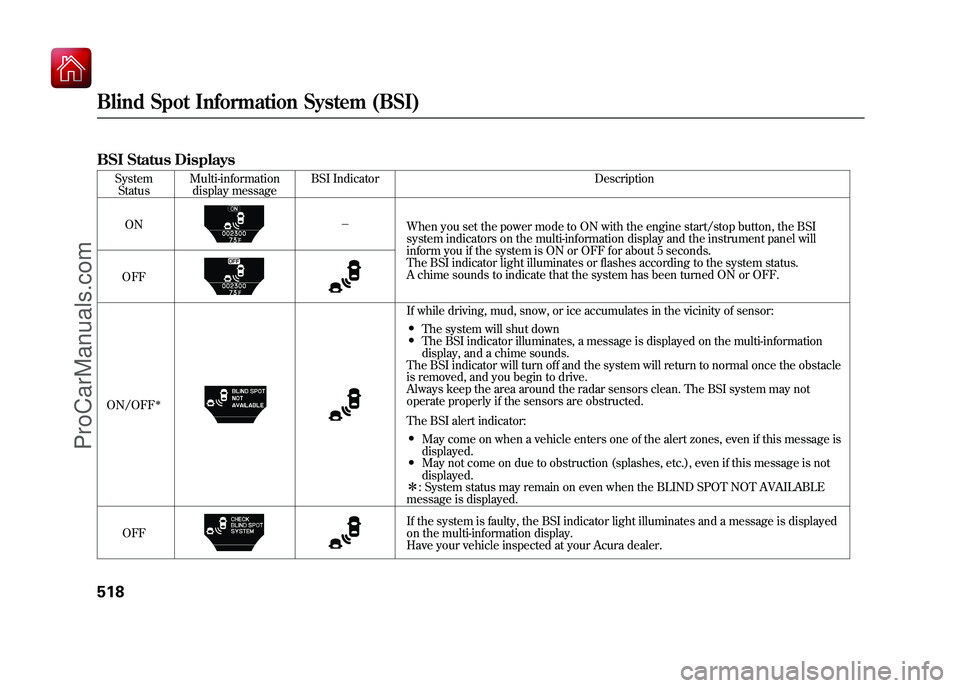
BSI Status Displays
SystemStatus Multi-information
display message BSI Indicator Description
ON -
When you set the power mode to ON with the engine start/stop button, the BSI
system indicators on the multi-information display and the instrument panel will
inform you if the system is ON or OFF for about 5 seconds.
The BSI indicator light illuminates or flashes according to the system status.
A chime sounds to indicate that the system has been turned ON or OFF.
OFF
ON/OFF
ꭧ
If while driving, mud, snow, or ice accumulates in the vicinity of sensor:●The system will shut down●The BSI indicator illuminates, a message is displayed on the multi-information
display, and a chime sounds.
The BSI indicator will turn off and the system will return to normal once the obstacle
is removed, and you begin to drive.
Always keep the area around the radar sensors clean. The BSI system may not
operate properly if the sensors are obstructed.
The BSI alert indicator:●May come on when a vehicle enters one of the alert zones, even if this message is
displayed.●May not come on due to obstruction (splashes, etc.), even if this message is not
displayed.
ꭧ : System status may remain on even when the BLIND SPOT NOT AVAILABLE
message is displayed.
OFF If the system is faulty, the BSI indicator light illuminates and a message is displayed
on the multi-information display.
Have your vehicle inspected at your Acura dealer.
Blind Spot Information System (BSI)51809/10/28 17:15:37 10 ACURA ZDX KA KC New North America Own 50 31SZN600 enu
ProCarManuals.com
Page 525 of 645
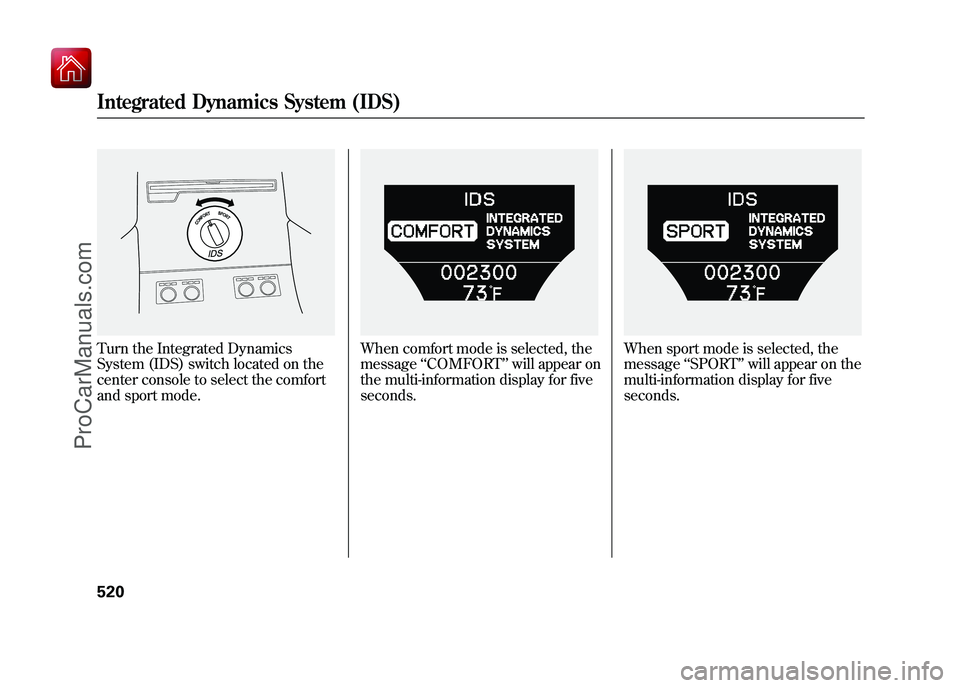
Turn the Integrated Dynamics
System (IDS) switch located on the
center console to select the comfort
and sport mode.
When comfort mode is selected, the
message‘‘COMFORT ’’will appear on
the multi-information display for five
seconds.
When sport mode is selected, the
message ‘‘SPORT ’’will appear on the
multi-information display for five
seconds.
Integrated Dynamics System (IDS)52009/10/28 17:15:37 10 ACURA ZDX KA KC New North America Own 50 31SZN600 enu
ProCarManuals.com
Page 542 of 645
These messages will come on every
time you turn the ignition switch to
the ON (II) position.
Models equipped with the keyless
access system have an engine start/
stop button instead of an ignition
switch. ON mode is the equivalent of
ON (II). See page 196 for ignition
switch and power mode comparison.
Immediately have the service
performed, and make sure to reset
the display as described on page 539.
Pressing either INFO button (▲/▼ )
switches the display from the
message to another display. To see
the message again, press either
INFO button repeatedly.
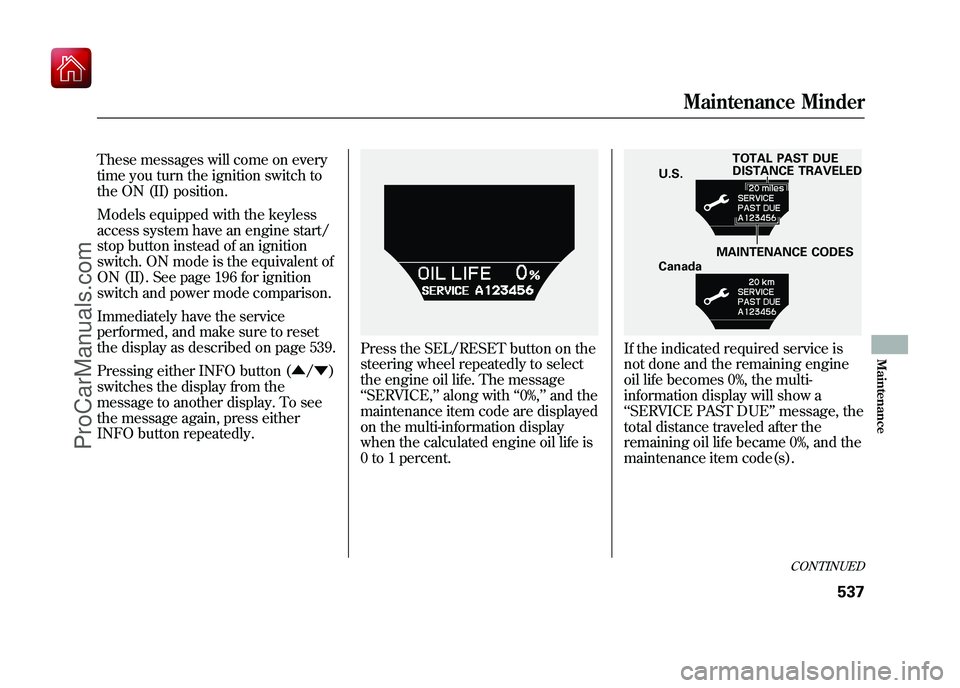
Press the SEL/RESET button on the
steering wheel repeatedly to select
the engine oil life. The message
‘‘ SERVICE, ’’along with ‘‘0%, ’’and the
maintenance item code are displayed
on the multi-information display
when the calculated engine oil life is
0 to 1 percent.
If the indicated required service is
not done and the remaining engine
oil life becomes 0%, the multi-
information display will show a
‘‘ SERVICE PAST DUE ’’message, the
total distance traveled after the
remaining oil life became 0%, and the
maintenance item code(s).
TOTAL PAST DUE
DISTANCE TRAVELED
U.S.
MAINTENANCE CODES
Canada
CONTINUED
Maintenance Minder
537
Maintenance
09/10/28 17:15:37 10 ACURA ZDX KA KC New North America Own 50 31SZN600 enu
ProCarManuals.com
Page 544 of 645
Resetting the Engine Oil Life
Display
Your dealer will reset the display
after completing the required
maintenance service. You will see
‘‘OIL LIFE 100% ’’on the display the
next time you turn the ignition
switch to the ON (II) position.
Models equipped with the keyless
access system have an engine start/
stop button instead of an ignition
switch. ON mode is the equivalent of
ON (II). See page 196 for ignition
switch and power mode comparison.
If maintenance service is done by
someone other than your dealer,
reset the maintenance minder as
follows:1. Turn the ignition switch to the ON (II)
position.
2. If the engine oil life is not displayed, press the SEL/RESET button on the
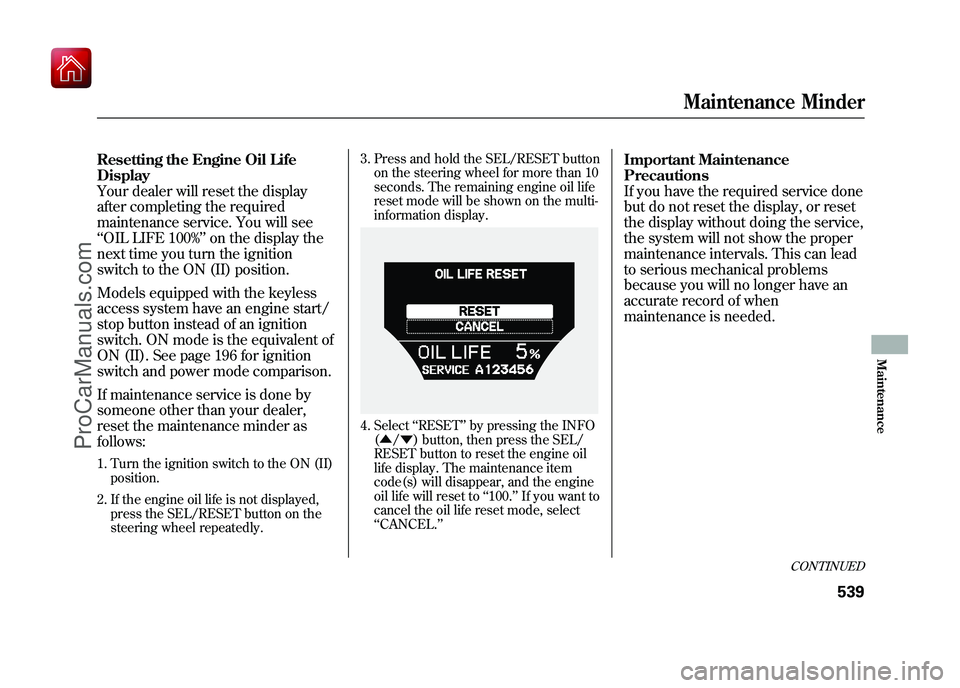
steering wheel repeatedly. 3. Press and hold the SEL/RESET button
on the steering wheel for more than 10
seconds. The remaining engine oil life
reset mode will be shown on the multi-
information display.
4. Select ‘‘RESET’’ by pressing the INFO
( ▲ /▼ ) button, then press the SEL/
RESET button to reset the engine oil
life display. The maintenance item
code(s) will disappear, and the engine
oil life will reset to ‘‘100. ’’If you want to
cancel the oil life reset mode, select
‘‘ CANCEL. ’’
Important Maintenance
Precautions
If you have the required service done
but do not reset the display, or reset
the display without doing the service,
the system will not show the proper
maintenance intervals. This can lead
to serious mechanical problems
because you will no longer have an
accurate record of when
maintenance is needed.
CONTINUED
Maintenance Minder
539
Maintenance
09/10/28 17:15:37 10 ACURA ZDX KA KC New North America Own 50 31SZN600 enu
ProCarManuals.com
Page 598 of 645
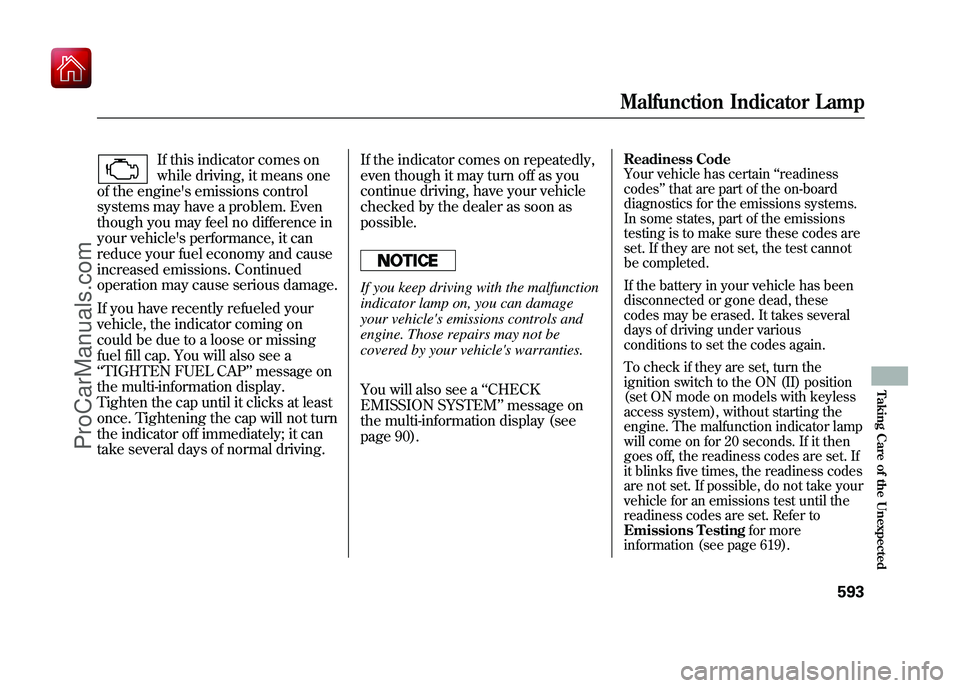
If this indicator comes on
while driving, it means one
of the engine's emissions control
systems may have a problem. Even
though you may feel no difference in
your vehicle's performance, it can
reduce your fuel economy and cause
increased emissions. Continued
operation may cause serious damage.
If you have recently refueled your
vehicle, the indicator coming on
could be due to a loose or missing
fuel fill cap. You will also see a
‘‘ TIGHTEN FUEL CAP ’’message on
the multi-information display.
Tighten the cap until it clicks at least
once. Tightening the cap will not turn
the indicator off immediately; it can
take several days of normal driving. If the indicator comes on repeatedly,
even though it may turn off as you
continue driving, have your vehicle
checked by the dealer as soon as
possible.
If you keep driving with the malfunction
indicator lamp on, you can damage
your vehicle's emissions controls and
engine. Those repairs may not be
covered by your vehicle's warranties.
You will also see a
‘‘CHECK
EMISSION SYSTEM ’’message on
the multi-information display (see
page 90).
Readiness CodeYour vehicle has certain ‘‘readiness
codes ’’that are part of the on-board
diagnostics for the emissions systems.
In some states, part of the emissions
testing is to make sure these codes are
set. If they are not set, the test cannot
be completed.
If the battery in your vehicle has been
disconnected or gone dead, these
codes may be erased. It takes several
days of driving under various
conditions to set the codes again.
To check if they are set, turn the
ignition switch to the ON (II) position
(set ON mode on models with keyless
access system), without starting the
engine. The malfunction indicator lamp
will come on for 20 seconds. If it then
goes off, the readiness codes are set. If
it blinks five times, the readiness codes
are not set. If possible, do not take your
vehicle for an emissions test until the
readiness codes are set. Refer to
Emissions Testing for more
information (see page 619).Malfunction Indicator Lamp
593
Taking Care of the Unexpected
09/10/28 17:15:37 10 ACURA ZDX KA KC New North America Own 50 31SZN600 enu
ProCarManuals.com
Page 601 of 645
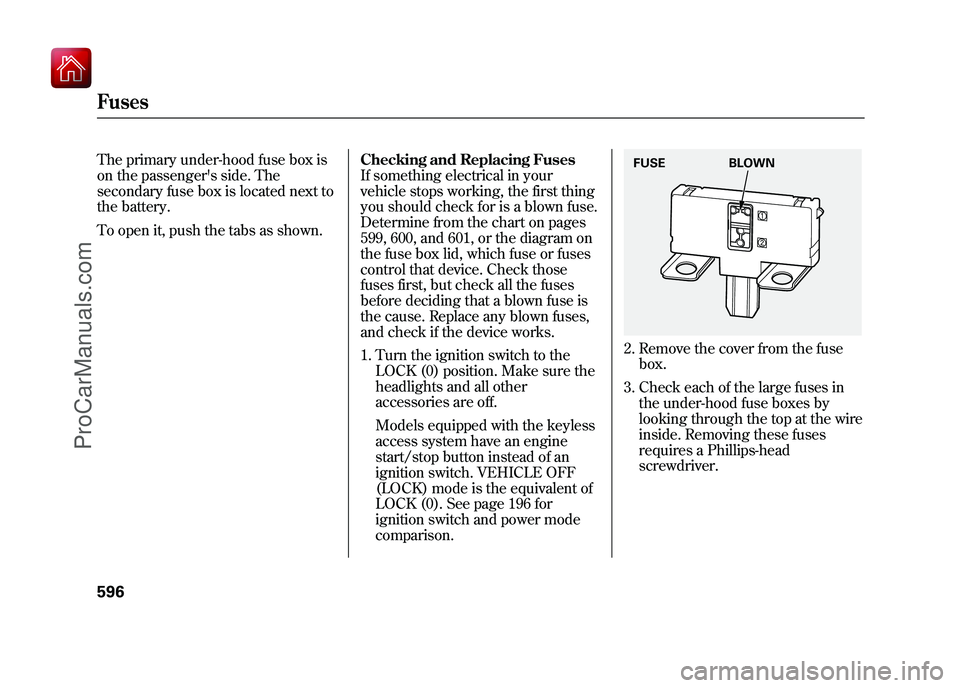
The primary under-hood fuse box is
on the passenger's side. The
secondary fuse box is located next to
the battery.
To open it, push the tabs as shown.Checking and Replacing Fuses
If something electrical in your
vehicle stops working, the first thing
you should check for is a blown fuse.
Determine from the chart on pages
599, 600, and 601, or the diagram on
the fuse box lid, which fuse or fuses
control that device. Check those
fuses first, but check all the fuses
before deciding that a blown fuse is
the cause. Replace any blown fuses,
and check if the device works.
1. Turn the ignition switch to the
LOCK (0) position. Make sure the
headlights and all other
accessories are off.
Models equipped with the keyless
access system have an engine
start/stop button instead of an
ignition switch. VEHICLE OFF
(LOCK) mode is the equivalent of
LOCK (0). See page 196 for
ignition switch and power mode
comparison.
2. Remove the cover from the fusebox.
3. Check each of the large fuses in the under-hood fuse boxes by
looking through the top at the wire
inside. Removing these fuses
requires a Phillips-head
screwdriver.FUSE BLOWN
Fuses59609/10/28 17:15:37 10 ACURA ZDX KA KC New North America Own 50 31SZN600 enu
ProCarManuals.com
Page 630 of 645

Purchasing Factory Authorized Manuals (U.S. only)The publications shown below can be purchased from Helm
Incorporated. You can order by phone or online:●Call Helm Inc. at 1-800-782-4356 (credit card orders only)●Go online atwww. helminc. com
If you are interested in other years or models, contact Helm Inc.
at 1-800-782-4356.Publication
Form Number Form Description
61SZN00 2010 Acura ZDX Service Manual
61SZN00EL 2010 Acura ZDX
Electrical Troubleshooting Manual
61SZN30 2010 Acura ZDX Body Repair Manual
31SZN600 2010 Acura ZDX Owner's Manual
31SZN800 2010 Acura ZDX
Navigation System Owner's Manual
31SZNM00 2010 Acura ZDX Maintenance Journal
31SZNQ00 2010 Acura ZDX Advanced Technology Guide
ACU-R Order Form for Previous Years
Indicate Year and Model Desired
Service Manual:
Covers maintenance and recommended procedures for
repair to engine and chassis components. It is written
for the journeyman mechanic, but it is simple enough
for most mechanically inclined owners to understand.
Electrical Troubleshooting Manual:
Complements the Service Manual by providing in-depth
troubleshooting information for each electrical circuit in
your vehicle.
Body Repair Manual:
Describes the procedures involved in the replacement
of damaged body parts.
Authorized Manuals
625
Warranty and Client Relations
ProCarManuals.com