radio ACURA ZDX 2010 Workshop Manual
[x] Cancel search | Manufacturer: ACURA, Model Year: 2010, Model line: ZDX, Model: ACURA ZDX 2010Pages: 645, PDF Size: 17.13 MB
Page 377 of 645
To search up and down from the
current frequency and find a station
with a strong signal, press the top
(+) or bottom (- ) of the button for
1 second.
If you are listening to XM
ꭂRadio,
use the CH button to change
channels. Each time you press the
top (+ ) of the button, the system
goes to the next preset channel.
Press the bottom (- ) to go back to
the previous preset channel.
To go to the next channel of the
category you are listening to, press
the top (+ ) of the button for 1
second. Press the bottom (- ) for 1
second to go back to the previous
channel. If you are playing a disc, the system
skips to the beginning of the next
track/file (file in MP3, WMA, or AAC
format) each time you press the top
(+
) of the CH button. Press the
bottom (- ) to return to the
beginning of the current track/file.
Press it twice to return to the
previous track/file. You will see the track/file number
and the elapsed time. If the disc has
text data or is compressed in MP3 or
WMA, you can also see any other
information (track title, file name,
folder name, etc.).
Remote Audio Controls37209/10/28 17:15:37 10 ACURA ZDX KA KC New North America Own 50 31SZN600 enu
ProCarManuals.com
Page 379 of 645
Your vehicle's audio system may
disable itself if it is disconnected
from electrical power for any reason.
To make it work again, you must
enter a specific five-digit code with
the preset buttons. Because there are
hundreds of number combinations
possible from the five digits, making
the system work without knowing
the exact code is nearly impossible.
You should have received a card that
lists your audio system code number
and serial number. It is best to store
this card in a safe place at home. In
addition, you should write the audio
system's serial number in this
owner's manual.
If you lose the card, you must obtain
the code number from your dealer.
To do this, you will need the audio
system's serial number.NOTE:
In the U.S., if you have a My
Acura account, you can retrieve the
anti-theft code online.
If your vehicle's battery is
disconnected or goes dead, the audio
system will disable itself. If this
happens, you will see ‘‘ENTER
CODE ’’in the frequency display (on
the display on models with
navigation system) the next time you
turn on the system. Use the preset
buttons to enter the five-digit code.
The code is located on the radio code
card included in your owner's
manual kit. When it is entered
correctly, the radio will start playing.
If you make a mistake entering the
code, do not start over; complete the
five-digit sequence, then enter the
correct code. You have 10 tries to
enter the correct code. If you are
unsuccessful in 10 attempts, you
must then leave the system on for 1
hour before trying again. The system will retain your AM and
FM presets even if power is
disconnected.Radio Theft Protection37409/10/28 17:15:37 10 ACURA ZDX KA KC New North America Own 50 31SZN600 enu
ProCarManuals.com
Page 440 of 645
On models with navigation systemAcuraLink enhances your ownership
experience by providing a direct
communication link between your
vehicle and the Acura Server.
Working through the XM radio
satellite, AcuraLink works in
conjunction with the navigation
system,
Bluetooth
®HandsFreeLink
®
(HFL), and audio system in your
vehicle. It displays and receives
several kinds of messages, including:●Operating tips and information on
your vehicle's features.●Important recall and safety
information.●Maintenance information to keep
your vehicle in top condition.●Diagnostic information to provide
information about any problems
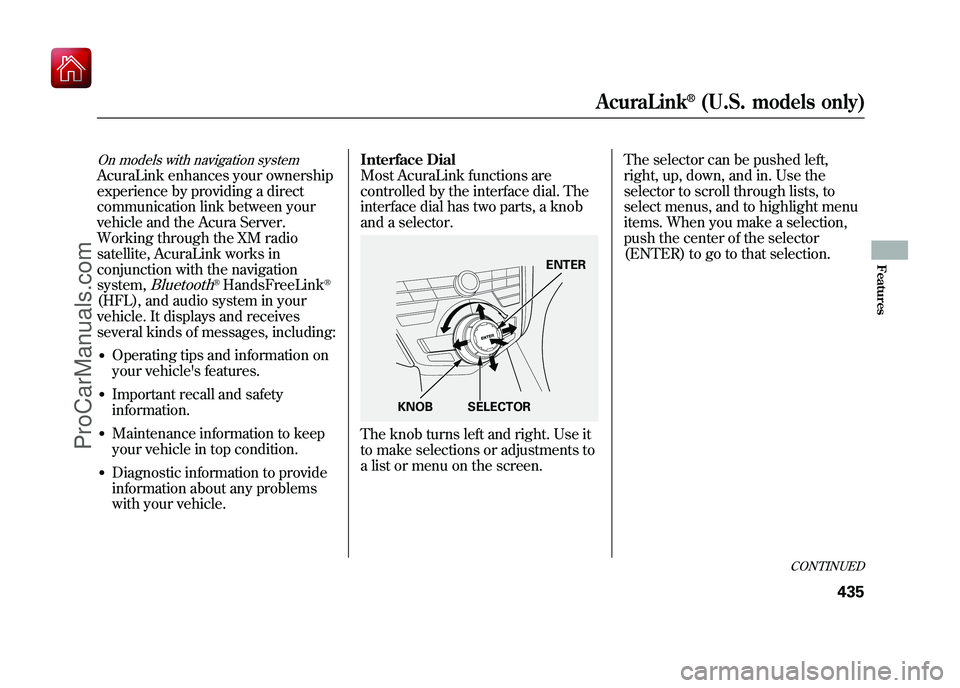
with your vehicle.Interface Dial
Most AcuraLink functions are
controlled by the interface dial. The
interface dial has two parts, a knob
and a selector.
The knob turns left and right. Use it
to make selections or adjustments to
a list or menu on the screen.
The selector can be pushed left,
right, up, down, and in. Use the
selector to scroll through lists, to
select menus, and to highlight menu
items. When you make a selection,
push the center of the selector
(ENTER) to go to that selection.
ENTER
KNOB SELECTOR
CONTINUED
AcuraLink
®(U.S. models only)
435
Features
09/10/28 17:15:37 10 ACURA ZDX KA KC New North America Own 50 31SZN600 enu
ProCarManuals.com
Page 468 of 645
Modifying your vehicle, or installing
some non-Acura accessories, can
make your vehicle unsafe. Before
you make any modifications or add
any accessories, be sure to read the
following information.
Accessories
Your dealer has Acura accessories
that allow you to personalize your
vehicle. These accessories have been
designed and approved for your
vehicle, and are covered by warranty.
Although non-Acura accessories may
fit on your vehicle, they may not
meet factory specifications, and could
adversely affect your vehicle's
handling, stability, and reliability.
Improper accessories or
modifications can affect your
vehicle's handling, stability, and
performance, and cause a
crash in which you can be hurt
or killed.
Follow all instructions in this
owner's manual regarding
accessories and modifications.
When properly installed, cellular
phones, alarms, two-way radios, and
low-powered audio systems should
not interfere with your vehicle's
computer controlled systems, such
as your airbags, anti-lock brakes, and
tire pressure monitoring system. Before installing any accessory:
●Make sure the accessory does not
obscure any lights, or interfere
with proper vehicle operation or
performance.●Be sure electronic accessories do
not overload electrical circuits (see
page 595) or interfere with proper
operation of your vehicle.●Do not install accessories on the
side pillars or across the rear
windows. Accessories installed in
these areas may interfere with
proper operation of the side
curtain airbags.●Before installing any electronic
accessory, have the installer
contact your dealer for assistance.
If possible, have your dealer
inspect the final installation.
CONTINUED
Accessories and Modifications
463
Before Driving
09/10/28 17:15:37 10 ACURA ZDX KA KC New North America Own 50 31SZN600 enu
ProCarManuals.com
Page 521 of 645
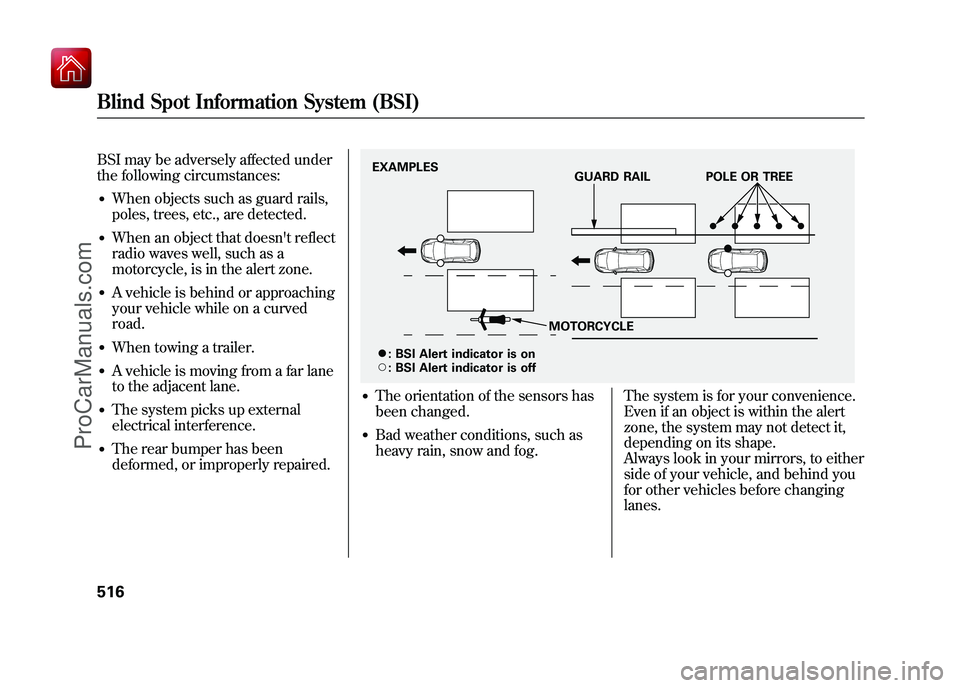
BSI may be adversely affected under
the following circumstances:●When objects such as guard rails,
poles, trees, etc., are detected.●When an object that doesn't reflect
radio waves well, such as a
motorcycle, is in the alert zone.●A vehicle is behind or approaching
your vehicle while on a curved
road.●When towing a trailer.●A vehicle is moving from a far lane
to the adjacent lane.●The system picks up external
electrical interference.●The rear bumper has been
deformed, or improperly repaired.
●The orientation of the sensors has
been changed.●Bad weather conditions, such as
heavy rain, snow and fog.The system is for your convenience.
Even if an object is within the alert
zone, the system may not detect it,
depending on its shape.
Always look in your mirrors, to either
side of your vehicle, and behind you
for other vehicles before changing
lanes.EXAMPLES
GUARD RAIL POLE OR TREE
MOTORCYCLE
ꭍ :
\b :BSI Alert indicator is on
BSI Alert indicator is off
Blind Spot Information System (BSI)51609/10/28 17:15:37 10 ACURA ZDX KA KC New North America Own 50 31SZN600 enu
ProCarManuals.com
Page 578 of 645
The sensor on the negative terminal
monitors your vehicle's battery
condition.
If there is a problem with the sensor,
you will see a‘‘CHECK BATTERY
SENSOR’’ message on the multi-
information display. Have the vehicle
checked by your dealer.
Check the terminals for corrosion (a
white or yellowish powder). To
remove it, cover the terminals with a
solution of baking soda and water. It
will bubble up and turn brown. When
this stops, wash it off with plain
water. Dry off the battery with a cloth
or paper towel. Coat the terminals
with grease to help prevent further
corrosion.
If additional battery maintenance is
needed, see your dealer or a
qualified technician. WARNING:
Battery posts,
terminals, and related accessories
contain lead and lead compounds.
Wash your hands after handling.
If you need to connect the battery to
a charger, disconnect both cables to
prevent damaging your vehicle's
electrical system. Always disconnect
the negative (- ) cable first, and
reconnect it last.
The battery gives off explosive
hydrogen gas during normal
operation.
A spark or flame can cause the
battery to explode with enough
force to kill or seriously hurt
you.
Wear protective clothing and a
face shield, or have a skilled
technician do the battery
maintenance.
If your vehicle's battery is
disconnected or goes dead, the audio
system may disable itself. The next
time you turn on the radio, you will
see ‘‘ENTER CODE ’’in the
frequency display. Use the preset
buttons to enter the code (see page
374).
CONTINUED
Checking the Battery
573
Maintenance
09/10/28 17:15:37 10 ACURA ZDX KA KC New North America Own 50 31SZN600 enu
ProCarManuals.com
Page 603 of 645
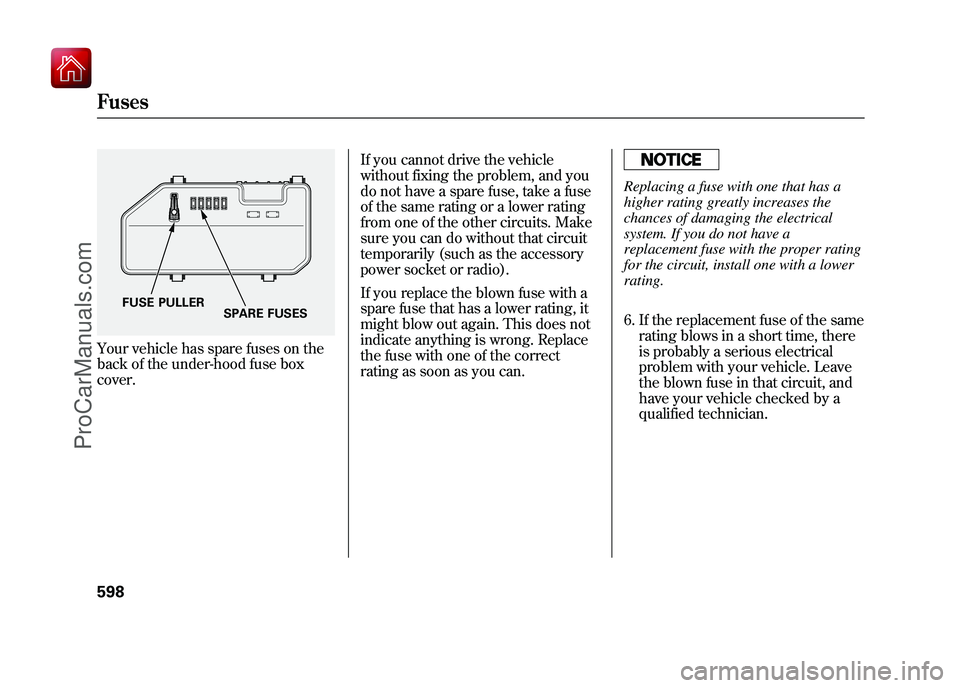
Your vehicle has spare fuses on the
back of the under-hood fuse box
cover.If you cannot drive the vehicle
without fixing the problem, and you
do not have a spare fuse, take a fuse
of the same rating or a lower rating
from one of the other circuits. Make
sure you can do without that circuit
temporarily (such as the accessory
power socket or radio).
If you replace the blown fuse with a
spare fuse that has a lower rating, it
might blow out again. This does not
indicate anything is wrong. Replace
the fuse with one of the correct
rating as soon as you can.
Replacing a fuse with one that has a
higher rating greatly increases the
chances of damaging the electrical
system. If you do not have a
replacement fuse with the proper rating
for the circuit, install one with a lower
rating.
6. If the replacement fuse of the same
rating blows in a short time, there
is probably a serious electrical
problem with your vehicle. Leave
the blown fuse in that circuit, and
have your vehicle checked by a
qualified technician.
FUSE PULLER SPARE FUSES
Fuses59809/10/28 17:15:37 10 ACURA ZDX KA KC New North America Own 50 31SZN600 enu
ProCarManuals.com
Page 635 of 645
EngineAdding Engine Coolant
...........
548
Coolant Temperature Gauge
....
77
If it Won't Start
........................
585
Malfunction Indicator Lamp
.............................
65, 593
Oil Life Indicator
.....................
533
Oil Pressure Indicator
.......
65, 591
Oil, What Kind to Use
.............
545
Overheating
............................
589
Specifications
..........................
609
Speed Limiter
..........................
480
Engine Coolant
..........................
548
Ethanol in Gasoline
....................
454
Evaporative Emissions Controls
..................................
616
Exhaust Fumes
............................
58
Exhaust Gas Recirculation System
...................................
617
Expectant Mothers, Use of Seat Belts by
....................................
19
F
Fan, Interior
...............................
223 Features
.....................................
219
Filters Dust and Pollen
.......................
562
Oil
...........................................
546
Flashers, Hazard Warning
.........
143
Flat Tire, Changing a
.................
579
Floor Mats
.................................
563
Fluids Automatic Transmission
.........
551
Brake
......................................
553
Location
..................................
543
Power Steering
........................
554
Windshield Washer
.................
550
FM/AM Radio Reception
...........
369
Fog Lights
..................................
141
Four-way Flashers
......................
143
Front Airbags
.........................
10, 28
Front Seat
..................................
161
Adjusting
.................................
161
Front Seat Heaters and Seat Ventilation
..............................
168
Fuel
............................................
454
Economy
.................................
460
Fill Door and Cap
....................
455
Gauge
......................................
76
Low Fuel Indicator
...................
72 Octane Requirement
...............
454
Opening the Fuel Fill Door Manually
.............................
602
Reserve Indicator
.....................
72
Tank, Filling the
......................
455
Tighten Fuel Cap
....................
456
Fuel Economy
............................
460
Fuses, Checking the
..................
596
G
Gas Mileage, Improving
.............
461
Gasoline
.....................................
454
Gauge
......................................
76
Low Fuel Indicator
...................
72
Octane Requirement
...............
454
Tank, Refueling
.......................
455
Gas Station Procedures
..............
455
Gauges Engine Coolant Temperature...
77
Fuel
..........................................
76
Speedometer
............................
76
Tachometer
..............................
76
GAWR (Gross Axle Weight Rating)
...................................
523
IndexIV09/10/28 17:15:37 10 ACURA ZDX KA KC New North America Own 50 31SZN600 enu
ProCarManuals.com
Page 638 of 645
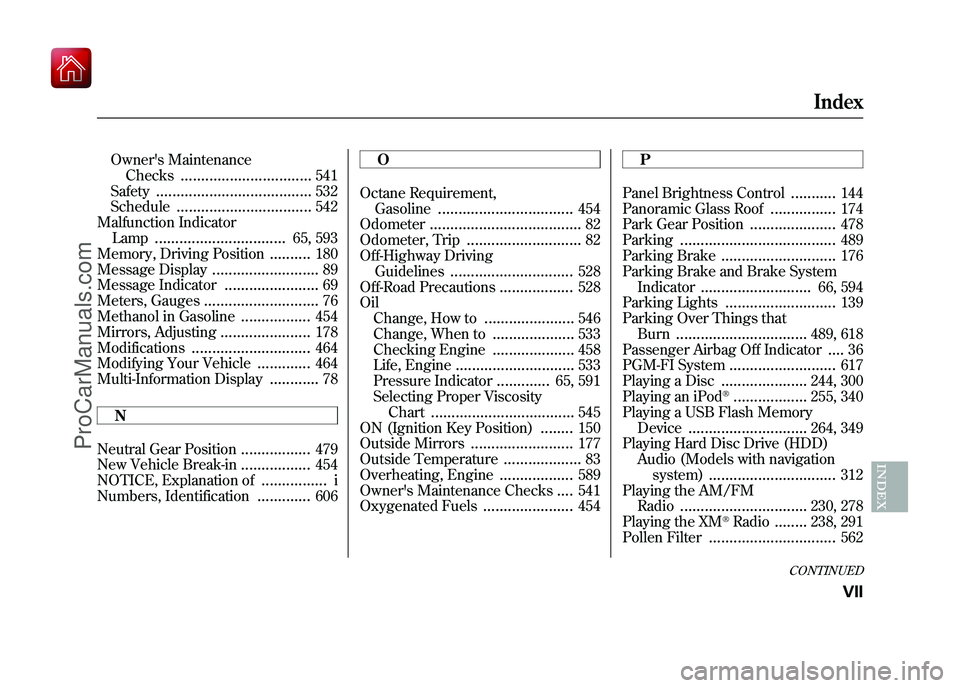
Owner's MaintenanceChecks
................................
541
Safety
......................................
532
Schedule
.................................
542
Malfunction Indicator Lamp
................................
65, 593
Memory, Driving Position
..........
180
Message Display
..........................
89
Message Indicator
.......................
69
Meters, Gauges
............................
76
Methanol in Gasoline
.................
454
Mirrors, Adjusting
......................
178
Modifications
.............................
464
Modifying Your Vehicle
.............
464
Multi-Information Display
............
78
N
Neutral Gear Position
.................
479
New Vehicle Break-in
.................
454
NOTICE, Explanation of
................
i
Numbers, Identification
.............
606 O
Octane Requirement,
Gasoline
.................................
454
Odometer
.....................................
82
Odometer, Trip
............................
82
Off-Highway Driving Guidelines
..............................
528
Off-Road Precautions
..................
528
Oil Change, How to
......................
546
Change, When to
....................
533
Checking Engine
....................
458
Life, Engine
.............................
533
Pressure Indicator
.............
65, 591
Selecting Proper Viscosity Chart
...................................
545
ON (Ignition Key Position)
........
150
Outside Mirrors
.........................
177
Outside Temperature
...................
83
Overheating, Engine
..................
589
Owner's Maintenance Checks
....
541
Oxygenated Fuels
......................
454 P
Panel Brightness Control
...........
144
Panoramic Glass Roof
................
174
Park Gear Position
.....................
478
Parking
......................................
489
Parking Brake
............................
176
Parking Brake and Brake System
Indicator
...........................
66, 594
Parking Lights
...........................
139
Parking Over Things that Burn
................................
489, 618
Passenger Airbag Off Indicator
....
36
PGM-FI System
..........................
617
Playing a Disc
.....................
244, 300
Playing an iPod
®..................
255, 340
Playing a USB Flash Memory
Device
.............................
264, 349
Playing Hard Disc Drive (HDD) Audio (Models with navigationsystem)
...............................
312
Playing the AM/FM Radio
...............................
230, 278
Playing the XM
®Radio
........
238, 291
Pollen Filter
...............................
562
CONTINUED
Index
VII
INDEX
09/10/28 17:15:37 10 ACURA ZDX KA KC New North America Own 50 31SZN600 enu
ProCarManuals.com
Page 639 of 645
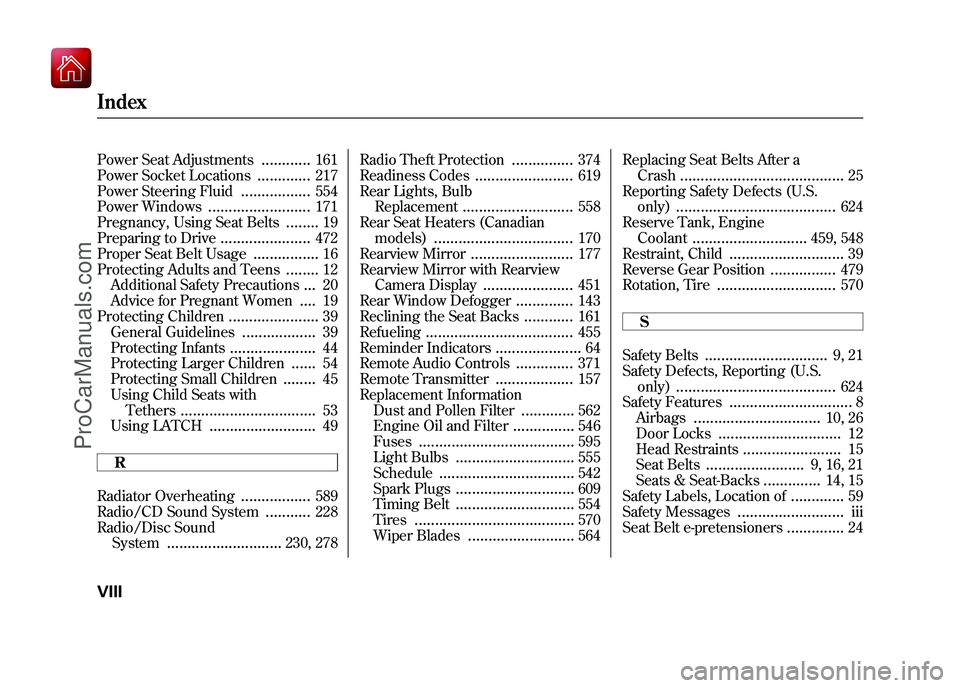
Power Seat Adjustments
............
161
Power Socket Locations
.............
217
Power Steering Fluid
.................
554
Power Windows
.........................
171
Pregnancy, Using Seat Belts
........
19
Preparing to Drive
......................
472
Proper Seat Belt Usage
................
16
Protecting Adults and Teens
........
12
Additional Safety Precautions
...
20
Advice for Pregnant Women
....
19
Protecting Children
......................
39
General Guidelines
..................
39
Protecting Infants
.....................
44
Protecting Larger Children
......
54
Protecting Small Children
........
45
Using Child Seats with Tethers
.................................
53
Using LATCH
..........................
49
R
Radiator Overheating
.................
589
Radio/CD Sound System
...........
228
Radio/Disc Sound System
............................
230, 278 Radio Theft Protection
...............
374
Readiness Codes
........................
619
Rear Lights, Bulb Replacement
...........................
558
Rear Seat Heaters (Canadian models)
..................................
170
Rearview Mirror
.........................
177
Rearview Mirror with Rearview Camera Display
......................
451
Rear Window Defogger
..............
143
Reclining the Seat Backs
............
161
Refueling
....................................
455
Reminder Indicators
.....................
64
Remote Audio Controls
..............
371
Remote Transmitter
...................
157
Replacement Information Dust and Pollen Filter
.............
562
Engine Oil and Filter
...............
546
Fuses
......................................
595
Light Bulbs
.............................
555
Schedule
.................................
542
Spark Plugs
.............................
609
Timing Belt
.............................
554
Tires
.......................................
570
Wiper Blades
..........................
564 Replacing Seat Belts After a
Crash
........................................
25
Reporting Safety Defects (U.S. only)
.......................................
624
Reserve Tank, Engine Coolant
............................
459, 548
Restraint, Child
............................
39
Reverse Gear Position
................
479
Rotation, Tire
.............................
570
S
Safety Belts
..............................
9, 21
Safety Defects, Reporting (U.S.
only)
.......................................
624
Safety Features
..............................
8
Airbags
...............................
10, 26
Door Locks
..............................
12
Head Restraints
........................
15
Seat Belts
........................
9, 16, 21
Seats & Seat-Backs
..............
14, 15
Safety Labels, Location of
.............
59
Safety Messages
..........................
iii
Seat Belt e-pretensioners
..............
24
IndexVIII09/10/28 17:15:37 10 ACURA ZDX KA KC New North America Own 50 31SZN600 enu
ProCarManuals.com