display Acura ZDX 2012 Owner's Manual
[x] Cancel search | Manufacturer: ACURA, Model Year: 2012, Model line: ZDX, Model: Acura ZDX 2012Pages: 645, PDF Size: 16.36 MB
Page 365 of 645
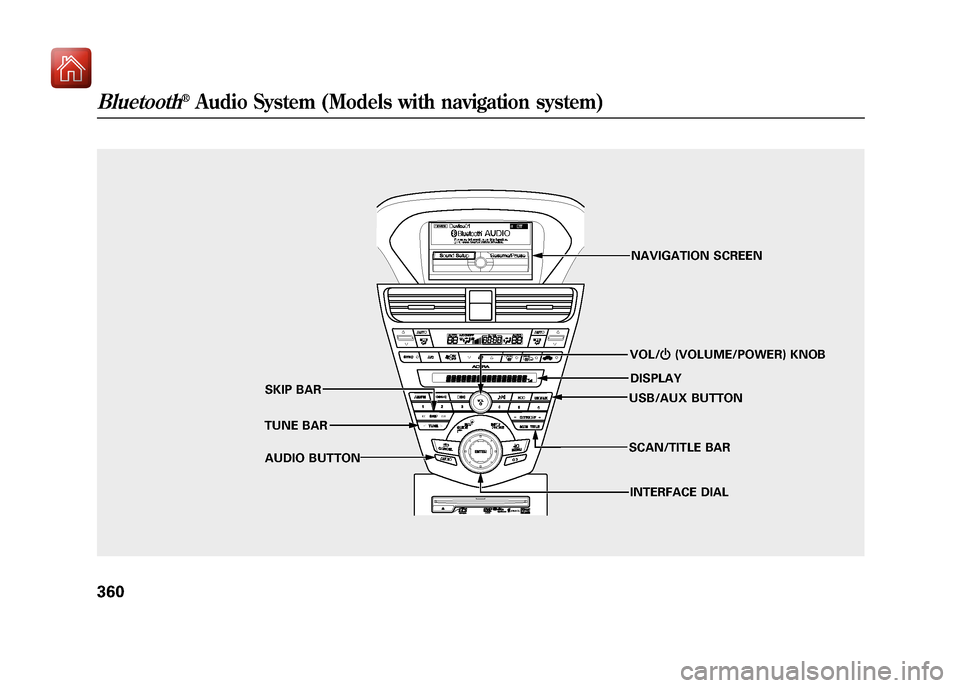
VOL/ꂻ(VOLUME/POWER) KNOB
TUNE BAR SKIP BAR
AUDIO BUTTON NAVIGATION SCREEN
DISPLAY
USB/AUX BUTTON
INTERFACE DIAL
SCAN/TITLE BAR
Bluetooth
®Audio System (Models with navigation system)
36009/10/28 17:15:37 10 ACURA ZDX KA KC New North America Own 50 31SZN600 enu
Page 366 of 645
Your vehicle is equipped with aBluetooth
®audio system, which
allows you to listen to streaming
audio from your Bluetooth audio
compatible phone. This function is
only available on Bluetooth Audio
Compatible phones that are paired
and linked to the vehicle's
Bluetooth
®HandsFreeLink
®(HFL)
system (see page 416).
Not all Bluetooth-enabled phones
with streaming audio capabilities are
compatible with the system. You can
find an approved phone by visiting
www.acura.com/handsfreelink,
or by
calling the HandsFreeLink
®
consumer support at 1-888-528-7876.
In Canada, visit
www.acura.ca,
or call
1-888-9-ACURA-9.
NOTE: In some states it may be
illegal to perform some data device
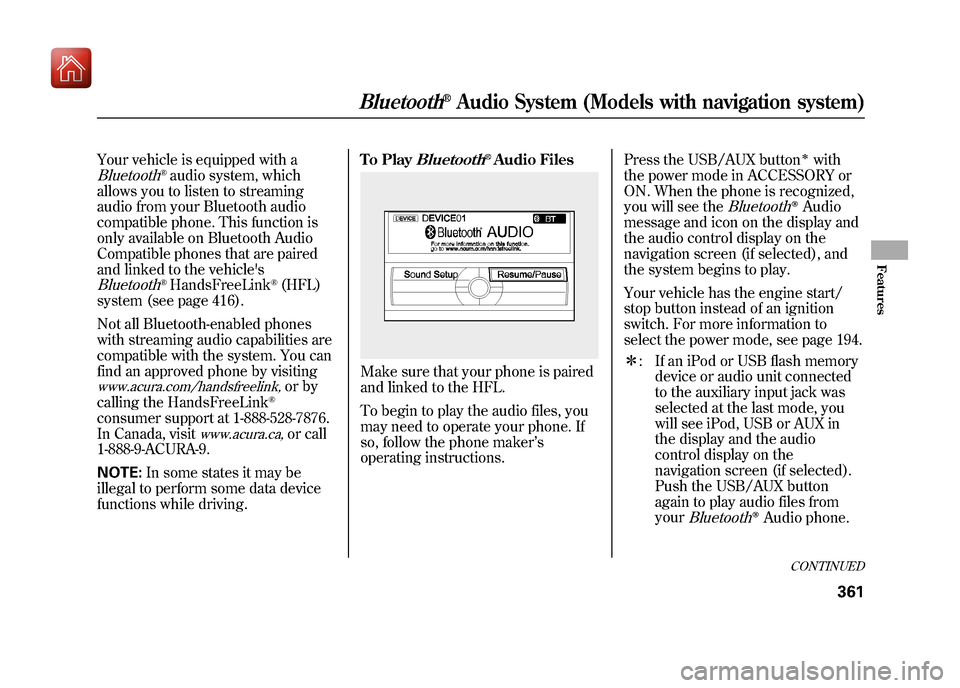
functions while driving. To Play
Bluetooth
®Audio Files
Make sure that your phone is paired
and linked to the HFL.
To begin to play the audio files, you
may need to operate your phone. If
so, follow the phone maker
’s
operating instructions. Press the USB/AUX button
ꭧwith
the power mode in ACCESSORY or
ON. When the phone is recognized,
you will see the
Bluetooth
ꭂAudio
message and icon on the display and
the audio control display on the
navigation screen (if selected), and
the system begins to play.
Your vehicle has the engine start/
stop button instead of an ignition
switch. For more information to
select the power mode, see page 194.
ꭧ : If an iPod or USB flash memory
device or audio unit connected
to the auxiliary input jack was
selected at the last mode, you
will see iPod, USB or AUX in
the display and the audio
control display on the
navigation screen (if selected).
Push the USB/AUX button
again to play audio files from
your
Bluetooth
ꭂAudio phone.
CONTINUED
Bluetooth
®Audio System (Models with navigation system)
361
Features
09/10/28 17:15:37 10 ACURA ZDX KA KC New North America Own 50 31SZN600 enu
Page 367 of 645
Once a device is linked, the name of
the device will appear on the screen.
Pressing the TITLE side of the
SCAN/TITLE bar switches the
display between the
Bluetooth
®
Audio and the device name.
If more than one phone is paired to
the HFL system, there will be delay
before the system begins to play.In the following conditions, the
display shows
‘‘NO CONNECT ’’
message after pressing the TITLE
side of the SCAN/TITLE bar.
●The phone is not linked to HFL.●The phone is not turned on.●The phone is not in the vehicle.●Another HFL compatible phone,
which is not compatible forBluetooth
®Audio, is already
connected.
If your
Bluetooth
®Audio compatible
phone does not operate as described,
make sure it is an Acura approved
phone. To find out if your phone is
approved, go to
www.acura.com/
handsfreelink
(in Canada,
www.acura.
ca
), or call the HandsFreeLink
®
consumer support at 1-888-528-7876.
Voice Control SystemYou can select the AUX mode by
using the voice control buttons, but
cannot operate the play mode
functions.To skip a filePress the
side of the SKIP bar to
skip forward to the next file, and
press theside to skip backward
to the beginning of the current file.
Push theside again to skip to
the previous file.
The skip function may not be
available on some devices.
Bluetooth
®Audio System (Models with navigation system)
36209/10/28 17:15:37 10 ACURA ZDX KA KC New North America Own 50 31SZN600 enu
Page 368 of 645
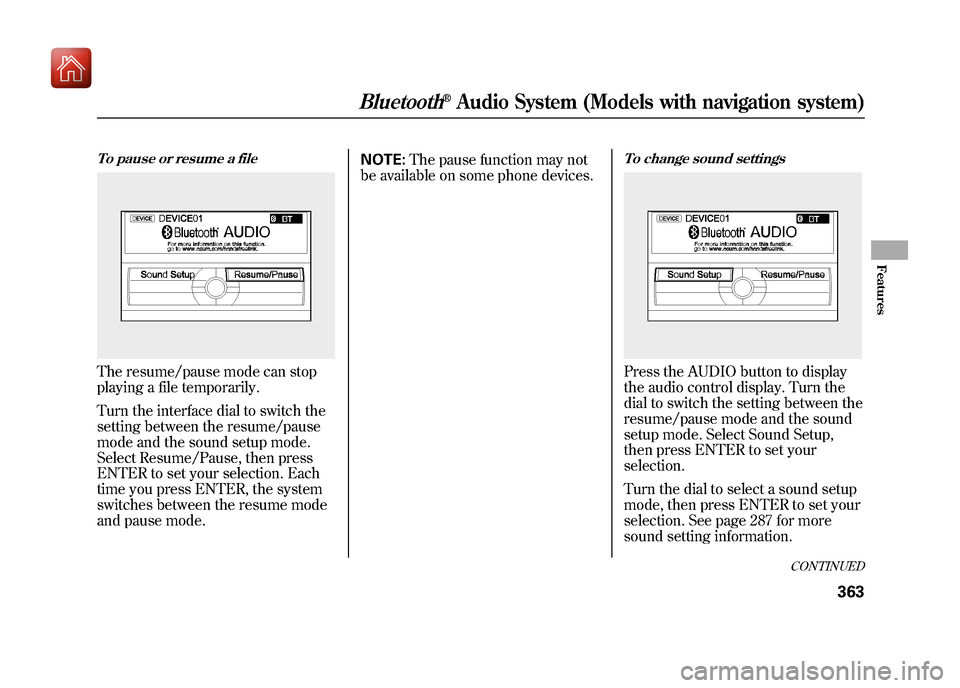
To pause or resume a fileThe resume/pause mode can stop
playing a file temporarily.
Turn the interface dial to switch the
setting between the resume/pause
mode and the sound setup mode.
Select Resume/Pause, then press
ENTER to set your selection. Each
time you press ENTER, the system
switches between the resume mode
and pause mode.NOTE:
The pause function may not
be available on some phone devices.
To change sound settingsPress the AUDIO button to display
the audio control display. Turn the
dial to switch the setting between the
resume/pause mode and the sound
setup mode. Select Sound Setup,
then press ENTER to set your
selection.
Turn the dial to select a sound setup
mode, then press ENTER to set your
selection. See page 287 for more
sound setting information.
CONTINUED
Bluetooth
®Audio System (Models with navigation system)
363
Features
09/10/28 17:15:37 10 ACURA ZDX KA KC New North America Own 50 31SZN600 enu
Page 369 of 645
To switch to HFL modeIf you receive a call when theBluetooth
®Audio is playing, press
the PICK-UP button on the steering
wheel. The screen and the display
switch to the HFL mode (see page
417).
After ending the call, press the
HANG-UP button to go back to the
Bluetooth
®Audio mode.
To turn off the Bluetooth
®Audio
mode
Select any other audio mode by
pressing a button; AM/FM,
or
DISC on the audio control panel, or
press the MODE button on the
steering wheel to select another
audio mode.
Switching to another mode pauses
the music playing from your phone.
As required by the FCC:
This device complies with Part 15 of theFCC rules. Operation is subject to the
following two conditions: (1) This devicemay not cause harmful interference, and(2) this device must accept any
interference received, includinginterference that may cause undesiredoperation.
Changes or modifications not expresslyapproved by the party responsible for
compliance could void the user'sauthority to operate the equipment.
This device complies with IndustryCanada Standard RSS-210.
Operation is subject to the following twoconditions: (1) this device may not causeinterference, and (2) this device must
accept any interference that may causeundesired operation of the device.
Bluetooth
®Audio System (Models with navigation system)
36409/10/28 17:15:37 10 ACURA ZDX KA KC New North America Own 50 31SZN600 enu
Page 374 of 645
Radio Frequencies
The radio can receive the complete
AM and FM bands.
Those bands cover these
frequencies:
AM band: 530 to 1,710 kHz
FM band: 87.7 to 107.9 MHz
Radio stations on the AM band are
assigned frequencies at least 10 kHz
apart (530, 540, 550). Stations on the
FM band are assigned frequencies at
least 0.2 MHz apart (87.9, 88.1, 88.3).
Stations must use these exact
frequencies. It is fairly common for
stations to round-off the frequency in
their advertising, so your radio could
display a frequency of 100.9 even
though the announcer may identify
the station as‘‘FM101. ’’ FM/AM Radio Reception
How well the radio receives stations
is dependent on many factors, such
as the distance from the station's
transmitter, nearby large objects, and
atmospheric conditions.
A radio station's signal gets weaker
as you get farther away from its
transmitter. If you are listening to an
AM station, you will notice the sound
volume becoming weaker, and the
station drifting in and out. If you are
listening to an FM station, you will
see the stereo indicator flickering off
and on as the signal weakens.
Eventually, the stereo indicator will
go off and the sound will fade
completely as you get out of range of
the station's signal.
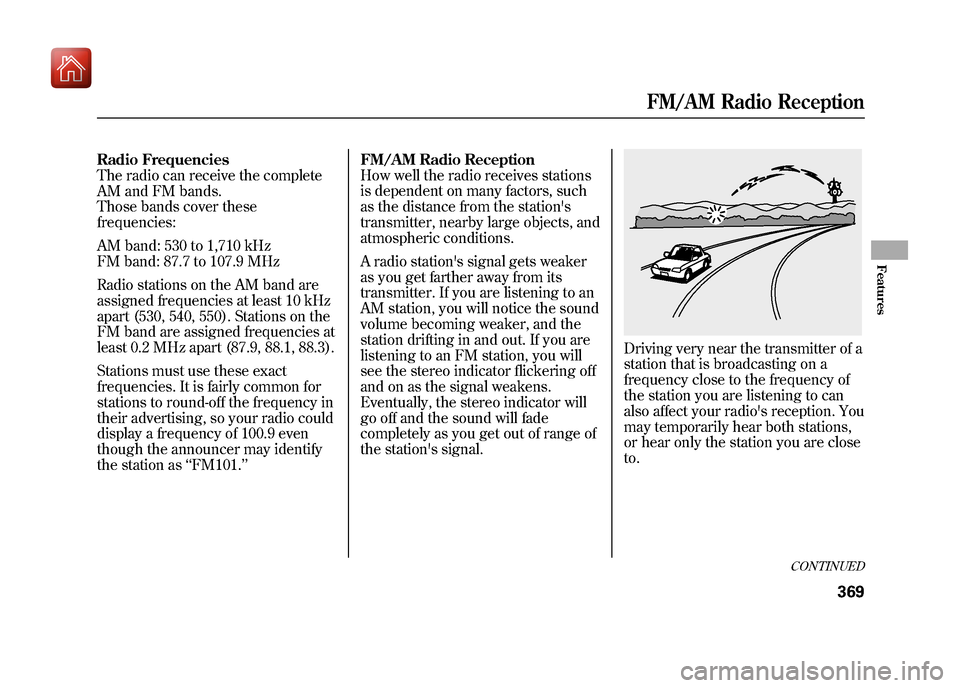
Driving very near the transmitter of a
station that is broadcasting on a
frequency close to the frequency of
the station you are listening to can
also affect your radio's reception. You
may temporarily hear both stations,
or hear only the station you are close
to.
CONTINUED
FM/AM Radio Reception
369
Features
09/10/28 17:15:37 10 ACURA ZDX KA KC New North America Own 50 31SZN600 enu
Page 379 of 645
Your vehicle's audio system may
disable itself if it is disconnected
from electrical power for any reason.
To make it work again, you must
enter a specific five-digit code with
the preset buttons. Because there are
hundreds of number combinations
possible from the five digits, making
the system work without knowing
the exact code is nearly impossible.
You should have received a card that
lists your audio system code number
and serial number. It is best to store
this card in a safe place at home. In
addition, you should write the audio
system's serial number in this
owner's manual.
If you lose the card, you must obtain
the code number from your dealer.
To do this, you will need the audio
system's serial number.NOTE:
In the U.S., if you have a My
Acura account, you can retrieve the
anti-theft code online.
If your vehicle's battery is
disconnected or goes dead, the audio
system will disable itself. If this
happens, you will see ‘‘ENTER
CODE ’’in the frequency display (on
the display on models with
navigation system) the next time you
turn on the system. Use the preset
buttons to enter the five-digit code.
The code is located on the radio code
card included in your owner's
manual kit. When it is entered
correctly, the radio will start playing.
If you make a mistake entering the
code, do not start over; complete the
five-digit sequence, then enter the
correct code. You have 10 tries to
enter the correct code. If you are
unsuccessful in 10 attempts, you
must then leave the system on for 1
hour before trying again. The system will retain your AM and
FM presets even if power is
disconnected.Radio Theft Protection37409/10/28 17:15:37 10 ACURA ZDX KA KC New North America Own 50 31SZN600 enu
Page 380 of 645
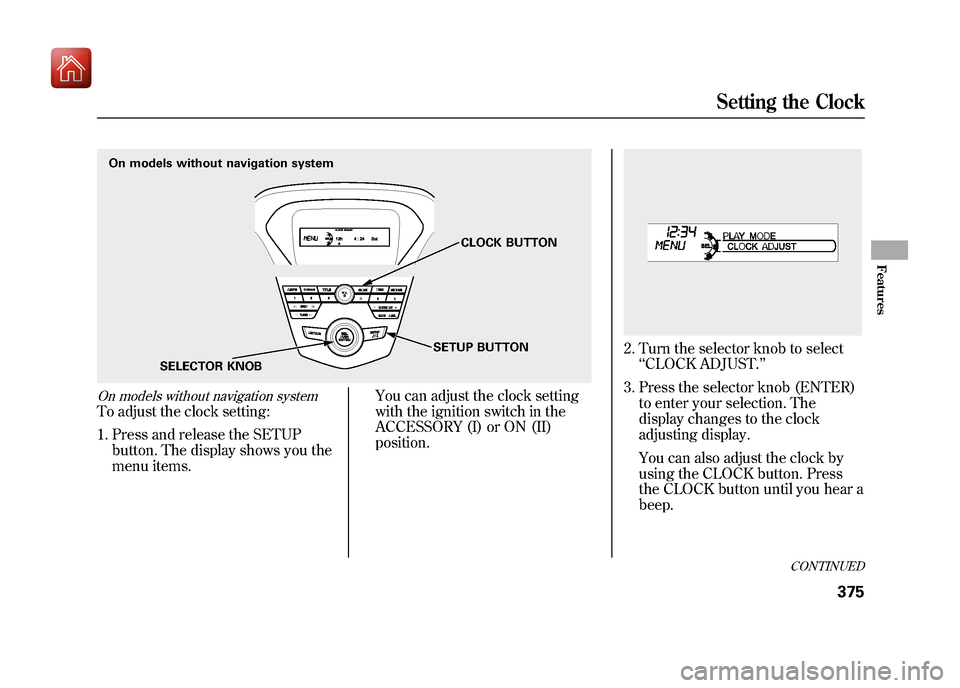
On models without navigation systemTo adjust the clock setting:1. Press and release the SETUP button. The display shows you the
menu items. You can adjust the clock setting
with the ignition switch in the
ACCESSORY (I) or ON (II)
position.
2. Turn the selector knob to select
‘‘CLOCK ADJUST. ’’
3. Press the selector knob (ENTER) to enter your selection. The
display changes to the clock
adjusting display.
You can also adjust the clock by
using the CLOCK button. Press
the CLOCK button until you hear a
beep.
On models without navigation system
SELECTOR KNOB CLOCK BUTTON
SETUP BUTTON
CONTINUED
Setting the Clock
375
Features
09/10/28 17:15:37 10 ACURA ZDX KA KC New North America Own 50 31SZN600 enu
Page 381 of 645
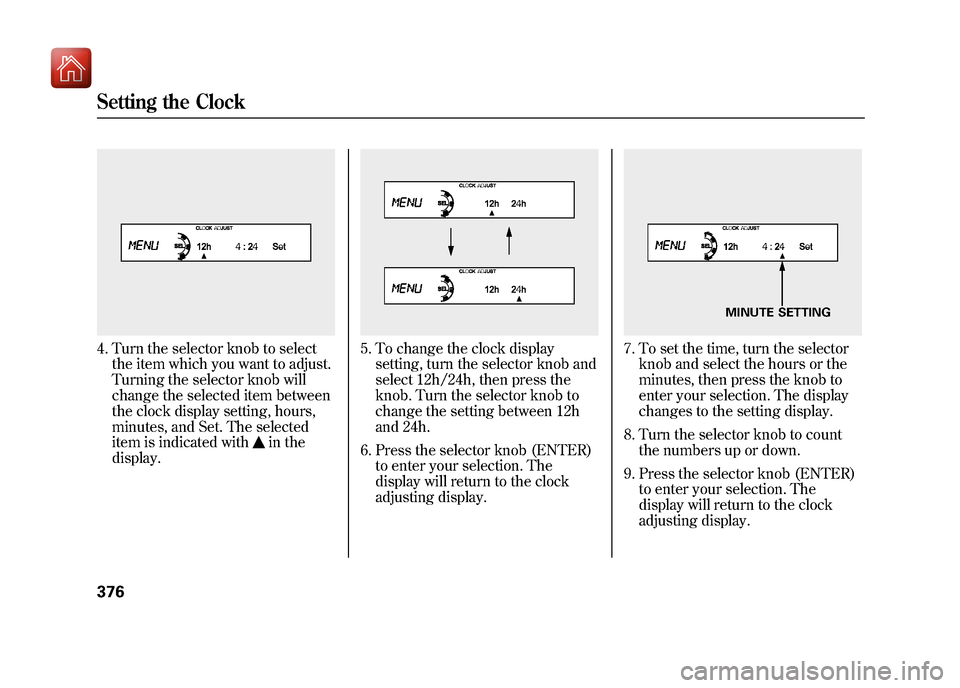
4. Turn the selector knob to selectthe item which you want to adjust.
Turning the selector knob will
change the selected item between
the clock display setting, hours,
minutes, and Set. The selected
item is indicated with
in the
display.
5. To change the clock display setting, turn the selector knob and
select 12h/24h, then press the
knob. Turn the selector knob to
change the setting between 12h
and 24h.
6. Press the selector knob (ENTER) to enter your selection. The
display will return to the clock
adjusting display.
7. To set the time, turn the selectorknob and select the hours or the
minutes, then press the knob to
enter your selection. The display
changes to the setting display.
8. Turn the selector knob to count the numbers up or down.
9. Press the selector knob (ENTER) to enter your selection. The
display will return to the clock
adjusting display.
MINUTE SETTING
Setting the Clock37609/10/28 17:15:37 10 ACURA ZDX KA KC New North America Own 50 31SZN600 enu
Page 382 of 645
While setting the clock, pressing
the RETURN button will go back
to the previous display.
Pressing the SETUP button again
will cancel this setting mode.
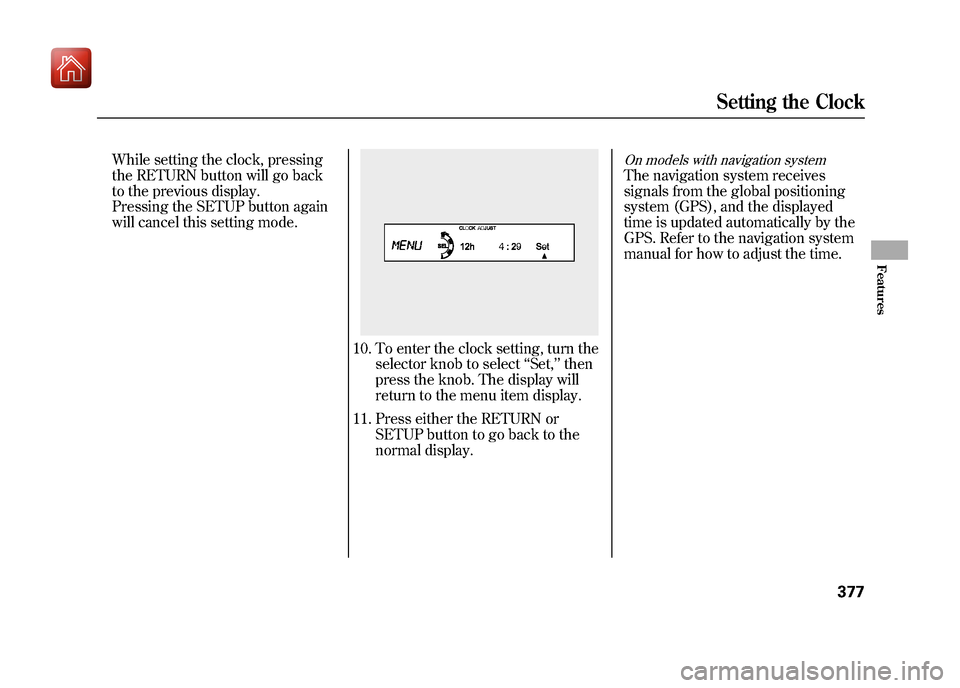
10. To enter the clock setting, turn theselector knob to select ‘‘Set, ’’then
press the knob. The display will
return to the menu item display.
11. Press either the RETURN or SETUP button to go back to the
normal display.
On models with navigation systemThe navigation system receives
signals from the global positioning
system (GPS), and the displayed
time is updated automatically by the
GPS. Refer to the navigation system
manual for how to adjust the time.
Setting the Clock
377
Features
09/10/28 17:15:37 10 ACURA ZDX KA KC New North America Own 50 31SZN600 enu