phone Acura ZDX 2012 Service Manual
[x] Cancel search | Manufacturer: ACURA, Model Year: 2012, Model line: ZDX, Model: Acura ZDX 2012Pages: 645, PDF Size: 16.36 MB
Page 432 of 645
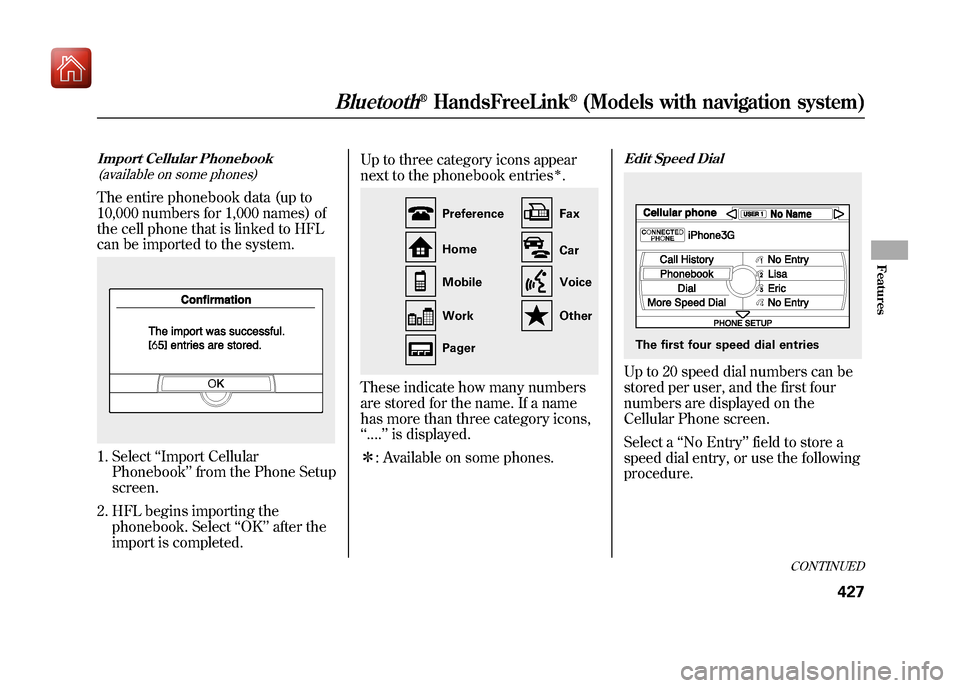
Import Cellular Phonebook(available on some phones)The entire phonebook data (up to
10,000 numbers for 1,000 names) of
the cell phone that is linked to HFL
can be imported to the system.1. Select ‘‘Import Cellular
Phonebook ’’from the Phone Setup
screen.
2. HFL begins importing the phonebook. Select ‘‘OK ’’after the
import is completed. Up to three category icons appear
next to the phonebook entries
ꭧ.
These indicate how many numbers
are stored for the name. If a name
has more than three category icons,
‘‘
.... ’’is displayed.
ꭧ : Available on some phones.
Edit Speed DialUp to 20 speed dial numbers can be
stored per user, and the first four
numbers are displayed on the
Cellular Phone screen.
Select a ‘‘No Entry’’ field to store a
speed dial entry, or use the following
procedure.
Preference
Home
Mobile
Work
Pager Fax
Car
Voice
Other
The first four speed dial entries
CONTINUED
Bluetooth
®HandsFreeLink
®(Models with navigation system)
427
Features
09/10/28 17:15:37 10 ACURA ZDX KA KC New North America Own 50 31SZN600 enu
Page 433 of 645
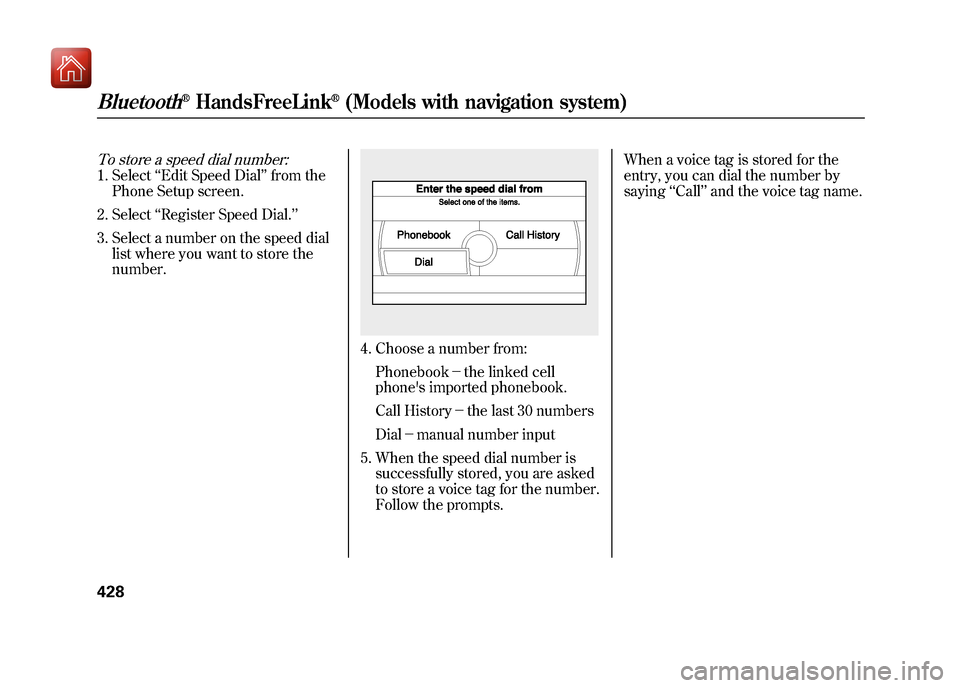
To store a speed dial number:1. Select‘‘Edit Speed Dial ’’from the
Phone Setup screen.
2. Select ‘‘Register Speed Dial.’’
3. Select a number on the speed dial list where you want to store the
number.
4. Choose a number from:
Phonebook- the linked cell
phone's imported phonebook.
Call History -the last 30 numbers
Dial -manual number input
5. When the speed dial number is successfully stored, you are asked
to store a voice tag for the number.
Follow the prompts. When a voice tag is stored for the
entry, you can dial the number by
saying
‘‘Call’’ and the voice tag name.
Bluetooth
®HandsFreeLink
®(Models with navigation system)
42809/10/28 17:15:37 10 ACURA ZDX KA KC New North America Own 50 31SZN600 enu
Page 434 of 645
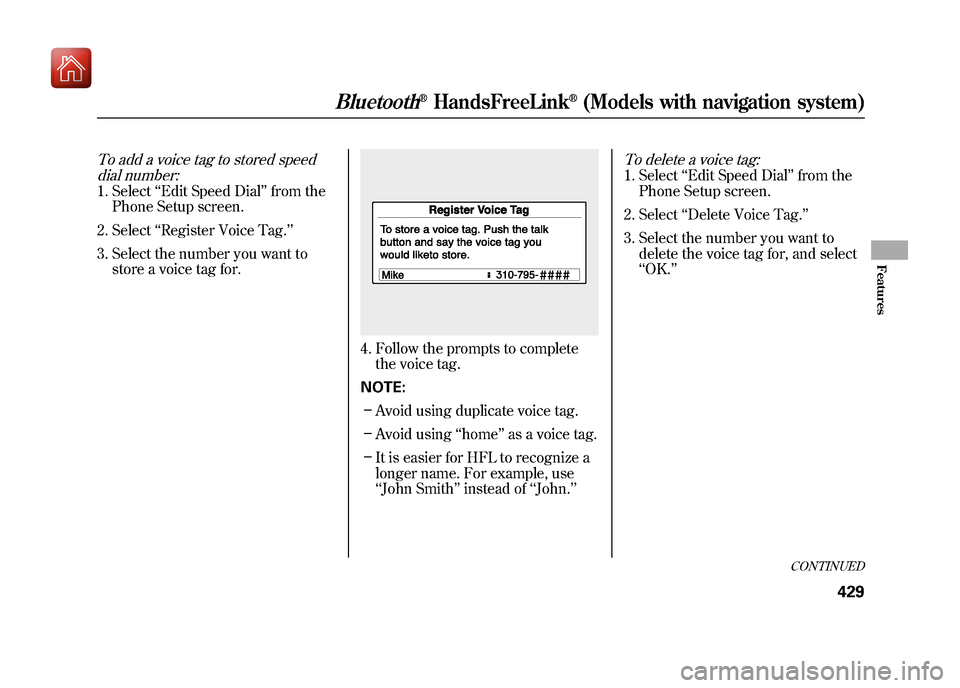
To add a voice tag to stored speeddial number:1. Select ‘‘Edit Speed Dial ’’from the
Phone Setup screen.
2. Select ‘‘Register Voice Tag.’’
3. Select the number you want to store a voice tag for.
4. Follow the prompts to completethe voice tag.
NOTE: – Avoid using duplicate voice tag.
– Avoid using ‘‘home ’’as a voice tag.
– It is easier for HFL to recognize a
longer name. For example, use
‘‘John Smith ’’instead of ‘‘John. ’’
To delete a voice tag:1. Select ‘‘Edit Speed Dial ’’from the
Phone Setup screen.
2. Select ‘‘Delete Voice Tag. ’’
3. Select the number you want to delete the voice tag for, and select
‘‘OK. ’’
CONTINUED
Bluetooth
®HandsFreeLink
®(Models with navigation system)
429
Features
09/10/28 17:15:37 10 ACURA ZDX KA KC New North America Own 50 31SZN600 enu
Page 435 of 645
To delete a speed dial number:1. Select‘‘Edit Speed Dial ’’from the
Phone Setup screen.
2. Select ‘‘Delete Speed Dial.’’
3. Select the number you want to delete, and select ‘‘OK. ’’
Delete Imported PhonebookThis option deletes the entire
phonebook of the currently linked
cell phone. Follow the confirmation
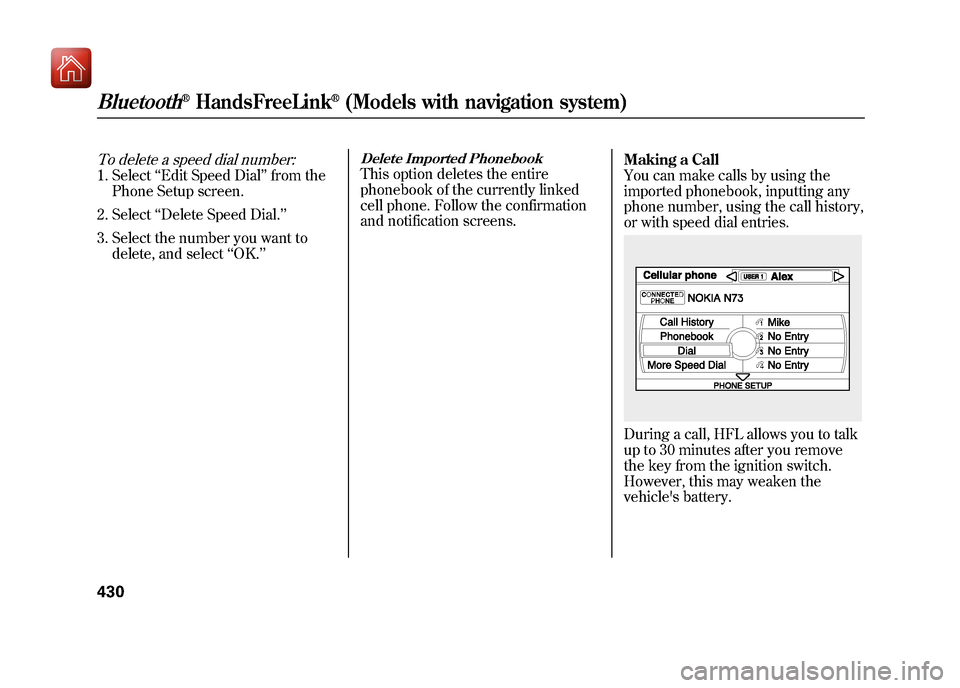
and notification screens. Making a Call
You can make calls by using the
imported phonebook, inputting any
phone number, using the call history,
or with speed dial entries.
During a call, HFL allows you to talk
up to 30 minutes after you remove
the key from the ignition switch.
However, this may weaken the
vehicle's battery.
Bluetooth
®HandsFreeLink
®(Models with navigation system)
43009/10/28 17:15:37 10 ACURA ZDX KA KC New North America Own 50 31SZN600 enu
Page 436 of 645
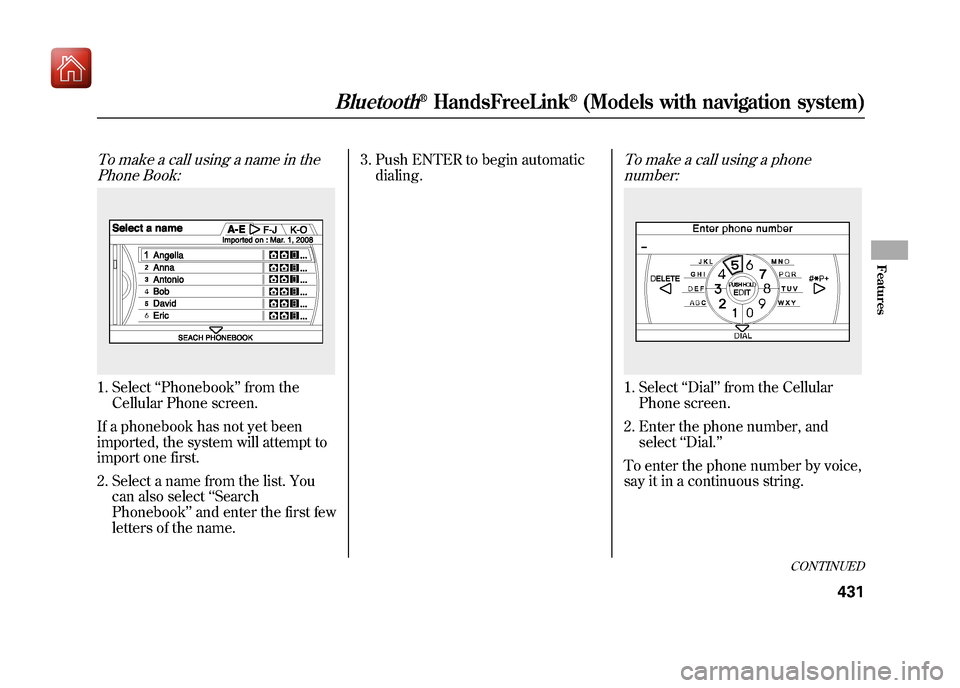
To make a call using a name in thePhone Book:1. Select ‘‘Phonebook ’’from the
Cellular Phone screen.
If a phonebook has not yet been
imported, the system will attempt to
import one first. 2. Select a name from the list. You can also select ‘‘Search
Phonebook ’’and enter the first few
letters of the name. 3. Push ENTER to begin automatic
dialing.
To make a call using a phonenumber:1. Select ‘‘Dial ’’from the Cellular
Phone screen.
2. Enter the phone number, and select ‘‘Dial.’’
To enter the phone number by voice,
say it in a continuous string.
CONTINUED
Bluetooth
®HandsFreeLink
®(Models with navigation system)
431
Features
09/10/28 17:15:37 10 ACURA ZDX KA KC New North America Own 50 31SZN600 enu
Page 437 of 645
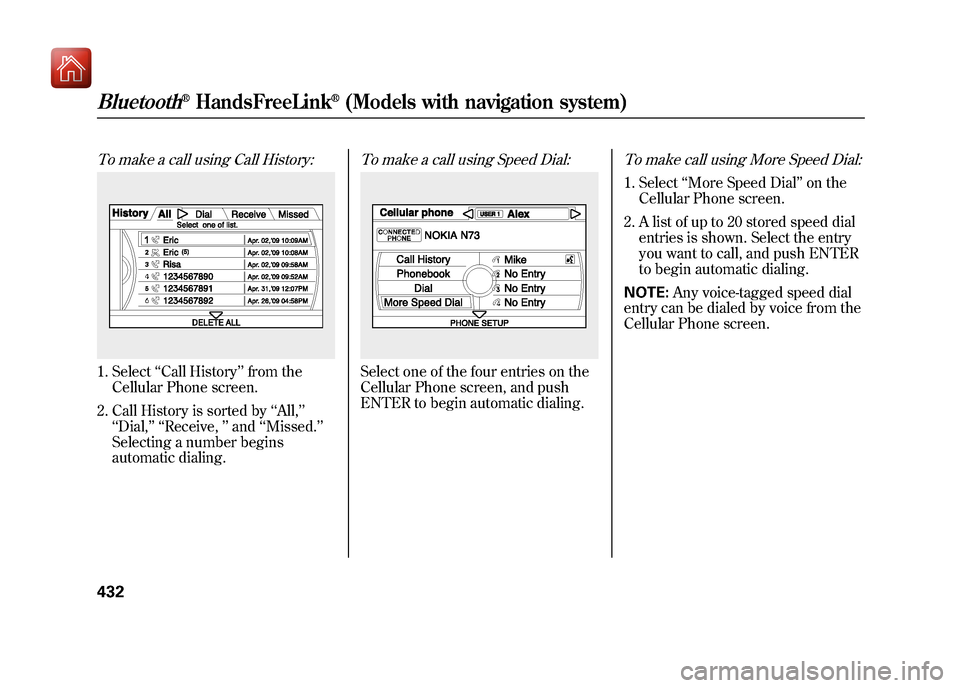
To make a call using Call History:1. Select‘‘Call History ’’from the
Cellular Phone screen.
2. Call History is sorted by ‘‘All, ’’
‘‘ Dial,’’ ‘‘ Receive, ’’and ‘‘Missed. ’’
Selecting a number begins
automatic dialing.
To make a call using Speed Dial:Select one of the four entries on the
Cellular Phone screen, and push
ENTER to begin automatic dialing.
To make call using More Speed Dial:1. Select ‘‘More Speed Dial ’’on the
Cellular Phone screen.
2. A list of up to 20 stored speed dial entries is shown. Select the entry
you want to call, and push ENTER
to begin automatic dialing.
NOTE: Any voice-tagged speed dial
entry can be dialed by voice from the
Cellular Phone screen.
Bluetooth
®HandsFreeLink
®(Models with navigation system)
43209/10/28 17:15:37 10 ACURA ZDX KA KC New North America Own 50 31SZN600 enu
Page 438 of 645
Receiving a Call
When you receive a call, a
notification appears on the screen
(see page 418).
To answer the call, press the PICK-
UP button on the steering wheel.
To end or decline the call, press the
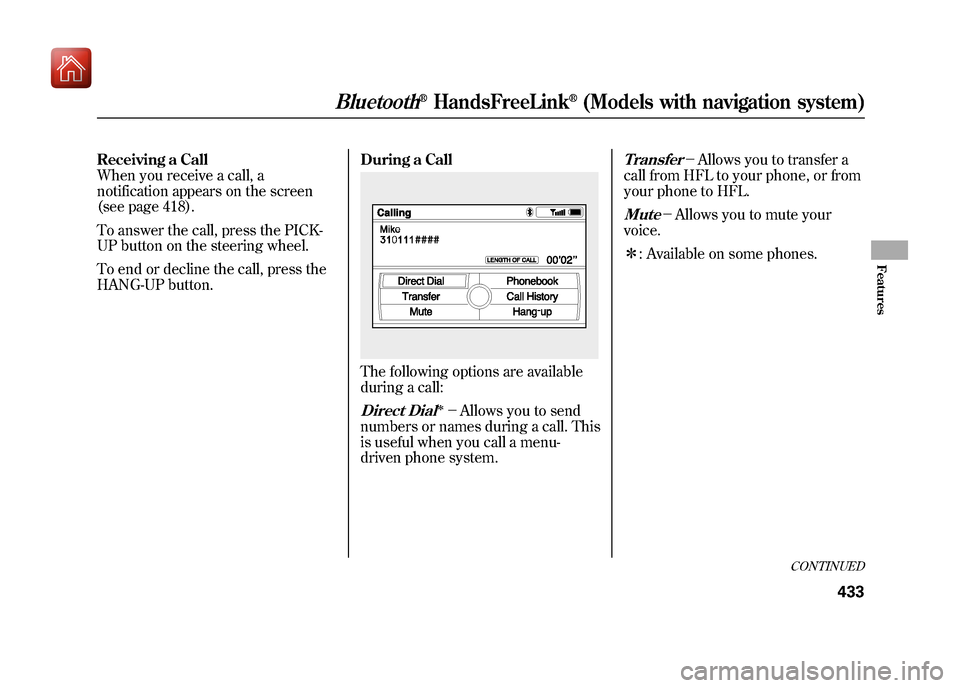
HANG-UP button.During a Call
The following options are available
during a call:Direct Dial
ꭧ-
Allows you to send
numbers or names during a call. This
is useful when you call a menu-
driven phone system.
Transfer
- Allows you to transfer a
call from HFL to your phone, or from
your phone to HFL.
Mute
- Allows you to mute your
voice.
ꭧ : Available on some phones.
CONTINUED
Bluetooth
®HandsFreeLink
®(Models with navigation system)
433
Features
09/10/28 17:15:37 10 ACURA ZDX KA KC New North America Own 50 31SZN600 enu
Page 439 of 645
Call WaitingIf your phone has Call Waiting, press
and release the PICK-UP button to
put the original call on hold and
answer the incoming call.
To return to the original call, press
the PICK-UP button again. If you
don't want to answer the incoming
call, disregard it and continue with
your original call. If you want to hang
up the original call and answer the
new call, press the HANG-UP button.
Bluetooth
®Wireless Technology
The Bluetooth®name and logos are
registered trademarks owned by
Bluetooth SIG, Inc. and any use of
such marks by Honda Motor CO.,
Ltd. is under license. Other
trademarks and trade names are
those of their respective owners.
As required by the FCC:
This device complies with Part 15 of theFCC rules. Operation is subject to the
following two conditions: (1) This devicemay not cause harmful interference, and(2) this device must accept any
interference received, includinginterference that may cause undesiredoperation.
Changes or modifications not expresslyapproved by the party responsible for
compliance could void the user'sauthority to operate the equipment.
This device complies with IndustryCanada Standard RSS-210.
Operation is subject to the following twoconditions: (1) this device may not causeinterference, and (2) this device must
accept any interference that may causeundesired operation of the device.
Bluetooth
®HandsFreeLink
®(Models with navigation system)
43409/10/28 17:15:37 10 ACURA ZDX KA KC New North America Own 50 31SZN600 enu
Page 443 of 645
Delete-Select this option to delete
the current message.
Voice -Select this option to hear a
voice read the entire message. This
gives you more information than the
screen can display at one time. When
you select the Voice option, it
changes to a Stop Reading option.
Select the option again to stop the
voice.
Call -Select this option to call a
phone number embedded in the
message. When you select Call,theBluetooth
®HandsFreeLink
®(HFL)
dials the number for you.
To make a call, your
Bluetooth
®compatible phone must be
paired to the vehicle's
HandsFreeLink system, powered on,
and located within the vehicle (see
page 423). Find Acura Dlr.
-Select this
option to find the nearest Acura
dealer using the navigation system.
Call Your Dealer -Select this
option to call the Acura dealer you
purchased your vehicle from.
AcuraLink also directs you to this
dealer so you can schedule a
maintenance appointment or receive
information about a message. If your
assigned servicing dealer changes,
AcuraLink will reset to call that
dealer. Diagnostic Info
-Select this option
to get more information about the
current diagnostic message. To use
this option, your cellphone must be
paired with the HFL. In addition, the
paired phone must have a compatible
data service and be set up with the
AcuraLink system to make a data
connection. Access the
handsfreelink.com website to find
out which data services are currently
compatible with AcuraLink.
Message Preferences
To set your AcuraLink preferences
(the types of messages you want to
receive, if any), visit the My Acura
website at
www.owners.acura.com,
and
choose what you would like to
receive. If you do not have internet
access, call Acura Client Services at
(800) 382-2238; they can set your
message preferences for you.
AcuraLink
®(U.S. models only)
43809/10/28 17:15:37 10 ACURA ZDX KA KC New North America Own 50 31SZN600 enu
Page 444 of 645
Deleting Messages
NOTE:Diagnostic info and recall/
campaign messages can only be
deleted by your dealer.
To delete a single message:●Press the INFO/PHONE button to
bring up the Information screen.●Scroll to the Messages option,
then select it by pressing ENTER
on the interface selector.●Select the message category that
contains the message you want to
delete.●Use the interface knob to scroll up
or down to the message title you
want to delete, and select it by
pressing ENTER on the interface
selector.●Scroll to Delete with the interface
knob, and select it by pressing
ENTER on the interface selector. To delete all messages:
NOTE:
The Delete All Messages
command does not apply to
Diagnostic Info and Recall messages.
They can only be deleted by your
dealer.
●Press the INFO/PHONE button to
view the INFO screen. Select
Setup with the interface selector to
view the SETUP screen.●Select Other by pushing the
interface selector to the right.
●Use the interface knob to scroll to
the AcuraLink/Messages button,
and select it by pressing ENTER
on the interface selector.●Scroll to the Delete Messages
option, and select it by pressing
ENTER on the interface selector.●Scroll to the category with the
messages you want to delete, and
select the category by pressing
ENTER on the interface selector.
CONTINUED
AcuraLink
®(U.S. models only)
439
Features
09/10/28 17:15:37 10 ACURA ZDX KA KC New North America Own 50 31SZN600 enu