battery Acura ZDX 2012 User Guide
[x] Cancel search | Manufacturer: ACURA, Model Year: 2012, Model line: ZDX, Model: Acura ZDX 2012Pages: 370, PDF Size: 10.06 MB
Page 112 of 370
110
uuLocking and Unlocking the Doors uLow Keyless Access Remote Signal Strength*
Controls
Low Keyless Access Remote Signal Strength*
The vehicle transmits radio waves to locate the keyless access remote when locking/
unlocking the doors, unlocking the tailgate, or to start the engine.
In the following cases, locking/unlocking the doors or unlocking the tailgate or
starting the engine may be inhibited or operation may be unstable:
• Strong radio waves are being trans mitted by nearby equipment.
• You are carrying the keyless access remote together with telecommunications
equipment, notebook computers, mob ile phones, or wireless machines.
• A metallic object is touching or covering the keyless access remote.1Low Keyless Access Remote Signal Strength*
Communication between the keyless access remote
and the vehicle consumes the keyless access remote’s
battery.
Battery life is about two years, but this varies
depending on regularity of use.
The battery is consumed whenever the keyless access
remote is receiving strong radio waves. Avoid placing
it near electrical appliances such as televisions and
personal computers.
* Not available on all models
Page 118 of 370
116
uuOpening and Closing the Tailgate uOpening/Closing the Power Tailgate
Controls
Opening/Closing the Power Tailgate
The power tailgate can be operated by pressing the power tailgate button on the
remote transmitter, pressing the power tail gate button in the instrument panel, or
pressing the button on the tailgate.
■The power tailgate can be opened when:
• The tailgate is fully closed.
• The shift lever is in
P.
• Press and hold the tailgate button on the remote transmitter for about one
second.
■The power tailgate can be closed when:
• The tailgate is fully open.
• The shift lever is in
P.
• Press and hold the tailgate button on the remote transmitter for about one
second.
*1: Models with the keyless access system have an ENGINE START/STOP button
instead of an ignition switch.
1 Opening/Closing the Power Tailgate
The power tailgate may not open or close under the
following conditions:
•You start the engine while the tailgate is
automatically opening or closing.
•The vehicle is parked on a steep hill.•The vehicle is swayed in a strong wind.•The tailgate or the roof is covered with snow or ice.
If you close the power tailg ate when all the doors are
locked, the power tailgate locks automatically.
If you replace the battery or the power tailgate fuse
while the tailgate is open, the power tailgate may be
disabled. The power tailgate resumes once you
manually close the tailgate.
Installing aftermarket components other than
genuine Acura accessories on the power tailgate may
prevent it from fully opening or closing.
Make sure the power tailgate is fully open before you
get your luggage in and out.
Make sure the power tailgate is fully closed before
you start the vehicle.
The beeper sounds when you turn the ignition switch
to ON
(w*1, and move the shift lever out of the (P
position while the power tailgate is still open, or
closing.
Page 123 of 370
Continued121
uuSecurity System uSecurity System Alarm
Controls
■Setting the security system alarm
The security system alarm automatically sets when the following conditions have
been met:
• The ignition switch is in LOCK
0, and the key has been removed from the
ignition switch.*1
• All doors and the tailgate are locked with the key, remote transmitter, or keyless
access system*.
■When the security system alarm sets
The security system alarm indicator in the instrument panel blinks. When the
blinking interval changes after about 15 seconds, the security system is set.
■To cancel the security system alarm
The security system is canc eled when the vehicle is unlocked using the key, remote
transmitter, keyless access system
*, or the ignition swit ch is turned to ON w*1. The
security system alarm indicato r goes off at the same time.
*1: Models with the keyless access system have an ENGINE START/STOP button
instead of an ig nition switch.
1Security System Alarm
Do not set the security sy stem alarm when someone
is in the vehicle or a window is open. The system can
accidentally activate when:
•Unlocking the door with the lock tab or the master
door lock switch.
•Opening the tailgate with the power tailgate
button in the instrument panel.
If the battery goes dead after you have set the
security system alarm, the security alarm may go off
once the battery is recharged or replaced.
If this occurs, deactivate the security system alarm by
unlocking a door using the key, remote transmitter or
keyless access system
*.
Do not attempt to alter this system or add another
device to it.
* Not available on all models
Page 133 of 370
131
uuOperating the Switches Around the Steering Wheel uTurn Signals
Continued
Controls
Turn Signals
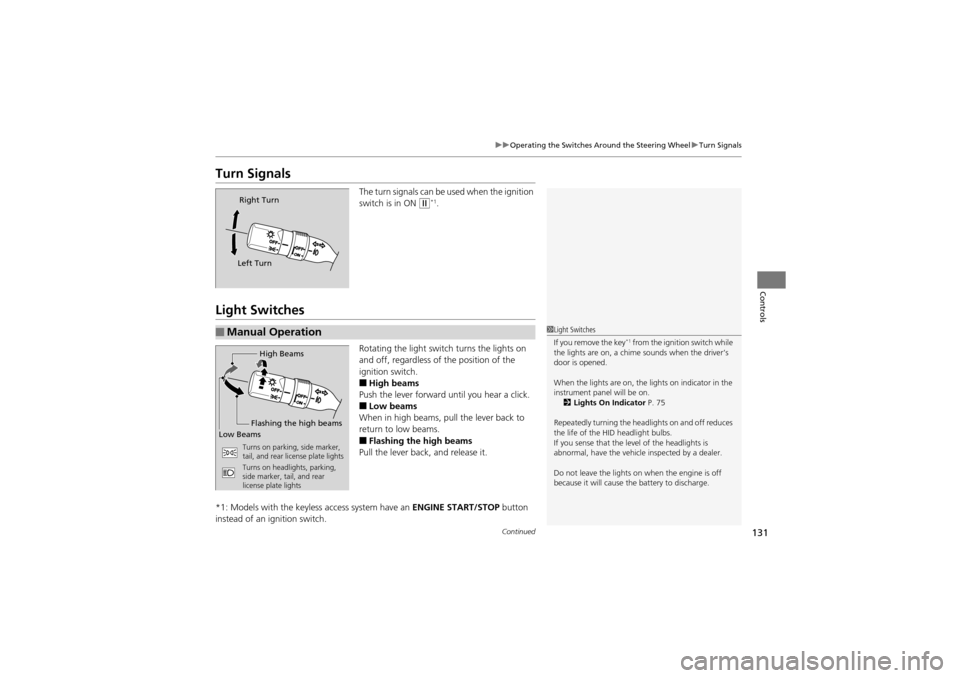
The turn signals can be used when the ignition
switch is in ON
w*1.
Light Switches
Rotating the light swit ch turns the lights on
and off, regardless of the position of the
ignition switch.
■High beams
Push the lever forward until you hear a click.
■Low beams
When in high beams, pull the lever back to
return to low beams.
■Flashing the high beams
Pull the lever back, and release it.
*1: Models with the keyless access system have an ENGINE START/STOP button
instead of an ig nition switch.
Right Turn
Left Turn
■Manual Operation1 Light Switches
If you remove the key*1 from the ignition switch while
the lights are on, a chime sounds when the driver’s
door is opened.
When the lights are on, the lights on indicator in the
instrument panel will be on. 2 Lights On Indicator P. 75
Repeatedly turning the headlights on and off reduces
the life of the HID headlight bulbs.
If you sense that the level of the headlights is
abnormal, have the vehicle inspected by a dealer.
Do not leave the lights on when the engine is off
because it will cause th e battery to discharge.High Beams
Flashing the high beams
Low Beams
Turns on parking, side marker,
tail, and rear license plate lights
Turns on headlights, parking,
side marker, tail, and rear
license plate lights
Page 139 of 370
137
uuOperating the Switches Around the Steering Wheel uRear Defogger/Heated Door Mirror Button
Controls
Rear Defogger/Heated Door Mirror Button
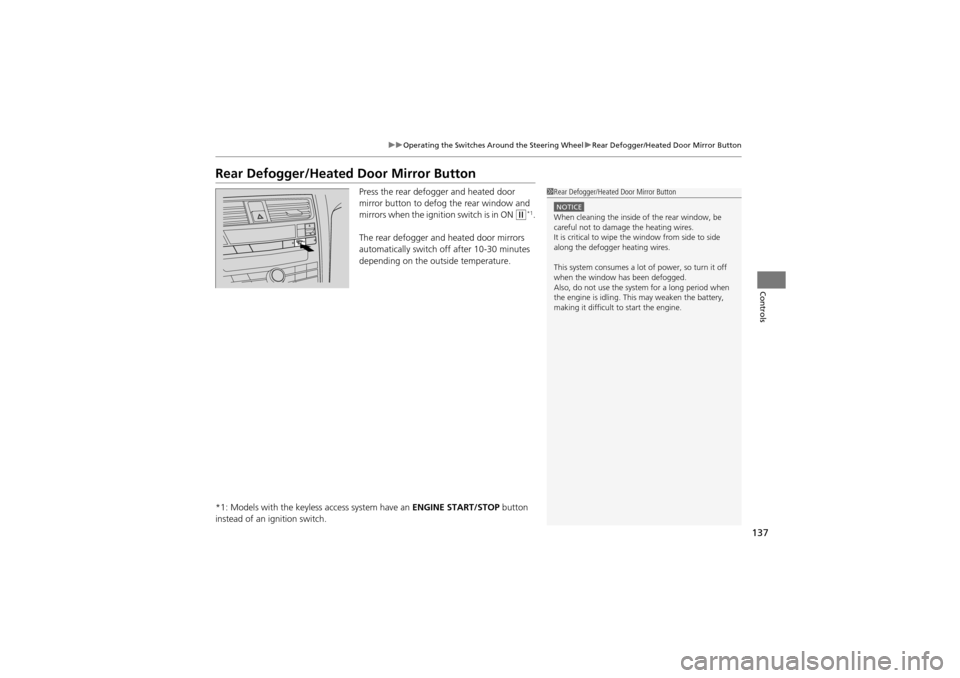
Press the rear defogger and heated door
mirror button to defog the rear window and
mirrors when the igniti on switch is in ON
w*1.
The rear defogger and heated door mirrors
automatically switch of f after 10-30 minutes
depending on the outside temperature.
*1: Models with the keyless access system have an ENGINE START/STOP button
instead of an ig nition switch.
1Rear Defogger/Heated Door Mirror Button
NOTICEWhen cleaning the inside of the rear window, be
careful not to damage the heating wires.
It is critical to wipe the window from side to side
along the defogger heating wires.
This system consumes a lot of power, so turn it off
when the window has been defogged.
Also, do not use the system for a long period when
the engine is idling. This may weaken the battery,
making it difficult to start the engine.
Page 159 of 370
Continued157
uuInterior Lights/Inter ior Convenience Items uInterior Convenience Items
Controls
The accessory power sockets can be used when the ignition switch is in ACCESSORY
q or ON w*1.
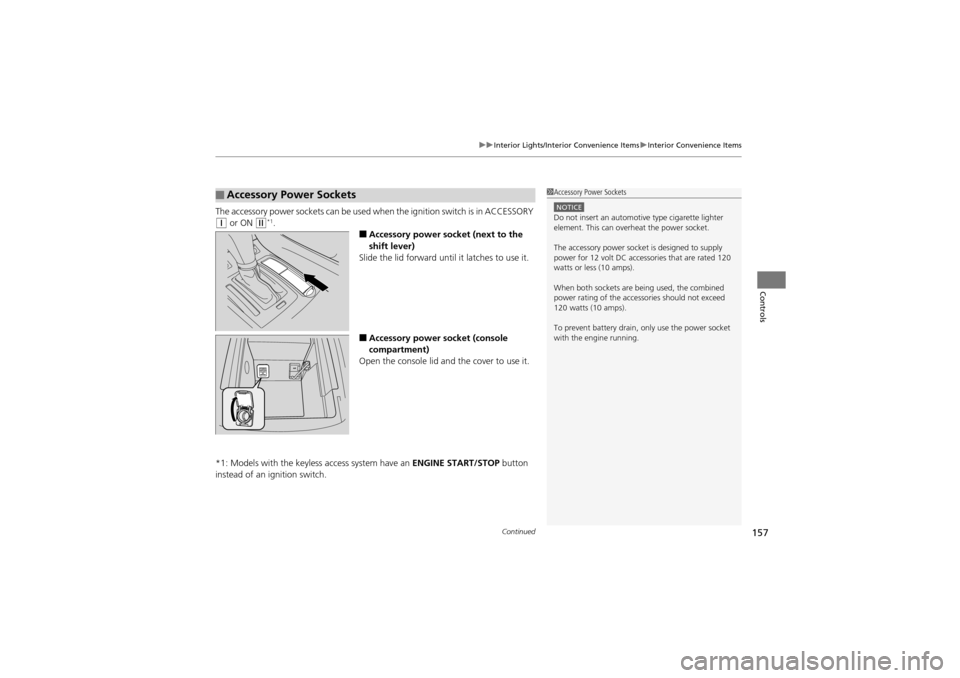
■Accessory power socket (next to the
shift lever)
Slide the lid forward until it latches to use it.
■Accessory power socket (console
compartment)
Open the console lid and the cover to use it.
*1: Models with the keyless access system have an ENGINE START/STOP button
instead of an ig nition switch.
■Accessory Power Sockets1Accessory Power Sockets
NOTICEDo not insert an automotive type cigarette lighter
element. This can overheat the power socket.
The accessory power socket is designed to supply
power for 12 volt DC accessories that are rated 120
watts or less (10 amps).
When both sockets are being used, the combined
power rating of the accessories should not exceed
120 watts (10 amps).
To prevent battery drain, only use the power socket
with the engine running.
Page 162 of 370
uuInterior Lights/Interior Convenience Items uInterior Convenience Items
160
Controls
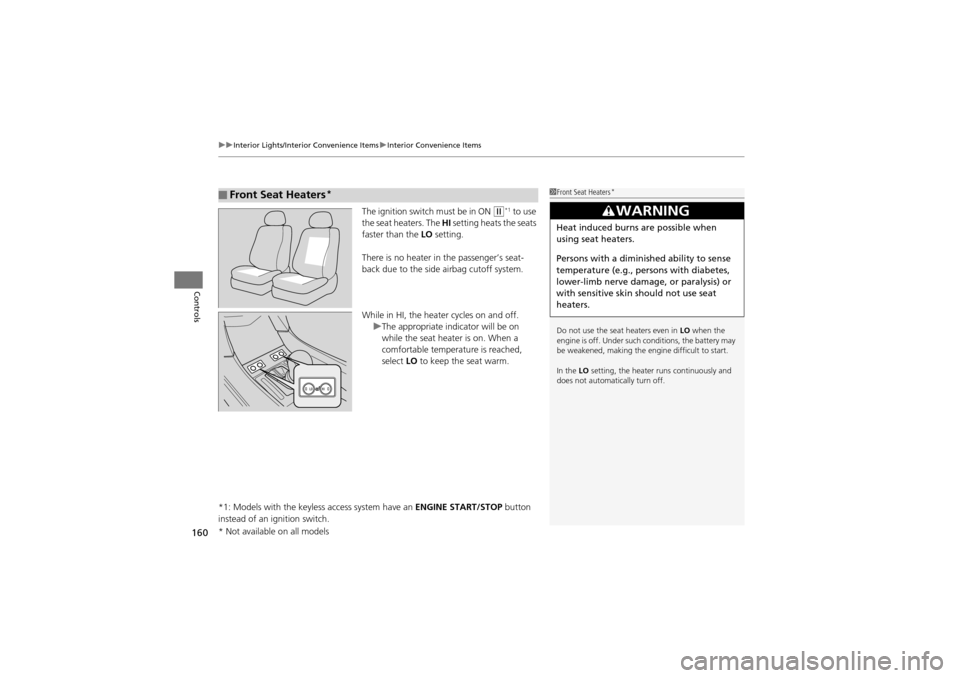
The ignition switch must be in ON w*1 to use
the seat heaters. The HI setting heats the seats
faster than the LO setting.
There is no heater in the passenger’s seat-
back due to the side airbag cutoff system.
While in HI, the heater cycles on and off. uThe appropriate indicator will be on
while the seat heater is on. When a
comfortable temperature is reached,
select LO to keep the seat warm.
*1: Models with the keyless access system have an ENGINE START/STOP button
instead of an ignition switch.
■Front Seat Heaters*1 Front Seat Heaters*
Do not use the seat heaters even in LO when the
engine is off. Under such conditions, the battery may
be weakened, making the engine difficult to start.
In the LO setting, the heater runs continuously and
does not automatically turn off.
3WARNING
Heat induced burns are possible when
using seat heaters.
Persons with a diminished ability to sense
temperature (e.g., persons with diabetes,
lower-limb nerve damage, or paralysis) or
with sensitive skin should not use seat
heaters.
* Not available on all models
Page 163 of 370
Continued161
uuInterior Lights/Inter ior Convenience Items uInterior Convenience Items
Controls
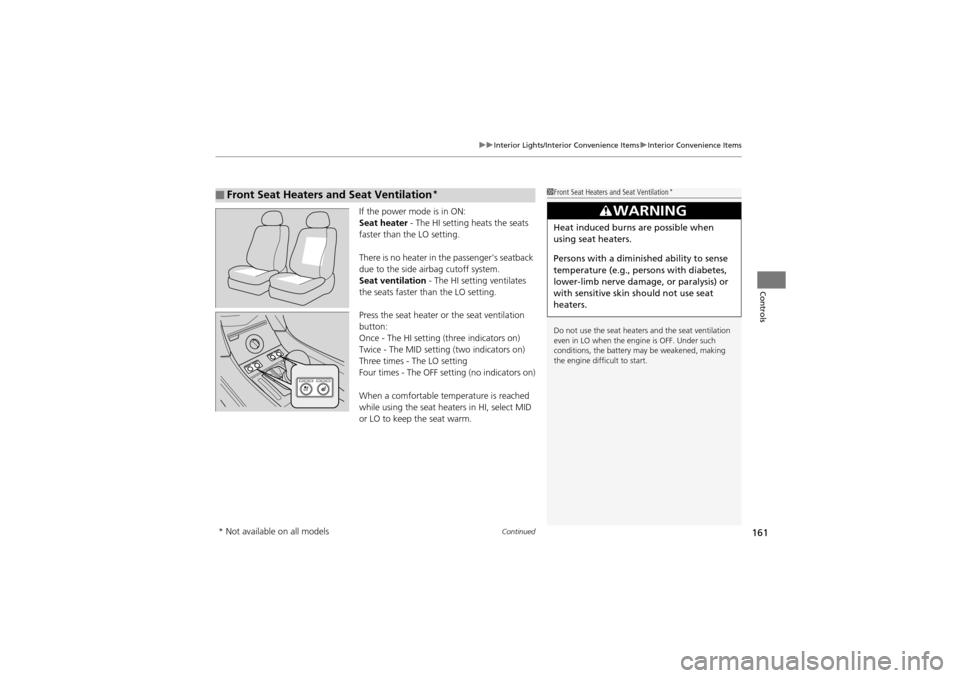
If the power mode is in ON:
Seat heater - The HI setting heats the seats
faster than the LO setting.
There is no heater in the passenger’s seatback
due to the side airbag cutoff system.
Seat ventilation - The HI setting ventilates
the seats faster than the LO setting.
Press the seat heater or the seat ventilation
button:
Once - The HI setting (three indicators on)
Twice - The MID setting (two indicators on)
Three times - The LO setting
Four times - The OFF setti ng (no indicators on)
When a comfortable temperature is reached
while using the seat heat ers in HI, select MID
or LO to keep the seat warm.
■Front Seat Heaters and Seat Ventilation*1 Front Seat Heaters and Seat Ventilation*
Do not use the seat heater s and the seat ventilation
even in LO when the engine is OFF. Under such
conditions, the battery ma y be weakened, making
the engine difficult to start.
3WARNING
Heat induced burns are possible when
using seat heaters.
Persons with a diminished ability to sense
temperature (e.g., persons with diabetes,
lower-limb nerve damage, or paralysis) or
with sensitive skin should not use seat
heaters.
* Not available on all models
Page 164 of 370
uuInterior Lights/Interior Convenience Items uInterior Convenience Items
162
Controls
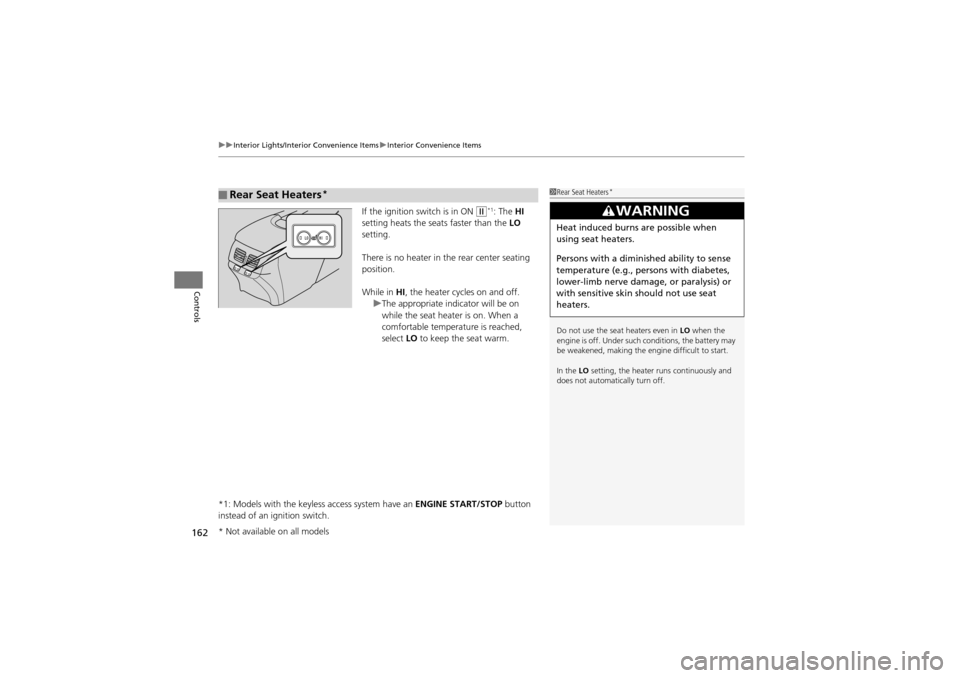
If the ignition switch is in ON w*1: The HI
setting heats the seats faster than the LO
setting.
There is no heater in the rear center seating
position.
While in HI, the heater cycles on and off.
u The appropriate indicator will be on
while the seat heater is on. When a
comfortable temperature is reached,
select LO to keep the seat warm.
*1: Models with the keyless access system have an ENGINE START/STOP button
instead of an ignition switch.
■Rear Seat Heaters*1 Rear Seat Heaters*
Do not use the seat heaters even in LO when the
engine is off. Under such conditions, the battery may
be weakened, making the engine difficult to start.
In the LO setting, the heater runs continuously and
does not automatically turn off.
3WARNING
Heat induced burns are possible when
using seat heaters.
Persons with a diminished ability to sense
temperature (e.g., persons with diabetes,
lower-limb nerve damage, or paralysis) or
with sensitive skin should not use seat
heaters.
* Not available on all models
Page 172 of 370
170
uuAudio System uAudio System Theft Protection
Features
Audio System Theft Protection
The audio system is disabled when it is disconnected from the po wer source, such as
when the battery is disc onnected or goes dead.
■Entering the audio security code
ENTER CODE appears on the display when the power is reconnected.
1. Turn on the audio system.
2. Enter the audio security code using the pr eset buttons. If you enter an incorrect
digit, continue to the last digit, then try again. If you do not enter the code
correctly after 10 tries, you need to visit a dealer to have the system reset.
1 Audio System Theft Protection
Find the audio system’s security code and serial
number on the radio code card.
Do not store the card in your vehicle. If you lose the
radio code card, you must obtain the information
from a dealer.