radio Acura ZDX 2012 User Guide
[x] Cancel search | Manufacturer: ACURA, Model Year: 2012, Model line: ZDX, Model: Acura ZDX 2012Pages: 370, PDF Size: 10.06 MB
Page 178 of 370
uuAudio System Basic Operation uPlaying the XM ® Radio
176
Features
1. Press the button to select the XM ® radio band (XM1 or XM2).
2. Press and hold the TITLE button to switch between the channel mode and
category mode.
3. Select a channel using the TUNE, CATEGORY , SCAN bar, or Preset buttons.
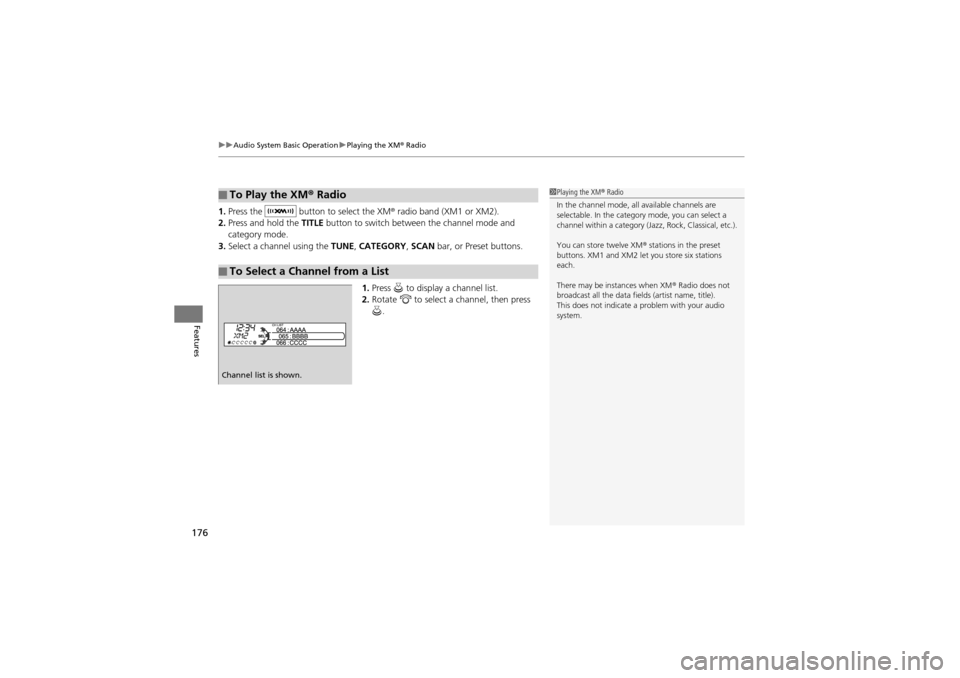
1. Press to display a channel list.
2. Rotate to select a channel, then press
.
■To Play the XM ® Radio
■To Select a Channel from a List
1 Playing the XM ® Radio
In the channel mode, all available channels are
selectable. In the category mode, you can select a
channel within a category (J azz, Rock, Classical, etc.).
You can store twelve XM ® stations in the preset
buttons. XM1 and XM2 let you store six stations
each.
There may be instances when XM ® Radio does not
broadcast all the data fiel ds (artist name, title).
This does not indicate a problem with your audio
system.
Channel list is shown.
Page 192 of 370
190
Features
Audio Remote Controls
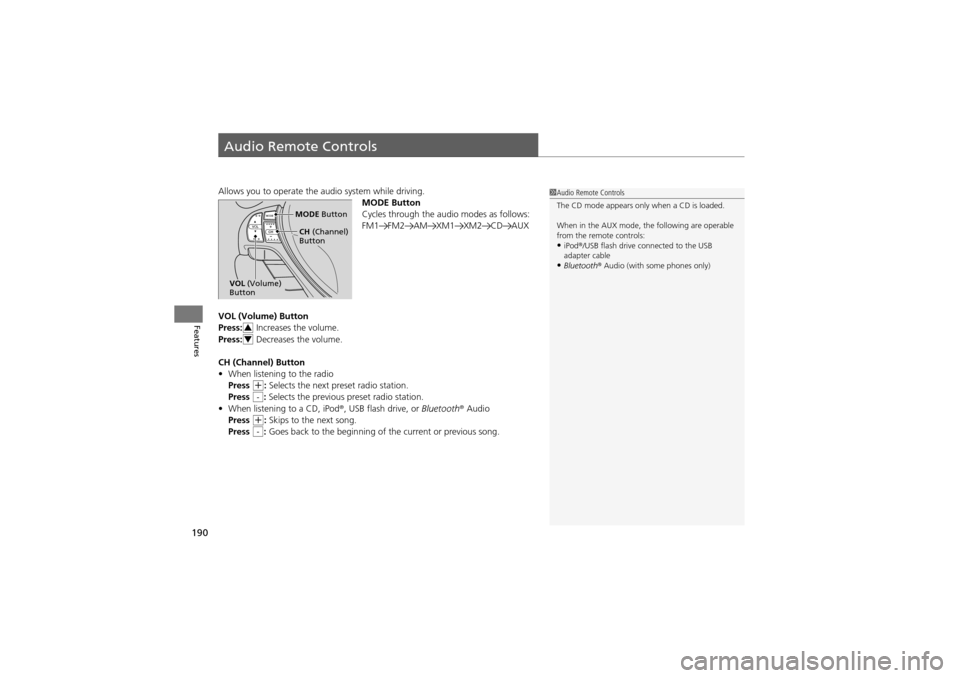
Allows you to operate the audio system while driving.
MODE Button
Cycles through the audio modes as follows:
FM1 FM2 AM XM1 XM2 CD AUX
VOL (Volume) Button
Press: Increases the volume.
Press: Decreases the volume.
CH (Channel) Button
• When listening to the radio
Press
+: Selects the next preset radio station.
Press : Selects the previous preset radio station.
• When listening to a CD, iPod ®, USB flash drive, or Bluetooth® Audio
Press
+: Skips to the next song.
Press : Goes back to the beginning of the current or previous song.
1Audio Remote Controls
The CD mode appears only when a CD is loaded.
When in the AUX mode, th e following are operable
from the remote controls:
•iPod ®/USB flash drive connected to the USB
adapter cable
•Bluetooth ® Audio (with some phones only)
MODE Button
CH (Channel)
Button
VOL (Volume)
Button
3
4
-
-
Page 193 of 370
191
Features
General Information on the Audio System
XM® Radio Service
1.You need your radio ID ready before registering for subscription.
To see the ID in the display: Turn the selector knob until 0 appears.
2. Have your radio ID and credit card number ready, and either call or visit the XM®
website to subscribe.
Press the (XM ®) button and stay in this mode for about 30 minutes until the
service is activated. Make sure your vehicl e is in an open area with good reception.
LOADING: XM® is loading the audio or program information.
OFF AIR: The channel is not currently broadcasting.
UPDATING: The encryption code is being updated. Channels 0 and 1 still work
normally.
NO SIGNAL: The signal is too weak in the current location.
--------: No such channel exists, the channel is not part of your subscription, or the
artist or title info rmation is unavailable.
ANTENNA: There is a problem with the XM ® antenna. Contact a dealer.
■Subscribing to XM ® Radio
■Receiving XM ® Radio
■XM ® Radio Display Messages
1 Subscribing to XM ® Radio
Contact Information for XM ® Radio:
US: XM ® Radio at www.siriusxm.com , or (800) 852-
9696
Canada: XM ® Canada at www.xmradio.ca , or (877)
209-0079
1 Receiving XM ® Radio
The XM ® satellites are in orbit over the equator;
therefore, objects south of the vehicle may cause
satellite reception interrupt ions. Satellite signals are
more likely to be blocked by tall buildings and
mountains the farther north you travel from the
equator.
You may experience reception problems under the
following circumstances:
•In a location with an obstruction to the south of
your vehicle.
•In tunnels•On the lower level of a multi-tiered road•Large items carried on the roof rack
Page 225 of 370
223Continued
Driving
When Driving
Starting the Engine
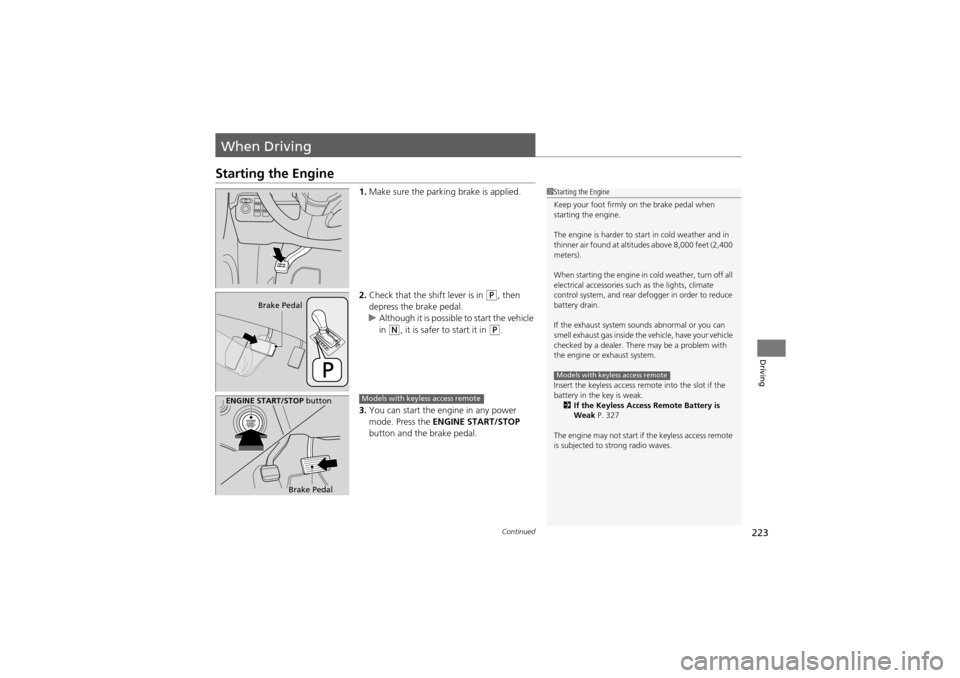
1.Make sure the parking brake is applied.
2. Check that the shift lever is in
P, then
depress the brake pedal.
u Although it is possible to start the vehicle
in
N, it is safer to start it in P.
3. You can start the engine in any power
mode. Press the ENGINE START/STOP
button and the brake pedal.
1 Starting the Engine
Keep your foot firmly on the brake pedal when
starting the engine.
The engine is harder to start in cold weather and in
thinner air found at altitu des above 8,000 feet (2,400
meters).
When starting the engine in cold weather, turn off all
electrical accessories such as the lights, climate
control system, and rear defogger in order to reduce
battery drain.
If the exhaust system sounds abnormal or you can
smell exhaust gas inside the vehicle, have your vehicle
checked by a dealer. There may be a problem with
the engine or exhaust system.
Insert the keyless access remo te into the slot if the
battery in the key is weak. 2 If the Keyless Access Remote Battery is
Weak P. 327
The engine may not start if the keyless access remote
is subjected to strong radio waves.
Models with keyless access remote
Brake Pedal
ENGINE START/STOP button
Brake Pedal
Models with keyless access remote
Page 249 of 370
247
uuWhen Driving uBSI (Blind Spot Information)*
Driving
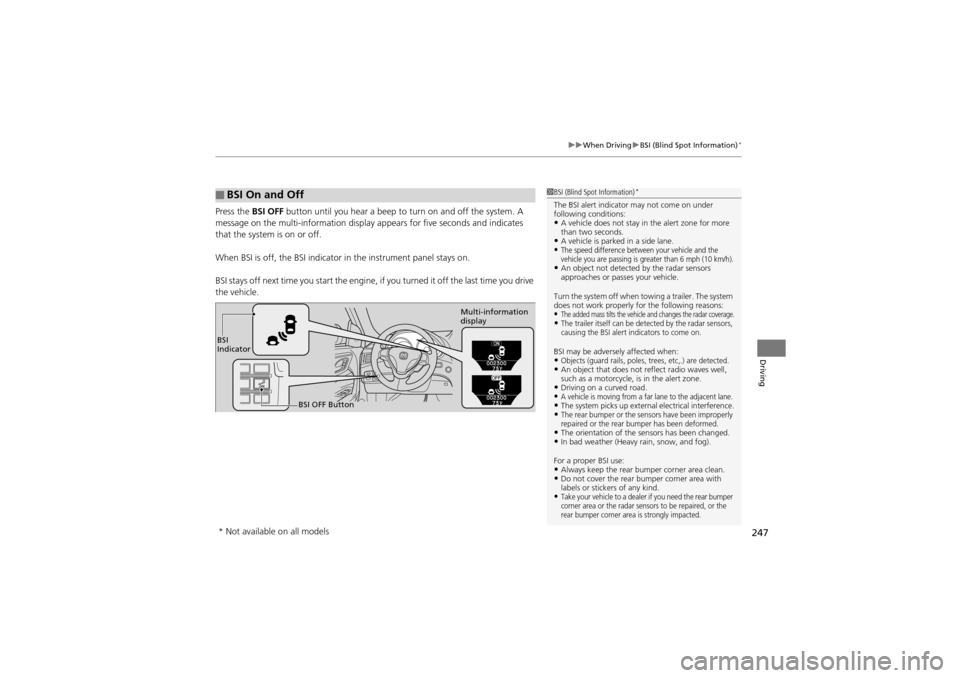
Press the BSI OFF button until you hear a beep to turn on and off the system. A
message on the multi-information display appears for five seconds and indicates
that the system is on or off.
When BSI is off, the BSI indicator in the in strument panel stays on.
BSI stays off next time you sta rt the engine, if you turned it off the last time you drive
the vehicle.
■BSI On and Off1 BSI (Blind Spot Information)*
The BSI alert indicator may not come on under
following conditions:
•A vehicle does not stay in the alert zone for more
than two seconds.
•A vehicle is parked in a side lane.•The speed difference between your vehicle and the
vehicle you are passing is greater than 6 mph (10 km/h).
•An object not detected by the radar sensors
approaches or passes your vehicle.
Turn the system off when towing a trailer. The system
does not work properly for the following reasons:
•The added mass tilts the vehicle and changes the radar coverage.•The trailer itself can be detected by the radar sensors,
causing the BSI alert indicators to come on.
BSI may be adversel y affected when:•Objects (guard rails, poles, trees, etc,.) are detected.•An object that does not reflect radio waves well,
such as a motorcycle, is in the alert zone.
•Driving on a curved road.•A vehicle is moving from a far lane to the adjacent lane.•The system picks up external electrical interference.•The rear bumper or the sensors have been improperly
repaired or the rear bumper has been deformed.
•The orientation of the sensors has been changed.•In bad weather (Heavy rain, snow, and fog).
For a proper BSI use:
•Always keep the rear bu mper corner area clean.•Do not cover the rear bumper corner area with
labels or stickers of any kind.
•Take your vehicle to a dealer if you need the rear bumper
corner area or the radar sensors to be repaired, or the
rear bumper corner area is strongly impacted.
BSI
Indicator
BSI OFF Button Multi-information
display
* Not available on all models
Page 351 of 370
349
Information
This chapter includes your vehicle’s specifications, locations of identification numbers, and otherinformation required by regulation.
Specifications.................................... 350
Identification Numbers
Vehicle Identification Number (VIN) ...... 351Engine Number and Transmission Number...................................... 351
Devices that Emit Radio Waves ....... 352
Reporting Safety Defects ................. 353Emissions Testing
Testing of Readiness Codes.............. 354
Warranty Coverages ........................ 356
Authorized Manuals ......................... 358
Client Service Information............... 359
Page 354 of 370
352
Information
Devices that Emit Radio Waves
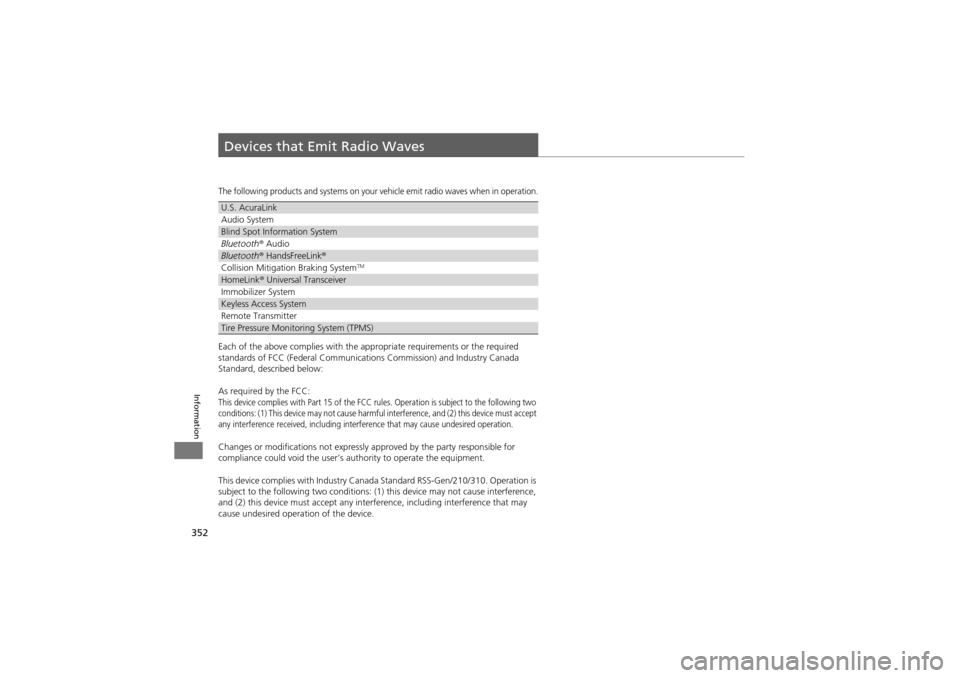
The following products and systems on your vehicle emit radio waves when in operation.
Each of the above complies with the appropriate requirements or the required
standards of FCC (Federal Communications Commission) and Industry Canada
Standard, described below:
As required by the FCC:
This device complies with Part 15 of the FCC ru les. Operation is subject to the following two
conditions: (1) This device may not cause harmful interference, and (2) this device must accept
any interference received, including interference that may cause undesired operation.
Changes or modifications not expressly approved by the party responsible for
compliance could void the user’s authority to operate the equipment.
This device complies with Industry Canada Standard RSS-Gen/210/310. Operation is
subject to the following two conditions: (1) this device may not cause interference,
and (2) this device must accept any inte rference, including interference that may
cause undesired operation of the device.
U.S. AcuraLink
Audio System
Blind Spot Information System
Bluetooth ® Audio
Bluetooth ® HandsFreeLink ®
Collision Mitigation Braking SystemTM
HomeLink® Universal Transceiver
Immobilizer System
Keyless Access System
Remote Transmitter
Tire Pressure Monitoring System (TPMS)
Page 363 of 370
Index
361
Index
A
ABS (Anti-lock Brake System).................. 255
Accessories and Modifications ................ 267
Accessory Power Sockets ......................... 157
Active Head Restraints ............................. 148
Adaptive Cruise Control (ACC) ................ 235
Additives
Coolant .................................................. 285
Engine Oil ............................................... 280
Washer ................................................... 290
Additives, Engine Oil ............................... 280
Adjusting Armrest .................................................. 150
Front Seats.............................................. 143
Head Restraints ....................................... 145
Mirrors.................................................... 141
Rear Seats ............................................... 149
Steering Wheel ....................................... 140
Temperature ............................................. 91
Air Conditioning System (Climate Control System) ...................... 163
Changing the Mode................................ 163
Defrosting the Windshield and Windows................ ....................... 164
Dust and Pollen Filter .............................. 312
Recirculation/Fresh Air Mo de................... 163
Sensor .................................................... 166
Synchronized Mode ................................ 165
Using Automatic Climate Control............ 163
Air Pressure ...................................... 301, 350 Airbags
........................................................ 35
Advanced Airbags ..................................... 41
After a Collision... ................................ 30, 39
Airbag Care ............................................... 49
Event Data Recorder .................................. 19
Front Airbags (SRS) .................................... 38
Indicator ........................................ 46, 72, 75
Passenger Airbag Off Indicator .................. 47
Sensors...................................................... 35
Side Airbag Cutoff System ......................... 44
Side Airbag Off Indicator ........................... 48
Side Airbags .............................................. 42
Side Curtain Airbags .................................. 45
AM/FM Radio ............................................ 173
Anti-lock Brak e System (ABS) .................. 255
Indicator .................................................... 71
Armrest ..................................................... 150
Audio Remote Controls ............................ 190
Audio System ............................................ 168
Adjusting the Sound ................................ 172
Auxiliary Input Jack ........ .......................... 169
Error Messages ........................................ 188
General Information ................................ 191
MP3/WMA/AAC ...................................... 183
Reactivating............................................. 170
Recommended CDs ................................. 192
Recommended Devices ............................ 194
Remote Controls ..................................... 190
Security Code .......................................... 170
Theft Protection....................................... 170
USB Adapter Cable .................................. 169 USB Flash Drives ...................................... 194
Authorized Manuals ................................ 358
Auto Door Locking/Unlocking ................. 113
Automatic Lighting .................................. 132
Automatic Transmission ........................... 227
Creeping ................................................. 227
Fluid ........................................................ 287
Kickdown ................................................ 227
Operating the Shift Lever........... 13, 229, 231
Sequential Shift Mode ............................. 230
Shift Lever Does Not Move ...................... 331
Shifting ................................................... 228
Auxiliary Input Jack .................................. 169
Average Fuel Economy .............................. 91
Average Speed ........................................... 92
B
Battery...................................................... 309
Charging System Indicato r................. 69, 334
Jump Starting .......................................... 329
Maintenance (Checking th e Battery) ........ 309
Maintenance (Replacing) ......................... 310
Belts (Seat) .................................................. 27
Beverage Holders ..................................... 156
Blind Spot Information (BSI) .................... 246
Bluetooth ® HandsFreeLink ®..................... 197
Bluetooth ®Audio ...................................... 186
Booster Seats (For Children) ...................... 63
Brake System ............................................ 253
Anti-lock Brake System (A BS)................... 255
Page 364 of 370
362
Index
Brake Assist System ................................. 256
Fluid ........................................................ 288
Foot Brake ............................................... 254
Indicator ............................................ 68, 336
Parking Brake .......................................... 253
Brightness Control (Instrument Panel) .... 136
Bulb Replacement ..................................... 291
Back-Up Lights......................................... 296
Daytime Running Light ....... ..................... 294
Fog Lights ................................................ 292
Front Side Marker Lights .......................... 293
Front Turn Signal/Parking Lights ............... 293
Headlights ............................................... 291
High-Mount Brake Light ..... ..................... 297
Rear License Plate Light............................ 297
Side Turn Signal/
Emergency Indicator Lights .................... 294
Stop Light, Taillight, Rear Turn Signal Light and Rear Side Marker Lights.................. 295
Bulb Specifications .................................... 350
C
Carbon Monoxide Gas ................................ 64
Cargo Hooks .............................................. 158
Carrying Cargo .................................. 211, 213
CD Changer ............................................... 177
Certification Label .................................... 351
Changing Bulbs ......................................... 291
Charging System Indicator ................. 69, 334Child Safety
................................................. 50
Childproof Door Locks............................. 112
Child Seat .................................................... 50
Booster Seats ............................................ 63
Child Seat for Infants................................. 52
Child Seat for Small Children ..................... 53
Installing a Child Seat with a Lap/
Shoulder Seat Belt ................................... 58
Larger Children ......................................... 62
Rear-facing Child Seat ......................... ...... 52
Selecting a Child Seat ................................ 54
Using a Tether ........................................... 60
Childproof Door Locks ............................. 112
Cleaning the Exterior ............................... 315
Cleaning the Interior ................................ 313
Client Service Information ....................... 359
Climate Control System ............................ 163
Changing the Mode ................................ 163
Defrosting the Windshield
and Windows ............... ........................ 164
Dust and Pollen Filter............................... 312
Recirculation/Fresh Air Mode ................... 163
Sensor ..................................................... 166
Synchronized Mode................................. 165
Using Automatic Climate Control ............ 166
Clock .......................................................... 102
Coat Hook ................................................. 158
Compact Spare Tire .......................... 319, 350
Console Compartment ............................. 154
Controls ..................................................... 101 Coolant (Engine)
...................................... 285
Adding to the Radiator ... ........................ 286
Adding to the Reserve Tank .................... 285
Overheating ............................................ 332
Temperature Gauge .................................. 87
Creeping ................................................... 227
Cruise Control .......................................... 232
Indicator ................................................... 77
Cup Holders .............................................. 156
Customized Features ................................. 94
D
Daytime Running Lights .......................... 133
Dead Battery ............................................ 329
Devices that Emit Radio Waves ............... 352
Dimming Headlights .............................................. 131
Rearview Mirror .............. ........................ 141
Dipstick (Engine Oil) ................................ 281
Directional Signals (Turn Signal) ............. 131
Door Mirrors ............................................. 142
Doors ........................................................ 103
Auto Door Locking.......... ........................ 113
Auto Door Unlocking ...... ........................ 113
Door and Tailgate Open Indicator ....... 26, 73
Keys........................................................ 103
Locking/Unlocking the Doors from the Inside..................................... 111
Locking/Unlocking the Doors
from the Outside.................................. 106
Page 368 of 370
366
Index
P
Paddle Shifters (Sequential Shift Mode) ........................ 230
Panic Mode ............................................... 122
Panoramic Glass Roof ............................... 126
Parking ...................................................... 261
Parking Brake ............................................ 253
Parking Brake and Brake System Indicator ............. 68, 336
Passenger Airbag Off Indicator ................. 47
Passing Indicators ..................................... 131
Playing Bluetooth ® Audio ........................ 186
Power Windows ........................................ 123
Precautions While Driving ........................ 226
Rain ......................................................... 226
Pregnant Women ....................................... 33
Puncture (Tire) .......................................... 319
R
Radiator..................................................... 286
Radio (AM/FM) .......................................... 173
Radio Data System (RDS) .......................... 174
Range .......................................................... 92
RDS (Radio Data System) .......................... 174
Readiness Codes (Emissions Testing) ....... 354
Rear Defogger/
Heated Door Mirror Button ................... 137
Rear Seat Heaters ..................................... 162
Rear Seats (Folding Down) ....................... 149
Rearview Mirror ........................................ 141 Rearview Mirror with
Rearview Camera
Display ..................................................... 262
Refueling .................................................. 263
Fuel Gauge................................................ 87
Gasoline .......................................... 263, 350
Low Fuel Indicator ..................................... 71
Regulations ............................... 250, 303, 352
Remote Transmitter ................................. 106
Replacement Battery .................................................... 310
Bulbs ....................................................... 291
Fuses ....................................................... 338
Tires ........................................................ 306
Wiper Blade Rubber .......... ..................... . 298
Reporting Safety Defects ......................... 353
Resetting a Trip Meter ............................... 91
Reverse Tilt Door Mirror .......................... 142
S
Safe Driving................................................ 21
Safety Check ............................................... 26
Safety Labels ............................................... 65
Safety Message ........................................... 20
Seat Belt e-pretensioners ........................... 30
Seat Belts .................................................... 27
Adjusting the Shoulder An chor.................. 32
Automatic Seat Belt Tensioners ................. 29
Checking................................................... 34
e-pretensioners ......................................... 30
Fastening .................................................. 31 Installing a Child Seat with a Lap/
Shoulder Seat Belt ................................... 58
Pregnant Women...................................... 33
Reminder .................................................. 28
Warning Indicator ............................... 28, 71
Seat Heaters ............................. 160, 161, 162
Seats .......................................................... 143
Adjusting ................................................ 143
Front Seats.............................................. 143
Rear Seats ............................................... 149
Seat Heaters ........................... 160, 161, 162
Security System ........................................ 120
Immobilizer System Indica tor..................... 76
Security System Alarm Indicator ................ 76
SEL/RESET Button ....................................... 88
Select Lever ........................................ 13, 228
Operation ......................... 13, 229, 230, 231
Releasing ................................................ 331
Won’t Move ........................................... 331
Selecting a Child Seat ................................ 54
Selector Knob (Audio) ............................. 171
Sequential Shift Mode ............................. 230
Setting the Clock ...................................... 102
SH-AWD ®.................................................. 245
Indicator ................................................... 77
Shift Lever .......................................... 13, 228
Shift Position Indicator ...................... 70, 229
Shifting ..................................................... 228
Shoulder Anchor ........................................ 32
Side Airbags ............................................... 42
Cutoff System ........................................... 44