belt Acura ZDX 2012 Service Manual
[x] Cancel search | Manufacturer: ACURA, Model Year: 2012, Model line: ZDX, Model: Acura ZDX 2012Pages: 370, PDF Size: 10.06 MB
Page 146 of 370
uuAdjusting the Seats uAdjusting the Seat Positions
144
Controls
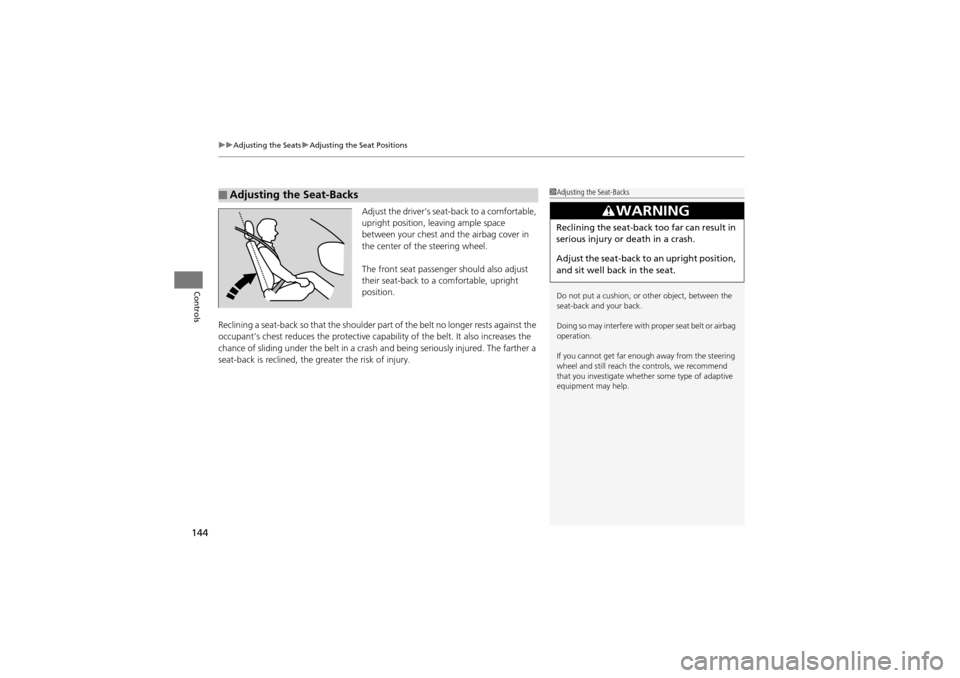
Adjust the driver’s seat -back to a comfortable,
upright position, leaving ample space
between your chest and the airbag cover in
the center of the steering wheel.
The front seat passenger should also adjust
their seat-back to a comfortable, upright
position.
Reclining a seat-back so that the shoulder part of the belt no longer rests against the
occupant’s chest reduces the protective capability of the belt. It also increases the
chance of sliding under the belt in a cras h and being seriously injured. The farther a
seat-back is reclined, the gr eater the risk of injury.
■Adjusting the Seat-Backs1Adjusting the Seat-Backs
Do not put a cushion, or other object, between the
seat-back and your back.
Doing so may interfere with proper seat belt or airbag
operation.
If you cannot get far enough away from the steering
wheel and still reach the controls, we recommend
that you investigate whethe r some type of adaptive
equipment may help.
3WARNING
Reclining the seat-back too far can result in
serious injury or death in a crash.
Adjust the seat-back to an upright position,
and sit well back in the seat.
Page 150 of 370
uuAdjusting the Seats uAdjusting the Seat Positions
148
Controls
After all occupants have adjusted their seat s and head restraints, and put on their seat
belts, it is very important that they continue to sit upright, well back in their seats, with
their feet on the floor, until the vehicle is safely parked and the engine is off.
Sitting improperly can increase the chance of injury during a crash. For example, if an
occupant slouches, lies down, turns sideways, sits forward, leans forward or sideways,
or puts one or both feet up, the chance of injury during a crash is greatly increased.
In addition, an occupant who is out of posit ion in the front seat can be seriously or
fatally injured in a crash by striking interior parts of the vehicle or being struck by an
inflating front airbag.
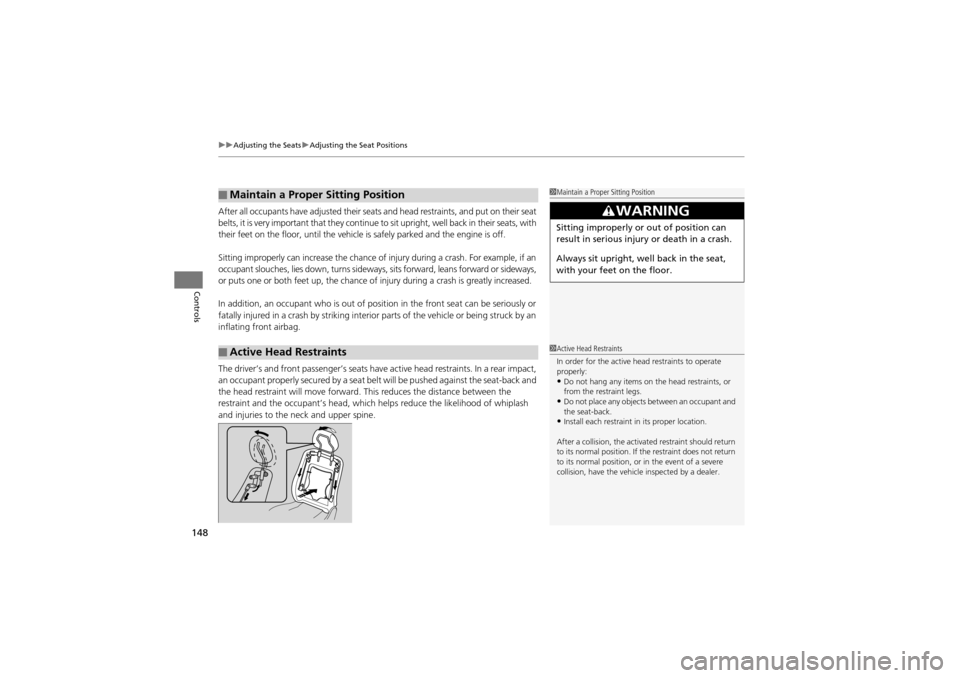
The driver’s and front passenger’s seats have active head restraints. In a rear impact,
an occupant properly secured by a seat belt will be pushed against the seat-back and
the head restraint will move forward. This reduces the distance between the
restraint and the occupant’s head, which helps reduce the likelihood of whiplash
and injuries to the neck and upper spine.
■Maintain a Proper Sitting Position
■Active Head Restraints
1 Maintain a Proper Sitting Position
3WARNING
Sitting improperly or out of position can
result in serious injury or death in a crash.
Always sit upright, well back in the seat,
with your feet on the floor.
1Active Head Restraints
In order for the active he ad restraints to operate
properly:
•Do not hang any items on the head restraints, or
from the restraint legs.
•Do not place any objects between an occupant and
the seat-back.
•Install each restraint in its proper location.
After a collision, the activated restraint should return
to its normal position. If th e restraint does not return
to its normal position, or in the event of a severe
collision, have the vehicl e inspected by a dealer.
Page 151 of 370
149
uuAdjusting the Seats uRear Seats
Controls
Rear Seats
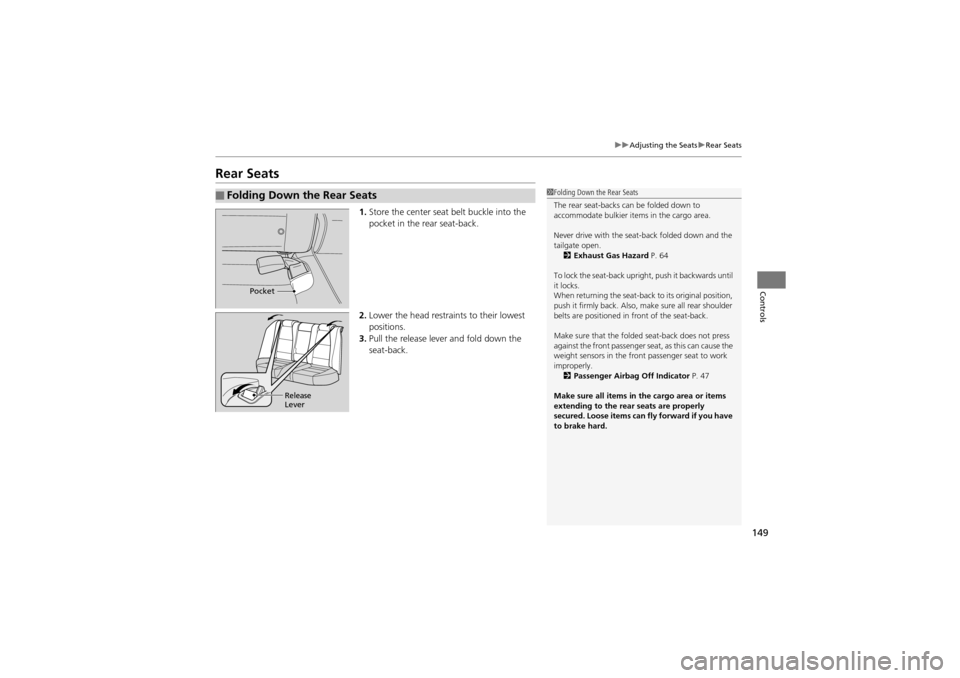
1. Store the center seat belt buckle into the
pocket in the rear seat-back.
2. Lower the head restrain ts to their lowest
positions.
3. Pull the release lever and fold down the
seat-back.
■Folding Down the Rear Seats1Folding Down the Rear Seats
The rear seat-backs can be folded down to
accommodate bulkier it ems in the cargo area.
Never drive with the seat-back folded down and the
tailgate open. 2 Exhaust Gas Hazard P. 64
To lock the seat-back uprig ht, push it backwards until
it locks.
When returning the seat-back to its original position,
push it firmly back. Also, ma ke sure all rear shoulder
belts are positioned in front of the seat-back.
Make sure that the folded seat-back does not press
against the front passenger seat, as this can cause the
weight sensors in the front passenger seat to work
improperly. 2 Passenger Airbag Off Indicator P. 47
Make sure all items in th e cargo area or items
extending to th e rear seats are properly
secured. Loose items can fly forward if you have
to brake hard.
Pocket
Release
Lever
Page 155 of 370
153
uuInterior Lights/Inter ior Convenience Items uInterior Convenience Items
Continued
Controls
Interior Convenience Items
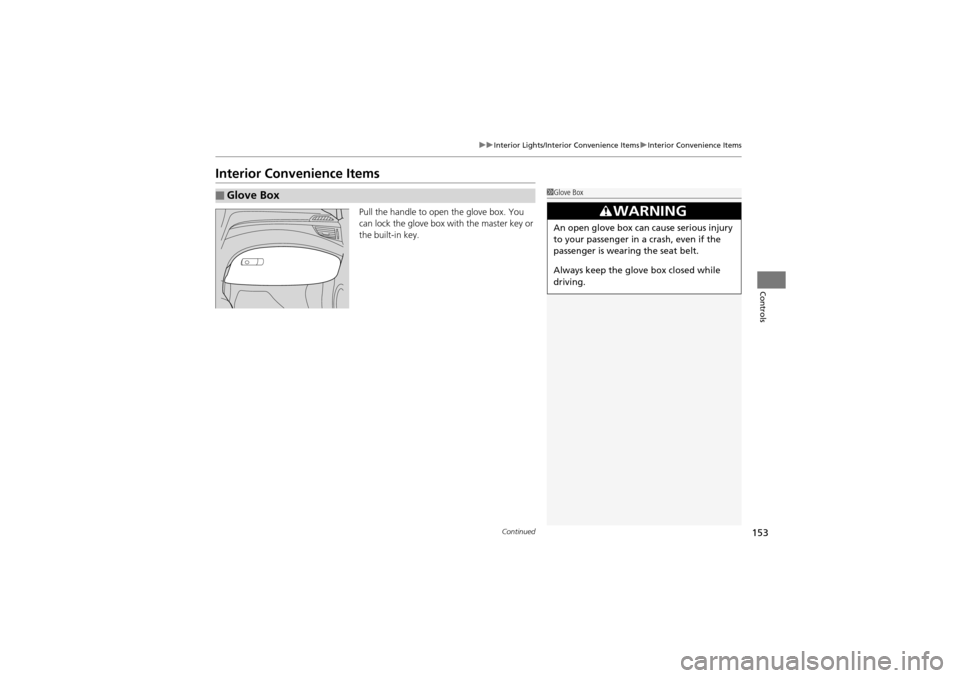
Pull the handle to open the glove box. You
can lock the glove box with the master key or
the built-in key.
■Glove Box1Glove Box
3WARNING
An open glove box can cause serious injury
to your passenger in a crash, even if the
passenger is wearing the seat belt.
Always keep the glove box closed while
driving.
Page 214 of 370
212
uuBefore Driving uDriving Preparation
Driving
• Be sure items placed on the floor behind the front seats cannot roll under the
seats.
u They can interfere with the driver’s abili ty to operate the pedals, the operation
of the seats, or the operation of the sensors under the seats.
• Everyone in the vehicle must fasten their seat belt.
2 Fastening a Seat Belt P. 31
•Make sure that the indicators in the instrument panel come on when you start the
vehicle, and go off soon after.
u Always have a dealer check the vehicle if a problem is indicated.
2 Indicators P. 68
Page 222 of 370
220
Driving
Off-Highway Driving Guidelines
General Information
Your vehicle has been designed primarily for use on pavement, however, its higher
ground clearance allows you to occasionally travel on unpaved roads.
It is not designed for tra il-blazing, or other challe nging off-road activities.
If you decide to drive on unpaved roads, you will find that it requires somewhat
different driving skills and that your vehicle will handle somewhat differently than it
does on pavement. Pay attention to the precautions and tips in this section, and get
acquainted with your vehicle before leaving the pavement.
Important Safety Precautions
To avoid loss of control or rollover, be sure to follow all precautions and
recommendations:
• Be sure to store cargo properly and do not exceed your cargo load limits.
2 Maximum Load Limit P. 213
•Whenever you drive, make sure you and your passengers always wear seat belts.
• Keep your speed low, and never go faster than the conditions allow.
• It’s up to you to continually assess the situation and drive within the limits.
1Off-Highway Driving Guidelines
Failure to operate your vehi cle correctly might result
in a crash or a roll over.
2 Important Handling Information P. 24
2 Precautions While Driving P. 226
3WARNING
Improperly operating this vehicle on or
off-pavement can cause a crash or
rollover in which you and your
passengers can be seriously injured or
killed.
•Follow all instructions and guidelines
in this owner’s manual.
• Keep your speed low, and don’t drive
faster than conditions permit.
Page 260 of 370
258
uuBraking uCMBSTM (Collision Mitigation Braking SystemTM)*
Driving
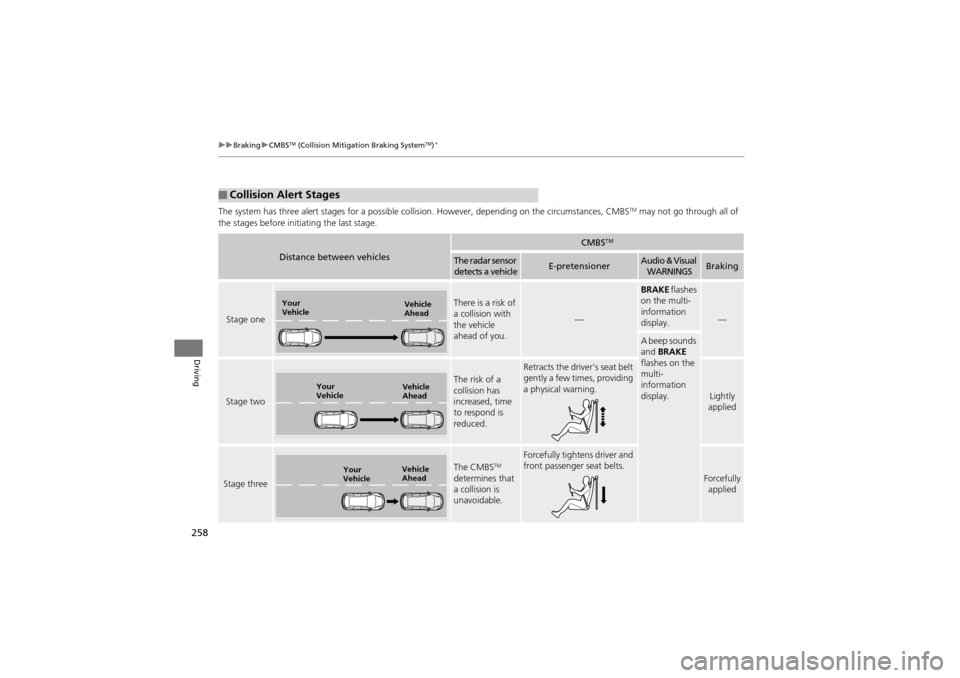
The system has three alert stages for a possible collis ion. However, depending on the circumstances, CMBSTM may not go through all of
the stages before init iating the last stage.
■Collision Alert Stages
Distance between vehicles
CMBSTM
The radar sensor
detects a vehicleE-pretensionerAudio & Visual WARNINGSBraking
Stage one
There is a risk of
a collision with
the vehicle
ahead of you.
—
BRAKE flashes
on the multi-
information
display.
—
A beep sounds
and BRAKE
flashes on the
multi-
information
display.
Stage two
The risk of a
collision has
increased, time
to respond is
reduced.
Retracts the driver’s seat belt
gently a few times, providing
a physical warning.
Lightly
applied
Stage three
The CMBSTM
determines that
a collision is
unavoidable.
Forcefully tightens driver and
front passenger seat belts.
Forcefully applied
Your
Vehicle Vehicle
Ahead
Your
VehicleVehicle
Ahead
Your
VehicleVehicle
Ahead
Page 277 of 370
275
uuMaintenance MinderTMuTo Use Maintenance MinderTM
Continued
Maintenance
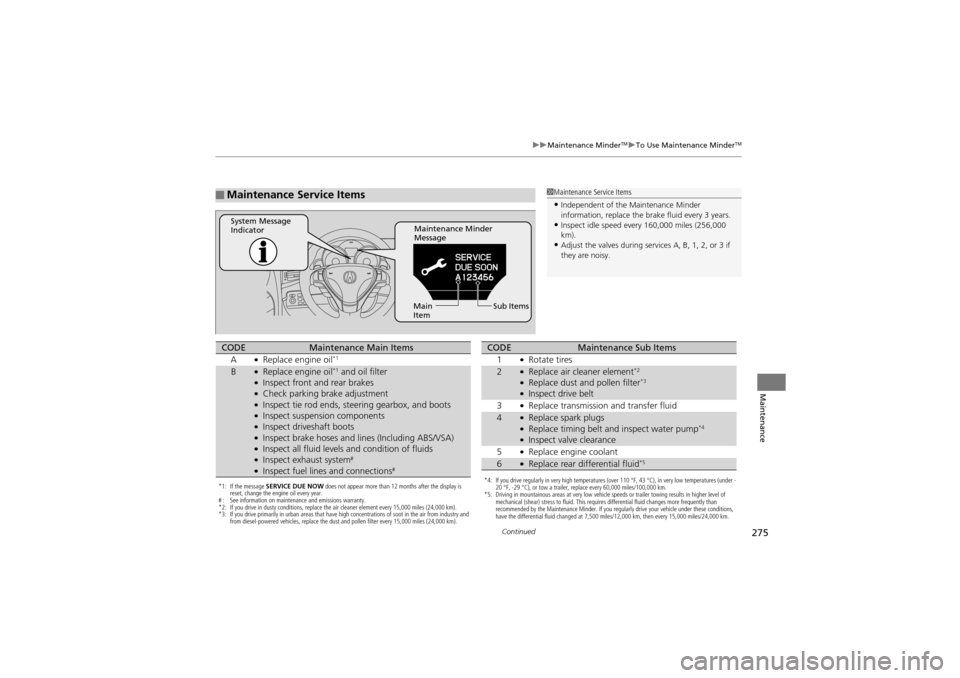
■Maintenance Service Items1Maintenance Service Items
•Independent of the Maintenance Minder
information, replace the brake fluid every 3 years.
•Inspect idle speed every 160,000 miles (256,000
km).
•Adjust the valves during services A, B, 1, 2, or 3 if
they are noisy.
Maintenance Minder
Message
System Message
Indicator
Sub Items
Main
Item
*1: If the message SERVICE DUE NOW does not appear more than 12 months after the display is
reset, change the engine oil every year.
# : See information on maintenance and emissions warranty.
*2: If you drive in dusty conditions, replace the air cleaner element every 15,000 miles (24,000 km).
*3: If you drive primarily in urban areas that have high concentrations of soot in the air from industry and
from diesel-powered vehicles, replace the dust and pollen filter every 15,000 miles (24,000 km).
CODEMaintenance Main Items
A●Replace engine oil*1
B●Replace engine oil*1 and oil filter●Inspect front and rear brakes●Check parking brake adjustment●Inspect tie rod ends, steering gearbox, and boots●Inspect suspension components●Inspect driveshaft boots●Inspect brake hoses and li nes (Including ABS/VSA)●Inspect all fluid levels and condition of fluids●Inspect exhaust system#
●Inspect fuel lines and connections#*4: If you drive regularly in very high temperatures (over 110 °F, 43 °C), in very low temperatures (under -
20 °F, -29 °C), or tow a trailer, replace every 60,000 miles/100,000 km.
*5: Driving in mountainous areas at very low vehicle speeds or trailer towing results in higher level of
mechanical (shear) stress to fluid. This requires differential fluid changes more frequently than
recommended by the Maintenance Minder. If you regularly drive your vehicle under these conditions,
have the differential fluid changed at 7,500 miles/12,000 km, then every 15,000 miles/24,000 km.
CODEMaintenance Sub Items
1●Rotate tires
2●Replace air cleaner element*2
●Replace dust and pollen filter*3
●Inspect drive belt
3●Replace transmission and transfer fluid
4●Replace spark plugs●Replace timing belt an d inspect water pump*4
●Inspect valve clearance
5●Replace engine coolant
6●Replace rear differential fluid*5
Page 315 of 370
313Continued
Maintenance
Cleaning
Interior Care
Use a damp cloth with a mixture of mild detergent and warm water to remove dirt.
Use a clean cloth to remove detergent residue.
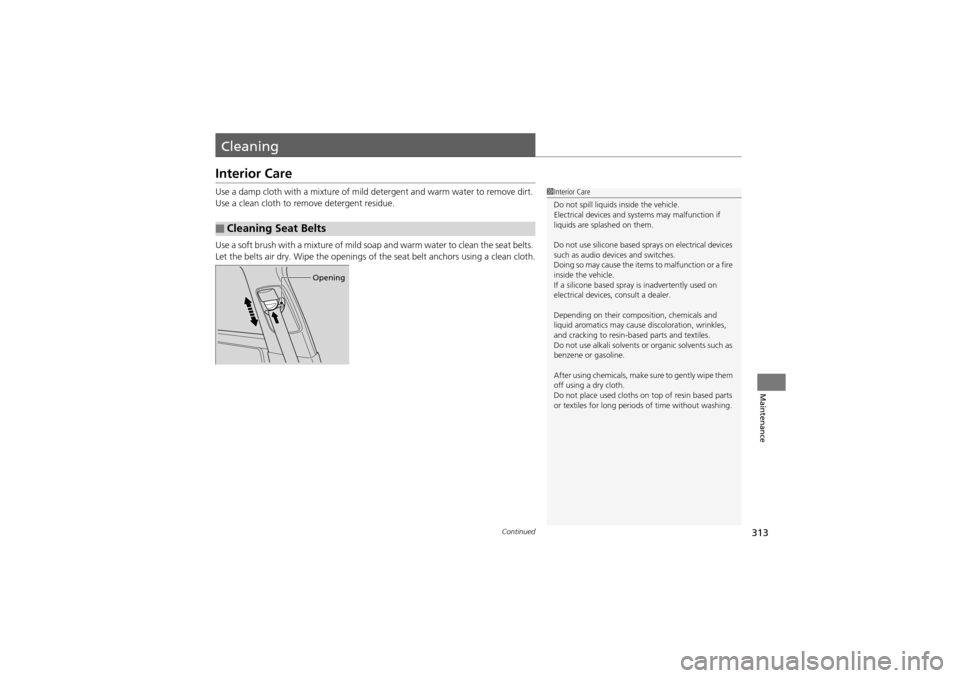
Use a soft brush with a mixture of mild soap and warm water to clean the seat belts.
Let the belts air dry. Wipe the openings of the seat belt anchors using a clean cloth.
■Cleaning Seat Belts
1Interior Care
Do not spill liquids inside the vehicle.
Electrical devices and systems may malfunction if
liquids are splashed on them.
Do not use silicone based sp rays on electrical devices
such as audio devices and switches.
Doing so may cause the items to malfunction or a fire
inside the vehicle.
If a silicone based spray is inadvertently used on
electrical devices, consult a dealer.
Depending on their composition, chemicals and
liquid aromatics may cause discoloration, wrinkles,
and cracking to resin-based parts and textiles.
Do not use alkali solvents or organic solvents such as
benzene or gasoline.
After using chemicals, make sure to gently wipe them
off using a dry cloth.
Do not place used cloths on top of resin based parts
or textiles for long periods of time without washing.
Opening
Page 358 of 370
356
Information
Warranty Coverages
Your new vehicle is covered by these warranties:
New Vehicle Limited Warranty – covers your new vehicle, except for the
emissions control systems and accessorie s, against defects in materials and
workmanship.
Emissions Control Systems Defects Warranty and Emissions Performance
Warranty – these two warranties cover your ve hicle’s emissions control systems.
Time, mileage, and coverage are conditiona l. Please read your warranty booklet for
exact information.
Seat Belt Limited Warranty – a seat belt that fails to function properly is covered
by a limited warranty. Please read your warranty booklet for details.
Rust Perforation Limited Warranty – all exterior body panels are covered for
rust-through from the inside for the specified time period with no mileage limit.
Accessory Limited Warranty – Acura accessories are covered under this warranty.
Time and mileage limits depend on the type of accessory and other factors. Please
read your warranty booklet for details.
Replacement Parts Limited Warranty – covers all Acura replacement parts
against defects in mate rials and workmanship.
U.S. Owners