reset Acura ZDX 2013 User Guide
[x] Cancel search | Manufacturer: ACURA, Model Year: 2013, Model line: ZDX, Model: Acura ZDX 2013Pages: 324, PDF Size: 8.58 MB
Page 98 of 324
97
uuGauges and Multi-Information DisplayuMulti-Information Display
Continued
Instrument Panel
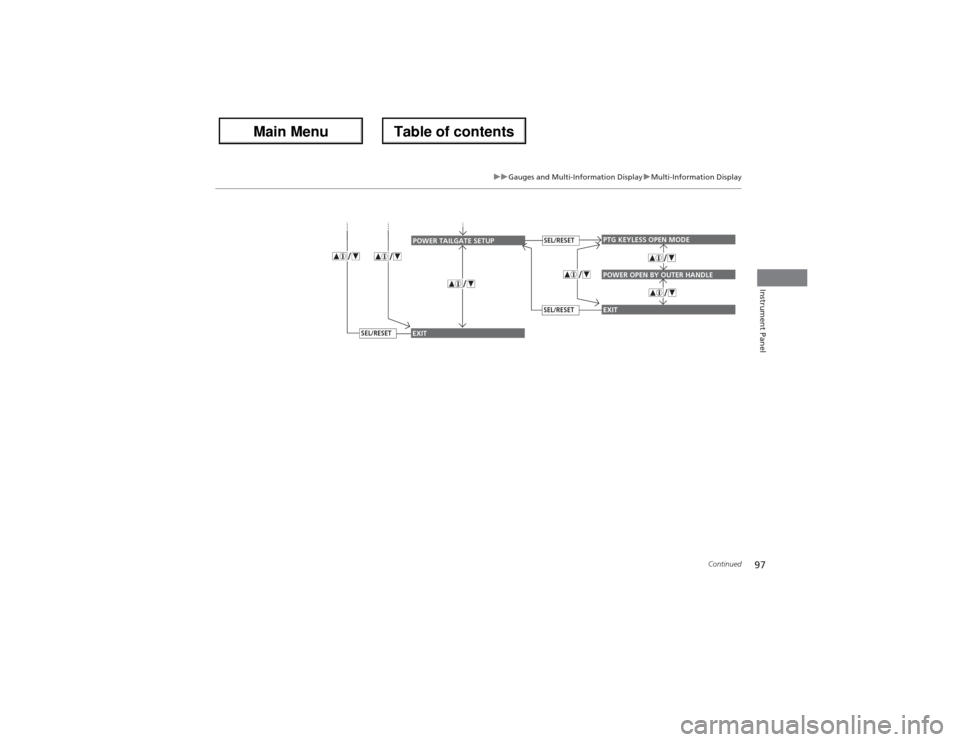
PTG KEYLESS OPEN MODEPOWER OPEN BY OUTER HANDLEEXIT
POWER TAILGATE SETUP
SEL/RESETSEL/RESET
EXIT
SEL/RESET
Page 99 of 324
98
uuGauges and Multi-Information DisplayuMulti-Information Display
Instrument Panel
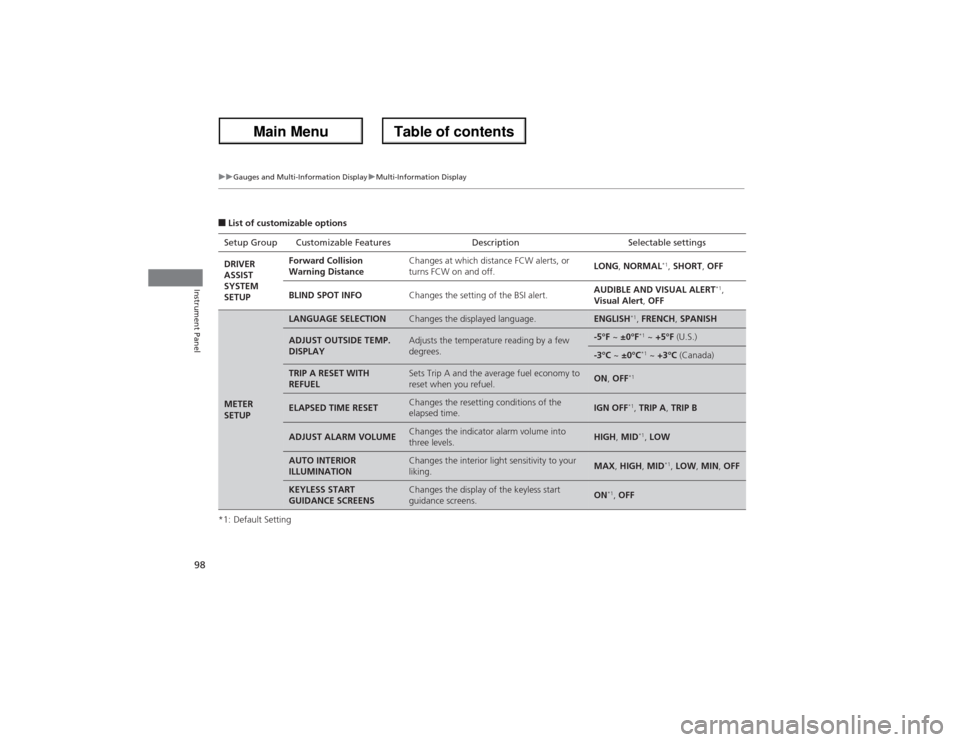
■List of customizable options
*1: Default SettingSetup Group Customizable Features Description Selectable settings
DRIVER
ASSIST
SYSTEM
SETUPForward Collision
Warning DistanceChanges at which distance FCW alerts, or
turns FCW on and off.LONG, NORMAL
*1, SHORT, OFF
BLIND SPOT INFOChanges the setting of the BSI alert.AUDIBLE AND VISUAL ALERT
*1,
Visual Alert, OFF
METER
SETUP
LANGUAGE SELECTION
Changes the displayed language.
ENGLISH
*1, FRENCH, SPANISH
ADJUST OUTSIDE TEMP.
DISPLAY
Adjusts the temperature reading by a few
degrees.
-5°F ~ ±0°F
*1 ~ +5°F (U.S.)
-3°C ~ ±0°C
*1 ~ +3°C (Canada)
TRIP A RESET WITH
REFUEL
Sets Trip A and the average fuel economy to
reset when you refuel.
ON, OFF
*1
ELAPSED TIME RESET
Changes the resetting conditions of the
elapsed time.
IGN OFF
*1, TRIP A, TRIP B
ADJUST ALARM VOLUME
Changes the indicator alarm volume into
three levels.
HIGH, MID
*1, LOW
AUTO INTERIOR
ILLUMINATION
Changes the interior light sensitivity to your
liking.
MAX, HIGH, MID
*1, LOW, MIN, OFF
KEYLESS START
GUIDANCE SCREENS
Changes the display of the keyless start
guidance screens.
ON
*1, OFF
Page 103 of 324
102
uuGauges and Multi-Information DisplayuMulti-Information Display
Instrument Panel
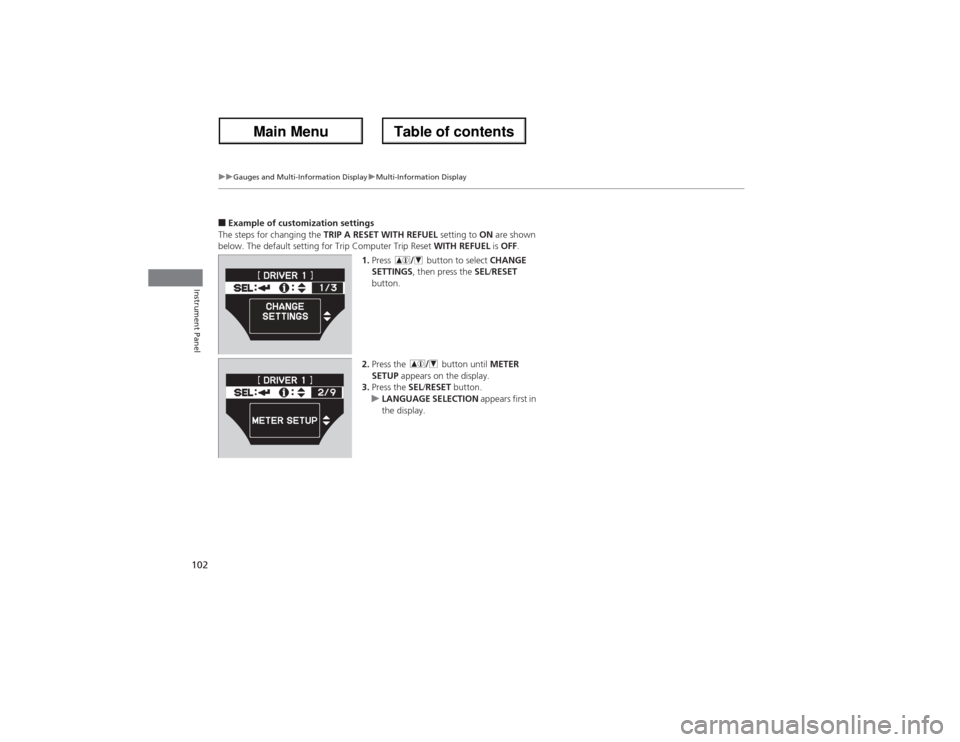
■Example of customization settings
The steps for changing the TRIP A RESET WITH REFUEL setting to ON are shown
below. The default setting for Trip Computer Trip Reset WITH REFUEL is OFF.
1.Press button to select CHANGE
SETTINGS, then press the SEL/RESET
button.
2.Press the button until METER
SETUP appears on the display.
3.Press the SEL/RESET button.
uLANGUAGE SELECTION appears first in
the display.
Page 104 of 324
103
uuGauges and Multi-Information DisplayuMulti-Information Display
Instrument Panel
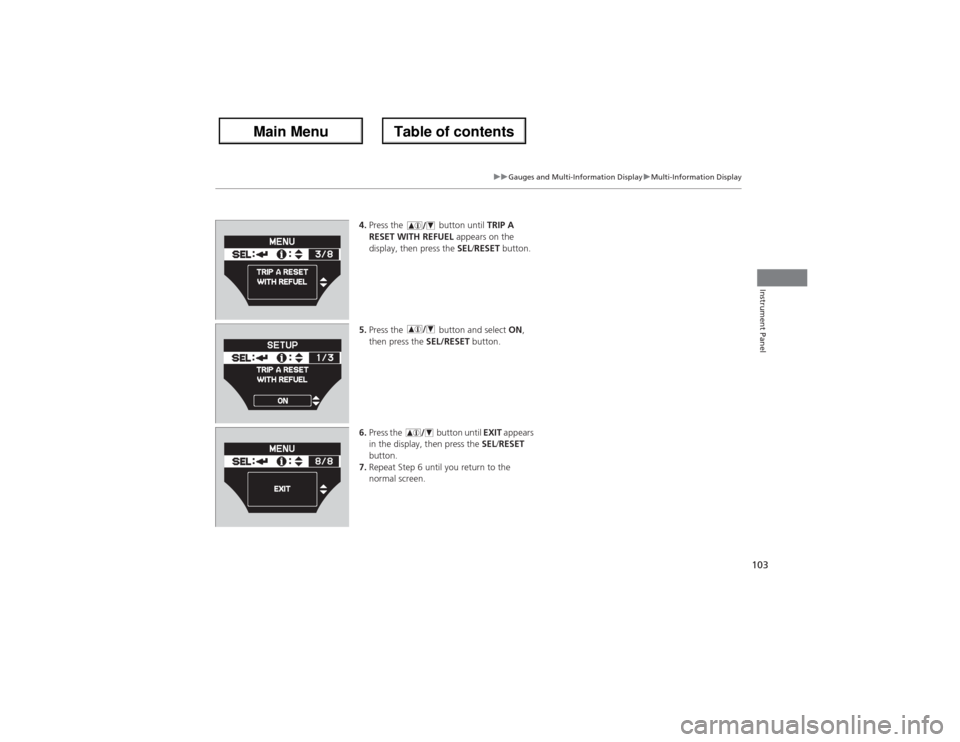
4.Press the button until TRIP A
RESET WITH REFUEL appears on the
display, then press the SEL/RESET button.
5.Press the button and select ON,
then press the SEL/RESET button.
6.Press the button until EXIT appears
in the display, then press the SEL/RESET
button.
7.Repeat Step 6 until you return to the
normal screen.
Page 107 of 324
106Controls
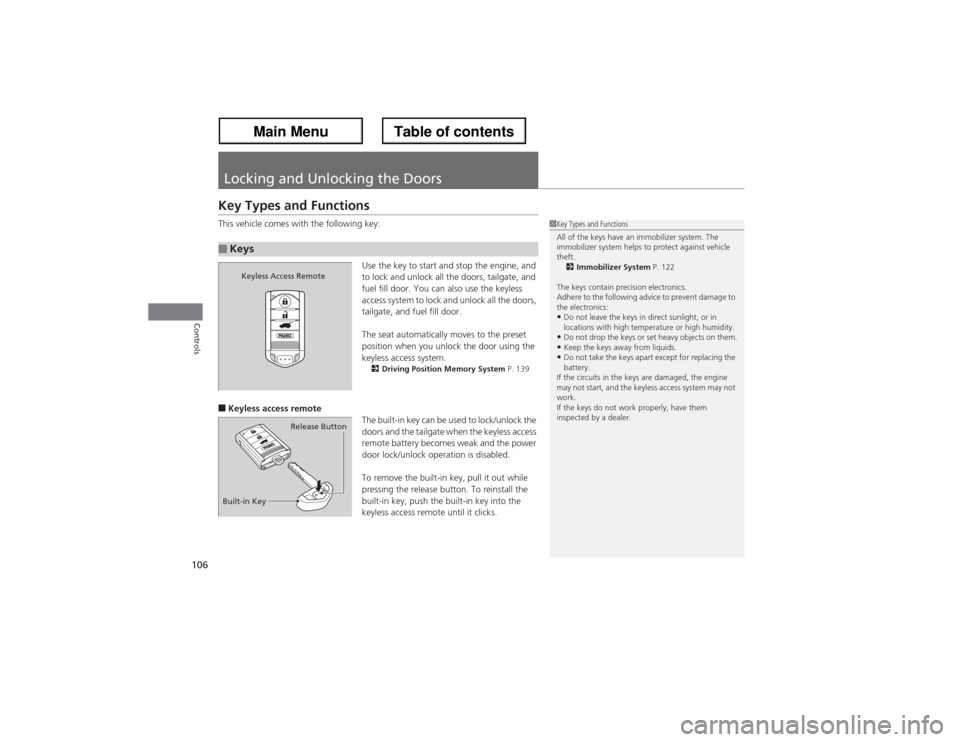
Locking and Unlocking the DoorsKey Types and FunctionsThis vehicle comes with the following key:
Use the key to start and stop the engine, and
to lock and unlock all the doors, tailgate, and
fuel fill door. You can also use the keyless
access system to lock and unlock all the doors,
tailgate, and fuel fill door.
The seat automatically moves to the preset
position when you unlock the door using the
keyless access system.
2Driving Position Memory System P. 139
■Keyless access remote
The built-in key can be used to lock/unlock the
doors and the tailgate when the keyless access
remote battery becomes weak and the power
door lock/unlock operation is disabled.
To remove the built-in key, pull it out while
pressing the release button. To reinstall the
built-in key, push the built-in key into the
keyless access remote until it clicks.■Keys
1Key Types and Functions
All of the keys have an immobilizer system. The
immobilizer system helps to protect against vehicle
theft.
2Immobilizer System P. 122
The keys contain precision electronics.
Adhere to the following advice to prevent damage to
the electronics:•Do not leave the keys in direct sunlight, or in
locations with high temperature or high humidity.•Do not drop the keys or set heavy objects on them.•Keep the keys away from liquids.•Do not take the keys apart except for replacing the
battery.
If the circuits in the keys are damaged, the engine
may not start, and the keyless access system may not
work.
If the keys do not work properly, have them
inspected by a dealer.
Keyless Access Remote
Built-in KeyRelease Button
Page 140 of 324
139
uuOperating the Switches Around the Steering WheeluDriving Position Memory System
Continued
Controls
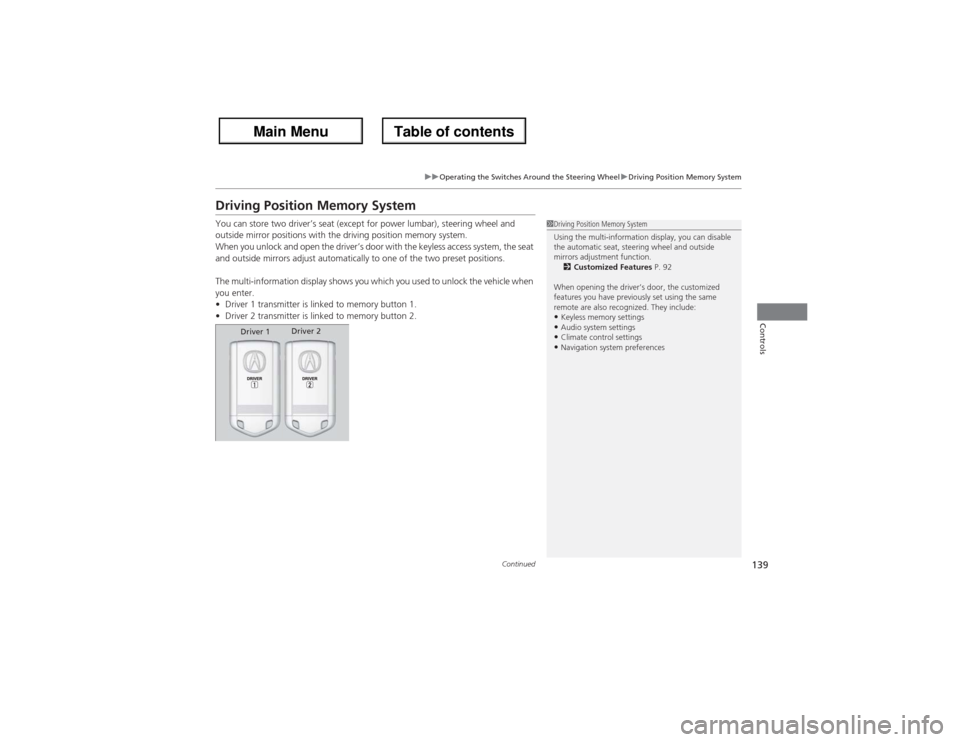
Driving Position Memory SystemYou can store two driver’s seat (except for power lumbar), steering wheel and
outside mirror positions with the driving position memory system.
When you unlock and open the driver’s door with the keyless access system, the seat
and outside mirrors adjust automatically to one of the two preset positions.
The multi-information display shows you which you used to unlock the vehicle when
you enter.
•Driver 1 transmitter is linked to memory button 1.
•Driver 2 transmitter is linked to memory button 2.
1Driving Position Memory System
Using the multi-information display, you can disable
the automatic seat, steering wheel and outside
mirrors adjustment function.
2Customized Features P. 92
When opening the driver’s door, the customized
features you have previously set using the same
remote are also recognized. They include:•Keyless memory settings•Audio system settings•Climate control settings•Navigation system preferences
Driver 1Driver 2
Page 232 of 324
231
Continued
Maintenance
Maintenance Minder
TM
If the engine oil life is less than 15%, you will see the Maintenance Minder messages
appear on the multi-information display every time you set the power mode to ON.
The messages notify you when to change the engine oil, or when to bring your
vehicle to a dealer for indicated maintenance services.To Use Maintenance Minder
TM
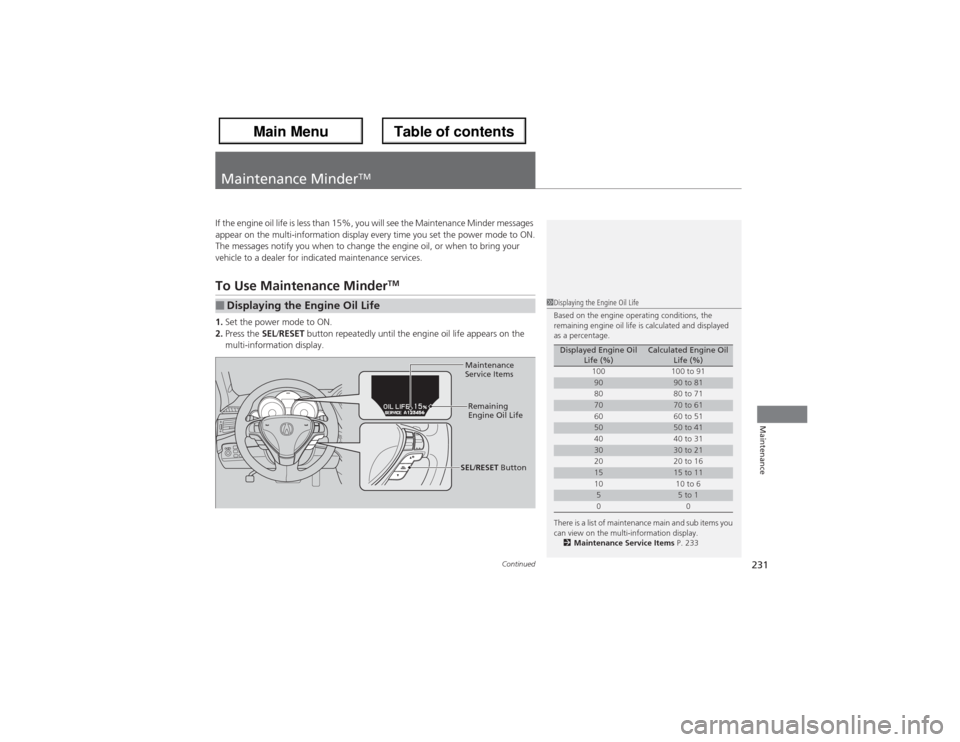
1.Set the power mode to ON.
2.Press the SEL/RESET button repeatedly until the engine oil life appears on the
multi-information display.■Displaying the Engine Oil Life
1Displaying the Engine Oil Life
Based on the engine operating conditions, the
remaining engine oil life is calculated and displayed
as a percentage.
There is a list of maintenance main and sub items you
can view on the multi-information display.
2Maintenance Service Items P. 233
Displayed Engine Oil
Life (%)
Calculated Engine Oil
Life (%)
100 100 to 91
90
90 to 81
80 80 to 71
70
70 to 61
60 60 to 51
50
50 to 41
40 40 to 31
30
30 to 21
20 20 to 16
15
15 to 11
10 10 to 6
5
5 to 1
00
Maintenance
Service Items
Remaining
Engine Oil Life
SEL/RESET Button
Page 234 of 324
233
uuMaintenance Minder
TMuTo Use Maintenance Minder
TM
Continued
Maintenance
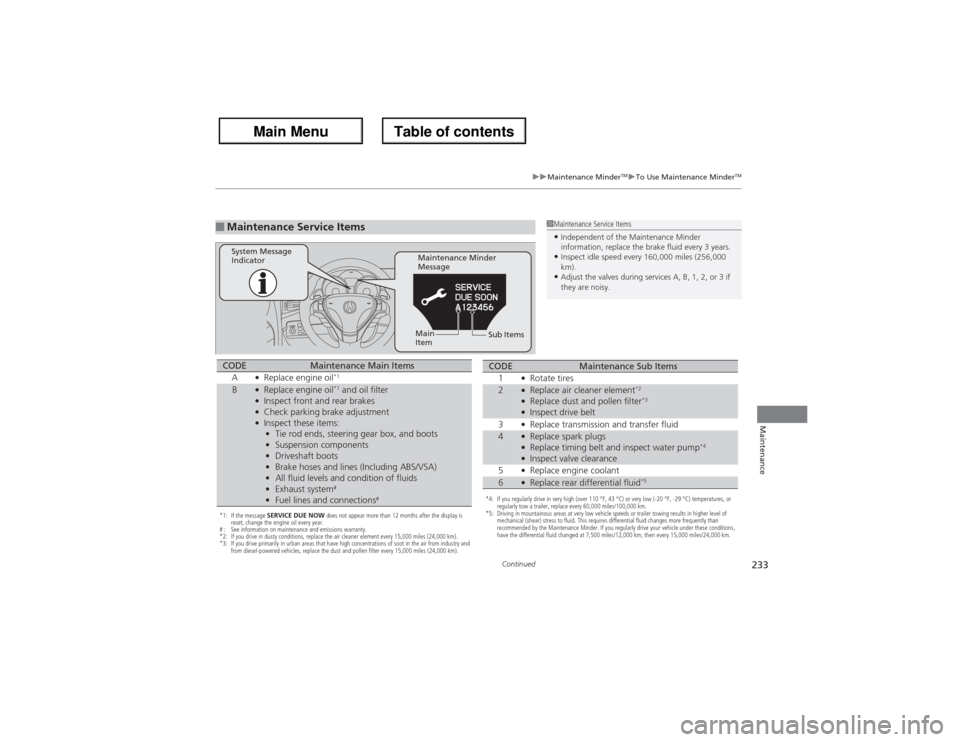
■Maintenance Service Items
1Maintenance Service Items•Independent of the Maintenance Minder
information, replace the brake fluid every 3 years.•Inspect idle speed every 160,000 miles (256,000
km).•Adjust the valves during services A, B, 1, 2, or 3 if
they are noisy.
Maintenance Minder
Message System Message
Indicator
Sub Items Main
Item
*1: If the message SERVICE DUE NOW does not appear more than 12 months after the display is
reset, change the engine oil every year.
# : See information on maintenance and emissions warranty.
*2: If you drive in dusty conditions, replace the air cleaner element every 15,000 miles (24,000 km).
*3: If you drive primarily in urban areas that have high concentrations of soot in the air from industry and
from diesel-powered vehicles, replace the dust and pollen filter every 15,000 miles (24,000 km).CODE
Maintenance Main Items
A
●Replace engine oil
*1
B
●Replace engine oil
*1 and oil filter
●Inspect front and rear brakes●Check parking brake adjustment●Inspect these items:
•Tie rod ends, steering gear box, and boots
•Suspension components
•Driveshaft boots
•Brake hoses and lines (Including ABS/VSA)
•All fluid levels and condition of fluids
•Exhaust system
#
•Fuel lines and connections
#
*4: If you regularly drive in very high (over 110 °F, 43 °C) or very low (-20 °F, -29 °C) temperatures, or
regularly tow a trailer, replace every 60,000 miles/100,000 km.
*5: Driving in mountainous areas at very low vehicle speeds or trailer towing results in higher level of
mechanical (shear) stress to fluid. This requires differential fluid changes more frequently than
recommended by the Maintenance Minder. If you regularly drive your vehicle under these conditions,
have the differential fluid changed at 7,500 miles/12,000 km, then every 15,000 miles/24,000 km.CODE
Maintenance Sub Items
1
●Rotate tires
2
●Replace air cleaner element
*2
●Replace dust and pollen filter
*3
●Inspect drive belt
3●Replace transmission and transfer fluid
4
●Replace spark plugs●Replace timing belt and inspect water pump
*4
●Inspect valve clearance
5●Replace engine coolant
6
●Replace rear differential fluid
*5
Page 235 of 324
uuMaintenance Minder
TMuTo Use Maintenance Minder
TM
234Maintenance
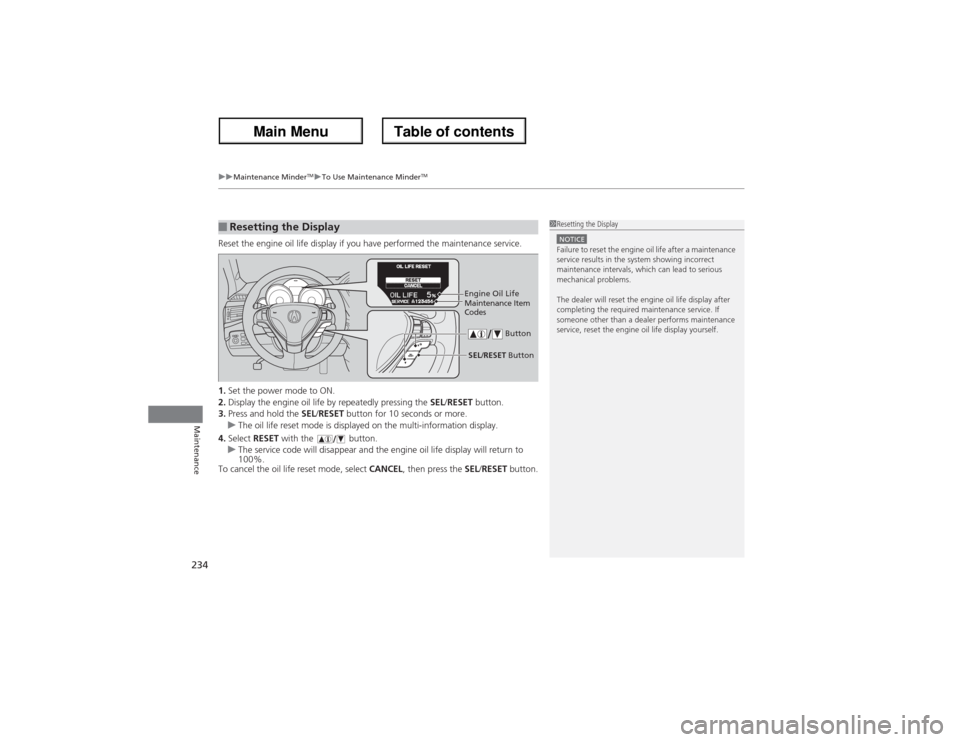
Reset the engine oil life display if you have performed the maintenance service.
1.Set the power mode to ON.
2.Display the engine oil life by repeatedly pressing the SEL/RESET button.
3.Press and hold the SEL/RESET button for 10 seconds or more.
uThe oil life reset mode is displayed on the multi-information display.
4.Select RESET with the button.
uThe service code will disappear and the engine oil life display will return to
100%.
To cancel the oil life reset mode, select CANCEL, then press the SEL/RESET button.■Resetting the Display
1Resetting the DisplayNOTICEFailure to reset the engine oil life after a maintenance
service results in the system showing incorrect
maintenance intervals, which can lead to serious
mechanical problems.
The dealer will reset the engine oil life display after
completing the required maintenance service. If
someone other than a dealer performs maintenance
service, reset the engine oil life display yourself.
Engine Oil Life
SEL/RESET Button ButtonMaintenance Item
Codes
Page 268 of 324
267Maintenance
BatteryChecking the BatteryCheck the battery condition monthly. Look at the test indicator window and check
the terminals for corrosion.
If your vehicle’s battery is disconnected or goes dead:
•The audio system is disabled.
2Refer to the Navigation Manual
•The clock resets.
2Refer to the Navigation Manual
•The navigation system is disabled. A PIN code will be required.
2Refer to the Navigation Manual
Charging the BatteryDisconnect both battery cables to prevent damaging your vehicle’s electrical system.
Always disconnect the negative (–) cable first, and reconnect it last.
1BatteryWARNING: Battery post, terminals,
and related accessories contain lead
and lead compounds.
Wash your hands after handling.When you find corrosion, clean the battery terminals
by applying a baking powder and water solution.
Clean terminals with a damp towel. Cloth/towel dry
the battery. Coat the terminals with grease to help
prevent future corrosion.
3
WARNING
The battery gives off explosive hydrogen
gas during normal operation.
A spark or flame can cause the battery to
explode with enough force to kill or
seriously hurt you.
When conducting any battery
maintenance, wear protective clothing and
a face shield, or have a skilled technician do
it.