warning light Acura ZDX 2013 User Guide
[x] Cancel search | Manufacturer: ACURA, Model Year: 2013, Model line: ZDX, Model: Acura ZDX 2013Pages: 324, PDF Size: 8.58 MB
Page 163 of 324
uuInterior Lights/Interior Convenience ItemsuInterior Convenience Items
162Controls
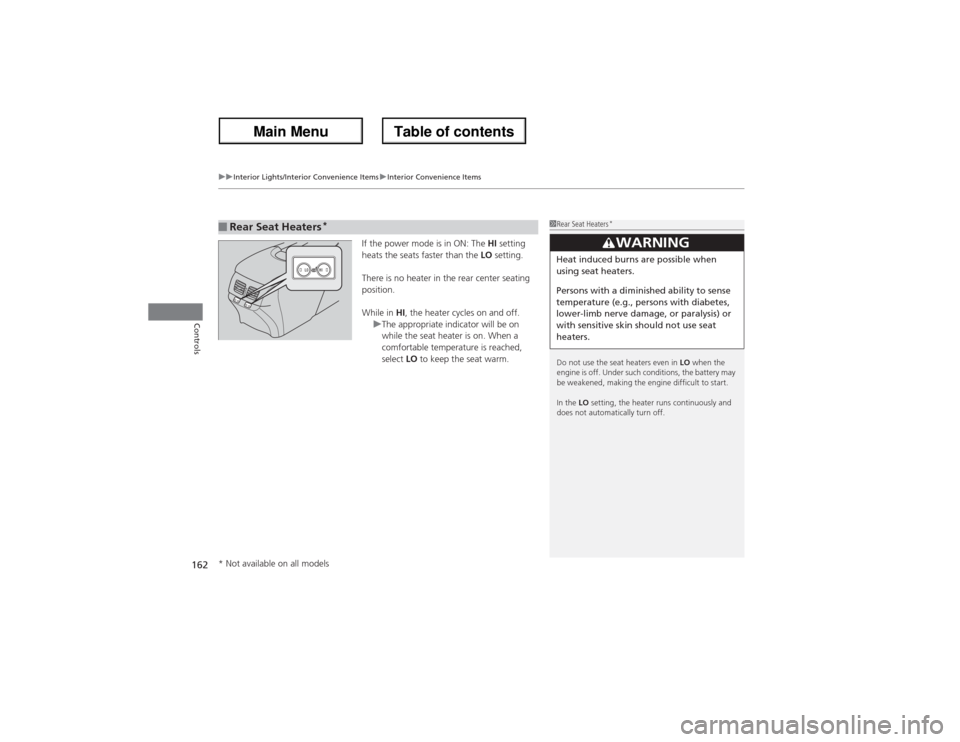
If the power mode is in ON: The HI setting
heats the seats faster than the LO setting.
There is no heater in the rear center seating
position.
While in HI, the heater cycles on and off.
uThe appropriate indicator will be on
while the seat heater is on. When a
comfortable temperature is reached,
select LO to keep the seat warm.
■Rear Seat Heaters
*
1Rear Seat Heaters
*
Do not use the seat heaters even in LO when the
engine is off. Under such conditions, the battery may
be weakened, making the engine difficult to start.
In the LO setting, the heater runs continuously and
does not automatically turn off.
3
WARNING
Heat induced burns are possible when
using seat heaters.
Persons with a diminished ability to sense
temperature (e.g., persons with diabetes,
lower-limb nerve damage, or paralysis) or
with sensitive skin should not use seat
heaters.
* Not available on all models
Page 199 of 324
198
uuWhen DrivinguForward Collision Warning (FCW)
Driving
FCW may not activate or may not detect a vehicle in front of your vehicle, and may activate even when you are aware of a vehicle ahead
of you, or when there is no vehicle ahead under the following conditions.■FCW Limitations
Condition
●The distance between your vehicle and the vehicle ahead of you is too short.●A vehicle cuts in front of you at a slow speed, and it brakes suddenly.●A vehicle suddenly crosses in front of you.●When either your vehicle or the vehicle ahead of you accelerates rapidly.●The vehicle ahead of you is a motorcycle, a small vehicle, or a unique vehicle such as a tractor.●When you drive off-road or on a mountain road, or curved and winding road for an extended period that makes it difficult for the sensor/camera to
properly detect a vehicle in front of you.●When there are pedestrians or animals in front of your vehicle.●When you drive in bad weather (rain, fog, etc.).●A heavy load in the rear or modifications to the suspension tilts your vehicle.●An abnormal tire condition is detected (wrong tire size, flat tire, etc.).●When the windshield is blocked by dirt, mud, leaves, wet snow, etc.●When the temperature inside the system is high.●A sudden change between light and dark such as an entrance or exit of a tunnel.●You drive into the sunlight (e.g. at dawn or dusk).●When the windshield is dirty or cloudy.●When streetlights are perceived as the taillight of a vehicle in front of yours.●When driving at night, the vehicle ahead of you is running with either taillight bulb burned out.●When you drive in the shadows of trees, buildings, etc.●When your vehicle is towing a trailer.
Page 201 of 324
uuWhen DrivinguLane Departure Warning (LDW)
200Driving
The system begins to search for lane markings when all the following conditions are met:
•The vehicle is traveling between at 40-90 mph (64-145 km/h).
•The vehicle is on a straight or slightly curved road.
•The turn signals are off.
•The brake pedal is not pressed.
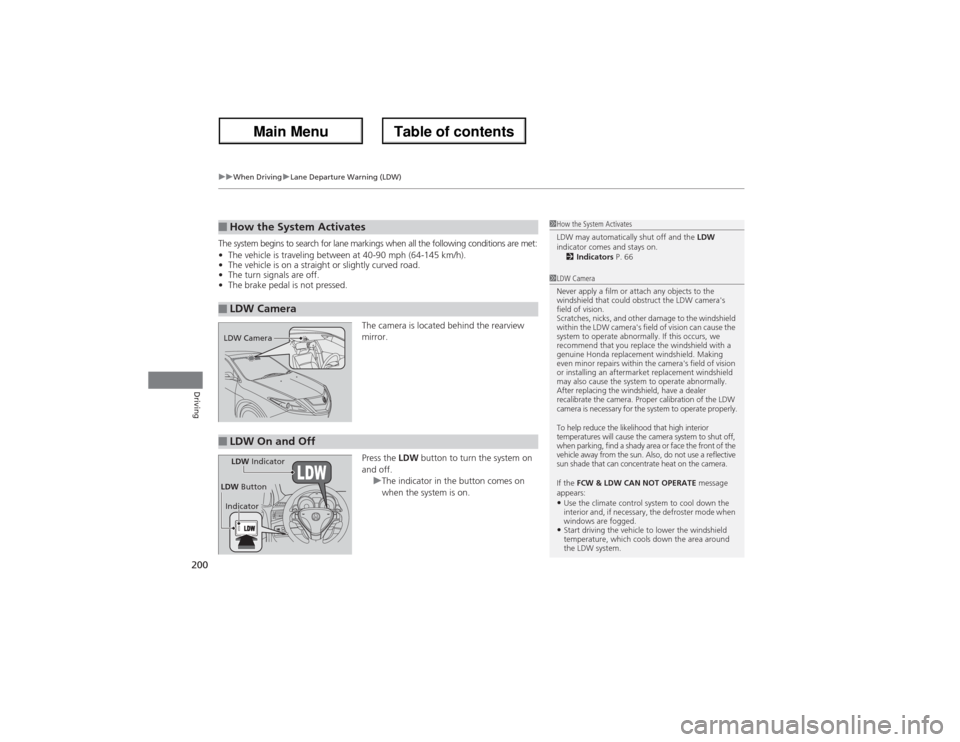
The camera is located behind the rearview
mirror.
Press the LDW button to turn the system on
and off.
uThe indicator in the button comes on
when the system is on.■How the System Activates■LDW Camera
1How the System Activates
LDW may automatically shut off and the LDW
indicator comes and stays on.
2Indicators P. 661LDW Camera
Never apply a film or attach any objects to the
windshield that could obstruct the LDW camera's
field of vision.
Scratches, nicks, and other damage to the windshield
within the LDW camera's field of vision can cause the
system to operate abnormally. If this occurs, we
recommend that you replace the windshield with a
genuine Honda replacement windshield. Making
even minor repairs within the camera's field of vision
or installing an aftermarket replacement windshield
may also cause the system to operate abnormally.
After replacing the windshield, have a dealer
recalibrate the camera. Proper calibration of the LDW
camera is necessary for the system to operate properly.
To help reduce the likelihood that high interior
temperatures will cause the camera system to shut off,
when parking, find a shady area or face the front of the
vehicle away from the sun. Also, do not use a reflective
sun shade that can concentrate heat on the camera.
If the FCW & LDW CAN NOT OPERATE message
appears:•Use the climate control system to cool down the
interior and, if necessary, the defroster mode when
windows are fogged.•Start driving the vehicle to lower the windshield
temperature, which cools down the area around
the LDW system.
LDW Camera■LDW On and OffLDW Indicator
IndicatorLDW Button
Page 202 of 324
201
uuWhen DrivinguLane Departure Warning (LDW)
Driving
LDW may not activate or may not recognize lanes, and may activate even when
keeping in the middle of a lane under the following conditions.■LDW Limitations
Condition
●When you drive in bad weather (rain, fog, etc.).●A heavy load in the rear or modifications to the suspension tilts your vehicle.●An abnormal tire condition is detected (wrong tire size, flat tire, etc.).●When the windshield is blocked by dirt, mud, leaves, wet snow, etc.●When the temperature inside the system is high.●A sudden change between light and dark such as an entrance or exit of a tunnel.●You drive into the sunlight (e.g. at dawn or dusk).●When the windshield is dirty or cloudy.●When you drive in the shadows of trees, buildings, etc.●When your vehicle is towing a trailer.●When you drive on a wet road surface following another vehicle.uThe camera may perceive the tire tracks in the water as lane lines.
●When there is snow or wheel tracks on the side of the road.●When the road has many repaired area or an erased lane line.●When the vehicle is running over painted signs or crosswalk markings.●When you drive in a lane with specific lane markups (e.g., bots-dots).
Page 278 of 324
277
Continued
Handling the Unexpected
If a Tire Goes FlatChanging a Flat TireIf a tire goes flat while driving, grasp the steering wheel firmly, and brake gradually
to reduce speed. Then, stop in a safe place. Replace the flat tire with a compact
spare tire. Go to a dealer as soon as possible to have the full-size tire repaired or
replaced.
1.Park the vehicle on firm, level, non-slippery surface and apply the parking brake.
2.Move the shift lever to
(P.
3.Turn on the hazard warning lights and set the power mode to VEHICLE OFF
(LOCK).
1Changing a Flat Tire
Periodically check the tire pressure of the compact
spare. It should be set to the specified pressure.
Specified Pressure: 60 psi (420 kPa, 4.2 kgf/cm
2)
When driving with the compact spare tire, keep the
vehicle speed under 50 mph (80 km/h). Replace with
a full-size tire as soon as possible.
The compact spare tire and wheel in your vehicle are
specifically for this model.
Do not use them with another vehicle.
Do not use another type of compact spare tire or
wheel with your vehicle.
Do not mount tire chains on a compact spare tire.
If a chain-mounted front tire goes flat, remove one of
the full-size rear tires and replace it with the compact
spare tire. Remove the flat front tire and replace it
with the full-size tire that was removed from the rear.
Mount the tire chains on the front tire.
Do not use a puncture-repairing agent on a flat tire,
as it can damage the tire pressure sensor.
Page 288 of 324
287
Continued
Handling the Unexpected
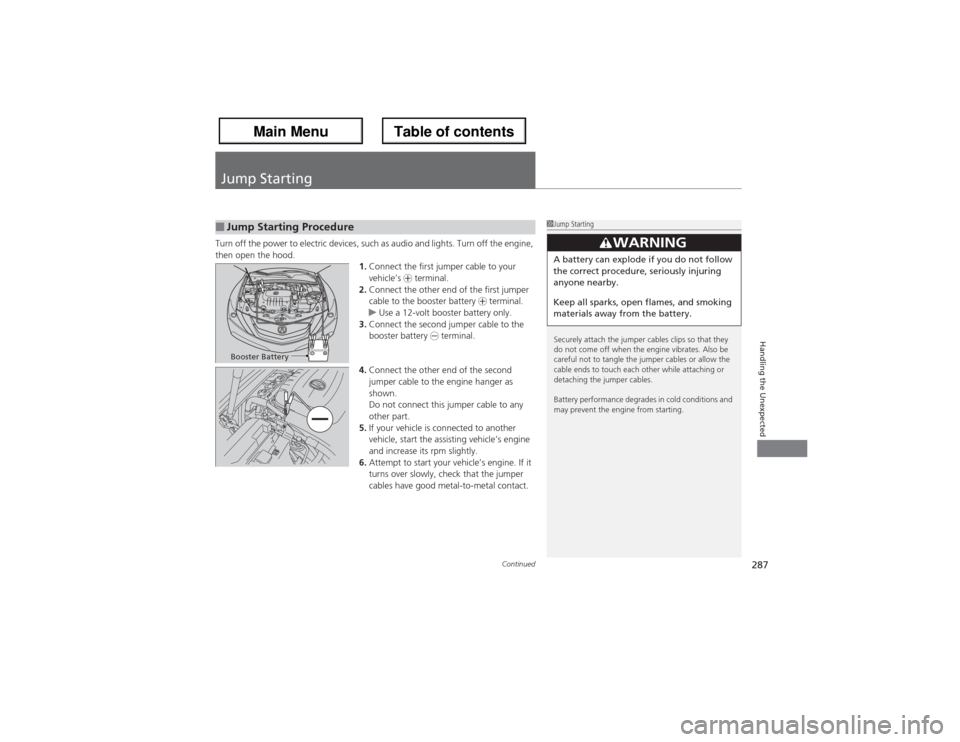
Jump StartingTurn off the power to electric devices, such as audio and lights. Turn off the engine,
then open the hood.
1.Connect the first jumper cable to your
vehicle’s + terminal.
2.Connect the other end of the first jumper
cable to the booster battery + terminal.
uUse a 12-volt booster battery only.
3.Connect the second jumper cable to the
booster battery - terminal.
4.Connect the other end of the second
jumper cable to the engine hanger as
shown.
Do not connect this jumper cable to any
other part.
5.If your vehicle is connected to another
vehicle, start the assisting vehicle’s engine
and increase its rpm slightly.
6.Attempt to start your vehicle’s engine. If it
turns over slowly, check that the jumper
cables have good metal-to-metal contact.■Jump Starting Procedure
1Jump Starting
Securely attach the jumper cables clips so that they
do not come off when the engine vibrates. Also be
careful not to tangle the jumper cables or allow the
cable ends to touch each other while attaching or
detaching the jumper cables.
Battery performance degrades in cold conditions and
may prevent the engine from starting.
3
WARNING
A battery can explode if you do not follow
the correct procedure, seriously injuring
anyone nearby.
Keep all sparks, open flames, and smoking
materials away from the battery.
Booster Battery
Page 291 of 324
290Handling the Unexpected
OverheatingHow to Handle OverheatingOverheating symptoms are as follows:
•The temperature gauge needle is at the mark or the engine suddenly loses
power.
•Steam is coming out of the engine compartment.■First thing to do
1.Immediately park the vehicle in a safe place.
2.Turn off all accessories and turn on the hazard warning lights.
uNo steam or spray present: keep the engine running and open the hood.
uSteam or spray is present: turn off the engine and wait until it subsides.
Then open the hood.
1How to Handle OverheatingNOTICEContinuing to drive with the temperature gauge
needle at the mark may damage the engine.
3
WARNING
Steam and spray from an overheated
engine can seriously scald you.
Do not open the hood if steam is coming
out.
H
H
Page 293 of 324
292Handling the Unexpected
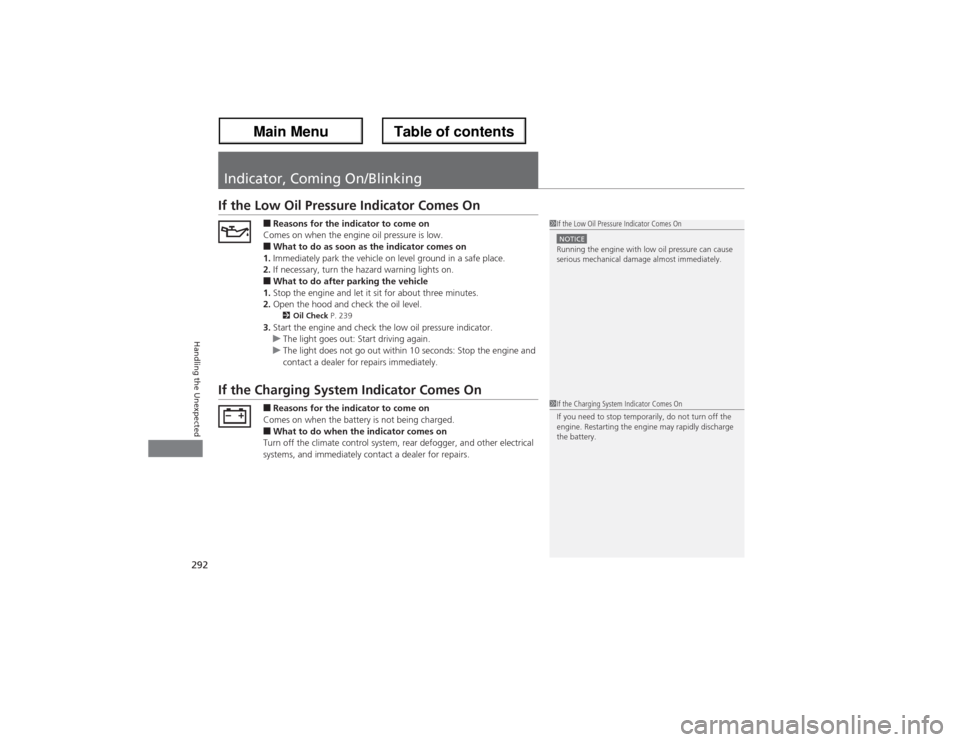
Indicator, Coming On/BlinkingIf the Low Oil Pressure Indicator Comes On
■Reasons for the indicator to come on
Comes on when the engine oil pressure is low.■What to do as soon as the indicator comes on
1.Immediately park the vehicle on level ground in a safe place.
2.If necessary, turn the hazard warning lights on.■What to do after parking the vehicle
1.Stop the engine and let it sit for about three minutes.
2.Open the hood and check the oil level.2Oil Check P. 239
3.Start the engine and check the low oil pressure indicator.
uThe light goes out: Start driving again.
uThe light does not go out within 10 seconds: Stop the engine and
contact a dealer for repairs immediately.
If the Charging System Indicator Comes On
■Reasons for the indicator to come on
Comes on when the battery is not being charged.■What to do when the indicator comes on
Turn off the climate control system, rear defogger, and other electrical
systems, and immediately contact a dealer for repairs.
1If the Low Oil Pressure Indicator Comes OnNOTICERunning the engine with low oil pressure can cause
serious mechanical damage almost immediately.1If the Charging System Indicator Comes On
If you need to stop temporarily, do not turn off the
engine. Restarting the engine may rapidly discharge
the battery.
Page 319 of 324
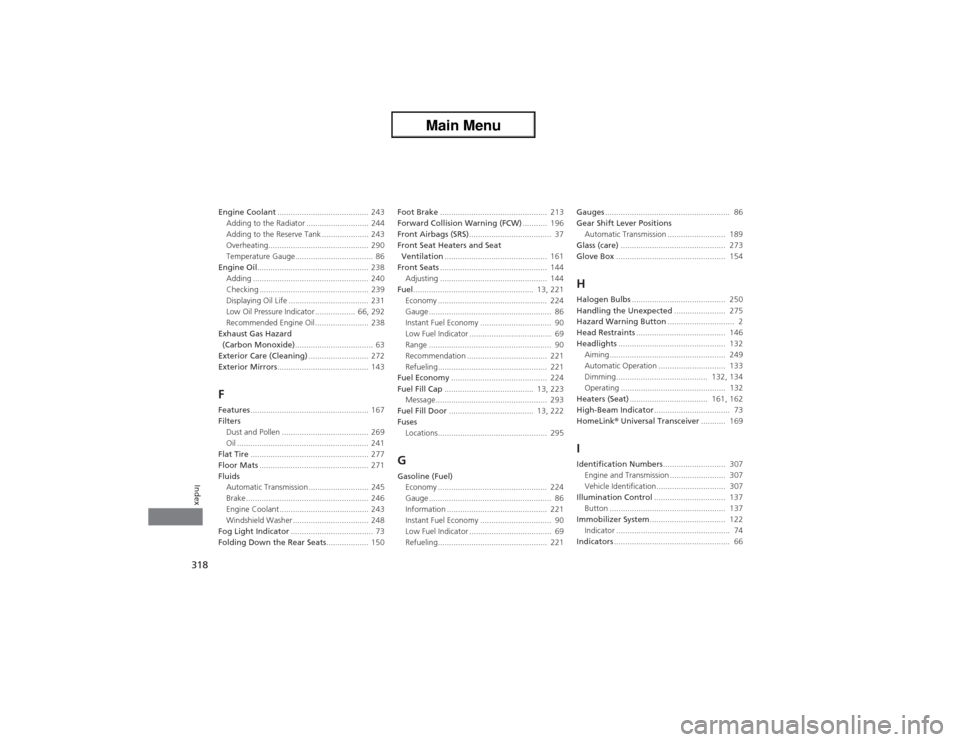
318Index
Engine Coolant......................................... 243
Adding to the Radiator ............................ 244
Adding to the Reserve Tank ..................... 243
Overheating............................................. 290
Temperature Gauge................................... 86
Engine Oil.................................................. 238
Adding .................................................... 240
Checking ................................................. 239
Displaying Oil Life .................................... 231
Low Oil Pressure Indicator .................. 66, 292
Recommended Engine Oil ........................ 238
Exhaust Gas Hazard
(Carbon Monoxide)................................... 63
Exterior Care (Cleaning)........................... 272
Exterior Mirrors......................................... 143FFeatures..................................................... 167
Filters
Dust and Pollen ....................................... 269
Oil ........................................................... 241
Flat Tire..................................................... 277
Floor Mats................................................. 271
Fluids
Automatic Transmission ........................... 245
Brake ....................................................... 246
Engine Coolant ........................................ 243
Windshield Washer .................................. 248
Fog Light Indicator..................................... 73
Folding Down the Rear Seats................... 150Foot Brake................................................ 213
Forward Collision Warning (FCW)........... 196
Front Airbags (SRS)..................................... 37
Front Seat Heaters and Seat
Ventilation.............................................. 161
Front Seats................................................ 144
Adjusting ................................................ 144
Fuel...................................................... 13, 221
Economy ................................................. 224
Gauge ....................................................... 86
Instant Fuel Economy ................................ 90
Low Fuel Indicator ..................................... 69
Range ....................................................... 90
Recommendation .................................... 221
Refueling................................................. 221
Fuel Economy........................................... 224
Fuel Fill Cap........................................ 13, 223
Message.................................................. 293
Fuel Fill Door...................................... 13, 222
Fuses
Locations................................................. 295
GGasoline (Fuel)
Economy ................................................. 224
Gauge ....................................................... 86
Information ............................................. 221
Instant Fuel Economy ................................ 90
Low Fuel Indicator ..................................... 69
Refueling................................................. 221Gauges........................................................ 86
Gear Shift Lever Positions
Automatic Transmission .......................... 189
Glass (care)............................................... 273
Glove Box................................................. 154
HHalogen Bulbs.......................................... 250
Handling the Unexpected....................... 275
Hazard Warning Button.............................. 2
Head Restraints........................................ 146
Headlights................................................ 132
Aiming.................................................... 249
Automatic Operation .............................. 133
Dimming......................................... 132, 134
Operating ............................................... 132
Heaters (Seat)................................... 161, 162
High-Beam Indicator.................................. 73
HomeLink® Universal Transceiver........... 169IIdentification Numbers............................ 307
Engine and Transmission ......................... 307
Vehicle Identification............................... 307
Illumination Control................................ 137
Button .................................................... 137
Immobilizer System.................................. 122
Indicator ................................................... 74
Indicators.................................................... 66
Page 320 of 324
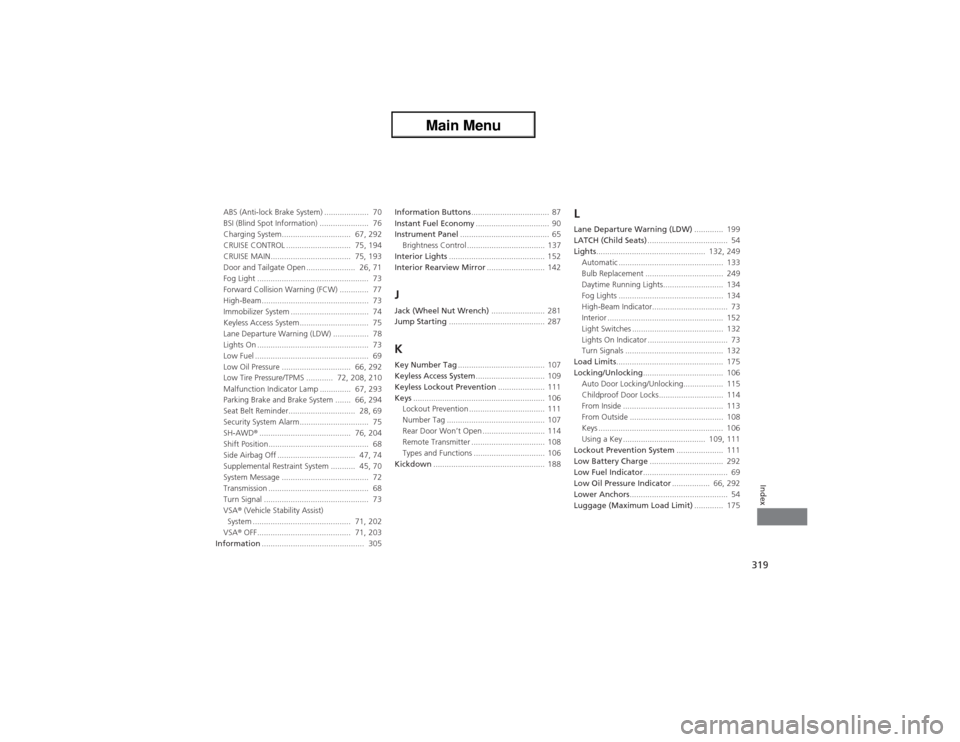
319Index
ABS (Anti-lock Brake System) .................... 70
BSI (Blind Spot Information) ...................... 76
Charging System............................... 67, 292
CRUISE CONTROL ............................. 75, 194
CRUISE MAIN.................................... 75, 193
Door and Tailgate Open ...................... 26, 71
Fog Light .................................................. 73
Forward Collision Warning (FCW) ............. 77
High-Beam................................................ 73
Immobilizer System ................................... 74
Keyless Access System............................... 75
Lane Departure Warning (LDW) ................ 78
Lights On .................................................. 73
Low Fuel ................................................... 69
Low Oil Pressure ............................... 66, 292
Low Tire Pressure/TPMS ............ 72, 208, 210
Malfunction Indicator Lamp .............. 67, 293
Parking Brake and Brake System ....... 66, 294
Seat Belt Reminder.............................. 28, 69
Security System Alarm............................... 75
SH-AWD®......................................... 76, 204
Shift Position............................................. 68
Side Airbag Off ................................... 47, 74
Supplemental Restraint System ........... 45, 70
System Message ....................................... 72
Transmission ............................................. 68
Turn Signal ............................................... 73
VSA® (Vehicle Stability Assist)
System ............................................ 71, 202
VSA® OFF.......................................... 71, 203
Information.............................................. 305Information Buttons................................... 87
Instant Fuel Economy................................. 90
Instrument Panel........................................ 65
Brightness Control ................................... 137
Interior Lights........................................... 152
Interior Rearview Mirror.......................... 142
JJack (Wheel Nut Wrench)........................ 281
Jump Starting........................................... 287KKey Number Tag....................................... 107
Keyless Access System............................... 109
Keyless Lockout Prevention..................... 111
Keys........................................................... 106
Lockout Prevention .................................. 111
Number Tag ............................................ 107
Rear Door Won’t Open ............................ 114
Remote Transmitter ................................. 108
Types and Functions ................................ 106
Kickdown.................................................. 188
LLane Departure Warning (LDW)............. 199
LATCH (Child Seats).................................... 54
Lights................................................. 132, 249
Automatic ............................................... 133
Bulb Replacement ................................... 249
Daytime Running Lights........................... 134
Fog Lights ............................................... 134
High-Beam Indicator.................................. 73
Interior .................................................... 152
Light Switches ......................................... 132
Lights On Indicator .................................... 73
Turn Signals ............................................ 132
Load Limits................................................ 175
Locking/Unlocking.................................... 106
Auto Door Locking/Unlocking.................. 115
Childproof Door Locks............................. 114
From Inside ............................................. 113
From Outside .......................................... 108
Keys ........................................................ 106
Using a Key ..................................... 109, 111
Lockout Prevention System..................... 111
Low Battery Charge................................. 292
Low Fuel Indicator...................................... 69
Low Oil Pressure Indicator................. 66, 292
Lower Anchors............................................ 54
Luggage (Maximum Load Limit)............. 175