engine Alfa Romeo Giulia 2016 Owner's Guide
[x] Cancel search | Manufacturer: ALFA ROMEO, Model Year: 2016, Model line: Giulia, Model: Alfa Romeo Giulia 2016Pages: 204, PDF Size: 4.95 MB
Page 71 of 204
47)The capability of the TC must never be
tested irresponsibly and dangerously, in
such a way as to compromise personal
safety and the safety of others.
48)The PBA system cannot overrule the
natural laws of physics, and cannot increase
the grip available according to the condition
of the road.
49)The PBA system cannot prevent
accidents, including those due to excessive
speed on corners, driving on low-grip
surfaces or aquaplaning.
50)The capability of the PBA system must
never be tested irresponsibly and
dangerously, in such a way as to compromise
the safety of the driver, the other occupants
of the vehicle or any other road user.
51)The HSA system is not a parking brake;
therefore, never leave the vehicle without
having engaged the electric parking brake,
turned the engine off and engaged first gear,
so that it is parked in safe conditions.
52)There may be situations on small
gradients (less than 8%), with vehicle laden,
in which the Hill Start Assist system may not
activate, causing a slight reversing motion
and increasing the risk of collision with
another vehicle or object. The driver is, in any
case, responsible for safe driving.
53)The AST system is an aid for driving and
does not relieve the driver of responsibility
for driving the vehicle.DRIVING ASSISTANCE
SYSTEMS
The vehicle can feature the following
driving assistance systems:
BSM (Blind Spot Monitoring);
FCW (Forward Collision Warning);
TPMS (Tyre Pressure Monitoring
System).
For the operation of the systems, see the
following pages.
BSM (Blind Spot Monitoring)SYSTEM
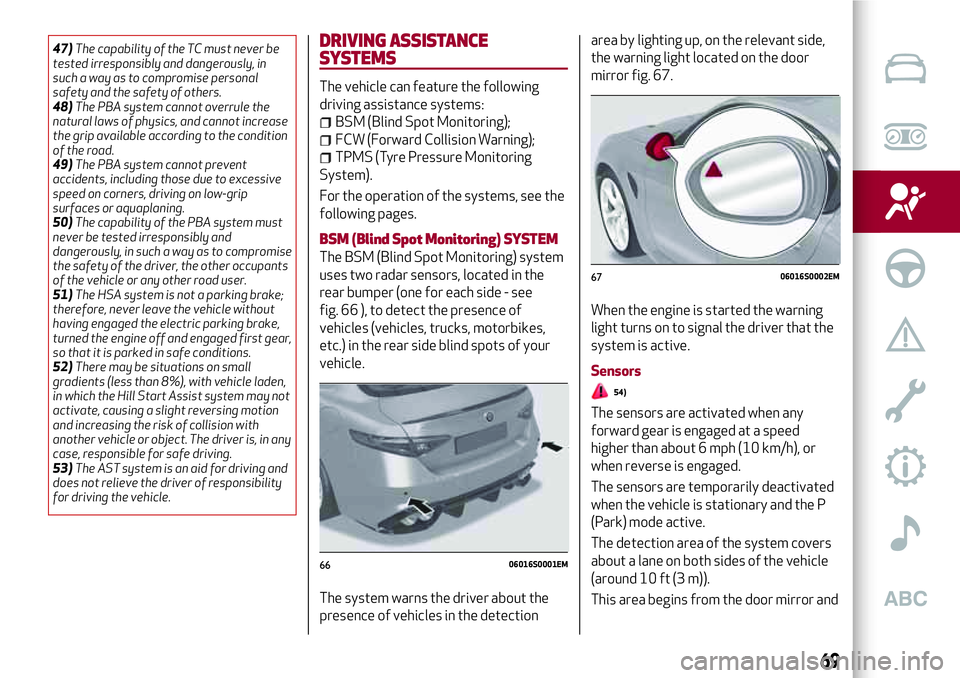
The BSM (Blind Spot Monitoring) system
uses two radar sensors, located in the
rear bumper (one for each side - see
fig. 66 ), to detect the presence of
vehicles (vehicles, trucks, motorbikes,
etc.) in the rear side blind spots of your
vehicle.
The system warns the driver about the
presence of vehicles in the detectionarea by lighting up, on the relevant side,
the warning light located on the door
mirror fig. 67.
When the engine is started the warning
light turns on to signal the driver that the
system is active.
Sensors
54)
The sensors are activated when any
forward gear is engaged at a speed
higher than about 6 mph (10 km/h), or
when reverse is engaged.
The sensors are temporarily deactivated
when the vehicle is stationary and the P
(Park) mode active.
The detection area of the system covers
about a lane on both sides of the vehicle
(around 10 ft (3 m)).
This area begins from the door mirror and
6606016S0001EM
6706016S0002EM
69
Page 73 of 204
indicators, thus indicating the intention
to change lane.
The warning will be fixed if the driver
stays on the same lane.
"Blind spot alert" function deactivation
When the system is deactivated ("Blind
Spot Alert" mode at "OFF"), the BSM or
RCP systems will not emit neither
acoustic warnings.
The BSM system will store the operating
mode running when the engine was
stopped. Each time the engine is started,
the operating mode stored previously will
be recalled and used.
FORWARD COLLISION WARNING (FCW)
SYSTEM
54) 55) 56) 57) 58) 59)
19) 20) 21) 22) 23) 24) 25) 26) 27)
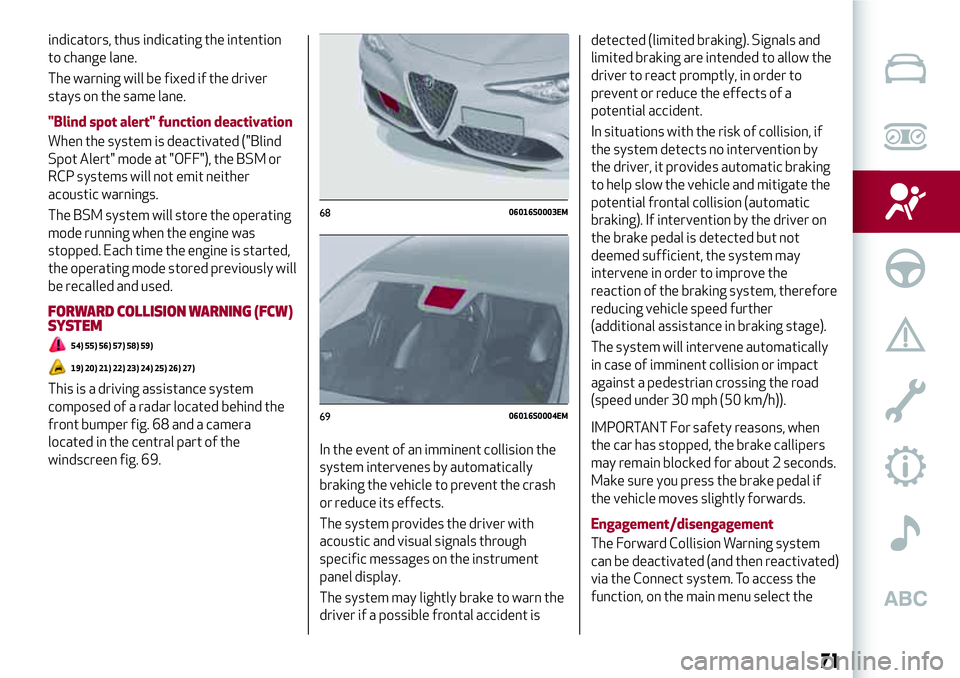
This is a driving assistance system
composed of a radar located behind the
front bumper fig. 68 and a camera
located in the central part of the
windscreen fig. 69.In the event of an imminent collision the
system intervenes by automatically
braking the vehicle to prevent the crash
or reduce its effects.
The system provides the driver with
acoustic and visual signals through
specific messages on the instrument
panel display.
The system may lightly brake to warn the
driver if a possible frontal accident isdetected (limited braking). Signals and
limited braking are intended to allow the
driver to react promptly, in order to
prevent or reduce the effects of a
potential accident.
In situations with the risk of collision, if
the system detects no intervention by
the driver, it provides automatic braking
to help slow the vehicle and mitigate the
potential frontal collision (automatic
braking). If intervention by the driver on
the brake pedal is detected but not
deemed sufficient, the system may
intervene in order to improve the
reaction of the braking system, therefore
reducing vehicle speed further
(additional assistance in braking stage).
The system will intervene automatically
in case of imminent collision or impact
against a pedestrian crossing the road
(speed under 30 mph (50 km/h)).
IMPORTANT For safety reasons, when
the car has stopped, the brake callipers
may remain blocked for about 2 seconds.
Make sure you press the brake pedal if
the vehicle moves slightly forwards.
Engagement/disengagement
The Forward Collision Warning system
can be deactivated (and then reactivated)
via the Connect system. To access the
function, on the main menu select the
6806016S0003EM
6906016S0004EM
71
Page 74 of 204
following items in sequence: "Settings",
"Safety", "Forward Collision Warning" and
"Status".
The system can be deactivated even with
the ignition device ON.
IMPORTANT The system status can be
changed with vehicle at a standstill only.
Activation/deactivation
The Forward Collision Warning system is
activated whenever the engine is started
regardless of that shown on the Connect
system.
Following a deactivation, the system will
not warn the driver about the possible
collision with the preceding vehicle,
regardless of the setting selected with
the Connect system.
IMPORTANT Each time the engine is
started, the system is activated
regardless of where was when it was
previously switched off.
This function is not active at a speed
lower than 4 mph (7 km/h) or higher than
125 mph (200 km/h).
The system is active when:
each time the engine is started;
is active (ON) on the Connect system;
the ignition device is at ON;
the vehicle speed is between 4 (7) and
125 mph (200 km/h);
the front seat belts are fastened;
the "Alfa DNA™ Pro" selector is not in
RACE position (where present).
Changing the system sensitivity
The sensitivity of the system can be
changed through the Connect system
menu, choosing from one of the following
three options: "Near", "Med" or "Far". See
the description in the Connect system
supplement for how to change the
settings.
The pre-set option is "Med". With this
setting, the system warns the driver of a
possible collision with the vehicle in front
when that vehicle is at a standard
distance, between that of the other two
settings.
With the system sensitivity set to "Far",
the system will warn the driver of a
possible collision with the vehicle in front
when that vehicle is at a greater distance,
thus providing the possibility of acting on
the brakes more lightly and gradually.
This setting provides the drivers with the
maximum possible reaction time to
prevent a potential accident.
With the option set to "Near", the system
will warn the driver of a possible collision
with the vehicle in front when that vehicle
is close. This setting offers the driver a
lower reaction time compared to the
"Med" and "Far" settings, in the event of a
potential collision, but permits more
dynamic driving of the vehicle.The system sensitivity setting is kept in
the memory when the engine is switched
off.
System limited operation signal
If the dedicated message is displayed, a
condition limiting the system operation
may have occurred. The possible reasons
of this limitation are something blocking
the camera view or a fault.
In this condition it will still be possible to
drive the car normally, but automatic
braking will not be available in the event
of an impending collision.
If an obstruction is signalled, clean the
area of the windscreen indicated in
fig. 69.
When the conditions limiting the system
functions end, this will go back to normal
and complete operation. Should the fault
persist, contact an Alfa Romeo
Dealership.
System failure signalling
If the system switches off and a
dedicated message is shown on the
display, it means that there is a fault on
the system.
In this case, it is still possible to drive the
vehicle, but you are advised to contact an
Alfa Romeo Dealership as soon as
possible.
72
SAFETY
Page 103 of 204
Let’s get to the core of the vehicle: seeing how you can exploit all
of its potential to the full. We’ll look at how to drive it safely in any
situation, so that it can be a welcome companion, with our comfort
and our wallets in mind.
STARTING AND DRIVING
STARTING THE ENGINE..........................102
ELECTRIC PARKING BRAKE . ......................103
MANUAL GEARBOX . ...........................105
AUTOMATIC TRANSMISSION......................106
"ALFA DNA™" SYSTEM..........................109
START&STOPEVO............................110
SPEED LIMITER..............................111
CRUISE CONTROL.............................112
PARK SENSORS SYSTEM........................113
LANE DEPARTURE WARNING (LDW) SYSTEM............116
REAR BACK-UP CAMERA / DYNAMIC GRIDLINES . ........117
REFUELLING THE VEHICLE . . .....................118
Page 104 of 204
STARTING THE ENGINE
STARTING THE ENGINE
Before starting the engine, adjust the
seat, the interior rear view mirrors, the
door mirrors and fasten the seat belt
correctly.
Never press the accelerator pedal for
starting the engine.
If necessary, messages indicating the
starting procedure can be shown on the
display.
100) 101) 102)
30) 31) 32)
Versions with manual gearbox
Proceed as follows:
engage the parking brake and set the
gear in neutral, on diesel versions turn the
ignition switch to ON, the
symbol will
appear on the instrument panel: wait until
it goes off;
fully depress the clutch pedal, without
touching the accelerator;
briefly press the ignition button;
if the engine doesn't start within a few
seconds, you need to repeat the procedure.
if the problem persists, contact an Alfa
Romeo Dealership.Versions with automatic transmission
Proceed as follows:
engage the electric parking brake and
set the gear lever to P (Park) or N
(Neutral),
fully depress the brake pedal without
touching the accelerator;
briefly press the ignition button;
if the engine doesn't start within a few
seconds, you need to repeat the procedure.
if the problem persists, contact an Alfa
Romeo Dealership.
ENGINE STARTING FAILURE
Starting the engine with electronic key
battery (Keyless Start) run down or flat
If the ignition device does not respond
when the relevant button is pressed the
electronic key battery might be run down
or flat. Therefore, the system does not
detect the presence of the electronic key
on board the vehicle and displays a
dedicated message.
STOPPING THE ENGINE
33)
To stop the engine, proceed as follows:
park the vehicle in a position that is not
dangerous for oncoming traffic;
engage a gear (versions with manual
gearbox) or select P (Park) mode
(versions with automatic transmission);
with engine idling, press the start
button.Vehicles with electronic key (Keyless
Start)
If the vehicle speed is above 5 mph
(8 km/h), it is still possible to switch off
the engine by selecting an operating
mode other than P (Park). To switch off
the engine in this situation, hold down the
ignition device button for a while or press
it 3 times in a row within a few seconds.
WARNING
100)It is dangerous to run the engine in
enclosed areas. The engine takes in oxygen
and releases carbon dioxide, carbon
monoxide and other toxic gases.
101)The electro-hydraulic braking system
is not active until the engine starts running.
So, the brake pedal travel will be longer than
normal. This does not indicate a fault.
102)Do not start the engine by pushing,
towing or driving downhill. These
manoeuvres may damage the catalytic
converter.
IMPORTANT
30)We recommend that during the initial
period, or during the first 1600 km
(1000 miles), you do not drive to full car
performance (e.g. excessive acceleration,
long journeys at top speed, sharp braking,
etc.).
102
STARTING AND DRIVING
Page 105 of 204
31)When the engine stopped never leave
the ignition device in the ON position to
prevent useless current draw from draining
the battery.
32)Warning light
will flash after starting
or during prolonged cranking to indicate a
fault with the glow plug heating system. If
the engine starts, the vehicle can be regularly
used, but an Alfa Romeo Dealership must be
contacted as soon as possible.
33)A quick burst on the accelerator before
turning off the engine serves absolutely no
practical purpose; it wastes fuel and is
damaging for the engine.
ELECTRIC PARKING BRAKE
The vehicle is equipped with electric
parking brake to guarantee better use
and optimal performance compared to a
manually operated parking brake.
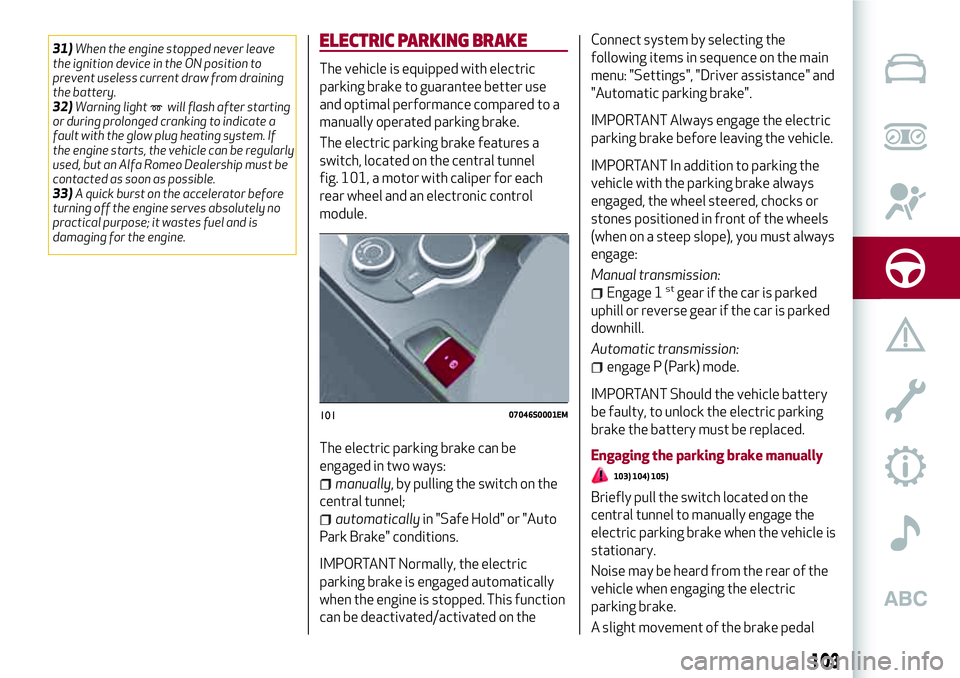
The electric parking brake features a
switch, located on the central tunnel
fig. 101, a motor with caliper for each
rear wheel and an electronic control
module.
The electric parking brake can be
engaged in two ways:
manually, by pulling the switch on the
central tunnel;
automaticallyin "Safe Hold" or "Auto
Park Brake" conditions.
IMPORTANT Normally, the electric
parking brake is engaged automatically
when the engine is stopped. This function
can be deactivated/activated on theConnect system by selecting the
following items in sequence on the main
menu: "Settings", "Driver assistance" and
"Automatic parking brake".
IMPORTANT Always engage the electric
parking brake before leaving the vehicle.
IMPORTANT In addition to parking the
vehicle with the parking brake always
engaged, the wheel steered, chocks or
stones positioned in front of the wheels
(when on a steep slope), you must always
engage:
Manual transmission:
Engage 1stgear if the car is parked
uphill or reverse gear if the car is parked
downhill.
Automatic transmission:
engage P (Park) mode.
IMPORTANT Should the vehicle battery
be faulty, to unlock the electric parking
brake the battery must be replaced.
Engaging the parking brake manually
103) 104) 105)
Briefly pull the switch located on the
central tunnel to manually engage the
electric parking brake when the vehicle is
stationary.
Noise may be heard from the rear of the
vehicle when engaging the electric
parking brake.
A slight movement of the brake pedal
10107046S0001EM
103
Page 107 of 204
central tunnel fig. 101 switches on
together with the warning light
on the
instrument panel when the parking brake
is engaged and applied to the wheels.
Each automatic parking brake
engagement can be cancelled by pressing
the switch on the central tunnel and at
the same time moving the gear lever for
the transmission to position P (Park).
SAFE HOLD
It is a safety function that automatically
engages the electric parking brake in the
event of a dangerous condition for the
vehicle.
If:
the vehicle speed is below 2 mph
(3 km/h);
on vehicles with automatic
transmission, a transmission operating
mode different from P (Park) is activated;
the driver's seat belt is not fastened;
the driver side door is open;
no attempts to apply pressure on the
brake pedal have been detected.
the electric parking brake engages
automatically to prevent vehicle
movement.
The Safe Hold function can be
temporarily disabled by pressing the
switch located on the central tunnel and
the brake pedal at the same time, with
the vehicle stationary and the driver side
door open.Once disabled, the function will activate
again when the vehicle speed reaches
12 mph (20 km/h) or the ignition device is
moved to STOP and then to ON.
WARNING
103)In the case of parking manoeuvres on
roads on a gradient, the front wheels must
be steered towards the pavement (when
parking downhill), or in the opposite
direction if the vehicle is parked uphill. Block
the wheels with a wedge or a stone if the car
is parked on a steep slope.
104)Never leave children alone in an
unattended vehicle; make sure that when
you move away from the vehicle, you have
the key with you.
105)The electric parking brake must
always be engaged when leaving the vehicle.
MANUAL GEARBOX
106)
34)
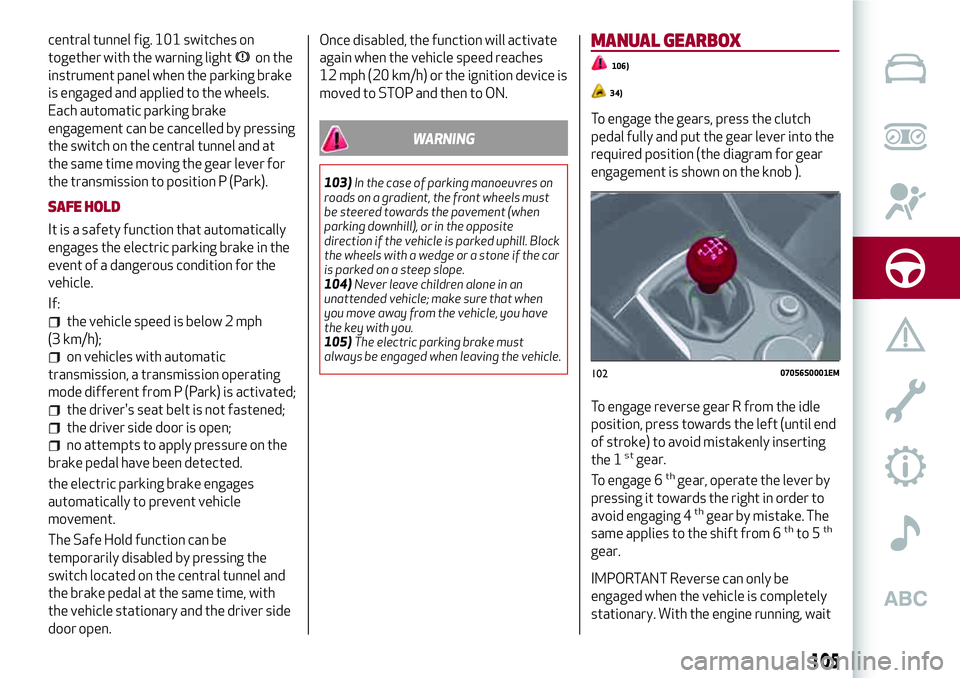
To engage the gears, press the clutch
pedal fully and put the gear lever into the
required position (the diagram for gear
engagement is shown on the knob ).
To engage reverse gear R from the idle
position, press towards the left (until end
of stroke) to avoid mistakenly inserting
the 1
stgear.
To engage 6thgear, operate the lever by
pressing it towards the right in order to
avoid engaging 4
thgear by mistake. The
same applies to the shift from 6thto 5th
gear.
IMPORTANT Reverse can only be
engaged when the vehicle is completely
stationary. With the engine running, wait
10207056S0001EM
105
Page 109 of 204
It is not possible to select N (Neutral)
mode from P (Park) mode.
P (Park) mode is automatically activated
if the following conditions are met
simultaneously:
D (Drive) or R (Reverse) mode is active;
the car’s speed is close to 0;
the brake pedal is released;
the driver’s seat belt is not fastened;
the driver’s door is open.
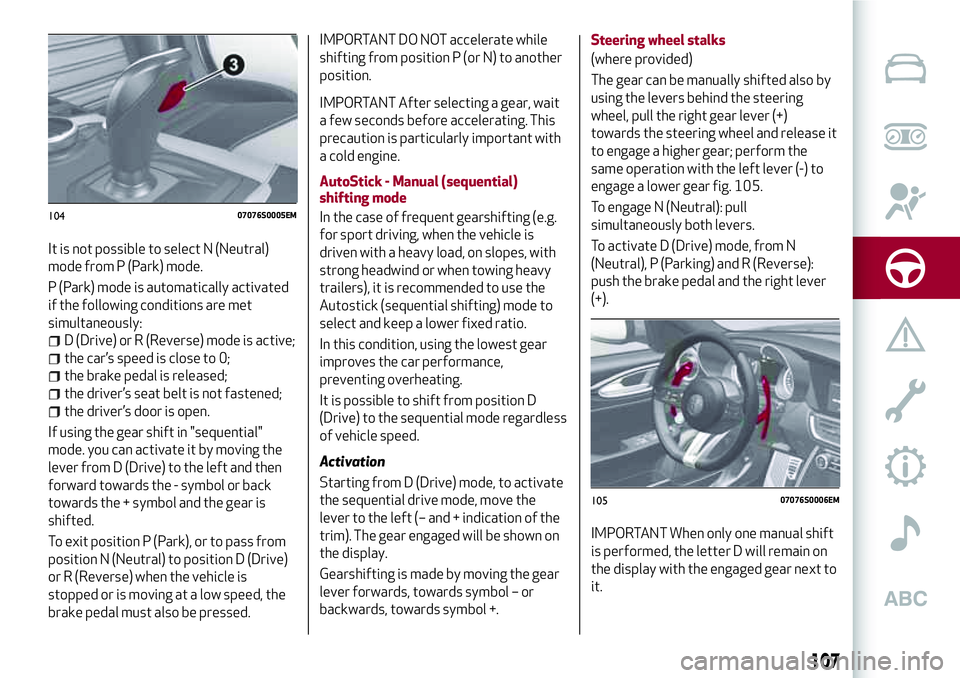
If using the gear shift in "sequential"
mode. you can activate it by moving the
lever from D (Drive) to the left and then
forward towards the - symbol or back
towards the + symbol and the gear is
shifted.
To exit position P (Park), or to pass from
position N (Neutral) to position D (Drive)
or R (Reverse) when the vehicle is
stopped or is moving at a low speed, the
brake pedal must also be pressed.
IMPORTANT DO NOT accelerate while
shifting from position P (or N) to another
position.
IMPORTANT After selecting a gear, wait
a few seconds before accelerating. This
precaution is particularly important with
a cold engine.
AutoStick - Manual (sequential)
shifting mode
In the case of frequent gearshifting (e.g.
for sport driving, when the vehicle is
driven with a heavy load, on slopes, with
strong headwind or when towing heavy
trailers), it is recommended to use the
Autostick (sequential shifting) mode to
select and keep a lower fixed ratio.
In this condition, using the lowest gear
improves the car performance,
preventing overheating.
It is possible to shift from position D
(Drive) to the sequential mode regardless
of vehicle speed.
Activation
Starting from D (Drive) mode, to activate
the sequential drive mode, move the
lever to the left (– and + indication of the
trim). The gear engaged will be shown on
the display.
Gearshifting is made by moving the gear
lever forwards, towards symbol – or
backwards, towards symbol +.Steering wheel stalks
(where provided)
The gear can be manually shifted also by
using the levers behind the steering
wheel, pull the right gear lever (+)
towards the steering wheel and release it
to engage a higher gear; perform the
same operation with the left lever (-) to
engage a lower gear fig. 105.
To engage N (Neutral): pull
simultaneously both levers.
To activate D (Drive) mode, from N
(Neutral), P (Parking) and R (Reverse):
push the brake pedal and the right lever
(+).
IMPORTANT When only one manual shift
is performed, the letter D will remain on
the display with the engaged gear next to
it.
10407076S0005EM
10507076S0006EM
107
Page 110 of 204
Deactivation
To deactivate the sequential driving
mode, bring the gear lever back in
position D (Drive) ("automatic" driving
mode).
TRANSMISSION EMERGENCY
FUNCTION
(where provided)
Transmission operation is constantly
monitored to detect any fault. If a
condition that might damage the
transmission is detected, the
"transmission emergency" function is
activated.
In this condition, the transmission stays
in 4
thgear, regardless of the selected
gear. Positions P (Parking), R (Reverse)
and N (Neutral) still work.
The
symbol might light up in the
display.
In the event of a "transmission
emergency" immediately contact the
nearest Alfa Romeo Dealership.
Temporary failure
If the warning light goes on, you can
confirm if the failure is temporary and
restore the gear's proper functioning by
proceeding as follows:
stop the vehicle;
engage P (Park);
bring the ignition device to STOP;
wait for about 10 seconds, then
restart the engine;
select the desired gear: if the problem
is not detected anymore the
transmission correct operation is
restored.
IMPORTANT In the event of a temporary
failure it is in any case recommended to
contact an Alfa Romeo Dealership as
soon as possible.
GEAR ENGAGEMENT DISABLING
SYSTEM WITHOUT BRAKE PEDAL
PRESSED
This system prevents you from moving
the gear lever from position P (Park) if
the brake pedal has not been previously
depressed.
To bring the gear lever to a position other
than P (Park), the ignition device must be
in position AVV (engine on or off) and the
brake pedal must be pressed.
WARNING
107)Never use position P (Park) instead of
the electric parking brake. Always engage
the electric parking brake when parking the
vehicle to avoid the accidental movement of
the vehicle.
108)If the P (Park) position is not engaged,
the vehicle could move and injure people.
Before leaving the vehicle, make sure that
the gear lever is in position P and that the
electric parking brake is engaged.109)Do not shift the gear lever to N
(Neutral) and do not stop the engine when
driving on a downhill road. This type of
driving is dangerous and reduces the
possibility of intervening in the case of
variation of the road traffic or surface. You
risk losing control of your vehicle and
causing accidents.
IMPORTANT
35)Before selecting P (Park) mode, bring the
ignition device to position ON and press the
brake pedal. Otherwise, the gear lever may
get damaged.
36)Engage reverse only with the car
stationary, engine at idling speed and
accelerator fully released.
108
STARTING AND DRIVING
Page 111 of 204
"ALFA DNA™"SYSTEM
"ALFA DNA™"SYSTEM
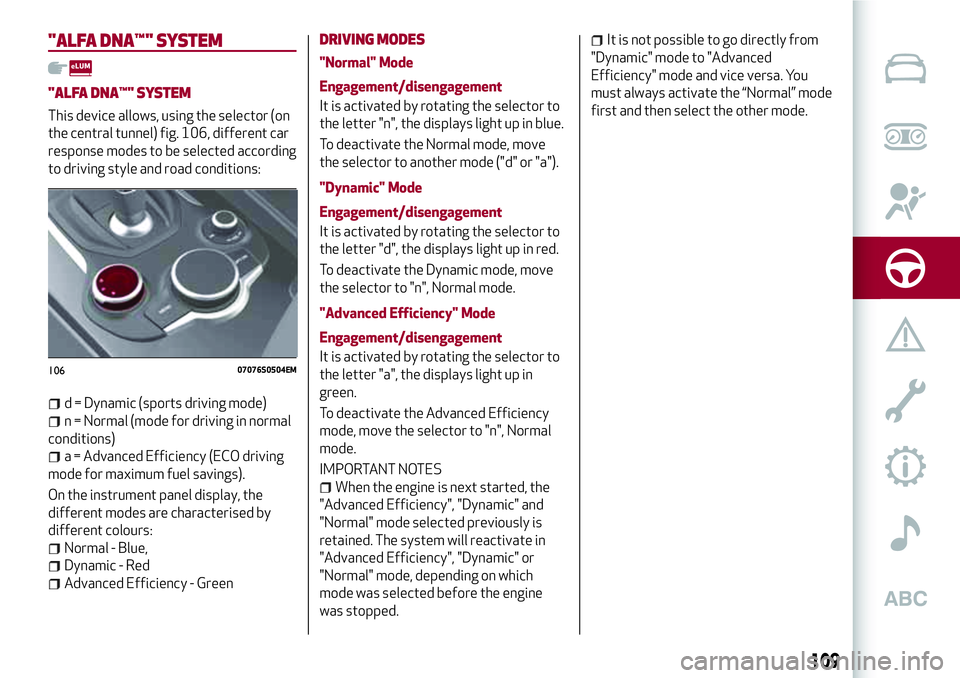
This device allows, using the selector (on
the central tunnel) fig. 106, different car
response modes to be selected according
to driving style and road conditions:
d = Dynamic (sports driving mode)
n = Normal (mode for driving in normal
conditions)
a = Advanced Efficiency (ECO driving
mode for maximum fuel savings).
On the instrument panel display, the
different modes are characterised by
different colours:
Normal - Blue,
Dynamic - Red
Advanced Efficiency - Green
DRIVING MODES
"Normal" Mode
Engagement/disengagement
It is activated by rotating the selector to
the letter "n", the displays light up in blue.
To deactivate the Normal mode, move
the selector to another mode ("d" or "a").
"Dynamic" Mode
Engagement/disengagement
It is activated by rotating the selector to
the letter "d", the displays light up in red.
To deactivate the Dynamic mode, move
the selector to "n", Normal mode.
"Advanced Efficiency" Mode
Engagement/disengagement
It is activated by rotating the selector to
the letter "a", the displays light up in
green.
To deactivate the Advanced Efficiency
mode, move the selector to "n", Normal
mode.
IMPORTANT NOTES
When the engine is next started, the
"Advanced Efficiency", "Dynamic" and
"Normal" mode selected previously is
retained. The system will reactivate in
"Advanced Efficiency", "Dynamic" or
"Normal" mode, depending on which
mode was selected before the engine
was stopped.
It is not possible to go directly from
"Dynamic" mode to "Advanced
Efficiency" mode and vice versa. You
must always activate the “Normal” mode
first and then select the other mode.
10607076S0504EM
109