climate control Alfa Romeo Giulia 2017 Owner's Manual
[x] Cancel search | Manufacturer: ALFA ROMEO, Model Year: 2017, Model line: Giulia, Model: Alfa Romeo Giulia 2017Pages: 268, PDF Size: 18.64 MB
Page 13 of 268
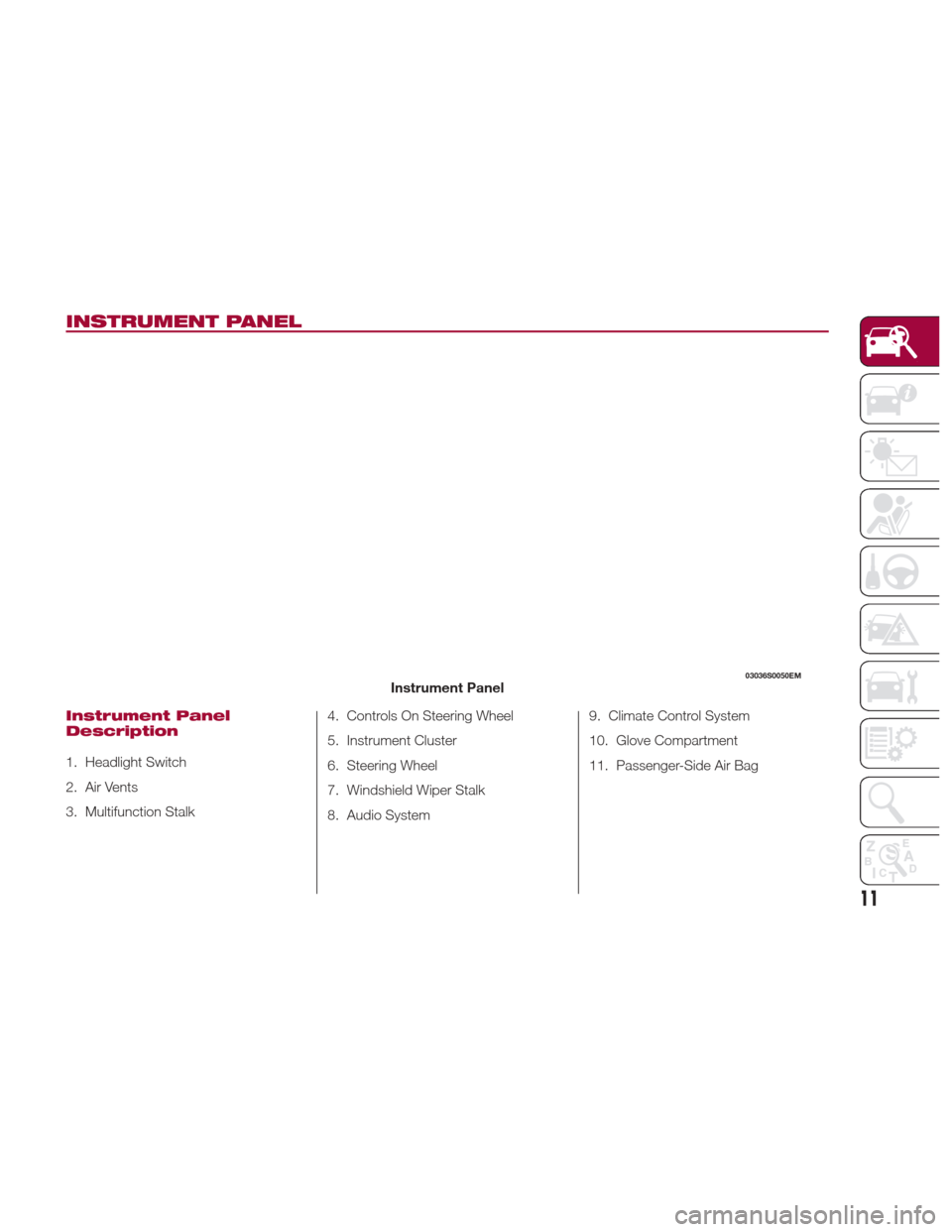
INSTRUMENT PANEL
Instrument Panel
Description
1. Headlight Switch
2. Air Vents
3. Multifunction Stalk4. Controls On Steering Wheel
5. Instrument Cluster
6. Steering Wheel
7. Windshield Wiper Stalk
8. Audio System9. Climate Control System
10. Glove Compartment
11. Passenger-Side Air Bag
03036S0050EMInstrument Panel
11
Page 15 of 268
GETTING TO KNOW YOUR VEHICLE
In this section, you will find important
information to help you become familiar
with the features needed to operate
your vehicle, and how they function.KEYS....................14
IGNITION SYSTEM ...........17
ENGINE IMMOBILIZER ........18
SECURITY ALARM SYSTEM —
IF EQUIPPED ...............19
DOORS ...................21
SEATS ...................26
HEAD RESTRAINTS ...........29
STEERING WHEEL ............31
REAR VIEW MIRRORS .........33
EXTERIOR LIGHTS ...........34
INTERIOR LIGHTS ............37 WINDSHIELD WIPERS
.........40
CLIMATE CONTROL ..........42
POWER WINDOWS ...........49
POWER SUNROOF —
IF EQUIPPED ...............50
HOOD ...................52
TRUNK ..................53
INTERNAL EQUIPMENT ........55
ENVIRONMENTAL PROTECTION
SYSTEMS .................60
ACTIVE AERODYNAMICS .......60
13
Page 34 of 268
Warning!
Do not adjust the steering column while
driving. Adjusting the steering column while
driving or driving with the steering column
unlocked, could cause the driver to lose
control of the vehicle. Failure to follow this
warning may result in serious injury or
death.
To Adjust The Position:
1. Pull the Tilt/Telescoping Control
Handle down to the open position.
2. Adjust the steering wheel to the
desired position.
3. Lock the desired position by
pushing the Tilt/Telescoping Control
Handle to the closed position.
Warning!
It is absolutely forbidden to carry out any
after-market operation involving steering
system or steering column modifications
(e.g. installation of anti-theft device) that
could adversely affect performance,
invalidate the New Vehicle Limited
Warranty, cause SERIOUS SAFETY
PROBLEMS and also result in the vehicle
not meeting type-approval requirements.
Heated Steering Wheel
— If Equipped
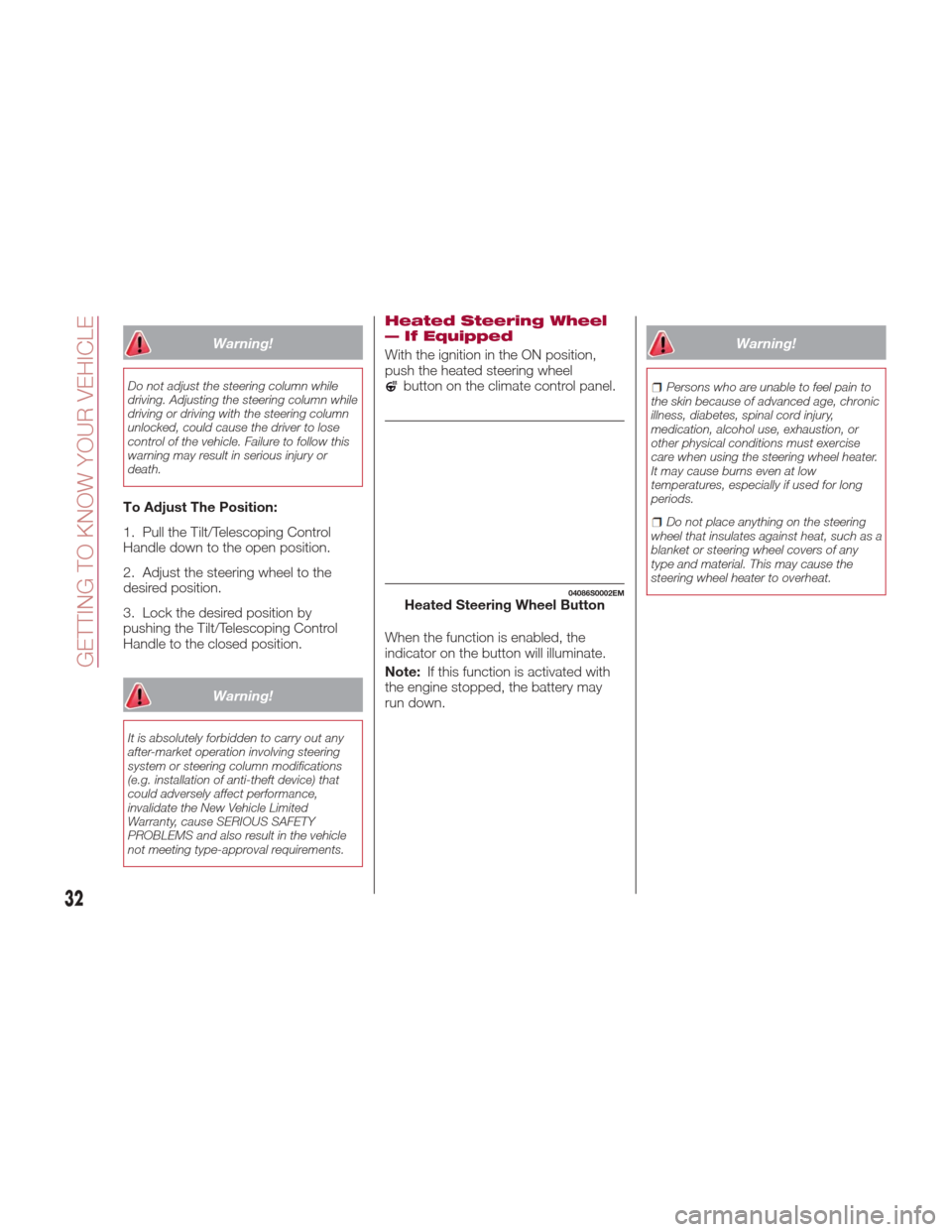
With the ignition in the ON position,
push the heated steering wheel
button on the climate control panel.
When the function is enabled, the
indicator on the button will illuminate.
Note: If this function is activated with
the engine stopped, the battery may
run down.
Warning!
Persons who are unable to feel pain to
the skin because of advanced age, chronic
illness, diabetes, spinal cord injury,
medication, alcohol use, exhaustion, or
other physical conditions must exercise
care when using the steering wheel heater.
It may cause burns even at low
temperatures, especially if used for long
periods.
Do not place anything on the steering
wheel that insulates against heat, such as a
blanket or steering wheel covers of any
type and material. This may cause the
steering wheel heater to overheat.
04086S0002EMHeated Steering Wheel Button
32
GETTING TO KNOW YOUR VEHICLE
Page 36 of 268
Automatic Dimming Mirrors — If
Equipped
Like the electrochromic mirror, an
automatic dimming feature is also
available on the outside rear view
mirrors to prevent glare. The automatic
dimming button is the same for all rear
view mirrors.
Warning!
Vehicles and other objects seen in an
outside convex mirror will look smaller and
farther away than they really are. Relying
too much on side convex mirrors could
cause you to collide with another vehicle or
other object. Use your inside mirror when
judging the size or distance of a vehicle
seen in a side convex mirror.
Heated Mirrors
Push the rear defrostbutton in the
climate controls to activate the heated
mirrors.
EXTERIOR LIGHTS
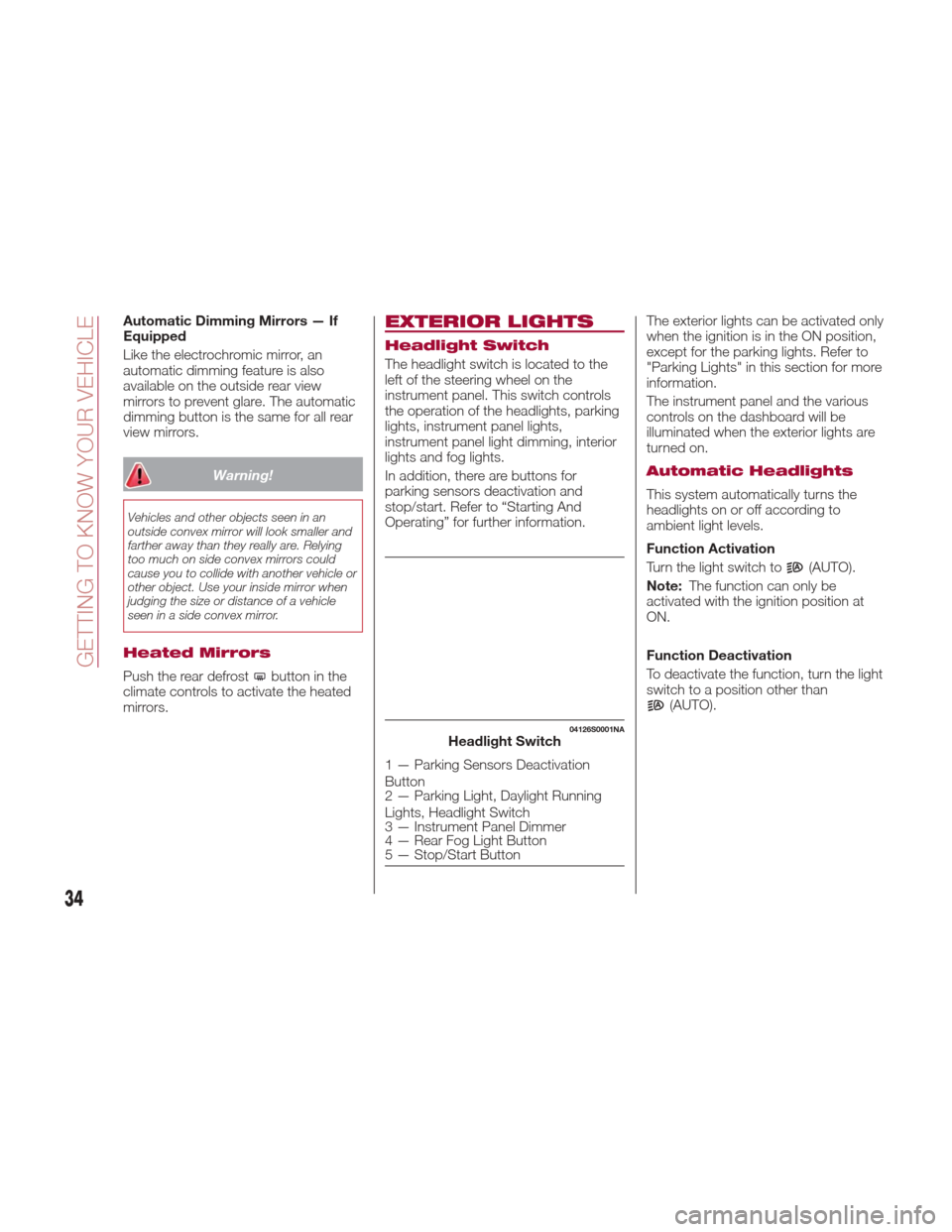
Headlight Switch
The headlight switch is located to the
left of the steering wheel on the
instrument panel. This switch controls
the operation of the headlights, parking
lights, instrument panel lights,
instrument panel light dimming, interior
lights and fog lights.
In addition, there are buttons for
parking sensors deactivation and
stop/start. Refer to “Starting And
Operating” for further information. The exterior lights can be activated only
when the ignition is in the ON position,
except for the parking lights. Refer to
"Parking Lights" in this section for more
information.
The instrument panel and the various
controls on the dashboard will be
illuminated when the exterior lights are
turned on.
Automatic Headlights
This system automatically turns the
headlights on or off according to
ambient light levels.
Function Activation
Turn the light switch to
(AUTO).
Note: The function can only be
activated with the ignition position at
ON.
Function Deactivation
To deactivate the function, turn the light
switch to a position other than
(AUTO).
04126S0001NAHeadlight Switch
1 — Parking Sensors Deactivation
Button
2 — Parking Light, Daylight Running
Lights, Headlight Switch
3 — Instrument Panel Dimmer
4 — Rear Fog Light Button
5 — Stop/Start Button
34
GETTING TO KNOW YOUR VEHICLE
Page 44 of 268
CLIMATE CONTROL
Passenger
Compartment Air Vents
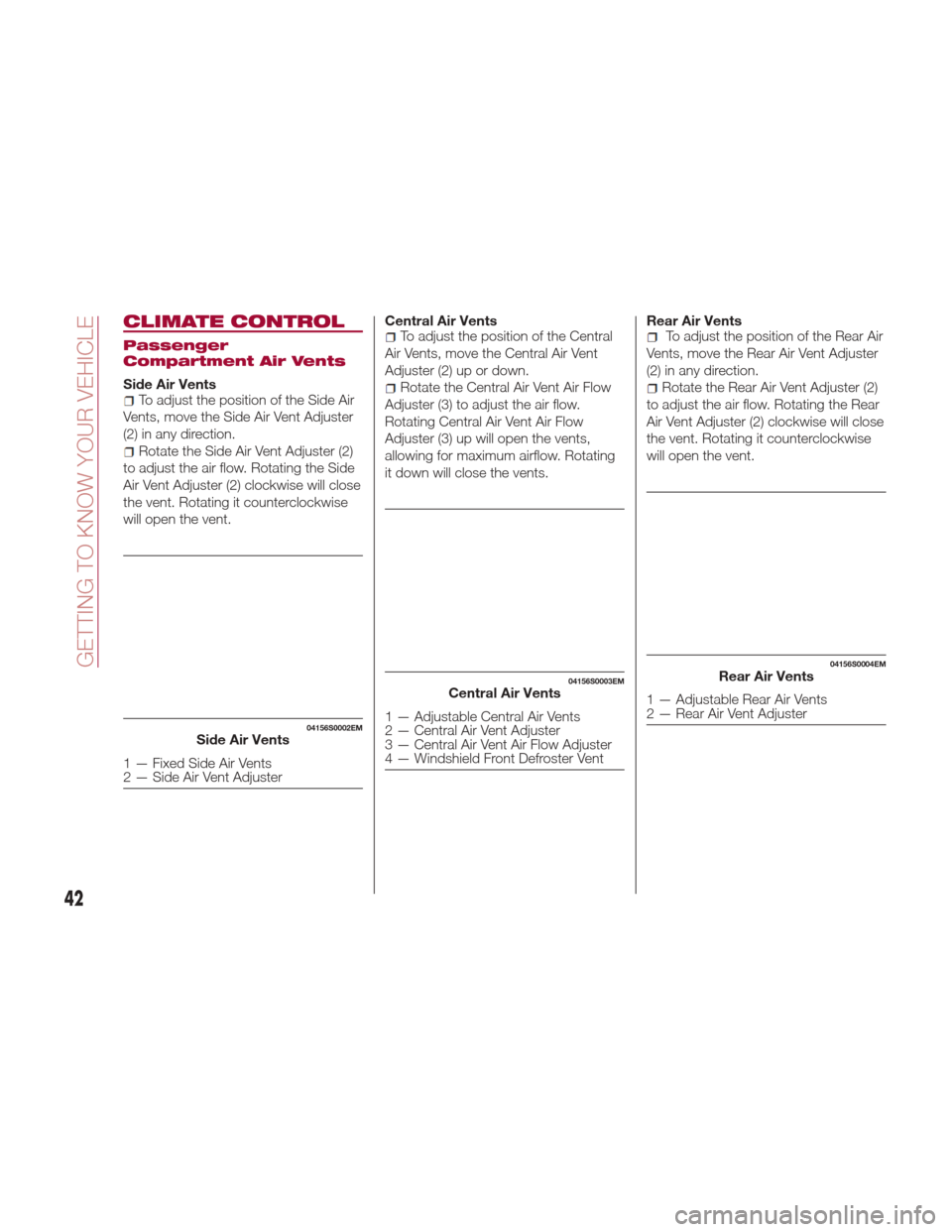
Side Air VentsTo adjust the position of the Side Air
Vents, move the Side Air Vent Adjuster
(2) in any direction.
Rotate the Side Air Vent Adjuster (2)
to adjust the air flow. Rotating the Side
Air Vent Adjuster (2) clockwise will close
the vent. Rotating it counterclockwise
will open the vent. Central Air Vents
To adjust the position of the Central
Air Vents, move the Central Air Vent
Adjuster (2) up or down.
Rotate the Central Air Vent Air Flow
Adjuster (3) to adjust the air flow.
Rotating Central Air Vent Air Flow
Adjuster (3) up will open the vents,
allowing for maximum airflow. Rotating
it down will close the vents. Rear Air Vents
To adjust the position of the Rear Air
Vents, move the Rear Air Vent Adjuster
(2) in any direction.
Rotate the Rear Air Vent Adjuster (2)
to adjust the air flow. Rotating the Rear
Air Vent Adjuster (2) clockwise will close
the vent. Rotating it counterclockwise
will open the vent.
04156S0002EMSide Air Vents
1 — Fixed Side Air Vents
2 — Side Air Vent Adjuster
04156S0003EMCentral Air Vents
1 — Adjustable Central Air Vents
2 — Central Air Vent Adjuster
3 — Central Air Vent Air Flow Adjuster
4 — Windshield Front Defroster Vent
04156S0004EMRear Air Vents
1 — Adjustable Rear Air Vents
2 — Rear Air Vent Adjuster
42
GETTING TO KNOW YOUR VEHICLE
Page 45 of 268
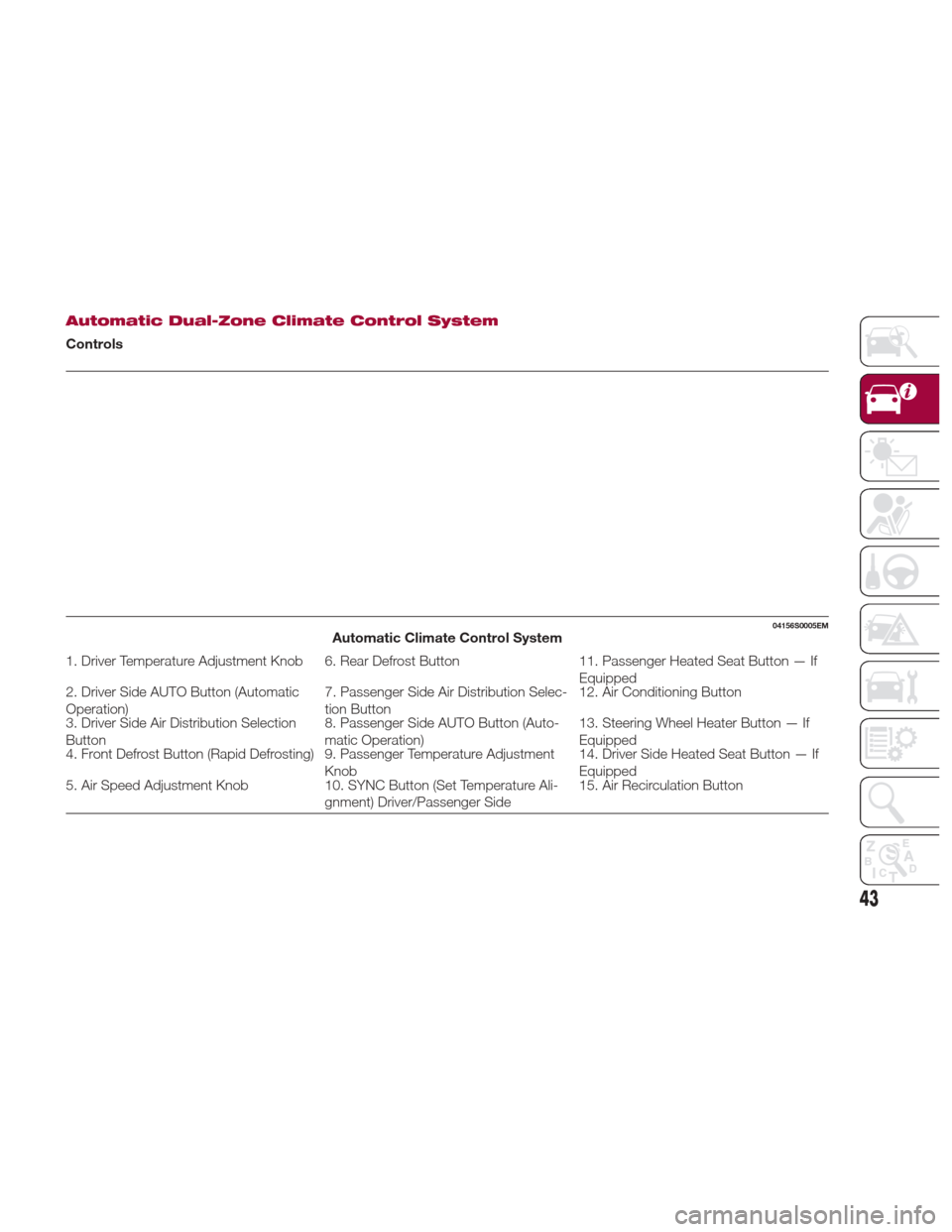
Automatic Dual-Zone Climate Control System
Controls
04156S0005EMAutomatic Climate Control System
1. Driver Temperature Adjustment Knob 6. Rear Defrost Button11. Passenger Heated Seat Button — If
Equipped
2. Driver Side AUTO Button (Automatic
Operation) 7. Passenger Side Air Distribution Selec-
tion Button12. Air Conditioning Button
3. Driver Side Air Distribution Selection
Button 8. Passenger Side AUTO Button (Auto-
matic Operation)13. Steering Wheel Heater Button — If
Equipped
4. Front Defrost Button (Rapid Defrosting) 9. Passenger Temperature Adjustment
Knob14. Driver Side Heated Seat Button — If
Equipped
5. Air Speed Adjustment Knob 10. SYNC Button (Set Temperature Ali-
gnment) Driver/Passenger Side 15. Air Recirculation Button
43
Page 46 of 268
Caution!
The system uses R1234yf refrigerant,
which does not pollute the environment in
the event of accidental leakage. Under no
circumstances, use R134a and R12 fluids,
which are incompatible with the
components of this system.
Description
The Automatic Dual Zone Climate
Control System adjusts the temperature
and air distribution independently
between the driver and passenger.
The system maintains the set
temperature inside the passenger
compartment and compensates for
outside temperature change.
The automatic setting will adjust the
following to maintain comfort within the
passenger compartment:
Air temperature from the driver/front
passenger side vents
Air distribution from the driver/front
passenger side vents
Fan speed (continuous variation of
the air flow)
Compressor variations (for
cooling/dehumidifying the air)
Air recirculation The Climate Control System can also
be operated manually by using the
buttons and knobs on the faceplate.
Manual selections will override the
automatic settings, which are stored
until the AUTO button is pushed. If the
system intervenes for safety reasons,
the automatic setting will take control of
the system.
The below operations will not
deactivate the automatic (AUTO)
function:
Air Recirculation activation/
deactivation
A/C activation/deactivation
SYNC function activation
Rear Window Defrost activation/
deactivation
When in AUTO mode, the vehicle’s
internal temperature is controlled
according to the set temperature.
The following can be manually set or
adjusted:
Driver/passenger air temperature
Blower speed (continuous variation)
Air distribution (seven positions for
driver and passenger)
A/C activation
Front Defroster
Air recirculation
Rear Defroster
System deactivation
Operating Mode
The Climate Control system can be
activated in different ways. It is
recommended to use the automatic
function. Push the AUTO button and
set the desired temperatures.
The automatic system adjusts the
temperature, quantity, and distribution
of air introduced into the passenger
compartment. It also controls air
recirculation and the activation of the air
conditioner.
At any time during automatic operation,
you can change the temperature,
activate or deactivate the Rear
Defroster, activate SYNC, activate or
deactivate the air conditioner, and
activate or deactivate air recirculation.
The system will automatically adjust to
the new settings.
44
GETTING TO KNOW YOUR VEHICLE
Page 47 of 268
Climate Control Display
Settings
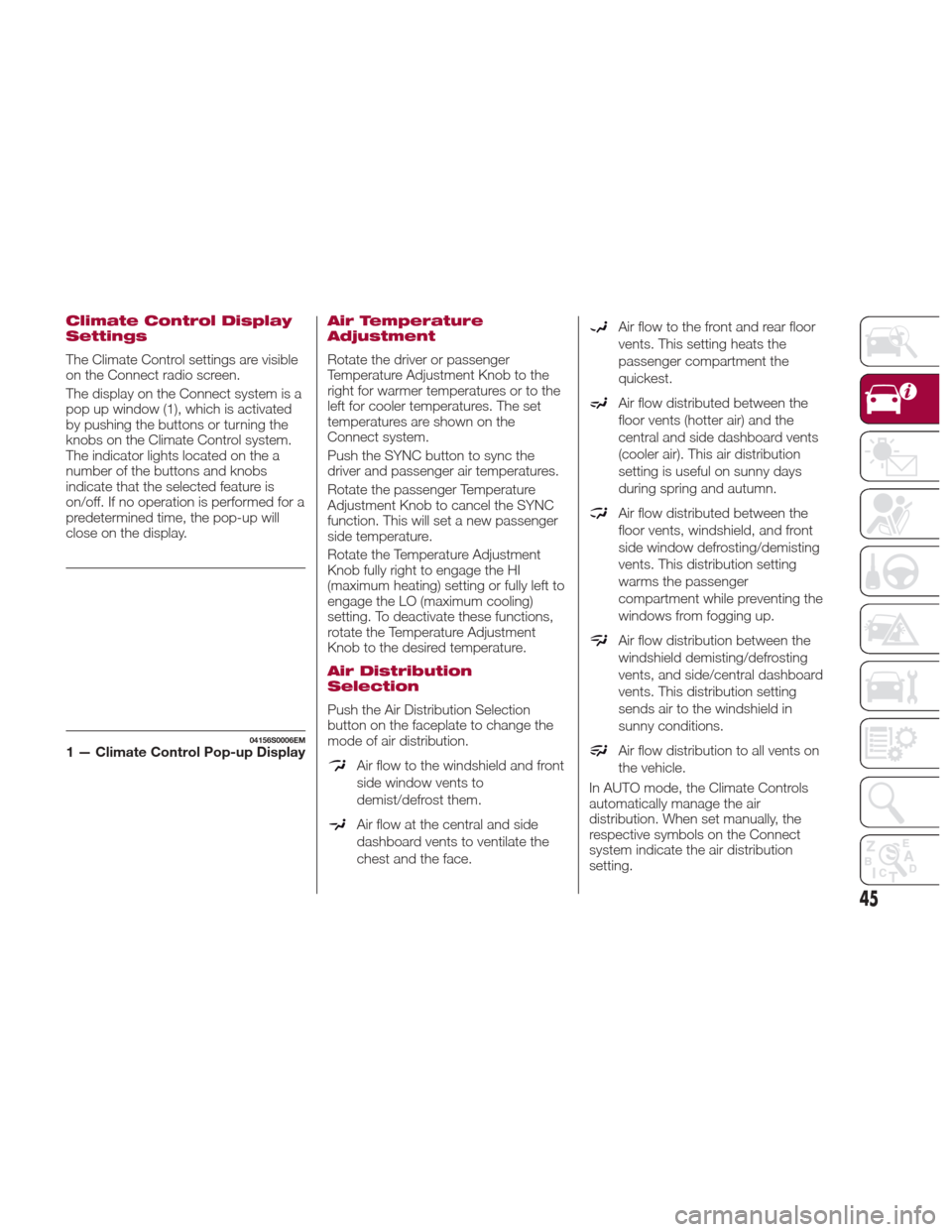
The Climate Control settings are visible
on the Connect radio screen.
The display on the Connect system is a
pop up window (1), which is activated
by pushing the buttons or turning the
knobs on the Climate Control system.
The indicator lights located on the a
number of the buttons and knobs
indicate that the selected feature is
on/off. If no operation is performed for a
predetermined time, the pop-up will
close on the display.
Air Temperature
Adjustment
Rotate the driver or passenger
Temperature Adjustment Knob to the
right for warmer temperatures or to the
left for cooler temperatures. The set
temperatures are shown on the
Connect system.
Push the SYNC button to sync the
driver and passenger air temperatures.
Rotate the passenger Temperature
Adjustment Knob to cancel the SYNC
function. This will set a new passenger
side temperature.
Rotate the Temperature Adjustment
Knob fully right to engage the HI
(maximum heating) setting or fully left to
engage the LO (maximum cooling)
setting. To deactivate these functions,
rotate the Temperature Adjustment
Knob to the desired temperature.
Air Distribution
Selection
Push the Air Distribution Selection
button on the faceplate to change the
mode of air distribution.
Air flow to the windshield and front
side window vents to
demist/defrost them.
Air flow at the central and side
dashboard vents to ventilate the
chest and the face.
Air flow to the front and rear floor
vents. This setting heats the
passenger compartment the
quickest.
Air flow distributed between the
floor vents (hotter air) and the
central and side dashboard vents
(cooler air). This air distribution
setting is useful on sunny days
during spring and autumn.
Air flow distributed between the
floor vents, windshield, and front
side window defrosting/demisting
vents. This distribution setting
warms the passenger
compartment while preventing the
windows from fogging up.
Air flow distribution between the
windshield demisting/defrosting
vents, and side/central dashboard
vents. This distribution setting
sends air to the windshield in
sunny conditions.
Air flow distribution to all vents on
the vehicle.
In AUTO mode, the Climate Controls
automatically manage the air
distribution. When set manually, the
respective symbols on the Connect
system indicate the air distribution
setting.
04156S0006EM1 — Climate Control Pop-up Display
45
Page 48 of 268
Fan Speed Adjustment
Turn the Blower Speed Knob to
increase or decrease the blower speed.
The speed is displayed with lighted
indicators in the Connect system
display.
Maximum fan speed = all indicators
illuminated
Minimum fan speed = one indicator
illuminated
The fan can be turned off by rotating
the Blower Speed Knob to position O
(all segments on the Connect system
display are turned off).
Note:
To restore automatic control of the fan
speed, push the AUTO button.
AUTO Button
When the AUTO button is pushed
(indicator illuminated), the Climate
Control system automatically adjusts
the following settings:
Quantity and distribution of air flow in
the passenger compartment
The air conditioner
Air recirculation
Cancels any manual settings
Selecting the AUTO function illuminates
the indicator on the A/C button
.
If air distribution or the fan speed is
manual adjusted, the AUTO button
indicator will turn off to indicate that the
Climate Control system is no longer in
AUTO mode. After a manual adjustment, push the
AUTO button to resume the automatic
system.
SYNC Button
Push the SYNC button (indicator
illuminated) to sync the passenger side
air temperature with the driver side air
temperature.
This function makes temperature
regulation easier when the driver is
traveling alone.
Turn the passenger Temperature
Adjustment Knob or push the
passenger side Air Distribution
Selection Button to change the
passenger side air temperature and
return to separate air temperature
management.
Air Recirculation And Air
Quality System (AQS)
Air Recirculation is managed according
to the following operating mode:
Automatic engagement: indicator is
illuminated above the “A” on the Air
Recirculation Button
Forced activation (air circulation
always activated): indicator illuminated
above the
iconontheAir
Recirculation Button
Forced deactivation (air recirculation
always off with intake of outside air):
both indicators illuminated on the Air
Recirculation Button The three operating conditions are
obtained by pushing the Air
Recirculation Button
in sequence.
Enabling The Air Quality System
(AQS) Function — If Equipped
When the automatic recirculation
function is selected, the AQS function
automatically activates internal air
recirculation when the outside air is
polluted (e.g. in heavy traffic and
tunnels).
At low external temperatures or in high
humidity, the automatic function turns
off to avoid fogging up the windows.
The user can select the function again
by pushing the Air Recirculation Button.
In automatic operation, air recirculation
will be controlled by the system
according to outside environmental
conditions.
Note:
With the AQS function active and
after the internal air recirculation
system has been functioning for a set
amount of time, the Climate Control
System enables air intake to cycle the
air in the passenger compartment for a
set time. The AQS function is disabled
during the air changes.
46
GETTING TO KNOW YOUR VEHICLE
Page 49 of 268
The engagement of the recirculation
system makes it possible to reach the
required heating or cooling conditions
faster. It is, however, inadvisable to use
it on rainy/cold days as it can increase
the possibility of the windows fogging.
When the outside temperature is low,
recirculation is forced off to prevent the
windows from fogging up.
A/C Compressor
Push the A/C buttonto activate or
deactivate the A/C compressor
(indicator illuminated when activated).
The A/C compressor will remain off
even after the engine has stopped.
When the A/C compressor is turned off,
the system deactivates air recirculation
to prevent the windows from fogging
up. If the climate control system can
maintain the temperature, with the A/C
turned off, the AUTO feature will remain
on and the AUTO button indicator light
will not switch off.
To restore automatic control of the A/C
compressor, push the A/C button
or
the AUTO button. With the A/C
compressor off, the air speed can be
set manually using the Air Speed
Adjustment Knob.
When the A/C compressor is on, and
the engine is running, air speed cannot
be lower than the minimum speed (only
one indicator light is lit). Note:
When the A/C is off the Climate
Control system can not produce air that
is colder than the current outside
temperature. Under certain
environmental conditions, windows
could fog up rapidly, since the air is not
dehumidified.
Front Defroster And
MAX-DEF Function
Push the Front Defroster button(indicator illuminated) to defrost the
windshield and side windows.
While in MAX-DEF function, the air
conditioner will:
Activate the air conditioner
compressor when the weather allows
Turn air recirculation off
Set the maximum air temperature (HI)
on both the driver and passenger side
Activate a blower speed based on
the temperature of the engine coolant
Adjust the air flow towards the
windshield and front side windows
Activate the Rear Window Defroster
Display the fan speed (indicators
illuminated) and current air distribution
setting
Note: The MAX-DEF function remains
active for approximately three minutes
once the engine coolant reaches the
proper temperature. When the function is on, AUTO mode
will deactivate. The only manual
operations possible are adjusting
blower speed and turning off the Rear
Window Defroster.
Pushing the
button switches off the
MAX-DEF function.
Rear Defroster
Push the Rear Defrosterbutton to
activate (indicators illuminated) the Rear
Defroster.
The Rear Defroster will turn off after
20 minutes or once the engine is turned
off. To reactive the Rear Defroster, push
the Rear Defroster
button.
Note: To avoid damage, do not apply
stickers over the interior heating
filaments of the Rear Defroster.
Humidity Sensor
The Humidity Sensor helps to prevent
the windows from fogging up. The
AUTO function (indicator illuminated)
must be on for the Humidity Sensor to
function.
When outside temperature is low, the
system may turn the compressor on
and turn air recirculation off for safer
driving.
47