buttons Alfa Romeo Giulia 2018 User Guide
[x] Cancel search | Manufacturer: ALFA ROMEO, Model Year: 2018, Model line: Giulia, Model: Alfa Romeo Giulia 2018Pages: 260, PDF Size: 6 MB
Page 56 of 260
Proceed as follows:
1. Push the desired HomeLink button
and keep it pushed (1, 2 or 3). Do not
release the button until the last
operation has been performed.
2. When the HomeLink indicator begins
to flash slowly, move the portable remote
control 1 to 3 inches from the system
(keeping the programmable button
pressed down).
If the indicator does not begin to flash
quickly, change the distance between the
HomeLink and the portable remote
control and try the procedure again.
The HomeLink indicator flashes, first
slowly and then quickly. When the
indicator starts to flash quickly, release
both buttons on the remote control.
The system previously programmed to
HomeLink has now been deleted and the
new system is ready to use. This does not
affect the other two HomeLink buttons in
any way.
Deleting Programmed Keys
It is recommended to delete HomeLink
programming before selling the car.
All three keys are deleted simultaneously.
Proceed as follows:
1. Push and hold the outer buttons
(1 and 3). After about ten seconds, the
indicator will start to flash.
2. Release both keys. Technical Information For After Sales
Service
If you are unable to set up HomeLink
successfully after following the above
instructions, contact After Sales Service
(HomeLink free hotline number
1-800-355-3515 ) with the following
information:
Vehicle make and model, including
manufacturing year and country of
purchase;
Make, model, age and frequency of use
of the original portable remote control
(if known).
General Information
The following regulatory statement
applies to all Radio Frequency (RF)
devices equipped in this vehicle:
This device complies with Part 15 of the
FCC Rules and with Industry Canada
license-exempt RSS standard(s).
Operation is subject to the following two
conditions:
1. This device may not cause harmful
interference, and
2. This device must accept any
interference received, including
interference that may cause undesired
operation.
Note:
Changes or modifications not
expressly approved by the party
responsible for compliance could void the
user’s authority to operate the equipment.
Center Console
The center console storage compartment
is located between the front seats.
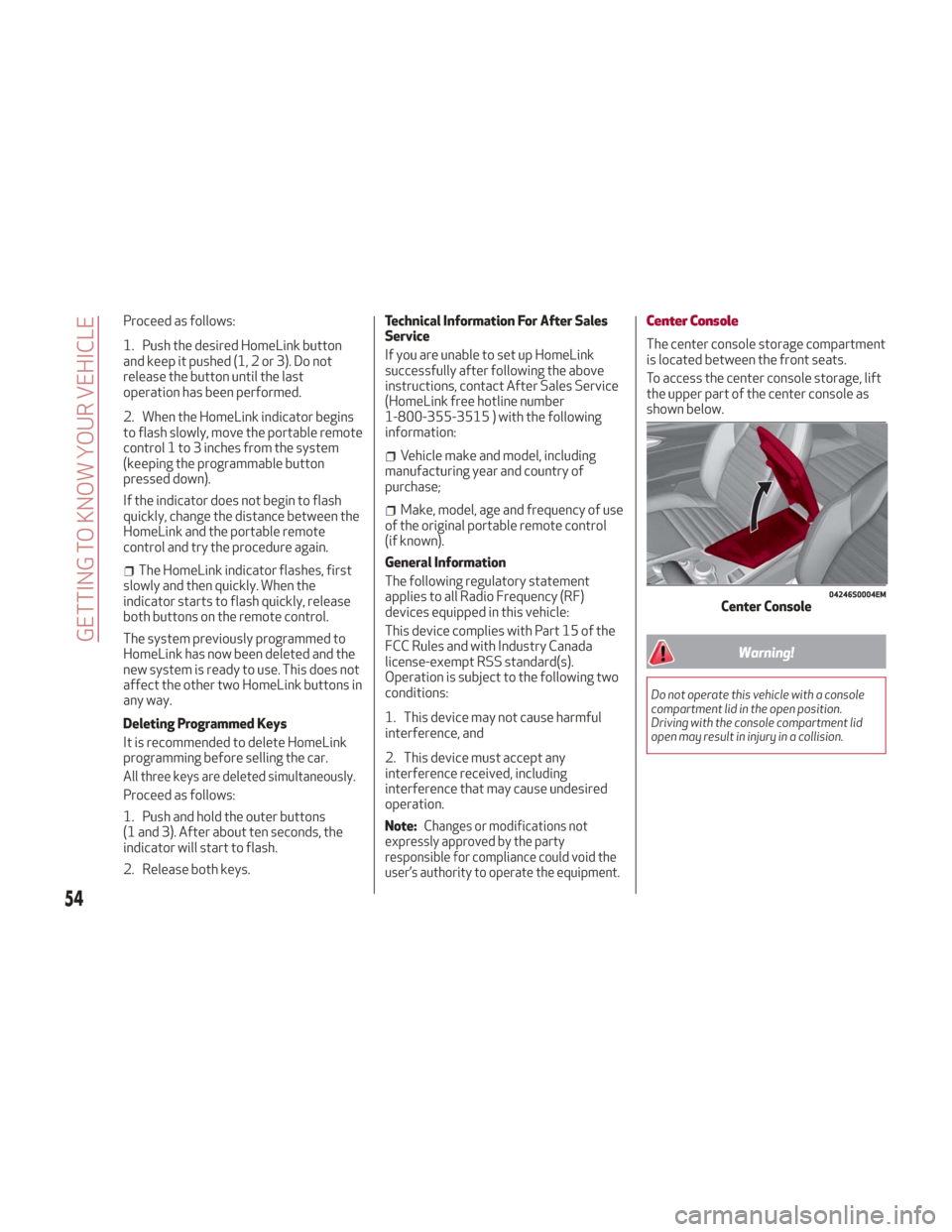
To access the center console storage, lift
the upper part of the center console as
shown below.
Warning!
Do not operate this vehicle with a console
compartment lid in the open position.
Driving with the console compartment lid
open may result in injury in a collision.
04246S0004EMCenter Console
54
GETTING TO KNOW YOUR VEHICLE
Page 151 of 260
Programmed Speed Icon Flashing
The programmed speed will flash in the
following scenarios:
When the accelerator pedal has been
fully pressed and the vehicle has
exceeded the programmed speed.
Activating the system after setting a
limit below the effective speed of the
vehicle.
In the event of overtake acceleration.
Deactivation
The feature can be activated/
deactivated through the Information and
Entertainment System.
Deactivating The Device
To access this feature on the main menu,
select the following items in sequence:
"Settings", "Safety", “Speed Limiter” and
“OFF”.
Automatic Deactivation Of The Device
The device deactivates automatically in
the event of fault in the system. In this
case, contact an authorized dealer.
Temporary Signal Loss
When the devices loses the signal, the
white symbol without the speed
indication illuminates on the display.
System Failure
If there is a system failure, the amber
symbol
illuminates on the display.
SPEED CONTROL
(CRUISE CONTROL)
Speed Control Description
This is an electronically controlled driving
assistance feature that allows the
desired vehicle speed to be maintained,
without having to press the accelerator
pedal. This feature can be used at a speed
above 25 mph (40 km/h) on long
stretches of dry, straight roads with few
variations (highways).
The speed control buttons are located on
the left side of the steering wheel.
Note:
To ensure correct operation, the
speed control is designed to deactivate
if more than one function is operated
simultaneously. In this case, the system
can be reactivated by pushing the on/off
button
and setting the desired
speed.
It is not recommended to use this
feature in city traffic.
While driving downhill, the system could
brake the vehicle to keep the set speed
the same.
Warning!
Speed Control can be dangerous where the
system cannot maintain a constant speed.
Your vehicle could go too fast for the
conditions, and you could lose control and
have an accident. Do not use Speed Control
in heavy traffic or on roads that are winding,
icy, snow-covered or slippery.
Activating
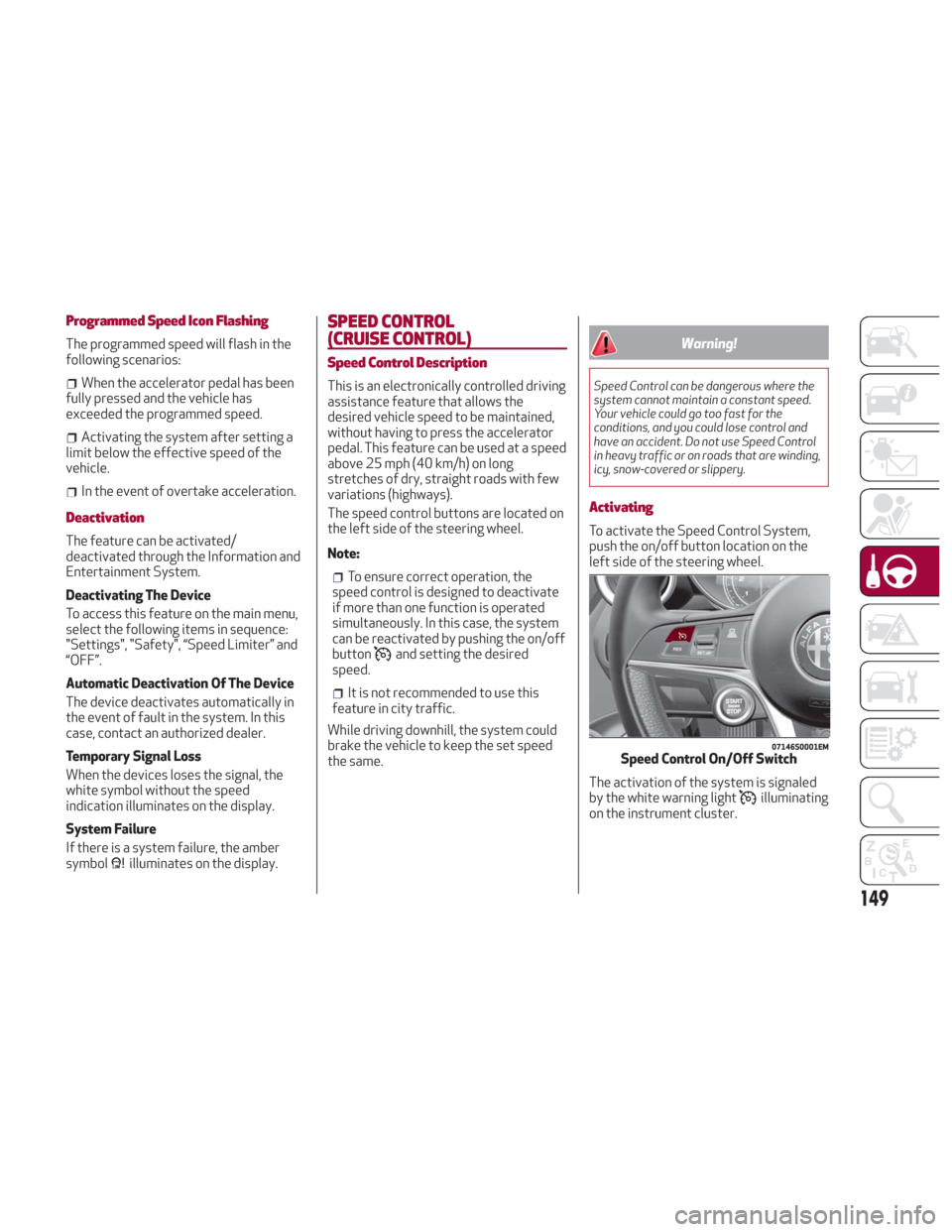
To activate the Speed Control System,
push the on/off button location on the
left side of the steering wheel.
The activation of the system is signaled
by the white warning light
illuminating
on the instrument cluster.
07146S0001EMSpeed Control On/Off Switch
149
Page 181 of 260
Fuse Location
The fuses, which can be replaced by the
user, are grouped in two boxes below the
passenger side foot board and inside the
trunk.
Control Unit Under Passenger Side
Footboard
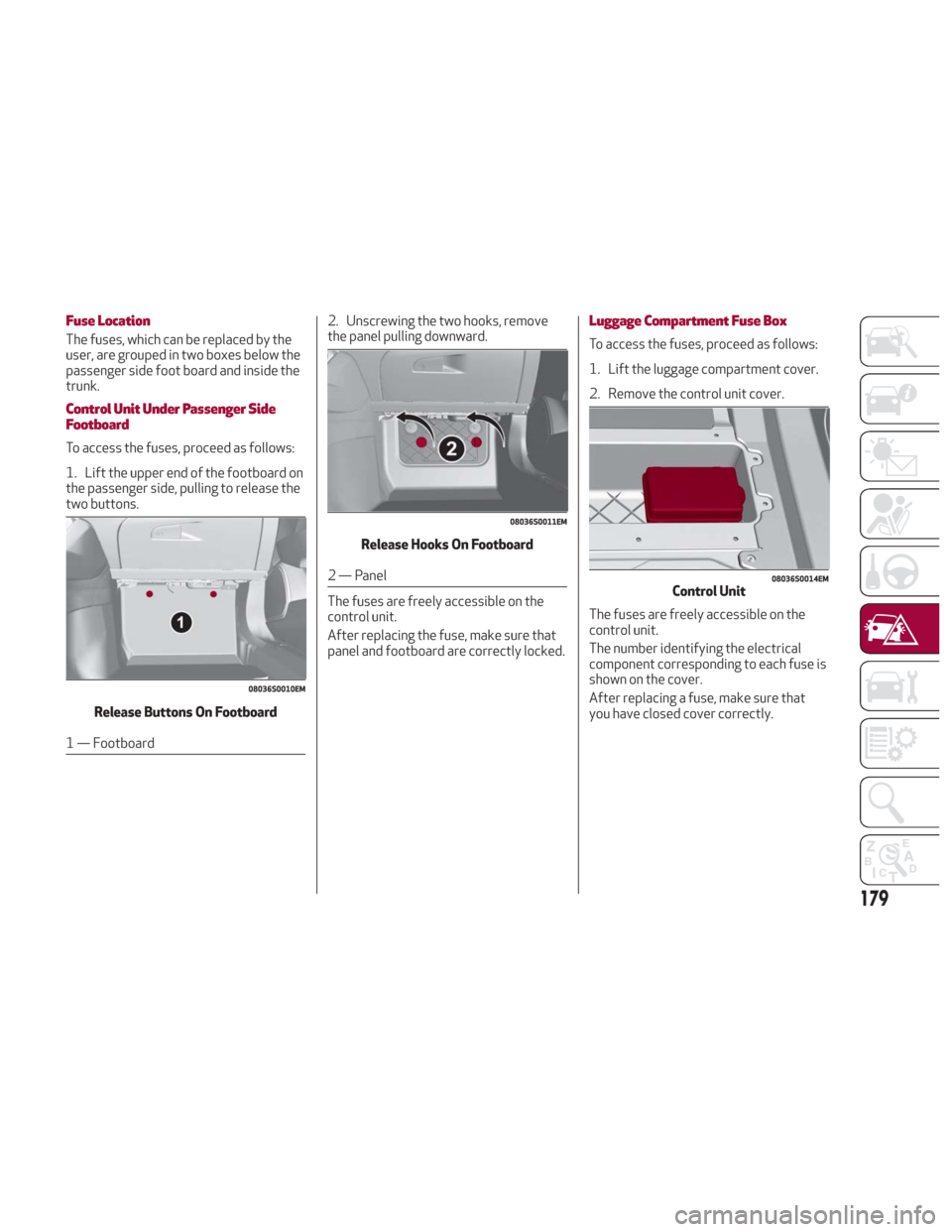
To access the fuses, proceed as follows:
1. Lift the upper end of the footboard on
the passenger side, pulling to release the
two buttons.Release Buttons On Footboard
1 — Footboard 2. Unscrewing the two hooks, remove
the panel pulling downward.
Release Hooks On Footboard
2 — Panel
The fuses are freely accessible on the
control unit.
After replacing the fuse, make sure that
panel and footboard are correctly locked.
Luggage Compartment Fuse Box
To access the fuses, proceed as follows:
1. Lift the luggage compartment cover.
2. Remove the control unit cover.
The fuses are freely accessible on the
control unit.
The number identifying the electrical
component corresponding to each fuse is
shown on the cover.
After replacing a fuse, make sure that
you have closed cover correctly.
08036S0010EM
08036S0011EM
08036S0014EMControl Unit
179