Steering Alfa Romeo Giulia 2019 Owner's Guide
[x] Cancel search | Manufacturer: ALFA ROMEO, Model Year: 2019, Model line: Giulia, Model: Alfa Romeo Giulia 2019Pages: 232, PDF Size: 4.87 MB
Page 155 of 232
142)Repairs are not possible in the case of
damage to the wheel rim (bad groove
distortion causing air loss). Do not remove
foreign bodies (screws or nails) from the
tyre.
143)Never operate the compressor for
longer than 20 consecutive minutes. Risk of
overheating. The Tire Repair Kit is not
suitable for definitive repairs, so the
repaired tyres may only be used temporarily.
144)As required by current regulations, the
information on chemical substances for the
protection of human health and the
environment and on the safe use of the
sealing fluid are on the packaging label.
Compliance with the indications on the label
is an essential condition to ensure the safety
and the effectiveness of the product.
Remember to carefully read the label before
use; the user of the product is responsible
for any damages caused by improper use.
The sealing fluid has an expiry date. Replace
the bottle if the sealant has expired.
145)If the pressure falls below 1.8 bar, do
not drive any further: the Tire Repair Kit
cannot guarantee proper seal because the
tyre is too damaged. Contact an Alfa Romeo
Dealership.
146)The Tire Repair Kit provide a
temporary repair, therefore the tyre must be
examined and repaired by a specialist as
soon as possible. The sealant is suitable for
use at temperatures in the range from −40°C
to +50°C.147)Indicate the presence of the stationary
car in accordance with current regulations:
hazard warning lights, warning triangle, etc.
Those on board should get out of the vehicle
and wait for the wheel to be repaired away
from the threat posed by the traffic. If
parked on a slope or rough surface, chock
the wheels with wedges or other suitable
devices (for the correct procedure for
parking the car safely, refer to the "Parking"
paragraph in the "Starting and driving"
chapter).
IMPORTANT
62)In the event of a puncture caused by
foreign bodies, the kit may be used to repair
tyres showing damage on the tyre tread up
to max. 6mm diameter.
IMPORTANT
3)Dispose of the bottle and the sealant
liquid properly. Have them disposed of in
compliance with national and local
regulations.
RUN FLAT TYRES
(where provided)
148) 149) 150)
"Run Flat" tyres allow you to maintain
control of the car after a puncture and to
continue driving safely for about 50 mi
(80 km) at a maximum speed of 50 mph
(80 km/h).
The reinforced tyre wall retains its shape
and supports the weight of the car in the
event of pressure loss.
Cars equipped with Run Flat tyres are
NOT provided with Tire Repair Kits. For
repair, contact an Alfa Romeo Dealership
as soon as possible.
WARNING
148)Do not exceed the maximum distance
or speed (80 km - 80 km/h) in the event of
pressure loss-puncture.
149)A pressure loss alters the driving
behaviour of the car, for example, causing
less directional stability when braking,
longer braking distances and altered
steering geometry. Therefore, adjust your
driving style to avoid sudden turns or
obstacles such as pavements and potholes.
150)Do not exceed 60 km/h when driving
with an especially heavy trailer.
153
Page 160 of 232
take the tow hook from its housing in
the boot and carefully clean the threaded
housing on the vehicle before using it;
tighten the vehicle's tow hook in its
place for about 11 turns.
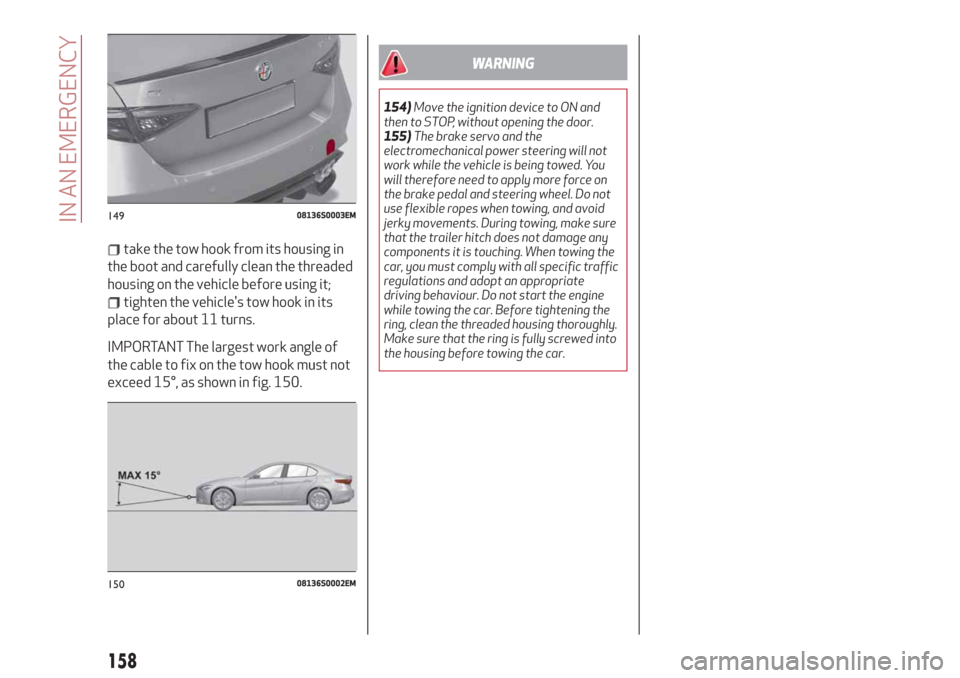
IMPORTANT The largest work angle of
the cable to fix on the tow hook must not
exceed 15°, as shown in fig. 150.
WARNING
154)Move the ignition device to ON and
then to STOP, without opening the door.
155)The brake servo and the
electromechanical power steering will not
work while the vehicle is being towed. You
will therefore need to apply more force on
the brake pedal and steering wheel. Do not
use flexible ropes when towing, and avoid
jerky movements. During towing, make sure
that the trailer hitch does not damage any
components it is touching. When towing the
car, you must comply with all specific traffic
regulations and adopt an appropriate
driving behaviour. Do not start the engine
while towing the car. Before tightening the
ring, clean the threaded housing thoroughly.
Make sure that the ring is fully screwed into
the housing before towing the car.
14908136S0003EM
15008136S0002EM
158
IN AN EMERGENCY
Page 179 of 232
WHEELS AND TYRES
171) 172) 173)
Before embarking on a long trip, and
every two weeks, check the tyre inflation
pressure. Check the tyres when cold.
SNOW CHAINS
81)
Rear Wheel Drive and All-wheel drive
versions
0.28 inch (7 mm) snow chains can be used
on all tyres. For tyres up to 8.86 in
(225 mm) in width (205/60R16,
225/55R16, 225/50R17, 225/45R18),
it is also possible to install 0.35 in (9 mm)
chains.
Important notes
The use of snow chains should be in
compliance with local regulations of each
country. In certain countries, tyres
marked with code M+S (Mud and Snow)
are considered as winter equipment;
therefore their use is equivalent to that
of the snow chains.
The snow chains may be applied only to
the rear wheel tyres.
Check the tension of the snow chains
after the first few metres have been
driven.
IMPORTANT Using snow chains with
tyres with non-original dimensions may
damage the vehicle.
IMPORTANT Using different size or type
(M+S, snow, etc.) tyres between front and
rear axle may adversely affect car
driveability, with the risk of losing control
of the car and resulting accidents.
SUGGESTIONS ABOUT THE ROTATION
OF THE TYRES
The front and rear tyres are subject to
different loads and stress due to
steering, manoeuvres and braking. For
this reason they are subject to uneven
wear.
To resolve this problem, tyres should be
rotated at the appropriate time (6200 /
9300 miles (10000 / 15000 km)).
Inverting the tyres means moving them
to different positions on the same side of
the car (front to back and vice versa).
IMPORTANT Crossing the tyres is not
advised, so placing a tyre on a different
axle on the other side of the car is
impossible.
IMPORTANT On cars equipped with
differentiated tyres (tyre size different
between front and rear axles, ex. QV
version) rotation of any of the tyres is not
advised.
Tyre rotation contributes to the
preservation of the grip and tractionperformance on wet, muddy or snowy
roads, guaranteeing optimal driveability
of the vehicle.
In the case of irregular wear of the tyres
identify the cause and correct it as soon
as possible, by contacting an Alfa Romeo
Dealership.
All Wheel Drive (AWD) versions
It is recommended to avoid situations
with a large difference in wear between
the front and rear tyres and to strictly
use winter tyres of the sizes given in the
“Rims and tyres provided” table.
The AWD systems and the original tyres
were developed together to ensure the
vehicle’s best performance. When
changing the tyres, it is therefore
recommended to use the same “AR”
marked tyres, to maintain the same level
of performance and component life.
WARNING
171)The road holding qualities of the car
also depend on the correct inflation pressure
of the tyres.
172)If tyre pressure is too low, it may
overheat and be severely damaged as a
result.
173)Never submit alloy rims to repainting
treatments requiring the use of
temperatures exceeding 150°C. The
mechanical properties of the wheels could
be impaired.
177
Page 205 of 232
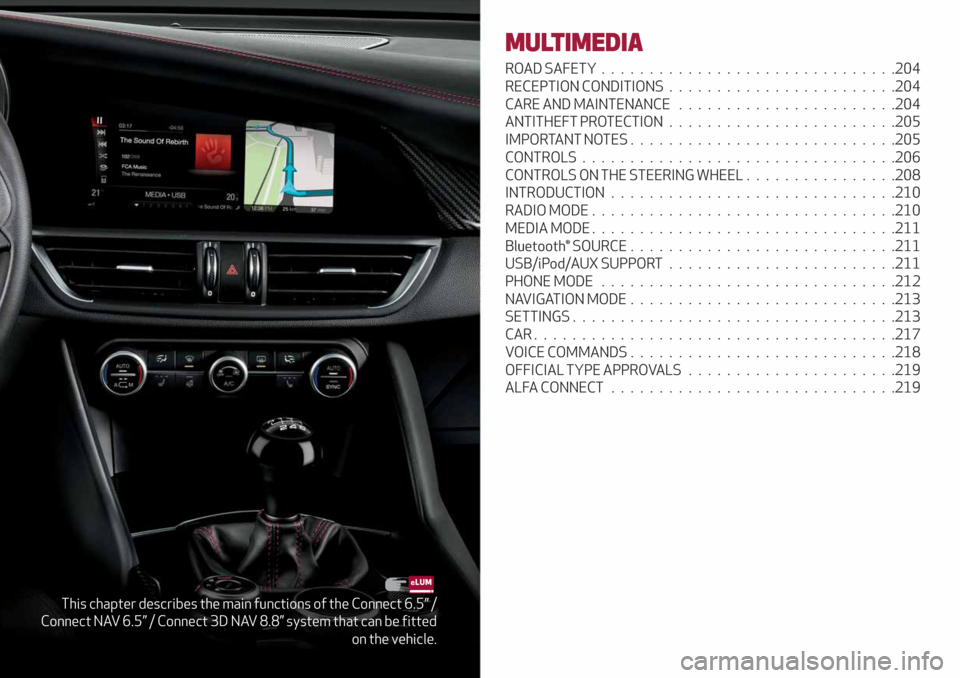
This chapter describes the main functions of the Connect 6.5” /
Connect NAV 6.5” / Connect 3D NAV 8.8” system that can be fitted
on the vehicle.
MULTIMEDIA
ROAD SAFETY...............................204
RECEPTION CONDITIONS........................204
CARE AND MAINTENANCE.......................204
ANTITHEFT PROTECTION........................205
IMPORTANT NOTES............................205
CONTROLS.................................206
CONTROLS ON THE STEERING WHEEL . ...............208
INTRODUCTION..............................210
RADIO MODE................................210
MEDIA MODE................................211
Bluetooth® SOURCE ............................211
USB/iPod/AUX SUPPORT........................211
PHONE MODE . ..............................212
NAVIGATION MODE............................213
SETTINGS..................................213
CAR......................................217
VOICE COMMANDS . . ..........................218
OFFICIAL TYPE APPROVALS......................219
ALFA CONNECT..............................219
Page 210 of 232

CONTROLS ON THE STEERING WHEEL
DESCRIPTION
The controls for the main system functions are present on the steering wheel to make control easier.
The activation of the function selected is controlled, in some cases, by how long the button is pressed (short or long press) as
described in the table below.
STEERING WHEEL CONTROL SUMMARY TABLE
Button(1)
Action Function
SHORT PRESSInRadio mode: selects the next radio station.
In Media mode: selects the next track.
LONG PRESSIn Radio mode: scan higher frequencies until released.
In Media mode: fast forward track.
16611046S0001EM
208
MULTIMEDIA
Page 219 of 232
CAR
CAR mode can be activated from the
main menu (MENU button) by turning and
pressing the Rotary Pad.
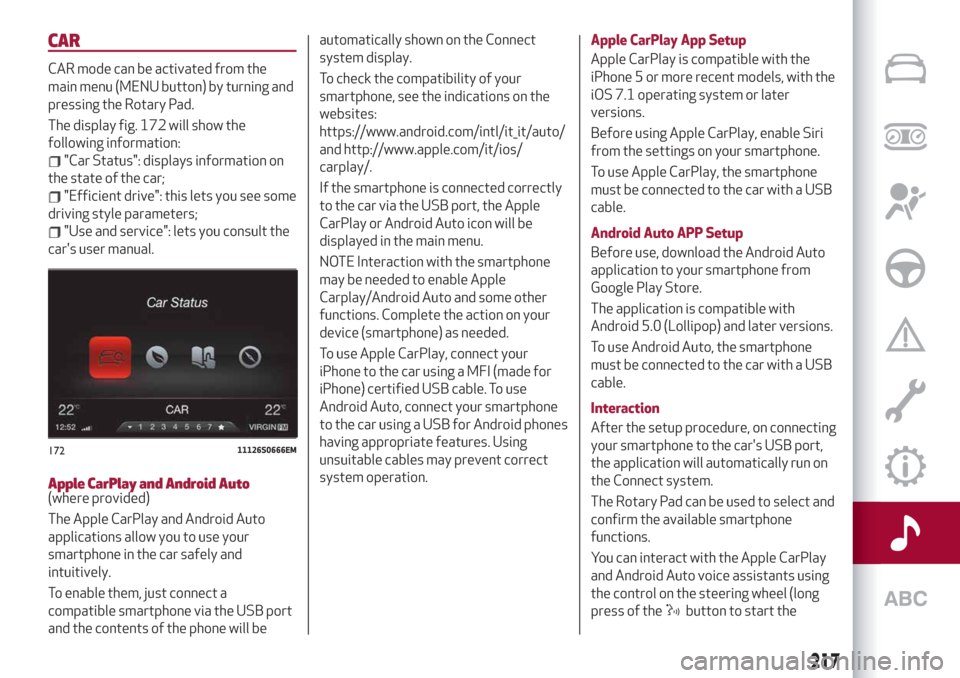
The display fig. 172 will show the
following information:
"Car Status": displays information on
the state of the car;
"Efficient drive": this lets you see some
driving style parameters;
"Use and service": lets you consult the
car's user manual.
Apple CarPlay and Android Auto(where provided)
The Apple CarPlay and Android Auto
applications allow you to use your
smartphone in the car safely and
intuitively.
To enable them, just connect a
compatible smartphone via the USB port
and the contents of the phone will beautomatically shown on the Connect
system display.
To check the compatibility of your
smartphone, see the indications on the
websites:
https://www.android.com/intl/it_it/auto/
and http://www.apple.com/it/ios/
carplay/.
If the smartphone is connected correctly
to the car via the USB port, the Apple
CarPlay or Android Auto icon will be
displayed in the main menu.
NOTE Interaction with the smartphone
may be needed to enable Apple
Carplay/Android Auto and some other
functions. Complete the action on your
device (smartphone) as needed.
To use Apple CarPlay, connect your
iPhone to the car using a MFI (made for
iPhone) certified USB cable. To use
Android Auto, connect your smartphone
to the car using a USB for Android phones
having appropriate features. Using
unsuitable cables may prevent correct
system operation.Apple CarPlay App Setup
Apple CarPlay is compatible with the
iPhone 5 or more recent models, with the
iOS 7.1 operating system or later
versions.
Before using Apple CarPlay, enable Siri
from the settings on your smartphone.
To use Apple CarPlay, the smartphone
must be connected to the car with a USB
cable.
Android Auto APP Setup
Before use, download the Android Auto
application to your smartphone from
Google Play Store.
The application is compatible with
Android 5.0 (Lollipop) and later versions.
To use Android Auto, the smartphone
must be connected to the car with a USB
cable.
Interaction
After the setup procedure, on connecting
your smartphone to the car's USB port,
the application will automatically run on
the Connect system.
The Rotary Pad can be used to select and
confirm the available smartphone
functions.
You can interact with the Apple CarPlay
and Android Auto voice assistants using
the control on the steering wheel (long
press of the
button to start the
17211126S0666EM
217
Page 220 of 232
interaction and short press to close the
voice assistant).
The Telephone application of the
smartphone can be accessed directly
using the control on the steering wheel
.
Multimedia contents on the smartphone
can be accessed directly via “MEDIA”
mode of Connect.
Navigation
With the Apple CarPlay and Android Auto
applications, the user can choose to use
the navigation system on their
smartphone.
Exiting the Android Auto and Apple
CarPlay apps
To end the Apple CarPlay or Android Auto
session, physically disconnect the
smartphone from the USB port.
VOICE COMMANDS
IMPORTANT For languages not
supported by the system, voice
commands are not available.
To use the voice commands, press the
button on the steering wheel controls
and say the function you want to activate
aloud.
The following lists give the main word for
each command.
Radio functions
The
button lets you activate the
following functions:
Tune to Station
Tune by Frequency
Add to favourites
Show Available Stations
Show Favourite Stations
FM
AM
DAB (where provided)
SiriusXM (where provided)
Media function
The
button lets you activate the
following functions:
Display Album
Play Album
Display Artist
Play Artist
Display Composer
Play Composer
Display Genre
Play Genre
Display Playlist
Play Playlist
Play song
Play All
Display all the albums
Display all the artists
Display all the composers
Display all the genres
Display all the playlists
View all songs
Activate shuffle
Deactivate shuffle
Change Source to Aux
Change Source to USB 1
Change Source to USB 2
Change Source to Bluetooth
NOTE These controls are valid on devices
connected to the system via USB ports
and not through the
Bluetooth®
system.
Telephone function
The
button lets you activate the
following functions:
Dial
Call
Redial
Show contacts
Show all calls
Show missed calls
Search
218
MULTIMEDIA
Page 227 of 232
INDEX
ABS (system)................72
Active Cruise Control..........121
Active safety systems...........72
Additive for diesel emissions
AdBlue (UREA)............136
AFS function................28
Airbag
Front airbags.............102
Side airbags..............106
Airbag (SRS supplementary
restraint system)...........102
Alarm system................15
Alfa Connect...............219
Alfa DNA system.............117
ATV (Alfa™ Active Torque
Vectoring) system...........74
Automatic dual-zone climate
control system.............33
Automatic high beam headlights....29
Automatic transmission.........114
Automatic transmission gear lever
unlocking................156
Battery..................171
Battery recharging............173
Bodywork (cleaning and
maintenance).............178
Bonnet....................38
Brakes
brake fluid level............171Broken-down vehicle towing......157
BSM (Blind Spot Monitoring).......75
Carrying children safely.........90
Changing a bulb..............140
Checking levels..............167
Child protection systems.........90
Child safety device.............18
Climate control system..........33
CO2 emissions..............200
Connect system controls........206
Control panel and on-board
instruments...............44
Controls
Controls on steering wheel
summary table............208
Controls on tunnel..........206
Controls
Tunnel control summary table . . .206
Cruise Control...............120
Cybersecurity devices...........3
Daytime running lights (DRL) /
Side lights................27
Dimensions................190
Dipped headlights.............27
Dipped headlights (changing a bulb)......................143
Direction indicators (changing a
bulb)...................144
Display....................46
Doors.....................16
Driving assistance systems.......75DTC (system)................72
Dusk sensor . . ...............27
Electric parking brake..........111
Electric seat heating . . ..........21
Electric steering wheel heating.....24
Electric sunroof..............36
Electric windows..............35
Emergency starting...........154
End of vehicle life.............201
Engine...................183
engine coolant level.........171
Engine compartment..........167
Engine Immobilizer (system).......14
Engine oil
consumption . .............170
level check...............170
ESC (Electronic Stability Control)
system..................72
External lights . . .............26
Fluids and lubricants..........195
Fog lights (bulb replacement).....144
Forward Collision Warning (system).......................77
Front ceiling light..............31
Front fog lights . . .............27
Front light cluster with main
beam/dipped beam halogen
headlights (bulb replacement) . . .143
Front seats (electric adjustment)....19
Front seats (manual adjustments)....19
Page 228 of 232
Fuel consumption............200
Fuel cut-off system...........156
Fuse boxes................146
Fuses (replacement)...........146
Hazard warning lights..........140
Emergency braking..........140
Headlight alignment adjustment....30
Headlight alignment corrector......30
Headrests..................23
HSA (Hill Start Assist) system......73
Identification data............182
Ignition device...............13
Important information and
recommendations..........221
Interior lights................31
Interiors (cleaning)............179
ISOFIX child restraint system
(installation)...............94
Jump starting...............155
Keys
electronic key..............12
Lane Change................29
Lane Departure Warning System . . .130
Lifting the vehicle............176
Light bulbs
types of bulbs.............141
Light switch.................26
Main beam headlights..........28Main beam headlights (changing a
bulb)...................143
Manual gearbox..............114
Occupant protection systems......85
Paintwork (cleaning and
maintenance).............178
Park Sensors system..........128
Parking lights................28
Parking the vehicle............111
Passive Entry (system)..........16
PBA (Panic Brake Assist) system....73
Performance (top speed)........198
Power Lock (device)............17
Pretensioners................88
Load limiters..............88
Rain sensor.................32
RCP system.................77
Rear Back-up Camera / Dynamic
Gridlines................131
Rear seats..................21
Rear view mirrors.............25
Reconfigurable TFT display.......46
Refuelling.................192
Refuelling procedure..........133
Refuelling the vehicle..........132
Replacing an external bulb.......143
Rims and tyres..............186
Rims and tyres provided........186
Roof rack / Ski rack............41Run Flat Tyres . ..............153
Saving fuel................136
SBA (Seat Belt Alert) system......87
SBL function . . ..............30
Scheduled servicing...........160
Scheduled servicing plan (2.2 JTD
diesel engine versions) . . ......164
Screen wiper/washer...........31
Smart washing function........32
Seat belts..................85
Seats.....................19
Service schedule (2.0 T4 MAir
petrol engine versions) . . ......161
Servicing procedures..........174
Side bag..................106
Snow chains................177
Speed Limiter . ..............119
Split folding rear seat...........22
SRS (supplementary restraint
system).................102
Start & Stop Evo.............118
Starting the engine............110
Starting with flat key battery......14
Steering lock . . ..............14
Steering wheel...............24
Suggestions for driving .........136
Symbols....................5
Tailgate...................39
INDEX