wheel ALFA ROMEO GIULIA 2022 User Guide
[x] Cancel search | Manufacturer: ALFA ROMEO, Model Year: 2022, Model line: GIULIA, Model: ALFA ROMEO GIULIA 2022Pages: 248, PDF Size: 9.71 MB
Page 46 of 248
GETTING TO KNOW YOUR VEHICLE
44
HEADLIGHT OFF DELAY
To assist when exiting the vehicle, the “Headlight
Off Delay” feature will leave the headlights on for
up to 90 seconds. This delay is initiated when the
ignition is placed in the OFF position while the
headlight switch is on, and then the headlight
switch is cycled off. Headlight delay can be
canceled by either turning on the headlights or
side lights, or by placing the ignition in the ON
position.
The function can be activated from the radio
system by selecting the following functions in
sequence on the main menu:
1. Settings
2. Lights
3. Headlight Off Delay
REAR FOG LIGHT
The rear fog lights may be operated as desired
when visibility is poor due to fog. The rear fog light
button is integrated with the headlight switch.
Push the button to turn the rear fog lights on/
off.
The lights can be turned off by pushing the
button again or by turning the headlight switch to
the O (off) position and holding it there for a few
seconds.
NOTE:
The headlight switch must first be turned to the
parking lights or headlights position before the
rear fog light button can be pushed.
When the engine is stopped with the rear fog
lights on, they will remain off the next time the
engine is started.
ADAPTIVE FRONTLIGHT SYSTEM
(AFS F
UNCTION) — IF EQUIPPED
This is a system combined with Xenon headlights
(Bi-Xenon 35 W headlamp if equipped) which
directs the headlights horizontally, and contin -
uously and automatically adapts them to the
driving conditions around bends or when
cornering.
The system directs the headlights to light up the
road in the best way, taking into account the
speed of the vehicle and the bend or corner
angle, as well as the speed at which the steering
wheel is turned.
The adaptive lights are automatically activated
when the vehicle is started.
TURN SIGNALS
Move the multifunction lever up or down to
activate the turn signals. The arrows on each side
of the instrument cluster flash to show proper
operation.
The or turn signal will blink on the
instrument panel.
LANE CHANGE ASSIST
Lightly push the lever up or down once, without
moving beyond the detent, and the turn signal will
flash five times then automatically turn off.
To turn off the flashing before the end of the
cycle, move the lever in the opposite direction
until the first click (about half way).
STATIC BENDING LIGHT FUNCTION
(SBL) — I
F EQUIPPED
The SBL function utilizes Light Emitting Diodes
(LEDs) in order to better illuminate the street and
increase the light angle while turning. This
function is enabled by rotating the light switch to
position (on) or (auto). The SBL LEDs
activate when the speed is below 25 mph
(40 km/h) and the steering radius is below
0.3 miles (500 m).
This function can be activated/deactivated on
the radio system by selecting the following
functions in sequence on the main menu:
1. Settings
2. Lights
3. Cornering Lights
INTERIOR LIGHTS
Courtesy lights are turned on when the front
doors are opened or when the dimmer control is
rotated to its farthest upward position. The glove
compartment light turns on automatically when
the glove compartment is opened and turn off
when it is closed. The door courtesy lights
illuminate when one of the front doors is opened,
and turn off when it is closed. The trunk courtesy
lights turn on automatically when the trunk is
opened and turn off when it is closed. All of these
lights turn on and off regardless of the ignition
status.
22_GA_OM_EN_USC_t.book Page 44
Page 48 of 248
GETTING TO KNOW YOUR VEHICLE
46
(Continued)
Rear Overhead Light
The light turns on when a door is opened.
NOTE:
The light will turn off automatically after a few
minutes if a door is left open. To turn it on again,
open another door or close and reopen the same
door.
INSTRUMENT PANEL DIMMER CONTROL
With the daytime running lights or headlights on,
push the dimmer control upward and hold to
increase the instrument panel brightness and the
control button icons. Push the dimmer control
downward and hold to decrease brightness.
Release the control when the desired brightness
level has been reached. Dimmer Control
WINDSHIELD WIPERS AND
WASHERS
The windshield wiper/washer lever is located on
the right side of the steering wheel.
The windshield wipers will only operate with the
ignition in the ACC or ON/RUN position.
WINDSHIELD WIPER OPERATION
Rotating the switch to the Low Continuous Wiper
Speed position (2) activates the first (low) level
continuous speed of the windshield wipers in
manual mode.
Rotating the switch to the High Continuous Wiper
Speed position (1) activates the second (high)
level continuous speed of the windshield wipers
in manual mode.
Windshield Wiper Switch
1 — Passenger Rear Overhead Light
2 — Driver Rear Overhead Light
3 — Driver Rear Overhead Light Switch
4 — Passenger Rear Overhead Light Switch
CAUTION!
Turn the windshield wipers off when driving
through an automatic car wash. Damage to the
windshield wipers may result if the wiper
control is left in any position other than off.
In cold weather, always turn off the wiper
switch and allow the wipers to return to the
PARK position before turning off the engine. If
the wiper switch is left on and the wipers freeze
to the windshield, damage to the wiper motor
may occur when the vehicle is restarted.
Always remove any buildup of snow that
prevents the windshield wiper blades from
returning to the off position. If the windshield
wiper control is turned off and the blades
cannot return to the off position, damage to the
wiper motor may occur.
1 — High Continuous Wiper Speed
2 — Low Continuous Wiper Speed
3 — High Sensitivity Rain Sensing
4 — Low Sensitivity Rain Sensing
5 — Windshield Wiper Off
CAUTION!
22_GA_OM_EN_USC_t.book Page 46
Page 49 of 248
47
Rain Sensors
Rotating the switch to the Low Sensitivity Rain
Sensing position (4), activates the first, less
sensitive level of the Rain Sensing function.
Rotating the switch to the High Sensitivity Rain
Sensing position (3), activates the second, more
sensitive level of the Rain Sensing function
Ú
page 47.
Windshield Washer
To use the washer, pull the windshield wiper lever
toward the steering wheel and hold.
Both the windshield washer jet and the
windshield wiper will be activated. The wipers and
washers will continue to operate until you let go of
the lever.
The windshield wiper stops working three strokes
after the lever is released, followed by a final
stroke six seconds later to complete the cycle.
Mist
Push the lever upward to the MIST position and
release for a single wiping cycle.
NOTE:
The Mist feature does not activate the washer
pump; therefore, no washer fluid will be sprayed
on the windshield. The wash function must be
used in order to spray the windshield with washer
fluid.
For information on wiper care and replacement,
see
Ú
page 193.
RAIN SENSING WIPERS
This feature senses rain or snowfall on the
windshield and automatically activates the
wipers. The Rain Sensor is located behind the
interior rearview mirror.
Rain Sensor Rotate the end of the multifunction lever to one of
four settings to activate this feature.
The sensor has an adjustment range that varies
progressively from wiper still (no stroke) when the
windshield is dry, to wiper at continuous speed
(fast operation) with intense rain.
Activation
Rotating the wiper switch to the Low Sensitivity
Rain Sensing position (4) or High Sensitivity Rain
Sensing position (3) activates the rain sensor.
The activation of the rain sensor system is done
by tapping the wiper stalk upwards while the
switch is in the Low Sensitivity Rain Sensing
position (4) or High Sensitivity Rain Sensing
position (3).
The variation in sensitivity during rain sensor
operation is also signaled by a stroke of the wiper.
If the windshield washer is used with the rain
sensor activated, the normal washing cycle is
performed, and then the rain sensor resumes its
normal automatic operation.
NOTE:
Keep the glass in the sensor area clean.
With the windshield wiper lever in the Low
Sensitivity Rain Sensing position (4) or High
Sensitivity Rain Sensing position (3), wiping
operates automatically and is disabled when
the outside temperature is below 32°F (0°C).
WARNING!
Sudden loss of visibility through the wind
-
shield could lead to a collision. You might not
see other vehicles or other obstacles. To avoid
sudden icing of the windshield during freezing
weather, warm the windshield with the
defroster before and during windshield washer
use.
22_GA_OM_EN_USC_t.book Page 47
Page 51 of 248
49
AUTOMATIC DUAL-ZONE CLIMATE CONTROL SYSTEM
Automatic Climate Control System (Instrument Panel Controls)
1 — Driver Temperature Adjustment Knob 9 — Passenger Temperature Adjustment Knob
2 — Driver Side AUTO Button (Automatic Operation) 10 — SYNC Button (Set Temperature Alignment) Driver/Passenger Side
3 — Driver Side Air Distribution Selection Button 11 — Passenger Heated Seat Button — If Equipped
4 — Max Defrost Button 12 — Air Conditioning Button
5 — Blower Speed Adjustment Knob 13 — Steering Wheel Heater Button — If Equipped
6 — Rear Defrost Button 14 — Driver Side Heated Seat Button — If Equipped
7 — Passenger Side Air Distribution Selection Button 15 — Air Recirculation Button
8 — Passenger Side AUTO Button (Automatic Operation)
22_GA_OM_EN_USC_t.book Page 49
Page 55 of 248
53
Air Temperature Adjustment
Rotate the driver or passenger Temperature
Adjustment Knob clockwise for warmer
temperatures or counterclockwise for cooler
temperatures. The set temperatures are shown
on the radio system.
Push the SYNC button to sync the driver and
passenger air temperatures.
Rotate the passenger Temperature Adjustment
Knob to cancel the SYNC function. This will set a
new passenger side temperature.
Rotate the Temperature Adjustment Knob fully
clockwise to engage the HI (maximum heating)
setting or fully counterclockwise to engage the LO
(maximum cooling) setting. To deactivate these
functions, rotate the Temperature Adjustment
Knob to the desired temperature.
Rear passengers’ temperature is linked to driver
side selection.
AUTO Button
When the AUTO button is pushed (indicator
illuminated), the Climate Control system automat-
ically adjusts the following settings:
Quantity and distribution of air flow in the
passenger compartment
The air conditioner
Air recirculation
Cancels any manual settings
Selecting the AUTO function illuminates the
indicator on the A/C button.
If air distribution or the fan speed is manually
adjusted, the AUTO button indicator turns off to
indicate that the Climate Control system is no
longer in AUTO mode. After a manual adjustment, push the AUTO button
to resume the automatic system.
SYNC Button
Push the SYNC button (indicator illuminated) to
sync the passenger side air temperature with the
driver side air temperature.
This function makes temperature regulation
easier when the driver is traveling alone.
Turn the passenger Temperature Adjustment
Knob or push the passenger side Air Distribution
Selection Button to change the passenger side air
temperature and return to separate air
temperature management.
Blower Speed
Turn the Blower Speed Knob to increase or
decrease the blower speed. The speed is
displayed with lighted indicators in the radio
system display.
Maximum fan speed = all indicators
illuminated on the radio system display
Minimum fan speed = one indicator
illuminated on the radio system display
The fan can be turned off by rotating the Blower
Speed Knob counterclockwise to the off position
(all segments on the radio system display are
turned off).
NOTE:
To restore automatic control of the fan speed,
push the AUTO button.
Air Distribution Selection
Push the Air Distribution Selection button on the
faceplate to change the mode of air distribution.
NOTE:
In AUTO mode, the Climate Controls automatically
manage the air distribution. When set manually,
the respective symbols on the radio system indi -
cate the air distribution setting.
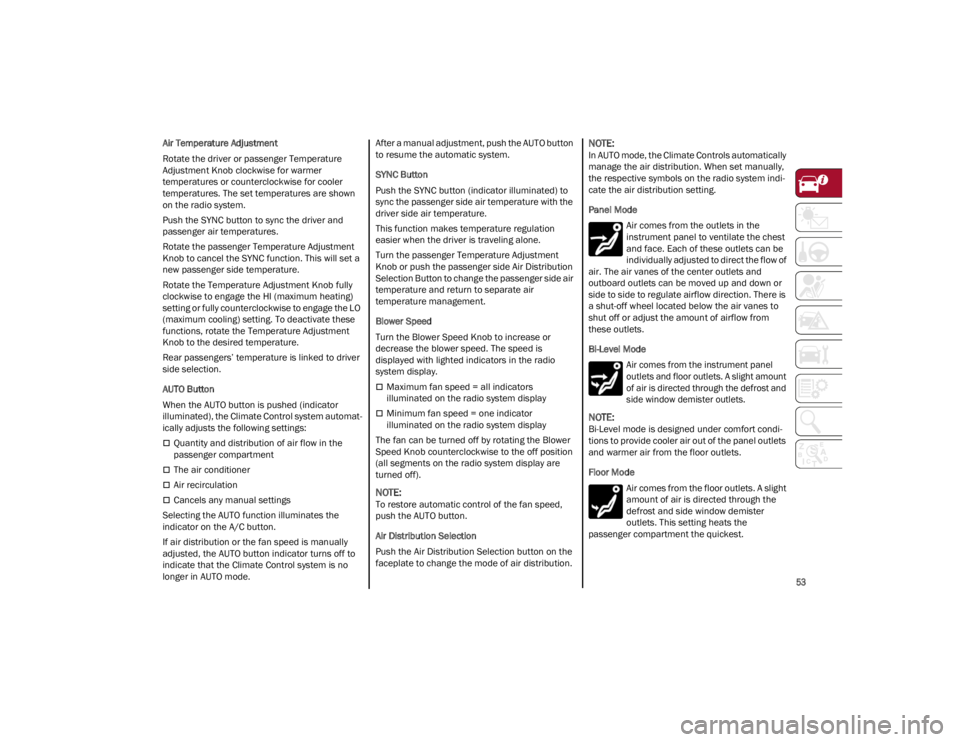
Panel Mode
Air comes from the outlets in the
instrument panel to ventilate the chest
and face. Each of these outlets can be
individually adjusted to direct the flow of
air. The air vanes of the center outlets and
outboard outlets can be moved up and down or
side to side to regulate airflow direction. There is
a shut-off wheel located below the air vanes to
shut off or adjust the amount of airflow from
these outlets.
Bi-Level Mode
Air comes from the instrument panel
outlets and floor outlets. A slight amount
of air is directed through the defrost and
side window demister outlets.
NOTE:
Bi-Level mode is designed under comfort condi -
tions to provide cooler air out of the panel outlets
and warmer air from the floor outlets.
Floor Mode
Air comes from the floor outlets. A slight
amount of air is directed through the
defrost and side window demister
outlets. This setting heats the
passenger compartment the quickest.
22_GA_OM_EN_USC_t.book Page 53
Page 74 of 248
GETTING TO KNOW YOUR INSTRUMENT PANEL
72
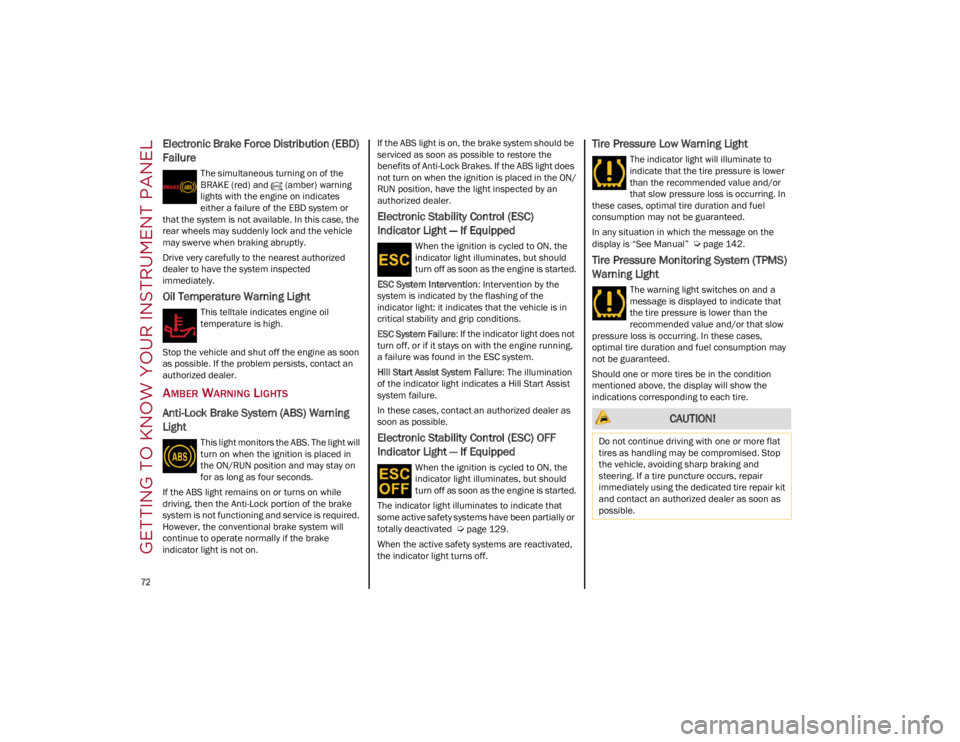
Electronic Brake Force Distribution (EBD)
Failure
The simultaneous turning on of the
BRAKE (red) and (amber) warning
lights with the engine on indicates
either a failure of the EBD system or
that the system is not available. In this case, the
rear wheels may suddenly lock and the vehicle
may swerve when braking abruptly.
Drive very carefully to the nearest authorized
dealer to have the system inspected
immediately.
Oil Temperature Warning Light
This telltale indicates engine oil
temperature is high.
Stop the vehicle and shut off the engine as soon
as possible. If the problem persists, contact an
authorized dealer.
AMBER WARNING LIGHTS
Anti-Lock Brake System (ABS) Warning
Light
This light monitors the ABS. The light will
turn on when the ignition is placed in
the ON/RUN position and may stay on
for as long as four seconds.
If the ABS light remains on or turns on while
driving, then the Anti-Lock portion of the brake
system is not functioning and service is required.
However, the conventional brake system will
continue to operate normally if the brake
indicator light is not on. If the ABS light is on, the brake system should be
serviced as soon as possible to restore the
benefits of Anti-Lock Brakes. If the ABS light does
not turn on when the ignition is placed in the ON/
RUN position, have the light inspected by an
authorized dealer.
Electronic Stability Control (ESC)
Indicator Light — If Equipped
When the ignition is cycled to ON, the
indicator light illuminates, but should
turn off as soon as the engine is started.
ESC System Intervention : Intervention by the
system is indicated by the flashing of the
indicator light: it indicates that the vehicle is in
critical stability and grip conditions.
ESC System Failure: If the indicator light does not
turn off, or if it stays on with the engine running,
a failure was found in the ESC system.
Hill Start Assist System Failure : The illumination
of the indicator light indicates a Hill Start Assist
system failure.
In these cases, contact an authorized dealer as
soon as possible.
Electronic Stability Control (ESC) OFF
Indicator Light — If Equipped
When the ignition is cycled to ON, the
indicator light illuminates, but should
turn off as soon as the engine is started.
The indicator light illuminates to indicate that
some active safety systems have been partially or
totally deactivated
Ú
page 129.
When the active safety systems are reactivated,
the indicator light turns off.
Tire Pressure Low Warning Light
The indicator light will illuminate to
indicate that the tire pressure is lower
than the recommended value and/or
that slow pressure loss is occurring. In
these cases, optimal tire duration and fuel
consumption may not be guaranteed.
In any situation in which the message on the
display is “See Manual”
Ú
page 142.
Tire Pressure Monitoring System (TPMS)
Warning Light
The warning light switches on and a
message is displayed to indicate that
the tire pressure is lower than the
recommended value and/or that slow
pressure loss is occurring. In these cases,
optimal tire duration and fuel consumption may
not be guaranteed.
Should one or more tires be in the condition
mentioned above, the display will show the
indications corresponding to each tire.
CAUTION!
Do not continue driving with one or more flat
tires as handling may be compromised. Stop
the vehicle, avoiding sharp braking and
steering. If a tire puncture occurs, repair
immediately using the dedicated tire repair kit
and contact an authorized dealer as soon as
possible.
22_GA_OM_EN_USC_t.book Page 72
Page 75 of 248
73
Each tire, including the spare (if provided), should
be checked monthly when cold and inflated to the
inflation pressure recommended by the vehicle
manufacturer on the vehicle placard or tire
inflation pressure label. If your vehicle has tires of
a different size than the size indicated on the
vehicle placard or tire inflation pressure label, you
should determine the proper tire inflation
pressure for those tires.
As an added safety feature, your vehicle has been
equipped with a TPMS that illuminates a low tire
pressure telltale when one or more of your tires is
significantly underinflated. Accordingly, when the
low tire pressure telltale illuminates, you should
stop and check your tires as soon as possible,
and inflate them to the proper pressure. Driving
on a significantly underinflated tire causes the
tire to overheat and can lead to tire failure.
Underinflation also reduces fuel efficiency and
tire tread life, and may affect the vehicle’s
handling and stopping ability.
Please note that the TPMS is not a substitute for
proper tire maintenance, and it is the driver’s
responsibility to maintain correct tire pressure,
even if underinflation has not reached the level to
trigger illumination of the TPMS low tire pressure
telltale.
Your vehicle has also been equipped with a TPMS
malfunction indicator to indicate when the
system is not operating properly. The TPMS
malfunction indicator is combined with the low
tire pressure telltale. When the system detects a
malfunction, the telltale will flash for approxi-
mately one minute and then remain continuously
illuminated. This sequence will continue upon
subsequent vehicle start-ups as long as the
malfunction exists. When the malfunction
indicator is illuminated, the system may not be able to detect or signal low tire pressure as
intended. TPMS malfunctions may occur for a
variety of reasons, including the installation of
replacement or alternate tires or wheels on the
vehicle that prevent the TPMS from functioning
properly. Always check the TPMS malfunction
telltale after replacing one or more tires or wheels
on your vehicle to ensure that the replacement or
alternate tires and wheels allow the TPMS to
continue to function properly.
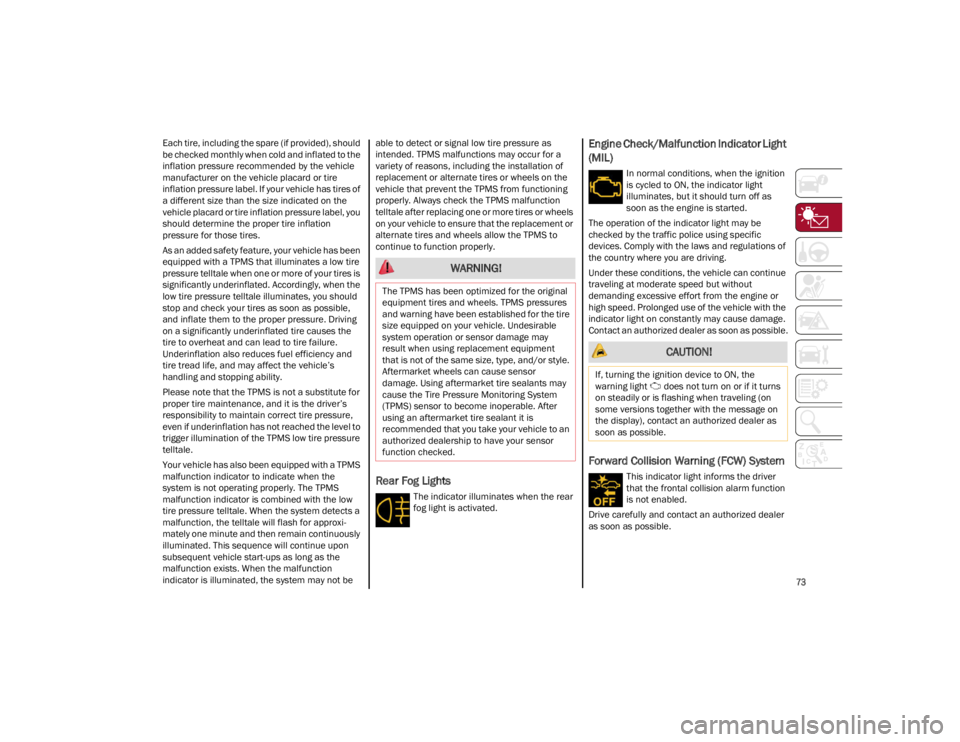
Rear Fog Lights
The indicator illuminates when the rear
fog light is activated.
Engine Check/Malfunction Indicator Light
(MIL)
In normal conditions, when the ignition
is cycled to ON, the indicator light
illuminates, but it should turn off as
soon as the engine is started.
The operation of the indicator light may be
checked by the traffic police using specific
devices. Comply with the laws and regulations of
the country where you are driving.
Under these conditions, the vehicle can continue
traveling at moderate speed but without
demanding excessive effort from the engine or
high speed. Prolonged use of the vehicle with the
indicator light on constantly may cause damage.
Contact an authorized dealer as soon as possible.
Forward Collision Warning (FCW) System
This indicator light informs the driver
that the frontal collision alarm function
is not enabled.
Drive carefully and contact an authorized dealer
as soon as possible.
WARNING!
The TPMS has been optimized for the original
equipment tires and wheels. TPMS pressures
and warning have been established for the tire
size equipped on your vehicle. Undesirable
system operation or sensor damage may
result when using replacement equipment
that is not of the same size, type, and/or style.
Aftermarket wheels can cause sensor
damage. Using aftermarket tire sealants may
cause the Tire Pressure Monitoring System
(TPMS) sensor to become inoperable. After
using an aftermarket tire sealant it is
recommended that you take your vehicle to an
authorized dealership to have your sensor
function checked.
CAUTION!
If, turning the ignition device to ON, the
warning light does not turn on or if it turns
on steadily or is flashing when traveling (on
some versions together with the message on
the display), contact an authorized dealer as
soon as possible.
22_GA_OM_EN_USC_t.book Page 73
Page 77 of 248
75
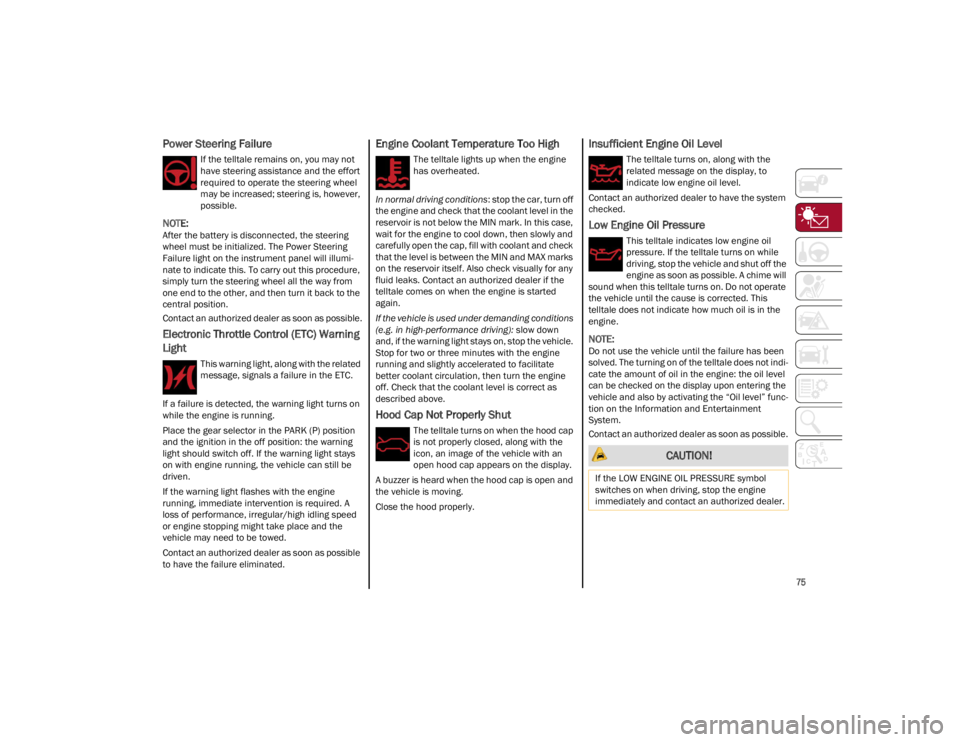
Power Steering Failure
If the telltale remains on, you may not
have steering assistance and the effort
required to operate the steering wheel
may be increased; steering is, however,
possible.
NOTE:
After the battery is disconnected, the steering
wheel must be initialized. The Power Steering
Failure light on the instrument panel will illumi-
nate to indicate this. To carry out this procedure,
simply turn the steering wheel all the way from
one end to the other, and then turn it back to the
central position.
Contact an authorized dealer as soon as possible.
Electronic Throttle Control (ETC) Warning
Light
This warning light, along with the related
message, signals a failure in the ETC.
If a failure is detected, the warning light turns on
while the engine is running.
Place the gear selector in the PARK (P) position
and the ignition in the off position: the warning
light should switch off. If the warning light stays
on with engine running, the vehicle can still be
driven.
If the warning light flashes with the engine
running, immediate intervention is required. A
loss of performance, irregular/high idling speed
or engine stopping might take place and the
vehicle may need to be towed.
Contact an authorized dealer as soon as possible
to have the failure eliminated.
Engine Coolant Temperature Too High
The telltale lights up when the engine
has overheated.
In normal driving conditions : stop the car, turn off
the engine and check that the coolant level in the
reservoir is not below the MIN mark. In this case,
wait for the engine to cool down, then slowly and
carefully open the cap, fill with coolant and check
that the level is between the MIN and MAX marks
on the reservoir itself. Also check visually for any
fluid leaks. Contact an authorized dealer if the
telltale comes on when the engine is started
again.
If the vehicle is used under demanding conditions
(e.g. in high-performance driving): slow down
and, if the warning light stays on, stop the vehicle.
Stop for two or three minutes with the engine
running and slightly accelerated to facilitate
better coolant circulation, then turn the engine
off. Check that the coolant level is correct as
described above.
Hood Cap Not Properly Shut
The telltale turns on when the hood cap
is not properly closed, along with the
icon, an image of the vehicle with an
open hood cap appears on the display.
A buzzer is heard when the hood cap is open and
the vehicle is moving.
Close the hood properly.
Insufficient Engine Oil Level
The telltale turns on, along with the
related message on the display, to
indicate low engine oil level.
Contact an authorized dealer to have the system
checked.
Low Engine Oil Pressure
This telltale indicates low engine oil
pressure. If the telltale turns on while
driving, stop the vehicle and shut off the
engine as soon as possible. A chime will
sound when this telltale turns on. Do not operate
the vehicle until the cause is corrected. This
telltale does not indicate how much oil is in the
engine.
NOTE:
Do not use the vehicle until the failure has been
solved. The turning on of the telltale does not indi -
cate the amount of oil in the engine: the oil level
can be checked on the display upon entering the
vehicle and also by activating the “Oil level” func -
tion on the Information and Entertainment
System.
Contact an authorized dealer as soon as possible.
CAUTION!
If the LOW ENGINE OIL PRESSURE symbol
switches on when driving, stop the engine
immediately and contact an authorized dealer.
22_GA_OM_EN_USC_t.book Page 75
Page 80 of 248
GETTING TO KNOW YOUR INSTRUMENT PANEL
78
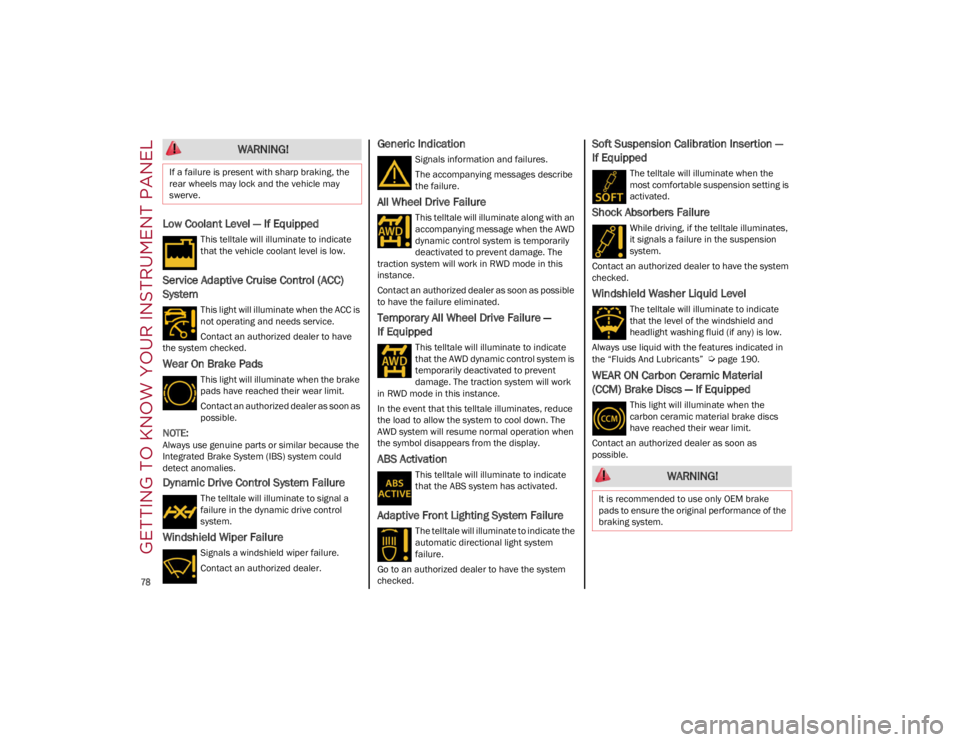
Low Coolant Level — If Equipped
This telltale will illuminate to indicate
that the vehicle coolant level is low.
Service Adaptive Cruise Control (ACC)
System
This light will illuminate when the ACC is
not operating and needs service.
Contact an authorized dealer to have
the system checked.
Wear On Brake Pads
This light will illuminate when the brake
pads have reached their wear limit.
Contact an authorized dealer as soon as
possible.
NOTE:
Always use genuine parts or similar because the
Integrated Brake System (IBS) system could
detect anomalies.
Dynamic Drive Control System Failure
The telltale will illuminate to signal a
failure in the dynamic drive control
system.
Windshield Wiper Failure
Signals a windshield wiper failure.
Contact an authorized dealer.
Generic Indication
Signals information and failures.
The accompanying messages describe
the failure.
All Wheel Drive Failure
This telltale will illuminate along with an
accompanying message when the AWD
dynamic control system is temporarily
deactivated to prevent damage. The
traction system will work in RWD mode in this
instance.
Contact an authorized dealer as soon as possible
to have the failure eliminated.
Temporary All Wheel Drive Failure —
If Equipped
This telltale will illuminate to indicate
that the AWD dynamic control system is
temporarily deactivated to prevent
damage. The traction system will work
in RWD mode in this instance.
In the event that this telltale illuminates, reduce
the load to allow the system to cool down. The
AWD system will resume normal operation when
the symbol disappears from the display.
ABS Activation
This telltale will illuminate to indicate
that the ABS system has activated.
Adaptive Front Lighting System Failure
The telltale will illuminate to indicate the
automatic directional light system
failure.
Go to an authorized dealer to have the system
checked.
Soft Suspension Calibration Insertion —
If Equipped
The telltale will illuminate when the
most comfortable suspension setting is
activated.
Shock Absorbers Failure
While driving, if the telltale illuminates,
it signals a failure in the suspension
system.
Contact an authorized dealer to have the system
checked.
Windshield Washer Liquid Level
The telltale will illuminate to indicate
that the level of the windshield and
headlight washing fluid (if any) is low.
Always use liquid with the features indicated in
the “Fluids And Lubricants”
Ú
page 190.
WEAR ON Carbon Ceramic Material
(CCM) Brake Discs — If Equipped
This light will illuminate when the
carbon ceramic material brake discs
have reached their wear limit.
Contact an authorized dealer as soon as
possible.
WARNING!
If a failure is present with sharp braking, the
rear wheels may lock and the vehicle may
swerve.
WARNING!
It is recommended to use only OEM brake
pads to ensure the original performance of the
braking system.
22_GA_OM_EN_USC_t.book Page 78
Page 83 of 248
81
STARTING THE ENGINE
Before starting the engine, be sure to adjust the
seat, the interior rearview mirror, the door
mirrors, and fasten the seat belt correctly.
Never press the accelerator pedal before starting
the engine.
If necessary, messages indicating the starting
procedure will be shown in the display.
STARTING PROCEDURE
Proceed as follows:
1. Apply the Electric Park Brake and set the gear selector to PARK (P) or NEUTRAL (N).
2. Fully press the brake pedal without touching the accelerator.
3. Briefly push the ignition button.
4. If the engine doesn't start within a few seconds, you need to repeat the procedure.
If the problem persists, contact an authorized
dealer.
REMOTE STARTING SYSTEM
This system uses the key fob to start the engine
conveniently from outside the vehicle while still
maintaining security. The system has a range of
at least 300 feet (91 meters).
The remote starting system also activates the
climate control, the heated seats (if equipped),
and the heated steering wheel (if equipped),
depending on temperatures outside and inside of
the vehicle.
NOTE:
Obstructions between the vehicle and key fob
may reduce this range.
How to use Remote Start
All of the following conditions must be met before
the engine will remote start:
Gear selector in PARK (P).
Doors closed.
Hood closed.
Trunk closed.
Hazard switch off.
Brake switch inactive (brake pedal not
pressed).
WARNING!
When leaving the vehicle, always remove the
key fob from the vehicle and lock your
vehicle.
Never leave children alone in a vehicle, or
with access to an unlocked vehicle.
Allowing children to be in a vehicle
unattended is dangerous for a number of
reasons. A child or others could be seriously
or fatally injured. Children should be warned
not to touch the parking brake, brake pedal
or the transmission gear selector.
Do not leave the key fob in or near the
vehicle, or in a location accessible to
children. A child could operate power
windows, other controls, or move the vehicle.
Do not leave children or animals inside
parked vehicles in hot weather. Interior heat
buildup may cause serious injury or death.
WARNING!
Never pour fuel or other flammable liquid
into the throttle body air inlet opening in an
attempt to start the vehicle. This could result
in flash fire causing serious personal injury.
Do not attempt to push or tow your vehicle to
get it started. Vehicles equipped with an
automatic transmission cannot be started
this way. Unburned fuel could enter the
catalytic converter and once the engine has
started, ignite and damage the converter
and vehicle.
If the vehicle has a discharged battery,
booster cables may be used to obtain a start
from a booster battery or the battery in
another vehicle
Ú
page 177. This type of
start can be dangerous if done improperly.
CAUTION!
To prevent damage to the starter, do not
continuously crank the engine for more than
25 seconds at a time. Wait 60 seconds before
trying again.
22_GA_OM_EN_USC_t.book Page 81