active Alfa Romeo Giulia Quadrifoglio 2017 User Guide
[x] Cancel search | Manufacturer: ALFA ROMEO, Model Year: 2017, Model line: Giulia Quadrifoglio, Model: Alfa Romeo Giulia Quadrifoglio 2017Pages: 268, PDF Size: 110.98 MB
Page 50 of 268
Switching Off/On The
Climate Control System
Switching Off The Climate Control
System
Rotate the Air Seed Adjustment Knob
completely to the left to turn off the
Climate Control System.
With the air conditioner off:
Air recirculation is on.
The A/C compressor is off.
Thefanisoff.
The heated rear window can be
activated/deactivated.
Note:
The climate control system stores the
previously set temperatures and
resumes operation when any button on
the system is pushed.
Switching On The Climate Control
System
To switch the climate control system on
in automatic mode, push the AUTO
button.
Stop/Start Evo
The climate control system manages
the Stop/Start Evo system. Stop/Start
Evo has the engine shut off when
vehicle speed is 0 mph (0 km/h) to
maintain comfort within the vehicle.
Stop/Start Evo will deactivate in the
following scenarios:
The climate control system is in
AUTO mode (indicator illuminated), and
the vehicle has yet to reach the set
temperature
The LO setting is active
MAX-DEF status is active
When the Stop/Start Evo system is
active, the engine will restart if the
inside temperature changes
significantly, or if the LO setting, or
MAX-DEF setting, is activated.
With Stop/Start Evo system on, air flow
is reduced to keep the compartment
comfort conditions for longer.
Until the temperature drastically
changes within the cabin, the climate
control system will continue to maintain
the temperature while the engine is off.
By deactivating the Stop/Start Evo
system with the
button located on
the dashboard, the climate control
system will take priority over the engine
shutting off. Note:
In harsh climate conditions, limit the
use of the Stop/Start Evo system to
prevent the compressor from
continuously switching on and off. This
will cause rapid misting of the windows
and the accumulation of humidity in
the passenger compartment.
When the Stop/Start Evo system is
on, the climate control system will
always take air in from outside,
reducing the probability of the windows
fogging up.
Additional Heater —
If Equipped
Note:
The additional heater automatically
operates if the outside temperature and
engine coolant temperature are low.
The heater will not operate if battery
voltage is low.
System Maintenance
In winter, the Climate Control System
must be turned on at least once a
month for approximately 10 minutes.
Have the system inspected at an
authorized dealer before the summer.
48
GETTING TO KNOW YOUR VEHICLE
Page 62 of 268
ENVIRONMENTAL
PROTECTION
SYSTEMS
The following systems are used for
reducing engine emissions:
Catalytic Converter
Oxygen Sensors
Evaporation Control System
ACTIVE
AERODYNAMICS
Front Mobile Spoiler
(Alfa Active Aero)
This is an automatic device, working at
the vehicle speed, which allows higher
reactivity at average speeds and higher
vehicle stability at high speeds,
regulating the air flow into the lower part
of the vehicle.
Note:
The system is not active in
temperatures near or below zero, or
when the “Alfa DNA Pro” selector is in
the "Normal" or "Advanced Efficiency"
positions.If there is a fault, a generic failure icon
will light up on the instrument panel
display, along with a message that will
identify the type of malfunction. See
your authorized dealer if a fault occurs.
GUID-04296S0001EMFront Facia
60
GETTING TO KNOW YOUR VEHICLE
Page 66 of 268
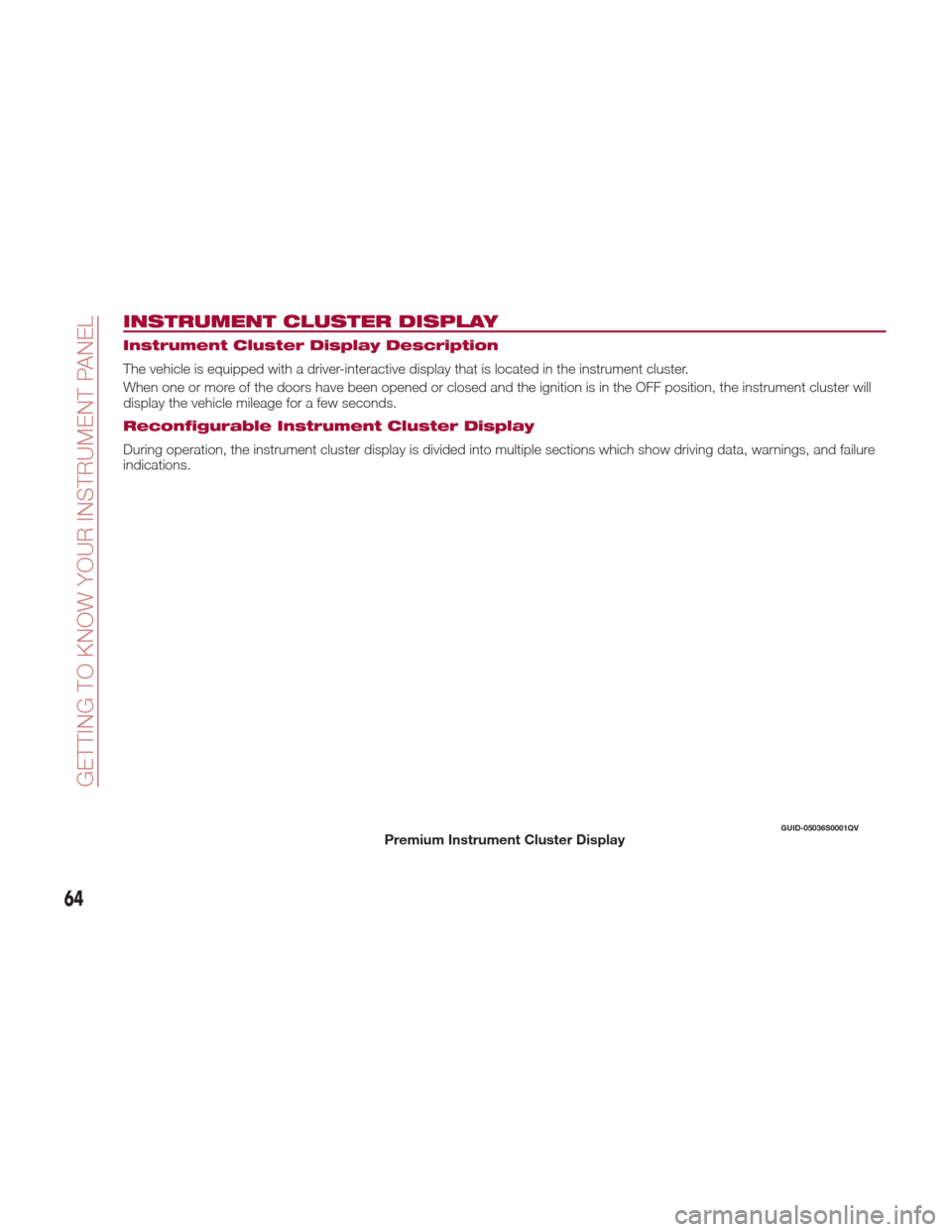
INSTRUMENT CLUSTER DISPLAY
Instrument Cluster Display Description
The vehicle is equipped with a driver-interactive display that is located in the instrument cluster.
When one or more of the doors have been opened or closed and the ignition is in the OFF position, the instrument cluster will
display the vehicle mileage for a few seconds.
Reconfigurable Instrument Cluster Display
During operation, the instrument cluster display is divided into multiple sections which show driving data, warnings, and failure
indications.
GUID-05036S0001QVPremium Instrument Cluster Display
64
GETTING TO KNOW YOUR INSTRUMENT PANEL
Page 67 of 268
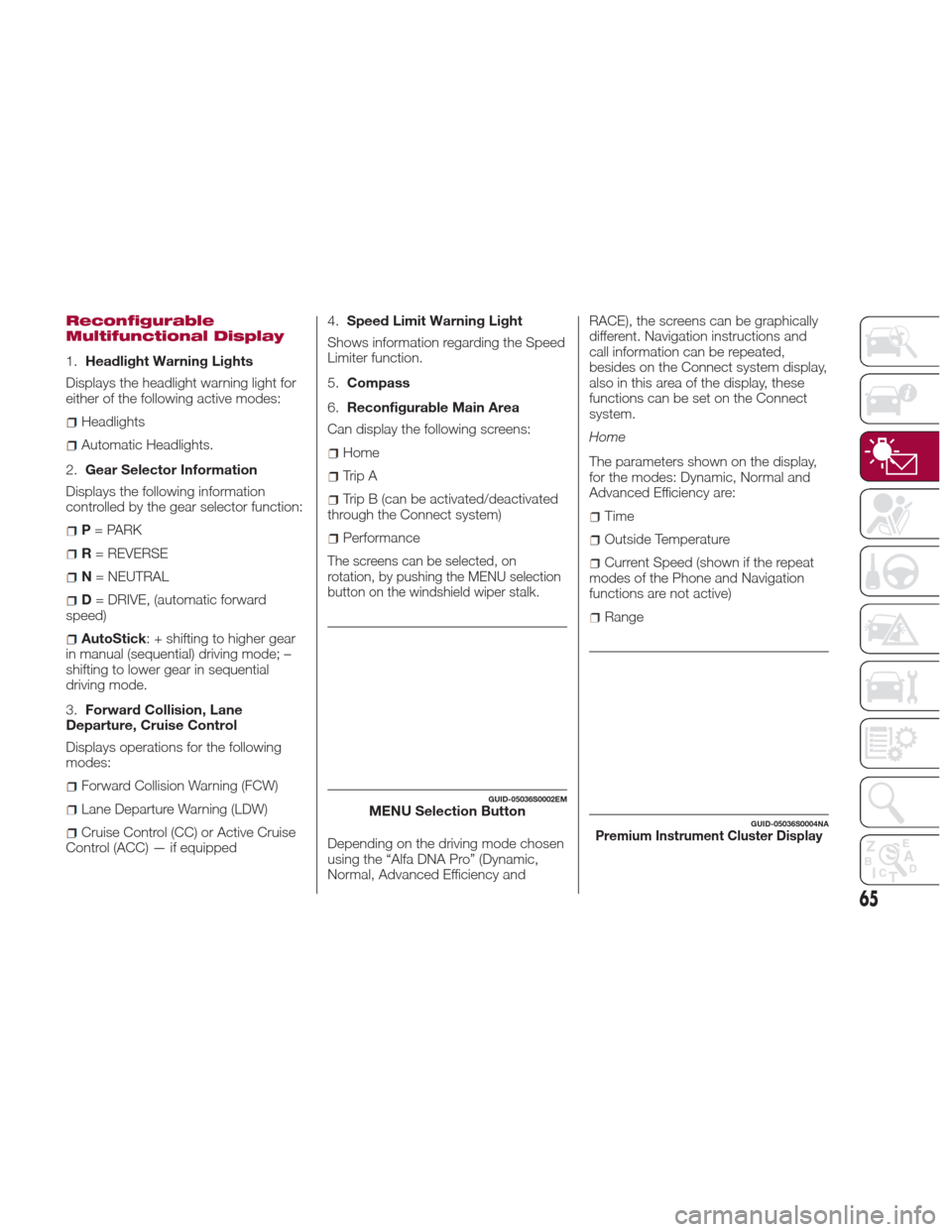
Reconfigurable
Multifunctional Display
1.Headlight Warning Lights
Displays the headlight warning light for
either of the following active modes:
Headlights
Automatic Headlights.
2. Gear Selector Information
Displays the following information
controlled by the gear selector function:
P = PARK
R = REVERSE
N = NEUTRAL
D= DRIVE, (automatic forward
speed)
AutoStick : + shifting to higher gear
in manual (sequential) driving mode; –
shifting to lower gear in sequential
driving mode.
3. Forward Collision, Lane
Departure, Cruise Control
Displays operations for the following
modes:
Forward Collision Warning (FCW)
Lane Departure Warning (LDW)
Cruise Control (CC) or Active Cruise
Control (ACC) — if equipped 4.
Speed Limit Warning Light
Shows information regarding the Speed
Limiter function.
5. Compass
6. Reconfigurable Main Area
Can display the following screens:
Home
Trip A
Trip B (can be activated/deactivated
through the Connect system)
Performance
The screens can be selected, on
rotation, by pushing the MENU selection
button on the windshield wiper stalk.
Depending on the driving mode chosen
using the “Alfa DNA Pro” (Dynamic,
Normal, Advanced Efficiency and RACE), the screens can be graphically
different. Navigation instructions and
call information can be repeated,
besides on the Connect system display,
also in this area of the display, these
functions can be set on the Connect
system.
Home
The parameters shown on the display,
for the modes: Dynamic, Normal and
Advanced Efficiency are:
Time
Outside Temperature
Current Speed (shown if the repeat
modes of the Phone and Navigation
functions are not active)
Range
GUID-05036S0002EMMENU Selection ButtonGUID-05036S0004NAPremium Instrument Cluster Display
65
Page 68 of 268
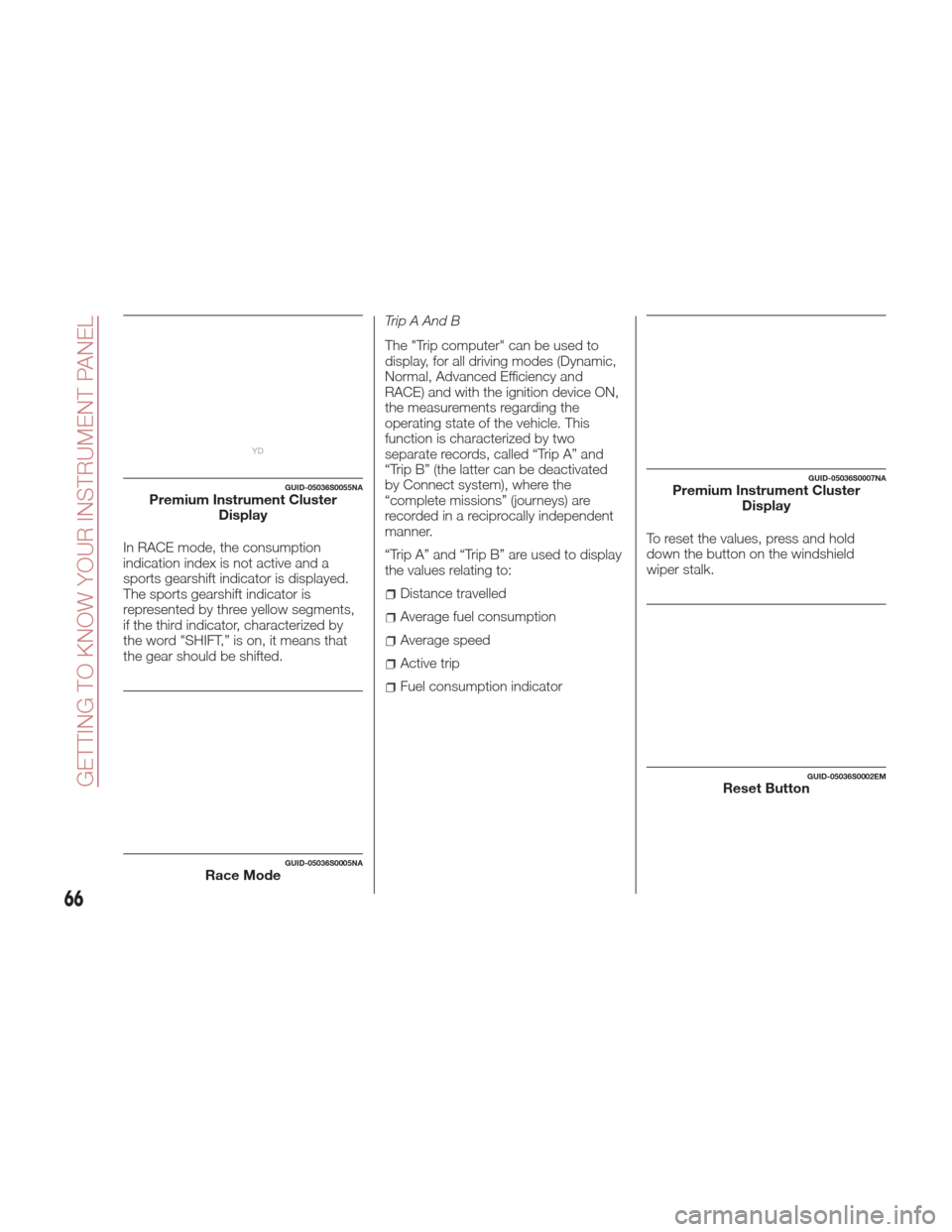
In RACE mode, the consumption
indication index is not active and a
sports gearshift indicator is displayed.
The sports gearshift indicator is
represented by three yellow segments,
if the third indicator, characterized by
the word "SHIFT,” is on, it means that
the gear should be shifted.Trip A And B
The "Trip computer" can be used to
display, for all driving modes (Dynamic,
Normal, Advanced Efficiency and
RACE) and with the ignition device ON,
the measurements regarding the
operating state of the vehicle. This
function is characterized by two
separate records, called “Trip A” and
“Trip B” (the latter can be deactivated
by Connect system), where the
“complete missions” (journeys) are
recorded in a reciprocally independent
manner.
“Trip A” and “Trip B” are used to display
the values relating to:
Distance travelled
Average fuel consumption
Average speed
Active trip
Fuel consumption indicator
To reset the values, press and hold
down the button on the windshield
wiper stalk.
GUID-05036S0055NAPremium Instrument Cluster
Display
GUID-05036S0005NARace Mode
GUID-05036S0007NAPremium Instrument ClusterDisplay
GUID-05036S0002EMReset Button
66
GETTING TO KNOW YOUR INSTRUMENT PANEL
Page 69 of 268
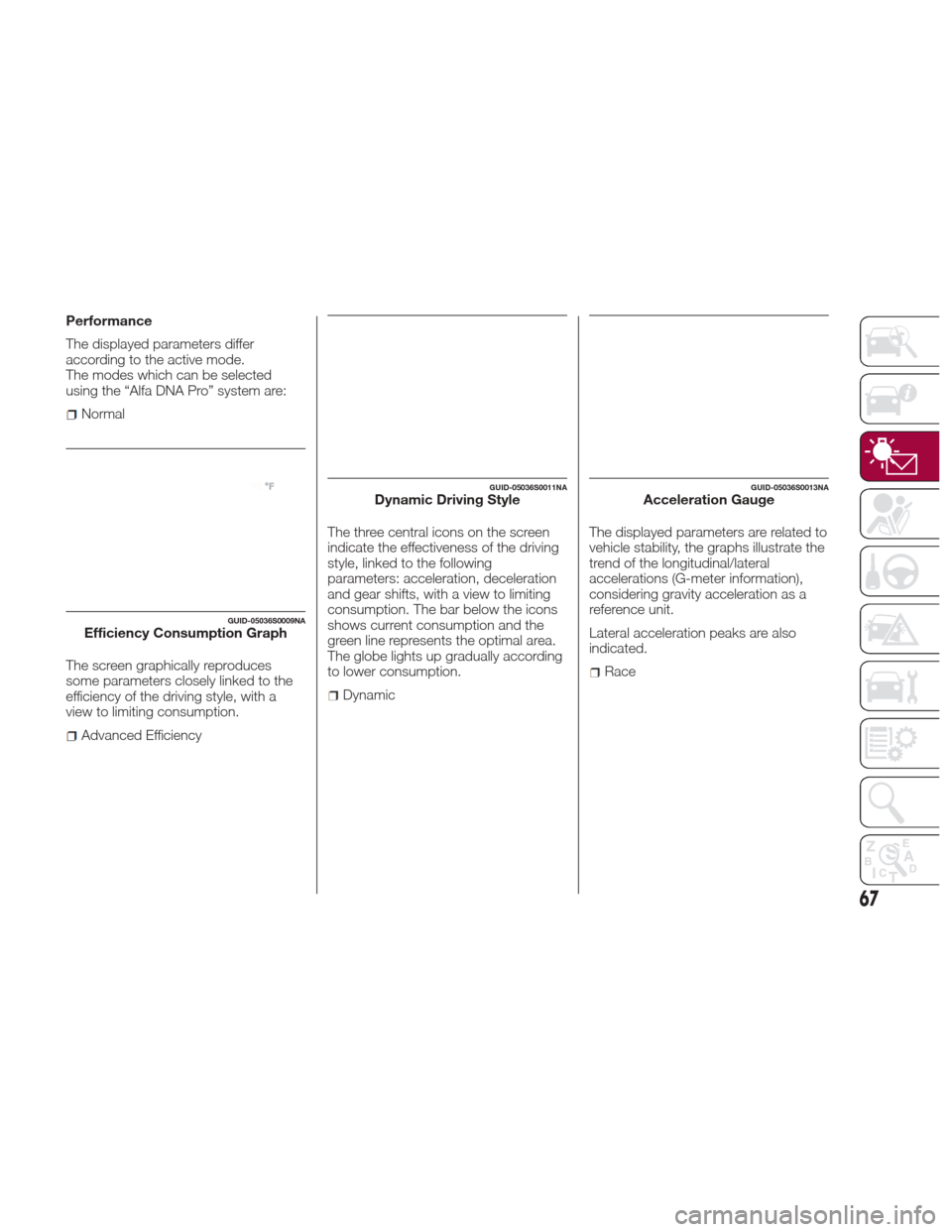
Performance
The displayed parameters differ
according to the active mode.
The modes which can be selected
using the “Alfa DNA Pro” system are:
Normal
The screen graphically reproduces
some parameters closely linked to the
efficiency of the driving style, with a
view to limiting consumption.
Advanced Efficiency The three central icons on the screen
indicate the effectiveness of the driving
style, linked to the following
parameters: acceleration, deceleration
and gear shifts, with a view to limiting
consumption. The bar below the icons
shows current consumption and the
green line represents the optimal area.
The globe lights up gradually according
to lower consumption.
Dynamic
The displayed parameters are related to
vehicle stability, the graphs illustrate the
trend of the longitudinal/lateral
accelerations (G-meter information),
considering gravity acceleration as a
reference unit.
Lateral acceleration peaks are also
indicated.
Race
GUID-05036S0009NAEfficiency Consumption Graph
GUID-05036S0011NADynamic Driving StyleGUID-05036S0013NAAcceleration Gauge
67
Page 80 of 268
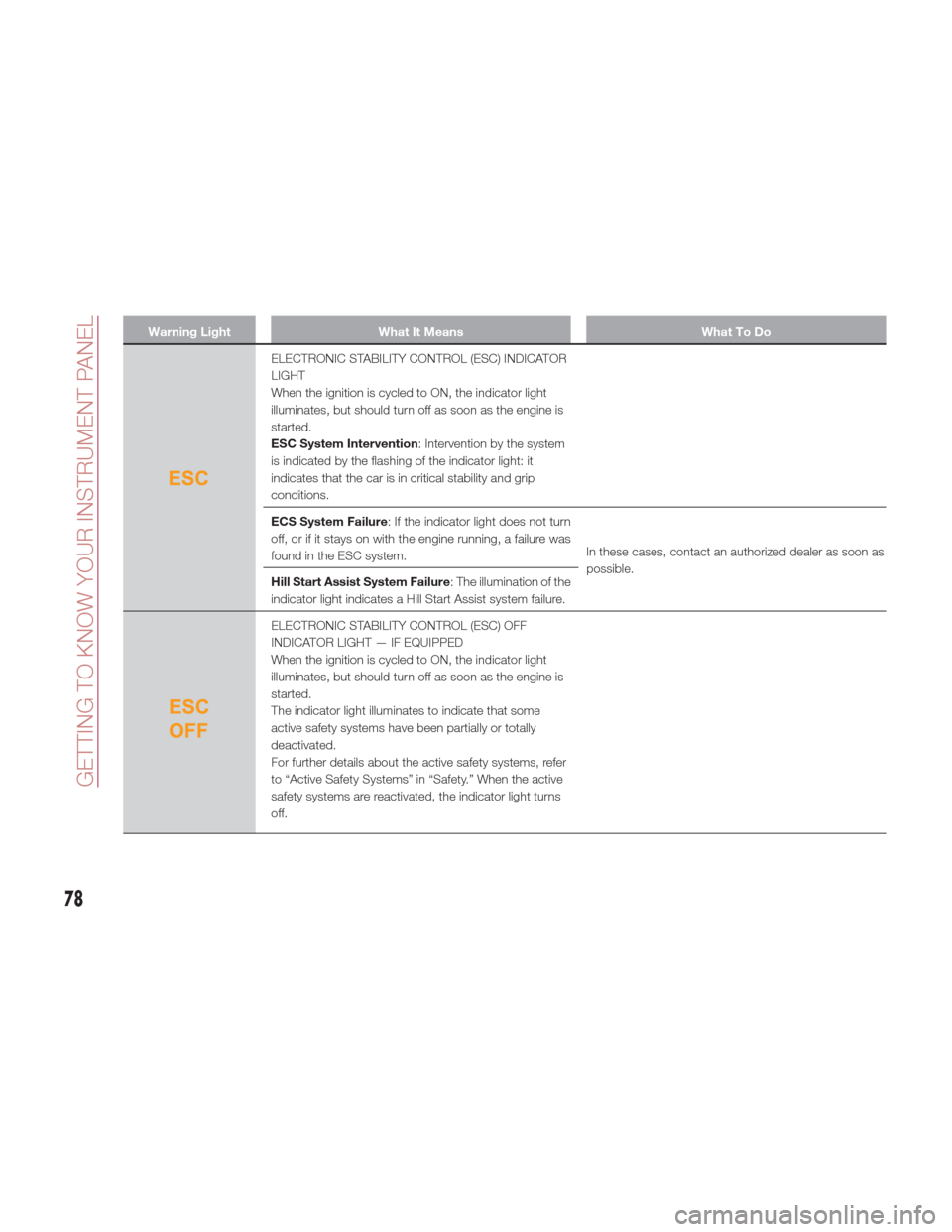
Warning LightWhat It Means What To Do
ELECTRONIC STABILITY CONTROL (ESC) INDICATOR
LIGHT
When the ignition is cycled to ON, the indicator light
illuminates, but should turn off as soon as the engine is
started.
ESC System Intervention: Intervention by the system
is indicated by the flashing of the indicator light: it
indicates that the car is in critical stability and grip
conditions.
ECS System Failure : If the indicator light does not turn
off, or if it stays on with the engine running, a failure was
found in the ESC system. In these cases, contact an authorized dealer as soon as
possible.
Hill Start Assist System Failure : The illumination of the
indicator light indicates a Hill Start Assist system failure.
ELECTRONIC STABILITY CONTROL (ESC) OFF
INDICATOR LIGHT — IF EQUIPPED
When the ignition is cycled to ON, the indicator light
illuminates, but should turn off as soon as the engine is
started.
The indicator light illuminates to indicate that some
active safety systems have been partially or totally
deactivated.
For further details about the active safety systems, refer
to “Active Safety Systems” in “Safety.” When the active
safety systems are reactivated, the indicator light turns
off.
78
GETTING TO KNOW YOUR INSTRUMENT PANEL
Page 97 of 268
SAFETY
The chapter that you are about to read
is very important: it describes the safety
systems with which the vehicle is
equipped and provides instructions on
how to use them correctly.ACTIVE SAFETY SYSTEMS......96
AUXILIARY DRIVING SYSTEMS ....99
OCCUPANT RESTRAINT
SYSTEMS ............... .108
95
Page 98 of 268
ACTIVE SAFETY
SYSTEMS
The vehicle may be equipped with the
following active safety devices:
Anti-Lock Braking (ABS) System
Drive Train Control (DTC) System
Electronic Stability Control (ESC)
System
Traction Control System (TCS)
Panic Brake Assist (PBA) System
Hill Start Assist (HSA) System
Dynamic Steering Torque (DST)
System
Active Torque Vectoring (ATV)
System
For the operation of the systems, see
the following pages.
Anti-Lock Braking (ABS)
System
An integral part of the braking system,
the ABS prevents one or more wheels
from locking and slipping in all road
surface conditions, regardless of the
intensity of the braking action. The
system ensures that the vehicle can be
controlled even during emergency
braking, allowing the driver to optimize
stopping distances.
The system intervenes during braking
when the wheels are about to lock,
typically in emergency braking or
low-grip conditions where locking may
be more frequent. The system also improves control and
stability of the vehicle when braking on
a surface where the grip of the left and
right wheels varies, such as in a corner.
The Electronic Braking Force
Distribution (EBD) system works with
the ABS, allowing the brake force to be
distributed between the front and rear
wheels.
System Intervention
The ABS equipped on this vehicle is
provided with the "Brake-by-wire"
(Integrated Brake System - IBS)
function. With this system, the
command given by pressing the brake
pedal is not transmitted hydraulically,
but electrically. Therefore, the light
pulsation that is felt on the pedal with
the traditional system is no longer
noticeable.
Warning!
The ABS contains sophisticated
electronic equipment that may be
susceptible to interference caused by
improperly installed or high output radio
transmitting equipment. This interference
can cause possible loss of anti-lock braking
capability. Installation of such equipment
should be performed by qualified
professionals.
Pumping of the Anti-Lock Brakes will
diminish their effectiveness and may lead to
a collision. Pumping makes the stopping distance longer. Just press firmly on your
brake pedal when you need to slow down
or stop.
The ABS cannot prevent the natural
laws of physics from acting on the vehicle,
nor can it increase braking or steering
efficiency beyond that afforded by the
condition of the vehicle brakes and tires or
the traction afforded.
The ABS cannot prevent collisions,
including those resulting from excessive
speed in turns, following another vehicle
too closely, or hydroplaning.
The capabilities of an ABS equipped
vehicle must never be exploited in a
reckless or dangerous manner that could
jeopardize the user’s safety or the safety of
others.
Drive Train Control
(DTC) System — If
Equipped
Some models of this vehicle are
equipped with an All-Wheel Drive
system (AWD), which offers an optimal
drive for countless driving conditions
and road surfaces. The system reduces
the slipping of the tires to a minimum,
automatically redistributing the torque
to the front and rear wheels as needed.
To maximize fuel savings, the vehicle
with AWD automatically passes to
rear-wheel drive (RWD) when the road
and environmental conditions are such
that they wouldn't cause the tires to
slip. When the road and environmental
96
SAFETY
Page 100 of 268
System Intervention
The intervention of the system is
indicated by the flashing of the ESC
warning light on the instrument panel,
to inform the driver that the vehicle
stability and grip are critical.
Panic Brake Assist
(PBA) System
The PBA system is designed to improve
the vehicle’s braking capacity during
emergency braking.
The system detects emergency braking
by monitoring the speed and force with
which the brake pedal is pressed, and
consequently applies the optimal brake
pressure. This can reduce the braking
distance: the PBA system therefore
complements the ABS.
Maximum assistance from the PBA
system is obtained by pressing the
brake pedal very quickly. In addition, the
brake pedal should be pressed
continuously during braking, avoiding
intermittent presses, to get the most
out of the system. Do not reduce
pressure on the brake pedal until
braking is no longer necessary.
The PBA system is deactivated when
the brake pedal is released.
Warning!
The Panic Brake Assist (PBA) cannot
prevent the natural laws of physics from
acting on the vehicle, nor can it increase
the traction afforded by prevailing road
conditions. PBA cannot prevent collisions,
including those resulting from excessive
speed in turns, driving on very slippery
surfaces, or hydroplaning. The capabilities
of a PBA-equipped vehicle must never be
exploited in a reckless or dangerous
manner, which could jeopardize the user's
safety or the safety of others.
Hill Start Assist (HSA)
System
This is an integral part of the ESC
system and facilitates starting on
slopes, activating automatically in the
following cases:
Uphill: vehicle stationary on a road
with a gradient higher than 5%, engine
running, brake pressed and
transmission in neutral or gear other
than reverse engaged.
Downhill: vehicle stationary on a road
with a gradient higher than 5%, engine
running, brake pressed and reverse
gear engaged.
When setting off, the ESC system
control unit maintains the braking
pressure on the wheels until the engine
torque necessary for starting is reached, or in any case for a maximum
of two seconds, allowing your right foot
to be moved easily from the brake
pedal to the accelerator.
When two seconds without starting
have elapsed, the system is
automatically deactivated, gradually
releasing the braking pressure. During
this release stage, it is possible to hear
a typical mechanical brake release
noise, indicating the imminent
movement of the car.
Warning!
There may be situations where the Hill
Start Assist (HSA) will not activate and
slight rolling may occur, such as on minor
hills or with a loaded vehicle, or while
pulling a trailer. HSA is not a substitute for
active driving involvement. It is always the
driver’s responsibility to be attentive to
distance to other vehicles, people, and
objects, and most importantly brake
operation to ensure safe operation of the
vehicle under all road conditions. Your
complete attention is always required while
driving to maintain safe control of your
vehicle. Failure to follow these warnings
can result in a collision or serious personal
injury.
98
SAFETY