engine Alfa Romeo Giulia Quadrifoglio 2017 Owner's Guide
[x] Cancel search | Manufacturer: ALFA ROMEO, Model Year: 2017, Model line: Giulia Quadrifoglio, Model: Alfa Romeo Giulia Quadrifoglio 2017Pages: 268, PDF Size: 110.98 MB
Page 55 of 268
TRUNK
The trunk unlocking is electrically
operated and is deactivated when the
car is in motion.
Opening
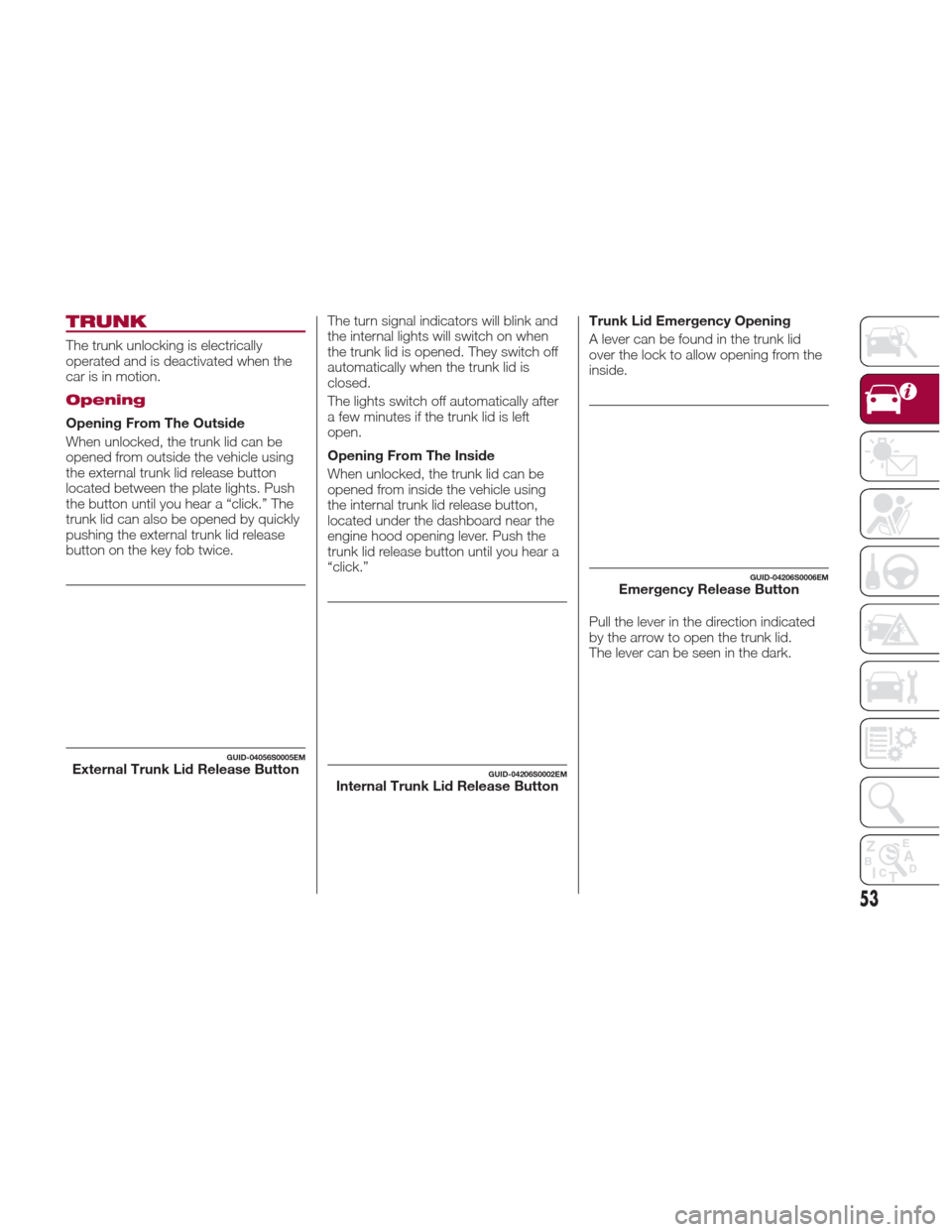
Opening From The Outside
When unlocked, the trunk lid can be
opened from outside the vehicle using
the external trunk lid release button
located between the plate lights. Push
the button until you hear a “click.” The
trunk lid can also be opened by quickly
pushing the external trunk lid release
button on the key fob twice.The turn signal indicators will blink and
the internal lights will switch on when
the trunk lid is opened. They switch off
automatically when the trunk lid is
closed.
The lights switch off automatically after
a few minutes if the trunk lid is left
open.
Opening From The Inside
When unlocked, the trunk lid can be
opened from inside the vehicle using
the internal trunk lid release button,
located under the dashboard near the
engine hood opening lever. Push the
trunk lid release button until you hear a
“click.”Trunk Lid Emergency Opening
A lever can be found in the trunk lid
over the lock to allow opening from the
inside.
Pull the lever in the direction indicated
by the arrow to open the trunk lid.
The lever can be seen in the dark.
GUID-04056S0005EMExternal Trunk Lid Release ButtonGUID-04206S0002EMInternal Trunk Lid Release Button
GUID-04206S0006EMEmergency Release Button
53
Page 58 of 268
Note:Without starting the engine,
activate the handbrake and place the
ignition in the ON position.
The following operation will delete the
manufacture’s standard codes and
does not need to be repeated during
the subsequent button programming:
Push and hold the outer buttons
(1 and 3). After about 10 seconds, the
lighted indicators will start to flash.
Release both buttons. Note:
Follow the steps below to begin
programming your remote control to
one of the HomeLink buttons:
1. Push and hold the desired
HomeLink button (1, 2 or 3).
2. When the HomeLink indicator
begins to flash slowly, move the
portable remote control one to three
inches from the HomeLink system
(keeping the programmable button
pushed down).
3. If the indicator does not begin to
flash quickly, change the distance
between the HomeLink and the
portable remote control and try the
procedure again.
4. The HomeLink indicator flashes,
first slowly and then quickly. When the
indicator starts to flash quickly, release
both buttons.
Using The Homelink System
The HomeLink system activates the
garage door or gate motor, just like the
portable remote control. The car must
be within the range of the garage door
and the ignition must be in the ON
position. Push the programmed button (1, 2 or
3). While the signal is being transmitted,
the indicator is lit and the system
(garage door, gate, etc.) will respond.
If the HomeLink system does not
operate, the original portable remote
control may be equipped with an
alternative code (refer to “Alternative
Code Synchronization”).
If necessary, the original remote control
can still be used to operate the system.
Alternative Code Synchronization
To check whether the garage door or
gate motor has an alternative code,
proceed as follows:
1. Read the garage door or gate motor
manufacturer manual.
2. The portable remote control seems
to have programmed to the HomeLink
system, but the garage door or gate
can be neither opened or closed.
3. Push the programmed button and
keep it pushed (1, 2 or 3). With an
alternative code system, the indicator
flashes briefly, and then remains off
for two seconds. This sequence is
repeated for 20 seconds.
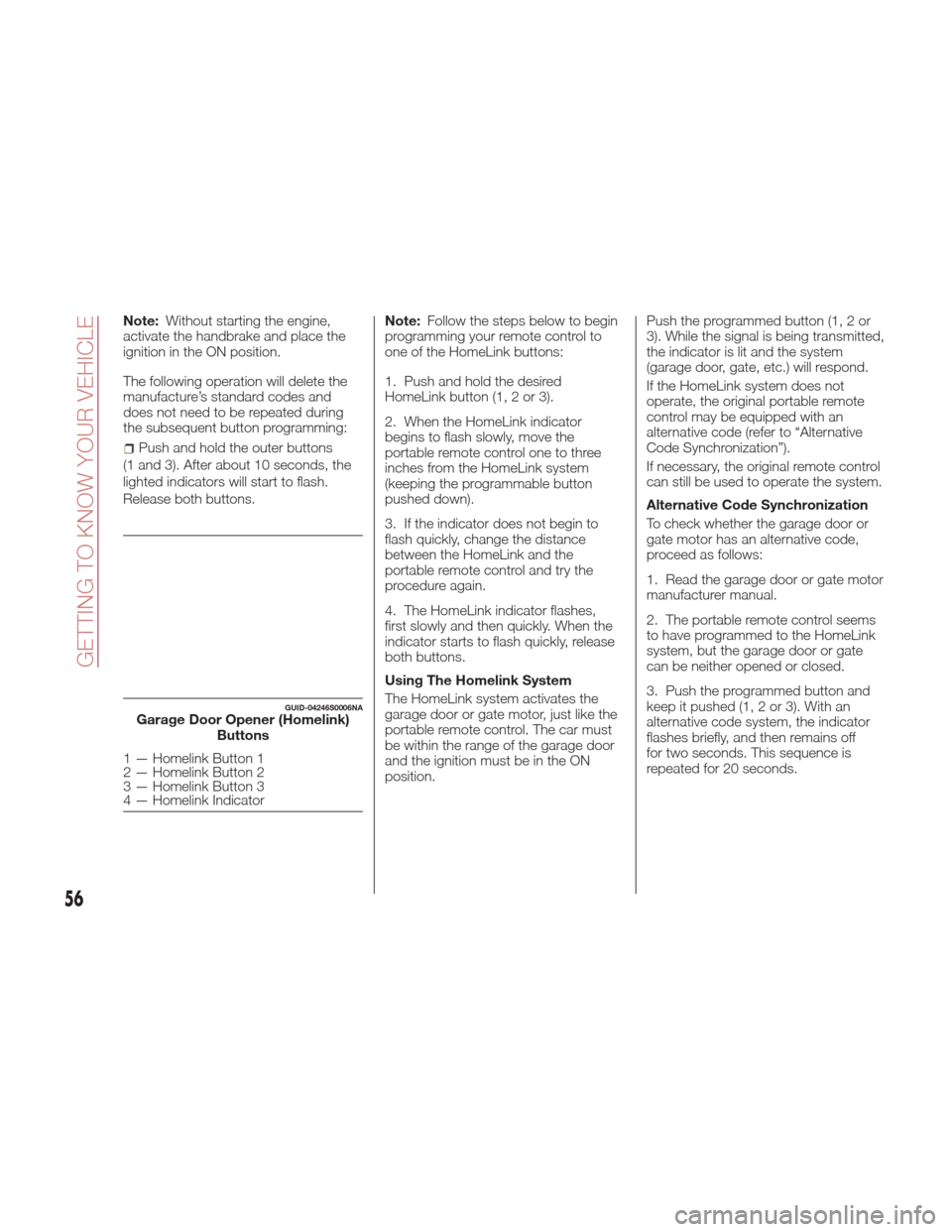
GUID-04246S0006NAGarage Door Opener (Homelink)
Buttons
1 — Homelink Button 1
2 — Homelink Button 2
3 — Homelink Button 3
4 — Homelink Indicator
56
GETTING TO KNOW YOUR VEHICLE
Page 59 of 268
Warning!
Vehicle exhaust contains carbon
monoxide, a dangerous gas. Do not run
your vehicle in the garage while
programming the transceiver. Exhaust gas
can cause serious injury or death.
Your motorized door or gate will open
and close while you are programming the
universal transceiver. Do not program the
transceiver if people, pets or other objects
are in the path of the door or gate. Only
use this transceiver with a garage door
opener that has a “stop and reverse”
feature as required by Federal safety
standards. This includes most garage door
opener models manufactured after 1982.
Do not use a garage door opener without
these safety features. Call toll-free
1-800-355-3515 or, on the Internet at
HomeLink.com for safety information or
assistance.
Note: To program Homelink using an
Alternative Code, the car must be
within range of the garage door.
Activate the handbrake and turn the
ignition to ON, without starting the
engine. Proceed as follows:
1. Locate the “Learn” or “Train” button
on the garage door or gate motor. The
color and position may vary depending
on the manufacturer (consult the
garage door or gate manual). Push the
“Learn” or “Train” button (this normally
activates the setting warning light).
2. Push the desired HomeLink button
(1, 2 or 3). When the HomeLink
indicator begins to flash slowly, move
the portable remote control one to three
inches from the HomeLink system
(keeping the programmable button
pushed down).
3. Within 30 seconds, push the
programmed key (1, 2 or 3) and release
it. Push the programmed button a
second time and release it to conclude
the operation. For some motors, the
operation will probably have to be
repeated a third time to end the setting.
The motor should now be capable of
recognizing the signal transmitted by
HomeLink and then open/close the
door or gate.
Programming A Single Key
It is possible to program another
original remote control on an already
programmed HomeLink key by
canceling the previously stored
frequency.
Warning!
Vehicle exhaust contains carbon
monoxide, a dangerous gas. Do not run
your vehicle in the garage while
programming the transceiver. Exhaust gas
can cause serious injury or death.
Your motorized door or gate will open
and close while you are programming the
universal transceiver. Do not program the
transceiver if people, pets or other objects
are in the path of the door or gate. Only
use this transceiver with a garage door
opener that has a “stop and reverse”
feature as required by Federal safety
standards. This includes most garage door
opener models manufactured after 1982.
Do not use a garage door opener without
these safety features. Call toll-free
1-800-355-3515 or, on the Internet at
HomeLink.com for safety information or
assistance.
57
Page 60 of 268
Note:Activate the handbrake and
place the ignition to ON without starting
the engine.
Proceed as follows:
1. Push the desired HomeLink button
and keep it pushed (1, 2 or 3). Do not
release the button until the last
operation has been performed.
2. When the HomeLink indicator
begins to flash slowly, move the
portable remote control 1 to 3 inches
from the system (keeping the
programmable button pressed down).
If the indicator does not begin to flash
quickly, change the distance between
the HomeLink and the portable remote
control and try the procedure again.
The HomeLink indicator flashes, first
slowly and then quickly. When the
indicator starts to flash quickly, release
both buttons on the remote control.
The system previously programmed to
HomeLink has now been deleted and
the new system is ready to use. This
does not affect the other two HomeLink
buttons in any way. Deleting Programmed Keys
It is recommended to delete HomeLink
programming before selling the car.
All three keys are deleted simultaneously.
Proceed as follows:
1. Push and hold the outer buttons
(1 and 3). After about 10 seconds, the
indicator will start to flash.
2. Release both keys.
Technical Information For After
Sales Service
If you are unable to set up HomeLink
successfully after following the above
instructions, contact After Sales Service
(HomeLink free hotline number
1-800-355-3515 ) with the following
information:
Vehicle make and model, including
manufacturing year and country of
purchase;
Make, model, age and frequency of
use of the original portable remote
control (if known).
Note: For US:
FCC ID: M3N-82135300
For Canada:IC: 7812A-82135300
For Mexico:RLVC-A213-0334
This device complies with Part 15 of the
FCC Rules. Operation is subject to the
following two conditions:
(1) this device may not cause harmful
interference, and (2) this device must
accept any interference received,
including interference that may cause
undesired operation.
Note:Changes or modifications not
expressly approved by the party
responsible for compliance could void
the user's authority to operate the
equipment.
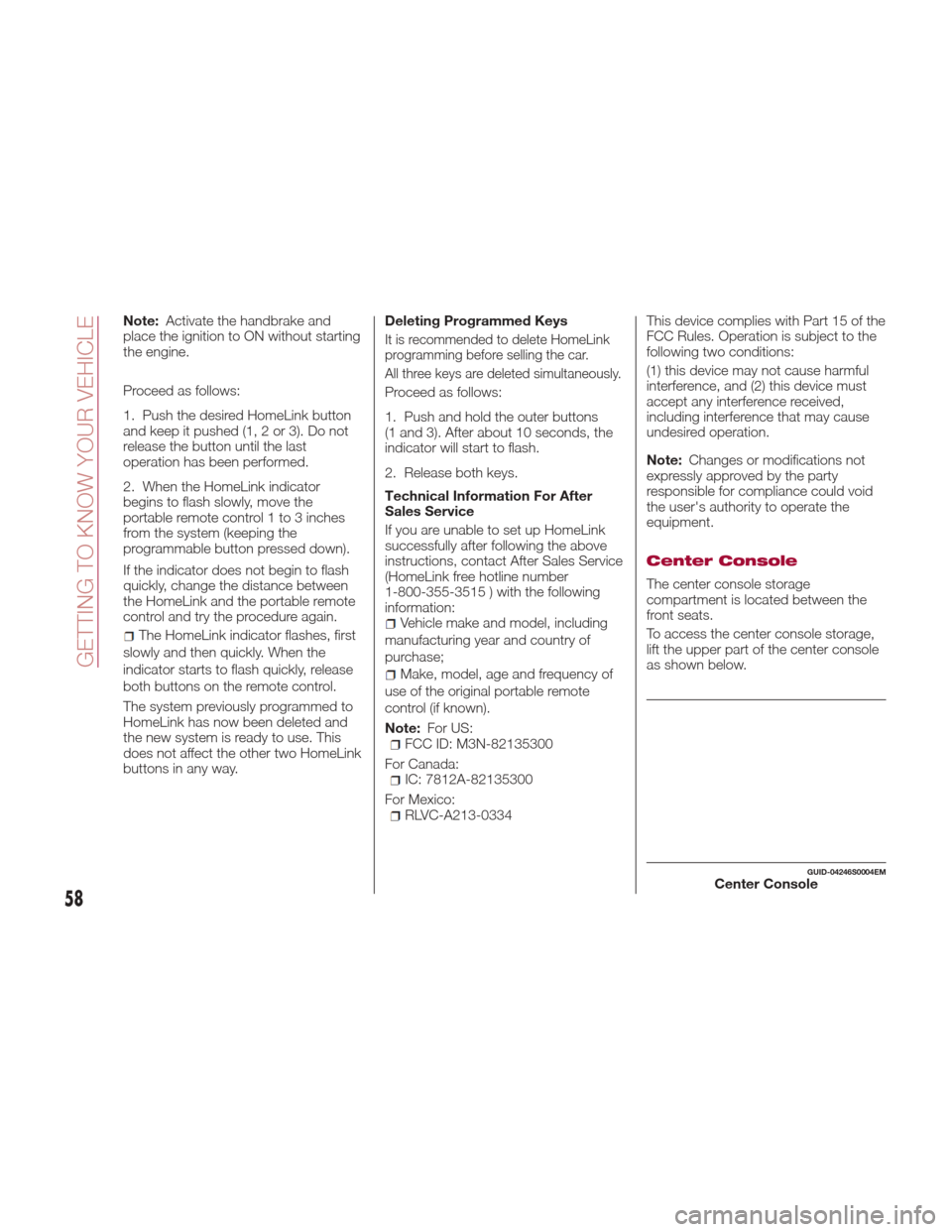
Center Console
The center console storage
compartment is located between the
front seats.
To access the center console storage,
lift the upper part of the center console
as shown below.
GUID-04246S0004EMCenter Console
58
GETTING TO KNOW YOUR VEHICLE
Page 62 of 268
ENVIRONMENTAL
PROTECTION
SYSTEMS
The following systems are used for
reducing engine emissions:
Catalytic Converter
Oxygen Sensors
Evaporation Control System
ACTIVE
AERODYNAMICS
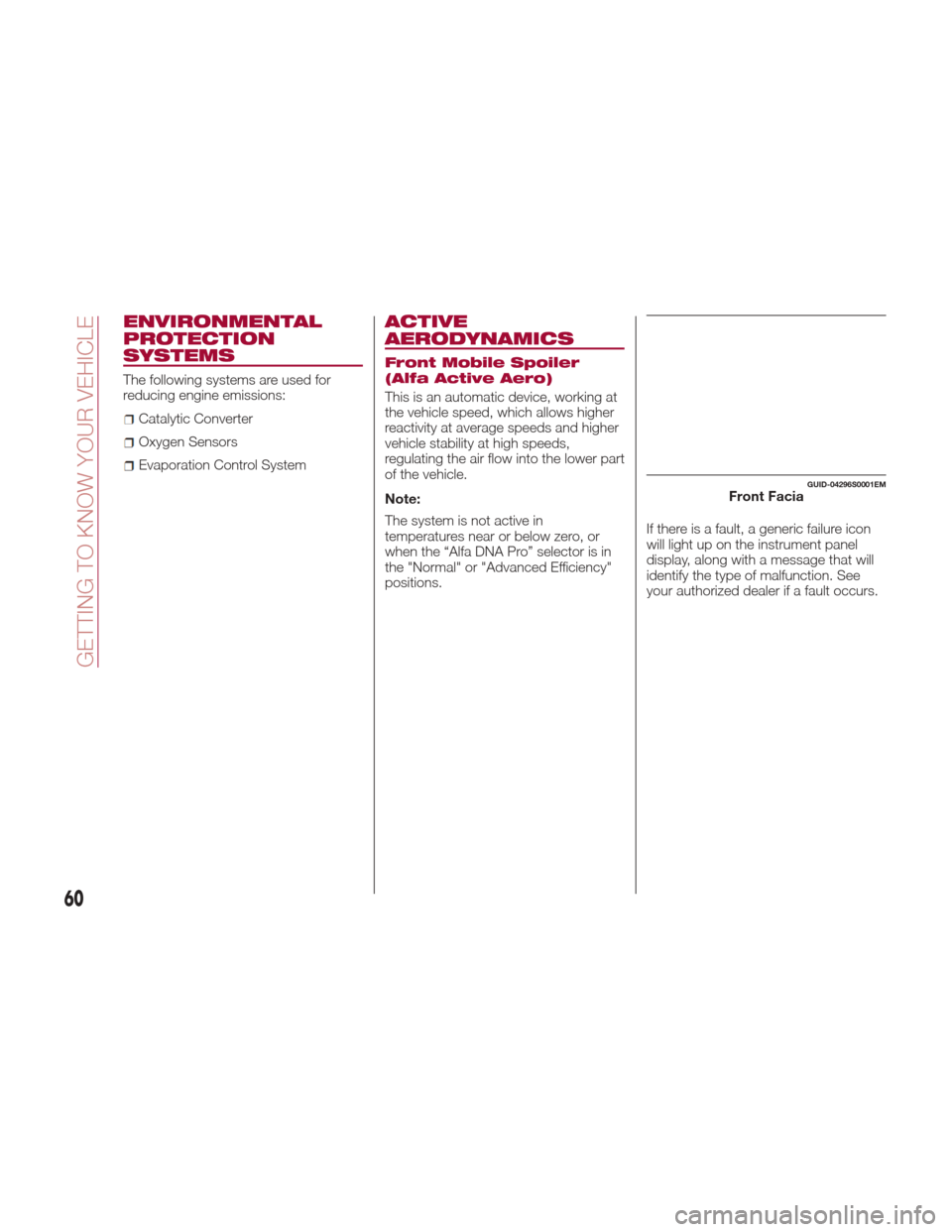
Front Mobile Spoiler
(Alfa Active Aero)
This is an automatic device, working at
the vehicle speed, which allows higher
reactivity at average speeds and higher
vehicle stability at high speeds,
regulating the air flow into the lower part
of the vehicle.
Note:
The system is not active in
temperatures near or below zero, or
when the “Alfa DNA Pro” selector is in
the "Normal" or "Advanced Efficiency"
positions.If there is a fault, a generic failure icon
will light up on the instrument panel
display, along with a message that will
identify the type of malfunction. See
your authorized dealer if a fault occurs.
GUID-04296S0001EMFront Facia
60
GETTING TO KNOW YOUR VEHICLE
Page 64 of 268
INSTRUMENT PANEL FEATURES
Instrument Cluster
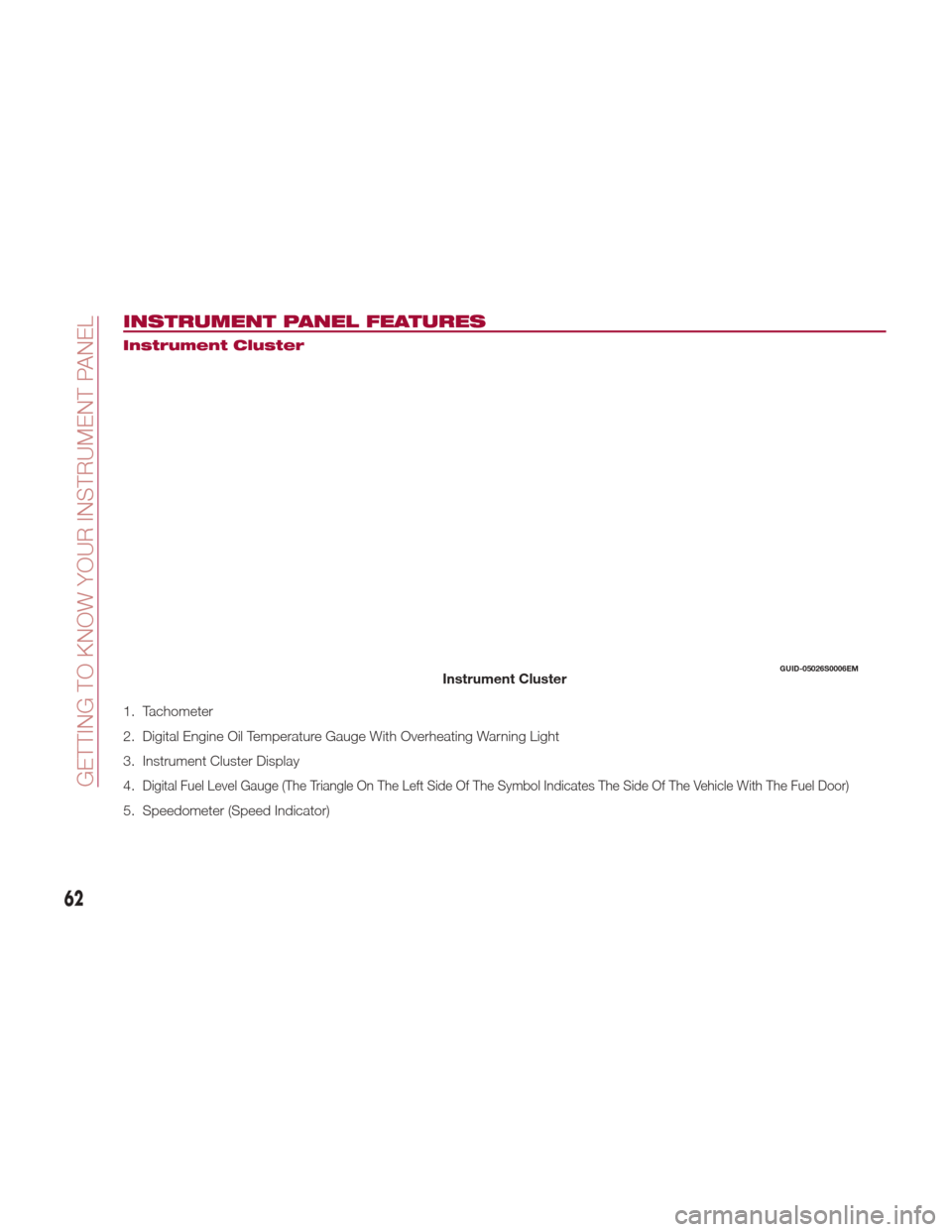
1. Tachometer
2. Digital Engine Oil Temperature Gauge With Overheating Warning Light
3. Instrument Cluster Display
4.
Digital Fuel Level Gauge (The Triangle On The Left Side Of The Symbol Indicates The Side Of The Vehicle With The Fuel Door)
5. Speedometer (Speed Indicator)
GUID-05026S0006EMInstrument Cluster
62
GETTING TO KNOW YOUR INSTRUMENT PANEL
Page 65 of 268
Tachometer
The Tachometer indicates the engine
Revolutions Per Minute (RPM).
Adjusting Instrument Panel Lighting
(Brightness Sensor)
Inside the Tachometer there is a light
sensor capable of detecting light and
adjusting the brightness of the
instrument panel and the Connect
system display.
Engine Oil Temperature
Gauge
The digital indicator monitors the
temperature of the engine oil and starts
supplying indications when the oil
temperature reaches approximately
122° F (50°C).Under normal usage, the temperature
should remain around the middle of the
digital scale according to the working
conditions.
The
warning light will turn on to
signal the excessive increase of the
engine oil temperature.
In the event of excessive engine oil
temperature, stop the engine
immediately and contact an authorized
dealer.
Fuel Level Gauge
The digital fuel gauge monitors the
amount of fuel in the tank.
When the
warning light turns on, a
message is displayed, and a chime is
sound when 2.38 Gallons (9.0 L) of fuel
are left in the tank. Note:
If the low fuel warning light turns
on, refuel the vehicle at your nearest
fuel station.
Caution!
Do not travel with the fuel tank almost
empty: any gaps in fuel supply could
damage the catalytic converter.
Speedometer
The speedometer shows the vehicle
speed in miles per hour and/or
kilometers per hour (mph/km/h).
63
Page 73 of 268
Red Warning Lights
Warning LightWhat It Means What To Do
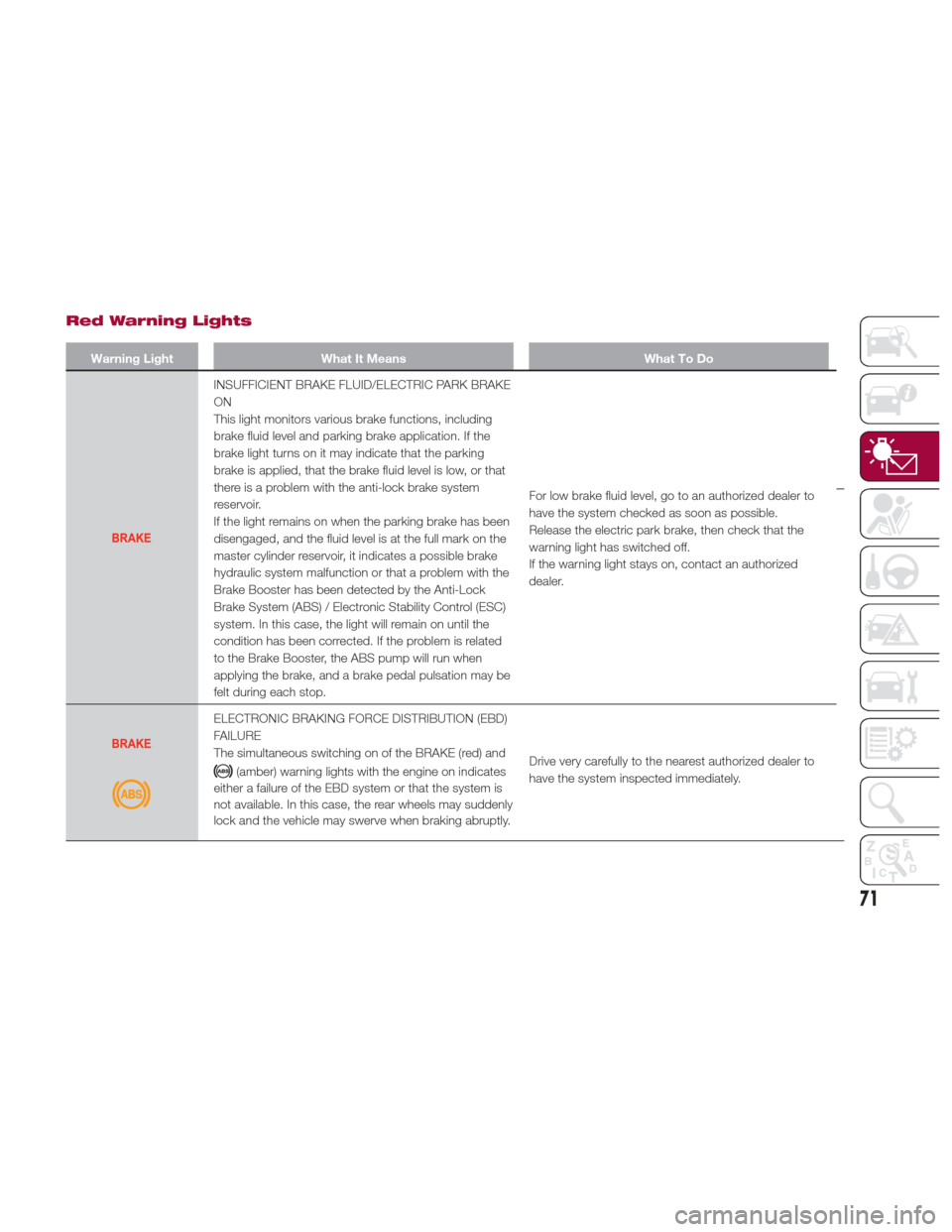
INSUFFICIENT BRAKE FLUID/ELECTRIC PARK BRAKE
ON
This light monitors various brake functions, including
brake fluid level and parking brake application. If the
brake light turns on it may indicate that the parking
brake is applied, that the brake fluid level is low, or that
there is a problem with the anti-lock brake system
reservoir.
If the light remains on when the parking brake has been
disengaged, and the fluid level is at the full mark on the
master cylinder reservoir, it indicates a possible brake
hydraulic system malfunction or that a problem with the
Brake Booster has been detected by the Anti-Lock
Brake System (ABS) / Electronic Stability Control (ESC)
system. In this case, the light will remain on until the
condition has been corrected. If the problem is related
to the Brake Booster, the ABS pump will run when
applying the brake, and a brake pedal pulsation may be
felt during each stop.For low brake fluid level, go to an authorized dealer to
have the system checked as soon as possible.
Release the electric park brake, then check that the
warning light has switched off.
If the warning light stays on, contact an authorized
dealer.
ELECTRONIC BRAKING FORCE DISTRIBUTION (EBD)
FAILURE
The simultaneous switching on of the BRAKE (red) and
(amber) warning lights with the engine on indicates
either a failure of the EBD system or that the system is
not available. In this case, the rear wheels may suddenly
lock and the vehicle may swerve when braking abruptly. Drive very carefully to the nearest authorized dealer to
have the system inspected immediately.
71
Page 74 of 268
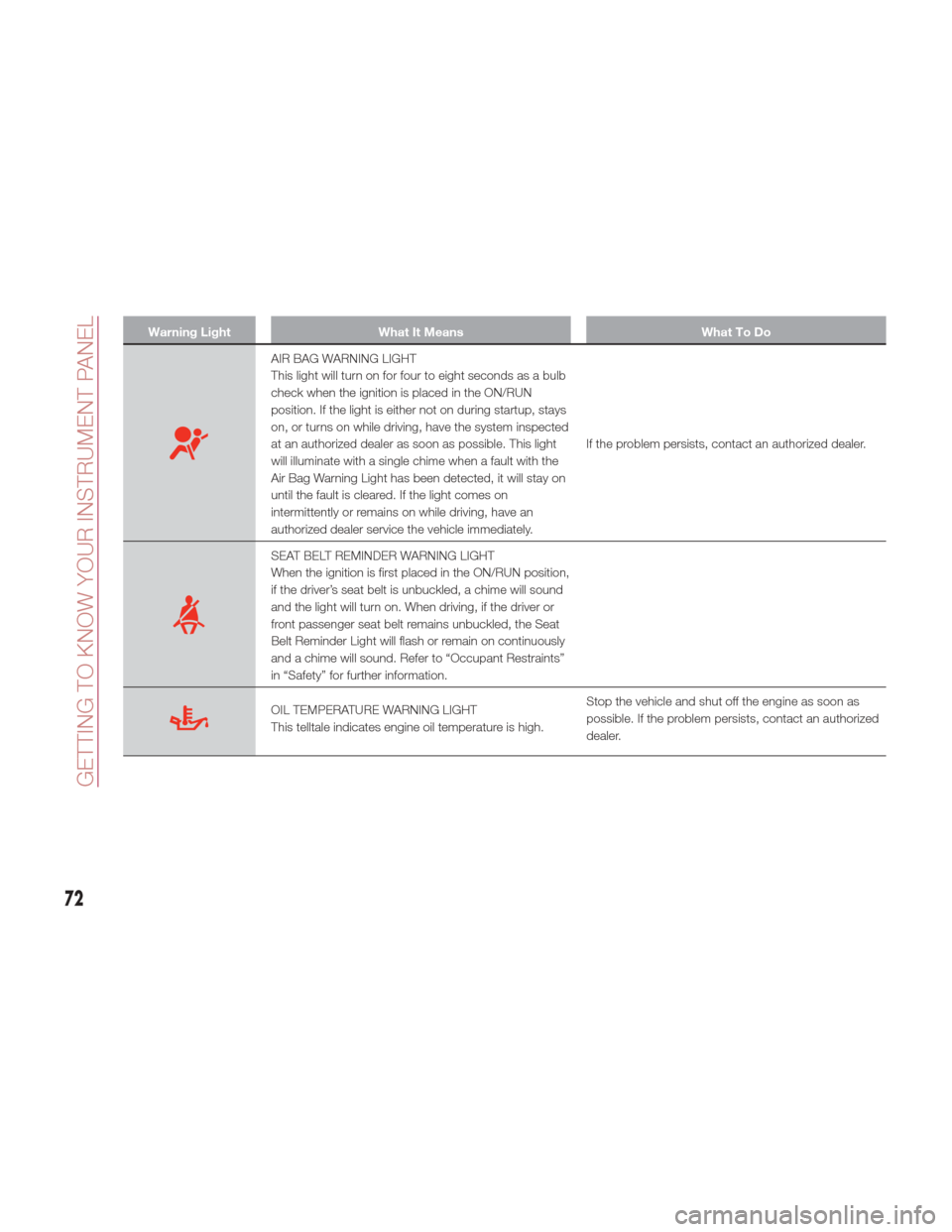
Warning LightWhat It Means What To Do
AIR BAG WARNING LIGHT
This light will turn on for four to eight seconds as a bulb
check when the ignition is placed in the ON/RUN
position. If the light is either not on during startup, stays
on, or turns on while driving, have the system inspected
at an authorized dealer as soon as possible. This light
will illuminate with a single chime when a fault with the
Air Bag Warning Light has been detected, it will stay on
until the fault is cleared. If the light comes on
intermittently or remains on while driving, have an
authorized dealer service the vehicle immediately.If the problem persists, contact an authorized dealer.
SEAT BELT REMINDER WARNING LIGHT
When the ignition is first placed in the ON/RUN position,
if the driver’s seat belt is unbuckled, a chime will sound
and the light will turn on. When driving, if the driver or
front passenger seat belt remains unbuckled, the Seat
Belt Reminder Light will flash or remain on continuously
and a chime will sound. Refer to “Occupant Restraints”
in “Safety” for further information.
OIL TEMPERATURE WARNING LIGHT
This telltale indicates engine oil temperature is high.
Stop the vehicle and shut off the engine as soon as
possible. If the problem persists, contact an authorized
dealer.
72
GETTING TO KNOW YOUR INSTRUMENT PANEL
Page 75 of 268
Warning!
The fault of the warning light is signaled by the switching on of the icon on the instrument panel. In this case, the warning light may not
indicate any faults with the restraint systems. Before proceeding, contact an authorized dealer to have the system checked immediately.
If the warning light does not switch on when the ignition device is moved to ON or if it stays on when driving (together with the message on
the display), there might be a fault in the restraint systems; in this case, the air bags or pretensioners may not deploy in the event of an
accident or, in a lower number of cases, they could deploy erroneously. Before proceeding, contact an authorized dealer to have the system
checked immediately.
Caution!
If the symbol switches on when driving, stop the vehicle and the engine immediately.
73