ignition Alfa Romeo Giulietta 2014 User Guide
[x] Cancel search | Manufacturer: ALFA ROMEO, Model Year: 2014, Model line: Giulietta, Model: Alfa Romeo Giulietta 2014Pages: 280, PDF Size: 6.65 MB
Page 25 of 280
DOOR MIRRORS
Electric adjustment
The mirrors can only be adjusted/folded
with the ignition in the MAR position.
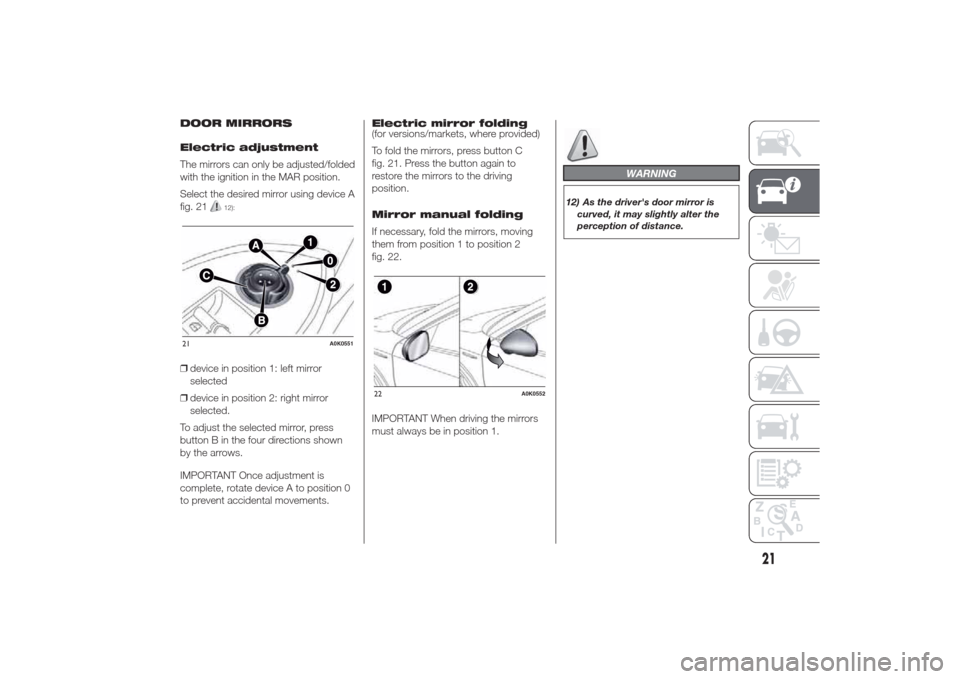
Select the desired mirror using device A
fig. 21
12):
❒device in position 1: left mirror
selected
❒device in position 2: right mirror
selected.
To adjust the selected mirror, press
button B in the four directions shown
by the arrows.
IMPORTANT Once adjustment is
complete, rotate device A to position 0
to prevent accidental movements.Electric mirror folding
(for versions/markets, where provided)
To fold the mirrors, press button C
fig. 21. Press the button again to
restore the mirrors to the driving
position.
Mirror manual folding
If necessary, fold the mirrors, moving
them from position 1 to position 2
fig. 22.
IMPORTANT When driving the mirrors
must always be in position 1.
WARNING
12) As the driver's door mirror is
curved, it may slightly alter the
perception of distance.
21
A0K0551
22
A0K0552
21
Page 39 of 280
ADDITIONAL HEATER
(for versions/markets, where provided)
This allows the passenger
compartment to be heated more
quickly in cold weather conditions. The
additional heater turns off automatically
after the required comfort conditions
are achieved.
Automatic dual zone
climate control system
(for versions/markets, where provided)
The additional heater activates
automatically depending on the
environmental conditions and with
engine started.
Manual climate control
system
The additional heater activates
automatically when knob A is turned to
the end of the red section and the fan
is set to at least 1
stspeed.
IMPORTANT The heater only works if
the outside temperature and engine
coolant temperature are low. The heater
will not activate if the battery voltage is
too low.
IMPORTANT
2) The climate control system
detects the passenger
compartment temperature with a
mean radiant temperature sensor
fitted in a cover under the internal
rear view mirror. Obstructing the
field of view of this sensor with
any object could cause the
climate control system to operate
with less than optimal efficiency
EXTERNAL LIGHTS
IN BRIEF
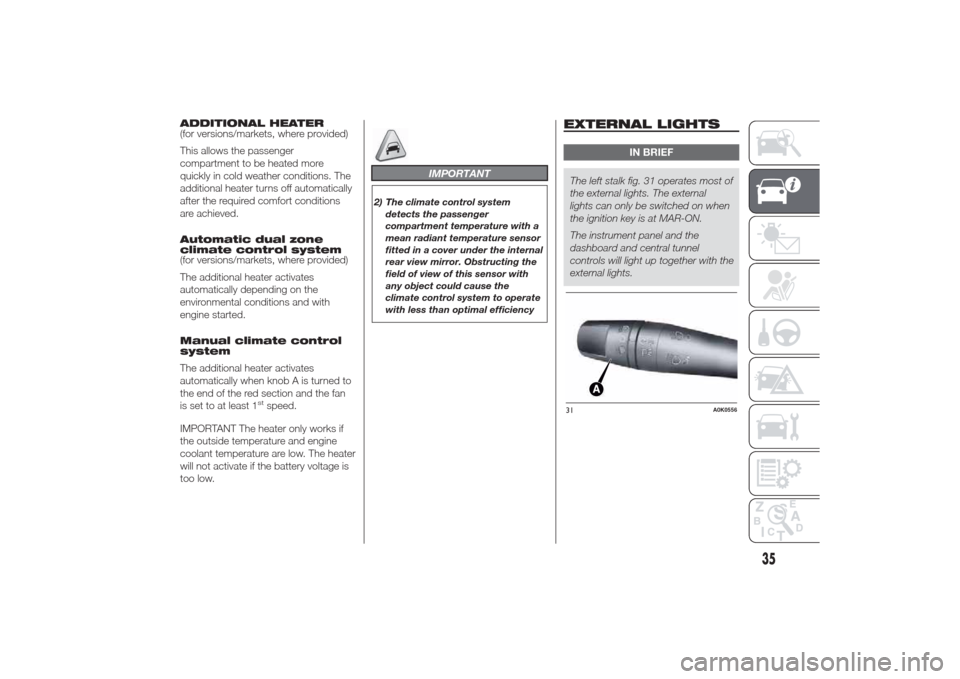
The left stalk fig. 31 operates most of
the external lights. The external
lights can only be switched on when
the ignition key is at MAR-ON.
The instrument panel and the
dashboard and central tunnel
controls will light up together with the
external lights.31
A0K0556
35
Page 40 of 280
DAYTIME RUNNING
LIGHTS (DRL)
“Daytime Running Lights”
With the ignition key at MAR-ON and
ring nut A fig. 31 turned to
, the
daytime running lights switch on. The
other lights and interior lighting stay off.
IMPORTANT The daytime running
lights are an alternative to the dipped
beam headlights for driving during
the daytime in countries where it is
compulsory to have lights on during the
day; where it is not compulsory, the
use of daytime running lights is
permitted.
IMPORTANT Daytime running lights
cannot replace dipped beam headlights
when driving at night or through
tunnels. The use of daytime running
lights is governed by the Highway Code
of the country in which you are driving.
Comply with legal requirements.
SIDE LIGHTS/DIPPED
BEAM HEADLIGHTS
With the ignition key turned to
MAR-ON, turn ring nut A fig. 31 to
.
The daytime running lights are switched
off and the side lights and dipped
beam headlights are switched on. The
warning light switches on in the
instrument panel.PARKING LIGHTS
These lights can only be switched on
with ignition key at STOP or removed,
by moving ring nut A fig. 31 first to
position
and then to position
.
The
warning light switches on
in the instrument panel.
AUTOMATIC LIGHTING
CONTROL (AUTOLIGHT)
(Dusk sensor)
(for versions/markets, where provided)
This infrared LED sensor, combined
with the rain sensor and located on the
windscreen, detects the variations in
outside brightness depending on the
light sensitivity set with the Setup
Menu: the greater the sensitivity, the
less external light is required to activate
the external lights.Activation
The dusk sensor activates when ring
nut A fig. 31 is turned to
. In this
way the side lights and dipped beam
headlights are activated automatically
according to the external lighting
conditions.
IMPORTANT The sensor is unable to
detect the presence of fog. Therefore
under these circumstances, these lights
must be turned on manually.
When the lights are turned on by the
sensor, the fog lights (for versions/
markets, where provided) and the rear
fog lights may be turned on.
When the lights are automatically
switched off, the front and rear fog
lights (if activated) are also switched off.
The next time the lights are switched
on automatically, the fog lights must be
reactivated manually (if required).
With the sensor active, it is possible to
flash the headlights but the main beam
headlights cannot be switched on. To
activate these lights, turn the ring nut A
to
and activate the fixed dipped
beam headlights.
36
GETTING TO KNOW YOUR CAR
Page 43 of 280
WINDOW CLEANING
IN BRIEF
The right stalk controls screen
wiper/washer operation.
This operates only with the ignition
key turned to MAR.
WINDSCREEN
WASHER/WIPER
Operation
13) 14)
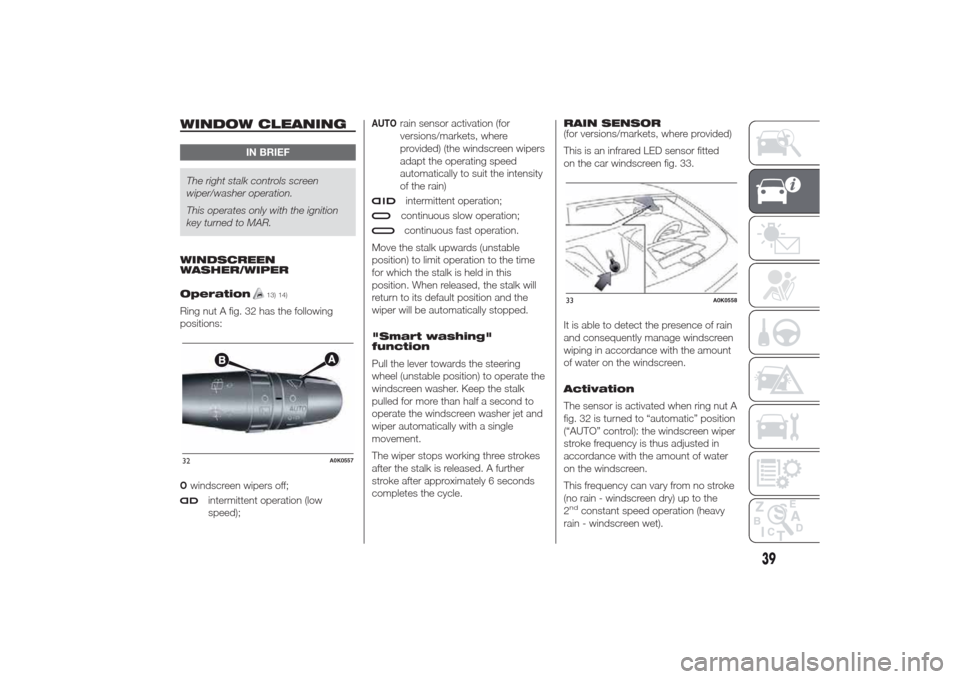
Ring nut A fig. 32 has the following
positions:Owindscreen wipers off;
intermittent operation (low
speed);
AUTO
rain sensor activation (for
versions/markets, where
provided) (the windscreen wipers
adapt the operating speed
automatically to suit the intensity
of the rain)intermittent operation;continuous slow operation;continuous fast operation.
Move the stalk upwards (unstable
position) to limit operation to the time
for which the stalk is held in this
position. When released, the stalk will
return to its default position and the
wiper will be automatically stopped.
"Smart washing"
function
Pull the lever towards the steering
wheel (unstable position) to operate the
windscreen washer. Keep the stalk
pulled for more than half a second to
operate the windscreen washer jet and
wiper automatically with a single
movement.
The wiper stops working three strokes
after the stalk is released. A further
stroke after approximately 6 seconds
completes the cycle.RAIN SENSOR
(for versions/markets, where provided)
This is an infrared LED sensor fitted
on the car windscreen fig. 33.
It is able to detect the presence of rain
and consequently manage windscreen
wiping in accordance with the amount
of water on the windscreen.
Activation
The sensor is activated when ring nut A
fig. 32 is turned to “automatic” position
(“AUTO” control): the windscreen wiper
stroke frequency is thus adjusted in
accordance with the amount of water
on the windscreen.
This frequency can vary from no stroke
(no rain - windscreen dry) up to the
2
nd
constant speed operation (heavy
rain - windscreen wet).
32
A0K0557
33
A0K0558
39
Page 44 of 280
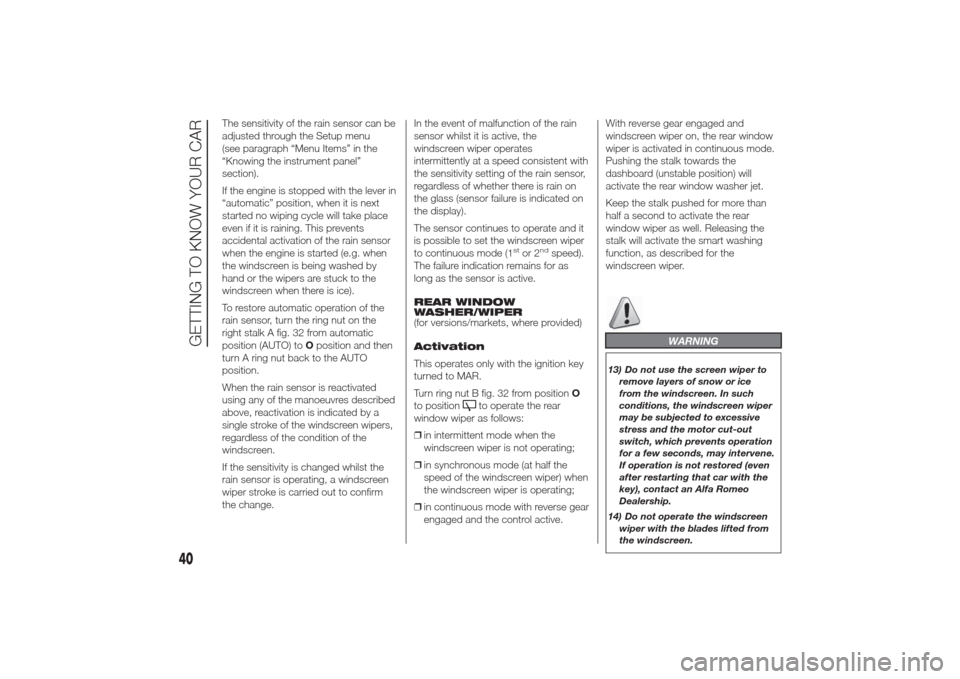
The sensitivity of the rain sensor can be
adjusted through the Setup menu
(see paragraph “Menu Items” in the
“Knowing the instrument panel”
section).
If the engine is stopped with the lever in
“automatic” position, when it is next
started no wiping cycle will take place
even if it is raining. This prevents
accidental activation of the rain sensor
when the engine is started (e.g. when
the windscreen is being washed by
hand or the wipers are stuck to the
windscreen when there is ice).
To restore automatic operation of the
rain sensor, turn the ring nut on the
right stalk A fig. 32 from automatic
position (AUTO) toOposition and then
turn A ring nut back to the AUTO
position.
When the rain sensor is reactivated
using any of the manoeuvres described
above, reactivation is indicated by a
single stroke of the windscreen wipers,
regardless of the condition of the
windscreen.
If the sensitivity is changed whilst the
rain sensor is operating, a windscreen
wiper stroke is carried out to confirm
the change.In the event of malfunction of the rain
sensor whilst it is active, the
windscreen wiper operates
intermittently at a speed consistent with
the sensitivity setting of the rain sensor,
regardless of whether there is rain on
the glass (sensor failure is indicated on
the display).
The sensor continues to operate and it
is possible to set the windscreen wiper
to continuous mode (1
stor 2
nd
speed).
The failure indication remains for as
long as the sensor is active.
REAR WINDOW
WASHER/WIPER
(for versions/markets, where provided)
Activation
This operates only with the ignition key
turned to MAR.
Turn ring nut B fig. 32 from positionO
to position
to operate the rear
window wiper as follows:
❒in intermittent mode when the
windscreen wiper is not operating;
❒in synchronous mode (at half the
speed of the windscreen wiper) when
the windscreen wiper is operating;
❒in continuous mode with reverse gear
engaged and the control active.With reverse gear engaged and
windscreen wiper on, the rear window
wiper is activated in continuous mode.
Pushing the stalk towards the
dashboard (unstable position) will
activate the rear window washer jet.
Keep the stalk pushed for more than
half a second to activate the rear
window wiper as well. Releasing the
stalk will activate the smart washing
function, as described for the
windscreen wiper.
WARNING
13) Do not use the screen wiper to
remove layers of snow or ice
from the windscreen. In such
conditions, the windscreen wiper
may be subjected to excessive
stress and the motor cut-out
switch, which prevents operation
for a few seconds, may intervene.
If operation is not restored (even
after restarting that car with the
key), contact an Alfa Romeo
Dealership.
14) Do not operate the windscreen
wiper with the blades lifted from
the windscreen.
40
GETTING TO KNOW YOUR CAR
Page 47 of 280
IMPORTANT Before getting out of the
car, make sure that both switches are in
the central position: when the doors
are closed the lights will switch off
to avoid draining the battery.
In any case, if the switch is left
inadvertently in the permanently on
position, the roof light will turn off
automatically 15 minutes after the
engine stopping.
ROOF LIGHT TIMING
On certain versions, to facilitate getting
in/out of the car at night or in poorly-lit
areas, two timed modes have been
provided.
Timing when getting into
the car
The roof lights switch on according to
the following modes:
❒for about 10 seconds when the
doors are unlocked;
❒for about 3 minutes when one of the
doors is opened;
❒for about 10 seconds when the
doors are closed.
The timed period is interrupted when
the ignition key is turned to MAR.Timing when getting out
of the car
After removing the key from the ignition
switch, the roof lights switch on as
follows:
❒within 2 minutes of the engine being
switched off for a period of around
10 seconds;
❒for about 3 minutes when one of the
doors is opened;
❒for about 10 seconds when one of
the doors is closed.
The timing stops automatically when
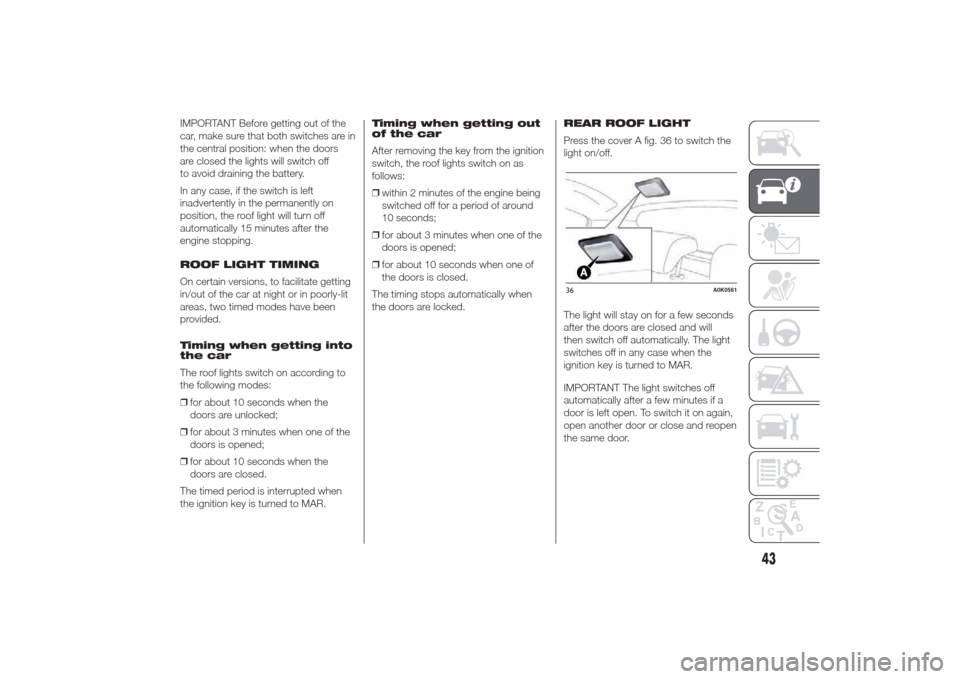
the doors are locked.REAR ROOF LIGHT
Press the cover A fig. 36 to switch the
light on/off.
The light will stay on for a few seconds
after the doors are closed and will
then switch off automatically. The light
switches off in any case when the
ignition key is turned to MAR.
IMPORTANT The light switches off
automatically after a few minutes if a
door is left open. To switch it on again,
open another door or close and reopen
the same door.
36
A0K0561
43
Page 48 of 280
COURTESY LIGHTS
(for versions/markets, where provided)
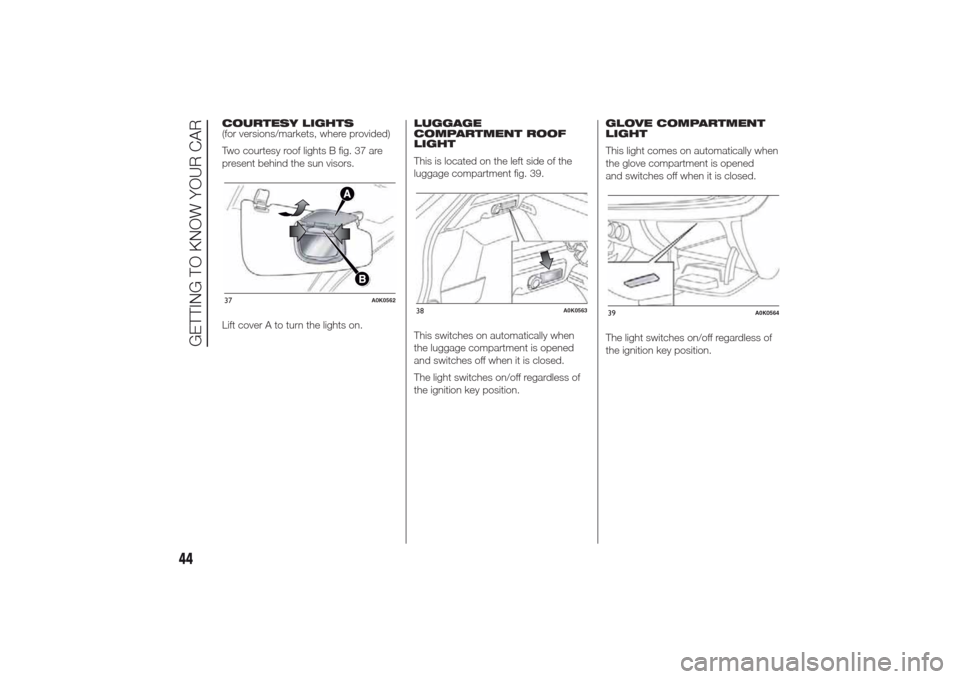
Two courtesy roof lights B fig. 37 are
present behind the sun visors.
Lift cover A to turn the lights on.LUGGAGE
COMPARTMENT ROOF
LIGHT
This is located on the left side of the
luggage compartment fig. 39.
This switches on automatically when
the luggage compartment is opened
and switches off when it is closed.
The light switches on/off regardless of
the ignition key position.GLOVE COMPARTMENT
LIGHT
This light comes on automatically when
the glove compartment is opened
and switches off when it is closed.
The light switches on/off regardless of
the ignition key position.37
A0K0562
38
A0K0563
39
A0K0564
44
GETTING TO KNOW YOUR CAR
Page 50 of 280
CENTRAL LOCKING
Operation
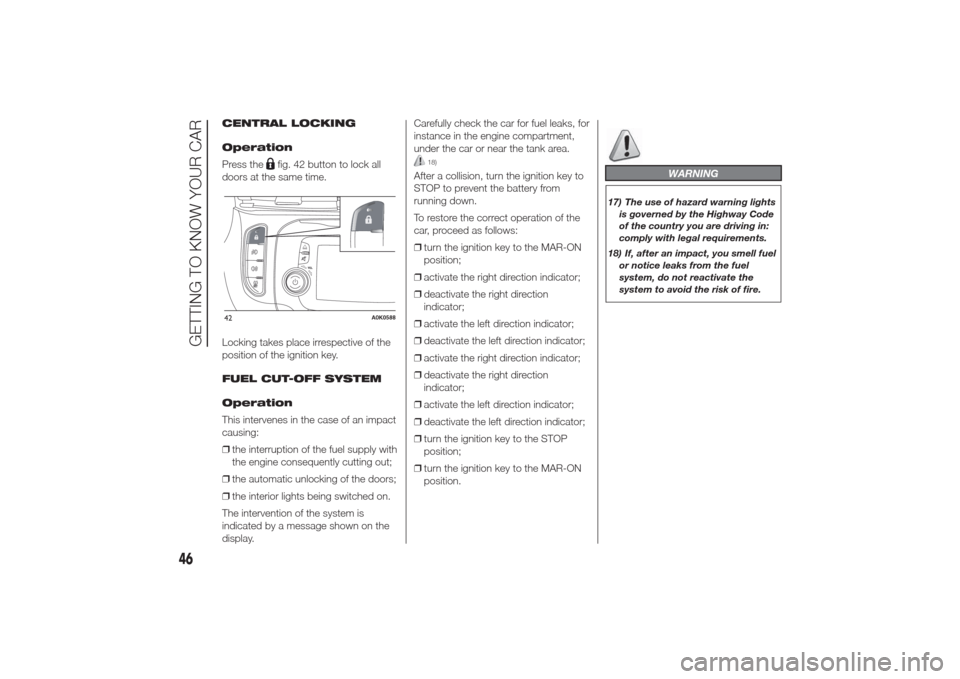
Press the
fig. 42 button to lock all
doors at the same time.
Locking takes place irrespective of the
position of the ignition key.
FUEL CUT-OFF SYSTEM
Operation
This intervenes in the case of an impact
causing:
❒the interruption of the fuel supply with
the engine consequently cutting out;
❒the automatic unlocking of the doors;
❒the interior lights being switched on.
The intervention of the system is
indicated by a message shown on the
display.Carefully check the car for fuel leaks, for
instance in the engine compartment,
under the car or near the tank area.
18)
After a collision, turn the ignition key to
STOP to prevent the battery from
running down.
To restore the correct operation of the
car, proceed as follows:
❒turn the ignition key to the MAR-ON
position;
❒activate the right direction indicator;
❒deactivate the right direction
indicator;
❒activate the left direction indicator;
❒deactivate the left direction indicator;
❒activate the right direction indicator;
❒deactivate the right direction
indicator;
❒activate the left direction indicator;
❒deactivate the left direction indicator;
❒turn the ignition key to the STOP
position;
❒turn the ignition key to the MAR-ON
position.
WARNING
17) The use of hazard warning lights
is governed by the Highway Code
of the country you are driving in:
comply with legal requirements.
18) If, after an impact, you smell fuel
or notice leaks from the fuel
system, do not reactivate the
system to avoid the risk of fire.
42
A0K0588
46
GETTING TO KNOW YOUR CAR
Page 53 of 280
SKI COMPARTMENT
(for versions/markets, where provided)
The compartment may be used for
carrying long loads.
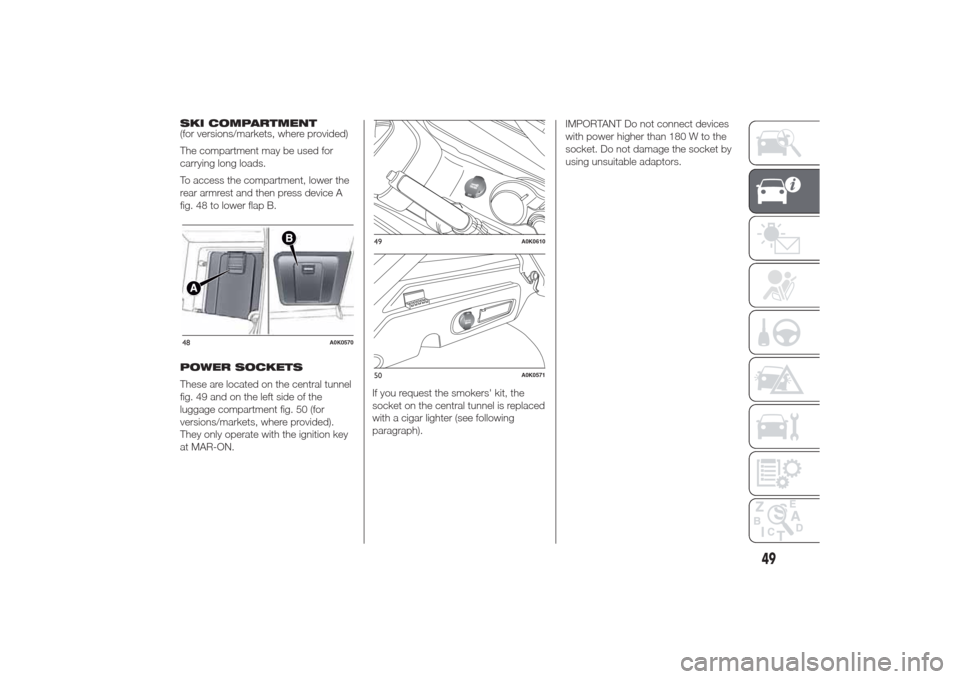
To access the compartment, lower the
rear armrest and then press device A
fig. 48 to lower flap B.
POWER SOCKETS
These are located on the central tunnel
fig. 49 and on the left side of the
luggage compartment fig. 50 (for
versions/markets, where provided).
They only operate with the ignition key
at MAR-ON.If you request the smokers' kit, the
socket on the central tunnel is replaced
with a cigar lighter (see following
paragraph).IMPORTANT Do not connect devices
with power higher than 180 W to the
socket. Do not damage the socket by
using unsuitable adaptors.48
A0K0570
49
A0K0610
50
A0K0571
49
Page 56 of 280
ELECTRIC SUN
ROOF(for versions/markets, where provided)
The sun roof comprises two glass
panels; the front one is mobile and the
rear one fixed. These feature two sun
blinds (front and rear) that can be
moved manually.
With the roof closed, the blinds can be
placed in any position.
OPERATION
The sun roof can be operated only with
the ignition key turned to MAR-ON.
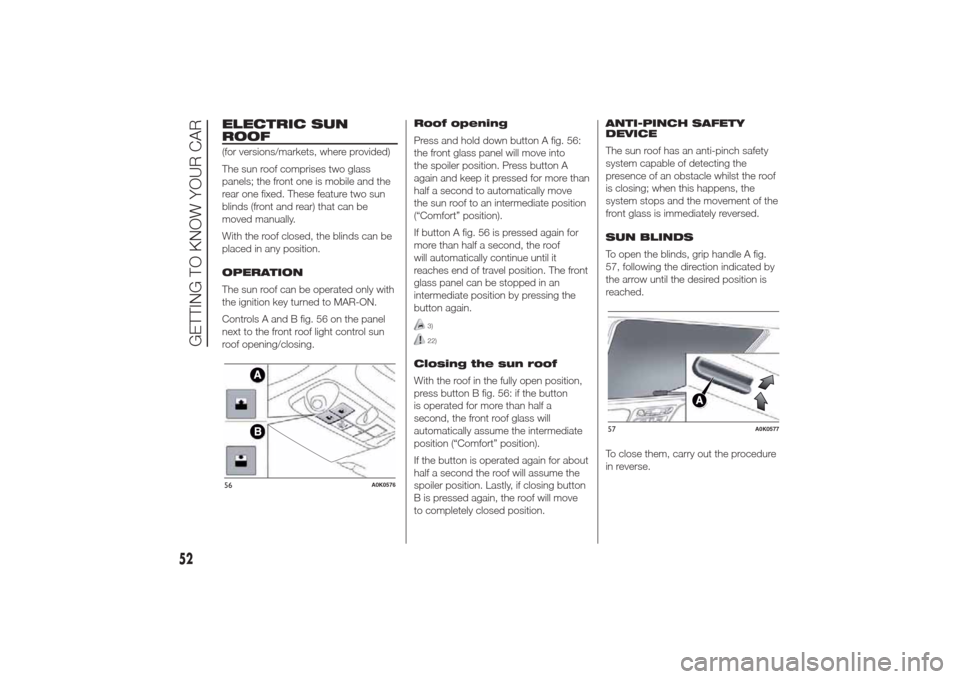
Controls A and B fig. 56 on the panel
next to the front roof light control sun
roof opening/closing.Roof opening
Press and hold down button A fig. 56:
the front glass panel will move into
the spoiler position. Press button A
again and keep it pressed for more than
half a second to automatically move
the sun roof to an intermediate position
(“Comfort” position).
If button A fig. 56 is pressed again for
more than half a second, the roof
will automatically continue until it
reaches end of travel position. The front
glass panel can be stopped in an
intermediate position by pressing the
button again.
3)22)
Closing the sun roof
With the roof in the fully open position,
press button B fig. 56: if the button
is operated for more than half a
second, the front roof glass will
automatically assume the intermediate
position (“Comfort” position).
If the button is operated again for about
half a second the roof will assume the
spoiler position. Lastly, if closing button
B is pressed again, the roof will move
to completely closed position.ANTI-PINCH SAFETY
DEVICE
The sun roof has an anti-pinch safety
system capable of detecting the
presence of an obstacle whilst the roof
is closing; when this happens, the
system stops and the movement of the
front glass is immediately reversed.
SUN BLINDS
To open the blinds, grip handle A fig.
57, following the direction indicated by
the arrow until the desired position is
reached.
To close them, carry out the procedure
in reverse.
56
A0K0576
57
A0K0577
52
GETTING TO KNOW YOUR CAR