fuel Alfa Romeo Giulietta 2015 User Guide
[x] Cancel search | Manufacturer: ALFA ROMEO, Model Year: 2015, Model line: Giulietta, Model: Alfa Romeo Giulietta 2015Pages: 288, PDF Size: 7.34 MB
Page 87 of 288
KNOWING THE INSTRUMENT PANEL
This section of the booklet gives you all
the information you need to
understand, interpret and use the
instrument panel correctly.DISPLAY ......................................... 84
MENU ITEMS .................................. 87
CONTROL PANEL AND
INSTRUMENTS ............................... 94
TRIP COMPUTER ........................... 96
WARNING LIGHTS AND
MESSAGES ................................... 99
- LOW BRAKE FLUID/HANDBRAKE
ENGAGED .......................................... 99
- EBD FAILURE .................................. 100
- AIRBAG FAILURE ............................. 100
- SEAT BELTS NOT FASTENED .......... 100
- ALTERNATOR FAILURE ................... 101
- LOW ENGINE OIL PRESSURE ......... 102
-DEGRADED ENGINE OIL (for
versions/markets, where provided) ..... 103
- ENGINE COOLANT TEMPERATURE
TOO HIGH .......................................... 105
- ALFA TCT FAILURE .......................... 106
-INCOMPLETE DOOR LOCKING ........ 106
-SPEED LIMIT EXCEEDED ................. 106
- DUAL PINION ACTIVE STEERING
FAILURE ............................................. 107
- ALFA ROMEO CODE SYSTEM
FAILURE/ALARM FAILURE ................. 107
- FUEL RESERVE/LIMITED RANGE .... 108
- GENERAL FAILURE ......................... 109
- GENERAL FAILURE ......................... 110
-REAR FOG LIGHTS ........................... 111
- ABS FAILURE ................................... 112
-BRAKE PAD WEAR ........................... 112
- PASSENGER SIDE AIRBAG
DEACTIVATED .................................... 112
- INJECTION/EOBD SYSTEM
FAILURE ............................................. 113
- GLOW PLUG HEATING/GLOW
PLUG HEATING FAILURE (diesel
versions) ............................................. 114-WATER IN DIESEL FILTER (diesel
versions) ............................................. 114
- DPF CLEANING (particulate trap) in
progress (diesel versions with DPF
only) ................................................... 116
- iTPMS SYSTEM ............................... 117
- ELECTRONIC STABILITY CONTROL
(ESC) SYSTEM ................................... 119
- ELECTRONIC STABILITY CONTROL
(ESC) SYSTEM ................................... 120
- CRUISE CONTROL (for
versions/markets, where provided) ..... 121
- SIDE LIGHTS ................................... 121
- FOLLOW ME HOME ........................ 121
- DIPPED BEAM HEADLIGHTS .......... 121
- FOG LIGHTS .................................... 121
- LEFT-HAND DIRECTION
- RIGHT-HAND DIRECTION
INDICATOR ........................................ 122
- MAIN BEAM HEADLIGHTS .............. 122
-FUEL CUT-OFF SYSTEM ................... 123
- POSSIBLE ICE ON ROAD ................ 123
- BRAKE LIGHT FAILURE ................... 123
- DUSK SENSOR FAILURE ................. 123
- RAIN SENSOR FAILURE .................. 124
- PARKING SENSOR FAILURE ........... 124
-START&STOP SYSTEM
ACTIVATION/DEACTIVATION (for
versions/markets, where provided) ..... 125
-START&STOP FAILURE .................... 125
- DISPLAY OF SELECTED DRIVING
MODE (“Alfa DNA” system) ................. 126
83
INDICATOR.......................................... 122
Page 89 of 288
GEAR SHIFT INDICATOR
The “GSI” (Gear Shift Indicator) system
advises the driver to change gear
through a special indication on the
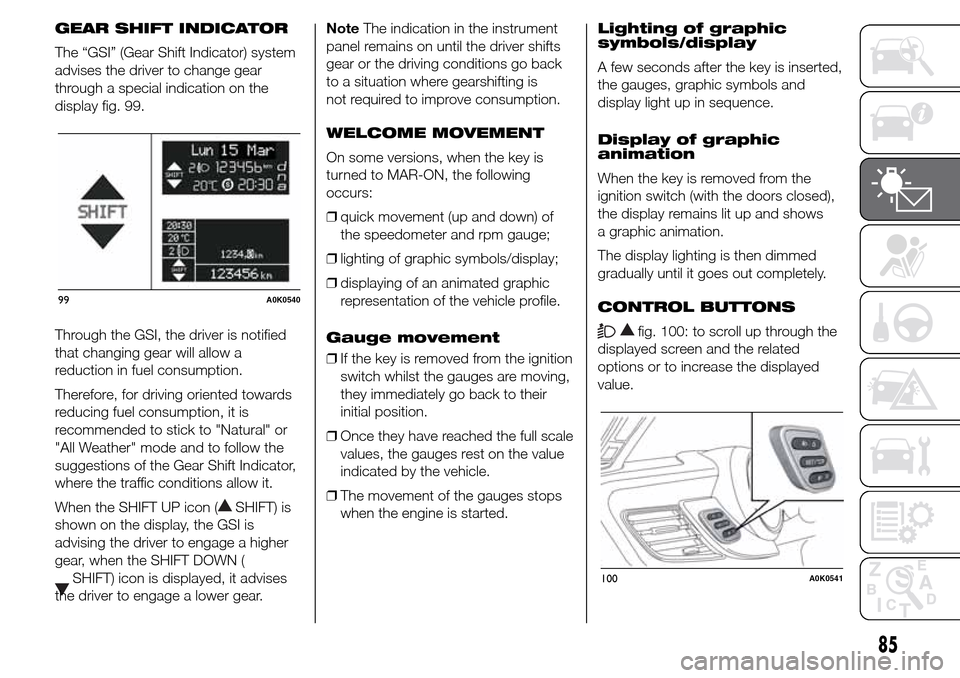
display fig. 99.
Through the GSI, the driver is notified
that changing gear will allow a
reduction in fuel consumption.
Therefore, for driving oriented towards
reducing fuel consumption, it is
recommended to stick to "Natural" or
"All Weather" mode and to follow the
suggestions of the Gear Shift Indicator,
where the traffic conditions allow it.
When the SHIFT UP icon (
SHIFT) is
shown on the display, the GSI is
advising the driver to engage a higher
gear, when the SHIFT DOWN (
SHIFT) icon is displayed, it advises
the driver to engage a lower gear.NoteThe indication in the instrument
panel remains on until the driver shifts
gear or the driving conditions go back
to a situation where gearshifting is
not required to improve consumption.
WELCOME MOVEMENT
On some versions, when the key is
turned to MAR-ON, the following
occurs:
❒quick movement (up and down) of
the speedometer and rpm gauge;
❒lighting of graphic symbols/display;
❒displaying of an animated graphic
representation of the vehicle profile.
Gauge movement
❒If the key is removed from the ignition
switch whilst the gauges are moving,
they immediately go back to their
initial position.
❒Once they have reached the full scale
values, the gauges rest on the value
indicated by the vehicle.
❒The movement of the gauges stops
when the engine is started.Lighting of graphic
symbols/display
A few seconds after the key is inserted,
the gauges, graphic symbols and
display light up in sequence.
Display of graphic
animation
When the key is removed from the
ignition switch (with the doors closed),
the display remains lit up and shows
a graphic animation.
The display lighting is then dimmed
gradually until it goes out completely.
CONTROL BUTTONS
fig. 100: to scroll up through the
displayed screen and the related
options or to increase the displayed
value.
99A0K0540
100A0K0541
85
Page 94 of 288
❒press the SET/button briefly to
make the display flash "On" or "Off"
according to what was previously set;
❒press
orto make your
choice;
❒press the SET/
button briefly to
return to the submenu screen or
hold the button down to return to the
main menu screen without saving;
❒hold the SET/
button down
again to return to the standard
screen or to the main menu
according to where you are in the
menu.
Unit of measurement
(Setting the unit of
measurement)
With this function it is possible to set
the measurement units through three
sub-menus: “Distance”, “Consumption”
and “Temperature”.
To set the desired measurement unit,
proceed as follows:
❒briefly press the SET/
button to
display the three sub-menus;
❒press button
orto
navigate through the three
submenus;❒once the submenu to be modified
has been selected, briefly press
the SET/
button;
❒when the “Distance” submenu is
entered: briefly pressing SET/
displays "km" or "mi" depending
on the previous setting;
❒press
orto make your
choice;
❒when the “Consumption” submenu is
entered, pressing SET/
displays
km/l, l/100 km or mpg depending
on the previous setting;
If the set distance unit is "km", the fuel
consumption unit will be displayed in
km/l or l/100 km.
If the distance unit set is “mi” the fuel
consumption unit will be displayed
in “mpg”.
❒press
orto make your
choice;
❒when the “Temperature” submenu is
entered, pressing SET/
displays
“°C” or “°F” depending on the
previous setting;
❒press
orto make your
choice;When you have made the required
settings, briefly press the SET/
button to go back to the submenu
screen or hold the button down to go
back to the main menu screen without
saving the new settings.
Hold the SET/
button down again
to return to the standard screen or
to the main menu according to where
you are in the menu.
Language (Language
selection)
Display messages can be shown in
different languages: Italian, English,
German, Portuguese, Spanish, French,
Dutch, Turkish and Brazilian.
To set the desired language proceed as
follows:
❒briefly press the SET/
button: the
previously set "language" starts
flashing on the display;
❒press
orto make your
choice;
❒briefly press the SET/
button to
go back to the menu screen or hold
the button down to go back to the
standard screen without saving.
90
KNOWING THE INSTRUMENT PANEL
Page 98 of 288
CONTROL PANEL AND INSTRUMENTS.
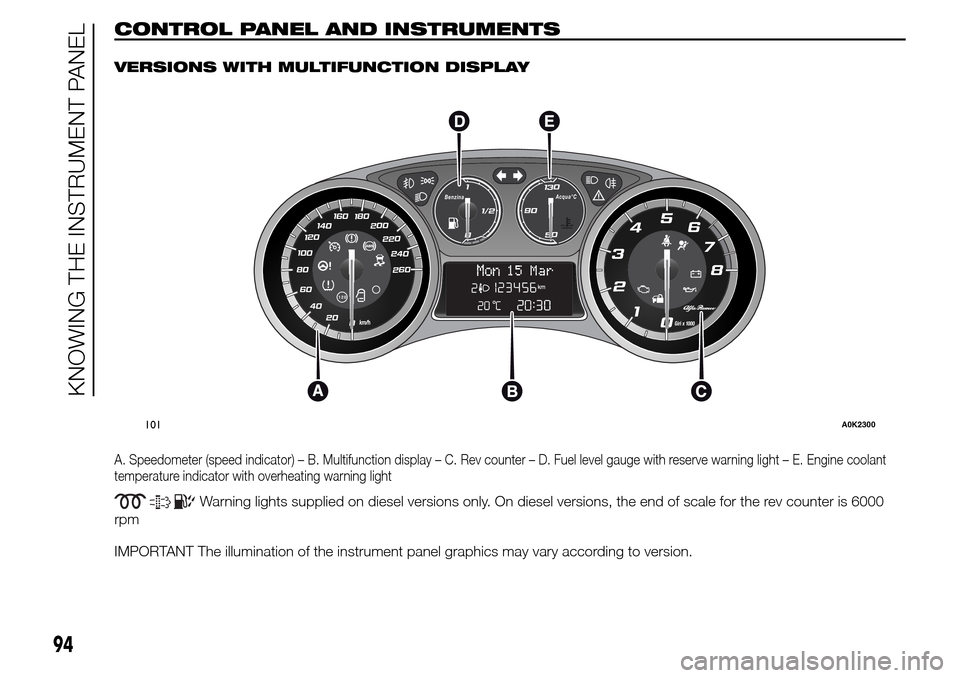
VERSIONS WITH MULTIFUNCTION DISPLAY
A. Speedometer (speed indicator) – B. Multifunction display – C. Rev counter – D. Fuel level gauge with reserve warning light – E. Engine coolant
temperature indicator with overheating warning light
Warning lights supplied on diesel versions only. On diesel versions, the end of scale for the rev counter is 6000
rpm
IMPORTANT The illumination of the instrument panel graphics may vary according to version.
.
260 240
220 200 180 160
140
100120
80
60
40
20
0
120
0Giri x 1000
2
1 345
6
7
8
0
1
1/2Benzina
50
130Acqua°C90
Mon15 Mar
101A0K2300
94
KNOWING THE INSTRUMENT PANEL
Page 99 of 288
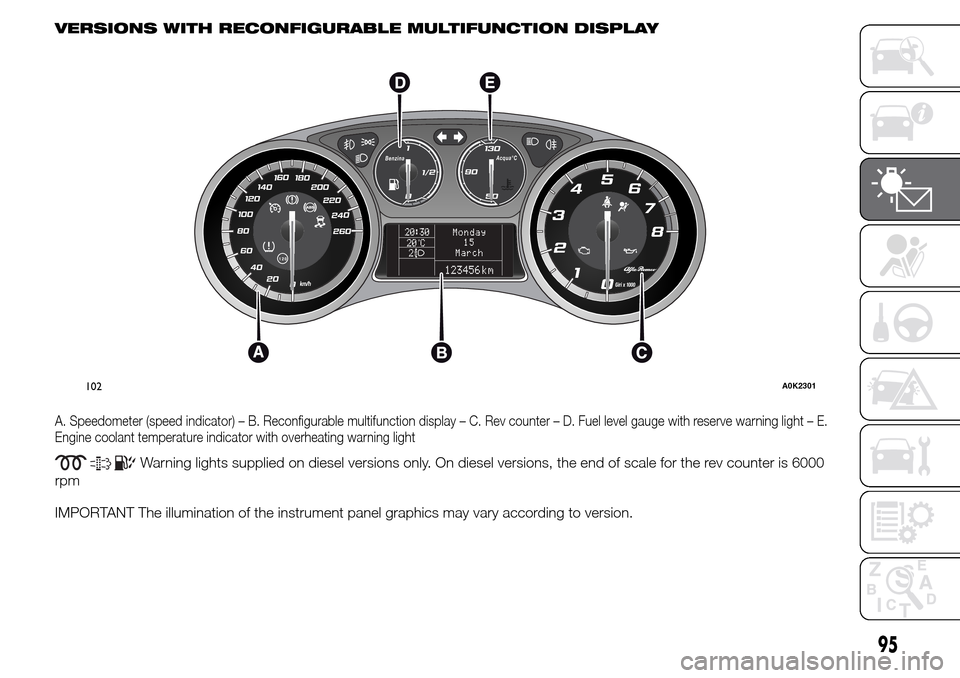
VERSIONS WITH RECONFIGURABLE MULTIFUNCTION DISPLAY
A. Speedometer (speed indicator) – B. Reconfigurable multifunction display – C. Rev counter – D. Fuel level gauge with reserve warning light – E.
Engine coolant temperature indicator with overheating warning light
Warning lights supplied on diesel versions only. On diesel versions, the end of scale for the rev counter is 6000
rpm
IMPORTANT The illumination of the instrument panel graphics may vary according to version.
260 240
220 200 180 160
140
100120
80
60
40
20
0
120
0Giri x 1000
2
1 345
6
7
8
0
1
1/2Benzina
50
130Acqua°C90
20:30
20 C°2
Monday
15
March
123456 km
102A0K2301
95
Page 100 of 288
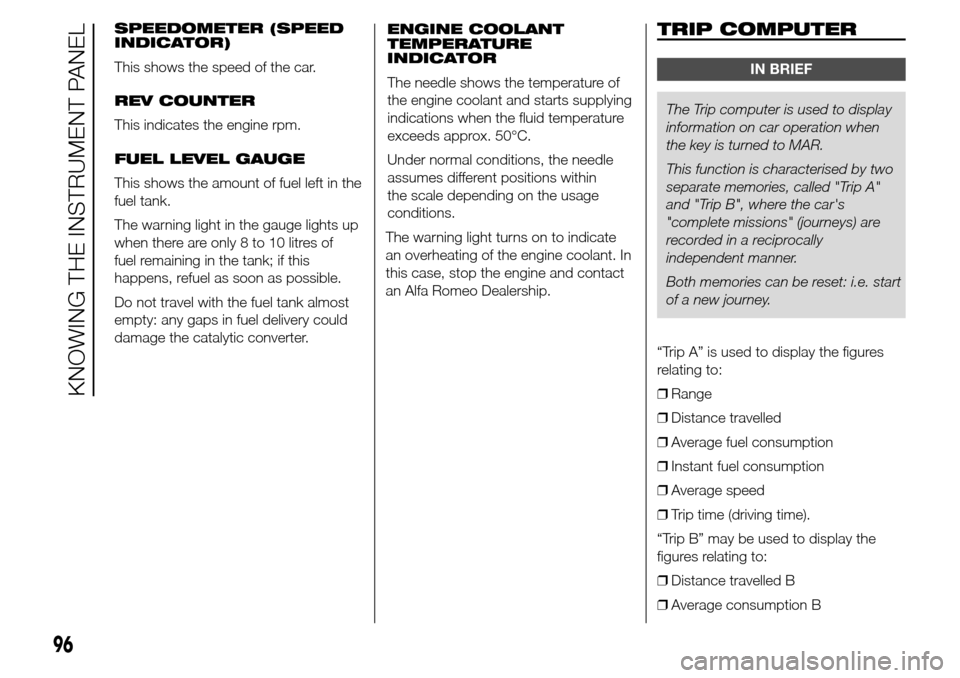
SPEEDOMETER (SPEED
INDICATOR)
This shows the speed of the car.
REV COUNTER
This indicates the engine rpm.
FUEL LEVEL GAUGE
This shows the amount of fuel left in the
fuel tank.
The warning light in the gauge lights up
when there are only 8 to 10 litres of
fuel remaining in the tank; if this
happens, refuel as soon as possible.
Do not travel with the fuel tank almost
empty: any gaps in fuel delivery could
damage the catalytic converter.ENGINE COOLANT
TEMPERATURE
INDICATOR
The needle shows the temperature of
the engine coolant and starts supplying
indications when the fluid temperature
exceeds approx. 50°C.
Under normal conditions, the needle
assumes different positions within
the scale depending on the usage
conditions.
The warning light turns on to indicate
an overheating of the engine coolant. In
this case, stop the engine and contact
an Alfa Romeo Dealership.TRIP COMPUTER
IN BRIEF
The Trip computer is used to display
information on car operation when
the key is turned to MAR.
This function is characterised by two
separate memories, called "Trip A"
and "Trip B", where the car's
"complete missions" (journeys) are
recorded in a reciprocally
independent manner.
Both memories can be reset: i.e. start
of a new journey.
“Trip A” is used to display the figures
relating to:
❒Range
❒Distance travelled
❒Average fuel consumption
❒Instant fuel consumption
❒Average speed
❒Trip time (driving time).
“Trip B” may be used to display the
figures relating to:
❒Distance travelled B
❒Average consumption B
96
KNOWING THE INSTRUMENT PANEL
Page 101 of 288
❒Average speed B
❒Trip time B (driving time).
The “Trip B” function may be disabled
(see “Activating Trip B”). “Range” and
“Instant consumption" parameters
cannot be reset.
VALUES DISPLAYED
Range
This indicates the indicative distance
that may be travelled with the fuel in the
tank, assuming that driving conditions
do not change.
The display will show the reading '-----'
when the following events take place:
❒range value lower than 50 km (or
30 mi)
❒car parked with engine running for a
long period.
IMPORTANT The range can be affected
by several factors: driving style (see
“Driving style” paragraph in the
“Starting and driving” chapter), type of
route (motorway, towns and cities,
mountain roads, etc.), conditions of use
(load, tyre pressures, etc.). Trip
planning must therefore take the above
into account.Distance covered
Shows the distance covered since the
start of the new journey.
Average consumption
Shows the approximate average fuel
consumption since the start of the new
journey.
Instantaneous consumption
This indicates the fuel consumption.
The value is constantly updated. The
display will show “----”ifthecar
is parked with the engine running.
Average speed
This shows the average car speed as a
function of the overall time elapsed
since the start of the new journey.
Trip time
The time elapsed since the start of a
new journey.
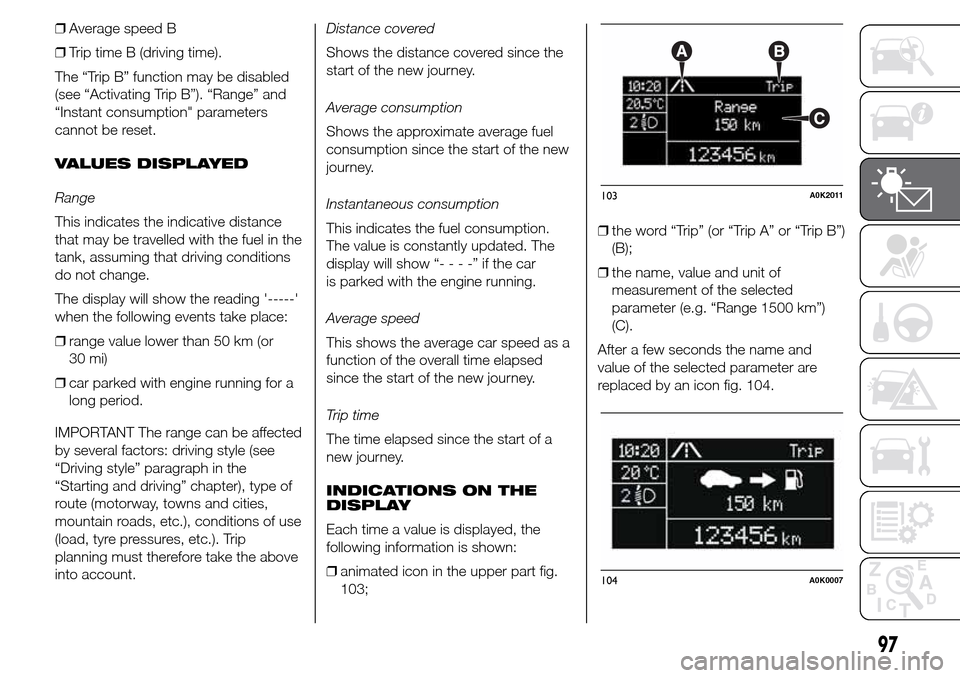
INDICATIONS ON THE
DISPLAY
Each time a value is displayed, the
following information is shown:
❒animated icon in the upper part fig.
103;❒the word “Trip” (or “Trip A” or “Trip B”)
(B);
❒the name, value and unit of
measurement of the selected
parameter (e.g. “Range 1500 km”)
(C).
After a few seconds the name and
value of the selected parameter are
replaced by an icon fig. 104.
103A0K2011
104A0K0007
97
Page 112 of 288
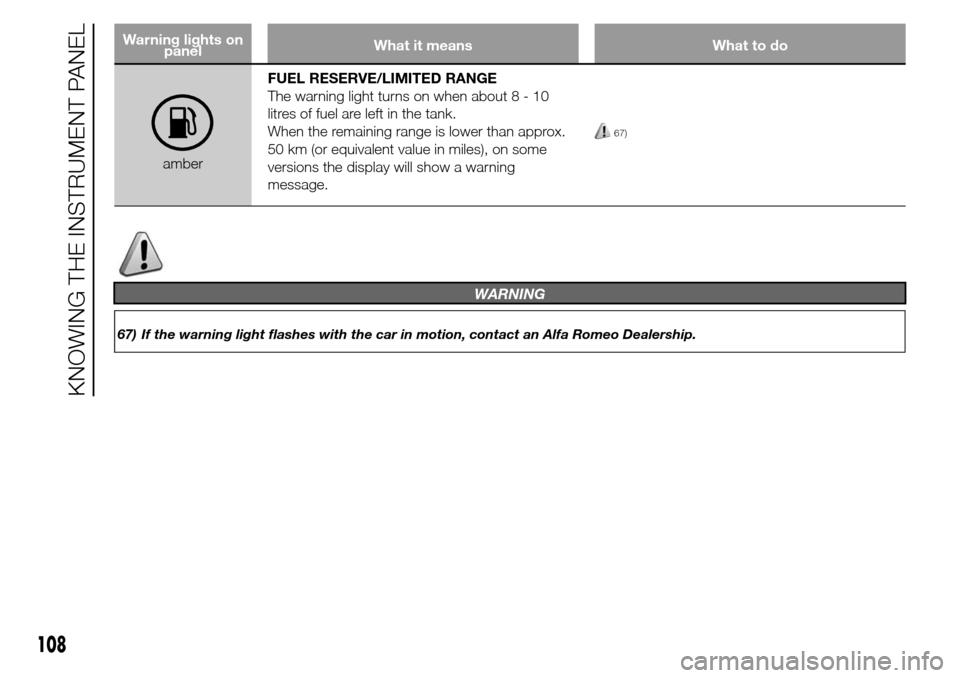
Warning lights on
panelWhat it means What to do
amberFUEL RESERVE/LIMITED RANGE
The warning light turns on when about8-10
litres of fuel are left in the tank.
When the remaining range is lower than approx.
50 km (or equivalent value in miles), on some
versions the display will show a warning
message.
67)
108
KNOWING THE INSTRUMENT PANEL
WARNING
67) If the warning light flashes with the car in motion, contact an Alfa Romeo Dealership.
Page 113 of 288
Warning lights on
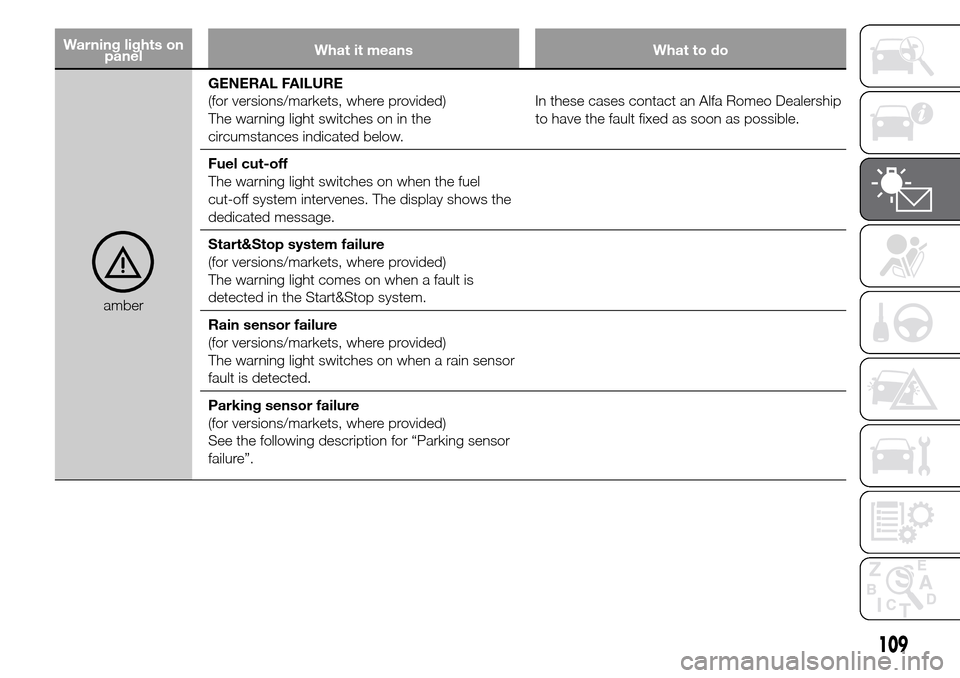
panelWhat it means What to do
amberGENERAL FAILURE
(for versions/markets, where provided)
The warning light switches on in the
circumstances indicated below.In these cases contact an Alfa Romeo Dealership
to have the fault fixed as soon as possible.
Fuel cut-off
The warning light switches on when the fuel
cut-off system intervenes. The display shows the
dedicated message.
Start&Stop system failure
(for versions/markets, where provided)
The warning light comes on when a fault is
detected in the Start&Stop system.
Rain sensor failure
(for versions/markets, where provided)
The warning light switches on when a rain sensor
fault is detected.
Parking sensor failure
(for versions/markets, where provided)
See the following description for “Parking sensor
failure”.
109
Page 119 of 288
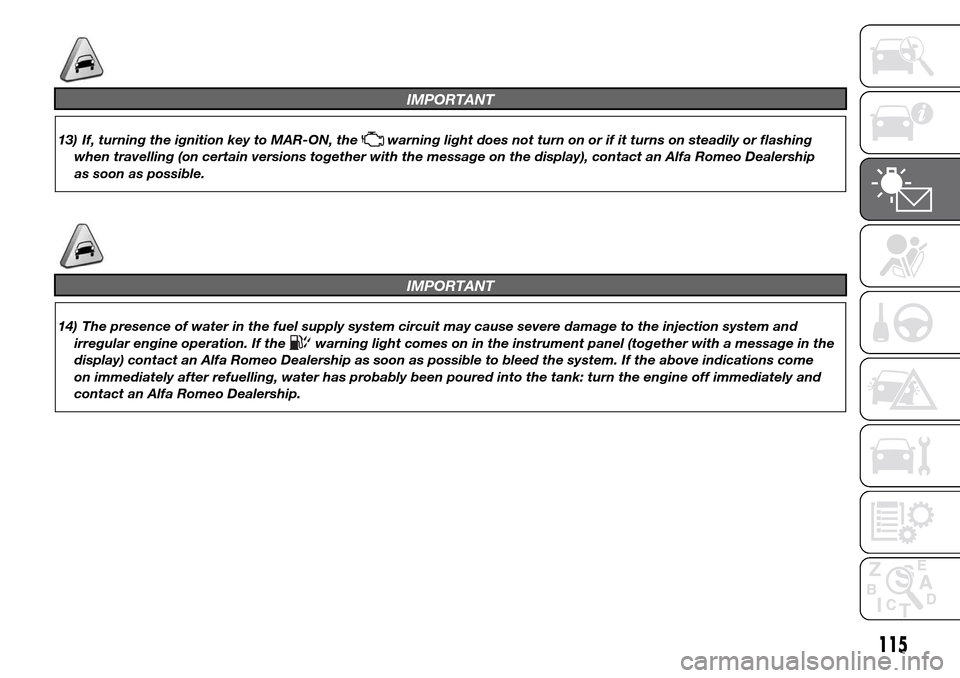
IMPORTANT
13) If, turning the ignition key to MAR-ON, thewarning light does not turn on or if it turns on steadily or flashing
when travelling (on certain versions together with the message on the display), contact an Alfa Romeo Dealership
as soon as possible.
IMPORTANT
14) The presence of water in the fuel supply system circuit may cause severe damage to the injection system and
irregular engine operation. If the
warning light comes on in the instrument panel (together with a message in the
display) contact an Alfa Romeo Dealership as soon as possible to bleed the system. If the above indications come
on immediately after refuelling, water has probably been poured into the tank: turn the engine off immediately and
contact an Alfa Romeo Dealership.
115