ESP Alfa Romeo Giulietta 2018 Service Manual
[x] Cancel search | Manufacturer: ALFA ROMEO, Model Year: 2018, Model line: Giulietta, Model: Alfa Romeo Giulietta 2018Pages: 216, PDF Size: 3.39 MB
Page 195 of 216
SWITCHING THESYSTEM ON/OFF
The system is switched on/off by
pressing the
(ON/OFF) button/knob.
Turn the button/knob clockwise to
increase the radio volume or
anticlockwise to decrease it.
RADIO (TUNER) MODE
Press the RADIO button on the front
panel to activate radio mode.
Selecting a frequency band
The various tuning modes can be
selected by touching the “AM”, “FM” and
“DAB” (for versions/markets where
provided) on the display.
Indications on display
After the desired radio station is
selected, the following information is
shown on the display:
At the top:display of the stored radio
station (preset) list. The station being
listened to is highlighted.
In the middle:display of the current
radio station’s name and the buttons for
selecting the band.
At the bottom:radio station selection,
tuning and audio settings.Searching for the previous/next radio
station
To search for the desired radio station,
rotate the BROWSE ENTER button/knob,
press the
orbuttons or use
the steering wheel controls
.
Previous/next radio station fast search
Hold down buttons
oron the
display: when the button is released, the
first tunable radio station will be
displayed.
Tuning the radio (AM/FM)
Press the “tune” button on the display and
then enter the frequency of the radio
station on the keyboard on the display.
In this mode, use buttons
andto
fine-tune the frequency.
To delete an incorrect number (and enter
the correct station number) press the
(Delete) button.
After the last digit of the station is
entered, the screen is deactivated and
the system tunes to the selected station
automatically.
The screen disappears automatically
after 5 seconds or manually by pressing
the "OK" or "X" (Delete) button.
Exit the "Direct Tune" screen
Press the “Exit” or “Radio” button on the
display to return to the system’s main
screen.DAB Radio
(for versions/markets, where provided)
Once DAB radio mode is selected, the
information on the current station is
displayed and the following functions.
Within each list, the "ABC" button allows
the user to skip to the desired letter in
the list.
The "Browse" button is used to display:
the list of all DAB stations;
the list of stations filtered by "Genres";
the list of stations filtered by
"Ensembles" (broadcast group).
Within each list, the "ABC" button allows
the user to skip to the desired letter in
the list.
Setting the presets
Presets are available in all system modes
and are activated by touching one of the
preset buttons located in the upper area
of the display.
If you are tuned to a radio station that
you wish to store, hold down the button
on the display which corresponds to the
desired preset or until an acoustic
confirmation signal is emitted.
The system can store up to 12 radio
stations in each mode: 4 radio stations
are displayed in the upper area.
Press the "browse" button on the display
to show all the radio stations stored in
the selected frequency band.
193
Page 198 of 216
NOTE After updating the phone software,
for proper operation, it is recommended
to remove the phone from the list of
devices linked to the radio, delete the
previous system pairing also from the list
of Bluetooth devices on the phone and
make a new pairing.
Transferring phone data (phonebook
and recent calls)
If your mobile phone has a function for
sending the phonebook via
Bluetooth®
technology.
Answer "Yes" when asked to copy the
phonebook to the system.
Answer "No" to carry out the operation
later on.
Making a phone call
The operations described below can only
be accessed if supported by the mobile
phone in use.
A call can be made by:
selecting theicon (mobile phone
phonebook);
selecting "Recent Calls";
selecting the icon(Keypad);
pressing the "Redial" button.Handling an incoming call
The buttons on the display allow the
following phone call functions to be
managed:
To answer a call: press the "Answer"
button or the
button on the steering
wheel controls;
To end a call: press the "Ignore" button
or the
button on the steering
wheel controls;
Ignore;
Put on hold/resume;
Deactivate/activate the microphone;
Transfer the call;
Switch from one call to the other;
Conference/merge two active calls.
Text message reader
To use this function the mobile phone
must support the SMS exchange function
throughBluetooth™.
If this function is not supported by the
phone, the corresponding
button is
deactivated (grey).
When a text message is received, the
display will show a screen where the
options "Listen", "Call" or "Ignore" can be
selected.
The list of SMS messages received from
the mobile phone can be accessed by
pressing the
button.NOTE Some mobile phones may not take
the SMS delivery confirmation settings
into account when interfacing with
Uconnect™. If an SMS message is sent via
Uconnect™, the user could face an
additional cost, without any warning, due
to the SMS delivery confirmation request
sent by the phone. For any problems
related to the above, contact your
telephone service provider.
Siri Eyes Free
Siri allows you to use your voice to send
text message, manage media sources,
phone calls and much more. You can keep
your eyes on the road and your hands on
the steering wheel, while using Siri to
perform other useful operations.
Press the
button on the steering wheel
(long press) to activate Siri. When you
hear a double beep you can begin to
interact with Siri.
NOTE the Siri enabled device must be
paired with theUconnect™system using
the pairing procedure (see the related
paragraph).
Speak clearly with a normal rhythm and
volume.
Siri is available on the iPhone 4S and
subsequent versions.
196
MULTIMEDIA
Page 205 of 216
Your car has chosen PETRONAS Selenia
The quality of PETRONAS Selenia is divided into a range of technologically advanced products:
SELENIA WR FORWARD 0W-30/0W-20Fully synthetic, latest generation lubricant specifically formulated for EURO 6
diesel engines. Its fully synthetic formula and 0W-30 viscosity grade guaran-
tee excellent performance in terms of fuel economy for diesel engines
equipped with high efficiency turbo-charger. PETRONAS Selenia Forward
also features excellent resistance to oxidation, thus maintaining its technical
characteristics and promoting maximum engine performance throughout
the entire oil-change interval.
SELENIA DIGITEK P.E. 0W-30Is the fully synthetic lubricant created for the most modern petrol engines.
Its special viscosity grade and its specific formulation enhance the fuel
economy features and, consequently the reduction of CO2 emissions.
Especially created for TwinAir two-cylinder engines, it ensures maximum
engine protection even under high mechanical stress due to mainly city use.
SELENIA MULTIPOWER C3Is a high performance synthetic lubricant designed for petrol and diesel
engines requiring products able to reduce ash deposits to the absolute
minimum. It provides increased protection against wear and tear
and has excellent fuel economy characteristics. It protects the particle
filter (DPF) in diesel engines.
SELENIA SPORT POWERIs a fully synthetic lubricant designed to enhance the sporting
characteristics of direct injection petrol engines (GDI).
It maximizes sporting performances while maintaining complete engine
protection, even under the most severe conditions of use.
The PETRONAS Selenia range is completed with Selenia StAR Pure Energy, Selenia StAR,
Selenia WR Pure Energy, Selenia Sport, and Selenia Racing.
For further information concerning PETRONAS Selenia products, consult the website: www.pli-petronas.com
The engine of your car was made with PETRONAS Selenia, the range
of engine oils that satisfies the most advanced international specifications.
Subject to specific tests and boasting outstanding technical characteristics,
PETRONAS Selenia is a lubricant designed to equip your engine
with reliable, winning performance standards”
Page 215 of 216
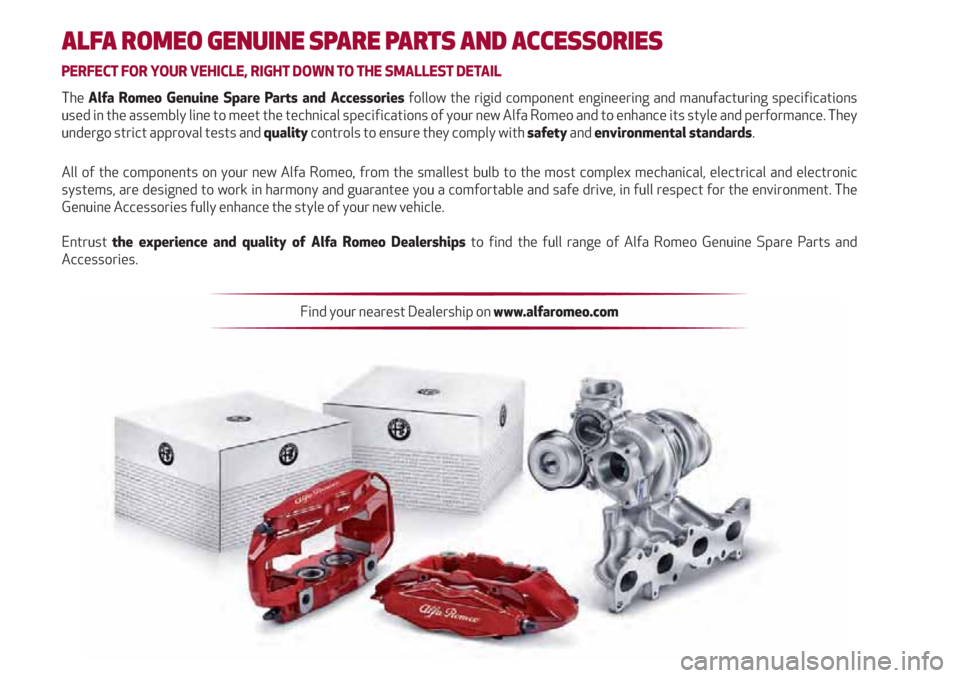
ALFA ROMEO GENUINE SPARE PARTS AND ACCESSORIES
PERFECT FOR YOUR VEHICLE, RIGHT DOWN TO THE SMALLEST DETAIL
The Alfa Romeo Genuine Spare Parts and Accessories follow the rigid component engineering and manufacturing specifi cations
used in the assembly line to meet the technical specifi cations of your new Alfa Romeo and to enhance its style and performance. They
undergo strict approval tests and quality controls to ensure they comply with safety and environmental standards.
All of the components on your new Alfa Romeo, from the smallest bulb to the most complex mechanical, electrical and electronic
systems, are designed to work in harmony and guarantee you a comfortable and safe drive, in full respect for the environment. The
Genuine Accessories fully enhance the style of your new vehicle.
Entrust the experience and quality of Alfa Romeo Dealerships to fi nd the full range of Alfa Romeo Genuine Spare Parts and
Accessories.
Find your nearest Dealership on www.alfaromeo.com