lock Alfa Romeo GT 2006 Owner handbook (in English)
[x] Cancel search | Manufacturer: ALFA ROMEO, Model Year: 2006, Model line: GT, Model: Alfa Romeo GT 2006Pages: 307, PDF Size: 6.05 MB
Page 44 of 307
GETTING TO KNOW YOUR CAR
42
IMPORTANTThe front and/or side air
bags may be activated if the car is sub-
jected to heavy shocks or accidents that
involve the underbody area, such as for
example violent bumps against steps,
pavements or fixed obstacles on the
ground, falling into big holes or bumpy
roads.
IMPORTANTThe triggering of air
bags releases a small amount of powder.
This powder is not harmful and does not
indicate a start of fire; also the surfaces of
the deployed bag and the car interior may
be covered with dusty residue: this may
irritate the skin and eyes. In the event of
exposure, wash with neutral soap and
water.
The validity of the air bag is 14 years for
the pyrotechnic charge and 10 years for
the twisted contact (see label on the front
door, on the left side of the lock area).
Contact Alfa Romeo Authorised Services as
this date approaches.IMPORTANTIf an accident has trig-
gered anyone of the safety devices, Alfa
Romeo Authorised Services must be con-
tacted to have the devices activated
replaced and to have the whole system
checked.
All operations involving checking, repair-
ing and replacing components concerning
the air bag must be carried out by Alfa
Romeo Authorised Services
If the car is to be demolished, Alfa
Romeo Authorised Services should be con-
tacted beforehand to have the system
deactivated. If the car changes ownership,
the new owner must be informed of the
instructions for use and of the above warn-
ings and be given this “Owner’s Manual”.
IMPORTANT The triggering of the
pretensioners, front air bags and side bags
is decided in a differentiated manner
depending on the type of crash. The fail-
ure to trigger one or more of them does
not necessarily indicate a system malfunc-
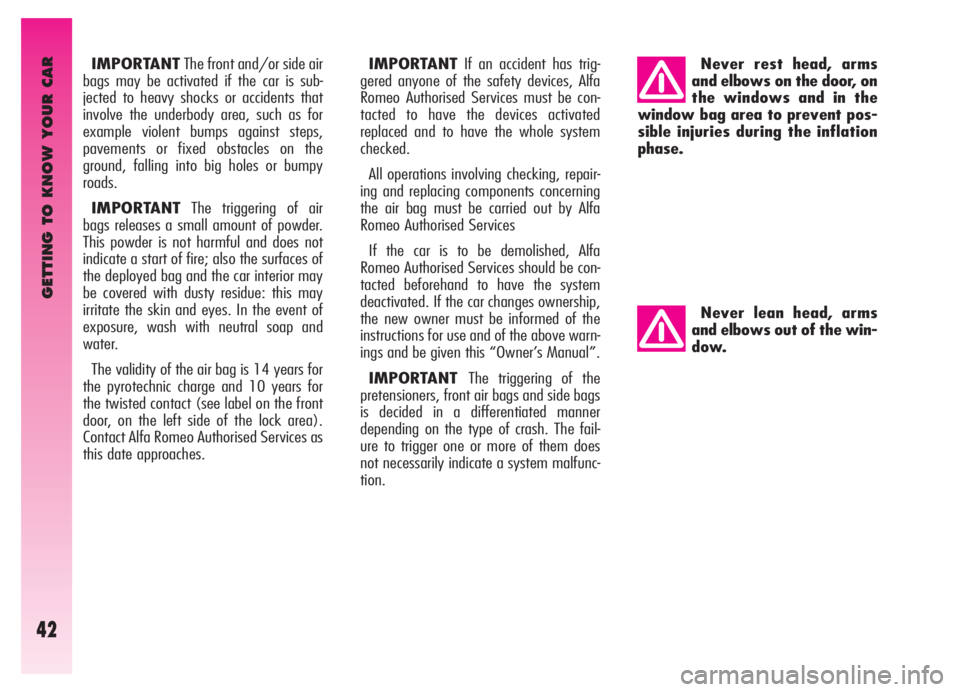
tion.Never rest head, arms
and elbows on the door, on
the windows and in the
window bag area to prevent pos-
sible injuries during the inflation
phase.
Never lean head, arms
and elbows out of the win-
dow.
Page 54 of 307
GETTING TO KNOW YOUR CAR
52
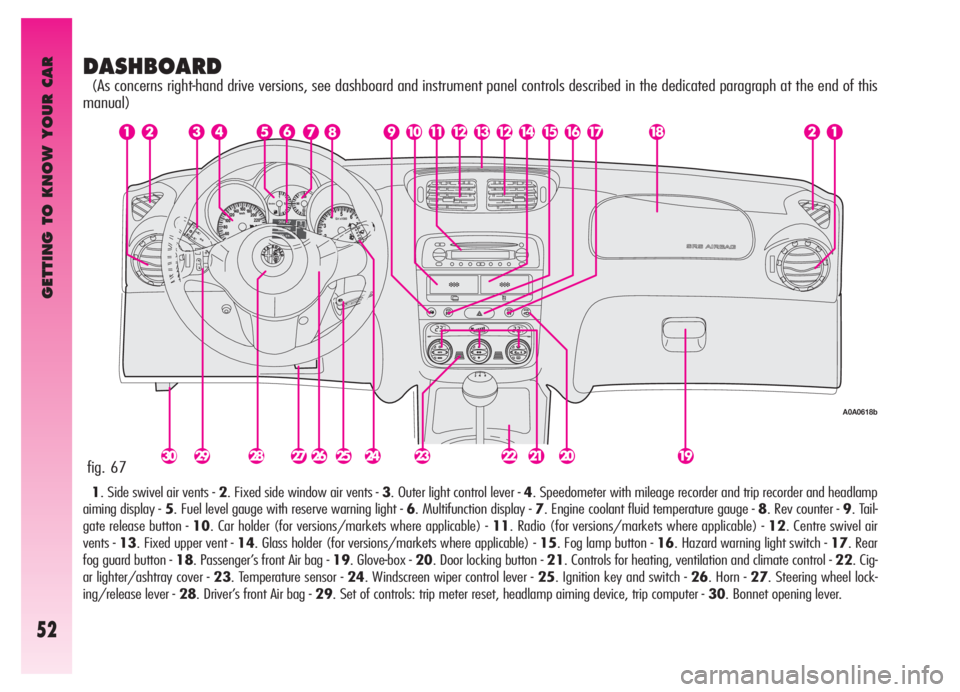
DASHBOARD
(As concerns right-hand drive versions, see dashboard and instrument panel controls described in the dedicated paragraph at the end of this
manual)
1. Side swivel air vents - 2. Fixed side window air vents - 3. Outer light control lever - 4. Speedometer with mileage recorder and trip recorder and headlamp
aiming display - 5. Fuel level gauge with reserve warning light - 6. Multifunction display - 7. Engine coolant fluid temperature gauge - 8. Rev counter - 9. Tail-
gate release button - 10. Car holder (for versions/markets where applicable) - 11. Radio (for versions/markets where applicable) - 12. Centre swivel air
vents - 13. Fixed upper vent - 14. Glass holder (for versions/markets where applicable) - 15. Fog lamp button - 16. Hazard warning light switch - 17. Rear
fog guard button - 18. Passenger’s front Air bag - 19. Glove-box - 20. Door locking button - 21. Controls for heating, ventilation and climate control - 22. Cig-
ar lighter/ashtray cover - 23. Temperature sensor - 24. Windscreen wiper control lever - 25. Ignition key and switch - 26. Horn - 27. Steering wheel lock-
ing/release lever - 28. Driver’s front Air bag - 29. Set of controls: trip meter reset, headlamp aiming device, trip computer - 30. Bonnet opening lever.
fig. 67
A0A0618b
Page 59 of 307
GETTING TO KNOW YOUR CAR
57
DIGITAL MULTIFUNCTION DISPLAY (where fitted)
The digital multifunction display shows the following: clock, outside temperature, buzzer setting (buzzer on/off), rheostat (light adjust-
ment), condition of the inertial fuel cut-off switch (FPS on).
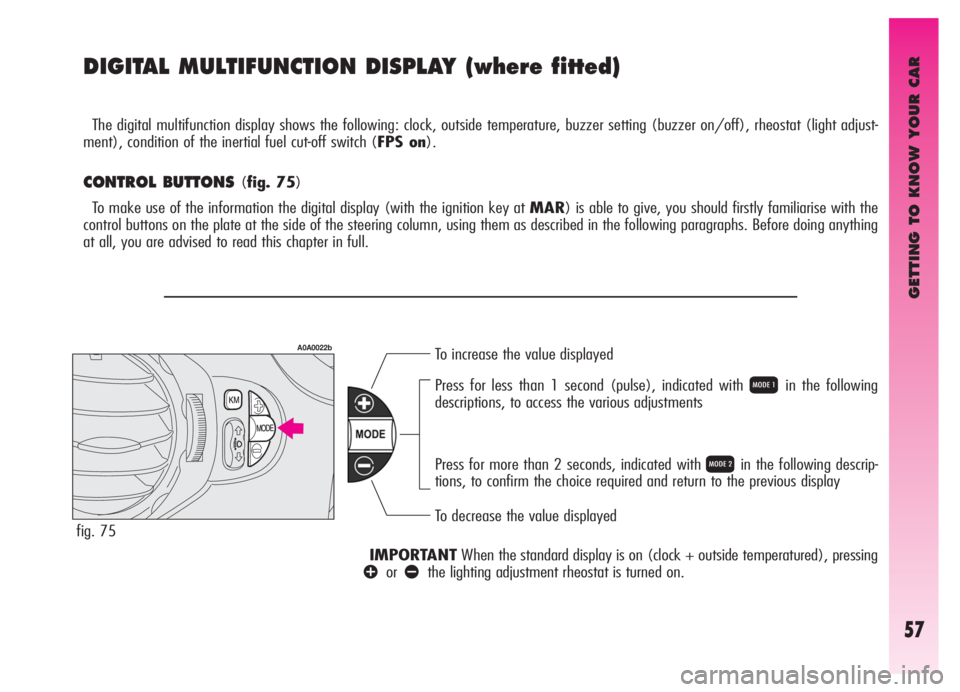
CONTROL BUTTONS (fig. 75)
To make use of the information the digital display (with the ignition key at MAR) is able to give, you should firstly familiarise with the
control buttons on the plate at the side of the steering column, using them as described in the following paragraphs. Before doing anything
at all, you are advised to read this chapter in full.
To increase the value displayed
To decrease the value displayed Press for less than 1 second (pulse), indicated with
Qin the following
descriptions, to access the various adjustments
Press for more than 2 seconds, indicated with
Rin the following descrip-
tions, to confirm the choice required and return to the previous display
IMPORTANTWhen the standard display is on (clock + outside temperatured), pressing
âorãthe lighting adjustment rheostat is turned on.
fig. 75
A0A0022b
Page 60 of 307

GETTING TO KNOW YOUR CAR
58
CLOCK(fig. 76)
Adjusting the hours
Press the MODE button in
Q, the hours
will flash. Set the hour required using button
âorã.
Every press on the button will increase
by one unit.
Keeping the button pressed obtains auto-
matic fast increase or decrease.
When you are near the value required,
release the control and complete adjust-
ment with single presses.
Then press the MODE button in
Rto
store.
fig. 76Adjusting the minutes
Press the MODE button twice in
Q,
the minutes will flash. Set the minutes
required using button
âorã.
Every press on the button will increase
by one unit.
Keeping the button pressed obtains auto-
matic fast increase or decrease.
When you are near the value required,
release the control and complete adjust-
ment with single presses.
Then press the MODE button in
Rto
store.
OUTSIDE TEMPERATURE (fig. 76)
Outside temperature can be viewed on
the display lower side, under the hour indi-
cation. When the outside temperature is
below or 3° C, the indicator starts flashing
together with the buzzer, to warn the dri-
ver about the possible presence of ice on
the road. The acoustic signal lasts about 2
seconds, while the outside temperature
indicator flashes for about 10 seconds.
The signal of possible presence of ice on
the road is repeated only if the outside
temperature is over 6° C and then reach-
es again 3° C.
A0A0009b
fig. 77
A0A0083b
BUZZER(fig. 77-78)
The buzzer which accompanies the con-
trols may be activated (
ON) or deactivat-
ed (
OFF); proceed as follows:
Press the MODE button 3 times in
Q,
then use button
âorã, to turn the
buzzer on or off.
The press the MODE button in
Rto
store the condition chosen.
clock and outside temperature display
buzzer activated display (ON)
Page 61 of 307
GETTING TO KNOW YOUR CAR
59
fig. 79
A0A0012b
fig. 80
A0A0013b
fig. 81
A0A0007b
plate at the side of the steering column)
for more than 4 seconds the complete
instrument cluster lighting is turned on
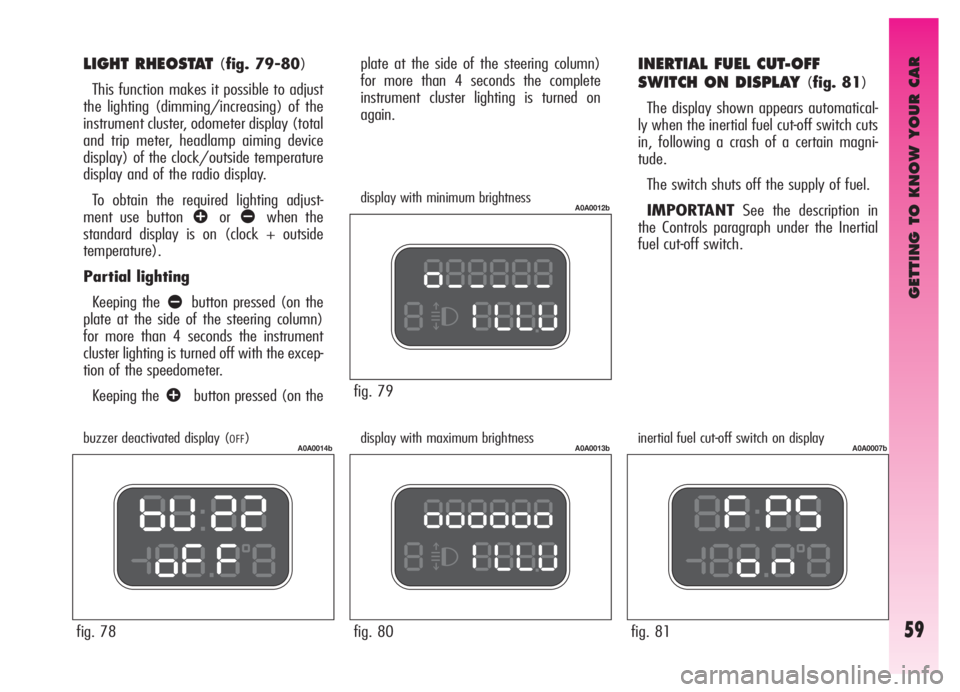
again.INERTIAL FUEL CUT-OFF
SWITCH ON DISPLAY
(fig. 81)
The display shown appears automatical-
ly when the inertial fuel cut-off switch cuts
in, following a crash of a certain magni-
tude.
The switch shuts off the supply of fuel.
IMPORTANTSee the description in
the Controls paragraph under the Inertial
fuel cut-off switch.
display with minimum brightness
display with maximum brightness inertial fuel cut-off switch on display
fig. 78
A0A0014bbuzzer deactivated display (OFF)
LIGHT RHEOSTAT (fig. 79-80)
This function makes it possible to adjust
the lighting (dimming/increasing) of the
instrument cluster, odometer display (total
and trip meter, headlamp aiming device
display) of the clock/outside temperature
display and of the radio display.
To obtain the required lighting adjust-
ment use button
âorãwhen the
standard display is on (clock + outside
temperature).
Partial lighting
Keeping the
ãbutton pressed (on the
plate at the side of the steering column)
for more than 4 seconds the instrument
cluster lighting is turned off with the excep-
tion of the speedometer.
Keeping the
âbutton pressed (on the
Page 62 of 307
GETTING TO KNOW YOUR CAR
60
RECONFIGURABLE MULTIFUNCTION DISPLAY
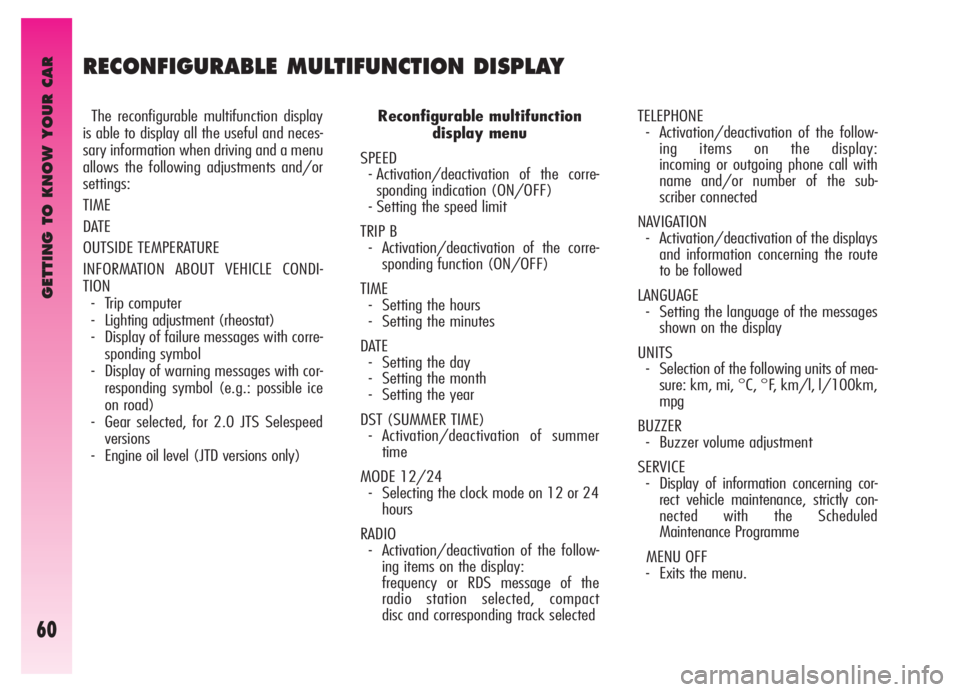
The reconfigurable multifunction display
is able to display all the useful and neces-
sary information when driving and a menu
allows the following adjustments and/or
settings:
TIME
DATE
OUTSIDE TEMPERATURE
INFORMATION ABOUT VEHICLE CONDI-
TION
- Trip computer
- Lighting adjustment (rheostat)
- Display of failure messages with corre-
sponding symbol
- Display of warning messages with cor-
responding symbol (e.g.: possible ice
on road)
- Gear selected, for 2.0 JTS Selespeed
versions
- Engine oil level (JTD versions only)Reconfigurable multifunction
display menu
SPEED
- Activation/deactivation of the corre-
sponding indication (ON/OFF)
- Setting the speed limit
TRIP B
- Activation/deactivation of the corre-
sponding function (ON/OFF)
TIME
- Setting the hours
- Setting the minutes
DATE
- Setting the day
- Setting the month
- Setting the year
DST (SUMMER TIME)
- Activation/deactivation of summer
time
MODE 12/24
- Selecting the clock mode on 12 or 24
hours
RADIO
- Activation/deactivation of the follow-
ing items on the display:
frequency or RDS message of the
radio station selected, compact
disc and corresponding track selectedTELEPHONE
- Activation/deactivation of the follow-
ing items on the display:
incoming or outgoing phone call with
name and/or number of the sub-
scriber connected
NAVIGATION
- Activation/deactivation of the displays
and information concerning the route
to be followed
LANGUAGE
- Setting the language of the messages
shown on the display
UNITS
- Selection of the following units of mea-
sure: km, mi, °C, °F, km/l, l/100km,
mpg
BUZZER
- Buzzer volume adjustment
SERVICE
- Display of information concerning cor-
rect vehicle maintenance, strictly con-
nected with the Scheduled
Maintenance Programme
MENU OFF
- Exits the menu.
Page 70 of 307

GETTING TO KNOW YOUR CAR
68
TIME
To adjust the clock (hours - minutes) proceed as follows:
Menu screen
Return to menu screen
Return to
standard screenQ
Q
Q R
R
R
â
ã
â
ã
â
ã
See INITIAL CHECK and ACCESS
TO THE MENU SCREEN
Each press on the
âorãbutton increases or
decreases
by one unit. Keeping the
corresponding button pressed
obtains automatic fast increase of
decrease. When you are near the
required value, release the
control and complete adjustment
with single presses.
Page 73 of 307

GETTING TO KNOW YOUR CAR
71
MODE 12/24
This function is used to set the clock in the 12 hour or 24 hour mode. To adjust, proceed as follows:
Menu screen
Return to menu screen
Return to
standard screenQ
Q R
R
â
ã
â
ã
See INITIAL CHECK and ACCESS
TO THE MENU SCREEN
Page 96 of 307
GETTING TO KNOW YOUR CAR
94
Warning
light on dialMessage
on display
>
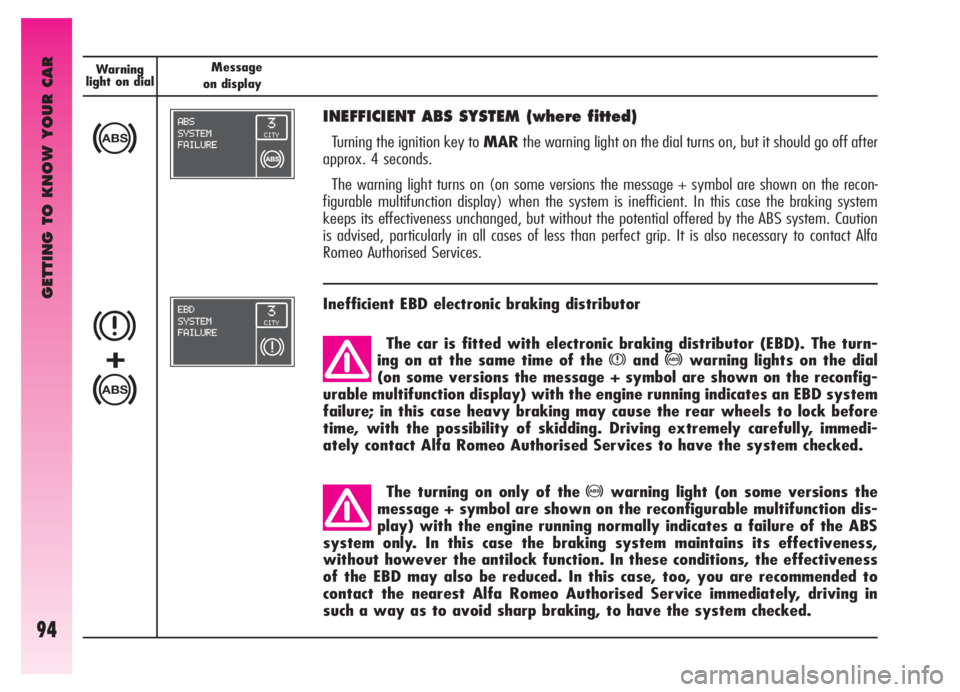
INEFFICIENT ABS SYSTEM (where fitted)
Turning the ignition key to MARthe warning light on the dial turns on, but it should go off after
approx. 4 seconds.
The warning light turns on (on some versions the message + symbol are shown on the recon-
figurable multifunction display) when the system is inefficient. In this case the braking system
keeps its effectiveness unchanged, but without the potential offered by the ABS system. Caution
is advised, particularly in all cases of less than perfect grip. It is also necessary to contact Alfa
Romeo Authorised Services.
The car is fitted with electronic braking distributor (EBD). The turn-
ing on at the same time of the
xand>warning lights on the dial
(on some versions the message + symbol are shown on the reconfig-
urable multifunction display) with the engine running indicates an EBD system
failure; in this case heavy braking may cause the rear wheels to lock before
time, with the possibility of skidding. Driving extremely carefully, immedi-
ately contact Alfa Romeo Authorised Services to have the system checked.
The turning on only of the
>warning light (on some versions the
message + symbol are shown on the reconfigurable multifunction dis-
play) with the engine running normally indicates a failure of the ABS
system only. In this case the braking system maintains its effectiveness,
without however the antilock function. In these conditions, the effectiveness
of the EBD may also be reduced. In this case, too, you are recommended to
contact the nearest Alfa Romeo Authorised Service immediately, driving in
such a way as to avoid sharp braking, to have the system checked.
Inefficient EBD electronic braking distributor
x
>
+
Page 106 of 307
GETTING TO KNOW YOUR CAR
104
AIR TEMPERATURE
ADJUSTMENT KNOB
Turn the ring of knob (1-fig. 95) clock-
wise or counter-clockwise respectively to
higher or lower the temperature of the air
admitted to the passenger compartment.
AIRDISTRIBUTION KNOB
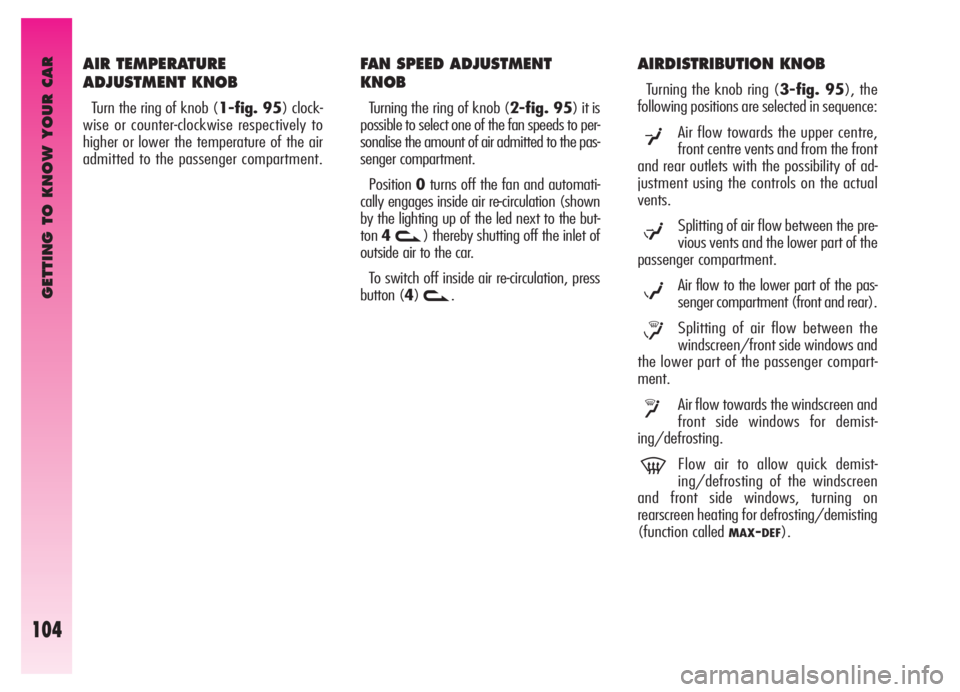
Turning the knob ring (3-fig. 95), the
following positions are selected in sequence:
Air flow towards the upper centre,
front centre vents and from the front
and rear outlets with the possibility of ad-
justment using the controls on the actual
vents.
Splitting of air flow between the pre-
vious vents and the lower part of the
passenger compartment.
Air flow to the lower part of the pas-
senger compartment (front and rear).
Splitting of air flow between the
windscreen/front side windows and
the lower part of the passenger compart-
ment.
Air flow towards the windscreen and
front side windows for demist-
ing/defrosting.
Flow air to allow quick demist-
ing/defrosting of the windscreen
and front side windows, turning on
rearscreen heating for defrosting/demisting
(function called
MAX-DEF).
μ
w
≤
y
-
¥
FAN SPEED ADJUSTMENT
KNOB
Turning the ring of knob (2-fig. 95) it is
possible to select one of the fan speeds to per-
sonalise the amount of air admitted to the pas-
senger compartment.
Position0turns off the fan and automati-
cally engages inside air re-circulation (shown
by the lighting up of the led next to the but-
ton4
v) thereby shutting off the inlet of
outside air to the car.
To switch off inside air re-circulation, press
button (4)
v.