light Alfa Romeo Stelvio 2018 Manual Online
[x] Cancel search | Manufacturer: ALFA ROMEO, Model Year: 2018, Model line: Stelvio, Model: Alfa Romeo Stelvio 2018Pages: 276, PDF Size: 5.79 MB
Page 144 of 276
If you are required to drive with the
trunk/liftgate/rear doors open, make sure
that all windows are closed and the climate
control BLOWER switch is set at high speed.
DO NOT use the recirculation mode.
If it is necessary to sit in a parked vehicle
with the engine running, adjust your heating
or cooling controls to force outside air into
the vehicle. Set the blower at high speed.
The best protection against carbon
monoxide entry into the vehicle body is a
properly maintained engine exhaust
system.
Whenever a change is noticed in the
sound of the exhaust system, when
exhaust fumes can be detected inside the
vehicle, or when the underside or rear of
the vehicle is damaged, have a competent
mechanic inspect the complete exhaust
system and adjacent body areas for
broken, damaged, deteriorated, or
mispositioned parts. Open seams or
loose connections could permit exhaust
fumes to seep into the passenger
compartment. In addition, inspect the
exhaust system each time the vehicle is
raised for lubrication or oil change.
Replace as required.
Safety Checks You Should Make Inside
The Vehicle
Seat Belts
Inspect the seat belt system periodically,
checking for cuts, frays, and loose parts.
Damaged parts must be replaced
immediately. Do not disassemble or
modify the system.
Front seat belt assemblies must be
replaced after a collision. Rear seat belt
assemblies must be replaced after a
collision if they have been damaged (i.e.,
bent retractor, torn webbing, etc.). If
there is any question regarding seat belt
or retractor condition, replace the seat
belt.
Air Bag Warning Light
The Air Bag warning lightwill turn on
for four to eight seconds as a bulb check
when the ignition switch is first turned to
ON/RUN. If the light is either not on
during starting, stays on, or turns on while
driving, have the system inspected at
your authorized dealer as soon as
possible. After the bulb check, this light
will illuminate with a single chime when a
fault with the Air Bag System has been
detected. It will stay on until the fault is
removed. If the light comes on
intermittently or remains on while
driving, have your authorized dealer
service the vehicle immediately. Refer to
“Occupant Restraint Systems” in “Safety”
for further information.
Defroster
Check operation by selecting the defrost
mode and place the blower control on
high speed. You should be able to feel the
air directed against the windshield. See
your authorized dealer for service if your
defroster is inoperable.
Floor Mat Safety Information
Always use floor mats designed to fit
your vehicle. Only use a floor mat that
does not interfere with the operation of
the accelerator, brake or clutch pedals.
Only use a floor mat that is securely
attached using the floor mat fasteners so
it cannot slip out of position and interfere
with the accelerator, brake or clutch
pedals or impair safe operation of your
vehicle in other ways.
142
SAFETY
Page 145 of 276
Warning!
An improperly attached, damaged, folded, or
stacked floor mat, or damaged floor mat
fasteners may cause your floor mat to
interfere with the accelerator, brake, or
clutch pedals and cause a loss of vehicle
control. To prevent SERIOUS INJURY or
DEATH:
ALWAYS securely attachyour floor
mat using the floor mat fasteners. DO NOT
install your floor mat upside down or turn
your floor mat over. Lightly pull to confirm
mat is secured using the floor mat fasteners
on a regular basis.
ALWAYS REMOVE THE EXISTING FLOOR
MAT FROM THE VEHICLEbefore
installing any other floor mat. NEVER install
or stack an additional floor mat on top of an
existing floor mat.
ONLY install floor mats designed to fit
your vehicle. NEVER install a floor mat that
cannot be properly attached and secured to
your vehicle. If a floor mat needs to be
replaced, only use a FCA approved floor mat
for the specific make, model, and year of
your vehicle.
ONLY use the driver’s side floor mat on
the driver’s side floor area. To check for
interference, with the vehicle properly
parked with the engine off, fully depress the
accelerator, the brake, and the clutch pedal
(if present) to check for interference. If your
floor mat interferes with the operation of
any pedal, or is not secure to the floor,
remove the floor mat from the vehicle and
place the floor mat in your trunk.
ONLY use the passenger’s side floor mat
on the passenger’s side floor area.
ALWAYS make sure objects cannot fall or
slide into the driver’s side floor area when
the vehicle is moving. Objects can become
trapped under accelerator, brake, or clutch
pedals and could cause a loss of vehicle
control.
NEVER place any objects under the floor
mat (e.g., towels, keys, etc.). These objects
could change the position of the floor mat
and may cause interference with the
accelerator, brake, or clutch pedals.
If the vehicle carpet has been removed
and re-installed, always properly attach
carpet to the floor and check the floor mat
fasteners are secure to the vehicle carpet.
Fully depress each pedal to check for
interference with the accelerator, brake, or
clutch pedals then re-install the floor mats.
It is recommended to only use mild soap
and water to clean your floor mats. After
cleaning, always check your floor mat has
been properly installed and is secured to
your vehicle using the floor mat fasteners
by lightly pulling mat.
Periodic Safety Checks You Should
Make Outside The Vehicle
Tires
Examine tires for excessive tread wear
and uneven wear patterns. Check for
stones, nails, glass, or other objects
lodged in the tread or sidewall. Inspect
the tread for cuts and cracks. Inspect
sidewalls for cuts, cracks, and bulges.
Check the wheel nuts for tightness.
Check the tires (including spare) for
proper cold inflation pressure.
Lights
Have someone observe the operation of
brake lights and exterior lights while you
work the controls. Check turn signal and
high beam indicator lights on the
instrument panel.
Door Latches
Check for proper closing, latching, and
locking.
Fluid Leaks
Check area under the vehicle after
overnight parking for fuel, coolant, oil, or
other fluid leaks. Also, if gasoline fumes
are detected or if fuel, or brake fluid
leaks are suspected. The cause should be
located and corrected immediately.
143
Page 152 of 276
Note:Normally, the electric parking
brake is engaged automatically when the
engine is stopped. This function can be
deactivated/activated on the
Information and Entertainment system
by selecting the following items in
sequence on the main menu: "Settings",
"Driver Assistance" and "Automatic
Parking Brake".
In addition to engaging the electric park
brake, along with steering and positioning
chocks in front of the wheels (when on a
steep slope), you must always place the
vehicle in the PARK (P) mode before
leaving.
Should the vehicle battery be faulty, the
battery must be replaced in order to
unlock the electric park brake.
Engaging The Park Brake Manually
Briefly pull the switch located on the
center console to manually engage the
electric park brake when the vehicle is
stationary.
Noise may be heard from the rear of the
vehicle when engaging the electric
parking brake.
A slight movement of the brake pedal
may be detected when engaging the
electric parking brake with the brake
pedal pressed.
With the electric parking brake engaged,
the BRAKE warning light on the
instrument panel and the switch will
illuminate.
Caution!
With the Electronic Parking Brake failure
warning light on, some functions of the
electric parking brake are deactivated. In
this case the driver is responsible for brake
activation and vehicle parking in complete
safety conditions.
If, under exceptional circumstances, the
use of the brake is required with the
vehicle in motion, keep the switch on the
center console pulled as long as the brake
action is necessary.
The BRAKE warning light may turn on
with the hydraulic system temporarily
unavailable; in this case, braking is
controlled by the motors.
The brake lights will also automatically
turn on in the same way as normal braking
with the use of the brake pedal.
Release the switch on the center console
to stop the braking action with the
vehicle in motion.
If, through this procedure, the vehicle is
braked until a speed below 1.9 mph
(3 km/h) is reached and the switch is kept
pulled, the park brake will definitively
engage.
Note: Driving the vehicle with the
electric parking brake engaged, or using
it several times to slow down the vehicle,
may cause severe damage to the braking
system. Disengaging The Electric Park Brake
Manually
In order to manually release the park
brake, the ignition should be in the ON
mode. Press the brake pedal, and then
push the switch on the center console
briefly.
Noise may be heard from the rear of the
vehicle, and a slight movement of the
brake pedal may be detected during
disengagement.
After disengaging the electric parking
brake, the BRAKE warning light on the
instrument panel and the light on the
switch will turn off.
If the BRAKE warning light on the
instrument panel remains on with the
electric parking brake disengaged, this
indicates a fault: in this case, contact an
authorized dealer.
Warning!
Never leave children alone in a vehicle, or
with access to an unlocked vehicle.
Allowing children to be in a vehicle
unattended is dangerous for a number of
reasons. A child or others could be seriously
or fatally injured. Children should be warned
not to touch the park brake, brake pedal or
the gear selector.
150
STARTING AND OPERATING
Page 153 of 276
Do not leave the key fob in or near the
vehicle or in a location accessible to
children. A child could operate power
windows, other controls, or move the
vehicle.
Be sure the park brake is fully disengaged
before driving; failure to do so can lead to
brake failure and a collision.
Always fully apply the park brake when
leaving your vehicle, or it may roll and cause
damage or injury.
Note: Always engage the electric
parking brake when parking the vehicle to
prevent injury or damage caused by the
unexpected movement of the vehicle.
Electric Park Brake Operating Modes
The electric park brake may operate as
follows:
"Dynamic Operating Mode": this mode
is activated by pulling the switch
repeatedly while driving.
"Static Engagement and Release
Mode": with the vehicle stationary, the
electric park brake can be activated by
pulling the switch on the center console
once. Push the switch and the brake pedal
at the same time to disengage the brake.
"Drive Away Release" — if equipped:
the electric park brake will automatically
disengage with the driver side seat belt
fastened and the detection of an action performed by the driver to move the
vehicle (DRIVE [D] or REVERSE [R]).
"Safe Hold": if the vehicle speed is
lower than 1.9 mph (3 km/h), the gear
selector is not in PARK (P) position and
the driver's intention of leaving the
vehicle is detected, the electric park
brake will automatically engage to hold
the vehicle in safety conditions.
"Auto Park Brake": if the vehicle speed
is below 1.9 mph (3 km/h), the electric
park brake will automatically engage
when the gear selector is in PARK (P)
position. The light on the switch located
on the center console switches on
together with the BRAKE warning light on
the instrument panel when the park brake
is engaged and applied to the wheels.
Each automatic park brake engagement
can be cancelled by pressing the switch
on the center console and at the same
time moving the gear selector for the
transmission to position PARK (P).
Safe Hold
Safe Hold is a safety function that
automatically engages the electric park
brake in the event of a dangerous
condition for the vehicle. The electric park brake engages
automatically to prevent vehicle
movement if:
The vehicle speed is below 2 mph
(3 km/h).
The driver's seat belt is not fastened.
The driver side door is open.
No attempts to apply pressure on the
brake pedal have been detected.
The “Safe Hold” function can be
temporarily disabled by pressing the EPB
switch located on the center console and
the brake pedal at the same time, with
the vehicle stationary and the driver side
door open.
Once disabled, the function will activate
again when the vehicle speed reaches
12 mph (20 km/h) or the ignition is cycled
to STOP and then to ON.
151
Page 155 of 276
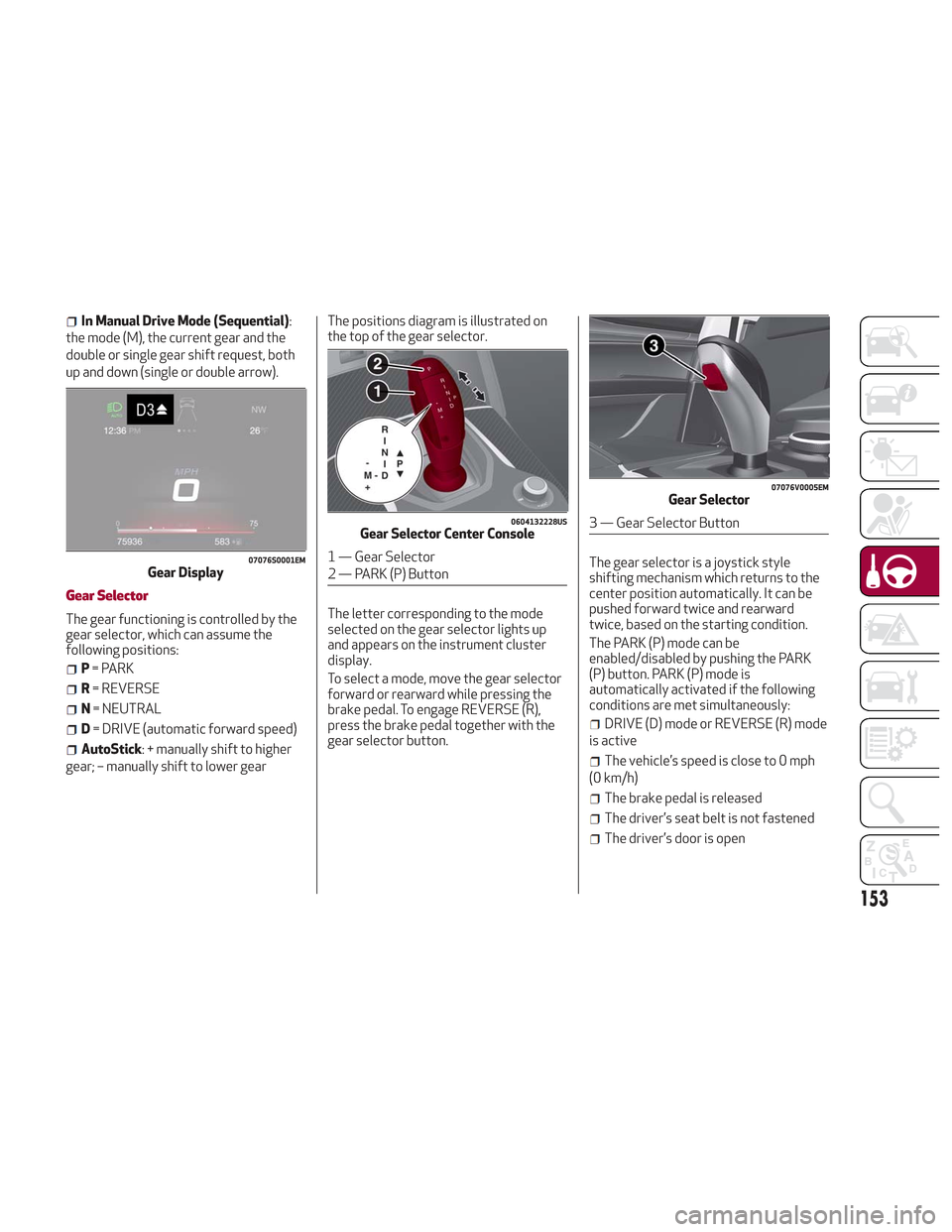
In Manual Drive Mode (Sequential):
the mode (M), the current gear and the
double or single gear shift request, both
up and down (single or double arrow).
Gear Selector
The gear functioning is controlled by the
gear selector, which can assume the
following positions:
P = PARK
R = REVERSE
N = NEUTRAL
D= DRIVE (automatic forward speed)
AutoStick: + manually shift to higher
gear; – manually shift to lower gear The positions diagram is illustrated on
the top of the gear selector.
The letter corresponding to the mode
selected on the gear selector lights up
and appears on the instrument cluster
display.
To select a mode, move the gear selector
forward or rearward while pressing the
brake pedal. To engage REVERSE (R),
press the brake pedal together with the
gear selector button.
The gear selector is a joystick style
shifting mechanism which returns to the
center position automatically. It can be
pushed forward twice and rearward
twice, based on the starting condition.
The PARK (P) mode can be
enabled/disabled by pushing the PARK
(P) button. PARK (P) mode is
automatically activated if the following
conditions are met simultaneously:
DRIVE (D) mode or REVERSE (R) mode
is active
The vehicle’s speed is close to 0 mph
(0 km/h)
The brake pedal is released
The driver’s seat belt is not fastened
The driver’s door is open
07076S0001EMGear Display
0604132228USGear Selector Center Console
1 — Gear Selector
2 — PARK (P) Button
07076V0005EMGear Selector
3 — Gear Selector Button
153
Page 158 of 276
Deactivation
To deactivate the sequential driving
mode, bring the gear selector back in
position DRIVE (D) ("automatic" driving
mode).
Warning!
Do not downshift for additional engine
braking on a slippery surface. The drive
wheels could lose their grip and the vehicle
could skid, causing a collision or personal
injury.
Note:
To select the correct gear for
maximum deceleration (engine brake),
just keep the gear paddle pulled (–): the
transmission goes to an operating mode
in which the vehicle can slow down
easily.
The vehicle will keep the gear
selected by the driver until the safety
conditions allow it.
This means, for example, that the
system will try to prevent the engine
from switching off, automatically
downshifting if the engine speed is too
low.
Automatic Transmission Limp Home
Mode
Transmission function is monitored
electronically for abnormal conditions. If
a condition is detected that could result
in transmission damage, Transmission
Limp Home Mode is activated.
In this condition, the transmission stays
in fourth gear, regardless of the selected
gear. Positions PARK (P), REVERSE (R)
and NEUTRAL (N) still work.
The
symbol might light up in the
instrument cluster.
Temporary failure
In the event of a momentary problem, the
transmission can be reset to regain all
forward gears by performing the
following steps:
1. Stop the vehicle.
2. Shift the transmission into PARK (P),
if possible. If not, shift the transmission
to NEUTRAL (N).
3. Push and hold the ignition until the
engine turns OFF.
4. Wait for about 10 seconds, then
restart the engine.
5. Shift into the desired gear range. If
the problem is no longer detected, the
transmission will return to normal
operation.
Note: Even if the transmission can be
reset, we recommend that you visit your authorized dealer at your earliest
possible convenience. Your authorized
dealer has diagnostic equipment to
determine if the problem could reoccur. If
the transmission cannot be reset, service
is required at your authorized dealer.
Brake/Transmission Shift Interlock
System
This vehicle is equipped with a Brake
Transmission Shift Interlock system
(BTSI) that holds the gear selector in
PARK (P) unless the brakes are applied.
This system prevents you from moving
the gear selector from position PARK (P)
unless the brakes are applied.
To shift the transmission out of PARK (P),
the ignition must be cycled to the ON
position (engine running or not) and the
brake pedal must be pressed.
Brake/Transmission Shift Interlock
Disabling
Only if strictly necessary (e.g. pushing the
vehicle, conveyor vehicle washing
systems), inhibit the automatic activation
of PARK (P) mode when stopping the
engine. To do so, follow the directions
below:
1. Bring the vehicle to a standstill.
2. Place the transmission in the
NEUTRAL (N) position.
3. Push the ignition button for at least
three seconds.
156
STARTING AND OPERATING
Page 160 of 276
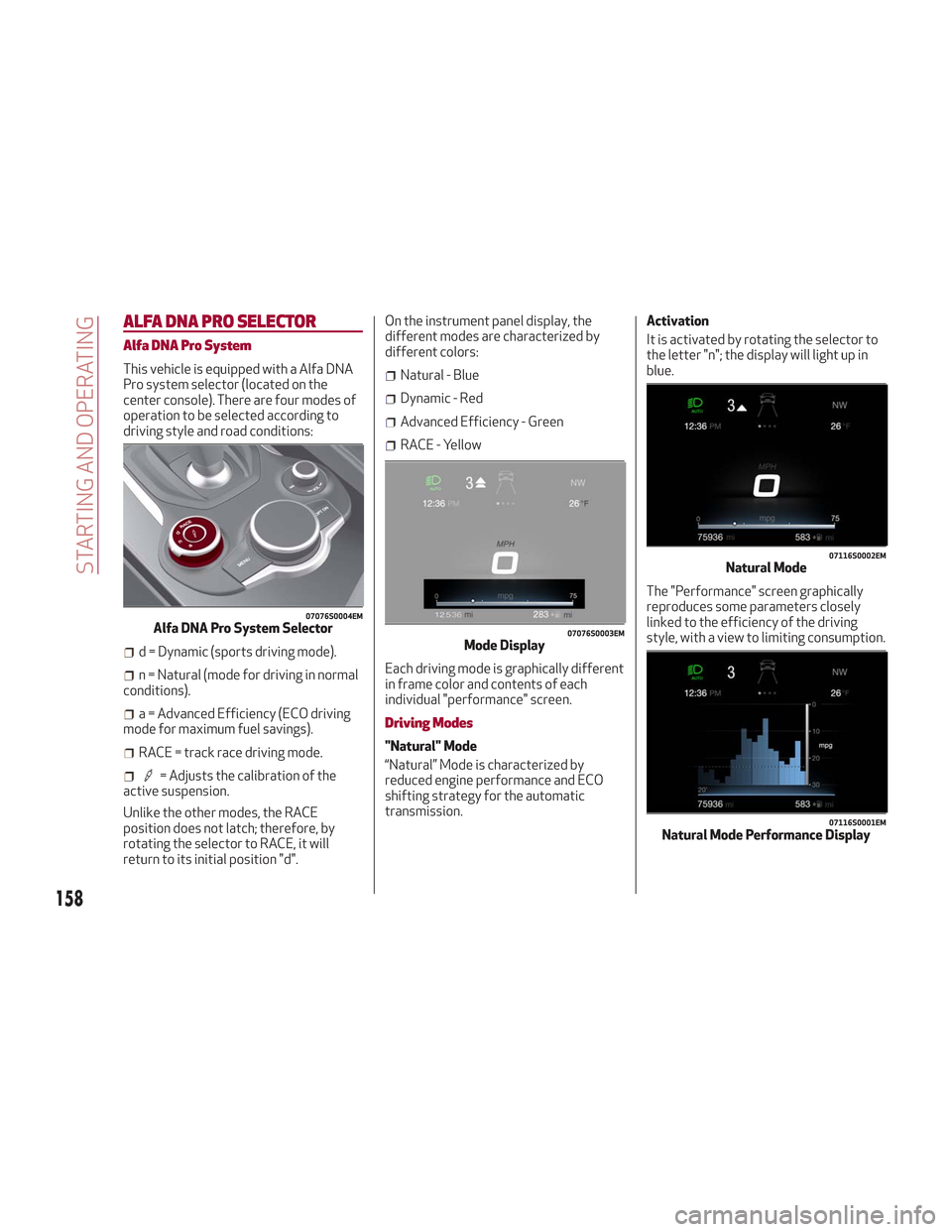
ALFA DNA PRO SELECTOR
Alfa DNA Pro System
This vehicle is equipped with a Alfa DNA
Pro system selector (located on the
center console). There are four modes of
operation to be selected according to
driving style and road conditions:
d = Dynamic (sports driving mode).
n = Natural (mode for driving in normal
conditions).
a = Advanced Efficiency (ECO driving
mode for maximum fuel savings).
RACE = track race driving mode.
= Adjusts the calibration of the
active suspension.
Unlike the other modes, the RACE
position does not latch; therefore, by
rotating the selector to RACE, it will
return to its initial position "d". On the instrument panel display, the
different modes are characterized by
different colors:
Natural - Blue
Dynamic - Red
Advanced Efficiency - Green
RACE - Yellow
Each driving mode is graphically different
in frame color and contents of each
individual "performance" screen.
Driving Modes
"Natural" Mode
“Natural” Mode is characterized by
reduced engine performance and ECO
shifting strategy for the automatic
transmission. Activation
It is activated by rotating the selector to
the letter "n"; the display will light up in
blue.
The "Performance" screen graphically
reproduces some parameters closely
linked to the efficiency of the driving
style, with a view to limiting consumption.
07076S0004EMAlfa DNA Pro System Selector07076S0003EMMode Display
07116S0002EMNatural Mode
07116S0001EMNatural Mode Performance Display
158
STARTING AND OPERATING
Page 161 of 276
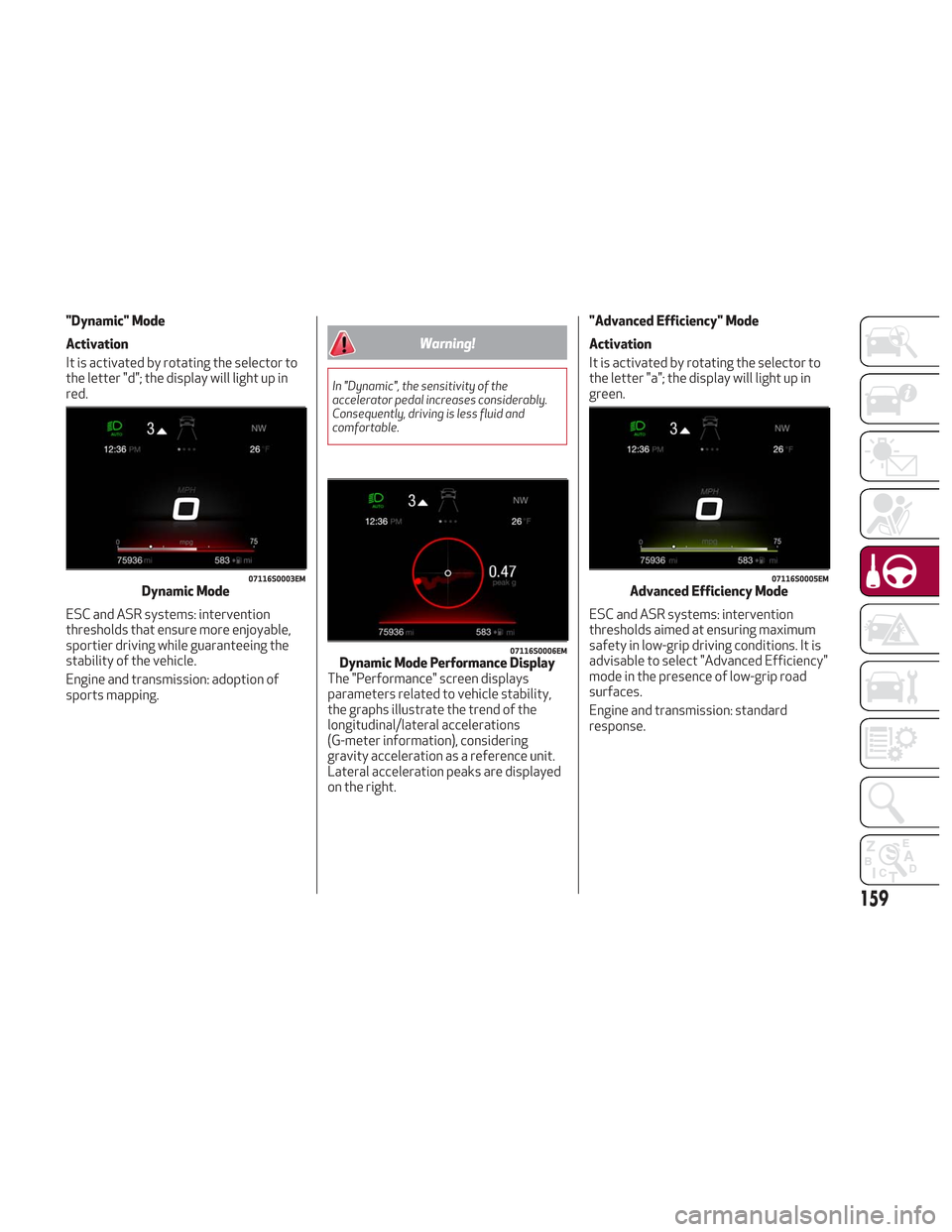
"Dynamic" Mode
Activation
It is activated by rotating the selector to
the letter "d"; the display will light up in
red.
ESC and ASR systems: intervention
thresholds that ensure more enjoyable,
sportier driving while guaranteeing the
stability of the vehicle.
Engine and transmission: adoption of
sports mapping.
Warning!
In "Dynamic", the sensitivity of the
accelerator pedal increases considerably.
Consequently, driving is less fluid and
comfortable.
"Advanced Efficiency" Mode
Activation
It is activated by rotating the selector to
the letter "a"; the display will light up in
green.
ESC and ASR systems: intervention
thresholds aimed at ensuring maximum
safety in low-grip driving conditions. It is
advisable to select "Advanced Efficiency"
mode in the presence of low-grip road
surfaces.
Engine and transmission: standard
response.
07116S0003EMDynamic Mode
07116S0006EMDynamic Mode Performance Display
The "Performance" screen displays
parameters related to vehicle stability,
the graphs illustrate the trend of the
longitudinal/lateral accelerations
(G-meter information), considering
gravity acceleration as a reference unit.
Lateral acceleration peaks are displayed
on the right.
07116S0005EMAdvanced Efficiency Mode
159
Page 162 of 276
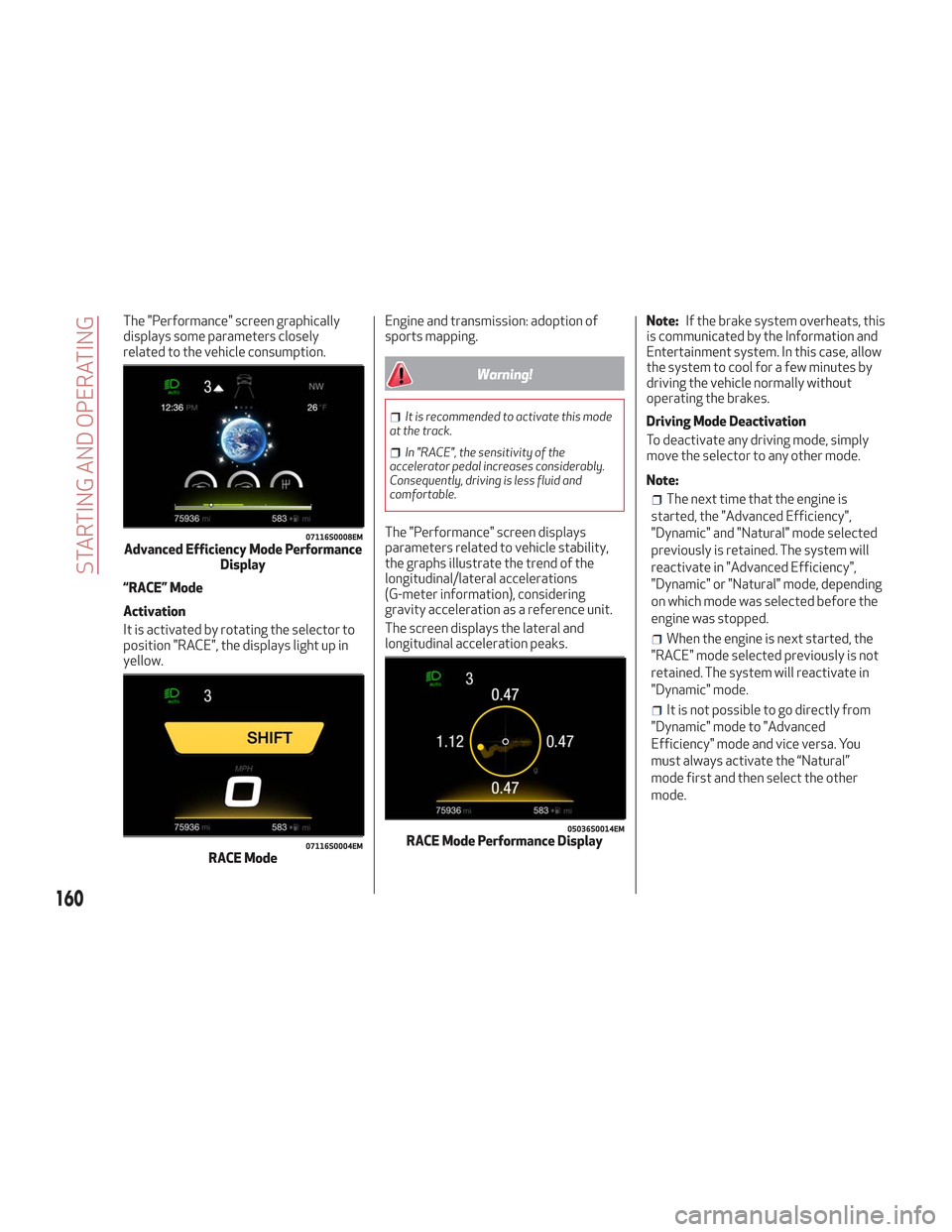
The "Performance" screen graphically
displays some parameters closely
related to the vehicle consumption.
“RACE” Mode
Activation
It is activated by rotating the selector to
position "RACE", the displays light up in
yellow.Engine and transmission: adoption of
sports mapping.
Warning!
It is recommended to activate this mode
at the track.
In "RACE", the sensitivity of the
accelerator pedal increases considerably.
Consequently, driving is less fluid and
comfortable.
The "Performance" screen displays
parameters related to vehicle stability,
the graphs illustrate the trend of the
longitudinal/lateral accelerations
(G-meter information), considering
gravity acceleration as a reference unit.
The screen displays the lateral and
longitudinal acceleration peaks. Note:
If the brake system overheats, this
is communicated by the Information and
Entertainment system. In this case, allow
the system to cool for a few minutes by
driving the vehicle normally without
operating the brakes.
Driving Mode Deactivation
To deactivate any driving mode, simply
move the selector to any other mode.
Note:
The next time that the engine is
started, the "Advanced Efficiency",
"Dynamic" and "Natural" mode selected
previously is retained. The system will
reactivate in "Advanced Efficiency",
"Dynamic" or "Natural" mode, depending
on which mode was selected before the
engine was stopped.
When the engine is next started, the
"RACE" mode selected previously is not
retained. The system will reactivate in
"Dynamic" mode.
It is not possible to go directly from
"Dynamic" mode to "Advanced
Efficiency" mode and vice versa. You
must always activate the “Natural”
mode first and then select the other
mode.
07116S0008EMAdvanced Efficiency Mode Performance Display
07116S0004EMRACE Mode
05036S0014EMRACE Mode Performance Display
160
STARTING AND OPERATING
Page 163 of 276
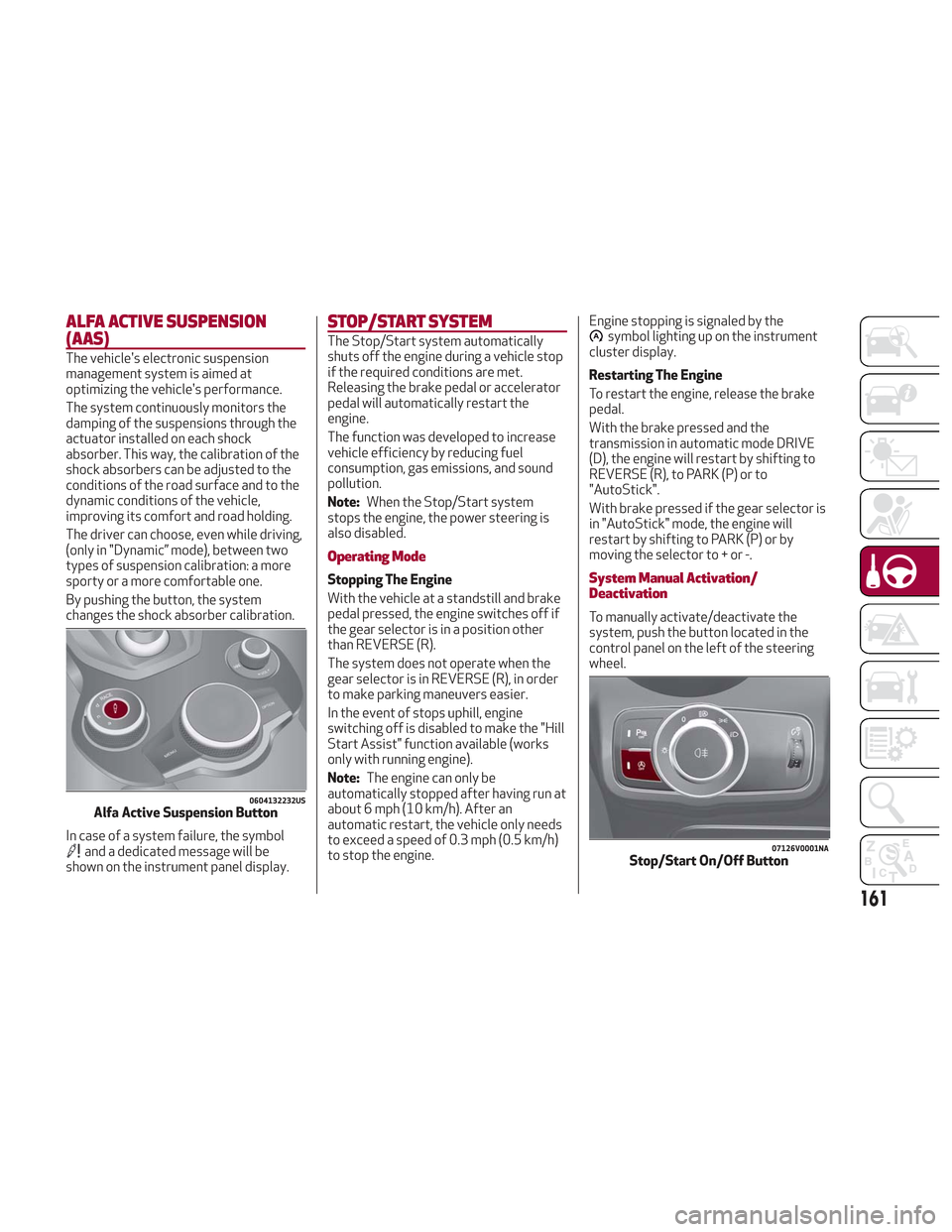
ALFA ACTIVE SUSPENSION
(AAS)
The vehicle's electronic suspension
management system is aimed at
optimizing the vehicle's performance.
The system continuously monitors the
damping of the suspensions through the
actuator installed on each shock
absorber. This way, the calibration of the
shock absorbers can be adjusted to the
conditions of the road surface and to the
dynamic conditions of the vehicle,
improving its comfort and road holding.
The driver can choose, even while driving,
(only in "Dynamic” mode), between two
types of suspension calibration: a more
sporty or a more comfortable one.
By pushing the button, the system
changes the shock absorber calibration.
In case of a system failure, the symbol
and a dedicated message will be
shown on the instrument panel display.
STOP/START SYSTEM
The Stop/Start system automatically
shuts off the engine during a vehicle stop
if the required conditions are met.
Releasing the brake pedal or accelerator
pedal will automatically restart the
engine.
The function was developed to increase
vehicle efficiency by reducing fuel
consumption, gas emissions, and sound
pollution.
Note:When the Stop/Start system
stops the engine, the power steering is
also disabled.
Operating Mode
Stopping The Engine
With the vehicle at a standstill and brake
pedal pressed, the engine switches off if
the gear selector is in a position other
than REVERSE (R).
The system does not operate when the
gear selector is in REVERSE (R), in order
to make parking maneuvers easier.
In the event of stops uphill, engine
switching off is disabled to make the "Hill
Start Assist" function available (works
only with running engine).
Note: The engine can only be
automatically stopped after having run at
about 6 mph (10 km/h). After an
automatic restart, the vehicle only needs
to exceed a speed of 0.3 mph (0.5 km/h)
to stop the engine. Engine stopping is signaled by the
symbol lighting up on the instrument
cluster display.
Restarting The Engine
To restart the engine, release the brake
pedal.
With the brake pressed and the
transmission in automatic mode DRIVE
(D), the engine will restart by shifting to
REVERSE (R), to PARK (P) or to
"AutoStick".
With brake pressed if the gear selector is
in "AutoStick" mode, the engine will
restart by shifting to PARK (P) or by
moving the selector to + or -.
System Manual Activation/
Deactivation
To manually activate/deactivate the
system, push the button located in the
control panel on the left of the steering
wheel.
0604132232USAlfa Active Suspension Button
07126V0001NAStop/Start On/Off Button
161