warning Alfa Romeo Stelvio 2019 User Guide
[x] Cancel search | Manufacturer: ALFA ROMEO, Model Year: 2019, Model line: Stelvio, Model: Alfa Romeo Stelvio 2019Pages: 244, PDF Size: 4.95 MB
Page 26 of 244
To adjust the position bring the lever 1
fig. 22 down to position A, after which the
steering wheel can be adjusted to the
most suitable position and subsequently
locked in this position by bringing lever
1 to position B again.
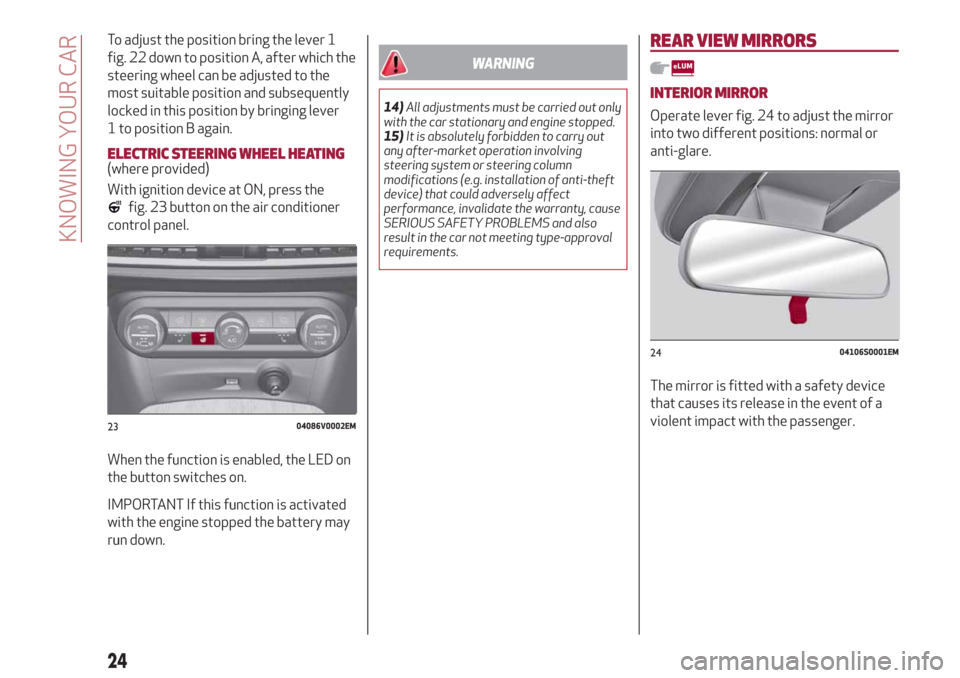
ELECTRIC STEERING WHEEL HEATING(where provided)
With ignition device at ON, press the
fig. 23 button on the air conditioner
control panel.
When the function is enabled, the LED on
the button switches on.
IMPORTANT If this function is activated
with the engine stopped the battery may
run down.
WARNING
14)All adjustments must be carried out only
with the car stationary and engine stopped.
15)It is absolutely forbidden to carry out
any after-market operation involving
steering system or steering column
modifications (e.g. installation of anti-theft
device) that could adversely affect
performance, invalidate the warranty, cause
SERIOUS SAFETY PROBLEMS and also
result in the car not meeting type-approval
requirements.
REAR VIEW MIRRORS
INTERIOR MIRROR
Operate lever fig. 24 to adjust the mirror
into two different positions: normal or
anti-glare.
The mirror is fitted with a safety device
that causes its release in the event of a
violent impact with the passenger.
2304086V0002EM
2404106S0001EM
24
KNOWING YOUR CAR
Page 28 of 244
mirror folding (from closed to open
position and vice versa), their movement
direction is reversed.
Automatic activation
Activating the central door locking
system from outside the car
automatically folds the mirrors, they
return to the driving position when the
ignition switch is turned to the ON
position.
If the external mirrors were folded
operating on the device 1, they could be
returned to the driving position only
operating a new control on the device.
Activation/deactivation of the function
The electric mirror folding function can
be activated/deactivated using the
Connect system menu (the default
setting of the function is “Off”).
Alternatively, you can choose to
open/close the mirrors automatically
when opening/closing the doors (using
the electronic key or the Passive Entry
system, where provided).
IMPORTANT The mirrors must always be
open while driving and should never be
folded.ELECTROCHROMIC EXTERIOR
MIRRORS
(where provided)
As well as an inside mirror, an
electrochromic mirror is also available on
some versions, which automatically
modifies its reflecting properties to
prevent dazzling the driver. The
anti-glare electrochromic enable/disable
button fig. 25 is the same for all rear view
mirrors.
WARNING
16)As door mirrors are curved, and
therefore they may slightly alter the
perception of distance.
EXTERNAL LIGHTS
LIGHT SWITCH
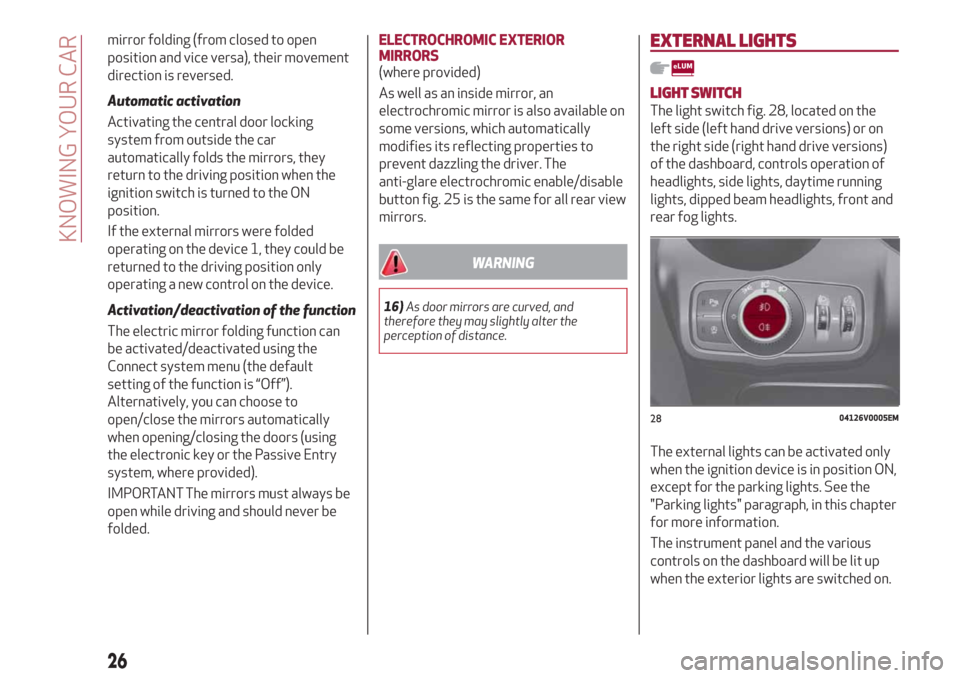
The light switch fig. 28, located on the
left side (left hand drive versions) or on
the right side (right hand drive versions)
of the dashboard, controls operation of
headlights, side lights, daytime running
lights, dipped beam headlights, front and
rear fog lights.
The external lights can be activated only
when the ignition device is in position ON,
except for the parking lights. See the
"Parking lights" paragraph, in this chapter
for more information.
The instrument panel and the various
controls on the dashboard will be lit up
when the exterior lights are switched on.
2804126V0005EM
26
KNOWING YOUR CAR
Page 29 of 244
AUTO FUNCTION (Dusk sensor)
This is implemented by an infrared LED
sensor on the windscreen that works in
conjunction with the rain sensor. It is able
to detect variations in the outside light
level based on the light sensitivity set
through the Connect system.
The dusk sensor sensitivity can be
adjusted according to 3 levels: level
1=minimum sensitivity, level 2=average
sensitivity, level 3=maximum sensitivity.
The higher the sensitivity set, the lesser
is the external light variation needed to
switch the lights on (e.g. with a setting on
level 3 at sunset the headlights come on
earlier than levels 1 and 2).
Function activation
Turn the light switch to the
position.
IMPORTANT The function can only be
activated with the ignition device at ON.
Function deactivation
To deactivate the function, turn the light
switch to a position other than
.
DIPPED HEADLIGHTS
Turn the light switch toto switch on
the side lights, the lights on the
instrument panel and the dipped beam
headlights.
The
warning light switches on in the
instrument panel.
DAYTIME RUNNING LIGHTS (DRL) AND
SIDE LIGHTS (Daytime Running Lights)
(where provided)
17) 18)
With the ignition device turned to ON and
the light switch turned to position
the
daytime running lights are automatically
activated; the other lights and interior
lighting remain off.
Where provided, when the direction
indicators are activated, the
corresponding DRL will be dimmed (on
35W Bi-Xenon Headlamps, the DRL will
be turned off), until the direction
indicators are deactivated.
Where provided, the DRL can be
activated/deactivated from Connect
system, by selecting the following
functions in sequence on the main MENU:
"Settings", "Lights" and "Daytime Running
Lights".
IMPORTANT For markets where DRL use
is not required, these lights work as side
lights and they are switched on and off
jointly with the main beam headlights.
FRONT FOG LIGHTS
(where provided)
The fog light switch is integrated with the
light switch.
Press the
button to turn on the fog
lights with side lights and dipped beam
headlights on.To turn off the fog lights, press the
button again or turn the switch to the
position.
The fog lights are switched on with the
dipped beam headlights or DRL on (the
latter work as side lights) and are
switched on when switching on the main
beam headlights but not when the main
beam headlights are flashed only.
If the fog lights are not switched off
before stopping the engine, the next time
the engine is started they will switch on
again.
Cornering lights
(where provided)
The fog lights perform cornering
function. This function allows to
illuminate the road or a corner better by
lighting the corresponding fog light.
The cornering function can be
deactivated on the Connect system by
selecting the following functions in
sequence on the main menu: "Settings",
"Lights" and "Cornering Lights".
REAR FOG LIGHT
The rear fog light switch is integrated
with the light switch.
Press the
button to switch the light
on/off.
The rear fog light switches on only when
the dipped beam headlights or fog lights
27
Page 30 of 244
are switched on. The light can be
switched off by pressing the
button
again or by switching off the dipped
beam headlights.
When the engine is stopped with the rear
fog lights on, the next time the engine is
started the lights will, however, be off.
PARKING LIGHTS
They are switched on if, within a few
seconds from stopping the engine, the
light switch is put first in the
position
and then the
position. All side lights
switch on, if you want to leave only those
on one side (right/left) switched on, you
need to move the direction indicators
control on the position on the side you
wish to leave on.
When a front door is opened with the
light switch in position
, a tone will be
heard to inform the driver that the
parking lights are on.
The
warning light switches on in the
instrument panel.
IMPORTANT Turning the ignition switch
to ON turns off the parking lights, which
were on only on one side.
HEADLIGHTS OFF TIMER
The "Follow Me" function delays the
switching off of the headlights after the
car has been stopped.
The function can be enabled from theConnect system by selecting the
following functions from the main menu
in sequence: "Settings", "Lights" and
"Follow me"; the side lights and the
dipped beam headlights stay on for a
time that can be set between 30, 60 and
90 seconds.
Function activation
With the headlights on, take the ignition
device to the STOP position: the timer
starts when the light switch is turned to
the
position.
IMPORTANT To activate this function the
headlights must be deactivated within
2 minutes after the ignition device has
been taken to STOP.
Function deactivation
This function is deactivated by switching
on the headlights, the side lights or
bringing the ignition device to ON.
AFS FUNCTION (Adaptive Frontlight
System)
(where provided)
This is a system combined with Xenon
headlights (Bi-Xenon Headlamps 35W
version) which directs the main light
beam, horizontally and vertically, and
continuously and automatically adapts it
to the driving conditions round
bends/when cornering.
The system directs the light beam to light
up the road in the best way, taking intoaccount the speed of the car, the
bend/corner angle and the speed of
steering.
MAIN BEAM HEADLIGHTS
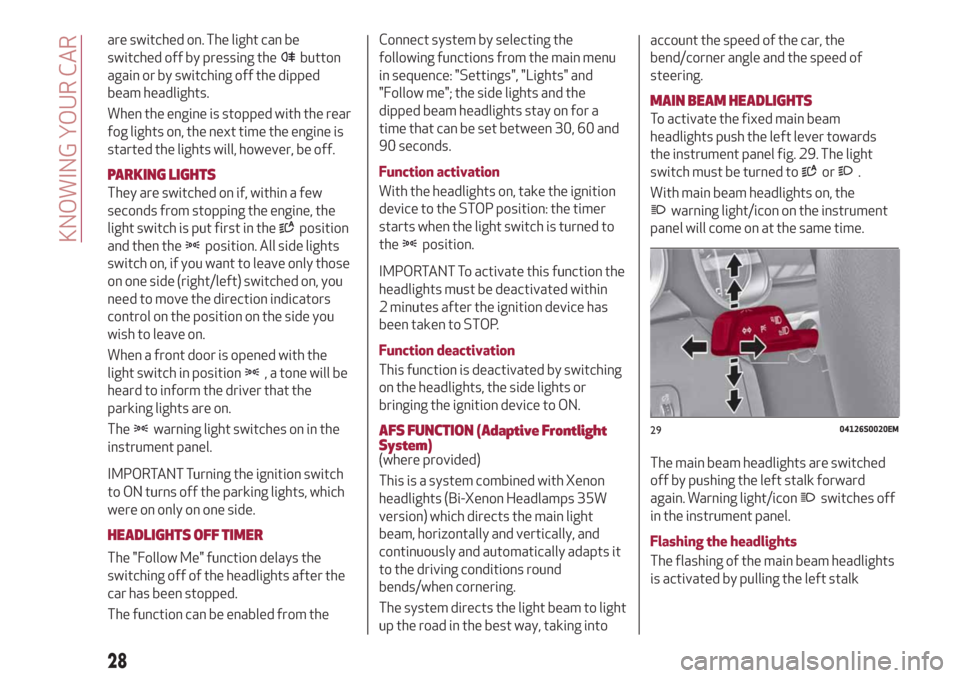
To activate the fixed main beam
headlights push the left lever towards
the instrument panel fig. 29. The light
switch must be turned to
or.
With main beam headlights on, the
warning light/icon on the instrument
panel will come on at the same time.
The main beam headlights are switched
off by pushing the left stalk forward
again. Warning light/icon
switches off
in the instrument panel.
Flashing the headlights
The flashing of the main beam headlights
is activated by pulling the left stalk
2904126S0020EM
28
KNOWING YOUR CAR
Page 31 of 244
towards the steering wheel, the lights
remain on while you are operating the
lever.
Automatic high beam (AHB system)
headlights
(where provided)
The AHB system is used to switch the
high beam headlights on and off
automatically and to adapt the lighting
near towns.
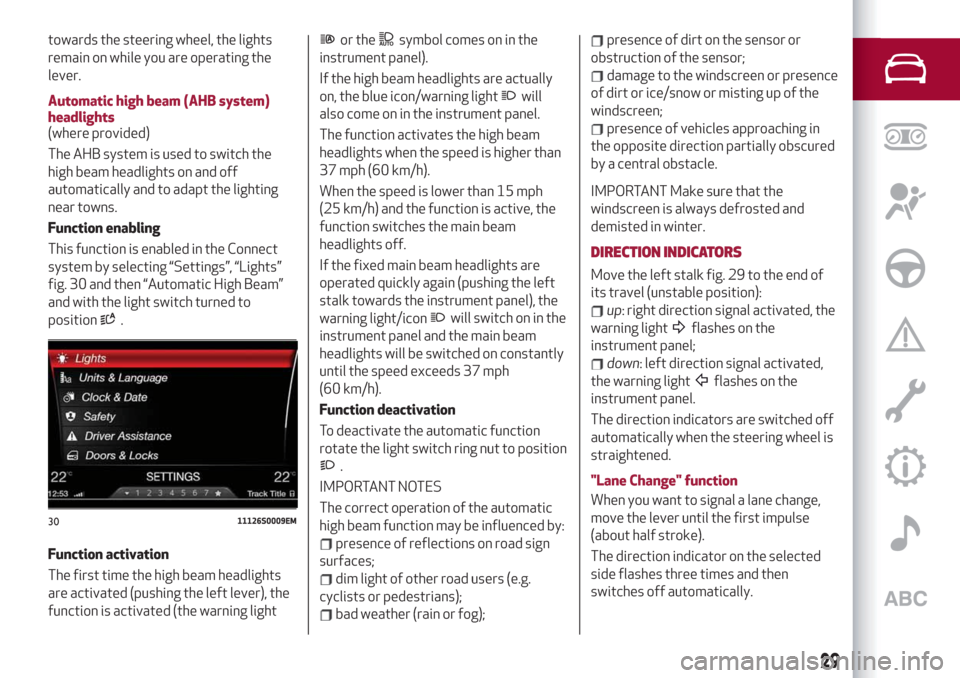
Function enabling
This function is enabled in the Connect
system by selecting “Settings”, “Lights”
fig. 30 and then “Automatic High Beam”
and with the light switch turned to
position
.
Function activation
The first time the high beam headlights
are activated (pushing the left lever), the
function is activated (the warning light
or thesymbol comes on in the
instrument panel).
If the high beam headlights are actually
on, the blue icon/warning light
will
also come on in the instrument panel.
The function activates the high beam
headlights when the speed is higher than
37 mph (60 km/h).
When the speed is lower than 15 mph
(25 km/h) and the function is active, the
function switches the main beam
headlights off.
If the fixed main beam headlights are
operated quickly again (pushing the left
stalk towards the instrument panel), the
warning light/icon
will switch on in the
instrument panel and the main beam
headlights will be switched on constantly
until the speed exceeds 37 mph
(60 km/h).
Function deactivation
To deactivate the automatic function
rotate the light switch ring nut to position
.
IMPORTANT NOTES
The correct operation of the automatic
high beam function may be influenced by:
presence of reflections on road sign
surfaces;
dim light of other road users (e.g.
cyclists or pedestrians);
bad weather (rain or fog);
presence of dirt on the sensor or
obstruction of the sensor;
damage to the windscreen or presence
of dirt or ice/snow or misting up of the
windscreen;
presence of vehicles approaching in
the opposite direction partially obscured
by a central obstacle.
IMPORTANT Make sure that the
windscreen is always defrosted and
demisted in winter.
DIRECTION INDICATORS
Move the left stalk fig. 29 to the end of
its travel (unstable position):
up: right direction signal activated, the
warning light
flashes on the
instrument panel;
down: left direction signal activated,
the warning light
flashes on the
instrument panel.
The direction indicators are switched off
automatically when the steering wheel is
straightened.
"Lane Change" function
When you want to signal a lane change,
move the lever until the first impulse
(about half stroke).
The direction indicator on the selected
side flashes three times and then
switches off automatically.
3011126S0009EM
29
Page 32 of 244
HEADLIGHT ALIGNMENT ADJUSTMENT
Headlight alignment corrector
(where provided)
This device is not available on vehicles
equipped with Xenon headlights
(Bi-Xenon Headlamps 35W version), as
they require an automatic alignment
correction system.
It only operates with the ignition device
at ON.
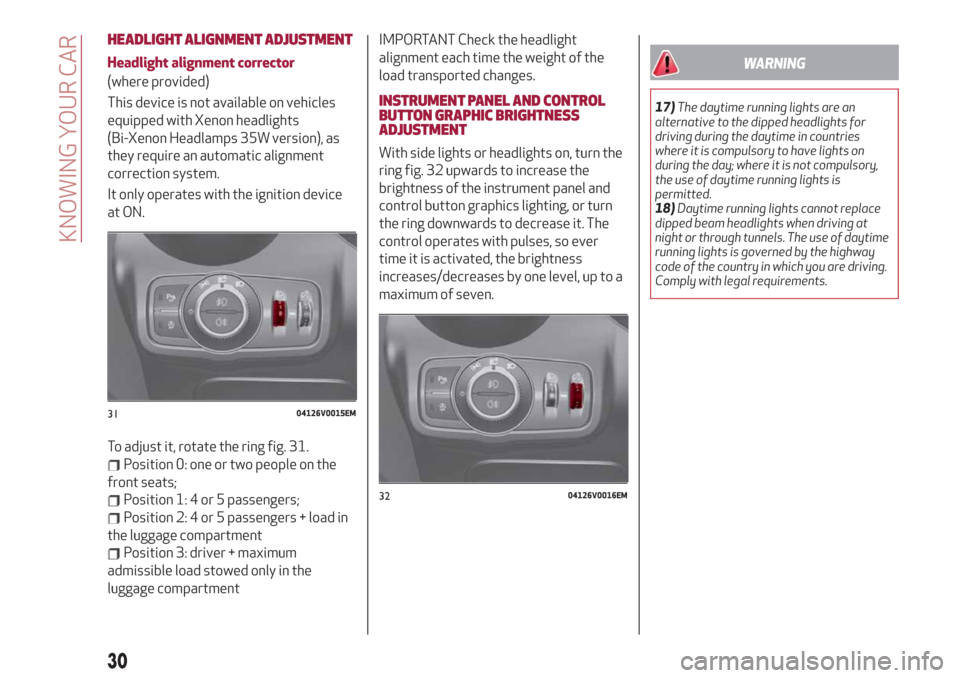
To adjust it, rotate the ring fig. 31.
Position 0: one or two people on the
front seats;
Position 1: 4 or 5 passengers;
Position 2: 4 or 5 passengers + load in
the luggage compartment
Position 3: driver + maximum
admissible load stowed only in the
luggage compartment
IMPORTANT Check the headlight
alignment each time the weight of the
load transported changes.
INSTRUMENT PANEL AND CONTROL
BUTTON GRAPHIC BRIGHTNESS
ADJUSTMENT
With side lights or headlights on, turn the
ring fig. 32 upwards to increase the
brightness of the instrument panel and
control button graphics lighting, or turn
the ring downwards to decrease it. The
control operates with pulses, so ever
time it is activated, the brightness
increases/decreases by one level, up to a
maximum of seven.
WARNING
17)The daytime running lights are an
alternative to the dipped headlights for
driving during the daytime in countries
where it is compulsory to have lights on
during the day; where it is not compulsory,
the use of daytime running lights is
permitted.
18)Daytime running lights cannot replace
dipped beam headlights when driving at
night or through tunnels. The use of daytime
running lights is governed by the highway
code of the country in which you are driving.
Comply with legal requirements.
3104126V0015EM
3204126V0016EM
30
KNOWING YOUR CAR
Page 34 of 244
“Smart washing” function
Pull the stalk towards the steering wheel
(unstable position) to activate a washing
cycle.
Hold the stalk pulled to activate both the
windscreen washer jet and the
windscreen wiper with a single
movement, until the stalk is released.
REAR WINDOW WIPER/WASHER
Engaging reverse gear with the
windscreen wiper operating activates a
single cycle of the rear window wiper.
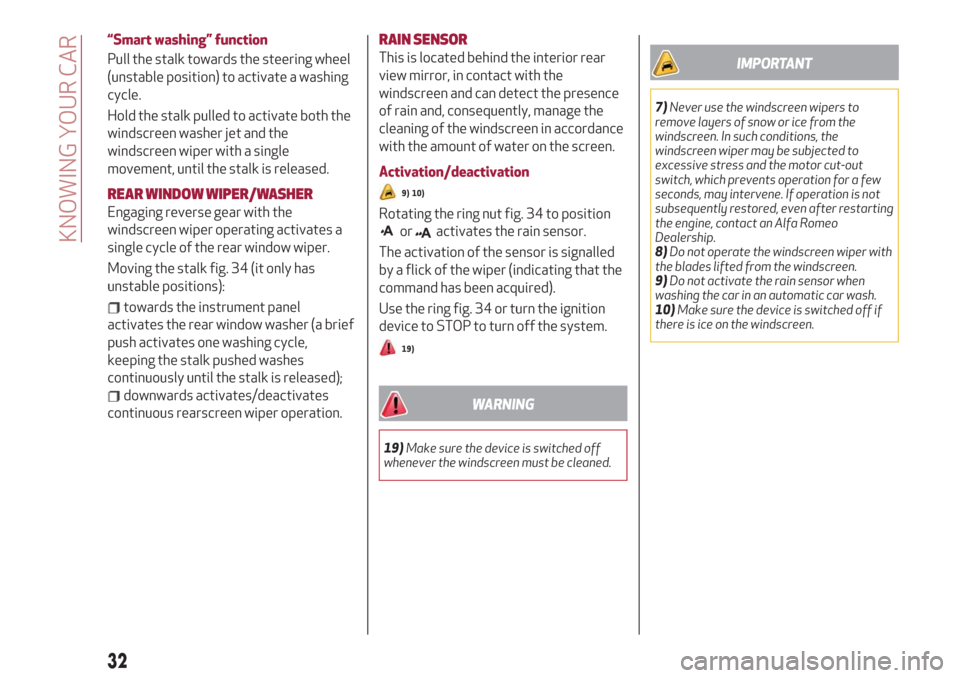
Moving the stalk fig. 34 (it only has
unstable positions):
towards the instrument panel
activates the rear window washer (a brief
push activates one washing cycle,
keeping the stalk pushed washes
continuously until the stalk is released);
downwards activates/deactivates
continuous rearscreen wiper operation.
RAIN SENSOR
This is located behind the interior rear
view mirror, in contact with the
windscreen and can detect the presence
of rain and, consequently, manage the
cleaning of the windscreen in accordance
with the amount of water on the screen.
Activation/deactivation
9) 10)
Rotating the ring nut fig. 34 to position
oractivates the rain sensor.
The activation of the sensor is signalled
by a flick of the wiper (indicating that the
command has been acquired).
Use the ring fig. 34 or turn the ignition
device to STOP to turn off the system.
19)
WARNING
19)Make sure the device is switched off
whenever the windscreen must be cleaned.
IMPORTANT
7)Never use the windscreen wipers to
remove layers of snow or ice from the
windscreen. In such conditions, the
windscreen wiper may be subjected to
excessive stress and the motor cut-out
switch, which prevents operation for a few
seconds, may intervene. If operation is not
subsequently restored, even after restarting
the engine, contact an Alfa Romeo
Dealership.
8)Do not operate the windscreen wiper with
the blades lifted from the windscreen.
9)Do not activate the rain sensor when
washing the car in an automatic car wash.
10)Make sure the device is switched off if
there is ice on the windscreen.
32
KNOWING YOUR CAR
Page 38 of 244
WARNING
20)Incorrect use of the electric windows
may be dangerous. Before and during
operation, always check that nobody is
exposed to the risk of being injured either
directly by the moving window or through
objects getting caught or hit by it.
ELECTRIC SUNROOF
(where provided)
21)
The electric sunroof comprises two glass
panels (the front one is mobile and the
rear one fixed) and is fitted with an
electrically operated sun blind.
Operation of the sunroof is only possible
with the ignition device at AVV.
The sun roof has three preset positions:
fully closed; comfort (intermediate
opening)l fully open.
IMPORTANT You cannot have the blind
closed when the roof is open.
OPENING
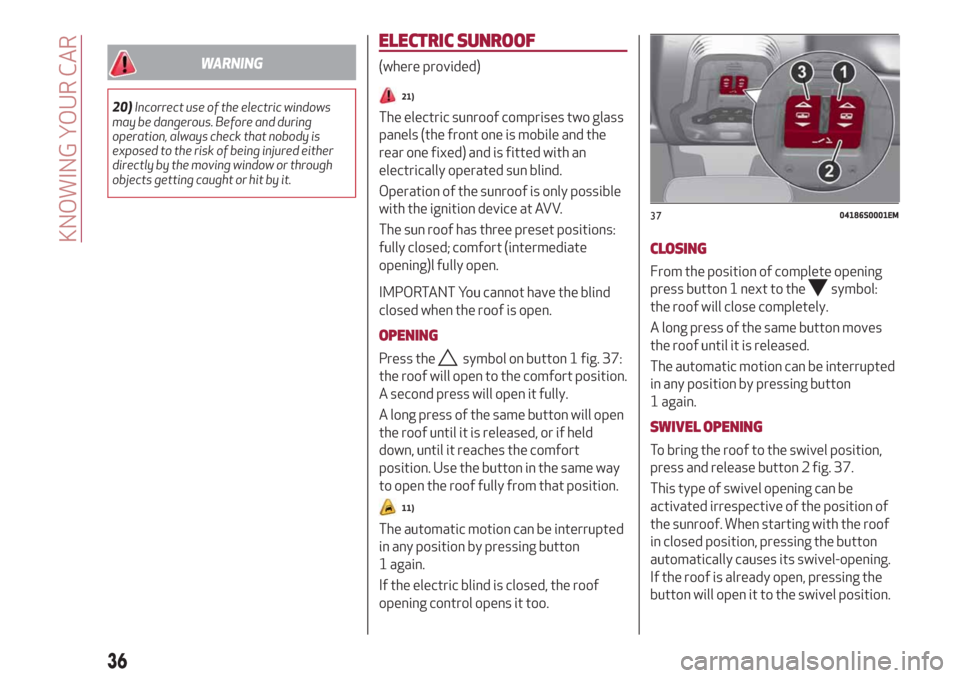
Press thesymbol on button 1 fig. 37:
the roof will open to the comfort position.
A second press will open it fully.
A long press of the same button will open
the roof until it is released, or if held
down, until it reaches the comfort
position. Use the button in the same way
to open the roof fully from that position.
11)
The automatic motion can be interrupted
in any position by pressing button
1 again.
If the electric blind is closed, the roof
opening control opens it too.
CLOSING
From the position of complete opening
press button 1 next to the
symbol:
the roof will close completely.
A long press of the same button moves
the roof until it is released.
The automatic motion can be interrupted
in any position by pressing button
1 again.
SWIVEL OPENING
To bring the roof to the swivel position,
press and release button 2 fig. 37.
This type of swivel opening can be
activated irrespective of the position of
the sunroof. When starting with the roof
in closed position, pressing the button
automatically causes its swivel-opening.
If the roof is already open, pressing the
button will open it to the swivel position.
3704186S0001EM
36
KNOWING YOUR CAR
Page 39 of 244
Pressing button 2 again during automatic
movement of the roof will stop it.
BLIND MOVEMENT
The sun blind is electrically operated.
Press the
symbol on button 3fig. 37:
to open the sun blind.
Press button 3
symbol: to close the
sun blind.
The automatic motion can be interrupted
in any position by pressing button
3 again.
If the roof is open, the sun blind closing
control will also close the roof.
ANTI-PINCH DEVICE
The sun roof has an anti-pinch safety
system capable of detecting the
presence of an obstacle during the
closing movement: if this happens, the
system intervenes and the movement of
the roof is immediately reversed into
opening.
INITIALISATION PROCEDURE
Automatic operation of the sunroof must
be initialised again in case of faulty
sunroof operation.
IMPORTANT The anti-pinch safety
function is deactivated during the
initialisation procedure.
Proceed as follows:
press button 1 next to thesymbol
to bring the roof into completely closed
position;
bring the ignition device to STOP and
wait at least 10 seconds. Then set the
ignition device to AVV and start the
engine;
press thesymbol on button 1 and
hold it down; after 10 seconds you will
hear the electric motors of the roof and
blind stop in sequence;
release the button and within
5 seconds, press the
symbol on
button 1 and hold it down (until the cycle
end): the roof will automatically perform
a complete open and close cycle (to
indicate that the initialisation has been
successful). If this does not occur, the
procedure must be restarted from the
beginning.
WARNING
21)When leaving the vehicle, always make
sure you have the key with you to avoid the
risk of injury to those still inside the car due
to accidental operation of the sun roof.
Improper use of the roof can be dangerous.
Before and during operation, always check
that no-one is exposed to the risk of being
injured by the moving sunroof or by objects
getting caught or hit by it.
IMPORTANT
11)Do not open the sun roof if a roof rack or
crossbars are fitted. Do not open the sun
roof if there is snow or ice on it: you may
damage it.
37
Page 40 of 244
BONNET
OPENING
22) 23)
Proceed as follows:
inside the passenger compartment
pull the release lever, fig. 38 fig. 39;
go to the outside of the car and
position yourself in front of the grille;
lift the bonnet slightly from right to
left as indicated by the arrow on release
device fig. 40;
raise the bonnet completely: the
operation is facilitated by the presence
of two gas shock absorbers which hold it
the all open position.
Do not tamper with the shock absorber
and accompany the bonnet while lifting it.
CLOSING
22) 24)
To close, lower the bonnet to
approximately 16 in (40 centimetres)
from the engine compartment then let it
drop. Make sure that the bonnet is
completely closed and not only fastened
by the locking device by trying to open it.
If it is not perfectly closed, do not try to
press the bonnet down but open it and
repeat the procedure.
IMPORTANT Always check that the
bonnet is closed correctly to prevent it
from opening while the vehicle is
travelling. Since the bonnet is equipped
with a double locking system, one for
each side, you must check that it is closed
on both its side ends.
WARNING
22)Perform these operations only when the
car is stationary.
23)Use both hands to lift the bonnet. Before
lifting, check that the windscreen wiper arms
are not raised from the windscreen or in
operation, that the vehicle is stationary and
that the electric parking brake is engaged.
24)For safety reasons, the bonnet must
always be properly closed while the car is
travelling. Therefore, make sure that the
bonnet is properly closed and that the lock is
engaged. If you discover that the bonnet is
not perfectly closed during travel, stop
immediately and close the bonnet in the
correct manner.
3804196V0001EM
3904196V0003EM
4004196V0002EM
38
KNOWING YOUR CAR