display Alfa Romeo Stelvio 2019 Repair Manual
[x] Cancel search | Manufacturer: ALFA ROMEO, Model Year: 2019, Model line: Stelvio, Model: Alfa Romeo Stelvio 2019Pages: 244, PDF Size: 4.95 MB
Page 224 of 244
NAVIGATION MODE
(where provided)
IMPORTANT In the interest of safety and
to reduce distractions while you are
driving, you should always plan a route
before you start driving.
To plan a route, do the following:
Activate the NAVIGATION mode by
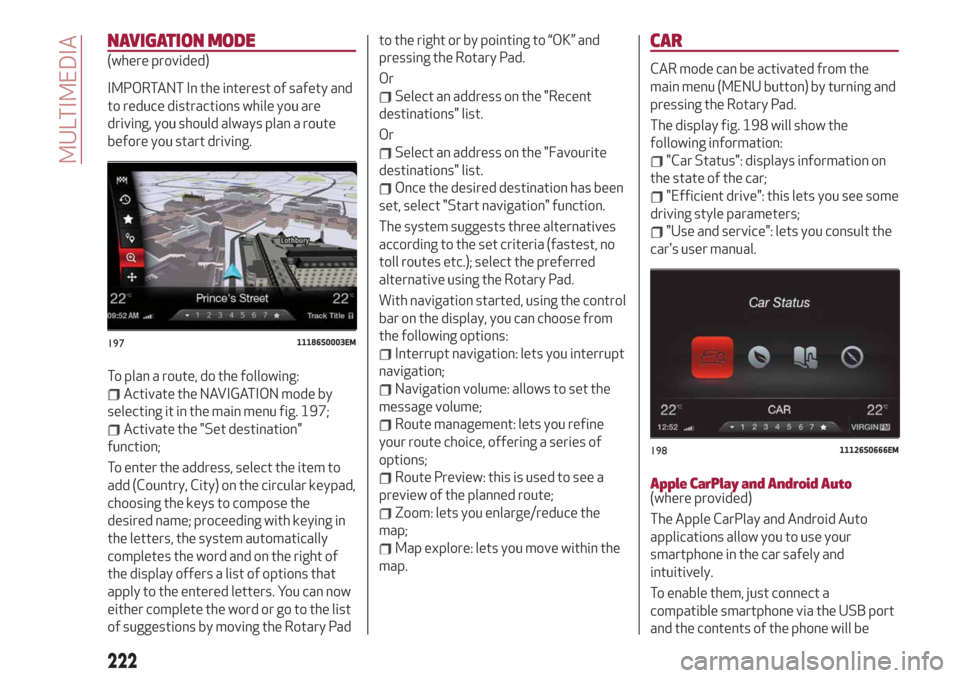
selecting it in the main menu fig. 197;
Activate the "Set destination"
function;
To enter the address, select the item to
add (Country, City) on the circular keypad,
choosing the keys to compose the
desired name; proceeding with keying in
the letters, the system automatically
completes the word and on the right of
the display offers a list of options that
apply to the entered letters. You can now
either complete the word or go to the list
of suggestions by moving the Rotary Padto the right or by pointing to “OK” and
pressing the Rotary Pad.
Or
Select an address on the "Recent
destinations" list.
Or
Select an address on the "Favourite
destinations" list.
Once the desired destination has been
set, select "Start navigation" function.
The system suggests three alternatives
according to the set criteria (fastest, no
toll routes etc.); select the preferred
alternative using the Rotary Pad.
With navigation started, using the control
bar on the display, you can choose from
the following options:
Interrupt navigation: lets you interrupt
navigation;
Navigation volume: allows to set the
message volume;
Route management: lets you refine
your route choice, offering a series of
options;
Route Preview: this is used to see a
preview of the planned route;
Zoom: lets you enlarge/reduce the
map;
Map explore: lets you move within the
map.
CAR
CAR mode can be activated from the
main menu (MENU button) by turning and
pressing the Rotary Pad.
The display fig. 198 will show the
following information:
"Car Status": displays information on
the state of the car;
"Efficient drive": this lets you see some
driving style parameters;
"Use and service": lets you consult the
car's user manual.
Apple CarPlay and Android Auto(where provided)
The Apple CarPlay and Android Auto
applications allow you to use your
smartphone in the car safely and
intuitively.
To enable them, just connect a
compatible smartphone via the USB port
and the contents of the phone will be
19711186S0003EM
19811126S0666EM
222
MULTIMEDIA
Page 225 of 244
automatically shown on the Connect
system display.
To check the compatibility of your
smartphone, see the indications on the
websites:
https://www.android.com/intl/it_it/auto/
and http://www.apple.com/it/ios/
carplay/.
If the smartphone is connected correctly
to the car via the USB port, the Apple
CarPlay or Android Auto icon will be
displayed in the main menu.
NOTE Interaction with the smartphone
may be needed to enable Apple
Carplay/Android Auto and some other
functions. Complete the action on your
device (smartphone) as needed.
To use Apple CarPlay, connect your
iPhone to the car using a MFI (made for
iPhone) certified USB cable. To use
Android Auto, connect your smartphone
to the car using a USB for Android phones
having appropriate features. Using
unsuitable cables may prevent correct
system operation.Apple CarPlay App Setup
Apple CarPlay is compatible with the
iPhone 5 or more recent models, with the
iOS 7.1 operating system or later
versions.
Before using Apple CarPlay, enable Siri
from the settings on your smartphone.
To use Apple CarPlay, the smartphone
must be connected to the car with a USB
cable.
Android Auto APP Setup
Before use, download the Android Auto
application to your smartphone from
Google Play Store.
The application is compatible with
Android 5.0 (Lollipop) and later versions.
To use Android Auto, the smartphone
must be connected to the car with a USB
cable.
Interaction
After the setup procedure, on connecting
your smartphone to the car's USB port,
the application will automatically run on
the Connect system.
The Rotary Pad can be used to select and
confirm the available smartphone
functions.
You can interact with the Apple CarPlay
and Android Auto voice assistants using
the control on the steering wheel (long
press of the
button to start theinteraction and short press to close the
voice assistant).
The Telephone application of the
smartphone can be accessed directly
using the control on the steering wheel
.
Multimedia contents on the smartphone
can be accessed directly via “MEDIA”
mode of Connect.
Navigation
With the Apple CarPlay and Android Auto
applications, the user can choose to use
the navigation system on their
smartphone.
Exiting from the Apple CarPlay and
Android Auto apps
To end the Apple CarPlay or Android Auto
session, physically disconnect the
smartphone from the USB port.
223
Page 227 of 244
system to intervene. The options
available are:
“Sensitivity": allows you to select the
intervention readiness for the system
(high, low).
Blind Spot Monitoring
This function can be used to set the
warning linked to the presence of objects
in the door mirror blind spot.
The options available are:
"Sound & Display": the system warns
the driver that an obstacle is present
through acoustic (via the speakers in the
car) and visual (on the instrument panel)
warnings;
"Sound Only": the system warns the
driver that an obstacle is present through
acoustic indications only, via the
speakers in the car;
"Off": system disengaged.
Passenger's airbag
(where provided)
Lets you activate/deactivate the front
passenger airbag function. When the
function is accessed, the system will
detect the activation/deactivation status
of the airbags and confirm change of
status. Press the Rotary Pad to continue.
The air bag status is visible through the
LED next to the status icon on the
dashboard.
Passenger protection activated: the ON
LED switches on with a steady light.Passenger protection deactivated: the
OFF LED switches on with a steady light.
Seat belt reminder
This function appears only if the seat belt
reminder was deactivated and allows to
reactivate it.
Driver assistance
To access the “Driver assistance”
function, select it by turning the Rotary
Pad and press the Rotary Pad to activate.
This function can be used to carry out the
following adjustments:
ParkSense
This function can be used to select the
type of warning provided by the
ParkSense system.
The options available are:“Mode”: the following options are
available in this function: “Sound”, the
system notifies the driver of the
presence of an obstacle by means of
auditory signals only, by means of the
speakers in the car or “Sound and
Display”, the system notifies the driver of
the presence of an obstacle by means of
auditory signals (by means of the
speakers in the vehicle) and visual
signals, on the instrument panel display.
"Audio": allows to select the volume of
the acoustic warnings provided by the
ParkSense system, the available options
are: "High", "Medium" or "Low".Rear view camera
(where provided)
This function can be used to carry out the
following adjustments:
"View": lets you activate viewing the
video camera on the display;
"Cam Delay": allows you to delay
switching off the camera by a few
seconds when reverse gear is
disengaged.
“Camera Guidelines”: Allows you to
enable the dynamic guidelines on the
display to indicate the vehicle’s path.
Automatic parking brake
This function allows you to
activate/deactivate the automatic
parking brake engagement upon
switching off the engine.
Brake service
(where provided)
This function permits the activation of
the procedure to carry out braking
system maintenance.
(where provided)
This function can be used to
activate/deactivate front seat retraction
(Easy Entry function). The default setting
is “Off”.
Automatic mirror closing
(where provided)
This function activates/deactivates
225
Easy Entry
Page 229 of 244
VOICE COMMANDS
IMPORTANT For languages not
supported by the system, voice
commands are not available.
To use the voice commands, press the
button on the steering wheel controls
and say the function you want to activate
aloud.
The following lists give the main word for
each command.
Radio functions
The
button lets you activate the
following functions:
Tune into the station
Tune to the frequency
Add to favourites
Show Available Stations
Show Favourite Stations
FM
AM
DAB (where provided)
SiriusXM (where provided)
Media function
The
button lets you activate the
following functions:
Display Album
Play Album
Display Artist
Play Artist
Display Composer
Play Composer
Display Genre
Play Genre
Display Playlist
Play Playlist
Play song
Play All
Display all the albums
Display all the artists
Display all the composers
Display all the genres
Display all the playlists
View all songs
Activate shuffle
Deactivate shuffle
Change Source to Aux
Change Source to USB 1
Change Source to USB 2
Change Source to Bluetooth
NOTE These controls are valid on devices
connected to the system via USB ports
and not through the
Bluetooth®
system.
Telephone function
The
button lets you activate the
following functions:
Dial
Call
Redial
Show contacts
Show all calls
Show missed calls
SearchNavigation functions
(where provided)
The
button lets you activate the
following functions:
Navigate to
Favourites
Set 2D map
Set detailed 3D map
Set overhead view
Route preview
Start navigation
Stop navigation
Repeat instructions
Show map
Find the nearest
227
Page 239 of 244
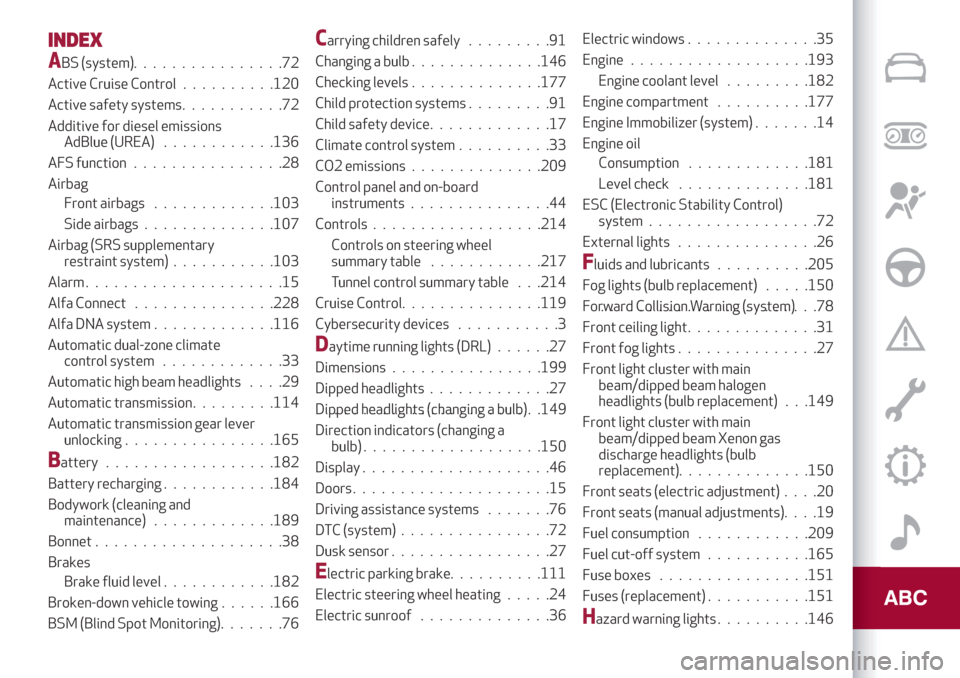
INDEX
ABS (system)................72
Active Cruise Control..........120
Active safety systems...........72
Additive for diesel emissions
AdBlue (UREA)............136
AFS function................28
Airbag
Front airbags.............103
Side airbags..............107
Airbag (SRS supplementary
restraint system)...........103
Alarm.....................15
Alfa Connect...............228
Alfa DNA system.............116
Automatic dual-zone climate
control system.............33
Automatic high beam headlights....29
Automatic transmission.........114
Automatic transmission gear lever
unlocking................165
Battery..................182
Battery recharging............184
Bodywork (cleaning and
maintenance).............189
Bonnet....................38
Brakes
Brake fluid level............182
Broken-down vehicle towing......166
BSM (Blind Spot Monitoring).......76
Carrying children safely.........91
Changing a bulb..............146
Checking levels..............177
Child protection systems.........91
Child safety device.............17
Climate control system..........33
CO2 emissions..............209
Control panel and on-board
instruments...............44
Controls..................214
Controls on steering wheel
summary table............217
Tunnel control summary table . . .214
Cruise Control...............119
Cybersecurity devices...........3
Daytime running lights (DRL)......27
Dimensions................199
Dipped headlights.............27
Dipped headlights (changing a bulb)......................149
Direction indicators (changing a
bulb)...................150
Display....................46
Doors.....................15
Driving assistance systems.......76
DTC (system)................72
Dusk sensor.................27
Electric parking brake..........111
Electric steering wheel heating.....24
Electric sunroof..............36Electric windows..............35
Engine...................193
Engine coolant level .........182
Engine compartment..........177
Engine Immobilizer (system).......14
Engine oil
Consumption.............181
Level check..............181
ESC (Electronic Stability Control)
system..................72
External lights...............26
Fluids and lubricants..........205
Fog lights (bulb replacement).....150
Forward Collision Warning (system).......................78
Front ceiling light..............31
Front fog lights . . .............27
Front light cluster with main
beam/dipped beam halogen
headlights (bulb replacement) . . .149
Front light cluster with main
beam/dipped beam Xenon gas
discharge headlights (bulb
replacement). .............150
Front seats (electric adjustment)....20
Front seats (manual adjustments)....19
Fuel consumption............209
Fuel cut-off system . ..........165
Fuse boxes................151
Fuses (replacement) . ..........151
Hazard warning lights..........146
Page 240 of 244
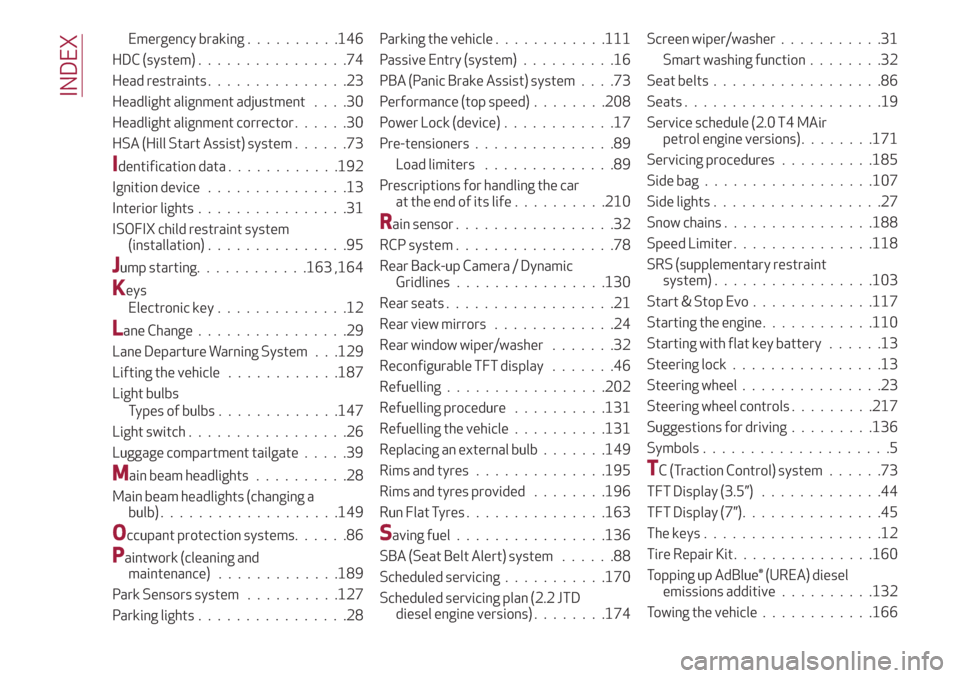
Emergency braking..........146
HDC (system)................74
Head restraints...............23
Headlight alignment adjustment....30
Headlight alignment corrector......30
HSA (Hill Start Assist) system......73
Identification data............192
Ignition device...............13
Interior lights................31
ISOFIX child restraint system
(installation)...............95
Jump starting............163 ,164
Keys
Electronic key..............12
Lane Change................29
Lane Departure Warning System . . .129
Lifting the vehicle............187
Light bulbs
Types of bulbs.............147
Light switch.................26
Luggage compartment tailgate.....39
Main beam headlights..........28
Main beam headlights (changing a
bulb)...................149
Occupant protection systems......86
Paintwork (cleaning and
maintenance).............189
Park Sensors system..........127
Parking lights................28Parking the vehicle............111
Passive Entry (system)..........16
PBA (Panic Brake Assist) system....73
Performance (top speed)........208
Power Lock (device)............17
Pre-tensioners...............89
Load limiters..............89
Prescriptions for handling the car
at the end of its life..........210
Rain sensor.................32
RCP system.................78
Rear Back-up Camera / Dynamic
Gridlines................130
Rear seats..................21
Rear view mirrors.............24
Rear window wiper/washer.......32
Reconfigurable TFT display.......46
Refuelling.................202
Refuelling procedure..........131
Refuelling the vehicle..........131
Replacing an external bulb.......149
Rims and tyres..............195
Rims and tyres provided........196
Run Flat Tyres...............163
Saving fuel................136
SBA (Seat Belt Alert) system......88
Scheduled servicing...........170
Scheduled servicing plan (2.2 JTD
diesel engine versions)........174Screen wiper/washer...........31
Smart washing function........32
Seat belts..................86
Seats.....................19
Service schedule (2.0 T4 MAir
petrol engine versions)........171
Servicing procedures..........185
Side bag..................107
Side lights..................27
Snow chains................188
Speed Limiter . ..............118
SRS (supplementary restraint
system).................103
Start & Stop Evo.............117
Starting the engine............110
Starting with flat key battery......13
Steering lock . . ..............13
Steering wheel...............23
Steering wheel controls .........217
Suggestions for driving .........136
Symbols....................5
TC (Traction Control) system......73
TFT Display (3.5”) . ............44
TFT Display (7”)...............45
The keys...................12
Tire Repair Kit . ..............160
Topping up AdBlue® (UREA) diesel
emissions additive..........132
Towing the vehicle . ...........166
INDEX