Media Alfa Romeo Stelvio 2019 Owner's Manual
[x] Cancel search | Manufacturer: ALFA ROMEO, Model Year: 2019, Model line: Stelvio, Model: Alfa Romeo Stelvio 2019Pages: 244, PDF Size: 4.95 MB
Page 9 of 244
KNOWING YOUR CAR
KNOWING THE INSTRUMENT PANEL
SAFETY
STARTING AND DRIVING
IN AN EMERGENCY
SERVICING AND CARE
TECHNICAL DATA
MULTIMEDIA
INDEX
Page 11 of 244
In-depth knowledge of your new vehicle starts here.
The handbook that you are reading simply and directly explains
how it is made and how it works.
That’s why we advise you to read it seated comfortably on board,
so that you can see immediately what is described for you.
KNOWING YOUR CAR
INSTRUMENT PANEL............................10
DASHBOARD FOR RIGHT-HAND DRIVE VERSION . . ........11
THEKEYS...................................12
IGNITION DEVICE..............................13
ENGINE IMMOBILIZER...........................14
ALARM.....................................15
DOORS.....................................15
SEATS.....................................19
HEAD RESTRAINTS.............................23
STEERING WHEEL..............................23
REAR VIEW MIRRORS...........................24
EXTERNAL LIGHTS .............................26
INTERIOR LIGHTS..............................31
WINDSCREEN WIPER . ...........................31
CLIMATE CONTROL SYSTEM.......................33
WINDOW WINDERS.............................35
ELECTRIC SUNROOF............................36
BONNET....................................38
LUGGAGE COMPARTMENT TAILGATE..................39
Page 15 of 244
IGNITION DEVICE
OPERATION
1) 2) 3) 4) 5)
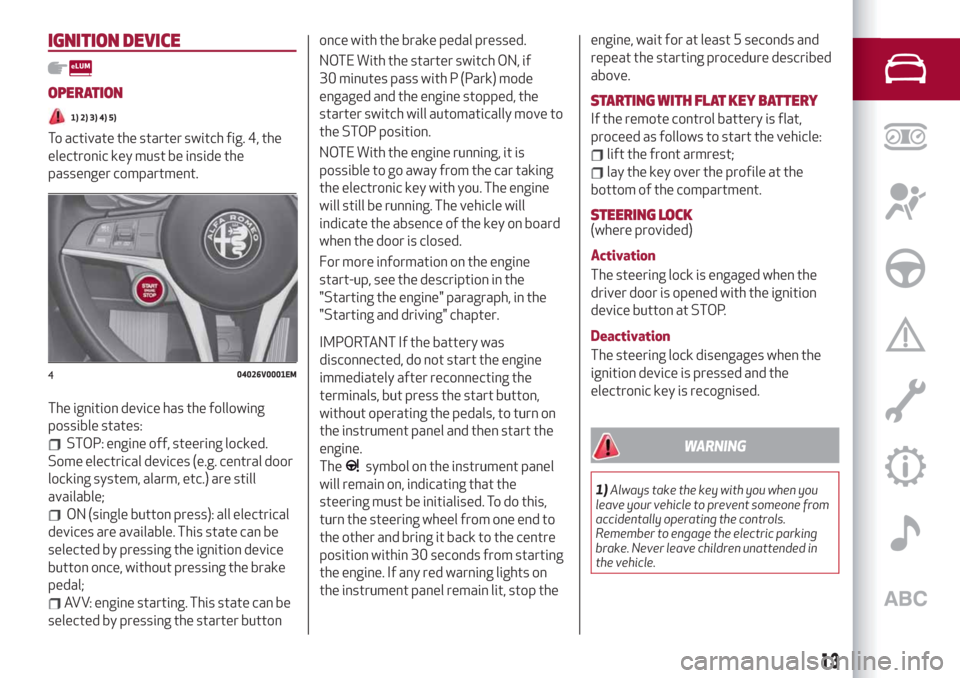
To activate the starter switch fig. 4, the
electronic key must be inside the
passenger compartment.
The ignition device has the following
possible states:
STOP: engine off, steering locked.
Some electrical devices (e.g. central door
locking system, alarm, etc.) are still
available;
ON (single button press): all electrical
devices are available. This state can be
selected by pressing the ignition device
button once, without pressing the brake
pedal;
AVV: engine starting. This state can be
selected by pressing the starter buttononce with the brake pedal pressed.
NOTE With the starter switch ON, if
30 minutes pass with P (Park) mode
engaged and the engine stopped, the
starter switch will automatically move to
the STOP position.
NOTE With the engine running, it is
possible to go away from the car taking
the electronic key with you. The engine
will still be running. The vehicle will
indicate the absence of the key on board
when the door is closed.
For more information on the engine
start-up, see the description in the
"Starting the engine" paragraph, in the
"Starting and driving" chapter.
IMPORTANT If the battery was
disconnected, do not start the engine
immediately after reconnecting the
terminals, but press the start button,
without operating the pedals, to turn on
the instrument panel and then start the
engine.
The
symbol on the instrument panel
will remain on, indicating that the
steering must be initialised. To do this,
turn the steering wheel from one end to
the other and bring it back to the centre
position within 30 seconds from starting
the engine. If any red warning lights on
the instrument panel remain lit, stop theengine, wait for at least 5 seconds and
repeat the starting procedure described
above.
STARTING WITH FLAT KEY BATTERY
If the remote control battery is flat,
proceed as follows to start the vehicle:
lift the front armrest;
lay the key over the profile at the
bottom of the compartment.
STEERING LOCK(where provided)
Activation
The steering lock is engaged when the
driver door is opened with the ignition
device button at STOP.
Deactivation
The steering lock disengages when the
ignition device is pressed and the
electronic key is recognised.
WARNING
1)Always take the key with you when you
leave your vehicle to prevent someone from
accidentally operating the controls.
Remember to engage the electric parking
brake. Never leave children unattended in
the vehicle.
404026V0001EM
13
Page 23 of 244
previously memorised position on the
same button is automatically
overwritten.
Recalling a memorised position is also
possible for about 3 minutes after the
doors are opened and about 1 minute
after the engine is stopped. To recall a
memorised position, press the relevant
button briefly.
EASY ENTRY FUNCTION
The Easy Entry function is designed to
retract the driver side seat automatically
by 2.36 in (60 mm) to make it easier for
the driver to get in and out of the car.
The movement is activated only if the
seat is set to a driving position which is in
front of the B pillar of the car.
The function is associated with
electrically adjustable front seats for
each of the three stored positions.
The Easy Entry function can be
activated/deactivated using the Connect
system.Activating entrance mode
With the door open and the starter device
at STOP, the driver side seat will be in a
position retracted by 2.36 in (60 mm)
with respect to the driving position set by
the user.
When the door is closed and the starter
device is in the ON position, the seat will
automatically return to the set driving
position.
NOTE If the seat is moved manually while
it is still in retracted position, it will
remain in the new set position when the
car is entered again.
Activating exit mode
In order to help the driver get out of the
car, the driver side seat will move back by
2.36 in (60 mm) when the starter device
is in STOP mode and the driver side door
is opened.
NOTE Pressing any button on the seat
memory or control panel will immediately
interrupt the automatic positioning
function (antipanic function). The
operation must be repeated to complete
the function.
REAR SEATS
11)
The rear seats allow for:
three passengers.
SPLIT FOLDING REAR SEAT
Partial extension of the luggage
compartment (1/3 or 2/3)
6)
Extending the right side of the luggage
compartment (1/3 of the rear seat)
allows you to carry two passengers on
the left part of the rear seat, while
extending the left side (2/3 of the rear
seat) allows you to carry one passenger.
Proceed as follows:
completely lower the rear seat head
restraints;
place the seat belt so that it doesn't
impede the movement of the backrest
while tilting it;
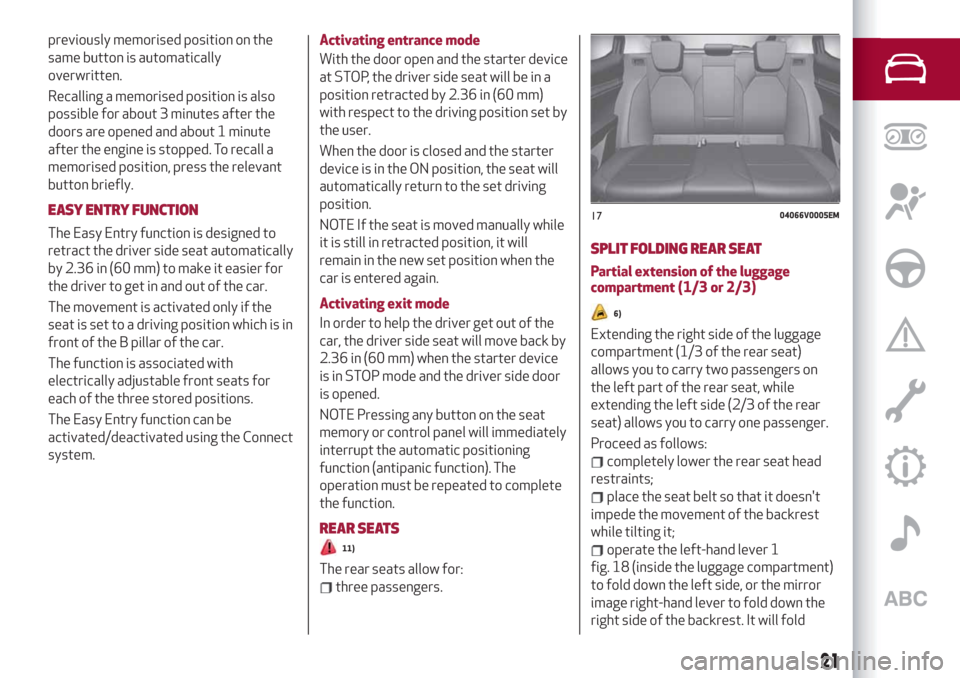
operate the left-hand lever 1
fig. 18 (inside the luggage compartment)
to fold down the left side, or the mirror
image right-hand lever to fold down the
right side of the backrest. It will fold
1704066V0005EM
21
Page 38 of 244
WARNING
20)Incorrect use of the electric windows
may be dangerous. Before and during
operation, always check that nobody is
exposed to the risk of being injured either
directly by the moving window or through
objects getting caught or hit by it.
ELECTRIC SUNROOF
(where provided)
21)
The electric sunroof comprises two glass
panels (the front one is mobile and the
rear one fixed) and is fitted with an
electrically operated sun blind.
Operation of the sunroof is only possible
with the ignition device at AVV.
The sun roof has three preset positions:
fully closed; comfort (intermediate
opening)l fully open.
IMPORTANT You cannot have the blind
closed when the roof is open.
OPENING
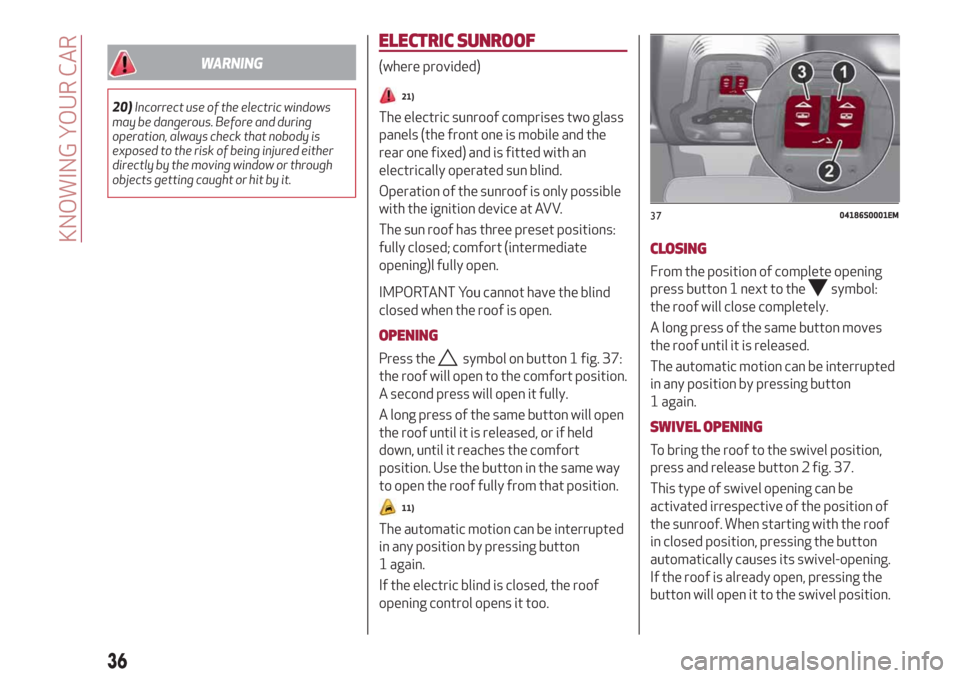
Press thesymbol on button 1 fig. 37:
the roof will open to the comfort position.
A second press will open it fully.
A long press of the same button will open
the roof until it is released, or if held
down, until it reaches the comfort
position. Use the button in the same way
to open the roof fully from that position.
11)
The automatic motion can be interrupted
in any position by pressing button
1 again.
If the electric blind is closed, the roof
opening control opens it too.
CLOSING
From the position of complete opening
press button 1 next to the
symbol:
the roof will close completely.
A long press of the same button moves
the roof until it is released.
The automatic motion can be interrupted
in any position by pressing button
1 again.
SWIVEL OPENING
To bring the roof to the swivel position,
press and release button 2 fig. 37.
This type of swivel opening can be
activated irrespective of the position of
the sunroof. When starting with the roof
in closed position, pressing the button
automatically causes its swivel-opening.
If the roof is already open, pressing the
button will open it to the swivel position.
3704186S0001EM
36
KNOWING YOUR CAR
Page 39 of 244
Pressing button 2 again during automatic
movement of the roof will stop it.
BLIND MOVEMENT
The sun blind is electrically operated.
Press the
symbol on button 3fig. 37:
to open the sun blind.
Press button 3
symbol: to close the
sun blind.
The automatic motion can be interrupted
in any position by pressing button
3 again.
If the roof is open, the sun blind closing
control will also close the roof.
ANTI-PINCH DEVICE
The sun roof has an anti-pinch safety
system capable of detecting the
presence of an obstacle during the
closing movement: if this happens, the
system intervenes and the movement of
the roof is immediately reversed into
opening.
INITIALISATION PROCEDURE
Automatic operation of the sunroof must
be initialised again in case of faulty
sunroof operation.
IMPORTANT The anti-pinch safety
function is deactivated during the
initialisation procedure.
Proceed as follows:
press button 1 next to thesymbol
to bring the roof into completely closed
position;
bring the ignition device to STOP and
wait at least 10 seconds. Then set the
ignition device to AVV and start the
engine;
press thesymbol on button 1 and
hold it down; after 10 seconds you will
hear the electric motors of the roof and
blind stop in sequence;
release the button and within
5 seconds, press the
symbol on
button 1 and hold it down (until the cycle
end): the roof will automatically perform
a complete open and close cycle (to
indicate that the initialisation has been
successful). If this does not occur, the
procedure must be restarted from the
beginning.
WARNING
21)When leaving the vehicle, always make
sure you have the key with you to avoid the
risk of injury to those still inside the car due
to accidental operation of the sun roof.
Improper use of the roof can be dangerous.
Before and during operation, always check
that no-one is exposed to the risk of being
injured by the moving sunroof or by objects
getting caught or hit by it.
IMPORTANT
11)Do not open the sun roof if a roof rack or
crossbars are fitted. Do not open the sun
roof if there is snow or ice on it: you may
damage it.
37
Page 40 of 244
BONNET
OPENING
22) 23)
Proceed as follows:
inside the passenger compartment
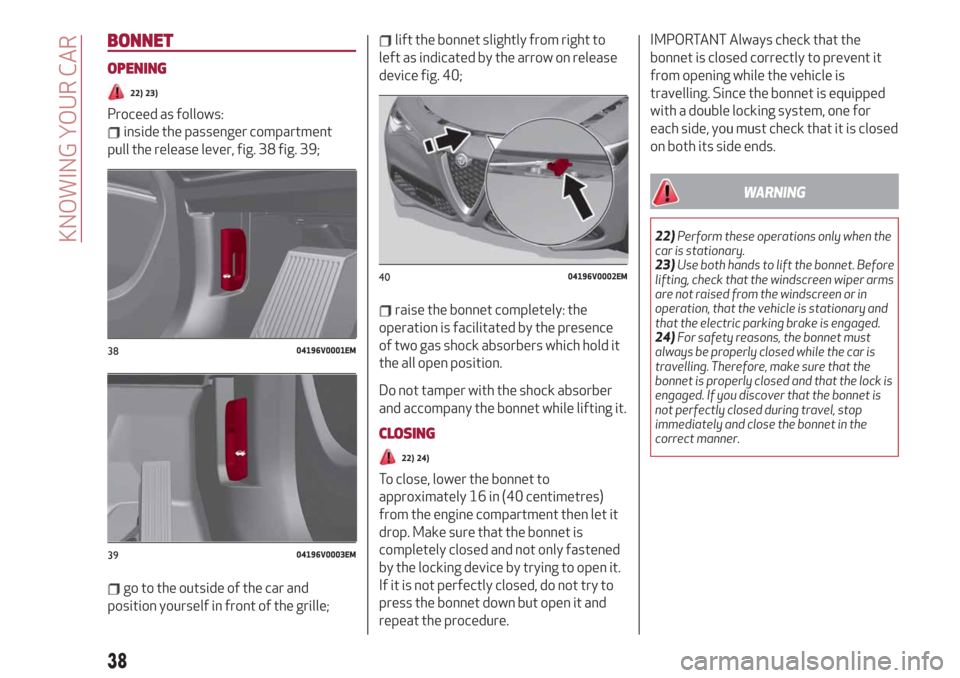
pull the release lever, fig. 38 fig. 39;
go to the outside of the car and
position yourself in front of the grille;
lift the bonnet slightly from right to
left as indicated by the arrow on release
device fig. 40;
raise the bonnet completely: the
operation is facilitated by the presence
of two gas shock absorbers which hold it
the all open position.
Do not tamper with the shock absorber
and accompany the bonnet while lifting it.
CLOSING
22) 24)
To close, lower the bonnet to
approximately 16 in (40 centimetres)
from the engine compartment then let it
drop. Make sure that the bonnet is
completely closed and not only fastened
by the locking device by trying to open it.
If it is not perfectly closed, do not try to
press the bonnet down but open it and
repeat the procedure.
IMPORTANT Always check that the
bonnet is closed correctly to prevent it
from opening while the vehicle is
travelling. Since the bonnet is equipped
with a double locking system, one for
each side, you must check that it is closed
on both its side ends.
WARNING
22)Perform these operations only when the
car is stationary.
23)Use both hands to lift the bonnet. Before
lifting, check that the windscreen wiper arms
are not raised from the windscreen or in
operation, that the vehicle is stationary and
that the electric parking brake is engaged.
24)For safety reasons, the bonnet must
always be properly closed while the car is
travelling. Therefore, make sure that the
bonnet is properly closed and that the lock is
engaged. If you discover that the bonnet is
not perfectly closed during travel, stop
immediately and close the bonnet in the
correct manner.
3804196V0001EM
3904196V0003EM
4004196V0002EM
38
KNOWING YOUR CAR
Page 49 of 244
1 Transmission Information
Shows the following information related
to the transmission operation mode (M, P,
R, N, D).
If the gear is changed using the steering
wheel lever (where provided), In D mode
or manual M mode, it also displays the
engaged gear.
In M mode, it also shows when to shift
gear up or down.
2 Front, side anti-collision systems,
Cruise Control
Displays the operation the following
modes:
Forward Collision Warning (FCW)
Lane Departure Warning (LDW)
Cruise Control (CC) or Active Cruise
Control (ACC) (where provided)
For further information, see relevant
paragraphs.
3 Speed limit warning light
Shows information regarding the Speed
Limiter function.
For further information, see relevant
paragraph.
4 Reconfigurable main area
Can display the following screens:
Home
Trip A
Trip B (can be activated/deactivated
on the Connect system)
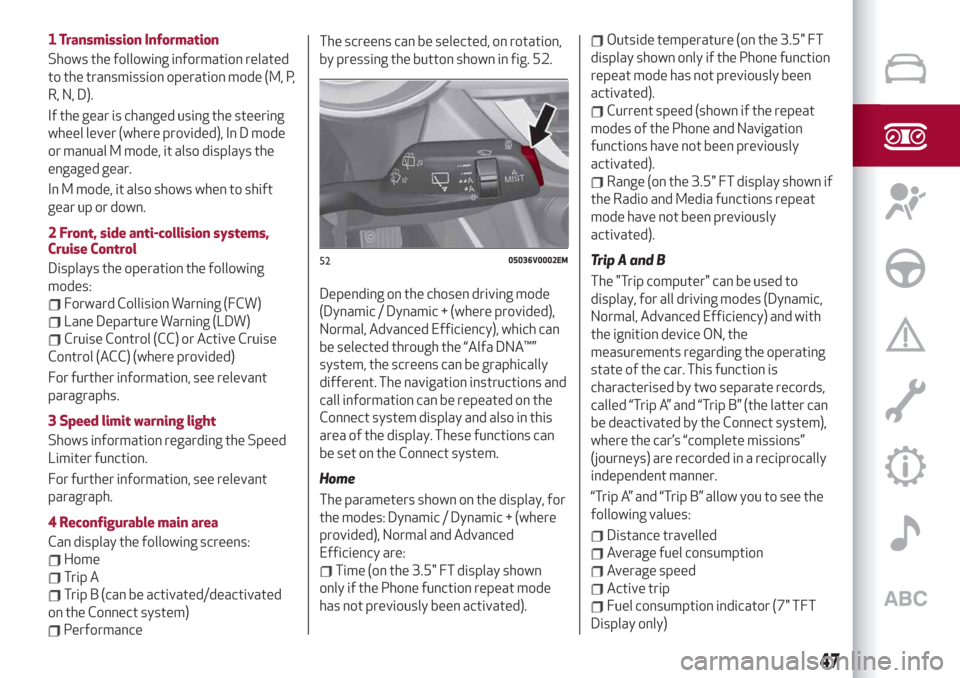
PerformanceThe screens can be selected, on rotation,
by pressing the button shown in fig. 52.
Depending on the chosen driving mode
(Dynamic / Dynamic + (where provided),
Normal, Advanced Efficiency), which can
be selected through the “Alfa DNA™”
system, the screens can be graphically
different. The navigation instructions and
call information can be repeated on the
Connect system display and also in this
area of the display. These functions can
be set on the Connect system.
Home
The parameters shown on the display, for
the modes: Dynamic / Dynamic + (where
provided), Normal and Advanced
Efficiency are:
Time (on the 3.5" FT display shown
only if the Phone function repeat mode
has not previously been activated).
Outside temperature (on the 3.5" FT
display shown only if the Phone function
repeat mode has not previously been
activated).
Current speed (shown if the repeat
modes of the Phone and Navigation
functions have not been previously
activated).
Range (on the 3.5" FT display shown if
the Radio and Media functions repeat
mode have not been previously
activated).
Trip A and B
The "Trip computer" can be used to
display, for all driving modes (Dynamic,
Normal, Advanced Efficiency) and with
the ignition device ON, the
measurements regarding the operating
state of the car. This function is
characterised by two separate records,
called “Trip A” and “Trip B” (the latter can
be deactivated by the Connect system),
where the car’s “complete missions”
(journeys) are recorded in a reciprocally
independent manner.
“Trip A” and “Trip B” allow you to see the
following values:
Distance travelled
Average fuel consumption
Average speed
Active trip
Fuel consumption indicator (7" TFT
Display only)
5205036V0002EM
47
Page 51 of 244
Units & Language
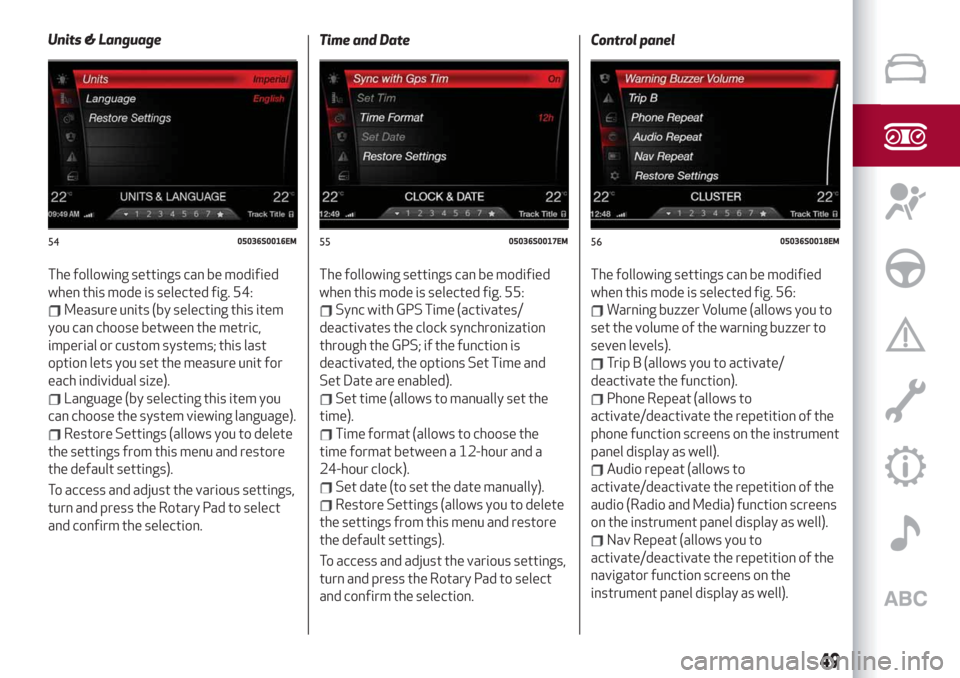
The following settings can be modified
when this mode is selected fig. 54:
Measure units (by selecting this item
you can choose between the metric,
imperial or custom systems; this last
option lets you set the measure unit for
each individual size).
Language (by selecting this item you
can choose the system viewing language).
Restore Settings (allows you to delete
the settings from this menu and restore
the default settings).
To access and adjust the various settings,
turn and press the Rotary Pad to select
and confirm the selection.Time and Date
The following settings can be modified
when this mode is selected fig. 55:
Sync with GPS Time (activates/
deactivates the clock synchronization
through the GPS; if the function is
deactivated, the options Set Time and
Set Date are enabled).
Set time (allows to manually set the
time).
Time format (allows to choose the
time format between a 12-hour and a
24-hour clock).
Set date (to set the date manually).
Restore Settings (allows you to delete
the settings from this menu and restore
the default settings).
To access and adjust the various settings,
turn and press the Rotary Pad to select
and confirm the selection.Control panel
The following settings can be modified
when this mode is selected fig. 56:
Warning buzzer Volume (allows you to
set the volume of the warning buzzer to
seven levels).
Trip B (allows you to activate/
deactivate the function).
Phone Repeat (allows to
activate/deactivate the repetition of the
phone function screens on the instrument
panel display as well).
Audio repeat (allows to
activate/deactivate the repetition of the
audio (Radio and Media) function screens
on the instrument panel display as well).
Nav Repeat (allows you to
activate/deactivate the repetition of the
navigator function screens on the
instrument panel display as well).
5405036S0016EM5505036S0017EM5605036S0018EM
49
Page 54 of 244
WARNING LIGHTS ON INSTRUMENT PANEL
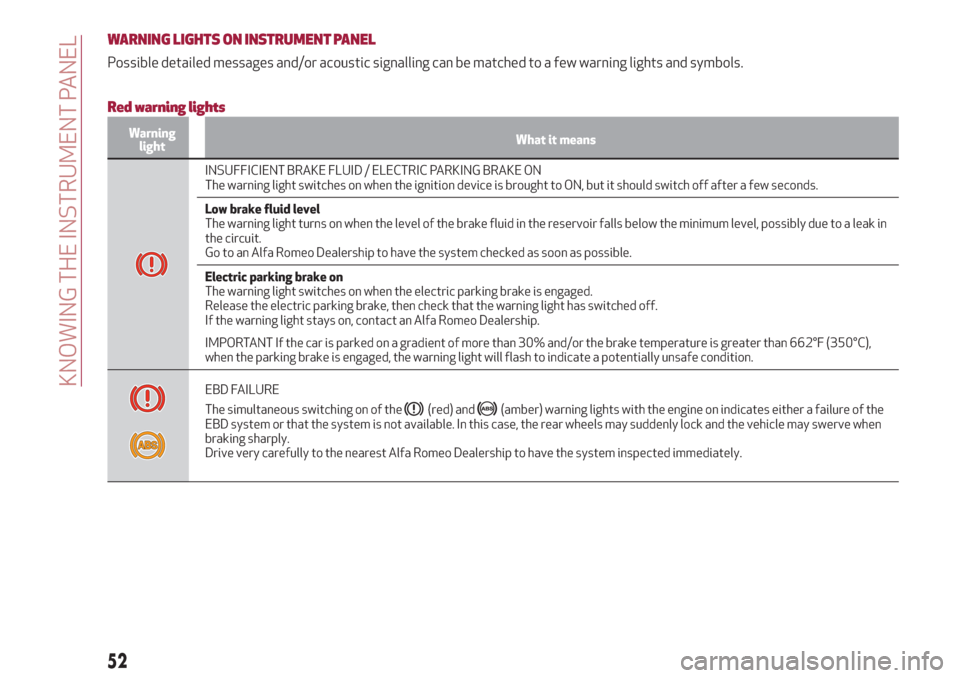
Possible detailed messages and/or acoustic signalling can be matched to a few warning lights and symbols.
Red warning lights
Warning
lightWhat it means
INSUFFICIENT BRAKE FLUID / ELECTRIC PARKING BRAKE ON
The warning light switches on when the ignition device is brought to ON, but it should switch off after a few seconds.
Low brake fluid level
The warning light turns on when the level of the brake fluid in the reservoir falls below the minimum level, possibly due to a leak in
the circuit.
Go to an Alfa Romeo Dealership to have the system checked as soon as possible.
Electric parking brake on
The warning light switches on when the electric parking brake is engaged.
Release the electric parking brake, then check that the warning light has switched off.
If the warning light stays on, contact an Alfa Romeo Dealership.
IMPORTANT If the car is parked on a gradient of more than 30% and/or the brake temperature is greater than 662°F (350°C),
when the parking brake is engaged, the warning light will flash to indicate a potentially unsafe condition.
EBD FAILURE
The simultaneous switching on of the
(red) and(amber) warning lights with the engine on indicates either a failure of the
EBD system or that the system is not available. In this case, the rear wheels may suddenly lock and the vehicle may swerve when
braking sharply.
Drive very carefully to the nearest Alfa Romeo Dealership to have the system inspected immediately.
52
KNOWING THE INSTRUMENT PANEL