change time ALFA ROMEO STELVIO 2022 User Guide
[x] Cancel search | Manufacturer: ALFA ROMEO, Model Year: 2022, Model line: STELVIO, Model: ALFA ROMEO STELVIO 2022Pages: 256, PDF Size: 10.17 MB
Page 84 of 256
82
System not disabled from previous remote
start event.
Vehicle Security System indicator flashing.
Ignition in the OFF position (if equipped with
keyless ignition system).
Fuel level meets minimum requirement.
Remote Start Comfort Systems — If Equipped
When Remote Start is activated, the heated
steering wheel and driver heated seat features
will automatically turn on in cold weather.
These features will stay on through the duration
of remote start until the ignition is placed in the
ON/RUN position.
Remote Start Windshield Wiper De–Icer
Activation — If Equipped
When remote start is active and the outside
ambient temperature is less than 39°F (4°C),
the Windshield Wiper De-Icer will be enabled.
Exiting remote start will resume previous
operation, except if the Windshield Wiper De-Icer
is active.
The Windshield Wiper De-Icer timer and
operation will continue.
COLD WEATHER OPERATION
To prevent possible engine damage while starting
at low temperatures, this vehicle will inhibit
engine cranking when the ambient temperature
is less than –22°F (–30°C) and the oil
temperature sensor reading indicates an engine
block heater has not been used. An
externally-powered electric engine block heater is
available as optional equipment or from an
authorized dealer. The message “Plug In Engine Heater” will be
displayed in the instrument cluster when the
ambient temperature is below 5°F (–15°C) at
the time the engine is shut off as a reminder to
avoid possible crank delays at the next cold start.
EXTENDED PARK STARTING
If the vehicle has not been started or driven for at
least 30 days, it is advisable to follow the
instructions below.
To start the engine, proceed as follows:
1. Briefly push the ignition button
2. If the engine does not start, wait five seconds
and let the starter cool down and then repeat
the starting procedure
3. If the engine does not start after eight attempts, let the starter cool down for at least
10 seconds, and then repeat the starting
procedure
If the problem persists, contact an authorized
dealer.
NOTE:
After prolonged vehicle inactivity, very difficult
starting, that can be noticed through rapid fatigue
of the starter, might also be due to a partially
drained battery
Ú
page 184.
IF ENGINE FAILS TO START
Starting the Engine with Key Fob Battery Run
Down or Drained
If the ignition does not respond when the button
is pushed, the key fob battery might be run down
or drained. Therefore, the system does not detect
the presence of the key fob in the vehicle, and will
display a dedicated message
Ú
page 22.
CAUTION!
Use of the recommended oil and adhering to
the prescribed oil change intervals is
important to prevent engine damage and
ensure satisfactory starting in cold conditions.
WARNING!
Never pour fuel or other flammable liquid
into the throttle body air inlet opening in an
attempt to start the vehicle. This could result
in flash fire causing serious personal injury.
Do not attempt to push or tow your vehicle to
get it started. Vehicles equipped with an
automatic transmission cannot be started
this way. Unburned fuel could enter the
catalytic converter and once the engine has
started, ignite and damage the converter
and vehicle.
If the vehicle has a discharged battery,
booster cables may be used to obtain a start
from a booster battery or the battery in
another vehicle. This type of start can be
dangerous if done improperly
Ú
page 184.
CAUTION!
To prevent damage to the starter, do not
continuously crank the engine for more than
25 seconds at a time. Wait 60 seconds before
trying again.
22_GU_OM_EN_USC_t.book Page 82
STARTING AND OPERATING
Page 86 of 256
STARTING AND OPERATING
84
ENGINE BREAK-IN
RECOMMENDATIONS
ENGINE BREAK-IN
For both engines, use the following engine
break-in recommendations:
NOTE:
A new engine may consume some oil during its
first few thousand miles (kilometers) of opera-
tion. This should be considered a normal part of
the break-in period and not interpreted as an indi -
cation of a problem. Please monitor your oil level
during the break-in period and add oil as
required.
It is recommended for the operator to observe the
following driving behaviors during the new vehicle
break-in period:
0 to 100 miles (0 to 160 km):
Do not allow the engine to operate at idle for
an extended period of time.
Press the accelerator pedal slowly and not
more than halfway to avoid rapid acceleration.
Avoid aggressive braking.
Drive with the engine speed less than
3,500 RPM.
Maintain vehicle speed below 55 mph
(88 km/h) and observe local speed limits. 100 to 300 miles (160 to 483 km):
Press the accelerator pedal slowly and not
more than halfway to avoid rapid acceleration
in lower gears (FIRST to THIRD gears).
Avoid aggressive braking.
Drive with the engine speed less than
5,000 RPM.
Maintain vehicle speed below 70 mph
(112 km/h) and observe local speed limits.
300 to 500 miles (483 to 805 km):
Exercise the full engine RPM range, shifting
manually (paddles or gear shift) at higher RPM
when possible.
Do not perform sustained operation with the
accelerator pedal at wide open throttle.
Maintain vehicle speed below 85 mph
(136 km/h) and observe local speed limits.
For the first 1,500 miles (2,414 km):
Do not participate in track events, sport driving
schools, or similar activities during the first
1,500 miles (2,414 km).
NOTE:
Monitor engine oil with every refueling and add if
necessary. Oil and fuel consumption may be
higher through the first oil change interval.
ELECTRIC PARK BRAKE
(EPB)
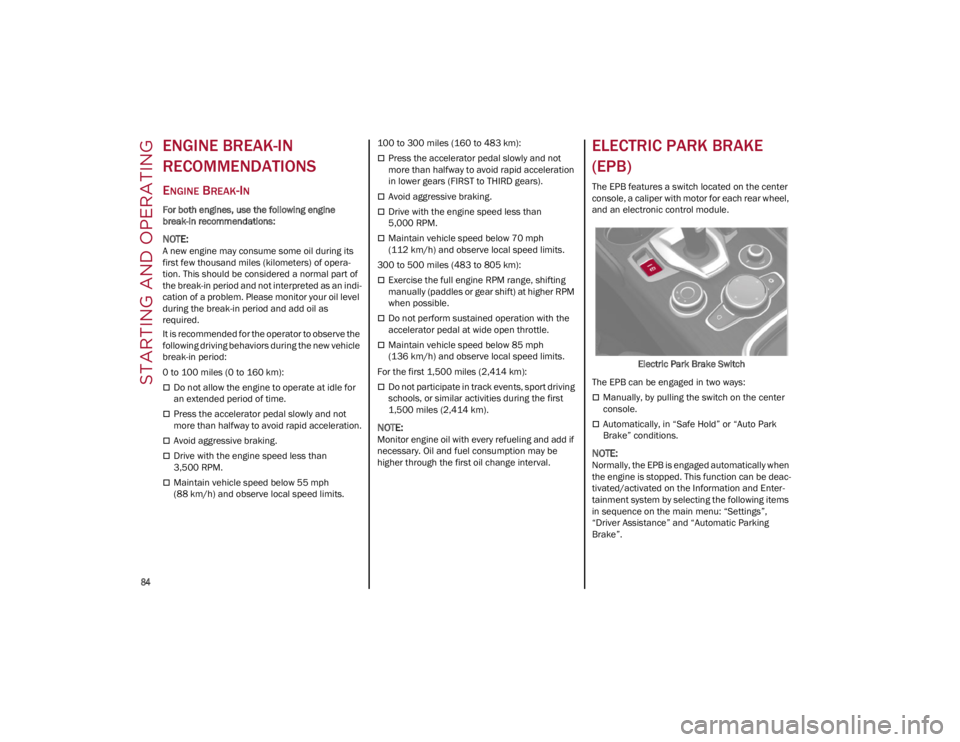
The EPB features a switch located on the center
console, a caliper with motor for each rear wheel,
and an electronic control module.
Electric Park Brake Switch
The EPB can be engaged in two ways:
Manually, by pulling the switch on the center
console.
Automatically, in “Safe Hold” or “Auto Park
Brake” conditions.
NOTE:
Normally, the EPB is engaged automatically when
the engine is stopped. This function can be deac -
tivated/activated on the Information and Enter -
tainment system by selecting the following items
in sequence on the main menu: “Settings”,
“Driver Assistance” and “Automatic Parking
Brake”.
22_GU_OM_EN_USC_t.book Page 84
Page 96 of 256
STARTING AND OPERATING
94
“RACE” Mode
Activation
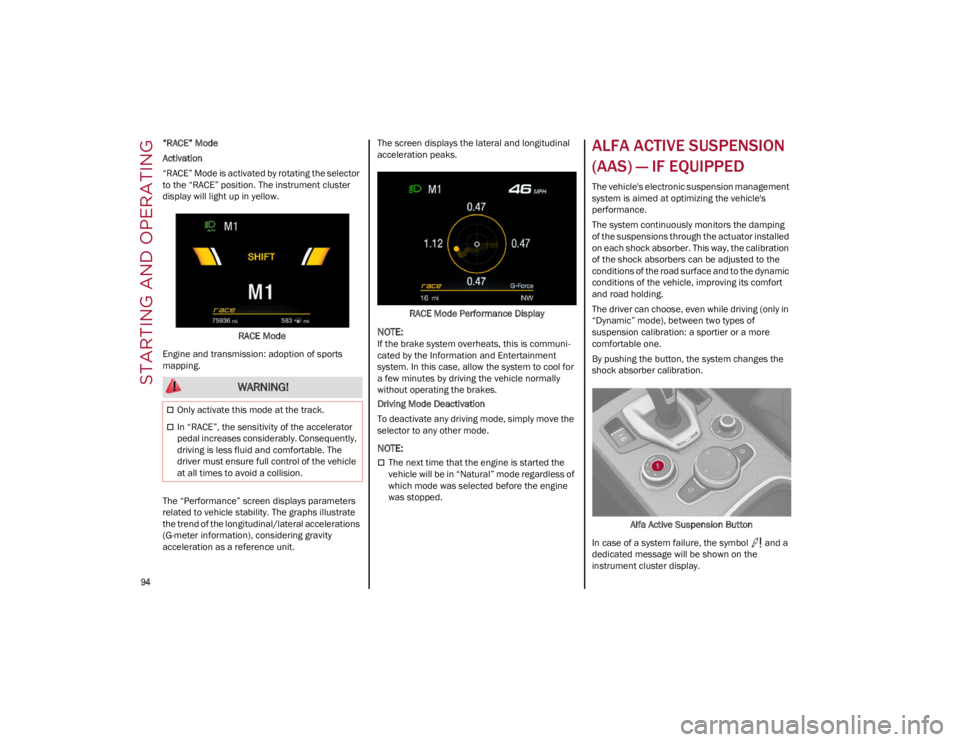
“RACE” Mode is activated by rotating the selector
to the “RACE” position. The instrument cluster
display will light up in yellow.RACE Mode
Engine and transmission: adoption of sports
mapping.
The “Performance” screen displays parameters
related to vehicle stability. The graphs illustrate
the trend of the longitudinal/lateral accelerations
(G-meter information), considering gravity
acceleration as a reference unit. The screen displays the lateral and longitudinal
acceleration peaks.
RACE Mode Performance Display
NOTE:
If the brake system overheats, this is communi -
cated by the Information and Entertainment
system. In this case, allow the system to cool for
a few minutes by driving the vehicle normally
without operating the brakes.
Driving Mode Deactivation
To deactivate any driving mode, simply move the
selector to any other mode.
NOTE:
The next time that the engine is started the
vehicle will be in “Natural” mode regardless of
which mode was selected before the engine
was stopped.
ALFA ACTIVE SUSPENSION
(AAS) — IF EQUIPPED
The vehicle's electronic suspension management
system is aimed at optimizing the vehicle's
performance.
The system continuously monitors the damping
of the suspensions through the actuator installed
on each shock absorber. This way, the calibration
of the shock absorbers can be adjusted to the
conditions of the road surface and to the dynamic
conditions of the vehicle, improving its comfort
and road holding.
The driver can choose, even while driving (only in
“Dynamic” mode), between two types of
suspension calibration: a sportier or a more
comfortable one.
By pushing the button, the system changes the
shock absorber calibration.
Alfa Active Suspension Button
In case of a system failure, the symbol and a
dedicated message will be shown on the
instrument cluster display.
WARNING!
Only activate this mode at the track.
In “RACE”, the sensitivity of the accelerator
pedal increases considerably. Consequently,
driving is less fluid and comfortable. The
driver must ensure full control of the vehicle
at all times to avoid a collision.
22_GU_OM_EN_USC_t.book Page 94
Page 105 of 256
103
(Continued)
When you push the RES/SET button to reduce
the speed, the braking system intervenes
automatically if the engine brake does not slow
the vehicle down sufficiently to reach the set
speed. The device holds the set speed uphill
and downhill; however a slight variation is
entirely normal, particularly on slight inclines.
The transmission could shift to a lower gear
when driving downhill, or when accelerating.
This is normal and necessary to maintain the
set speed.
The system will disable while driving if the
brakes overheat.
To Resume
Once the system has been canceled but not
deactivated, to resume a previously set speed,
simply push the RES/SET switch upward and
remove your foot from the accelerator to recall it.
The system will be set to the last stored speed.
Setting The Distance Between Vehicles
The distance between your vehicle and the
vehicle ahead may be set to one bar (short), two
bars (medium), three bars (long), or four bars
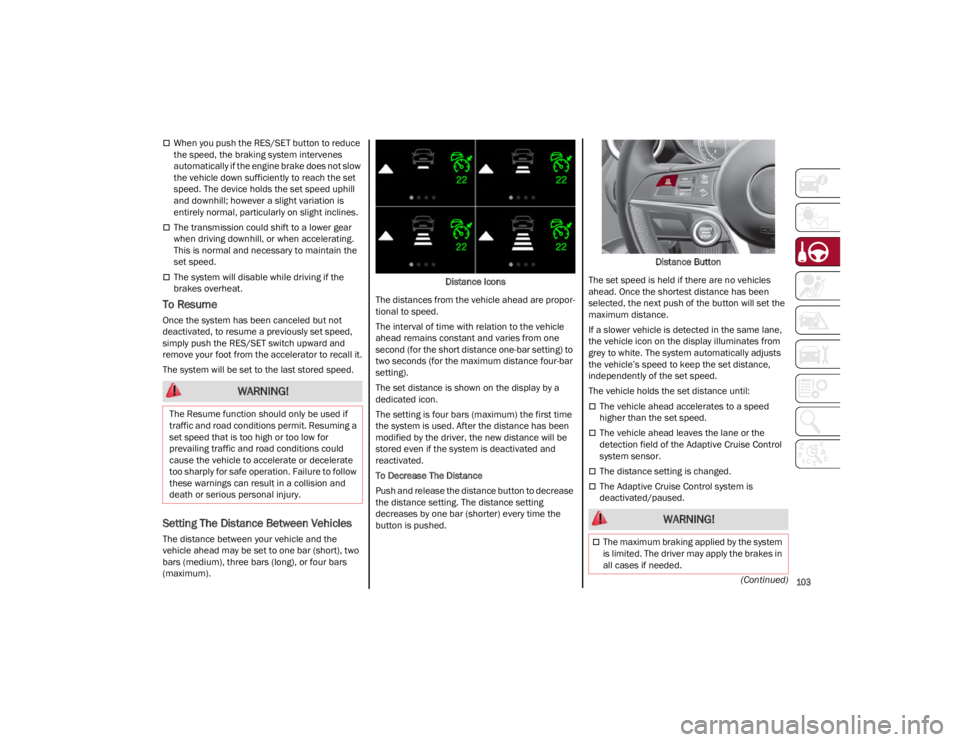
(maximum).Distance Icons
The distances from the vehicle ahead are propor -
tional to speed.
The interval of time with relation to the vehicle
ahead remains constant and varies from one
second (for the short distance one-bar setting) to
two seconds (for the maximum distance four-bar
setting).
The set distance is shown on the display by a
dedicated icon.
The setting is four bars (maximum) the first time
the system is used. After the distance has been
modified by the driver, the new distance will be
stored even if the system is deactivated and
reactivated.
To Decrease The Distance
Push and release the distance button to decrease
the distance setting. The distance setting
decreases by one bar (shorter) every time the
button is pushed. Distance Button
The set speed is held if there are no vehicles
ahead. Once the shortest distance has been
selected, the next push of the button will set the
maximum distance.
If a slower vehicle is detected in the same lane,
the vehicle icon on the display illuminates from
grey to white. The system automatically adjusts
the vehicle’s speed to keep the set distance,
independently of the set speed.
The vehicle holds the set distance until:
The vehicle ahead accelerates to a speed
higher than the set speed.
The vehicle ahead leaves the lane or the
detection field of the Adaptive Cruise Control
system sensor.
The distance setting is changed.
The Adaptive Cruise Control system is
deactivated/paused.
WARNING!
The Resume function should only be used if
traffic and road conditions permit. Resuming a
set speed that is too high or too low for
prevailing traffic and road conditions could
cause the vehicle to accelerate or decelerate
too sharply for safe operation. Failure to follow
these warnings can result in a collision and
death or serious personal injury.
WARNING!
The maximum braking applied by the system
is limited. The driver may apply the brakes in
all cases if needed.
22_GU_OM_EN_USC_t.book Page 103
Page 109 of 256
107
Suspension Conditions
The following operations will suspend the HAS
system:
Steer manually
Press the brake pedal
Disable the ACC device
Activate the turn signals
Push the ACC activation setting button for two
seconds to activate Cruise Control
Place the gear selector in PARK, REVERSE, or
NEUTRAL
Reactivating the ACC system will reactivate HAS
Ú
page 100.
Automatic Deactivation
The system can be deactivated in the following
situations:
If there are narrow bends
When hands are removed from the steering
wheel
If the left or right turn signal is activated
If the driver intentionally changes lanes
without using the turn signal
If the driver’s seat belt is released
If the gear selector is placed in DRIVE
If the “Active Braking” function is activated
Ú
page 145
If the vehicle exits the highway
If the lane markings are not detected by the
camera
If the ACC device is deactivated
If the vehicle speed exceeds 90 mph
(145 km/h)
NOTE:
When the HAS system is turned off, the symbol
on the display turns red and then grey.
Hands on the steering wheel are detected by a
capacitive sensor installed in it.
When the automatic suspension conditions are
over, HAS will be automatically reactivated.
OPERATION
HAS only operates when the driver’s hands are on
the steering wheel.
If the system detects that the driver’s hands have
been removed from the steering wheel, the
system will alert the driver to place their hands
back on the steering wheel
Ú
page 108.
If the vehicle crosses the lane boundary, the
steering wheel will vibrate and the dedicated
screen will appear in the instrument cluster
display.
NOTE:
HAS may take up to five seconds to turn on once
all conditions are met. During this time, a grey
indicator light will appear on the instrument
cluster display and the system will automatically
activate as soon as all of the conditions are met
with no intervention from the driver.
The following conditions must be met before HAS
turns on:
HAS must be enabled by pushing the button on
the steering wheel
The vehicle must be on a highway
ACC must be activated
The right and left lane boundaries must be
visible
The vehicle speed must be between 0 and
90 mph (0 and 145 km/h)
The camera, radar, and radio system must be
functioning properly
The road lane width must be between 8.5 ft
and 13.7 ft (2.6 m and 4.2 m)
The turn signals must not be activated
HAS must be functioning properly
Other operating limits:
If the speed of ACC can be set to a higher value
(top speed 110 mph (180 km/h), HAS is only
available as long as the vehicle speed is equal
to or less than 90 mph (145 km/h).
When the ACC speed is reduced and the
vehicle speed is less than 90 mph (145 km/h),
the system will automatically reactivate.
If the ACC speed is set to 90 mph (145 km/h),
traveling downhill may increase the vehicle
speed. HAS will deactivate until the speed
returns to 90 mph (145 km/h).
INDICATIONS ON THE DISPLAY
The HAS status can always be viewed in the
instrument cluster display.
The system status is indicated by the color of the
symbol on the display.
HAS uses sensors in the steering wheel to detect
if the driver’s hands are on it.
If the driver’s hands are not on the steering
wheel, a series of warnings will appear in the
instrument cluster display to alert the driver to
reposition their hands on the steering wheel. An
acoustic signal will also sound. After a period of
time, HAS will disable if the driver’s hands do not
return to the steering wheel.
22_GU_OM_EN_USC_t.book Page 107
Page 112 of 256
STARTING AND OPERATING
110
Suspension Conditions
The following operations will suspend the TJA
system:
Pressing the brake pedal
Opening the driver’s door
Disabling ACC
If the vehicle speed exceeds 37 mph
(60 km/h)
Releasing the driver’s seat belt
Placing the gear selector in PARK, REVERSE, or
NEUTRAL
If the Forward Collision Warning system or
Active Braking intervenes
Automatic Deactivation
System operation will be temporarily disabled
under the following conditions:
When traveling around narrow bends
If the lane boundaries are not detected
One of the two lines is interrupted
The sun is low and reflects on the radar
camera
If the turn signals are activated
If the driver intentionally changes lanes
without using the turn signal
If manual steering begins
If the driver’s hands are removed from the
steering wheel
When there is no surrounding traffic and there
are no horizontal lane boundaries
If the system is not functioning properly
If lateral acceleration is high
NOTE:
When TJA is turned off, the symbol in the
instrument cluster display will turn red, and
then grey.
A sensor in the steering wheel detects whether
the driver’s hands are placed on the steering
wheel.
When the automatic suspension conditions are
over, the TJA system will be automatically
reactivated.
OPERATION
The TJA system can only operate when the
driver’s hands are on the steering wheel.
If the system detects that the driver’s hands have
been removed from the steering wheel, a
message will appear in the instrument cluster
display to alert the driver to place their hands
back on the wheel.
NOTE:
If the vehicle begins to cross the lane
boundary, the steering wheel will vibrate and a
dedicated screen will appear in the instrument
cluster display.
The TJA system may take up to five seconds to
become active once all conditions are met.
The following conditions must be met in order to
activate the system:
The TJA system must be enabled
The Adaptive Cruise Control (ACC) system must
be turned on
The right and left lane boundaries must be
recognized by the system
The vehicle must be traveling at a speed
between 0 and 37 mph (0 and 60 km/h)
The camera, radar, and radio system must be
functioning properly
The road lane width must be between 8.5 ft
and 13.7 ft (2.6 m and 4.2 m)
The turn signals must be turned off
The TJA system must be functioning properly
If the ACC speed is set to 37 mph (60 km/h) or
less, traveling downhill may increase the
vehicle speed. The system will remain inactive
until the speed returns to 37 mph (60 km/h)
or less.
INDICATIONS ON THE DISPLAY
The TJA system status is indicated by the color of
the symbol in the instrument cluster display.
The system uses sensors in the steering wheel to
detect if the driver’s hands are present. If the
driver’s hands are removed, a series of warnings
will appear in the instrument cluster display to
alert the driver to reposition their hands on the
steering wheel. Acoustic signals will also be
emitted.
If the driver’s hands are not returned to the
steering wheel after a period of time, the system
will be disabled.
22_GU_OM_EN_USC_t.book Page 110
Page 118 of 256
STARTING AND OPERATING
116
Visual Indications
The system indicates the presence of an obstacle
by displaying a single red arc in the detected
area, in relation to the distance of the object and
the position of the vehicle.
If the obstacle is detected in the front or rear
central area, a single red arc will be displayed as
the obstacle approaches, first constant, then
flashing, in addition to an acoustic signal.
If the obstacle is detected in the front or rear left
and/or right area, a single red flashing arc will be
shown in the corresponding area on the display
and the system will emit an acoustic signal, either
at frequent intervals or constantly.
In general, the vehicle is closer to the obstacle
when a single red flashing arc is shown on the
display and the acoustic signal becomes
continuous.
If several obstacles are detected simultaneously
in the front and rear area, the display will show all
of them, regardless of the area in which they were
detected.
It is not possible to exit from the display screen
while the vehicle is in REVERSE.
Acoustic Signal
In the presence of an obstacle at the front or the
rear of the vehicle, an acoustic signal with
variable frequency will sound:
The acoustic signal increases in frequency as
the distance between the vehicle and the
obstacle decreases.
The acoustic signal becomes continuous when
the distance between the vehicle and the
obstacle is less than 11 inches (30 cm), and
stops if the distance increases.
The acoustic signal is constant if the distance
between the vehicle and the obstacle is
unchanged.
NOTE:
If the sensors detect several front and rear obsta-
cles, the closest obstacle is considered. An inter -
mittent signal will sound if the obstacles are at
the same distance (front and rear).
When the system emits an acoustic signal, the
volume of the radio system, if activated, is
automatically lowered.
An acoustic signal will not sound if the vehicle is
in PARK.
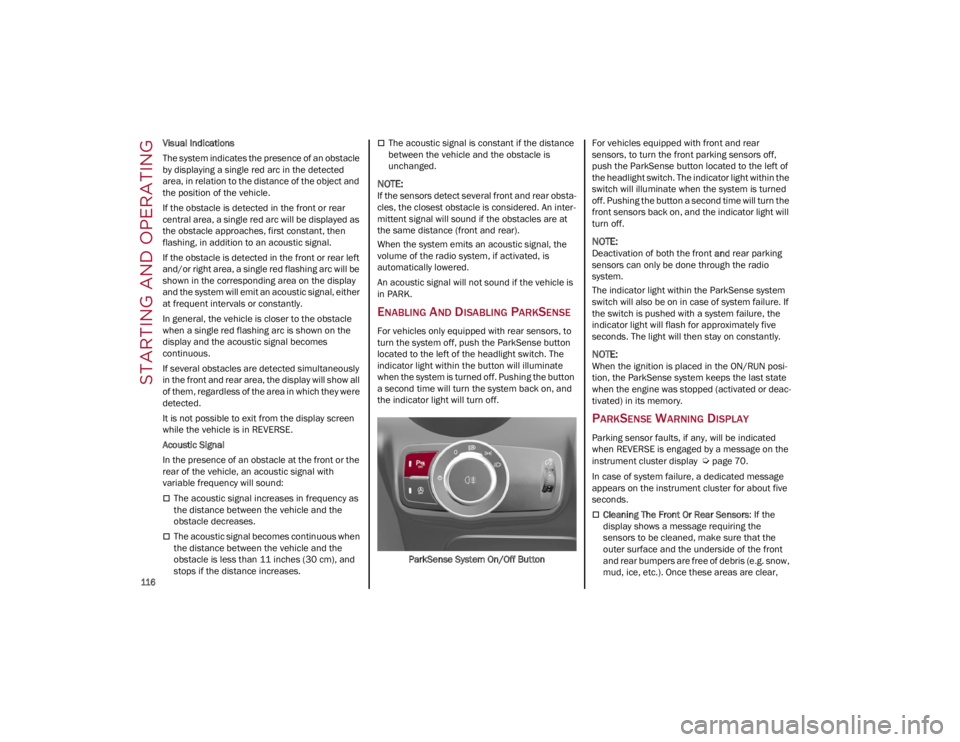
ENABLING AND DISABLING PARKSENSE
For vehicles only equipped with rear sensors, to
turn the system off, push the ParkSense button
located to the left of the headlight switch. The
indicator light within the button will illuminate
when the system is turned off. Pushing the button
a second time will turn the system back on, and
the indicator light will turn off.
ParkSense System On/Off Button For vehicles equipped with front and rear
sensors, to turn the front parking sensors off,
push the ParkSense button located to the left of
the headlight switch. The indicator light within the
switch will illuminate when the system is turned
off. Pushing the button a second time will turn the
front sensors back on, and the indicator light will
turn off.
NOTE:
Deactivation of both the front
and rear parking
sensors can only be done through the radio
system.
The indicator light within the ParkSense system
switch will also be on in case of system failure. If
the switch is pushed with a system failure, the
indicator light will flash for approximately five
seconds. The light will then stay on constantly.
NOTE:
When the ignition is placed in the ON/RUN posi -
tion, the ParkSense system keeps the last state
when the engine was stopped (activated or deac -
tivated) in its memory.
PARKSENSE WARNING DISPLAY
Parking sensor faults, if any, will be indicated
when REVERSE is engaged by a message on the
instrument cluster display
Ú
page 70.
In case of system failure, a dedicated message
appears on the instrument cluster for about five
seconds.
Cleaning The Front Or Rear Sensors : If the
display shows a message requiring the
sensors to be cleaned, make sure that the
outer surface and the underside of the front
and rear bumpers are free of debris (e.g. snow,
mud, ice, etc.). Once these areas are clear,
22_GU_OM_EN_USC_t.book Page 116
Page 122 of 256
STARTING AND OPERATING
120
When one or both lane markings are detected
and the vehicle passes over one without a turn
signal being applied, the system will apply torque
to the steering wheel and a visual signal will be
displayed in the instrument cluster display. An
audible signal may also sound.
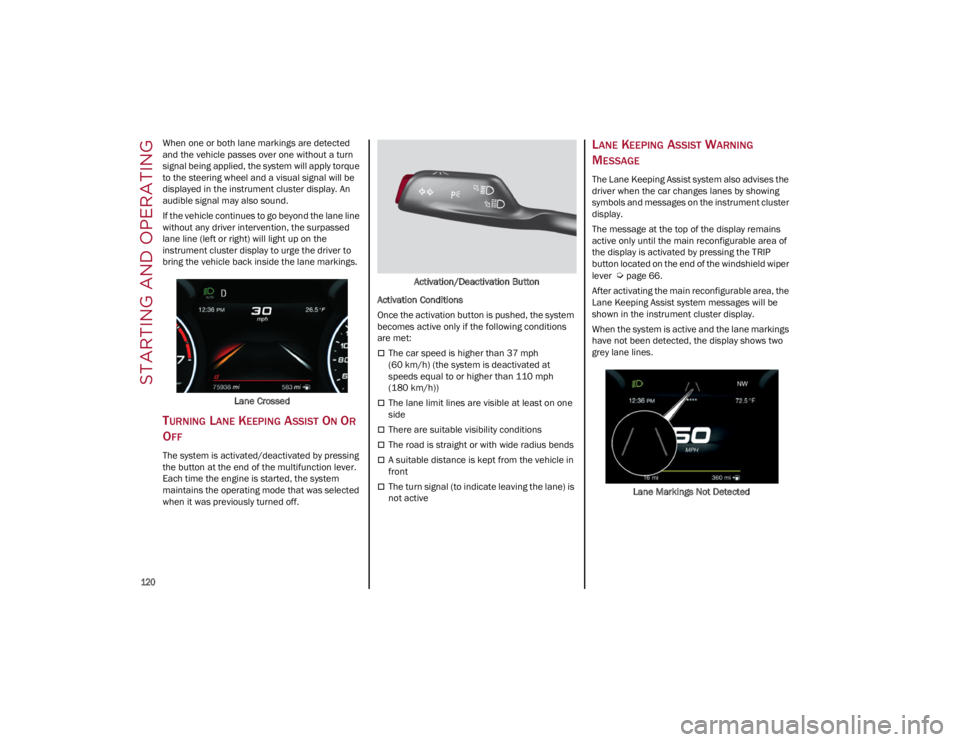
If the vehicle continues to go beyond the lane line
without any driver intervention, the surpassed
lane line (left or right) will light up on the
instrument cluster display to urge the driver to
bring the vehicle back inside the lane markings.Lane Crossed
TURNING LANE KEEPING ASSIST ON OR
O
FF
The system is activated/deactivated by pressing
the button at the end of the multifunction lever.
Each time the engine is started, the system
maintains the operating mode that was selected
when it was previously turned off. Activation/Deactivation Button
Activation Conditions
Once the activation button is pushed, the system
becomes active only if the following conditions
are met:
The car speed is higher than 37 mph
(60 km/h) (the system is deactivated at
speeds equal to or higher than 110 mph
(180 km/h))
The lane limit lines are visible at least on one
side
There are suitable visibility conditions
The road is straight or with wide radius bends
A suitable distance is kept from the vehicle in
front
The turn signal (to indicate leaving the lane) is
not active
LANE KEEPING ASSIST WARNING
M
ESSAGE
The Lane Keeping Assist system also advises the
driver when the car changes lanes by showing
symbols and messages on the instrument cluster
display.
The message at the top of the display remains
active only until the main reconfigurable area of
the display is activated by pressing the TRIP
button located on the end of the windshield wiper
lever
Ú
page 66.
After activating the main reconfigurable area, the
Lane Keeping Assist system messages will be
shown in the instrument cluster display.
When the system is active and the lane markings
have not been detected, the display shows two
grey lane lines.
Lane Markings Not Detected
22_GU_OM_EN_USC_t.book Page 120
Page 143 of 256
141
(Continued)
Rear Cross Path Detection (RCP) System
The Rear Cross Path Detection (RCP) system
assists the driver during reverse maneuvers in
the case of reduced visibility.
The RCP system monitors the rear detection areas
on both sides of the vehicle to detect objects
moving toward the sides of the vehicle, with a
minimum speed between approximately 1 mph
(1 km/h) and 2 mph (3 km/h) and objects moving
at a maximum speed of 21 mph (35 km/h), in
areas such as parking lots.
The system activation is signaled to the driver by
an audible warning.
NOTE:
If the sensors are covered by objects or
vehicles, the system may not work as intended.
For the system to operate correctly, the rear
fascia/bumper area where the radar sensors
are located must stay free from snow, ice and
dirt gathered from the road surface.
Do not cover the rear fascia/bumper area
where the radar sensors are located with any
object (e.g. adhesives, bike rack, etc.). Operating Mode
The system may be activated/deactivated via the
radio system. To access the function, select the
following items on the main menu in sequence:
1. “Driving Assistance”
2. “Blind Spot Alert”
“Blind Spot Alert”, “Visual” Mode
When the system is enabled, the warning light
within the door mirror on the side of the detected
object illuminates.
The visual warning on the mirror will blink if the
driver activates the turn signals, indicating a lane
change.
The warning light will be constant if the driver
stays in the same lane.
“Blind Spot Alert” Function Deactivation
When the system is deactivated (“Blind Spot
Alert” mode off), the BSM or RCP systems will not
emit an audible or a visual warning.
The BSM system will store the operating mode
that was active when the engine was stopped.
Each time the engine is started, the operating
mode stored previously will be recalled and used
Ú
page 247.
ACTIVE BLIND SPOT ASSIST (ABSA)
S
YSTEM — IF EQUIPPED
The ABSA system is to help avoid/limit lateral
collisions with cars coming from adjacent lanes
changing the vehicle’s trajectory in order to try to
keep it in the detected lane. The system warns the driver about the presence
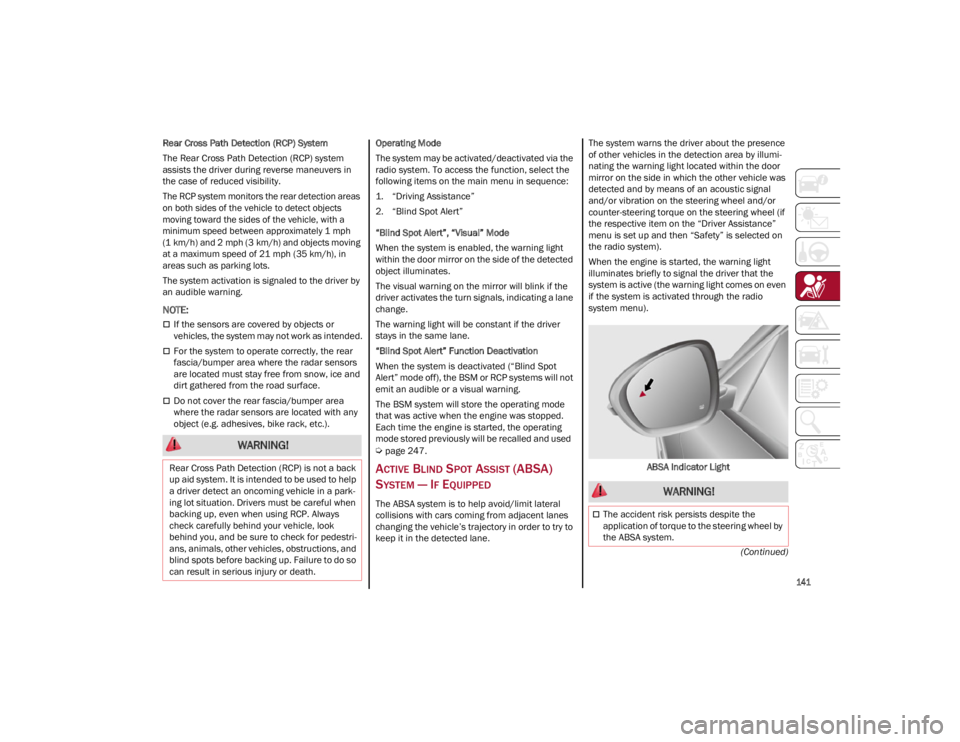
of other vehicles in the detection area by illumi
-
nating the warning light located within the door
mirror on the side in which the other vehicle was
detected and by means of an acoustic signal
and/or vibration on the steering wheel and/or
counter-steering torque on the steering wheel (if
the respective item on the “Driver Assistance”
menu is set up and then “Safety” is selected on
the radio system).
When the engine is started, the warning light
illuminates briefly to signal the driver that the
system is active (the warning light comes on even
if the system is activated through the radio
system menu).
ABSA Indicator Light
WARNING!
Rear Cross Path Detection (RCP) is not a back
up aid system. It is intended to be used to help
a driver detect an oncoming vehicle in a park -
ing lot situation. Drivers must be careful when
backing up, even when using RCP. Always
check carefully behind your vehicle, look
behind you, and be sure to check for pedestri -
ans, animals, other vehicles, obstructions, and
blind spots before backing up. Failure to do so
can result in serious injury or death.
WARNING!
The accident risk persists despite the
application of torque to the steering wheel by
the ABSA system.
22_GU_OM_EN_USC_t.book Page 141
Page 144 of 256
SAFETY
142
Sensors
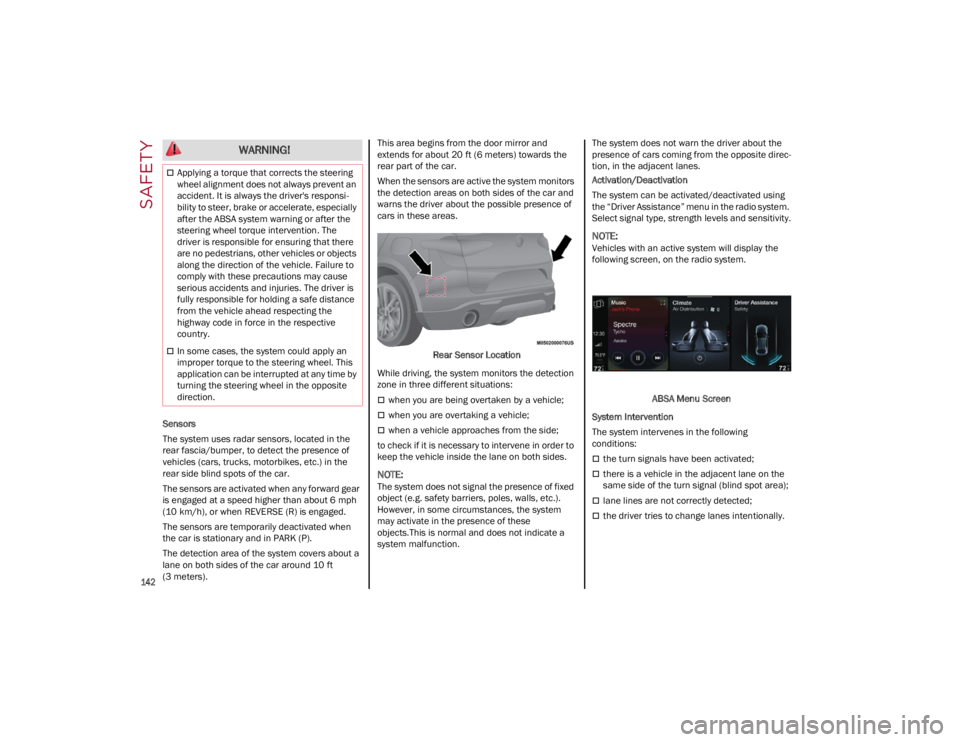
The system uses radar sensors, located in the
rear fascia/bumper, to detect the presence of
vehicles (cars, trucks, motorbikes, etc.) in the
rear side blind spots of the car.
The sensors are activated when any forward gear
is engaged at a speed higher than about 6 mph
(10 km/h), or when REVERSE (R) is engaged.
The sensors are temporarily deactivated when
the car is stationary and in PARK (P).
The detection area of the system covers about a
lane on both sides of the car around 10 ft
(3 meters).This area begins from the door mirror and
extends for about 20 ft (6 meters) towards the
rear part of the car.
When the sensors are active the system monitors
the detection areas on both sides of the car and
warns the driver about the possible presence of
cars in these areas.
Rear Sensor Location
While driving, the system monitors the detection
zone in three different situations:
when you are being overtaken by a vehicle;
when you are overtaking a vehicle;
when a vehicle approaches from the side;
to check if it is necessary to intervene in order to
keep the vehicle inside the lane on both sides.
NOTE:
The system does not signal the presence of fixed
object (e.g. safety barriers, poles, walls, etc.).
However, in some circumstances, the system
may activate in the presence of these
objects.This is normal and does not indicate a
system malfunction. The system does not warn the driver about the
presence of cars coming from the opposite direc
-
tion, in the adjacent lanes.
Activation/Deactivation
The system can be activated/deactivated using
the “Driver Assistance” menu in the radio system.
Select signal type, strength levels and sensitivity.
NOTE:
Vehicles with an active system will display the
following screen, on the radio system.
ABSA Menu Screen
System Intervention
The system intervenes in the following
conditions:
the turn signals have been activated;
there is a vehicle in the adjacent lane on the
same side of the turn signal (blind spot area);
lane lines are not correctly detected;
the driver tries to change lanes intentionally.
Applying a torque that corrects the steering
wheel alignment does not always prevent an
accident. It is always the driver's responsi -
bility to steer, brake or accelerate, especially
after the ABSA system warning or after the
steering wheel torque intervention. The
driver is responsible for ensuring that there
are no pedestrians, other vehicles or objects
along the direction of the vehicle. Failure to
comply with these precautions may cause
serious accidents and injuries. The driver is
fully responsible for holding a safe distance
from the vehicle ahead respecting the
highway code in force in the respective
country.
In some cases, the system could apply an
improper torque to the steering wheel. This
application can be interrupted at any time by
turning the steering wheel in the opposite
direction.
WARNING!
22_GU_OM_EN_USC_t.book Page 142