service AUDI A3 2011 Owner´s Manual
[x] Cancel search | Manufacturer: AUDI, Model Year: 2011, Model line: A3, Model: AUDI A3 2011Pages: 320, PDF Size: 75.79 MB
Page 27 of 320
Selecting settings
The Driver Information System settings are menu
guided.
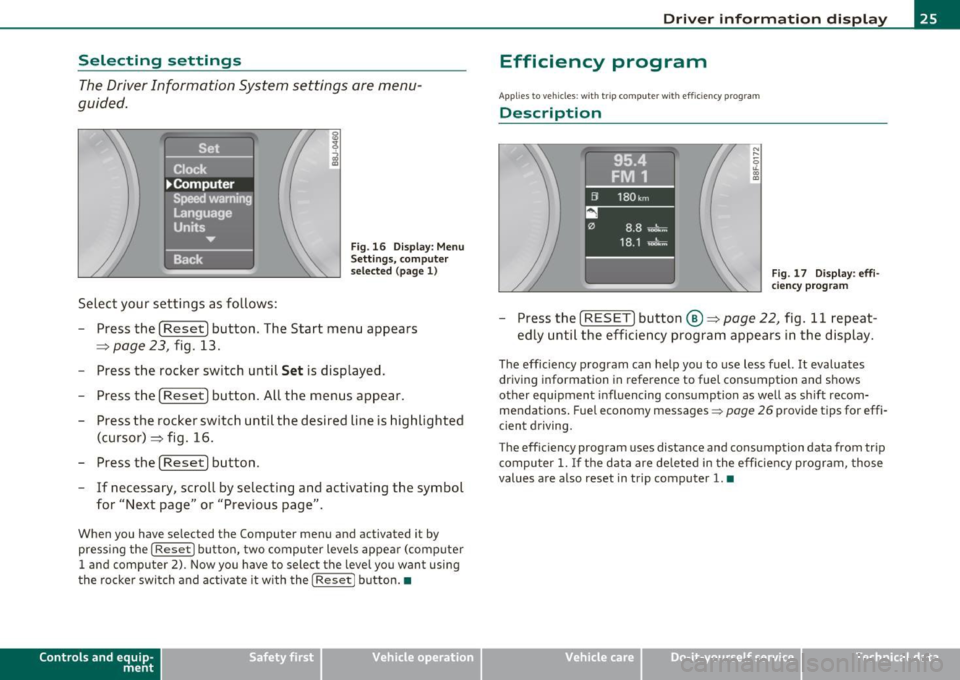
Select your settings as follows :
Fig. 16 Display: Menu
Se ttings, com pute r
selec ted (page 1)
- Press the [Reset] button. The Start menu appears
=> page 23, fig. 13.
- Press the rocker switch until
Set is displayed.
- Press the [
Reset] button. All the menus appear.
- Press the rocker switch until the desired line is highlighted
(cursor)::::> fig . 16.
- Press the [
Reset] button.
- If necessary, scroll by selecting and activating the symbol
for "Next page" or "Previous page".
When you have selected the Computer menu and activated it by
pressing the
I Reset I button, two computer levels appear (computer
1 and computer 2). Now you have to select the level you want using
the rocke r swi tch and activate it w ith the
I Reset j button. •
Contro ls a nd e quip
m en t Vehicle
OP-eration
Driver inf ormation display
Efficiency program
App lies to vehicles: with t rip c omputer with efficiency prog ram
Description
Fig . 17 Display: effi
cie ncy p rogra m
-Press the [ RESET] button@::::> page 22, fig . 11 repeat-
edly until the efficiency program appears in the display.
The efficiency program can help you to use less fuel. It evaluates
driving information in reference to fuel consumption and shows
other equipment influencing consumption as well as sh ift recom
mendations . Fuel economy messages =>
page 26 provide tips for effi
cient driving.
T he effic iency program uses distance and consumption data from trip
compu ter
1. If the data are de leted in the efficiency program, those
values are also reset in trip computer
1. •
Vehicle care Do-it-yourselt service iTechnical data
Page 29 of 320
Service interval display
The service interval display reminds you when your next
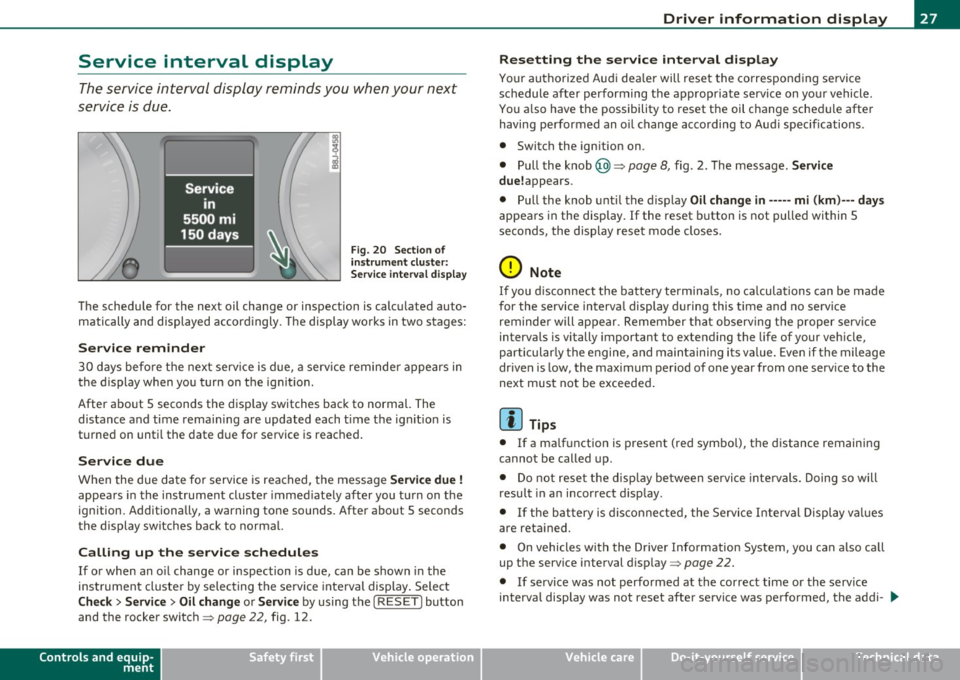
service is due.
Fi g. 20 Sec tio n of
in strum ent clu ste r:
Se rvice inte rv a l displ ay
The schedu le for the next oil change or inspection is calcu lated auto
matically and displayed accor dingly. The display works in two s tages:
Service rem inder
30 days befo re the nex t serv ice is d ue, a serv ice reminde r appears in
the display when you turn on the ignit ion .
After abo ut 5 seconds the d isp lay switches back to normal. The
distance and time rema ining are updated each t ime t he ig nitio n is
t u rne d on unti l the date due for service is reac hed.
Service due
When the due da te for service is rea ched, t he mess age Service due!
appea rs in the instrument cl uste r immed iate ly after you t urn on t he
ignition . Additionally, a warning tone sounds. Afte r abo ut 5 seconds
t he display sw itches back to normal.
Calling up the service schedules
If or when an o il change or inspec tion is due, can be s hown in the
ins trumen t cluste r by se lec ting the se rvice inte rval display . Select
Check > Service > Oil change or Service by using the [ RESET] button
and the rocke r switch =>
page 22, fig. 12 .
Controls and equip
ment Safety first
Driver information display
Resetting the service interval display
You
r authori ze d Au di dea ler will reset the correspon ding se rvice
schedule after performing the a pprop ria te serv ice on you r vehicle.
Yo u also have t he possibility to reset t he oil c hange sche dule afte r
having performed an o il change according to Aud i specif ications .
• Switch the ign ition on .
• Pull the knob @=>
page 8, fig. 2 . T he m essag e. Service
due! appears.
• P ull the knob unti l the d is p lay
Oil change in----- mi (km) --- days
appea rs in the display. If the reset b utton is not pulled within 5
seco nds, the display reset mode closes.
0 Note
If you d isconn ect the batte ry termina ls, no ca lcula tions can b e mad e
for the service interva l display during this time and no serv ice
reminde r will appear. Remember that observing t he pr oper serv ice
interva ls is vitally important to extending the life of your veh icle,
p a rti cul arly the e ngine, and main taini ng it s v alue. Eve n if the mileage
dr ive n is low, the maximum per iod of one year from one serv ice to the
next must not be exceeded .
[ i ] Tips
• If a ma lf u nction is present ( red sym bo l), the d istance remaining
canno t be called up .
• D o not rese t the disp lay be tween servi ce int ervals . Doing so w ill
resu lt in a n incor rect d isp lay.
• If the b attery is di sconne cte d, the Se rvice Interval Di spl ay val ue s
are reta ined .
• On vehicles wit h the Dr ive r Info rm ation Syste m, you can a lso ca ll
up t he service interval disp lay =>
page 22.
• If se rv ic e was not perfo rmed at th e correc t time or the s erv ice
interval display was not reset after service was pe rformed, the addi- .,,_
Vehicle care Technical data
Page 31 of 320
Speed warning 1: setting a speed Limit
Warning threshold 1 is set by the button.
Storing the maximum speed
- Drive at the desired maximum speed.
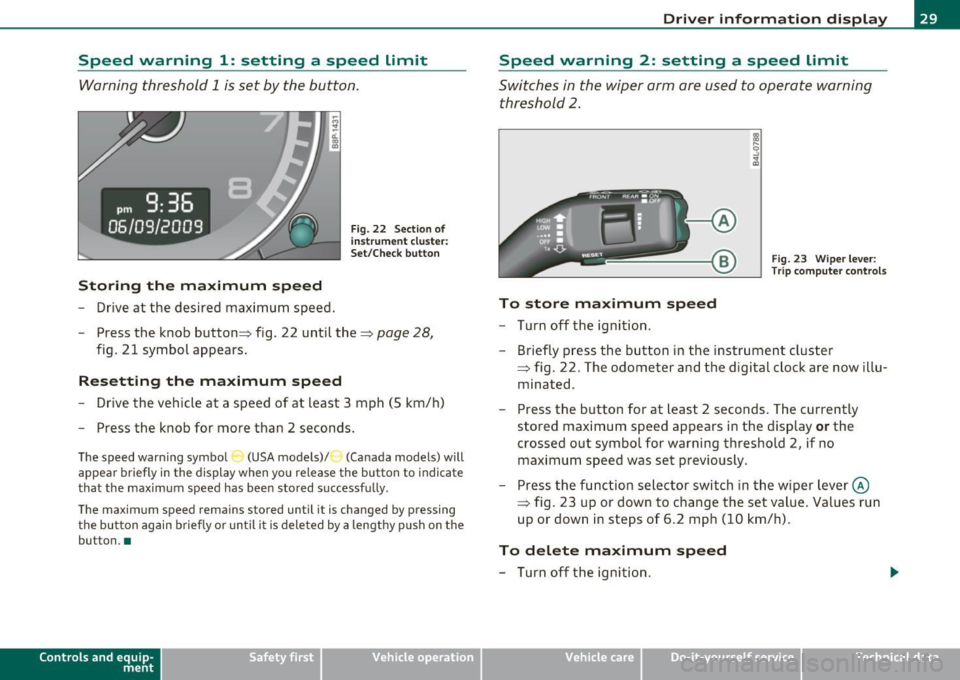
Fig. 22 Section o f
in st rum ent cluster:
Set/Check button
- Press the knob button :::} fig. 22 until the :::} page 28,
fig. 21 symbol appears.
Resetting the maximum speed
- Drive the vehicle at a speed of at least 3 mph (5 km/h)
- Press the knob for more than 2 seconds.
The speed warning symbo l (USA models) /') (Canada models) will
appear briefly in the display when you release the button to indicate
that the maximum speed has been stored successfully .
The maximum speed remains stored until it is changed by pressing the button again briefly or until it is deleted by a lengthy push on the
button. •
Contro ls a nd e quip
m en t Vehicle
OP-eration
Driver information display
Speed warning 2: setting a speed Limit
Switches in the wiper arm are used to operate warning
threshold
2.
Fig. 23 Wiper lever:
Trip computer controls
To store maximum speed
- Turn off the ignition.
- Briefly press the button in the instrument cluster
=> fig. 22. The odometer and the d igital clock are now illu
minated .
- Press the button for at least 2 seconds. The currently
stored maximum speed appears in the display
or the
crossed out symbol for warning threshold 2, if no maximum speed was set previously .
- Press the function selector switch in the wiper lever@
=> fig. 23 up or down to change the set value . Values run
up or down in steps of 6.2 mph (10 km/h).
To delete maximum speed
- Turn off the ignition.
Vehicle care Do-it-yourselt service iTechnical data
Page 33 of 320
Engine oil sensor malfunction =>page35
._ -
Engine speed limitation =>page34
Diesel particulate filter =>page34
Worn brake pads =>page35
USA models : =>page35 Speed warning 1
Canada models: =>page35 Speed warning 1
USA models : =>page35 Speed warning 2
Canada models: =>page35 Speed warning 2
!! Dynamic headlight range control*
defective
=> page35
Con tro ls a nd e quip
m en t
Windshield washer fluid level low => page35
Battery voltage too high or too low => page 35
Defective light bulb =>page36
USA models : =>page36
Defective brake light
Canada models : =:>page36
Defective brake light
Light/rain sensor defective (auto-
=> page 36
matic headlights)* defective
Tire pressure monitor ing system*
=> page 36
Vehicle OP-eration
Driver information display
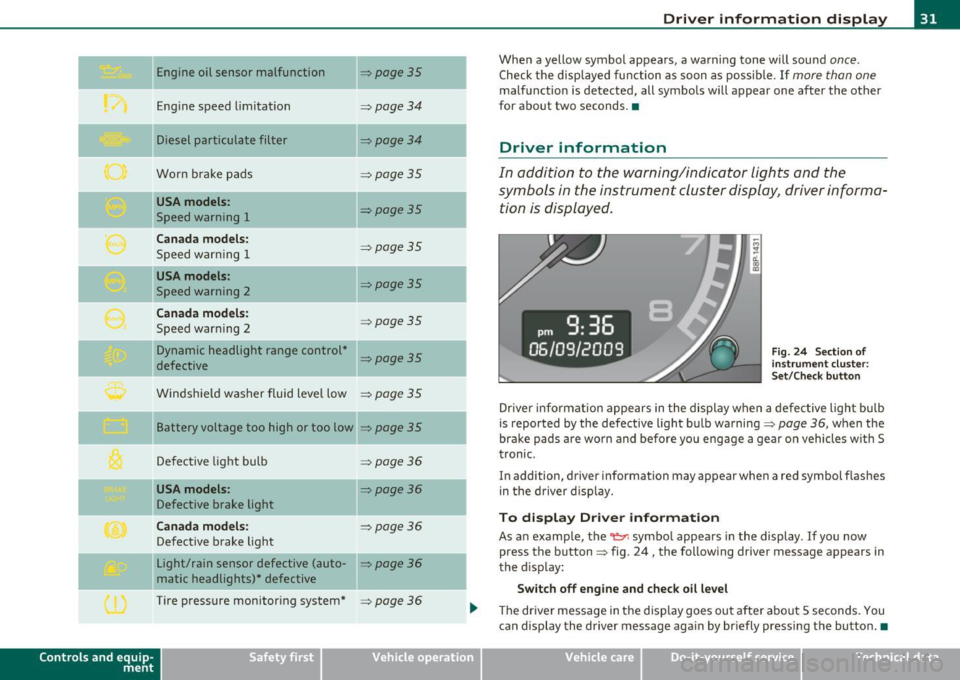
When a yellow symbol appears, a warning tone will sound once.
Check the displayed function as soon as possible . If more than one
malfunction is detected, all symbols will appear one after the other
for about two seconds .•
Driver information
In addition to the warning/indicator lights and the
symbols in the instrument cluster display, driver informa
tion is displayed .
-~ a:.. CD m
Fig. 24 Section of
instrument cluster:
Set/Check button
Driver information appears in the display when a defective light bulb
is reported by the defective light bulb warning=>
page 36, when the
brake pads are worn and before you engage a gear on vehicles w ith S
tronic .
In addition, driver information may appear when a red symbol flashes
in the driver disp lay.
To display Drive r information
As an example, the~ symbol appears in the display . If you now
press the button => fig. 24, the following driver message appears in
the disp lay:
Switch off engine and check oil level
The driver message in the display goes out afte r about 5 seconds. You
can display the driver message again by br iefly pressing the button .•
Vehicle care Do-it-yourselt service iTechnical data
Page 35 of 320
If the generator warning/indicator light shou ld also illuminate
=> page 15, t hen t he fan belt m ay be damaged .
& WARNING
• If your vehicle should break down for mechanical or other
reasons , pa rk at a safe distance from mo ving traffic, turn off the
engine and turn on the hazard warning lights=>
page 59, "Emer
gency flasher
A. ".
• Never open the hood if you see or hear steam or coolant
escaping from the engine compartment -you risk being scalded.
Wait until you can no longer see or hear steam or coolant
escaping .
• The engin e compartment of any vehicle i s a dangerou s ar ea .
Before you p erform any work in the engine compartment , turn off
the engine and allow it to cool. Follow the warning sti ckers
=> page 218 , "Engine compartment ".
0 Note
Do not continue driving if the -¥- symbol illuminates . There is a
ma lf u nction in the engine coo ling sys tem -yo u could damage your
eng ine. •
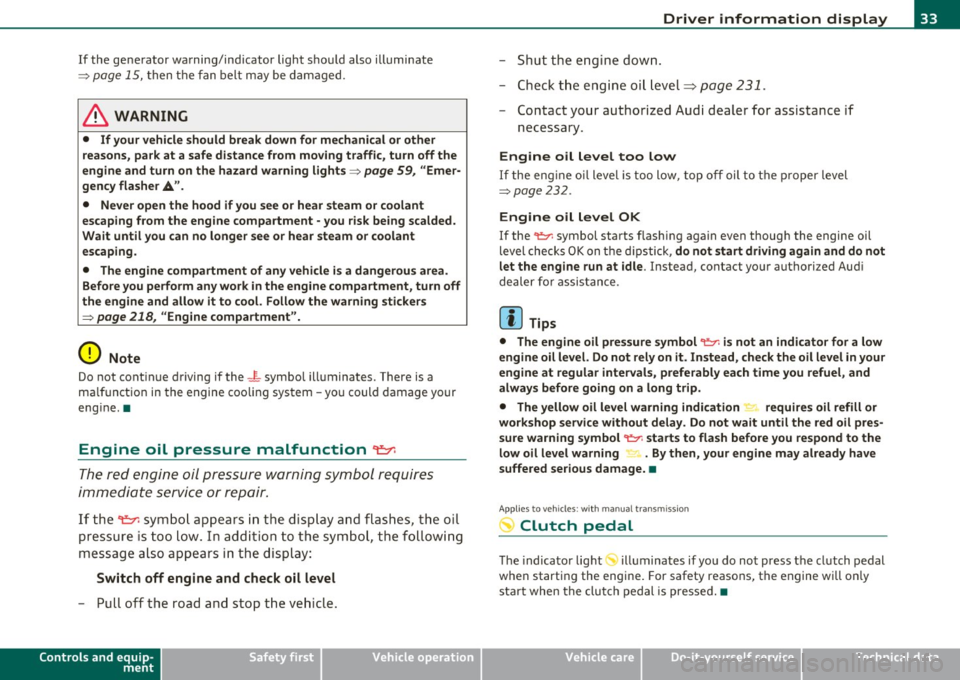
Engine oil pressure malfunction ~
The red engine oil pressure warning symbol requires
immediate se rv ice o r repair.
If the 9=r. symbo l app ears in the d is pl ay a nd flash es, th e oil
p ressure is to o lo w . In add ition to the sym bol, the f ollow ing
messag e al so a pp ea rs in the dis play :
Switch off engine and check oil level
- P ull off the road a nd stop t he ve hicle.
Controls and equip
ment Safety first
Driver information display
-
Shut the eng ine down .
- Check t he eng ine oi l level=>
page 231 .
-Contact your authorized Aud i dea le r for assis tance i f
necessary .
Engine o il level too low
If the eng ine oi l leve l is too low , top off oil to t he p roper level
=>page 232.
Engine oil level OK
If the 't'!::;r. symbol starts flashing again even thoug h the engine oil
level checks O K on t he d ipstick,
do not start driving again and do not
let the engine run at idle .
Instead, contact you r authorized Audi
dealer fo r assis tance.
[ i ] Tips
• The engine oil pressure symbol 'I=:?: is not an indic ato r for a low
engine oil level. Do not rely on it . Instead , check the oil level in your
engine at regular intervals , preferably each t ime you refuel, and
always before going on a long tr ip .
• The yellow oil level warning indication requires oil refill or
workshop service without de lay . Do not wait until the red oil pre s
s ure warning symbol~ starts to flash before you respond to the
low oil level warning _, . By then, your engine may already have
s uffered serious damage. •
Applies to vehicles: with manual trans miss ion
-;y Clutch pedal
T he indica tor lig ht illuminates if you do no t press t he cl utch pedal
when starting the engine . For safety reasons, the engine will only
sta rt when the clut ch pedal is pressed. •
Vehicle care Technical data
Page 38 of 320
Driver information display
Defective light bulb warning
The defective light bulb warning tells you when a vehicle
light bul b has become defective .
If a defective bu lb has been detected by the system or a light bulb
burns ou t, the symbo l w ith a message appea rs in the display to te ll
you which bulb is burnt out and where it is located. For example:
Rear left turn signal
After 5 seconds, the message d isappears . If you want to recall the
message into t he disp lay, press the CHECK button ::::,
page 8, fig. 2
® ·
There are three reasons w hy the defective bulb message would
appea r in the d ispl ay :
• The light bulb has burnt out::::,
page 285 .
• Th e fuse is "b lown" ::::, page 281, "R ep laci ng fuses".
• The wire connect io n to the light bulb is defective.
Have the bu lb rep lace d or the connec tion repa ired by your au thor ize d
Audi Service department.
& WARNING
• Light bulbs are pressurized and could e xplode while they are
being changed cau sing seriou s personal injur y.
• Work with due care when handling the high-voltage section of
ga s di scharge (xenon ) lamp s. Failing to do so could re sult in death
or se rious injury !•
Brake light defective B • urn (USA
models)/ (Canada models)
In case of a malfunct ion or component fai lure, the symbol
(USA models)/ (Ca nada models) can appea r. The following elec· trical components should be checked
, repaired or rep laced, as neces
sary:
• Brake ligh t bul bs
• All wiri ng connec tions
• Brake light switch
C on tact your au thorized A udi deale r for assistance if necessary .
(I) Tips
The brake light switch is on ly inspected as part of the functional check
after the engine is sta rted .•
A pplies to veh icles: w ith au toma tic head ligh ts
Light/rain sensor defective
The indicator light indicates a defec t in the automatic
headlights/automatic wi per system.
If the symbo l ill umina tes, the ligh t se nso r has failed. Fo r safety
reasons, the low beams are turned on permanen tly with the sw itch in
AUTO . However, you can continue to t urn the lights on and off using
the light sw itch . In the case of a defec t in the ra in se nsor, the wi nd
shield wiper lever functions are still avai lab le . Have the light/rain
s ensor che cked as soon a s poss ible at an a uth oriz e d Au di dea le r.•
A pp lies t o veh icles : wit h tire p ressure mon itoring system
Tire pressure monitoring system )
Tire press ure that is too lo w m ust be correc ted as soon a s
possible.
If the symbo l flashes for about one min ute after the igni
tion is sw itc hed on and then re m ain s on, t here is a malfu nc
tion i n the syste m. Co nsu lt the neares t au thori zed Aud i
d ealer a s so on as possib le.
~
Page 41 of 320
![AUDI A3 2011 Owner´s Manual (]] Tips
• If you open the dr ivers doo r with the key left in the ign it ion loc k,
a chime will sound . This is your reminder to remove the key and lock
t he doo r.
• F](/img/6/40268/w960_40268-40.png "AUDI A3 2011 Owner´s Manual (]] Tips
• If you open the dr ivers doo r with the key left in the ign it ion loc k,
a chime will sound . This is your reminder to remove the key and lock
t he doo r.
• F")
(]] Tips
• If you open the dr iver's doo r with the key left in the ign it ion loc k,
a chime will sound . This is your reminder to remove the key and lock
t he doo r.
• For security reasons, replacement keys are only available from
au thorized A ud i deale rs .•
Master key with remote control
The remote control allows you to lock or unlock the
vehicle electronically.
Fig. 26 Fold-u p
m aster key w ith
re mote co ntrol
- To fold the key out and bac k in place, press the re lease
button==> fig. 26 .
The transmitter and battery are located in the head of the remote
cont rol. The receiver is located inside the veh icle. The maximum
effect ive ra nge depends on severa l things . Remember, if the battery
is weak, the effect ive range decreases.
If you need to replace the remote control, or if you need to have it
repaired, yo u mus t see your authori zed Aud i dealer. Only then can yo u
use the key again .
Contro ls a nd e quip ·
m en t Vehicle
OP-eration
Opening and closing
(]] Tips
• If the ignitio n is switched on, the remote con trol system is deacti
vated.
• T he remote control system can be affected by other systems oper·
ating in the same frequency range close to the veh icle, such as mobile
t elephones, te levision broadcasti ng stations, etc.
• For Declaration of Compliance to United States FCC and Industry
Canada regulations=:>
page 303 . •
Check light in remote master key
The check light in the r em ote m aster ke y indi cat es the
state of charge of the battery .
State of master key battery
Fig. 27 C hec k ligh t in
the maste r key
When a button is pressed, the check light flashes=:> fig . 27 (arrow) .
If the check light does not come on or flas h, the batte ry is dead and
has to be rep laced.
Battery replacement =>
page 40. •
Vehicle care Do-it-yourselt service iTechnical data
Page 45 of 320

• In order to make sure the locking funct ion is working, you should
a lways keep your eye on t he vehicle to ma ke sure it is p roperly lo ck ed.
• Do not use the remote contro l if you are inside the car, otherwise
yo u may u nintent ionally loc k the veh icle, and then you would set off
the ant i-theft a larm when you try open a door . In case t his happens
anyhow, push the unl ock button@.
• Use the panic function on ly if you are in an emergency situation. •
Resetting the remote control
The remote control must be reset if the vehicle does not
unlock .
- Press the unlock but ton en on the remote control.
- Manually un lock the driver's door lock with t he mechanical
key w ithin 30 seconds.
- Press either the lock-
rn or the unlock m b utton to
complete the reset sequence .•
Con tro ls a nd e quip
m en t Vehicle
OP-eration
Opening and closing
Doors, power locks
Operating the Locks with the fold-out key
To lock and unlock the vehicle from th e outside, turn the
key in the lock of the driver's door .
N
-N
-a:. gi
Fig. 30 Key turn s for
o pe ning and closing .
To unlock all doors and the rear lid
- Turn the key to positi on @ :::::> fig. 30 to unlock the vehi cle
To lock the vehicle
- Close all windows and doors properly .
- Tu rn t he key in the lock of the driver's door to the lock
posi tion @=>
& in "General descr iption" on page 40.
When you unlock yo ur vehicle:
• The a nti -theft alarm system is deactivated .
• Th e vehicle interior lights illumina te for approximate ly 30
seco nds.
When you
lock the vehicle:
• All doors and the rear lid are loc ked.
• The anti-theft alarm system is activated.
• The vehicle inter ior lights turn off .
Vehicle care Do-it-yourselt service iTechnical data
Page 47 of 320

& WARNING (continued)
tance to vehicle occupants and hold up rescue efforts from the
outside in an accident or other emergency.
(I) Tips
If the vehicle has been locked manually with the key or with the
remote control, the central locking switch is inoperative. •
Rear power locking switch
There is also a power locking switch in the rear center
console for passengers sitting in the rear.
Fig. 32 Rear power
locking switch
-Press switch rD => fig. 32 to lock the vehicle=> & in
"Locking and unlocking the vehicle from inside" on
page 44.
This switch does not unlock the doors .
See also=> page 44, "Locking and unlocking the vehicle from
inside". •
Contro ls a nd e quip
m en t Vehicle
OP-eration
Opening and closing
Rear lid c:::::5
The rear lid is opened by the power locking system using
the
.c::s button.
Opening the rear lid
Fig. 33 Driver's door,
rear bottom: remote
rear lid release
Fig. 34 Handle loca
tion in the rear lid
- Pull the switch c::::5 => fig. 33 in the driver's door.
- Unlock the rear lid by pressing the~ button on the
remote control=> fig . 33.
- Lift the lid
=> fig. 34.
Vehicle care Do-it-yourselt service iTechnical data
Page 49 of 320
-Place the key in the round opening behind the cover@
and turn the key in the direct ion of the arrow . This unlocks
the lock and the rear lid opens a crack.
- Open the rear lid from the outside and put the ignition key
in a safe place. •
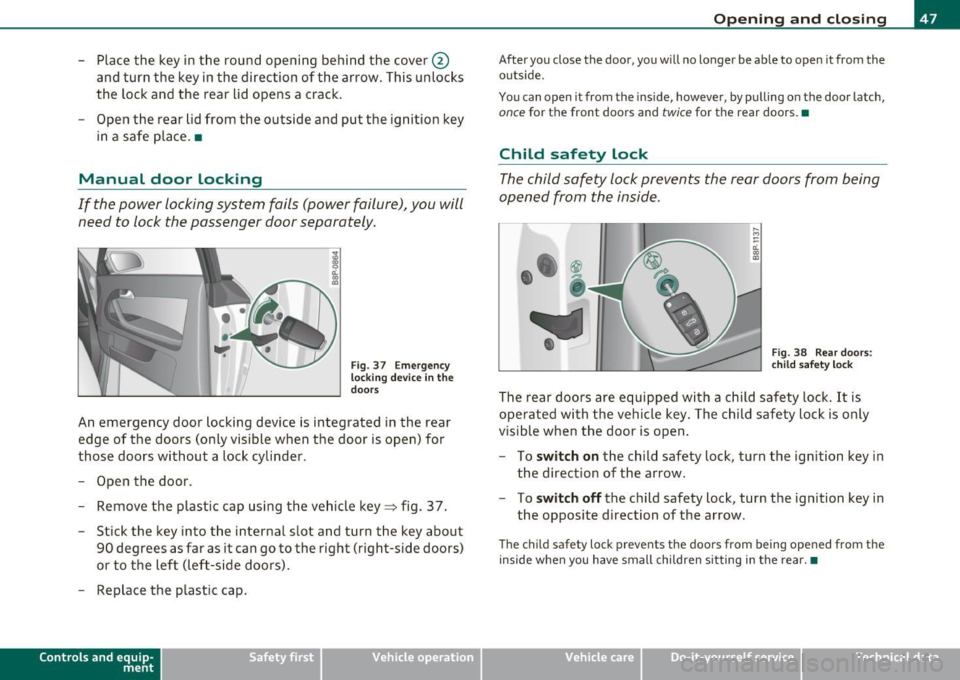
Manual door locking
If the power locking system fails (power failure), you will
need to lock the passenger door separately.
i a:.
"' "'
F ig. 3 7 Em ergency
lo cking devic e in the
doo rs
An emergency door locking device is integrated in the rear
edge of the doors (only visible when the door is open) for
those doors without a lock cylinder .
- Open the door.
- Remove the plastic cap using the veh icle key~ fig. 37 .
- Stick the key into the internal slot and turn the key about
90 degrees as far as it can go to the righ t (right-side doors)
or to the left (left-side doors).
- Replace the plastic cap.
Con tro ls a nd e quip
m en t Vehicle
OP-eration
Opening and closing
After you close the door, you will no longer be able to open it from the
outs ide.
You can open it from the inside, however, by pulling on the door latch,
once for the front doors and twice for the rear doors.•
Child safety lock
The child safety lock prevents the rear doors from being
opened from the inside.
,._ M
-
-a:. a, (0
Fig. 38 Rear doors:
c h ild safety loc k
The rear doors are equipped with a child safety lock. It is
operated with the vehicle key . The child safety lock is only
visible when the door is op en .
- To
switch on the child safety lock, turn the ignition key in
the direction of the arrow.
- To
switch off the child safety lock, turn the ignition key in
the opposite direction of the arrow.
The child safety lock prevents the doors from being opened from the
inside when you have small children sitting in the rear. •
Vehicle care Do-it-yourselt service iTechnical data