window AUDI A3 2011 Owner´s Manual
[x] Cancel search | Manufacturer: AUDI, Model Year: 2011, Model line: A3, Model: AUDI A3 2011Pages: 320, PDF Size: 75.79 MB
Page 66 of 320

Clear vision
Applies to veh icles : w ith automat ically dimm ing inside mirror
Automatically dimming inside mirror
The automatic dimming function can be turned on and
off if required .
Disabling auto dimming
Fig . 60 I nside rea r
v ie w mirror
- Press butt on @ ~ fig . 60 brie fly, -the green indic ator
light ® goes out.
Activating/reactivating auto dimming
- Press button @ briefly, -the green indicator ligh t® goes
on.
Automat ic dimming function
The automatic dimming function is activated every time the ignition
is turned on. The g ree n indicator light is lit to indica te auto d imming
is active.
W hen dimm ing is act ivated, the inside mir ror w ill darke n
automati
cally
in response to the amou nt of light striking the mirror (such as
head lights from rearward approaching vehicles). Even in d imming
mode, the mirror surface turns br ight when:
• the interior light is switched on
• reverse gear is engaged.
& WARNING
Broken glass of automatic dimming mirror can cause electrolyte
fluid leakage . Electrolyte fluid can irritate skin , eyes, and respira
tory system .
• Repeated or p rolonged expo sur e to electrolyte can cau se irrita
tion to the resp iratory system, esp ecially among people with
asthma or other r espiratory conditions. Get fre sh air immediately
by le aving the vehicl e or, if that is not po ssible , open window s and
doors all the wa y.
• If ele ctrolyte gets into the eye s, flush them thoroughly with
large am ount s of clean water f or at lea st 15 minute s; medical
attention is re commended .
• If electrolyte contacts skin , flush affected area with clean
water for at l east 15 minutes and then wash aff ected area with
s oap and water; medical attention is rec ommended . Thoroughly
wash affected clothing and shoe s before reu se.
• If swallowed and person i s con sciou s, rinse mouth with water
for at least 15 minutes. Do not induce vomit ing unle ss instru cted
to do so by medical profe ssional. Get medical attenti on immedi
ate ly .
0 Note
Liquid e lectrolyte leaked from a broken mir ror g lass will damage any
plastic surfaces it comes in contact with. Clean up spi lled electrolyte
immediately with clear wate r and a sponge.
[I) Tips
• Check to make su re t he re are no obje cts preventing light from
reac hing the inside mirror.
• Do not attach any st ick er s to the w indshield in front of the light
sensor, as this would interfere with the a utomatic operation of the
head lights and the a utomat ic dimming of the inside mir ror. •
Page 68 of 320
Clear vision High wiper speed
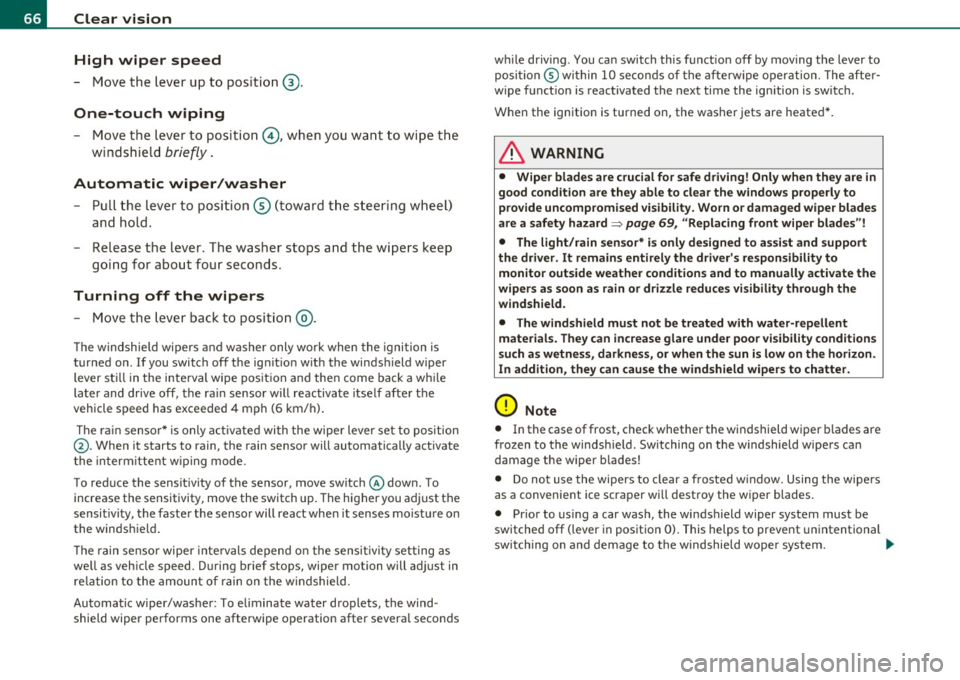
- Move the lever up to posi tion ® ·
One-touch wiping
- Move the lever to position 0, when you want to wipe the
w indsh ie ld
briefly .
Automatic wiper/washer
-Pull t he lever to posi tion ® (t oward t he s tee ring w heel)
and hold.
- R elease t he lever . T he washer stops and the wipers keep
goi ng for about four seco nds .
Turning off the wipers
- Move the lever bac k to posi tion ®·
The w indshield wipe rs an d washer only wo rk when the igni tion is
tur ned on. If you switch off t he ig nition w ith the winds hield wiper
lever st ill in the inte rval wipe pos it ion and then come back a wh ile
later and drive off , the ra in sensor wi ll reactivate itself after the
vehicle speed has exceeded 4 mph (6 km/ h).
The r ain senso r* is only activated with the wipe r lever set to position
@ . When it starts to rain, the rain sensor will automatically act ivate
t he in term itte nt w ip ing mode .
To red uce the sensit iv ity of the sensor, move sw itch @dow n. To
increase the sensitivity, move the switch up. The higher you adjust the
sensitivity, the faster the sensor will react when it senses moistu re on
the windshield .
Th e rain senso r wipe r inte rvals dep end on the sensi tivi ty set ting a s
well as veh icle speed. During brief stops , wiper motion will ad just in
re lation to the amoun t of rain on the w indshield.
Automatic wiper/was her: To eliminate water droplets, the wind
shield wiper pe rforms one afterwipe operation after severa l secon ds w
hile driv ing. You can switch this funct ion off by moving the lever to
posi tion ® within 10 seco nds of the afterw ipe o per ation . T he afte r
w ipe funct ion is reactivated the next time the ignition is switc h.
When the ignition is turned on, the washer jets are heated *.
& WARNING
• Wiper bl ades are crucial for safe driving! Only when they are in
good condition are they able to cl ear the windows properly to
pro vide uncompromised vi sibility. Worn or damaged wiper bl ade s
are a safety hazard=>
page 69, "Replacing front w iper blades"!
• The light/rain sensor* is only designed to assist and support
the driver. It remains entirely th e driver's responsibility to
monitor outs ide weather condit ions and to manually ac tivate the
wip ers as soon as rain or dr izzle reduces visibility through the
windshield.
• The windshield must not be treated with water-repellent
mater ial s. They can increase glare under poor visibility conditions
such as wetness, darkness, or when the sun is low on the horizon.
In addition , they can cause the windshield wipers to chatter.
0 Note
• In the case of frost, check whether the windshield wiper blades are
fro zen to the windsh ie ld. Switching on t he w indshield wipe rs can
damage the wiper blades!
• Do not use the wipers to clear a frosted w indow . Using the wipe rs
as a convenient ice scraper will destroy the wiper blades.
• Prior to us ing a car was h, the winds hield wiper system must be
sw itched off (lever in posit io n 0). This helps to prevent unintentional
switching on and demage to t he windshield woper sys tem. ..,.
Page 69 of 320
![AUDI A3 2011 Owner´s Manual (]] Tips
• The w indshield wipers are switched off when the ign ition is tu rned
off . Activate the windshield wipers after the ignition is switched back
on by mov ing the w i](/img/6/40268/w960_40268-68.png "AUDI A3 2011 Owner´s Manual (]] Tips
• The w indshield wipers are switched off when the ign ition is tu rned
off . Activate the windshield wipers after the ignition is switched back
on by mov ing the w i")
(]] Tips
• The w indshield wipers are switched off when the ign ition is tu rned
off . Activate the windshield wipers after the ignition is switched back
on by mov ing the w indshield wipe r leve r to any pos ition.
• Worn or dirty windshield w iper blades cause smearing, which can
affect the operat io n of the l ight/rain sensor*. Check t he condi tion of
your windshield wiper b lades regularly.
• The rain sensor is part of the inte rval wiping system . Turning off
the ignition will also deactivate the rain sensor. To reactivate the
sensor, switch off the inte rval wiping funct ion, the n switch it back on
again .
• Applies to veh icles with light/ra in sensor: When the w ipers are
switched on manually and in rain conditions, the automatic head
lights* turn on~
page 56, "Switching the headlights on and off ·f!: "
or off during the day when the wipers are no longer operating. The
au tomatic headlights* func tion is available in t his case only when the
light switch is in the "AUTO" position~
page 56, fig. 49.
• Make su re the washe r fl ui d reservoir in the eng ine compartment is
topped off before going on a long trip. Look up::::)
page 243 for
check ing and fill ing t he washer conta iner.
• The wipers only operate with the hood completely closed. •
Contro ls a nd e quip
m en t Vehicle
OP-eration
Clear vision
Rear window wiper cs;J
The wiper lever is also used to operate the rear windo w
w iper and the automatic wiper/ washer function .
Fig . 63 Wi per lev er:
a ct iva ting the rear
w indow wi per an d
w ashe r
The rear window w iper and t he au tomatic wiper/washer func
tions are activated as follows:
Intermittent wiping
- P ush the wipe r lever forward towards the dashboard and
to the
first position ©~ fig. 63 . T he rear window wiper
w ill wipe the win dow approx. every four seco nds.
Automatic wiper/washer function
- Push the wiper lever forward to the second stop, position
0 , and ho ld it there for as long as you want the rear
wiper/washer to operate.
- Release the lever aga in. T he wiper w ill keep run ning for
app rox . four seco nds .
Switching intermittent wiper action off
- Pull the lever a ll the way back to the original posi tion.
Vehicle care Do-it-yourselt service iTechnical data
Page 70 of 320
Clear vision
in. WARNING
Wiper blades are crucial for safe driving! Only in good condition are they able to clear the windows properly to provide unrestricted
visibility. Worn or frayed wiper blades are a safety hazard!
=> page 69, "Replacing front wiper blades"
(D Note
In freezing or near freezing conditions:
• Always check that the wiper blades are not frozen to the glass
before you turn the wiper on. Loosen a wiper blade which is frozen in
place before operating the wiper to prevent damage to the wiper
blade or the wiper motor.
• Do not use the wiper to clear a frosted window . Using the wipers
as a convenient ice scraper will destroy the wiper blades.
[I) Tips
For better rearward vision when parking, the rear window wiper is
automatically activated one time when the windshield wipers are
switched on and reverse gear is engaged. •
Service position
Replacing the windshield wiper blades is only possible when
you move the wiper arms into the service position. In order to
use the windshield wipers, the hood must be completely
closed. When there is a risk of frost, make sure that the wiper
blades are not frozen to the windshield.
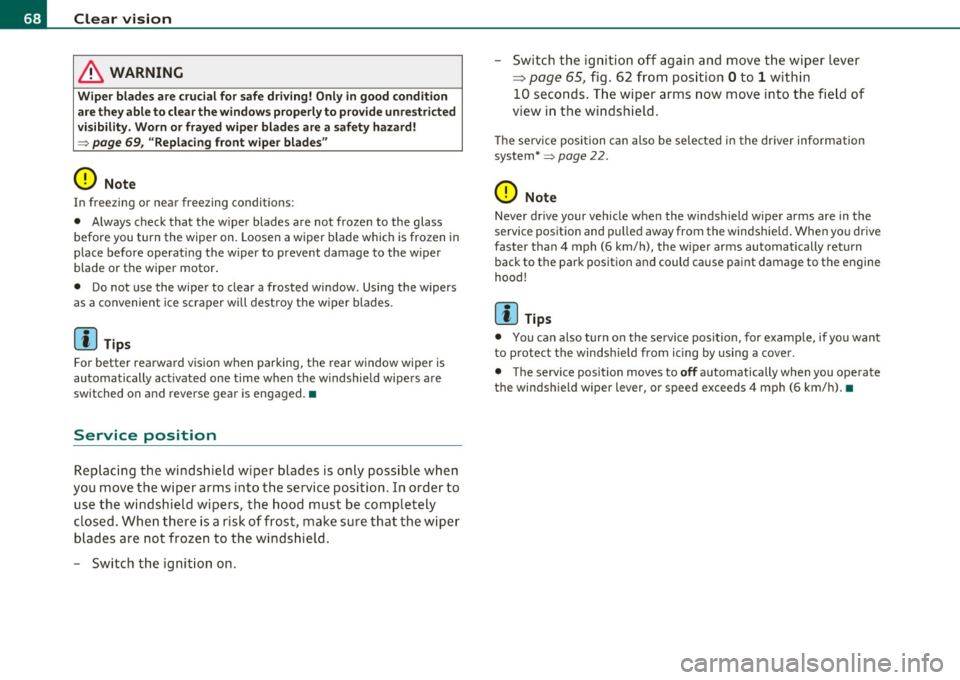
- Switch the ignition on. - Switch the
ignition off again and move the wiper lever
=:> page 65, fig. 62 from position Oto 1 within
10 seconds. The wiper arms now move into the field of
view in the windshield.
The service position can also be selected in the driver information
system*=>
page 22 .
(D Note
Never drive your vehicle when the windshield wiper arms are in the
service position and pulled away from the windshield. When you drive
faster than 4 mph (6 km/h) , the wiper arms automatically return
back to the park position and could cause paint damage to the engine
hood!
[I) Tips
• You can also turn on the service position, for example, if you want
to protect the windshield from icing by using a cover.
• The service position moves to
off automatically when you operate
the windshield wiper lever, or speed exceeds 4 mph (6 km/h). •
Page 72 of 320
Clear vision
& WARNING (continued)
for example with insects, carefully clean the wiper blades with a
sponge or a soft brush.
• For your safety, you should replace the wiper blades once or
twice a year. See your authorized Audi dealer for replacement
blades.
0 Note
• The wiper blades may only be changed=> page 68 in the service
position! Otherwise, you risk damaging the paint on the hood or the
windshield wiper motor.
• You should not move your veh icle or press the windshield wiper
lever when the wiper arms are folded away from the windshield. The
windshield wipers wou ld move back into their original position and
could demage the hood and windshield.
• To help prevent damage to the wiper system, always loosen
blades which are frozen to the windshield before operating wipers.
• To help prevent damage to w iper blades, do not use gasoline,
kerosene, paint thinner, or other solvents on or near the wiper
blades.
• To help prevent damage to the wiper arms or other components,
do not attempt to move the wipers by hand .
(I) Tips
• Commercial hot waxes applied by automatic car washes affect the
cleanability of the glass surface.
• You can also use the service position, for example, if you want to
protect the windshield from icing by using a cover.
• You cannot act ivate the service position when the hood is open.
• Th e front wiper blades are different lengths; the blade on the
driver's side is longer.•
Changing the rear wiper blade
Removing the wiper blade
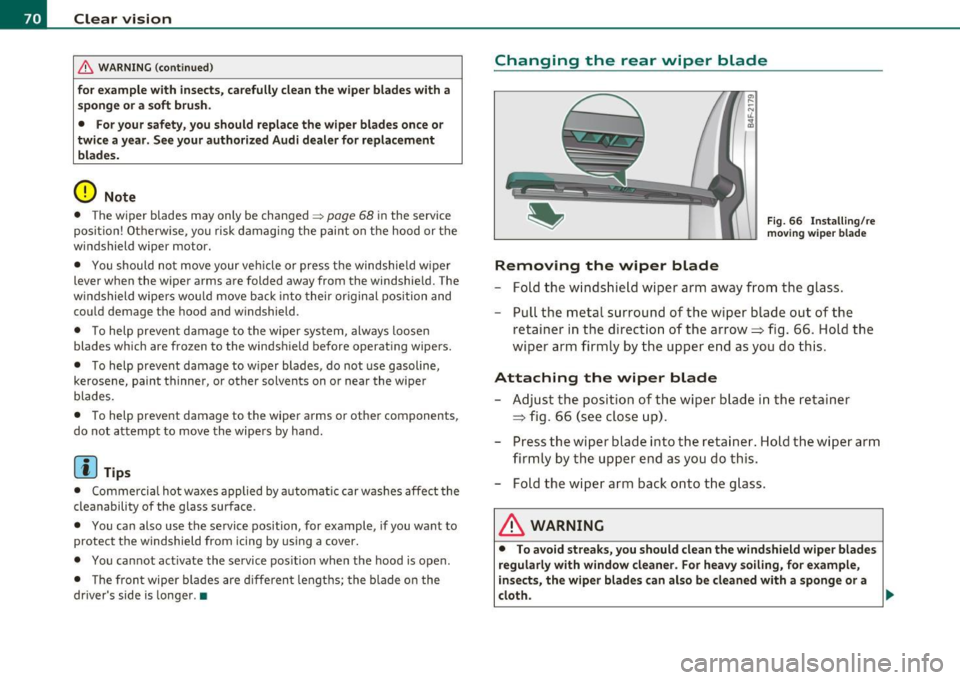
Fig. 66 Installing/re
moving wiper blade
- Fold the windshield wiper arm away from the glass.
- Pull the metal surround of the wiper blade out of the
retainer in the direction of the arrow =:> fig. 66. Hold the
wiper arm firmly by the upper end as you do this.
Attaching the wiper blade
-Adjust the position of the wiper blade in the retainer
~ fig. 66 (see close up).
- Press the wiper blade into the retainer. Hold the wiper arm
firmly by the upper end as you do this.
- Fold the wiper arm back onto the glass.
& WARNING
• To avoid streaks, you should clean the windshield wiper blades
regularly with window cleaner. For heavy soiling, for example,
insects, the wiper blades can also be cleaned with a sponge or a
cloth.
~
Page 75 of 320
Seats and storage
General recommendations
Why is your seat adjustment so important?
The safety belts and the airbag system can only provide
maximum protection if the front seats are correctly
adju sted.
Th ere are several dif ferent ways you can ad just the d river's sea t and
t he front passenger's seat so that it confo rms to your body size .
It is
especially important t hat the seat be adjusted properly so that:
• you can easily and quickly reach a ll the switc hes and contro ls in the
ins trumen t pa nel
• your body is properly supported thus reducing phys ica l stress and
fatigue
• the safety be lts and airbag system can offer maximum protection
=>
page 145
In the follow ing chapters, you will see exactly how you can best adjust
your sea ts .
Th ere are special regulations a nd instr uctions for install ing a child
safety seat on the front passenger 's seat. Always heed the informa
tion regarding child safety p rovided in=>
page 167, "Child Safety ".
& WARNING
Incorrect seating posit ion of the driver and all other passengers
can result in seriou s personal injury.
• Always keep your feet on the floor when the vehicle is in
motion -never put your feet on top of the instrument panel, out
of the window or on top of the seat cushion! This applies especially
to the passengers. If your seating po sition is incorrect you
increase the ri sk of injury in the case of sudden braking or an acci-
Controls and equip
ment Safety first
Seats and storage
& WARNING
(con tinu ed)
dent . If the airbag inflates and the seating position is incorrect
this could result in per sonal injury or even death .
• It is important for both the dri ver and front passenger to keep
a distance of at least 10 inches (25 cm) between themselves and
the steer ing whee l and /or instrument panel. If you're sitting any
closer than this , the airbag system cannot protect you properly. In
addition to thi s, the front seats and head restraints must be
adjusted to your body height so that they can give you maximum
protection .
• Always try to keep as much distance as possible between your
self and the steering wheel or instrument panel.
• Do not adjust the driver's or front passenger 's seat while the
vehicle is moving. Your seat may move unexpectedly, causing
sudden loss of vehicle control and personal injury . If you adjust
your seat while the vehicle is moving, you are out of position. •
Driver's seat
The correc t sea t posi tion is import an t f or sa fe and
rel axed dri ving.
We recomm end that you a djust th e d rive r's sea t in the
fo llowing man ner:
- Ad just the sea t in f ore and a ft dire ct io n so that y ou can
e asily pus h the pe dals to the floor while keep in g you r
kne es slightly bent=>
& in "W hy is yo ur seat a djust m en t
so imp ort an t?".
- Adj ust the sea tbac k so tha t when yo u sit wi th y our back
agai nst the se atba ck, you can sti ll gra sp th e to p of t he
s te er ing w hee l. _..
Vehicle care Technical data
Page 97 of 320
Warm and cold
Climate controls
Description
The air conditioner is fully automatic and is designed to
maintain a comfortable and uniform climate inside the
vehicle .
We recommend the fo llowing sett ings:
- Selec t and se t a tem pera ture between 64
°F (+22 °C) and
84
°F (+28 °().
- Press the [AUTO] but ton .
With this setting, you attain maximum comfort in the least amount
o f ti me. Ch ange th is se tt ing, as desired, to meet your pe rsonal needs.
Th e climate controls are a combination of heating, ventilat ion a nd
coo ling systems, which automatica lly red uce hum idity and cool the
air insi de your vehicle.
T he air temperature, air flow and a ir distribution are automatically
reg ulate d to achi eve and main tain t he desi red passenger compa rt
ment temperature as q uick ly as possible .
Th e system automatica lly compensates for changes in the outside
tempe ra ture and for the intensity of the sunlight enteri ng the
vehicle. We recommend you use the
Automatic mode ~ page 98 for
year- ro und co mfort.
Please note the following:
T urn on the air conditioner to reduce humidity in the vehicle . This also
preven t the wi ndows from fogging up .
When the outs ide temperature is hig h and the air is very humid,
condensation from t he ev apo ra to r m ay d rip under t he veh icle . T his is
normal and does not indicate a leak.
Controls and equip
ment Safety first
Warm and cold
If the outside temp
erature is low , the fan no rma lly only switches to a
highe r speed once the engine coolant has warmed up s ufficient ly .
Th e air condi tioner tempo rari ly swi tches off when yo u drive off from
a standstill using full throttle to save engine power.
Th e comp resso r also switches off if the coolant temperature is too
high so that the engine can be adeq uate ly coo led unde r extreme
loads.
Air pollutants filter
Th e a ir po llutants filter (a combined pa rticle filte r and activated cha r
coa l f il ter) reduces or elim inates outs ide a ir pollution (dus t, or
pollen) from entering the veh icle.
Th e air pollutants fi lter mus t be changed at t he in terv als specified i n
your Warranty
& Maintenance book let, so that the air conditioner can
properly wo rk.
If you dr ive your veh icle in an a rea with high air pollut ion , the fi lter
may need to be changed more frequent ly than specified in your Audi
Wa rranty
& Ma intenance boo klet . If in doubt, ask you r autho rized
Audi Service Advisor for advice.
Energy management
T o prevent the batte ry from being disc harge d an d to restore the
balance of energy, compone nts wh ic h requ ir e large amou nts of
energy are temporarily cut back or sw itched off~
page 194 . Heating
systems in part icular requ ire a g rea t deal of e nergy.
If you notice , for
example, that the rear window heate r is not heating, then it has been
t emporari ly cu t back or sw itched off by
energy management . These
systems are available again as soon as the energy ba lance has been
restore d.
& WARNING
Reduced visibility i s dangerous and can cause accidents.
Vehicle care Technical data
Page 98 of 320
Warm and cold
& WARNING (continued)
• For safe driving it is very important that all windows be free of
ice, snow and condensation.
• Fully familiarize yourself with the proper use and function of
the heating and ventilation system and especially how to defog
and defro st the windows.
• Never use the windshield wiper/washer system in freezing
weather until you have warmed the windshield first , using the
heating and ventilation system . The washer solution may freeze
on the windshield and reduce visibility.
0 Note
• If you suspect that the air conditioner has been damaged, sw itch
off the a ir conditioner and contact an author ized Aud i dea ler to have
the system inspected.
• Repa irs to the Audi a ir conditioner require special technical knowl
edge and special tools . Contact a n author ized A udi dealer for assis
t ance .
rn Tips
• Keep the a ir intake slots (in fron t of t he w indshield) free fr om ice,
snow and debris i n order to ma inta in the proper function of the
cl im at e contr ol syste m.
• Air escapes thro ugh vents unde r the rear w indow. When placing
i t em s of clot hing on t he lugg age compa rtment cover, ensure tha t the
openings are not covered.
• If th e inside tem pe rature is very high (for example, i f the ve hicle
has been parked in s un), open the windows and allow the hot air to
es cape be fore tur ning o n the air conditioner.
• A senso r in the gr ill provides the air -conditioning system continu
ously w it h readings of c urrent ou ts ide temperature . So t hat the a ir
conditioning can ope rate at maximum efficiency, the area be low the
fron t license pla te holde r m us t no t be covere d.•
Page 99 of 320

Controls
This overview will help you to familiarize yourself with the
air conditioning controls.
F ig . 1 01 Air co nditi onin g co ntro ls
Th e d isp lay shows the temperature selected a nd the blowe r setting .
You can set the temperatu re for the driver's side us ing the left rota ry
switch @and the tempe rature for the passenger's s ide with the right
switch @.
Functions are turned on and off by touching the buttons . The diode in
t he b uttons illumina tes when the f unction is active .
The grille between the buttons
G / G and !AUTO I must remain
unobstructed ; there are measurement sensors beh ind it.
• Do not seal off the grille.
• Do not clean the gr ille with a vacuum cleaner, otherwise the
senso rs could be damaged .
Contro ls a nd e quip
m en t Vehicle
OP-eration
Warm and cold
But- Function
ton(s )
@ Switching t he cooling system on/off
!AUTO] Automatic operation
G G B lower speed setting
( in the
center)
Manual recirculation mode
Automatic rec irculat ion mode
Defrost
Air directed to the w indows
Air from the outlets
Air directed to the footwe ll
Rear window defogger
Page
=;, page 97
:> page 98
=;,page 100
=;, page99
=> page 99
=>page 98
=> page 100
=> page 100
=> page 100
=> page 102
The buttons for setting the air f low direction~,~ and~ can also be
pushed in combination .•
A pp lies to ve hicl es: wit h auto matic a ir cond it ioner
Switching the air conditioner on /off [AC]
- P ress the [AC] button to switch the air cond itioner on or
off.
When the air condi tioner is switched on, the indicator light in the
bu tton is l it .
Whe n the air conditioner is swi tched off, the cooling system is
switched off -the heating and ventilation system is regu lated auto
matically. Sw itching off the coo ling syst em (compressor) saves fuel. .,
Vehicle care Do-it-yourselt service iTechnical data
Page 100 of 320

Warm and cold
Please keep in mind that with the air conditioner switched off, the
interior temperature cannot be lower than the outside temperature.
There is no cooling and the air is not dehumidified (danger of the
windows becoming fogged).
[I] Tips
If there is a defect in the air conditioner, the air conditioner cannot be
switched on. In this case, the diode in the button does not light after
being switched on. In the event of a system fault, please contact an
Audi or specialist garage. •
Automatic mode [AUTO]
The automatic mode is the standard setting for all
seasons.
Switching on AUTO
- Select temperature between 64 °F (+18 °() and 84 °F
(+28 °().
- Press!AUTO]=>page97,fig.101.
AUTO only works when you set the inside temperature between 64 °F
(18 °C) and 84 °F (28 °C). If you select a temperature below 64 °F
(18 °(), LO will appear in the display. If you select a temperature
above 84 °F (28 °C),
HI will appear in the display.
The system automatically compensates for changes in outside
temperature and for the intensity of the sunlight.
[I] Tips
By keeping the
(AUTO] button on the driver's side pressed for several
seconds, the temperature of the passenger's side can be set to the
temperature of the driver's side or vice versa. The new temperature
setting will be shown in the display. •
Setting the temperature !
Separate temperatures can be selected for the driver's
and front passenger's side.
- Turn the rotary switch @ on the driver's side and the
rotary switch @on the passenger's side left(-) or right(+)
to control the temperature=>
page 97, fig. 101.
There is a time delay before the selected temperature is reached.
[I] Tips
Th e temperature setting for the driver's side can be transferred to the
passenger's side=>
page 98. •
Defrosting/defogging the windshield~
The windshield and side windows are quickly defrosted or
defogged
-Press(@]=> page 97, fig. 101.
- Press!@] again or press [AUTO] to switch off the
defroster.
Th e temperature is automatically controlled. Maximum airflow is
primarily blown in through outlets©, @ and ®=>
page 101.
Outlets @can be opened and closed with the controls behind them.
Outlets @and ® must be opened so the windows can be defrosted
as quickly as possible.
By pressing(@) and air recirculation are switched off.•