lane assist AUDI A3 2015 Owners Manual
[x] Cancel search | Manufacturer: AUDI, Model Year: 2015, Model line: A3, Model: AUDI A3 2015Pages: 288, PDF Size: 71.46 MB
Page 4 of 288
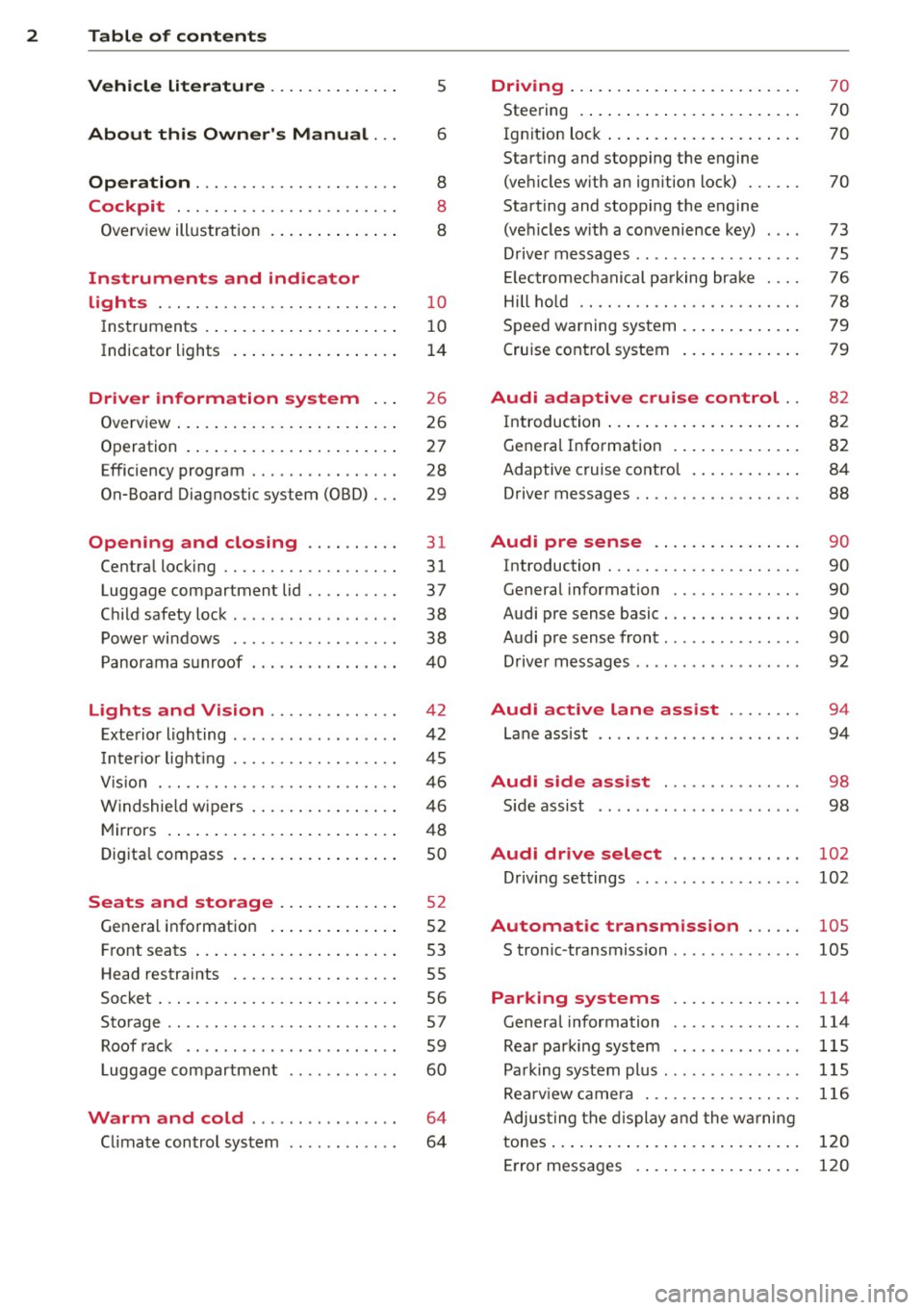
2 Table of contents Vehicle literature . . . . . . . . . . . . . .
5
About this Owner's Manual . . . 6
Operation . . . . . . . . . . . . . . . . . . . . . . 8
Cockpit . . . . . . . . . . . . . . . . . . . . . . . . 8
Overview illustration . . . . . . . . . . . . . . 8
Instruments and indicator
lights . . . . . . . . . . . . . . . . . . . . . . . . . .
1 0
Instruments . . . . . . . . . . . . . . . . . . . . . 10
Indicator lights . . . . . . . . . . . . . . . . . . 14
Driver information system . . . 26
Overview . . . . . . . . . . . . . . . . . . . . . . . . 26
Operation . . . . . . . . . . . . . . . . . . . . . . . 27
Efficiency program . . . . . . . . . . . . . . . . 28
On-Board Diagnostic system (OBD) . . . 29
Opening and closing . . . . . . . . . . 31
Central locking . . . . . . . . . . . . . . . . . . . 31
Luggage compartment lid . . . . . . . . . . 37
Child safety lock . . . . . . . . . . . . . . . . . . 38
Power windows . . . . . . . . . . . . . . . . . . 38
Panorama sunroof . . . . . . . . . . . . . . . .
40
Lights and Vision . . . . . . . . . . . . . . 4 2
Exterior lighting . . . . . . . . . . . . . . . . . . 42
Inter ior light ing . . . . . . . . . . . . . . . . . . 45
V1s 1on . .. ............... .. .. .. . .
Windshie ld wipers .......... .. ... .
Mirrors ......... ......... ... ... .
Digital compass ............ .. ... .
Seats and storage ....... .... . .
General information ....... ... ... .
Front seats ............... ... ... .
Head restraints ............ .. ... .
Socket . ................. .. .. ... .
Storage .............. ........ .. .
Roof rack .. ................ ... . .
Luggage compartment
Warm and cold ............... .
C limate control system .... .. .. .. . .
46
46
48
so
5 2
52
53
55
56
57
59
60
64
64
Driving ....... .. .......... ... ... 70
Steering . . . . . . . . . . . . . . . . . . . . . . . . 70
Ig nition lock . . . . . . . . . . . . . . . . . . . . . 70
Starting and stopping the engine
(vehicles with an ignition lock) . . . . . . 70
Starting and stopping the engine
(vehicles w ith a convenience key) . . . . 73
Driver messages . . . . . . . . . . . . . . . . . . 75
El ectromechani cal parking brake . . . . 76
Hill hold . . . . . . . . . . . . . . . . . . . . . . . . 78
Speed warning system . . . . . . . . . . . . . 79
Cruise control system . . . . . . . . . . . . . 79
Audi adaptive cruise control .. 82
Introduction . . . . . . . . . . . . . . . . . . . . . 82
General Information . . . . . . . . . . . . . . 82
Adaptive cruise control . . . . . . . . . . . . 84
Driver messages . . . . . . . . . . . . . . . . . . 88
Audi pre sense . . . . . . . . . . . . . . . . 90
Introduction . . . . . . . . . . . . . . . . . . . . . 90
General information . . . . . . . . . . . . . . 90
Audi pre sense basic . . . . . . . . . . . . . . . 90
Audi pre sense front . . . . . . . . . . . . . . . 90
Driver messages . . . . . . . . . . . . . . . . . . 92
Audi active lane assist . . . . . . . . 94
Lane assist . . . . . . . . . . . . . . . . . . . . . . 94
Audi side assist . . . . . . . . . . . . . . . 98
S ide assist . . . . . . . . . . . . . . . . . . . . . . 98
Audi drive select . . . . . . . . . . . . . . 102
Driving settings . . . . . . . . . . . . . . . . . . 102
Automatic transmission . . . . . . 105
S tronic -transmission . . . . . . . . . . . . . . 105
Parking systems . . . . . . . . . . . . . . 114
General information . . . . . . . . . . . . . . 114
Rear parking system . . . . . . . . . . . . . . 115
Parking system plus . . . . . . . . . . . . . . . 115
Rearviewcamera .............. .. . 116
Adjusting the display and the warning
tones.... ..... .. .. ..............
120
Error messages . . . . . . . . . . . . . . . . . . 120
Page 11 of 288
CD
@
®
©
®
Power windows
Door handle
Aud i side assist ........ .... .
Centra l locking switch ... .. .. .
Powe r exter ior rearview m irror
adjuster .................. .
@ Light switch .... .... ... .. .. .
(J) Vents
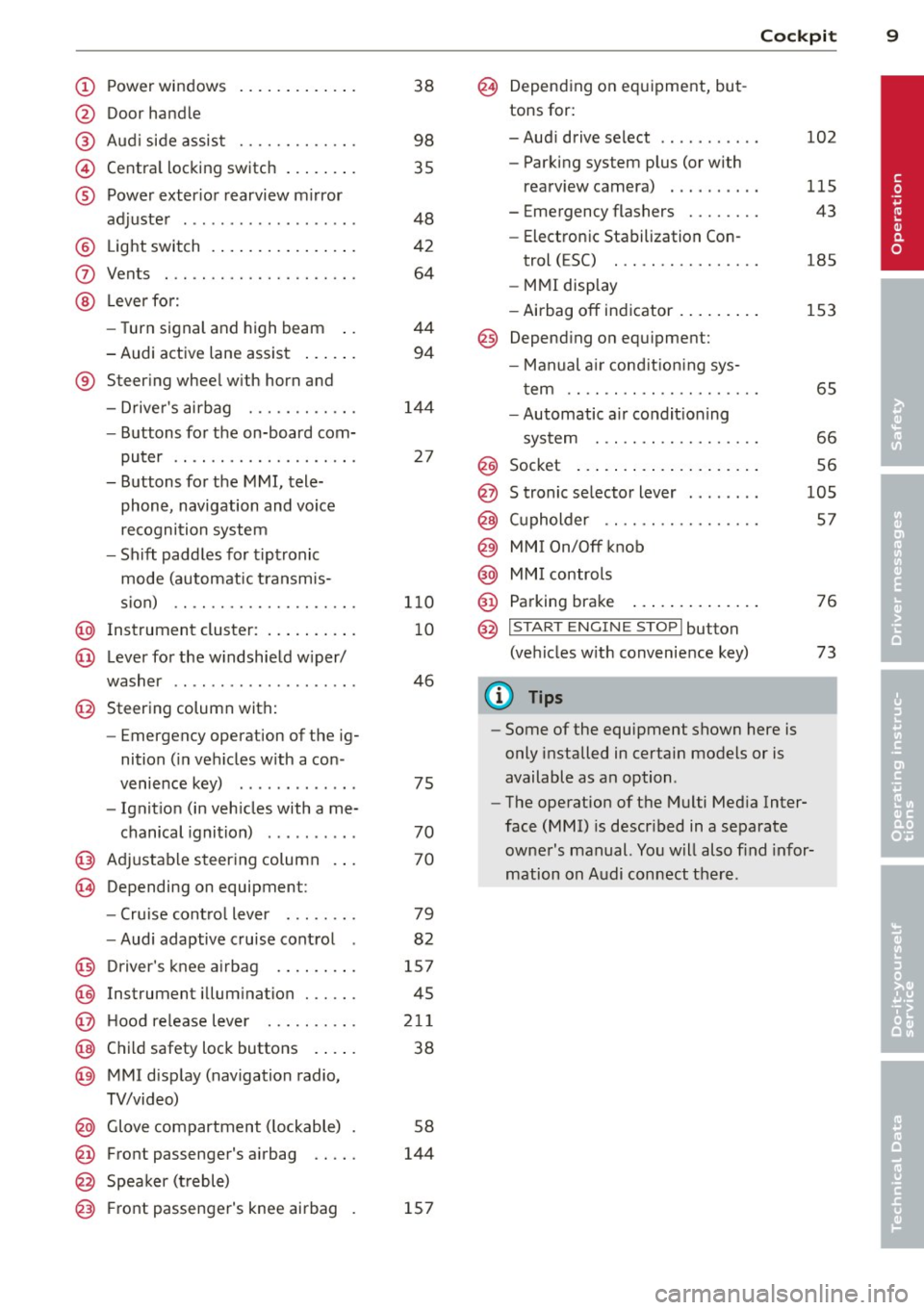
® Leve r fo r:
- Turn signal and high beam ..
- Audi act ive lane assist ... .. .
® Steer ing whee l w ith horn and
- Drive r's airbag ........... .
- Buttons for the on-board com-
puter .. ................. .
- Buttons for the MMI, tele
phone, navigation and voice
recognition system
- Sh ift padd les for t ipt ronic
mode (automatic t ransm is-
sion) .. .. .. ........... .. .
@ Instrument cluster : .. ... .. .. .
@ Leve r for the w indshield w iper/
washer
....................
@ Steering column with:
- Emergency operation of the ig
nition ( in ve hicles w ith a con -
venience key) ............ .
- Ignit io n (in veh icles with a me-
chanical ignition) ......... .
@ Adjustable s teer ing column
~ Depending on equipmen t: 38
98
35
48
42
64
44
94
1
4 4
27
1 10
10
46
75
70
70
- Cru ise cont ro l lever . . . . . . . . 79
- Audi adaptive cruise cont rol 82
@ D river's knee a irbag . . . . . . . . . 157
@ Instrument illum ination . . . . . . 45
@ Hood re lease leve r . . . . . . . . . . 211
@ Child safety lock buttons . . . . . 38
@ MMI disp lay (navigation radio,
TV/video)
@ Glove compartment ( lockable)
@ Front passenger's airbag .. .. .
@ Spea ker (t reble) 5
8
144
@) Front passenger's knee airbag 157
Cockpi t 9
@ Depending on equipment, but
tons for:
- Aud i drive select . . . . . . . . . . . 102
- Parking system plus (or with
rearv iew camera) . . . . . . . . . . 115
- Emergency flashers . . . . . . . . 43
- Elect ron ic Stabilization Con-
trol ( ESC) . . . . . . . . . . . . . . . . 185
- MMI display
- Airbag off in dicator . . . . . . . . . 153
@ Depend ing on equ ipment:
- Manual a ir cond it io ni ng sys-
t em . . . . . . . . . . . . . . . . . . . . . 65
- Automatic a ir condit ioning
sys tem . .. .. .... ........ .
66
Socket ... .... .. . .. .. ..... . 56 @
@
@
@
@
@
S tronic se lector lever ....... .
( upholder .. .. .. . ......... . 105
57
MMI On/Off knob
MM I controls
Parking brake
@ ,.., I s=T~ A~R~ T_ E _N_ G_I _N_ E_S_ T_ O_ P_ I button
(ve hicles w ith convenience key)
(D Tips
- Some of the equipment shown here is
only installed in certain models or is
available as an option .
- The operation of t he M ulti Med ia Inter
face
(MMI) i s descr ibed in a separate
owne r's manual. Yo u will also find infor
mation on A udi con nect t here .
76
73
•
Page 16 of 288
14 Instruments and indicator lights
> Service intervals > Reset oil change inter
val.
(D Note
- Only reset the oil change disp lay w hen
you have completed an o il change .
- Maintain ing the service intervals is of vi
ta l importance for the life and value of
you r vehicle espec ially the engine . Serv
ice interva ls shou ld not be exceeded,
even by a short distance .
- If the vehicle battery is disconnected,
the timing for the next oil change wi ll be
i nterrupted.
If the vehicle is stationary
for a long time, have all scheduled serv
ices performed.
- Even if the mileage driven is low, the
maximum period of one year from one
service to the next must not be exceed
ed.
{!) Tips
Do not reset the disp lay between oil
changes, otherwise the d isplay w ill be in
correct .
Indicator lights
Descript ion
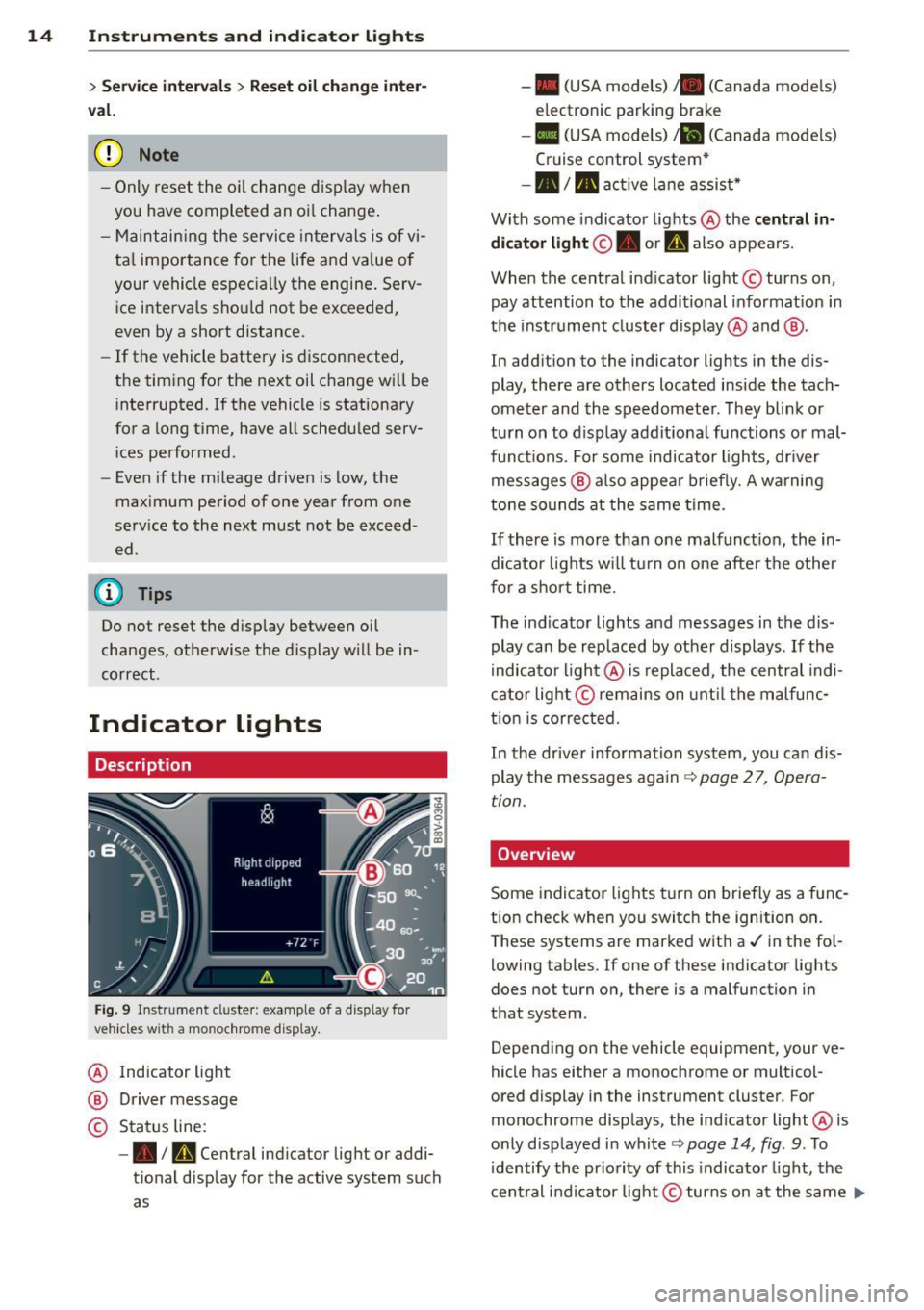
Fig. 9 Instrument cl uster : example of a display for
vehicles wit h a mo nochrome d isplay.
@ Indicator light
@ Driver message
© Status line:
-• Im, Central indicator light or addi
tional display for the active system such
as -
• (USA models) /. (Canada mode ls)
electronic parking brake
- II (USA models) Jil (Canada mode ls)
Cruise control system*
-•III active lane assist*
With some indicator lights @ the
central in
dicator light ©. or
U also appears.
When the central ind icator light © turns on,
pay attention to the additional informat ion in
the instrument cluster display @ and @.
In addition to the indicator lights in the dis
play, there are others located inside the tach
ometer and the speedometer. They blink or
turn on to display additional functions or mal
funct ions. For some indicator lights, dr iver
messages @ also appear briefly. A warning
tone sounds at the same time.
If there is more than one malfunct ion, the in
dicator lights will tu rn on one after the other
for a short time.
The indicator lights and messages in the dis
play can be rep laced by other displays .
If the
indicator light @ is replaced, the central indi
cator light@remains on until the malfunc
tion is corrected.
In the driver information system, you can dis
play the messages again
c:> page 2 7, Opera
tion.
Overv iew
Some indicator lights turn on briefly as a func
tion check when you switch the ignition on.
T hese systems are marked with a./ in the fol
lowing tables. If one of these indicator lights
does not turn on, there is a malfunction in
that system .
Depending on the vehicle equipment, your ve
hicle has either a monochrome or multicol-
ored display in the instrument cluster. For
monochrome displays, the ind icator light @ is
only displayed in white
c:> page 14, fig . 9 . To
identify the priority of this indicator light, the
central indicator light© turns on at the same ..,.
Page 20 of 288
18 Instruments and indicator lights
or
/:
or l
ig ht/ rain senso r*
c>page 25
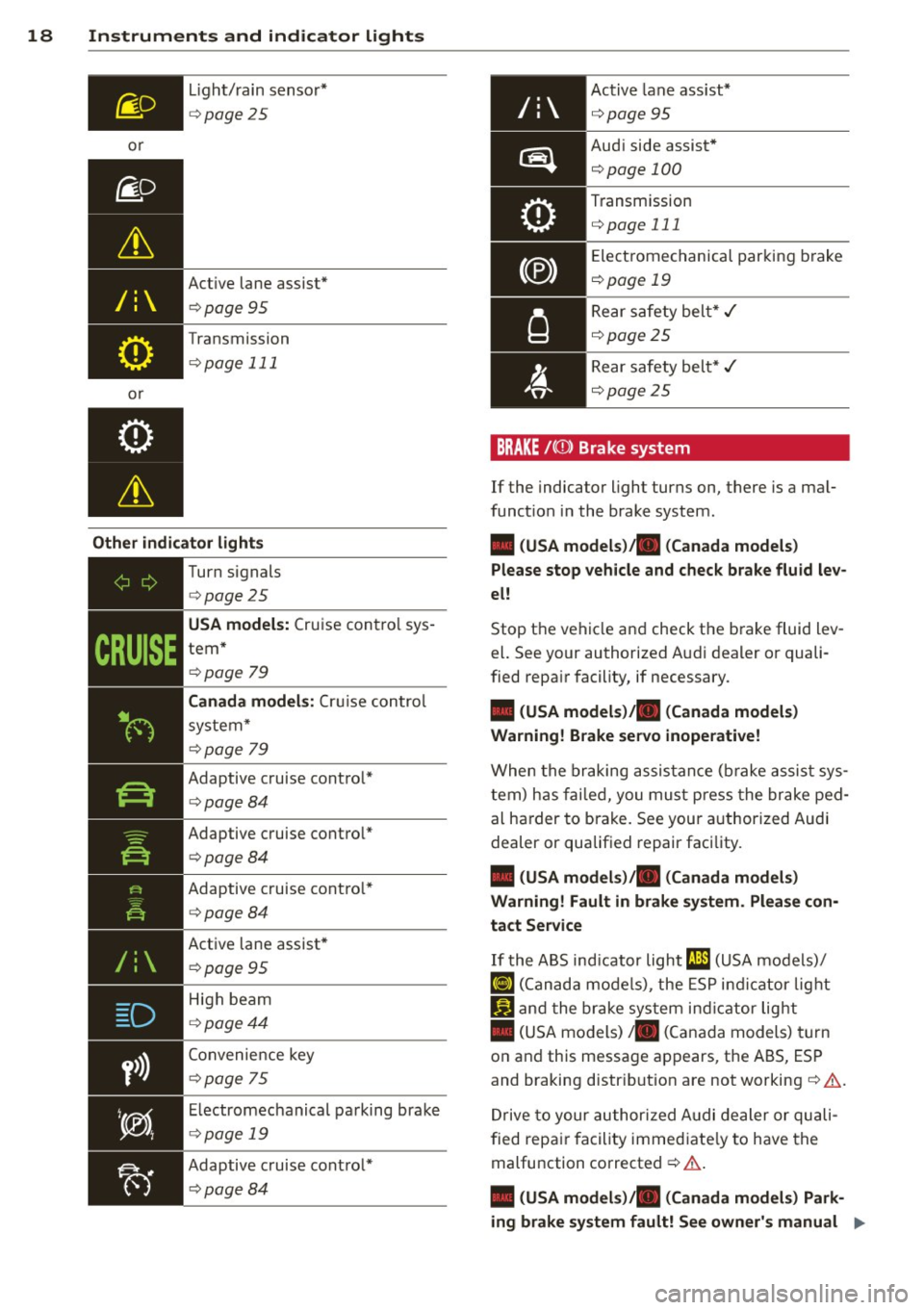
Active lane assist"
c>p age 95
Transmission
c>page 111
Other indicator lights
D
y>))
~------------
Turn s ignals
c> pag e 25
USA models: Cru ise con trol sys
tem *
c>page 79
Canada models: Cr uise co ntrol
sys te m*
c>p age 79
Adaptive cruise cont ro l*
c> pag e 84
Adaptive c ruise cont ro l*
c>pag e 84
Adaptive c ruise cont ro l*
c> page 84
Active lane assist*
c> page 95
High beam
c> page 44
Convenie nce key
c>page 75
Electrome chanical pa rking bra ke
c>page 19
Adaptive c ruise cont ro l*
c> page 84
Active lane ass ist*
c>page 95
Aud i side assist *
c>page 100
Transm ission
c>page 111
Elect rome chanical par king b rake
<::>page 19
Rear s afe ty bel t* ,/
c::>page2 5
Rear safety bel t* ,/
c::> p ag e 2 5
BRAKE /(0) Brake system
If the indicator light turns on, t here is a ma l
funct ion in the brake system .
• (USA models)/. (Canada models)
Please stop vehicle and check brake fluid lev
el!
Stop the ve hicle an d check t he b rake fluid lev
el. See your authorized A udi d ealer or quali
fied repair facility, if necessary.
• (USA models). (Canada models)
Warning! Brake servo inoperative!
W he n t he bra king assist anc e ( brak e ass ist s ys
t em) h as fa ile d, you mu st press the bra ke ped
al ha rder to bra ke . See your a uthorized Audi
dealer or qualif ied repair faci lity.
• (USA models)/. (Canada models)
Warning! Fault in brake system . Please con
tact Service
If t he A BS ind icator light rJ1l;1 (U SA mod els)/
¢oJ ( C an ad a mod els), the ESP in d ic ato r lig ht
Ii) an d t he bra ke sys tem in dicator lig ht
• (US A mo dels)/ . (Can ada models) turn
o n an d th is message ap pears, the ABS, ES P
and braking distr ibutio n are not working
c::> & .
Dr ive to your au thor ized A udi dea ler or qu ali
fi ed repa ir facility immed ia te ly to h ave the
malfunction corrected
c::> & .
• (USA models)/. (Canada models) Park
ing brake system fault! See owner's manual .,.
Page 28 of 288
26 Driver information system
Driver information
system
Overview
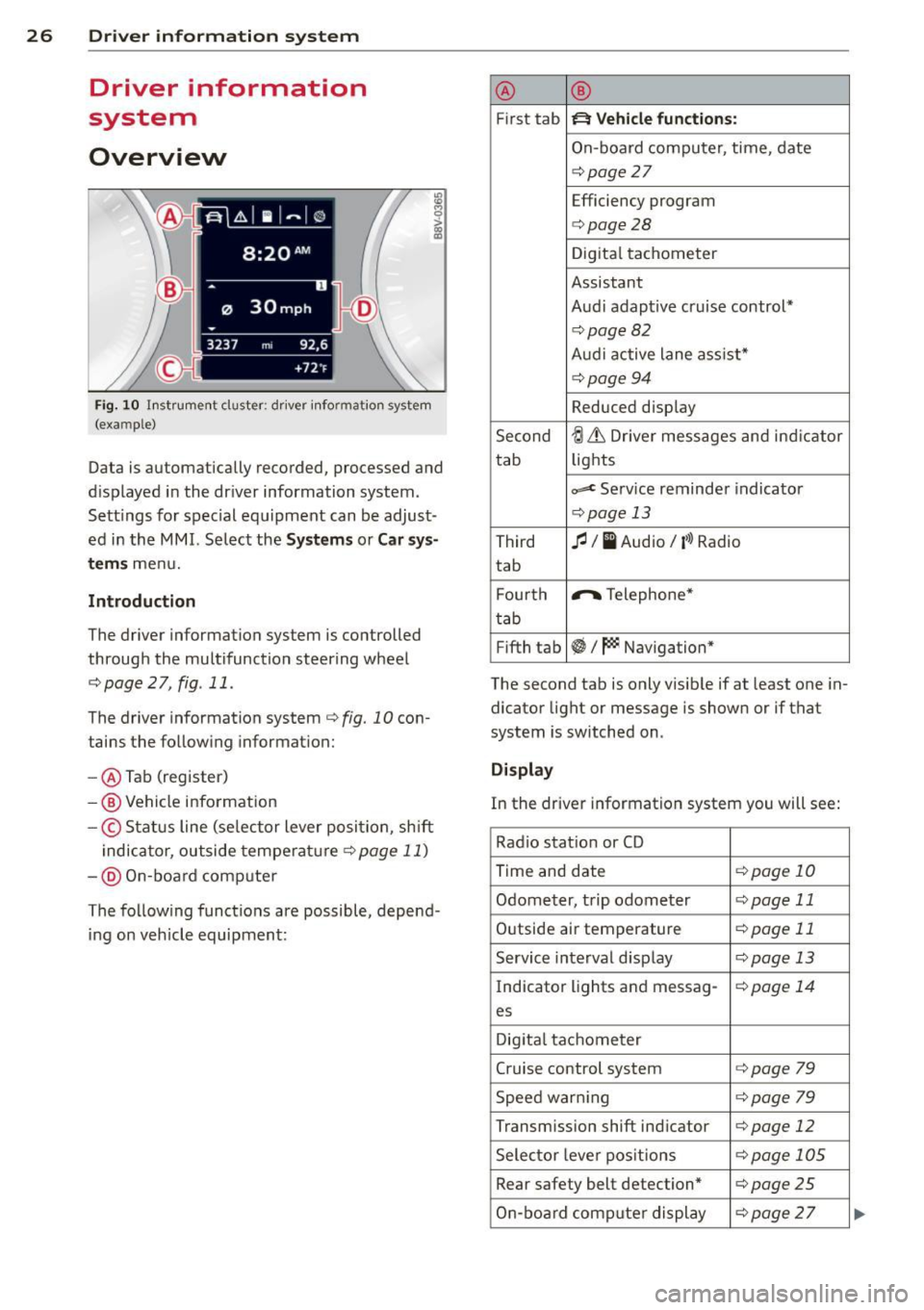
Fig . 10 In strument cluster : dr iver info rm ation system
(ex am ple)
Data is automatically recorded, processed and
d isplayed in the dr iver information system.
Sett ings for spec ial equipment can be adjust
ed in the
MMI. Select the Systems or Car sys
t e ms
menu.
Introduction
The driver information system is controlled
through the multifunction steering wheel
r::;, page 2 7, fig . 11 .
The driver information system
c:> fig. 10 con
tains the follow ing informat ion:
- @ Tab (register)
-® Vehicle information
-© Status line (se lector lever position, sh ift
indicator, outside temperature
c:> page 11)
- @ On-board comp uter
The following functions are possible, depend
ing on veh icle equipment: @
®
First tab ~ Vehicle
functions:
On-board computer, time , date
c:> page
27
Efficiency program
c:> page28
Digital tachometer
Assistant
Audi adaptive cruise control*
c:> page 82
Audi active lane ass ist*
r::;, page 94
Reduced display
Second
ti & Dr iver messages and indicator
tab lights
c,,..c Service reminder indicator
r::;, page 13
Third
fl I I Audio/ ('l) Radio
tab
F ourth .,..,.
Telephone*
tab
Fifth tab
~I~ Navigation*
The second tab is only visible if at least one in
dicator light or message is shown or if that
system is switched on .
Display
In the driver information system you will see:
Radio station or CD
Time and date
r::;, page 10
Odometer, trip odometer
r::;, page 11
Outside air temperature
r::;, page 11
Service interval display
r::;, page 13
Indicator lights and messag-
r:!:> page 14
es
Digital tachometer
Cruise control system c:>page
79
Speed warn ing r::;, page 79
Transmission shift indicator c:>page 12
Selector lever positions
r::;, page 105
Rear safety belt detection* c:>page25
On-board computer display
r::;, page 2 7
Page 84 of 288
82 Audi adaptive cruise control
Audi adaptive cruise
control
Introduction
Ap plies to vehicles: with Audi adaptive cruise co ntrol
The adaptive cruise control system is a combi
nation of speed and distance regulation. It as
sists the driver by both regulating the speed
and maintaining a distance to the object
ahead, within the abilit ies of the system. If
the system detects an object, adaptive cruise
con trol can brake and accelerate your vehicle.
This together with the automatic transmis
sion* makes driving more comfortable both
on long stretches of highway and in stop-and
go traffic.
General Information
General information
A ppl ies to vehicles: with Audi adaptive cruise co ntrol a nd
Audi pre se nse fro nt
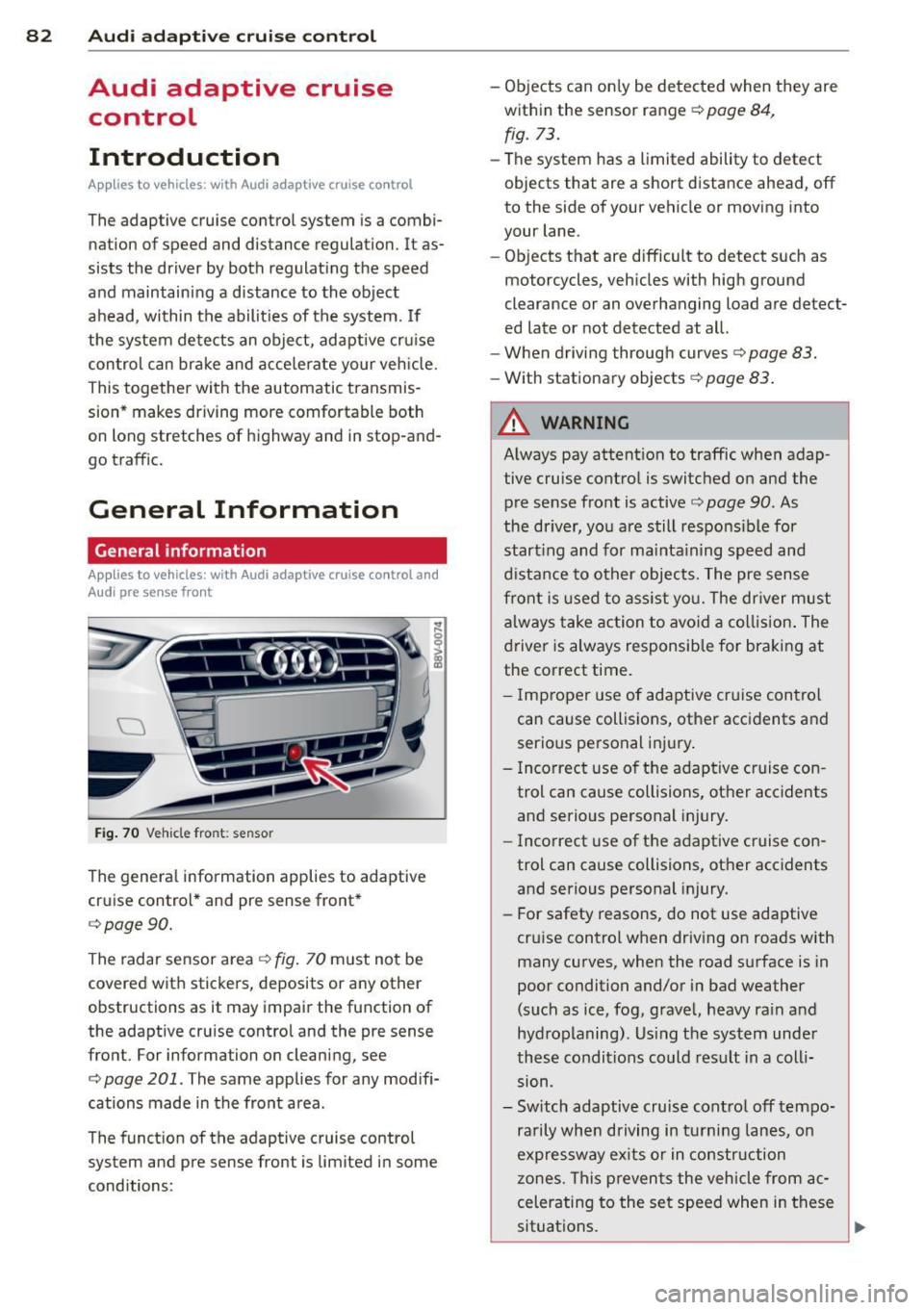
Fig. 70 Vehicle fro nt: sensor
The general information applies to adaptive
cruise control* and pre sense front*
c:>page90.
The radar sensor area c:>fig. 70 must not be
covered with stickers, deposits or any other
obstructions as it may impair the function of
the adaptive cru ise control and the pre sense
front. For information on cleaning, see
c:> page 201 . The same applies for any modifi
cations made in the front area .
The function of the adaptive cruise control
system and pre sense front is limited in some
conditions: -
Objects can only be detected when they are
within the sensor range
c:> page 84,
fig. 73.
-The system has a limited ability to detect
objects that are a short distance ahead, off
to the side of your vehicle or moving into
your lane.
- Objects that are difficult to detect such as
motorcycles, vehicles with high ground
clearance or an overhanging load are detect
ed late or not detected at all.
- When driving through curves
c:> page 83.
-With stationary objects r=;, page 83 .
A WARNING
-
Always pay attent ion to traffic when adap
tive cruise control is switc hed on and the
pre sense front is active
c:> page 90. As
the driver, you are still responsible for
start ing and for maint.;1 ining speed and
distance to other objects. The pre sense
front is used to assist you. The driver must
always take action to avoid a collision. The
driver is always responsible for braking at
the correct time.
- I mp roper use of adaptive cruise con trol
can cause collisions, other accidents and
serio us personal injury.
- Incorrect use of the adaptive cruise con
trol can cause collisions, other acc idents
and serio us personal injury.
- Incorrect use of the adaptive cruise con
trol can cause collisions, other accidents
and serio us personal injury.
- For safety reasons, do not use adaptive
cru ise control when driv ing on roads with
many curves, when the road surface is in
poor condition and/or in bad weather
(such as ice, fog, gravel, heavy ra in and
hydroplaning). Us ing the system under
these conditions could result in a colli
sion .
- Sw itch adaptive cruise contro l off tempo
ra rily when driving in turning lanes, on
expressway ex its or in construction
zones. This preven ts the vehicle from ac
celerating to the set speed when in these
situations .
Page 96 of 288
94 Audi acti ve lan e assi st
Audi active lane assist
Lane assist
Description
App lies to vehicles: with Audi active lane assist
Active lane ass ist detects lane marker lines
within the limits of the system using a camera
in the windshield . If you are approaching a de
tected lane marker line and it appears likely
that you wi ll leave the lane, the system will
warn you with corrective steering. You can
ove rride this steering at any time . If you pass
over a line, the steering wheel will vibrate lightly. In order for this warning vibration to
occur, it must first be switched on in the MMI.
Active lane ass ist is operable when the lane
marker line is detected on at least one side of
the vehicle .
The system will not warn you before cross ing
a lane marker Line if you have activated the
turn signal. In t his case, it assumes that you
a re changing lanes intent ionally.
The system is designed for driv ing on express
ways and h ighways and therefore only acti
vates at speeds above app roximately 40 mp h
(65 km/h).
A WARNING
- The sys tem w arns the d river that the ve
hicle is leaving the lane us ing corrective
steering . The driver is always responsible
for keeping the vehicle within the lane .
- The system can help you keep the vehicle
in the lane, but it does not drive by itself.
Always keep your hands on the steering
wheel.
- Co rrective stee ring may not occur in cer
tain situations, such as d uring heavy
braking.
- There may be cases where the camera
does not recognize all lane marker lines.
Corrective steering can only take p lace
on the side of the veh icle where lane
marke r lines a re detected .
l) Thi s func tion is not available in a ll co untries.
- Other road structures or objects cou ld
possibly be identified un intent ionally as
lane marker lines. As a result, correct ive
steer ing may be unexpected or may not
occ ur.
- The camera view can be restricted, for
examp le by vehicles driving ahead or by
ra in, snow , heavy spray light shining into
the camera or by dirt on the window . T his
can result in act ive lane assist not detect
ing the lane marke r lines or detec ting
them incorrect ly .
- I n certain sit uat ions where visibili ty is
low, the vehicle may swi tch from "early"
to "late" corrective steering
l).
-Unde r ce rtain condi tions such as ruts in
the road, an incl ined roadway or c ross
winds, the corrective steering alone may not be enough to keep the vehicle in the
middle of the lane.
- For safety reasons, active lane assist
must not be used when the re a re poor
road and/or weather conditions such as
slippery roads, fog, grave l, heavy rain,
snow and the potential for hydroplaning .
Using act ive lane assist under these con
d itions may increase the risk of a c rash .
Page 97 of 288
Switching on and off
Applies to vehicles: with Audi active lane assist
•
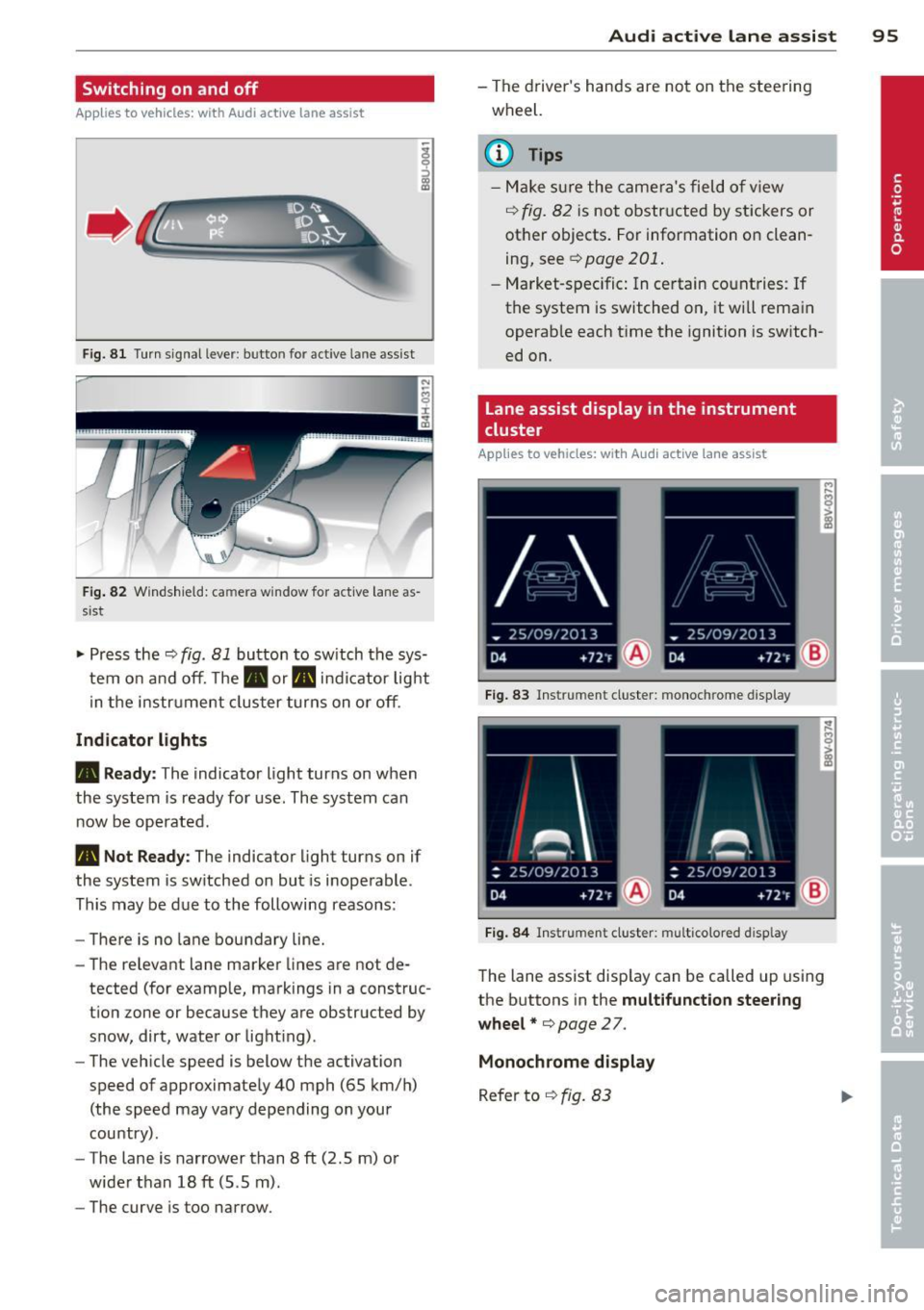
Fig. 81 Turn signal lever: butto n for act ive la n e ass ist
Fig. 82 Windsh ield: ca mera w indow for act ive lane as
s is t
.. Press the~ fig. 81 button to switch the sys
tem on and off. The . or. indicator light
in the instr ument cluster turns on or off.
Indicator lights
• Ready:
The indicator light turns on when
the system is ready for use. The system can
now be operated .
• Not Ready : The indica tor light turns on if
the system is switched on but is inoperable.
This may be due to the following reasons:
- There is no lane boundary line.
- The relevant lane marker lines are not de-
tected (for example, markings in a construc
tion zone or because they are obstructed by
snow, dirt, water or light ing) .
- The vehicle speed is below the activation
speed of approximately 40 mph (65 km/h)
(the speed may vary depending on your
country) .
- The lane is narrower than 8
ft (2 .5 m) or
wider than 18
ft (5.5 m).
- The curve is too narrow.
Audi active lane assist 95
-The driver's hands are not on the steering
wheel.
a) Tips
- Make sure the camera's field of view
~ fig. 82 is not obstructed by stickers or
other objects. For information on clean
ing, see¢
page 201 .
-Market-specific: In certain countries: If
the system is switched on, it wi ll remain
operab le each time the ignition is switch
ed on.
lane assist display in the instrument
cluster
Applies to vehicles: with Audi active lane assist
Fig. 83 Ins trumen t cluster: monoc hrome d ispl ay
Fig. 84 Instrume nt clust er: mult icolored d isp lay
The lane assist display can be called up using
the buttons in the
multifunction steering
wheel* ¢
page 27.
Monochrome display
Refer to ~ fig. 83
Page 98 of 288
96 Audi active lane assist
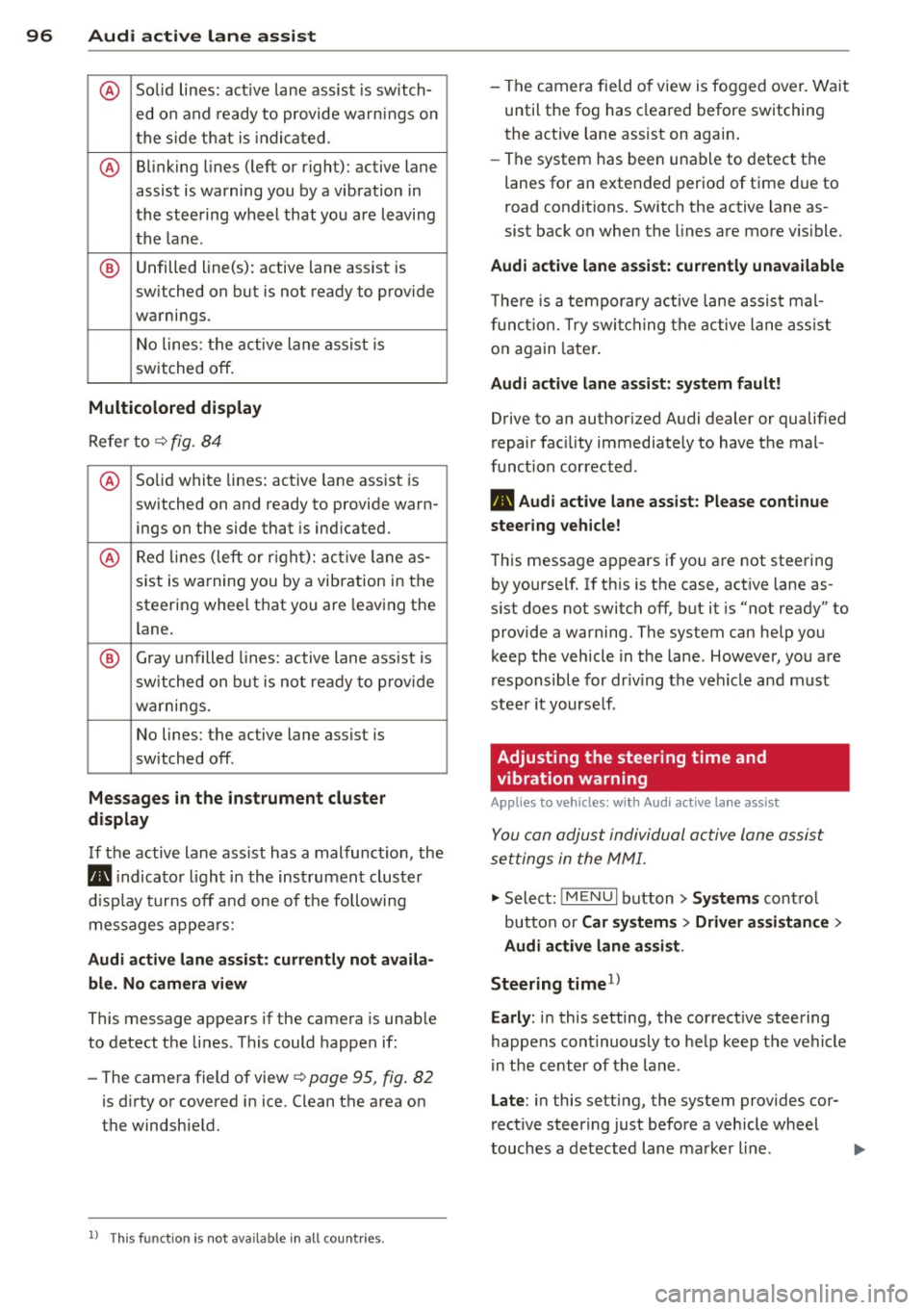
@ So lid lines: act ive la ne assist is sw itch-
ed on and ready to provide wa rn in gs on
t he s ide th at is indica ted.
@ B linking lines ( left or right): active lane
assist is warning you by a vibration in
t he stee ring wheel that yo u are l eaving
t h e l ane.
® Unfilled line(s): active lane assist is
switched on but is not rea dy to prov ide
warnings.
N o lines: t he active lane assist is
switched
off .
Multicolored display
Refe r to¢ fig. 8 4
@ Solid white lines : active la ne assist is
switched on and ready to provide warn-
ings on the side that is ind icated.
@ Red lin es (left or r igh t): ac tive lane as-
sis t is warning you by a vibration in t he
steering whee l th at you a re leav ing the
lane.
® Gray unfilled lines: active lane ass ist is
s witched on but is not ready to prov ide
w ar nings.
N o lines: the active lane assist is
switched
off.
Messages in the instrument cluster
display
I f the active lane ass ist has a mal func tion, the
B indicato r light in the inst rumen t cluste r
di spl ay t urn s
off and one of the followi ng
me ssages appe ars:
Audi active lane assist: currently not avai la
ble. No camera view
This message appears if the camera is unable
to detect the li nes . This co uld happe n if:
- The came ra field of view ¢
page 95, fig. 82
is dirty o r covered i n ice. Clean the area on
t h e windshie ld.
l ) Thi s function is not available in all cou ntr ies.
- The camera field o f view is fo gged ove r. Wa it
until the fog has cleared before switching
the act ive lane assist on agai n.
- The system has bee n una ble to detect t he
lanes for an exten ded period of t ime due to
road conditions. Switch the active lane as
sist bac k on when the lines are more v is ible.
Audi active lane assist: currently unavailable
T he re is a te mporary a ct ive lane assis t mal
f unc tion. Try swi tching the active lane assi st
o n again later .
Audi active lane assist: system fault!
Drive to an authorized A udi dealer or qualified
repair fac ility immediately to have the mal
funct ion corrected.
B Audi active lane assist: Please continue
steering vehicle!
T his messa ge ap pears if yo u are not stee ring
by yoursel f. If th is is t he case, act ive lane as
s ist does not switch
off, but it is "not ready" to
provide a warning. The system can help you
kee p the vehicle in the lane. However, yo u are
r esponsible for dr iv ing the vehicle and must
stee r it yourse lf .
Adjusting the steering time and
vibration warning
App lies to veh icles: w ith Audi ac tive la ne ass ist
You can adju st individual active lane assis t
se ttings in the MMI.
"' Select: !ME NUI button> Systems cont ro l
but to n or
Car sy stem s > Driver assistance >
Audi active lane assist .
Steering timel)
Early :
in this setting, the correct ive steering
happens con tinuously to he lp keep the vehicle
i n t he c ent er of t he lane.
Late : in this setting, the system provides cor
rect ive steer ing just befo re a vehicle whee l
touches a detected lane marke r line . ..,.
Page 99 of 288
Vibration warning
You can switch the additional v ibrating wa rn
ing in the steering wheel on or off .
&_ WARNING ,~
With the vibration warning switched off,
no v isible warning will appear in the in
strument cluster display when cross ing a
lane marker.
(D Tips
Market-specific: Your settings are auto
matically stored and assigned to the re
mote control key being used.
Audi active lane assist 97
•