door lock AUDI A3 2020 Owner´s Manual
[x] Cancel search | Manufacturer: AUDI, Model Year: 2020, Model line: A3, Model: AUDI A3 2020Pages: 400, PDF Size: 107.47 MB
Page 36 of 400
Opening and closing
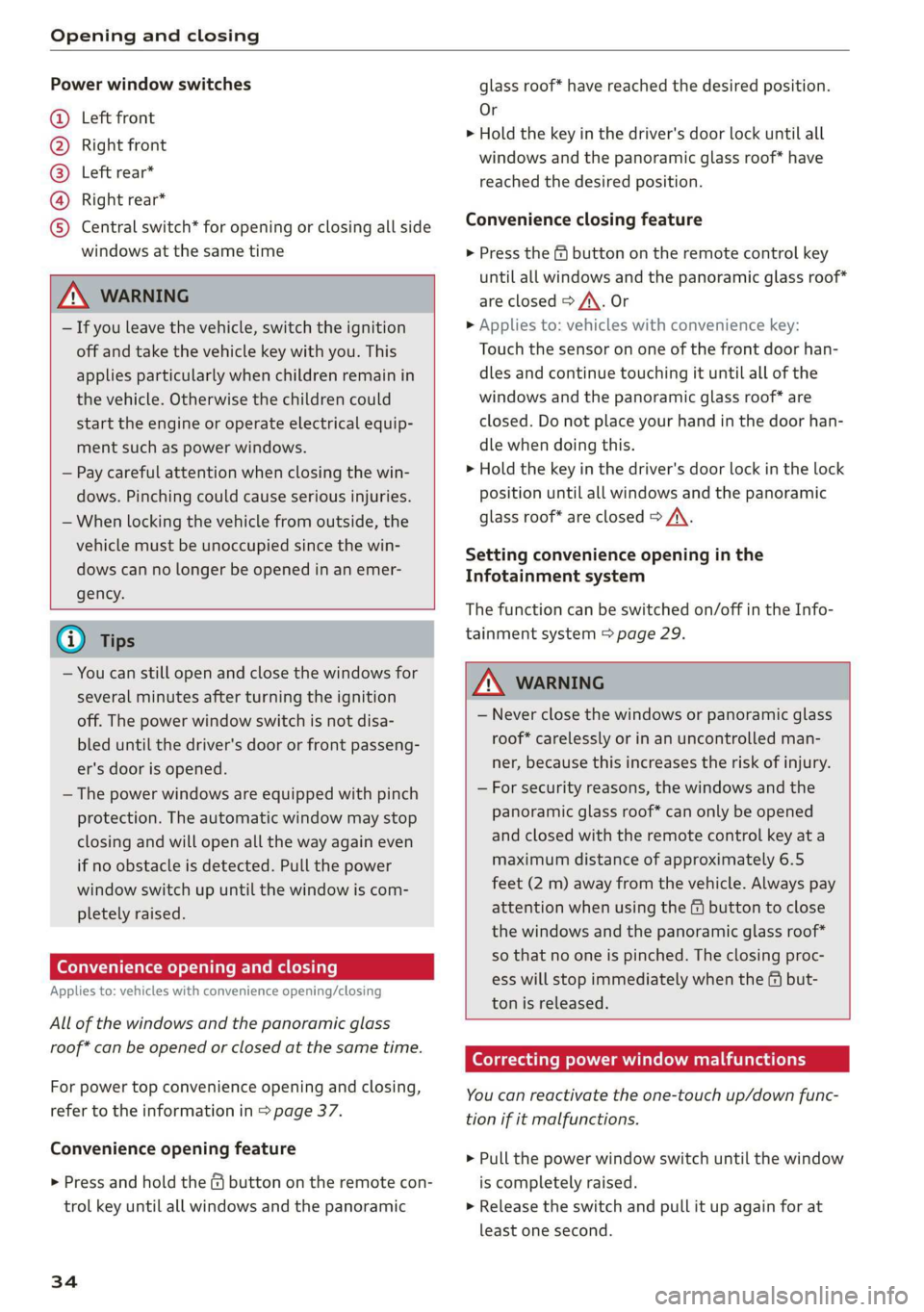
Power window switches
@ Left front
@ Right front
@® Left rear*
@ Right rear*
© Central switch* for opening or closing all side
windows at the same time
ZA\ WARNING
— If you leave the vehicle, switch the ignition
off and take the vehicle key with you. This
applies particularly when children remain in
the vehicle. Otherwise the children could
start the engine or operate electrical equip-
ment such as power windows.
— Pay careful attention when closing the win-
dows. Pinching could cause serious injuries.
— When locking the vehicle from outside, the
vehicle must be unoccupied since the win-
dows can no longer be opened in an emer-
gency.
@) Tips
— You can still open and close the windows for
several minutes after turning the ignition
off. The power window switch is not disa-
bled until the driver's door or front passeng-
er's door is opened.
— The power windows are equipped with pinch
protection. The automatic window may stop
closing and will open all the way again even
if no obstacle is detected. Pull the power
window switch up until the window is com-
pletely raised.
Convenience opening and closing
Applies to: vehicles with convenience opening/closing
All of the windows and the panoramic glass
roof* can be opened or closed at the same time.
For power top convenience opening and closing,
refer to the information in > page 37.
Convenience opening feature
> Press and hold the @ button on the remote con-
trol key until all windows and the panoramic
34
glass roof* have reached the desired position.
Or
> Hold the key in the driver's door lock until all
windows and the panoramic glass roof* have
reached the desired position.
Convenience closing feature
> Press the & button on the remote control key
until all windows and the panoramic glass roof*
are closed > A\. Or
> Applies to: vehicles with convenience key:
Touch the sensor on one of the front door han-
dles and continue touching it until all of the
windows and the panoramic glass roof* are
closed. Do not place your hand in the door han-
dle when doing this.
> Hold the key in the driver's door lock in the lock
position until all windows and the panoramic
glass roof* are closed > A\.
Setting convenience opening in the
Infotainment system
The function can be switched on/off in the Info-
tainment system > page 29.
ZA WARNING
— Never close the windows or panoramic glass
roof* carelessly or in an uncontrolled man-
ner, because this increases the risk of injury.
— For security reasons, the windows and the
panoramic glass roof* can only be opened
and closed with the remote control key at a
maximum distance of approximately 6.5
feet (2 m) away from the vehicle. Always pay
attention when using the & button to close
the windows and the panoramic glass roof*
so that no one is pinched. The closing proc-
ess will stop immediately when the f# but-
ton is released.
Correcting power window malfunctions
You can reactivate the one-touch up/down func-
tion if it malfunctions.
> Pull the power window switch until the window
is completely raised.
> Release the switch and pull it up again for at
least one second.
Page 39 of 400
8V2012721BK
Power top
sure the rear passengers keep enough dis-
tance from the power top to reduce the risk
of injury.
— Visibility to the rear is limited when operat-
ing the power top. Avoid operating the top
while driving in reverse.
@) Note
— To prevent damage to the power top:
— do not store any objects in the power top
storage compartment.
— make sure there is enough space above
the vehicle when opening or closing the
power top.
—To reduce the risk of damage, make sure
there are no sensitive objects in the power
top storage compartment's range of mo-
tion.
G) Tips
— To prevent the vehicle battery from draining
unnecessarily, do not open or close the pow-
er top repeatedly when the engine is switch-
ed off.
—A message will appear in the instrument
cluster if there is a malfunction in the power
top > page 38.
— The power top can also be operated manual-
ly temporarily if there is a malfunction
=> page 39, Power top emergency opera-
tion. An authorized Audi dealer or author-
ized Audi Service Facility should diagnose
and correct the cause of the malfunction as
soon as possible.
— If the vehicle is parked with the power top
open, the vehicle interior is not protected
from damaging weather or unauthorized ac-
cess. Lock any items you leave behind in the
luggage compartment. Close the power top
before leaving the vehicle.
— The side windows automatically lower
slightly when opening or closing the power
top.
Power top convenience opening and closing
Applies to: vehicles with power top
B8V-0009 @)
"A
4
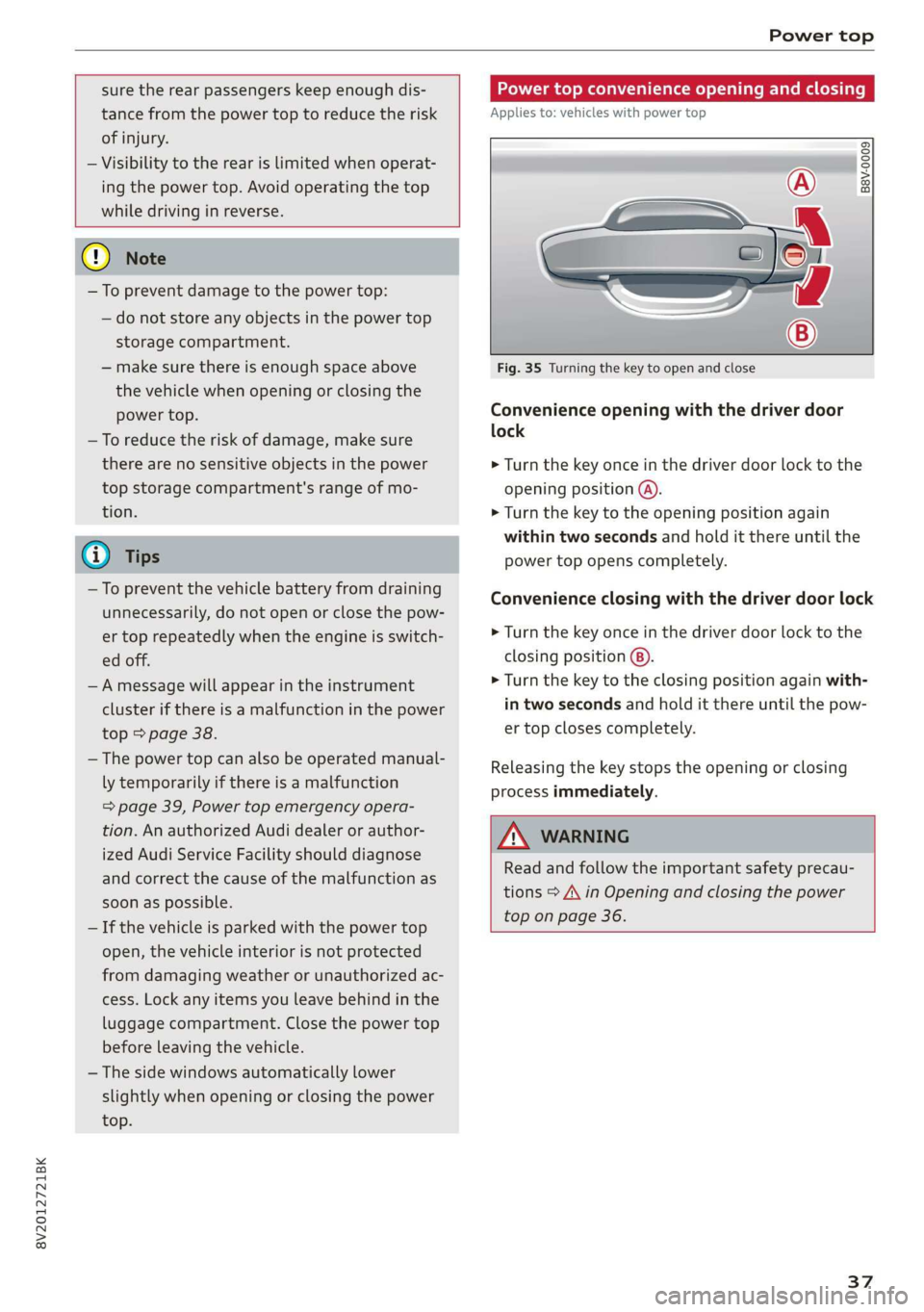
Fig. 35 Turning the key to open and close
Convenience opening with the driver door
lock
> Turn the key once in the driver door lock to the
opening position @).
> Turn the key to the opening position again
within two seconds and hold it there until the
power top opens completely.
Convenience closing with the driver door lock
> Turn the key once in the driver door lock to the
closing position @).
> Turn the key to the closing position again with-
in two seconds and hold it there until the pow-
er top closes completely.
Releasing the key stops the opening or closing
process immediately.
ZA\ WARNING
Read and follow the important safety precau-
tions > A\ in Opening and closing the power
top on page 36.
37
Page 47 of 400
8V2012721BK
Lights and Vision
manually depending on light and visibility
conditions. It may be necessary to operate
them manually in situations such as:
— In adverse weather conditions such as fog,
heavy rain, blowing snow or spraying water.
— On roads where oncoming traffic may be
partially obscured, such as expressways.
— If there are road users with poor lighting,
such as bicyclists.
— In tight curves and on steep hills.
—In poorly lit areas.
— With strong reflectors, such as signs.
— If the area of the windshield near the sensor
is fogged over, dirty, icy or covered with a
sticker.
Adjusting the exterior lighting
You can adjust the exterior lighting separately.
The settings depend on the vehicle equipment.
The functions are adjusted in the Infotainment
system.
> Select in the Infotainment system: [MENU] but-
ton > Vehicle > left control button > Vehicle
settings > Exterior lighting.
Automatic headlights
You can adjust the following settings in the Auto-
matic
headlights menu:
Activation time - You can adjust if the headlights
switch on Early, Medium or Late according to the
sensitivity of the light sensor.
Headlight assistant - You can switch the high
beam assistant* on and off.
Entry/exit lighting
When it is dark, the Entry/exit lighting illumi-
nates the area around the vehicle when unlocking
the vehicle and after switching off the ignition
and opening the driver's door.
The entry/exit lighting only works when it is dark
and the light switch is in the AUTO* position.
)_ This function is not available in all countries.
Daytime running lights!)
The daytime running lights can be turned on and
off. When daytime running lights are turned on,
the lights will stay on continuously whenever the
ignition is switched on.
Emergency flashers
B8V-0210
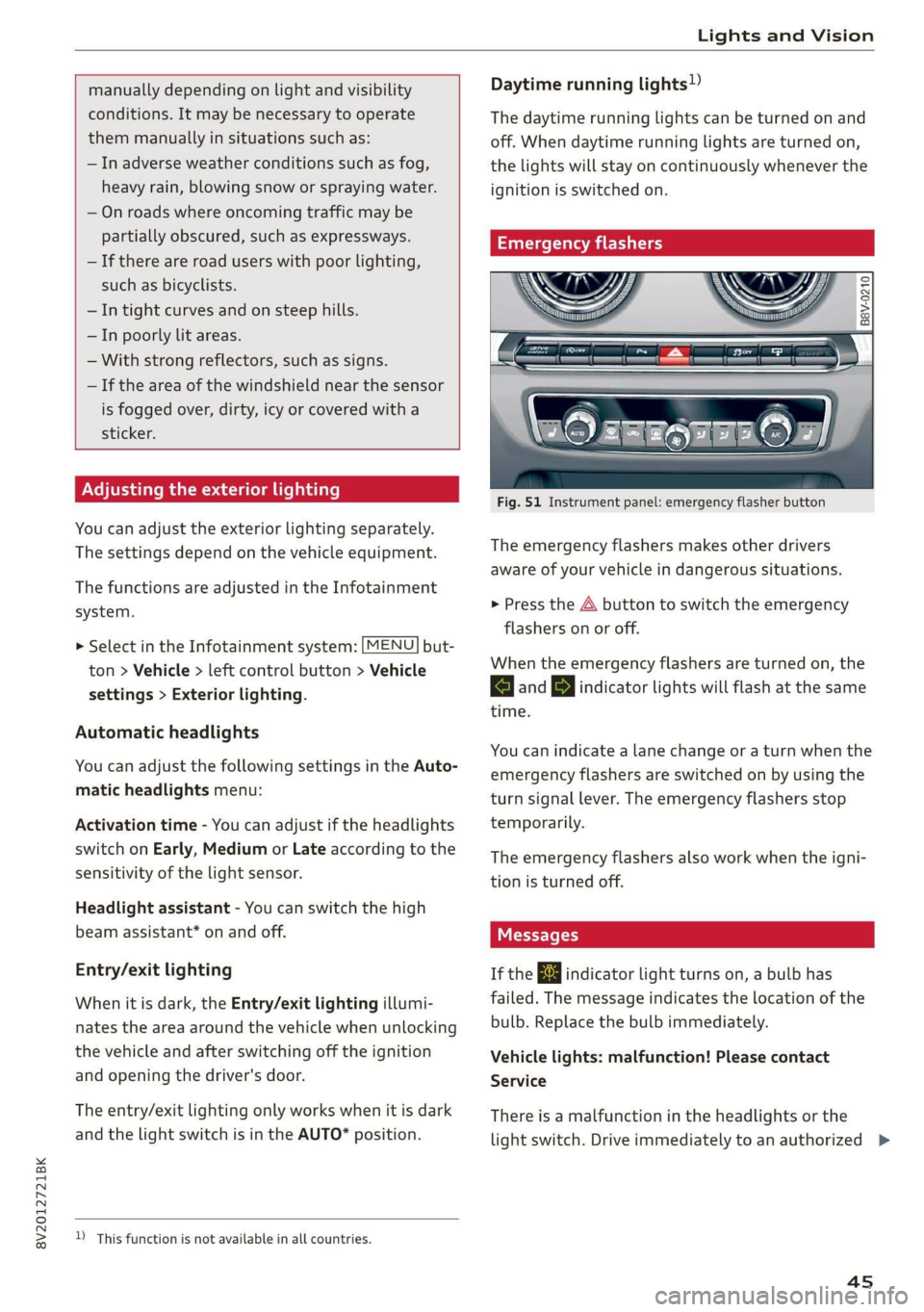
Fig. 51 Instrument panel: emergency flasher button
The emergency flashers makes other drivers
aware of your vehicle in dangerous situations.
> Press the A button to switch the emergency
flashers on or off.
When the emergency flashers are turned on, the
a and BY indicator lights will flash at the same
time.
You can indicate a lane change or a turn when the
emergency flashers are switched on by using the
turn signal lever. The emergency flashers stop
temporarily.
The emergency flashers also work when the igni-
tion is turned off.
If the ka indicator light turns on, a bulb has
failed. The message indicates the location of the
bulb. Replace the bulb immediately.
Vehicle lights: malfunction! Please contact
Service
There is a malfunction in the headlights or the
light switch. Drive immediately to an authorized >
45
Page 48 of 400
Lights and Vision
Audi dealer or authorized Audi Service Facility to
have the malfunction repaired.
Bg) Audi adaptive light: malfunction! See own-
er's manual
Adaptive light* is not working. The headlights
still function.
Drive immediately to an authorized Audi dealer
or authorized Audi Service Facility to have the
malfunction repaired.
automatic headlights: malfunction! See
owner's manual
The light/rain sensor is malfunctioning.
The low beams remain switched on at all times
for safety reasons when the light switch is in the
AUTO position. However, you can continue to
turn the lights on and off using the light switch.
Drive immediately to an authorized Audi dealer
or authorized Audi Service Facility to have the
malfunction repaired.
Ba Headlight range control: malfunction! See
owner's manual
There is a malfunction in the dynamic headlight
range control system, which may cause glare for
other drivers.
Drive to an authorized Audi dealer or authorized
Audi Service Facility immediately to have the
malfunction corrected.
Headlight assistant: malfunction! See own-
er's manual
Drive immediately to an authorized Audi dealer
or authorized Audi Service Facility to have the
malfunction repaired. You can still switch the
high
beams on or off manually.
Headlight assistant: currently unavailable.
No camera view
Headlight assistant: currently unavailable.
Camera view restricted due to surroundings.
See owner's manual
The camera view is blocked, for example by a
sticker or debris. Please clean the windshield.
46
The sensor is located in the interior rearview mir-
ror mount. Do not place any stickers in this area
on the windshield.
Z\ WARNING
— Light bulbs are pressurized and can explode
when they are replaced, which increases the
risk of injury.
—To reduce the risk of fatal injury, the high-
voltage component on HID headlights (xe-
non lights) must be handled correctly.
Interior lighting
Front interior lighting
B8v-0021
B8V-0617
Applies to: vehicles with touch-sensitive reading lights
Fig. 53 Headliner: front interior lights
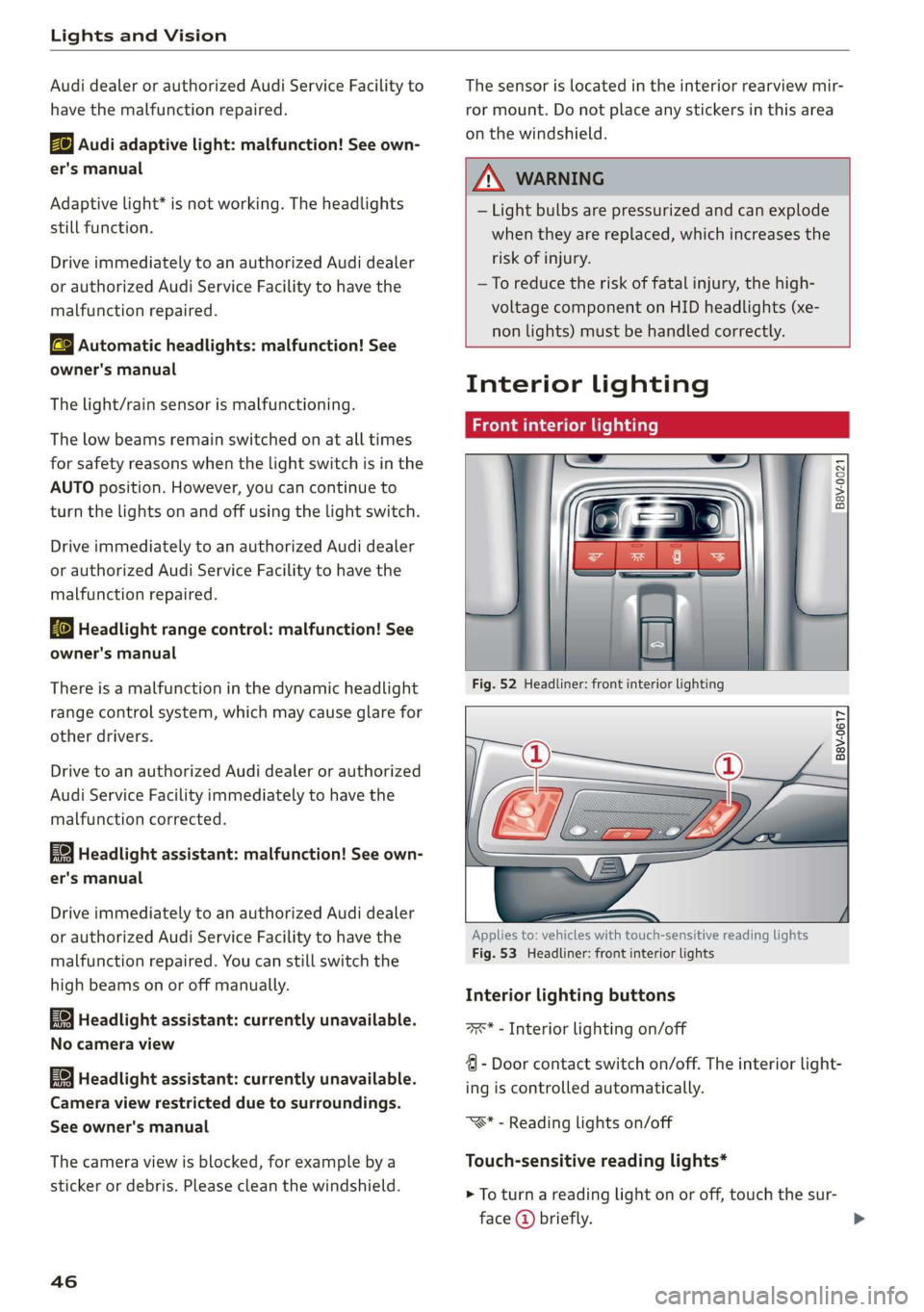
Interior lighting buttons
axs* - Interior lighting on/off
4 - Door contact switch on/off. The interior light-
ing is controlled automatically.
“S* - Reading lights on/off
Touch-sensitive reading lights*
> To turn a reading light on or off, touch the sur-
face @ briefly.
Page 50 of 400
Lights and Vision
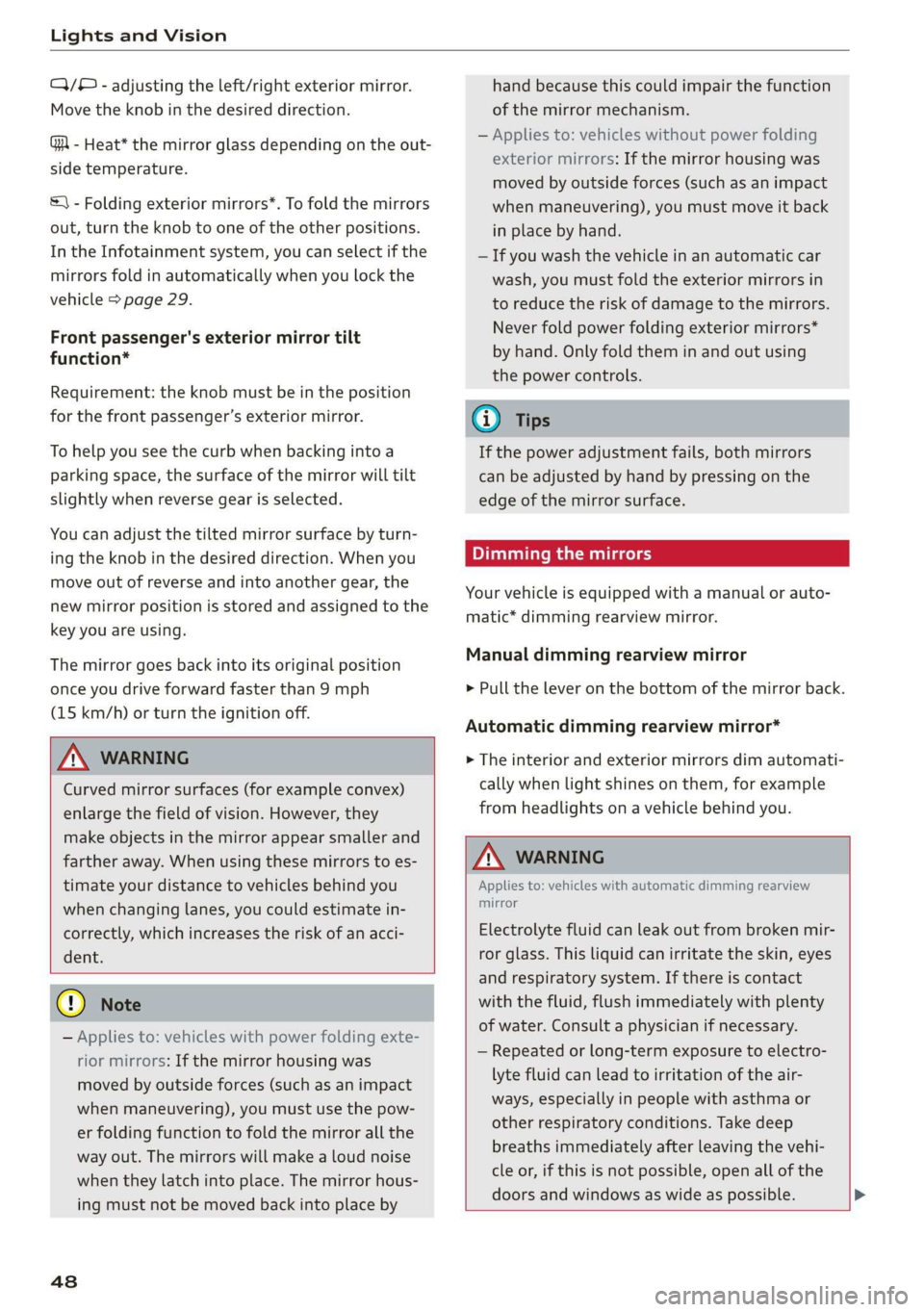
Q/® - adjusting the left/right exterior mirror.
Move the knob in the desired direction.
GA - Heat* the mirror glass depending on the out-
side temperature.
&) - Folding exterior mirrors*. To fold the mirrors
out, turn the knob to one of the other positions.
In the Infotainment system, you can select if the
mirrors fold in automatically when you lock the
vehicle > page 29.
Front passenger's exterior mirror tilt
function*
Requirement: the knob must be in the position
for the front passenger’s exterior mirror.
To help you see the curb when backing into a
parking space, the surface of the mirror will tilt
slightly when reverse gear is selected.
You can adjust the tilted mirror surface by turn-
ing the knob in the desired direction. When you
move out of reverse and into another gear, the
new mirror position is stored and assigned to the
key you are using.
The mirror goes back into its original position
once you drive forward faster than 9 mph
(15 km/h) or turn the ignition off.
Z\ WARNING
Curved mirror surfaces (for example convex)
enlarge the field of vision. However, they
make objects in the mirror appear smaller and
farther away. When using these mirrors to es-
timate your distance to vehicles behind you
when changing lanes, you could estimate in-
correctly, which increases the risk of an acci-
dent.
@) Note
— Applies to: vehicles with power folding exte-
rior mirrors: If the mirror housing was
moved by outside forces (such as an impact
when maneuvering), you must use the pow-
er folding function to fold the mirror all the
way out. The mirrors will make a loud noise
when they latch into place. The mirror hous-
ing must not be moved back into place by
48
hand because this could impair the function
of the mirror mechanism.
— Applies to: vehicles without power folding
exterior mirrors: If the mirror housing was
moved by outside forces (such as an impact
when maneuvering), you must move it back
in place by hand.
— If you wash the vehicle in an automatic car
wash, you must fold the exterior mirrors in
to reduce the risk of damage to the mirrors.
Never fold power folding exterior mirrors*
by hand. Only fold them in and out using
the power controls.
G) Tips
If the power adjustment fails, both mirrors
can be adjusted by hand by pressing on the
edge of the mirror surface.
Dimming the mirrors
Your vehicle is equipped with a manual or auto-
matic* dimming rearview mirror.
Manual dimming rearview mirror
> Pull the lever on the bottom of the mirror back.
Automatic dimming rearview mirror*
> The interior and exterior mirrors dim automati-
cally when light shines on them, for example
from headlights on a vehicle behind you.
Z\ WARNING
Applies to: vehicles with automatic dimming rearview
mirror
Electrolyte fluid can leak out from broken mir-
ror glass. This liquid can irritate the skin, eyes
and respiratory system. If there is contact
with the fluid, flush immediately with plenty
of water. Consult a physician if necessary.
— Repeated or long-term exposure to electro-
lyte fluid can lead to irritation of the air-
ways, especially in people with asthma or
other respiratory conditions. Take deep
breaths immediately after leaving the vehi-
cle or, if this is not possible, open all of the
doors and windows as wide as possible. >
Page 62 of 400
Stowing and using
Other storage
| BBV-0434
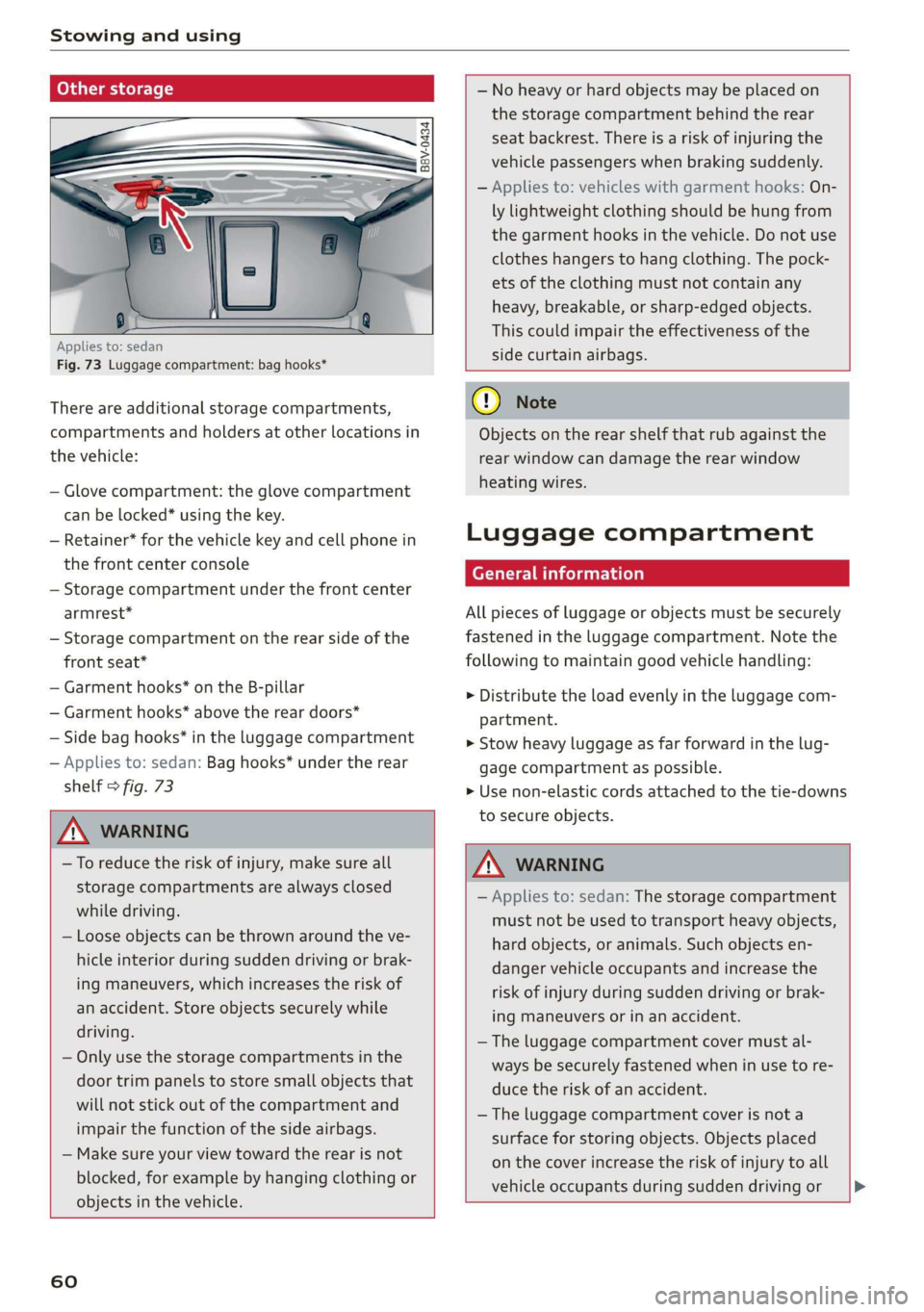
Applies to: sedan
Fig. 73 Luggage compartment: bag hooks*
There are additional storage compartments,
compartments and holders at other locations in
the vehicle:
— Glove compartment: the glove compartment
can be locked* using the key.
— Retainer* for the vehicle key and cell phone in
the front center console
— Storage compartment under the front center
armrest*
— Storage compartment on the rear side of the
front seat*
— Garment hooks* on the B-pillar
— Garment hooks* above the rear doors*
— Side bag hooks* in the luggage compartment
— Applies to: sedan: Bag hooks* under the rear
shelf > fig. 73
ZX WARNING
—To reduce the risk of injury, make sure all
storage compartments are always closed
while driving.
— Loose objects can be thrown around the ve-
hicle interior during sudden driving or brak-
ing maneuvers, which increases the risk of
an accident. Store objects securely while
driving.
— Only use the storage compartments in the
door trim panels to store small objects that
will not stick out of the compartment and
impair the function of the side airbags.
— Make sure your view toward the rear is not
blocked, for example by hanging clothing or
objects in the vehicle.
60
— No heavy or hard objects may be placed on
the storage compartment behind the rear
seat backrest. There is a risk of injuring the
vehicle passengers when braking suddenly.
— Applies to: vehicles with garment hooks: On-
ly lightweight clothing should be hung from
the garment hooks in the vehicle. Do not use
clothes hangers to hang clothing. The pock-
ets of the clothing must not contain any
heavy, breakable, or sharp-edged objects.
This could impair the effectiveness of the
side curtain airbags.
() Note
Objects on the rear shelf that rub against the
rear window can damage the rear window
heating wires.
Luggage compartment
General information
All pieces of luggage or objects must be securely
fastened in the luggage compartment. Note the
following to maintain good vehicle handling:
> Distribute the load evenly in the luggage com-
partment.
> Stow heavy luggage as far forward in the lug-
gage compartment as possible.
» Use non-elastic cords attached to the tie-downs
to secure objects.
ZA WARNING
— Applies to: sedan: The storage compartment
must not be used to transport heavy objects,
hard objects, or animals. Such objects en-
danger vehicle occupants and increase the
risk of injury during sudden driving or brak-
ing maneuvers or in an accident.
— The luggage compartment cover must al-
ways be securely fastened when in use to re-
duce the risk of an accident.
— The luggage compartment cover is not a
surface for storing objects. Objects placed
on the cover increase the risk of injury to all
vehicle occupants during sudden driving or
Page 63 of 400

8V2012721BK
Stowing and using
braking maneuvers or in the event of an ac-
cident.
Loose objects can be thrown around the ve-
hicle interior during sudden driving or brak-
ing maneuvers, which increases the risk of
an accident. Always stow objects securely in
the luggage compartment and secure them
at the tie-downs. Use straps suitable for
heavy objects.
If pieces of luggage or objects are secured
to the tie-downs with unsuitable or dam-
aged straps, this can increase the risk of in-
jury during braking maneuvers or accidents.
When transporting heavy objects, the vehi-
cle characteristics will change due to the
shift in the center of gravity, which increases
the risk of an accident. You may need to
adapt your driving style and speed to the
current conditions.
The cargo net is only strong enough to se-
cure light objects. Heavy objects are not ade-
quately secured. Attempting to secure heavy
objects increases the risk of injury.
Never exceed the permitted axle and load
and vehicle weight > page 380.
Never secure a child safety seat to the tie-
downs.
Never leave your vehicle unattended, espe-
cially if the luggage compartment lid is
open. Children could enter the luggage com-
partment and close the luggage compart-
ment lid from the inside. This creates the
risk of fatal injury, since the children would
be locked in and may not be able to escape
by themselves.
Do not allow children to play in or on the ve-
hicle. Close and lock the luggage compart-
ment lid as well as all other doors when you
leave the vehicle.
Never transport passengers in the luggage
compartment. Every passenger must be cor-
rectly secured with the safety belts in the
vehicle > page 245.
Be careful when releasing the backrest and
folding
it forward. To reduce the risk of be-
ing pinched, pay attention and check when
folding backrests forward.
— The backrest must be securely latched so
objects cannot slide forward out of the lug-
gage compartment during sudden braking.
— The backrest must be latched securely to en-
sure that the safety belt is protecting the
center seating position.
— Always pull forward on the backrest to make
sure it is check if it is correctly locked in
place.
@) Note
—To reduce the risk of damage, move the rear
head restraints down > page 57 before fold-
ing the rear backrests forward.
— When folding the backrest forward, make
sure the outer safety belts are in the belt
guide recess so that they do not get pinched
in the backrest lock and damaged. Other ob-
jects should be removed from the rear
bench seat to protect the backrest from
damage.
— If you move the front seat back when the
rear seat backrest is folded forward, you
could damage the head restraints on the
rear seat.
— Make sure that the heating grid strips for
the rear window defogger are not damaged
by abrasive objects.
@ Tips
— The tire pressure must be adapted to the
load > page 330.
— You can purchase straps at specialty stores.
Luggage compartment cover
Applies to: vehicles with luggage compartment cover
5 = S$
= = &
oO
Fig. 74 Luggage compartment: luggage compartment cov-
er >
61
Page 73 of 400
8V2012721BK
Driving
Driving
Starting the vehicle
ead
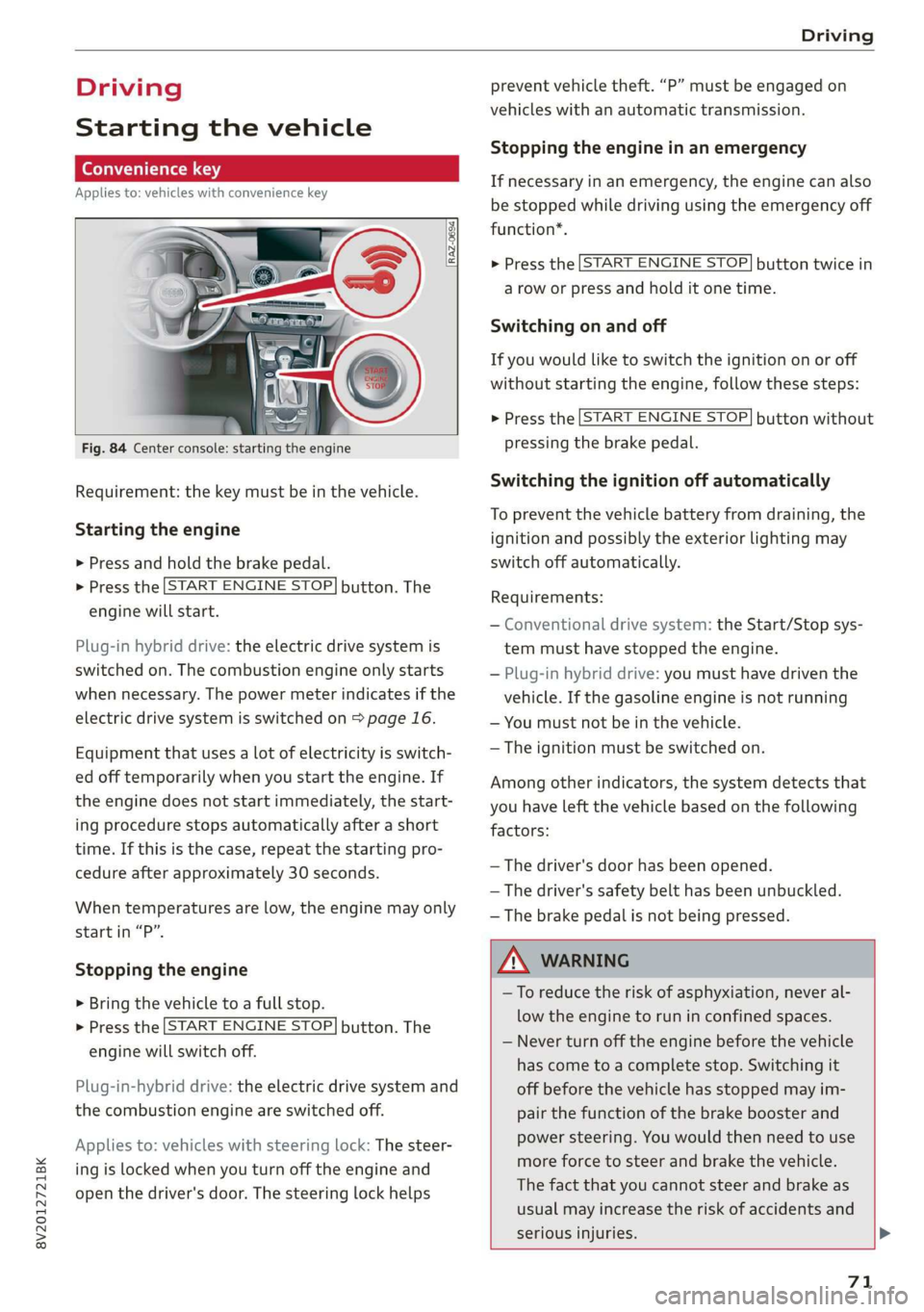
Applies to: vehicles with convenience key
Fig. 84 Center console: starting the engine
Requirement: the key must be in the vehicle.
Starting the engine
> Press and hold the brake pedal.
> Press the [START ENGINE STOP] button. The
engine will start.
Plug-in hybrid drive: the electric drive system is
switched on. The combustion engine only starts
when necessary. The power meter indicates if the
electric drive system is switched on > page 16.
Equipment that uses a lot of electricity is switch-
ed off temporarily when you start the engine. If
the engine does not start immediately, the start-
ing procedure stops automatically after a short
time. If this is the case, repeat the starting pro-
cedure after approximately 30 seconds.
When temperatures are low, the engine may only
start in “P”.
Stopping the engine
> Bring the vehicle to a full stop.
> Press the [START ENGINE STOP] button. The
engine will switch off.
Plug-in-hybrid drive: the electric drive system and
the combustion engine are switched off.
Applies to: vehicles with steering lock: The steer-
ing is locked when you turn off the engine and
open the driver's door. The steering lock helps
prevent vehicle theft. “P” must be engaged on
vehicles with an automatic transmission.
Stopping the engine in an emergency
If necessary in an emergency, the engine can also
be stopped while driving using the emergency off
function*.
> Press the [START ENGINE STOP] button twice in
a row or press and hold it one time.
Switching on and off
If you would like to switch the ignition on or off
without starting the engine, follow these steps:
> Press the [START ENGINE STOP] button without
pressing the brake pedal.
Switching the ignition off automatically
To prevent the vehicle battery from draining, the
ignition and possibly the exterior lighting may
switch off automatically.
Requirements:
— Conventional drive system: the Start/Stop sys-
tem must have stopped the engine.
— Plug-in hybrid drive: you must have driven the
vehicle. If the gasoline engine is not running
— You must not be in the vehicle.
— The ignition must be switched on.
Among other indicators, the system detects that
you have left the vehicle based on the following
factors:
— The driver's door has been opened.
— The driver's safety belt has been unbuckled.
— The brake pedal is not being pressed.
A WARNING
—To reduce the risk of asphyxiation, never al-
low the engine to run in confined spaces.
— Never turn off the engine before the vehicle
has come to a complete stop. Switching it
off before the vehicle has stopped may im-
pair the function of the brake booster and
power steering. You would then need to use
more force to steer and brake the vehicle.
The fact that you cannot steer and brake as
usual may increase the risk of accidents and
serious injuries. >
71
Page 76 of 400
Driving
> Select the “P” selector lever position to secure
the vehicle from rolling away.
> Turn the steering wheel when parking on in-
clines so that the wheels will roll into the curb
if the vehicle starts moving.
> Switch off the ignition before leaving the vehi-
cle.
On hills, activate the parking brake first and then
shift into the "P" selector lever position. This pre-
vents too much stress from being placed on the
locking mechanism.
ZA WARNING
— Always set the parking brake when leaving
your vehicle, even if for a short period of
time. If the parking brake is not set, the ve-
hicle could roll away, increasing the risk of
an accident.
— Do not leave your vehicle unattended while
the engine is running, because this increases
the risk of an accident.
— If the parking brake is set, it can release au-
tomatically when the accelerator pedal is
pressed. To reduce the risk of an accident,
do not inadvertently press the accelerator
pedal and always shift into “P” when the ve-
hicle is stopped.
— If you leave the vehicle, switch the ignition
off and take the key with you. This is espe-
cially important when leaving persons or an-
imals in the vehicle. Otherwise, the vehicle
could start unintentionally, the parking
brake could release, or electronic equipment
could activate, which increases the risk of an
accident.
— No persons or animals should be left in a
locked vehicle. Locked doors make it more
difficult for emergency workers to enter the
vehicle, which puts lives at risk.
— If you do not begin driving immediately af-
ter releasing the brake pedal, your vehicle
may begin to roll backward. Press the brake
pedal or set the parking brake immediately.
@) Note
If you have to stop on an incline, always press
the brake pedal to hold the vehicle in place to
74
reduce the risk of the vehicle rolling back-
ward. Do not try to hold the vehicle in place
by pressing and holding the accelerator pedal.
The transmission can overheat, which increas-
es the risk of damage.
Hill hold assist
If you take your foot off of the brake pedal when
driving on hills, the braking force will be held for
several seconds. At that time, you can start driv-
ing without the vehicle rolling backward.
Requirement: the driver's door must be closed,
the engine must be on, and the vehicle must be
traveling uphill.
> To activate hill hold assist, press and hold the
brake pedal for several seconds while the vehi-
cle is stationary.
Z\ WARNING
— If you do not begin driving immediately af-
ter releasing the brake pedal, your vehicle
may begin to roll backward. Press the brake
pedal
or set the parking brake immediately.
— The hill hold assist cannot hold the vehicle
on inclines in every scenario (for example,
on slippery or icy ground).
Messages
Bw Hill hold assist: unavailable
The hill hold assist is temporarily unavailable.
Press the brake pedal to secure the vehicle from
rolling away unintentionally.
Manual control!
The vehicle cannot be held in place automatically.
Press the brake pedal to secure the vehicle from
rolling away unintentionally.
Page 102 of 400
High-voltage system
an authorized Audi dealer or authorized
Audi Service Facility.
— Audi charging systems are intended for use
in private and semi-private areas (for exam-
ple, private property and company parking
lots). Depending on the country, charging in
mode 2 may be forbidden in public areas
and public spaces. Contact an authorized
Audi dealer or authorized Audi Service Facili-
ty for more information.
— Do not disconnect the vehicle charging cable
from the socket or the vehicle charging port
while the vehicle is charging. End the charg-
ing process before removing the vehicle
charging cable from the socket in order to
reduce the risk of damaging the connector
contacts from sparks.
ZA\ WARNING
The components in the Audi charging system
can trigger sparks which can cause flammable
or explosive fumes to ignite.
—To reduce the risk of explosions, especially in
garages, make sure the control unit is at
least 19 inches (50 cm) above the floor
when charging.
— Do not use the Audi charging system in
areas at risk for explosions.
— The Audi charging system is only intended
for use on Audi vehicles and vehicles within
the Volkswagen Group. Using the device on
vehicles made by another manufacturer is
not authorized.
©) Note
—Aseverely drained high-voltage battery can
cause damage to the high-voltage battery
Once a O mi (0 km) electric range is dis-
played, charge the high-voltage battery
within two months. If the stationary time is
unknown with the electric range at 0 mi (0
km), charge the high-voltage battery imme-
diately. Even if the vehicle is not used, the
high-voltage battery charge level will natu-
rally reduce over time. To avoid a total bat-
tery drain during long periods without use
(more than one year), charge the high-volt-
100
age battery to the highest level possible be-
fore discontinuing driving it.
— Make sure that you always use the correct
power plug provided with the Audi charging
system for the country in which it is being
used. Contact an authorized Audi dealer or
authorized Audi Service Facility for more in-
formation.
G) Tips
— Only use the factory-provided charging ca-
ble from Audi or the Volkswagen Group to
charge your vehicle.
— For an uninterrupted charging process, we
recommend only charging using sockets
that are connected to a separately protected
circuit.
— Using either NEMA sockets with a current
rating of at least 30 A or industrial sockets
in accordance with IEC 60309 when charg-
ing is recommended.
— When charging the high-voltage battery us-
ing household or industrial* sockets, the
electrical installation can be used at full ca-
pacity. Having a qualified electrician regu-
larly inspect the electrical installations that
are used for charging is recommended.
— The vehicle radio and TV systems may have
limited reception when charging the vehicle.
Charging at public
charging stations
Applies to: vehicles with plug-in hybrid drive
Use
the charging cable supplied at the public
charging station for charging. Contact an author-
ized Audi dealer or authorized Audi Service Facili-
ty for more information.
> Follow the operating instructions at the charg-
ing station to charge the high-voltage battery.
> Unlock the vehicle if necessary > page 25.
» Make sure that the selector lever is in the P po-
sition and drive ready mode is switched off.
» To open the charging port door, turn the lock to
a vertical position > page 104, fig. 102.
> Slide the cover carefully to the side if necessary.
> Remove the lock on the charging port
=> page 104, fig. 103.