windshield AUDI A3 2020 Owner´s Manual
[x] Cancel search | Manufacturer: AUDI, Model Year: 2020, Model line: A3, Model: AUDI A3 2020Pages: 400, PDF Size: 107.47 MB
Page 53 of 400

8V2012721BK
Lights and Vision
ZA\ WARNING
Dirty windshield wiper blades can impair vi-
sion, which increases the risk of an accident.
() Note
If you see streaks again after cleaning the
wiper blades, the blades must be replaced
=>page 51.
Replacing the front wiper blades
2
B8R-0379
Fig. 60 Windshield wiper: removing the wiper blade
Windshield wiper service position/blade
replacement position
> To bring the wipers into the service position,
turn the ignition off and move the windshield
wiper lever into position @) for at least two sec-
onds © page 49, fig. 58.
> To bring the windshield wipers back to the nor-
mal position, switch the ignition on and hold
the windshield wiper lever in position @) until
the windshield wipers go back to the original
position, or drive faster than 8 mph (12 km/h).
Removing the wiper blade
> Fold the windshield wiper arm away from the
windshield.
> Press the locking knob @) & fig. 60 on the wiper
blade. Hold the wiper blade firmly.
> Remove the wiper blade in the direction of the
arrow.
Installing the wiper blade
> Insert the new wiper blade into the mount on
the wiper arm () until you hear it latch into
place.
>» Place the wiper arm back on the windshield.
> Turn the service position off.
ZA\ WARNING
For safety reasons, the windshield wiper
blades should be replaced once or twice each
year.
() Note
— Only fold the windshield wipers away when
they are in the service position. Otherwise,
you risk damaging the paint on the hood or
the windshield wiper motor.
— You should not drive your vehicle or press
the windshield wiper lever when the wiper
arms are folded away from the windshield.
The windshield wipers would move back in-
to their original position and could damage
the hood and windshield.
@) Tips
— You can also use the service position, for ex-
ample, if you want to protect the windshield
from icing by using a cover.
— You cannot activate the service position
when the hood is open.
Replacing rear wiper blade
Applies to: vehicles with rear window wiper
wx a Ss
- ed o a
Fig. 61 Rear window wiper: removing the wiper blade
Removing the wiper blade
> Fold the wiper arm away from the rear window.
> Hold the wiper blade below the center in the di-
rection of the arrow and pull it out of the re-
tainer. Hold the windshield wiper arm securely
while doing this.
51
Page 54 of 400

Lights and Vision
Installing the wiper blade
> Press the wiper blade mount into the retainer.
Securely hold the wiper arm at the upper plas-
tic end.
> Fold the window wiper arm back onto the rear
window.
Z\ WARNING
For safety reasons, the windshield wiper
blades should be replaced once or twice each
year.
Messages
If the & indicator light turns on, then there is a
windshield wiper malfunction. Drive to an au-
thorized Audi dealer or authorized Audi Service
Facility immediately to have the malfunction cor-
rected.
a Automatic wipers: malfunction! See owner's
manual
The light/rain sensor is malfunctioning.
You can still control all functions that are not
controlled by the rain sensor using the wind-
shield wiper lever.
Drive immediately to an authorized Audi dealer
or authorized Audi Service Facility to have the
malfunction repaired.
52
Digital compass
Switching the compass on and off
Applies to: vehicles with digital compass
BFV-0288
Fig. 62 Rearview mirror: digital compass is switched on
> To turn the compass on or off, press the button
@ until the compass display in the mirror turns
on or off.
The digital compass only works when the ignition
is turned on. The directions are indicated with ab-
breviations: N (north), NE (northeast), E (east),
SE (southeast), S (south), SW (southwest), W
(west), NW (northwest).
G) Tips
To prevent inaccurate compass readings, do
not bring any remote controls, electrical devi-
ces or metallic objects near the mirror.
Page 67 of 400
8V2012721BK
Warm and cold
Warm and cold
Climate control system
Your vehicle has a deluxe automatic climate con-
trol system with two zones where the tempera-
ture, air distribution, and amount of air can be
adjusted separately on the left and right front
sides.
The climate control system circulates, warms or
cools, and removes humidity from the air in the
vehicle interior. It is the most effective when the
windows and panoramic glass roof* or power
top* are closed. If there is a build-up of heat in-
side the vehicle, ventilation can help to speed up
the cooling process.
Pollutant filter
The pollutant filter removes pollutants such as
dust and pollen from the air.
Presets
Several functions can be preset in the Infotain-
ment system.
Select in the Infotainment system: [MENU] but-
ton > Vehicle > left control button > Air condi-
tioning
freeze on the windshield and impair visibili-
ty.
ZA WARNING
Poor visibility can lead to accidents.
— For safer driving, keep all windows free of
ice, snow and fog.
— Become familiar with the correct use and
function of the climate control system as
quickly as possible, especially with the de-
frosting and defogging functions.
— When the temperature is below freezing,
only use the windshield washer system after
the
windshield has been warmed by the cli-
mate control system. The washer fluid could
() Note
— If you suspect that the climate control sys-
tem is damaged, switch the system off to
prevent further damage and have it checked
by an authorized Audi dealer or authorized
Audi Service Facility.
— Repairs to the Audi climate control system
require special technical knowledge and
special
tools. See an authorized Audi dealer
or authorized Audi Service Facility.
@) For the sake of the environment
— Energy can be saved by switching off the A/C
mode.
— In vehicles with the efficiency program”, you
can find other consumption information and
more economy tips > page 23.
iG) Tips
—To prevent interference with the heating
and cooling output and to prevent the win-
dows from fogging over, the air intake in
front of the windshield must be free of ice,
snow, and leaves.
— Condensation from the cooling system can
drip and form a puddle of water under the
vehicle. This is normal and does not mean
there is a leak.
— The energy management system may tem-
porarily switch off certain functions, such as
the seat heating* or rear window defogger.
These systems are available again as soon as
the energy supply has been restored.
— The climate control settings are automati-
cally stored and assigned to the vehicle key
that is in use. These settings are different
when the power top* is open or closed.
65
Page 69 of 400

8V2012721BK
Warm and cold
85/ 29/ @3 Air distribution and vents
The air distribution can adjusted with the but-
tons. To have the air distribution regulated auto-
matically, press the AUTO button.
The round air vents in the cockpit are adjustable
> page 68.
To keep the front side windows from fogging up
in damp weather, we recommend opening the
side air vents and tilting them to the side.
Foot vents are located under the front seats and
adjustable vents on the end of the center console
to heat the rear of the vehicle.
& Defrosting
The windshield and side windows are defrosted
or cleared of condensation as quickly as possible.
The maximum amount of air flows mainly from
the vents below the windshield. Recirculation
mode switches off. The temperature should be
set at +72°F (22°C) or higher. The temperature is
controlled automatically. In the & setting, the
A/C cooling mode switches on automatically, de-
pending on the outside air temperature.
The AUTO button switches the defroster off.
<> Recirculation mode
The recirculation mode can be turned on manual-
ly or automatically*.
— Switching manual recirculation mode on and
off: press the > button.
— Automatic* recirculation mode: auto recircula-
tion needs to be activated in the Infotainment
system. Select in the Infotainment system:
MENU] button > Vehicle > left control button >
Air conditioning > Auto recirculation. The air
quality sensor that is designed for diesel and
gasoline exhaust automatically switches the re-
circulation mode on or off depending on the
level of pollutants in the outside air.
In recirculation mode, the air inside the vehicle is
circulated and filtered. This prevents the unfil-
tered air outside the vehicle from entering the
vehicle interior. Switching recirculation mode on
when driving through a tunnel or when sitting in
traffic is recommended > A.
Pressing the <> button, AUTO or the ® button
switches recirculation mode off.
@ Rear window heating
If the rear window defogger is activated when
the ignition is switched on, the battery manage-
ment determines based on the battery charge if
it is possible to turn on. Otherwise, the rear win-
dow defogger functions with the engine running
and switches off automatically after approxi-
mately 10 - 20 minutes, depending on the out-
side temperature.
To prevent the rear window defogger from
switching off automatically, press and hold the
® button for more than two seconds.
#/ Seat heating*
Pressing the a button switches the seat heating
on at the highest setting (level 3). The LEDs indi-
cate the temperature level. To reduce the tem-
perature, press the button again. To switch the
seat heating off, press the button repeatedly un-
til the LED turns off.
After approximately 10 minutes, the seat heating
automatically switches from level 3 to level 2.
Z\ WARNING
— You should not use the recirculation mode
for an extended period of time, because no
fresh air is drawn in and the windows can
fog when cooling mode is switched off. This
increases the risk of an accident.
— Individuals with reduced sensitivity to pain
or temperature could develop burns when
using the seat heating function. To reduce
the risk of injury, these individuals should
not use seat heating.
@) Note
To reduce the risk of damage to the seat heat-
ing elements, do not kneel on the seats or
place heavy pressure on one area of the seat.
G) Tips
If the front passenger's seat heating is turned
on, it will not turn on again automatically if
more than 10 minutes have passed between
67
>
Page 87 of 400
8V2012721BK
Driving
Manually switching the Start/Stop system
koi
Applies to: vehicles with Start/Stop system
If you do not wish to use the system, you can
switch it off manually.
2 +
3}
g > & oO
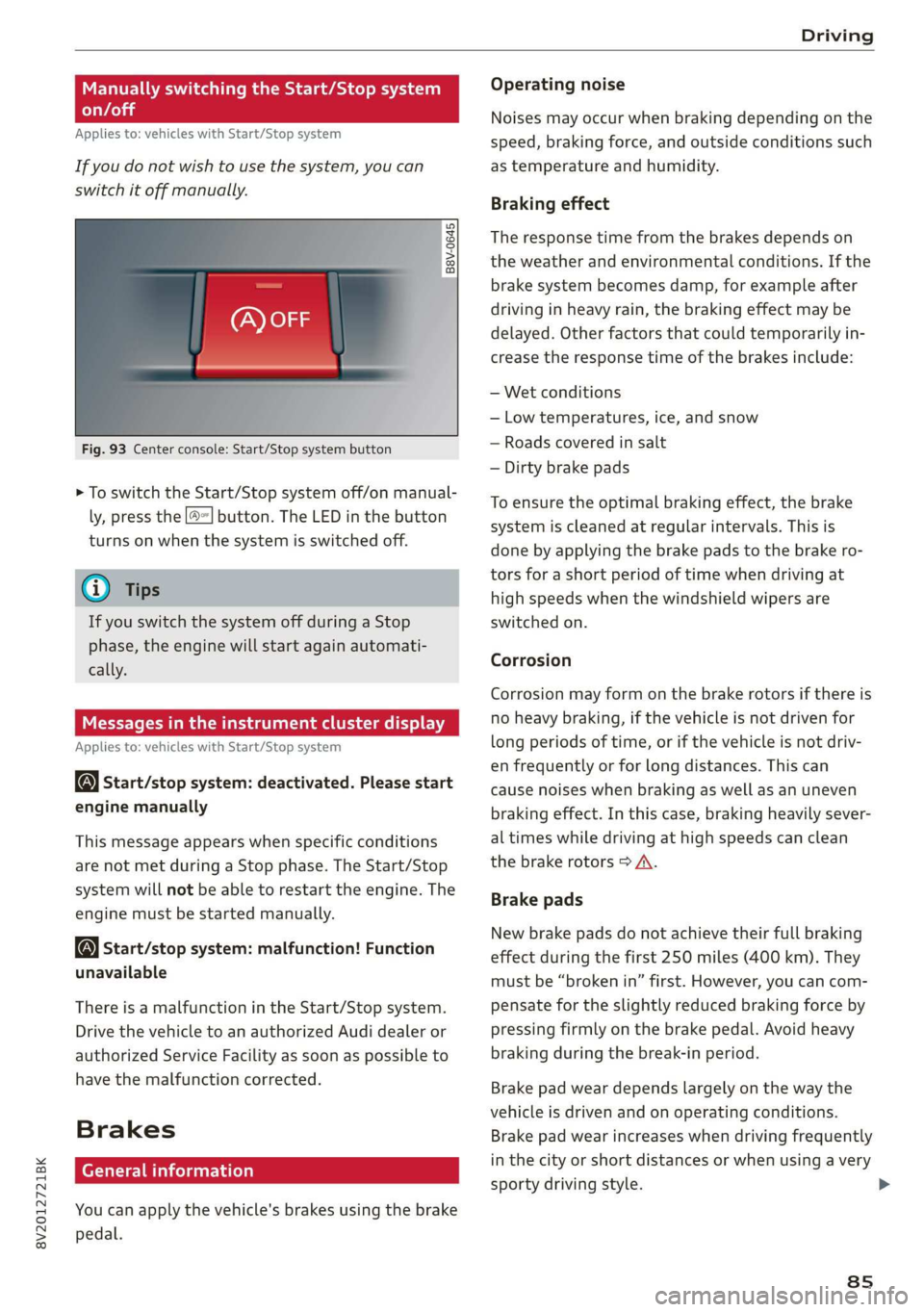
Fig. 93 Center console: Start/Stop system button
> To switch the Start/Stop system off/on manual-
ly, press the [| button. The LED in the button
turns on when the system is switched off.
G) Tips
If you switch the system off during a Stop
phase, the engine will start again automati-
cally.
ee melee
Applies to: vehicles with Start/Stop system
Start/stop system: deactivated. Please start
engine manually
This message appears when specific conditions
are not met during a Stop phase. The Start/Stop
system will not be able to restart the engine. The
engine must be started manually.
Start/stop system: malfunction! Function
unavailable
There is a malfunction in the Start/Stop system.
Drive the vehicle to an authorized Audi dealer or
authorized Service Facility as soon as possible to
have the malfunction corrected.
Brakes
General information
You can apply the vehicle's brakes using the brake
pedal.
Operating noise
Noises may occur when braking depending on the
speed, braking force, and outside conditions such
as temperature and humidity.
Braking effect
The response time from the brakes depends on
the weather and environmental conditions. If the
brake system becomes damp, for example after
driving in heavy rain, the braking effect may be
delayed. Other factors that could temporarily in-
crease the response time of the brakes include:
— Wet conditions
— Low temperatures, ice, and snow
— Roads covered in salt
— Dirty brake pads
To ensure the optimal braking effect, the brake
system is cleaned at regular intervals. This is
done by applying the brake pads to the brake ro-
tors for a short period of time when driving at
high speeds when the windshield wipers are
switched on.
Corrosion
Corrosion may form on the brake rotors if there is
no heavy braking, if the vehicle is not driven for
long periods of time, or if the vehicle is not driv-
en frequently or for long distances. This can
cause noises when braking as well as an uneven
braking effect. In this case, braking heavily sever-
al times while driving at high speeds can clean
the brake rotors > A\.
Brake pads
New brake pads do not achieve their full braking
effect during the first 250 miles (400 km). They
must be “broken in” first. However, you can com-
pensate for the slightly reduced braking force by
pressing firmly on the brake pedal. Avoid heavy
braking during the break-in period.
Brake pad wear depends largely on the way the
vehicle is driven and on operating conditions.
Brake pad wear increases when driving frequently
in the city or short distances or when using a very
sporty driving style. >
8s
Page 130 of 400
![AUDI A3 2020 Owner´s Manual Assist systems
Settings in the Infotainment system
Applies to: vehicles with Audi pre sense
> Select in the Infotainment system: [MENU] but-
ton > Vehicle > left control button > Driver](/img/6/40265/w960_40265-129.png "AUDI A3 2020 Owner´s Manual Assist systems
Settings in the Infotainment system
Applies to: vehicles with Audi pre sense
> Select in the Infotainment system: [MENU] but-
ton > Vehicle > left control button > Driver")
Assist systems
Settings in the Infotainment system
Applies to: vehicles with Audi pre sense
> Select in the Infotainment system: [MENU] but-
ton > Vehicle > left control button > Driver as-
sistance > Audi pre sense.
System - The pre sense functions can be switched
on and off.
If the system is switched off, it switches on again
automatically once the ignition is switched on
again.
Prewarning - The early warning can be switched
off permanently or the pre sense front warning
point can be set (Early/Medium/Late).
Set the warning time for the early warning to
Early at first. If this causes undesired early warn-
ings to appear, then set the warning time to Me-
dium. The Late warning time should only be set
in special circumstances.
@ Tips
If the system is switched off, it switches on
again automatically once the ignition is
switched on again.
Messages
Applies to: vehicles with Audi pre sense
& Audi pre sense: malfunction! Please contact
Service
This message appears when the pre sense func-
tion
is affected. For example, this could be
caused by a faulty sensor. If the message stays
on, drive immediately to an authorized Audi deal-
er or authorized Audi Service Facility to have the
malfunction corrected.
Audi pre sense: currently limited. Sensor
view limited due to surroundings.
This message appears if the sensor view is ob-
structed, for example by leaves, snow, heavy
spray or dirt. Clean the sensor if necessary
=> page 119, fig. 109.
Audi pre sense: currently limited
This message appears if the ESC is restricted or
switched off, for example.
128
udi pre sense: currently limited. See own-
er's manual
This message appears when there is a temporary
failure in a subsystem, such as the ESC. If this
message appears repeatedly, drive to an author-
ized Audi dealer or authorized Audi Service Facili-
ty to have the malfunction corrected.
Audi pre sense: emergency braking system
off
This message appears if the pre sense functions
are switched off through the Infotainment sys-
tem or if the system is not ready.
Audi active lane assist
Applies to: vehicles with Audi active lane assist
Active lane assist (lane departure warning) de-
tects lane marker lines within the limits of the
system using a camera in the windshield. If you
are approaching a detected lane marker line and
it appears likely that you will leave the lane, the
system will warn you with corrective steering.
You can override this steering at any time. If you
pass over a line, the steering wheel will vibrate
lightly. In order for this warning vibration to oc-
cur, it must first be switched on in the Infotain-
ment system. Active lane assist is ready for oper-
ation when the lane marker line is detected on at
least one side of the vehicle.
The system is designed for driving on express-
ways and highways and therefore only activates
at speeds above approximately 40 mph (65
km/h).
Applies to: vehicles with Audi side assist
If you activate a turn signal when active lane as-
sist is ready and it classifies a lane change as crit-
ical because of vehicles traveling alongside you or
approaching you, there will be noticeable correc-
tive steering shortly before you leave the lane.
This will attempt to keep your vehicle in the lane.
Applies to: vehicles without Audi side assist
The system will not warn you before crossing a
lane marker line if you have activated the turn >
Page 131 of 400

8V2012721BK
Assist systems
signal. In this case, it assumes that you are
changing lanes intentionally.
Z\ WARNING
— The system warns the driver that the vehicle
is leaving the lane using corrective steering.
The driver is always responsible for keeping
the vehicle within the lane.
— The system can help you keep the vehicle in
the lane, but it does not drive by itself. Al-
ways keep your hands on the steering wheel.
— Corrective steering may not occur in certain
situations, such as during heavy braking.
— There may be cases where the camera does
not recognize all lane marker lines. Correc-
tive steering can only take place on the side
of the vehicle where lane marker lines are
detected.
— Other road structures or objects could possi-
bly be identified unintentionally as lane
marker lines. As a result, corrective steering
may be unexpected or may not occur.
— The camera view can be restricted, for exam-
ple by vehicles driving ahead or by rain,
snow, heavy spray light shining into the
camera or by dirt on the window. This can
result in active lane assist not detecting the
lane marker lines or detecting them incor-
rectly.
— Under certain conditions such as ruts in the
road, an inclined roadway or crosswinds, the
corrective steering alone may not be enough
to keep the vehicle in the middle of the lane.
— For safety reasons, active lane assist must
not be used when there are poor road and/or
weather conditions such as slippery roads,
fog, gravel, heavy rain, snow and the poten-
tial for hydroplaning. Using active lane as-
sist under these conditions may increase the
risk of a crash.
SY iicealiaremelilie Rela
Applies to: vehicles with Audi active lane assist
B4M-0064|
Fig. 121 Turn signal lever: switching Active lane assist on
and off (example)
B4M-0090
Fig. 122 Windshield: camera window for active lane assist
> Press the button to switch the system on and
off > fig. 121. The indicator light in the instru-
ment cluster turns on or off.
129
Page 133 of 400
8V2012721BK
Assist systems
— The camera field of view > page 129, fig. 122 is
dirty or covered in ice. Clean this area on the
windshield.
— The camera field of view is fogged over. Wait
until the fog has cleared before switching the
active lane assist on again.
— The system has been unable to detect the lanes
for an extended period of time due to road con-
ditions. Switch active lane assist back on when
the lines are more visible.
BB audi active lane assist: currently unavailable
There is a temporary active lane assist malfunc-
tion. Try switching the active lane assist on again
later.
HB audi active lane assist: Please take over
steering!
This message appears if you are not steering by
yourself. Active lane assist is activated, but is not
ready to provide warnings.
ZX WARNING
Note that messages may be delayed or not
displayed on vehicles with accessories mount-
ed on the steering wheel, such as a steering
wheel spinner knob. Always keep your hands
on the steering wheel.
Setting the vibration warning
Applies to: vehicles with Audi active lane assist
You can adjust individual Audi active lane assist
settings in the Infotainment system.
MENU > Select in the Infotainment system: but-
ton > Vehicle > left control button > Driver as-
sistance > Audi active lane assist.
Vibration warning
You can switch the additional vibration warning
in the steering wheel on or off.
-Z\ WARNING
With the vibration warning switched off, there
will also be no visual warning in the instru-
ment cluster display when crossing a lane
marker line.
@) Tips
In certain markets: certain settings are stored
automatically and assigned to the remote
control key in use.
Audi side assist
Applies to: vehicles with Audi side assist
B4H-0761
B8V-0059
Fig. 125 Display on the exterior mirror
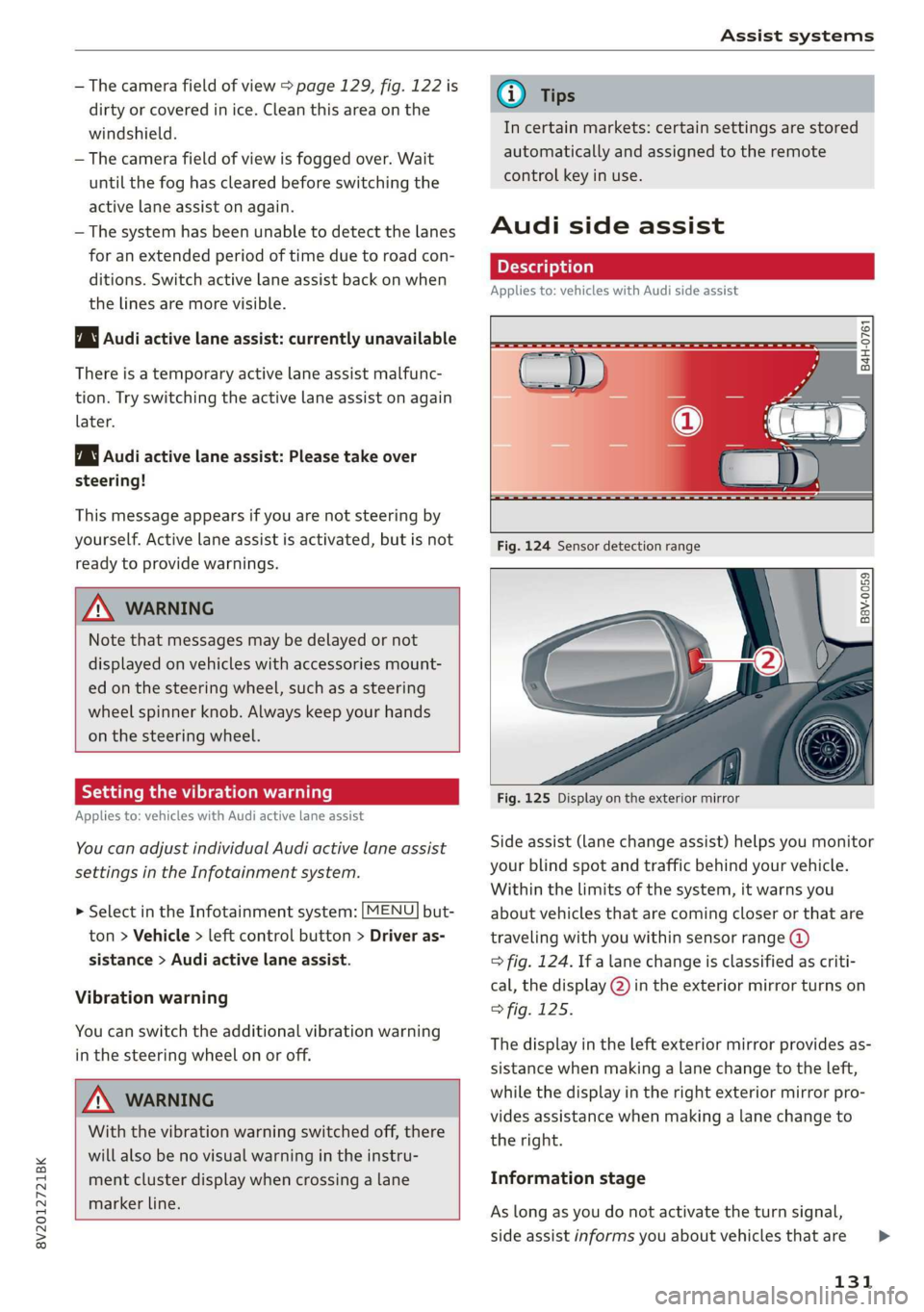
Side assist (lane change assist) helps you monitor
your blind spot and traffic behind your vehicle.
Within the limits of the system, it warns you
about vehicles that are coming closer or that are
traveling with you within sensor range @)
> fig. 124. If a lane change is classified as criti-
cal, the display @) in the exterior mirror turns on
> fig. 125.
The display in the left exterior mirror provides as-
sistance when making a lane change to the left,
while the display in the right exterior mirror pro-
vides assistance when making a lane change to
the right.
Information stage
As long as you do not activate the turn signal,
side assist informs you about vehicles that are
131
>
Page 244 of 400

Driving safety
1 Coley maar Mela Mealy -aed (el)
Always use floor mats that can be securely at-
tached to the floor mat fasteners and do not in-
terfere with the free movement of the pedals.
> Make sure that the floor mats are properly se-
cured and cannot move and interfere with the
pedals > A\.
Use only floor mats that leave the pedal area un-
obstructed and that are firmly secured so that
they cannot slip out of position. You can obtain
suitable floor mats from your authorized Audi
Dealer.
Floor mat fasteners are installed in your Audi.
Floor mats used in your vehicle must be attached
to these fasteners. Properly securing the floor
mats will prevent them from sliding into posi-
tions that could interfere with the pedals or im-
pair safe operation of your vehicle in other ways.
ZA\ WARNING
Pedals that cannot move freely can result ina
loss of vehicle control and increase the risk of
serious personal injury.
— Always make sure that floor mats are prop-
erly secured.
— Never place or install floor mats or other
floor coverings in the vehicle that cannot be
properly secured in place to prevent them
from slipping and interfering with the ped-
als or the ability to control the vehicle.
— Never place or install floor mats or other
floor coverings on top of already installed
floor mats. Additional floor mats and other
coverings will reduce the size of the pedal
area and interfere with the pedals.
— Always properly reinstall and secure floor
mats that have been taken out for cleaning.
— Always make sure that objects cannot fall in-
to the driver footwell while the vehicle is
moving. Objects can become trapped under
the brake pedal and accelerator pedal caus-
ing a loss of vehicle control.
242
Active rollover
protection system
Applies to: vehicles with power top
The rollover protection system protects vehicle
occupants in the event of a rollover.
B8V-0333
Fig. 199 Rear seats: rollbar deployment range
B8V-0334
Fig. 200 Rear seats: deployed rollbar
The active rollover protection system consists of:
— two rollbars
— the safety belts with belt tensioners
— the windshield frame
—the rollover sensors
The active rollover protection system provides
additional safety in the event of a rollover. Within
milliseconds, sensors deploy two rollbars located
behind the head restraints in the rear seats
© fig. 200.
The rollbars, reinforced windshield frame and
belt tensioners help protect front and rear pas-
sengers in the event of a rollover.
The rollover protection system functions when
the power top is both open and closed.
Page 249 of 400
8V2012721BK
Safety belts
bracing themselves. Without the benefit of safe-
ty restraint systems, the unrestrained occupant
will slam violently into the steering wheel, in-
strument panel, windshield, or whatever else is
in the way > fig. 206. This impact with the vehi-
cle interior has all the energy they had just before
the crash.
Never rely on airbags alone for protection. Even
when they deploy, airbags provide only additional
protection. Airbags are not supposed to deploy in
all kinds of accidents. Although your Audi is
equipped with airbags, all vehicle occupants, in-
cluding the driver, must wear safety belts cor-
rectly in order to minimize the risk of severe in-
jury or death in a crash.
Remember too, that airbags will deploy only once
and that your safety belts are always there to of-
fer protection in those accidents in which airbags
are not supposed to deploy or when they have al-
ready deployed. Unbelted occupants can also be
thrown out of the vehicle where even more severe
or fatal injuries can occur.
It is also important for the rear passengers to
wear safety belts correctly. Unbelted passengers
in the rear seats endanger not only themselves
but also the driver and other passengers
=> fig. 207. In a frontal collision they will be
thrown forward violently, where they can hit and
injure the driver and/or front seat passenger.
1-1 al LheM ogo) alas
People think it's possible to use the hands to
brace the body in a minor collision. It's simply
not true!
“=
a
8
x % 8
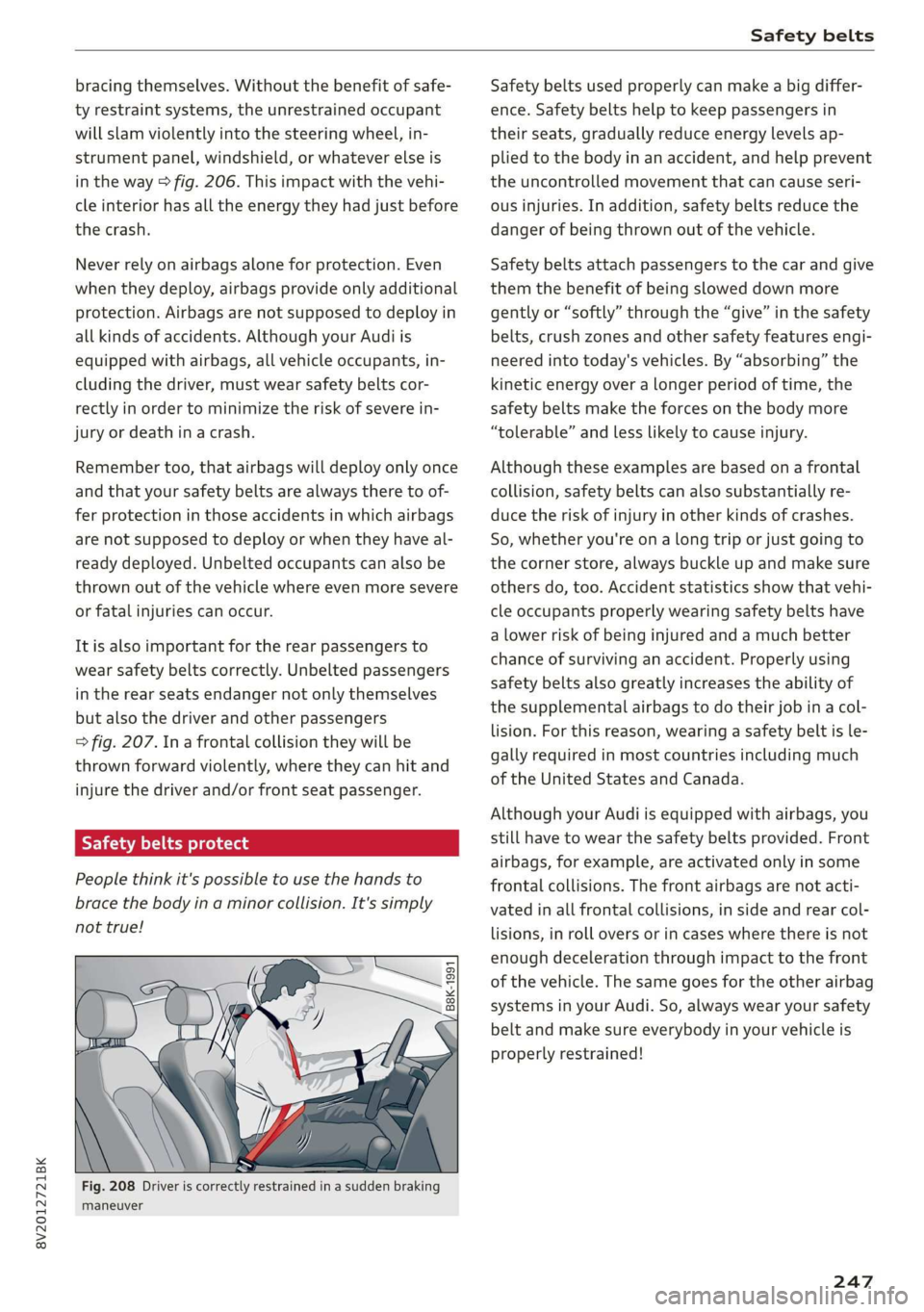
Fig. 208 Driver is correctly restrained in a sudden braking
maneuver
Safety belts used properly can make a big differ-
ence. Safety belts help to keep passengers in
their seats, gradually reduce energy levels ap-
plied to the body in an accident, and help prevent
the uncontrolled movement that can cause seri-
ous injuries. In addition, safety belts reduce the
danger of being thrown out of the vehicle.
Safety belts attach passengers to the car and give
them the benefit of being slowed down more
gently or “softly” through the “give” in the safety
belts, crush zones and other safety features engi-
neered into today's vehicles. By “absorbing” the
kinetic energy over a longer period of time, the
safety belts make the forces on the body more
“tolerable” and less likely to cause injury.
Although these examples are based on a frontal
collision, safety belts can also substantially re-
duce the risk of injury in other kinds of crashes.
So, whether you're on a long trip or just going to
the corner store, always buckle up and make sure
others do, too. Accident statistics show that vehi-
cle occupants properly wearing safety belts have
a lower risk of being injured and a much better
chance of surviving an accident. Properly using
safety belts also greatly increases the ability of
the supplemental airbags to do their job in a col-
lision. For this reason, wearing a safety belt is le-
gally required in most countries including much
of the United States and Canada.
Although your Audi is equipped with airbags, you
still have to wear the safety belts provided. Front
airbags,
for example, are activated only in some
frontal collisions. The front airbags are not acti-
vated in all frontal collisions, in side and rear col-
lisions, in roll overs or in cases where there is not
enough deceleration through impact to the front
of the vehicle. The same goes for the other airbag
systems in your Audi. So, always wear your safety
belt and make sure everybody in your vehicle is
properly restrained!
247