warning AUDI A3 CABRIOLET 2015 Repair Manual
[x] Cancel search | Manufacturer: AUDI, Model Year: 2015, Model line: A3 CABRIOLET, Model: AUDI A3 CABRIOLET 2015Pages: 302, PDF Size: 73.83 MB
Page 97 of 302
M N ,....
> co ,...., \!) 1.1'1 ,...., 1.1'1 ,....,
Audi pre sense Introduction
Applies to vehicles: with Audi pre se nse basic or Aud i pre
sense front
W ithin the limits of the system, pre sense ba
sic and pre sense front can initiate steps to
protect vehicle occupants in certa in danger
ous situations.
Critical driving situat ions can be recognized by
the pre sense front via a network of different
veh icle systems and can take steps to prepare
the vehicle occupants for a potentia l co llision.
The pre sense front wo rks with a radar sensor
and a video camera*.
It also functions within
the limits of the system when adaptive cruise
control* is switched off.
General information
General information
Applies to vehicles: with Audi pre sense front or Audi adaptive cruise control
A WARNING
Also follow the general information found
on
~ page 8 7, General information.
Audi pre sense basic
Description
Applies to vehicles : with Audi pre se nse basic
The function of the pre sense basic is activat
ed at a speed of 20 mph (30 km/h) or higher.
The following functions can be triggered un
der certain conditions within the limits of the
system:
- T ensioning of the safety be lts (for example,
during heavy braking) : The front safety belts
have reversible belt pretensioners. If a colli
s ion does not occur, the safety belts loosen
slight ly and are ready to trigger again .
- Closing the windows (for example, if under
or oversteering): The windows close until
there is only a small gap open.
Audi pre sense 95
Audi drive select: The dep loyment time is
adapted in dynamic mode.
A WARNING
The pre sense basic cannot overcome natu ral physical laws. It is a system designed to
assist and it cannot prevent a collis ion. Do
not let the increased safety provided
tempt you into taking risks. This could in
crease your r isk of a collis ion.
- The system can deploy incorrectly due to
system-specific limits.
(D Tips
- Certa in pre sense bas ic functions switch
off when ESC is switched off (sport
mode) or when dr iving in reverse.
- The pre sense basic functions may not be
available if there is a ma lfunction in the
ESC system or the airbag control mod
ule.
- Note that with pre sense bas ic, the rever
sible safety belt pretensioner on the
front passenger's side deactivates when
t he fron t passenger's airbag is deactivat
ed.
Audi pre sense front
Description
Applies to vehicles : wit h Audi pre sense front or Audi
adaptive crui se con trol
Pre sense front informs you if the distance to
the vehicle ahead falls below the safe distance
for an extended period of time. It can warn of
a possible collision and initiate braking ma neuvers, within the limits of the system.
When detected in time, the system can assess
dangerous situat ions where an object ahead
brakes suddenly or if your own veh icle is trav
el ing at a high speed and approaching an ob
ject that is moving more slow ly . If detection is
not poss ible, then pre sense front does not re
act.
•
Page 98 of 302
96 Audi pre sense
Warnings
App lies to vehicles: with Audi pre sense front or Audi
adaptive cruise control
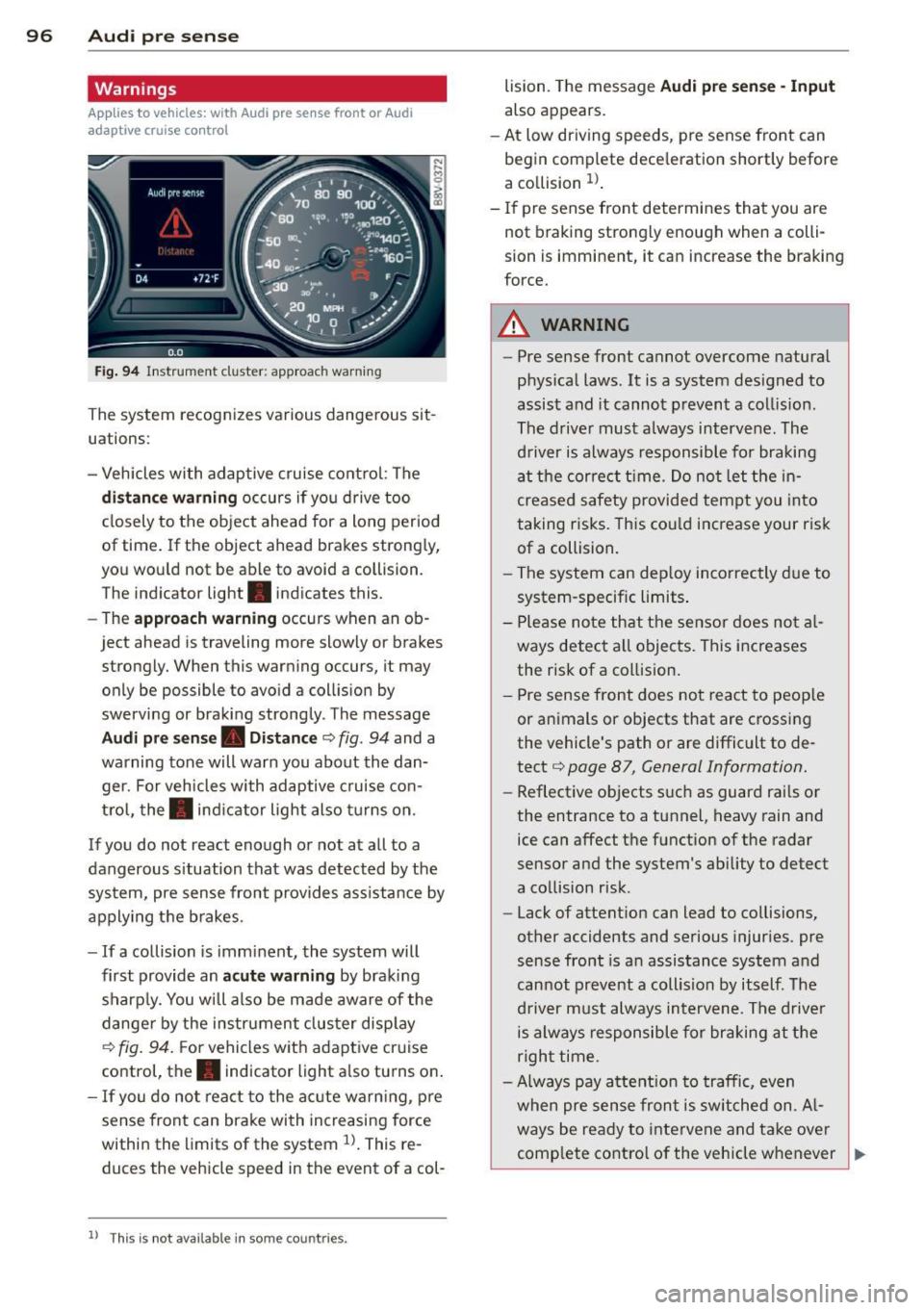
Fig. 94 Instrument cluster: approac h warning
The system recognizes various dangerous sit
uations:
- Vehicles with adaptive cruise control : The
distance warning occurs if you drive too
closely to the object ahead for a long period
of t ime. If the object ahead brakes strongly,
you would not be able to avoid a coll ision.
The indicator light . indicates this.
- The
approach warning occurs when an ob
ject ahead is traveling mo re slowly or brakes
strongly. When this warning occurs, it may only be possible to avoid a collision by
swerving or braking strongly. The message
Audi pre sense. Distance ¢ fig . 94 and a
warning tone will warn you about the dan ger. For vehicles with adaptive cruise con
trol, the. indicator light also turns on.
If you do not react enough or not at all to a
dangerous situation that was detected by the
system, pre sense front provides ass istance by
applying the brakes.
- If a collision is imminent, the system will
first provide an
acute warning by braking
sharply. You will also be made aware of the
danger by the instrument cluster display
¢
fig. 94. F or vehicles with adaptive cruise
control, the. indicator light also turns on.
- If you do not react to the acute warning, pre
sense front can brake with increasing force
within the limits of the system
ll. This re
duc es the vehicle speed in the event of a col-
l l Thi s is not available in som e coun tries .
lision. The message Audi pre sense -Input
also appears.
- At low driving speeds , pre sense front can
begin complete deceleration shortly before
a collision
ll .
- If pre sense front determines that you are
not braking strongly enough when a colli
sion is immin ent, it can increas e the braking
force.
A WARNING
- Pre sense front cannot overcome natural
physical laws. It is a system designed to
assist and it cannot prevent a collision .
The driver must always intervene. The
driver is always responsible for braking
at the correct time. Do not let the in
creased safety provided tempt you into
taking risks. This could increase your risk
of a collision.
- The system can deploy incorrectly due to
system-specific limits .
- Please note that the sensor does not al
ways detect all objects . This increases
the risk of a collision.
- Pre sense front does not react to people
or animals or objects that are crossing
the vehicle's path or are difficult to de
tect ¢
page 87, General Information.
-Reflective objects such as guard rails or
the entrance to a tunnel, heavy rain and
ice can affect the function of the radar
sensor and the system 's ability to detect
a collision risk .
- Lack of attention can lead to collisions,
other accidents and serious injuries. pre
sense front is an assistance system and
cannot prevent a collision by itself . The
driver must always intervene. The driver
is always responsible for braking at the
right time.
- Always pay attention to traffic, even
when pre sense front is switched on. Al-
ways be ready to intervene and take over
complete control of the vehicle whenever
~
Page 99 of 302
M N
" > co ,...., \!) ..,.,
,...., ..,., ,....,
it is necessary. Always follow traffic laws
regarding mainta ining a safe distance
between your vehicle and veh icles ahead.
- pre sense front works within certain lim
its and cannot react to situations that
are outside of the system lim its, such as
when approaching a stationary vehicle or
a stationary obstacle (the end of a traffic
jam or a vehicle that has broken down) .
-Always keep in m ind that the radar sen
sor for pre sense front only works within defined detection zones, which means
other vehicles may not alw ays be detect
ed correct ly.
- T he function and range of the radar sen
sor c an be impaired by rain, snow and
heavy mist. Vehicles ahead may not be
detected right away, o r not detected at
all .
- Reflective surfaces such as guard rails or
entrances to t unnels may impair the
function of the radar sensor .
(D Note
The sensor can be disp laced by impacts or
damage to the bumper, whee l housing and
underbody . The pre sense front sensor can
be damaged by this . Have an authorized
Aud i dea ler or a uthori zed Audi Service Fa
cility check their function.
(D} Tips
- You can cance l the braking with increas
ing fo rce that is initiated by the system
by braking yo urself, by accelerating no
ticeab ly or by swerving.
- For information on dr iver messages
about pre sense, refer to<=> page 97.
- Keep in mind that pre sense front can brake unexpectedly . Always secure any
cargo or objects that you are transport
i ng to reduce the risk of damage o r in
Jury .
- Certain pre sense front funct ions switch
off when ESC is sw itched off (sport
mode) or when driving in reverse .
Audi pre sense 97
- T he p re sense front functions are not
available if there is a ma lfunction in the
adaptive cru ise cont ro l* system
¢ page
93 or ¢page 97.
- Keep i n mind t hat pre sense front can
brake abruptly. Always secure cargo or
objects that you transport to reduce the
r isk of damage or injury.
Settings in the Infotainment system
App lies to vehicles: with Aud i pre sense front or Aud i
adapt ive cruise control
.. Select in the MMI: I MENU I button > Ca r >
S y stems *
control button > Dri ver assistance
> Audi pre sense .
Switching the syst em on and off
Audi pre sense (System ): If the system is
switched off, it switches on again automati
ca lly once the ign ition is switched on aga in.
S ys tem -Switch Audi pre sense on-off. W ith
this, yo u can switch the p rewarning and the
braking intervention from Audi pre sense on
or off .
Prewarning -The distance and approach
warnings can b e switched
on/ off .
(D Tips
-If you res trict or sw itch off the ESC, the
pre sense also sw itches itself off
¢ page
189.
- Switch the pre sense off when you a re
loading the vehicle onto a ve hicle carrier,
train, ship o r other type of transporta
tion. This can prevent undesired warn
ings from the pre sense system.
Driver messages
Applies to vehicles: with Aud i pre sense or Aud i adapt ive
cruise control
Audi pre sen se curr entl y un av a ilabl e. No se n
so r vis ion
T h is message appears if the senso r view is ob
structed, for exam ple by leaves, snow, heavy
spray or d irt. Clean the sensor¢ page
87,
rg .84 . ~
•
Page 101 of 302
M N
" > co ,...., \!) ..,.,
Audi active Lane assist Lane assist
Description
Applies to vehicles: with Audi active lane assist
Active lane assist detects lane marker lines
within the limits of the system using a camera
in the windshield.
If you are approaching a de
tected lane marker line and it appears likely
that you will leave the lane, the system will
warn you with corrective steering. You can
override this steering at any time. If you pass
over a line, the steering wheel will vibrate
lightly. In order for this warning vibration to
occur, it must first be switched on in the
MMI.
Active lane assist is operable when the lane
marker line is detected on at least one side of
the vehicle.
The system will not warn you before crossing
a lane marker line if you have activated the
turn signal. In this case, it assumes that you
are changing lanes intent ionally.
The system is designed for driving on express
ways and highways and therefore only acti
vates at speeds above approximately 40 mph (65 km/h).
_& WARNING
- The system warns the driver that the ve
hicle is leaving the lane using corrective
steering. The driver is always responsible
for keeping the vehicle within the lane.
- The system can help you keep the vehicle
in the lane, but it does not drive by itself.
Always keep your hands on the steering
wheel.
- Corrective steering may not occur in cer
tain situations, such as during heavy
braking.
- There may be cases where the camera
does not recognize all lane marker lines.
Corrective steering can only take place
on the side of the vehicle where lane
marker lines are detected.
,....,
..,., 1) This function is not available in all countries. ,....,
Audi active lane assist 99
-Other road structures or objects could
possibly be identified unintentionally as
lane marker lines. As a result, corrective
steering may be unexpected or may not
occur.
- The camera view can be restricted, for
example by vehicles driving ahead or by
rain, snow, heavy spray light shining into
the camera or by dirt on the window. This
can result in active lane assist not detect
ing the lane marker lines or detecting
them incorrectly.
- In certain situations where visibility is
low, the vehicle may switch from "early"
to "late" corrective steering
l).
-Under certain conditions such as ruts in
the road, an inclined roadway or cross
winds, the corrective steering alone may
not be enough to keep the vehicle in the
middle of the lane.
- For safety reasons, active lane assist
must not be used when there are poor
road and/or weather conditions such as
slippery roads, fog, gravel, heavy rain,
snow and the potential for hydroplaning. Using active lane assist under these con
ditions may increase the risk of a crash.
Page 103 of 302
M N
" > co ,...., \!) 1.1"1
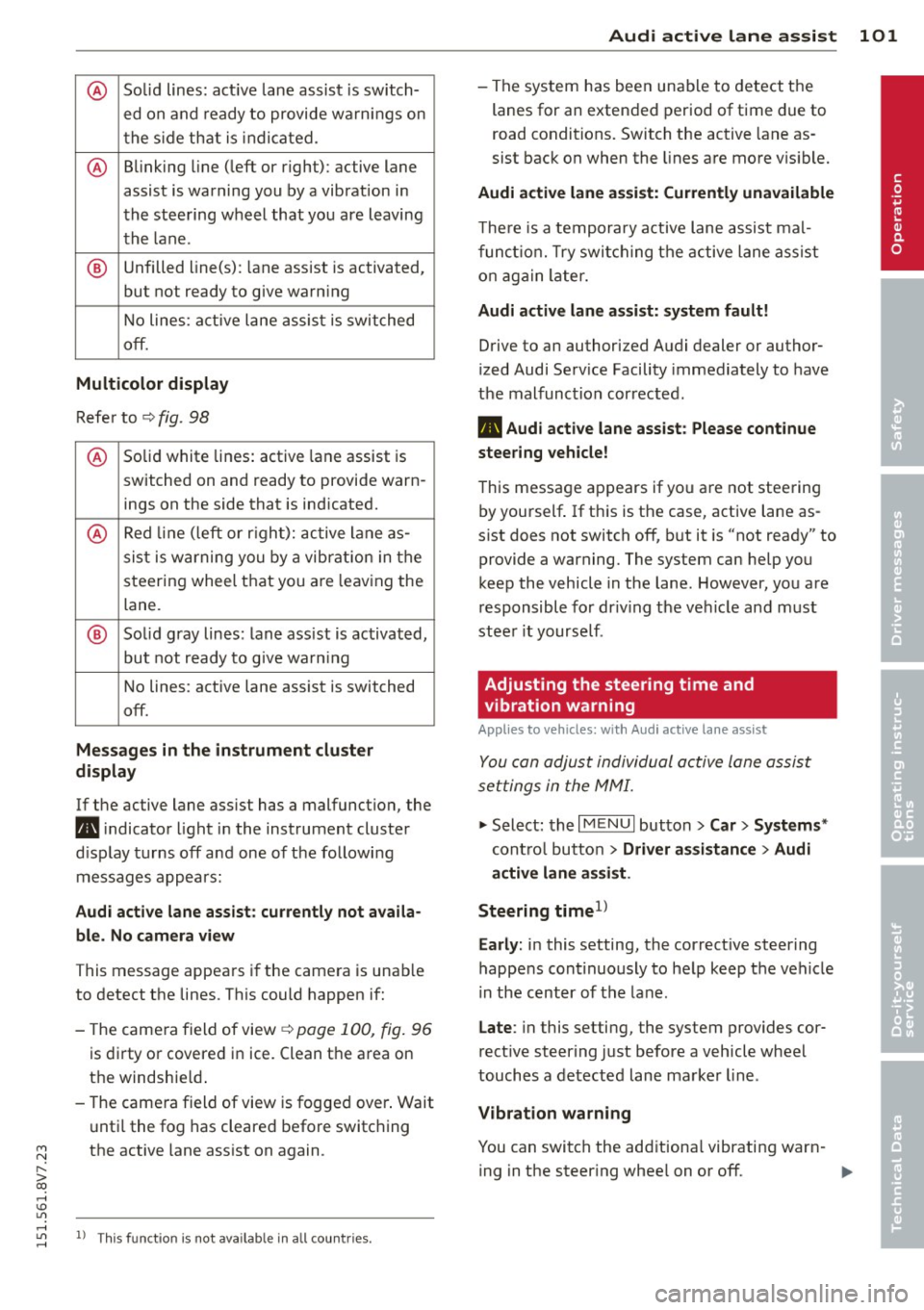
@ Solid lines: active lane assist is switch-
ed on and ready to provide warnings on
the side that is indicated.
@ Blinking line (left or right): active lane
assist is warning you by a vibration in
the steering wheel that you are leaving
the lane .
® Unfilled line(s): lane assist is activated,
but not ready to give warn ing
No lines: a ctive lane assist is switched
off.
Multicolor display
Refer to ¢ fig. 98
@ Solid white lines: active lane assist is
switched on and ready to provide warn-
ings on the side that is ind icated.
@ Red line (left or rig ht): active lane as-
sist is wa rning you by a vibrat ion in the
steering wheel that you a re leav ing the
lane.
® Solid gray lines: lane ass ist is activated,
but not ready to give warn ing
No lines: active lane assist is switched
off.
Messages in the instrument cluster
display
If the active lane ass ist has a malfunction, the
m, i ndicato r light in the instrument cluster
d isplay turns off and one of the following
messages appears:
Audi active lane assist: currently not availa
ble. No camera view
This message appears if the camera is unab le
to detect the lines . This could happen if:
- The camera field of view
¢ page 100, fig. 96
is dirty or covered in ice. Clean the area on
the windshie ld.
- The camera field of view is fogged over. Wait
until the fog has cleared before switching
the active lane assist on again.
,....,
1.1"1 l) This funct ion is not availab le in all coun tries. ,....,
Audi active lane assist 101
- The system has been unable to detect the
lanes for an extended period of time due to
road conditions. Switch the active lane as
sist back on when the lines are more v is ibl e.
Audi active lane assist: Currently unavailable
The re is a temporary active lane assist mal
function. Try switching the active lane assist
on again later.
Audi active lane assist: system fault!
Drive to an authorized Audi dealer or author
ized Audi Serv ice Facility immediately to have
the malfunction corrected.
m, Audi active lane assist: Please continue
steering vehicle!
This message appears if you are not steering
by yourself . If th is is the case, active lane as
s ist does not switch off, but it is "not ready" to
provide a warning. The system can help you
keep the vehicle in the lane . However, you are
responsible for driv ing the vehicle and must
steer it yourself .
Adjusting the steering time and
vibration warning
App lies to veh icles : w ith Audi ac tive la ne ass ist
You con adjust individual active lone assist
settings in the MMI.
""Select: the I MENU I button >Car > Systems *
control button > Driver assistance > Audi
active lane assist .
Steering time
1>
Early: in this setting, the correct ive steering
happens cont inuously to help keep the veh icle
i n the center of the lane.
Late : in this setting, the system provides cor
rect ive steer ing just before a vehicle wheel
touches a detected lane marker line .
Vibration warning
You can switch the additiona l vibrating warn-
ing in the steer ing whee l on or off. ..,_ •
Page 104 of 302

102 Audi active lane assist
A WARNING
With the v ibration warning switched off,
no vis ible warning will appear in the in
s t rumen t cluste r display when cross ing a
lane ma rke r.
@ Tips
Ma rket-specific: You r settings are auto
mat ically stored and assigned to the re
mote control key being use d.
-
Page 105 of 302
Audi side assist Side assist
Description
App lies to vehicles: with Audi side assist
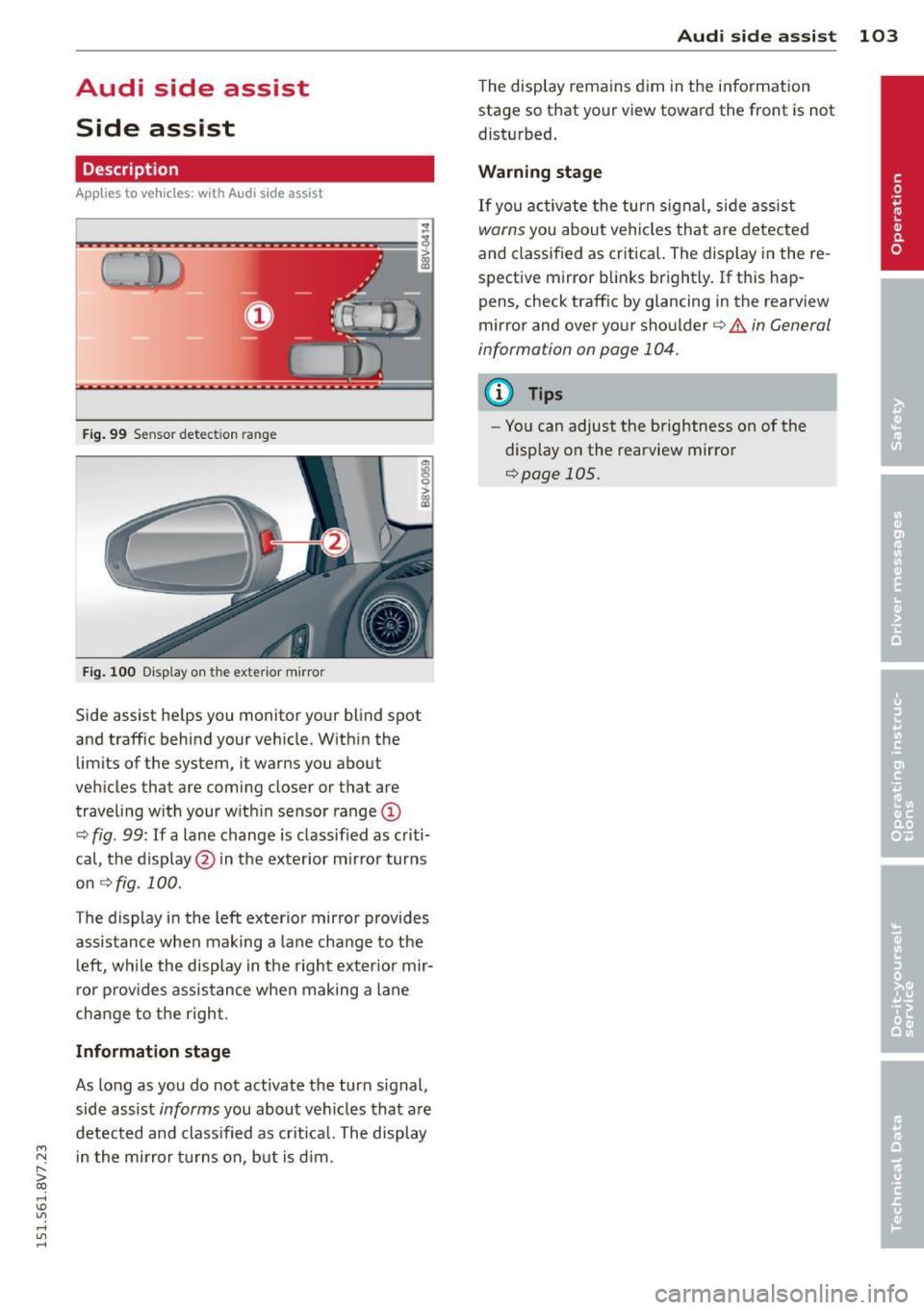
Fig. 99 Se nsor detect ion range
Fig. 10 0 Disp lay on the exterior mirror
Side assist he lps you monito r yo ur blind spot
and traffic behind your veh icle. W ith in the
limits of the system, it warns you about
vehicles that are coming closer or that are
traveling w ith your w it hi n sensor range@
¢
fig . 99: If a lane change is classified as cr iti
cal, the display @in the exterior m irror turns
on
~ fig . 100.
The display i n the left exterio r mirror provides
assistance when making a lane cha nge to t he
l eft, while the display in the right exter ior mir
r or p rov ides assistance when making a lane
change to t he righ t.
Information stage
As long as you do not activate the turn signal,
side assist
informs you about ve hicles that are
detected and class ified as crit ica l. The display
....,
N in t he mirror t urns on, but is d im . r--. > co
rl I.O
"' rl
"' rl
Aud i side assist 103
The display remains d im in the information
stage so that your view toward the front is not
disturbed .
Warning sta ge
If you activate the turn signal, s ide assist
warns you about veh icles tha t are detected
and classified as critical. The display in the re
spective mirror blinks brightly . If this hap
pens, check traffic by glancing in the rearview
mirror and over your shoulder ¢
A in General
information on page 104.
@ Tips
- Yo u can adjust the brightness on of the
display on the rearview mirror
¢page 105.
Page 106 of 302
104 Audi side assist
General information
A pplies to vehicles: with Audi side assist
®
®
©
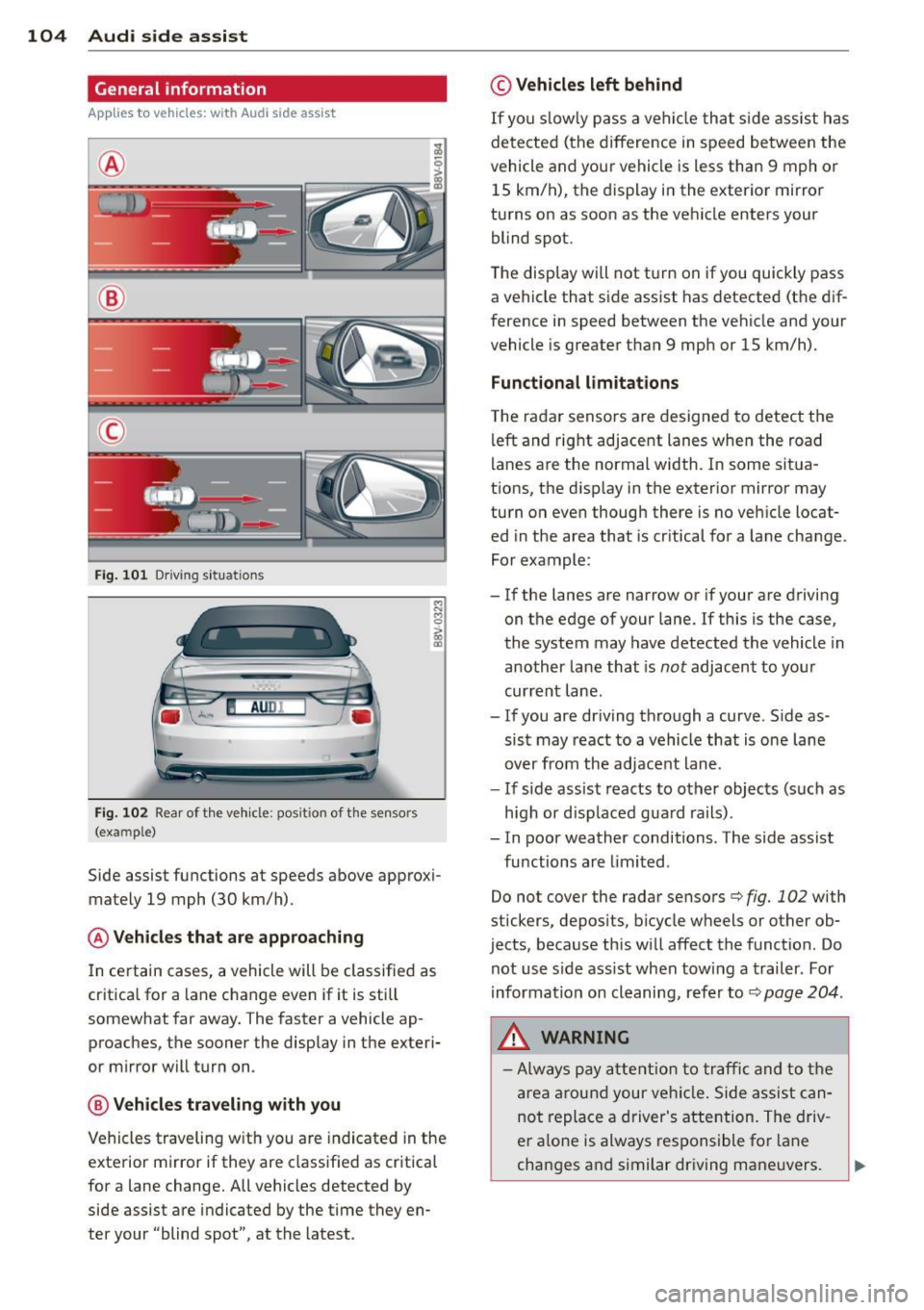
Fig. 101 D riving s it u at ions
AU DI
F ig . 102 Rea r of th e ve hicle: pos it io n of t he se nso rs
(exa mple)
Side assist functions at speeds above approx i
mately 19 mph (30 km/h).
@ Vehicle s that are approaching
In certain cases, a vehicle will be classifie d as
cr itica l for a lane change even if it is still
somewhat far away . The faster a vehicle ap
proaches, the sooner the display in the e xteri
or mirror will tur n on .
@ Vehicle s traveling with you
Vehicles traveling w ith you a re indicated in the
exterior m irror if they are classified as cr itical
for a lane change. All vehicles detected by
side assist are indicated by the time they en
ter your "blind spot", at the latest .
© Vehicles left behind
If you s low ly pass a ve hicl e th at sid e ass ist has
de te ct ed (t he difference in s peed be tween the
vehicle and you r vehi cle is less than 9 mph or
15 km/ h), the display i n the exterio r mirro r
turns on as soon as the ve hicle enters your
blind spot.
The disp lay wi ll not t urn on if you quickly pass
a ve hicle that s ide assist has detected (t he d if
f erence in speed between the ve hicle and your
vehicle is greater than 9 mph or 15 km/h).
Functional limitations
T he ra dar senso rs are designed to detect the
left and right adjacent lanes whe n the road
l anes a re the normal width. I n some sit ua
t ions, the d isp lay in the exterior mirror may
tu rn on even thoug h there is no ve hicle locat
ed in the area that is cr itical fo r a la ne cha nge.
Fo r exampl e:
- If the lanes are nar row or if your a re dr iving
o n t he e dge of your lane. If this is the case ,
the system may have detected the vehicle in
another la ne that is
not adjacent to you r
cur rent lane .
- If you are dr iving th ro u gh a curve . S ide as
sist may react to a vehicle that is one lane
over from the adj ace nt lane.
- If si de assist reacts to o ther objects (such as
h igh or d is pl ace d gua rd rails) .
- In poor weather conditions. The side assist
fu nctions are limited .
Do not cover the rada r senso rs
c::> fig. 102 with
stickers, depos its, bicycle w heels or other ob
jects, because this wi ll affect the funct io n. Do
not use s ide ass ist when tow ing a trailer . For
information o n cleaning, r efe r to
c::> page 204 .
&_ WARNING
-Always pay attention to traffic and to the
ar ea arou nd your ve hicl e. Si de a ssis t ca n
no t repla ce a driver's a tte ntion. The driv
er a lo ne is always res pons ible fo r lane
ch ang es a nd similar driving ma ne uvers.
Page 107 of 302
M N
" > co ,...., \!) ..,.,
,...., ..,., ,....,
-In some situations, the system may not
function or its function may be limited.
For example:
- If vehicles are approaching or being
left behind very quickly. The display
may not turn on in time.
- In poor weather conditions such as
heavy rain, snow or heavy mist.
- On very wide lanes, in tight curves, or if
there is a rise in the road surface.
Vehicles in the adjacent lane may not
be detected because they are outside
of the sensor range.
- Audi side assist cannot detect all vehicles
under all conditions, which can increase
the risk of accidents.
- Please note that side assist only displays approaching vehicles or vehicles in your
blind spot if your vehicle is traveling at
least 19 mph (30 km/h).
- In certain situations, the system may not
work or its function may be limited. For
example:
- The display may not turn on at the
right time if vehicles are approaching
or passing very quickly.
- In poor weather conditions, such as
heavy rain, snow or fog.
- In very wide lanes, in tight curves or
when there are slopes in the roadway,
vehicles in the neighboring lanes may not be detected because they are out
side of the sensor range.
(D Note
The sensors can be displaced by impacts or damage to the bumper, wheel housing and
underbody. This can affect the system. Have an authorized Audi dealer or author
ized Audi Service Facility check their func
tion.
@ Tips
- If the window glass in the driver's door
or front passenger's door has been tint
ed, the display in the exterior mirror may
be misinterpreted .
Audi side assist 105
-For an explanation on conformity with
the FCC regulations in the United States
and the Industry Canada regulations, re
fer to
c> page 285.
Switching on and off
Applies to vehicles : wit h Audi s ide ass ist
The system and be switched on and off in the
MMI.
.,. Select: the
I MENU I button >Car> Systems*
control button > Driver assistance > Audi
side assist.
With Off , the system is switched
off.
An activated system will sig nal every time the
ignition is sw itched on by turning the displays
in the exterior mirrors on briefly.
' Adjusting the display brightness
App lies to vehicles : wit h Audi side ass ist
The display brightness can be adjusted in the
MMI.
.,. Select: the I MENU I button >Car> Systems*
control button > Driver assistance > Audi
side assist .
The display brightness adjusts automatically
to the brightness of the surroundings, both in
the information and in the warning stage. In
very dark or very bright surroundings, the dis
play is already set to the minimum or maxi
mum level by the automatic adjustment . In
such cases, you may notice no change when
adjusting the brightness, or the change may
only be noticeable once the surroundings
change.
Adjust the brightness to a level where the dis
play in the information stage will not disrupt
your view forward.
If you change the bright
ness, the display in the exterior mirror will
briefly show the brightness leve l in the infor
mation stage. The brightness of the warning
stage is linked to the brightness in the infor
mation stage and is adjusted along with the
information stage adjustment .
IIJJ,,
•
Page 109 of 302
M N
" > co ,...., \!) 1.1"1 ,...., 1.1"1 ,....,
Audi drive select Driving settings
Introduction
Applies to vehicles: with Audi drive select
Audi drive select makes it possible to experi
ence diffe rent types of vehicle settings in one
vehicle. The driver can select from three
com
fort , auto
and dynamic modes using the 1:1:.~
button in the center conso le or the MM I to
switch between a sporty and a comfortable
driving mode, for examp le. In the
individual *
mode, the settings can be adjusted to your
personal preferences. This makes it poss ible
to combine settings such as a sporty eng ine
tuning with light steering.
A WARNING
Using Audi drive select incorrectly can lead
to collisions, other accidents and serious injuries.
Description
Applies to vehicles: with Audi drive select
The vehicle setup in each mode depends on
the vehicle's features. However, the engine
and steering are always affected .
Engine and automatic transmission
Depending on the mode, the engine and auto
mat ic transmission* respond more quickly or
in a more balanced manner to acce lerator
pedal movements.
Adaptive dampers (Audi magnetic ride)*
The adaptive dampers use senso rs to record
information regarding steering movements,
brak ing and acce lerat ion operat ions by the
driver, road surface, driving speed, and load.
With Audi drive se lect you can adjust the
adaptive dampers sporty (dynamic), comfort
ab le (comfort) or balanced (auto).
Steering
The stee ring adapts in terms of stee ring assis
tance. There are different modes
¢page 108.
Indirect steering that moves easi ly as in com -
Audi drive select 107
fort mode is especially suited to long drives
on a highway. The dynamic mode provides
sporty, direct steer ing.
For vehicles wi th progressive steering* the
steering performance is mo re agile.
Cornering light*
The cornering light adjusts when driv ing on
curves at speeds between 6 mph (10 km/h)
and 68 mph (110 km/h). The pivoting action
and the lighting are also adapted to the
mode.
Adaptive cruise control*
T he behav ior when accelerating can be adjust
ed from comfortable to sporty, depending on
the Aud i drive select mode. Adapt ive cru ise
control also responds to the driving behavior
of the vehicle ahead in a more conservative or
sporty manner.
(D Tips
In some mode ls, the maximum vehicle
speed can only be reached in the auto and
dynamic modes.
•