brakes AUDI A3 CABRIOLET 2016 User Guide
[x] Cancel search | Manufacturer: AUDI, Model Year: 2016, Model line: A3 CABRIOLET, Model: AUDI A3 CABRIOLET 2016Pages: 272, PDF Size: 67.88 MB
Page 91 of 272
Assist Switching off completely
.,. Press the leve r into position @(clicked into
place), or
.,. Switch the ignition off.
The speed you sto red w ill be retained if the cruise
control has been switched off tempora rily . To re
sume the stored speed, re lease the brake pedal
and pu ll the lever into position
(D .
The stored speed is erased when the cruise con
trol is sw itched off comp letely or the ignit ion is
switched off .
A WARNING
You should only resume the stored speed if it
is not too high for existing traffic conditions.
Otherwise you risk an accident .
@ Tips
-If the brakes become too heated whi le driv
ing, the cruise control switches off. If this
happens while driving downhill, you can re
lieve the brakes by shifting into a lower
gear.
- When the cruise control is activated, ESC
sport mode cannot be switched on.
Audi adaptive cruise control
Description
A ppl ies to: ve hicles w ith Audi a daptive cruise co ntrol
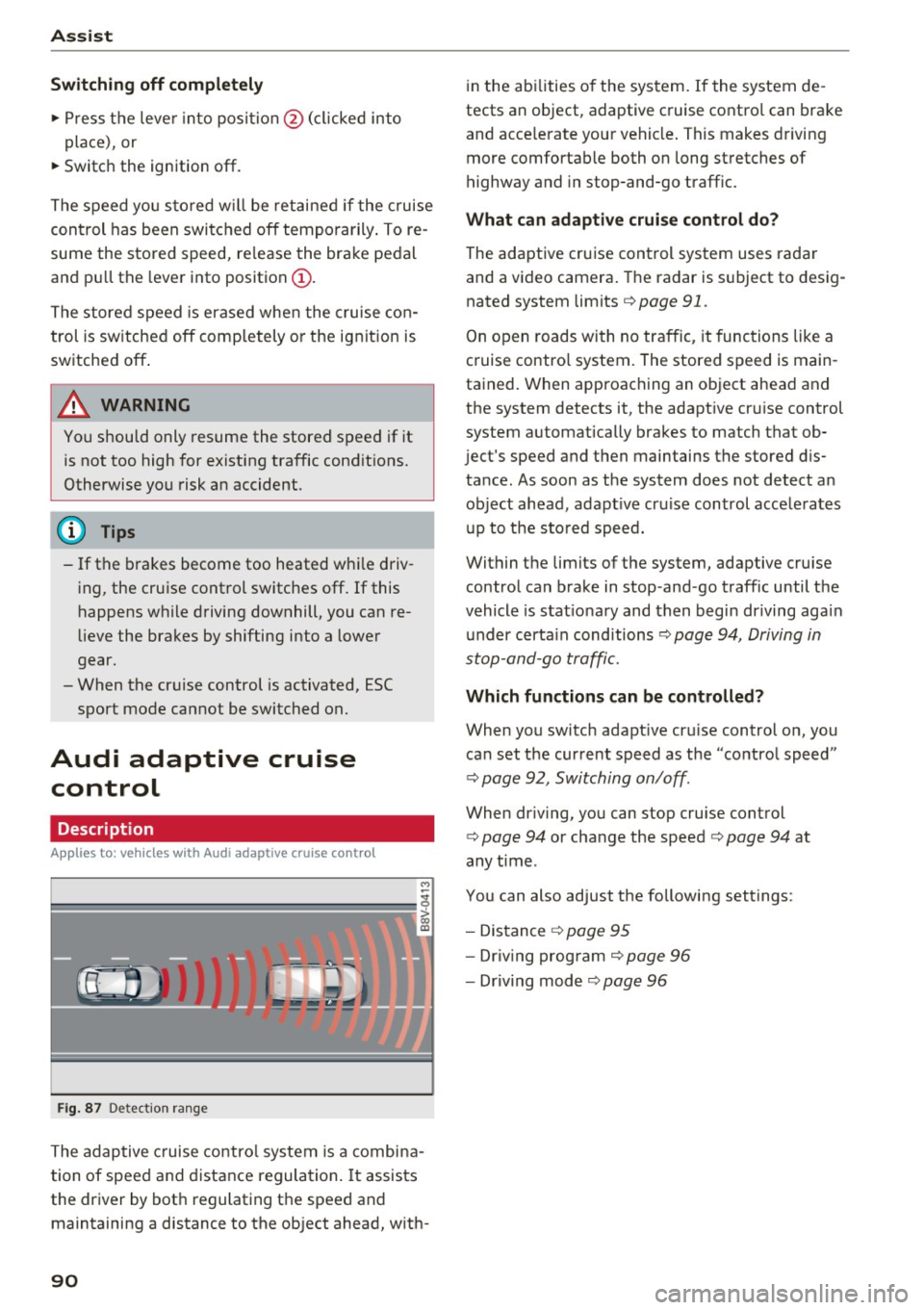
F ig. 87 Detection range
The adaptive cruise control system is a combina
tion of speed and distance regulation .
It assists
the driver by both regulating the speed and
maintaining a distance to the object ahead, with-
90
in the abilities of the system. If the system de
tects an object, adaptive cruise contro l can brake
and acce lerate your vehicle. This makes driving
more comfortable both on long stretches of
highway and in stop-and-go traffic.
What can adaptive cruise control do?
The adaptive cruise control system uses radar
and a video camera. The radar is subject to desig
nated system limits
c:> page 91.
On open roads with no traffic , it functions like a
cruise contro l system. The stored speed is main
tained. When approaching an object ahead and
the system detects it, the adapt ive cr uise control
system automatically brakes to match that ob
ject's speed and then maintains the stored dis
tance . As soon as the system does not detect an
object ahead, adapt ive cruise control acce lerates
up to the stored speed.
Within the limits of the system, adaptive cruise control can brake in stop -and -go traffic until the
vehicle is stat ionary and then begin driving agai n
under certain conditions
c:>page 94, Driving in
stop-and-go traffic.
Which functions can be controlled?
When you switch adapt ive cru ise control on, you
can set the current speed as the "control speed"
c:> page 92, Switching on/off .
When driving, you can stop cruise control
c:> page 94 or change the speed c:> page 94 at
any time .
You can also adjust the following settings :
- Distance
c:> page 95
-Dr iv in g program c:> page 96
- Dr iving mode c:> page 96
Page 92 of 272
<( co ..... N
" N ..... 0 r--. > 00
General information
Appl ies to: ve hicles with Audi adaptive cruise contro l an d Audi
p re se nse front
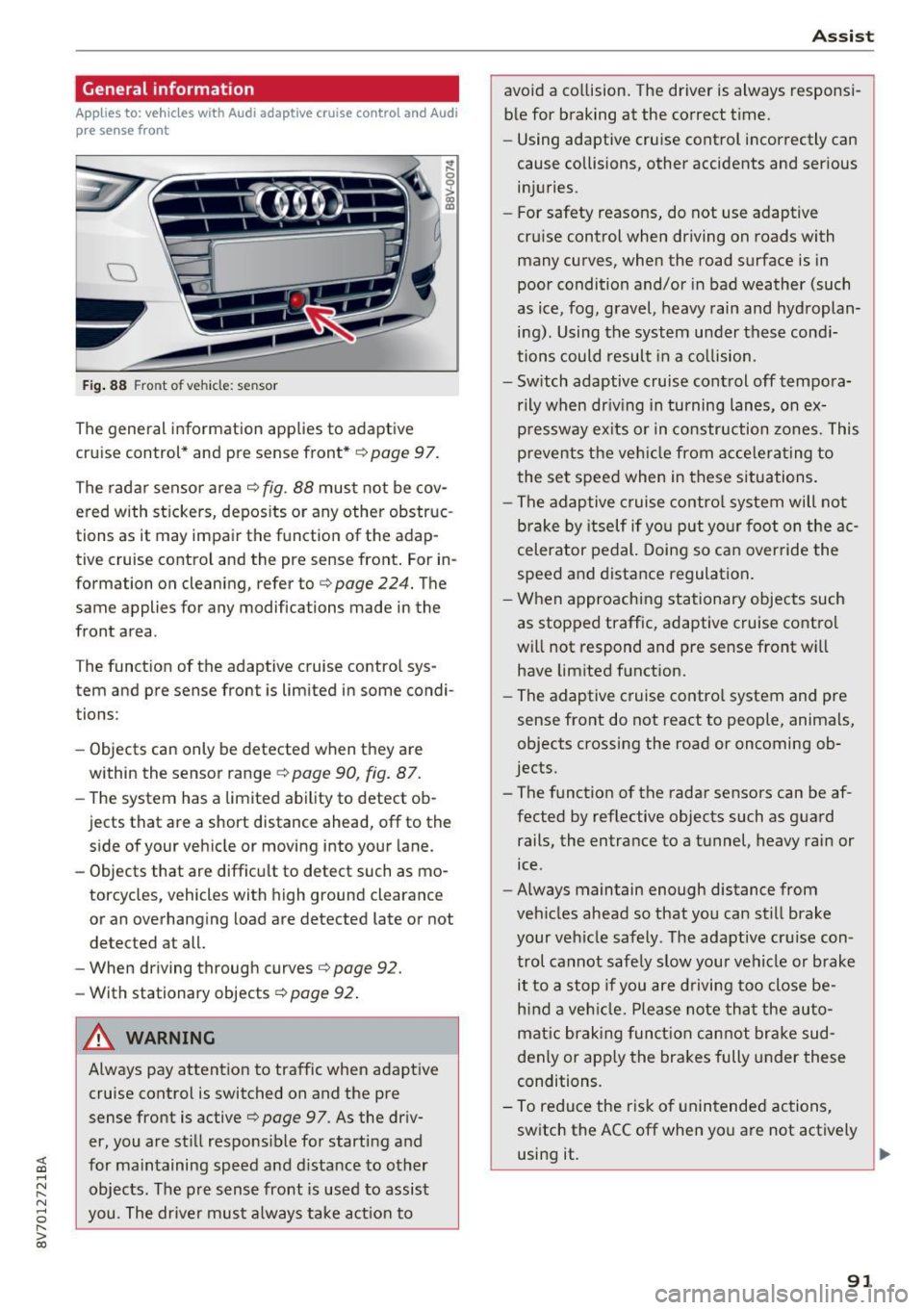
Fig. 88 Front of vehicle: sensor
The general information applies to adaptive
cruise control* and pre sense front*
i::;, page 97.
The radar sensor area
i::!:> fig. 88 must not be cov
ered with stickers, deposits or any other obstruc
tions as it may impair the function of the adap
tive cruise control and the pre sense front. For in
formation on cleaning, refer to
c> page 224. The
same applies for any modifications made in the
front area .
The function of the adaptive cruise control sys
tem and pre sense front is limited in some condi
tions :
- Objects can only be detected when they are
within the sensor range ¢
page 90, fig. 87.
-The system has a limited ability to detect ob
jects that are a short distance ahead, off to the side of your vehicle or moving into your lane.
- Objects that are difficult to detect such as mo
torcycles, vehicles with high ground clearance
or an overhanging load are detected late or not detected at all.
- When driving through curves'=>
page 92.
- With stationary objects ¢
page 92.
A WARNING
Always pay attention to traffic when adaptive
cruise control is switched on and the pre
sense front is active
'=> page 9 7. As the driv
er, you are still responsible for starting and
for maintaining speed and distance to other objects. The pre sense front is used to assist
you. The driver must always take action to
Assist
avoid a collision. The driver is always responsi
ble for braking at the correct time.
- Using adaptive cruise control incorrectly can
cause collisions, other accidents and serious
injuries.
- For safety reasons, do not use adaptive
cruise control when driving on roads with
many curves, when the road surface is in
poor condition and/or in bad weather (such
as ice, fog, gravel, heavy rain and hydroplan
ing). Using the system under these condi
tions could result in a collision.
- Switch adaptive cruise control off tempora
rily when driving in turning lanes, on ex
pressway exits or in construction zones. This
prevents the vehicle from accelerating to
the set speed when in these situations.
- The adaptive cruise control system will not
brake by itself if you put your foot on the ac
celerator pedal. Doing so can override the
speed and distance regulation.
- When approaching stationary objects such
as stopped traffic, adaptive cruise control
will not respond and pre sense front will
have limited function.
- The adaptive cruise control system and pre
sense front do not react to people, animals,
objects crossing the road or oncoming ob
jects.
- The function of the radar sensors can be af
fected by reflective objects such as guard
rails, the entrance to a tunnel, heavy rain or
ice.
- Always maintain enough distance from
vehicles ahead so that you can still brake
your vehicle safely . The adaptive cruise con
trol cannot safely slow your vehicle or brake it to a stop if you are driving too close be
hind a vehicle. Please note that the auto
matic braking function cannot brake sud
denly or apply the brakes fully under these
conditions.
- To reduce the risk of unintended actions,
switch the ACC off when you a re not actively
using it.
~
91
Page 93 of 272
Ass is t
(D Note
The sensor can be displaced by impacts or
damage to the bumper, whee l housing and
underbody. The adaptive cruise control and
pre sense front may become impa ired as a re
sult . Have an authorized Audi dealer or au
thorized Audi Service Fac il ity check their func
tion.
In curves
Applies to: ve hicles w ith Aud i adapt ive cru ise co ntro l and Audi
pre se nse front
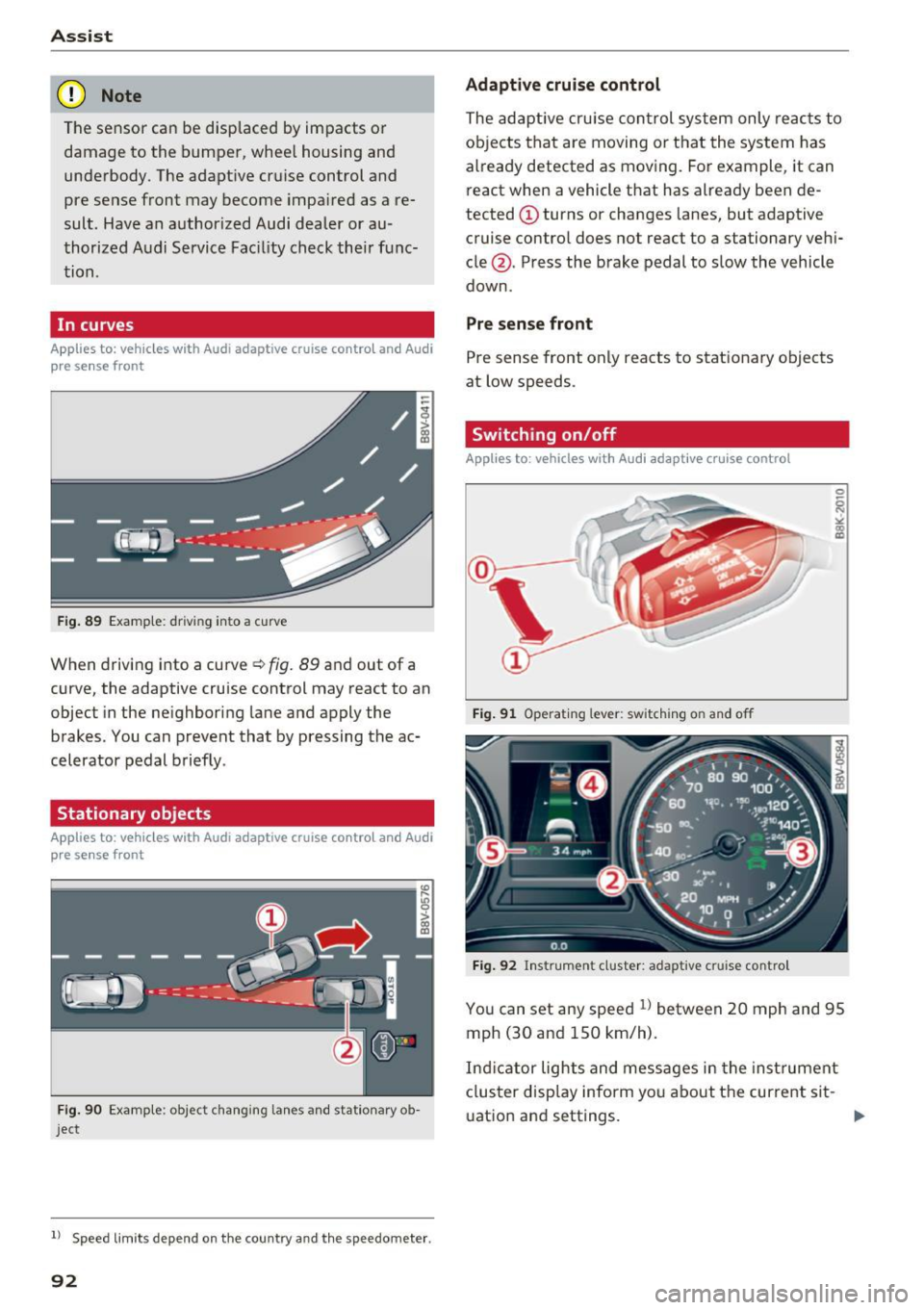
F ig . 89 Examp le: driv ing into a cu rve
When driving into a curve ¢ fig. 89 and out of a
curve, the adaptive cruise control may react to an
object in the neighboring lane and apply the
brakes . You can prevent that by pressing the ac
celerator pedal briefly .
Stationary objects
Applies to: vehicles with Aud i adapt ive cruise co ntro l and Audi
p re se nse front
Fig . 90 Examp le : object changing lanes and stationary ob
j ect
l ) Speed lim it s depend on t he country a nd the speedomete r.
92
Adaptive cruise cont rol
The adaptive cru ise con trol system only reac ts to
ob jects that are moving or t hat the system has
already detected as moving . For example, it can
react when a vehicle that has already been de
tected @turns or changes lanes, but adaptive
cruise contro l does not react to a stationary vehi
cle @. Press the brake pedal to slow the vehicle
down .
Pre sense front
Pre sense front only reacts to stat ionary objects
at low speeds .
Switching on/off
Applies to : vehicles wit h Audi adapt ive cruise control
Fig . 91 Operat ing lever: switch ing on and off
Fig . 92 Instrument cluster: adaptive cru ise contro l
You can set any speed l) between 20 mph and 95
mph (30 and 150 km/h) .
Ind icator lights and messages in the inst rument
cluster disp lay inform yo u about the curre nt sit -
uat ion and settings. .,.
Page 94 of 272

Switching adaptive crui se control on
"' Pull the lever toward you into position @
¢
fig. 91. A CC: s tandby appea rs in the instru
ment cluster disp lay .
Saving the speed and activating regulati on
"'T o save the c urrent speed , press the ISETI
¢ fig. 91 button . The stored speed is shown in
t h e tachomete r LED line @and appears briefly
in the information line ®¢
fig. 92 .
"' To activate the regulation whi le stationary, you
must press the brake pedal.
Sw itching adaptiv e cruise control off
"' Push the lever away from you into position @
until it clicks i nto place ¢
fig. 91 . The message
AC C: off appears.
The stored speed in the LED line is e rased.
@ Indicato r lights
II -adaptive cruise control is switched on. No
objects are detected ahead. The stored speed is
maintained.
• -An object a head was detected . The adaptive
cruise control system regulates the speed and
d istance to the object ahead and brakes/acce ler
ates automatica lly.
fij -adaptive cru ise control is switched on. An
object ahead was detected. Your vehicle remains
stopped and w ill not start driving automatica lly.
• -T he automatic bra king is no t enough to
maintain a sufficient distance to a n object ahead.
You must intervene ¢
page 96, Request for
driver intervention.
© Instrument cluster display
I f adaptive cruise control is not shown in the in
s trument cluster disp lay, yo u can call it up using
the mu ltifunction steering wheel b uttons
¢ page 24.
Based on the g raph ics in the d isp lay, you can de
termine if the system is m ainta ining a distance to
;;!; a vehicle ahead and what that distance to this ve-....
~ hide is: N ....
R No vehi cle -No object ahead was detected.
> 00
Assist
White vehicl e -An object ahead was de tected .
Red vehicl e -Request for the dr iver to take action
¢page 96.
Both
arrows on t he scal e@ indicate the d istance
to the object ahead . No arrow appears when the
vehicle is on an open road and t here is no object
ahead. If an object is detec ted ahead, the a rrow
moves on the sca le.
T he green zone o n the scale indicates the store
distance. For informat ion on changing the dis
t a nce, refer to ¢
page 95. If the dis tance se
l ected is exceeded or not reached, the arrow
moves into the red zone on the scale.
A WARNING
- Using adaptive cruise control incorrectly can
cause collisions, other accidents and ser ious
in ju ries.
- If you press the
!SET ! button w hen driving at
speeds be low 20 mph (30 km/h), the vehi
cle acce lerates automatically up to 20 mph
(30 km/h), wh ich is the minimum speed
that can be set.
{!) Tips
- If you switch the ignit ion or the adaptive
cruise control system off, the set speed is
erased for safety reason.
- The Elect ronic Stabilization Control (ESC)
and Anti-S lip Regulat ion (ASR) both sw itch
on when the adaptive cruise control is
switched on . ESC and ASR ca nnot be switch
ed off when adapt ive cruise control is
switched on.
- With the adaptive cruise control act ivated
t he ESC spo rt mode cannot be activated.
93
Page 95 of 272
Ass is t
Changing the speed
Applies to: vehicles with Aud i adapt ive cruise contro l
0
f
•
0
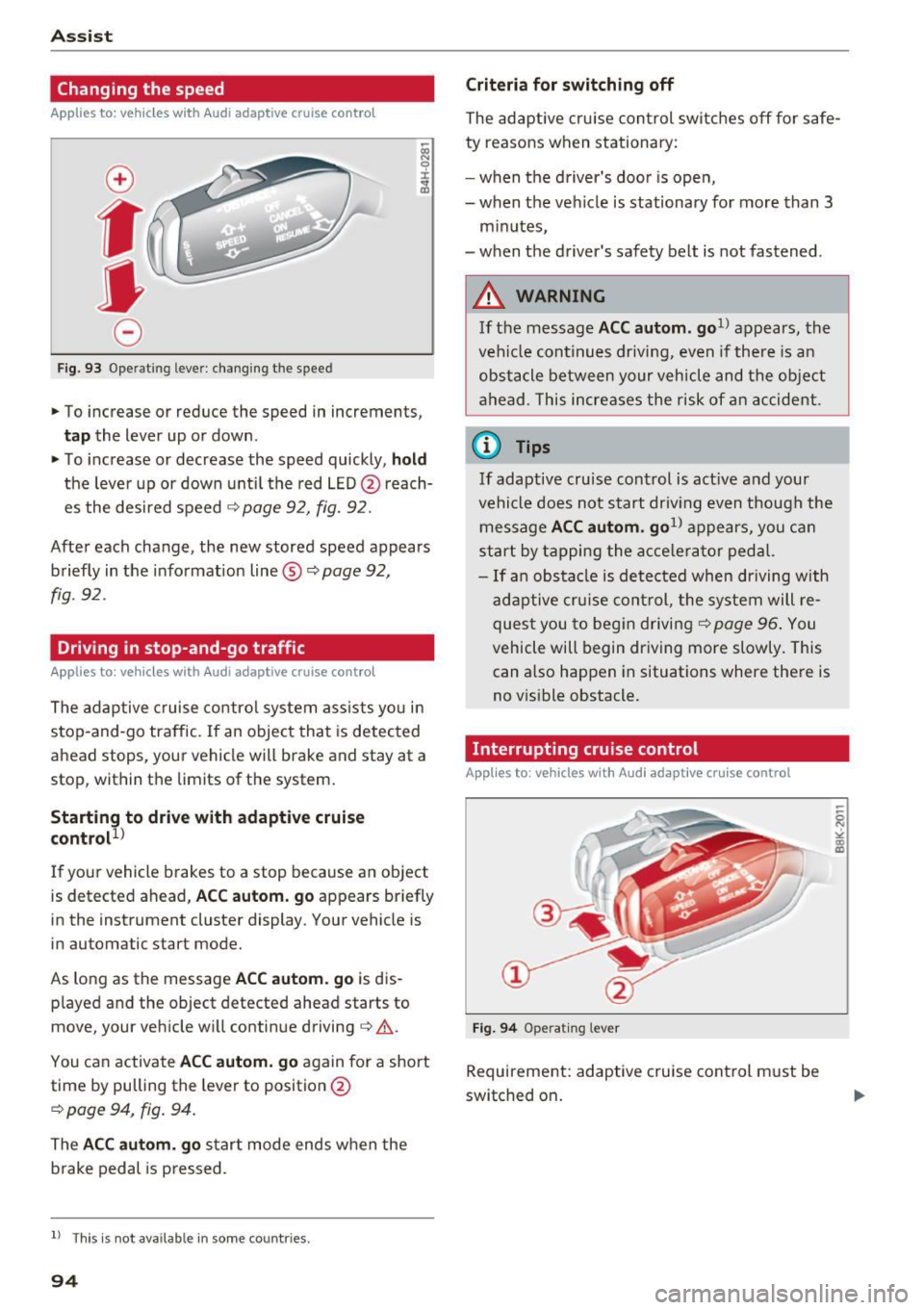
Fig. 93 Operat ing lever: changing the speed
.,. To increase or reduce the speed in increments,
tap the lever up or down.
.,. To increase or decrease the speed quickly,
hold
the leve r up or down until the red LED @ reach
es the desired speed
¢ page 92, fig. 92.
After each change, the new stored speed appears briefly in the informat ion line ®¢
page 92,
fig. 92.
Driving in stop-and-go traffic
Applies to : vehicles with Aud i adapt ive cru ise control
The adaptive c ruise control system assists yo u in
stop-and-go traffic. If an object that is detected
ahead stops, your vehicle will brake and stay at a
stop, within the limits of the system.
Starting to drive with adaptive cruise
control!)
If your vehicle brakes to a stop because an object
is detected ahead,
AC C autom. go appears br iefly
in the instrument cluster display. Your vehicle is
in automatic start mode.
As long as the message
ACC au tom . go is dis
p layed and the object detected ahead starts to
move, your vehicle will continue driving¢ ,&..
You can activate
AC C autom. go again for a short
time by pulling the lever to position @
¢ page 94, fig. 94.
The ACC autom . go start mode ends when the
b rake pedal is p ressed.
l ) Th is is not ava ilab le in some countr ies .
94
Criteria for switching off
The adaptive cru ise con trol switches off for s afe
ty reasons when stationary:
- when the d river 's doo r is ope n,
- when the vehicle is stationary for more than 3
minutes,
- when the d river's safety belt is not fastened .
A WARNING
If the message ACC autom. go1> appears, the
vehicle continues driving, even if there is an
obstacle between your vehicle and the ob je ct
ahead. This increases the risk of an accident .
@ Tips
If adaptive cruise cont rol is act ive and your
vehicle does no t start driv ing even though the
message
AC C autom . go1> appears, you ca n
start by tapping the a cce le ra tor ped al.
- If an obstacle is detected when dr iving with
adaptive cruise cont rol, the system will re
ques t you to beg in driving¢
page 96 . You
vehicle will begin dr iving more slowly. This
can also happen in situations where there is
no v is ible obstacle.
Interrupting cruise control
Applies to : vehicles with Audi adaptive cruise control
Fi g. 94 Operat ing lever
Requirement: adaptive cruise cont rol must be
switched on .
Page 96 of 272
<( co .... N ,.__
N .... 0 ,.__
> co
Overriding cruise control
Ove rriding means ex ceeding the selected speed
when adaptive cruise control is active, for exam
p le when pressing the accelerator peda l when
pass ing.
"'T o accelerate manua lly, p ull the lever toward
you into position @and ho ld it there . T he mes
sage
ACC : over ride appears . Or
"' press th e accelerator pedal.
"' To resume cruise control, release the lever or
take your foot off the acce lerator pedal.
Inte rrupting cruise contr ol w hil e driving
"'Move the lever into position @. The message
ACC: standb y appears. Or
"' press th e brake pedal.
"' To resume the stored speed, move the lever in
to posit ion @.
Int errupting c rui se contr ol wh en stopped
"' Push the lever away from you into position @.
The message
ACC : stan dby appears.
"' To resume cruise control, press the brake pedal
and pull the lever toward you into position@.
A WARNING
It is dangerous to activate cruise control and
resume the stored speed when the current
road, traffic or weather conditions do not pe r
m it this. This could result in a crash.
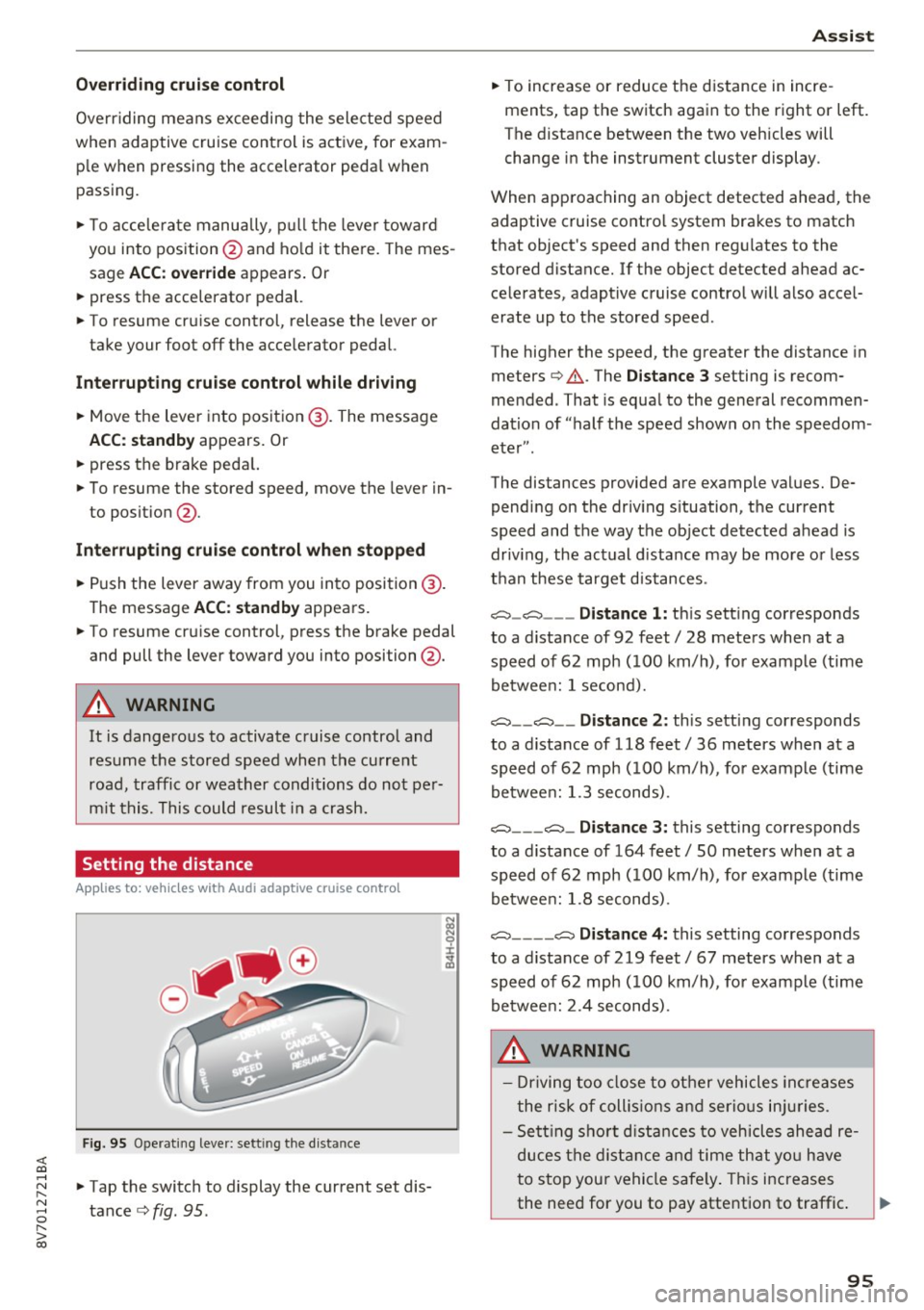
Setting the distance
App lies to: vehicles with Audi adaptive cruise control
F ig. 95 O perat ing leve r: sett ing the d ist an ce
"'Tap the switch to display the current set dis
tance
c> fig . 95 .
Assist
"'To increase or reduce the d istance in incre
ments, tap th e switch again to the right or left.
T he distance between the two veh icles will
change in the instrument cluster display.
When approaching an object detected ahead, the adaptive cruise contro l system brakes to match
that object's speed and then regul ates to the
stored distance. If the object detected ahead ac celerates, adaptive cruise contro l will also accel
erate up to the stored speed .
The higher the speed, the greater the distance in meters
c> & . The Distance 3 setting is recom
mended . That is equa l to the general recommen
dation of "half t he speed shown on the speedom
eter ".
The distances provided are example values. De pending on the driv ing s ituation, the current
speed and the way the object detected ahead is
driv ing, the actual d ista nce may be more or less
t h an these target d istances .
o::::::::,_o::::::::, ___ Distance 1: th is sett ing corresponds
to a distance of 92 feet/ 28 meters when at a speed of 62 mph ( 100 km/h), for example (time
betwee n: 1 second).
o::::::::, __ o::::::::, __ Distanc e 2: this setting corresponds
to a distance of 118 feet/ 36 meters when at a speed of 62 mph ( 100 km/h), for example (time
betwee n: 1.3 seconds) .
o::::::::, ___ o::::::::,_ Distance 3: this setting corresponds
to a distance of 164 feet
I SO meters when at a
speed of 62 mph ( 100 km/h), for example (time
betwee n: 1.8 seconds) .
o::::::::, ____ o::::::::, Distance 4: this setting corresponds
to a distance of 219 feet
I 67 meters when at a
speed of 62 mph ( 100 km/h), for example (time
betwee n: 2.4 seconds) .
A WARNING
-Driving too close to other vehicles increa ses
the risk of collis ions an d serio us inju ries .
- Sett ing sho rt d istances to vehicles ahead re
duces the dis tance an d time th at you have
to stop your vehicle safe ly . Th is increases
the need for you to pay attention to traffic . ..,.
95
Page 116 of 272
Intelligent Technology
Intelligent Technology
Electronic stabilization
control (ESC)
Description
The Electronic Stabilization Control (ESC) rein for
ces driver safety . It reduces the risk of slipping
and improves driving stability. ESC detects crit i
cal s ituations such as the vehicle oversteering
and understeering or the wheels are spinning.
The vehicle is stabilized by applying the brakes or reducing eng ine torq ue. When the ESC engages,
the
D1 ind icator light blinks in the instrument
cluste r.
The fo llow ing systems are integrated in the ESC :
Ant i-loc k braking system (ABS)
ABS p revents the whee ls from locking whe n brak
ing. The vehicle can sti ll be steered even during
hard brak ing. Apply steady press ure to the brake
pedal. Do not pump the pedal. A puls ing in t he
b rake pedal indicates that the system is acting to
s tabilize the vehicle .
Brake assist system
The brake assist system can decrease brak ing dis
tance . It increases braking power when the d river
presses the brake pedal quick ly in emergency sit
uations . You must press and hold t he b rake pedal
until the dangerous situat io n is over . In veh icles
with adapt ive c ruise control*, the bra ke as sist
sy stem is more sensitive if t he di sta nce detec ted
t o the vehicle ahea d is too sm all.
Anti-slip regulation (ASR)
ASR reduces eng ine power when the drive wheels
beg in sp inning a nd adapts the force to the road
conditions . This makes it easie r to start, acceler
a te and dr ive u p in clines.
Electronic differential lock (EDL )
The EDL brakes w heels that a re spinning and
transfers the drive power to the other drive
wheel or whee ls if t he ve hicle is equipped with a ll
wheel drive*) . T his funct ion is not av ailable at
h igher speeds.
116 I
n extreme cases, ED L automat ically swi tches off
to keep the brake on the braked whee l from over
heating. The veh icle is still working correct ly. ED L
will switc h on again automatically when condi
tions have returned to normal.
Steering recommendation
The ESC he lps to stabili ze the vehicle by cha nging
the steering torque.
Selective wheel torque control
Se lective w hee l to rque cont rol is used when d riv
i ng o n curves. The fron t whee l on the inside of
the curve or bo th whee ls on the inside of the
cu rve are braked se lective ly as needed. This al
l ows mo re precise driving in cu rves.
Automatic post-collision braking system
The "A utomat ic pos t-coll is io n braking sy stem"
c a n hel p to reduce t he risk of sliding and o f othe r
collisions after an accident . If the a irbag cont rol
module detects a collision a bove a certain vehicle
speed, the vehicle is bra ked by the ESC.
The vehicle does not bra ke automatically if:
- the dr ive r presses the acce lerator pedal, or
- the braking force generated by the pressed
brake pedal is grea ter than the braking force
that wo uld be i nitiated by the system, or
- the ESC, the brake system o r the ve hicle elect ri
cal system are not func tioning .
A WARNING
- The ESC and its integ rated syste ms can not
o vercome the lim its posed by natural physi
c a l la ws. Thi s is espe cial ly import ant on sli p
pe ry o r we t roads. If the systems beg in act
ing to stabilize your ve hicle, yo u should im
mediately a lter your speed to matc h the
road and traffic condit ions. Do not let the
increased safety pr ovided tempt you into
taking risks . This cou ld increase your risk of
a co llision .
- Please note the r isk of a collis ion increases
when dr iv ing fast, especia lly t hrough c urves
and on slippery or wet roads, and when dr iv
ing too close to objects ahead. The ESC and
i t s in tegr ated systems cannot always .,..
Page 118 of 272
Intelligent Technology
(D Tips
-ESC/ASR cannot be switched off or sport
mode cannot be switched on if the cruise
control system* or the adaptive cruise con
trol* is switched on.
- Malfunctions in the Audi magnetic ride may make it impossible to switch the ESC/ASR
off or to switch sport mode on.
Brakes
New brake pads
New brake pads do not achieve their full braking
effect during the first 250 mi (400 km). They must be "broken in" first. However, you can com
pensate for the slightly reduced braking force by
pressing firmly on the brake pedal. Avoid heavy
braking during the break-in period .
Wear
Brake pad
wear depends largely on the way the
vehicle is driven and on operating conditions .
This is especially true if you are driving frequently
in the city and on curves or with a sporty driving
style .
Operating noise
Noises may occur when braking depending on the
speed, braking force and outside conditions such
as temperature and humidity .
Effect of water and road salt
In certain situations, for example after driving
through water, in heavy rain, after overnight con densation or after washing your car, the braking
effect can be reduced by moisture or ice on the
brake rotors and brake pads. The brakes must be
"dried" first with a few careful brake applica
tions.
At higher speeds and with the windshield wipers
turned on, the brake pads press against the brake
rotors for a short amount of time. This action
which is not felt by the driver happens at regular
intervals and facilitates a better reaction time for
the brakes in wet weather .
The braking effect can also be reduced if you are
driving on salted roads and you do not apply the
118
brakes for long periods of time. The layer of salt
on the brake rotors and pads must be worn off
first when the brakes are applied.
Corrosion
Leaving the vehicle parked for long periods of
time , low mileage and avoiding heavy braking
can contribute to corrosion on the brake rotors
and dirty brake pads.
If you usually avoid heavy braking or if there is
corrosion present, occasional heavy braking at
high speeds is recommended to clean the brake
rotors and pads¢.&. .
Brake system malfunction
if you notice that the brake pedal travel has sud
denly gotten larger, then a brake circuit may have
failed. Drive to an authorized Audi dealer or au
thorized Audi Service Facility immediately to have
the problem corrected. On the way there, drive
with reduced speed and keep in mind that a long
braking distance and increased pressure on the
brake pedal will be necessary.
Low brake fluid level
When the brake fluid level is low, malfunctions in
the brake system may occur. The brake fluid level
is electronically monitored.
Brake booster
The brake booster amplifies the pressure you ap
ply to the brake pedal.
It only works when the en
gine is running.
A WARNING
- New brake pads do not achieve their full
braking effect during the first 250 mi
(400 km). They must be "broken in" first.
However, you can compensate for the
slightly reduced braking force by pressing
firmly on the brake pedal. Avoid heavy brak
ing during the break-in period.
- Only apply the brakes for the purpose of
cleaning the brake system when road and
traffic conditions permit. You must not en
danger other road users. This increases the
risk of an accident.
Page 119 of 272
<( co .... N r--N .... 0 r--> co
-On steep slopes, reduce the speed and se
lect a lower gear or lower selector lever po
sition. Dr ive as little as possible while press
ing the brake pedal and avoid putt ing your
left foot on the brake pedal while driving.
Th is co uld cause the brakes to overheat and
impai r the efficiency of the brakes.
- Do not let the brakes "g rind " by a lways
keeping your foot on the brake pedal. This
can cause the br akes to overhea t, i ncrease
wea r and incre ase braking dis tance unneces
sari ly.
- Certa in wea ther an d operat ing co ndi tio ns
s u ch as dr iving through wate r, d riving in
heavy ra in or d riving after washing your ve
hicle can impair the effectiveness of the
brakes . In the w inte r, ice may b uild up on
the brake pads, rotors and drums. Check
these components by braking ca refu lly . Ap
plying the brakes carefu lly severa l times
dr ies the brakes and removes ice bu ild-up .
- The effic iency of the brakes can also be im
paired by driving for long st retches on roads
cove red w ith salt without using the b rakes .
Yo u can remove sa lt deposits from the
bra ke rotors and pads by caref ully app lying
the brakes severa l t imes .
-If the front spoiler is damaged or you ins tall
ano ther spoiler, m ake sure the front wheel
bra kes are vent ilated p roper ly. O therwise,
the b rake system could overheat, whic h re
duces the ir effectiveness.
- Failure of a brake circuit impai rs b raking
performance, which increases braking dis
tance . Avoid driving the vehicle . Have it tow
ed to the nearest authorized Aud i dealer or
authorized Audi Service Fac ility .
- Never let the vehicle roll while the engine is
stopped because this increases the risk of an
acc ident.
- If the brake booster is not working, you will
have to press m uch ha rder on the brake
peda l to compensate for the lack o f the
booster .
0 Note
-Never let the bra kes " rub" by pressing the
pedal lightly when braking is not really nee-
Intellig ent Technology
essary . This causes the b rakes to overheat
and increases braking distance and causes
wear .
- Before driving on a long st retch with steep
slopes, reduce your speed and shift to the
next lower gear Th is makes use of the en
gine braking effect and relieves the brakes.
If you need to brake additionally, brake in
intervals and not continuously .
(D Tips
-If the brake booster is not work ing, you
must press the brake peda l with much more
force than normal.
- If you retrof it your vehicle with a front spo il
er, wheel covers or sim ilar items, make sure
that the air flow to the fro nt wheels is not
inter rupted . Otherwise the b rake system
can become too hot.
Electromechanical
steering
The electromechanical steering supports the
driver's steering movement s.
Power steering adapts electronically based on
the ve hicle speed .
T he veh icle st ill has f ull s teer ing f unct iona lity if
t h e power steering fails or when the engine is
stopped (towing) . To steer, you must app ly m uch
more force than usual.
Indicator lights and messages
• Do not driv e vehicle : steering defective
If this indicator light turns on and stays on and
t hi s message appears , the power steering may
have failed .
Do
not continue dr iv ing . See an author ized Audi
dealer or authorized A udi Se rvice Fac ility for as
s istance .
• Do not dr ive vehicle: steering defecti ve
There is a ma lfunction in the e lectronic steering
l ock. You cannot turn the ignition on. ..,.
119
Page 197 of 272
<( co ..... N
" N ..... 0 r--. > 00
Brake fluid
Checking brake fluid level
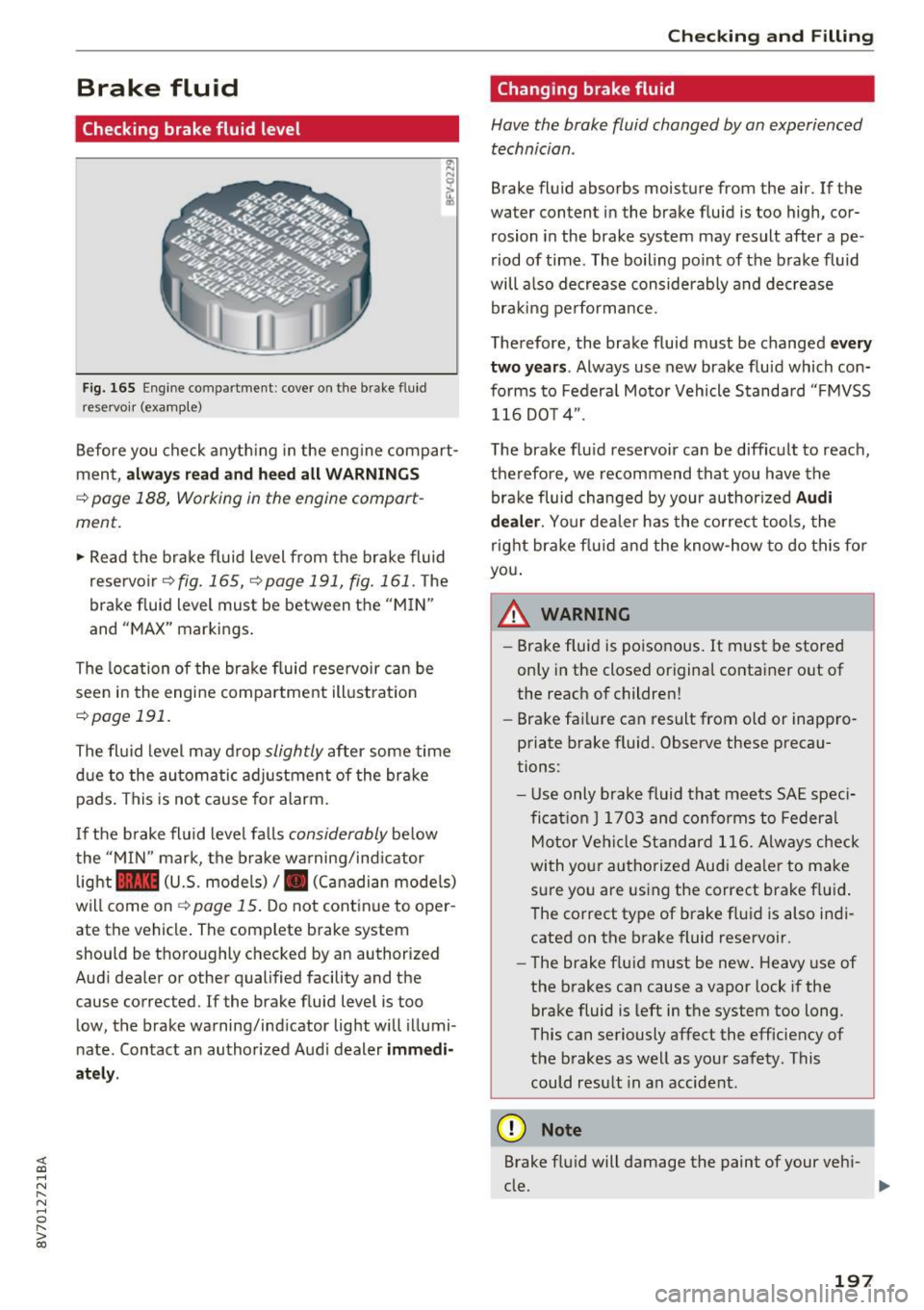
Fig. 165 Engine compartment : cover on t he brake fluid
reservoir (examp le)
"' N N
~ .,
Before you check anything in the engine compart
ment,
always read and heed all WARNINGS
¢page 188, Working in the engine compart
ment.
.,. Read the brake fluid level from the brake fluid
reservoir
~fig. 165, ¢page 191, fig. 161 . The
brake fluid level must be between the "MIN"
and "MAX" markings .
The location of the brake fluid reservoir can be
seen in the engine compartment illustration
¢page 191.
The fluid level may drop slightly after some time
due to the automatic adjustment of the brake
pads . This is not cause for alarm.
I f the brake fluid level falls
considerably below
the "MIN" mark, the brake warning/indicator
light
1111 (U.S. mode ls)/ . (Canadian models)
will come on¢
page 15. Do not continue to oper
ate the vehicle . The complete brake system
should be thoroughly checked by an authorized
Audi dealer or other qualified facility and the
cause corrected. If the brake fluid level is too
low, the brake warning/indicator light will illumi
nate. Contact an authorized Audi dealer
immedi
ately.
Checking and Filling
Changing brake fluid
Have the brake fluid changed by an experienced
technician.
Brake fluid absorbs moisture from the air. If the
water content in the brake fluid is too high, cor
rosion in the brake system may result after ape
riod of time . The boiling point of the brake fluid
will also decrease considerably and decrease braking performance.
Therefore, the brake fluid must be changed
every
two years. Always use new brake fluid which con
forms to Federal Motor Vehicle Standard "FMVSS
116 DO T 4" .
The brake fluid reservoir can be difficult to reach,
therefore, we recommend that you have the
brake fluid changed by your author ized
Audi
dealer. Your dealer has the correct tools, the
right brake fluid and the know-how to do this for
you.
A WARNING
- Brake fluid is poisonous. It must be stored
only in the closed original container out of
the reach of children!
- Brake failure can result from old or inappro
priate brake fluid . Observe these precau
tions:
- Use only brake fluid that meets SAE speci
fication
J 1703 and conforms to Federal
Motor Vehicle Standard 116. Always check
with your authorized Audi dealer to make
sure you are using the correct brake fluid .
The correct type of brake fluid is also indi
cated on the brake fluid reservoir.
- The brake fluid must be new. Heavy use of
the brakes can cause a vapor lock if the
brake fluid is left in the system too long.
This can seriously affect the efficiency of
the brakes as well as your safety. This
could result in an accident.
(D Note
Brake fluid will damage the paint of your vehi-
cle. ..,.
197