lock AUDI A3 CABRIOLET 2016 Owner's Manual
[x] Cancel search | Manufacturer: AUDI, Model Year: 2016, Model line: A3 CABRIOLET, Model: AUDI A3 CABRIOLET 2016Pages: 272, PDF Size: 67.88 MB
Page 43 of 272
Power top
.,. Pos ition yourself near the vehicle .
.,. Hold the power top by its front edge and pull it
out completely ¢
fig. 36 ¢ A in General infor
mation on page 40.
.,. Lift the rear edge of the power top.
.,. Release the power top storage compartment
cover by pu lling on the side supports to release
them .
.,. Close the power top storage compartmen t cov
er (!) and let the rear edge of the power top
drop @r::!;>fig .
37.
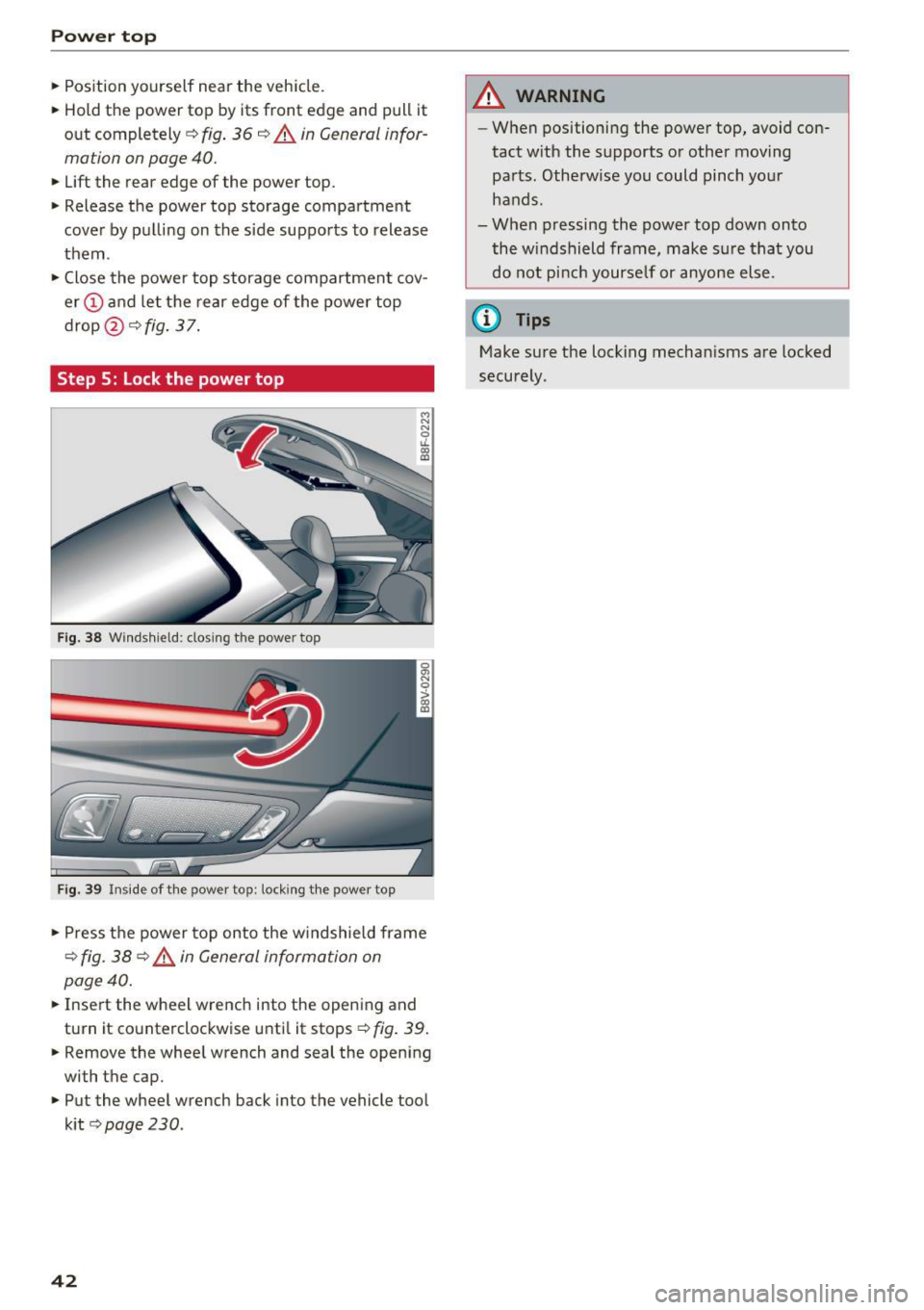
Step 5: Lock the power top
Fig . 38 W inds hield : closi ng t he powe r top
F ig . 39 Inside of the powe r top: lock ing the powe r top
.,. Press the power top onto the w indshield frame
r::!;> fig . 38 r::!;> _& in General information on
page 40 .
.,. Insert the wheel wrench into the opening and
turn it co unterclockwise unti l it stops
r::!;> fig . 39 .
.,. Remove the whee l wrench and seal the opening
with the cap .
.,. Put the whee l wrench back into the vehicle tool
k it
r::!;> page 230 .
42
A WARNING
-When positioning the powe r top , avoid con
tact w ith the supports o r other moving
parts. Otherwise you could pinch yo ur
hands .
- When pressing the power top down onto the windshield frame, make s ure that you
do not pi nch yourse lf or anyone else .
@ Tips
Make sure the lock ing mechan isms are locked
securely .
Page 44 of 272
Lights and Vision
Exterior Lighting
Switching lights on and off
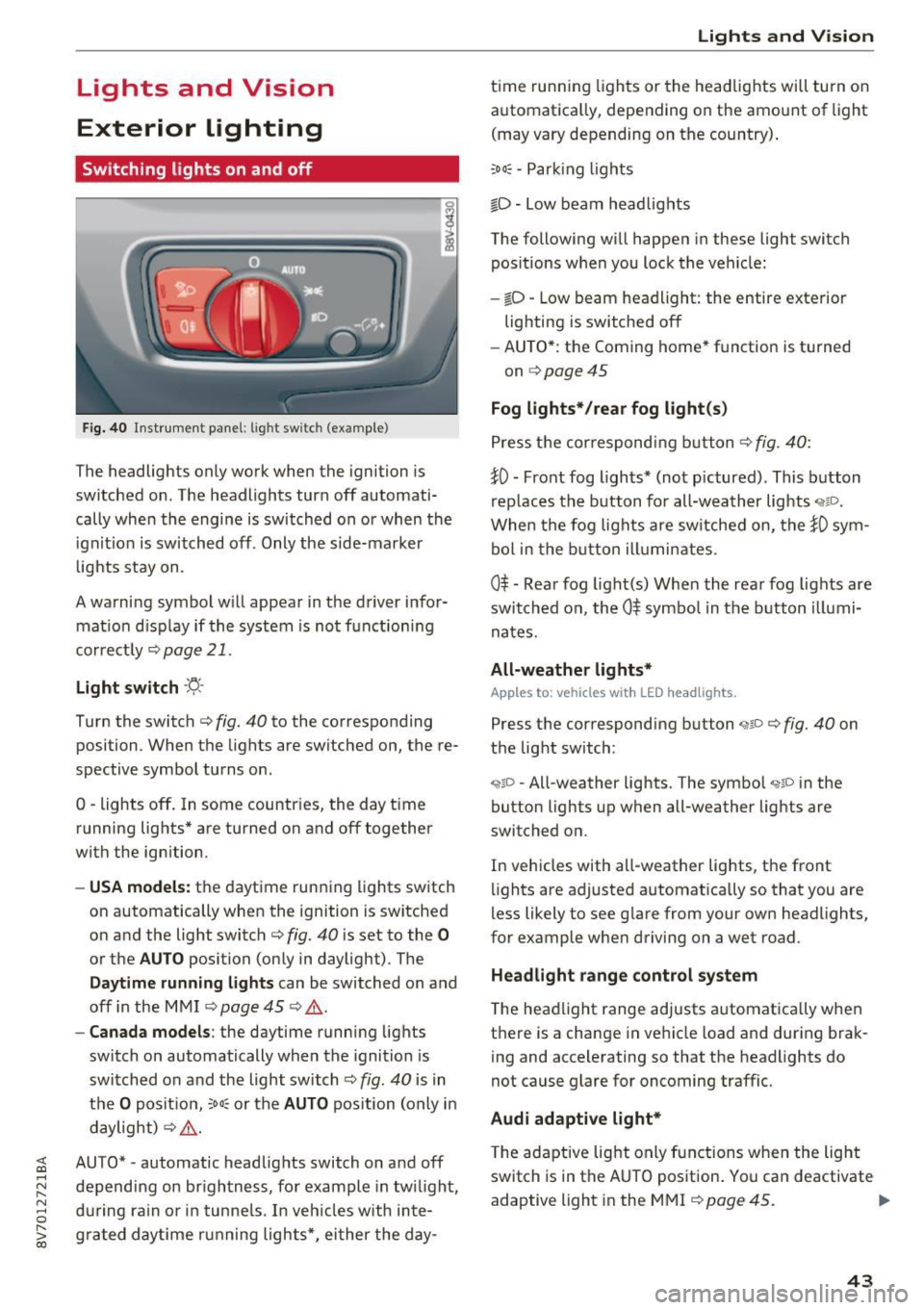
Fig. 40 Instrument panel: l ig ht switc h (example)
The headlights only work when the ignition is
switched on . The headlights turn
off automati
cally when the engine is switched on or when the
i gn it ion is switched off . Only the side-marker
l ights stay on.
A warning symbol will appear in the driver infor mat io n disp lay if the system is not f unction ing
correctly
¢ page 21.
Light s witch ·'ti- ·
Turn the switch c:> fig. 40 to the corresponding
position . When the lights are switched on, the re·
spective symbol turns on .
0 -lights off . In some countries, the day time
running lights* are turned on and
off together
with the ign ition.
- USA model s: the daytime running lights switch
on automatically when the ignition is switched
on and the light switch <=>
fig. 40 is set to the 0
or the AUTO position (only in daylight) . The
Daytim e runn ing ligh ts can be switched on and
off in the MMI ¢ page 45 ¢ .&. .
-Canada model s: the daytime running lights
switch on automatically when the ignition is
switched on and the light switch ¢
fig. 40 is in
the
O posit ion, :oo: or the AUTO position (on ly in
daylight)
c:> ,&. .
;;§ AUTO* -automatic headlig hts switch on and off .....
~ depending on brightness, for example in tw ilight ,
8 during ra in or in tunne ls. In veh icles with inte-
S; g rated day time running lights*, ei ther the day-co
Lights and V ision
t ime running lights or the headlights will turn on
automatica lly, depending on the amo unt of light
(may vary depending on the country) .
:oo: -Par king ligh ts
io -Low beam headlights
The following will happen in these light switch pos itions w hen you lock the vehicle:
- iD -Low beam headlight: the entire exterior
lighting is switched
off
- AU TO *: the Coming home* function is turned
on
¢ page 45
Fog lights* /rear fog light(s )
Press the correspondi ng b utton c:> fig. 40:
tO -Front fog lights* (not pictured) . This b utton
rep laces the b utton for all-wea ther lights
When the fog lights are sw itched on, the tO sym
bol in the b utton ill umin ates .
0$ -Rear fog light(s) When the rea r fog lights are
swi tched on, the
0$ symbo l in the b utton illumi
nates.
All-weather light s*
Apples to : vehicles wit h LED he adlights.
Press the corresponding button ,;ii o ¢ fig. 40 on
the light switch :
"1~D -All-weather lights . The symbol "11D in the
button lights up when all-weather lights are
switched on.
In vehicles with all -weather lights, the front
lights are adjusted automatically so that you are
less likely to see g lare from your own headlights,
for example whe n driving on a wet road.
Headlight range control system
The headlight range adjusts a utomat ically when
t h ere is a change in ve hicle load and during brak
ing and accelerating so that the headlights do
not cause glare for oncoming traffic.
Audi adaptive light*
T he ada ptive lig ht only functions when the light
switch is in the AUTO pos ition . You can deactivate
adaptive light in the MMI
¢ page 45 . ..,.
43
Page 46 of 272
<( co ..... N
" N ..... 0 r--. > 00
You can indicate a lane change or a tu rn when the
emergency flas hers are sw itche d on by us ing the
turn sig nal lever . The emergency flashers stop
tempo rarily.
The emergency flashers also work when the igni
tion is tur ned off.
@ Tips
You should s witch the e merge ncy fla shers on
if:
- Y ou a re the la st c ar in a tra ffic j am so th at
a ll ot her vehicles appro ach ing from be hind
ca n see you, or if
- You r vehicle has br oke n do wn or y ou ar e
h aving an eme rgency, or i f
- Y our vehi cle is bei ng towe d or if yo u are
tow ing anot her vehicle.
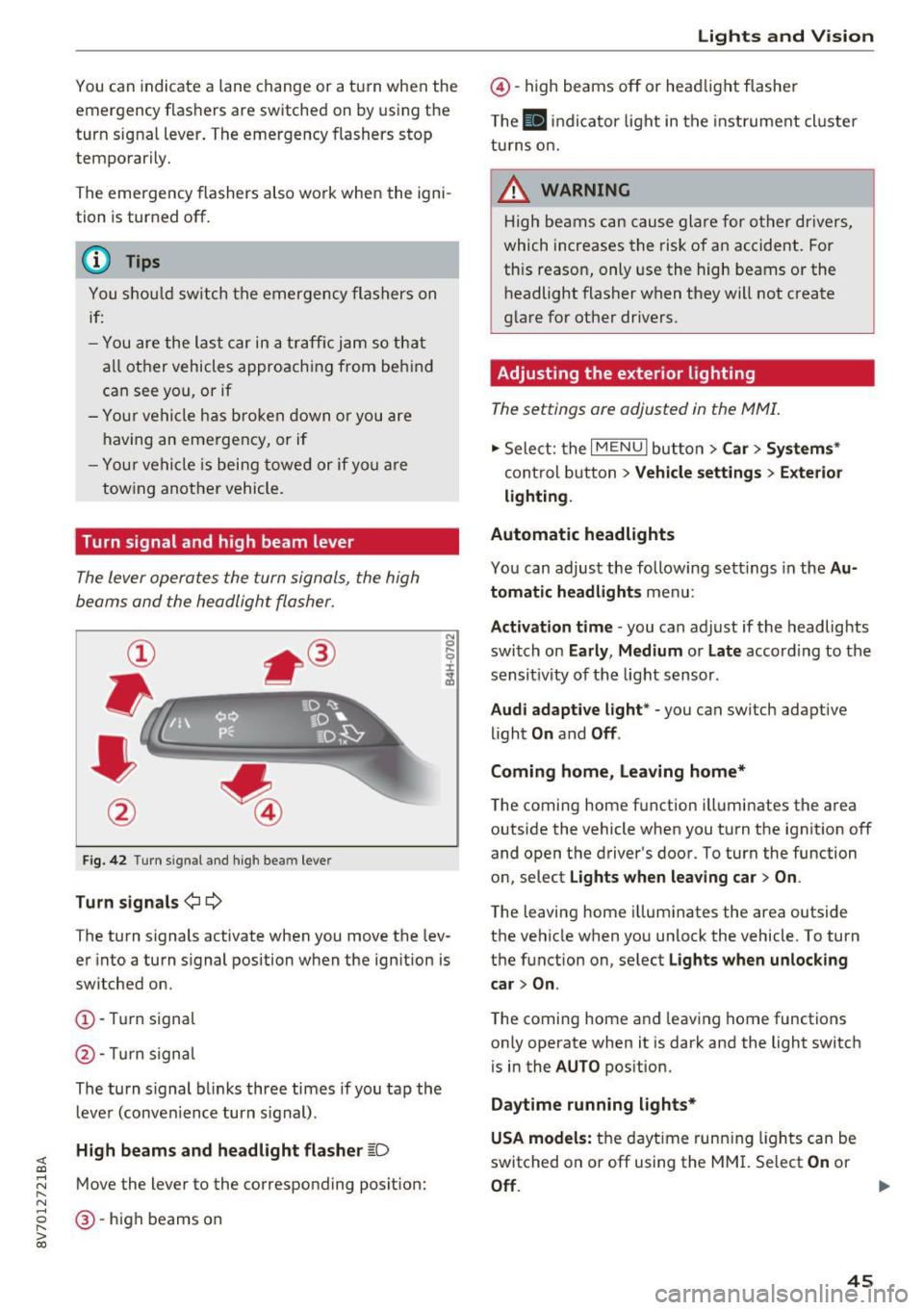
Turn signal and high beam lever
The Lever operates the turn signals, the high
beams and the headlight flasher.
F ig . 42 Turn signal an d high bea m lever
Turn signals ¢i ¢
The turn s ignals activate when you move the lev
er into a turn s ignal position w hen the ignition is
switched on.
(D -Tur n signa l
@-Tur n sign al
The tu rn s ignal bl inks three times if you tap th e
l eve r (conve nience turn s ignal) .
High beams and headlight flasher ~D
Move the lever to the correspond ing posit ion:
@ -high beams on
Lights and V ision
@ -high beams off or he adlight flasher
T he
El in di cato r light in t he inst rument cl uste r
tu rns o n.
_& WARNING
H ig h be ams can cau se gla re fo r ot her dr ivers,
which increases the risk of an accident. Fo r
this reason, only use the high beams or the
h eadlight flasher when they will not create
g la re for ot her dr ivers.
Adjusting the exterior lighting
The settings are adjusted in the MMI.
.,. Sele ct: the I MENU I but to n > Car > Systems *
control b utton > Vehicle settings > Exterior
lighting .
Automatic headlights
Yo u can adjust the following s ettings in the Au
tomatic headlights
menu:
Activation time -you can adjust if the headlights
switch on
Early , Medium or Late accord ing to the
sensit ivity of th e light s ensor .
Audi adaptive light * -you can switch adaptive
li ght
On and Off .
Coming home, leaving home*
T he coming home f unction ill uminates the area
outside the vehicle when you turn the ignit ion off
and open the driver 's door. To turn the function
o n, select
Lights when leaving car > On .
The leaving home i llum inates the area outside
the vehicle when yo u unlock the vehicle. To turn
t h e function on , se lect
Lights when unlocking
car > On .
The coming home a nd leav ing home functions
on ly operate when it is dark and the light switch
is in the
AUTO pos ition.
Daytime running lights*
USA models:
t h e dayt ime run ning lights can be
switched on or off using the MM I. Select
On or
Off . ..,_
45
Page 48 of 272
<( co ..... N
" N ..... 0 r--. > 00
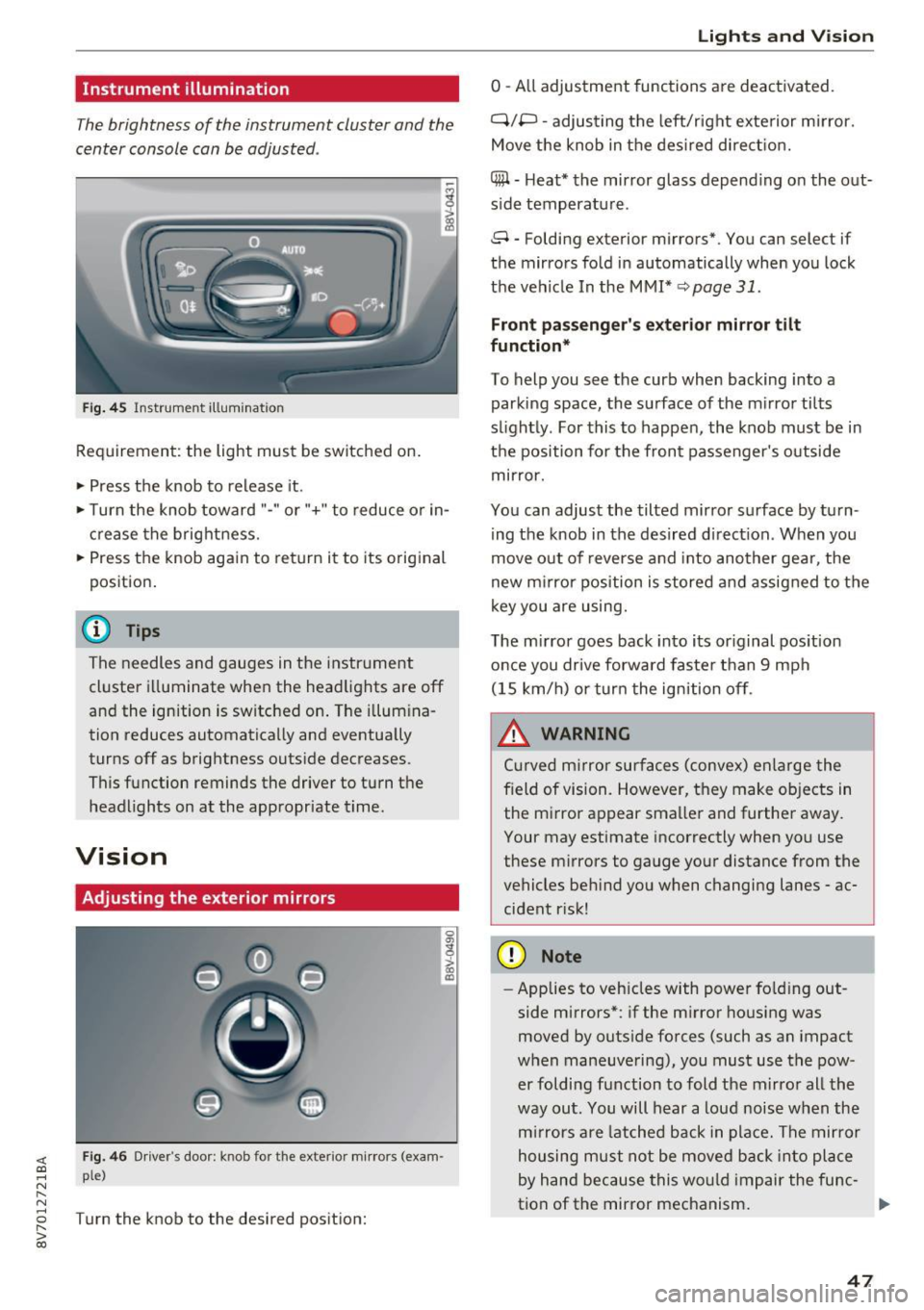
Instrument illumination
The brightness of the instrument cluster and the
center console can be adjusted .
Fig. 45 Instrumel'lt illumination
Requirement: the light must be switched on.
.. Press the knob to release it.
.. Turn the knob toward "-"or"+" to reduce or in
crease the brightness.
.. Press the knob again to return i t to its original
position .
@ Tips
The needles and gauges in the instrument
cluste r illuminate when the headlights are off
and the ignition is switched on . The illumina
tion reduces automatically and eventua lly
turns off as brightness outside decreases.
This function reminds the driver to turn the
headlights on at the appropriate time.
Vision
Adjusting the exterior mirrors
0
g
>
Fig. 46 Driver's doo r: knob fo r th e exterior mirrors (exam
ple)
Turn the knob to the desired position:
a, (X)
Lights and V ision
0 -All adjustment functions are deactivated.
Q/P -adjusting the left/r ight exte rior m irror.
Move the knob in the desired direction.
(@ -Heat* the mirror glass depend ing o n the out
s ide temperatu re.
8 -Folding exterior mirrors*. You can select if
the mirrors fold in automatically when you lock
the vehicle In the MMI*
q page 31.
Front passenger 's exterior mirror tilt
function*
To help you see the curb when backing into a
parking space, the surface of the m irror tilts
s li ghtly. For this to happen, the knob must be in
the position for the front passenger's outside
mirror .
You can adjust the tilted mirror surface by turn
ing the knob in the desired d irect ion . When you
move out of reverse and into another gea r, the
new mirror position is stored and assigned to the
key you are using.
The mirror goes back into its or iginal position
once you drive forward faste r than 9 mph
(15 km/h) or turn the ignition off.
_& WARNING
Cur ved m irror surfaces (convex) enlarge the
f ield of vision. However, they make objects in
the m irror appear smaller and further away.
Your may estimate incorrectly when you use
these mirrors to gauge your distance from the
vehicles beh ind you when changing lanes -ac
cident r isk!
(D Note
- Applies to vehicles with power fo lding out
side mirrors*: if the mirror housing was
moved by outside forces (such as an impact
when maneuvering), you must use the pow
er foldi ng function to fold the mirror all the
way out. You will hear a loud noise when the
mirrors are latched back in place. The mirror
housing must not be moved back into place
by hand because this would impair the func-
tion of the mirror mechanism. ..,.
47
Page 51 of 272
Lights and Vi sion
- Do not use the windshield wipers to clear ice
off the windshield. If you switch the wind
sh ield wipers on when the w indshield is icy,
the w iper blades w ill be damaged .
@ Tips
-The windshield wipers switch off when the
i gnition is turned off . You can activate the
windsh ield wipers after the ign ition is
switched back on by moving the windsh ield
wiper lever to any pos it ion.
- Worn or dirty windshield wiper blades result
i n streak ing. This can affect the ra in sensor
funct ion . Check your windshield wiper
blades regularly.
- The washer fluid nozzles in the w indshield
washer system are heated* at low tempera
tures when the ignition is on .
- When stopp ing tempora rily, such as at a
traffic light, the speed of the windshie ld
wipers automat ically reduces by one leve l.
- In vehicles with an MMI, you can switc h the
rain sensor on or
off in the Dr iver a ssistance
menu.
Cleaning windshield wiper blades
C le an the w iper blades when you see wipe r
strea ks. Use a soft clot h and a glass cleaner.
.,. Place the w indshield wipe r arms i n the se rvice
pos it ion ,=:,
page 50.
.,. Fo ld the w indshield wipe r arms away from the
winds hield.
A WARNING
Dirty windshield wipe r blades can impair vi
sion, which increases the risk of an accident .
CJ) Note
If you see st reaks aga in a fter cleaning the
wiper blades, the blades must be replaced ,=:,
page 50.
so
-
· Replacing front windshield wiper blades
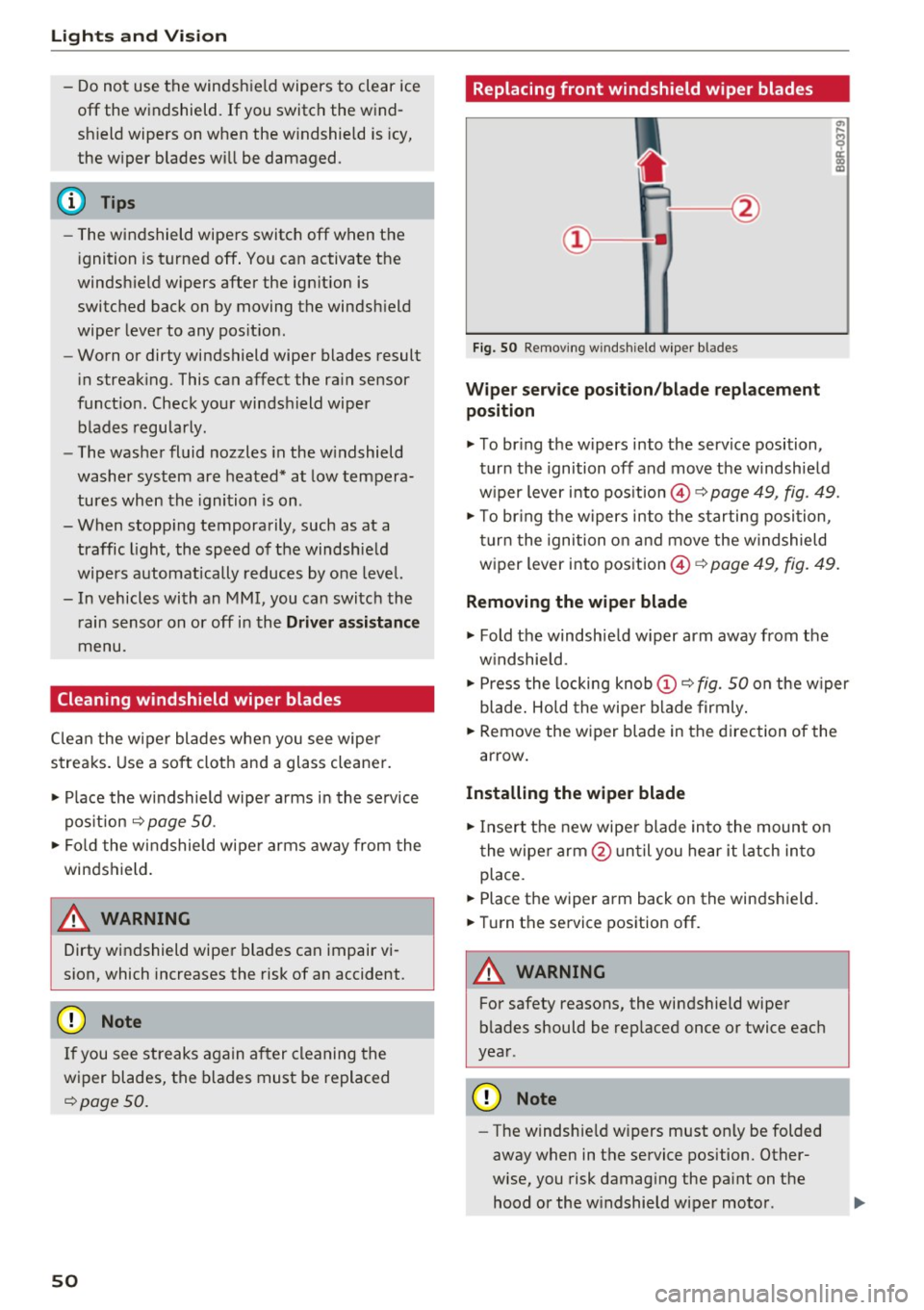
Fi g. 50 Remov ing w indsh ie ld w iper bl ades
Wipe r serv ice position /blade replacement
position
.,. To br ing the w ipers into the service position,
tur n the ignition off and move t he w indshie ld
w iper lever i nto pos ition @,=:,
page 49, fig. 49.
.,. To br ing t he w ipers into the starting posi tion ,
tu rn t he ignition o n and move the w indshield
w iper lever into pos ition ©
c:> page 49, fig. 49.
Removing the wiper blade
.,. Fold the windshie ld w iper arm away from the
w indshield .
.,. Press the locking knob
(D ,=:, fig. 50 on the w iper
blade . Ho ld the wipe r blade firmly .
.,. Remove the wiper blade in the direction of the
arrow .
Installing the wipe r blade
.,. Insert t he new wipe r blade in to the mount on
t he wipe r arm @ un ti l you hear it latch in to
place .
.,. Place the wiper arm back on the winds hield.
.,. Tur n the service position off .
A WARNING
-
For safety reasons, the windshield wipe r
b lades should be rep laced once or twice eac h
year .
Q) Note
-The w indshie ld w ipers must on ly be folded
away when in t he service position. Other
wise, you risk damag ing the pa int on the
hood or the w indshield wiper motor .
Page 55 of 272
Sea ts and stor age
_& WARNING
- Only adjust the front seat with when the ve
hicle is stationary. Otherwise, this increases
the risk of an accident
- The power adjustment for the front seats al
so works wit h the ignition switched off or
with the ignition key removed. For this rea
son, children shou ld never be left unattend
ed in the veh icle - they could be injured!
- Exercise caution when adjusting the seat height. Unsuperv ised or careless seat ad
justment can p inch f ingers or hands causing
injuries.
- The front seat backrests must not be re
clined too far back when driving, because
this impairs the effectiveness of the safety belts and airbag system, which increases
the risk of injury.
- To reduce the risk of injury during sudden
bra king or i n a co llision, the driver and front
p as senge r shou ld no t have the ir back rests in
the reclined posit ion while driv ing or riding.
T he safety belts and airbag system can pro
vide the greatest protection possible when
the backrests are in the upr ight position and
the safety be lts a re worn correctly. The
more a backrest is reclined, the greater the
risk of injury due to an incorrect seating po
sit ion and safety belt position.
Easy seat entry
Easy seat entry makes it easier to get into the
back seats.
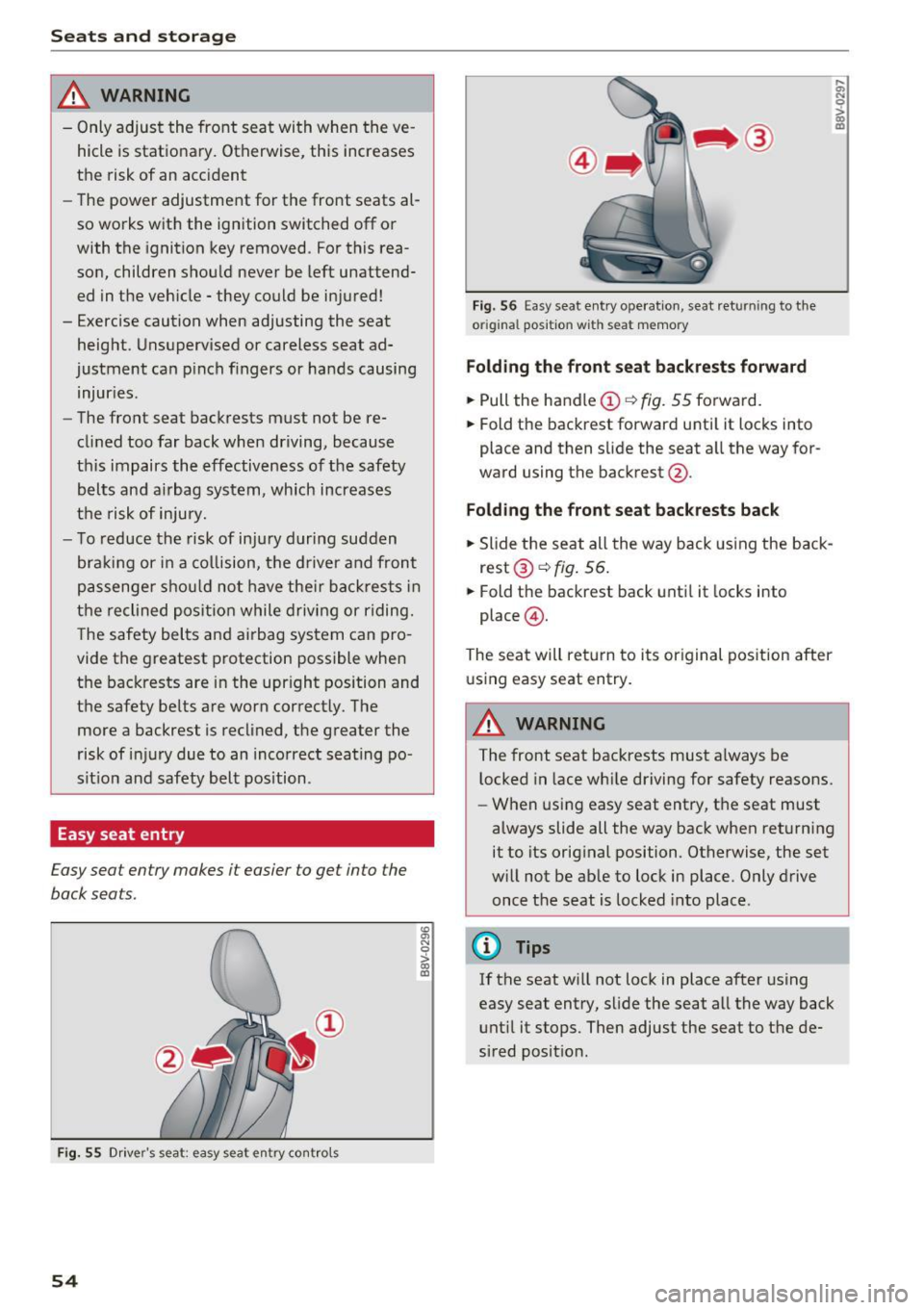
F ig. 55 Driver's seat: easy seat entry cont rols
54
F ig. 56 Easy seat entry operat io n, seat returning to the
or igi nal position w ith seat memory
Folding the front s eat backres ts forward
.. Pull the handle (D ¢ fig. 55 forward.
.. Fold the backrest forward unti l it locks into
place and then slide the seat a ll the way for
ward using the backrest @.
Fold ing the front seat back rests back
.. Slide the seat all the way back using the back
rest @¢
fig. 56 .
.. Fold the backrest back until it locks into
place @.
The seat will return to its original posit ion after
u sing easy seat entry.
A WARNING
:;; N 0
> 00 ID
-The front seat backrests must a lways be
l ocked in lace wh ile driving for safety reasons.
- When using easy seat entry, t he seat must
always slide all the way back when returning
it to its orig inal position. Otherwise, the set
w ill not be ab le to lock in place. Only drive
once the seat is locked into place.
{D Tips
If the seat w ill not lock in place after using
easy seat entry, slide the seat all the way back unt il it stops. Then adjust the seat to the de
sired posit ion.
Page 56 of 272
<( co ..... N
" N ..... 0 r--. > 00
Front center armrest
Applies to vehicles with a front center armrest
The center armrest can be adjusted to several
levels.
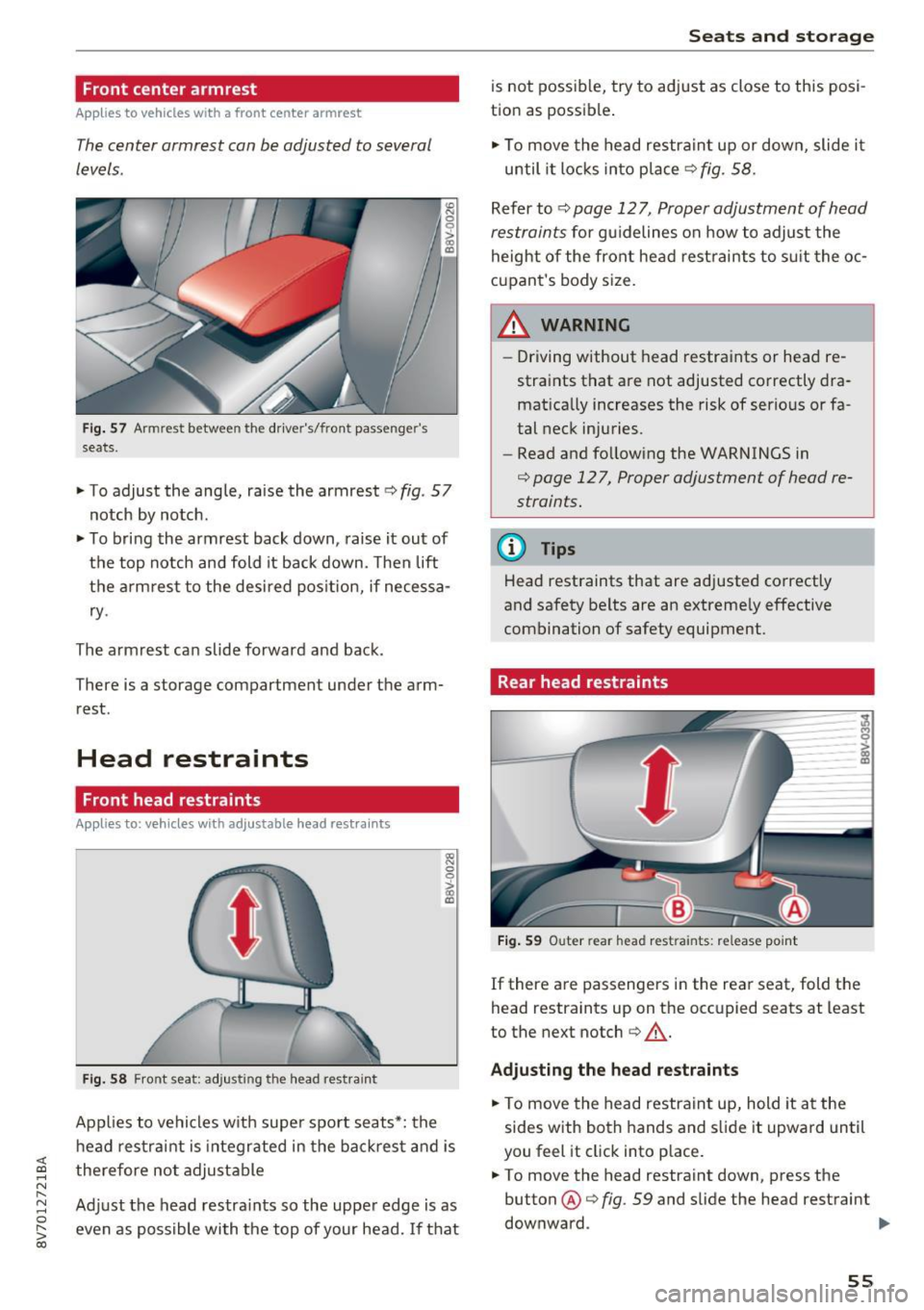
Fig . 57 Armrest between the driver's/front passenger's
seats.
,. To adjust the angle, raise the armrest c> fig. 57
notch by notch.
"To bring the armrest back down, raise it out of
the top notch and fold it back down. Then lift
the armrest to the desired position, if necessa
ry.
The armrest can slide forward and back.
There is a storage compartment under the arm
rest.
Head restraints
Front head restraints
Applies to: vehicles with ad justab le head restra ints
Fig. 58 Front seat: adjusting the head restraint
~ 0 0 >
l8
Applies to vehicles with super sport seats*: the
head restraint is integrated in the backrest and is
therefore not adjustable
Adjust the head restraints so the upper edge is as
even as possible with the top of your head. If that
Seats and storage
is not possible, try to adjust as close to this posi
tion as possible .
,. To move the head restraint up or down, slide it
until it locks into place
c> fig. 58.
Refer to c> page 127, Proper adjustment of head
restraints
for gu idelines on how to adjust the
height of the front head restraints to suit the oc
cupant 's body size.
WARNING
- Driving without head restraints or head re
straints that are not adjusted correctly dra
matically increases the risk of serious or fa
tal neck injuries.
- Read and following the WARNINGS in
c> page 127, Proper adjustment of head re
straints.
(I} Tips
Head restraints that are adjusted correctly
and safety belts are an extremely effective
combination of safety equipment.
Rear head restraints
Fig. 59 Outer rear head restraints: release point
If there are passengers in the rear seat, fold the
head restraints up on the occupied seats at least
to the next notch
c> .&,.
Adjusting the head restraints
,. To move the head restraint up, hold it at the
sides with both hands and slide it upward until
you feel it click into place.
,. To move the head restraint down, press the
button @
c> fig. 59 and slide the head restraint
downward . .,..
55
Page 58 of 272
<( co ..... N
" N ..... 0 r--. > 00
-Never connect devices that generate elect ri
ca l power such as solar panels or a battery
charger to the 12 volt socket . They can dam
age the vehicle electrical system.
(D Tips
The vehicle battery drains when accessories
are turned on but the engine is off.
Storage
Beverage holders
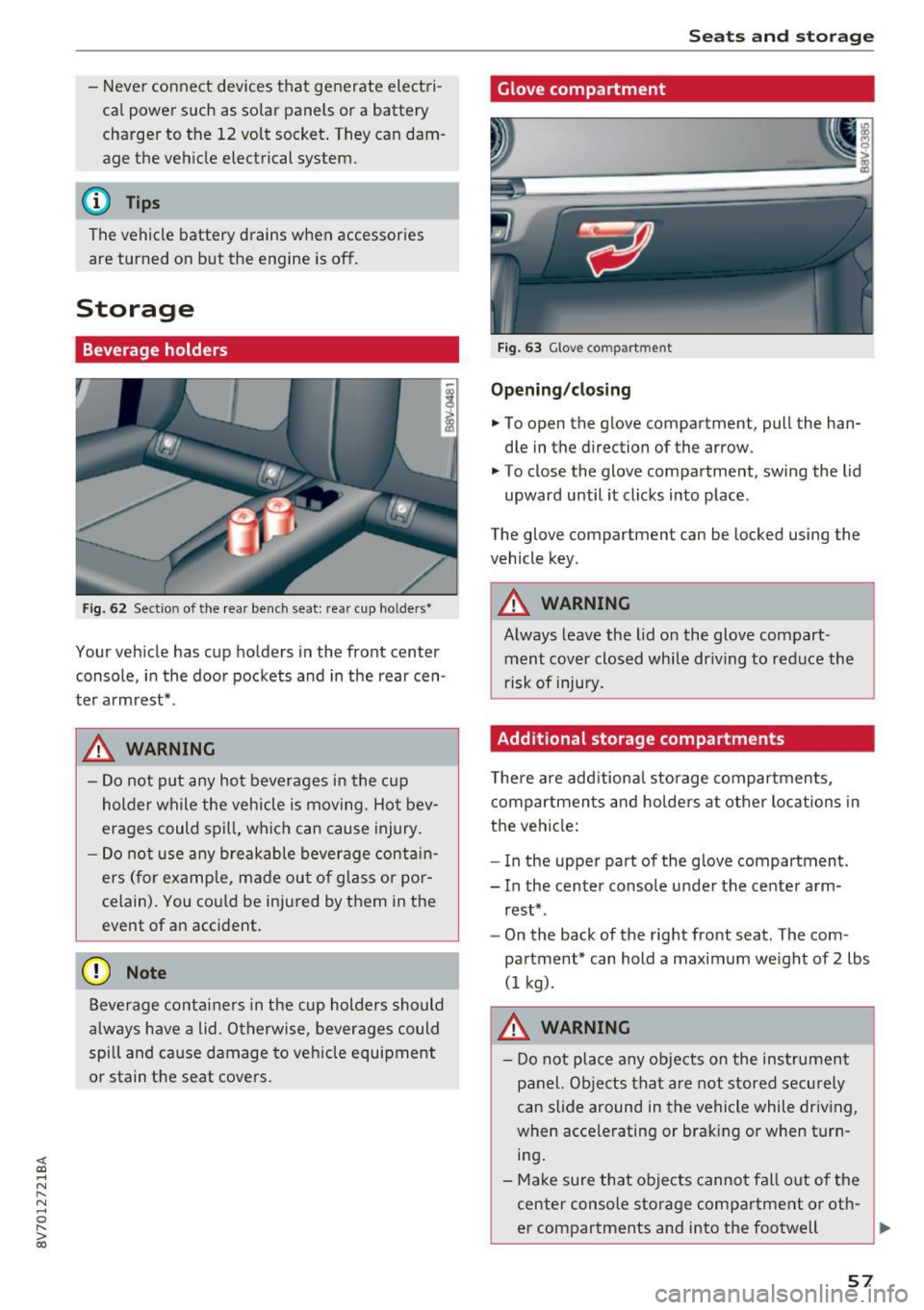
F ig. 62 Sect io n of the rear bench seat: rea r cup ho lders •
I
Your veh icle has cup holders in the front center
console, in the door pockets and in the rear cen
ter armrest* .
A WARNING
-
-Do not p ut any hot beverages in the cup
holder while the vehicle is moving . Ho t bev
erages could spill, wh ich can cause injury.
- Do not use any breakable beverage cont ain
ers ( for example, m ade out of glass or po r
celain). You cou ld be injured by them in the
event of an accident.
(D Note
Beverage containers in the cup holders should
always have a lid. Otherwise, beverages could
spill and cause damage to veh icle equipment
or stain the seat cove rs.
Seats and storag e
Glove compartment
Fig. 63 G love co mpart m ent
Opening /closing
• To open the glove compartment, pull the han
dle in the d irection of the arrow .
"' To close the glove compartment, swing the lid
upward until it clicks into place .
The glove compartment can be locked using the
vehicle key.
A WARNING
-Always leave the lid on the glove compart- ment cover closed while dr iving to reduce the
r isk of injury.
Additional storage compartments
T he re are add itiona l storage compartmen ts,
compartments and holders at other locations in
the vehicle:
- In the uppe r part of the glove compartment.
- In the center console under the center arm -
rest* .
- On the back of the right front seat. The com
partment* can hold a maximum we ight of
2 lbs
(1 kg) .
A WARNING
-Do not place any objects on the instrument
panel. Objects that are not stored secu rely
can slide around in the vehicle while driving,
when accele rating or braking or when turn
i n g .
- Make sure that objects cannot fa ll out of the
center console storage compartment or oth-
er compartments and into the footwell
~
57
Page 60 of 272
<( co ..... N
" N ..... 0 r--. > 00
Folding th e ba ckr est back into the upright
po sition
• Fold th e backrest down un til i t latches securely
Q .&. -
A WARNING
-
-When releasing the rear seat backrest,
make sure there are no people or animals
within its range of motion . The backrest will
fold forwa rd automatically after it is re
leased .
- The backrest must be securely latched so
objects cannot slide forward out of the lug
gage compa rtment dur ing sudden bra king.
- Always make sure the back rest is la tched
completely by pulling forward on it.
- Make sure the safety be lt is not ca ught in
t he door h inges o r the seat fitt ings and
damaged.
- Torn or frayed safety belts can break , and
bel t anchors can break d uring a co llision .
C heck the safety bel ts regularly . Safe ty
bel ts wit h noti ce a ble damage to the web
bing, bindings, buckles or retractors mus t
be rep laced .
(D Note
-If yo u move the front seat ba ck when t he
rear se at backres t is folded forward, you
could damage the head restraints on the rear seat. If necessary, remove the rear seat
head restra int before moving the front seat
back
- Make su re the safety be lt is not pinched in
the backrest lock and damaged when the rear seat backrest if fo lded back. Other ob
j ects should be
removed from the rear
bench seat to p rotect the rear backrest from
damage .
Seats and storag e
Tie-downs
Applies to: vehicles w ith tie-dow ns
---~~~ --- --
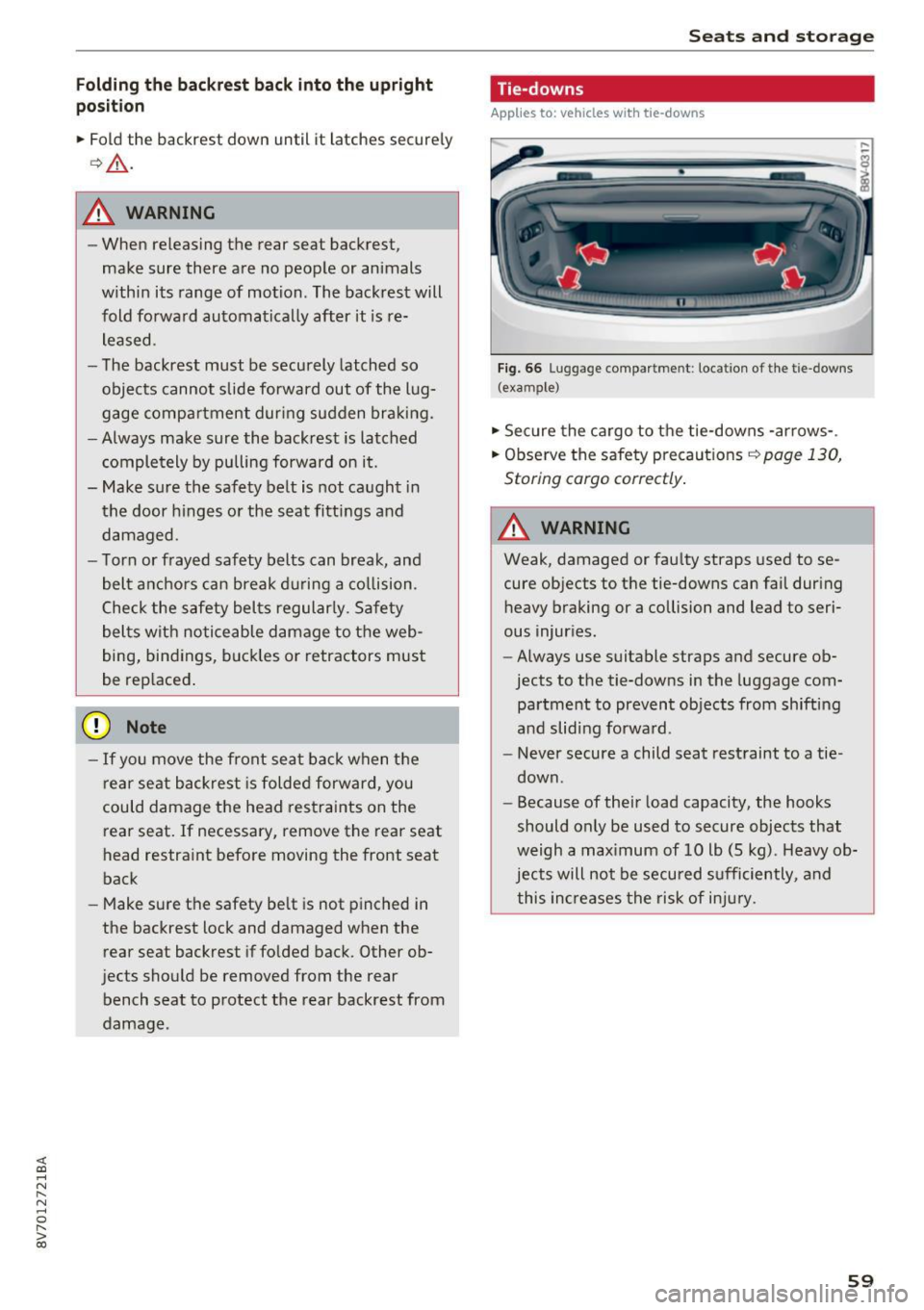
Fig. 66 Lug gag e compa rtm en t: loc ation of th e t ie -d owns
( exa mpl e)
• Sec ure the cargo to the tie-downs -arrows- .
• Observ e the safety precaut ions <=>
page 130,
Stor ing cargo correctly .
A WARNING ~ -
Weak, damaged or fau lty straps used to se
cure objects to t he tie-downs can fail dur ing
heavy braking or a collision and lead to seri
ous injur ies.
- Always use suitable straps and secure ob
jects to the tie-downs in the luggage com
pa rtme nt to prevent objects from shifting
a nd slid ing forwa rd .
- Never secure a child seat restraint to a tie
down .
- Because of the ir load capacity, the hooks
should only be used to secure objects that
weigh a max imum of 10 lb (5 kg) . Heavy ob
jects will not be secu red s ufficiently , and
this in creases the risk of in jury.
59
Page 69 of 272
Driving
-Always hold the steering wheel with your
hands in the 9 o'clock and 3 o'clock posi
t ions to reduce the risk of injury if the airbag
deploys.
- Never hold the steer ing whee l in the 12
o'clock posit ion or w ith both hands on the
rim or the center of the steer ing whee l.
Holding the steering wheel inco rrectly s ig
nificantly incr eas es the risk of inju ry to the
hands, arms and head if t he ai rbag dep loys .
Starting and stopping
the engine (vehicles with
an ignition Lock)
Starting the engine with the key
A pp lies to: ve hicles w ith ig ni tio n lock
The ignition is switched on and the engine start
ed with the key in the ignition .
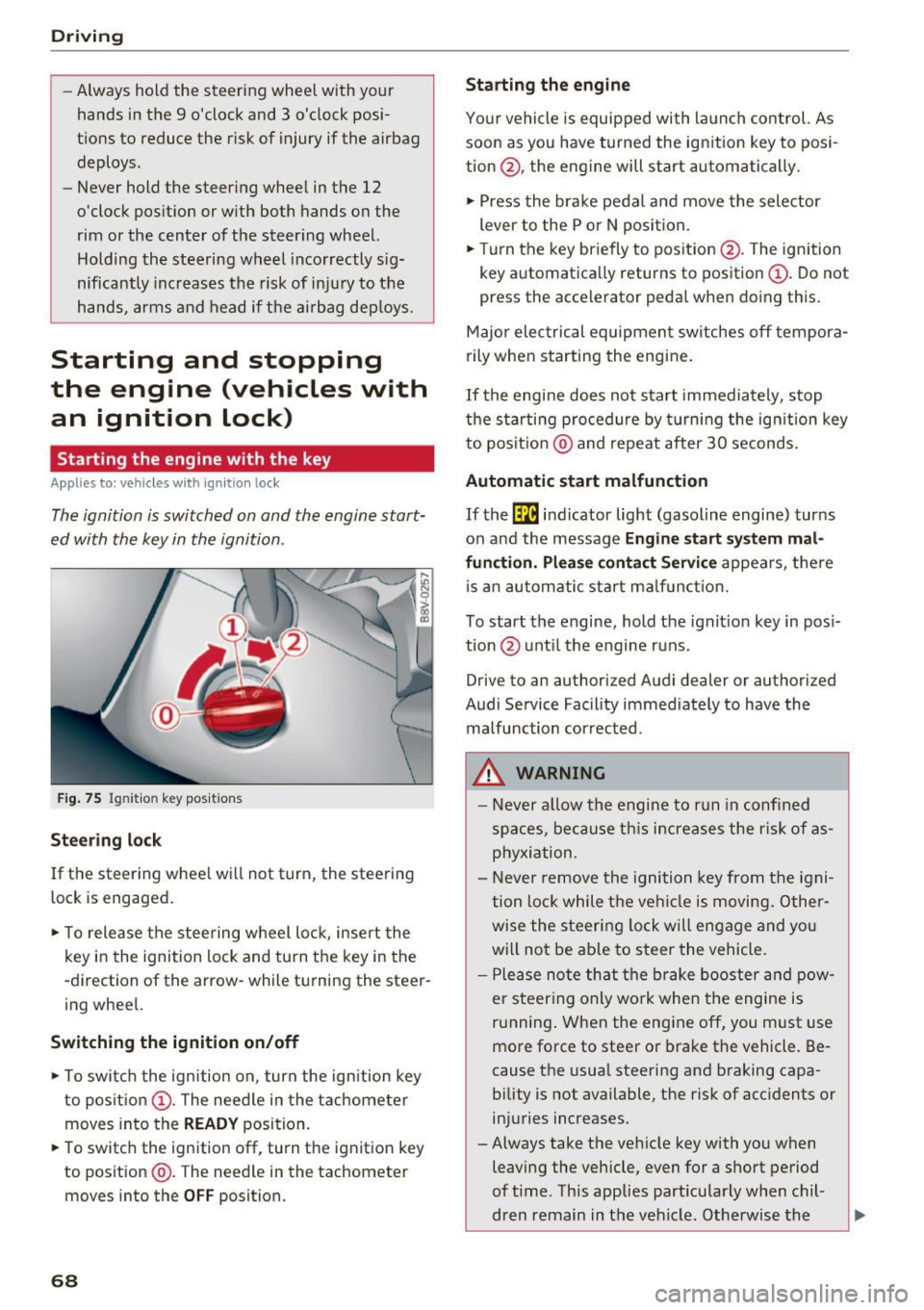
Fig . 75 Ig nit io n key pos it ions
Stee ring lock
If the steering whee l w ill not turn, the steering
lock is engaged .
• To release the steering wheel lo ck, inse rt the
k ey in the ignition lock and tu rn t he key in the
-d irection of the arrow- while tu rning the steer
ing wheel.
Sw itching the ignition on/off
• To switc h the ignition on, turn the ign ition key
to posit io n @ . The need le in the tachometer
moves into the
READY position.
• To switc h the ign ition off , turn the ignit ion key
to position @. T he need le in the tachometer
moves into the
OFF position.
68
Starting the engine
Yo ur vehicle is equipped wi th la unch control. As
soon a s you have turned the ign ition key to pos i
tion @, the engine will start automatically .
• Press the bra ke pedal and move the sele ctor
lever to the P o r N posi tion.
• Turn the key br iefly to posit ion @. The ignition
key a utomat ica lly returns to position @. Do not
press the accelerator peda l when do ing this .
Major elec trical equipmen t sw itches off tempora
rily when s tarting the engine .
If the engine does not start immediately, stop
t h e starti ng p ro cedure by t urnin g the ig nition key
to pos it ion @ and repeat after 30 seconds.
Automatic start malfunction
If the ~ in dicator light (gasoline engine) tur ns
on and the message
Engine start sy stem mal
fun ction . Please contact Servic e
appears, t he re
i s an a utom atic start ma lf u n ct io n.
To start the engine, hold t he ignit io n key in pos i
t ion @ unt il the engine r uns.
Drive to an authorized Audi dealer or authorized
Audi Service Facility immediate ly to have the
malfunction correc ted.
A WARNING
- Never a llow th e engine to run in confined
sp aces, because this increases the r is k of as
phyxia tion.
- Never remove the ignition key from the igni
tion lock while t he ve hicl e is moving . Other
w ise the s teering lo ck will engage and yo u
will no t be ab le to s teer the vehicle.
- P lease no te th at the b rake booster and p ow
e r steering only wo rk when the engine is
r u nning . When the engine off, you must use
more force to steer or bra ke the vehicle . Be
cause the usua l steering and braking capa
bility is not available, the risk of acc idents or
in juries increases.
- Always take the veh icle key with yo u when
leaving the vehicle, even for a sho rt pe riod
of t ime. This applies part icularly when chil
dren remain in the vehicle. Otherwise the