pressure AUDI A3 SEDAN 2017 Owners Manual
[x] Cancel search | Manufacturer: AUDI, Model Year: 2017, Model line: A3 SEDAN, Model: AUDI A3 SEDAN 2017Pages: 400, PDF Size: 67.32 MB
Page 6 of 400
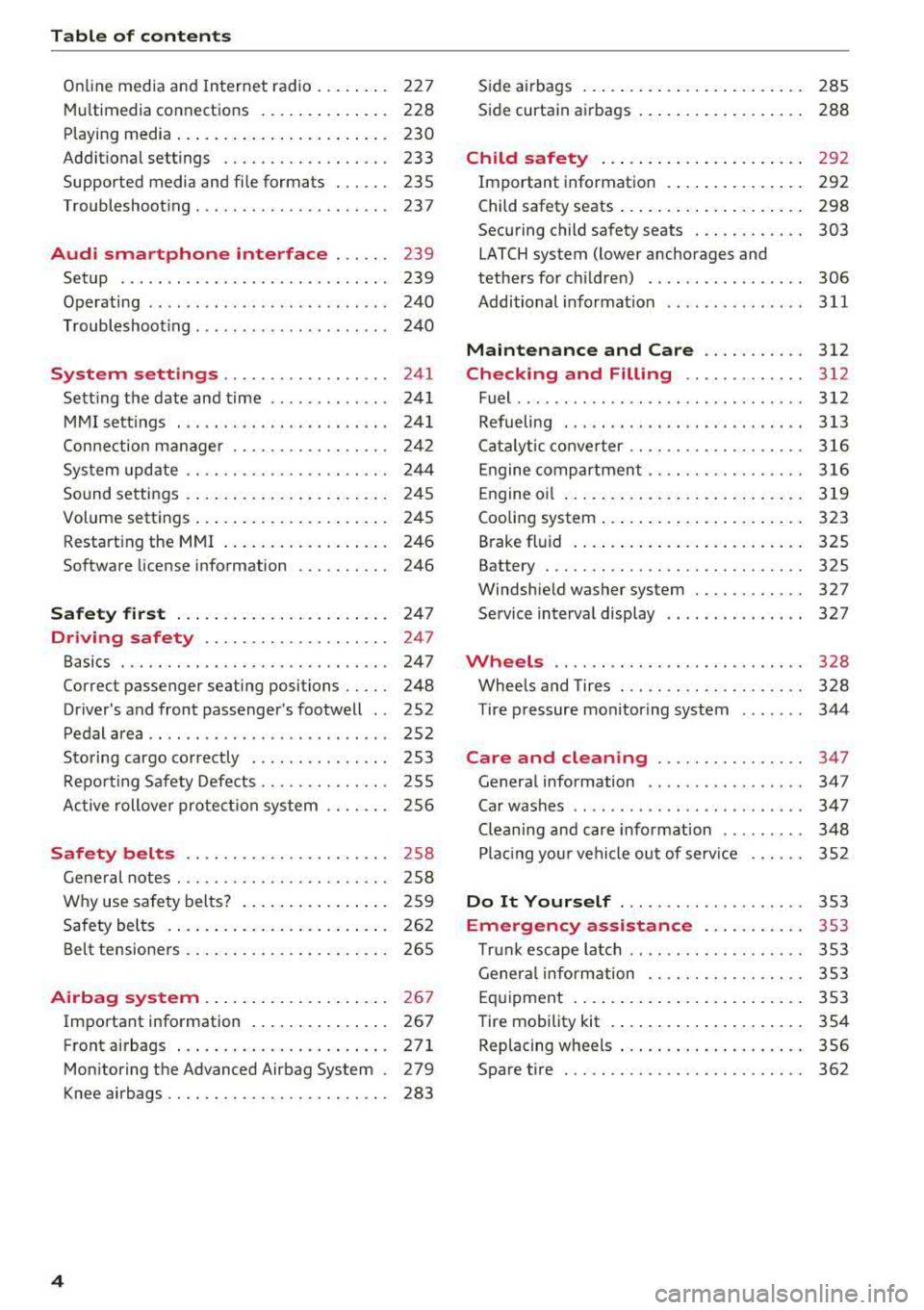
Table of content s
Online media and Internet radio . . . . . . . . 227
Mu ltim edia connections . . . . . . . . . . . . . . 228
Playing media . . . . . . . . . . . . . . . . . . . . . . . 230
Addit ional se ttings . . . . . . . . . . . . . . . . . . 233
Supported media and file formats . . . . . . 235
Troubleshoot ing ................. ... . 237
Audi smartphone interface . . . . . . 239
Setup . . . . . . . . . . . . . . . . . . . . . . . . . . . . . 239
Operating . . . . . . . . . . . . . . . . . . . . . . . . . . 240
Troubleshoot ing . . . . . . . . . . . . . . . . . . . . . 240
System settings . . . . . . . . . . . . . . . . . . 241
Sett ing the date and time . . . . . . . . . . . . . 24 1
MMI se ttings . . . . . . . . . . . . . . . . . . . . . . . 241
Con nection ma nager . . . . . . . . . . . . . . . . . 242
System update . . . . . . . . . . . . . . . . . . . . . . 244
Sound settings . .... .. ..... ... .. .. .. .
Volume settings .... .. ..... ... .. .. .. .
Restarting the
MMI . .. ..... ... .. .. .. .
Software license information 2
4 5
245
246
246
Safety first . . . . . . . . . . . . . . . . . . . . . . . 247
Driving safety . . . . . . . . . . . . . . . . . . . . 247
Basics . . . . . . . . . . . . . . . . . . . . . . . . . . . . . 247
Correct passenger seating positions . . . . . 248
Driver 's and front passenger's footwell . . 252
Pedal area . . . . . . . . . . . . . . . . . . . . . . . . . . 252
Sto ring cargo co rrectly . . . . . . . . . . . . . . . 253
R epo rting Safety Defects . . . . . . . . . . . . . . 255
Ac tive rollove r prote ct io n system 256
Safety belts . . . . . . . . . . . . . . . . . . . . . . 258
Gene ral notes . . . . . . . . . . . . . . . . . . . . . . . 258
W hy use safety belts? . . . . . . . . . . . . . . . . 259
Safety belts . . . . . . . . . . . . . . . . . . . . . . . . 262
Belt tensione rs . . . . . . . . . . . . . . . . . . . . . . 265
Airbag system . . . . . . . . . . . . . . . . . . . . 26 7
Important information . . . . . . . . . . . . . . . 267
Front airbags ... ... ... .... ... .. .. .. . 271
Mon itor ing the Advanced Airbag System . 279
K nee airbags . . . . . . . . . . . . . . . . . . . . . . . . 283
4
S ide a irbags . . . . . . . . . . . . . . . . . . . . . . . . 285
Side curtain airbags . . . . . . . . . . . . . . . . . . 288
Child safety . . . . . . . . . . . . . . . . . . . . . . 292
Important information . . . . . . . . . . . . . . . 292
Child safety seats . . . . . . . . . . . . . . . . . . . . 298
Securing child safety seats . . . . . . . . . . . . 303
LATCH system (lower anchorages and
tethers for c hildren) . . . . . . . . . . . . . . . . . 306
Additional informat ion ........ ..... .. 311
Maintenance and Care ........... 312
Checking and Filling . . . . . . . . . . . . . 312
Fuel ......... .... ... ............... 312
Refueling . . . . . . . . . . . . . . . . . . . . . . . . . . 313
Ca talytic conve rter .. .. .. ........... .. 316
Engine compar tment .. ... .......... .. 316
Engine o il . . . . . . . . . . . . . . . . . . . . . . . . . . 3 19
Cooling system . . . . . . . . . . . . . . . . . . . . . . 323
Brake fluid . . . . . . . . . . . . . . . . . . . . . . . . . 325
Battery . . . . . . . . . . . . . . . . . . . . . . . . . . . . 325
Windshie ld washer system . . . . . . . . . . . . 327
Service interva l display 327
Wheels .... .. . ... .. .. ........... .. 328
Wheels and Tires . . . . . . . . . . . . . . . . . . . . 328
Tire pressure monitoring system 344
Care and cleaning . . . . . . . . . . . . . . . . 347
Genera l information . . . . . . . . . . . . . . . . . 347
Car washes . . . . . . . . . . . . . . . . . . . . . . . . . 347
Cleaning and care informat ion . . . . . . . . . 348
Plac ing your vehi cle ou t of serv ice 352
Do It Yourself . . . . . . . . . . . . . . . . . . . . 353
Emergency assistance . . . . . . . . . . . 353
T ru nk escape la tch . . . . . . . . . . . . . . . . . . . 353
Genera l info rmation . . . . . . . . . . . . . . . . . 353
Eq uipment . . . . . . . . . . . . . . . . . . . . . . . . . 353
T ire mobility kit . . . . . . . . . . . . . . . . . . . . . 354
Replacing wheels . . . . . . . . . . . . . . . . . . . . 356
Spare t ire . . . . . . . . . . . . . . . . . . . . . . . . . . 362
Page 14 of 400
Cockpit overv iew
driving conditions. The engine oil temperature
may be higher if there is heavy engine load and
h igh temperatures outside . Th is is not a ca use for
concern as long as
the .¢ page 29 or El
¢ page 32 indicator lights do not turn on.
Boost ind icator
Ap plies to: ve hicles w ith Audi virtual cockpit
The boost indicator is only shown in the expand
ed view or in the sport view*
c:::> page 15 .
The current engine load (meaning the current
boost pressure) is indicated by a bar .
Tachometer
The tachometer displays the engine speed in rev
olutions per minute (RPM) .
The beginning of the red zone in the tachometer
indicates the maximum pe rm iss ible engine speed
for all gears once the engine has been broken in and when it is wa rmed up to ope rating tempera
ture. Before reaching the red zone, yo u should
shift in to the next higher gear, choose the Do r S
selector leve r posit ion, or remove your foot from
the accelerator peda l.
Applies to: vehicles with plug- in hybrid drive
D epending on t he vehi cle eq uipment, there are
d ifferent disp lay formats
a vai lable¢ page 97.
CD Note
The needle in the tachometer @
¢ page 10,
fig. 4
o r c:::> page 10, fig. 3 may only be in the
red area of the ga uge fo r a short time o r there
is a risk of engi ne damage . The location where
the red zone beg ins varies depending on the
eng ine.
@ For the sake of the environment
Upshifting early helps you to save fuel and re
duces operating noise.
Fuel level
The
display ®¢ page 10, fig. 4 or¢ page 10,
fig. 3
only functions when the ign ition is switch
ed on . When the display has reached the reserve
12
mark, a red LED appears and the t'D ind icator
li ght turns on
c:::> page 32. The LED blinks red
when the fuel level is very low.
Fo r the tank capacity i n your veh icle, refer to the
Technical Data
c:::> page 375.
CD Note
Neve r drive until the tank is comp letely emp
ty. The irreg ular supply of fuel t hat res ults
from that can cause engine misfires . Un com
b usted fue l wi ll then enter the exhaust sys
tem . This can cause overheating and damage
to the catalyt ic converter.
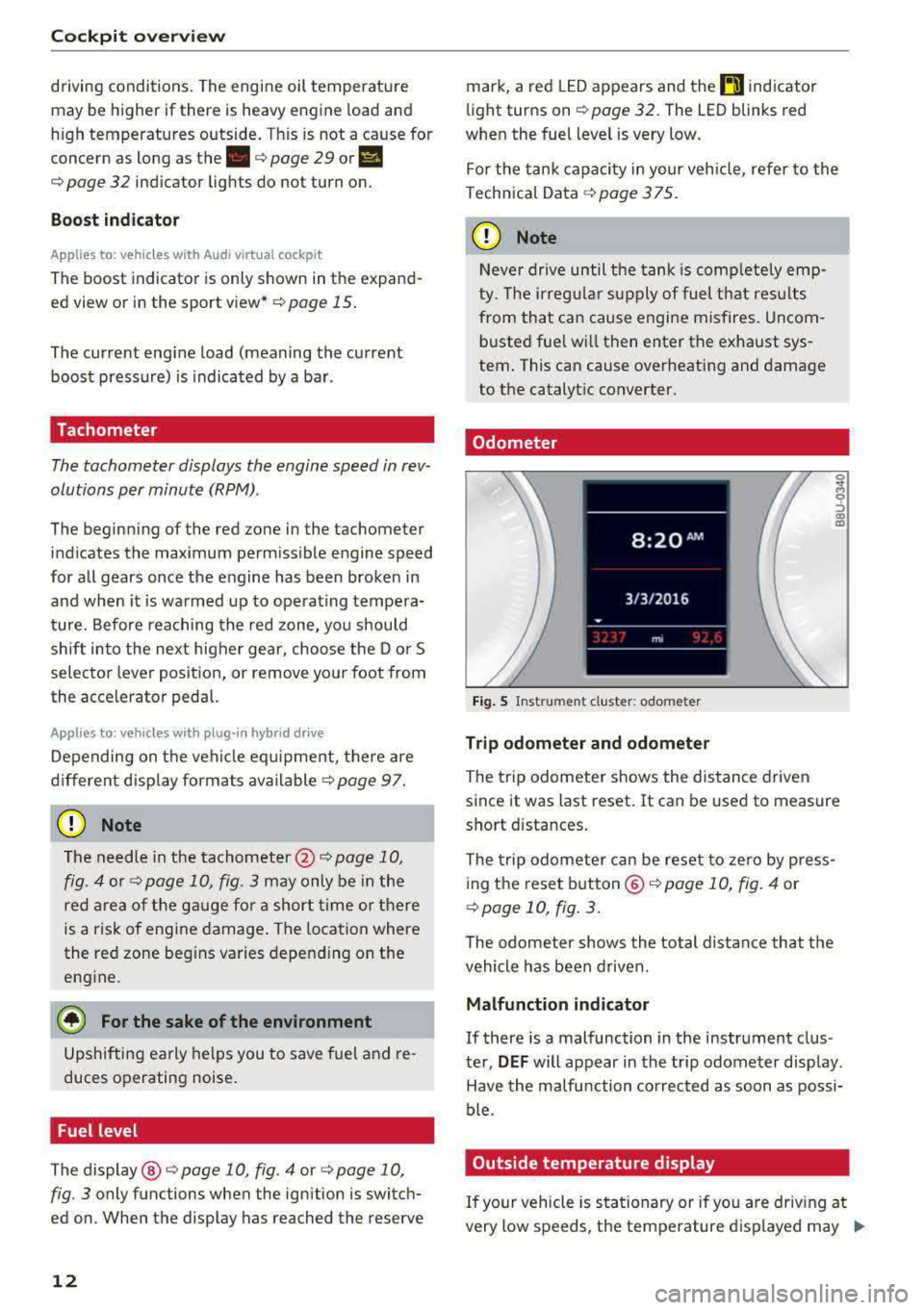
Odometer
F ig . 5 Instrument cluster: odometer
Trip odometer and odometer
The trip odometer shows the dis tance driven
since it was last reset. It can be used to measure
sho rt d ista nces.
The trip odometer ca n be reset to zero by p ress
ing the reset b utton ©
c:::> page 10, fig . 4 or
c:::> page 10, fig. 3.
The odometer shows the total distance that the
vehicle has been driven.
Malfunction indicator
If there is a malfunction in the instrument clus
ter,
DEF will appear in the trip odome ter disp lay.
Have the malfu nction corrected as soon as possi
ble.
Outside temperature display
If your vehicle is stationary or if you are driv ing at
very low speeds, t he temperature d isplayed may
.,.
Page 31 of 400
A WARNING 1=
- Never open the hood if you can see or hear
steam or coolant escap ing from the engine
compartment. This increases the risk of
burns . Wa it until you no longer see or hea r
steam o r coolant escap ing .
- The e ngine compartment in any veh icle can
be a dangerous area. Stop the eng ine and
allow it to cool before wo rking in the engine
c ompar tment. A lways fo llow the informa
t ion found in
r=:> page 316, Working in the
engine comportment .
(D Note
Do not co nti nu e d riving if t he . ind icator
light t urns o n as this increases the risk of en
gine damage .
~ Engine oil pressure
• Switch off engine! Oil pre ssure too low
Stop the eng ine and do not continue driving.
Check the engine oil leve l r=:> page 321.
-If the engine oil level is too low, add engine o il
r=:> page 319. Only cont inue dr iv ing o nce the in
dicato r light turn s off.
- If the engine oil level is correct and the indica
tor light st ill tur ns on, turn the eng ine off and
do not con tinue driving. See an a utho rized Aud i
dealer or author ized A udi Service Facility for as
sistance .
(D Tips
The oil pressure w arning is not an o il level in
dicator. Always check the oil level regu la rly.
0 Generator/Vehicle battery
• Ele ctrical system: malfunction! B atter y is
not being charged
There is a malfunction in the alternator or the ve
h icle electrical system .
cc Drive to an authorized Aud i dea le r or a uthorized CXl
~ Aud i Service Fac ility immediately . Tur n off all u n-
~ necessary electr ica l equipment because it w ill 0
~ drain the battery. See an authorized Audi dealer 00
Cockpit o ve rv iew
or authorized Audi Service Facility if the battery
charge level is too low.
(•] Electri cal sy stem: malfun ction! Re start not
po ssible. Plea se cont act Servi ce
T he vehicle battery was disconnected from the
vehicle e lectr ica l system and will no longer
c h arge. Dr ive to an a uthorized Aud i dea ler or au
thorized Audi Serv ice Facili ty immedia tely.
Do not stop t he eng ine, o r you w ill not be ab le to
sta rt it again.
If you can no longer start the en
gine, see an a uth o rized Aud i dea ler or authori zed
A udi Service Facility for assis tance .
(•j Electrical system: malfunction! Plea se con
tac t Service
Drive to an authorized Audi dealer or authorized
Audi Se rvice Facility immed iately. Because the ve
hicle battery is discharging, tu rn off a ll unneces
sa ry elect rical eq uipment such as the rad io. See
an a uth orized Aud i dea le r or a uth orized Aud i
Service Facility if the batte ry charge leve l is too
l ow .
(•] Electrical system: low battery charge . Bat
tery will be charged while driving
T he starting ab ility may be impa ired .
If this message t urns off after a little whi le, the
vehicle battery charged enough while driving.
If the message does not turn off, have an author
ized Audi dea ler or authorized Audi Service Facili
ty repair the malfunction .
!f Safety systems
The fll indicator light monitors the safety sys
tems .
If the
fll ind icator light turns on or blinks, there
is a ma lfunction in a safety system .
Drive to an authorized A udi dealer or authorized
Audi Se rvice Facility immediate ly to have the
malfunction corrected.
.,,.
29
Page 35 of 400
CXl CXl .... N ,.__
N .... 0 N > 00
Drive to an authorized Audi dea ler o r a uthorize d
Audi Service Facility immediately to have the
malfunct ion corrected.
·Xf>: · Bulb failure indicator
If the II indicator light turns on, a bulb has
fa iled. The message ind icates the location of the
bulb .
Replace the bulb immediately.
Vehicle light s: sys tem fault!
There is a malfunction in the head ligh ts or the
l ight switch. D rive to an authorized Audi dealer o r
author ized Audi Se rvice Facility immed iate ly to
h ave the ma lf u nction corrected .
A WARNING
-Light bulbs are under pressure and can ex
plode when bulbs are replaced, which in
creases the risk of injury.
-With HID headlights (xenon headlights), the
high-voltage component must be handled
correctly. Otherw ise, there is a risk of fata l
injury.
~()) Dynamic headlight range control
li1 Headlight r ange con trol : sy stem fault!
There is a malfunction in the dynamic headlight
range control system, wh ich may cause glare for
other drivers.
Drive to an autho rized Audi dea ler o r authorized
Aud i Service Facility immediately to have the
malfunct ion corrected.
~O Audi adaptive light
A ppl ies to: ve hicles with Audi a daptive light
mi1 Aud i adapti ve l ight: system fault!
-
There is a malfunction in the adapt ive lights. The
headlights still function.
D rive to an aut ho rized Aud i dea ler or a uthorized
Audi Service Facility immediately to have the
malfunct ion corrected.
Coc kpit o ve rv iew
@f> Light/rain sensor
App lies to : vehicles wi th lig ht/ra in se nsor
!;I Automati c headlight s/wiper s: system fault!
The light/rain sensor is malfunctioning.
The low beams remain switched on at all times
for safety reasons when the light switch is in the
AUTO pos ition. You can cont inue to turn the
li ghts on and off us ing the light switch . You can
st ill control all wiper functions that are inde
pendent of the rain sensor .
Drive to an authorized Audi dealer or authorized
Audi Service Facility immed iate ly to have the
malfunction corrected .
Q Suspension control
Applies to: vehicles wit h suspension cont rol
fl Su spen sion: system fault!
There is a suspension contro l ma lfunction.
Drive to an authorized Audi dealer or authorized
Audi Service Facility immed iate ly to have the
malfunction corrected.
¢ ¢ Turn signals
If the . or B indicator light blinks, a tur n sig
nal is turned on . If both indicato r lights are blink
i ng, the emergency flashers are on.
If an ind icator light blinks tw ice as fast as usual,
a turn signal bu lb has failed. Carefully drive to an
authorized Aud i dealer or a uth orized Aud i Serv ice
Fac ility imme diate ly to have the ma lfunction cor
r ec ted .
33
Page 50 of 400
Power top
-Be careful when installing so you do not
pinch your fingers.
-Pay attention to the traffic when insta lling
the wind def lector. Install the w ind deflec
tor from the s ide of the vehicle that is away
from traffic.
(D Note
Do not lean against the veh icle when insta l
ling the wind deflector. Hard objects and dec
orations on clothing such as belt buckles can
scratch the pa int.
{!) Tips
-The wind deflector works best when a ll of
the w indows are rolled up wh ile driving.
- Only store the wind deflector in the storage
bag * when it is dry.
Power top emergency
operation
General information
A pp lies to: ve hicles w ith power top
The power top can be closed manually if there is
a malfunction .
.,. Set the parking brake.
.,. Open all windows.
,.. Switch the ignition of f .
.,. Pu ll the button @ for approximately 10 to
15 seconds to reduce the pressure in the power
top hydraulics
r::;, page 44, fig. 35.
Only close the power top manua lly in an emer
gency . Have a second person assist . Drive to an
authorized Audi dealer or author ized Audi Service
Facility immediately to have the malfunction cor
rected.
A WARNING
-There is a r isk of pinching the hands or othe r
people during all of the powe r top emergen
cy operat ion steps.
-Ma ke sure a ll windows a re lowered d uring
emergency operation.
48
-Do not reach into the power top supports
or other mov ing components.
-Never drive when the power top is not
locked correct ly. The wind from driving
could cause the power top to open. This can
result in injur ies and damage to the vehicle.
{!) Tips
The power top storage compartment cover is
not latched after the emergency operation is
complete. Dr ive to an authorized Audi dealer
or authorized Audi Service Facility immediate ly to have the malfu nction corrected.
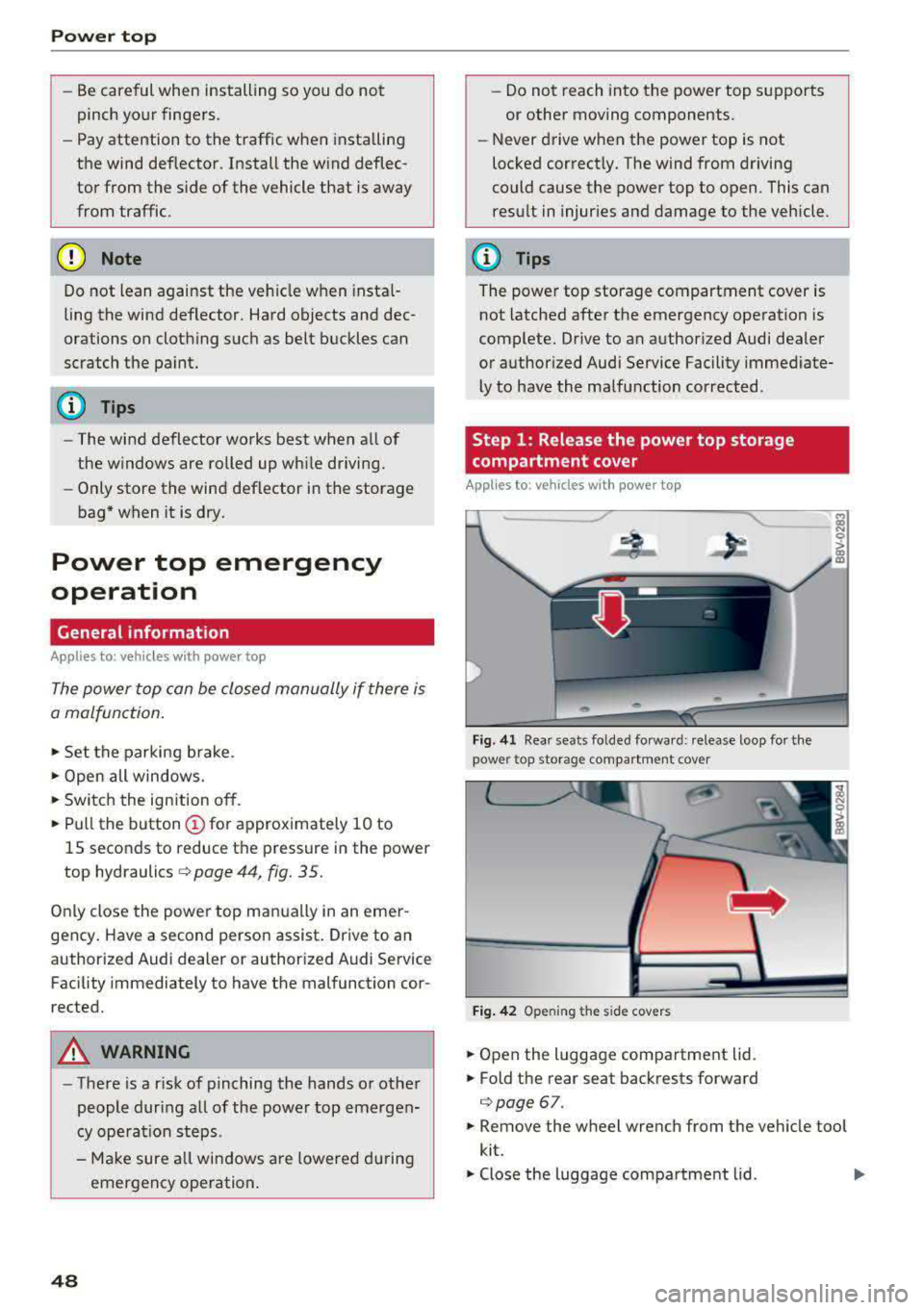
Step 1: Release the power top storage
compartment cover
App lies to: vehicles wi th power top
Fig. 41 Rear seats fo lded fo rward: release loop fo r the
power top storage compartment cover
Fig. 4 2 Opening the side covers
.,. Open the luggage compartment lid .
.,. Fold the rear seat backrests forward
c:;, page 67.
.,. Remove the wheel wrench from the vehicle too l
kit.
.,. Close the luggage compartment lid . Ill>
Page 77 of 400
CXl CXl .... N ,.__
N .... 0 N > 00
next traffic light is red. This produces an engine
braking effect, which helps to protect the brakes
and tires and reduces the emissions and fuel con
sumption to zero (fuel shut-off during decelera
tion).
Shift efficiently
An effective way to save fuel is to upshift earlier.
Staying in a gear too long uses fuel unnecessari
ly .
Press down on the accelerator pedal slowly and
avoid "kick-down".
Avoid full acceleration
You should rarely travel at the maximum vehicle
speed. High speeds cause a disproportionately
high increase in fuel consumption, emissions and
traffic noise. Slower driving saves fuel.
Reduce idling time
The Start/Stop system* helps to reduce the idling
time automatically. In vehicles without the Start/
Stop system, it is efficient to switch the engine
off when stopped
at railroad crossings and long
red lights. Depending on the version of the en
gine, stopping the engine for as little as five sec
onds once it has reached operating temperature
still saves more fuel than leaving the engine run ning
-even when taking into account the amount
of extra fuel that is used to restart the engine.
It takes a very long time in idle to warm the en
gine up to operating temperature. Wear and
emissions are especially high in the warm-up
phase. Therefore, you should begin driving im
mediately after starting the engine. Avoid high
RPMs while doing this.
Have maintenance performed regularly
By having maintenance performed regularly on
your vehicle, you can help to reduce fuel con
sumption before you even start to drive. The maintenance condition of your vehicle not only
affects traffic safety and long-term value but al
so impacts
fuel consumption. A poorly main
tained engine can lead to fuel consumption that
is 10% higher than normal.
Driving
Avoid short trips
The engine and emissions control system must
reach their optimal
operating temperature to ef
fectively reduce consumption and emissions.
A cold engine uses a disproportionately high
amount of fuel. The engine reaches operating
temperature and consumption normalizes only
after approximately 2.5 miles (4 km).
Check the tire pressure
To save fuel, make sure the tires are always in
flated to the correct pressure
r=;, page 33 5. The
fuel consumption can increase by S% if the pres
sure is only 0.5 bar too low. Due to the increased
rolling resistance, low tire pressures will also
lead to greater tire
wear and will affect driving
behavior.
Do not drive on
winter tires year-round, as this
will consume up to 10% more fuel.
Eliminate unnecessary weight
Since every kilogram of extra weight increases
fuel consumption, a quick inspection of the lug
gage compartment may be worth it to avoid un
necessary weight.
When not being used, a roof rack should be re
moved to decrease the wind resistance of the ve
hicle. You will save approximately 12% of your
fuel when at speeds from 62-75 mph
(100-120 km/h).
Save energy
The engine drives the generator, which generates
electricity; the fuel consumption also increases
with the demand for electricity. Therefore, switch
electrical equipment off when you no longer
need it. Examples of equipment that uses a lot of
energy are air blowers at a high setting, the rear
window defogger and seat heating*.
(D Note
- Do not leave engine idling unattended after
starting. If warning lights should come on
to indicate improper operation, they would go unheeded. Extended idling also produces
heat, which could result in overheating or
IJ,-
75
Page 108 of 400
e-tron
The gasoline engine is no longer available be
cause th ere is not enough fuel. Drive immediately
to a gas station.
Fuel filler door emergency release
A pp lies to: ve hicles w ith plug- in hy brid drive
You must use the emergency release to open the
fuel filler door when there is a malfunction
c::> page315 .
The tank is not vented. You can only fill a small
amount of fuel in the tank.
~ Fill only until the automatic fuel pump nozzle
turns off for the first time when it is operated
correctly.
Drive to an authorized Audi dealer or authorized
Audi Service Facility immediately to have the
malfunction corrected.
(D Tips
Pressure can escape if you open the tank cap
after using the emergency release. This can
create noises.
Charging
General information
A pp lies to: ve hicles w ith p lug -in hybrid drive
Two options are available for charging the vehi
cle:
- Charge at a public charging station with a spe
cial charging cable*
c::> page 108.
- Charge with household and industrial power
sockets using the Audi e-tron charging system
c::> page 108.
Environmental conditions when using the
Audi e-tron charging system
-Operating temperature : -13 °F (-2 5 °C) to 9 5 °F
(+35 °C)
- Humidity: S% to 95%, non-condensing
- 13,000 feet (4,000 meters) maximum above
sea level
- Protected against dust and spray (IP54 (USA:
enclosure 3 R))
106
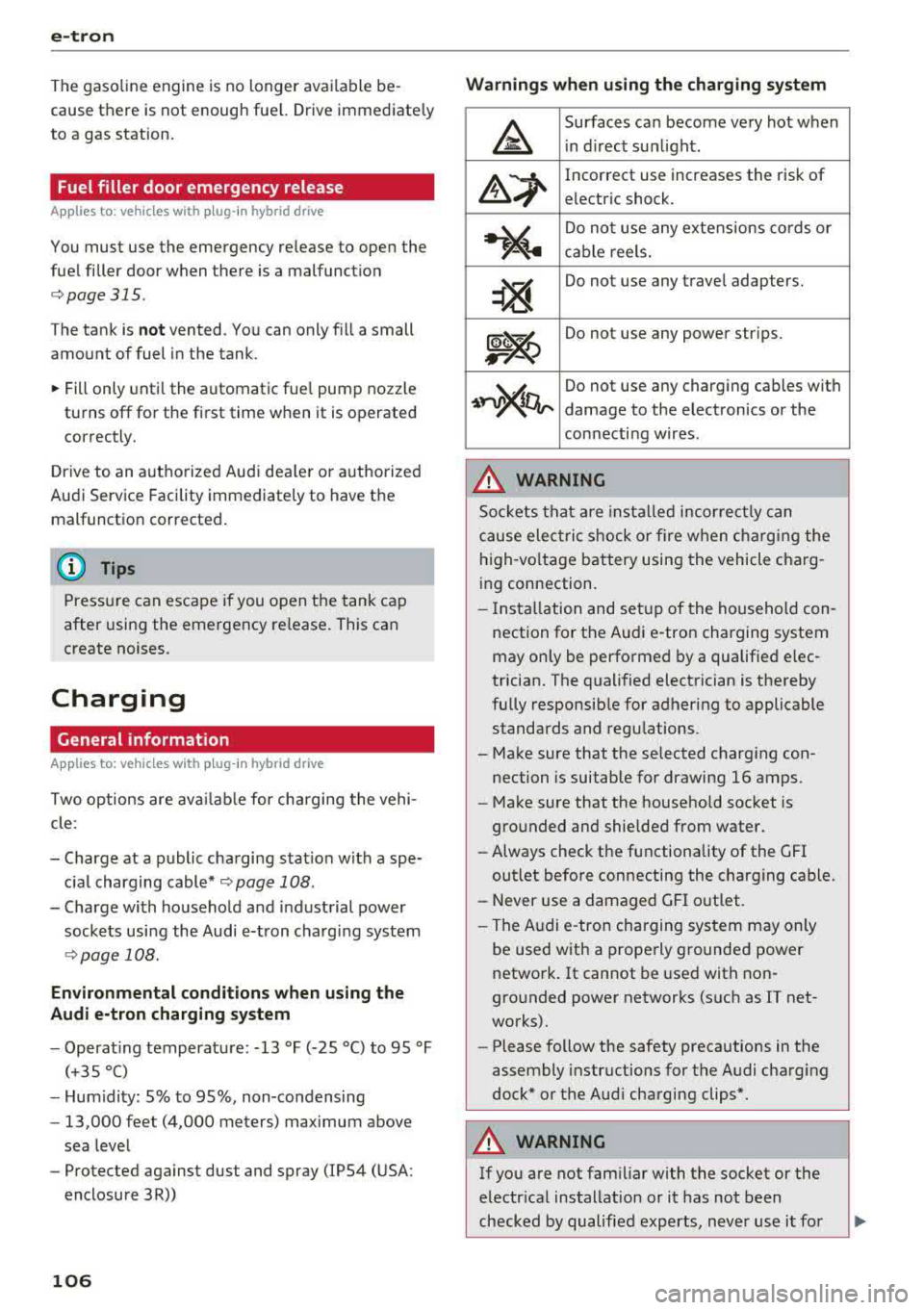
Warnings when using the charging system
&
Surfaces can become very hot when
in direct sunlight.
&~
Incorrect use increases the risk of
electric shock.
~"4
Do not use any extensions cords or
cable reels.
~
Do not use any travel adapters.
~~
Do not use any power strips.
~~~
Do not use any charging cables with
damage to the electronics or the
connecting wires.
.&_ WARNING
-
Sockets that are installed incorrectly can
cause electric shock or fire when charging the
high-voltage battery using the vehicle charg
ing connection.
- Installation and setup of the household con
nection for the Audi e-tron charging system
may only be performed by a qualified elec
trician. The qualified electrician is thereby
fully responsible for adhering to applicable
standards and regulations.
- Make sure that the selected charging con nection is suitable for drawing 16 amps .
- Make sure that the household socket is
grounded and shielded from water.
- Always check the functionality of the GFI
outlet before connecting the charging cable.
- Never use a damaged GFI outlet.
- The Audi e-tron charging system may only
be used with a properly grounded power
network. It cannot be used with non
grounded power networks (such as IT net
works).
- Please follow the safety precautions in the
assembly instructions for the Audi charging
dock* or the Audi charging clips*.
.&_ WARNING
If you are not familiar with the socket or the
electrical installation or it has not been
checked by qualified experts, never use it for
Page 121 of 400
Setting the timer
Appl ies to: ve hicles with p lug -in hybrid drive
By setting the depa rture time, you dete rm ine
when yo ur vehicle shou ld reach the desi red tem
pe rature . You can set the time r in the auxiliary air
conditioning menu in the Infotainment system.
Auxiliary climate control : setting th e timer
• Select: I MENU I button > Veh icl e> left control
button >
Auxiliar y A/C > right cont rol b utton>
Program tim er.
• Set the time and the date .
• Press the I BACK I button.
• Confirm the setting with the control knob to ac-
tivate the timer. A
..f appears in the box.
When you reprogram a timer, the next calendar
day is automatica lly entered in the Infotainment
system . To activate the auxiliary climate control
for the next day, confirm the
setting( ../ in the In
fotainment system).
Error me ssag es
l;c1 -The hig h-voltage battery charge level is too
low to heat/air condition the vehicle using only
e lectric power.
I f one of the fo llow ing symbols appears in the
d isp lay, then you cannot switch on the auxiliary
climate cont rol:
,...c -T here is a system ma lf u nction.
Bu -The fuel level is too low .
(D Tips
-You can set the t imer a maximum of seven
days in advance.
- You can operate the climate control in the
vehicle interior when the high-vo ltage bat
tery is charging using the charging timer
9 page 112 . The climate control output de
pends on the powe r socket capac ity.
- Make su re the time and date match in the
Infotainment system settings so that the
timer can function
p roper ly ~ page 241 .
~ -The aux ilia ry climate control can continue to ....
~ run after the depart ure t ime is reached.
N .... 0 N > 00
e-tron
Cleaning/maintenance
information
Appl ies to : vehicles wi th plug-in hybrid drive
When was hing your vehicle with a pressure wash
er, always follow the operat ing instruct ions pro
vided with the pressure washer . This is especially
i mportant in regard to the pressu re and spray ing
distance. Do not dire ct cleaning spray at the
charg ing unit in the rad iator g rille or at t he
charg ing dock*/charging cl ip *. Keep a d istance of
a t least 16 in (40 cm) .
Do not remove snow and ice with a pressure
washer .
Never use cone nozzles or high pressure nozzles .
The water temperature must not be above 60
°C.
Remove contaminants on the Audi e -tron system
with a dry towel.
Remove contaminants on the charging do ck*/
charg ing clip* wi th a wet towel dampened w ith
alcohol-free clean ing solution .
A WARNING ~
-Never immerse t he Audi e-tron charging
system and connecto rs in water.
- The A udi e -tron charging system must on ly
be cleaned when the control unit is com
p letely disconnected from the power supp ly
and from the vehicle.
(D Note
To dec rease the risk of discoloration, never
clean the c harging doc k*/charging clip * with
harsh cleaning sol utions or so lutions that
contain alcoho l.
119
Page 122 of 400
Trailer towing
Trailer towing
Driving with a trailer
General information
Your Audi was designed primarily for passenger
transportation.
If you plan to tow a trailer, please remember that
the additional load will affect durability, econo
my and performance.
Trailer towing not on ly places more stress on the
ve hicle, it also ca lls for more concentration from
the dr iver.
F or this reason, always follow the operating and
driving instructions provided and use common
sense.
Technical requirements
Trailer hitch
Use a weight-carrying hitch conforming to the
gross tra iler weight. The hitch must be suitab le
for your veh icle and tra iler and must be mounted
securely on the vehicle's chassis at a technically
sound
locat ion . Use on ly a trailer hitch with a re
movable ba ll mount . Always che ck with the t rail
er hitch man ufac tur er to make s ure t hat you are
using the co rrect hi tc h.
Do not use a bumper hitch.
The hitch must be installed in such a way that it
does not interfere with the impact -absorbing
bumper system. No mod ificat ions should be
made to the vehicle exhaust and b rake systems .
Fr om t ime to t ime, che ck tha t all hitch mo unti ng
bol ts rem ain securely f aste ned.
W hen you are not tow ing a tra iler, remove the
tra ile r hitc h ba ll mount . This prevents the hit ch
from caus ing damage s hou ld your veh icle be
s truck from be hind
c> ,&. .
Trailer brakes
If your trailer is equipped with a brak ing system,
check to be su re that it conforms to all regula
tions .
120
The t rai ler hydraulic bra ke system must not be
directly connected to the vehicle's hydraulic
bra ke system.
Safety chains
A lways use s afety chains between you r vehi cle
and t he tra ile r.
Trailer lights
Traile r lights must meet all regula tions . B e s ure
to check w ith your Aud i dea le r fo r cor rect wir ing,
switches and relays .
Mirrors
If you are unable to see t he traffic behind you us
i ng t he regular outs ide mir rors, then yo u
must in
stall extended mirro rs . It is impo rtant that you
always have clear vision to the rear.
&, WARNING
Afte r remov ing the tr ailer hi tch, do not s to re
i t i n yo ur vehicle. In case o f su d den braking,
the hitch could fly fo rwa rd and injure you or
your passengers .
Operating instructions
Maximum trailer weight
A tra iler f or yo ur vehicle is lim ite d to a typical
class 1 or class 2 trailer.
Trailer load distribution
Be sure the load in the t rai le r i s he ld se curely in
pla ce to p revent i t from shi fting forward, bac k
ward or si deways.
Never allow a passenger to ride in a trailer c> &.
in Driving instructions on page 121.
Engine cooling system
Towing a tra iler makes the engine work harder. It
is important that the cooling system's perform
ance is up to the additional load . Make sure tha t
the coo ling system has enoug h flu id.
Tire pressure
When towing a trailer, inf late the tires of your
vehicle to the tire pressure listed under "Full load" on the label
c> page 336. Inflate trailer
Page 153 of 400
CXl CXl .... N ,.__
N .... 0 N > 00
Intelligent Technology Electronic Stabilization
Control (ESC)
Description
Electronic Stabilization Control ( ESC) supports
driver safety . It reduces the risk of slipping and
improves dr iving stability. ESC detects critica l sit
uations such as the vehicle oversteering and un
dersteer ing or the wheels are spinning. The vehi
cle is stabilized by apply ing the brakes or reduc
ing engine torque . When the ESC engages, the
G1 indicato r light b links in the instrume nt clus
ter.
The follow ing systems are integrated in the ESC:
Anti-loc k bra king system (ABS)
ABS prevents the whee ls from locking when brak
ing. The vehicle can still be steered even during
hard brak ing. Apply steady pressure to the brake
pedal. Do not pump the pedal. A pulsing in the
b rake pedal indicates that the system is act ing to
stabilize the vehicle .
Brake a ssist system
The brake assist system can decrease braking dis
tance. It increases brak ing power when the driver
presses the brake pedal quick ly in emergency sit
uations . You must press and hold the brake pedal
u nti l the dangerous sit uat io n is ove r. In veh icles
with adaptive cr uise contro l*, the bra ke assist
s ys tem is more sensitive if t he d istance detec ted
to the veh icle dr iv ing ahe ad is too small.
Anti -slip regulation (ASR)
ASR reduces eng ine power when the drive wheels
begin spinning and adapts the force to the road
conditions . This makes i t eas ie r to sta rt, acceler
ate and dr ive up hill s.
Electronic differential lock (EDL )
The EDL applies the brakes to a wheel that starts
spinning and transfers t he drive power to the
other driving wheel or wheels ( if the veh icle is
eq uipped w ith all whee l dr ive*) . T his function is
n o t available at higher speeds.
Intellig ent Technology
In extreme cases, ED L automat ica lly switches off
to keep the brake o n the braked whee l from over
heating. The veh icle is still working correct ly. EDL
will switch on again automatically when condi
t ions have returned to normal.
Ste ering recommendation
The ESC he lps to s tabilize the vehicle by changing
the steering torque.
Select ive wheel torque control
Se lective wheel to rque cont rol is used w hen driv
i ng on curves. The fron t whee l on the inside of
the curve or bo th wheels on the i nside of the
c u rve are braked se lective ly as needed . This al
l ows more precise driving in c urves.
Automatic post-collision braking system
T he "automat ic pos t-collision braking system"
c an help to reduce the risk of sliding an d of addi
tiona l co llisions a fter an acciden t. If the ai rbag
contro l modu le detects a co llision above a certain
vehicle speed, the veh icle is bra ked by the ESC.
T he vehicle does not bra ke autorn,;1tically if;
- t he dr ive r presses the acce le rator pedal, or
- the ESC, the brake system or the veh icle elect ri-
cal system are not functioning .
A WARNING
-The ESC and its integ rated systems cannot
overcome the lim its imposed by natura l
phys ic al laws. This is especially important
on sli ppery or wet roads . If the sy stems be
gin acting to stabilize your vehicle, you
should immediately alter your speed to
match the road and traffic conditions. Do
not let the inc reased safety provided tempt
you into taking risks. This could increase
your r isk of a coll is ion.
- Please n ote the r isk of a coll is ion increases
when dr iv ing fast, especially t hrough curves
a nd on slippery or wet roads, and when dr iv
ing too close to objects ahead. The ESC and
its integrated systems ca nnot always pre
vent collisions
-there is st ill a ris k of ac ci-
dents!
..,.
151