instrument cluster AUDI A4 2013 User Guide
[x] Cancel search | Manufacturer: AUDI, Model Year: 2013, Model line: A4, Model: AUDI A4 2013Pages: 302, PDF Size: 75.61 MB
Page 32 of 302
30 Driver information display
Resetting the service interval display
Your authorized Audi dealer will reset the cor
responding service schedule after performing
the appropriate service on yo ur vehicle . Yo u
also have the possibility to reset the oil
change schedule after having performed an
oil change according to Audi specifications.
Select
I CAR I function button > Service interval
display > Reset oil change interval
or ICARI
function button> Car systems* control but
ton
> Servicing & checks > Reset oil change
interval.
(D Note
If you disconnect the battery terminals, no
calculations can be made for the serv ice
interval display during this time and no
service rem inder wi ll appear. Remember
that observing the proper service intervals
is vitally important to extend ing the life of
your vehicle, particu larly the eng ine, and
maintaining its value. Even if the mileage
driven is low, the maximum period of one
yea r from one service to the next must not
be exceeded .
@ Tips
-Do not reset the display between oil
changes, otherwise the display will be in
correct.
- The information in the Service Reminder
r ema ins stored even when the vehicle
battery is disconnected.
On-Board Diagnostic
system (OBD)
Malfunction Indicator Lamp (MIL)
The Malfunction Indicator Lamp (MIL) (4 i n
the instrument cluster is part of the On-Board
Diagnostic (OBD II) system.
The warning/indicator light illuminates when
the ignition is switched on and goes out after
the engine starts and the idle has stabilized .
This indicates that the MIL is working proper
ly.
If the light does not go out after the engine
is started, or illuminates while you are driv
ing, a malfunction may exist in the eng ine sys
tem . If the light illuminates, the catalytic con
verter could be damaged .
Continue driving
with reduced power (avoid
ing sustained high speeds and/or rapid accel
erations) and have the cond ition corrected.
Contact your authorized Audi dealer.
If the light illuminates, the electronic speed
limiter may also be malfunct ioning. For more
information
c:> page 31 , Electronic speed
limiter.
An improperly closed fuel filler cap may also
cause the
MIL light to illuminate
c:>page 217.
On-Board Diagnostics
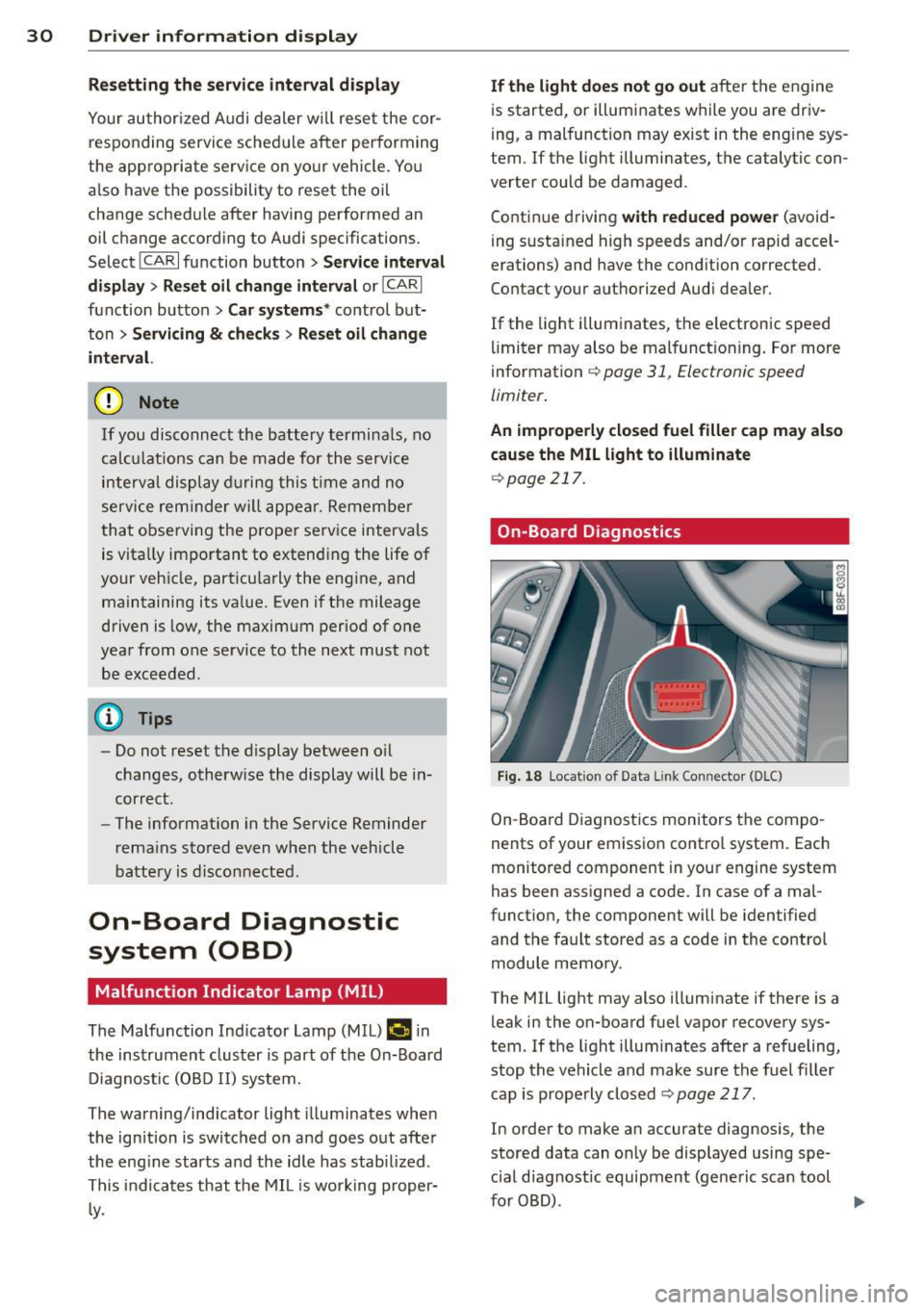
Fig. 18 Locat io n of Data Link Con nector (D LC)
On-Board Diagnostics monitors the compo
nents of your emission control system . Each
monitored component in your engine system
has been assigned a code. In case of a mal
function, the component will be identified
and the fault stored as a code in the control
module memory.
The MIL light may also illuminate if there is a leak in the on-board fuel vapor recovery sys
tem. If the light illuminates after a refueling,
stop the vehicle and make sure the fuel filler
cap is properly closed
c:> page 217.
In order to make an accurate diagnosis, the
stored data can on ly be displayed using spe
c ial diagnostic equipment (generic scan tool
furOBD) .
~
Page 48 of 302
46 Opening and closing
• Leave the master key with the service per
sonnel for parking and keep the mechanica l
key with you.
The following buttons are deactivated when
the valet parking function is switched on:
- I a I button in the driver's door
-I a I button on the master key
- Handle in the rear lid
When the va let parking feature is activated,
the message
Valet parking activated appears
in the instrument cluster display when you
switch the ignition on.
Page 50 of 302

48 Clear vis ion
@ Tips
- The light sensor* for headlight control is
located in the rear view m irror mount.
You should therefore not apply any st ick
ers to the windsh ield in this area in order
to prevent malfunctions or failures.
- Some exterior lighting functions can be
adjusted
c> page 48.
- When you remove your key from the igni
tion while the vehicle's lights are turned
on, a buzzer sounds as long as the driv
er's door is open .
- In cool or damp weather, the ins ide of
the headlights, turn signals and tail lights can fog over due to the tempera
ture difference between the inside and
outside. They will clea r shor tly after
switching them on. This does not affect
the service life of the lighting.
- In the even t of a light sensor malfunc
tion, the driver is no tified in the instru
ment cluster disp lay ¢
page 22.
Turn signals and high beam lever
The lever operates the turn signals , the high
b eams and th e headlight flash er.
Fig . 4 1 Tu rn s ig na l an d h ig h beam leve r
Turn sign als ¢i ¢
The turn signals activate when you move the
l ever into a turn s ignal pos ition when the ign i
tion is switched on.
(D -right turn signal
@-left tur n signa l
The turn s ignal blinks three times if you just
tap the lever .
High be ams and headlight flasher [D
Move the lever to the correspon ding posit io n:
@ -high beams on
@ -high beams off o r headligh t fla sher
The indicator light
II in the i nstr ument clus
ter turns on .
Notes on thes e features
- The turn signals on ly work w ith the ign ition
t ur ned on. The indicator lights
B or II in
t he instrument cluster also blink.
- After you have turned a co rner, the tu rn s ig
na l switches off au toma tically .
- The
high beam works on ly w hen the head
lights a re o n. The indicator light
II in the
instrument cluster illuminates when the
high beams are on .
- The
headlight flasher works o nly as long as
you ho ld the lever -even if the re a re no
lights switched on . The ind icator light
II i n
the instrument cluster illum inates when you
use the headlight flasher.
A WARNING
--
Do not use the h igh beam or headlight
flashe r if you know that these could blind
oncom ing traffic.
Adjusting exterior lighting
The functions ore selected in the radio or
MMI" .
.,. Select: I CAR ! function button > Ext erio r
light ing .
Or
.,. Select: !CAR I function button > Car sys
tem s*
contro l button > Ve hicle settings >
Ext eri or lighting .
Coming home (light when leav ing car }* ,
L e aving home (light when unlocking car)*
The coming home function illuminates the
area around the vehicle when the ignition is
switched off and the dr ive r's door is opened .
Depend ing on vehicle equ ipment, the function
can be switched on and off or the length of
time the lights remain on* can be ad justed . ..,_
Page 88 of 302
86 On the road
Emerg ency b rake function
An emergency brake ensures t hat the vehicle
can be slowed down even if the
normal brakes
fail
c::> page 87 , Emergency broking.
Indicat or light s
-If the par king b rake is closed w ith the igni
t ion
s witc hed on the . (USA models) /
• (Canada mode ls) indica tor lights come
on in the instrum ent cluster and the switch .
-If the parking brake is closed w ith the igni
tion
s witc hed off the . (USA models) /
• (Canada mode ls) indicator lights come
on in the instrument clust er and th e switch
for about 20 seconds .
A WARNING
If a gear or a drive range (automat ic trans
m ission) is engaged with the vehicle sta
tionary and the engine runn ing, you must
in no instance accelerate o r release the
cl utch * careless ly. Otherw ise the vehicle
w ill sta rt to move immediately- r isk of an
accident .
@ Note
If the . symbol in the display or the
.. (USA models) . (Canada models)
ind icator light in the instr ume nt cl uster
flashes, there is a ma lf u nction in the brake
system. By pressing the
ISETI button, you
can bring up a driver message which ex
plains the malfunction in more detail. If
the driver message
Pa rking brake! ap
pears, there is an operating malfunction in
the park ing brake which you should have
repaired immediately by an authorized
Aud i deale r or other qualified workshop
c::> page 15.
(D Tips
- You can apply the parking brake at any
time - even w ith the ignition switched
off . Th e ignit ion must be t urned on in o r
der to release the par king brake. - Occasional noises when the parking
bra ke is applied and released are normal
and are not a cause for concern.
- When the vehicle is parked , the parking
brake goes through a self-test cycle at
regu lar interva ls. Any associated noises
are normal.
Parking
Parking
.,. Press the br ake ped al to s top the veh icle .
.,. Pull the button
@ c::> page 85, fig. 98 to set
the parking brake.
.,. Automatic transmission: Move the selector
lever to P.
.,. Tur n the engine off
c::> ,& .
.,. Man ual transmission: Shift into 1st gear.
In addition on inclines and gr ades
.,. Turn the steering wheel so that you r vehicle
w ill roll aga inst the curb in case it shou ld
s tart to move.
A WARNING
- When you leave yo ur vehicle -even if on
ly briefly -always remove the igni tion
key. This app lies particularly when chi l
dren remain in the vehicle. Otherwise the
children could start the eng ine, release
the park ing brake or operate electrical
equ ipme nt (e .g . power windows). There
is the risk of an acc ident .
- When the veh icle is locked, no one -par
ticularly not children should rema in in
the vehicle . Locked doors ma ke it mo re
d ifficult for em ergency worke rs to get in
to the vehicle -putting lives at r isk .
Starting from rest
The starting assist function ensures that the
parking brake is released automatically upon starting.
Stopping and applying parking brake
.,. Pull the switch @ c::> page 85 , fig . 98 to ap-
ply the parking brake . .,.
Page 90 of 302
88 On the road
vehicle speed exceeds the set speed by about
3 mph (3 km/h). At the same time, a warning
symbol appears in the d isp lay . The symbol's
appeara nce m ight be d ifferent in some mod
els.
The speed warning system has one or two*
warn ing thresholds that f unct ion independ
ently of each other and that have somewhat
d ifferent purposes:
Speed warn ing 1
You can use speed warning 1 to set the maxi
m um speed w hile you are driv ing. T his setting
will remain in effect until you turn
off the igni
tion, assuming that you have not changed or
reset the setting.
The . (USA models)/ . (Canada models)
speed warning symbol in the warning 1 dis
p lay appears whe n you exceed the maximum
speed. It goes out when the speed fa lls below
the stored max imum speed .
The speed warning symbo l w ill also go out if
the speed
exceeds the stored max imum speed
by more than about 25 mph (40 km/h) for at
least 10 seconds. The stored maximum speed
is deleted .
Sett ing speed warning 1
c::> page 88.
Speed warning 2*
Sto ring warning 2 is recommended if you al
ways
want to be reminded of a certain speed,
for example when yo u are traveling in a coun
try that has a general maximum speed limit,
or if you do not want to exceed a specified
speed for winter tires.
The . (USA mode ls)/ . (Canada mode ls)
speed warning 2 symbo l appears in the dis
play when you exceed the stored speed lim it.
Unlike warning 1, it will not go out until the
vehicle speed drops below the stored speed
lim it.
Sett ing speed warning 2
c::> page 88.
(D Tips
Even tho ugh your vehicle is equipped with
a speed warning system, you should st ill watch the speedome
ter to ma ke s ure you
are not dr iving faster than the speed limit .
Speed warning 1: setting a speed limit
Warning threshold 1 is set by the ISETI but
ton.
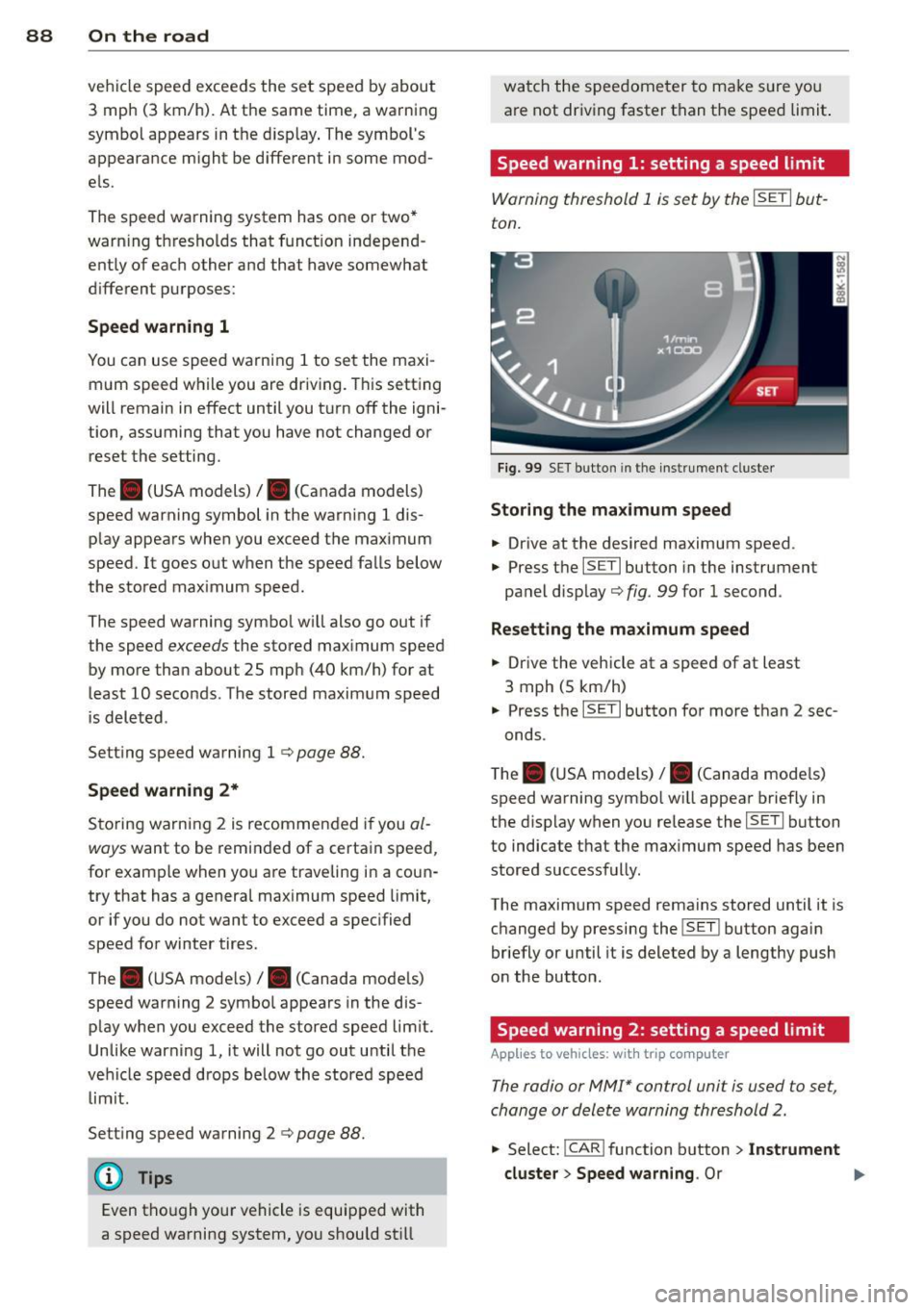
F ig . 99 SET bu tton in the instr ume nt cluste r
Storing the max imum speed
.. Drive at the desired maximum speed .
.,. Press t he
ISE TI button in the instrument
panel disp lay
c::> fig . 99 for 1 second .
Resetting the maximum speed
.. Drive the vehicle at a speed of at least
3 mph (5 km/h)
.. Press the
ISET I button for more than 2 sec-
onds.
T he . (USA mode ls)/ . (Canada mode ls)
speed warning symbo l w ill appear briefly in
the display when you release the
I SE TI button
to indicate that the maximum speed has been
stored successfully.
The maximum speed remains stored until it is changed by pressing the
I SET ! button again
briefly or until it is deleted by a lengthy push
on the button.
Speed warning 2: setting a speed limit
App lies to vehicles: wi th trip co mp uter
The radio or MMI* control unit is used to set,
change or delete warning threshold 2.
.. Select: !CAR ! function b utton > In st rument
cluster > Speed warning .
Or
Page 94 of 302
92 Transmission
vehicle to accelerate without a noticeable in
terruption in traction.
tiptronic transmission
I n the tiptronic transmission, power is trans
ferred by a torque converter.
Selector lever positions
Applies to vehicles: with multitronic/5 tronic/tiptronic
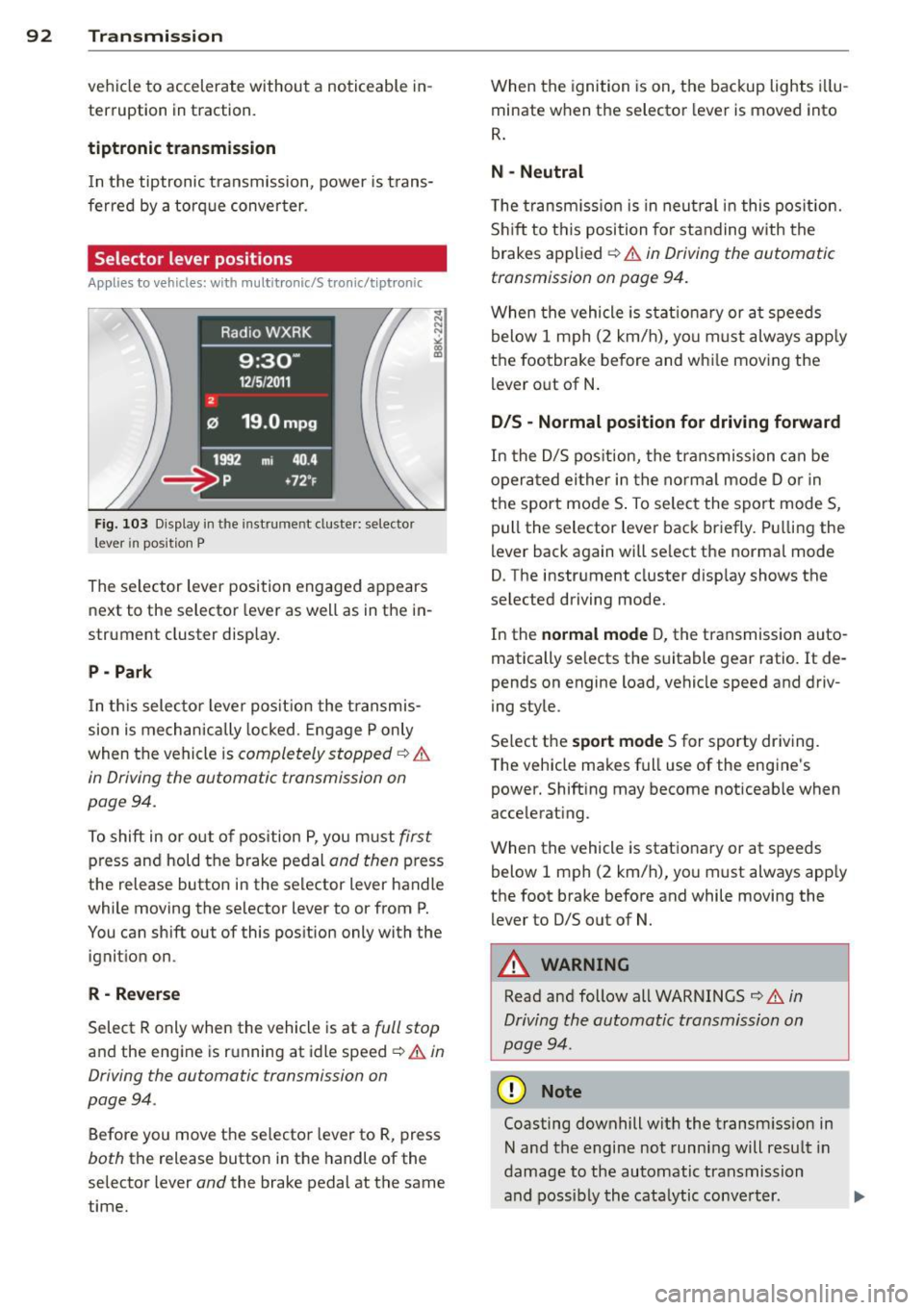
Fig. 103 Display in the in stru me nt duste r: selecto r
lever in position P
The selector lever position engaged appears
next to the selector lever as well as in the in
strument cluster display.
P - Park
In this selector lever position the transmis
sion is mechanically locked. Engage P only
when the vehicle is
completely stopped ¢ &
in Driving the automatic transmission on
pag e 94 .
To shift in or out of pos ition P, you must first
press and hold the brake pedal and then press
the release button in the selector lever handle
wh ile mov ing the se lector lever to or from P.
You can shift out of this position only with the
ignition on .
R-Reverse
Select R only when the vehicle is at a full stop
and the engine is running at idle speed ¢ & in
Driving the automatic transmission on
page 94 .
Before you move the selector lever to R, press
both the release button in the handle of the
selector lever
and the brake pedal at the same
time. When the
ignition is on, the backup lights illu
minate when the selector lever is moved into
R.
N -Neutral
The transmission is in neutral in this position .
Shift to this position for standing with the
brakes applied ¢
& in Driving the automatic
transmission on page 94.
When the vehicle is stat ionary or at speeds
below 1 mph (2 km/h), yo u must always apply
the footbrake before and whi le moving the
lever out of N.
D/S - Normal position for driving forward
In the D/S position, the transmission can be
operated either in the normal mode D or in
the sport mode S . To select the sport mode S,
pull the selector lever back briefly. Pulling the
lever back again will se lect the normal mode
D. The instrument cluster disp lay shows the
selected driving mode.
In the
normal mode D, the transmission auto
matically selects the suitable gear ratio.
It de
pends on engine load, vehicle speed and driv
ing style .
Select the
sport mode S for sporty driving .
T he vehicle makes full use of the engine's
power. Shift ing may become noticeable when
accelerating.
When the vehicle is stationary or at speeds
below 1 mph (2 km/h), you must always app ly
the foot brake before and while moving the lever to D/S out of N.
A WARNING
Read and follow all WARNINGS ¢ & in
Driving the automatic transmission on
page 94 .
(D Note
Coasting downhill with the transm ission in
N and the engine not running will result in
damage to the automatic transmission
and possibly the catalytic conve rter. .,..
Page 95 of 302
@ Tips
-On vehicles with drive select*, you can
adjust the sporty shift characteristics in
the
Dynamic driving mode.Swill appear
in the instrument cluster display instead
ofD.
- If you accidentally select N while driving,
take your foot off the accelerator pedal
immediately and wait for the engine to
slow down to idle before selecting D/S.
- If there is a power failure, the selector
lever will not move out of the P position .
The emergency release can be used if
th is happens ~
page 98.
Automatic Shift Lock (ASL)
Applies to vehicles: with multitronic/5 tronic/tiptron ic
The Automatic Shift Lock safeguards you
against accidentally shifting into a forward or
the reverse gear and causing the vehicle to
move unintentionally.
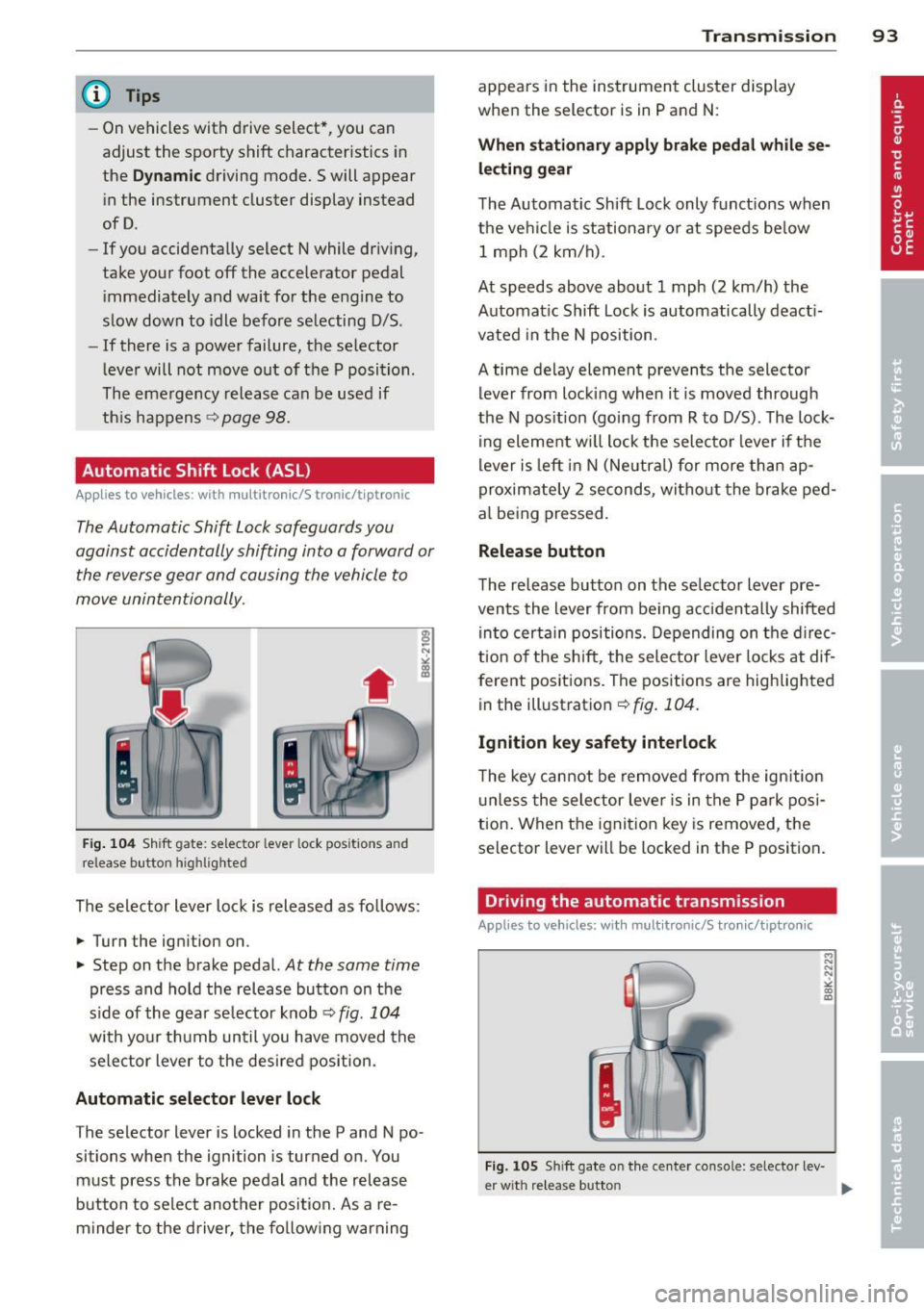
Fig. 104 Shift gate: selector lever lock positions and
release button highlighted
The selector lever lock is released as follows:
... Turn the ignition on .
... Step on the brake pedal.
At the same time
press and hold the release button on the
side of the gear se lector knob ¢
fig. 104
with your thumb until you have moved the
selector lever to the desired position.
Automatic selector lever lock
The selector lever is locked in the P and N po·
sitions when the ignition is turned on . You
must press the brake pedal and the release
button to select another position. As a re·
m inder to the driver, the following warning
Transmission 93
appears in the instrument cluster display
when the selector is in P and N:
When stationary apply brake pedal while se
lecting gear
The Automatic Shift Lock only functions when
the vehicle is stationary or at speeds below 1 mph (2 km/h).
At speeds above about 1 mph (2 km/h) the
Automatic Shift Lock is automatically deacti
vated in the N position .
A time delay element prevents the selector lever from locking when it is moved through
the N position (going from R to D/S). The lock
ing element will lock the selector lever if the
lever is left in N (Neutral) for more than ap
proximately 2 seconds, without the brake ped
al being pressed.
Release button
The release button on the selector lever pre
vents the lever from be ing accidentally shifted
into certain positions. Depending on the direc
tion of the shift, the selector lever locks at dif
ferent positions. The positions are highlighted
in the illustration¢
fig. 104 .
Ignition key safety interlock
The key cannot be removed from the ignition
unless the selector lever is in the P park posi
tion. When the ignition key is removed, the
selector lever will be locked in the P position.
Driving the automatic transmission
Applies to vehicles; with mult itronic/S tronic/tiptronic
Fig. 105 Sh ift gate on the center console: selector lev-
er w it h re lease button ..,_
Page 104 of 302
102 Audi adaptive cruise control and braking guard
Switching on and off
Applies to vehicles: with Audi adaptive cruise control
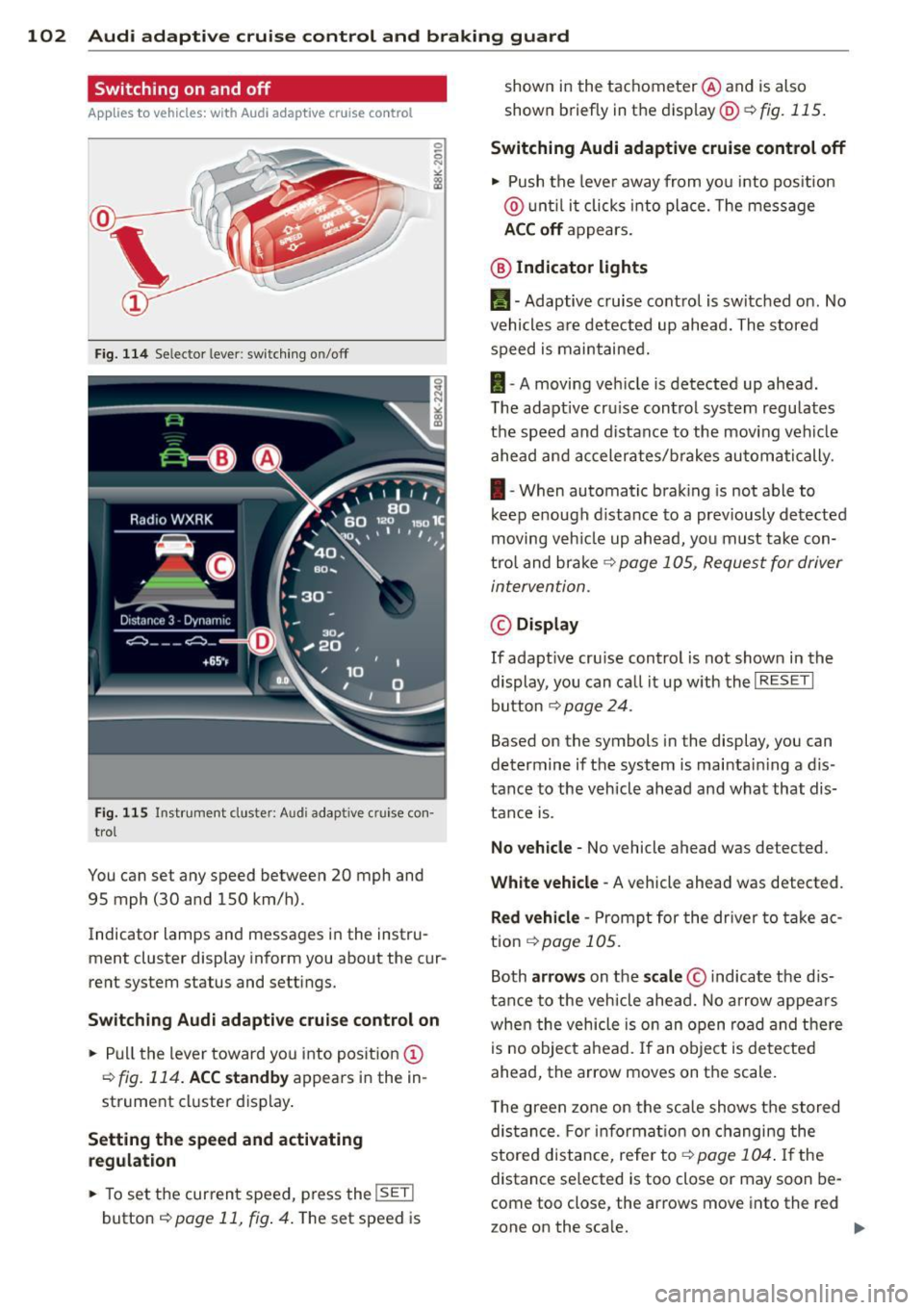
Fig. 114 Se lec tor lever: switching on/off
Fig. 115 Instrument clus te r: A udi adap tive c ru ise co n·
trol
You can set any speed between 20 mph and
95 mph (30 and 150 km/h).
Indicator lamps and messages in the instru·
ment cluster display inform you about the cur·
rent system status and settings.
Switching Audi adaptive cruise control on
• Pull the lever toward you into position@
r=;,fig. 114. ACC standby appears in the in ·
strument cluster display.
Setting the speed and activating
regulation
.. To set the current speed, press the !SE T!
button r=;, page 11, fig . 4. The set speed is shown in
the tachometer @and is also
shown briefly in the display@~
fig. 115.
Switching Audi adaptive cruise control off
• Push the lever away from you into position
@ until it clicks into place. The message
ACC off appears.
@ Indicator lights
11 · Adaptive cruise control is switched on. No
vehicles are detected up ahead. The stored
speed is maintained.
I-A moving vehicle is detected up ahead.
T he adaptive cru ise control system regulates
the speed and distance to the moving vehicle
ahead and accelerates/brakes automatically.
I-When automatic braking is not able to
keep e nough distance to a previously detected
moving veh icle up ahead, you must take con·
trol and brake ~
page 105, Request for driver
intervention.
© Display
If adapt ive cru ise control is not shown in the
display, you can call it up w ith the
I RESET I
button r=;, page 24.
Based on the symbols in the display, you can
determine if the system is maintain ing a d is ·
tance to the vehicle ahead and what that dis
tance is.
No vehicle· No vehicle ahead was detected .
White vehicle· A vehicle ahead was detected .
Red vehicle -Prompt for the driver to take ac
tion
,=;, page 105.
Both arrows on the scale© indicate the dis·
tance to the vehicle ahead. No arrow appears
when the vehicle is on an open road and there
is no object ahead. If an object is detected
ahead, the arrow moves on the scale .
T he green zone on the scale shows the stored
distance. For information on changing the
stored distance, refer tor=;,
page 104 . If the
distance se lected is too close or may soon be·
come too close , the arrows move into the red
zone on the sca le. .,..
Page 106 of 302
104 Audi adapti ve cruise control and br aking guard
Setting the distance
App lies to vehicles: with Audi adaptive cruise control
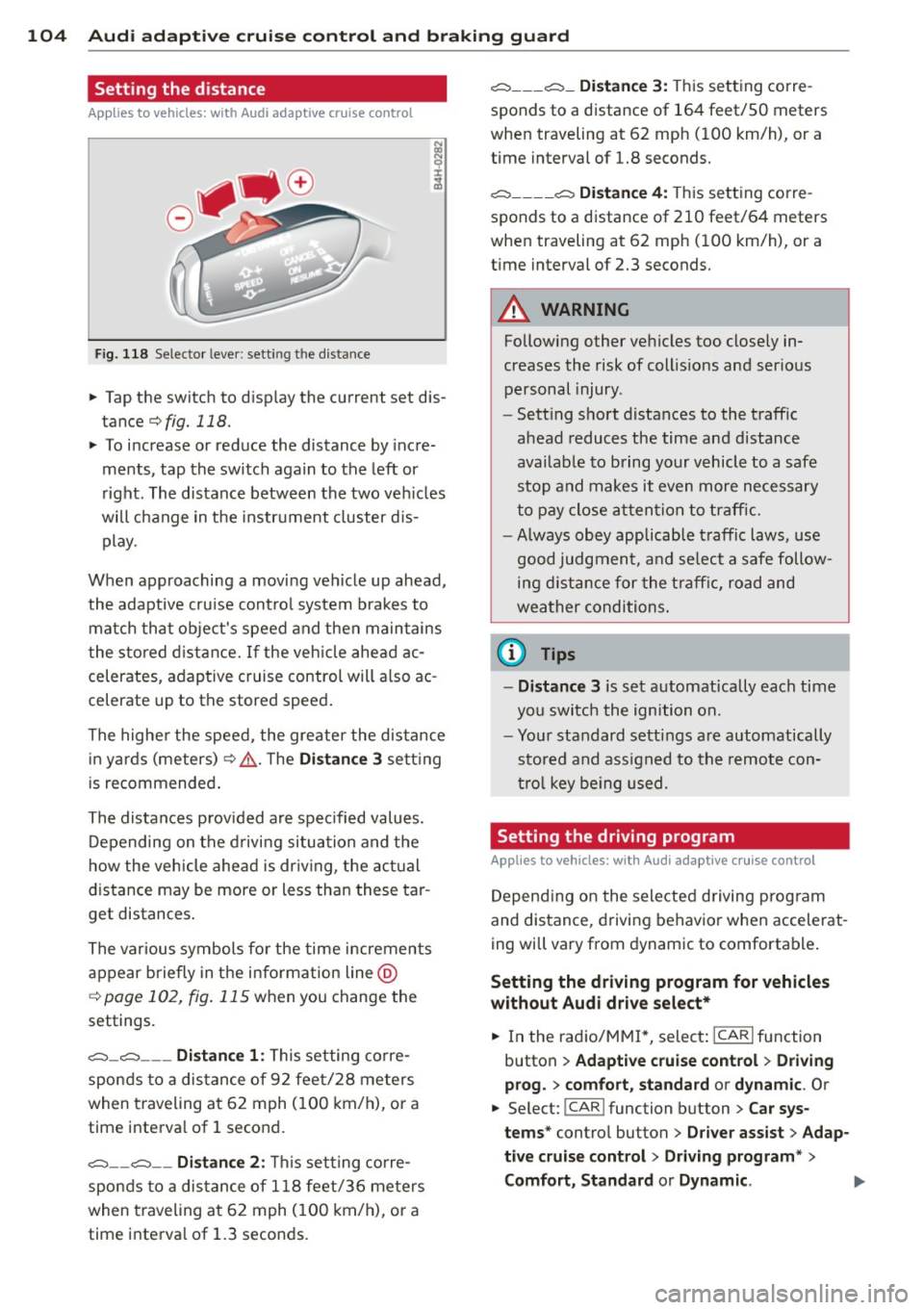
Fig. 118 Selector lever: setting the distance
~ Tap the switch to display the current set dis
tance ¢fig.
118.
~ To increase or reduce the distance by incre
ments, tap the switch again to the left or
right. The distance between the two veh icles
will change in the instrument cluster d is
play.
When approaching a moving vehicle up ahead,
the adaptive cru ise cont rol system brakes to
matc h that object's speed and then maintains
the stored d istance. If the vehicle ahead ac
celerates, adaptive cruise control will also ac
celerate up to the stored speed.
The highe r the speed, the greater the distance
in yards (meters)¢ ,&.. T he
Di st a nc e 3 setting
is recommended .
The distances p rov ided are specified values.
Depending on the driving situation and the
how the vehicle ahead is dr iving, the actual
distance may be more or less than these tar
get distances .
The various symbols fo r the time increments
appear briefly in the information line @
c;, page 102, fig. 115 when you change the
settings.
c::::::,_c::::::, ___ Dist ance 1: This setting corre-
sponds to a distance of 92 feet/28 meters
when traveling at 62 mph (100 km/h), or a
time interva l of 1 second.
c::::::, __ c::::::, __ Dista nce 2 : This setting corre
sponds to a distance of 118 feet/36 meters
when traveling at 62 mph (100 km/h), or a
time interva l of 1.3 seconds .
c::::::, ___ c::::::, _ Dista nce 3 : This setting corre-
sponds to a distance of 164 feet/SO meters
when traveling at 62 mph (100 km/h), or a
time interval of 1.8 seconds.
c::::::, ____ c::::::, Dista nce 4 : This setting corre-
sponds to a distance of 210 feet/64 meters
when traveling at 62 mph (100 km/h), or a
t ime interval of 2.3 seconds.
A WARNING
Following other vehicles too closely in
creases the risk of collis ions and ser ious
personal injury .
- Sett ing short distances to the traffic
ahead reduces the time and distance
availab le to bring your vehicle to a safe
stop and makes it even more necessary
to pay close attention to traffic.
-
- Always obey applicable t raffic laws, use
good judgment, and select a safe follow
ing d istance for the t raff ic, road and
weather conditions .
0) Tips
-Distan ce 3 is set automatically each time
you switch the ignition on.
- Your standard settings are automatically
stored and ass igned to the remote con
tro l key be ing used.
Setting the driving program
Applies to vehicles: with Audi adaptive cruise control
Depending on the selected driving program
and distance, driving behavior when accelerat
ing will vary from dynamic to comfortable .
Setting the dri ving program for vehicles
without Aud i d riv e se le ct*
~ In the radio/MM!*, select: ICARlfunction
button
> Ad apti ve crui se cont rol > Drivi ng
p ro g.
> comfort, sta nd ard or dyn amic . Or
~ Select: !CAR ! function button> Ca r sys
tem s*
control button > Driver a ssist > Adap
ti ve c ruis e c ontr ol
> D rivi ng program * >
Co mfort, Standard or Dynam ic .
Page 116 of 302
114 Audi drive select
-For vehicles with an automatic transmis
sion, selecting the
Dynamic mode re
su lts in sporty shifting characteristics .
The S gear position engages automati
cally.
- In vehicles that have dynamic steering*,
operating noise is heard when starting or
stopping the eng ine . This does not ind i
cate a problem .
Selecting the driving mode
Applies to vehicles: with Audi drive select
You con choose between Comfort, Auto, Dy·
namic
and Individual * modes.
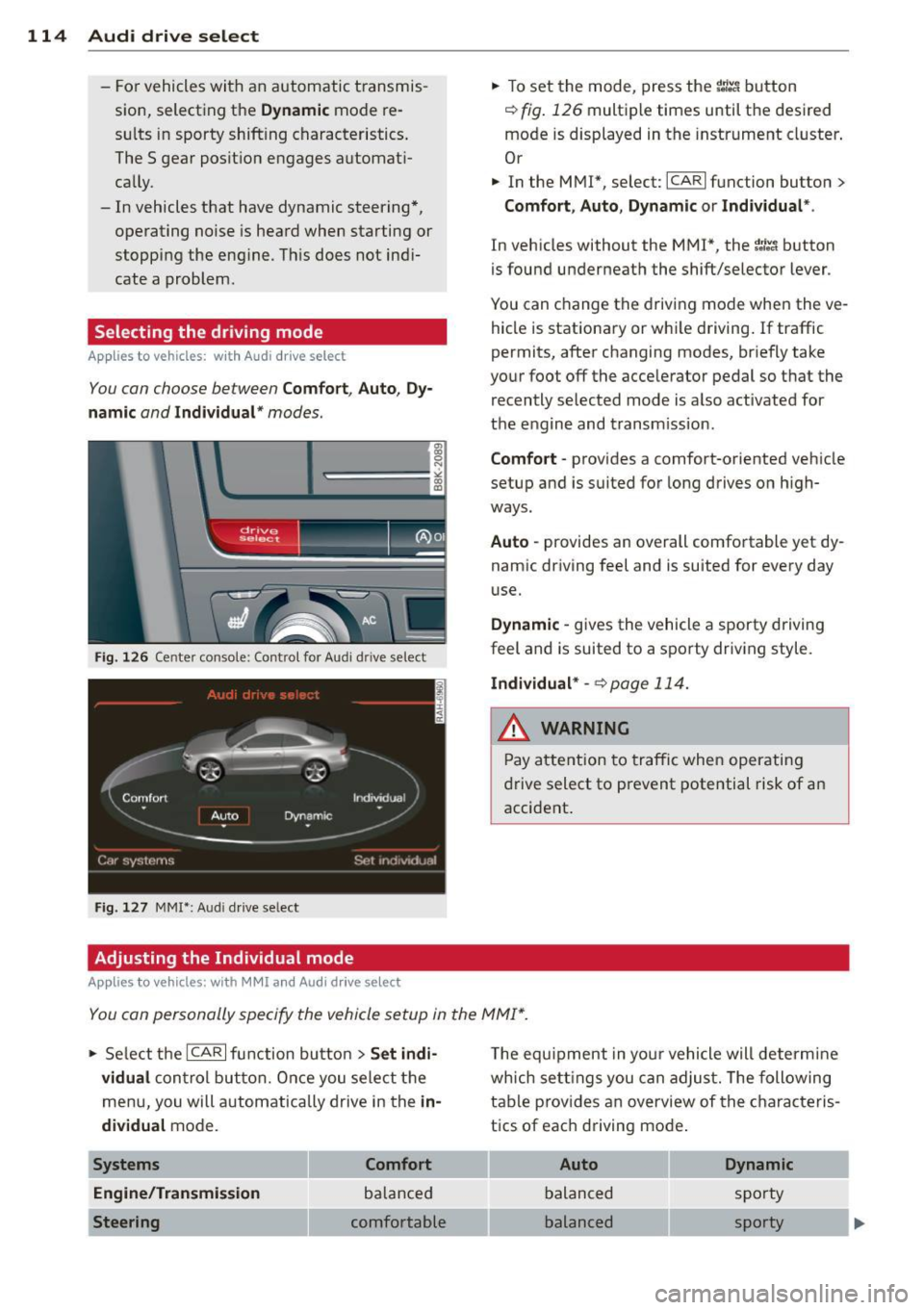
Fig. 126 Center console: Control for Au di dri ve select
Fig. 127 MMI•: Aud i drive select
Adjusting the Individual mode
Applies to vehicl es: with MMI and Aud i drive select
.,. To set the mode, press the f:l:-.i button
~ fig. 126 multiple times until the desired
mode is displayed in the instrument cluster .
Or
.,. In the MMI*, select: ICARlfunction button>
Comfort, Auto, Dynamic or Individual *.
In vehicles without the MMI*, the~:/;-~ button
is found underneath the shift/selector lever.
You can change the driving mode when the ve
hicle is stationary or wh ile driving . If traffic
permits, after changing modes, br iefly take
your foot off the accelerator pedal so that the recently selected mode is also activated for
the engine and transm ission .
Comfort -provides a comfort-oriented vehicle
setup and is suited for long drives on h igh
ways .
Auto -provides an overall comfortable yet dy
namic driving feel and is suited for every day
use.
Dynamic -gives the vehicle a sporty driving
feel and is suited to a sporty driving style.
Individual * -¢page 114.
& WARNING
Pay atte ntion to traffic when operating
drive select to prevent potential risk of an
accident .
You con personally specify the vehicle setup in the MMI* .
.,. Se lect the ICAR I function butto n > Set indi ·
vidual
control but ton. Once you select th e
menu, you will automatically drive in the
in·
dividual
mode.
Systems Comfort
Engine/Transmi ssion
balanced
Steering comfortable T
he equipment in your vehicle will determine
wh ich sett ings you can adjust. The following
table provides an overview of the characteris
tics of each driving mode .
Auto Dynamic
balanced sporty
balanced sporty