mmi AUDI A4 2015 User Guide
[x] Cancel search | Manufacturer: AUDI, Model Year: 2015, Model line: A4, Model: AUDI A4 2015Pages: 304, PDF Size: 74.86 MB
Page 51 of 304
M N
~ co
Clear vision Lights
Switching the lights on and off
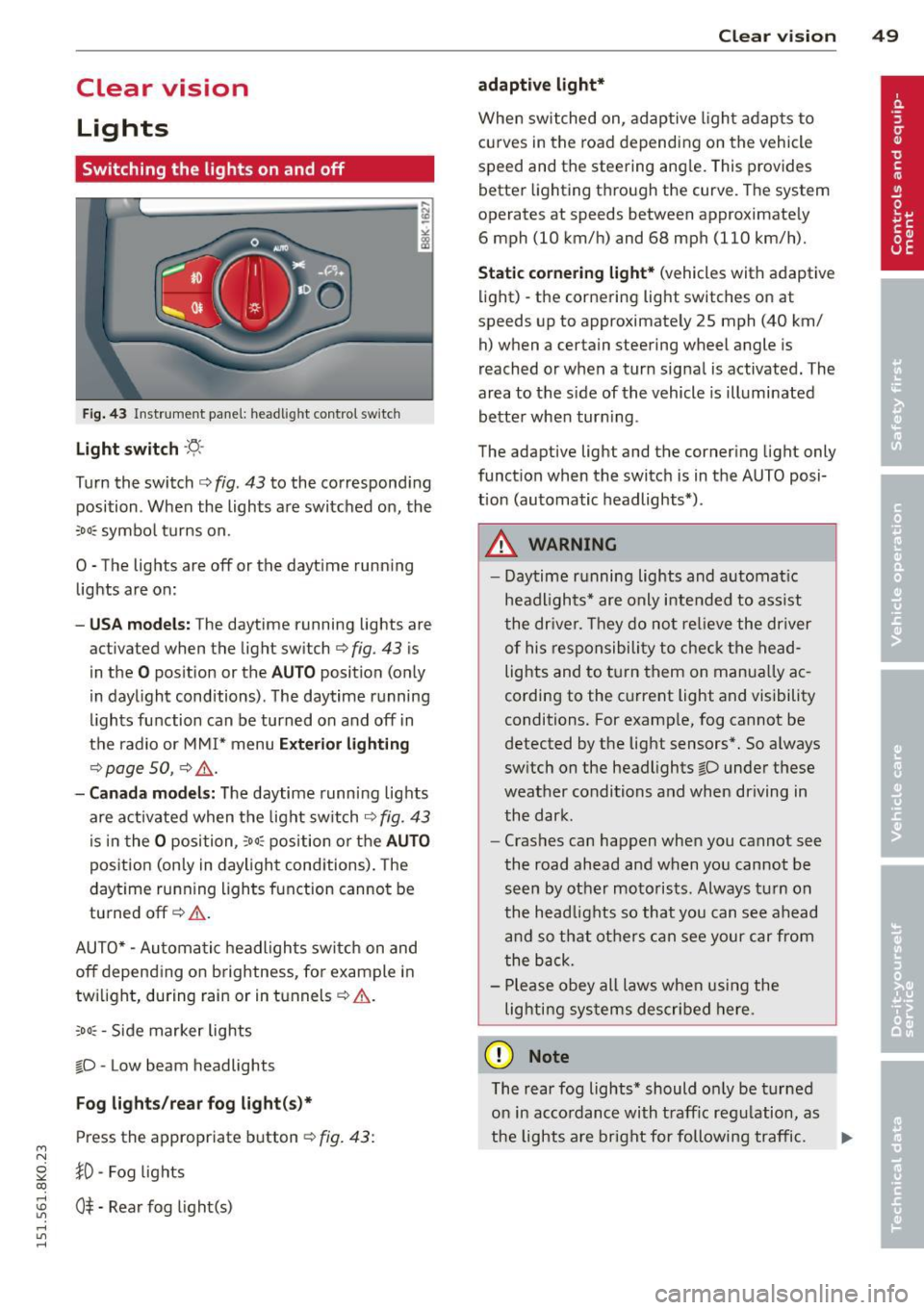
F ig . 43 Instrument pane l: headlight control switch
Light switch ·'t/,·
Turn the switch c> fig . 43 to the correspond ing
position . When the lights are switched on, the
:oo: symbol turns on.
0 • The lights are off or the dayt ime running
lights are on:
- USA mod els : The daytime running lights are
activated when the light sw itch
c> fig . 43 is
in the
O position or the AUTO position (only
in daylight conditions) . The daytime running
lights function can be turned on and off in
the radio or MMI* menu
E xteri or li ghtin g
¢ page SO, c> &_ .
-Ca nad a mod els: The daytime runn ing lights
are activated when the light sw itch
¢ fig . 43
is in the O position, :oo: position or the AUTO
posit ion (only in daylight conditions). The
daytime running lights function cannot be
turned off¢&. .
AUTO* -Automatic headlights switch on and
off depending on b rightness, for example in
tw ilight, during rain or in tunnels¢,& .
:oo: -Side marker lights
~D -Low beam headlights
Fog light s/rea r fog ligh t(s)*
Press the appropriate button c> fig. 43:
1D -Fog lights
; 0$ -Rear fog light(s)
,...., l/1 ,....,
Clear vi sion 49
adaptive light *
When switched on, adaptive ligh t adap ts to
curves in the road depend ing on the vehicle
speed and the steering ang le. This provides
better lighting through the curve. The system
operates at speeds between approximately 6 mph (10 km/h) and 68 mph (110 km/h).
St atic corner ing light * (vehicles with adaptive
light) -the cornering light switches on at
speeds up to approximately 25 mph (40 km/ h) when a certain steering wheel angle is
reached or when a turn signal is activated. The
area to the s ide of the vehicle is illuminated
better whe n turn ing .
The adaptive light and the cornering light only
function when the switch is in the AUTO posi
tion (automatic headlights*) .
A WARNING
-Daytime running lights and automatic
headlights* are only intended to ass ist
the driver . T hey do no t re lieve the driver
of his responsibility to chec k the head
lights and to t urn them on manua lly ac
cording to the current light and visibility
conditions. For examp le, fog cannot be
detected by the light sensors*. So a lways
switch on the headlights
~D under these
weather conditions and when driving in
the dark .
- Crashes can happen when you cannot see
the road ahead and when you cannot be
seen by other motorists. Always turn on
the head lights so that you can see ahead
and so that others can see your car from
the back.
- Please obey all laws when using the
lig hting sys tems described here.
(D Note
The rear fog lights* should on ly be turned
on in accordance with t raff ic regulation, as
the lights are bright for following traffic. ..,.
Page 52 of 304
50 Clear vis ion
@ Tips
- The light sensor* for headlight control is
located in the rear view m irror mount.
You should therefore not apply any st ick
ers to the windsh ield in this area in order
to prevent malfunctions or failures.
- Some exterior lighting functions can be
adjusted
c> page 50.
- When you remove your key from the igni
tion while the vehicle's lights are turned
on, a buzzer sounds as long as the driv
er's door is open .
- In cool or damp weather, the ins ide of
the headlights, turn signals and tail lights can fog over due to the tempera
ture difference between the inside and
outside. They will clea r shor tly after
switching them on. This does not affect
the service life of the lighting.
- In the even t of a light sensor malfunc
tion, the driver is no tified in the instru
ment cluster disp lay¢
page 22.
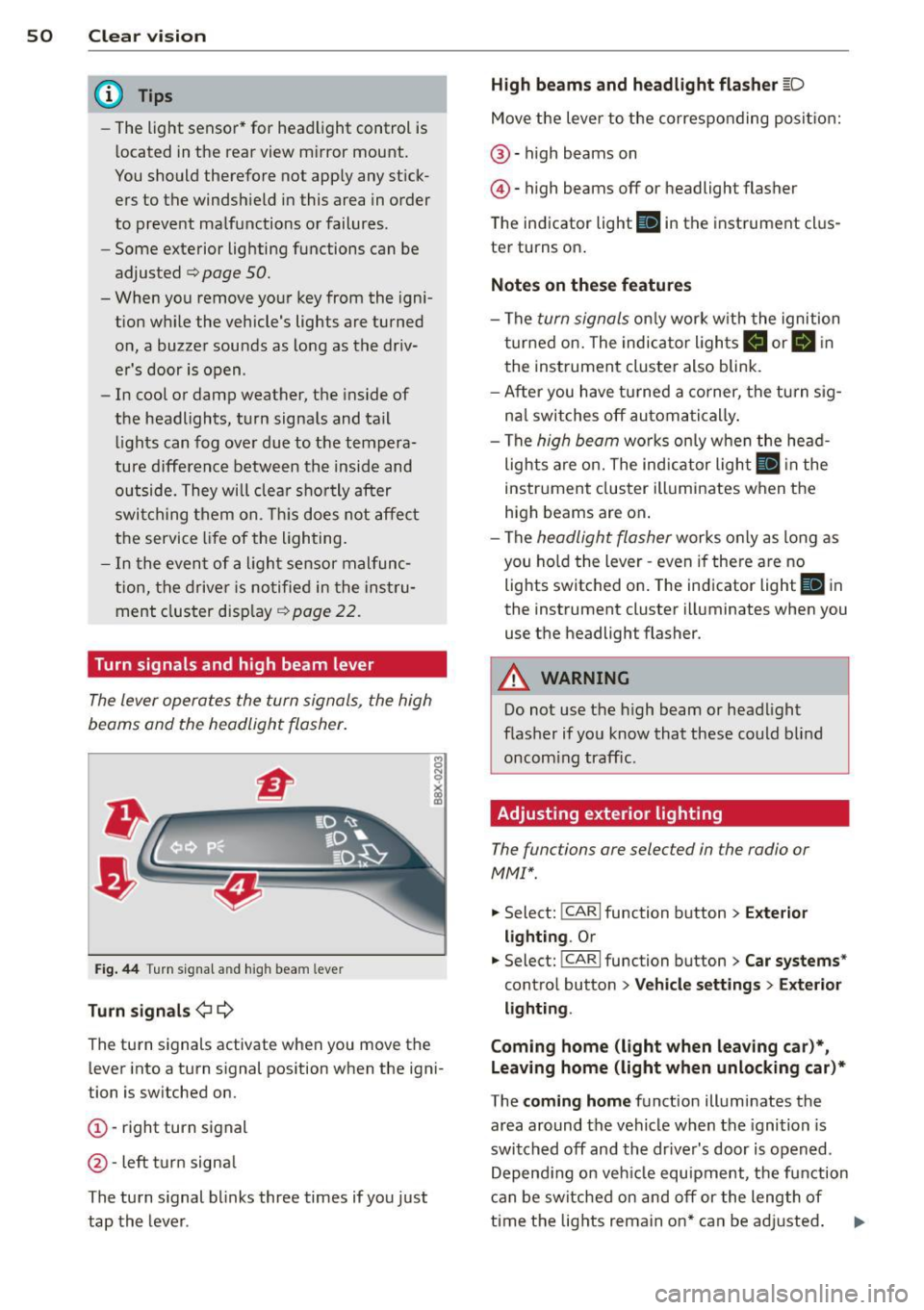
Turn signals and high beam lever
The lever operates the turn signals, the high
beams and the headlight flasher .
Fig. 44 Tu rn s ig na l and hig h beam lever
Turn sign als ¢i ¢
The turn signals activate when you move the
l ever into a turn s ignal pos ition when the ign i
tion is switched on.
(D -right turn signal
@-left tur n signa l
The turn s ignal blinks three times if you just
tap the lever .
High be ams and headlight flasher [D
Move the lever to the correspon ding posit io n:
@ -high beams on
@ -high beams off or headlight flasher
The indicator light
ii in the instrument cl us
te r turns on .
Notes on thes e features
-The turn signals on ly wor k w ith the ignition
t ur ned on. The indicator ligh ts
Ct or a in
the instrument cluster also blink.
- After you have turned a co rner, the turn s ig
na l switches off au toma tically .
- The
high beam works on ly w hen the head
lights a re on. The ind icator ligh t
II in the
instrument cluster illuminates when the
high beams are on .
- The
headlight flasher works o nly as long as
you ho ld the lever -even if there a re no
lights switched on . The indicator light
II in
the instrument cluster illuminates when you
use the headlight flasher.
A WARNING
--
Do not use the h igh beam or headlight
flasher if you know that these could blind
oncom ing traffic.
Adjusting exterior lighting
The functions ore selected in the radio or
MMI" .
.,. Select: !CARI function button> Exte rior
light ing .
Or
.,. Select: !CARI function button > Car systems *
control button > Vehicle s etting s> Exterior
lighting .
Coming home (light when leav ing car }*,
Leav ing home (light when unlocking car )*
The coming home function illuminates the
area around the vehicle when the ignition is
switched off and th e dr ive r's door is open ed.
Depend ing on veh icle equ ipment, the function
can be switched on and off or the length of
time the lig hts remain on* can be ad justed . ..,.
Page 55 of 304
M N
~ co
rl I.O
"' rl
"' rl
Turn the knob to the desired position:
Q/ P -In th is position , you can adjust the
d river's and front passenger's ex ter io r mir ro rs
by turning the knob in the des ired direc tion.
(ijjl -The mirrors are heated depending on the
outside temperature.
8 -The exterior m irrors fold in* . You can ad
just whethe r or not the mirrors fold in auto
mat ica lly when locking the vehicle using the
r adio/M M I* <=;>
page 36.
Passenger exter io r mirro r tilt function*
To help yo u see the curb when backing into a
parking space, the surface of the mirror t ilts
slightly . The knob m ust be in the
P posit ion
for this to happen .
You ca n adjus t the tilted mirror sur face by
turn ing the knob in the des ired direction .
When you move out of reverse and into anoth
e r gear, the new mirror posit ion is stored and
assigned to the key you are using.
T he mirror goes back into its origina l posit io n
once yo u drive forward faster than 9 mph
(15 km/h) or switch the ignition off .
_& WARNING
Curved mirror sur faces (convex or sphe ri
c al *) incre ase yo ur field of v iew. Remem
ber that vehicles or o ther objects will ap
pear smaller and farther away than w hen
seen in a flat m irror. If you use this mirror
to estimate distances of following veh icles
w hen changing lanes, you co uld estimate
incorrectly and ca use an accide nt.
(D Note
- If the mirro r ho using is moved u ninten
tiona lly (for example, whi le park ing your
vehicle), then you must first fo ld the mir
ror electrically. Do not readjust the m ir
ror ho using manually . You could da mage
the motor wh ich controls the m irror .
- If you wash t he vehicle in an automatic
ca r wash, yo u m ust fold the exte rior m ir
r ors in to reduce the r is k of damage to
the mirrors. Never fold power folding ex-
.
Clear vi sion 5 3
terior mirrors* by hand. Only fo ld them
in and o ut using the power controls.
a) Tips
- Th e ex te rior m irror set tings are stored
w ith the memory function*
~ page 64 .
-If there should be a malfunc tio n i n the
elec trical sys tem, you ca n still ad just the
exterio r mirrors by pressing the edge of
the mir ro r.
Dimming the mirrors
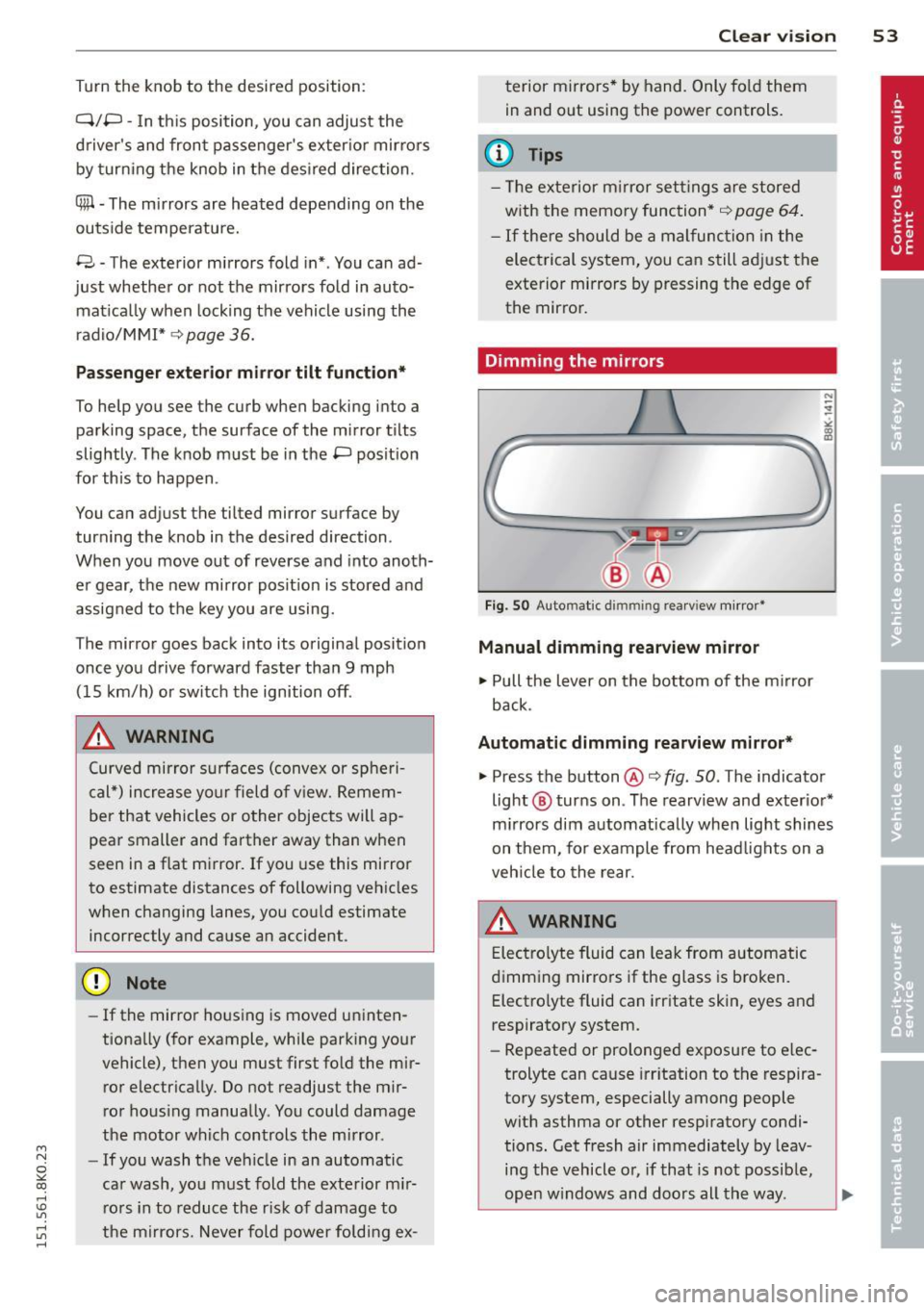
Fig . SO Auto mat ic dimmin g rea rv iew mirror •
Manual dimming rearview mirror
11>-Pull the lever on the bottom of the m irror
back .
Automatic dimming rearview mirror*
.,. Press the button@¢ fig. SO . The indicator
light @ turns on . The rearv iew and exter io r*
m irrors dim a utomatically when lig ht shines
on them, for example from head lights on a
veh icle to the rear.
A WARNING
E lec tro lyte fluid can lea k from automatic
d imm ing mir ro rs if the g lass is b ro ken .
Electro lyte fluid can i rritate skin, eyes and
respiratory system .
- Repeated or prolonged exposu re to e lec
trolyte can cause irr itation to t he respira
to ry system, especially among people
wit h asthma or other resp iratory condi
tions . Get fresh air immediately by leav
i n g the vehicle o r, if that is no t possib le,
ope n w indows and doors all th e way . .,..
Page 56 of 304
54 Clear vision
-If electrolyte gets into the eyes, flush
them thoroughly with large amounts of
clean water for at least 15 minutes;
medical attention is recommended.
- If electrolyte contacts skin, flush affect
ed area with clean water for at least 15
minutes and then wash affected area
with soap and water; medical attention
is recommended. Thoroughly wash af
fected clothing and shoes before reuse.
-If swallowed and person is conscious,
rinse mouth with water for at least 15
minutes. Do not induce vomiting unless
instructed to do so by medical professio
nal. Get medical attention immediately.
Liquid electrolyte leaking from broken mir
ror glass will damage any plastic surfaces
it comes in contact with. Clean up spilled
electrolyte immediately with clean water
and a sponge.
(D} Tips
- Switch ing off the dimming function of
the inside rear view mirror also deacti
vates the automatic dimming function of
the exterior mirrors.
- Automatic dimming for the mirror only
operates properly if the sun shade* for
the rear window is not in use or the light
strik ing the inside mirror is not hinde red
by other objects.
- The automatic dimming mirrors do not
dim when the interior lighting is turned
on or the reverse gear is selected .
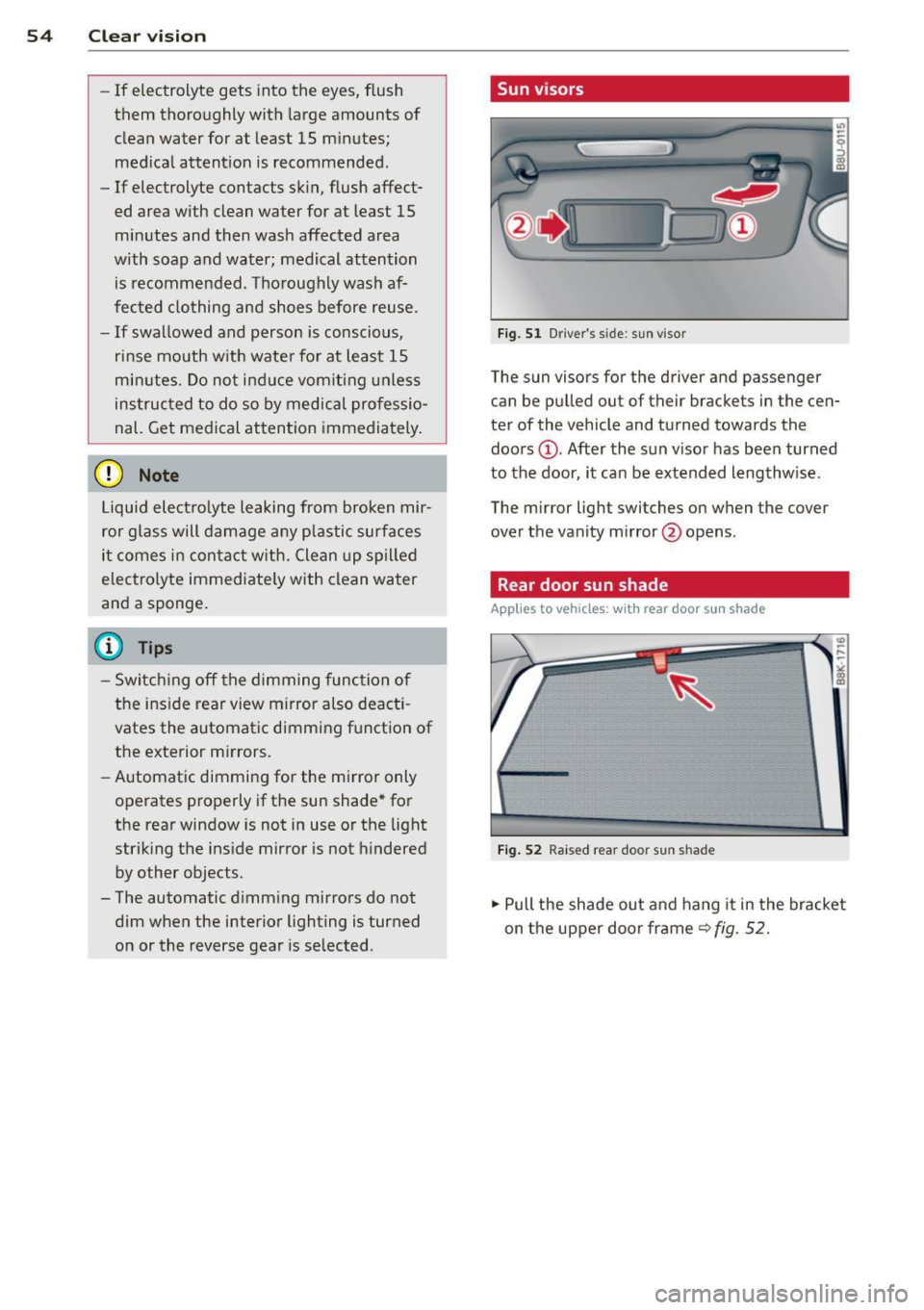
, Sun visors
Fig. 51 Drive r's side; sun visor
The sun visors for the driver and passenger
can be pulled out of their brackets in the cen
ter of the vehicle and turned towards the
doors @. After the sun visor has been turned
to the door, it can be extended lengthw ise.
The mirror light switches on when the cover
over the vanity mirror @opens.
Rear door sun shade
Applies to vehicles: with rear door sun shade
Fig. 52 Raised rear door sun shad e
.,. Pull the shade out and hang it in the bracket
on the upper door frame~
fig. 52.
Page 57 of 304
M N
~ co
rl I.O
"' rl
"' rl
Rear window sun shade
Applies to vehicles: with rear window s un shade
Q;l I n<11• ' ~---
,, ,,-, 7~~, I , .,,,-~;'j ·,
· . .. , a., , . , , . ~ ..
l . -~ '_I ~~ V
l ---..--~IIJl!I.II &iii.a
Fig. 53 W ith MMI : Button for re ar window sun shade
Fig . 54 W ithout MMI: B utto n for rear wi ndow s un
s hade
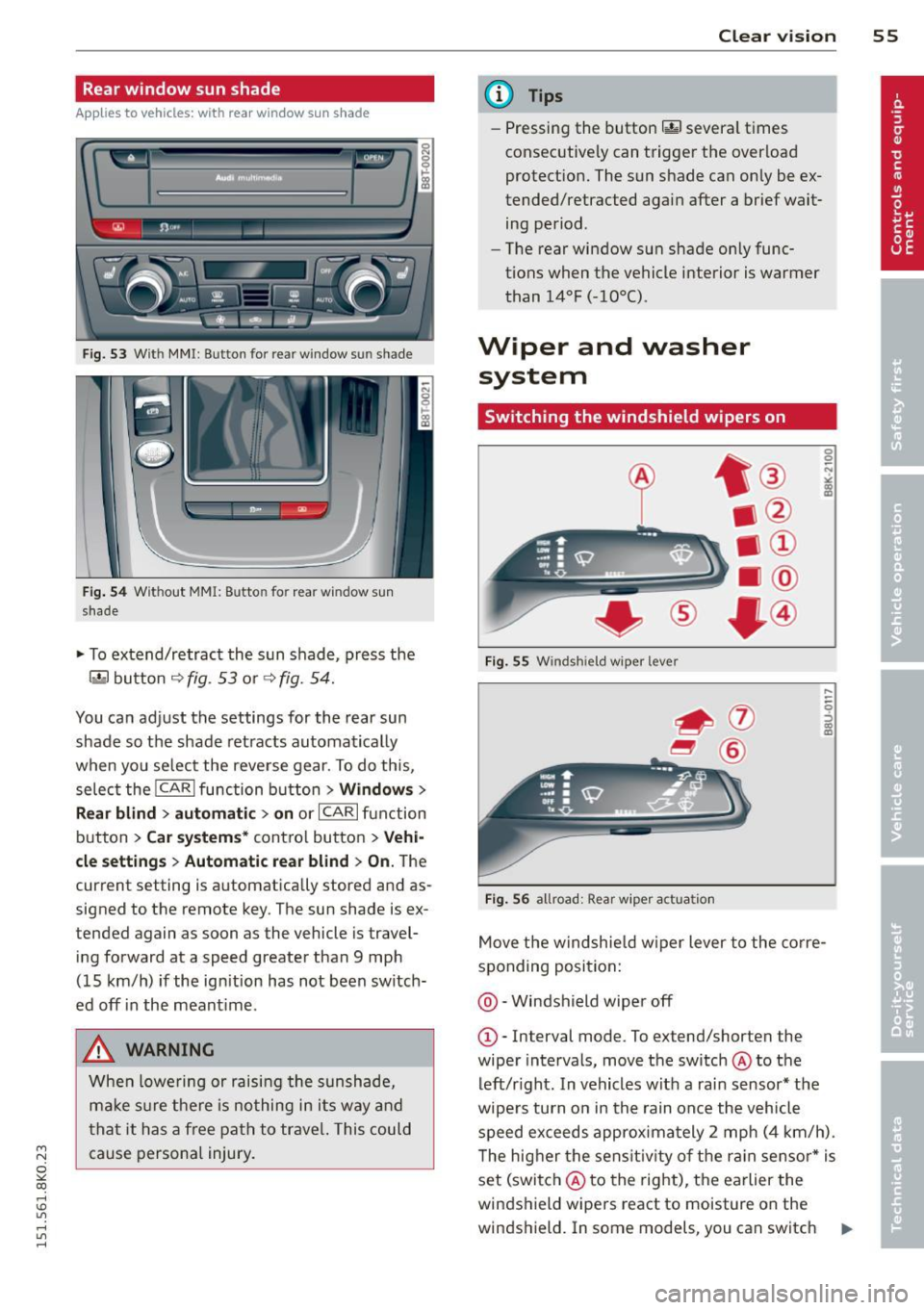
.. To extend/retract the sun shade, press the
rn button ~ fig. 53 or ~ fig. 54.
You can adjust the settings for the rear sun
shade so the shade ret racts automat ically
when you se lect the reve rse gear. To do this,
selec t the
!CARI function button> Window s>
R ear blind > automati c> on
or ICAR I fu nction
button >
Car systems * contro l button > Vehi
cle setting s > Autom atic rear blind
> On. The
current setting is automatically stored and as
signed to the remote key. The sun shade is ex
tended again as soon as the vehicle is travel
ing forward at a speed greater than 9 mph
(15 km/h) if the ign ition has not been switch
ed off in the meant ime .
A WARNING
When lowe ring or raising the sunshade,
ma ke s ure t he re is no thing in i ts way and
t ha t it has a free path to trave l. This could
cause persona l injury .
Clear vi sion 55
@ Tips
- Pressing the button rn severa l t imes
consecutive ly can trigger t he over load
protect ion. The sun shade can only be ex
tended/retracted aga in after a brief wait
ing period.
- The rear window sun shade only func
tions when the vehicle interior is warmer
than
14°F (-10°() .
Wiper and washer
system
Switching the windshield wipers on
F ig . 55 W indshiel d wiper lever
Fig . 56 all road: Rear wiper ac tu ati on
0 0 N
"' :8
....
-
-0 ::, a) m
Move t he windshie ld w iper lever to the co rre
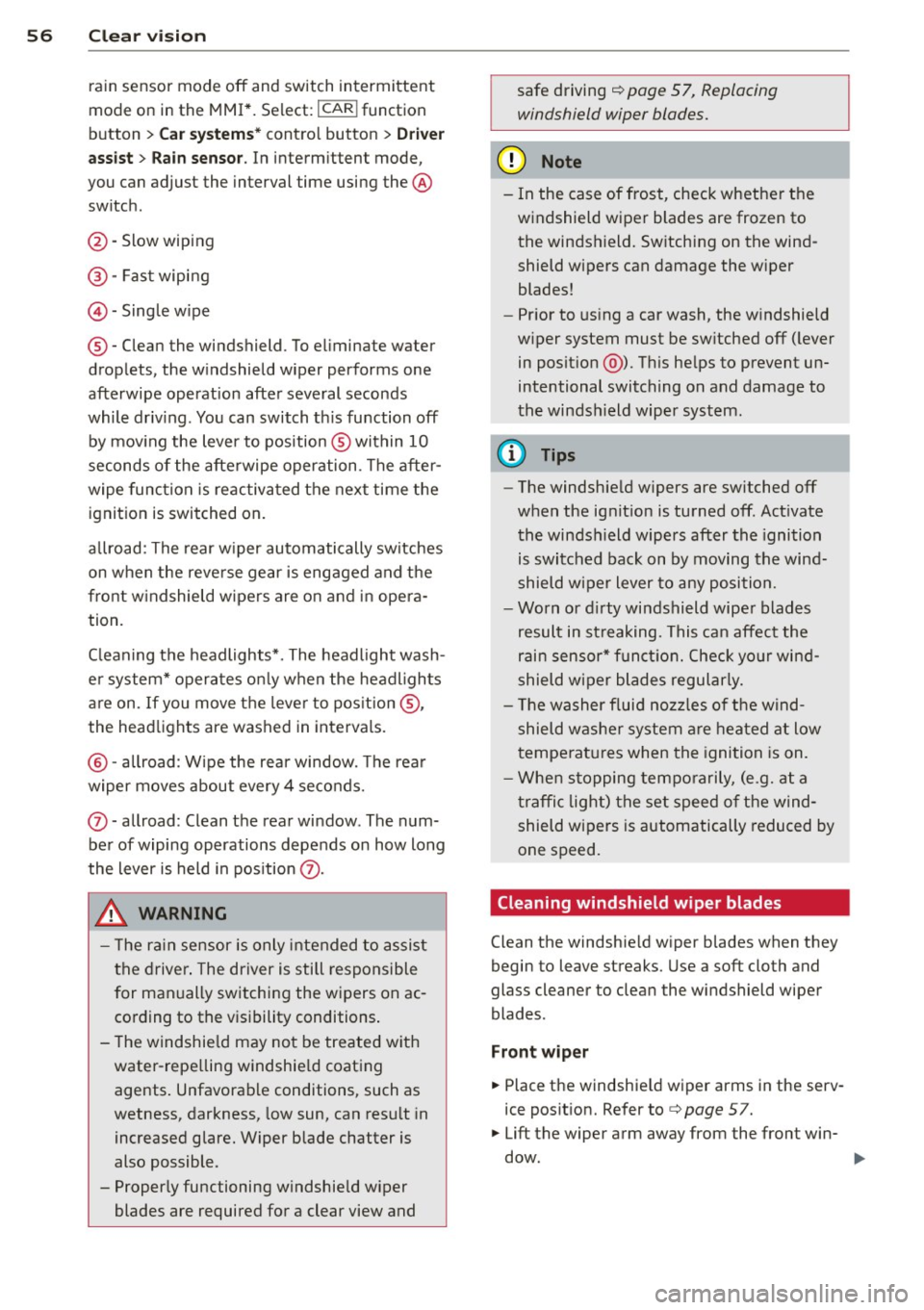
sponding posi tion:
@ -Windshield wiper off
G)-Interval mode. To ex tend/shorten the
wiper intervals, move the switch @to the
left/r ight. In vehicles w it h a rai n sensor* the
wipe rs turn on in the rain once the vehicle
speed ex ceeds approxima tely 2 mph (4 km/h) .
T he hig her the sens it iv ity of the r ain sensor * is
set (switch @to the right), the earlier the
windshield wipers react to moisture on the
w indshield. In some models, you can switch ..,.
Page 58 of 304
56 Clear vis ion
rain sensor mode off and switch intermittent
mode on in the MMI*. Se lect:
I CAR ! function
button
> C ar sys tem s* contro l button > Dri ver
assi st> Rain s enso r.
In interm ittent mode,
you can adjust the interval time using the ®
switch .
@-Slow wiping
@-Fas t wiping
© -Sing le w ipe
® -Clean the windshield . To eliminate water
drop lets, the w indshield wiper performs one
afterwipe operation after several seconds
while driv ing . You can switch th is fu nction off
by mov ing the lever to position ® within 10
seconds of the afte rwipe operation . The after
wipe func tion is reactiva ted the next time the
ignition is switched on.
a llroad: The rear w iper automatically switches
on when the reve rse gear is engaged and the
front w indshield w ipers are on and in opera
tion .
C lean ing the headlights*. The headlight wash
e r system* opera tes on ly when the headl ights
a re on. If you move the leve r to pos ition @,
the head lights are washed in intervals.
@ -allroad : Wipe the rear window. The rear
wiper moves about every 4 seconds.
(J) -allroad : Clean the rear window . The num
ber of wiping operations depends on how long
the lever is held in pos ition
(J) .
_& WARNING
- T he ra in sensor is only inte nded to assist
the drive r. The driver is still responsible
for man ually switching the wipers on ac
cording to the v isibility conditions .
- T he windshie ld may not be treated w ith
water-repe lling windshie ld coating
agents . Unfavorable conditions, such as
wetness, darkness, low sun, can res ult in
increased glare. Wiper blade chatter is
also possible .
- Proper ly functioning windshie ld w iper
blades are required for a clear view and safe driving
I:!) page 57, Replacing
windshield wiper blades.
@ Note
- In the case of frost, check whethe r the
windshield wiper blades are frozen to
the windshield. Sw itching on the wind
shield wipers can damage the wiper
blades!
- Pr ior to us ing a car wash, the w indshield
w iper system must be sw itched off ( lever
in posit ion @). Th is he lps to prevent un
intentional switching on and damage to
the windsh ield wiper system .
@ Tips
-The windshie ld wipers are switched off
when the ignit ion is turned off. Act ivate
the winds hield wipers after the ignition
is switched back on by moving the wind
shield w iper lever to any position.
- Worn or d irty windshield wiper b lades
result in st reaking. This can affect the
rain sensor* function. Check your wind
shield w ipe r blades regularly.
- The washer fluid nozz les of t he wind
shield w asher system a re heated at low
temperat ures when the igni tion is on.
- When stopping tempo rarily, (e .g. at a
t raffic light) the set speed o f the wind
shield wipers is automatically reduced by
one speed.
· Cleaning windshield wiper blades
Clean the windshie ld w iper b lades when they
begin to leave streaks. Use a soft cloth and
glass cle aner to clea n the windshield wiper
blades .
Front wip er
.. Place the windshie ld wiper arms in the serv
ice pos it ion. Refer to
c> page 5 7.
.. Lift the wiper arm away from the fron t win-
d~.
~
Page 66 of 304
64 Seats and storage
¢ fig. 65. Pull the head restraint out of the
backrest at the same time¢,&. .
Installing the head restraints
.. Slide the posts on the head restraint down
into the guides until you feel the posts click
i nto place.
.. Press the button@¢
fig. 65 and slide the
head restraint all the way down. You should
not be able to pull the head restraint out of
the backrest.
So that the driver can have a better view to
the rear, the head restraints should be pushed
down completely when the rear seats are not
occupied .
A WARNING ,.
- Read and heed all WARNINGS
¢ page 130, Proper adjustment of head
restraints .
- Only remove the rear seat head restraints
when necessary in order to install a child
seat¢
page 173. Install the head re
straint again immediately once the child
seat is removed. Driving without head re
straints or with head restraints that are
not properly adjusted increases the risk
of serious or fatal neck injury dramatical
ly.
@ Tips
Correctly adjusted head restraints and
safety belts are an extremely effective
combination of safety features .
Seat memory
Description
Applies to vehicles: with memory function
The memory function allows you to quickly
and easily store and recall personal seating
profiles for the dr iver . The memory function is
operated through the master key and the memory buttons in the driver's door.
The driver's seating profi le is stored and as
signed to the master key each time the vehicle
is locked. When you open the door, the seat profile is
automatically recalled.
If two people
use one vehicle, it is recommended that each
person always uses "their own" master key.
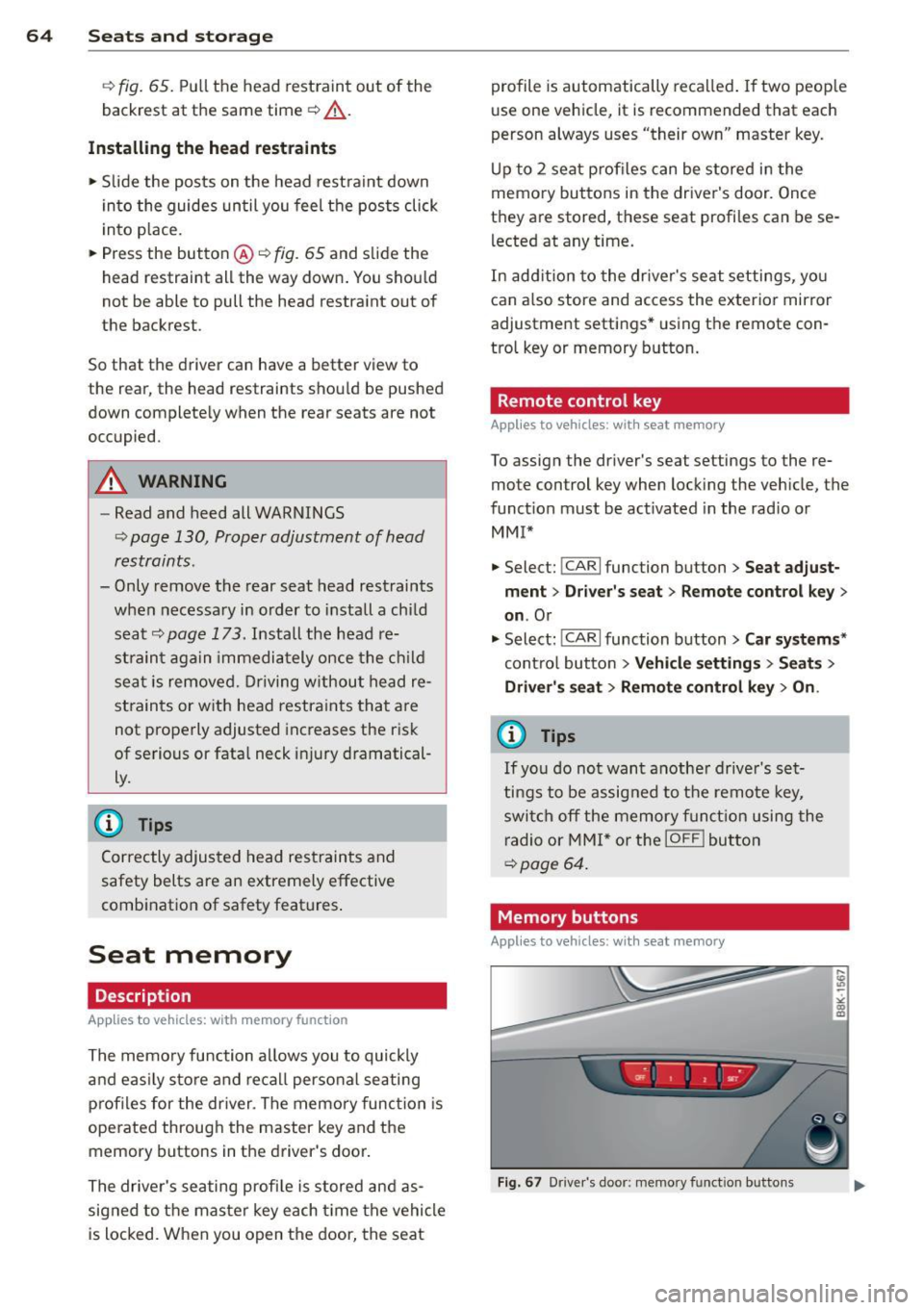
Up to 2 seat profiles can be stored in the
memory buttons in the driver's door. Once
they are stored, these seat profiles can be se
lected at any time .
In addition to the driver's seat settings, you
can also store and access the exterior mirror
adjustment settings* using the remote con
trol key or memory button.
Remote control key
Applies to vehicles: wit h seat memory
To assign the driver's seat settings to the re
mote control key when locking the vehicle, the
function must be activated in the rad io or
MMI*
.. Select: !CAR I function button> Seat adjust
ment
> Driver's seat > Remote control key >
on.Or
.. Select: !CARI function button> Car systems*
control button > Vehicle settings > Seats >
Driver' s seat> Remote control key> On .
(i) Tips
If you do not want another driver's set
tings to be assigned to the remote key,
switch off the memory function using the
radio or MMI* or the
IOFFI button
¢page 64.
Memory buttons
Applies to vehicles: with seat memory
Fig. 67 Dr iver's door: memo ry fu nct ion buttons
Page 81 of 304
Warm and cold 79
Operation
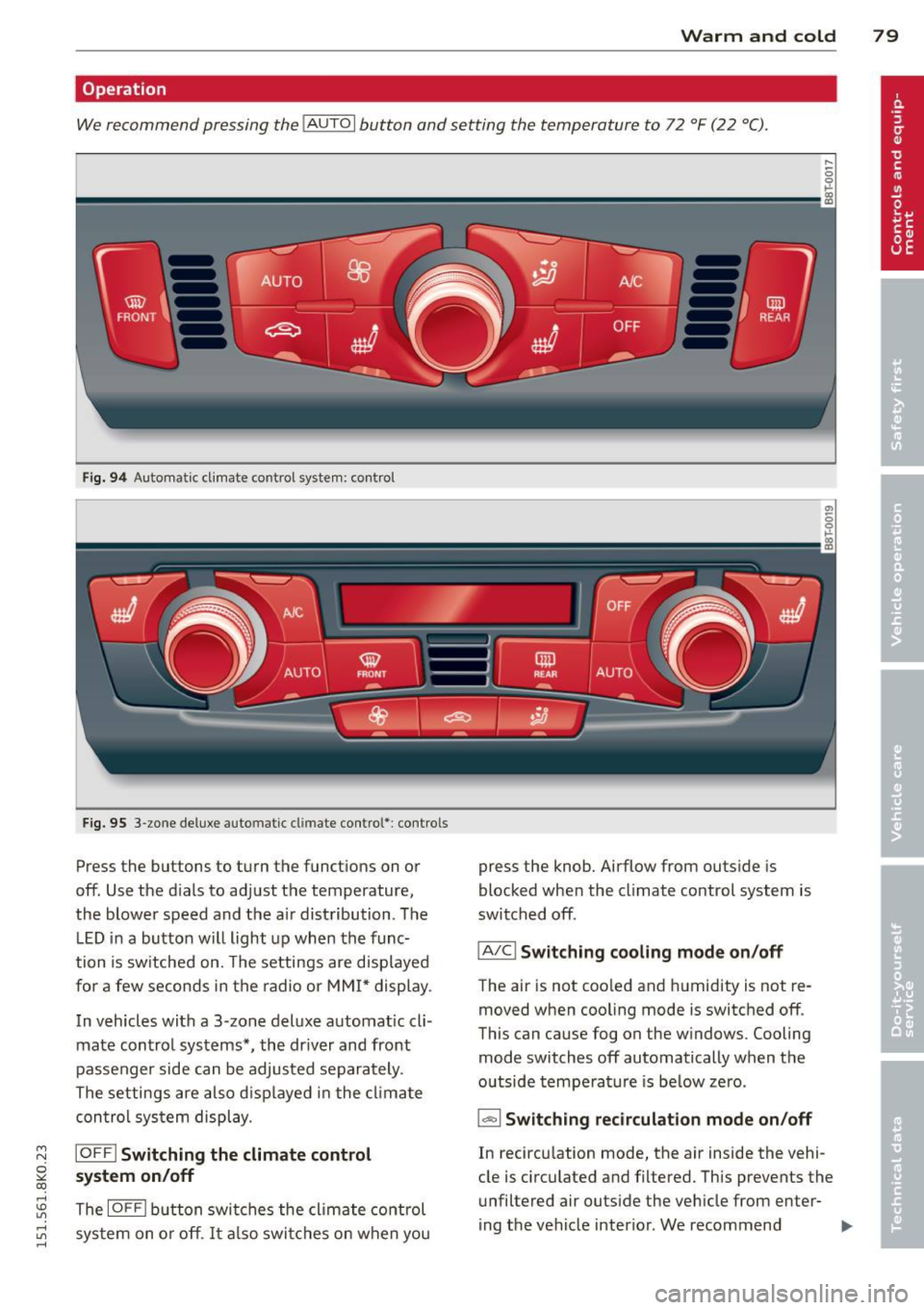
We recommend pressing the IAUTO I button and setting the temperature to 72 °F (22 °C).
Fig. 94 Automatic cl imate control system: control
Fig. 95 3-zone deluxe automatic cl imate control': co ntrols
Press the buttons to turn the functions on or
off. Use the d ials to adjust the temperature,
the blower speed and the a ir distribution. The
LE D in a button will light up when the func
tion is switched on. The settings are displayed
for a few seconds in the radio or MMI* display.
In vehicles with a 3-zone deluxe automatic cli
mate control systems*, the driver and front
passenger side can be adjusted separately.
The settings are also displayed in the climate
con trol system display .
~ IOFFI Switching the climate control
~ system on/off
rl
:5: The IOFFI button switches the climate control
~ sys tem on or off . It also switches on when you rl
press the knob. Airflow from outside is
blocked when the climate control system is
switched off.
IA/C l Switching cooling mode on /off
The air is not coo led and humidity is not re
moved when cooling mode is switched off.
This can cause fog on the w indows. Cooling
mode switches off automatically when the
outside temperature is be low zero.
1-1 Switching recirculation mode on/off
In recircu lation mode, the air inside the vehi
cle is circulated and filtered. This prevents the unfiltered air outside the vehicle from enter-
ing the vehicle interior. We recommend "'
Page 92 of 304
90 On the road
speed. It goes out when t he speed fa lls below
the stored maximum speed .
The speed warning symbo l w ill also go out if
the speed
exceeds the s to red m ax imum speed
by more than about 25 mph ( 40 km/h) for at
least 10 seconds. The stored maximum speed
is deleted.
Sett ing speed wa rning 1
~ page 90.
Speed warning 2*
Storing warning 2 is recommended if you al
ways
want to be reminded of a certa in speed,
for examp le when you a re traveling in a coun
try that has a general maximum speed limit,
or if you do not want to ex ceed a spec ified
speed for winter tires.
The . (USA models) /. (Canada mode ls)
speed warning 2 symbo l appears in the dis
p lay when you exceed the stored speed limit .
Unlike warning 1, it will not go out until t he
vehicle speed drops below the stored speed
limit.
Sett ing speed wa rning 2
~ page 90.
@ Tips
Even tho ugh your vehicle is equipped wi th
a speed wa rni ng sys tem, you s hou ld s till
watch the speedometer to make sure you
are not drivi ng faster than the speed limit.
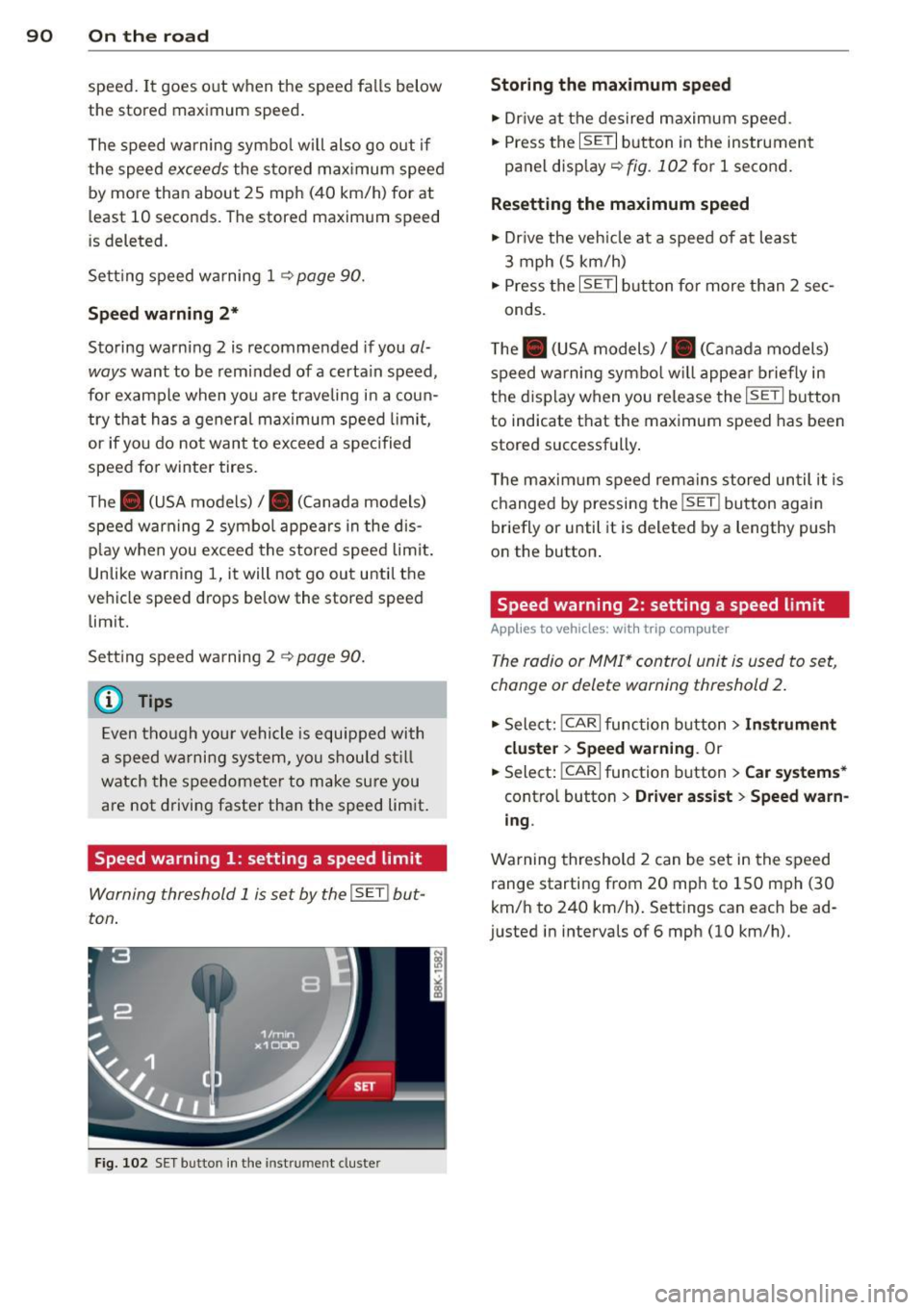
Speed warning 1 : setting a speed limit
Warning threshold 1 is set by the I SET ! but
ton .
Fig. 102 SET button in the inst rum en t cluste r
Storing the ma ximum speed
.,. Dr ive at the desired maximum speed .
.,. Press the
ISETI button in the instrument
panel display ~
fig. 102 for 1 second.
Resett ing the maximum speed
.,. Dr ive the veh icle at a speed of at least
3 mph (5 km/h)
.,. Press the
I SET I but ton for more than 2 sec-
onds.
T he . (USA models)/ . (Canada models)
speed w arning symbo l w ill appe ar briefly in
the d isplay when you release the
ISETI button
to indicate t hat the maximum speed has been
stored successfully .
T he maxim um speed remai ns stored un til it is
changed by pressing the
! SE T! button again
briefly or until it is deleted by a lengthy push
on the button .
Speed warning 2: setting a speed limit
Applies to veh icles: w it h trip co mputer
The radio or MMI* control unit is used to set,
change or delete warning threshold 2.
.,. Sele ct: !CAR I func tion button > Instrument
cl uster > Speed warnin g.
Or
.,. Select:
!CARI function button > Car system s*
contro l button > Dri ver a ssist > Speed warn
ing .
Warning threshold 2 can be set in the speed
range starting from 20 mph to 150 mph (30
km/h to 240 km/h) . Settings can each be ad
justed in intervals of 6 mph (10 km/h).
Page 110 of 304
108 Audi adapti ve cruise control and br aking guard
- If a co llision is imminent, the system will
first provide an
acute wa rning by bri efly and
sharp ly app ly ing the brakes .
- If you do not react to the ac ute warning ,
braking guard can brake within the limits of
the system. This reduces the veh icle speed
in the event of a collis ion.
- At speeds under 20 mph (30 km/h), the sys
tem can in it iate a complete deceleration
s hortly before a collision
l) .
-If the braking guard senses that you are not
braking hard enough when a collision is im
minent, it can increase the braking force.
Which function s can be contr oll ed ?
You can switch braking g uard and the dis
tance/approach warning on or off in the radio
or MM I c> poge 108, Settings in the radio/
MMI.
A WARNING
Lack of attention can cause col lisions, oth
er accidents and serious persona l injuries.
The b raking guard is an assist system and
cannot p revent a col lis ion by itself. The
dr iver m ust always in tervene . T he d rive r is
always responsib le for br aking at the cor
rect time.
- Always pay close attention to traffic,
even when the bra king guard is switched
on. Be ready to intervene and be ready to
take complete control whenever necessa
ry. A lways keep the safe and legal dis
tance between your vehicle and vehicles
up ahead.
- Braking guard works w ith in limits and
will not respond outs ide the system lim
its, for example when approaching a
stopped vehicle or stationary obstacle
(end of a traff ic jam or veh icle that has
broken down in traffic).
- Always remember that the radar sensor
for the braking guard wo rks only within
defined detection and range limits that
l ) Th is is not available in some c oun tri es.
may prevent the proper detection of oth
er vehicles.
- The radar sensor's function and range
can be reduced by rain, snow and heavy
spray. Moving veh icles up ahead may not
be prompt ly detected or may not be de
tected at all .
- Reflective surfaces including crash barri
ers or tunne l entrances may impair the
function of the radar sensor .
(D Tips
- You can cancel the braking that is in it iat
ed by the system by braking yourse lf, by
accelerating not iceably or by swerving .
- Braking guard error messages
c>poge 109.
- Keep in mind that brak ing guard can
brake unexpectedly. Always secure any
cargo or objects that you are transport
ing to reduce the risk of damage or in
jury .
Settings in the radio/MMI
App lies to vehicles : wit h Audi ada ptive cr uise contro l
., Select: !CARI function button> Car sy ste m s*
contro l but ton > Driver a ssist> Audi brak
ing guard .
Or
., Select: !CAR I function button> Audi b raking
gua rd.
S ys tem -
Switch A udi braking guard On and
Off . When you switch the ignition on, the
message
Audi b raking guard off appears if
the system is switch ed off .
Ea rly warnin g -The distance and approach
warnings in the display can be switched
On/
Off .
(D Tips
-Yo ur settings are automatically s tored
and assigned to the remote contro l key
being used at the times the settings are
made.