park assist AUDI A4 2015 Owners Manual
[x] Cancel search | Manufacturer: AUDI, Model Year: 2015, Model line: A4, Model: AUDI A4 2015Pages: 304, PDF Size: 74.86 MB
Page 4 of 304
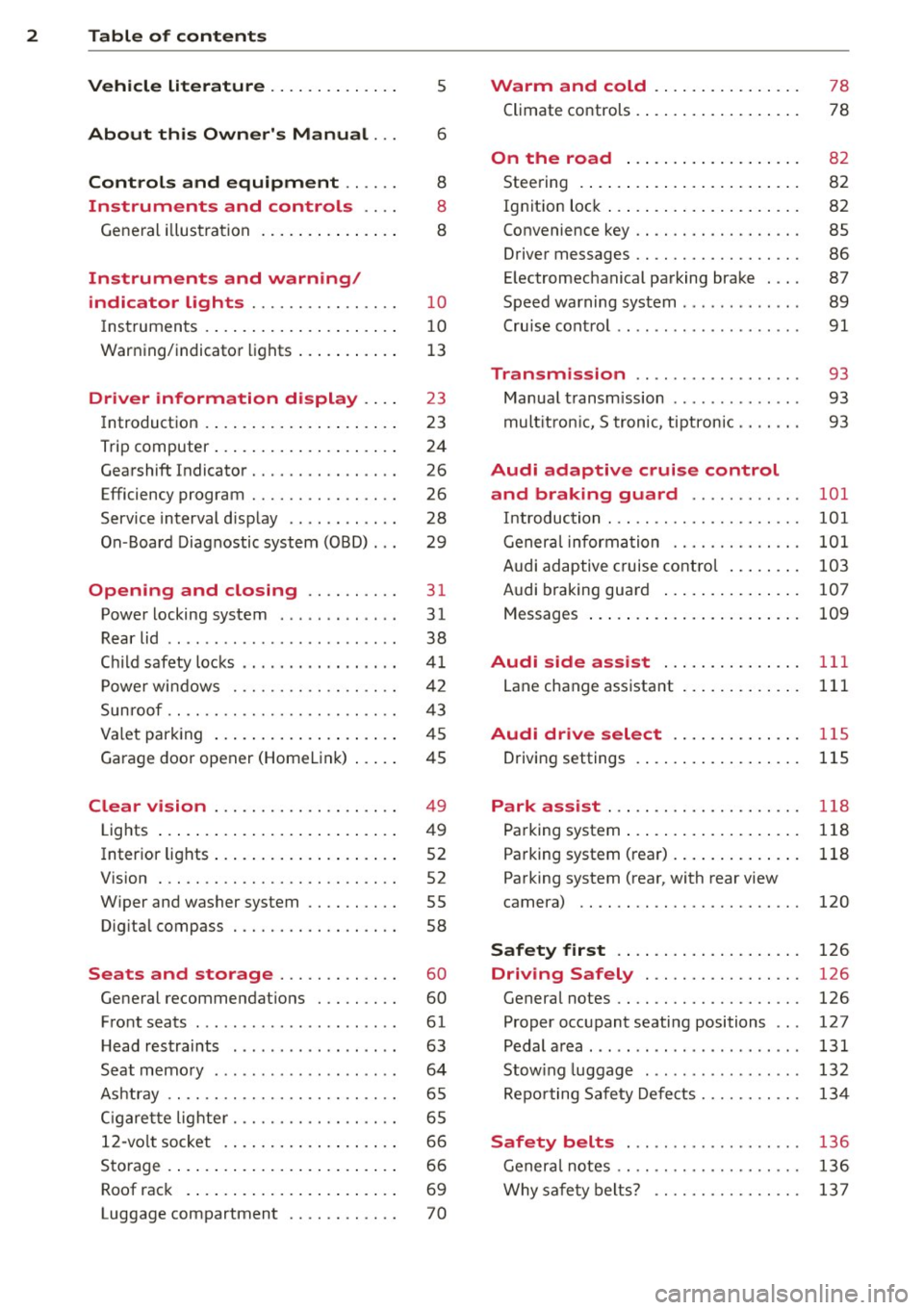
2 Table of contents Vehicle literature .. .. .. .. .. ... .
5
About this Owner's Manual . . . 6
Controls and equipment .. ... .
Ins truments and controls .. . .
General illus tration .... ... .. .. ... .
Instruments and warning /
indicator lights ........ .. .. .. . .
Ins truments . .. .. ..... ... .. .. ... .
War ning/ indi cator lights ... .. ... .. .
Driver information d isplay .. . .
Introduct ion . .. .. ..... ... .. .. ... .
Trip computer .. .. ..... ... .. .. ... .
Gearshift Indicator ........ .. .. ... .
Efficiency program ........ .. .. .. . .
Service interval d isp lay .. .. .. .. .. . .
On -Board Diagnostic system (OBD) .. .
Opening and closing .... .. .. . .
Power locking system .. ... .. .. .. . .
R ear lid .. .. ................ ... . .
C hil d safety locks ......... .. .. ... .
P ower wi ndows ........ .. .. .. .. . .
Sun roof .. .. ............. .. .. .. . .
Va let par king .. .. ..... ... .. .. ... .
Garage door opener (HomeL in k) ... . .
Clear vision .. . ...... ... .. .. ... .
Lights ...... .. .. ..... ... .. .. ... .
Inter ior lights .. .. ..... ... .. .. ... .
V1s1on . .. .. .. . .......... .. .. ... .
W iper and washer system ...... .. . .
Dig ita l compass .......... .. .. ... .
Seats and storage ....... .. ... .
General recommendat ions . .. .. ... .
F ront seats ... .. ...... .... ... .. . .
H ead restraints .............. .. . .
Seat memo ry .. .... ...... .. .. .. . .
As htray .... ... .......... .. .. .. . .
C igare tte lig hte r .......... .... ... .
12-vo lt socket . .. ..... ... .. .. ... .
Sto rage .... ... .. ..... ... .. .. ... .
Roof rac k ... .. .. ..... ... .. .. ... . 8
8
8
10
1 0
1 3
23
23
24
26
26
28
29
31
31
38
41
42
43
45
45
4 9
4 9
52
52
55
58
60
60
61
63
64
65
65
66
6 6
69
Luggage compartment . . . . . . . . . . . . 70
Warm and cold ... .. ..... .... . .
Climate co ntrols . ... ... ..... ... .. . 78
78
On the road . . . . . . . . . . . . . . . . . . . 8 2
Stee ring . . . . . . . . . . . . . . . . . . . . . . . . 82
Ign it io n lock . . . . . . . . . . . . . . . . . . . . . 82
Convenience key . . . . . . . . . . . . . . . . . . 85
Driver messages . . . . . . . . . . . . . . . . . . 86
E lectromechanical parking brake . . . . 87
Speed warning system . . . . . . . . . . . . . 89
Cru ise cont ro l . . . . . . . . . . . . . . . . . . . . 91
Transmission . . . . . . . . . . . . . . . . . . 93
Manua l transm ission . . . . . . . . . . . . . . 93
mult it ron ic, S tronic, tiptron ic . . . . . . . 93
Audi adaptive cruise control
and braking guard . . . . . . . . . . . .
101
I n troduc tio n . . . . . . . . . . . . . . . . . . . . . 101
Genera l inform ation . . . . . . . . . . . . . . 1 01
A udi adaptive cruise cont ro l . . . . . . . . 103
Audi braking gua rd . . . . . . . . . . . . . . . 107
Messages . . . . . . . . . . . . . . . . . . . . . . . 109
Audi side assist . . . . . . . . . . . . . . . 111
Lane change assistant . . . . . . . . . . . . . 111
Audi drive select . . . . . . . . . . . . . . 11S
Driving settings . ... ... ..... ... .. . 115
Park assist . . . . . . . . . . . . . . . . . . . . . 118
Pa rking system . . . . . . . . . . . . . . . . . . . 118
Pa rking system (rear) . . . . . . . . . . . . . . 118
Pa rking system (rear, with rear view
camera) . . . . . . . . . . . . . . . . . . . . . . . . 120
Safety first . . . . . . . . . . . . . . . . . . . . 126
Driving Safely . . . . . . . . . . . . . . . . . 126
General notes . . . . . . . . . . . . . . . . . . . . 126
Proper occupant seating positions . . . 127
Pedal a rea . . . . . . . . . . . . . . . . . . . . . . . 131
Stow ing luggag e . . . . . . . . . . . . . . . . . 132
Repo rting Safety Defects. . . . . . . . . . . 134
Safety belts . . . . . . . . . . . . . . . . . . . 136
Genera l notes . . . . . . . . . . . . . . . . . . . . 136
Why sa fe ty belt s? . . . . . . . . . . . . . . . . 13 7
Page 17 of 304
Instruments and warning/indicator lights 15
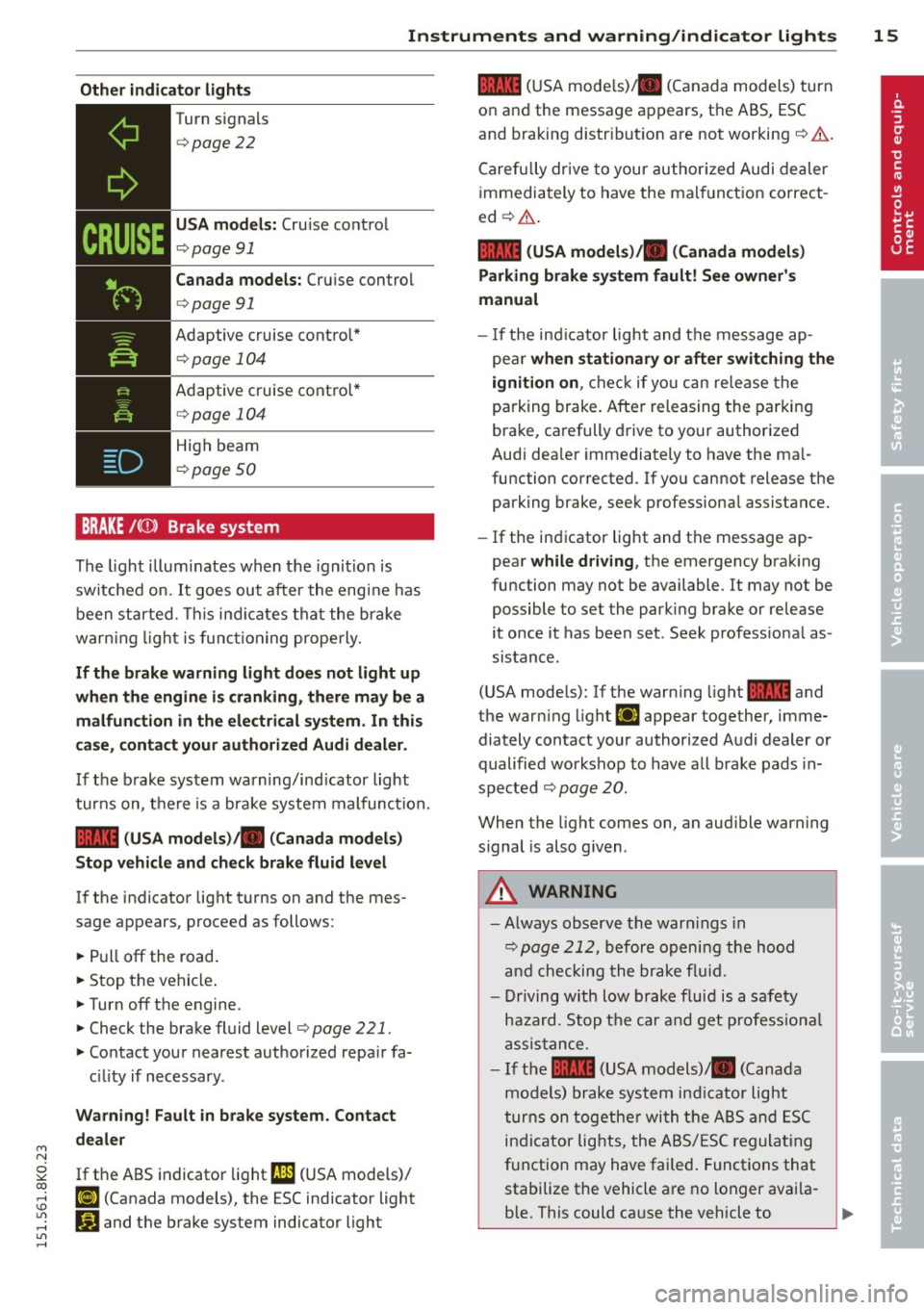
Other indicator lights
-------------
Turn signals
¢page 22
USA models: Cru ise control
¢ page 91
Canada models: Cruise control
¢ page 91
Adaptive cruise control*
¢page 104
Adaptive cruise control*
¢page 104
High beam
¢page 50
BRAKE/( ([)) Brake system
The light illuminates when the ignition is
switched on.
It goes out after the eng ine has
been started. This ind icates that the brake
warn ing light is func tioning properly.
If the brake warning light does not light up
when the engine is cranking, there may be a
malfunction in the electrical system. In this
case, contact your authorized Audi dealer.
If the brake system warning/ind icator light
turns on, there is a brake system malfunction.
1111 (USA models) tlll (Canada models)
Stop vehicle and check brake fluid level
If the indicator light turns on and the mes
sage appears, proceed as follows:
~ Pull off the road.
~ Stop the vehicle .
~ Turnoff the engine.
~ Check the brake fluid level¢ page 221.
~ Contact your nearest authorized repair fa-
c ili ty if necessary .
Warning! Fault in brake system . Contact
dealer
If the ABS indicator light fl1 (USA models)/
ii] (Canada models), the ESC indicator light
G1 and the brake system indicator light
1111 (USA mode ls)/ . (Canada models) turn
on and the message appears, the ABS, ESC
and braking distribution are not working~& .
Carefully drive to your authorized Audi dealer
immediately to have the malfunction correct
ed ~& .
1111 (USA models )/. (Canada models)
Parking brake system fault! See owner's
manual
- I f the ind icator light and the message ap
pear
when stationary or after switching the
ignition on,
check if you can re lease the
parking brake. After releasing the parking
brake, carefully drive to your authorized
Audi dea ler immediately to have the ma l
function corrected. If you cannot release the
parking brake, seek professional assistance.
- If the indicator light and the message ap
pear
while driving , the emergency brak ing
function may not be available. It may not be possible to set the parking brake or release
it once it has been set . Seek profess ional as
sistance .
(USA models): If the warning light
1111 and
the warn ing light
EiJ appear together, imme
diately contact your authorized Audi dealer or
qualified workshop to have all brake pads in
spected
~ page 20.
When the light comes on, an aud ible warning
s ignal is also given .
A WARNING
-Always observe the warn ings in
¢
page 212, before opening the hood
and checking the brake flu id.
- Driving with low brake fluid is a safety
hazard. Stop the car and get professiona l
assistance.
- If the
1111 (USA models) tlll (Canada
models) brake system indicator light
turns on together with the ABS and ESC
indicator lights, the ABS/ESC regulating
function may have failed. Functions that
stabilize the vehicle a re no longer avai la-
ble. This could cause the vehicle to .,.
Page 18 of 304
16 Instrum ent s and w arn ing /indic ato r light s
swerve and increase the risk of sliding .
Drive carefully to the nearest authorized
Audi dealer or other qualified workshop and have the malfunction corrected.
- If the brake warning/indicator light does
not go out after a few seconds and the
park ing brake is released, or lights up
wh ile you are driving, the fluid level in
the brake fluid reservoir is too low.
If you
believe that it is safe to do so, proceed
immediately at low speed to the nearest
au thorized Audi dealer or qualified work
shop and have the brake system inspect
ed.
-Always keep in m ind that afte r several
brake applications, yo u will need greater
pressure on the brake peda l to stop your
vehicle. Do not re ly on stra ined brakes to
respond w ith maximum stopp ing power
in critical situations. You must a llow for
increased brak ing dista nces. The extra
distance used up by fad ing brakes could
lead to an acc ident.
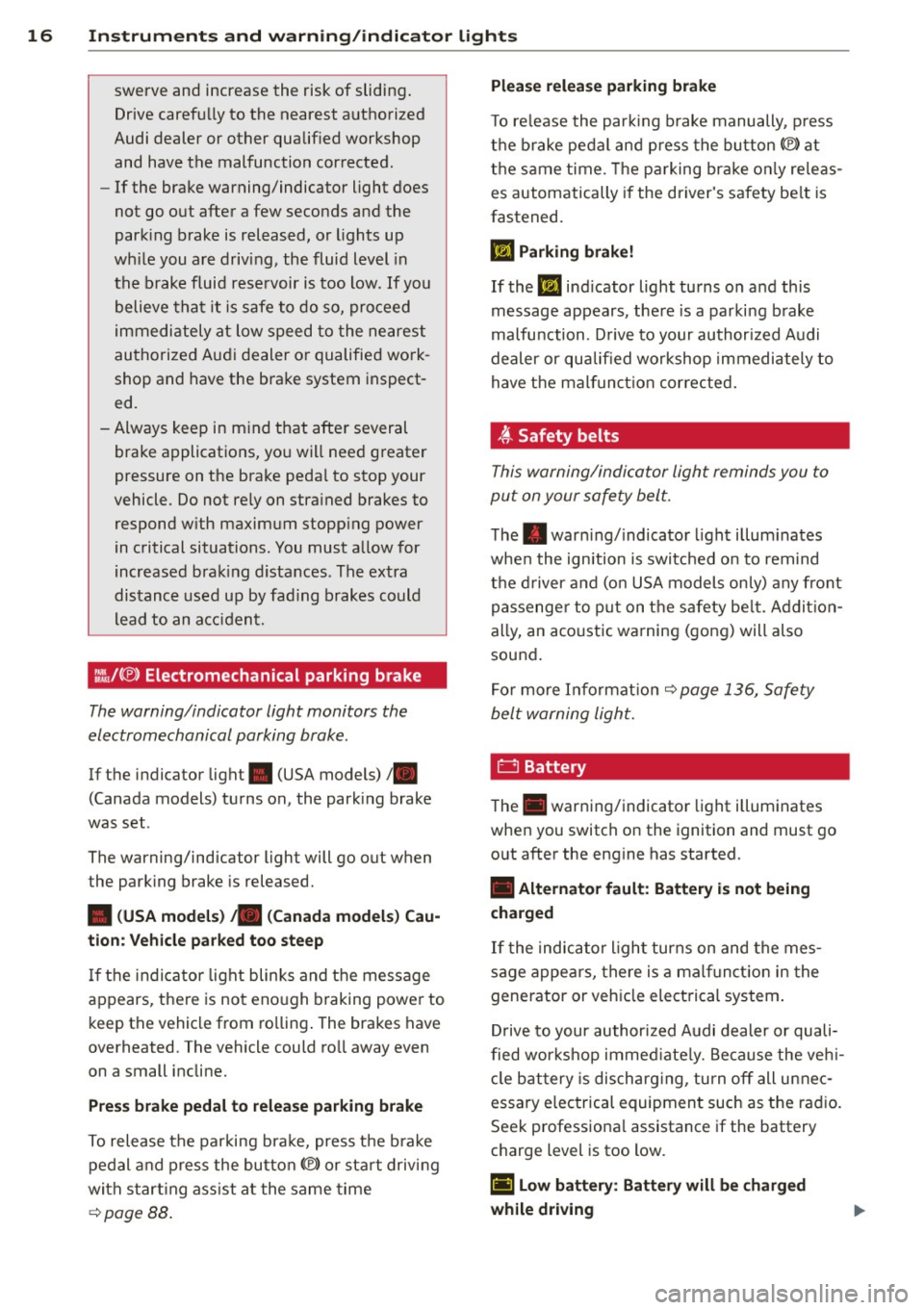
:fil.J{®) Electromechanical park ing b rake
The warning/indicator light monitors the
electromechanical parking brake .
If the indicator light. (USA models)/ .
(Canada models) turns on, the park ing brake
was set .
The warning/indicator light will go out when
the park ing brake is released.
• (USA model s) ;a (Canada model s) Cau
tion: Vehicle pa rked too steep
If the in dica tor light blinks and the message
appears, there is not eno ugh braking power to
keep the vehicle from ro lling . The brakes have
overheated . The vehicle could ro ll away even
on a small incline.
Pre ss brake pedal to rele ase parking br ake
To release the parking bra ke, press t he b ra ke
pedal and press the button<®> or start driving
with s tart ing ass ist at the same time
¢ page 88.
Plea se relea se parking brake
T o re lease the par king brake manually, p ress
t h e b rake pedal and press the button<®> at
the same time. The parking brake on ly re leas
es automatically if the driver's safety be lt is
fastened.
Ill Parking brak e!
If the Ill ind icator light turns o n and this
message appears, there is a parking b rake
malfu nction . D rive to your author ized Audi
dealer or qualified workshop immediately to
have the malfunct ion corrected.
.ft Safety belts
This warning/indicator light reminds you to
put on your safety belt.
The . war ning/ indicato r light illum inates
whe n the ignition is switched on to remind
t h e d river and (o n USA models on ly) any front
passenge r to p ut on the s afety be lt. Ad dit ion
ally, an acoustic warning (gong) will also
sound .
Fo r more In format ion ¢
page 136, Safety
belt warning light.
D Battery
T he . warning/indicator light illuminates
when you switch on the ignition and must go
o ut after the engine has started.
• Alternator fault : Battery is not being
charged
If the indicator l ight turns on and the mes
sage appears, there is a mal funct ion in the
generator or veh icle electrical system .
D rive to your authori zed A udi dealer or quali
fied wor kshop immed iate ly. Because the ve hi
cle b attery is discharg ing, turn
off all unnec
essa ry e lec trical equipmen t such as the rad io.
Seek professiona l assistance if the battery
charge level is too low.
(•) Low battery : Battery will b e charged
while dri ving ..,.
Page 19 of 304
"" N
0 ::.,: co ,...., \!) 1.1'1 ,...., 1.1'1 ,....,
Instruments and warning/indicator lights 17
If the indicator light turns on and the mes
sage appears, there may be limited starting
abi lity.
If th is message turns
off after a litt le while,
the battery charged enough whi le driving.
If the message does not turn
off, have your
authorized Audi dealer or qua lified workshop
correct the malfunction.
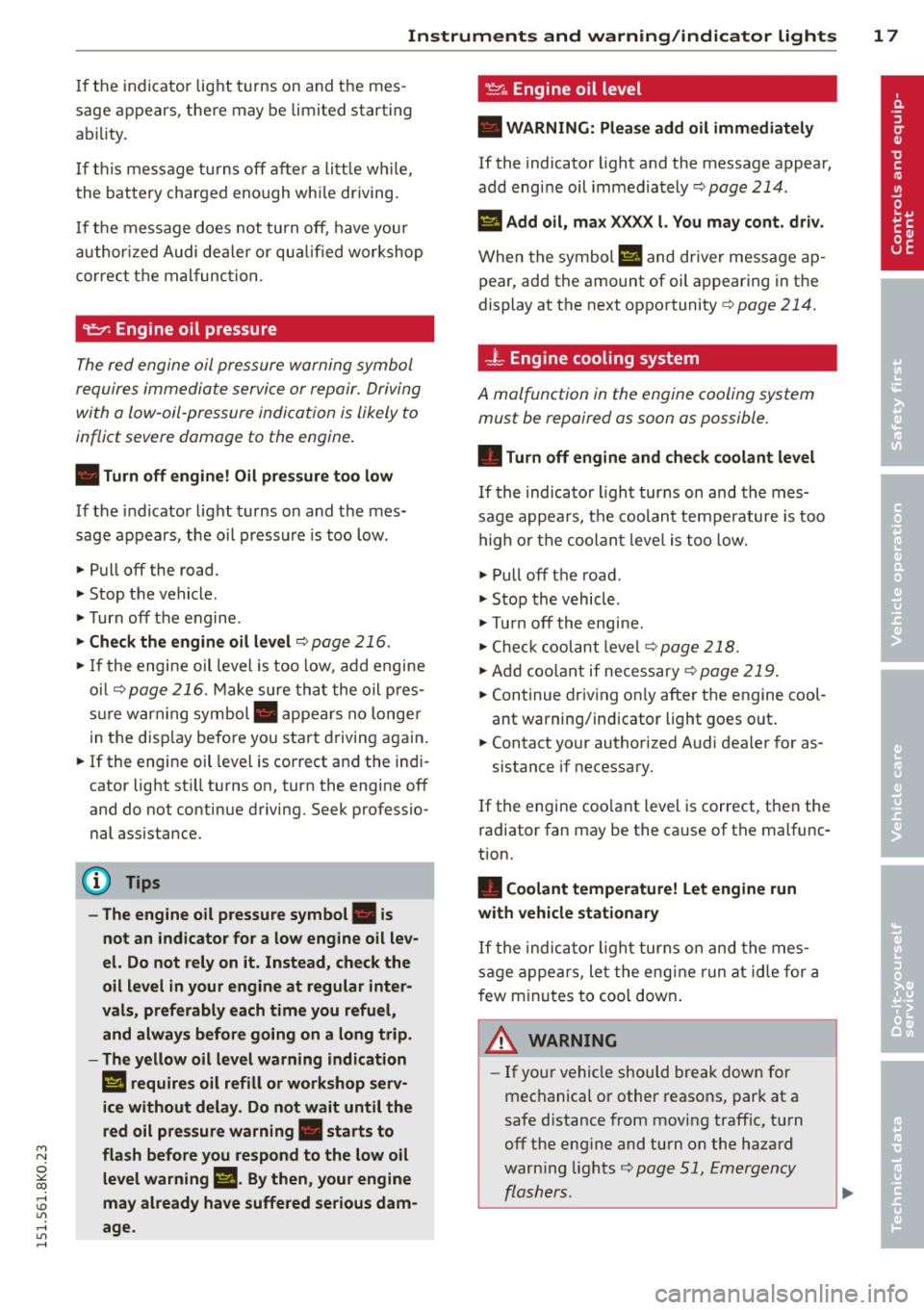
~ Engine oil pressure
The red engine oil pressure warning symbol
requires immediate service or repair. Driving
with a Low-oil-pressure indication is Likely to
inflict severe damage to the engine .
• Turn off engine! Oil pressure too low
If the indicator light turns on and the mes
sage appears, the oil pressure is too low.
.,. Pull
off the road.
.,. Stop the vehicle .
.,. Turn
off the engine .
.,. Check the engine oil level ¢ page 216 .
.,. If the engine oil level is too low, add engine
oil ¢
page 216 . Make sure that the oil pres
sure warn ing symbol. appears no longer
in the disp lay before you start driving again.
.,. If the engine oil level is correct and the indi
cator light st ill turns on, turn the engine
off
and do not continue driving. Seek professio
nal assistance.
(l) Tips
- The engine oil pressure symbol. is
not an indicator for a low engine oil lev
el. Do not rely on it. Instead, check the
oil level in your engine at regular inter
vals, preferably each time you refuel,
and always before going on a long trip.
- The yellow oil level warning indication
II requires oil refill or workshop serv·
ice without delay. Do not wait until the
red oil pressure warning. starts to
flash before you respond to the low oil
level warning
l!I. By then , your engine
may already have suffered serious dam
age.
~ Engine oil level
• WARNING: Please add oil immediately
If the indicator light and the message appear,
add engine oil immediately¢
page 214.
II Add oil, max XXXX l. You may cont. driv .
When the symbol l!I and driver message ap
pear, add the amount of oil appearing in the
display at the next opportunity ¢
page 214.
-L Engine cooling system
A malfunction in the engine cooling system
must be repaired as soon as possible.
• Turn off engine and check coolant level
If the indicator light turns on and the mes
sage appears, the coolant temperature is too
high or the coolan t leve l is too low .
.,. Pull
off the road .
.,. Stop the vehicle .
.,. Tu rn
off the engine .
... Check coolant level¢
page 218 .
.,. Add coolant if necessary¢ page 219.
.,. Continue driving on ly after the engine cool
ant warning/indicator light goes out .
.,. Contact your authorized Audi dealer for as-
sistance if necessary.
If the engine coo lant level is correct, then the
radiator fan may be the cause of the malfunc
tion.
• Coolant temperature! Let engine run
with vehicle stationary
If the indicator light turns on and the mes
sage appears, let the engine run at id le for a
f ew m inutes to coo l down .
_& WARNING
-If your vehicle should break down for
mechanical or other reasons, park at a
safe distance from moving traffic, turn
off the eng ine and turn on the hazard
warn ing lights
¢page 51, Emergency
flashers.
-
Page 34 of 304
32 Opening and clo sing
- If the power locking system should ma l
function, you can lock the driver's door us ing the mechanical key
c:> page 3 7.
- If the power locking system should fail,
you can sti ll open the fue l tank flap in an
emergency
c:> page 211.
- You are we ll advised not to keep valua
bles inside an unattended vehicle, visib le
or not. Even a properly locked vehicle
cannot provide the security of a safe.
- If the LED in the upper edge of the driv
er's door panel comes on for abo ut 30
seconds after the vehicle is locked, there i s a ma lfunction in the power locki ng or
the anti-theft warning system. Have the
malfunction corrected by an author ized
A udi dealersh ip or qua lified repai r fac ili
ty.
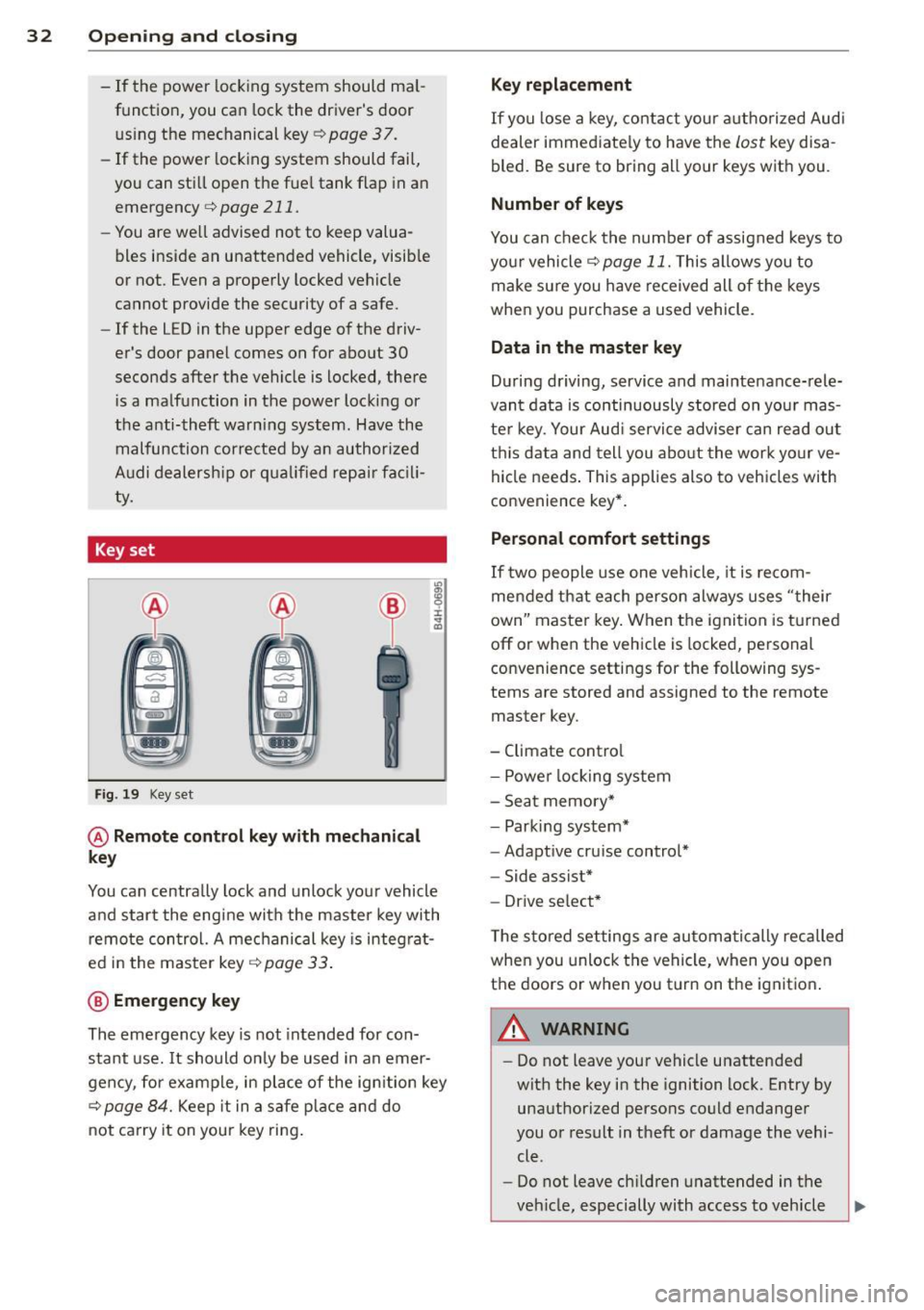
Key set
F ig . 19 Key set
@ Remote cont rol key with mechanical
key
You can centrally lock and unlock your vehicle
and start the engine with the master key with
remo te con trol. A mec hanical key is integ rat
ed i n the master key
c:> page 33 .
@ Emergency key
The emergency key is not intended for con
stant use.
It should on ly be used in an emer
gen cy, fo r example, in place of the ign ition key
cc> page 84. Keep it in a s afe p lace and do
not ca rry it on your key ring .
Key replacement
If you lose a key, contact you r authorized Audi
dealer immed iate ly to have the
Lost key disa
bled. Be sure to bring all your keys with you .
Number of keys
You can check the number of assigned keys to
yo ur vehicle
c:> page 11. This allows you to
make su re you have re ceived all of the keys
when you purchase a used vehicle.
Data in the master key
D uring d riving, s ervice and maintenance-rele
vant data is continuously stored on your mas
te r k ey. Your Aud i service adviser can read out
t hi s data and tell you abo ut the work yo ur
ve
hicle needs . This applies also to vehicles with
convenience key*.
Personal comfort settings
If two people use one veh icle, it i s r ecom
men ded that e ach person alw ays uses "t heir
own" maste r key. When the ignition is tu rne d
off or when the vehicle is locked, personal
convenience setti ngs for the following sys
tems are stored and assigned to the remote
master key.
- Climate contro l
- Powe r lock ing system
- Seat memory *
- Parking system*
- Adapt ive cru ise control*
- Side assist*
- Drive se lect*
T he s to red settings are au toma tically recalled
whe n you unlock the vehicle, when yo u open
t h e doors or w hen you t urn on t he ignitio n.
A WARNING
-Do not leave your vehicle unattended
wit h the key in the ignition lock. Entry by
unaut horized persons co uld endanger
you or result in theft or damage the vehi
cle.
- Do not leave ch ildren unattended in the
veh icle, especially with access to vehicle
Page 85 of 304
'"" N
0 ::.,: co ,...., \!) ..,.,
,...., ..,., ,....,
~ Automatic transmission: Step on the brake
peda l and move the se lector lever to the P
or N position .
~ Press the key c::> fig. 97 -the eng ine will
start.
Sw itching the i gnition on /off
If you wou ld like to switch the ignition on
without sta rting the engine, follow t hese
steps :
~ Insert the key into the ignition lock .
~ Press the key briefly without pressing the
clutch peda l (for manual transmissions) or
the brake peda l (for automatic transmis
s ions) .
~ To switch the ignition off, press the key
again .
When starting the engine, major e lectr ica l
loads are switched off temporarily .
You can on ly remove the key with the ignition
switched off.
If the engine sho uld not sta rt immedia tely,
the starting process is automatically stopped
after a short time. Repeat starting proced ure .
A WARNING
-Never allow the engine to run in confined
spaces -danger of asphyxiation.
- Never remove the ign ition key from the
ignition look while the vehicle is moving.
Otherw ise, the steering lock could sud
denly engage and you would not be able
to steer the vehicle.
- Always take the key with you whenever
you leave your vehicle . Otherwise, the
engine could be started or e lectr ical
equipment such as the power w indows
cou ld be operated. This ca n lead to seri
o us inj ury.
- Never leave ch ild ren or persons requiring
assistance unattended in the veh icle. The
doors can be loc ked using the remote
transmitter, preventing people from es caping from the vehicle on their own in
the event of an emergency. Depend ing
on the time of year, people inside the ve-
On th e ro ad 83
hicle can be exposed to very high or very
low temperatures.
(D Note
Avoid high eng ine rpm, fu ll throttle and
heavy engine loads unti l the engine has
reached operating tempe rat ure -other
wise you r isk eng ine damage.
@ For the sake of the environment
Do not let the engine run while parked to
warm up. Begin driving immediately. This
reduces unnecessary emissions.
@ Tips
- If the key cannot be removed from the
ignition lock, you have to pull the me
chanical key out of the master key in or
der to be able to lock the vehi-
cle <=:>
page 34.
-After starting a cold engine, there may
be a brief period of increased no ise be
cause the oil pressure must first bu ild up
in the hydraulic valve adjusters. This is
normal and not a cause for concern.
- If you leave the veh icle with the ignition
switched on, the ign it ion w ill switch off
afte r a certa in per iod of t ime . Please
note that ele ctrical equ ipment such as
exterior lights will sw itch off as well
when that happens .
Page 86 of 304
84 On the road
Starting the vehicle with the emergency
key
Applies to vehicles: with ig ni tion lock
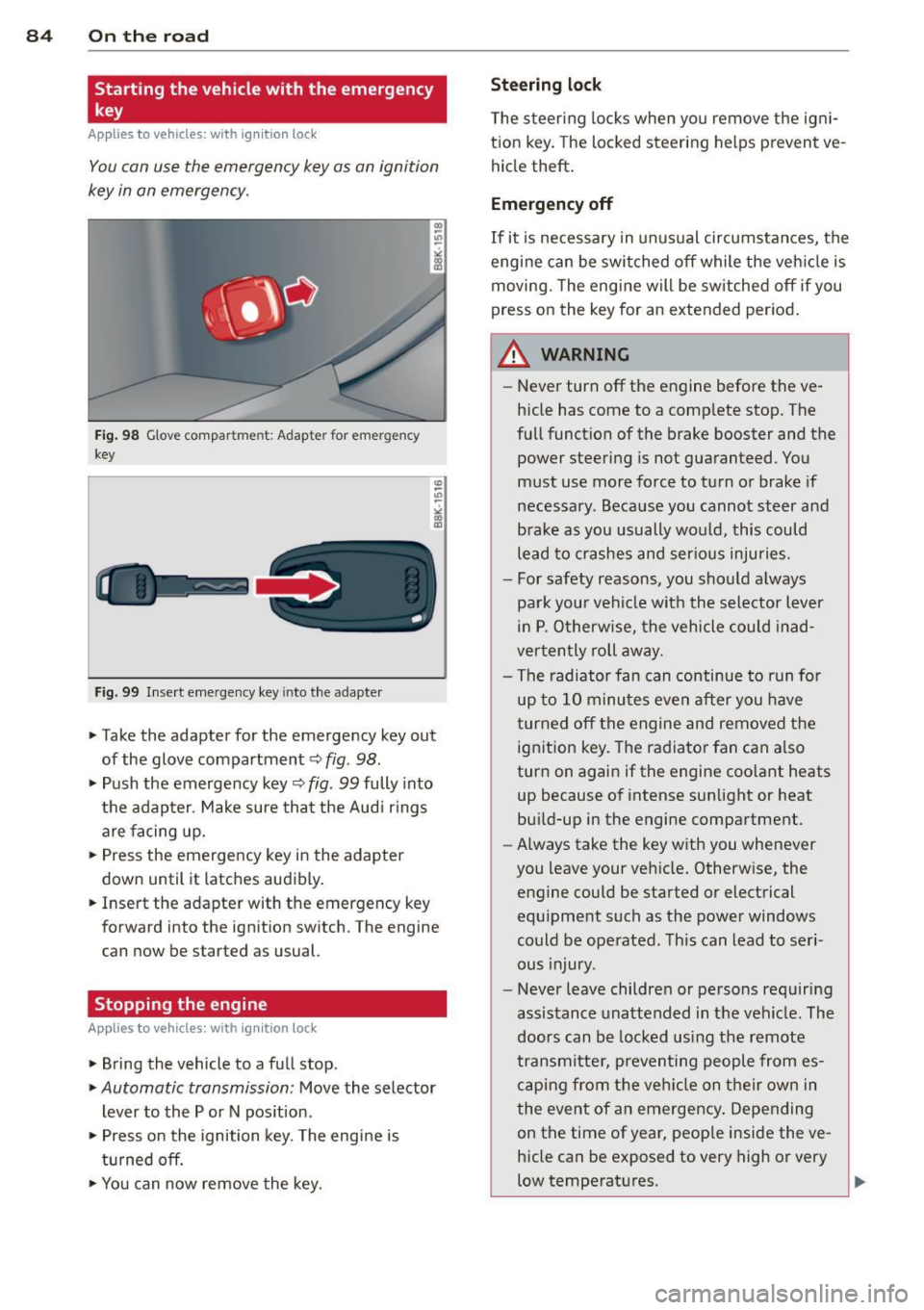
You can use the emergency key as an ignition
key in on emergency.
Fi g. 98 Glove compar tme nt: Adapter for emergency
key
Fig. 99 Inse rt emergency key into the adapter
.. Take the adapter for the emerge ncy key out
of the glove compartment
c!> fig . 98 .
.. Push the emergency key c::> fig. 99 fully into
the adap ter . Make sure tha t the Aud i rings
are facing up.
.. Press the emergency key in the adapter
down until it latches audibly .
.. Insert the adapte r with the emergency key
forward into the ignition switch. The engine
can now be started as usual.
Stopping the engine
App lies to vehicles: with ig n ition lock
.. Bring the vehicle to a full stop .
.. Automatic transmission: Move the selector
lever to the P or N pos ition .
.. Press on the ignition key. The engine is
t ur ned off.
.. You can now remove the key.
Steering lock
T he steering locks when yo u remove the igni
t ion key. The locked steering helps prevent
ve
hicle theft .
Emergency off
If it is necessary in unu sual circumstances, the
engine can be switched off while the veh icle is
moving. The engine will be switched off if you
press on the key for an extended period .
A WARNING ~
-Never turn off the engine before the ve
hicle has come to a comp lete stop. The
fu ll function of the brake booster and the
power steering is not guaranteed. You
must use more force to turn or brake if
necessary. Beca use you cannot steer and
brake as you usually wou ld, this could
lead to crashes and ser ious injuries.
- For safety reasons, you sho uld a lways
park your vehi cle with the selector lever
in P. O therwise, the vehicle could in ad
ver ten tly roll away.
- The radiator fan can continue to run fo r
up to 1 0 minu tes
even after you have
turned off the engine and removed the
ignit ion key. The radiator fan can a lso
turn on agai n if the engine coo lant heats
up because of intense sunlight or heat
bu ild-up in the engine compartment.
- Always take the key with you whenever
you leave your vehicle. Otherw ise, the
engine could be started or electrical
equ ipment such as the power windows
could be operated. This can lead to seri
ous injury.
- Never leave childre n or persons requiring
assistance unattended in t he vehicle . The
doors can be locked using the remote
transm itte r, preven ting people from es
c a ping from t he ve hicle on the ir own in
the event of a n emergency . Depending
on the time of year, peop le inside the
ve
hicle can be exposed to very high or very
low temperatures .
Page 89 of 304
M N
~ co
rl I.O
"' rl
"' rl
Shift to N or P to start engine
This message appears when attempting to
start the engine if the selector lever for the
automatic transmission is not in the P or N
position. The engine can only be started with
the selector in these positions .
!!I Is the key in the vehicle?
This message appears if the master key is re
moved from the vehicle with the engine run
ning.
If the master key is no longer in the ve
hicle, you cannot switch on the ignition after
stopping the engine and you also cannot start
the engine again. Moreover, you cannot lock
the vehicle from the outside with the key.
Shift to P otherwise vehicle can roll away.
Doors do not lock if lever is not in P.
This message appears for safety reasons
along with a warning signal.
It appears if the
selector lever for the automatic transmission
is not in the P position when switching off the
ignition. Move the selector lever to the P posi
tion, otherwise the vehicle is not secured
against rolling away. You also cannot lock the
vehicle using the locking button* on the door
handle or using the remote key.
Convenience key defective! Use ignition lock
This message appears if the engine must be
started or stopped using the ignition key and
not the
I START ENGINE STOP! button.
On the road 87
Electromechanical
parking brake
Operation
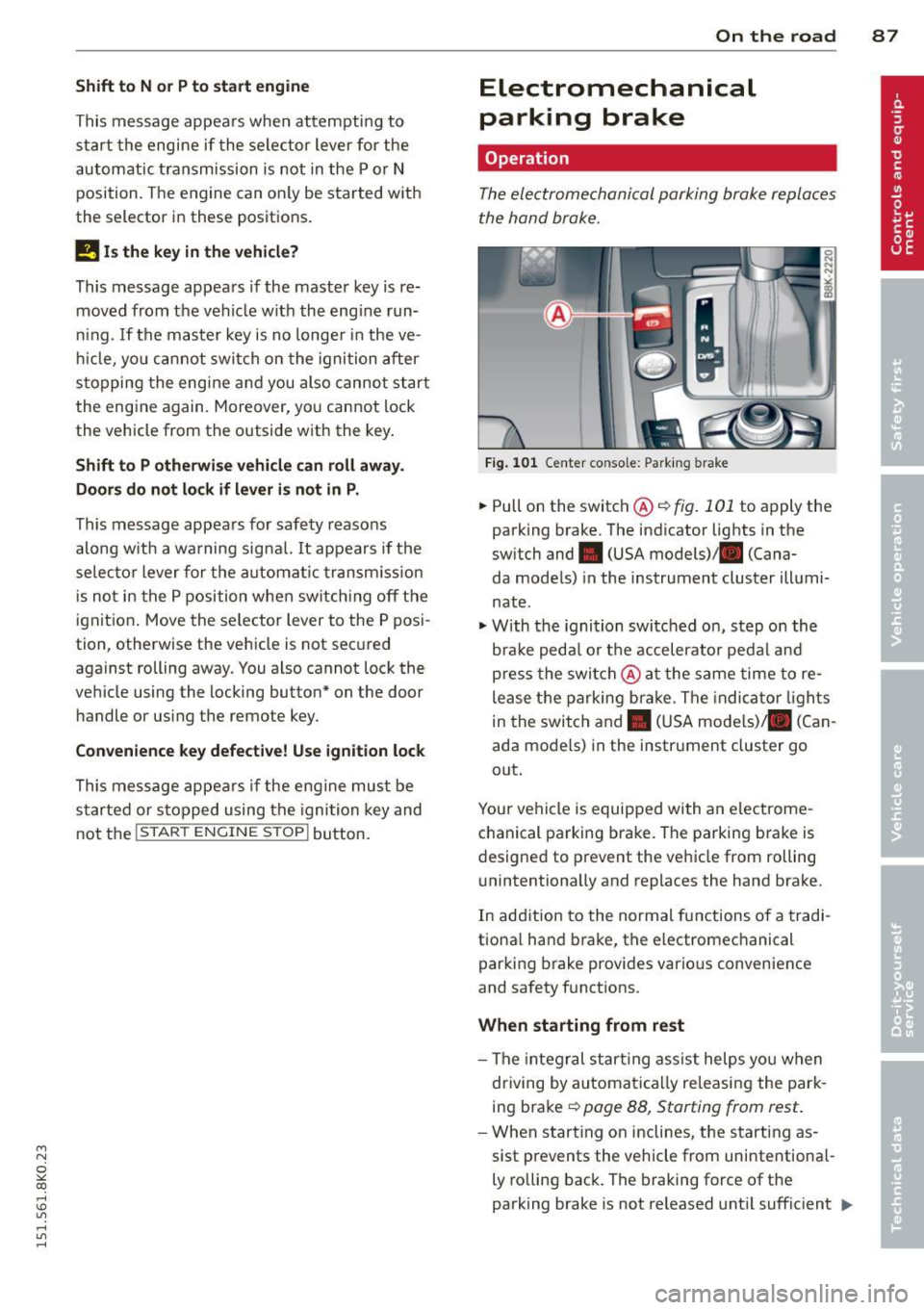
The electromechanical parking broke replaces
the hand broke.
Fig. 101 Center co nsole: Parking b rake
.,. Pull on the switch@¢ fig. 101 to apply the
parking brake. The indicator lights in the
switch and • (USA models) . (Cana-
da models) in the instrument cluster illumi
nate .
"'With the ignition switched on, step on the
brake pedal or the accelerator pedal and
press the switch @at the same time to re
lease the parking brake. The indicator lights
in the switch and. (USA models)/ . (Can
ada models) in the instrument cluster go
out.
Your vehicle is equipped with an electrome
chanical parking brake. The parking brake is
designed to prevent the vehicle from rolling unintentionally and replaces the hand brake.
In addition to the normal functions of a tradi
tional hand brake, the electromechanical
parking brake provides various convenience
and safety functions .
When starting from rest
- The integral starting assist helps you when
driving by automatically releasing the park
ing brake ¢
page 88, Starting from rest.
-When starting on inclines , the starting as-
sist prevents the vehicle from unintentional-
ly rolling back. The braking force of the
parking brake is not released until sufficient
111>
Page 90 of 304
88 On the road
driving force has been built up at the
wheels.
E mergency brake function
An emergency brake ensures t hat the vehicle
can be slowed down even if the
normal brakes
fail c::>
page 89, Emergency braking .
8_ WARNING
If a gear or a drive range (automatic trans
mission) is engaged with the vehicle sta
tionary and the engine running, you must in no instance accelerate or release the
clutch* carelessly. Otherwise the vehicle
will start to move immediately -risk of an
accident .
(D Tips
-If the parking brake is applied with the
ignition switched off, the indicator lights
i n the sw itch and -(USA models)/ .
(Canada models) in the instrument clus
ter will go out after a certain per iod of
time .
- Occas iona l noises when the park ing
brake is applied and re leased a re no rma l
and are not a ca use for concern.
- Wh en the vehicle is parked, the parking
brake goes through a se lf-test cycle a t
regular intervals. Any assoc iated noises
are no rma l.
Parking
.. Press the brake peda l to stop the v ehicle .
.. Pull the switch @c::>
pag e 87, fig. 101 to set
the parking brake .
.. Automatic transmiss ion: Move the selector
lever to P .
.. Turn the eng ine off c::>
&_ .
.. Manua l transm ission: Shift into 1st gear .
.. When on incl ines or decli nes, tu rn the steer
i ng wheel so th at the vehicle will roll into
the curb if it begins to move .
8_ WARNING
-When you leave your vehicle -even if on
ly briefly -always remove the ignition
key . Th is applies particularly whe n chil
dren remain in the vehicle . Otherwise the
children could star t the eng ine , release
the par king brake or operate electrical
equipme nt (e.g. power windows). There
is the risk of an accident.
- W hen the veh icle is locked, no one -pa r
ticularly not children should remain in
the vehicle . Locked doors make it more
difficult for emergency worke rs to get in
to the vehicle -putting lives at risk .
· Starting from rest
The starting assist function ensures that the
parking broke is rel eased automatically upon
starting.
Stopping and appl ying parking brake
.. Pull the sw itch @c::> page 87 , fig. 101 to ap-
p ly the parking bra ke.
Starting and automatically releasing the
parking brake
.. When you start to dr ive as usual, the p ark
ing bra ke is automatica lly released and your
vehicle begins to move .
When stopping at a t raffic signal or stopping
in city t raffic on vehicles with an a utomatic
t ransmission, the parking brake can be ap
plied. The vehicle does not have to be held
with the footbrake . The parking brake elimi
nates the tendency to creep w ith a dr ive range
engaged. As soon as you drive off as usual,
the parking brake is re leased automat ically
and the vehicle starts to move .
Starting on slop es
When starting on inclines, the starting assist
prevents the vehicle from un in tent ionally roll
ing back. The braking force of the parking
brake is not released until suffic ient driving
force has been built up at the wheels .
11>-
Page 98 of 304
96 Transmission Starting the engine
.. The selecto r lever must be in P or N.
Starting off
.. Press and hold the brake pedal.
.. Press and hold the release button in these
lector lever handle, se lect t he des ired selec
tor lever position such as D/S and release
the button .
.. Wait briefly unti l the transmission has shift
ed (you will feel a slight movement) .
.. Remove your foot from the brake pedal and
acce lerate.
Stopping temporarily
.. Keep the vehicle stationary usin g the brak
ing peda l, for examp le at traffic lights .
.. Do not press the accelerator pedal when do
ing this .
.. To prevent the veh icle from rolling when you
start driving, set the parking brake when
stopping on steep inclines
c> _& .
.. The parking brake will release automatically
and the vehicle w ill start moving once you
press the accelerator pedal.
Stopping/parking
If the selector lever is not in the P position
when you open the dr iver's door, the vehicle
could roll. The message
Transmission: Car
may roll! Shift to park!
appears.
.. Press and hold the brake pedal until the ve-
hicle has come to a complete stop .
.. Apply the parking brake
c> page 88, Parking .
.. Select the P selector lever position c> _&.
Stopping on an incline
.. Always press the brake pedal to hold the ve
hicle in place and prevent it from "rolling
back"
c> _& . Do not try to prevent the vehi
cle from "roll ing back" when a gear is en
gaged by increasing the eng ine speed
c> (D.
Starting on an incline
.. Activate the parking brake.
.. With the driving gear se lected, press the ac
celerator pedal carefully. The park ing brake will release automatically if your seat
belt is
fastened .
Under certain circumstances, such as driving
in the mo untains, it may be usefu l to switch
temporarily to the manual shift program in or
der to adjust the gears to the driving cond i
tions by hand
c> page 98.
On slopes, activate the parking brake first and
then move the selector lever to the P position .
This prevents too much stress from being
placed on the locking mechanism .
Vehicles with multitronic transmission: Your
vehicle is equipped with
hill hold assist allow
ing you to start while on an incline. The sys
tem is activated when the brake pedal is
pressed down and he ld
for a few seconds . The
brake pressure will hold for
a moment after
the brake pedal loosens to prevent the vehicle
from roll ing backwards wh ile starting up .
A WARNING
-The vehicle can also roll when the engine
is stopped.
- Unintended vehicle movement can cause
serious injury.
- Never leave your vehicle with the engine
r un ning while in gear. If you must leave
your veh icle when the engine is running,
activate the parking brake and move the
selecto r lever to P.
- Power is still transmitted to the wheels
when the engine is running at idle. To
prevent the vehicle from "creeping", you
must keep your foot on the brake when
the engine is running and the selector
lever is in D/S or R or "tiptronic" mode is
selected .
- Do not press the accelerator pedal when changing the selector lever position
while the veh icle is stationary and the
engine is running.
- Never shift into R or P while driving.
- Before driving down a steep s lope, re-
duce your speed and shift into a lower
gear with "tiptronic".