remote control AUDI A4 2017 User Guide
[x] Cancel search | Manufacturer: AUDI, Model Year: 2017, Model line: A4, Model: AUDI A4 2017Pages: 386, PDF Size: 96.32 MB
Page 50 of 386
Opening and clo sin g
You can switch the valet parking function on l )
when someone else is parking you r veh icle . When
the function is sw itched on, the vehicle can be
driven, locked and unlocked us ing the master
key, but access to the luggage compartment is not permitted .
.. Remove the mechan ica l key from the remote
control key¢
page 39 .
.. Open the glove compartment¢ page 64 .
.. Press the I VA LET I button to switch the valet
parking function on . The LED in t he button
turns on .
.,. lock the glove compartmen t with the mechani
ca l key .
.. For vehicles with lockable pass-thro ugh and
lockable rear seat backrests : to secure the lug
gage compartment from the veh icle interior as
well, lock the pass-through and the rear seat
backrest s using the mechanical key
¢
page 66 or¢ page 65.
.. Give your maste r key to the personnel who are
parking your ve hicle and keep the mecha nical
key.
The follow ing buttons are deactivated when the
valet parking funct ion is switched on:
- C::J button in the dr iver 's door
- C::J button on the remote control key
- Handle in the rear lid
When the valet parki ng f unction is swi tched on,
the message Valet parking a cti va te d appears in
the instrument cluster display when you switch
the ignition on .
(l) Tips
Please note that the luggage compartment
c a n sti ll be accessed from t he vehi cle interior
in vehicles with fixed rear seat backres ts or
ones t hat cannot be locked, even when the
valet parking function is switched on .
l) This fun ctio n is not a vailab le in a ll coun tries.
48
Garage door opener
(Homelink)
Description
Applies to: vehicles with garage door opene r (Horne Link)
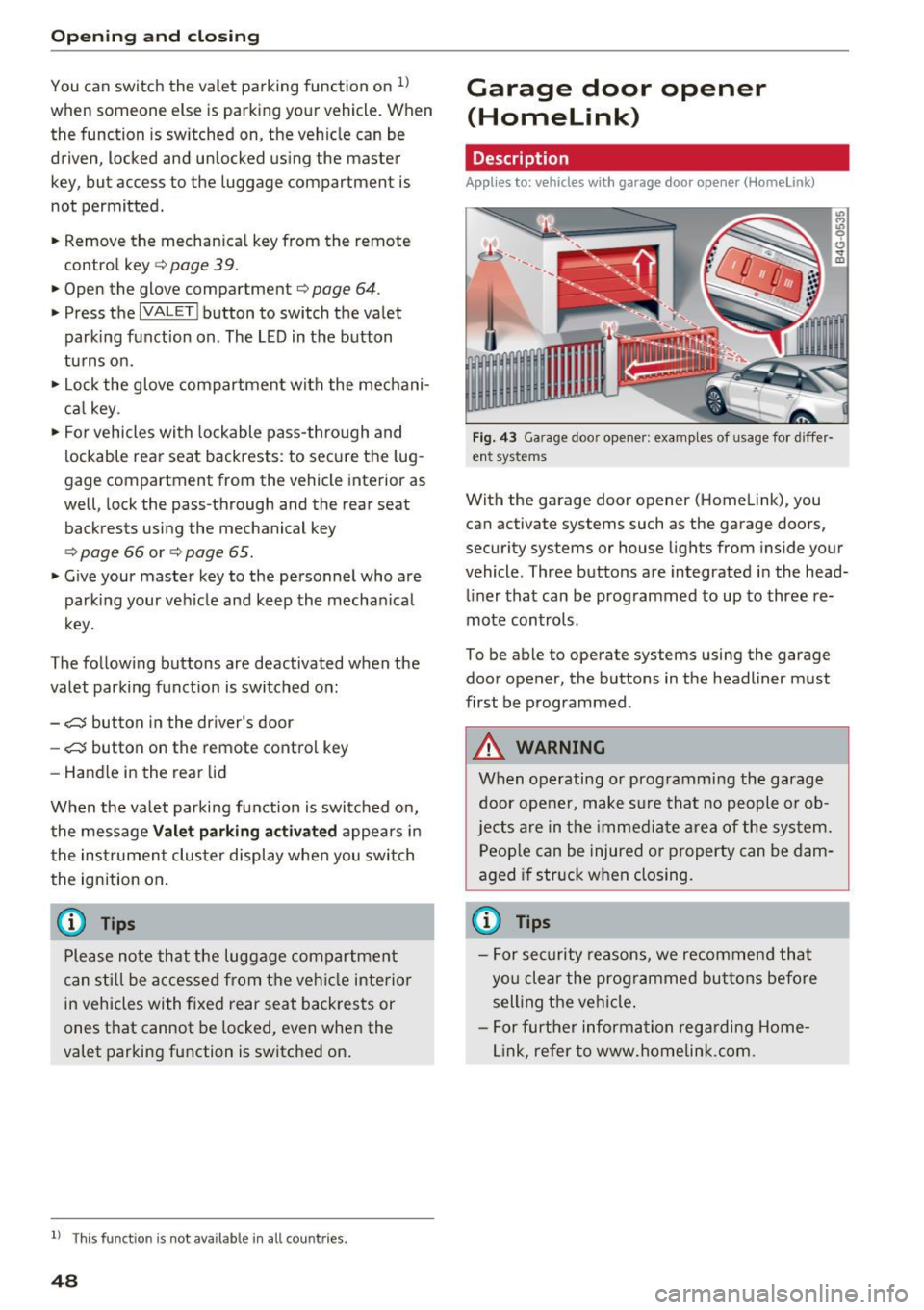
F ig. 43 Ga rage doo r opene r: exa mples of usage fo r di ffer·
en t syste ms
With the garage door op ener (Homelink) , you
can activate systems such as the garage doors,
security systems or house lights from inside your
vehicle. Three buttons are integrated i n the head
liner that can be programmed to up to three re
mote controls .
To be able to operate systems using the garage door opener, the buttons in the headliner must
first be programmed .
A WARNING
When operating or programming the garage
door opener, make sure that no people o r o b
jects a re in the immediate area of the sys tem.
P eop le can be injured or property can be dam
aged i f str uck when closing.
(D Tips
- For sec urity reasons, we recommend that
yo u clear the prog rammed but tons before
sell ing t he ve hicl e.
- For furthe r information rega rding Home
link, refer to www.homelink .com.
Page 56 of 386
Lights and Vision
Interior lighting
Applies to: ve hicles w ith amb ient light ing
.,. Select in the Infotainment system: IMENU I but
ton
> Vehi cle> left contro l bu tton > Vehicle
settings > Interior lighting.
The interior lighting turns on when you switch
the head ligh ts on while the igni tion is on .
Version 1
To adjust the brightness of individua l zones, se
lect
Front brightness *, Door brightne ss or Foot
w ell brightness .
Turn the control knob to the left
or to the right. Press the contro l knob to confirm
the br igh tness.
Version 2
Select and confirm one of the displayed profiles.
Individual: you can customize the brightness and
color of individual zones.
Press the right control button. Se lect and con
fi rm one of the disp layed options. To change the
brightness or the color, turn the control knob to
the left or right . Press the control knob to con
f irm the brightness or the color.
drive select : the interior and conto ur lighting col
or changes in drive se lect depending on these
lected driving mode in drive select*
¢ page 121.
To adjust t he brightness of other profiles, press
the contro l knob to confirm the profile again.
T urn the contro l knob to the left or to the right.
Press the control knob to confirm the brightness .
(D Tips
The setting is a utomatica lly stored and as
signed to the remote control key that is be ing
used.
54
Instrument illumination
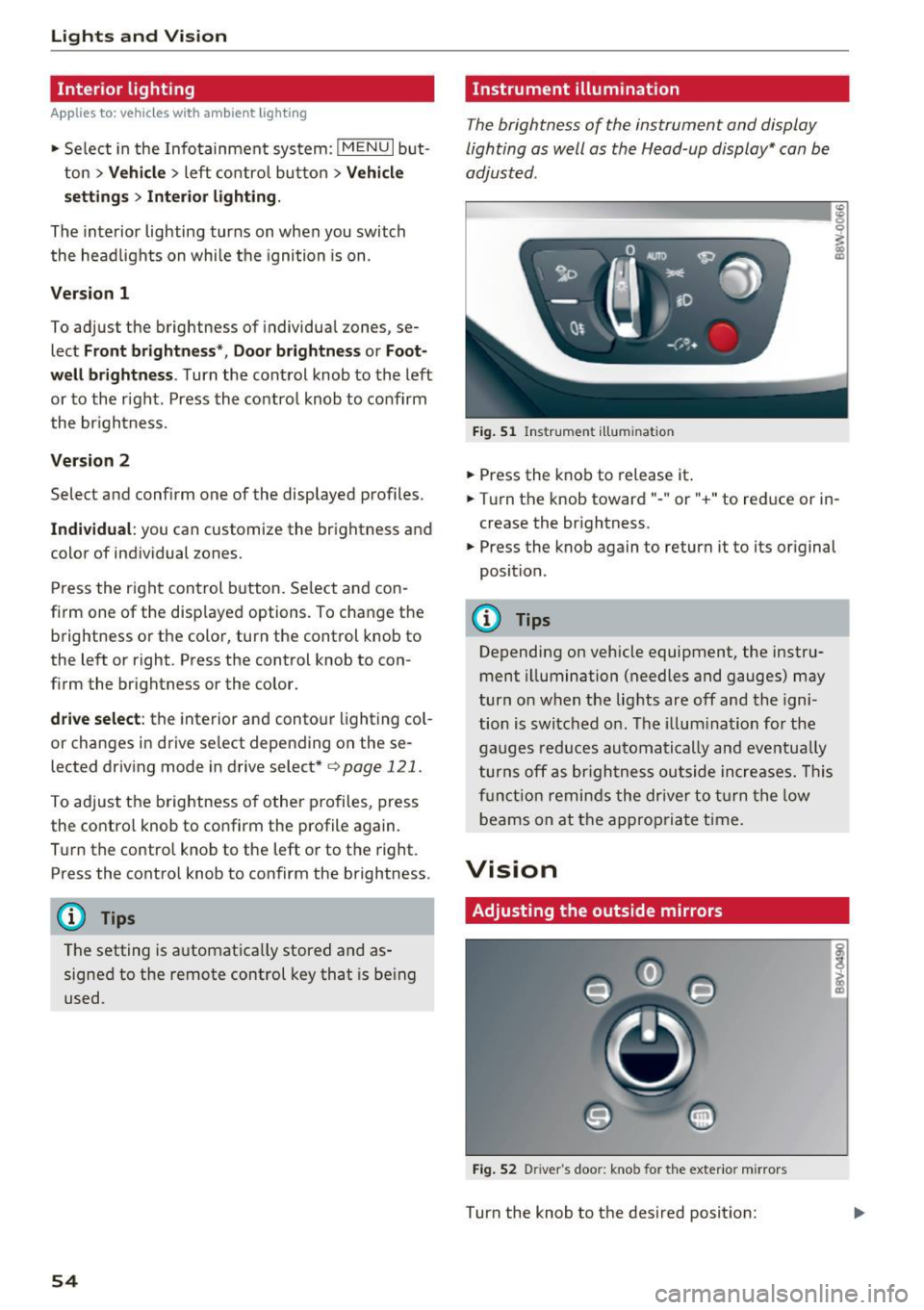
The brightness of the instrument and display
lighting as well as the Head-up display* can be
adjusted.
ID __ ________ _.:g
Fig. 51 Ins trumen t ill umi nat ion
.,. Press the knob to release it .
0
~
"° CD
.,. Turn the knob toward" -" or" +" to reduce or in
crease the br ightness.
.,. Press the knob again to return it to its original
position.
(!) Tips
Depending on vehicle equipment, the instru
ment illumination (needles and gauges) may
turn on when t he lig hts are off and the igni
tion is switched o n. T he i llum ination for the
gaug es reduces automa tically and eve ntua lly
turn s off a s br igh tne ss ou tside increases. Thi s
f u nct io n remin ds the dr ive r to tur n the low
b eams on at the appropria te t ime.
Vision
Adjusting the outside mirrors
Fi g. 52 D river 's doo r: knob for the exter io r mirrors
Turn the knob to the des ired position:
Page 61 of 386
.. To turn the compass on or off, press the button
@ until the compass in the mirror appears or
disappears.
The digital compass only works when the ign ition
is switched on. The direction is shown in abbrevi
ated form:
N (North), NE (Northeast), E (East),
SE (Southeast), S (South), SW (Southwest), W
(West), NW (Northwest) .
Adjusting the magnetic zone
Applies to: vehicles with digital compass
Lights and V ision
(D Tips
To p revent inaccurate compass readings, do
not br ing any remote controls, electrical devi
ces or metallic objects near the mirror.
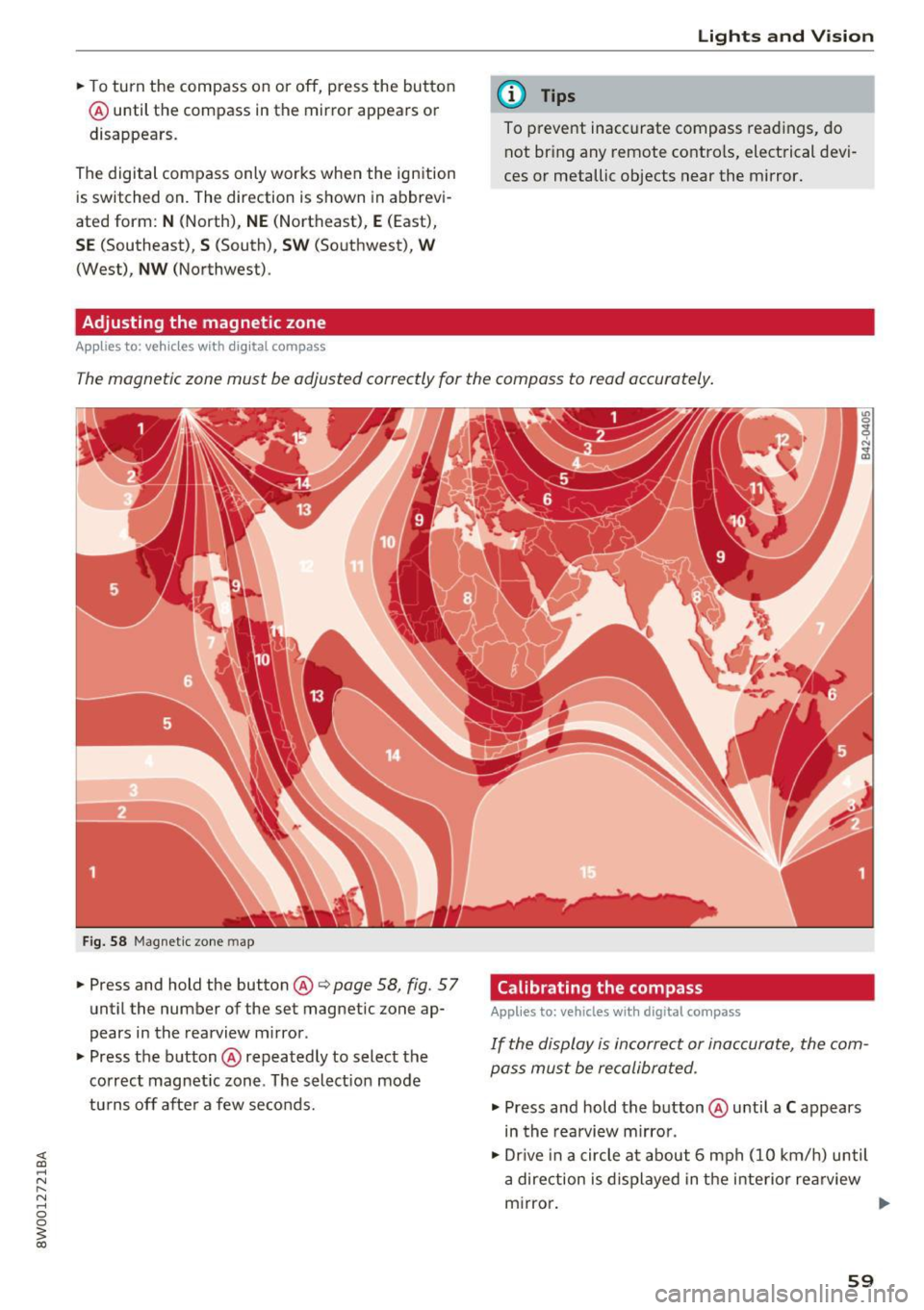
The magnetic zone must be adjusted correctly for the compass to read accurately.
Fig. 58 Magnet ic zone map
.. Press and hold the button@¢ page 58, fig. 57
until the number of the set magnetic zone ap
pears in the rearview mirror .
.. Press the button@repeatedly to select the
correct magnetic zone . The select ion mode
turns off after a few seconds. Calibrating the compass Applies
to: vehicles with digital compass
If the display is incorrect or inaccurate, the com
pass must be recalibrated.
.. Press and hold the button @until a C appears
in the rearview mirror .
.. Dr ive in a circle at about 6 mph (10 km/h) until
a direction is displayed in the interior re arview
mirror. .,.
59
Page 65 of 386
-Only remove the head restraints from the
rear seats when it is necessary for installing
a child seat¢
page 2 77, Child safety. In
stall the head restra int aga in immediately
once the child seat is removed. D riving w ith
the head restra ints removed o r not in the
upr ight position in creases the risk of ser io us
lnJUry.
Memory function
Description
Applies to: vehicles with memory function
Using the memory funct ion, you can quickly and
eas ily store a personal seat profile for the driver
and recall the settings later. The memory func
tion is controlled by the remo te control key and
the memory bu ttons in the drive r's door.
The driver's seat profile is stored again and as
signed to t he remote contro l key each time the
ve hicle is locked . Whe n you open the door, the
seat profi le is automat ically reca lled. If two peo
p le use t he vehi cle, it i s recomme nded that each
person always uses "their own" remote cont ro l
key.
Up to 2 seat prof iles can be stored in the memory
bu tto ns in the dr iver's door. O nce they are sto r
ed, these sea t profiles can be sele cted at any
time .
The fo llow ing settings are stored :
Remote con-Memory but-
trot key ton
Driver Dr iver
Seat X X
Both exterior
X X mirrors*
Remote control key
Applies to: vehicles with memory function
The driver's sea t profile can be assigned to the
remo te control key when the vehicle is locked .
.. Se lect in the Infotainment system: !MENUI b ut
ton
> Vehicle > left contro l bu tto n > Vehicle
Seats and storag e
setting s > Seats > Driver 's seat > Store set
ting s on remo te control key.
(D Tips
If you do not wish to have t he seat profi le for
another drive r assigned to the remote cont rol
key, switch the memory fu nction off in t he In
fotainment system.
Memory buttons
Applies to: vehicles with memo ry function
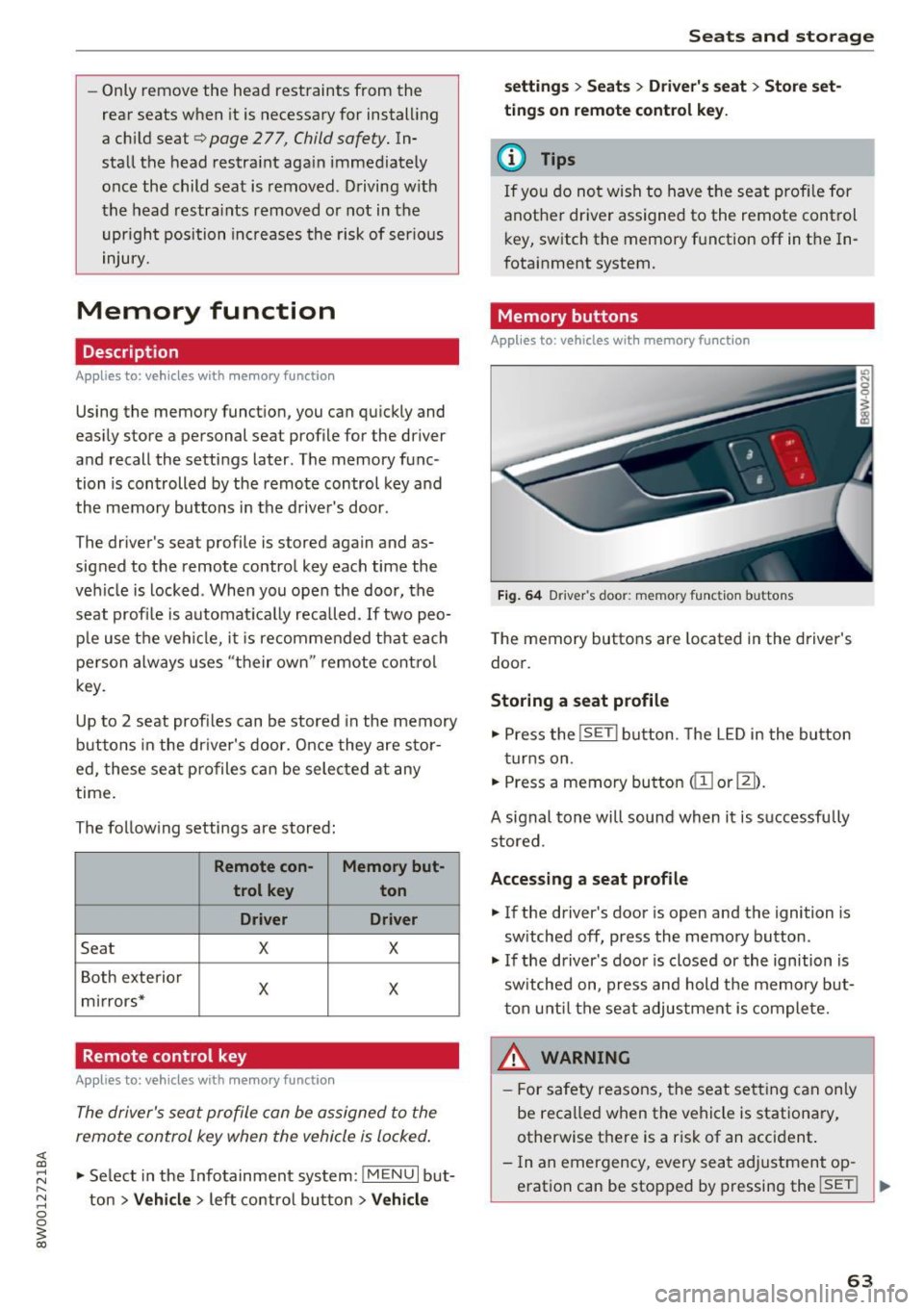
Fig. 64 Drive r's door : memory function buttons
The memory butto ns are located in the driver's
doo r.
Storing a seat profile
.. Press the !SET I button. The LED in the button
t ur ns on .
.. Press a memory bu tton
dil or~).
A signal tone will sound when it is s uccessfu lly
stored.
Accessing a seat profile
.. If the driver's door is open and the ignition is
sw itched off, press the memory button .
.. If the driver's door is closed or the ignition is
sw itched on, press and hold the memory but
t on u nti l the seat adjustment is com plete.
,&_ WARNING
- F or s afety reasons, the seat se tting can on ly
be reca lled when the vehicle is stationa ry,
otherwise t here is a risk of an accident.
- In an emergency, every sea t ad justment op
eration can be stopped by pressing the
!SET ! ..,.
63
Page 70 of 386
Warm and cold
Warm and cold
Climate control system
Description
The climate control system warms, cools and re moves humidity from the air in the vehicle interi
or. It is the most effective when the windows and
sunroof * are closed. If there is a bui ld-up of heat
inside the vehicle, ventilation can he lp to speed
up the cooling process.
I n all heating mode f unctions except for
defrost ,
the blower only switches to a higher speed once
the engine coolant has reached a sufficient tem
perature .
Pollutant filt er
The po llutant filter removes poll utants such as
dust and pollen from the a ir .
Ke y recognit ion
The climate control settings are automatically
stored and assigned to the remote contro l key
that is in use .
@) For the sake of the environment
-If you wo uld like to reduce fuel consump
tion, switch the ai r cond itioning off. This
will a lso reduce em issions.
68
- In veh icles with a diesel engine, you can
switch the auxiliary heater off in the Info
tainment system.
(D Tips
- To prevent interference with the heating
and cooling output and to prevent the win
dows from fogging over, the a ir intake in
front of the windshield must be free of ice,
snow or leaves.
- Condensation from the cooling system can dr ip and form a puddle of water under the
vehicle . This is normal and does not mean
there is a leak .
- If you see that, for example, the seat heat
ing* or rear w indow defogger are not heat
ing, the energy management system may
have switched them off temporari ly . These
systems a re available again as soon as the
energy supply has been resto red.
Page 74 of 386

Warm and cold
The temperatu re is maintained at a constant lev
el when steering wheel heating is switched on.
The steering wheel heating settings are stored
automatically and assigned to the remote control
key that is in use.
72
Page 79 of 386

<( a, .... N ,....
N .... 0 0
3 a,
briefly or press and hold for longer than two sec
onds.
A WARNING
- Never t urn off the engine before the veh icle
has come to a comp lete stop.
- Please note that the brake booster and pow
er steering on ly work when the engine is
running. When the engine off, you must use
more force to steer or b rake the ve hicle. Be
cause the usual steering and brak ing capa
b ili ty is not ava ila ble, the risk of accid ents o r
injuries i ncre ases .
- For safety reasons, always park the vehicle
with the se lector lever in the P position .
Ot herwise, the re is the r is k t hat the vehicle
c o ul d roll uninten tion ally.
- After the engine h as bee n sw itched off, the
r adi ator fan c an con tinue to run for up to
1 0
m inu tes -even wi th the ig nition switche d
o ff . I t can a lso switch on again after some
t ime if the coolant temperature rises as the
result of heat buildup or if t he engine is a l
ready warm and the engine compartment is
also heated by the sun's rays.
(D Note
I f the en gine has been under heavy load for
an e xtended per io d of t ime, heat builds up in
the engine compartment after the engine is
sw itched off and there is a risk of damagi ng
the engine . For this reason, let the eng ine run
at idle fo r approximately two minu tes before
shut ting it off .
Messages
Engine running. Warning! Turn off ignition be
fore leaving car
This message appea rs and a warn ing tone sounds
i f you open t he d river's doo r when the engi ne is
ru nning.
Please press brake pedal
This message appea rs if you do not press the
brake pedal when starting the eng ine.
D riving
Ill Remote control key: key not recognized. Is
the key still in the vehicle?
T h is ind icator l igh t tu rns on and this message ap
pears if the ignition key was remove d from the
vehicle when the engi ne was running . If the ig ni
tion key is no lo nger in the vehicle, you cannot
switch on the ignition or start the engine once
you stop it . You also cannot lock the ve hicle from
the outside .
Shift to P, otherwise vehicle can roll away.
Doors can be locked in P only
T h is mess age appears for safety re asons if the
selector lever is in the N pos it ion when yo u
switch the ignition off. Move the se lector lever to
t h e P position . Othe rw ise the vehicle is not pro
tected from roll ing and it cannot be locked.
II Remote control key: hold back of key
against the de signated area. See owner' s man
ual
If t he indica to r ligh t turns on and this message
appea rs, there is a malfunction ~
page 78.
Shift to P before leaving car, otherwise vehicle
can roll away
Th is message appears if the drive r's door is
opened wh ile the ign ition is switched on an d the
t ran sm issio n has not been s hifte d to t he
P posi
t ion. Shift t he tr ansmission in to the
P p o sition
and t urn o ff the igni tion if you are leaving the ve
hicle . Otherwise the vehicle could roll. A lso refe r
to
~ page 80.
77
Page 80 of 386
Driving Starting the engine when there is a
malfunction
It may not be possible to start the engine under certain circumstances, for example if the battery
in the vehicle key is drained, if interference is af
fected the key or if there is a system malfunc
tion.
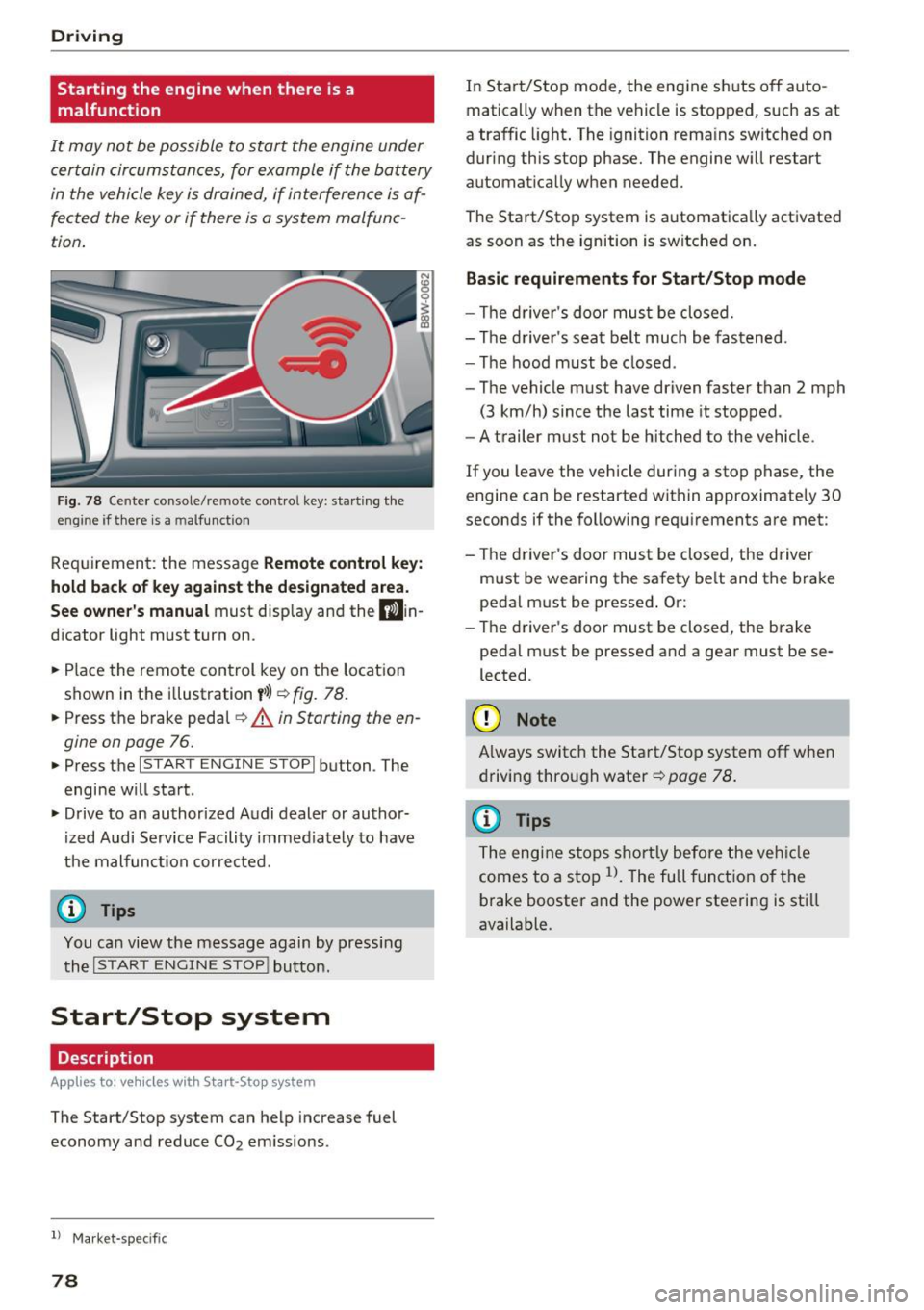
Fig. 78 Center console/remote contro l key: starting the
eng ine if there is a m alfunction
Requirement: the message Remote control key:
hold back of key against the designated area.
See owner's manual must display and the D)in
dicator light must turn on.
.. Place the remote control key on the location
shown in the illustration
y>l) ~ fig. 78.
.. Press the brake pedal~ A in Starting the en
gine on page
76.
.. Press the l~S_T_A_R_T_E_N_G_I_N_E_S_T_O_P_I button . The
engine will start .
.. Drive to an authorized Audi dealer or author
ized Audi Service Facility immediately to have
the malfunction corrected.
(D Tips
You can view the message again by pressing the
I START ENGINE STOP! button.
Start/Stop system
Description
App lies to: ve hicles w ith S ta rt-Sto p system
The Start/Stop system can help increase fuel
economy and reduce CO2 emissions.
l ) Market -spe cific
78
In Start/Stop mode, the engine shuts off auto
matically when the vehicle is stopped, such as at
a traffic light. The ignition remains switched on
during this stop phase. The engine will restart automatically when needed.
The Start/Stop system is automatically activated as soon as the ignition is switched on.
Basic requirements for Start/Stop mode
-The driver's door must be closed.
- The driver 's seat belt much be fastened.
- The hood must be closed .
- The vehicle must have driven faster than
2 mph
(3 km/h) since the last time it stopped .
- A trailer must not be hitched to the vehicle .
If you leave the vehicle during a stop phase, the
engine can be restarted within approximately 30
seconds if the following requirements are met:
- The driver's door must be closed , the driver
must be wearing the safety belt and the brake
pedal must be pressed . Or:
- The driver's door must be closed, the brake
pedal must be pressed and a gear must be se
lected.
({D Note
Always switch the Start/Stop system off when
driving through water
~page 78.
(D Tips
The engine stops shortly before the vehicle
comes to a stop
l). The full function of the
brake booster and the power steering is still
available.
Page 104 of 386

Assist
-Your settings are automatically stored and
assigned to the remote control key being
used.
Setting the driving program
A pp lies to: ve hicles w ith Audi adaptive cruise co ntro l
Depending on the selected driving program and
distance, driving behavior when accelerating will
vary from dynamic to comfortable.
Setting the driving program on vehicles
without drive select*
1>-In the Infotainment system, select: I MENU !>
Vehicle > left control button > Driv er assist >
Audi adaptive cruise control > Driving pro
gram > comfort, standard or dynamic .
Setting the driving mode on vehicles with
drive select*
Refer tor=;;, page 122 .
(D Tips
Your sett ings are automatically stored and as
signed to the remote control key being used.
Request for driver intervention
App lies to: ve hicles w ith Aud i ad aptive cruise co ntro l
Fig . 99 Instrument cluster: request for driver interve ntion
The request for driver intervent ion instructs you
to take over if the adaptive cruise contro l bra king
function is not able to mainta in a sufficient dis
tance to the vehicle driving ahead
c::> fig. 99.
l) Thi s is not ava ilab le in som e coun tri es .
102
Predictive control
(efficiency assist)
Description
App lies to: vehicles wit h Audi adap tive c ruise control and p re
dic tive efficiency ass ist
Fig. 100 In stru men t cl uster: p redict ive contro l
General information
The predict ive control 1> uses the map informa
tion from the navigation system in order to react
proactively when driving. Information from the
camera -based traffic sign recognition* is also ap
plied to recognize traffic signs
c::> page 24. When
coming up to areas with speed limits or changes
in the course of the road (such as curves, inter
sections or traffic c ircles), the system brakes au
tomatically and then accelerates back up to the
set speed .
When adaptive cruise control is switched off, the
system only provides notifications without con
trolled interventions
c::> page 95.
The driver can override the predictive contro l at
any time by pressing the accelerator or brake
pedal. If the system changes the veh icle speed to
adapt to speed limits, you can change the speed
using the lever
c::>page 99 , fig . 95.
Always switch off the predictive control in
the following situations:
-When increased attention is needed from the
driver .
- In poor weather conditions such as snow or
heavy rain .
- When driving on roads in poor cond ition.
Page 117 of 386

-Th e system has been unable to detect the lanes
for an extended period of time due to road con
ditions . Sw itch act ive lane assist back on when
the lines are more visible .
rm Audi active lane assist: currently unavaila
ble. See owner's manual
There is a temporary active lane assist malfunc
tion . Try sw itching the active lane assist on again
later .
• Audi active lane assist: malfunction! See
owner's manual
Drive to an authorized Aud i dealer or authorized
Audi Service Facility immediately to have the
malfunction corrected.
rm Audi active lane assist: Please take over
steering!
This message appears if you are not steering by
yourself. Active lane assist is activated, but is not ready to give warning
Adjusting the steering time and vibration
warning
Applies to: vehicles with Audi active lane assist
You can adjust individual active lane assist set
tings in the Infotainment system .
... Select in the Infotainment system: !MENUI but
ton
>Ve hicle > left control button > Driver as
sist
> Audi active lane assist .
Steering time Early:
in this setting, the correct ive steering hap
pens continuously to help keep the vehicle in the
center of the lane.
Late: in this setting, the system provides correc
tive steering just before a vehicle whee l goes over
a detected lane marker line.
Vibration warning
You can switch the additional vibration warning
in the steering wheel on or
off.
A WARNING
-
With the vibration warning switched off,
there will also be no visual warning in the in-
Assist
strument cluster disp lay when crossing a lane
marker line.
(D Tips
In certain countries: your settings are stored
automatica lly and assigned to the remote
control key in use.
Audi side assist
Description
Applies to: vehicles with Audi side assist
Fig. 109 Sensor detection range
Fig. 110 Disp lay on th e exterio r m irror
Side assist (lane change assist) helps you mon itor
your blind spot and traffic behind your vehicle .
Within its lim its, the system warns you about
vehicles that are coming closer or that are travel
ing within your sensor range
(D <=?fig. 109. If a
lane change is classified as critical, the display@
turns on in the exterio r mirror
<=? fig. 110 .
The display in the left exterior mirror p rovides as
s istanc e when making a lane change to the left,
wh ile th e display in the rig ht exterior m irro r pro
vides ass istance when making a lane change to
the right. ..,.
115