Sensors AUDI A4 2017 Owner's Manual
[x] Cancel search | Manufacturer: AUDI, Model Year: 2017, Model line: A4, Model: AUDI A4 2017Pages: 386, PDF Size: 96.32 MB
Page 271 of 386
-For safety reasons in severe accidents, the
alternator and starter are separated from
the vehicle battery with a pyrotechn ic circuit
interrupter.
- Work on the pyrotechnic circ uit interrupt
er must only be performed by a qualified
technicians who have the experience, in
formation and special tools necessary to
perform the work safely.
- If the vehicle or the circuit interrupter is
scrapped, all app licab le safety precautions
must be followed .
@) For the sake of the environment
Undeployed airbag modu les a nd pretension
ers might be classified as Perch lorate Materi
al -special handling may apply, see
www.dtsc .ca.gov/hazardouswaste/perchlo
rate. When the vehicle or parts of the re
straint system including airbag modules and
safety belts with pretensioners are scrapped,
all applicable laws and regulations must be
observed. Your authorized Audi dealer is fa
m iliar with these requi rements a nd we recom
mend t hat you have you r dealer perform this
service for you.
Other things that can affect Advanced
Airbag performance
Changing the vehicle's suspension system can
change the way that the Advanced Airbag System
performs in a crash . For example, using tire-r im
comb inat ions not approved by Audi, lowering the
ve hicl e, chang ing the stiffness of the suspens io n,
in clud ing the spr ings, suspens ion str uts, shock
absorbers et c. can change the forces that are
measured by the airbag sensors and sent to the
e lectronic contro l unit. Some suspension changes
can, for example, increase the force levels meas
ured by the sensors and make the airbag system
deploy in crashes in wh ich it would not deploy if
the changes had not been made. Other ki nds of
changes may reduce the fo rce levels meas ured by
the sensors and prevent the airbag from deploy
in g when i t should .
Airbag sys tem
A WARNING
-Changing the vehicle's suspension including
use of unapproved tire-rim combinations can
change Advanced Airbag performance and in
crease the risk of serious persona l injury in a
crash.
- Never install suspension components that
do not have the same pe rformance charac
teristics as the components o rigina lly ins tal
led on your vehicle.
- Never use tire-rim combinations t hat have
not been approved by Audi.
Knee airbags
Description of knee airbags
The knee airbag system can provide supplemen
tal protection to prop erly restrained front sea t
occupants.
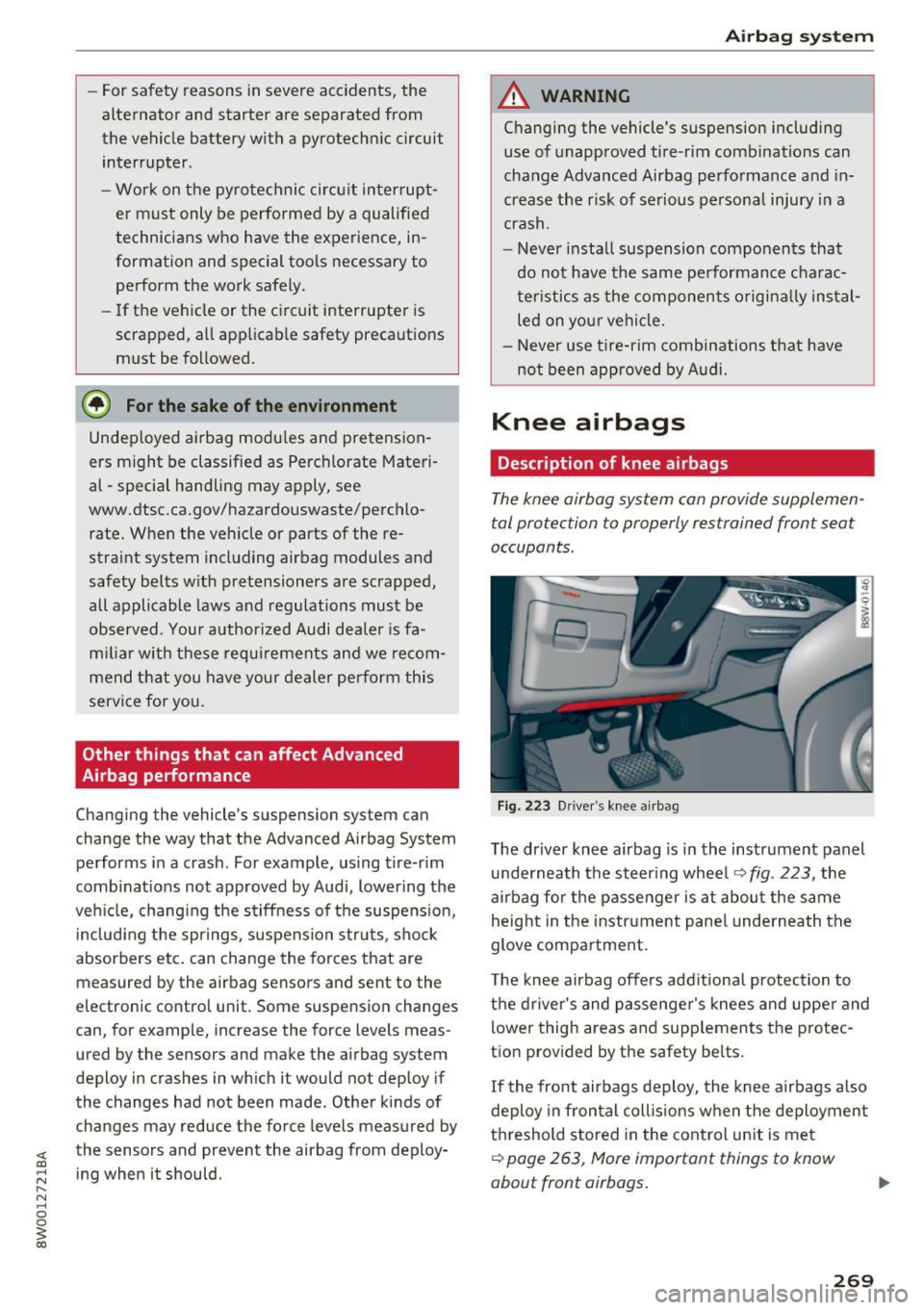
F ig. 223 D river 's knee a irbag
The driver knee airbag is in the instrument panel
u nderneath the steering whee l
~fig. 223, the
airbag fo r the p asse nger is at about the same
height in the instr ument pane l underneath the
glove compa rtment.
T he knee airbag offers add itiona l protection to
the driver's and passenge r's knees and uppe r and
lower thigh areas and supp lements the protec
tion provided by the safety be lts .
If the front airbags deploy, the knee airbags a lso
deploy in fron tal coll is ions when the deploymen t
threshold stored in the cont rol un it is me t
~ page 263, More important things to know
about front airbags.
269
Page 274 of 386
Airbag system
the occupant sitting next to it is not seated prop
erly. The side airbag for the front passenger seat
can be used with properly installed child re
straints. Please be sure to read the important in
formation and warnings whenever using a child
restraint in a vehicle: Safety belts
Qpage 245,
Airbag system Q page 253, Child safety
c::;, page 2 7 7.
The side airbag system basically consists of:
-the e lectronic control modu le and externa l side
impact sensors
- the two side airbags located in the sides of the
front backrests
- two rear side airbags*
- the airbag warning light in the inst rument clus -
ter.
The airbag system is monitored electronically to make certa in that it is functioning properly at all
times. Each time you turn on the ign it ion, the air
bag system indicator light will come on for a few
seconds (self diagnostics).
The side airbag system supplements the safety
be lts and can help to reduce the risk of injury to
the driver's, front and rear* passenger's upper
torso on the side of the vehicle that is struck in a
side co llision. The a irbag dep loys only in side im
pacts and on ly when the vehicle acceleration reg
istered by the control unit is high enough . If this
rate is below the reference value programmed in
to the control un it, the side airbags w ill not be
tr iggered, even though the car may be badly
damaged as a result of the collision.
It is not pos
sib le to define an a irbag tr igger ing range that
will cover every possible angle of impact, since
the circumstances will vary considerably between
one collision and another . Important factors in
clude, for example, the nature (hard or soft) of
the impacting object, the angle of impact, vehicle
speed, etc.
Q page 2 73, Important safety in
structions on the side airbag system.
Aside from their normal safety function, safety be lts work to help keep the driver or front pas
senger in pos it ion in the event of a s ide collision
so that the side a irbags can provide protection.
The airbag system is
not a subst itute for your
safety belt. Rather, it is part of the overall occu-
272
pant res traint system in your vehicle . Always re
member that the side airbag system can only
help to protect you if you are wear ing your safety
belt and wearing it properly. This is another rea
son why you should a lways wear your safety
belts, not just because the law requires you to do
so c::;,
page 245, General information .
It is important to remember that while the sup
plemental side airbag system is designed to re
duce the likelihood of ser ious injuries, other inju
ries, for example, swelling, bru is ing, friction
burns and minor abrasions can also be assoc iated
with deployed side airbags. Remember too, side
a irbags w ill dep loy only once and only in certa in
kinds of accidents -your safety belts are always
there to
offer protection.
Vehicle damage, repair costs or even the lack of
vehicle damage are not necessarily an ind icat ion
of over-sens itive or fa iled airbag activation. In
some collisions, both front and side airbags may
inflate. Remember too, that airbags wi ll deploy
on ly once and only in certain kinds of collisions -
your safety be lts are always there to offer protec
tion in those accidents in which airbags are not
supposed to deploy or when they have already
deployed .
The side airbag system will not deploy:
- when the ignition is turned off
- in side co llisions when the acceleration meas -
ured by the sensor is too low
- in front-end collisions
- in rea r-end collisions
- in rollovers.
In some types of accidents the front airbags, side
curta in airbags and side a irbags may be triggered
together .
&_ WARNING
-Safety belts and the airbag system will only
provide protection when occupants are in
the proper seating position
Q page 2 7 3.
- If the airbag indicato r light Q page 33
comes when the vehicle is being used, have
the system inspected immediately by your
authorized Audi dealer. It is possible that
Page 276 of 386
Airbag syste m
by being pushed into you as the airbag in
flates.
- Never p lace or attach accessories or other
objects (such as cupho lders, te lephone
brackets, or even large, bulky objects) on
the doors, over or near the area marked
"AIRBAG" on the seat backrests.
- Such objects and accessories can become
dangerous projectiles and cause in ju ry
when the supplemental side airbag de ploys.
- Never carry any objects or pets in the de ployment space between them and the
airbags or allow children or other passen
gers to travel in this posit ion.
- Always use the built-in coat hooks only for
lightweight clothing. Never leave any heavy
or sharp-edged objects in the pockets that
may interfere w it h side airbag deployment
and can cause personal i njury in an accident.
- Always prevent the side airbags from being
damaged by heavy objects knocking against
or hitting the sides of the seatbacks.
- The airbag system can only be triggered
once. If the airbag has been triggered, the
system must be replaced by an author ized
Audi dealership.
- Damage (cracks, deep scratches etc.) to the
orig inal seat covers or to the seam in the
area of the side a irbag mod ule m ust always
be repa ired immed iate ly by an authorized
Audi dealer .
- If children are sea ted improperly, their r is k
of injury increases in the ca se of an ac ciden t
¢ page 2 77, Child safety .
-Never attempt to modify any components of
the a irbag sys tem in any way.
- In a side collision, side a irbags w il l not fu nc
t ion properly if sensors cannot correct ly
measure increasi ng air pressure ins ide the
doo rs when air escapes through larger, un
closed openings in the door panel.
- Never drive w ith inter io r door tr im panels
removed .
- Never drive when parts have been re
moved from the inside doo r panel and the
open ings they leave have not been proper
ly closed.
274
- Never drive when loudspeakers in the
doors have been removed unless the
speaker holes have been properly closed.
- Always make certain that openings are
covered or filled if additional speakers or
other equipment is installed i n the inside
door panels.
- Always have work on the doors done by an
authorized Aud i dealer or q ualified work
shop.
Side curtain airbags
Description of side curtain airbags
The side curtain airbags can provide supplemen
tal protection to properly restrained oc cupants.
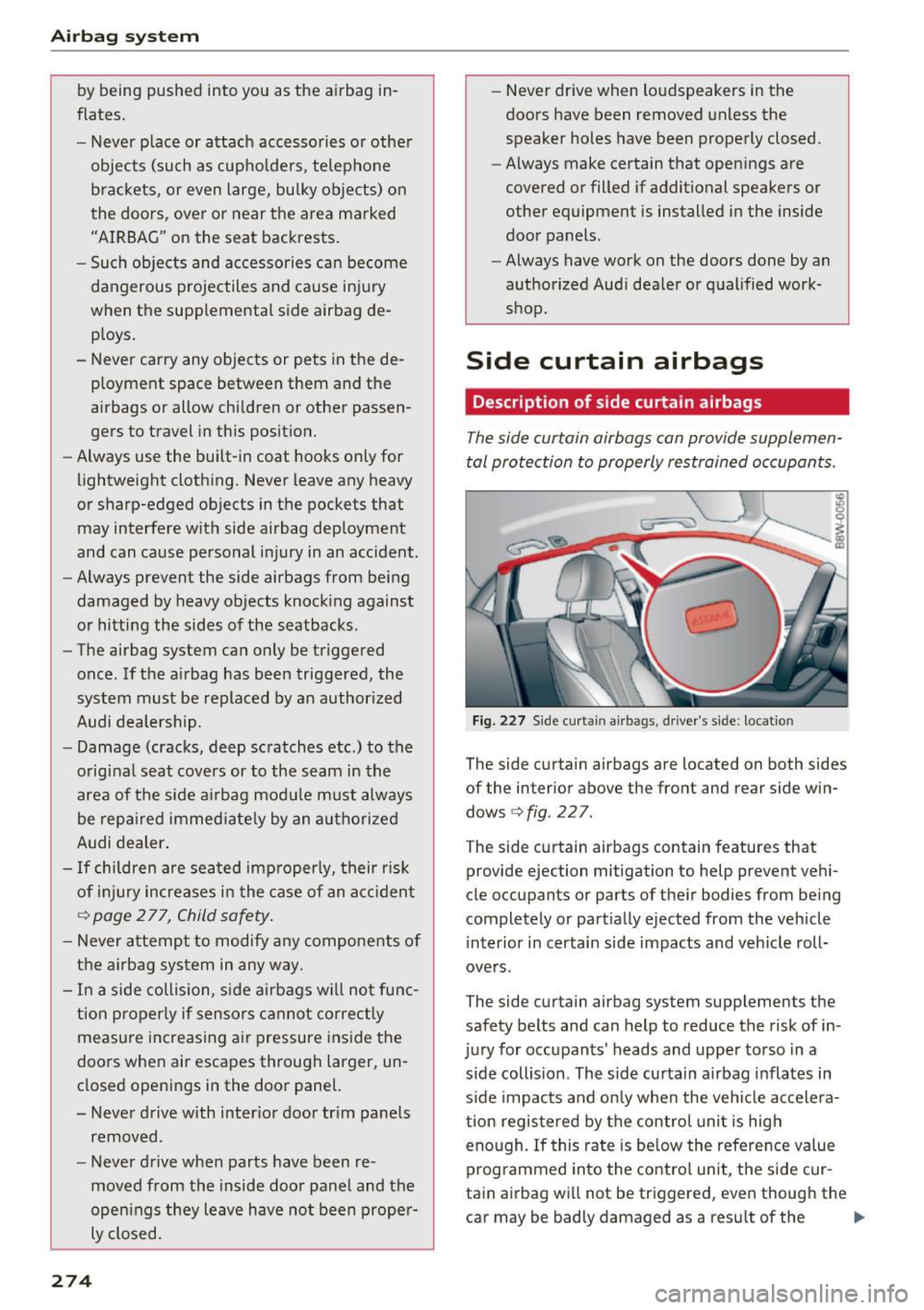
Fig. 227 S id e curta in airbags, driver 's side : locatio n
The side curtain airbags are located on both sides
of the interior above the front and rear side win
dows
¢ fig. 227.
The side curtain airbags contain features that
provide ejection mitigation to help prevent vehi
cle occupants or parts of their bodies from be ing
completely or part ially ejected from the vehicle
i nterior i n certa in side impacts and vehicle roll
ove rs .
The side curtain airbag system supplements the
safety belts and can help to reduce the risk of in
jury for occupants' heads and upper torso in a
side collision . The s ide curtain a irbag inflates in
s ide impacts and on ly when the veh icle ac celera
tion registered by the control unit is high
eno ugh . If this ra te is be low the refere nce va lue
programmed into the contro l unit, the side cur
tain airbag will not be triggered, even though the
car may be badly damaged as a result of the ..,_
Page 337 of 386
<( a, .... N ,....
N .... 0 0
3 a,
significantly under-inflated tire causes the tire to
overheat and can lead to tire failure. Under-infla
tion also reduces fue l eff ic iency and tire tread
life, and may affect the vehicle's hand ling and
stopping ab ility.
Please note that the TPMS is not a substitute for
proper tire ma intenance, and it is the driver's re
sponsib ility to ma intain correct tire pressure,
even if under-inflation has not reached the leve l
to tr igger illum inat io n of the TPMS low tire p res
sure telltale .
Your veh icle has also been equ ipped w ith a TPMS
malfunct ion indicator to indicate when the sys
tem is not operat ing properly. The TPMS mal
function ind icator is combined w ith the low tire
p ressure tellta le. Whe n the system detects a
malfunct ion, the te lltale will flash fo r approxi
mate ly one m inute and then remain cont inuo usly
illum inated. This sequence will continue upon
subseq uent ve hicle start -ups as long as the ma l
function exists.
When t he mal funct io n ind icator is ill umin ated,
the system may not be ab le to detec t or signal
l ow tire pressure as intended. TPMS ma lfunctions
may occur for a variety of reasons, incl uding the
installation of replacement or alternate t ires or
wheels on the vehicle that prevent the TPMS from functioning properly. Always check the
TPMS malfunction telltale after rep lacing one or
more t ires or whee ls on your ve hicle to ensu re
that the replacement or alte rnate ti res and
wheels a llow the TPMS to con tinue to func tion
p roperly.
If the Tire Pressure Monitoring System
indicator appears
The tire pressure indicator in the instrument
cluster informs you if the tire pressure is too low
or if there is a system mo/function.
Using the ABS sensors, the tire pressure mo nitor
ing system compa res the tire tread circ umfe r
ence an d vib ration cha racteristics of the individ u
a l tires. If the pressure changes in one or more
tires, this is ind icated in the instrument cluster
d isp lay with an
RE indicator light and a message.
Wh eel s
If only one tire is affected, the location of that
t ir e will be indicated.
T he tire press ures mus t be store d in the Infot ain
ment system again each t ime the pressures
change (switching between partia l and full load
pressure) or after changing or replacing a tire on
yo ur vehicle ¢
page 336 . The tire p ressure mon i
toring indicator only monitors the t ire press ure
you have sto red. Refer to the tire pressure labe l
for the recommended tire press ure for your vehi
cle
¢page 327, fig. 256 .
Tire tread circumference and vibration cha racter
istics can change and cause a tire pressu re warn
i ng if:
- the t ire pressure in one or more tires is too low.
- the ti res have structure damage .
- t he t ire w as rep lace d or the t ire pressu re
changed and it was no t store d aga in
¢page 336.
-only partially used tires a re rep laced w it h new
tires .
Indicator lights
RE-Loss of pressu re in at leas t one tire¢ &.
Check the tires and repla ce or repair if necessary.
C heck/co rrect the pressures on all fou r tires and
store the pressure again in the Infotainment sys
tem ¢
page 336 .
m (T ire Pressure Moni tor ing Sys tem) Tire
pres sure: malfunction! See owner' s manual.
If
m appea rs a fter swi tching the ignition on or
whi le driving and the
RE indicator light in the in
strument cl uster b links for app roximately one
minute and then stays on, the re is system ma l
funct ion. Try to store the correct tire pressu res
¢
page 336. In some cases, yo u m ust dr ive fo r
severa l m inu tes after s toring the pressu res unt il
the indicator lig ht turns off . If the indica tor light
does not turn off or turns on agai n afte r a short
per io d of t ime, dr ive to a n author ized Audi dealer
o r auth o rized Aud i Serv ice F acili ty immedia tely to
have the mal func tion cor rected.
IJI.
335
Page 339 of 386
<( a, .... N ,....
N .... 0 0
3 a,
Care and cleaning
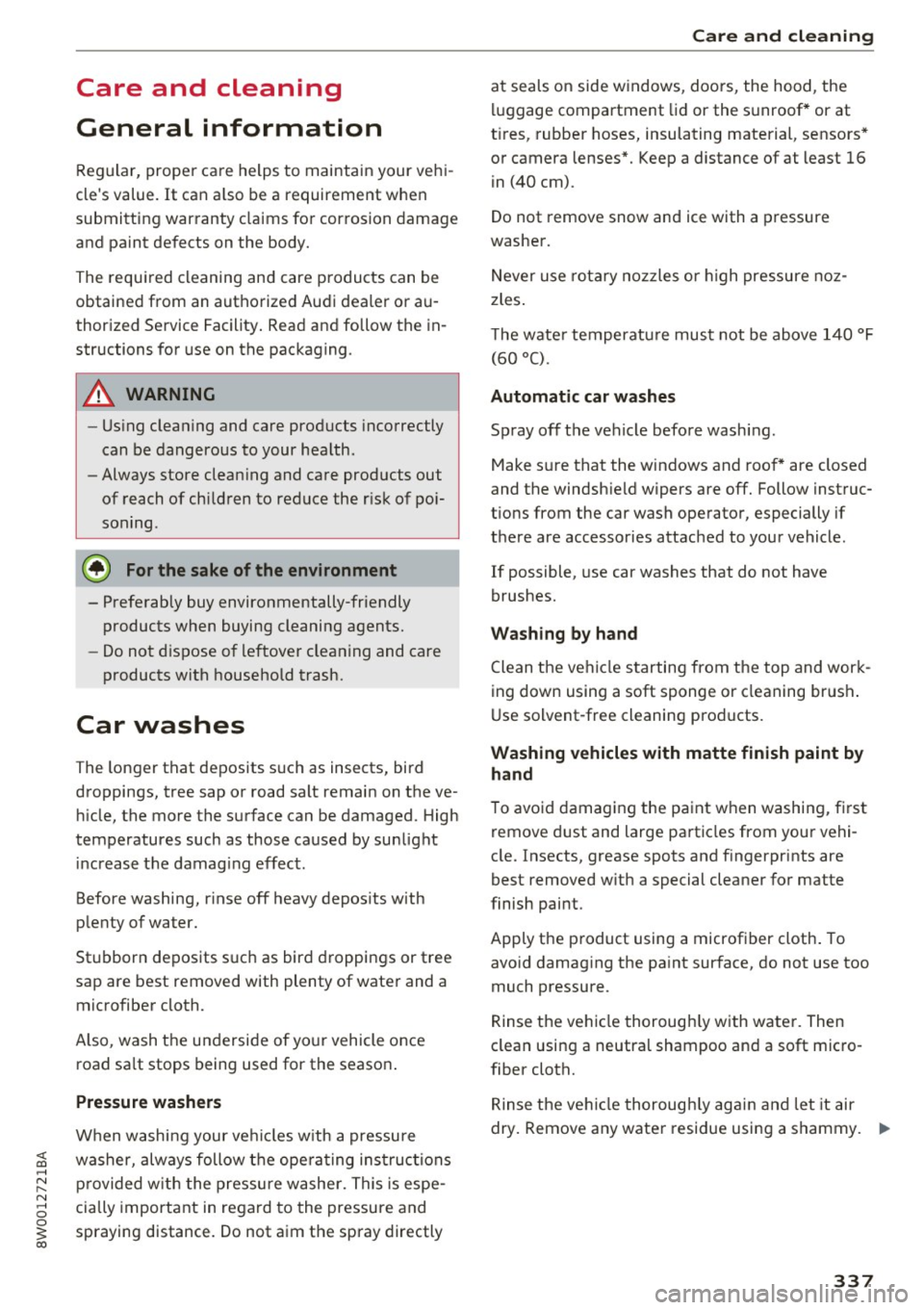
General information
Regular, proper care helps to maintain your vehi
cle's value.
It can a lso be a requirement when
submitting warranty claims for corrosion damage
and paint defects on the body.
The required cleaning and care products can be
obtained from an authorized Audi dealer or au
thoriz ed Service Facility. Read and follow th e in
structions for use on the packaging .
A WARNING
-Us ing clean ing and care products incorrectly
can be dangerous to your health.
- Always store clean ing and care products out
of reach of children to reduce the r isk of po i
soning .
@ For the sake of the environment
- Preferably buy environmentally-friendly
products when buying cleaning agents.
- Do not dispose of leftover cleaning and care
products with household trash.
Car washes
The longer that deposits such as insects, bird
droppings, tree sap or road salt remain on the ve
h icle, the more the surface can be damaged. High
temperatures such as those caused by sunlight
i ncrease the damag ing effect .
Before washing, r inse off heavy depos its with
p lenty of water.
Stubborn deposits such as bird droppings or tree
sap are best removed with plenty of wate r and a
microfiber cloth.
Also, wash the underside of your vehicle once road sa lt stops being used for the season .
Pressure washers
When washing your ve hicles w ith a pressure
washer, always follow the ope ra ting inst ructions
p rovided w ith the pressure washe r. This is espe
cially important in regard to the pressure and
spraying distance. Do not aim the spray directly
Ca re and cleaning
at seals on side w indows, doo rs, the hood, the
lu ggage compartment lid or the sunroof* or at
t ires, rubber hoses, insulating material, sensors *
or camera lenses*. Keep a distance of at least 16
in
(40 cm).
Do not remove snow and ice with a pressure
washer.
Never use rota ry nozzles or high pressure noz
zles .
T he wate r temperatu re must not be above
140 °F
(60 °() .
Automat ic car washe s
Spray off the vehicle before washing .
Make s ure that the windows and roof * are closed
and the windsh ield wipers are off. Follow instruc
t ions from the car wash operator, especially if
there are accessories attached to your vehicle.
If possible, use car washes that do not have
brushes.
Washing by hand
Clean the ve hicl e starting from the top and work
ing down using a soft sponge or cleaning br ush .
U se solvent-free cleaning products.
Washing vehicles with matte finish paint by
hand
To avoid damaging the paint when washing, first
remove d ust and large particles from your vehi
cle. Insects, grease spots and f ingerprints are
best removed w ith a special cleaner for matte
finish paint.
Apply the product using a microfiber cloth . To
avo id damag ing the pa int surface, do not use too
much pressure .
Rinse the vehicle thorough ly with water. Then
clean using a neutra l shampoo and a soft mic ro
fiber cloth.
Rinse the ve hicl e thorough ly agai n and let it air
dry. Remove any water residue using a sham my.
IIIJ,,
337
Page 340 of 386
Care and cleaning
& WARNING
-Only wash the vehicle when the ignition is
off or follow the instruct ions from the car
wash operator to reduce the risk of acci dents.
- To reduce the risk of cuts, protect yourself from sha rp metal components when wash
ing the underbody or the inside of t he wheel
hous ings.
- After was hing the vehicle, the braking effect
may be delayed due to mo isture on the
bra ke rotors o r ice i n the winte r. This in
c reases the risk of an a cciden t. The bra kes
must be dried first with a few care ful brake
applications .
@ Note
-If you wash the ve hicle in an automa tic car
wash, yo u must fold the exterior m irrors in
to reduce the risk of damage to the mirrors.
Power folding exterior mirrors * must on ly
be fo lded in and out us ing the power folding
funct ion.
- To reduce the risk of damage to the rims
and tires, compare the width between the
whee ls on your vehicle w ith the distance be
tween t he gu ide rai ls in the car wash. -
To red uce the risk of damage, compare the
heig ht and width of your vehicle with the
heig ht and w idth of the inside of the car
wash.
- To prevent paint damage, do not wash the
vehicle in direct sunlight.
- To reduce the risk of damage to the surface,
do not use insect removing sponges, k itchen
sponges or s imilar items.
- Matte finish painted vehicle components:
- To reduce the r isk of damage to the sur-
face, do not use polishing agents or hard
wax.
- Never use protective wax. It can destroy
the matte finish effect.
- Do not place any stickers or magnetic signs on vehicle parts pain ted with matte
finish paint. The paint could be damaged
when the stickers or magne ts are re
moved.
@ For the sake of the environment
Only wash the veh icle in facilities spe cially de
signed for that pu rpose. This will reduce the
r isk of dirty wate r contamina ted with o il from
entering the sewer system .
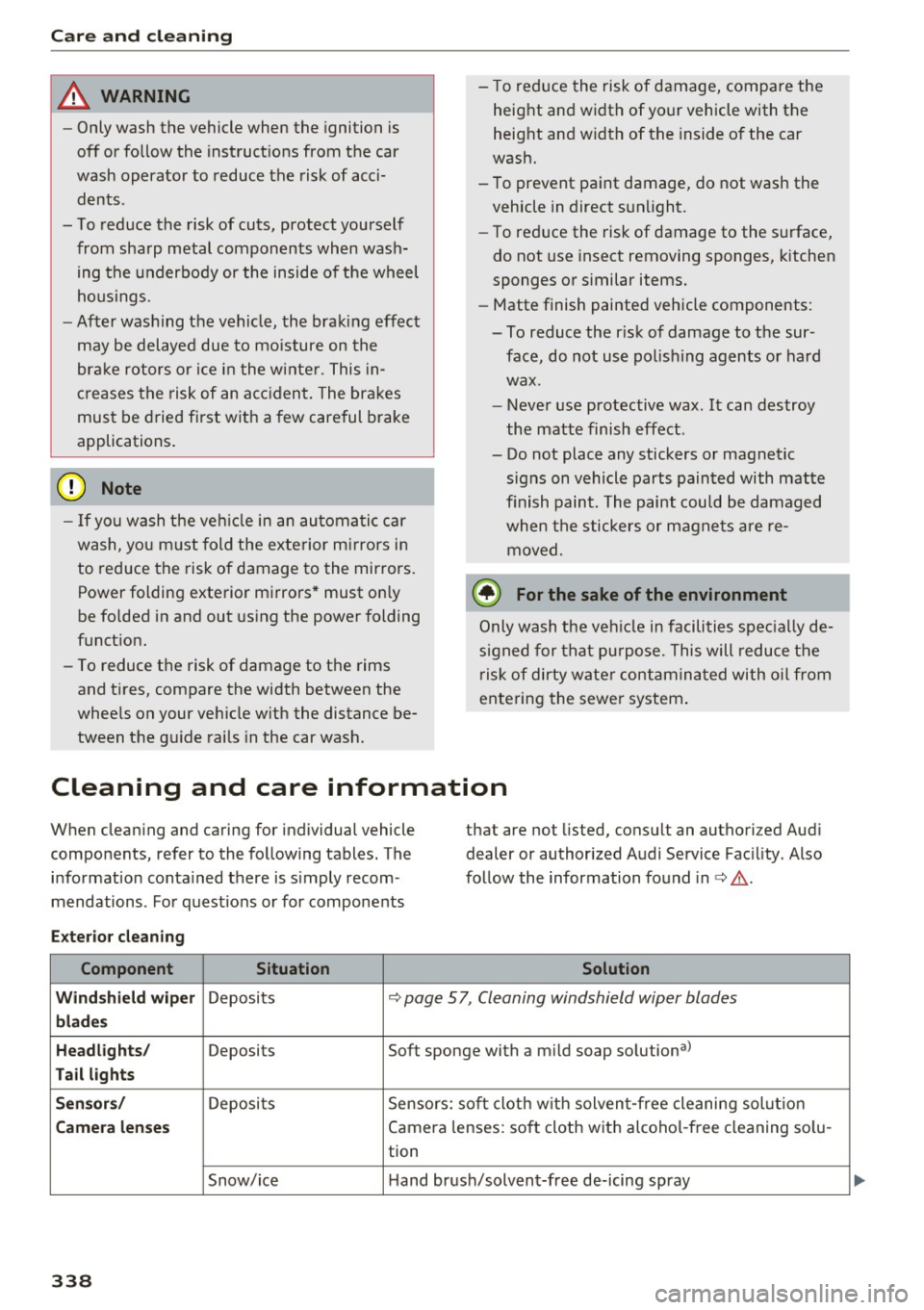
Cleaning and care information
When cleaning and caring for individual vehicle
components, refer to the fo llowing tables. The
information conta ined there is s imply recom
mendations . For quest io ns or for components that are not
listed, consult an authorized Aud i
dealer or authorized Audi Service Facility . Also
follow the information found in c> & .
Exter io r cleaning
Component Situation Solution
Wind shi eld wip er
Deposits c> page 5 7, Cleaning windshield wiper blades
blades
Headlights /
Deposits Soft sponge with a mild soap solutiona>
Tail light s
S ensor s/
Deposi ts Sensors: soft cloth w ith solven t-free cleaning sol ution
Camera lenses Camera lenses: soft cloth with alcohol -free cleaning so lu-
tion
Snow/ice Hand brush/solvent-free de-icing spray
338
Page 342 of 386
Care and cleaning
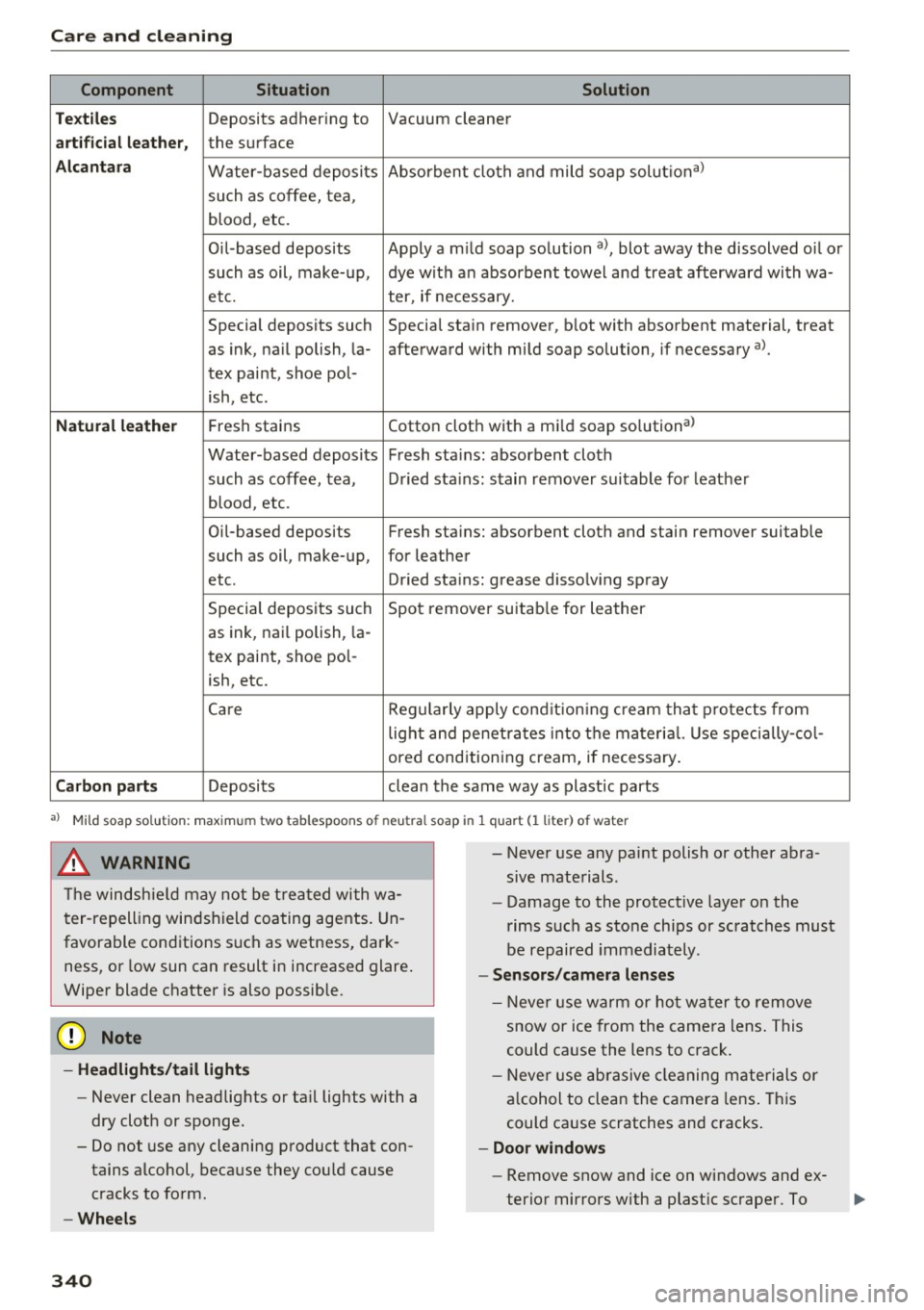
Component Situation Solution
Te xtil es
Deposits adhering to Vacuum cleaner
a rt ifici al le ather , the surface
Alcant ara Water-based deposits Absorben
t cloth and mild soap solutiona>
such as coffee, tea,
blood, etc.
O il-based deposits Apply a m ild soap solution a), blot away the dissolved oil or
such as oil, make-up, dye with an absorbent towel and treat afterward with wa-
etc. ter, if necessary.
Special deposits such Special stain remover, b lot with absorbent material, treat
as ink, na il polish, la- afterward with mild soap solution, if necessary a).
tex paint, shoe pol-
ish, etc.
Natural leather Fresh stains Cotton cloth with a mi
ld soap solutiona>
Water-based deposits Fresh sta ins : absorbent cloth
such as coffee, tea, Dried sta ins: stain remover suitable fo r leather
blood, etc.
Oil-based deposits Fresh stains: absorbent cloth and stain remover suitable
such as oil, make-up, for leather
etc. Dried sta ins : grease dissolv ing spray
Special deposits such Spot remover suitab le for leather
as ink, nai l polish, la -
tex paint, shoe pol-
ish, etc.
Ca re Regularly apply cond ition ing cream that protects from
light and penet rates into the materia l. Use specia lly-co l-
ored conditioning cream, if necessary.
Carbon parts Deposits clean the same way as plastic parts
a) Mild soap solution: maximum two tablespoons of neutral soap in 1 quart (l liter) of water
_& WARNING
The windshie ld may not be trea ted with wa
ter-repelling windshield coating agents. Un
favorable conditions s uch as wetness, dark
ness, or low sun can result in increased glare .
Wiper blade chatter is also possible.
(D Note
- Headlights/tail light s
-Never clean headlights or tail lights with a
dry cloth or sponge.
- Do not use any cleaning product that con
tains alcohol, because they could cause
cracks to form.
- Wheels
340
-
- Never use any paint polish or other abra
sive materials.
- Damage to the protect ive layer on the
rims such as stone chips or scratches must
be repaired immediately.
- Sensors /camera lenses
- Neve r use wa rm or ho t wa ter to remove
snow or ice from the camera lens . This
could cause the lens to crack .
- Neve r use ab rasive cleaning materials or
a lcohol to clea n the camera lens . This
could cause scratches and cracks .
-Doo r window s
-Remove snow and ice on windows and ex-
terior mirrors with a plast ic scraper. To
Page 369 of 386

<( a, .... N ,....
N .... 0 0
3 a,
A
A/C MAX (climate control system) . . . . . . . . . 70
A/C (climate control system) . . . . . . . . . . . . . 69
Accessories . . . . . . . . . . . . . . . . . . . . . . . 64, 365
Active lane assist ................ .. ... 112
Adjusting steering time......... ... .. . 115
Adjusting the vibration warning . . . . . . . . 115
C leanin g th e came ra area . . . . . . . . . . . . . 338
Driver messages . . . . . . . . . . . . . . . . . . . . . 114
Indicator light . . . . . . . . . . . . . . . . . . . . . . 113
switching on and off . . . . . . . . . . . . . . . . . 113
Adaptive cruise control. . . . . . . . . . . . . . . . . . 96
C lean ing sensors . . . . . . . . . . . . . . . . . . . . 338
Congestion assist . . . . . . . . . . . . . . . . . . . . 104
Distance indicator . . . . . . . . . . . . . . . . . . . 105
Di stance warning . . . . . . . . . . . . . . . . . . . . 105
Me ssages . . . . . . . . . . . . . . . . . . . . . . . . . . 106
Predictive control . . . . . . . . . . . . . . . . . . . . 102
Request for driver intervention . . . . . . . . . 102
Setting the driving program . . . . . . . . . . . 102
Stop-and-go traffic . . . . . . . . . . . . . . . . . . 100
Adaptive dampers....... ..... ... ... .. . 121
Indicator light . . . . . . . . . . . . . . . . . . . . . . . 36
Adaptive light Indicator light . . . . . . . . . . . . . . . . . . . . . . . 36
AdBlue .. .. .. .. .................. ... . 300
M essages . . . . . . . . . . . . . . . . . . . . . . . . . . 300
Additional accessories . . . . . . . . . . . . . . . . . 365
Additional phone . . . . . . . . . . . . . . . . . 161, 230
Adjusting air distribution (climate control sys-
tem) . . . . . . . . . . . . . . . . . . . . . . . . . . . . . . . . 70
Adjusting the sound . . . . . . . . . . . . . . . . . . . 233
Adjusting the temperature (climate control
system) . . . . . . . . . . . . . . . . . . . . . . . . . . . . . . 70
advanced key
refer to Convenience key . . . . . . . . . . . . . . . 76
Airbag . . . . . . . . . . . . . . . . . . . . . . . . . . . . . . 253
Indicator light . . . . . . . . . . . . . . . . . . . . . . . 33
Airbag system . . . . . . . . . . . . . . . . . . . . . . . . 273
Advanced Airbag System . . . . . . . . . . . . . . 257
Advanced Airbag System components . . . 260
Care . . . . . . . . . . . . . . . . . . . . . . . . . . . . . . 268
Ch ildren ...... ........... ...... ... . 279
Ch ild restraints . . . . . . . . . . . . . . . . . . . . . 279
Components (front airbags) . . . . . . . . . . . 260
Index
Dang er of fitting a child safety seat on the
front passenge r seat . . . . . . . . . . . . . . . . . 254
Disposa l . . . . . . . . . . . . . . . . . . . . . . . . . . . 268
Front airbags . ... .. ............. 257,258
How do the front airb ags work? . . . . . . . . 263
How many airbags does my vehicle have? 260
How the Advanced Airbag System compo-
nents work together . . . . . . . . . . . . . . . . . 262
Important informat ion . . . . . . . . . . . . . . . 253
Important safety instructions on the knee
airbag system . . . . . . . . . . . . . . . . . . . . . . . 271
Indicator light . . . . . . . . . . . . . . . . . . . . . . 265
Kn ee airbags . . . . . . . . . . . . . . . . . . . . . . . . 269
Monitoring . . . . . . . . . . . . . . . . . . . . . . . . . 265
PASSENGER AIR BAG light . . . . . . . . . . . . 265
Repairs . . . . . . . . . . . . . . . . . . . . . . . . . . . . 268
Safety ins truc tions . . . . . . . . . . . . . . . . . . . 267
S id e airbags . . . . . . . . . . . . . . . . . . . . . . . . 271
Side curta in airbags . .............. ... 274
When must the system be inspected? 265
Air pressure Tire Pressure Monitoring System . . . . . . . 335
Tires . . . . . . . . . . . . . . . . . . . . . . . . . . . . . . 327
Alignment pin (changing the wheel) . . . . . . 343
All season tires . . . . . . . . . . . . . . . . . . . . . . . 332
All weather lights . . . . . . . . . . . . . . . . . . . . . . SO
All wheel drive . . . . . . . . . . . . . . . . . . . . . . . 137
AMI
ref er to Aud i music interface.......... . 215
Android Auto
refer to Audi smartphone interface . . . . . 227
Anti-lock braking system . . . . . . . . . . . . . . . 134
In dicator lig ht . . . . . . . . . . . . . . . . . . . . . . . 32
Anti-s lip-regulation . . . . . . . . . . . . . . . . . . . 134
Anti-Slip-Regulation Indicato r light . . . . . . . . . . . . . . . . . . . . . . . 32
Appl e CarPlay
refer to Audi smartphone interface . . . . . 227
Arrow view . . . . . . . . . . . . . . . . . . . . . . . . . . . 22
Audi connect emergency call and service . . 184
Emer gency ca ll . . . . . . . . . . . . . . . . . . . . . . 184
Online Audi Service enqu iry . . . . . . . . . . . . 186
Online roadside assistance . . . . . . . . . . . . 185
Audi connect vehicle control . . . . . . . . . . . . 181
Parking location . . . . . . . . . . . . . . . . . . . . . 182
Remote locking/unlocking . . . . . . . . . . . . 182
Vehicle status report . . . . . . . . . . . . . . . . . 182
367
Page 377 of 386
<( a, .... N ,....
N .... 0 0
3 a,
MP3
refer to Jukebox . . . . . . . . . . . . . . . . . . . . . 211
Multifunction steering wheel
Operating .. .. .. ........... .. .. ... 12, 15
Sw itching displays . . . . . . . . . . . . . . . . . . . . 12
Switching tabs . . . . . . . . . . . . . . . . . . . . 12, 15
Voice recognition system . . . . . . . . . . . . . . 14
Multi Media Interface . . . . . . . . . . . . . . . . . . 141
Music collec tion
referto)ukebox ... .. .. ....... .. .. .. . 211
Mute
r e fer to Muting . . . . . . . . . . . . . . . . . . . . . . 233
Muting .. .. .. .. ............. .. .. .. .. . 233
myAudi . .. .. .. ............... .. . 173,191
Logging in inside the vehicle . . . . . . . . . . . 173
PIN . . . . . . . . . . . . . . . . . . . . . . . . . . . . . . . 173
N
Natural leather care and cleaning . . . . . . . . 340
NAV/MAP button . . . . . . . . . . . . . . . . . . . . . 187
Navigation . . . . . . . . . . . . . . . . . . . . . . . . . . . 187
Announcements . . . . . . . . . . . . . . . . . . . . . 196
Driver information system . . . . . . . . . . . . . . 22
also refer to Map . . . . . . . . . . . . . . . . . . . . 196
Navigation (instrument cluster) .... 19, 20, 21
Net . . . . . . . . . . . . . . . . . . . . . . . . . . . . . . . . . 64
Network connection (W i-F i) . . . . . . . . . . . . . 177
NHTSA Contacting . . . . . . . . . . . . . . . . . . . . . . . . . 243
Nitrogen oxide (NOx) catalytic converter
re fer to Ad Blu e . . . . . . . . . . . . . . . . . . . . . . 300
Number of seats . . . . . . . . . . . . . . . . . . . . . . 245
0
Occupant protection . . . . . . . . . . . . . . . . . . . 107
Occupant seating positions . . . . . . . . . . . . . 237
Octane rating . . . . . . . . . . . . . . . . . . . . . . . . 296
Odometer . . . . . . . . . . . . . . . . . . . . . . . . . . . . 12
OFF (climate control syst em) . . . . . . . . . . . . . 69
O il
refer to Engine oil . . . . . . . . . . . . . . . . . . . 306
On-board computer . . . . . . . . . . . . . . . . . . . . 16
On-Board Diagnostic System (OBD)
Data Link Connector (DLC) . . . . . . . . . . . . . . 26
E lectronic speed limiter. . . . . . . . . . . . . . . . 93
Index
On/Off knob (MMI) . . . . . . . . . . . . . . . . . . . . 141
On Board Diagnostic System (OBD) Malfunction indicator lamp (MIL) . . . . . . . . 25
Online Audi Service enquiry Audi connect emergency call and service 186
Online destinations
refer to Point of interest search . . . . . . . . 190
Online map . . . . . . . . . . . . . . . . . . . . . . . . . . 199
Online map upd ate . . . . . . . . . . . . . . . . . . . . 200
Online media. ..... .. ................ . 214
Online roads ide assistance
Audi connect emergency call and service 185
Online services
refer to Audi connec t (Info tainment) . . . . 172
Opening..... ..... .. ................ .. 37
Fuel filler door . . . . . . . . . . . . . . . . . . . . . . 298
Operat ing
Mult ifunct ion steering wheel . . . . . . . . 12, 15
Multi Media Interface . . . . . . . . . . . . . . . . 142
Voice recognition system . . . . . . . . . . . . . 153
Options menu ..... .. .......... 13, 143, 147
Other equipment . . . . . . . . . . . . . . . . . . . . . . 17
Outs ide mirrors . . . . . . . . . . . . . . . . . . . . . . . . 54
Outside temperature display . . . . . . . . . . . . . 10
Overvi ew (cockpit) . . . . . . . . . . . . . . . . . . . . . . 8
p
Paint damage
Paint number
Parental control 339
361
DVD .. .... .. .. .. .. ............... .. 220
Parking aid
Cleaning sensors/camera . . . . . . . . . . . . . 338
Parking brake . . . . . . . . . . . . . . . . . . . . . . . . . 81
Emergency braking function . . . . . . . . . . . . 82
Indicator light . . . . . . . . . . . . . . . . . . . . . . . 30
Parking . . . . . . . . . . . . . . . . . . . . . . . . . . . . . 81
Releasing/setting . . . . . . . . . . . . . . . . . . . . 81
Starting from a stop . . . . . . . . . . . . . . . . . . 82
Starting to drive w ith a trailer . . . . . . . . . . . 82
also refer to Parking brake . . . . . . . . . . . . . 81
Parking lights . . . . . . . . . . . . . . . . . . . . . . . . . 50
Parking location Audi connect vehicle control . . . . . . . . . . . 182
375
Page 380 of 386
Index
Safety equipment . . . . . . . . . . . . . . . . . . . . . 236
Safety features for occupant restraint and protection . .. .. .... ............... .. .
Safety instructions
f " d t . . b or s1 e cur ain air ags . ....... .. .. .. .
for using child safety seats ........ ... .
for using safety belts ................ .
Monitoring the Advanced Airbag System .
Safety systems (indicator light) ... .... .. . .
Saving fuel 236
276
281 247
267
33
Energy consumers . . . . . . . . . . . . . . . . . . . . 17
Recuperation . . . . . . . . . . . . . . . . . . . . . . . . 16
Scan (rad io) . . . . . . . . . . . . . . . . . . . . . . . . . . 20S
Screen refer to Display . . . . . . . . . . . . . . . . . . . 12, 15
Screwdriver . . . . . . . . . . . . . . . . . . . . . . . . . . 343
SD card reader (MMI) ........... .. .. ... 210
Search area (point of interest) . . . . . . . . . . . 190
Search function refer to Free text search
Seat adjustment 149,219
H ead restra ints . . . . . . . . . . . . . . . . . . . . . 239
Seat belts refer to Safety belts . . . . . . . . . . . . . . . . . . 245
Seat heating/ventilation . . . . . . . . . . . . . . . . 70
Seating capacity . . . . . . . . . . . . . . . . . . . . . . 245
Seating position Driver . . . . . . . . . . . . . . . . . . . . . . . . . . . . . 23 7
Front passenger . . . . . . . . . . . . . . . . . . . . . 238
H ow to adjust the front seats . . . . . . . . . . 238
Incorrect seat position . . . . . . . . . . . . . . . 240
Occupants .. .. .. ............. .... ... 237
Rear passengers . . . . . . . . . . . . . . . . . . . . . 239
Seats
d " f a JUS ing . . . . . . . . . . . . . . . . . . . . . . . . . . . 61
Cleaning . . . . . . . . . . . . . . . . . . . . . . . . . . . 340
Correct seating position . . . . . . . . . . . . . . 23 7
F olding . . . . . . . . . . . . . . . . . . . . . . . . . . . . . 65
Number of seats . . . . . . . . . . . . . . . . . . . . 245
Security Telephone . . . . . . . . . . . . . . . . . . . . . . . . . . 160
Selecting a source (media) ........... ... 217
Select ion menu . ... ............ 13, 143, 147
Selective catalytic reduction refer to Ad Blue . . . . . . . . . . . . . . . . . . . . . . 300
Selective wheel torque contro l . . . . . . . . . . 134
378
Selector lever
Selector lever positions . . . . . . . . . . . . . . . . 83
Se lf-learning nav igat ion
refer to Personal route assistance . . . . . . 193
Service and disposal Safety belt pretensioner . . . . . . . . . . . . . . 252
Service interval display. ................ 316
Set Rear (climate control system) . . . . . . . . . 71
Settings Directory . . . . . . . . . . . . . . . . . . . . . . . . . . . 170
Map. ..... .. .. .. .. .. ........ ..... .. 198
Media ....... ... ... ............. .. . 220
N . t· av 1ga 10n .. .. .. .. .. ... .......... . .
Radio .... .. .. .. .. .. ............. . .
System (MMI) . ... .. .. .............. . 195
207
229
T elephone. . . . . . . . . . . . . . . . . . . . . . . . . . 170
Voice recognition system . . . . . . . . . . . . . 229
Setting the language . . . . . . . . . . . . . . . . . . 229
Shift paddles . . . . . . . . . . . . . . . . . . . . . . . . . . 86
Shortcut keys ..... .. .. ........... 141,147
S ide airbags
Description .. .. .. .. .. .. .. .. .... ... . .
How they work . .. .. .. ............. . .
Side assist .. .. .. .. .. .. ............. . .
Adjusting the brightness ............. .
Cleaning the sensors .. ........ ..... . .
E ·t . x1 warning system . .. ... .. ..... ... . .
Rear cross -traff ic assist ............. . .
Sensor range .. .. .. .. ... .......... . .
Switching on and off . ............... .
also refer to Side assist .............. .
Side curtain airbags .... .............. .
Description .. .. .. .. .. ............. . .
How they work . .. .. .. .. ........... . . 271
273
115
118
338 118
119
116
117
115
274
274
275
Safety instructions . . . . . . . . . . . . . . . . . . . 276
SiriusXM alert notifications . . . . . . . . . . . . . 205
Slid ing/tilting sunroof . . . . . . . . . . . . . . . . . . 47
Sun shade . . . . . . . . . . . . . . . . . . . . . . . . . . . 47
Snow cha ins 332
Socket . . . . . . . . . . . . . . . . . . . . . . . . . . . . . . . 64
Software update refer to Map update . . . . . . . . . . . . . . . . . . 176
refer to System update (MMI) . . . . . . . . . . 232
Software (MMI) License agreement. . . . . . . . . . . . . . . . . . . 235
Update . . . . . . . . . . . . . . . . . . . . . . . . . . . . 232
ers1on . . . . . . . . . . . . . . . . . . . . . . . . . . . . 232
V .