cruise control AUDI A4 2018 Owner's Manual
[x] Cancel search | Manufacturer: AUDI, Model Year: 2018, Model line: A4, Model: AUDI A4 2018Pages: 403, PDF Size: 66.81 MB
Page 123 of 403

-Activating the emergency flashers l).
The message Audi pre sense . ¢ page 121,
fig. 122 will warn you abo ut the danger.
Aud i drive select*: the trigger t imes are adjusted
depending on the mode selected.
Audi pre sense front
Description
Applies to: veh icles with Audi adaptive cruise control
Within the limits of the system, pre sense front
can warn you of impending collisions and initiate
the corresponding braking maneuvers or the sup porting measures when avoiding a collision .
If detected in time, the system can rank the dan
gerous situation as critical if a vehicle driving
ahead brakes suddenly, if your own vehicle is ap
proaching a significantly slower vehicle at high
speed or when there is an oncoming vehicle dur
in g a turning maneuver .
If detection is not possible, then pre sense front
does not react .
Warnings
Applies to: ve hicles with Audi adaptive cruise control
Fig. 122 In strument cluste r: approac h warning
General information
The system recognizes various dangerous situa
tions . The
early warning occurs if:
-a vehicle driving ahead brakes suddenly,
-your own vehicle approaches a significantly
a s lower vehicle or stationary vehicle in the direc-co
;::; tion of travel. ,....
N .... 0 0
3 1) This is not availa ble in some co untrie s. co
Assistance systems
When this warning occurs, it may only be possi
ble to avoid a collision by swerving or braking
strongly. The message
Audi pre sense.
¢ fig. 122 and a warning tone will warn you
about the danger .
If you do not react enough or not at all to a dan
gerous situation that was detected by the sys
tem, pre sense front provides assistance by ap plying the brakes .
If a collision is imminent, the system will first
provide an
acute warning by braking sharply. You
will also warned by an indicator in the instrument
cluster
display¢ fig. 122. If you do not react to
the acute warning, pre sense front can brake with i ncreasing fo rce within the limits of the
system
1>. This reduces the vehicle speed in the
event of a collision. At low vehicle speeds, pre
sense front can in itiate a complete deceleration
shortly before a collision with a vehicle driving
ahead
l). If pre sense front determines that you
are not braking strongly enough when a collision
is imminent, it can increase the braking force.
T he following functions trigger in conjunction
with pre sense basic/rear at corresponding vehi
cle speeds:
-Reversible tensioning of the front safety belts.
-Closing the windows and sunroof* .
-Inflating the side bolsters* on the seat back-
rest .
Audi drive select*: depending on the mode se lected, the reversible belt tensioner, the closing
of the w indows and sunroof*, and the inflating of
the side bolsters* on the seat backrest may not be active.
Evasive steering support
Evasive steering support helps you to steer the
vehicle around an obstacle in a critical situation .
If you avo id an obstacle after the acute warning,
then the evasive steer ing support ass ists you by
applying slight stee ring adjustment to correct
.,.
121
Page 136 of 403

Assistance systems
Description
Applies to: vehicl es w ith Aud i drive select
The follow ing systems, among other things, are
influenced by drive select:
Engine and automatic transmission*
Depending on the mode, the engine and auto
mat ic transmission* respond more quickly or in a
mo re balanced manner to accelerator pedal
movements . In the sporty
Dynamic mode , the
transmission shifts at highe r speed ranges.
Suspension control*
The suspension control* uses sensors to record
information regard ing steering movements ,
braking and acceleration operations by the driv
er , road surface, driving speed, and load. This
makes it possible to adapt damping to the driv
ing situation nearly in rea l time. With drive se
lect, you can adjust the suspension control to
sporty
( Dynamic ), comfortab le ( Comfort ) or bal
anced
( Auto ).
Steering
The power steering adapts. Indi rect s teer ing that
moves easily as in
Comfort mode is especia lly
suited to long drives on highways . The
Dynamic
mode provides sporty , direct steering.
The following applies to vehicles with dynamic
steering* : the steering ratio changes based on
vehicle speed in order to maintain optimum
steer ing effort for the driver at all times . This
sets the steering to be less sensitive at higher
speeds in order to prov ide improved vehicle con
trol. At reduced speeds, steering is more direct in
order to keep the steering effort as min imal as
possible when the driver is maneuvering the vehi
cle. At low and average speeds, dynamic steer
ing* additionally provides more responsive steer
ing performance.
Sport differential*
As a component of the all wheel drive system
(quattro)
~ page 1 SO, the sport differential dis
tributes the driving power to the rear axle de
pending on the situation. The distribution of
power varies depending on the selected mode
134
from moderate (Comfort ) to sporty (Dynamic ).
The goal is a high level of agility and ability to ac
ce lerate on curves . The vehicle is very respons ive
to steering.
Adaptive cruise control (ACC)*
The behavior when accelerating can be adjusted
from comfortable to sporty, depending on the
drive select mode. Adaptive cruise control also
responds to the driving behavior of the vehicle
ahead in a more conservative or sporty manner.
Engine sound*
The engine sound adapts to the current mode
and can be subtle to sporty.
@ Tips
The S selector lever position automatically en
gages when the
Dynamic mode is selected .
Selecting the driving mode
Applies to: vehicles with Audi drive se lect
Fig. 135 Center co nsole: controls for drive se lect
.,. Press the left or right a rrow key ~ fig. 135 until
the desired mode appears in the instrument
cluster/ Infotainment system disp lay. Or
.,. Select in the Infotainment system: IMENU j but-
ton
> Vehicle > Audi drive select.
.,. Select and confirm the desired setting.
You can change the driving mode when the vehi
cle is stationary or while driving. If traffic per
mits, after changing modes, briefly take your
foot off the accelerator pedal so that the recently
selected mode is also activated for the engine.
.,.
Page 372 of 403

a co .... N ,....
N .... 0 0
3 co
Fuse panel @ (brown)
No . Equipment
2
Mass airflow sensor, camshaft adjust-
ment, charge air cooler pump
3 Exhaust doors, fuel injectors, radiator inlet
4 Vacuum pump, hot water pump, particu-
late sensor, biodiesel sensor
5 Brake light sensor
6 Engine va lves, camshaft adjustment
7
Heated oxygen sensor, mass airflow sen-
sor
8
Water pump, high pressure pump, high
pressure regulator va lve
9 Hot water pump
10
Oil pressure sensor, oil temperature sen-
sor
11 Clutch pedal position sensor
12 Engine valves
13 Radiator fan
14 Fuel injectors
15 Ignition coils
16 Fuel pump
Fuse panel @ (red)
No . Equipment
1 Anti-theft alarm system
2 Eng ine control module
3 Lumbar support
Automatic transmission selector mecha -
4
nism
5 Horn
6 Electromechanical park ing brake
7 Gateway control module
8 Interior headliner lights
10 Airbag control module
11 Electronic Stabilization Control (ESC)
12 Diagnostic connector, light/rain sensor
13 Climate control system
14 Right front door control module
15 A/C compressor
Fuses and bulbs
Fuse panel © (black)
No . Equipment
1 Front seat heating
2 Windshield wipers
3 Left head light electronics
4
Panorama glass roof I sliding/t ilting sun-
roof
5 L eft front door control module
6 Sockets
7 Right rear door control module
8 All wheel drive
9 Right headlight electronics
10
Windshield washer system/headlight
washer system
11 Left rear door control module
Fuse panel @ (black)
No. Equipment
Seat ventilation, rearv iew mirror, climate
1 control system, rear climate control sys-
tern controls, windshield defogger
2 Gateway, climate control system
3 Sound actuator/exhaust sound tuning
4 Clutch pedal posit ion sensor
5 Engine start
7 Rear USB charg ing port
8 Homelink
9 Adaptive cruise contro l
11 Video camera
12 Matrix LED headlight/right LED headlight
13 Matrix LED headlight/left LED headlight
14 Rear window wipe r
Fuse panel © (red)
No . Equipment
1 Ignition coils
5 En gine mount
6 Automat ic transmission
7 Instrument panel
8 Climate control system (blower)
10 Dynamic steering
11 Engine start
371
Page 388 of 403

a co .... N ,....
N .... 0 0
3 co
A
A/C MAX (button) ................ .... .. 78
A/C (button) ... .. . ..... ..... ... ... .. . 77
ABS .. .. ... . .. .. ............. .. .. .. . 146
Accessories 68 ,385
Active lane assist
Cleaning the camera area . . . . . . . . . . . . .
355
also refer to Audi active lane assist . . . . . 125
Adaptive cruise control . . . . . . . . . . . . . . . . . 108
Cleaning sensors . . . . . . . . . . . . . . . . . . . . 355
Distance indicator and distance warning . 118
Messages . . . . . . . . . . . . . . . . . . . . . . . . . . 118
Predictive control . . . . . . . . . . . . . . . . . . . . 115
Traffic jam assist . . . . . . . . . . . . . . . . . . . . 116
AdBlue .. .. .. .. ............... .. ..... 319
Messages
Additional accessories
Adjusting air distribution (automatic climate
control)
. .. .. .. ............... .. .. .. ..
Adjusting the sound ............ .. .. .. .
319
385
78
252
Adjusting the temperature (automatic climate
control) . . . . . . . . . . . . . . . . . . . . . . . . . . . . . .
78
Advanced key
refer to Convenience key . . . . . . . . . . . . . . . 83
Airbag .. .. .. .. ............... .. ..... 271
Airbag system . ................. .. 271,291
Advanced Airbag System components . . . 278
Care . . . . . . . . . . . . . . . . . . . . . . . . . . . . . . 286
Children . . . . . . . . . . . . . . . . . . . . . . . . . . . 297
Child restraints . . . . . . . . . . . . . . . . . . . . . 297
Components (front airbags) .. ..... ... .
Danger of fitting a child safety seat on the
front passenger seat ................ .
D. l 1sposa ... .. ............... .. .. .. .
Front airbags . .. ........... .. .. .... .
H ow do the front airbags work? ....... .
How many airbags does my vehicle have?
How the Advanced Airbag System compo-
nents work together ........ .. .. .... .
Important safety instructions on the knee
airbag system .... .. ..... ..... .. .... .
Indicator light ............ ...... ... .
Knee airbags .. ............ ...... ... .
Monitoring . .. ............. .. .. .... .
PASSENGER AIR BAG light ....... .. .. .
Repairs .. .. .. .. ........... .. .. .... .
278
272
286
276
281
278
280
289 283
287
283
283
286
Index
Safety instructions . . . . . . . . . . . . . . . . . . . 285
When must the system be inspected? 283
Air pressure
Tires ..... .. .. .. .. ............. .. ..
344
Alignment pin (changing the wheel) . . . . . . 360
All season tires . . . . . . . . . . . . . . . . . . . . . . . 349
All weather lights . . . . . . . . . . . . . . . . . . . . . . 54
All wheel drive
Indicator light . . . . . . . . . . . . . . . . . . . . . . .
35
also refer to quattro . . . . . . . . . . . . . . . . . 150
AMI
refer to Audi music interface . . . . . . . 233, 234
Android Auto
refer to Audi smartphone interface . .. ..
Anti -freeze
Windshield washer system ........... .
Anti- lock braking system
refer to ABS ..... .. ................ .
Anti-Slip Regulation
refer to ASR ... .. .................. .
Apple CarP lay
refer to Aud i smartphone interface ... ..
Arrow view
ASR
Audi active lane assist Messages
Audi connect emergency call and service ..
Online roadside assistance .......... . .
Audi connect vehicle contro l ........... .
Parking location .. .................. .
Remote locking and unlocking ..... .. . .
Vehicle status report ............... . .
246
332 146
146
246 23
146
125
127
202
203
198
199
199
199
Audi connect (Infotainment) . . . . . . . . 188, 195
Data protection . . . . . . . . . . . . . . . . . . . . . 196
Services overview ' .. ................ .
Starting ...... .. .. ................ .
Audi drive select
... .. ............. .. ..
Audi Entertainment mobile ...... ... .. . .
Audi music interface
.................. .
Audi music stream
refer to Wi-Fi .... .. ............... . .
Audio files
. . .... .. .. ............... . .
Audio player
B luetooth audio player .............. .
Wi-Fi audio player . ................. .
Audio track
189
189
133
235
233
231
236
230
231
239
387
Page 391 of 403
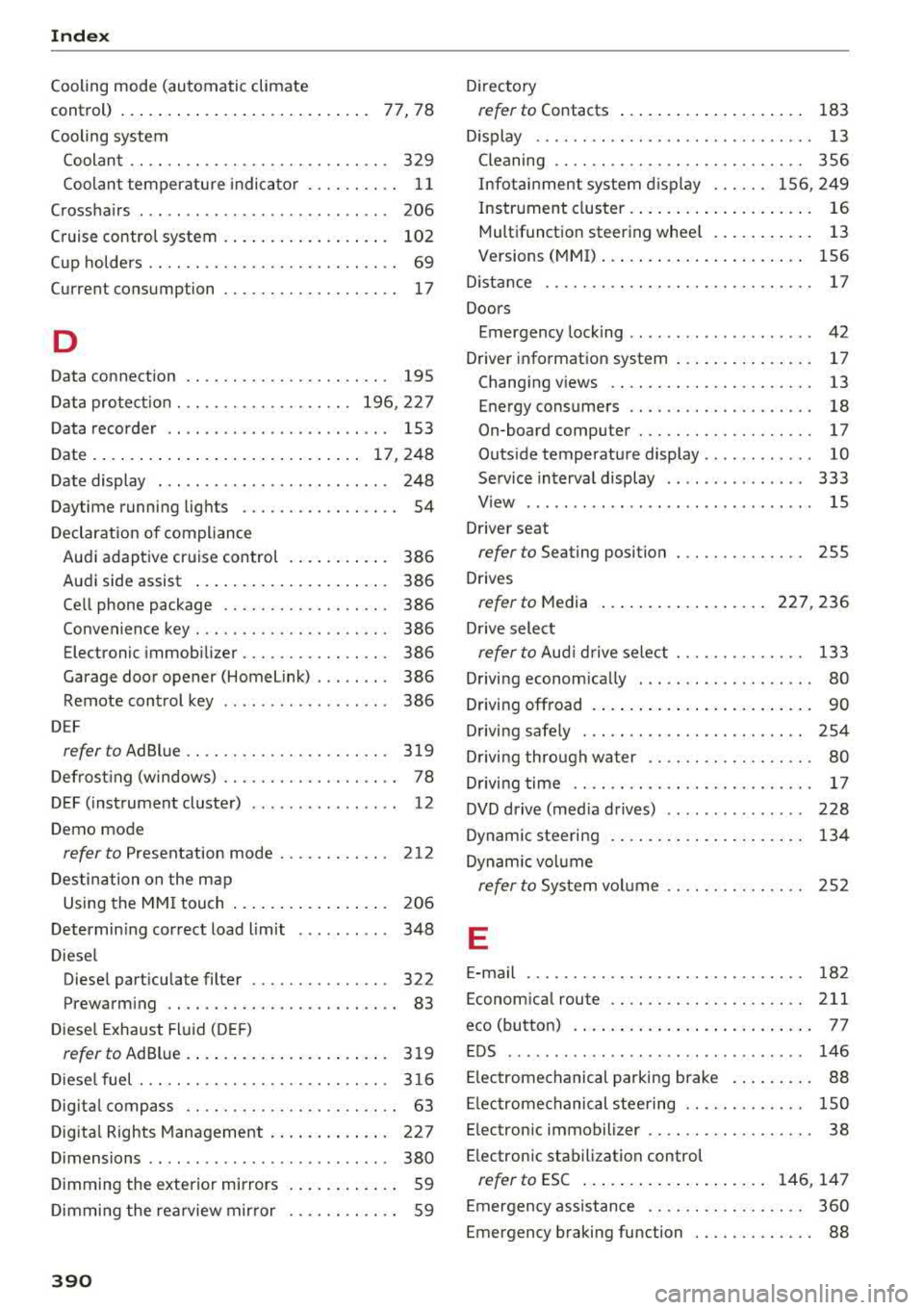
Index
Cooling mode (automatic climate
control) . . . . . . . . . . . . . . . . . . . . . . . . . . .
77, 78
Cooling system
Coolant . . . . . . . . . . . . . . . . . . . . . . . . . . . .
329
Coolant temperature indicator . . . . . . . . . . 11
Crosshairs . . . . . . . . . . . . . . . . . . . . . . . . . . . 206
Cruise control system . . . . . . . . . . . . . . . . . . 102
Cup holders . . . . . . . . . . . . . . . . . . . . . . . . . . . 69
Current consumption . . . . . . . . . . . . . . . . . . . 17
D
Data connection . . . . . . . . . . . . . . . . . . . . . . 195
Data protection . . . . . . . . . . . . . . . . . . . 196, 227
Data recorder . . . . . . . . . . . . . . . . . . . . . . . . 153
Date ..... ..... .. ................ . 17,248
Date display . . . . . . . . . . . . . . . . . . . . . . . . . 248
Daytime running lights . . . . . . . . . . . . . . . . . 54
Declaration of compliance
Audi adaptive cruise control . . . . . . . . . . .
386
Audi side assist . . . . . . . . . . . . . . . . . . . . . 386
Ce ll phone package . . . . . . . . . . . . . . . . . . 386
Convenience key . . . . . . . . . . . . . . . . . . . . . 386
Electronic immobilizer.. . . . . . . . . . . . . . . 386
Garage door opener (Home Link) . . . . . . . .
386
Remote control key . . . . . . . . . . . . . . . . . . 386
D EF
refer to AdBlue ... ............ .... .. . 319
Defrosting (windows) . . . . . . . . . . . . . . . . . . . 78
DEF (instrument cluster) . . . . . . . . . . . . . . . . 12
Demo mode
refer to Presentation mode . . . . . . . . . . . . 212
Destination on the map
Using the MMI touch . . . . . . . . . . . . . . . . .
206
Determining correct load limit . . . . . . . . . . 348
Diesel
Diese l particulate filter . . . . . . . . . . . . . . .
322
Prewarming . . . . . . . . . . . . . . . . . . . . . . . . . 83
Diesel Exhaust Fluid (DEF)
refer to AdBlue.. ................ .... 319
Diesel fuel ... .. .. ... .......... .. .. .. . 316
Digita l compass . . . . . . . . . . . . . . . . . . . . . . . 63
Digital Rights Management . . . . . . . . . . . . . 227
Dimensions . . . . . . . . . . . . . . . . . . . . . . . . . . 380
Dimming the exterior mirrors . . . . . . . . . . . . 59
Dimming the rearview mirror . . . . . . . . . . . . 59
390
Directory
refer to Contacts . . . . . . . . . . . . . . . . . . . . 183
D isplay . . . . . . . . . . . . . . . . . . . . . . . . . . . . . . 13
Cleaning . . . . . . . . . . . . . . . . . . . . . . . . . . . 356
Infotainment system display . . . . . . 156, 249
Instrument cluster . . . . . . . . . . . . . . . . . . . . 16
Multifunction steering wheel . . . . . . . . . . . 13
Versions (MMI) . . . . . . . . . . . . . . . . . . . . . . 156
D istance . . . . . . . . . . . . . . . . . . . . . . . . . . . . . 17
Doors
Emergency locking . . . . . . . . . . . . . . . . . . . .
42
Driver information system . . . . . . . . . . . . . . . 17
Changing views . . . . . . . . . . . . . . . . . . . . . . 13
Energy consumers . . . . . . . . . . . . . . . . . . . . 18
On-board computer . . . . . . . . . . . . . . . . . . . 17
Outside temperature display . . . . . . . . . . . . 10
Service interval display . . . . . . . . . . . . . . . 333
View . . . . . . . . . . . . . . . . . . . . . . . . . . . . . . . 15
Driver seat
refer to Seating position 255
Drives
refer to Media ... .. .. ........... 227, 236
Drive select
refer to Aud i drive select . . . . . . . . . . . . . . 133
Driving economically . . . . . . . . . . . . . . . . . . .
80
Driving offroad . . . . . . . . . . . . . . . . . . . . . . . . 90
Driving safe ly . . . . . . . . . . . . . . . . . . . . . . . . 254
Driving through water . . . . . . . . . . . . . . . . . . 80
Driving time . . . . . . . . . . . . . . . . . . . . . . . . . . 17
DVD drive (med ia drives) . . . . . . . . . . . . . . . 228
Dynam ic steering . . . . . . . . . . . . . . . . . . . . . 134
Dynamic volume
refer to System volume . . . . . . . . . . . . . . . 252
E
E-mail . . . . . . . . . . . . . . . . . . . . . . . . . . . . . . 182
Economical rou te .. .. .. ............. .. 211
eco (button) . . . . . . . . . . . . . . . . . . . . . . . . . . 77
EDS . . . . . . . . . . . . . . . . . . . . . . . . . . . . . . . . 146
Electromechanical parking brak e . . . . . . . . . 88
Electromechanical steering . . . . . . . . . . . . . 1 SO
Electronic immobili zer . . . . . . . . . . . . . . . . . .
38
E lectronic stabilization control
refer to ESC . . . . . . . . . . . . . . . . . . . . 146, 147
Emergency assistance . . . . . . . . . . . . . . . . . 360
Emergency braking function . . . . . . . . . . . . . 88