window AUDI A4 2018 Owners Manual
[x] Cancel search | Manufacturer: AUDI, Model Year: 2018, Model line: A4, Model: AUDI A4 2018Pages: 403, PDF Size: 66.81 MB
Page 4 of 403
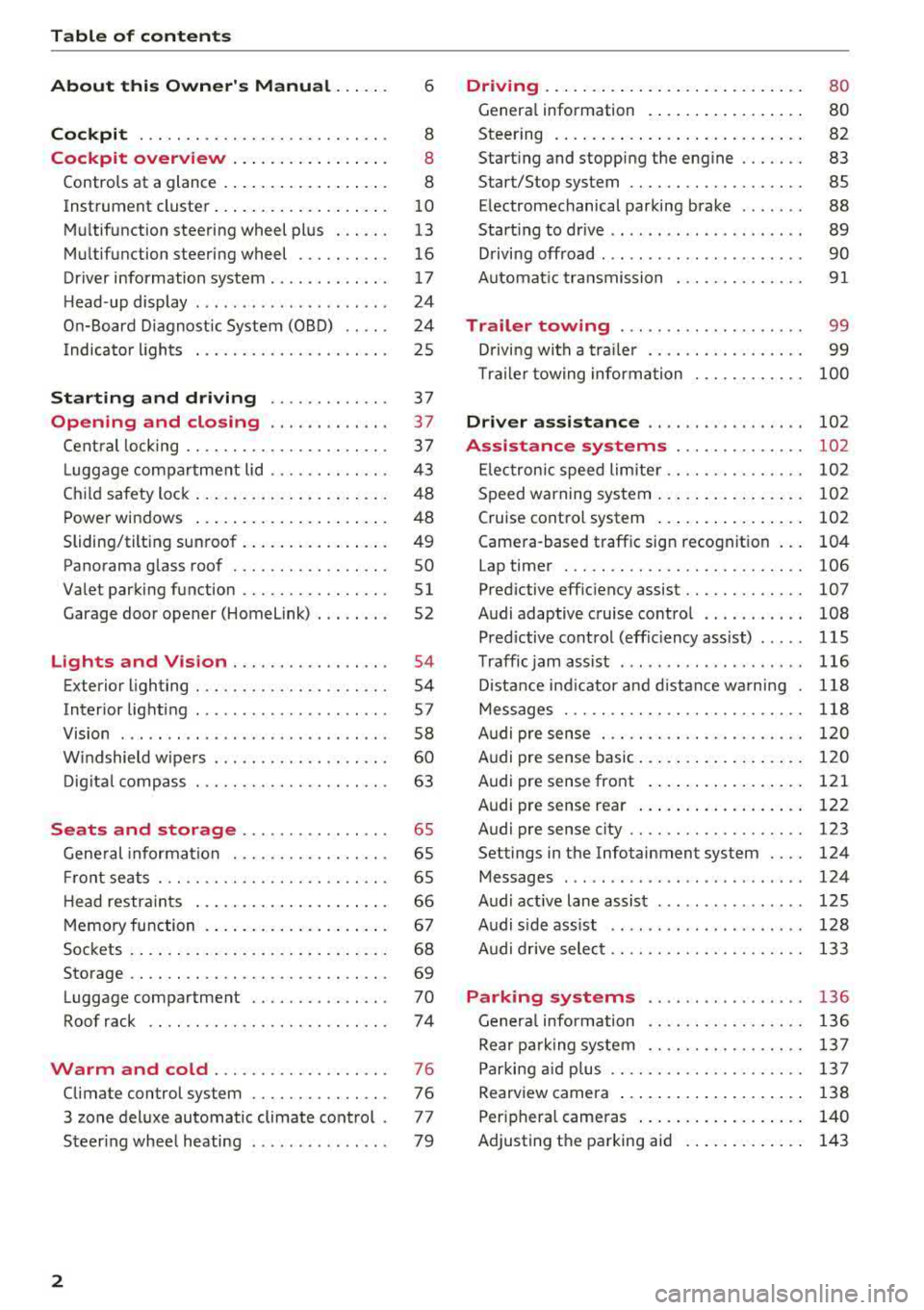
Table of contents
About this Owner's Manual . .. .. .
Cockpit ... .. ............... .... .. .
Cockpit overview ................ .
Controls at a glance ... .......... .. .. .
Instrument cluster .. .......... .. .. .. .
Multifunction steering wheel plus ... .. .
Multifunction steering wheel ......... .
Driver information system ...... .. .. .. .
H ead-up display .... .. .. ..... ... .. .. .
On-Board Diagnostic System (OBD) .. .. .
I ndicator lights .................... . 6
8
8
8
10
13
16
17
24
24
25
Starting and driving . . . . . . . . . . . . . 37
Opening and closing . . . . . . . . . . . . . 3 7
Central locking . . . . . . . . . . . . . . . . . . . . . . 3 7
L uggage compartment lid . . . . . . . . . . . . .
43
Child safety lock . . . . . . . . . . . . . . . . . . . . . 48
Power windows . . . . . . . . . . . . . . . . . . . . . 48
Sliding/tilting sunroof . . . . . . . . . . . . . . . . 49
Panorama glass roof . . . . . . . . . . . . . . . . . SO
Valet parking function . . . . . . . . . . . . . . . .
51
Garage door opener (Homelink) . . . . . . . . 52
L ights and Vision . . . . . . . . . . . . . . . . . 54
Exterior lighting . . . . . . . . . . . . . . . . . . . . . 54
Interior lighting . . . . . . . . . . . . . . . . . . . . . 57
V1s1on . . . . . . . . . . . . . . . . . . . . . . . . . . . . . 58
Windshield wipers . . . . . . . . . . . . . . . . . . .
60
Digital compass . . . . . . . . . . . . . . . . . . . . . 63
Seats and storage . . . . . . . . . . . . . . . . 65
General information . . . . . . . . . . . . . . . . . 65
Front seats . . . . . . . . . . . . . . . . . . . . . . . . . 65
H ead restraints . . . . . . . . . . . . . . . . . . . . . 66
Memory function . . . . . . . . . . . . . . . . . . . .
67
Sockets . . . . . . . . . . . . . . . . . . . . . . . . . . . . 68
Storage . . . . . . . . . . . . . . . . . . . . . . . . . . . . 69
Luggage compartment ........ .... .. .
Roof rack .. .. ... ............ .... .. .
Warm and cold ................ .. .
Climate control system .............. .
3 zone deluxe automatic climate control .
Steer ing wheel heating .. ........ .. .. .
2
70
74
76
76
77
79
Driving ... .. .. .. .. .. ... .......... . .
General information . ... ........... . .
Steering .......... .. .. . .......... . .
Start ing and stopping the eng ine ..... . .
Start/Stop system .. .. ............. . .
E le ctromechanical parking brake ...... .
Start ing to drive .. .. .. ........ ..... . .
D rivi ng offroad . .. ... ...... ....... .. .
Automatic transmission
Trailer towing ..... .............. .
Driving with a trailer .. ............. . .
8 0
80
82
83
85
88
89
90
91
99
99
T raile r towing information . . . . . . . . . . . . 100
Driver assistance . . . . . . . . . . . . . . . . . 102
Assistance systems . . . . . . . . . . . . . . 102
Electronic speed limiter. . . . . . . . . . . . . . . 102
Speed warning system . . . . . . . . . . . . . . . . 102
Cruise control system . . . . . . . . . . . . . . . . 102
Camera-based traffic sign recognition . . . 104
Lap timer . . . . . . . . . . . . . . . . . . . . . . . . . . 106
Pred ictive efficiency assist. . . . . . . . . . . . . 107
Audi adaptive cruise contro l . . . . . . . . . . . 108
Pred ictive control (eff ic ie ncy assist) . . . . . 115
Traffic jam assist . . . . . . . . . . . . . . . . . . . . 116
Distance indicat or and distance warnin g 118
Messages . . . . . . . . . . . . . . . . . . . . . . . . . . 118
Audi pre sense . . . . . . . . . . . . . . . . . . . . . . 120
Audi pre sense basic . . . . . . . . . . . . . . . . . . 120
Audi pre sense front . . . . . . . . . . . . . . . . . 121
Audi pre sense rea r . . . . . . . . . . . . . . . . . . 122
Audi pre sense city . . . . . . . . . . . . . . . . . . . 123
Settings in the Infotainment system . . . . 124
Messages . . . . . . . . . . . . . . . . . . . . . . . . . . 124
Audi active lane assist . . . . . . . . . . . . . . . . 125
Audi s ide assist . . . . . . . . . . . . . . . . . . . . . 128
Audi drive select . . . . . . . . . . . . . . . . . . . . . 133
Parking systems
General information .. ... .......... . .
Rear parking system .. .. ........... . .
Parking aid plus .. .. .. ............. . .
Rearview camera ... .. .. ........... . .
Periphera l cameras ... ... .......... . .
Adjusting th e parking aid . ........... .
136
136
137
137
138
140
143
Page 11 of 403
a co .... N ,....
N .... 0 0
3 co
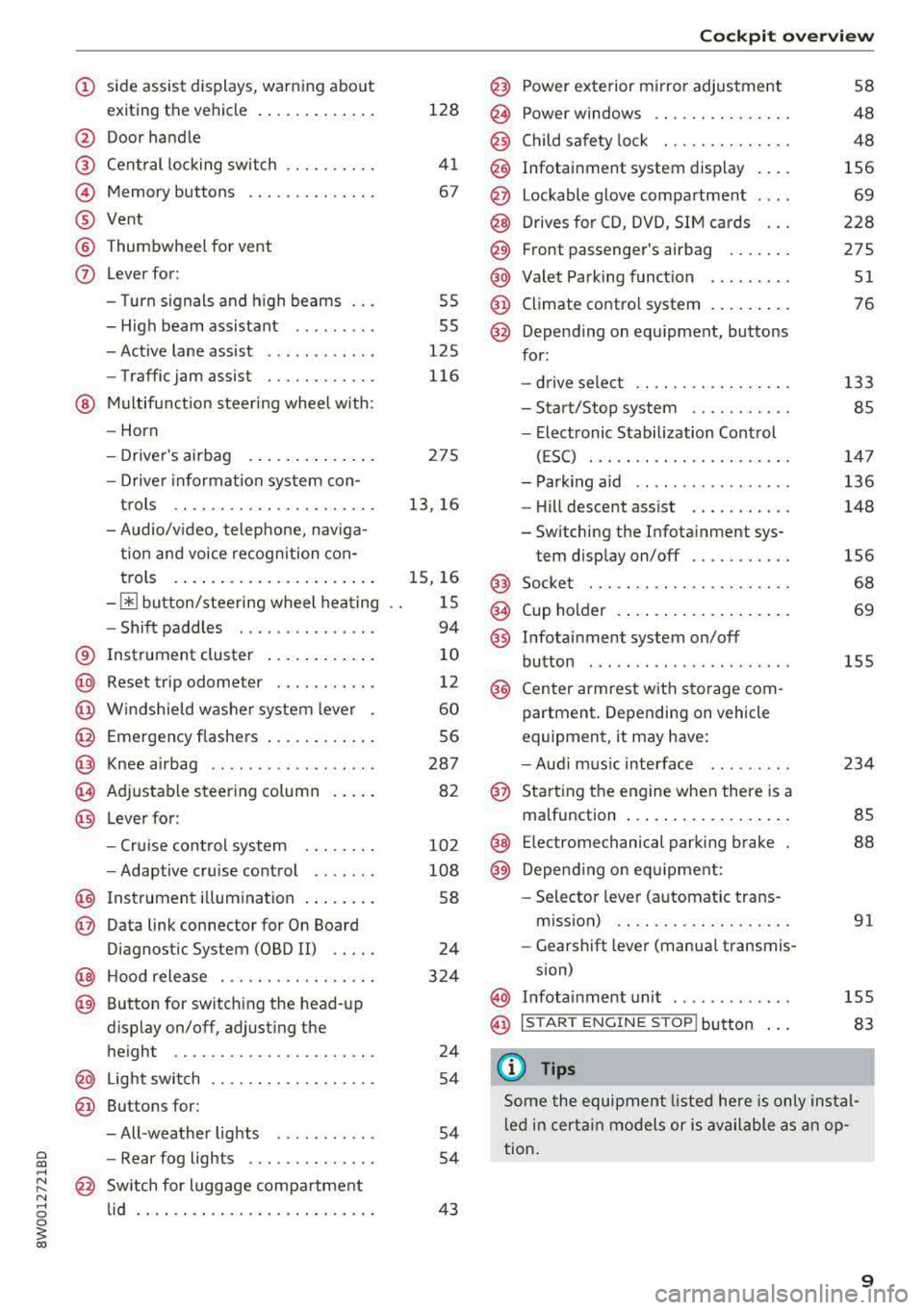
(!) side assist displays, warning abo ut
exiting the vehicle ..... ... .. .. .
@ Door handle
@ Cent ral locking switch ....... .. .
@ Memory buttons ........... .. .
® Vent
® Thumbwhee l for vent
(J) Lever for:
- T urn signals and h igh beams
- High beam assistant ........ .
- Active lane assist .. ..... ... . .
- Traffic jam assist ....... .. .. .
@ Mul tifunction steer ing wheel with:
- Horn
- Driver's airbag . ..... ... .. .. .
- Drive r information system con -
t rols .. .. ............. .. .. .
- Audio/v ideo, telephone, nav iga
t ion and voice recognition con-
trols . ... .... .. .... ... .. .. .
- ~ button/stee ring wheel heating
- Sh ift paddles .............. .
® Instrument cluster .... ... .. .. .
@
@
@
@
~
@
Reset trip odometer ........ .. .
W indshie ld washer system lever
Emergency flashers .... ... .. .. .
Knee a irbag ........ ..... ... . .
Adjustable steer ing column
Lever for:
- Cruise cont rol system ..... .. .
- Adaptive cruise cont rol .. ... . .
@ Instrument i llum ination ... .. .. .
@ Data link connector for On Board
Diagnostic System (OBD II) .. .. .
@ H ood release . ........... .. .. .
@ Button for switching the head-up
d isplay on/off, adjust ing the
height .. .. ............... .. .
@ Lig ht switch ............... .. .
@ Buttons for :
- All -weather lights
- Rear fog lights ........... .. .
@ Sw itch for luggage compartment
lid .. .. .. .. ............. .. .. .
128
41
67
55
55
125
116
275
13, 16
15, 16
15
94
10
12
60
56
287 82
10 2
108
58
24
324
24
54
54
54
43
Coc kpit o ve rv iew
@ Power exterior m irror adjustment
@ Power windows .............. .
@ Child safety lock . ............ .
@ Infotainment system display . .. .
@ Lockable glove compartment . .. .
@) Drives for CD, DVD, SI M cards .. .
@ Front passenger's airbag ...... .
@ Valet Park ing funct ion ... .. ... .
@ Climate contro l system . ..... .. .
@ Depend ing on equ ipment, buttons
for:
- drive select .. .. ............ .
- Start/Stop system .......... .
- Elect ronic Stabilization Control
(ESC) . .... .. .............. .
- Park ing aid .. .. ............ .
- Hill descent ass ist .. . ..... .. .
- Switching the Infota inment sys-
tem disp lay on/off .......... .
@ Socke t ..... .. .............. .
@ Cup holder . .. ... .... . ..... .. .
@ Infotai nment system on/off
button ....... .. ............ .
@ Center armrest with sto rage com
partment . Depending on vehicle
equipment, it may have:
- Aud i m usic interface .. ..... . .
@ Sta rt ing t he engine when there is a
malfunction ... .. .... . ..... .. .
@ E lectromechanical parking brake
@) Depend ing o n eq uipment:
- Selector leve r (a utomatic trans -
m iss ion) .. .. .. ............ .
- Gearshift lever (manua l transmis-
sion)
58
48
48
156
69
228
275
51
76
133
85
14 7
136
148
156
68
69
155
234
85
88
91
@ In fotai nment unit . . . . . . . . . . . . . 155
@ I STAR T ENGINE ST OP I button 83
(D Tips
Some the equipment listed he re is only instal
l e d in certa in models or is available as an op
tion.
9
Page 40 of 403
Opening and closing
Key set
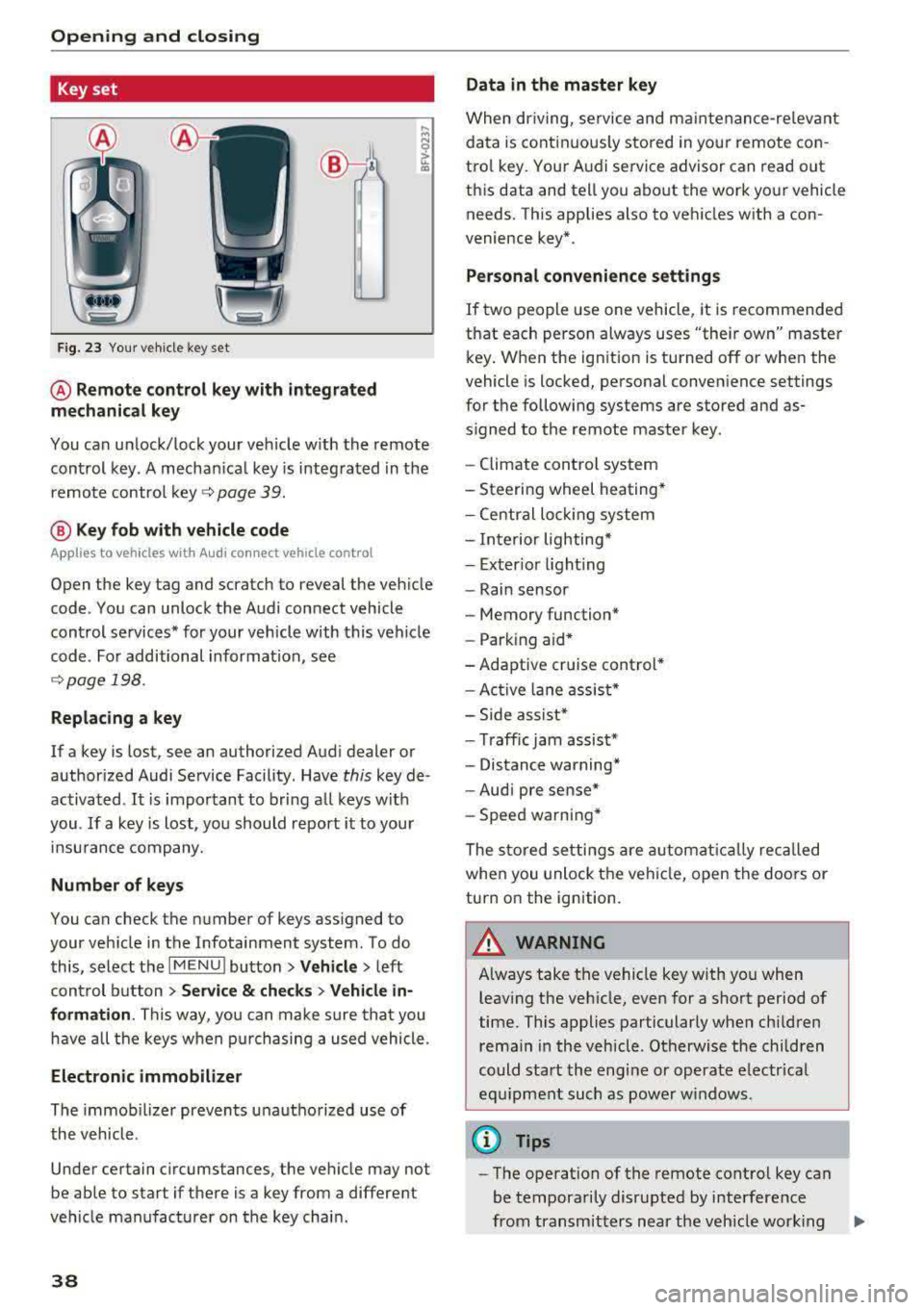
Fig. 23 Your veh icle key set
@ Remote control key with integrated
mechanical key
You can unlock/lock your veh icle w ith the remote
control key . A mechan ical key is integrated in the
remote control
key ~ page 39.
@ Key fob with vehicle code
Appl ies to veh icles with A udi co nnect vehicle con trol
Open the key tag and scratch to reveal the veh icle
code . You can unlock the Audi connect vehicle
control se rvices* for your vehicle with this vehicle
code . For additional information, see
~ page 198 .
Replacing a key
If a key is lost, see an authorized Audi dealer or
authorized Audi Service Facility. Have
this key de
activated .
It is important to bring all keys with
you .
If a key is lost, you should report it to your
insu rance company.
Number of keys
You can check the number of keys assigned to
your vehicle in the Infotainment system . To do
this, select the
IM ENU I button > Vehicle > left
control button
> Service & checks> Vehicle in·
formation . This way, you can make sure that you
have all the keys when purchasing a used vehicle.
Electronic immobilizer
The immob ilizer prevents unauthorized use of
the vehicle .
Under certain circumstances, the vehicle may not
be able to start if there is a key from a different
veh icle manufacturer on the key chain.
38
Data in the master key
When dr iving, service and maintenance-re levant
data is continuously stored in your remote con
trol key. Your A udi service advisor can read out
this data and tell you about the work your vehicle needs . This applies also to vehicles with a con
venience key*.
Personal convenience settings
If two people use one vehicle, it is recommended
that each person always uses "their own" master
key . When the ign ition is turned off or when the
vehicle is locked, personal convenience settings
for the following systems are stored and as
s igned to the remote master key.
- Climate control system
-Steering wheel heating*
-Central lockin g system
-Interior lighting*
-Exter ior lighting
- Rain sensor
- Memory function*
- Park ing a id *
-Adaptive cr uise control *
-Active lane assist*
-Side assist*
-Traff ic jam assist*
- Distance warning*
-Audi pre sense*
- Speed warning *
The stored settings are automatically recalled
when you unlock the vehicle, open the doors or
turn on the ignition .
~ WARNING
Always take the vehicle key with you when
leaving the vehicle, even for a short period of
time. This applies particularly when children
rema in in the vehicle . Otherwise the children
could start the engine or operate electrical
equipment such as power windows .
(© Tips
-
-The operation of the remote control key can
be temporarily disrupted by interference
from transmitters near the veh icle work ing
1J11,
Page 50 of 403
Opening and closing
Child safety lock
The child safety lock prevents the rear doors
from being opened from the inside and the rear
power windows from be operated .
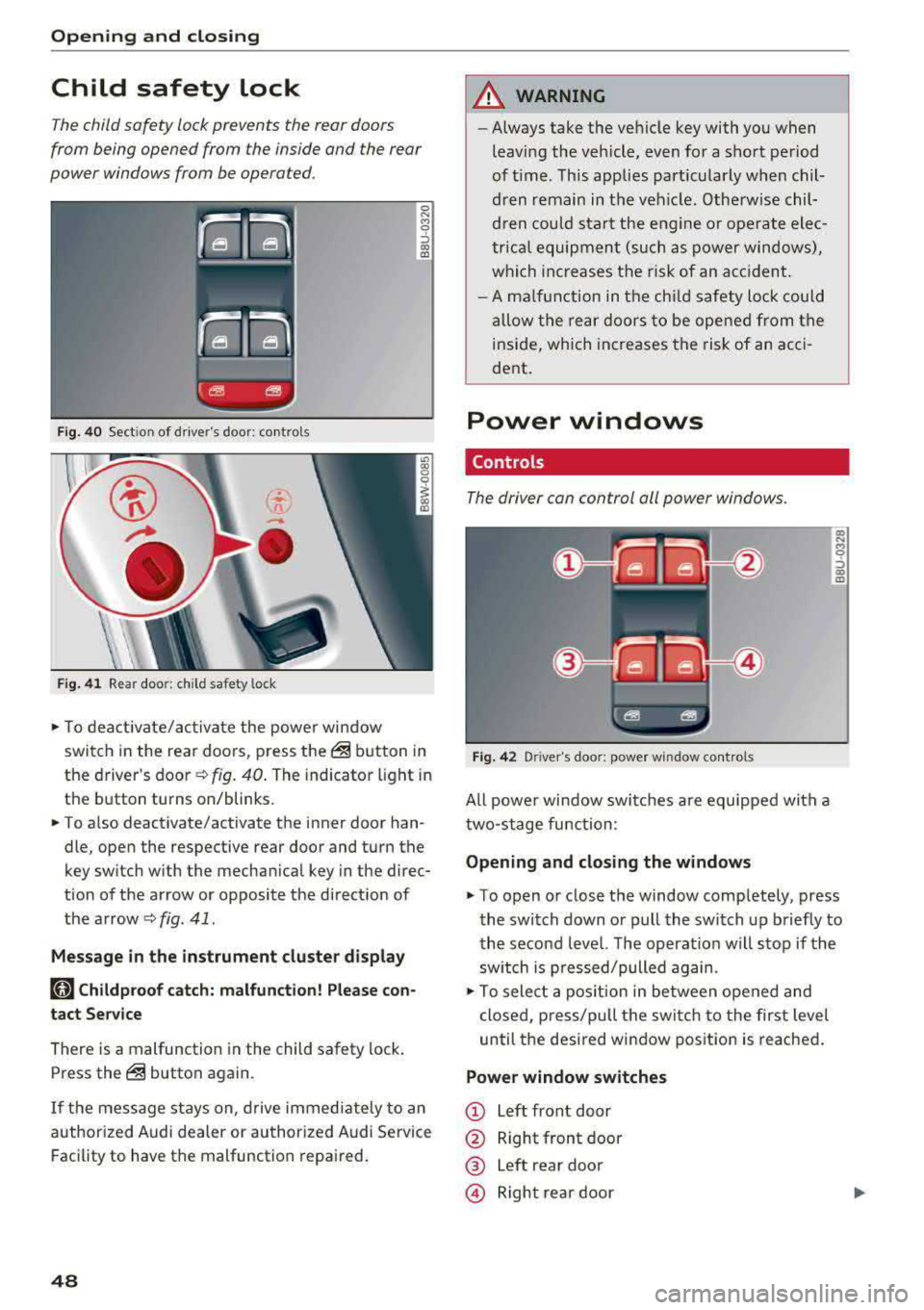
Fig. 40 Section of driver's door: co ntrols
Fig. 41 Rear door: chil d safety lock
0 N M 9 ::J co (D
• T o deactivate/activate the power window
switch in the rear doors, press the@ button in
the driver 's
door ¢ fig. 40. The indicator light in
the button turns on/blinks.
• To also deactivate/activate the inner door han
dle, open the respective rear door and turn the
key switch with the mechan ical key in the direc
tion of the arrow or opposite the direct ion of
the arrow
<=> fig. 41 .
Message in the instrument cluster display
faj Childproof catch: malfunction! Please con
tact Service
There is a malfunction in the child safety lock.
Press the@ button again.
If the message stays on, drive immediately to an
authori zed Audi dealer or authorized Audi Service
Facility to have the malfunction repaired.
48
A WARNING
-Always take the vehicle key with you when
leav ing the vehicle, even for a short period
of time . This applies part icularly when chil
dren remain in the vehicle . Otherwise chil
dren could start the engine or ope rate elec
trical equipment (such as power windows),
which increases the risk of an acc ident.
- A malfunction in the child safety lock could
allow the rear doors to be opened from the
inside, which increases the risk of an acci
dent .
Power windows
Controls '
The driver con control all power windows .
Fig. 42 Driver"s door: power w indow controls
All powe r window switches are equipped with a
two-stage function :
Opening and closing the windows
a, .... M 0 ::, (X) (D
• To open or close the window completely, press
the switch down or pull the switch up briefly to
the second level. The operat ion will stop if the
sw itch is p ressed/pulled again.
• To select a position in between opened and
closed, p ress/pu ll the switch to the first level
until the desired window position is reached.
Power window switches
CD Left front door
@ Right front door
® Left rear door
© Right rear door
Page 51 of 403

_& WARNING
-Always take the vehicle key with you when
leaving the vehicle, even for a short period
of time . This applies particularly when chil
dren remain in the vehicle . Otherwise chil
dren could start the engine or operate e lec
trical equipment (such as power windows),
which increases the risk of an accident . The
power windows continue to function until
the driver's door or front passenger's door
has been opened.
- Pay careful attent ion when closing the win
dows . Pinching could cause serious injuries .
- When locking the vehicle from outside, the vehicle must be unoccupied since the win
dows can no longer be opened in an emer
gency .
@ Tips
You can still open and close the w indows for
approximately 10 minutes after turning the
ignition
off . The power windows do not switch
off until the driver's door or front passenger's
door has been opened.
Convenience opening/closing
Applies to: vehicles with convenience key
All of the windows and the roof* con be opened/
closed at the some time .
Convenience opening feature
.. Press and hold the CD button on the remote con
trol key until all of the windows reach the de
sired position and the
roof* is tilted open.
Convenience closing feature
.. Press the @ button on the remote control key
until the roof* is closed
c::> .&,, or
.. Touch the sensor* on the door handle until a ll
of the windows and the roof* are closed. Do not
place your hand in the door handle when doing
this.
Setting convenience opening in the
Infotainment system
.. Select in the Infotainment system: !MENUI but
ton
> Vehicle > left control button > Vehicle
Open ing and closing
settings > Central locking > Long press to
open windows.
_& WARNING
- To reduce the r isk of injury, never close the
windows or the roof* carelessly or in an un
controlled manner .
- For secur ity reasons, the windows and the
roof* can only be opened and closed with
the remote control key at a maximum dis
tance of approx imately 6.5 feet (2 m) away
from the vehicle. Always pay attent ion when
using
the@ button to close the windows
and the roof* so that no one is pinched. The
closing process will stop immediately when
the@ button is released.
(D Tips
Applies to: vehicles with panorama glass roof:
the power sunshade also opens/closes when
opening/closing the roof.
Correcting power window malfunctions
You can reactivate the one-touch up/down func
tion if it malfunctions.
"' Pull the power window switch up until the win
dow is comple tely raised .
.. Release the switch and pull it up again for at
least one second.
Sliding/tilting sunroof
Operating
Applies to: vehicles with sliding/tilting sunroof
Fig. 43 Section of front head lin er: sliding/tilt ing sunroof
button
....
49
Page 61 of 403

a co .... N ,....
N .... 0 0
3 co
make objects in the mirror appear smaller
and farther away. Your may estimate incor
rectly when you use these mirrors to gauge
your distance from the vehicles behind you
when changing lanes, which increases the risk of an accident .
Q) Note
- Applies to vehicles with power folding exte
rior mirrors: if the mirror housing was
moved by outside forces (such as an impact
when maneuvering), you must use the pow
er folding function to fold the mirror all the
way out. The mirrors will make a loud noise
when they latch into place. The mirror hous
ing must not be moved back into place by
hand because this would impair the func
tion of the mirror mechanism.
-Applies to vehicles without power folding
exterior mirrors: if the mirror housing was
moved by outside forces (such as an impact
when maneuvering), you must move it back
in place by hand.
- If you wash
th@ vehicle in an automatic car
wash, you must fold the exterior mirrors in
to reduce the risk of damage to the mirrors.
Never fold power folding exterior mirrors*
by hand . Only fold them in and out using
the power controls.
{!) Tips
-If the power adjusting function malfunc
tions, the glass in both mirrors can be ad
justed by pressing on the edge of it by hand.
- The exterior mirror settings are stored with
the memory function*
9 page 67.
Dimming the mirrors
Your vehicle is equipped with a manual or auto
matic* dimming rearview mirror .
Manual dimming rearview mirror
.,. Pull the lever on the bottom of the mi rror back .
Lights and Vision
Automatic dimming rearview mirror*
.,. The interior and exterior mirrors dim automati
cally when light shines on them, for example
from headlights on a vehicle behind you.
A WARNING ,-
If the glass on an automatic dimming mirror
breaks, electrolyte can leak out. This liquid
can irritate the skin, eyes and respiratory sys
tem. If there is contact with the fluid, flush
immediately with plenty of water. Consult a
physician if necessary .
- Repeated or long -term exposure to electro
lyte fluid can lead to irritation of the air
ways, especially in people with asthma or
other respiratory conditions. Take deep
breaths immediately after leaving the vehi
cle or, if this is not possible, open all of the
doors and windows as wide as possible.
- If electrolyte fluid enters the eyes, flush
them thoroughly with a large amount of
clean water for at least 15 minutes and then
seek medical attention.
- If electrolyte fluid comes into contact w ith
the skin, flush the affected area with clean
water for at least 15 minutes and then clean
with soap and water and seek medical at
tention . Clean affected clothing and shoes
thoroughly before wearing again.
- If the fluid was swallowed and the person is
conscious, flush the mouth with water for at least 15 minutes . Do not induce vomiting
unless this is recommended by medical pro
fessionals . Seek medical attention immedi
ately .
0 Note
If the glass on an automatic dimming mirror
breaks, electrolyte can leak out. This liquid
damages plastic surfaces and paint . Clean
this liquid as quickly as possible, for example
with a wet sponge .
(D Tips
-If the light reaching the rearview mirror is
obstructed, the automatic dimming mirror
will not function correctly,
59
Page 63 of 403

a co .... N ..... N .... 0 0
3 co
®-Clean the windshield . The wipers wipe one
time after severa l seconds of driving to remove
water drop lets. You can switch this function off
by moving the lever to position ® within 10 sec
onds of the afterwipe. The afterwipe function is
reactivated the next time you switch the ignition
on .
C lean the headlights*. The headlight washer sys
tem" operates only when the low beam head
lights are on . If you move the lever into position
@, the headlights will be cleaned at fixed inter
va ls .
Applies to: allroad:
@ -Wiping the rear window.
T he number of wipes depends on the windsh ield
wiper movement .
The rear wiper automatically switches on when
the reverse gear is selected and the front wind
shield wipers are on and running .
Applies to: allroad:
0 -Clean ing the rear win
dow. The number of wipes depends on how long
the lever is held in position
(J).
A WARNING
-The rain sensor is only intended to assist the
dr iver . The driver may still be responsible
for manually sw itching the w ipers on based
on v is ibi lity conditions.
- The windshie ld may not be treated with wa
ter-repelling windshield coating agents . Un
favorable conditions, such as wetness, dark
ness or low sun, can result in increased
glare, which increases the risk of an acc i
dent . Wiper blade chatter is also possible.
- Properly functioning windsh ield wiper
blades are required for a clear view and safe
driving
¢ page 62, Replacing wiper
blades.
(D Note
- If there is frost, make sure the windshie ld
wiper blades are not frozen to the wind
shield. Switching on the windshield wipers
when the blades are frozen to the wind
shield can damage the wiper blades .
- The windshield wiper system must be
switched off ( lever in position 0) before us-
Lights and Vision
ing a car wash. This prevents the wipers
from switching on unintentionally and caus ing damage to the windsh ield wiper system .
(D Tips
- The windshie ld wipers switch off when the
ignition is switched off . You can activate the
windshield wipers after the ignition is
switched back on by moving the w indshield
wiper lever to any position.
- Worn or dirty windshie ld wiper blades resu lt
in streaking. Th is can affect the rain sensor
function . Check your windshield w iper
blades regularly .
- The washer fluid nozzles for the windshield
washer system are heated at low tempera
tures when the ign ition is on .
- When stopping temporarily, such as
at a
traffic light, the speed of the windshield
w ipers automatically reduces by one level.
Cleaning the wiper blades
Clean the wiper b lades when you see w iper
streaks. Use a soft cloth and a glass cleaner.
Windshield wiper
.,. Place the windshield wiper arms in the service
position
¢ page 62.
.,. Fold the windsh ie ld wiper arms away from the
w indshie ld.
Rear window wiper
Applies to : all road
.,. Fold the wiper arm away from the rear window.
A WARNING
D irt y windshield wiper blades can impa ir vi
sion, wh ich i ncreases the risk of an accident .
-
61
Page 65 of 403

Replacing rear wiper blade
Applies to: vehicles with rear window wiper
Fig . 60 Rear window w iper : in stall ing the wiper b lade
Removing the wiper blade
... Fold the w iper arm away from the rear window .
... Remove the wiper blade from its holder.
Installing the wiper blade
... Press the wiper blade mount into the retainer.
... Fold the window wiper arm back onto the rear
window.
A WARNING
For safety reasons, the windshield wiper
blades should be replaced once or tw ice each
year .
Digital compass
Switching the compass on and off
Applies to: vehicles with digital compass
Fig. 61 Rearview mirror: digita l compass is sw itc hed on
Lights and Vision
.,. To turn the compass on or off, press the button
@ until the compass in the mirror appears or
disappears.
T he dig ital compass only works when the ignition
is turned on . The directions are indicated with ab
breviations:
N (north), NE (northeast), E (east),
SE (southeast), S (south), SW (southwest), W
(west), NW (northwest).
(0 Tips
To prevent inaccurate compass readings, do
not bring any remote controls, electrical devi
ces or metallic objects near the mirror.
63
Page 78 of 403
Warm and cold
Warm and cold
Climate control system
Description
The climate control system warms, cools and re moves humidity from the air in the vehicle interi
or. It is the most effective when the windows and
sunroof * are closed. If there is a bui ld-up of heat
inside the vehicle, ventilation can he lp to speed
up the cooling process.
I n all heating mode f unctions except for
defrost,
the blower only switches to a higher speed once
the engine coolant has reached a sufficient tem
perature .
Pollutant filt er
The po llutant filter removes poll utants such as
dust and pollen from the a ir .
Ke y recognit ion
The climate control settings are automatically
stored and assigned to the remote contro l key
that is in use .
76
® For the sake of the environment
-If you would like to reduce fuel consump
t ion, sw itch the air conditioning
off. This
will also reduce emissions.
- In veh icles with a diesel engine, you can
switch the auxiliary heater
off in the Info
tainment system.
(D Tips
- To prevent interference with the heating
and cooling output and to prevent the win
dows from fogging over, the air intake in
front of the windshie ld must be free of ice,
snow or leaves.
- Condensation from the cooling system can
dr ip and form a pudd le of water under the
vehicle . This is norma l and does not mean
there is a leak.
- The energy management system may tem porarily switch
off certain functions, such as
the seat heating* o r rear window defogger.
T hese systems are ava ilable again as soon
as the ene rgy supply has been restored.
Page 80 of 403

Warm and cold
system operates most efficiently in eco cooling
mode.
A/C MAX cooling mode*
You can switch the maximum cool ing mode on or
off using the rocker switch@. Th e air is not
coo led and humidity is not removed when cooling
mode is switched off. This can cause fog on the
windows. Cooling mode switches off automati
cally when the outside temperature is below
zero. When the cooling mode is switched on, the
vehicle interior is cooled as quickly as possible
and dehumidified .
c:E) Recirculation mode
In recirculation mode, the air inside the vehicle is
circu lated and filtered. This prevents the unfil
tered air outside the vehicle from entering the
vehicle interior. Switching recirculation mode on
when dr iv ing through a tunnel or when s itting in
traffic is recommended
Q &, .
Using the button, recirculation mode is~ using
the button. You can also switch the recirculation
mode off by pressing the knob (D or the ~ but
ton.
AUTO
Automatic mode
Automatic mode maintains a constant tempera
ture inside the vehicle. Air temperature, airflow
and air distribution are controlled automatically .
You can switch automatic mode on or off by
pressing the
knob@.
Temperature
You can adjust the temperature between 60°F
( + 16°()
and 84°F ( +28°() by turn ing the knob
(D . Outs ide of this range, LO or HI will appear in
the climate control system display . In both set
tings, the climate control runs constantly at the
maximum cooling or heating level. The tempera
ture is not regulated.
The temperature can be adjusted in the rear us
ing the rear contro ls
Q fig. 91.
86'~ Blower
You can adjust the vo lume of air generated by the
blower to your preference using the rocker switch
@ . The blower should always run at a low setting
78
to prevent the windows from fogging and to en
sure a continuous exchange of air inside the vehi
cle. To have the blower regulated automatically,
press one of the knobs
(D .
Air distribution
You can use the rocker sw itches @to adjust the
vents where the air will flow out of. Press the
rocker switches @repeatedly unti l the desired
air distribution setting is displayed in the climate
control system controls. To have the air distribu
tion regulated automatically, press one of the
knobs
(D .
""lll"' OPEN/CLOSE the wide vent
You can open and close the wide vent in the cock
pit using the rocker switch ®·
JI~ Seat heating and ventilation*
If you press the button J ,J, the seat heating/
ventilat ion is switched on at the highest leve l (3) .
The LEDs indicate the temperature level. To re
duce the temperature, press the button again. To
switch the seat heating/ventilation off, press the
button repeatedly until the LED turns
off.
3% Defrosting
The windshield and side windows are defrosted
or cleared of condensation as quick ly as possible .
The maximum amount of air flows mainly from
the vents below the windsh ield. Recirculation
mode switches off. The temperature should be
set at
+72°F (+22°() or higher . The temperature
i s controlled automat ically .
Defrost is switched on and off
3% using the but
ton. You can switch the function off by pressing a knob
(D .
Applies to vehicles with windshield defogger: the
windshield defogger switches on automatically
when outside temperatures are low. If you would like to sw itch the windshield defroster on man
ually, press the
3%. The LED in the button blinks.
ClWREAR Rear window defogger
Press the button [email protected] switch the rear window de
fogger on. It on ly operates when the engine is
running. It switches off automatically after
10 to .,,.