warning AUDI A4 CABRIOLET 2009 Owner's Manual
[x] Cancel search | Manufacturer: AUDI, Model Year: 2009, Model line: A4 CABRIOLET, Model: AUDI A4 CABRIOLET 2009Pages: 340, PDF Size: 77.32 MB
Page 32 of 340
Driver inf orma tion d ispl ay
Parking brake warning
- Release the parking brake.
If you should drive off with the parking brake sti ll engaged, a
warning tone wi ll sound to remind you to release the parking brake.
Also , the following message will appear in the display:
H and bra ke is a ppl ied
The parking brake warning is activated when you drive longer than
3 seconds and faster than 3 mph (5 km/h) .•
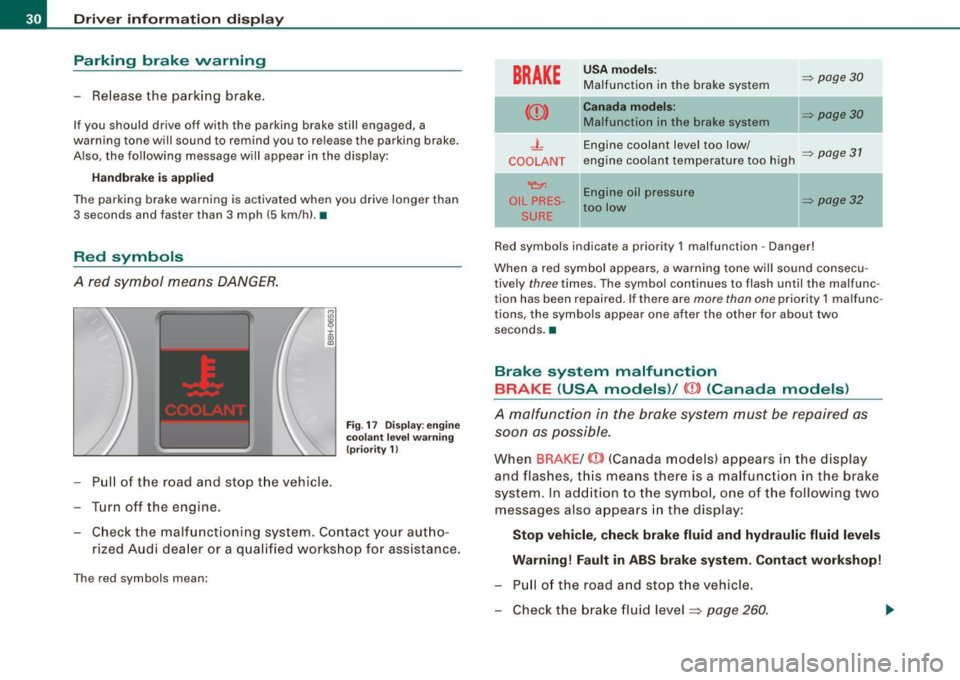
Red symbols
A red symbol means DANGER.
- Pull of the road and stop t he vehicle.
- Turn off the engine .
Fig . 17 Disp lay : eng ine
coola nt le v el wa rning
(p riority 1)
- Check the malfunctioning system. Contact your aut ho-
rized Audi dea ler or a qualified workshop for assistance.
The red symbols mean:
BRAKE
U SA m od els: => page30 Ma lfunction in the brake system
Can ada m od els: => page30 Ma lfunction in the brake system
- L Engine coolant level too low/ => page 31 COOLANT engine coolant temperature too high
~ Engine oil pressure
OIL PRES -=> page 32 too low
SURE
Red symbols indicate a priority 1 malfunction -Danger!
When a red symbol appears, a warning tone w ill sound consecu
tively
three times. The symbo l continues to flash until the malfunc
tion has been repaired . If there are
more than one priority 1 malfunc
tions, the symbols appear one after the other for about two
seconds. a
Brake system malfunction
BRAKE (USA models) /
(CD) (Canada models )
A malfunction in the brake system must be repaired as
soon as possible.
When BRAKE /
and flashes, this means there is a ma lfunction in the brake
system. In add ition to the symbo l, one of the following two
messages also appears in the display:
Stop v ehi cle, che ck br ake flu id and hydrauli c fluid lev els
Warning! Fault in ABS brak e system. Contact workshop!
- Pu ll of the road and stop the vehicle.
- Check the brake fluid level ~
page 260 .
Page 33 of 340
USA models: if there is a malfunction in the ABS system, the <
warning/indicator light illuminates along with the BRAKE system
malfunction warning/indicator light=>&.
Canada models: if there is a malfunction in the ABS system, the
warning/indicator light illuminates together with the
(Ci)) brake
system malfunction warning/indicator light=>& .
& WARNING
• Always observe the warnings in => page 242, "Engine compart
ment", before opening the engine hood and checking the brake
fluid.
• Driving with low brake fluid is a safety hazard! Stop the car and
get professional assistance.
• If the brake system warning/indicator light illuminates
together with the ABS warning/indicator light, then the ABS system is malfunctioning. The rear wheels could quickly lock up
when you apply the brakes. This could lead to loss of control and
your vehicle could slide! Drive carefully to the nearest authorized
Audi dealer and have the malfunction corrected. •
Engine cooling system malfunction -L
A malfunction in the engine cooling system must be
repaired as soon as possible.
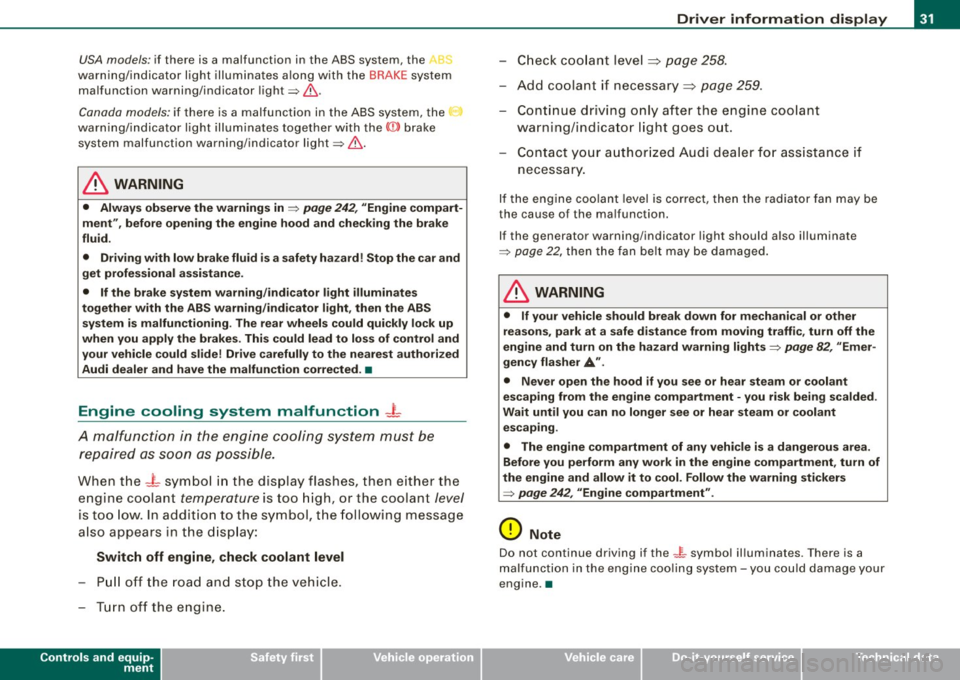
When the -t symbol in the display flashes, then either the
engine coolant
temperature is too high, or the coolant level
is too low. In addition to the symbol, the following message
also appears in the display:
Switch off engine, check coolant level
Pull off the road and stop the vehicle.
- Turn off the engine.
Controls and equip
ment
Driver information display
Check coolant level ~ page 258.
-Add coolant if necessary~ page 259.
- Continue driving only after the engine coolant
warning/indicator light goes out.
- Contact your authorized Audi dealer for assistance if
necessary.
If the engine coolant level is correct, then the radiator fan may be
the cause of the malfunction.
If the generator warning/indicator light should also illuminate
=>
page 22, then the fan belt may be damaged.
& WARNING
• If your vehicle should break down for mechanical or other
reasons, park at a safe distance from moving traffic, turn off the
engine and turn on the hazard warning lights
=> page 82, "Emer
gency flasher
A".
• Never open the hood if you see or hear steam or coolant
escaping from the engine compartment -you risk being scalded.
Wait until you can no longer see or hear steam or coolant escaping.
• The engine compartment of any vehicle is a dangerous area.
Before you perform any work in the engine compartment, turn of
the engine and allow it to cool. Follow the warning stickers
=> page 242, "Engine compartment" .
0 Note
Do not continue driving if the -F-symbol illuminates. There is a
malfunction in the engine cooling system -you could damage your
engine. •
Page 34 of 340
Driver information display
Engine oil pressure malfunction 9=7-
The red engine oil pressure warning symbol requires
immediate service or repair. Driving with a low-oil-pres
sure indication is likely to inflict severe damage to the engine.
If the ~ symbol appears in the display and blinks, the oil
pressure is too low. An additional driver message can also
be displayed by pressing the [CHECK] button:
Switch off engine and check oil level
Immediate actions
- Pull off the road.
- Stop the vehicle.
Turn off the engine.
- Check the engine oil level with the dipstick=> page 254.
Dipstick readings checks too low
-Top off oil to the proper level => page 255 .
- Make sure that the oil pressure warning symbol
~
appears no longer in the display before you start driving
again.
Dipstick reading checks OK
- If the oil pressure warning symbol~ starts flashing
again even though the engine oil level checks
OK on the
dipstick,
do not continue driving and do not let the
engine run in idle.
Instead, contact your authorized Audi
dealer for assistance.
[ i ] Tips
• The engine oil pressure symbol 'l::::r. is not an indicator for a low
engine oil level. Do not rely on it. Instead, check the oil level in your
engine at regular intervals, preferably each time you refuel, and
always before going on a long trip .
• The yellow oil level warning indication -requires oil refill or
workshop service without delay. Do not wait until the red oil pres
sure warning
'l::::r. starts to flash before you respond to the low oil
level warning . By then, your engine may already have suffered
serious damage. •
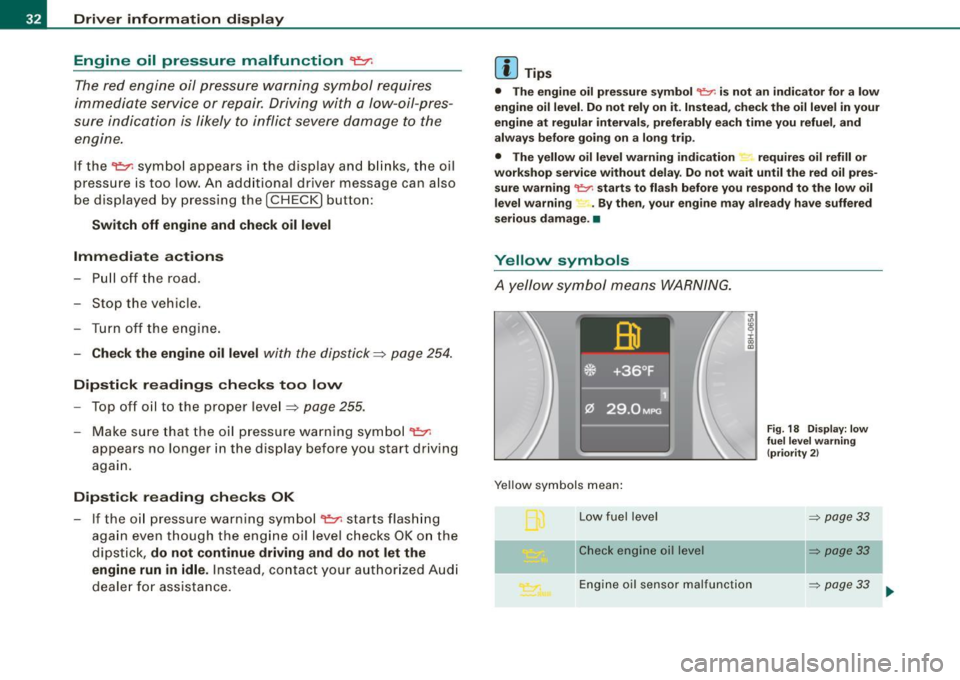
Yellow symbols
A yellow symbol means WARNING.
Yellow symbols mean:
Low fuel level
Check engine oil level
i :c
"' "'
Engine oil sensor malfunction
Fig. 18 Display: low
fuel level warning
(priority 2)
=> page 33
~ page33
=> page 33
Page 35 of 340
II
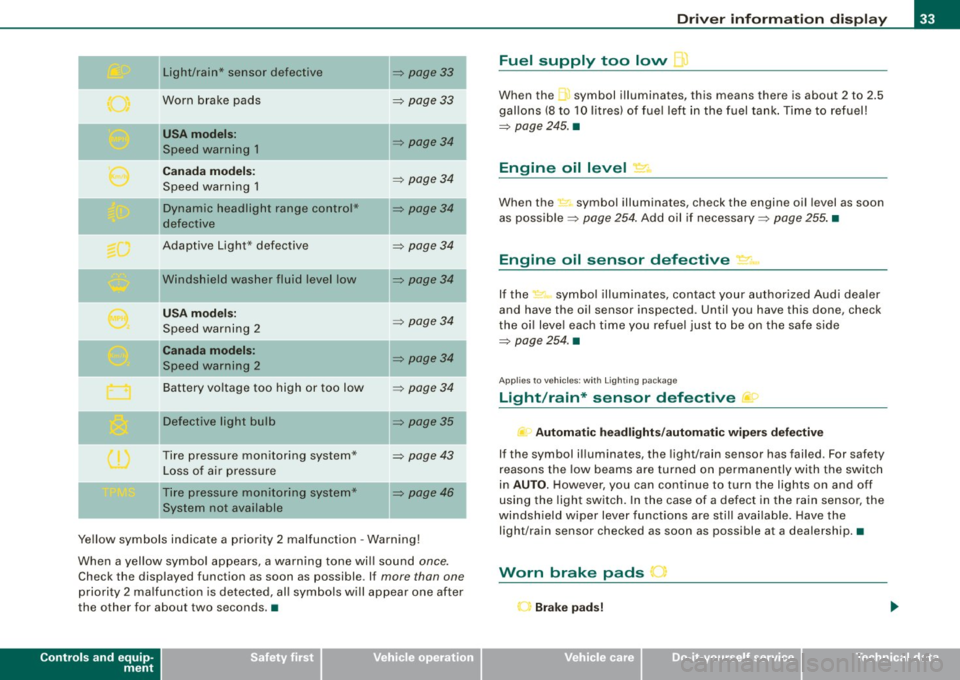
Light/rain* sensor defective
Worn brake pads
USA m odels :
Speed warning 1
Canad a m od els:
Speed warning 1
Dynamic headlight range con trol*
defective
Adaptive Light* defective
Windshield washer fluid level low
U SA mod els:
Speed warning 2
Canada mod els:
Speed warning 2
Battery voltage too high or too low
D efective light bu lb
Tire pressure monitoring system* Loss of air pressure
Tire pressure monitoring system*
System not available
~ page33
~ page 33
~ page34
~ page 34
~ page34
~ page34
~ page34
~ page 34
~ page34
~ page 34
~ page35
~ page 43
~ page46 I
Ye llow symbols indicate a priority 2 malfunction -Warning!
When a yellow symbo l appears, a warning tone wi ll sound
once.
Check the displayed function as soon as possible. If more than one
priority 2 ma lfunction is detected, all symbols will appear one after
the other for about two seconds. •
Controls and equip
ment
Driv er inf ormati on di spl ay
Fuel supply too low l
When the -,symbol illuminates, this means there is about 2 to 2.5
gallons (8 to 10 litres) of fue l left in the fuel tank . Time to refuel!
~ page 245. •
Engine oil level '7.:.
When the-=· symbol illuminates, check the engine oil level as soon
as possib le ~
page 254 . Add oil if necessary ~ page 255. •
Engine oil sensor defective • ..
If the .,_,ft symbol illuminates, contact your author ized Audi dea ler
and have the oil sensor inspected. Until you have this done, check
the oi l leve l each time you refuel just to be on the safe side
~ page 254. •
Applies to vehic les: with Lighting package
Light/rain* sensor defective >
- Automa tic headl ight s/autom atic wiper s def ective
If the symbol il luminates, the light/rain sensor has failed. For safety
reasons the low beams are turned on permanently with the switch
in
AUTO . However, you can continue to turn the lights on and off
using the light switch. In the case of a defect in the rain sensor, the
windsh ield wiper lever functions are still avai lable. Have the
light/rain sensor checked as soon as possible at a dealership. •
Worn brake pads J
r Brake p ad s!
Page 36 of 340
Driver information display
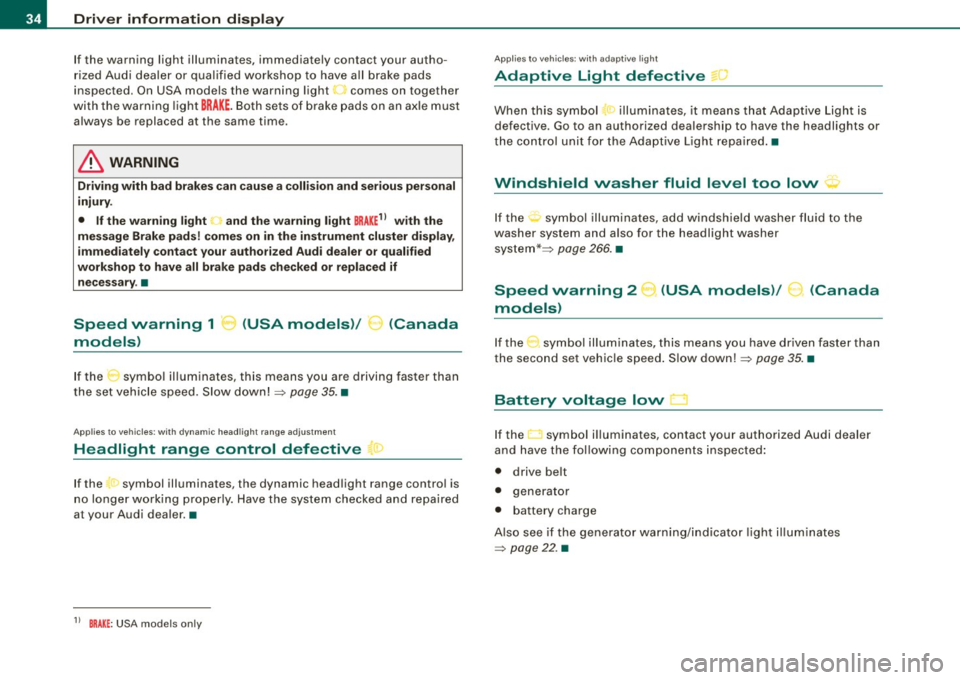
If the warning light illuminates, immediately contact your autho
rized Audi dealer or qualified workshop to have all brake pads
inspected. On USA models the warning light
O comes on together
with the warning light
BRAKE. Both sets of brake pads on an axle must
always be replaced at the same time .
& WARNING
Driving with bad brakes can cause a collision and serious personal
injury.
• If the warning light , and the warning light
BRAKE11 with the
message Brake pads! comes on in the instrument cluster display,
immediately contact your authorized Audi dealer or qualified
workshop to have all brake pads checked or replaced if necessary .•
Speed warning 1 ~ (USA models)/
models) (Canada
If
the symbol illuminates, this means you are driving faster than
the set vehicle speed . Slow down! =>
page 35. •
Applies to vehicles : wit h dynami c h ea d light ran ge ad ju stment
Headlight range control defective C.1
If the symbol illuminates, the dynamic headlight range control is
no longer working properly. Have the system checked and repaired
a t your Audi dealer. •
11 BRAKE : USA models only
App lies to vehicles: w it h ada ptive li gh t
Adaptive Light defective ~ ,
When this symbol I illuminates, it means that Adaptive Light is
defective . Go to an authorized dealership to have the headlights or
the control unit for the Adaptive Light repaired. •
Windshield washer fluid level too low ¢;>
If the-;... symbol illuminates, add windshield washer fluid to the
washer system and also for the headlight washer
system *=>
page 266. •
Speed warning 2
models) (USA models)
/
(Canada
If the symbol illuminates, this means you have driven faster than
the second set vehicle speed. Slow down! =>
page 35. •
Battery voltage low ....J
If the C:::-symbol illuminates, contact your authorized Audi dealer
and have the following components inspected:
• drive belt
• generator
• battery charge
Also see if the generator warning/indicator light illuminates
=>
page 22. •
Page 37 of 340
Defective light bulb warning The defective light bulb warning tells you when a vehicle
light bulb has become defective.
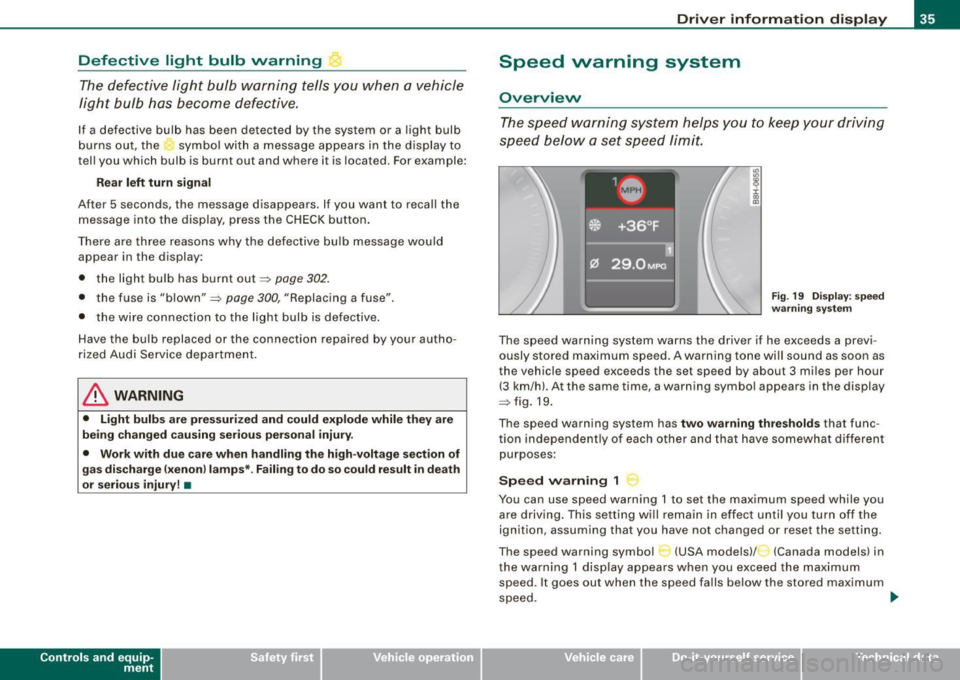
If a defective bulb has been detected by the system or a light bulb
burns out, the symbol with a message appears in the display to
tell you which bulb is burnt out and where it is located. For example:
R ear left tu rn signal
After 5 seconds, the message disappears . If you want to reca ll the
message into the display, press the CHECK button .
There are three reasons why the defective bulb message would appear in the display:
• the light bu lb has burnt out~
page 302.
• the fuse is "blown"~ page 300, "Replacing a fuse" .
• the wire connection to the light bulb is defective .
Have the bulb replaced or the connection repaired by your autho
rized Audi Service department .
& WARNING
• Light bulb s are pre ssur ized and cou ld e xplode while they are
being changed causing se rio us pe rsona l injury .
• Work with du e care when h andling the high -voltage sect ion of
gas disc ha rg e !x enon ) la mp s* . F a il ing to do so cou ld r esult in death
o r seriou s inju ry! •
Contro ls and eq uip
ment
Dri ver informa tio n di spl ay
Speed warning system
Overview
The spee d warning system helps you to keep your driving
speed below a set speed limit.
Fig. 19 D ispl ay : s pee d
wa rning sy st em
The speed warning system warns the driver if he exceeds a previ
ously stored maximum speed . A warning tone wi ll sound as soon as
the vehicle speed exceeds the set speed by about 3 miles per hour (3 km/hl. At the same time, a warning symbo l appears in the display
~fig.19.
The speed warning system has
two warning thre sh old s that func
tion independently of each other and that have somewhat different
purposes :
Speed warning 1
You can use speed warning 1 to set the maximum speed while you
are driving . This setting will remain in effect un til you turn off the
ignition, assuming that you have not changed or reset the setting.
The speed warning symbol
C-~ (USA models)/ (Canada models) in
the warning 1 display appears when you exceed the maximum speed . It goes out when the speed falls below the stored maximum
speed. .,
~ehicle care Technical data
Page 38 of 340
Driver inf orma tion d ispl ay
The speed warning symbol will also go out if the speed exceeds the
stored maximum speed by more than about 25 mph (40 km/h) for at
least 10 seconds. The stored maximum speed is de leted .
Setting speed warning 1
~ page 36 .
Speed warning 2
Storing warning 2 is recommended if you
always want to be
reminded of a certain speed, for example when you are traveling in
a country that has a general maximum speed limit, or if you do not
want to exceed a specified speed for winter tires.
The speed warning 2 symbol,
~ (USA models)/ :, (Canada models)
appears in the disp lay when you exceed the stored speed limit.
Unlike warning 1, it will not go out until the vehicle speed drops
below the stored speed limit.
Setting speed warning 2
=> page 36.
[ i ) Tip s
Even though your vehicle is equipped with a speed warning system,
you should still watch the speedometer to make sure you are not
driving faster than the speed limit .•
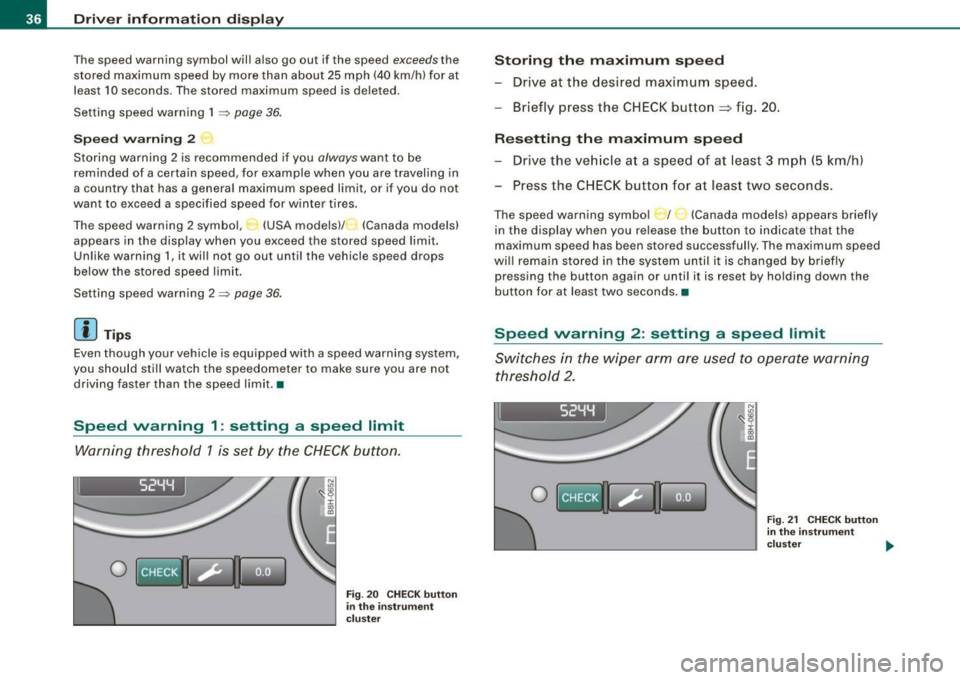
Speed warning 1 : setting a speed limit
Warning threshold 1 is set by the CHECK button.
I 52YY
0
N
"' :8 i 00
"'
Fig . 20 C HECK but to n
in th e ins trume nt
c lu ster
Storing th e maximum speed
- Drive at the desired maximum speed.
- Briefly press the CHECK button
=> fig . 20.
R es etting th e m aximum spe ed
- Drive the veh icle at a speed of at least 3 mph (5 km/h)
- Press the CHECK button for at least two seconds.
The speed warning symbol _ f _ _ (Canada models) appears briefly
in the display when you release the button to indicate that the
maximum speed has been stored successful ly. The maximum speed
wi ll remain stored in the system until i t is changed by briefly
pressing the button again or unti l it is reset by holding down the
button for at least two seconds. •
Speed warning 2: setting a speed limit
Switches in the wiper arm are used to operate warning
threshold 2 .
I 52YY
0
Fig. 21 CHECK button
in the in st rum ent
clu ste r .,,.
Page 39 of 340
Saving a maximum sp eed
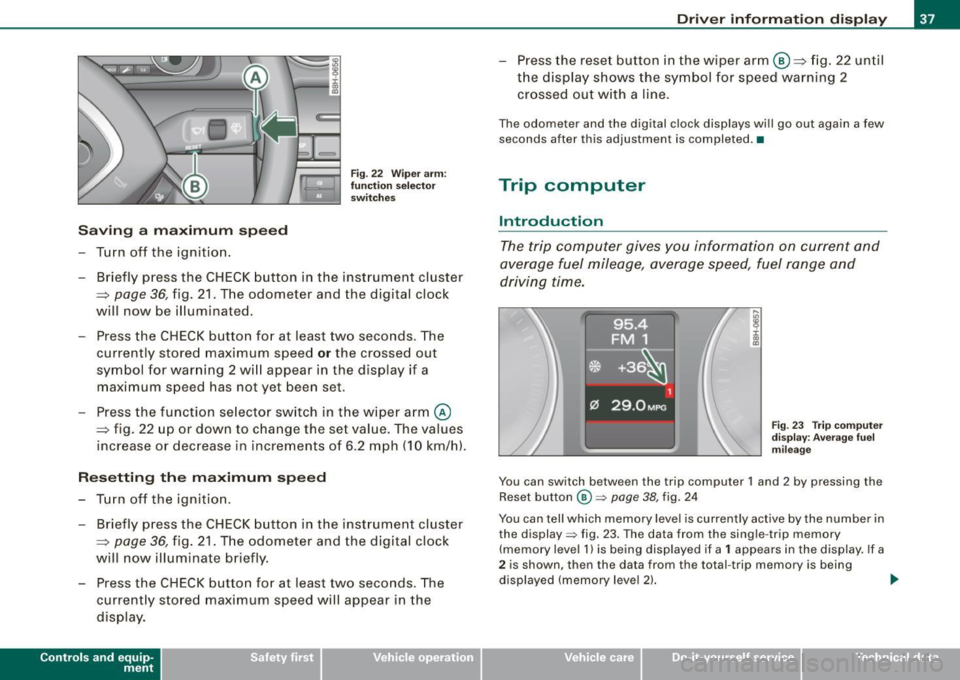
- Turn off the ignition .
Fig. 22 Wiper arm :
fu nc tio n se lec to r
switches
- Briefly press the CHECK button in the instrument cluster
=> page
36, fig. 21 . The odometer and the digital clock
will now be illuminated.
Press the CHECK button for at least two seconds. The
currently stored maximum speed
o r the crossed out
symbol for warning 2 wi ll appear in the display if a
maximum speed has not yet been set.
Press the function se lector switch in the wiper arm@
=> fig. 22 up or down to change the set value . The values
increase or decrease in increments of 6 .2 mph (10 km/h).
R ese tting th e m aximum sp eed
- Turn off the ignition .
- Briefly p ress the CHECK button in the instrument cluster
=> page 36, fig. 21. The odometer and the digital clock
will now illuminate briefly .
- Press the CHECK button for at least two seconds. The
cu rrently stored maximum speed will appear in the
disp lay.
Contro ls and eq uip
ment
Dri ver informa tio n di spl ay
- Press the rese t button in the wiper arm@=> fig. 22 until
t h e d isplay shows the symbol for spe ed warning 2
crossed out w ith a line .
The odometer and the digital clock disp lays wi ll go out again a few
seconds after this adjustment is completed .•
Trip computer
Introduction
The trip computer gives you information on current and
average fuel mileage, average speed, fuel range and
driving time.
F ig . 23 Tr ip co mput er
d is pl ay : Ave ra ge f uel
mi leage
You can switch between the trip computer 1 and 2 by pressing the
Reset button
@ => page 38, fig. 24
You can tell which memory level is currently active by the number in
the display => fig. 23. The data from the single -trip memory
(memory level 1 l is being displayed if a
1 appears in the display. If a
2 is shown, then the data from the total -trip memory is being
displayed (memory leve l 2) . ..,_
~ehicle care Technical data
Page 42 of 340
Driver inf orma tion d ispl ay
Some functions in your vehicle can be set, activated, and controlled
by
M enu s (e.g. Acoustic Park Assist*). With these menus you can
a lso select the information shown in the DIS disp lay, which operates
only with the ignition switched on. Operation is controlled by the
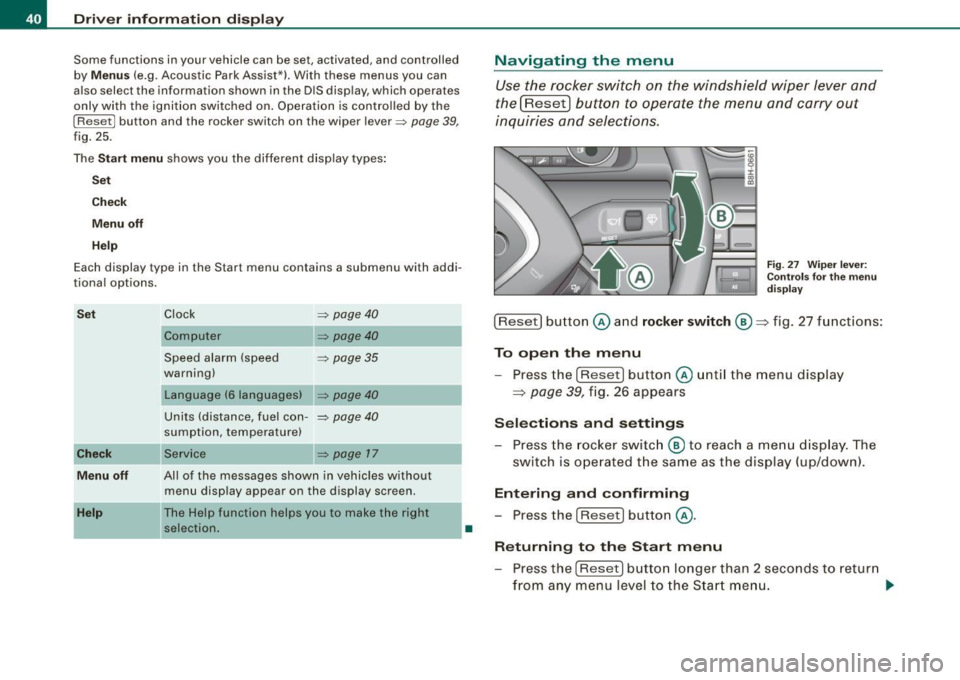
!Reset) button and the rocker switch on the wiper lever~
page 39,
fig. 25.
The
Start m enu shows you the different disp lay types :
Set
Check
Menu off
H el p
Each display type in the Start menu contains a submenu with addi
tional options.
S et
Check
Me nu off
H elp
Clock ~ page40
Computer
Speed alarm (speed
~ page35
warning)
Language (6 languages)
=> page40
Units (distance, fuel con-~ page40
sumption, temperature)
Service
~ page 17
All of the messages shown in vehicles without menu disp lay appear on the display screen.
The Help function helps you to make the right selection.
•
Navigating the menu
Use the rocker switch on the windshield wiper lever and
the[ResetJ button to operate the menu and carry out
inquiries and selections.
F ig . 27 Wipe r leve r:
Con trols for t he m en u
d is pl ay
!Reset] button @and rocker switch @=> fig. 27 functions:
To op en th e menu
- Press the
!Reset! button @unti l the menu display
=> page 39, fig. 26 appears
Sele ctions and setting s
- Press the rocker switc h
@ to reach a me nu display . The
switch is ope rated the sam e as the display (up/down).
Entering and confirming
- Press the
I Reset I button @.
R eturning to th e Start menu
- Press the
[Reset) butto n longer than 2 seconds to retur n
from any menu level to the Star t m en u. •
Page 44 of 340
Driver information display
symbols appear in the instrument cluster display to alert the driver.
The warning light in the instrument cluster comes on when the
tire is significantly underinflated .
The warning light _, also lights up during a system failure.
When the wheel is turning, the system receives radio signals from
sensors located inside each tire .
A factory spare wheel is delivered with sensor. However, the spare
wheel is not checked by the tire pressure monitoring system. Such monitoring can only occur after the spare wheel has been installed
and initialized ~
page 45.
Be aware that tire pressure is also dependent on the temperature of
the tire. For every 18 °F (10 °C) increase in tire temperature, tire pres
sure increases by about 1.5 psi (0.1 bar). The tire warms up while the
vehicle is moving and tire pressure rises. So you should adjust tire
pressure only when they are
cold, when tire temperature is roughly
the same as ambient air temperature.
In order to keep the tire pressure monitoring system properly cali
brated, tire pressure on all four tires should be checked at regular
intervals, adjusted if necessary and saved in the proper setting
(recommended pressure)~
page 43.
The tire pressure is shown on the tire pressure label. On USA vehi
cles, the tire pressure label is located on the driver's side B-pillar. On
Canada vehicles, the tire pressure label is located either on the
driver's side B-pillar or inside the fuel filler flap. The tire pressure
label lists the recommended cold tire inflation pressures for the
vehicle at its maximum capacity weight and the tires that were on
your vehicle at the time it was manufactured . For recommended tire
pressures for normal load conditions, please see chapter
~ page 277.
& WARNING
• When the tire pressure monitoring system warning light is lit,
one or more of your tires is significantly under -inflated. You should
stop and check your tires as soon as possible, and inflate them to
& WARNING (continued)
the proper pressure as indicated on the vehicle's tire pressure
label
~ page 271. Driving on a significantly under-inflated tire
causes the tire to overheat and can lead to tire failure. Under-infla
tion also is likely to impair the vehicle's handling and stopping ability .
• Do not adjust tire pressure when tire temperature is excessive.
This could lead to serious tire damage and even cause the tire to
burst, with the additional danger of an accident.
For the sake of the environment
Driving with under-inflated tires reduces fuel efficiency and tire
tread life.
[ i] Tips
• Each tire should be checked monthly when cold and set to the
recommended inflation pressure as specified on the tire pressure
table~
page 277 .
• The tire pressure monitoring system helps the driver to keep
track of the tire pressures . But the driver still has the responsibility
for maintaining the correct tire pressure.
• Tire pressure must only be adjusted when the temperature of the
tires is about the same as ambient air temperature.
• When tires are replaced, the sensors and valves must not be
detached or exchanged. Only the valve core needs to be replaced
and, if necessary, the valve and the wheel electronics replaced.
• If you should put different wheels and tires on your vehicle (e.g.
winter wheels and tires), you must be certain that the wheels and
tires are compatible with the tire pressure monitoring system.
Otherwise the system will register a malfunction and a fault
message will be displayed. For more information, contact your Audi
dealer. .,