battery AUDI A4 CABRIOLET 2009 Owners Manual
[x] Cancel search | Manufacturer: AUDI, Model Year: 2009, Model line: A4 CABRIOLET, Model: AUDI A4 CABRIOLET 2009Pages: 340, PDF Size: 77.32 MB
Page 5 of 340
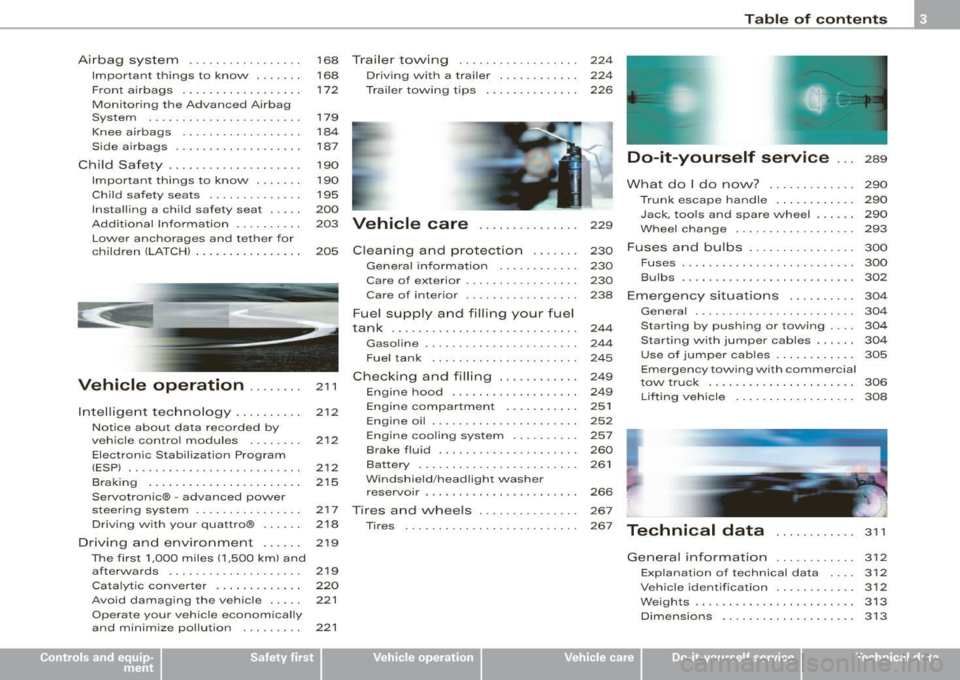
Airbag system . . . . . . . . . . . . . . . . . 168 Trailer to\Ning . . . . . . . . . . . . . . . . . . 224
Important things to know . . . . . . . 168 Driv ing with a trailer . . . . . . . . . . . . 224
Front airbags . . . . . . . . . . . . . . . . . . 172 Trailer towing tips . . . . . . . . . . . . . . 226
Monitoring the Advanced Airbag
System . . . . . . . . . . . . . . . . . . . . . . .
179
Knee airbags . . . . . . . . . . . . . . . . . . 184
Side a irbags . . . . . . . • . . . . . . . . . . . 187
Child Safety . . . . . . . . . . . . . . . . . . . . 190
Impor tant things to know . ..... .
Child safety seats ............. .
Insta lling a chi ld safety seat .... . 190
195
200
Add it ional Information ....... .. . 203 Vehicle care . . . . . . . . . . . . . . . 229
Lower anchorages and tethe r for
children (LA TCH) . .. ... ... ... ... .
205 Cleaning and protection . . . . . . . 230
~----
t
Vehicle operation .... ... . 211
212
212
2 12
215
Intelligent
technology ... ... ... .
Notice about data recorded by
ve hicle contro l modules .. ..... .
Electronic Stabilization Program
(ESPJ . .... ... ......... ... ... .. .
B rak ing ..... ... .... .... ... ... .
Servotronic® -advanced power
steering system ............... .
Driving with your quattro® ..... .
Driving and environment .... . . 217
2
18
2 19
The first 1,000 miles (1,500 km) and
afterwards . . . . . . . . . . . . . . . . . . . .
21 9
Catalytic converter . . . . . . . . . . . . .
220
Avoid damaging the ve hicle . . . . . 221
Operate your vehicle economically
and minimize pollution . . . . . . . . .
221
General information ........... .
Care of exterior ................ .
Care of inte rior ...... .... ... ... .
Fue l supply and filling your fuel
tank ........................... .
Gasoline ........... ........... .
Fuel tank ..................... .
Checking and filling .. ... ...... .
Engine hood ......... ......... .
Engine compartment ...... ... . .
Engine oil ..................... .
Engine cooling system ......... .
Brake fluid ................ ... . .
Battery . ... ... ... ............. .
W indshield /headligh t washer
rese rvoir ...................... .
Tires and \Nheels .......... .... .
Tires ..... .. ..... ... .. - . -.. • · · ·
230
230
238
244
244
245
249
249
251
252
257
260
261
266
267
267
Table of contents
Do-it-yourself service ... 289
What do I do no\N? . . . . . . . . . . . . . 290
Trunk escape ha ndle . . . . . . . . . . . . 290
Jack, tools and spare wheel . . . . . . 290
Whee l change .............. .... 293
Fuses and bulbs . . . . . . . . . . . . . . . . 300
Fus es ................. ......... 300
Bulbs .......................... 302
Emergency situations . . . . . . . . . . 304
Genera l ... .. ... .... _ .. _ ...... .. 304
Starting by pushing or towing . . . . 304
Starting with jumper cables . . . . . . 304
Use of jumpe r cables . . . . . . . . . . . . 305
Em ergency towing with commercial
tow truck ... ......... ....... .. .
Lifting vehicle ................. .
Technical data
General information 306
308
311
312
Explanation
of technical data 312
Vehic le ide ntific ation . . . . . . . . . . . . 312
Weights ........................ 313
Dimensio ns . . . . . . . . . . . . . . . . . . . . 313
~ehicle care irechnical data
Page 20 of 340
Instruments and warning /indicator lights
• The service display information will remain intact even if the
battery is disconnected .
• If a priority 1 malfunction is detected (red symbol), you cannot
display the distance remaining. •
Reset button
The "0.0" button=> page 17, fig. 7 @ performs the following func
tions :
Resetting the trip odometer
The upper odometer (trip odometer) => page 15 can be reset back to
zero by pressing the reset button.
Resetting the service interval
The service interva l display=> page 17 can be reset by pressing the
reset button (first select the "reset" mode in the service indicator
display). •
Warning /indicator lights
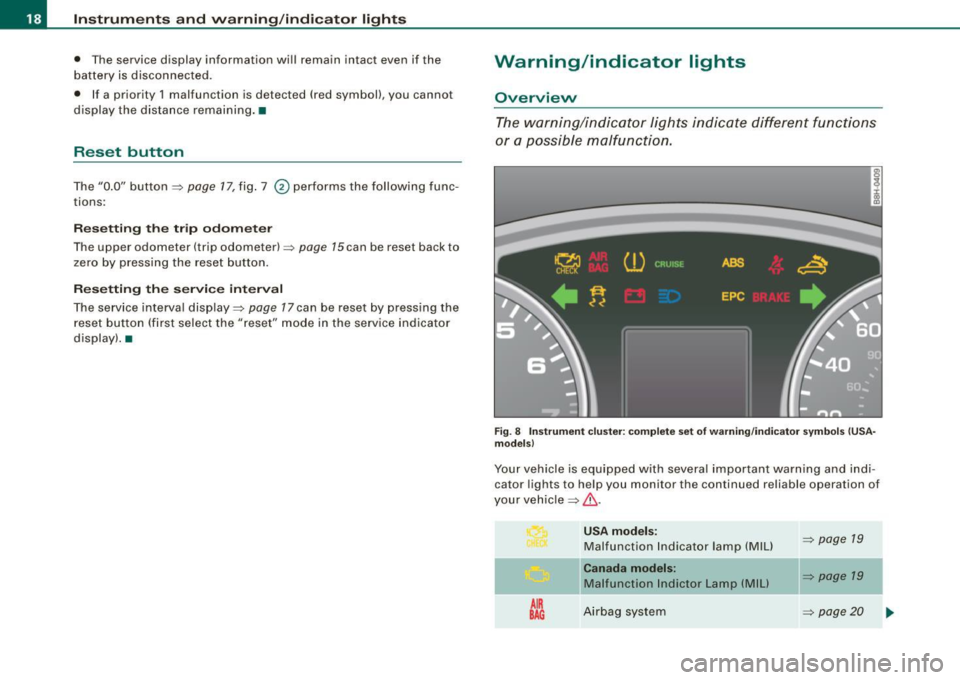
Overview
The warning/indicator lights indicate different functions
or a possible malfunction.
Fig. 8 Instrument clu ste r: complete set of warning /indi cator symbols (USA
models)
Your vehicle is equipped with several important warning and indi
cator lights to help you monitor the continued reliable operation of
your vehic le~
& -
AIR
BAG
USA models :
Malfunction Indicator lamp (MIU
Canada models:
Malfunction lndictor Lamp (MIU
Airbag sys tem
~ page 19
~ page 19
~ page20
Page 24 of 340
Inst rum ents and warnin g/indi cato r li ghts
If one of the turn signal light bulbs burn out, the turn signal will
flash twice as fast as normal. •
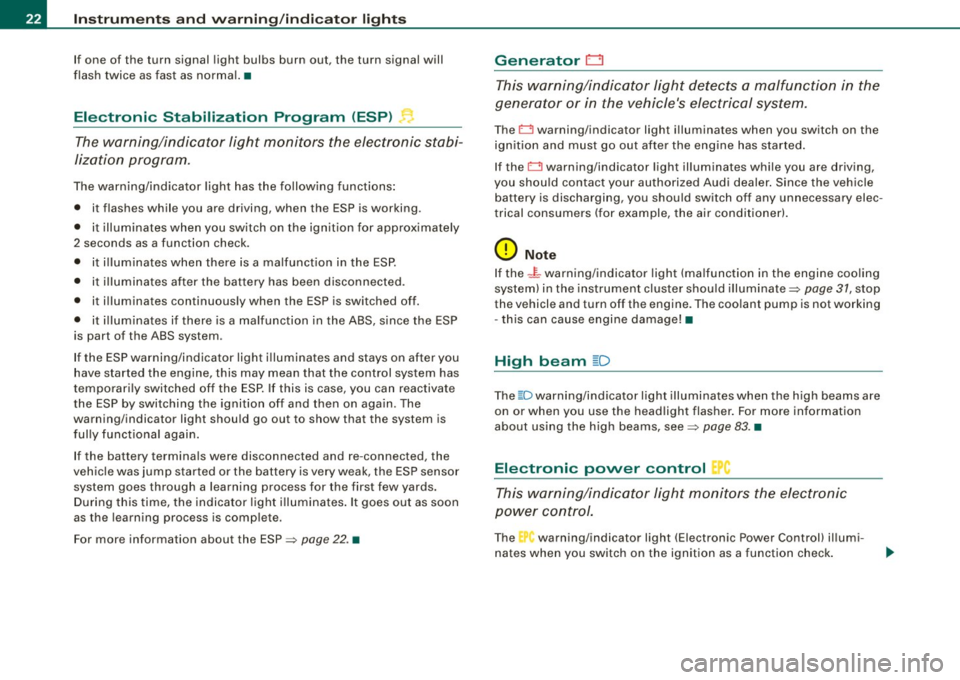
Electronic Stabilization Program (ESP)
The warning/indicator light monitors the electronic stabi
lization program.
The warning/indicator light has the following functions :
• it flashes while you are driving , when the ESP is working .
• it illuminates when you switch on the ignition for approximately
2 seconds as a function check .
• it illuminates when there is a ma lfunction in the ESP.
• it illuminates after the battery has been disconnected.
• it illuminates continuous ly when the ESP is switched off.
• it illuminates if there is a malfunction in the ABS, since the ESP
is part of the ABS system.
If the ESP warning/indicator light i lluminates and stays on after you
have started the engine , this may mean that the control system has
temporari ly switched off the ESP. If this is case, you can reactivate
the ESP by switching the ignition o ff and then on again. The
warning/indicator light should go out to show that the system is
fully functional again.
If the battery terminals were disconnected and re-connected, the
vehic le was jump started or the battery is very weak, the ESP sensor
system goes through a learning process for the first few yards.
During this time, the indicator light illuminates. It goes out as soon
as the learning process is comp lete .
For more information about the ESP~
page 22. •
Generator 0
T his warning/indicator light detects a malfunction in the
generator or in the vehicle's electrical system .
The D warning/indicator light illuminates when you switch on the
ign itio n and must go out after the engine has started.
If the
D warning/indicator light illuminates while you are driving,
you shou ld contact your authorized Audi dealer . Since the vehicle
battery is discharging, you should switch off any unnecessary elec
trical consumers (for example, the air conditioner) .
0 Note
If the -t warning/indicator light (ma lfunction in the engine coo ling
system) in the instrument cluster shou ld illuminate~
page 31, stop
the vehicle and turn off the engine. The coo lant pump is not working
- this can cause engine damage! •
High beam ~D
The@:Dwarning/indicator light illuminates when the high beams are
on or when you use the headlight flasher. For more information
about using the high beams, see~
page 83. •
Electronic power control p
This warning/indi cator light monitors the electronic
power control.
The warning/indicator light (Electronic Power Control) il lumi-
nates when you switch on the ignition as a function check .
Page 35 of 340
II
Light/rain* sensor defective
Worn brake pads
USA m odels :
Speed warning 1
Canad a m od els:
Speed warning 1
Dynamic headlight range con trol*
defective
Adaptive Light* defective
Windshield washer fluid level low
U SA mod els:
Speed warning 2
Canada mod els:
Speed warning 2
Battery voltage too high or too low
D efective light bu lb
Tire pressure monitoring system* Loss of air pressure
Tire pressure monitoring system*
System not available
~ page33
~ page 33
~ page34
~ page 34
~ page34
~ page34
~ page34
~ page 34
~ page34
~ page 34
~ page35
~ page 43
~ page46 I
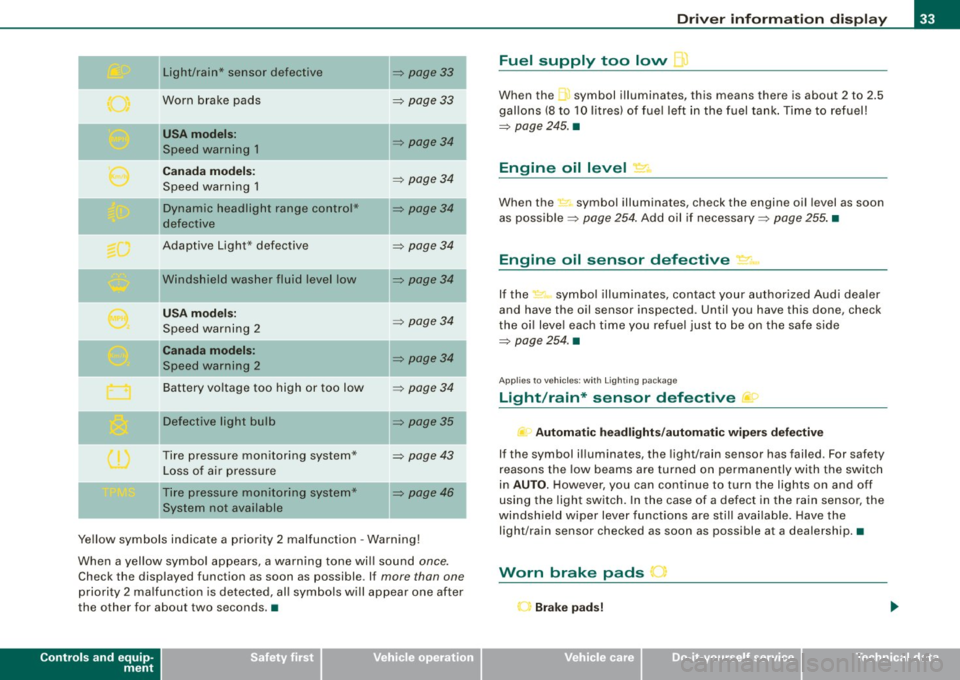
Ye llow symbols indicate a priority 2 malfunction -Warning!
When a yellow symbo l appears, a warning tone wi ll sound
once.
Check the displayed function as soon as possible. If more than one
priority 2 ma lfunction is detected, all symbols will appear one after
the other for about two seconds. •
Controls and equip
ment
Driv er inf ormati on di spl ay
Fuel supply too low l
When the -,symbol illuminates, this means there is about 2 to 2.5
gallons (8 to 10 litres) of fue l left in the fuel tank . Time to refuel!
~ page 245. •
Engine oil level '7.:.
When the-=· symbol illuminates, check the engine oil level as soon
as possib le ~
page 254 . Add oil if necessary ~ page 255. •
Engine oil sensor defective • ..
If the .,_,ft symbol illuminates, contact your author ized Audi dea ler
and have the oil sensor inspected. Until you have this done, check
the oi l leve l each time you refuel just to be on the safe side
~ page 254. •
Applies to vehic les: with Lighting package
Light/rain* sensor defective >
- Automa tic headl ight s/autom atic wiper s def ective
If the symbol il luminates, the light/rain sensor has failed. For safety
reasons the low beams are turned on permanently with the switch
in
AUTO . However, you can continue to turn the lights on and off
using the light switch. In the case of a defect in the rain sensor, the
windsh ield wiper lever functions are still avai lable. Have the
light/rain sensor checked as soon as possible at a dealership. •
Worn brake pads J
r Brake p ad s!
Page 36 of 340
Driver information display
If the warning light illuminates, immediately contact your autho
rized Audi dealer or qualified workshop to have all brake pads
inspected. On USA models the warning light
O comes on together
with the warning light
BRAKE. Both sets of brake pads on an axle must
always be replaced at the same time .
& WARNING
Driving with bad brakes can cause a collision and serious personal
injury.
• If the warning light , and the warning light
BRAKE11 with the
message Brake pads! comes on in the instrument cluster display,
immediately contact your authorized Audi dealer or qualified
workshop to have all brake pads checked or replaced if necessary .•
Speed warning 1 ~ (USA models)/
models) (Canada
If
the symbol illuminates, this means you are driving faster than
the set vehicle speed . Slow down! =>
page 35. •
Applies to vehicles : wit h dynami c h ea d light ran ge ad ju stment
Headlight range control defective C.1
If the symbol illuminates, the dynamic headlight range control is
no longer working properly. Have the system checked and repaired
a t your Audi dealer. •
11 BRAKE : USA models only
App lies to vehicles: w it h ada ptive li gh t
Adaptive Light defective ~ ,
When this symbol I illuminates, it means that Adaptive Light is
defective . Go to an authorized dealership to have the headlights or
the control unit for the Adaptive Light repaired. •
Windshield washer fluid level too low ¢;>
If the-;... symbol illuminates, add windshield washer fluid to the
washer system and also for the headlight washer
system *=>
page 266. •
Speed warning 2
models) (USA models)
/
(Canada
If the symbol illuminates, this means you have driven faster than
the second set vehicle speed. Slow down! =>
page 35. •
Battery voltage low ....J
If the C:::-symbol illuminates, contact your authorized Audi dealer
and have the following components inspected:
• drive belt
• generator
• battery charge
Also see if the generator warning/indicator light illuminates
=>
page 22. •
Page 40 of 340
Driver inf orma tion d ispl ay
S in gle- trip m em ory (Tr ip co mputer 1)
The single -trip memory stores the trip informa tion from the time the
ignition is turned on until it is turned off. If the trip is continued
w ithin 2 hour s from the time the ignition was turned off, the new
data will be included in the calculation of the current trip informa
tion. If the trip is interrupted for
mo re t han 2 ho ur s the memory is
reset automatically.
T ot al-tr ip m emor y (Trip comp uter 2)
Un like the s ingle-trip memory, the total -trip memory is not reset
automatically . This permits you to evaluate your driving data for the
entire period between manua l resets .
Fuel r an ge
The es timated cruising range in miles (km) appears in the display .
This tells you how far your vehicle wil l be able to trave l on the
current tank of fuel and with the same driving style. The display
changes in increments of 6 miles (10 km).
The cruising range is ca lculated based on the fuel consumption for
the last 18 miles (30 km). If you drive conservatively, the cruising
range will increase.
Ave rage f uel m ileage
The average fuel economy in MPG (1/100 km) s ince you last cleared
the memory appears in this display. You can use this disp lay to
adjust your driving technique to achieve a desired mileage.
Curren t fue l mile age
The instantaneous fuel consumption in mi les per ga llon (1/100 km)
is shown in this display. You can use this disp lay to adjust your
driving technique to achieve a desired mileage.
Fuel consumption is recalcu lated at intervals of 33 yards (30
meters). When the vehic le is stationary, the most recent fuel
consumption is displayed.
A ve ra ge speed
The average speed in mph (km/h) since the last time the display was
reset appears in the display.
Elapsed time
The length of time that you have been driving since you last reset
the memory appears in this display .
Distance
The elapsed distance since the last time the memory was cleared
appears in the disp lay. The maximum distance that can be recorded
is 9,999.9 m iles (9,999 .9 kilomete rs) .
[ i ] Tips
A ll stored values will be lost if the vehicle battery is disconnected .•
Operation
The trip computer is controlled by two switches on the
windshield wiper lever.
Fig. 24 W iper ar m:
W ipe r leve r: co ntrol s
for the tr ip co mpu ter ..
Page 41 of 340
Sele cting th e fun ctions
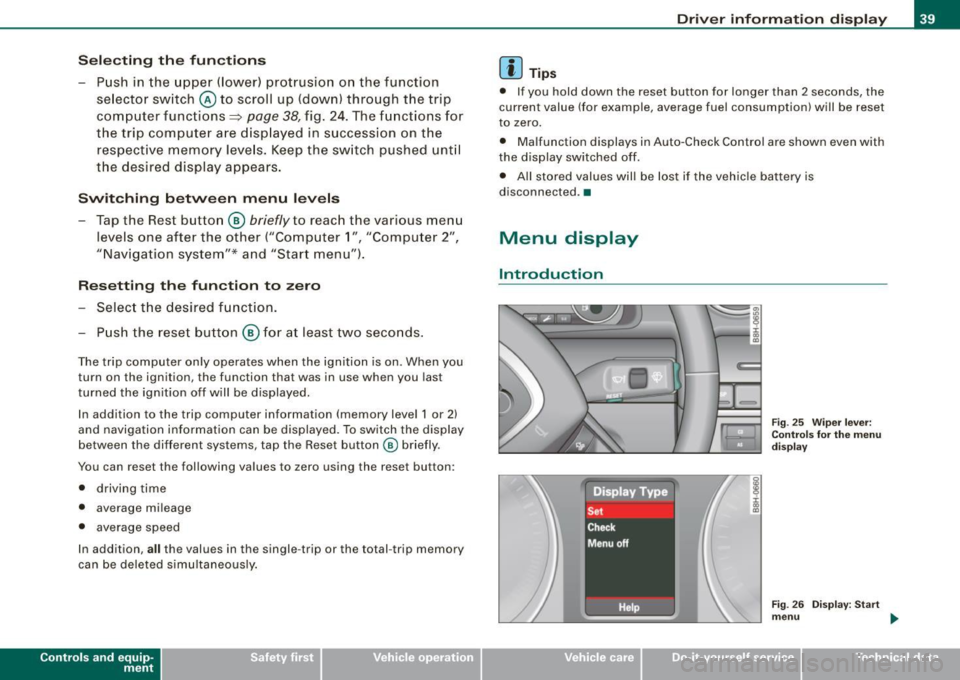
- Push in the uppe r (lower) protrusion on the function
se lector switch @to scroll up (down) through the trip
computer functions~
page 38, fig. 24. The fu nctions for
the trip computer a re d isp layed in succession on the
respective memory leve ls. Keep the switch pushed unt il
the desired display appears .
Swi tching b etw een m enu levels
- Tap the Rest button @
briefly to reach the various menu
levels one after the other ("Computer 1 ", "Computer 2",
"Navigation system"* and "Start menu") .
Res etting th e function to zero
- Selec t the desired func tion.
Push the reset button @for at least two seco nds .
The trip computer on ly operates when the ignition is on. When you
turn on the ignition, the function that was in use when you last
turned the ignition off will be displayed.
In addition to the trip computer information (memory level 1 or 2)
and navigation information can be displayed. To switch the d isp lay
between the different systems, tap the Reset button
@ briefly.
You can reset the fol lowing va lues to zero using the reset button:
• driving time
• average mileage
• average speed
In addition,
a ll the values in the single -trip or the total -trip memory
can be deleted s imu ltaneously .
Controls and eq uip
ment
Dri ver informa tio n di spl ay
[ i ] Tip s
• If you hold down the reset button for longer than 2 seconds, the
current value (for example, average fuel consumption) will be reset
to zero.
• Malfunction displays in Auto-Check Control are shown even with
the display sw itched off.
• All stored values will be lost if the vehic le battery is
disconnected. •
Menu display
Introduction
~ehicle care
Fig. 25 W iper leve r:
Con trols fo r the menu
d isp lay
F ig . 2 6 Di splay: Start
m enu
Technical data
Page 50 of 340
Opening and clos ing
Master key with remote control
The rem ote control allows you to lock or unlock the
vehicle electronically.
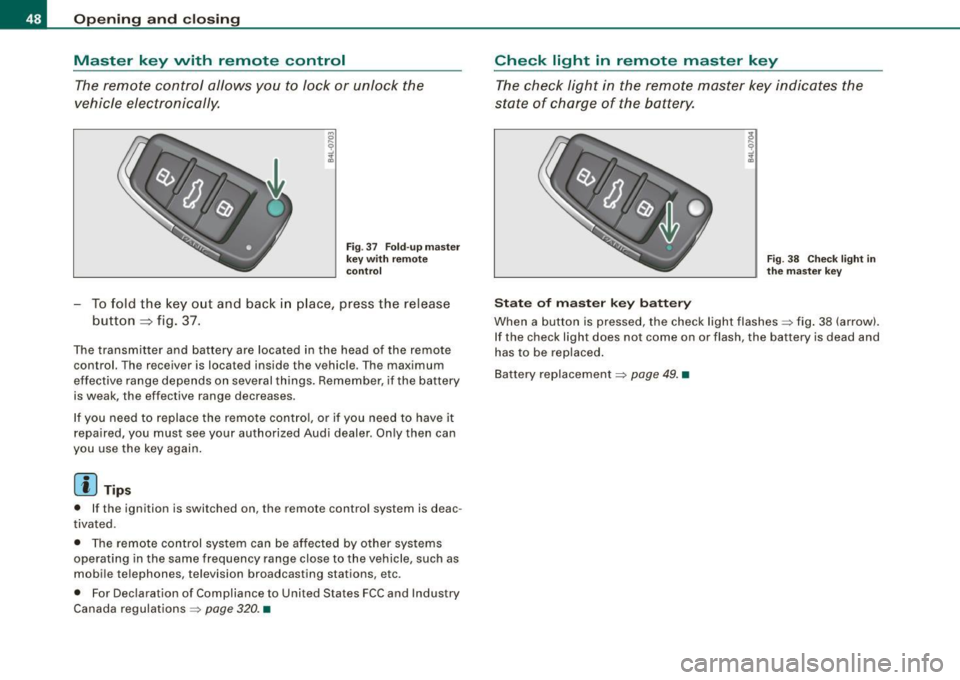
F ig . 37 Fo ld- up ma ster
key with re mote
co ntr ol
- To fold the key out and back i n place, press the release
button ::::, fig. 37.
The transmitter and battery are located in the head of the remote
control. The receiver is located inside the vehicle. The maximum
effective range depends on several things. Remember, if the ba ttery
is weak, the effective range decreases.
I f you need to replace the remote cont ro l, or if you need to have it
repaired, you must see your authorized Audi dealer. Only then can
you use the key again .
[ i ] Tips
• If the ignition is switched on, the remote control system is deac
tivated.
• The remote control system can be affected by other systems
operating in the same frequency range close to the vehicle, such as
mobile telephones, television broadcasting stations, etc.
• For Declaration of Compliance to United States FCC and Industry
Canada regulations =>
page 320. •
Check light in remote master key
The check light in the rem ote master key indic ates the
state of charge of the battery.
S ta te o f m aste r k ey ba tt e ry
F ig . 3 8 Check lig ht in
th e m as ter key
When a button is pressed, the check light flashes=> fig . 38 (arrow).
If the check light does not come on or flash, the battery is dead and
has to be replaced .
Battery replacement =>
page 49. •
Page 51 of 340
Master key battery replacement
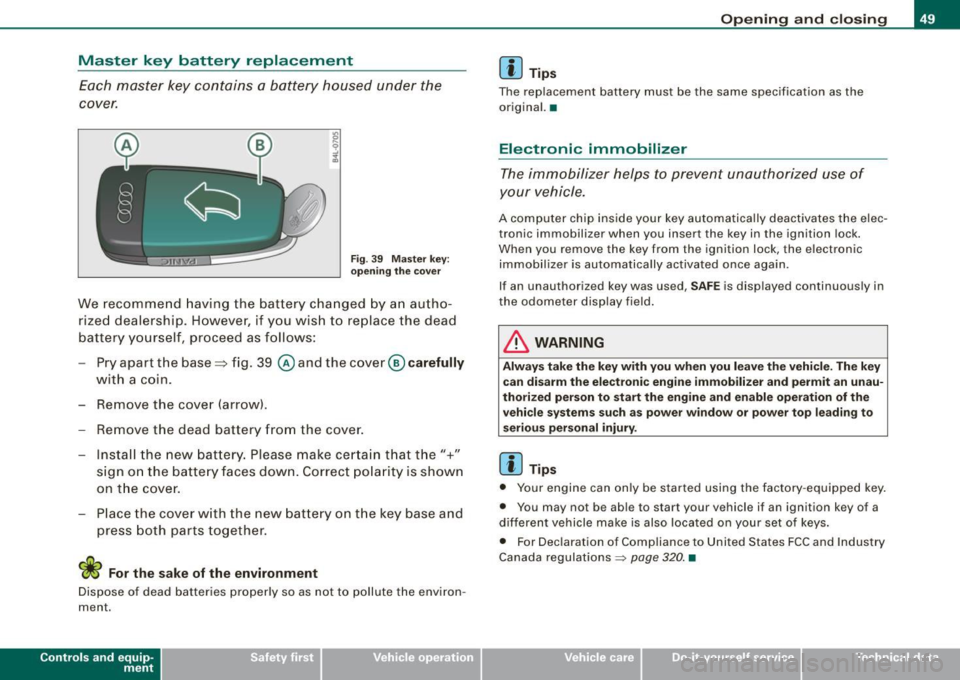
Each master key contains a battery housed under the
cover.
Fig. 39 Master key:
opening the cover
We recommend having the battery changed by an autho
rized dealership. However, if you wish to replace the dead
battery yourself, proceed as follows:
- Pry apart the base=> fig. 39
@ and the cover @carefully
with a coin.
- Remove the cover (arrow).
- Remove the dead battery from the cover.
- Install the new battery. Please make certain that the"+"
sign on the battery faces down. Correct polarity is shown
on the cover.
- Place the cover with the new battery on the key base and
press both parts together.
W For the sake of the environment
Dispose of dead batteries properly so as not to pollute the environ
ment.
Contro ls and eq uip
ment
Opening and closing
[ i] Tips
The replacement battery must be the same specification as the
original. •
Electronic immobilizer
The immobilizer helps to prevent unauthorized use of
your vehicle.
A computer chip inside your key automatically deactivates the elec
tronic immobilizer when you insert the key in the ignition lock.
When you remove the key from the ignition lock, the electronic
immobilizer is automatically activated once again.
If an unauthorized key was used,
SAFE is displayed continuously in
the odometer display field.
in. WARNING
Always take the key with you when you leave the vehicle. The key
can disarm the electronic engine immobilizer and permit an unau
thorized person to start the engine and enable operation of the
vehicle systems such as power window or power top leading to
serious personal injury.
[ i] Tips
• Your engine can only be started using the factory -equipped key.
• You may not be able to start your vehicle if an ignition key of a
different vehicle make is also located on your set of keys.
• For Declaration of Compliance to United States FCC and Industry
Canada regulations
~ page 320. •
~ehicle care irechnical data
Page 53 of 340
& WARNING (co ntin u ed)
• Do n ot l ea ve c hildr en i ns ide th e vehicle un sup erv is ed. In an
e m erg en cy it w ould be impo ssible to op en the door s from the
out side without the key.
[ i ] Tip s
• In the event of a crash with airbag deployment all locked doors
wi ll be automat ically unlocked to give access to the vehicle occu
pants from the outside.
• If the power locking system should fail, you can st ill open the
fue l tank flap in an emergency~
page 248.
• You are we ll advised not to keep va luables inside an unattended
vehic le, visible or not. Even a properly locked vehicle cannot provide
the security of a safe! •
Keyless entry remote control
General description
The remote controls allows you to:
• lock or un lock the vehicle
• selective ly un lock the rear lid.
The turn signals wi ll flash briefly whenever you lock or unlock the
vehic le . Also, the interior light will come on or go off whenever you
open or c lose the driver's door.
The transmitter and battery are located in the head of the remote
control. The receiver is located inside the vehicle. The maximum
effective range depends on severa l things. Remember, if the battery
is weak, the effective range decreases .
The remote -control key contains a fo ld-ou t key that you can use to
manual ly lock or unlock the vehicle and to start the engine .
Controls and eq uip
ment
Op enin g and clo sing
If you need to replace the remote control, or if you need to have it
repaired, you must see your authorized Audi dealer. Only then can
you use the key again. •
Unlocking and locking the vehicle with the
remote control
How the remote control works.
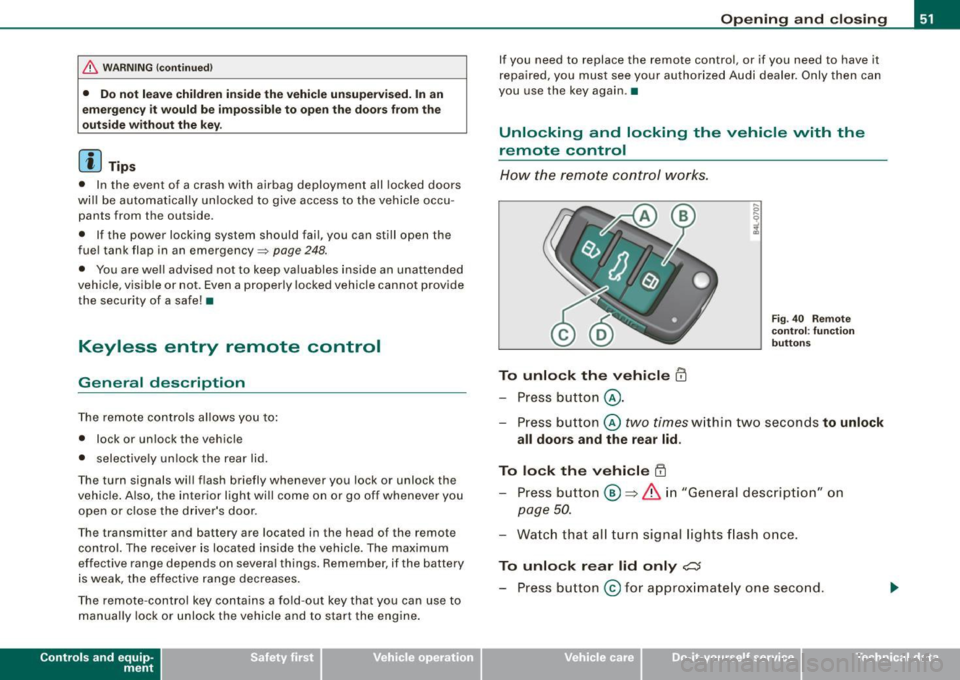
To unlock the v ehicle m
- Press button @.
Fig. 40 Remo te
co ntr ol: fu nctio n
b utt ons
- Press button @two times within two seconds to unlock
all doors and the rear lid .
To lock the vehicle [II
-Press bu tton @ => &, in "Gener al descri ption" on
page 50.
- Watch that all turn signal lights flash once.
To unlo ck r ear lid only ,c::;
- Press button @for approx imate ly one second.
~ehicle care Technical data