belt AUDI A4 CABRIOLET 2009 Owners Manual
[x] Cancel search | Manufacturer: AUDI, Model Year: 2009, Model line: A4 CABRIOLET, Model: AUDI A4 CABRIOLET 2009Pages: 340, PDF Size: 77.32 MB
Page 4 of 340
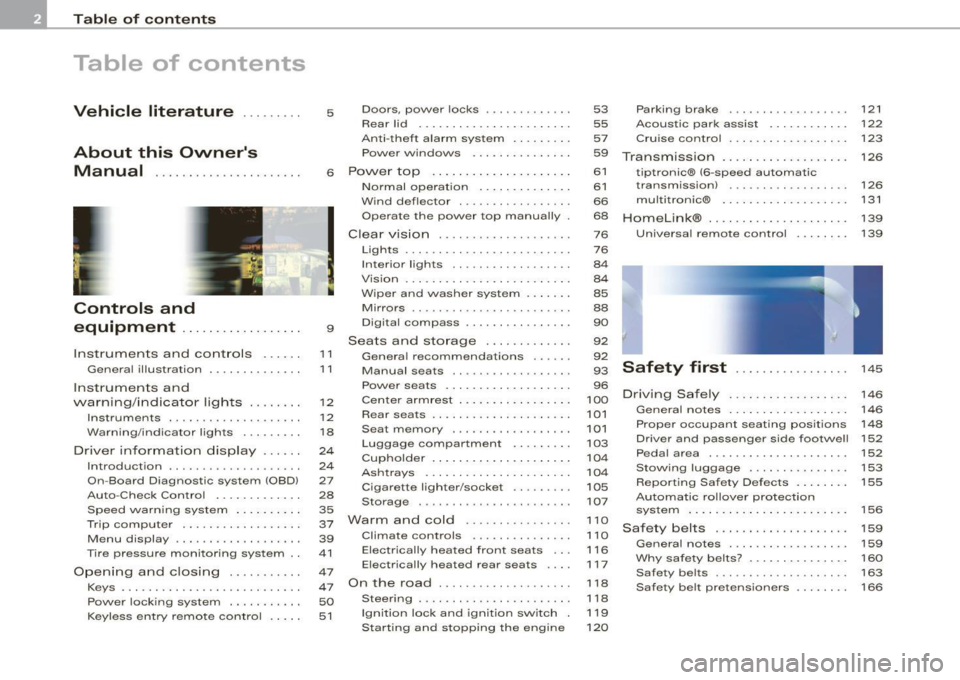
Table of contents
Table of contents
Vehicle literature ... ..... . 5 Doors, power locks ..... ... ... . . 53 Parking brake . . . . . . . . . . . . . . . . . . 121
Rear lid .. .. ... ... ......... ... . 55 Acoustic park assist . . . . . . . . . . . . 122
Anti-theft alarm system ........ .
57 Cruise contro l . . . . . . . . . . . . . . . . . . 123
About this Owner's Power windows ... ... ... .... . . 59
Transmission . . . . . . . . . . . . . . . . . . . 126
Manual .... ............... .. . 6 Power top .................... . 61 tiptronic® (6-speed automat ic
Controls and
equipment ................. .
Instruments and controls ..... .
General illustration ............. .
Instruments and
warning/indicator lights ....... .
Instruments .............. ..... .
Warning/indica tor lights ...... .. .
Driver information display ... .. .
Introduction ...... ....... ... ... .
On-Board Diagnostic system (080)
Auto-Check Control ....... ..... .
Speed warning system ... .... .. .
Trip computer ..... ... ... .. .... .
Menu display ... ..... ..... .. ... .
T ir e pressure monitoring system ..
Opening and closing ..... ..... .
Keys . ...... ... ...... ...... .... .
9
11
1 1
12
12
18
24
24
27
28
35
37
39
41
47
47
Power lock ing system . . . . . . . . . . . 50
Keyless entry remote contro l . . . . . 51 Normal operat
ion ....... .. .. .. .
Wind deflector ........ .. ... .. . .
Operate the power top manually
Clear vision ...... . ... .... ... .. .
Lights .... .... .... ... · · · . · · , • · · 61
transm ission) . . . . . . . . . . . . . . . . . . 126
66 multitronic® . . . . . . . . . . . . . . . . . . . 131
68 Homelink® . . . . . . . . . . . . . . . . . . . . . 139
76 Universal remote control . . . . . . . . 139
76
Interior lights . . . . . . . . . . . . . . . . . . 84
Vision ...................... .. .
W iper and washer system ...... .
Mirrors ........ .. .. .. .... .... . .
Digital compass .. . ... ..... ... . .
Seats and storage ....... ... .. .
Genera l recommendat ions ... .. .
Manual seats .. ... ...... ..... . .
Power seats .......... ... ..... .
Cen ter armrest ........ .. ..... . .
Rear seats .. .......... ... ... .. .
Sea t memory .......... ....... .
Luggage compartment ..... ... .
Cupho lder .................... .
Ashtrays .......... ...... ..... .
Cigarette lighter/socket ... .... . .
Storage . ..... ... .... ..... .... .
Warm and cold .......... ... .. .
Climate controls .. ... ......... .
Electrically heated front seats . . .
Elect rically heated rear seats ... .
On the road ............ ... ... . . 84
85
88
90
92
92
93
96
100
101
101
103
104
104
105
107
110
1 10
116
117
1 18
Stee ring . . . . . . . . . . . . . . . . . . . . . . . 118
Ignition lock and ignitio n switch 119
Starting and stopping the engi ne 1 20
Safety first . . . . . . . . . . . . . . . . . 145
Driving Safely . . . . . . . . . . . . . . . . . . 146
General notes . . . . . . . . . . . . . . . . . . 146
Proper occupant seating pos itions 148
Driver and passenger side footwe ll 152
Peda l area . . . . . . . . . . . . . . . . . . . . . 152
S tow ing luggage . . . . . . . . . . . . . . . 153
Report ing Safety Defects . . . . . . . . 155
Automatic rollover protection system . . . . . . . . . . . . . . . . . . . . . . . . 156
Safety belts . . . . . . . . . . . . . . . . . . . . 159
General notes . . . . . . . . . . . . . . . . . . 159
Why safety belts? . . . . . . . . . . . . . . . 160
Safety belts . . . . . . . . . . . . . . . . . . . . 163
Safe ty belt pretensioners . . . . . . . . 166
Page 21 of 340
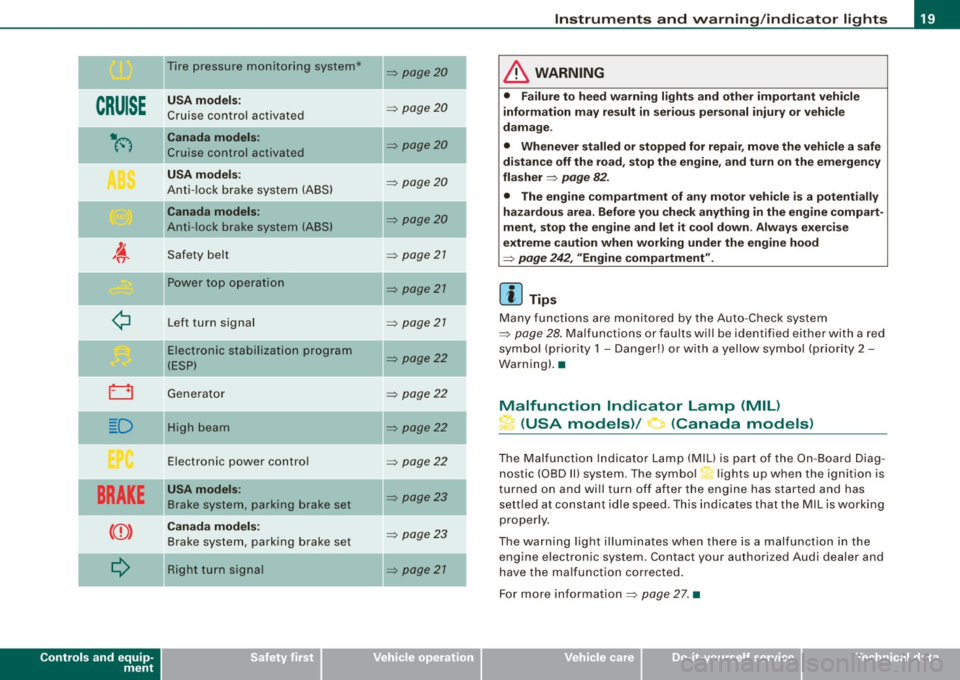
CRUISE
ti(')
~
i::::3
D
BRAKE
Q
Controls and equip
ment
Tire pressure monitoring system*
USA models:
Cruise control activated
Canada models:
Cruise control activated
USA models:
Anti-lock brake system (ABS)
Canada models:
Anti -lock brake system (ABS)
Safety belt Power top operation
Left turn signal
Electronic stabilization program
(ESP)
Generator
High beam
Electronic power control
USA models:
Brake system, parking brake set
Canada models: Brake system, parking brake set
Right turn signal
~ page 20
~ page20
~ page20
~ page20
~ page20
~ page 21
~ page21
~ page 27
~ page22
~ page22
~ page22
~ page22
~ page23
~ page23
~ page21
Instruments and warning/indicator lights
& WARNING
• Failure to heed warning lights and other important vehicle
information may result in serious personal injury or vehicle
damage .
• Whenever stalled or stopped for repair, move the vehicle a safe
distance off the road, stop the engine, and turn on the emergency
flasher
~ page 82.
• The engine compartment of any motor vehicle is a potentially
hazardous area. Before you check anything in the engine compart
ment, stop the engine and let it cool down . Always exercise
extreme caution when working under the engine hood
~ page 242, "Engine compartment" .
[ i] Tips
Many functions are monitored by the Auto-Check system
~ page 28. Malfunctions or faults will be identified either with a red
symbol (priority 1 -Danger!) or with a yellow symbol (priority 2 -
Warning) .•
Malfunction Indicator Lamp (MIL)
L.i (USA models)/ (Canada models)
The Malfunction Indicator Lamp (MIU is part of the On-Board Diag
nos tic (OBD Ill system. The symbol,.. lights up when the ignition is
turned on and will turn off after the engine has started and has
settled at constant idle speed . This indicates that the MIL is wo rking
properly.
The warning light illuminates when there is a malfunction in the
engine electronic syst em . Contact your authori zed Audi d ealer and
have the malfunction corrected.
For more information
~ page 27 . •
Page 22 of 340
Instruments and warning/indicator lights
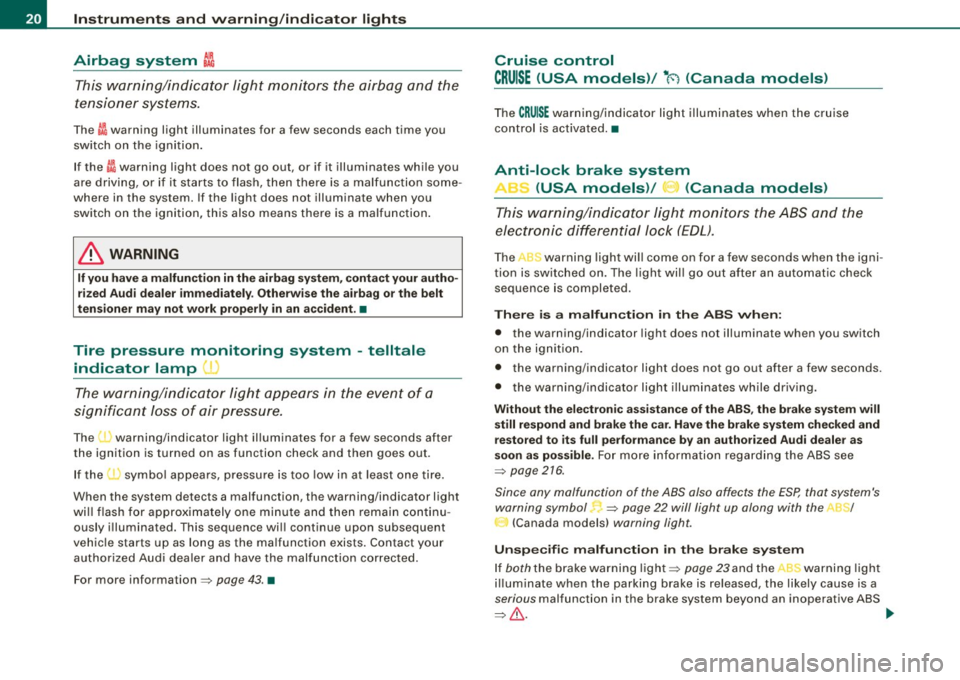
Airbag system ~
This warning/indicator light monitors the airbag and the
tensioner systems.
The GA warning light illuminates for a few seconds each time you
switch on the ignition.
If the
ffl warning light does not go out, or if it illuminates while you
are driving, or if it starts to flash, then there is a malfunction some
where in the system. If the light does not illuminate when you
switch on the ignition, this also means there is a malfunction.
& WARNING
If you have a malfunction in the airbag system, contact your autho
rized Audi dealer immediately. Otherwise the airbag or the belt
tensioner may not work properly in an accident. •
Tire pressure monitoring system -telltale
indicator lamp
D
The warning/indicator light appears in the event of a
significant loss of air pressure.
The warning/indicator light illuminates for a few seconds after
the ignition is turned on as function check and then goes out.
If the ( symbol appears, pressure is too low in at least one tire.
When the system detects a malfunction, the warning/indicator light
will flash for approximately one minute and then remain continu
ously illuminated. This sequence will continue upon subsequent
vehicle starts up as long as the malfunction exists. Contact your
authorized Audi dealer and have the malfunction corrected.
For more information
=> page 43. •
Cruise control
CRUISE (USA models) / •0 (Canada models)
The CRU ISE warning/indicator light illuminates when the cruise
control is activated. •
Anti-lock brake system
(USA models) / (Canada models)
This warning/indicator light monitors the ABS and the
electronic differential lock (EDL).
The A S warning light will come on for a few seconds when the igni
tion is switched on. The light will go out after an automatic check
sequence is completed.
There is a malfunction in the ABS when:
• the warning/indicator light does not illuminate when you switch
on the ignition.
• the warning/indicator light does not go out after a few seconds.
• the warning/indicator light illuminates while driving.
Without the electronic assistance of the ABS, the brake system will
still respond and brake the car. Have the brake system checked and
restored to its full performance by an authorized Audi dealer as
soon as possible.
For more information regarding the ABS see
=> page 216.
Since any malfunction of the ABS also affects the ESP, that system's
warning symbol.,
=> page 22 will light up along with the n /
(Canada models) warning light.
Unspecific malfunction in the brake system
If both the brake warning light=> page 23 and the c.., warning light
illuminate when the parking brake is released, the likely cause is a
serious malfunction in the brake system beyond an inoperative ABS
=> & . ~
Page 23 of 340
If an unspecific defect in the brake system is indicated, the entire
b rake system is likely to be a ffec ted a nd y ou mus t ex pec t degra ded
brake response and performance .
Since any malfunction of the ABS also effects the ESP, that system's
w arning symbol
=> page 22 w ill light up alo ng w ith t he ->-1 t
(Canada models) warning light.
Malfun ction in the electronic diff erential lock
(EDL)
The two systems E DL and ABS inte ract. For this reason the ,t.
warning light/ 3 (Canada mode ls) wi ll come on to indicate a
malfunction in the EDL system~
page 213. See your authorized
Aud i deale r as soo n as poss ib le.
& WARNING
• If the ,.r;_/ :· (Canada models) warning light does not go out ,
or if it comes on while driving, the ABS system is not working
properly . The vehicle can then be stopped only with the brakes
operating without ABS support . You will not have the protection
ABS provides. Contact your Audi dealer as soon as pos sible.
• USA models : If both the BRAKE warning light and the "
warning light come on at the same time , the rear wheels could
lock up first under hard braking. Rear wheel brake lock-up can
cau se loss of vehicle control and an a ccident. Have your vehicle
repaired immediately by your author ized Aud i dealer or a qualified
work shop. Drive slowly and avoid sudden , hard brake application.
• Canada models : If both the brake warn ing light ((j)) and the ABS
warning light come on at the same time , the rear wheels could
loc k up first under hard braking . Rea r wheel brake lock-up can
cause loss of vehicle control and an accident. Have your vehicle
repaired immediately by your authorized Audi dealer or a qualified
workshop. Drive slowly and avoid sudden, hard brake
application . •
Controls and equip
ment
Instrum ents and warning /indi cator lights
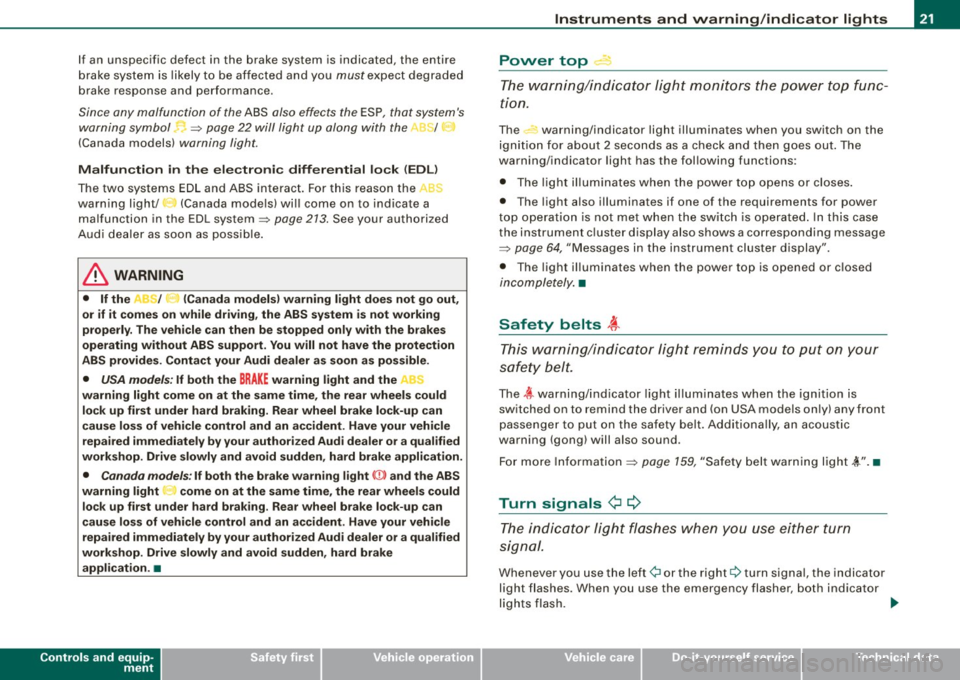
Power top.--·
Th e w arning/i ndicator lig ht m oni tors the power top fu n c
tion .
The warning/indicator light illuminates when you switch on the
i gni tion f or about 2 seconds as a c heck a nd the n goes out . T he
warning/indicator light has the follow ing functions:
• The ligh t illu mina tes whe n the power top opens or c loses.
• T he light also illuminates if one of the requirements for powe r
t o p o per ation is not m et when the swi tc h i s ope rate d. In th is case
the instrument c luster display also shows a corresponding message
=> pag e 64, "M essage s in th e ins trum ent clus ter d isplay" .
• T he light illuminates when the power top is opened or c losed
inco mple tely. •
Saf ety belts i
Th is warn ing/i ndic ator l ight re minds you to p ut o n you r
s af ety b elt.
The ~ wa rning/ ind icator lig ht illum inates when the i gni tion is
switched on to remind the driver and (on USA models on ly) any front
p ass enge r to put on t he sa fety belt. A ddi tionally, a n acous tic
warning (gong ) will also sound .
F o r m ore Infor mati on =>
page 159, "Safe ty belt wa rning l ig ht ,(,.". •
Turn signals ¢ ¢
The indic ator l ight flas hes whe n you use either turn
si gnal.
When eve r y ou u se th e left ¢i o r the right 9 tu rn signa l, the indicato r
light flashes. When you use the emergency flasher, both ind icator
l ig ht s flas h. ...
Page 33 of 340
USA models: if there is a malfunction in the ABS system, the <
warning/indicator light illuminates along with the BRAKE system
malfunction warning/indicator light=>&.
Canada models: if there is a malfunction in the ABS system, the
warning/indicator light illuminates together with the
(Ci)) brake
system malfunction warning/indicator light=>& .
& WARNING
• Always observe the warnings in => page 242, "Engine compart
ment", before opening the engine hood and checking the brake
fluid.
• Driving with low brake fluid is a safety hazard! Stop the car and
get professional assistance.
• If the brake system warning/indicator light illuminates
together with the ABS warning/indicator light, then the ABS system is malfunctioning. The rear wheels could quickly lock up
when you apply the brakes. This could lead to loss of control and
your vehicle could slide! Drive carefully to the nearest authorized
Audi dealer and have the malfunction corrected. •
Engine cooling system malfunction -L
A malfunction in the engine cooling system must be
repaired as soon as possible.
When the -t symbol in the display flashes, then either the
engine coolant
temperature is too high, or the coolant level
is too low. In addition to the symbol, the following message
also appears in the display:
Switch off engine, check coolant level
Pull off the road and stop the vehicle.
- Turn off the engine.
Controls and equip
ment
Driver information display
Check coolant level ~ page 258.
-Add coolant if necessary~ page 259.
- Continue driving only after the engine coolant
warning/indicator light goes out.
- Contact your authorized Audi dealer for assistance if
necessary.
If the engine coolant level is correct, then the radiator fan may be
the cause of the malfunction.
If the generator warning/indicator light should also illuminate
=>
page 22, then the fan belt may be damaged.
& WARNING
• If your vehicle should break down for mechanical or other
reasons, park at a safe distance from moving traffic, turn off the
engine and turn on the hazard warning lights
=> page 82, "Emer
gency flasher
A".
• Never open the hood if you see or hear steam or coolant
escaping from the engine compartment -you risk being scalded.
Wait until you can no longer see or hear steam or coolant escaping.
• The engine compartment of any vehicle is a dangerous area.
Before you perform any work in the engine compartment, turn of
the engine and allow it to cool. Follow the warning stickers
=> page 242, "Engine compartment" .
0 Note
Do not continue driving if the -F-symbol illuminates. There is a
malfunction in the engine cooling system -you could damage your
engine. •
Page 36 of 340
Driver information display
If the warning light illuminates, immediately contact your autho
rized Audi dealer or qualified workshop to have all brake pads
inspected. On USA models the warning light
O comes on together
with the warning light
BRAKE. Both sets of brake pads on an axle must
always be replaced at the same time .
& WARNING
Driving with bad brakes can cause a collision and serious personal
injury.
• If the warning light , and the warning light
BRAKE11 with the
message Brake pads! comes on in the instrument cluster display,
immediately contact your authorized Audi dealer or qualified
workshop to have all brake pads checked or replaced if necessary .•
Speed warning 1 ~ (USA models)/
models) (Canada
If
the symbol illuminates, this means you are driving faster than
the set vehicle speed . Slow down! =>
page 35. •
Applies to vehicles : wit h dynami c h ea d light ran ge ad ju stment
Headlight range control defective C.1
If the symbol illuminates, the dynamic headlight range control is
no longer working properly. Have the system checked and repaired
a t your Audi dealer. •
11 BRAKE : USA models only
App lies to vehicles: w it h ada ptive li gh t
Adaptive Light defective ~ ,
When this symbol I illuminates, it means that Adaptive Light is
defective . Go to an authorized dealership to have the headlights or
the control unit for the Adaptive Light repaired. •
Windshield washer fluid level too low ¢;>
If the-;... symbol illuminates, add windshield washer fluid to the
washer system and also for the headlight washer
system *=>
page 266. •
Speed warning 2
models) (USA models)
/
(Canada
If the symbol illuminates, this means you have driven faster than
the second set vehicle speed. Slow down! =>
page 35. •
Battery voltage low ....J
If the C:::-symbol illuminates, contact your authorized Audi dealer
and have the following components inspected:
• drive belt
• generator
• battery charge
Also see if the generator warning/indicator light illuminates
=>
page 22. •
Page 94 of 340
Seats and storage
Seats and storage
General recommendations
Why is your seat adjustment so important?
The safety belts and the airbag system can only provide
ma ximum protection if the front
seats are correctly
a djusted.
There are var ious ways of adjusting the front seats to provide safe
and c omfortable support for the driver and the front passenger.
Adjust your seat properly so that:
• you can easily and quickly reach all the switches and controls in
the instrumen t pa nel
• your body is proper ly supported to reduce physical stress and
f atigue
• the safety belts and airbag system can offe r maximum protec
tion=>
page 768.
I n the fo llowing chapters, you wil l see exact ly how you can best
adjust your seats.
There are special regulations and instructions for instal ling a child
safety seat on the front passenger seat. A lways heed the informa
tion regarding child safety provided in=>
page 790, "Child Safety".
& WARNING
Inco rrect se ating po sition of the driver a nd all other pa ssengers
c an result in serious per sonal injury.
• Alway s keep your feet on the floo r when the vehi cle is in motion
- never put your feet on top of the in strument panel , out of the
window o r on top of the seat cushio n! This appl ies espe ciall y to
the pa ssenger s. If your seating position i s incorre ct you increase
the ri sk of inju ry in the c ase of sudden br aking or an accident .
If
& WARNIN G (continued )
the airb ag inflate s and the seating position is incorre ct thi s could
r e sult in per sonal injury or even death.
• It is important for both the driver and front p assenger to keep
a distan ce of at least 10 inche s (25 cm) betw een them se lve s and
the steering wheel and /or in strument p anel . If you are sitting any
closer than this , the airbag system cannot protect you properly . In
a ddition to this , the front se ats and head re str aints mu st be
adjusted to your body height so th at they can give you maximum
protection .
• Alway s try to keep as much distan ce as possible between your
s elf and the steerin g wheel or in strument p anel.
• Do not adjust the driver's or front pas senger seat while the
vehicle is mov ing . You r seat may mo ve unexpect edly , ca usin g
s udden los s of vehicle control and per sonal injury.
If you adjust
your seat while the vehi cle i s moving , you a re out of position .
0 Note
When the front seats are in the reclined position, make certain that
the seatbacks are not pushed against the built -in air deflector *
when you run the sea ts back toward the rear of the vehicle and
when you lower the seatback. This can damage the air deflector and
the latching mecha nis m. •
Driver seat
The correct seat position is importan t for safe and relaxed
drivin g.
We recomme nd tha t yo u adjust the dr iv e r's sea t in the
fol lowing ma nne r:
Page 95 of 340
- Adjust the seat in fore and aft direction so that you can
easily push the pedals to the floor while keeping your
knee slightly bent==>
& in "Why is your seat adjustment
so important?".
- Adjust the seatback so that when you sit with your back against the seatback, you can still grasp the top of the
steering wheel.
- Position the head restraints according to the occupant's
height. For maximum protection, the upper edge of the
head restraints should be at least at eye level, or higher
==>
page 757,fig.156.
& WARNING
Never place any objects in the driver's footwell. An object could
get into the pedal area and interfere with pedal function. In case
of sudden braking or an accident, you would not be able to brake
or accelerate! •
Front passenger seat
Always move the front passenger seat into the rearmost
position.
To avoid contact with the airbag while it is deploying, do not
sit any closer to the instrument panel than necessary and
always wear the three-point safety belt provided adjusted
correctly. We recommend that you adjust the passenger's
seat in the following manner:
- Move the front passenger seat into the rearmost position
of the fore and aft adjustment range ==>
& in "W hy is
your seat adjustment so important?" on
page 92.
Controls and eq uip
ment
Seats and storage
- Bring the backrest up to an (almost) upright position . Do
not ride with the seat reclined.
- The ideal position for the head restra int is with the upper
edge of the restraint level with the top of your head
==>
page 95 and ==> page 98. You should not lower the top
of the rest ra int below the level of your eyes.
- Place your feet on the floor in front of the passenger's
seat. •
Manual seats
Applies to veh ic les: with manua lly adjustab le seats
Adjustment controls
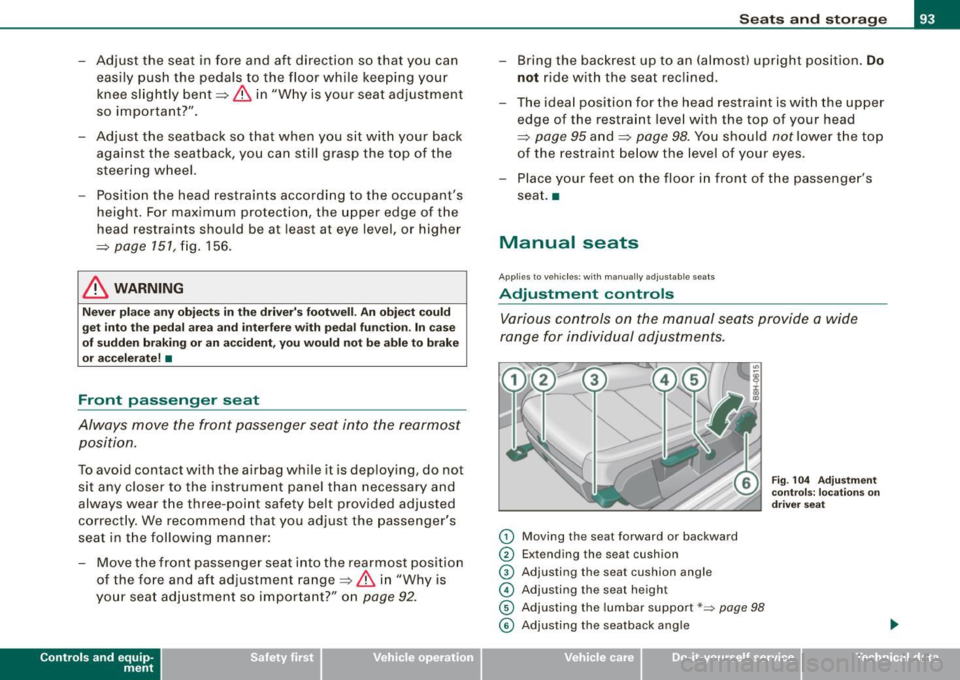
Various controls on the manual seats provide a wide
range for individual adjustments.
0 Moving the seat forward or backward
0 Extending the seat cushion
© Adjusting the seat cushion angle
© Adjusting the seat height
© Adjusting the lumbar support*~ page 98
Fig. 104 Adjustment
controls: locations on
driver seat
© Adjusting the seatback angle .,
~ehicle care irechnical data
Page 96 of 340
![AUDI A4 CABRIOLET 2009 Owners Manual Seats and storage
[ i] Tips
Some of the controls are fitted on certain model s only or they are
opt ional equipment. •
Applies to vehic les: w ith man ually adjustab le sea ts](/img/6/57553/w960_57553-95.png "AUDI A4 CABRIOLET 2009 Owners Manual Seats and storage
[ i] Tips
Some of the controls are fitted on certain model s only or they are
opt ional equipment. •
Applies to vehic les: w ith man ually adjustab le sea ts")
Seats and storage
[ i] Tips
Some of the controls are fitted on certain model s only or they are
opt ional equipment. •
Applies to vehic les: w ith man ually adjustab le sea ts
Adjusting the manual seats
Position, angle and shape of the manual seats can be
adjusted to provide safe and comfortable seating.
Reed and heed all WARNINGS ~ & before you adjust your
seat.
Moving the seat forward or backward
Lift lever G) ~ page 93, fig. 104 and slide the seat to the
desired position.
- Release the lever
(D and then move the seat further until
you feel and hear it engage .
Extending/shortening the seat cushion*
-Grab the handle just below the front edge of the seat®
~ page 93 , fig. 104.
- Slide the seat cushion extens ion backward or forward to
the desired position. Release the handle to lock the
extension in place.
Adjusting the seat cushion angle
- Pull the lever 0 ~ page 93, fig. 104 up and pump it to
raise the front of the seat cushion.
- Push the lever
0 down and pump it to lower the front of
the seat cushion. -
In either case, shift your weight in the direction you want
the seat to tilt to support the adjustment action.
Adjusting the seat height
- Pull the lever © up and pump it to raise the seat .
- Push the lever © down and pump it to lower the seat.
Adjusting the lumbar support
-Press the corresponding depression on the switch shell
© to adjust the height and contour of the lumbar
support, see~ page 98.
Adjusting the seatback angle
- Lean forward to take your weight off the seatback.
- Turn the hand wheel © in the direction you want the
seatback to ti It.
& WARNING
• Never adjust the driver or front passenger seat while the
vehicle is moving. If you do this while the vehicle is moving, you
will be out of position. Always adjust the driver's or front
passenger seat when the vehicle is not moving.
• Be careful when adjusting the seat height. Check to see that no
one is in the way, or serious injury could result!
• To reduce the risk of injury in the case of sudden braking or
accident, front passengers must never ride in a moving vehicle
with the seatback reclined. Safety belts and the airbag system
only offer maximum protection when the seatback is upright and
the safety belts are properly positioned on the body. The more the
seatback is reclined, the greater the risk of personal injury from an
incorrect seating position and improperly positioned safety
belts! •
Page 97 of 340
Applies to vehic les: with manua lly adjustab le seats
Adjusting the head restraints
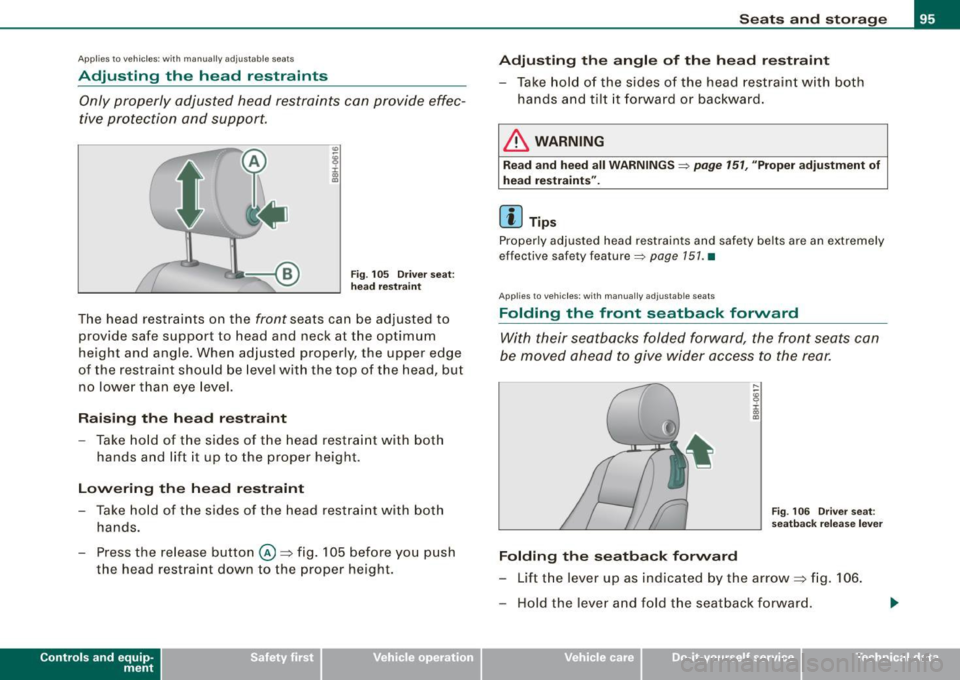
Only properly adjusted head restraints can provide effec
tive protection and support.
Fig . 105 Driver seat:
head restraint
The head restraints on the front seats can be adjusted to
provide safe support to head and neck at the optimum
height and angle . When adjusted properly, the upper edge
of the restraint should be level with the top of the head, but
no lower than eye level.
Raising the head restraint
-Take hold of the sides of the head restraint with both
hands and lift it up to the proper height.
Lowering the head restraint
- Take hold of the sides of the head restraint with both
hands.
- Press the release button @=>fig. 105 before you push
the head restraint down to the proper height.
Controls and eq uip
ment
Seats and storage
Adjusting the angle of the head restraint
- Take hold of the sides of the head restraint with both
hands and tilt it forward or backward.
& WARNING
Read and heed all WARNINGS => page 151, "Proper adjustment of
head restraints".
[ i] Tips
Properly adjusted head restraints and safety belts are an extremely
effective safety feature=>
page 151. •
App lies to veh ic le s: with manua lly adjustab le sea ts
Folding the front seatback forward
With their seatbacks folded forward, the front seats can
be moved ahead to give wider access to the rear.
Folding the seatback forward
Fig . 106 Driver seat:
seatback release lever
-Lift the lever up as indicated by the arrow => fig. 106.
- Hold the lever and fold the seatback forward.
~ehicle care irechnical data