fuel AUDI A4 CABRIOLET 2009 Owners Manual
[x] Cancel search | Manufacturer: AUDI, Model Year: 2009, Model line: A4 CABRIOLET, Model: AUDI A4 CABRIOLET 2009Pages: 340, PDF Size: 77.32 MB
Page 5 of 340
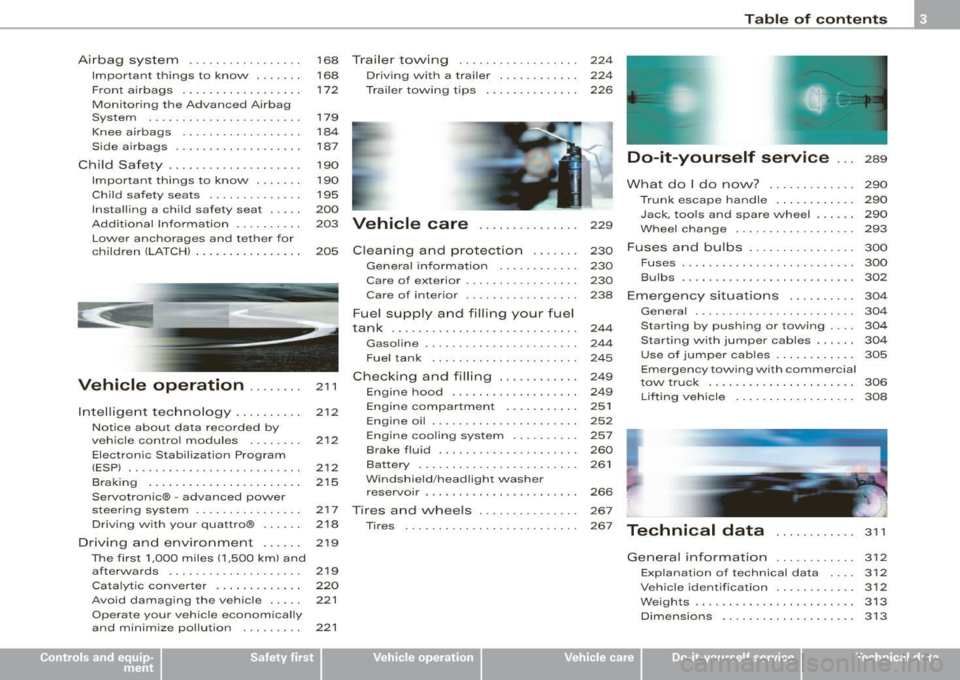
Airbag system . . . . . . . . . . . . . . . . . 168 Trailer to\Ning . . . . . . . . . . . . . . . . . . 224
Important things to know . . . . . . . 168 Driv ing with a trailer . . . . . . . . . . . . 224
Front airbags . . . . . . . . . . . . . . . . . . 172 Trailer towing tips . . . . . . . . . . . . . . 226
Monitoring the Advanced Airbag
System . . . . . . . . . . . . . . . . . . . . . . .
179
Knee airbags . . . . . . . . . . . . . . . . . . 184
Side a irbags . . . . . . . • . . . . . . . . . . . 187
Child Safety . . . . . . . . . . . . . . . . . . . . 190
Impor tant things to know . ..... .
Child safety seats ............. .
Insta lling a chi ld safety seat .... . 190
195
200
Add it ional Information ....... .. . 203 Vehicle care . . . . . . . . . . . . . . . 229
Lower anchorages and tethe r for
children (LA TCH) . .. ... ... ... ... .
205 Cleaning and protection . . . . . . . 230
~----
t
Vehicle operation .... ... . 211
212
212
2 12
215
Intelligent
technology ... ... ... .
Notice about data recorded by
ve hicle contro l modules .. ..... .
Electronic Stabilization Program
(ESPJ . .... ... ......... ... ... .. .
B rak ing ..... ... .... .... ... ... .
Servotronic® -advanced power
steering system ............... .
Driving with your quattro® ..... .
Driving and environment .... . . 217
2
18
2 19
The first 1,000 miles (1,500 km) and
afterwards . . . . . . . . . . . . . . . . . . . .
21 9
Catalytic converter . . . . . . . . . . . . .
220
Avoid damaging the ve hicle . . . . . 221
Operate your vehicle economically
and minimize pollution . . . . . . . . .
221
General information ........... .
Care of exterior ................ .
Care of inte rior ...... .... ... ... .
Fue l supply and filling your fuel
tank ........................... .
Gasoline ........... ........... .
Fuel tank ..................... .
Checking and filling .. ... ...... .
Engine hood ......... ......... .
Engine compartment ...... ... . .
Engine oil ..................... .
Engine cooling system ......... .
Brake fluid ................ ... . .
Battery . ... ... ... ............. .
W indshield /headligh t washer
rese rvoir ...................... .
Tires and \Nheels .......... .... .
Tires ..... .. ..... ... .. - . -.. • · · ·
230
230
238
244
244
245
249
249
251
252
257
260
261
266
267
267
Table of contents
Do-it-yourself service ... 289
What do I do no\N? . . . . . . . . . . . . . 290
Trunk escape ha ndle . . . . . . . . . . . . 290
Jack, tools and spare wheel . . . . . . 290
Whee l change .............. .... 293
Fuses and bulbs . . . . . . . . . . . . . . . . 300
Fus es ................. ......... 300
Bulbs .......................... 302
Emergency situations . . . . . . . . . . 304
Genera l ... .. ... .... _ .. _ ...... .. 304
Starting by pushing or towing . . . . 304
Starting with jumper cables . . . . . . 304
Use of jumpe r cables . . . . . . . . . . . . 305
Em ergency towing with commercial
tow truck ... ......... ....... .. .
Lifting vehicle ................. .
Technical data
General information 306
308
311
312
Explanation
of technical data 312
Vehic le ide ntific ation . . . . . . . . . . . . 312
Weights ........................ 313
Dimensio ns . . . . . . . . . . . . . . . . . . . . 313
~ehicle care irechnical data
Page 14 of 340
Instruments and warning/indicator lights
Instruments and warning/indicator lights
Instruments
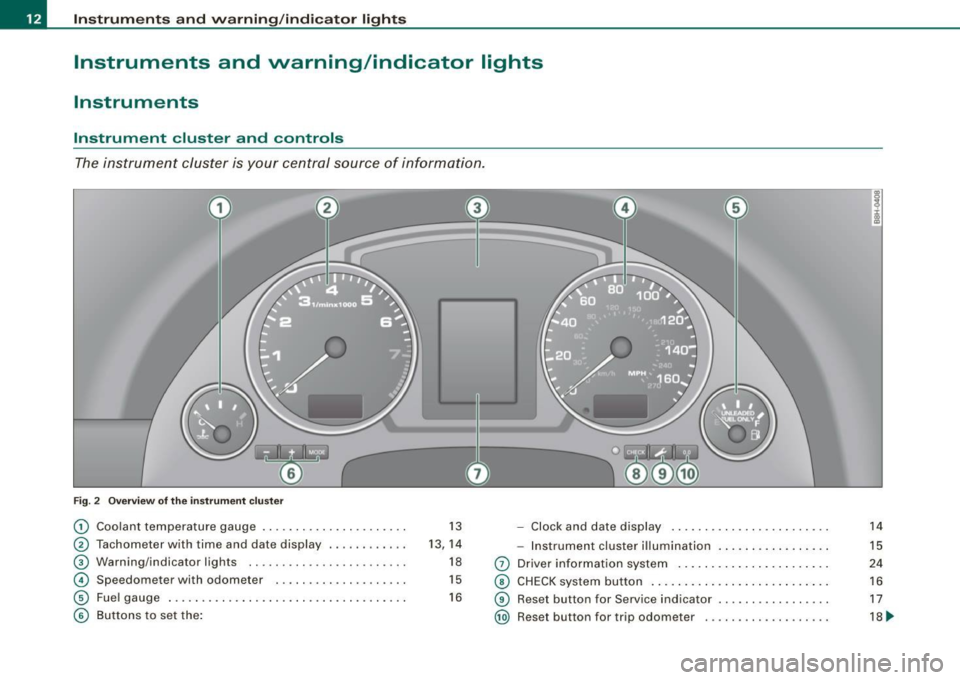
Instrument cluster and controls
The instrument cluster is your central source of information.
Fig. 2 Overview of the instrument cluster
G) Coolant temperatu re gauge .. ..... ... ... .... ... . . 13 - Clock and date display .. .... ........ .... ... .. .
® Tachometer with time and date display . ....... ... . 13, 14 -Instrument cluster illumination ... .... .... ... .. .
® Warning/indicator l ights .. ... ....... ... ........ . 18 0 Driver information system ...... .... ....... .... . .
© Spe edometer with odometer . .... ...... ..... .. . . 15 © CHECK system button .......... ........... ..... .
© Fuel gauge ...... .... ....... ........ ........ .. . 16 © Reset but ton for Service indicator ................ .
© Buttons to set the: @ Reset button for trip odome ter .................. .
14
15
24
16
17
18 ~
Page 16 of 340
Instruments and warning/indicator lights
ffi For the sake of the environment
Upshifting early saves fuels and reduces engine noise .•
Digital clock with date display
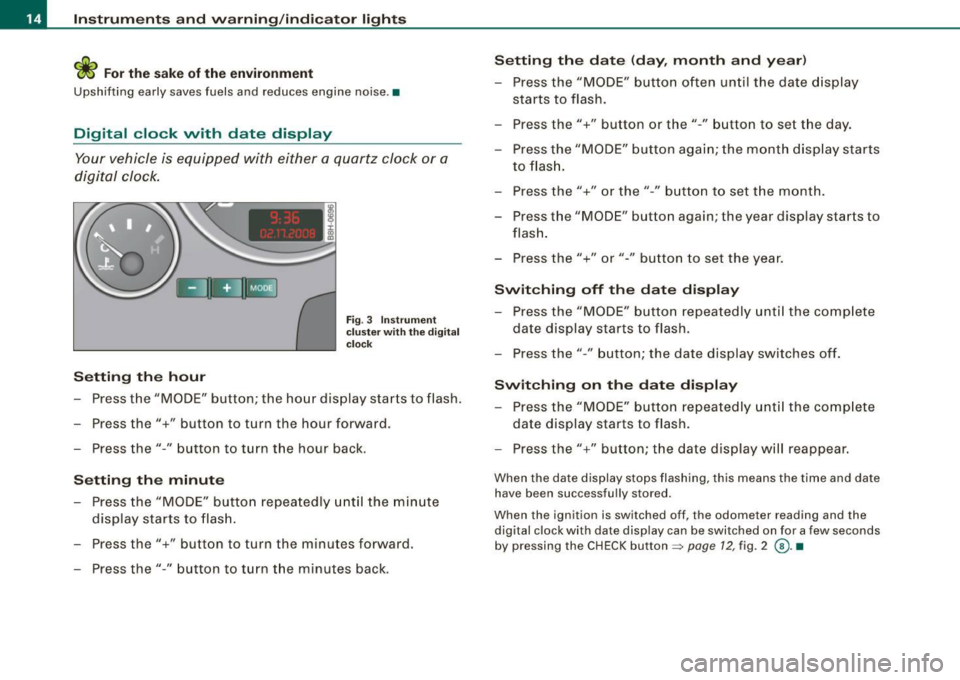
Your vehicle is equipped with either a quartz clock or a
digital clock.
Setting the hour
Fig. 3 Instrument
cluster with the digital
clock
- Press the "MODE" button; the hour display starts to flash.
- Press the"+" button to turn the hour forward .
- Press the"-" button to turn the hour back.
Setting the minute
- Press the "MODE" button repeatedly until the minute
display starts to flash.
- Press the"+" button to turn the minutes forward.
- Press the"-" button to turn the minutes back.
Setting the date (day, month and year)
-Press the "MODE" button often until the date display
starts to flash.
- Press the"+" button or the"-" button to set the day.
- Press the "MODE" button again; the month display starts to flash.
- Press the"+" or the" -" button to set the month.
- Press the "MODE" button again; the year display starts to
flash.
- Press the"+" or"-" button to set the year.
Switching off the date display
-Press the "MODE" button repeatedly until the complete
date display starts to flash.
- Press the" -" button; the date display switches off.
Switching on the date display
- Press the "MODE" button repeatedly until the complete
date display starts to flash.
- Press the"+" button; the date display will reappear.
When the date display stops flashing, this means the time and date
have been successfully stored .
When the ignition is switched off, the odometer reading and the
digital clock with date display can be switched on for a few seconds
by pressing the CHECK button =>
page 12, fig. 2 @ . •
Page 18 of 340
Inst rum ents and warnin g/indi cato r li ghts
M alfu nction message
If there is a malfunction somewhere in the ins trument cluster, dE F
will appear in the trip odometer and will stay on. Contact your
authorized Audi dea ler to have the prob lem corrected.
Im mob ilizer
Each time you switch on the ignition, the data stored in the vehicle
key are e lectronically scanned to verify that key data and vehicle
data match. If a non -coded or a defective vehic le key is used, the
word
S A FE wi ll appear and remain lit in the upper (trip) odometer
display . If this happens, the vehicle cannot be started=>
page 49. •
Fuel gauge
The fuel gauge works only when the ignition is on .
When the needle reaches the red area, the warning light in the instrument cluster wil l illuminate =>
page 33 [). This means you
have approx imately 2.4 gallons (9 liters) of fuel left in the tank.
Time
t o refu el!
The total tank capacity of your vehicle is listed in=> page 314.
0 Note
Never run the tank completely dry! An irregular supply of fuel can
cause engine misfiring and fuel could enter into the exhaust
system. The catalytic converter could then overheat and be
damaged. •
[ CHE CK] button
You can perform different functions with this button.
I S2YY
0
Fig. 6 C HECK butto n in
th e ins tru men t c lu ste r
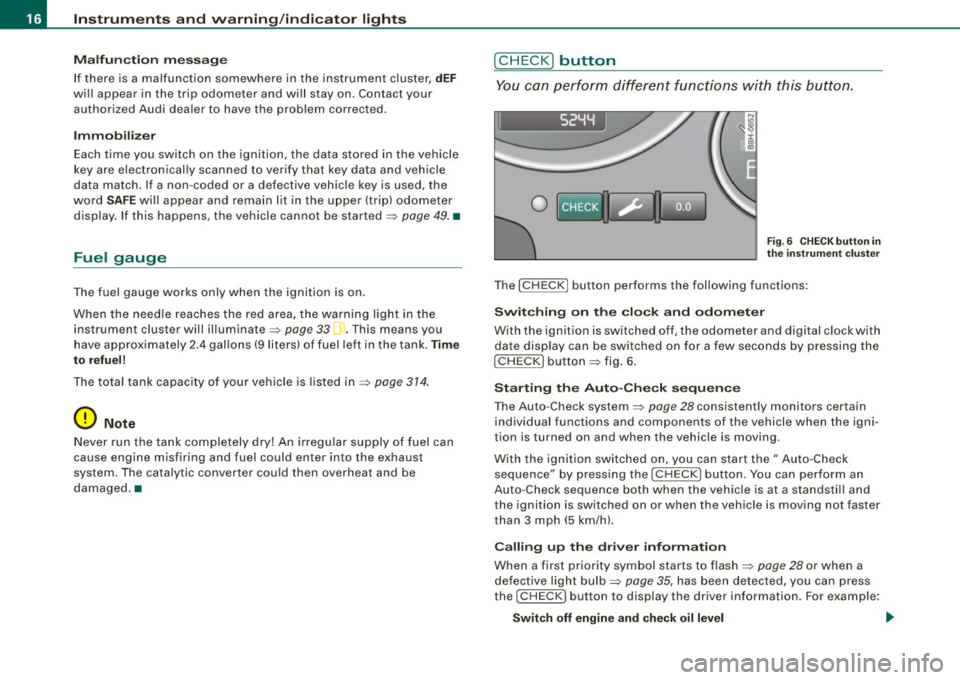
The [ CHECK] button performs the following functions:
S wi tch ing on t he cl ock and odome ter
With the ignition is switched off, the odometer and digital clock with
date disp lay can be switched on for a few seconds by pressing the
[CHECK] button=> fig. 6.
Sta rtin g t he A uto-Che ck se qu ence
The Auto-Check system=> page 28 consistently monitors certain
individual functions and componen ts of the vehicle when the igni
tion is turned on and when the vehicle is moving.
With the ignition switched on, you can start the" Auto-Check
sequence" by pressing the [
CHECK I button. You can perform an
Auto -Check sequence both when the vehic le is at a standstill and
the ignition is switched on or when the veh ic le is mov ing not faster
than 3 mph (5 km/h).
Ca lling up th e dri ver inform ation
When a first priority symbol starts to flash=> page 28 or when a
defective light bulb=>
page 35, has been detected, you can press
the
! CHECK] button to display the driver information. For example:
S witch off engine and chec k oi l le vel
Page 28 of 340
Driver inf orma tion d ispl ay
Miles (kilometers ) to empty
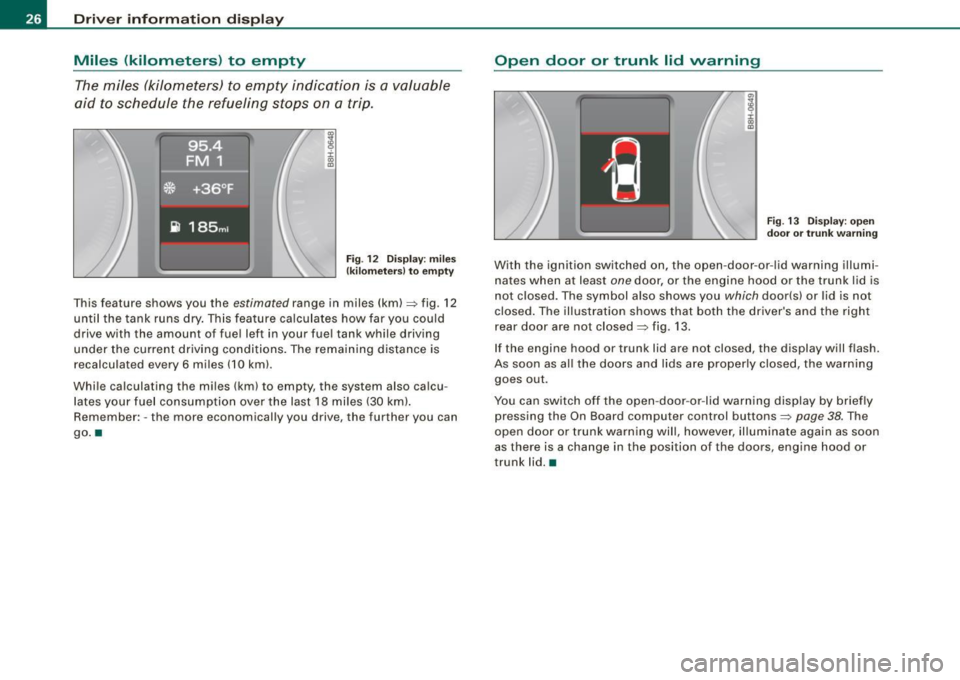
The miles (kilometers) to empty indication is a valuable
aid to schedule the refueling stops on a trip .
.,
8 :i: ., m
F ig . 12 Display: miles
(k ilo m eters} to empty
T his feature shows you the estimated range in miles (km)=> fig. 12
until the tank runs dry. This fea ture ca lculates how far you could
drive with the amount of fuel left in your fuel tank while driving
under the current driving conditions. The remaining distance is
recalculated every
6 miles (10 km) .
Whi le calculating the mi les (km) to empty, the system also ca lcu
lates your fuel consumption over the last
18 miles (30 km!.
Remember: -the more economically you drive, the further you can
go. •
Open door or trunk lid warning
Fig. 13 D isp lay: o pe n
door o r tr un k wa rning
With the ignition switched on, the open -door-or -lid warning illumi
nates when at least
one door, or the engine hood or the trunk lid is
not closed. The symbol also shows you
which door(s) or lid is not
closed. The illustration shows that both the dr iver's and the right
rear door are not closed=>
fig. 13.
If the engine hood or trunk lid are not closed, the display will f lash.
As soon as all the doors and lids a re proper ly closed, the warning
goes out .
You can switch off the open -door -or -lid warning display by briefly
pressing the On Board computer control buttons=>
page 38. The
open door or trunk warning will, however, illuminate again as soon
as there is a change in the position of the doors, engine hood or
trunk lid. •
Page 29 of 340
Fuel filler cap not closed properly
M ....
~ :c IX) m
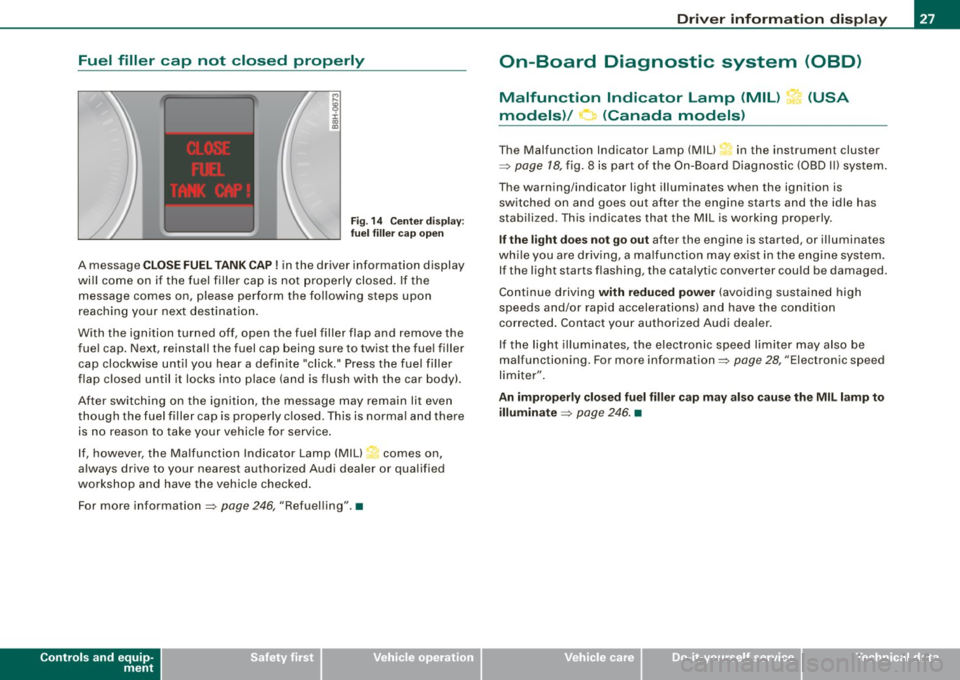
Fig. 14 Center disp lay:
fu el f iller ca p open
A message C LO SE FUEL TANK CAP! in the driver information display
wi ll come on if the fuel filler cap is not properly closed . If the
message comes on, please perform the following steps upon
reaching your next destination.
With the ignition turned off, open the fuel filler flap and remove the
fue l cap. Next, reinstall the fuel cap being sure to twist the fue l filler
cap clockwise until you hear a definite "click." Press the fuel filler
flap closed until it locks into place (and is flush with the car body).
After switching on the ignition, the message may remain lit even
though the fuel filler cap is properly c losed . This is norma l and there
is no reason to take your vehicle for service .
I f, however, the Malfunction Indicator Lamp (MIU~ comes on,
always drive to your nearest authorized Audi dealer or qualified
workshop and have the vehicle checked .
For more information =>
page 246, "Refuelling".•
Controls and equip
ment
Driv er inf ormati on di spl ay
On-Board Diagnostic system (08D)
Malfunction Indicator Lamp (MIL) ?-1' (USA
models)/ (Canada models)
The Malfunction Indicator Lamp (M IU in the instrument cluster
=>
page 18, fig. 8 is part of the On-Board Diagnostic (OBD I I) system.
The warning/indicator light illuminates when the ignition is switched on and goes out after the engine starts and the idle has
stabi lized. This indicates that the MIL is working properly.
If the l ight doe s not go out after the engine is started, or illuminates
wh ile you are driv ing, a ma lfunc tion may ex ist in the engine system .
If the light starts flashing, the catalytic converter cou ld be damaged.
Continue driving
with r educ ed power (avo iding sustained high
speeds and/or rapid accelerations) and have the condition
corrected . Contact your authorized Audi dea ler.
I f the light illuminates, the electron ic speed limiter may also be
malfunctioning . For more information=>
page 28, "Electronic speed
limiter" .
An improperly clo sed fu el filler cap may also cau se the MIL l amp to
illuminate
=> page 246 . •
Page 30 of 340
Driver information display
On-Board Diagnosti cs
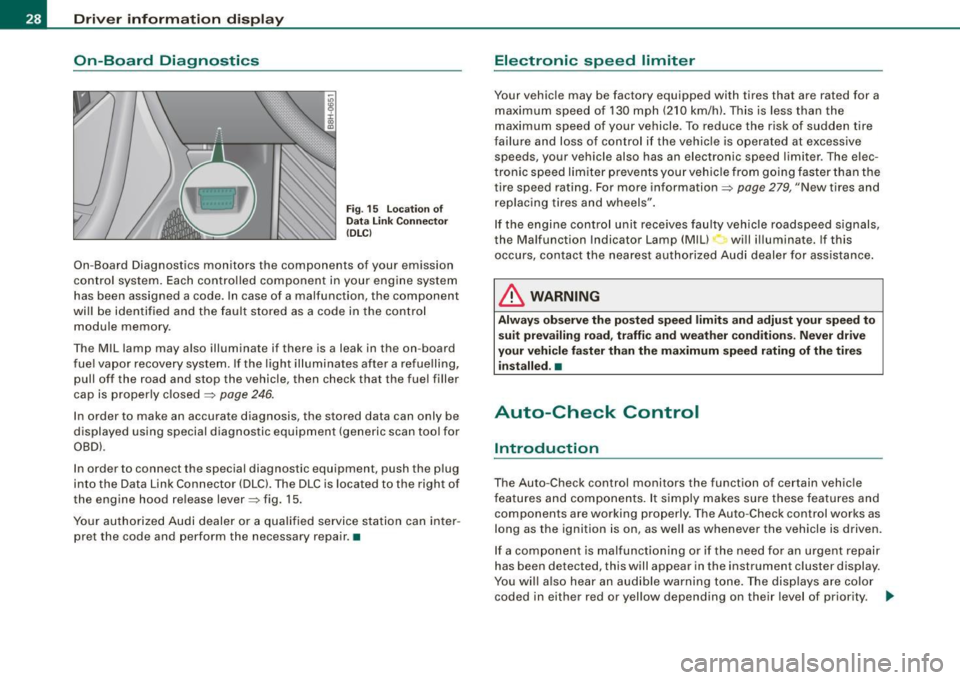
Fig . 15 Location of
Data Link Connector
(DLC)
On-Board Diagnostics monitors the components of your emission
control system. Each controlled component in your engine system
has been assigned a code. In case of a malfunction, the component
will be identified and the fault stored as a code in the control module memory .
Th e MIL lamp may also illuminate if there is a leak in the on -board
fuel vapor recovery system. If the light illuminates after a refuelling,
pull off the road and stop the vehicle, then check that the fuel filler
cap is properly closed
=> page 246.
In order to make an accurate diagnosis, the stored data can only be
displayed using special diagnostic equipment (generic scan tool for
OBDl.
In order to connect the special diagnostic equipment, push the plug
into the Data Link Connector (DLC). The DLC is located to the right of
the engine hood release lever=> fig. 15.
Your authorized Audi dealer or a qualified service station can inter
pret the code and perform the necessary repair. •
Electronic speed limiter
Your vehicle may be factory equipped with tires that are rated for a
maximum speed of 130 mph (210 km/h). This is less than the
maximum speed of your vehicle . To reduce the risk of sudden tire
failure and loss of control if the vehicle is operated at excessive
speeds, your vehicle also has an electronic speed limiter . The elec
tronic speed limiter prevents your vehicle from going faster than the
tire speed rating. For more information=>
page 279, "New tires and
replacing tires and wheels".
If the engine control unit receives faulty vehicle roadspeed signals,
the Malfunction Indicator Lamp (Mill will illuminate. If this
occurs, contact the nearest authorized Audi dealer for assistance.
& WARNING
Always observe the posted speed limits and adjust your speed to
suit prevailing road, traffic and weather conditions. Never drive
your vehicle faster than the maximum speed rating of the tires installed. •
Auto-Check Control
Introduction
The Auto-Check control monitors the function of certain vehicle
features and components. It simply makes sure these features and
components are working properly. The Auto-Check control works as
long as the ignition is on, as well as whenever the vehicle is driven.
If a component is malfunctioning or if the need for an urgent repair
has been detected, this will appear in the instrument cluster display.
You will also hear an audible warning tone. The displays are color
coded in either red or yellow depending on their level of priority. .,_
Page 34 of 340
Driver information display
Engine oil pressure malfunction 9=7-
The red engine oil pressure warning symbol requires
immediate service or repair. Driving with a low-oil-pres
sure indication is likely to inflict severe damage to the engine.
If the ~ symbol appears in the display and blinks, the oil
pressure is too low. An additional driver message can also
be displayed by pressing the [CHECK] button:
Switch off engine and check oil level
Immediate actions
- Pull off the road.
- Stop the vehicle.
Turn off the engine.
- Check the engine oil level with the dipstick=> page 254.
Dipstick readings checks too low
-Top off oil to the proper level => page 255 .
- Make sure that the oil pressure warning symbol
~
appears no longer in the display before you start driving
again.
Dipstick reading checks OK
- If the oil pressure warning symbol~ starts flashing
again even though the engine oil level checks
OK on the
dipstick,
do not continue driving and do not let the
engine run in idle.
Instead, contact your authorized Audi
dealer for assistance.
[ i ] Tips
• The engine oil pressure symbol 'l::::r. is not an indicator for a low
engine oil level. Do not rely on it. Instead, check the oil level in your
engine at regular intervals, preferably each time you refuel, and
always before going on a long trip .
• The yellow oil level warning indication -requires oil refill or
workshop service without delay. Do not wait until the red oil pres
sure warning
'l::::r. starts to flash before you respond to the low oil
level warning . By then, your engine may already have suffered
serious damage. •
Yellow symbols
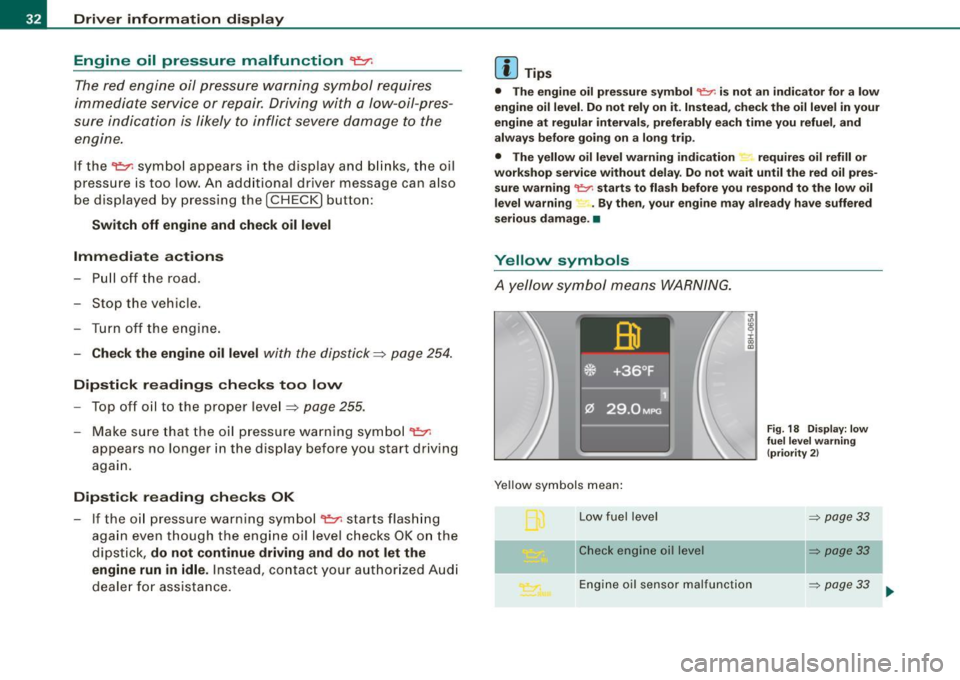
A yellow symbol means WARNING.
Yellow symbols mean:
Low fuel level
Check engine oil level
i :c
"' "'
Engine oil sensor malfunction
Fig. 18 Display: low
fuel level warning
(priority 2)
=> page 33
~ page33
=> page 33
Page 35 of 340
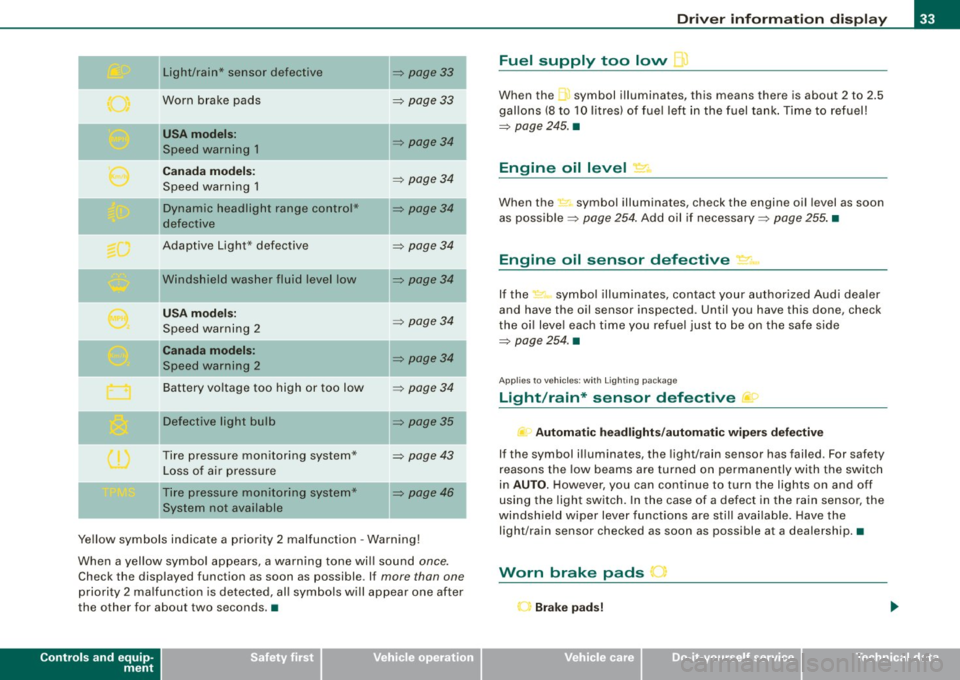
II
Light/rain* sensor defective
Worn brake pads
USA m odels :
Speed warning 1
Canad a m od els:
Speed warning 1
Dynamic headlight range con trol*
defective
Adaptive Light* defective
Windshield washer fluid level low
U SA mod els:
Speed warning 2
Canada mod els:
Speed warning 2
Battery voltage too high or too low
D efective light bu lb
Tire pressure monitoring system* Loss of air pressure
Tire pressure monitoring system*
System not available
~ page33
~ page 33
~ page34
~ page 34
~ page34
~ page34
~ page34
~ page 34
~ page34
~ page 34
~ page35
~ page 43
~ page46 I
Ye llow symbols indicate a priority 2 malfunction -Warning!
When a yellow symbo l appears, a warning tone wi ll sound
once.
Check the displayed function as soon as possible. If more than one
priority 2 ma lfunction is detected, all symbols will appear one after
the other for about two seconds. •
Controls and equip
ment
Driv er inf ormati on di spl ay
Fuel supply too low l
When the -,symbol illuminates, this means there is about 2 to 2.5
gallons (8 to 10 litres) of fue l left in the fuel tank . Time to refuel!
~ page 245. •
Engine oil level '7.:.
When the-=· symbol illuminates, check the engine oil level as soon
as possib le ~
page 254 . Add oil if necessary ~ page 255. •
Engine oil sensor defective • ..
If the .,_,ft symbol illuminates, contact your author ized Audi dea ler
and have the oil sensor inspected. Until you have this done, check
the oi l leve l each time you refuel just to be on the safe side
~ page 254. •
Applies to vehic les: with Lighting package
Light/rain* sensor defective >
- Automa tic headl ight s/autom atic wiper s def ective
If the symbol il luminates, the light/rain sensor has failed. For safety
reasons the low beams are turned on permanently with the switch
in
AUTO . However, you can continue to turn the lights on and off
using the light switch. In the case of a defect in the rain sensor, the
windsh ield wiper lever functions are still avai lable. Have the
light/rain sensor checked as soon as possible at a dealership. •
Worn brake pads J
r Brake p ad s!
Page 39 of 340
Saving a maximum sp eed
- Turn off the ignition .
Fig. 22 Wiper arm :
fu nc tio n se lec to r
switches
- Briefly press the CHECK button in the instrument cluster
=> page
36, fig. 21 . The odometer and the digital clock
will now be illuminated.
Press the CHECK button for at least two seconds. The
currently stored maximum speed
o r the crossed out
symbol for warning 2 wi ll appear in the display if a
maximum speed has not yet been set.
Press the function se lector switch in the wiper arm@
=> fig. 22 up or down to change the set value . The values
increase or decrease in increments of 6 .2 mph (10 km/h).
R ese tting th e m aximum sp eed
- Turn off the ignition .
- Briefly p ress the CHECK button in the instrument cluster
=> page 36, fig. 21. The odometer and the digital clock
will now illuminate briefly .
- Press the CHECK button for at least two seconds. The
cu rrently stored maximum speed will appear in the
disp lay.
Contro ls and eq uip
ment
Dri ver informa tio n di spl ay
- Press the rese t button in the wiper arm@=> fig. 22 until
t h e d isplay shows the symbol for spe ed warning 2
crossed out w ith a line .
The odometer and the digital clock disp lays wi ll go out again a few
seconds after this adjustment is completed .•
Trip computer
Introduction
The trip computer gives you information on current and
average fuel mileage, average speed, fuel range and
driving time.
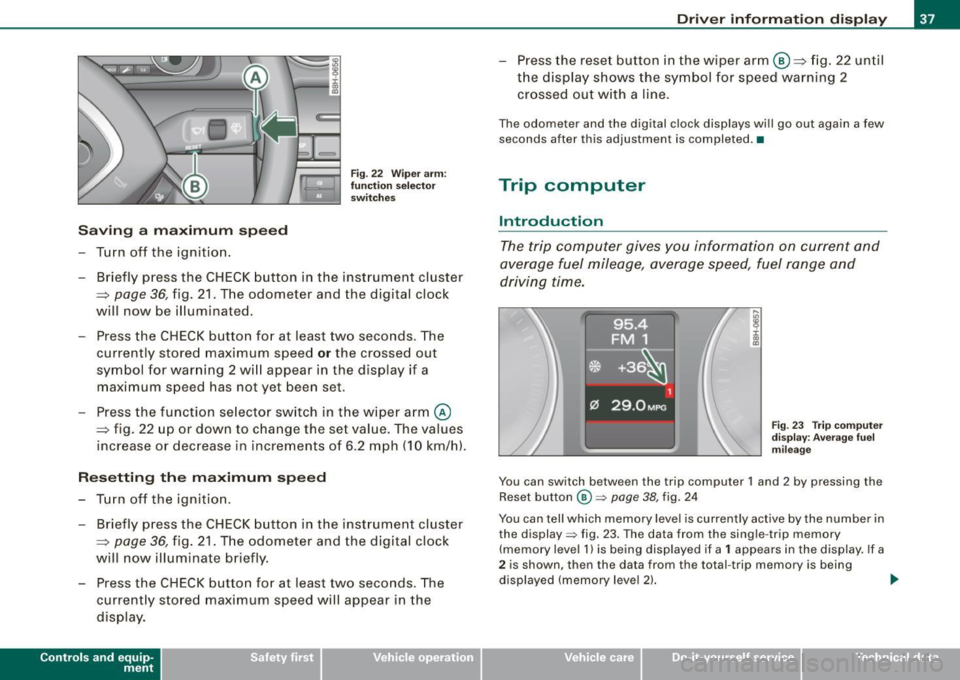
F ig . 23 Tr ip co mput er
d is pl ay : Ave ra ge f uel
mi leage
You can switch between the trip computer 1 and 2 by pressing the
Reset button
@ => page 38, fig. 24
You can tell which memory level is currently active by the number in
the display => fig. 23. The data from the single -trip memory
(memory level 1 l is being displayed if a
1 appears in the display. If a
2 is shown, then the data from the total -trip memory is being
displayed (memory leve l 2) . ..,_
~ehicle care Technical data