tires AUDI A4 CABRIOLET 2009 Owners Manual
[x] Cancel search | Manufacturer: AUDI, Model Year: 2009, Model line: A4 CABRIOLET, Model: AUDI A4 CABRIOLET 2009Pages: 340, PDF Size: 77.32 MB
Page 5 of 340
Airbag system . . . . . . . . . . . . . . . . . 168 Trailer to\Ning . . . . . . . . . . . . . . . . . . 224
Important things to know . . . . . . . 168 Driv ing with a trailer . . . . . . . . . . . . 224
Front airbags . . . . . . . . . . . . . . . . . . 172 Trailer towing tips . . . . . . . . . . . . . . 226
Monitoring the Advanced Airbag
System . . . . . . . . . . . . . . . . . . . . . . .
179
Knee airbags . . . . . . . . . . . . . . . . . . 184
Side a irbags . . . . . . . • . . . . . . . . . . . 187
Child Safety . . . . . . . . . . . . . . . . . . . . 190
Impor tant things to know . ..... .
Child safety seats ............. .
Insta lling a chi ld safety seat .... . 190
195
200
Add it ional Information ....... .. . 203 Vehicle care . . . . . . . . . . . . . . . 229
Lower anchorages and tethe r for
children (LA TCH) . .. ... ... ... ... .
205 Cleaning and protection . . . . . . . 230
~----
t
Vehicle operation .... ... . 211
212
212
2 12
215
Intelligent
technology ... ... ... .
Notice about data recorded by
ve hicle contro l modules .. ..... .
Electronic Stabilization Program
(ESPJ . .... ... ......... ... ... .. .
B rak ing ..... ... .... .... ... ... .
Servotronic® -advanced power
steering system ............... .
Driving with your quattro® ..... .
Driving and environment .... . . 217
2
18
2 19
The first 1,000 miles (1,500 km) and
afterwards . . . . . . . . . . . . . . . . . . . .
21 9
Catalytic converter . . . . . . . . . . . . .
220
Avoid damaging the ve hicle . . . . . 221
Operate your vehicle economically
and minimize pollution . . . . . . . . .
221
General information ........... .
Care of exterior ................ .
Care of inte rior ...... .... ... ... .
Fue l supply and filling your fuel
tank ........................... .
Gasoline ........... ........... .
Fuel tank ..................... .
Checking and filling .. ... ...... .
Engine hood ......... ......... .
Engine compartment ...... ... . .
Engine oil ..................... .
Engine cooling system ......... .
Brake fluid ................ ... . .
Battery . ... ... ... ............. .
W indshield /headligh t washer
rese rvoir ...................... .
Tires and \Nheels .......... .... .
Tires ..... .. ..... ... .. - . -.. • · · ·
230
230
238
244
244
245
249
249
251
252
257
260
261
266
267
267
Table of contents
Do-it-yourself service ... 289
What do I do no\N? . . . . . . . . . . . . . 290
Trunk escape ha ndle . . . . . . . . . . . . 290
Jack, tools and spare wheel . . . . . . 290
Whee l change .............. .... 293
Fuses and bulbs . . . . . . . . . . . . . . . . 300
Fus es ................. ......... 300
Bulbs .......................... 302
Emergency situations . . . . . . . . . . 304
Genera l ... .. ... .... _ .. _ ...... .. 304
Starting by pushing or towing . . . . 304
Starting with jumper cables . . . . . . 304
Use of jumpe r cables . . . . . . . . . . . . 305
Em ergency towing with commercial
tow truck ... ......... ....... .. .
Lifting vehicle ................. .
Technical data
General information 306
308
311
312
Explanation
of technical data 312
Vehic le ide ntific ation . . . . . . . . . . . . 312
Weights ........................ 313
Dimensio ns . . . . . . . . . . . . . . . . . . . . 313
~ehicle care irechnical data
Page 30 of 340
Driver information display
On-Board Diagnosti cs
Fig . 15 Location of
Data Link Connector
(DLC)
On-Board Diagnostics monitors the components of your emission
control system. Each controlled component in your engine system
has been assigned a code. In case of a malfunction, the component
will be identified and the fault stored as a code in the control module memory .
Th e MIL lamp may also illuminate if there is a leak in the on -board
fuel vapor recovery system. If the light illuminates after a refuelling,
pull off the road and stop the vehicle, then check that the fuel filler
cap is properly closed
=> page 246.
In order to make an accurate diagnosis, the stored data can only be
displayed using special diagnostic equipment (generic scan tool for
OBDl.
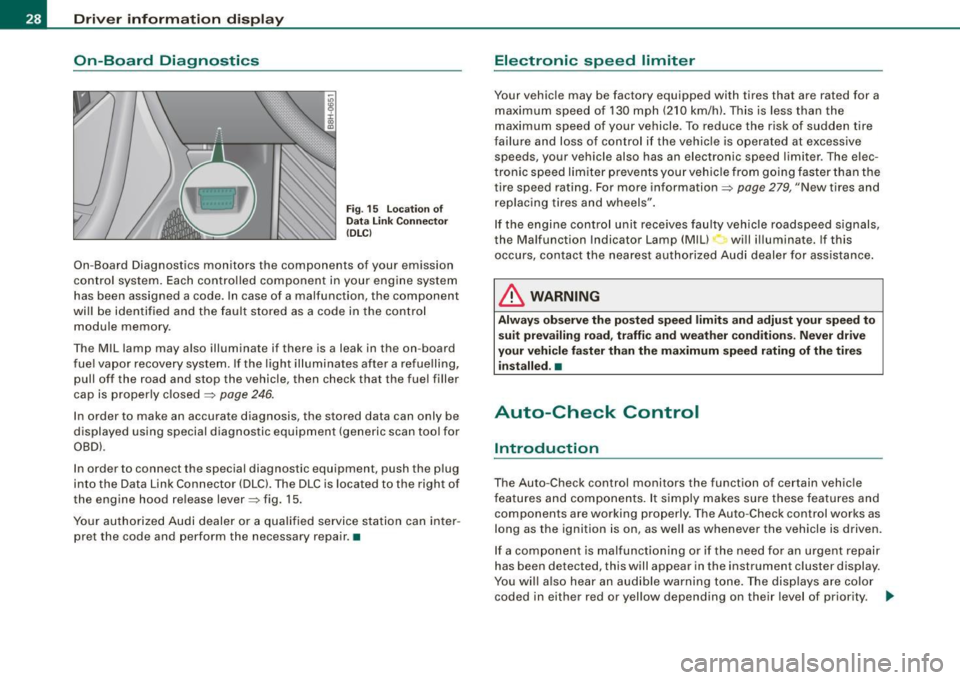
In order to connect the special diagnostic equipment, push the plug
into the Data Link Connector (DLC). The DLC is located to the right of
the engine hood release lever=> fig. 15.
Your authorized Audi dealer or a qualified service station can inter
pret the code and perform the necessary repair. •
Electronic speed limiter
Your vehicle may be factory equipped with tires that are rated for a
maximum speed of 130 mph (210 km/h). This is less than the
maximum speed of your vehicle . To reduce the risk of sudden tire
failure and loss of control if the vehicle is operated at excessive
speeds, your vehicle also has an electronic speed limiter . The elec
tronic speed limiter prevents your vehicle from going faster than the
tire speed rating. For more information=>
page 279, "New tires and
replacing tires and wheels".
If the engine control unit receives faulty vehicle roadspeed signals,
the Malfunction Indicator Lamp (Mill will illuminate. If this
occurs, contact the nearest authorized Audi dealer for assistance.
& WARNING
Always observe the posted speed limits and adjust your speed to
suit prevailing road, traffic and weather conditions. Never drive
your vehicle faster than the maximum speed rating of the tires installed. •
Auto-Check Control
Introduction
The Auto-Check control monitors the function of certain vehicle
features and components. It simply makes sure these features and
components are working properly. The Auto-Check control works as
long as the ignition is on, as well as whenever the vehicle is driven.
If a component is malfunctioning or if the need for an urgent repair
has been detected, this will appear in the instrument cluster display.
You will also hear an audible warning tone. The displays are color
coded in either red or yellow depending on their level of priority. .,_
Page 38 of 340
Driver inf orma tion d ispl ay
The speed warning symbol will also go out if the speed exceeds the
stored maximum speed by more than about 25 mph (40 km/h) for at
least 10 seconds. The stored maximum speed is de leted .
Setting speed warning 1
~ page 36 .
Speed warning 2
Storing warning 2 is recommended if you
always want to be
reminded of a certain speed, for example when you are traveling in
a country that has a general maximum speed limit, or if you do not
want to exceed a specified speed for winter tires.
The speed warning 2 symbol,
~ (USA models)/ :, (Canada models)
appears in the disp lay when you exceed the stored speed limit.
Unlike warning 1, it will not go out until the vehicle speed drops
below the stored speed limit.
Setting speed warning 2
=> page 36.
[ i ) Tip s
Even though your vehicle is equipped with a speed warning system,
you should still watch the speedometer to make sure you are not
driving faster than the speed limit .•
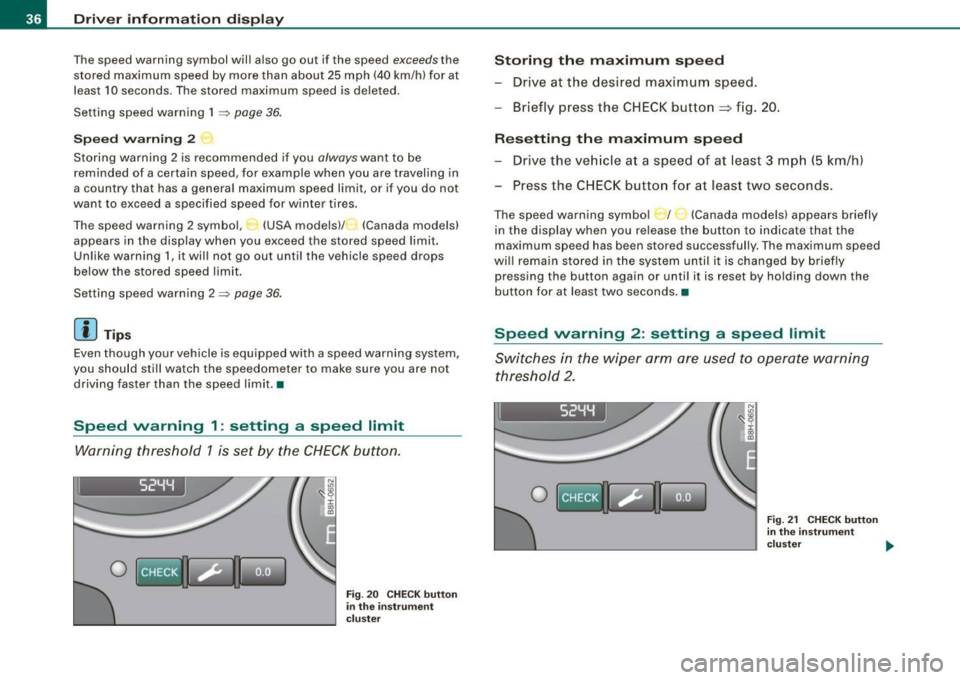
Speed warning 1 : setting a speed limit
Warning threshold 1 is set by the CHECK button.
I 52YY
0
N
"' :8 i 00
"'
Fig . 20 C HECK but to n
in th e ins trume nt
c lu ster
Storing th e maximum speed
- Drive at the desired maximum speed.
- Briefly press the CHECK button
=> fig . 20.
R es etting th e m aximum spe ed
- Drive the veh icle at a speed of at least 3 mph (5 km/h)
- Press the CHECK button for at least two seconds.
The speed warning symbol _ f _ _ (Canada models) appears briefly
in the display when you release the button to indicate that the
maximum speed has been stored successful ly. The maximum speed
wi ll remain stored in the system until i t is changed by briefly
pressing the button again or unti l it is reset by holding down the
button for at least two seconds. •
Speed warning 2: setting a speed limit
Switches in the wiper arm are used to operate warning
threshold 2 .
I 52YY
0
Fig. 21 CHECK button
in the in st rum ent
clu ste r .,,.
Page 43 of 340
![AUDI A4 CABRIOLET 2009 Owners Manual Using the rocker switch, you can select the menus in the display or
change settings. A cursor appears on the left in front of the selected
values .
By pressing the [Reset] b](/img/6/57553/w960_57553-42.png "AUDI A4 CABRIOLET 2009 Owners Manual Using the rocker switch, you can select the menus in the display or
change settings. A cursor appears on the left in front of the selected
values .
By pressing the [Reset] b")
Using the rocker switch, you can select the menus in the display or
change settings. A cursor appears on the left in front of the selected
values .
By pressing the [Reset] button, you activate the selection you made
or confir m the values you set.
Sel ecte d funct ions are identified with
a check mark or are carried out directly.
Meanings of the symbo ls in the display:
Selection bar Selected function
> Cursor
Check mark
D
Box
-
Meaning
Current Selection
Selected o r Function
active
Not selected
Triangle pointing up Previous page
Triangle pointing down
Next page
-
Tire pressure monitoring system
App lies to vehicles: with tire pressu re mon itoring system
General notes C.. ~
Each tire, including the spare (if provided), should be checked
month ly when cold and inflated to the inflat ion pressure recom
mended by the vehicle manufacturer on the vehicle placard or tire
inf lation pressure label. ( If your vehicle has tires of a different size
than the size indicated on the vehicle placard or tire inflation pres
sure label, you should determine the proper tire inflation pressure
for those tires.)
As an added safety feature, your vehicle has been equipped with a
tire pressure monitoring system (TPMS) that illuminates a low tire
Controls and equip
ment
•
Driv er inf ormati on di spl ay
pressure telltale when one or more of your tires is significant ly
under -inflated. Accord ingly, when the low tire pressure tel ltale illu
minates, you shou ld stop and check your tires as soon as possible,
and inflate them to the proper pressure . Driving on a significan tly
under-inflated tire causes the tire to overheat and can lead to tire
failure . Under-inflation also reduces fuel efficiency and tire tread
life, and may affect the vehic le's handling and stopping ability .
Please note that the TPMS is not a substitute for proper tire mainte
nance, and it is the driver's responsibility to maintain correct t ire
pressure, even if under -inflation has not reached the leve l to trigger
il lumination of the TPMS low tire pressure te lltale .
Your veh ic le has a lso been equipped w ith a TPMS malfunction indi
cator to indicate when the system is not operating properly . The
TPMS malfunction indicator is combined with the low tire p ressure
telltale . When the system detects a malfunction, the telltale wil l
flash for approx imately one minute and then remain cont inuously
il luminated . This sequence will continue upon subsequent vehicle
start -ups as long as the malfu nction exists.
When the ma lfunction indicator is illuminated , the system may not
be able to detect or signal low tire pressure as intended. TPMS
malfunctions may occur for a variety of reasons , including the
insta llation of replacement or alternate tires or wheels on the
vehicle that prevent the TPMS from functioning prope rly . A lways
check the TPMS malfunction telltale after replacing one or more
tires or whee ls on your vehicle to ensure that the replacement or
alternate tires and wheels allow the TPMS to continue to function
p roper ly .•
App lies to ve hic les : with tire pressu re mon ito ring system
Introduction
The tire pressure m onitoring system monit ors air pressure
in all four road wheels while t he vehicle is moving.
As soon as the tire pressure monitoring system senses a significant
loss of air pressure in one or seve ra l tires, text messages and yellow
~
Page 44 of 340
Driver information display
symbols appear in the instrument cluster display to alert the driver.
The warning light in the instrument cluster comes on when the
tire is significantly underinflated .
The warning light _, also lights up during a system failure.
When the wheel is turning, the system receives radio signals from
sensors located inside each tire .
A factory spare wheel is delivered with sensor. However, the spare
wheel is not checked by the tire pressure monitoring system. Such monitoring can only occur after the spare wheel has been installed
and initialized ~
page 45.
Be aware that tire pressure is also dependent on the temperature of
the tire. For every 18 °F (10 °C) increase in tire temperature, tire pres
sure increases by about 1.5 psi (0.1 bar). The tire warms up while the
vehicle is moving and tire pressure rises. So you should adjust tire
pressure only when they are
cold, when tire temperature is roughly
the same as ambient air temperature.
In order to keep the tire pressure monitoring system properly cali
brated, tire pressure on all four tires should be checked at regular
intervals, adjusted if necessary and saved in the proper setting
(recommended pressure)~
page 43.
The tire pressure is shown on the tire pressure label. On USA vehi
cles, the tire pressure label is located on the driver's side B-pillar. On
Canada vehicles, the tire pressure label is located either on the
driver's side B-pillar or inside the fuel filler flap. The tire pressure
label lists the recommended cold tire inflation pressures for the
vehicle at its maximum capacity weight and the tires that were on
your vehicle at the time it was manufactured . For recommended tire
pressures for normal load conditions, please see chapter
~ page 277.
& WARNING
• When the tire pressure monitoring system warning light is lit,
one or more of your tires is significantly under -inflated. You should
stop and check your tires as soon as possible, and inflate them to
& WARNING (continued)
the proper pressure as indicated on the vehicle's tire pressure
label
~ page 271. Driving on a significantly under-inflated tire
causes the tire to overheat and can lead to tire failure. Under-infla
tion also is likely to impair the vehicle's handling and stopping ability .
• Do not adjust tire pressure when tire temperature is excessive.
This could lead to serious tire damage and even cause the tire to
burst, with the additional danger of an accident.
For the sake of the environment
Driving with under-inflated tires reduces fuel efficiency and tire
tread life.
[ i] Tips
• Each tire should be checked monthly when cold and set to the
recommended inflation pressure as specified on the tire pressure
table~
page 277 .
• The tire pressure monitoring system helps the driver to keep
track of the tire pressures . But the driver still has the responsibility
for maintaining the correct tire pressure.
• Tire pressure must only be adjusted when the temperature of the
tires is about the same as ambient air temperature.
• When tires are replaced, the sensors and valves must not be
detached or exchanged. Only the valve core needs to be replaced
and, if necessary, the valve and the wheel electronics replaced.
• If you should put different wheels and tires on your vehicle (e.g.
winter wheels and tires), you must be certain that the wheels and
tires are compatible with the tire pressure monitoring system.
Otherwise the system will register a malfunction and a fault
message will be displayed. For more information, contact your Audi
dealer. .,
Page 45 of 340
• For Declarat ion of Compliance to United States FCC and Industry
Canada regulations ~ page
320. •
App lies to ve hicles: w ith tir e p res sure mon it o ring syst em
Significant loss of air pressure
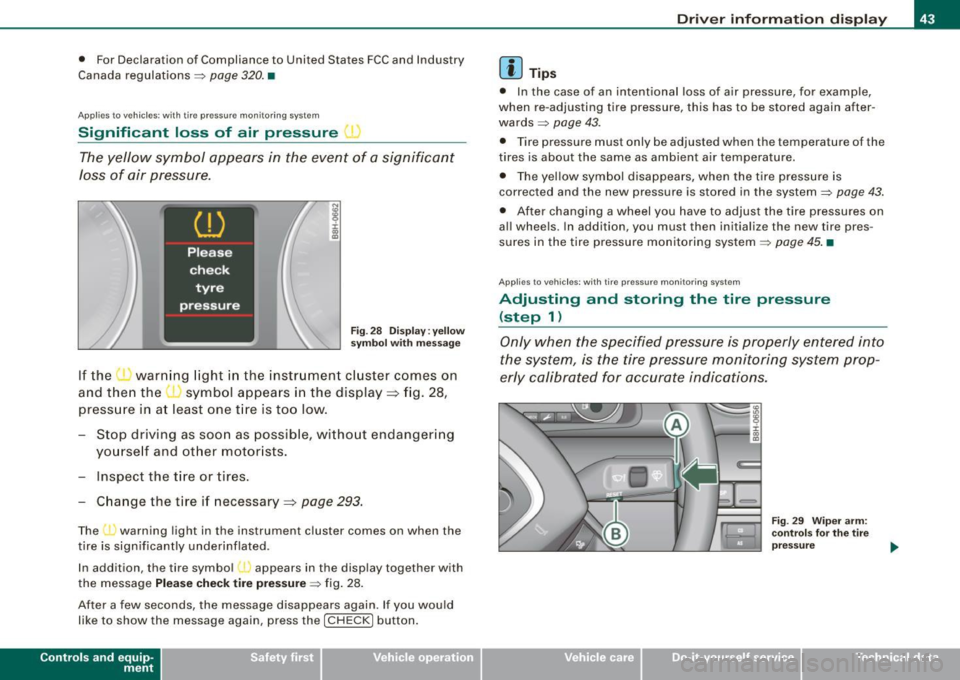
The yellow symbol appears in the event of a significant
Joss of air pressure.
i :c co CD
Fig . 28 Disp lay : ye llow
sy mbo l w ith message
If the warn ing light in the instr ument cl uster comes on
and then the ' symbol appears in the display => fig. 28,
press ure in a t least one t ire is too low .
- Stop driv ing as soon as possible, witho ut endange ring
yo urse lf and o ther motor ists .
- Inspect the tire or t ires .
Change the tire
if necessary =:, page 293.
The J warning light in the instrum ent cluster comes on when the
tire is significantly underinflated .
In addition , the tire symbo l l appears in the display together with
the message Please check tire pre ssur e~ fig . 28.
After a few seconds, the message disappears again . If you would
l i ke to show the message aga in, press the [ CH ECK] button .
Contro ls and eq uip
ment
Dri ver informa tio n di spl ay
[ i ] Tip s
• In the case of an intentional loss of air pressure, for examp le,
when re -adjusting tire pressure, th is has to be stored again after
wards ~ page
43.
• Tire pressure must only be adjusted wh en the temperature of the
tires is about the same as ambient air temperature.
• The yellow symbol disappears, when the tire pressure is
corrected and the new pressure is stored in the system~ page
43.
• After changing a wheel you have to adjust the tire pressures on
a ll whee ls . In addi tion , you must then initialize the new tire pres
sures in the tire pressure mon itoring system ~ page
45. •
Applie s to veh ic le s: w ith tir e p re ss ure mon ito rin g syste m
Adjusting and storing the tire pressure
(step 1)
Only when the specified pressure is properly entered into
the system, is the tire pressure monit oring system prop
erly calibrated for accurate indications.
~ehicle care
Fig . 2 9 Wip er arm :
co ntr ols for th e tir e
pr ess ure
Technical data
Page 47 of 340
Following each intentional change in specified pressures, tire pres
sures must be resaved .
After the pressures are saved, the tire pressure monitoring system measures the current tire pressures and saves them as the new
specified pressures.
[ i ] Tips
• The tire pressure is shown on the tire pressure label. On USA
vehic les, the tire pressure label is located on the driver 's side 8-
pillar. On Canada vehicles, the tire pressure label is located either on
the driver's side 8 -pi llar or insid e the fuel filler flap . The tire pressure
label lists the recommended cold tire inflation pressures for the
vehicle at its maximum capacity weight and the tires that were on
your vehicle at the time it was manufactured . For recommended tire
pressures for normal load conditions , please see chapter
=> page 271.
• The tire pressure monitoring system he lps the driver to keep an
eye on tire pressures . But the driver st ill has t he responsibi lity for
maintaining the correct tire pressure .•
Contro ls and eq uip
ment
Dri ver informa tio n di spl ay
Ap plies to veh icles : w it h tir e pr essure mo nito ring syste m
Changing a wheel
When you change a wheel, the new tire must be initial
ized .
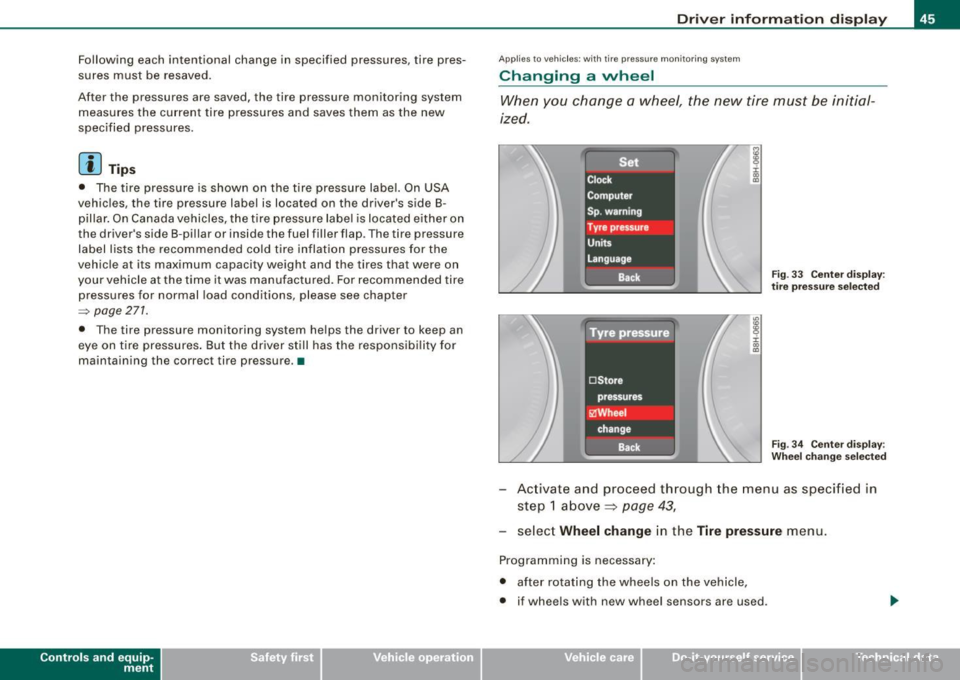
Fig . 33 Ce nter disp lay :
t ir e pr essur e se lecte d
Fi g. 3 4 Center disp lay :
W heel c hang e se lecte d
Activate and proceed through the menu as specified in
step 1 above ~
page 43,
select Wheel change in the Tire pres sure menu.
Programming is necessary:
• after rotating the wheels on the vehicle,
• if wheels with new wheel sensors are used .
~ehicle care Technical data
Page 216 of 340
___ ln_ te_ ll..,,ig ..,_ e_ n_t _t_ e_ c_ h _ n_o _ l_o _,.g= y,_ __________________________________________ _
Driving off
When driving off, always be sure to keep road conditions in mind as
you accelerate. If one drive wheel spins because it is on a surface
with less grip, gradually increase the pressure on the accelerator
pedal until the car starts to move. The wheel less able to transfer
power spins.
Overheating of brakes
To prevent the disc brake of the braked wheel from overheating if
subjected to excessive loads, the EDL cuts out temporarily. The
vehicle remains operational and behaves in the same way as a
vehicle without EDL.
As soon as the brake has cooled down, EDL switches on again auto matically.
& WARNING
• When accelerating on slippery surfaces, such as on ice or snow,
always be careful when depressing the accelerator pedal. Even
with the EDL working, the drive wheels can spin and reduce your ability to control your car. -Risk of crash!
• The increased safety afforded by EDL does not mean that you
can take safety risks. Always adapt your driving style to the road
conditions and traffic situation.
[ i] Tips
If a fault occurs in the ABS, the EDL is also not functioning. This is
indicated by the ABS warning light=>
page 20. •
Anti-Slip Regulation System (ASR)
The Anti-Slip Regulation System prevents the driven
wheels from spinning when the car is accelerating.
General notes
The Anti-Slip Regulation System (ASR) is integrated in the electronic
stabilization program (ESP). When the vehicle starts up and acceler
ates, the wheels are prevented from spinning by adjusting the
engine power to match the amount of grip available from the road
surface.
How the system works
ASR performs automatically, i.e. without the driver's intervention.
With the aid of the ABS sensors=>
page 276, ASR monitors the
speed of the driven wheels. If the wheels start to spin, the engine
power is reduced automatically until the tires find enough grip to
lock onto the road surface. The system is active across the entire
speed range.
Th e ASR works in conjunction with the ABS. If a malfunction should
occur in the ABS, the ASR will also be out of action.
& WARNING
The increased safety afforded by ASR does not mean that you can
take safety risks. Always adapt your driving style to the road
conditions and traffic situation.
[ i] Tips
To ensure that the ASR works properly, all four wheels must be fitted
with identical tires Any differences in rolling radius of the tires can
cause the system to reduce engine power when this is not desired.
S ee also =>
page 279, "New tires and replacing tires and wheels". •
Page 220 of 340
___ ln_ te_ ll..,,ig ..,_ e_ n_t _t_ e_ c_ h _ n_o _ l_o _,.g= y,_ __________________________________________ _
• If the power steering system should fail entirely, or if the engine
is not running (for example, while being towed), you will still be able
to steer the vehicle . However, considerably more effort will be
required to do so.
• If the power steering system should have a leak, or is not func
tioning properly, contact your authorized Audi dealer immediately.
• The power steering system requires a specially formulated
hydraulic fluid. The power steering reservoir is the one located most
forward on the left side of the engine compartment=> page 251. The
correct fluid level in the reservoir is important for proper func
tioning of the power steering. •
Driving with your quattro®
With All Wheel Drive, all four wheels are driven.
General information
With All Wheel Drive, power is distributed to all four wheels. This
happens automatically depending on your driving style and the
road conditions at the time. See also=> page 213, "Electronic differ
ential lock (EDU".
Winter tires
When driving in the winter, your vehicle with All Wheel Drive has an
advantage, even with regular tires. In winter road conditions it may
be advisable to mount winter tires (or all-season tires) for improved
driveability and braking: these tires must be mounted on
all four
wheels.
See also => page 284, "Winter tires".
Snow chains
Where snow chains are mandatory on certain roads, this normally
also applies to vehicles with all -wheel drive => page 285, "Snow
chains".
Replacing wheels/tires
Vehicles with All Wheel Drive must always have tires of the same
size. Also avoid tires with different tread depths. For details see
page => page 279, "New tires and replacing tires and wheels".
Off-Road driving?
Your Audi does not have enough ground clearance to be used as an
off-road vehicle. It is therefore best to avoid rough tracks and
uneven terrain as much as possible. Also refer to=> page 221.
& WARNING
Always adjust your driving to road and traffic conditions. Do not
let the extra safety afforded by the all-wheel drive tempt you into
taking extra risks.
• Although the quattro®all-wheel drive is very effective, always
remember that braking capacity is limited by tire traction. You
should therefore not drive at excessive speeds on icy or slippery
road surfaces.
• On wet road surfaces, be careful not to drive too fast because
the front wheels could begin to slide on top of the water (hydro planing). If this should occur, you will have no warning from a
sudden increase in engine speed as with a front-wheel drive
vehicle. Always drive at speeds which are adjusted to the road conditions -risk of crash! •
Page 221 of 340

Driving and environment
The first 1 ,000 miles (1,500 km) and afterwards
New engine
The engine needs to be run-in during the first 1,000 miles
(1,500 km).
For th e fir st 600 mil es (1 ,000 kil omet ers):
Do not use full throttle.
- Do not drive faster than 3/4 of the top speed marked on
the speedometer.
- Avoid high engine speeds .
Fr om 600 to 1 ,000 mil es (1,000 to 1 ,500
kilom ete rs ):
- Speeds can gradually be increased to t he maximum
permiss ible road or engine speed .
During and aft er br eak-in p eri od
- Do not rev the engine up to high speeds when it is cold. This applies whether the transm ission is in N (Neutral) or
1n gear.
After the br eak -in period
- Do not exceed max imum e ngine speed unde r any
circumstances.
- Upshift into the next higher gear before reaching t he red
area at the end of the tachome ter scale ~ page 12 .
Controls and equip
ment Safety first Vehicle operation
Driving
and environm ent
During the first few hours of driving, the eng ine's internal friction is
higher than later when all the moving parts have been broken in.
How well this break-in process is done depends to a cons iderable
extent on the way the vehicle is driven during the first 1,000 miles
(1,500 ki lometers).
0 Not e
Extremely high engine speeds are automatically reduced. However,
these RPM -limits were programmed for an engine we ll run-in , not a
new engine .
~ For the sake of the environment
Do not drive with unnecessarily high engine speeds -upshifting
early saves fuel , reduces noise and protects the environment.
New tires
If your v ehicle is r un ning on new tires, driv e particularly
carefu l for the first 350 miles (500 ki lometers) after fitting.
& WARNING
New tire s te nd to b e slipp ery and mu st al so be " brok en -in ". Be
su re t o reme mber thi s during th e fir st 350 m ile s (5 00 kil ome ters).
Br ake gent ly. A vo id following clo se ly behind oth er vehicle s or
ot her situ ati ons that might requi re su dd en , har d b raking.•
Vehicle care Do-it-yourself service Technical data